This reviewer is a member of the Best Buy Tech Insider Network Program. This invitation-only program provides BestBuy.com reviewers with manufacturer-supplied products for the purpose of writing honest, unbiased and usage-based reviews. Outside of receiving products to test and review, Best Buy Tech Insider Network Reviewers are not compensated in any other way.
Additional information about Alfred could not be loaded.
from Portland, OR
This is perfect if you wish to watch live over-the-air HDTV. The unit is a little spendy, but you do get what you pay for.
The box includes: -Hauppague 950Q TV Tuner -Remote control and battery -RCA/S-Video adapter dongle -Driver CD w/ WinTV 7.2 -USB Extension cable -Antenna
What to say about all: -Hauppague 950Q TV Tuner I am using this TV stick on both a Mac laptop and a Windows desktop. The item itself is very compact and works well with Windows XP and Windows 7 operating systems. The drivers come on the included CD, and I had no problems installing them. If you are going to use this on a laptop, however, I would advise you to use the included USB extension cable. The product is rather large, and using it on a laptop w/o the extension cable will block an adjacent USB port. The device also does get rather hot while in use for long periods of time.
-Remote control The remote control included with the TV tuner is very poor. While it is the size of a credit card, and will fit into your laptop's PCMCIA slot, the buttons are very stiff and sometimes do not respond when a button is pressed. My laptop does not have a PCMCIA slot, so it will not store anywhere other than my laptop bag.
-RCA/S-Video adapter dongle This device also comes with an RCA/S-Video adapter for plugging in a VCR, Camcorder, or game console for easy capture over S-Video or composite video. I have not tested this plug, however.
-Driver CD w/ WinTV 7.2 The latest version of WinTV is included with this tuner along with the drivers. WinTV is not my application of choice for using the unit. Instead, I recommend Windows Media Center. The drivers also installed very quickly and easilly. The main installation application does not install the drivers for the remote, however. To install the drivers for use of the remote, you will need to search the driver disc in My Computer for the remote control drivers.
-USB Extension cable If you are going to use this with a laptop, it would be a good idea to use the USB extension cable. It could block adjacent USB ports without it.
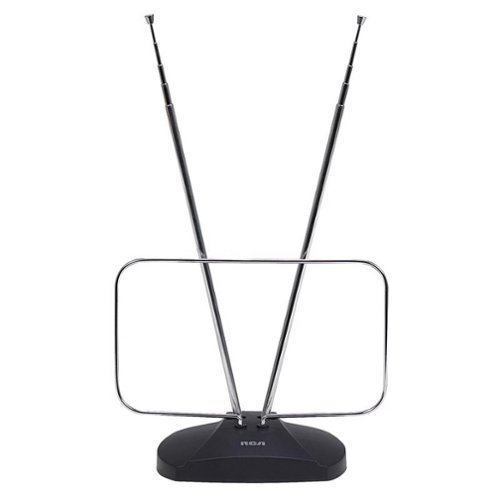
-Antenna I found reception with the included antenna to be pretty good. The antenna is not telescoping however, so it does not rotate it just goes straight up. I would however recommend a pair of portable rabbit ears to get the best coverage. An amplified antenna will also fair well with this device.
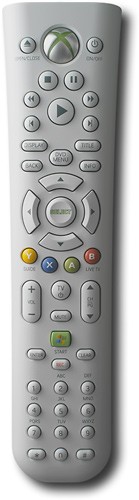
Overall, I am very satisfied with my purchase. The only drawbacks are the price and the poor quality remote. You can purchase a Windows Media Center remote for the Xbox 360 and use it on this device, however. Which is very nice.
What's great about it: Small, easy to use, can capture HDTV, can capture through coax and composite video, works great
What's not so great: Price, Remote control is very poor
This reviewer is a member of the Best Buy Tech Insider Network Program. This invitation-only program provides BestBuy.com reviewers with manufacturer-supplied products for the purpose of writing honest, unbiased and usage-based reviews. Outside of receiving products to test and review, Best Buy Tech Insider Network Reviewers are not compensated in any other way.
Additional information about mooseinutah could not be loaded.
from Utah
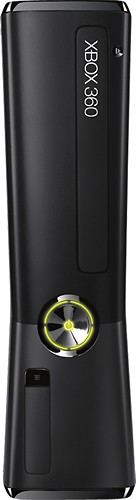
I read reviews and decided to not install the cd that comes with this tuner. (smart move) I run windows 7 home premium with media player. We dumped dish (after yet another increase) and added netflix but we still wanted the DVR . to my surprise all this time I had one my computer combined with media center. so I ran the coax from outdoor antenna to this usb tuner pluged it in to computer usb port started windows media center (find stations) and I receive all 44 local stations (same as on oter tv) that was is. ignore instructions and cd if this is the same thing you are looking for. media center is very close to the same as dish dvr. the best part is you like me may already own it and it is just sitting on computer doing nothing put it to work. I also wanted the recorded show's to watch on our tv. so I purchased the new xbox 360 4g. and remote I connected this wireless and it works perfect. xbox is the only extender that I found to work with media center. but if you do the math it will pay for itself in just a few months.
What's great about it: Simple if you ignore cd and instructions
This reviewer is a member of the Best Buy Tech Insider Network Program. This invitation-only program provides BestBuy.com reviewers with manufacturer-supplied products for the purpose of writing honest, unbiased and usage-based reviews. Outside of receiving products to test and review, Best Buy Tech Insider Network Reviewers are not compensated in any other way.
Additional information about DeathOpie could not be loaded.
from Greenfield Ma
Bought this for my new laptop that I'm using more like a desktop. Connected it to my Comcast cable after I installed a splitter at the input to my modem. Plugged into the USB port and opened Windows Media Center (windows 7). It took about a half hour to configure and scan all the channels but when it was done all the channels I expected to get were there.....the analog stations like ESPN, Comedy Central, etc and HD versions of all my locals. The guide data loaded up in WMC and I setup a couple of shows to record. Other tuner cards I'd had in the past for desktop computers did not go this well, so I'm very pleased.
What's great about it: Picked up all the channels i expected flawlessly
This reviewer is a member of the Best Buy Tech Insider Network Program. This invitation-only program provides BestBuy.com reviewers with manufacturer-supplied products for the purpose of writing honest, unbiased and usage-based reviews. Outside of receiving products to test and review, Best Buy Tech Insider Network Reviewers are not compensated in any other way.
Additional information about JRomulus could not be loaded.
from Chicago, IL
I had a long drive and was going to miss a football game on TV one Sunday. I went and bought this, had it up and running in 20 minutes on my Windows 7 x64 bit system. It comes with software but I simply use Windows Media Center that is built into Windows. A bonus is that this comes with a remote control which works in Windows. Gets local Hi Def stations off of comcast which I can play on my pc or send to my plasma, no quality difference at all vs. the comcast box. However, be advised that other channels that require a Digital decoder to view off of cable are not usable without hooking that decoder box to the line before this Hauppauge unit. But for what I need this for (watching a major sporting event, or catching the news while I'm working or eating lunch at my PC) this is great. Have used it now for 2 months, still very pleased.
This reviewer is a member of the Best Buy Tech Insider Network Program. This invitation-only program provides BestBuy.com reviewers with manufacturer-supplied products for the purpose of writing honest, unbiased and usage-based reviews. Outside of receiving products to test and review, Best Buy Tech Insider Network Reviewers are not compensated in any other way.
Additional information about Matteo56 could not be loaded.
from Fargo, ND
Bought this last night and install was basically painless. I didn't use any of the software that came with the product & decided to go with Windows Media Center (Running Windows 7). I literally plugged it in, scanned for channels, and was off to the races. I bought a separate pair of bunny ears for better reception ($10 bucks). If you are thinking about it, take the plunge and cancel your cable.
What's great about it: HD, Broadcast Channels, Little to no set up
This reviewer is a member of the Best Buy Tech Insider Network Program. This invitation-only program provides BestBuy.com reviewers with manufacturer-supplied products for the purpose of writing honest, unbiased and usage-based reviews. Outside of receiving products to test and review, Best Buy Tech Insider Network Reviewers are not compensated in any other way.
Additional information about preparing4future could not be loaded.
from Lakewood Ranch, FL
I love it! Very simple to use. I love the fact it is USB and does not require opening the computer to install.
My only concern was in installing the software. I called the tech number and quickly found that my Verizon cable box required me to use the analog source setting and manually add channel 3 (some sets use 2). After that is was a breeze. It now works well and quite easily.
What's great about it: inexpensive, small, simple to operate, USB
What's not so great: instructions did not seem clear for choosing source
This reviewer is a member of the Best Buy Tech Insider Network Program. This invitation-only program provides BestBuy.com reviewers with manufacturer-supplied products for the purpose of writing honest, unbiased and usage-based reviews. Outside of receiving products to test and review, Best Buy Tech Insider Network Reviewers are not compensated in any other way.
Additional information about funkymono could not be loaded.
from Asheville, NC
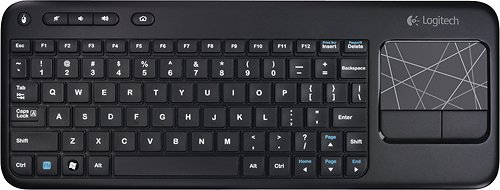
I purchased this to convert a 3-year-old HP desktop into a DVR for over-the-air digital TV, and it works exactly as I'd hoped. A few notes: 1. Although many Windows computers will automatically download the drivers for this tuner, those drivers will often be out of date. Be sure to download the latest drivers from the Hauppauge website. (If you're using Windows Media Center, it'll hang while trying to find signals if you're using an outdated driver.) 2. If you have a computer with Windows Media Center, you won't need the software that comes with this tuner; Windows Media Center automatically detected the card and TV signals (after I updated the drivers), and it's an intuitive, robust program that works like a charm. 3. The antenna that comes with this tuner will only suffice if you live in a metropolitan area where all of the broadcast signals generate within a 10-mile radius; the rest of us will need a heftier antenna. The Mohu Leaf is a good option, although I use the ChannelMaster DB8 since many of our local broadcasts generate from 30+ miles away. 4. I don't know if the included remote will work with Windows Media Center, but I use the Logitech K400 wireless keyboard with touch pad. It's inexpensive, lightweight, small, easy to use, and has a wireless range of 33 feet.
With all of that said, this is a good product if you've ditched cable but still want to be able to record your favorite programs. And for the record, my computer is connected to a 720 HDTV via a VGA cable and male-to-male stereo cable. The picture isn't as good as when the coax was plugged directly into the TV, but it's still quite good. If you have the option of connecting your computer and TV via HDMI, the picture should be excellent.
My Best Buy number: 2120818596
What's great about it: Good price, works with Windows Media Center
What's not so great: Included antenna weak
I would recommend this to a friend!
Other Best Buy Products I Recommend
Logitech - K400 Tenkeyless (TKL) Wireless Membrane Keyboard - Black