
Share Kris's profile


Kris
Kris's stats
- Review count59
- Helpfulness votes210
- First reviewOctober 1, 2014
- Last reviewApril 16, 2021
- Featured reviews0
- Average rating4
Reviews comments
- Review comment count0
- Helpfulness votes0
- First review commentNone
- Last review commentNone
- Featured review comments0
Questions
- Question count0
- Helpfulness votes0
- First questionNone
- Last questionNone
- Featured questions0
- Answer count5
- Helpfulness votes4
- First answerDecember 22, 2017
- Last answerJanuary 5, 2021
- Featured answers0
- Best answers1
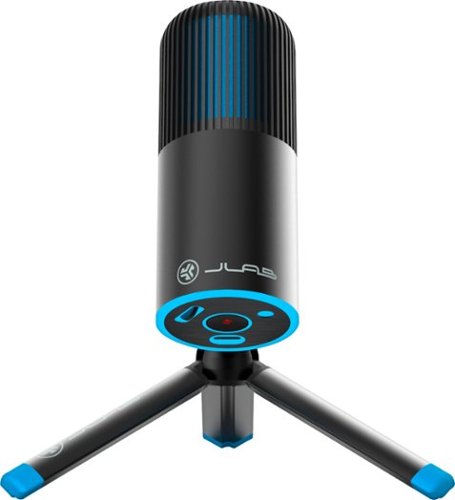
Meet Talk GO, JLab~s compact, lightweight, and portable USB microphone. With 2 studio-quality condensers and a generous resolution of 96kHz/24BIT, this is a great entry level microphone for all around use with high performance. The Talk GO has 2 directional pattern modes to choose from and has volume and mute controls, making it great for calls, podcasts, gaming, ASMR and voiceovers using its two directional pattern modes.

Posted by: Kris
from South Dakota
Apologies in advance to the manufacturer if I missed something in the description but the JLab Talk Go microphone doesn't do what I initially bought it to do. I wanted to connect it to our Samsung Sound Tower speaker so the kids could sing along with their tunes and my wife could connect it to the same speaker for use as a PA system at her organization's events. However, the JLab will not work unless it is connected to a device running an operating system. "Dumb" speakers aren't compatible. I feel a bit naive but I assumed plug and play meant just that as nowhere in the description or specifications tabs on BestBuy.com is there information pertaining to the OS requirement. I found a different microphone with a USB adapter that does what I need so I'm good in that regard but it was a minor frustration initially.
I'm not a podcaster and really don't have much need to record myself but in fairness to the JLab Talk Go I downloaded Audacity and played around with it for a while. There was basically 0 setup getting the JLab connected to my laptop. The kids had a good time watching their voices make the graphs on Audacity bounce around and the sound recording was perfectly fine. I noticed that I could move quite a bit in any direction away from the microphone and the quality of the recording barely fluctuated. Although it was a bummer to not be able to use it as I wanted, I can say that at it's price point, the JLab Talk Go is a perfectly fine option for it's intended use.
Mobile Submission: False
I would recommend this to a friend!

Share this review:


-4points
8of 20voted this as helpful.
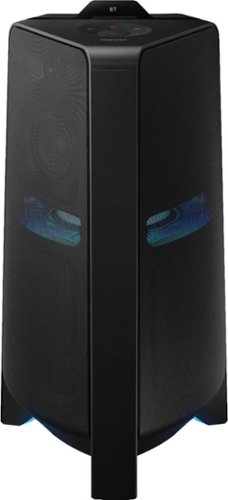
Get the party started with this Samsung T70 sound tower. The powerful speakers fill the room with up to 1500W of bi-directional sound, and the built-in 10-inch woofer delivers loud, impressively detailed bass. This Samsung T70 sound tower has integrated LED party lights that enhance any gathering with a variety of rhythmic lighting effects.
Posted by: Kris
from South Dakota
The Samsung Sound Tower is a beast of a Bluetooth speaker in 3 ways; It's loud, heavy and expensive. It arrived shrink wrapped to a wooden pallet and I helped a rather diminutive driver get it off the pallet, down off the truck and to my front door. BestBuy.com lists it at 58.4 lbs. and it's every bit of it. There are handles in the back at the top and bottom of the speaker but it's awkward to carry. BestBuy.com lists the speaker at 25.6" tall but my tape measure says it's 35 1/8" to the top of the display at the top of the unit so basically a full 3 feet. I'm a 6'2", 200 lb. contractor and even for me, carrying a 3 foot long, sixty pound triangle horizontally is cumbersome. For my wife it's a deal breaker. Watching her try to get it in the suburban the first time was hilarious but I got in trouble and I have loading duty from now on. Some wheels on the unit would have been a welcome addition.
Once we got it hooked up the sound was very good. It's plenty loud but I felt that the mid-range was slightly lacking. There was plenty of bass for most songs, the treble was fine and there is more than enough volume to violate any noise ordinances your community has. I turned the volume up high enough that it was uncomfortable and only noticed a slight distortion.
The final beastly thing about the Sound Tower is the price. Is this a $700 speaker? I don't know. It sounds great, it's easy to use an. d is plenty of speaker for indoor or outdoor entertaining but $700 is a lot to ask. We also have a Sony V71 High-Power Speaker from Best Buy. It's almost 3" taller but weighs 10 lbs. less, costs $200 less at $499 and has wheels. We're not really "lights" people but if you are, the Sony's light show blows the Samsung away according to my kids. However, I prefer the more subdued lights on the Samsung. Ultimately though, the Samsung is the better sounding speaker. If you can swing $700 you won't be disappointed in the Samsung Sound Tower. It'll do everything you want it to in spades. Just eat your Wheaties before hauling it out to the back yard and watch the door frames...
Mobile Submission: False
I would recommend this to a friend!


Share this review:


+23points
27of 31voted this as helpful.
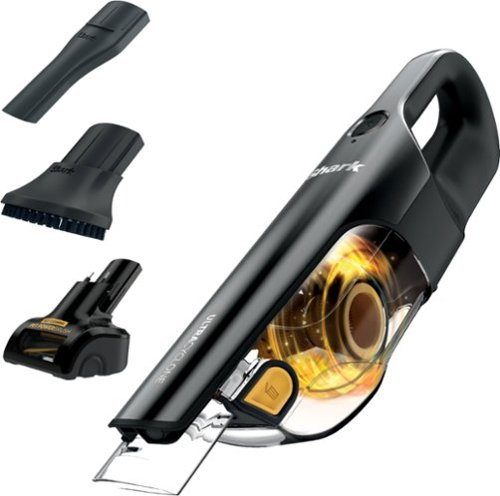
The Shark UltraCyclone Pet Pro+ is a cordless handheld vacuum designed for powerful suction. It comes with a motorized self-cleaning Pet Power Brush that eliminates hair wrap, a lithium-ion battery, CleanTouch dirt ejector, and more, at only 2.8 lbs.
Posted by: Kris
from South Dakota
Not sure what i was expecting but the shark "Ultra-Cyclone" had me pretty excited. "Ultra" leaves the impression that it will take chrome off of a trailer hitch but not quite. Attachments were good, suction power was adequate at best. The pet attachment spins around and makes a fair deal of noise but honestly doesn't do any better than my previous handheld. It looks cool but the power is lacking.
Mobile Submission: True
No, I would not recommend this to a friend.
Share this review:


+1point
1of 1voted this as helpful.
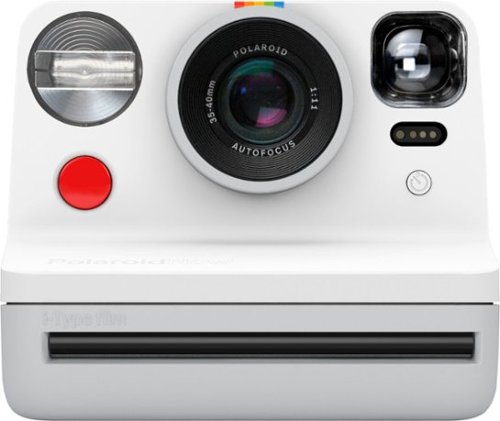
Capture stunning photos with this Polaroid Now i-Type instant camera. Autofocus lets you adjust the lenses to take sharp images, while the self-timer mode is ideal for selfies with your friends or family shots. This Polaroid Now i-Type instant camera features double exposure to combine two images into one for an enhanced look.

Posted by: Kris
from South Dakota
First impression out of the box was that there is a lot of plastic, making the camera feel more like a toy than a quality piece of equipment. For $100 I wasn't expecting much but it feels very cheap in the hand. Manual states that 3-5 feet is the sweet spot but even then the pictures are terrible. I get it, it's supposed to look vintage but I don't watch TV on an old tube set because I get a better picture with HD on my flat screen. I'm 45 and when I was young we had to take film to the hardware store which would then send it off to be developed. The week long wait was excruciating. My grandmother bought a Polaroid probably around 1982 and I remember how exciting it was to have your pictures right away and we still have some of those old instant photos in our scrapbooks. Fast forward almost 40 years and it's not nearly as much fun. After I decided I wouldn't be using the camera, I gave it to my 9, 7 and 5 year-old children to use but it took on average almost 10 minutes for the pictures to develop so they quickly lost interest and once done, the images are terrible. They went right back to taking their pictures with their iPads and Galaxy Tabs. As purely a flashback to my childhood it fits the bill but with an 8 pack of film costing $15 plus tax, $2 per crappy, grainy picture is not an option for us. I can take a quality photo with my phone and bluetooth it to our photo printer and have a very nice image in less than 2 minutes for around 40 cents. Bad photo quality, long wait time, cheap build and $2 per photo means that, unfortunately, the Polaroid Now camera is probably headed for the top shelf of the storage room, never to be seen again.
Mobile Submission: True
No, I would not recommend this to a friend.
Share this review:


+1point
1of 1voted this as helpful.
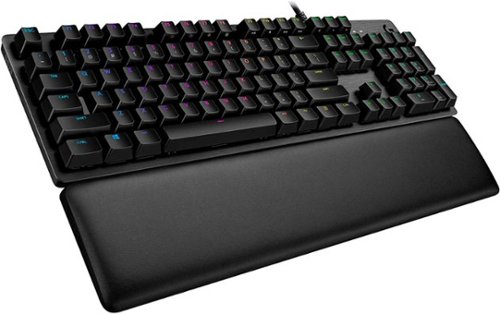
G513 is a high performance RGB mechanical gaming keyboard that features advanced technologies in a modern and sleek design. G513 includes full spectrum ~16.8M color RGB per key lighting with LIGHTSYNC technology, choice of mechanical switches, and a memory foam palmrest to deliver utmost comfort. G513 is the perfect blend of performance, advanced technologies and features, and unparalleled build quality and comfort.
Posted by: Kris
from South Dakota
If I ever had to be in a cage match and my only weapon had to be a keyboard, the Logitech - G513 GX would be my weapon of choice. It's built like a tank, the app is easy to navigate and the colors are super cool. However, I can't use it. This was my first foray into the world of gaming keyboards and I was super excited but after 3 weeks of use I'm putting it away. My Logitech K800 and other previous keyboard keys have been relatively flat but the G513 GX keys are raised about 3x as high and my fingers keep hitting between keys and causing no end of deleting and retyping. I guess after almost 30 years of keyboarding the old dog is having trouble learning new tricks. Keystrokes are also very much louder than I'm used to. My office is adjacent to my bedroom where my wife and usually 1 or 2 or sometimes all 3 of my kids end up sleeping. Most of my business computer work (and gaming:) is done after hours and the extra noise has gotten me in trouble at least 3 times around the midnight hour. The Logitech - G513 GX is solid, beautiful, capable and adaptable but it's just not for me.
Mobile Submission: True
I would recommend this to a friend!

Share this review:


0points
0of 0voted this as helpful.
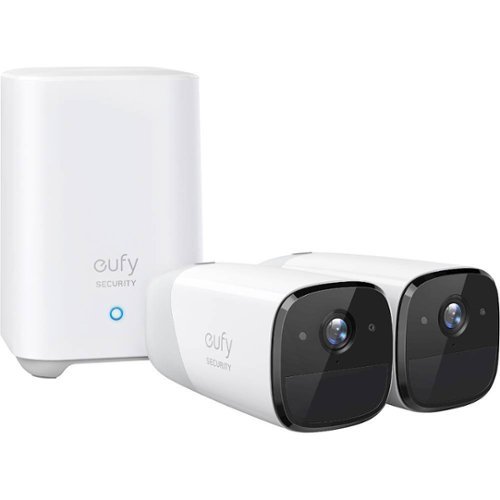
eufy eufyCam 2, 2-Camera Surveillance System: See everything that happens around your home in 1080p HD with this eufy eufyCam 2 kit. Quick and easy to set up, two wireless cameras and a home base provide all that you need to get started, while smart integration ensures you can easily connect to other smart devices. This eufy eufyCam 2 kit provides 365 days of use from a single charge for continuous observation.

Posted by: Kris
from South Dakota
My house is 40' x 70' with a 30' x 40' addition off the back. I run an ARRIS SURFboard mAX Pro Wireless-AX11000 Tri-Band Mesh Wi-Fi 6 System and coverage is phenomenal from end to end. One of the ARRIS nodes is exactly 12' from my front door which is bordered on both sides by 5' x 8' windows. Mounting a Euffy cam over my front door was impossible as the signal on the camera informed me that my wifi signal was "poor" and I'd have to relocate the camera to a place with better wifi signal strength. My Galaxy S9 in the exact same location, approximately 3' over my front door, 12' away from my ARRIS node and through 2 large windows and a front door that's 1/2 glass, registered a full wifi signal with 44.3 mbps download and 42.6 mbps upload. The signal is not the problem even if Euffy's cameras claim it is. My other ARRIS node is in the family room which is 37' as the crow flies from the back door into the garage. This is where I would most like the camera to monitor as 1 vehicle and 2 trailers that I use for work are parked in the alley. Not a chance. Again, the wifi signal is strong and perfectly adequate for any device I've tried except for the EUFFY's camera. No signal. I tried to mount the cameras indoors looking out windows but with my windows, neither mounting the camera bracket on the side or top of the window casing allowed for enough adjustment to give a full view of the area I wanted to monitor. I don't think that this system is all bad but if the wifi receiver in the camera won't work past a very short distance, it's useless to me.
Mobile Submission: True
No, I would not recommend this to a friend.
Share this review:


+3points
6of 9voted this as helpful.
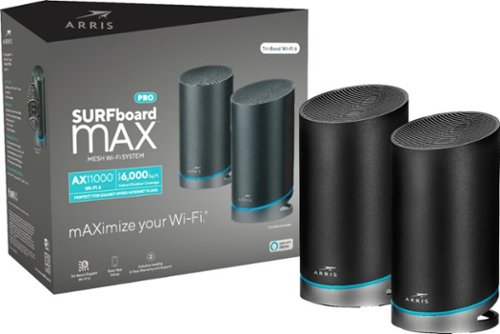
Increase your data capacity to handle all your home network needs with this ARRIS SURFboard mAX Pro Wi-Fi system. The latest Wi-Fi technology, 802.11ax, delivers faster speeds and a wider range to accommodate more users, while the quad-core processors support high-bandwidth applications like simultaneous 4K streaming. This Alexa-compatible ARRIS SURFboard mAX Pro Wi-Fi system features four Ethernet ports for flexible connectivity to WAN networks.

Posted by: Kris
from South Dakota
The ARRIS is crazy fast. Setup was easy, took about 10 minutes. I've seen reviews that mention the app is a problem but I experienced no issues whatsoever. The price is the only drawback but that depends on what you're willing to pay for a major increase in speed. We have fiber to the home so our connection was pretty good already but we have 28 devices connected to our wifi network and occasionally experienced some lag. After hooking up the ARRIS I connected to our regular network from my Galaxy S9 and a speed test showed 21.4 Mbps download and 3.35 Mbps upload. Next I connected to the ARRIS network and the same test came back 46.8 Mbps download and 50.5 Mbps upload. That's pretty impressive. Since the installation we have experienced zero lag even while 5 or 6 devices are streaming simultaneously. Yes, the price is high but you usually get what you pay for and the ARRIS is worth every penny.
Mobile Submission: False
I would recommend this to a friend!


Share this review:


0points
4of 8voted this as helpful.
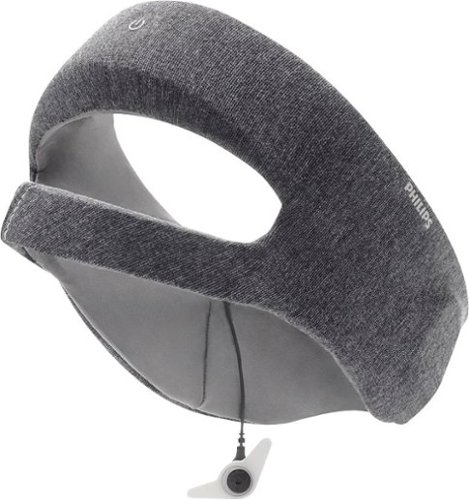
Philips SmartSleep Deep Sleep Headband: Improve the quality of your sleep with this Philips SmartSleep Deep Sleep headband. The clinically tested technology helps improve energy, increase alertness and reduce daytime sleepiness to help you through the day. Pairing this Philips SmartSleep Deep Sleep headband with the SleepMapper app provides you with detailed analytics to help understand your sleep patterns.
Posted by: Kris
from South Dakota
First off, I ordered an extra large and the headband was too small. The size adjustment in the back gives ample room for large melons but there is no adjustment in the front so the speakers that go over your ears were always slightly in front of my ears instead of directly over them. This made it uncomfortable when turned on my side which is how I normally sleep. The sleep tracking app was interesting but beyond that, what good does it really do to know when I was asleep and how many times I woke up in the night, which according to the graph, was a lot. I never heard anything but the app told me the headband delivered a "sleep boost" anywhere from 8 to 30+ times every night which is supposedly a white noise or something with a message saying the boost delivered a corresponding % improvement in sleep quality. It seems a little bogus since it always lists this boost as an improvement even on the nights I slept the worst. I'm a bit of a warm sleeper and occasionally wake up a little damp on my head, neck and shoulders which complicates the use of the SmartSleep since as far as I can tell it is not washable. Another gripe is that location has to be enabled to use the app and connect to the headband. Why in the world is that necessary? Bottom line it's not overly comfortable, effectiveness is questionable, what it actually does while you're sleeping is a bit mysterious and you can't clean it. As stated previously, the sleep graph is kind of cool but I saw no improvement in sleep quality. That plus the rather high cost is a no thanks from me.
Mobile Submission: True
No, I would not recommend this to a friend.
Share this review:


+2points
3of 4voted this as helpful.
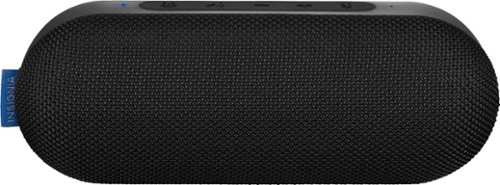
Listen to music at the pool with this Insignia Sonic portable speaker. Bluetooth connectivity lets you stream music from compatible smartphones, and the stereo speakers deliver impressively powerful audio. This Insignia Sonic portable speaker has a water-resistant chassis that stands up to moisture and a powerful battery that offers up to 40 hours of listening per charge.
Posted by: Kris
from South Dakota
Speaker is fantastic for what it costs. My work vehicle is a 2003 and doesn't have bluetooth connectivity and listening to the same crap on the radio every day is soooo annoying. The insignia was a welcome relief from the monotony. Setup was simple and once connected to my Galaxy S9 the sound was perfectly adequate for car audio. I was finally able to listen to what i wanted instead of what the airwaves dictated. Battery life was as advertised if not better. 2.5 - 3 hours per day over 6 days with over 60% life remaining makes me believe the 40 hour life is accurate if not conservative. The sound is exactly what I would expect from a speaker in this price range. Not fantastic but better than average. The only complaint I have is that the connection is somewhat unstable as my phone is never further that 2 feet from the speaker but sometimes after a couple hours the connection gets sketchy and will disconnect. To remedy, I first tried turning off and turning back on the bluetooth on my phone, and if unsuccessful, then turning off the speaker but only a phone restart would reestablish connection. However, for a $50 speaker the Insignia is a great speaker and worth every penny. If you expect cutting edge quality sound and technology you need to look elsewhere and spend a bit more money, but if you want to listen to music from your phone or device at a reasonable volume level with better than average sound quality from a very reasonably priced bluetooth speaker, you will not be disappointed.
Mobile Submission: True
I would recommend this to a friend!
Share this review:


+2points
2of 2voted this as helpful.
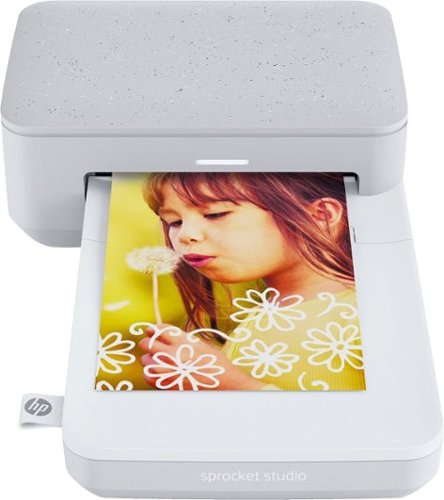
Turn your favorite moments from your smartphone into effortless photo creations. Designed to use with Bluetooth and the HP Sprocket app, you can easily transform photos from your camera roll or social media into sharable memories.Creates a 4" x 6" photo-quality print in as little as 61 seconds*
Customer Rating

3
This isn't real estate (Recommended with a caveat)
on October 11, 2019
Posted by: Kris
from South Dakota
Location, location, location! Why does my photo printer need location information? You cannot complete setup without allowing the app access to location and if you go to settings after installation and turn off access, while trying to print a picture a popup asks for permission and if you deny you can't print. That is unnecessary for a device of this type and it has seriously put a damper on my excitement for the Sprocket. It's too bad because it is a nice little printer. I would give the Sprocket itself an easy 4+ stars but when I am forced to allow access to my private information in order to use a product that has no practical use for such information except to add to a company's data bank I am totally turned off. If I wanted to tag my photos then yes, please look me up but I don't and will be using the Sprocket sparingly as a result.
I allowed access long enough to print 8 pictures; 6 from my Galaxy S9 and 2 from my wife's iPhone X. The pictures from the iPhone were better than the ones from the Galaxy, which appeared bright and brilliant on the phone display but appeared with a very slightly greyish/washed out appearance once printed but still a good print. The only information I could find about cartridge life expectancy was that HP sells a refill pack of 80 sheets of 4x6 photo paper and 2 cartridge refills for $34.99, so assuming each cartridge prints 40 photos that's $0.43 per print. That's either a pretty good deal or outrageous depending on where you usually get prints made but for the convenience, unless you are printing a lot of photos, I would say it was worth it.
The kids liked watching the paper go in and out with a new color appearing after each pass and the photos were really good. Not amazing but really good. Lines were crisp and sharp and color was mostly very good, especially for a printer in this price range. I would really like to love the Sprocket and if you don't mind the access issues I mentioned, you probably will.
I allowed access long enough to print 8 pictures; 6 from my Galaxy S9 and 2 from my wife's iPhone X. The pictures from the iPhone were better than the ones from the Galaxy, which appeared bright and brilliant on the phone display but appeared with a very slightly greyish/washed out appearance once printed but still a good print. The only information I could find about cartridge life expectancy was that HP sells a refill pack of 80 sheets of 4x6 photo paper and 2 cartridge refills for $34.99, so assuming each cartridge prints 40 photos that's $0.43 per print. That's either a pretty good deal or outrageous depending on where you usually get prints made but for the convenience, unless you are printing a lot of photos, I would say it was worth it.
The kids liked watching the paper go in and out with a new color appearing after each pass and the photos were really good. Not amazing but really good. Lines were crisp and sharp and color was mostly very good, especially for a printer in this price range. I would really like to love the Sprocket and if you don't mind the access issues I mentioned, you probably will.
Mobile Submission: False
I would recommend this to a friend!
Share this review:


+5points
5of 5voted this as helpful.
Kris's Review Comments
Kris has not submitted comments on any reviews.
Kris's Questions
Kris has not submitted any questions.
Kris's Answers
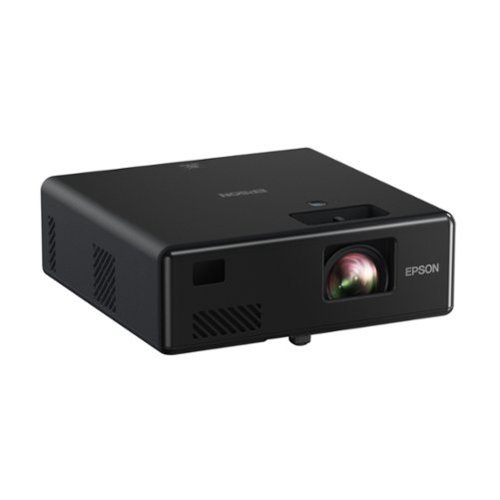
Go Epic! Enjoy an epic viewing experience virtually anywhere with the Epson EpiqVision Mini EF11 Laser Projector. With a built-in high-quality speaker system, this all-in-one projector is the perfect way to watch all your favorite streaming services. Simply hook-up your preferred streaming solution such as an Apple TV, Roku, Amazon FireTV, or Android TV to the built-in HDMI port and you~re ready to start streaming your favorite content up to an epic 150" ~ no screen required. The Epson EpiqVision Mini EF11 Laser Projector takes the complexity out of watching your favorite content anywhere in your home.
How well does the keystone on this projector work? Does it change the image in any way?
I have this projector and the only adjustment is focus. It pretty much has to face the screen or wall straight on.
5 years, 5 months ago
by
Kris
Go Epic! Enjoy an epic viewing experience virtually anywhere with the Epson EpiqVision Mini EF11 Laser Projector. With a built-in high-quality speaker system, this all-in-one projector is the perfect way to watch all your favorite streaming services. Simply hook-up your preferred streaming solution such as an Apple TV, Roku, Amazon FireTV, or Android TV to the built-in HDMI port and you~re ready to start streaming your favorite content up to an epic 150" ~ no screen required. The Epson EpiqVision Mini EF11 Laser Projector takes the complexity out of watching your favorite content anywhere in your home.
Is there anyway to mount this projector such as using a stand?
There aren't any mounts or adapters under the projector so it does have to sit on a table or shelf.
5 years, 5 months ago
by
Kris
Get the party started with this Samsung T70 sound tower. The powerful speakers fill the room with up to 1500W of bi-directional sound, and the built-in 10-inch woofer delivers loud, impressively detailed bass. This Samsung T70 sound tower has integrated LED party lights that enhance any gathering with a variety of rhythmic lighting effects.
can you pair two of them
Yes. The are designed to be used in pairs although one is sufficient for most applications.
5 years, 10 months ago
by
Kris
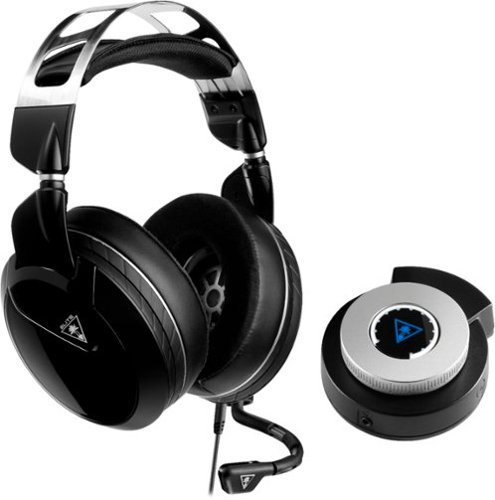
Keep your head in the game with this Turtle Beach Elite Pro 2 audio system. The SuperAmp audio controller is compatible with the PlayStation 4 Pro and standard, and the headset can be used alone with any 3.5mm jack. This Turtle Beach Elite Pro 2 audio system brings comfort and audio quality together for long nights of action.
Will the black ps4 version of the Turtle Beach Elite Pro 2 with SuperAmp work the same on the Xbox One?
No. There are specific versions for PS4 and XBox.
7 years, 2 months ago
by
Kris
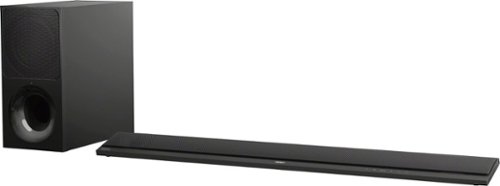
Improve your audio experience with this 2.1-channel Sony sound bar. It lets you enjoy wireless streaming from radio services with its Wi-Fi connectivity, and its S-Force PRO Front Surround technology produces dynamic audio details. This 350W Sony sound bar supports playback of high-definition audio formats from Bluetooth-enabled devices with its LDAC technology.
I purchased this yesterday. it works with the bluetooth but i am not getting sound from the tv. I have the HDMI plugged into the ARC slots and I have tried every HDMI setting as well as TV setting. what am i doing wrong?
Just purchased this as well with a Sony Bravia TV. I had to go to my TV sound settings and change the sound output from TV speakers to “external speakers”.
8 years, 5 months ago
by
Kris