
Share Kris's profile


Kris
Kris's stats
- Review count59
- Helpfulness votes210
- First reviewOctober 1, 2014
- Last reviewApril 16, 2021
- Featured reviews0
- Average rating4
Reviews comments
- Review comment count0
- Helpfulness votes0
- First review commentNone
- Last review commentNone
- Featured review comments0
Questions
- Question count0
- Helpfulness votes0
- First questionNone
- Last questionNone
- Featured questions0
- Answer count5
- Helpfulness votes4
- First answerDecember 22, 2017
- Last answerJanuary 5, 2021
- Featured answers0
- Best answers1
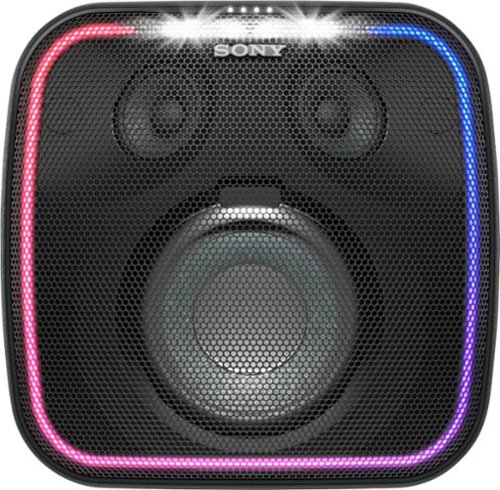
Send voice-activated commands via the built-in Google Assistant of this Sony Bluetooth portable speaker. Its EXTRA BASS and LIVE SOUND modes deliver powerful audio, and the multicolored lights and flashing strobe create a party ambiance. This Sony Bluetooth portable speaker resists splashes and dust for durable outdoor use, and the 16-hour battery life provides extended listening time.
Posted by: Kris
This speaker was my family’s first experience with an automated assistant type device and I’ll admit, it’s pretty cool. Initial setup was simple. My kids got a kick out of the assistant. My oldest said “Hey Google, tell me a story” and the assistant narrated the Princess and the Pea. I asked about the weather and got a full report. That part is really cool but as for the sound I’m not totally sold. The box says “Extra Bass” on 2 of the 4 sides but I found it lacking. Maybe it’s not fair to expect so much from a small woofer but to paraphrase, Tom Petty sounded fine. OutKast, not so much. I’m no audiophile but I do have a fairly nice home system and the sound from the XB501G was an obvious downgrade. Again, I know I can’t compare apples to oranges but the Sony speaker did not meet my expectations. I put it in the garage while finishing a project and really appreciated the voice commands and the sound was fine for the situation. I suppose the lights on the speaker are a plus in certain situations but I turned them off and can’t see myself using them. If you’re expecting this speaker to be all you need for a raging backyard bash you will be disappointed but for low to mid volume, non-bass heavy music, news, podcast or personal music player use it will do the job nicely.
Mobile Submission: True
I would recommend this to a friend!

Share this review:


-1point
1of 3voted this as helpful.
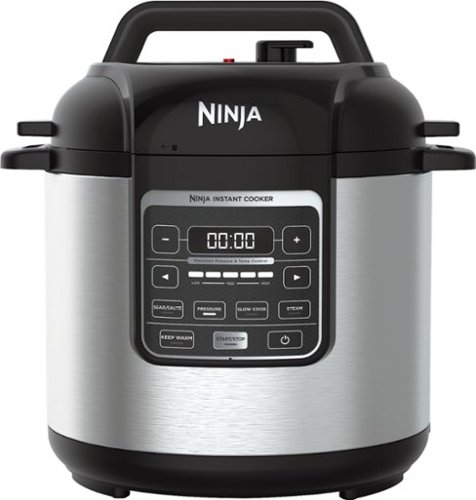
Prepare a variety of meals faster with this nonstick Ninja cooker. It operates as much as 70 percent faster than traditional methods, and the digital control panel lets you select the function your recipe needs. This 1000W Ninja cooker holds up to 6 quarts and includes a stainless steel rack for steaming.
Posted by: Kris
Have heard a lot about instant cookers but didn’t really know what they were until we (my wife) decided we needed one. It’s bigger than I thought it would be. About the size of a regular crock pot standing on end. My wife expressed concern that they had a tendency to “blow up” but Ninja must know this is a common concern because there are very simple instructions attached to a tag on the handle for testing the pressure build up and release. We did the water test and all went well. I jumped a bit when I first turned the “vent” knob on the top of the unit. The steam comes out very forcefully but not in an unsafe manner. There is a LOT of steam so I placed the cooker under our range hood while it depressurized. There was a recipe for risotto carbonara in the instructions so we tried it. Cooked the bacon and onion in the pot on sear for a few minutes, added risotto and chicken stock, closed the lid set it to “pressure” and 10 minutes later it was done. After a 10 minute cooling off period we added the rest of the ingredients and it was amazing. 25 minutes total prep and cook time. After cooking, the pot automatically switched to “keep warm” and there was plenty for 3 adults and 6 children. The nonstick pot liner cleaned effortlessly. It sears, steams, pressure cooks, slow cooks and I’m sure I’m missing something else. I think that it will be some time before we use our crock pot again as the Ninja does it all.
Mobile Submission: True
I would recommend this to a friend!

Share this review:


+12points
12of 12voted this as helpful.
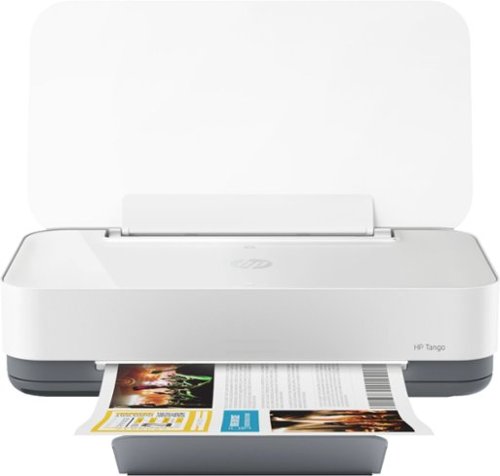
Built to match the way you live and designed for use with the HP Smart app, Tango helps you stay a step ahead by connecting and printing from any device, anywhere.
Posted by: Kris
The Tango printer is small with a very minimalist, clean-looking case. The only things in the box are the printer, ink cartridges, power cord.and 3 info. cards; a quick start guide, a guide to what the different-colored lights on the printer mean and setup info for the automatic ink ordering feature. There is no traditional software to load but you do have to install the HP Smart app on every device that you want to print from. At least I think so. The app guides the setup process. With the app installed I first opened an email on my iPhone and tried to print and it went right through. Next test was a word document on my PC. The computer couldn’t find the Tango even though they were on the same Wi-Fi network. I went to the Microsoft store and downloaded and installed the HP Smart app onto my PC and the document was able to print with no issues. It’s a bit annoying to have to use an app to access the printer settings but it’s the only way as there are no buttons on the Tango except for “power” and “WI-FI”. Not really a big deal, just different than I’m used to. Print quality is good and with the app installed on 2 iPhones, 3 iPads and 2 PC’s every device was able to print to the Tango. The Tango doesn’t have a scanner bed but you’re supposed to be able to scan by taking pictures of what you want to scan and sending it to the Tango, which then converts them to PDF but that’s not something I will do. I’ll stick with my dedicated scanner as there are better saving/formatting options available. I appreciate the size and look of the Tango and the app, while a tad inconvenient to install on ALL devices that will need printing capabilities, is simple to use and allows access to all settings and function options. It’s probably a good deal as the monthly charge seems very reasonable at $2.99 for 50 pages/month up to $9.99 for 300 pages/month but I declined to enter the Instant Ink program. I’ll buy ink as needed instead of a monthly subscription as my printing needs vary greatly from month to month. All in all, the Tango is a lot of printer in a small package and will certainly meet the needs of most home/home office users. 1 star off for no function buttons on the printer, app install on every device and lack of instructions. I know the instructions are available online and some users appreciate the app-only function control but call me old fashioned.
Mobile Submission: True
I would recommend this to a friend!


Share this review:


+24points
29of 34voted this as helpful.
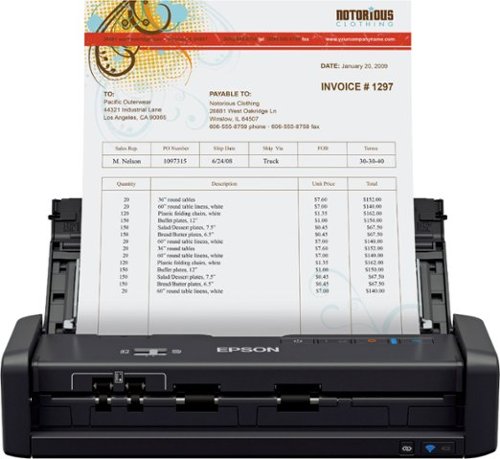
Create digital files for receipts, bills and other important paperwork with this Epson Workforce wireless document scanner. Epson Single-Step Technology provides two-sided scanning capabilities so you can get through piles of documents quickly, and the included software lets you create searchable PDF files for each item you scan. This Epson Workforce wireless document scanner features simple controls and a compact footprint, making it a smart addition to your home office.
Posted by: Kris
This scanner is small! Approximately the size of 2 boxes of spaghetti stacked on top of each other. Setup and software install took 10 minutes after an initial 2.5 hour charge time. Connected to WI-FI but couldn’t scan using the one-touch button on the machine. Switched to USB and worked perfectly. I’ll figure out the WI-FI problem later on but whether it works or not isn’t a huge concern to me personally. I scanned a full sheet and it zipped through in about 3 seconds. The scan opened on my desktop with a plethora of opening, saving and viewing options. The next item scanned was a long receipt. The thinner paper and the length of the receipt made it slightly more difficult to load in the guide and the first time I ran it through it didn’t track true. Second attempt yielded the same results so the scan was slightly tilted and the bottom corner was cut off. However, the scanner captured both sides of the receipt, recognized that it was a receipt and asked if I would like to discard the back side. Pretty cool. Then the software entered the date issued, tax, total and payment method in the appropriate fields and once again offered up many different methods of saving, viewing and exporting. Again, pretty cool. I own a small business and if I make an effort to use it, this will be a huge time saver and keep the center consol of my vehicle from overflowing with receipts. Almost deducted a star for the WI-FI issue and the crooked feed on long thin receipts but I don’t believe the first will be too difficult to fix and with practice I’ll figure out how to get longer receipts to feed properly. Even if I don’t, the capture worked fine on a slightly crooked image so no harm no foul.
Mobile Submission: True
I would recommend this to a friend!


Share this review:


0points
0of 0voted this as helpful.
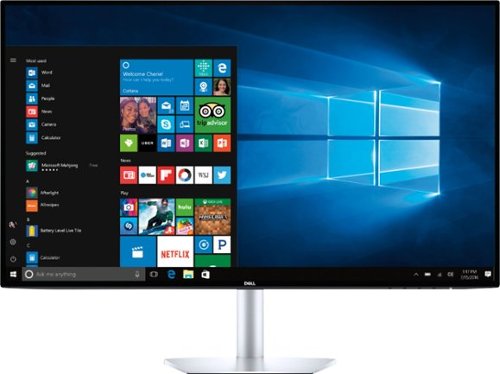
Satisfy your HDR viewing and video-editing needs with this 27-inch Dell ultrathin monitor. Its 600-nit maximum brightness provides enhanced clarity, and its Quad HD resolution at 60Hz lets you enjoy streaming premium content. This Dell ultrathin monitor has two HDMI ports for easy switching between media sources, and its Comfort View mode helps prevent eye fatigue.
Posted by: Kris
Sleek, stylish and a great picture. Display is crisp and although not true UHD, it’s about as good as you can get without significantly increasing the price. 60Hz refresh rate might disappoint serious gamers but then again, this isn’t a $1000 monitor. You’d be very hard-pressed to find a better monitor in the sub-$400 price range.
Mobile Submission: True
I would recommend this to a friend!


Share this review:


+3points
3of 3voted this as helpful.
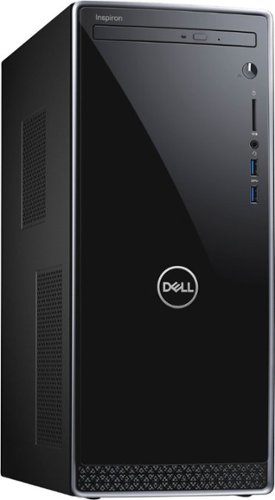
Dell Inspiron Desktop: Surf the web quickly with this Dell Inspiron desktop computer. It's equipped with 12GB of DDR4 RAM and a quad-core Intel Core i7 processor for blazing operations, and its 1TB hard drive comes loaded with Windows 10 Home for immediate productivity. This Dell Inspiron desktop computer includes an NVIDIA GeForce GT 1030 graphics card for crisp game and video images.
Posted by: Kris
As an every day computer for most tasks this is plenty of machine. 12 gig memory is sufficient, hard drive size is adequate and the i7 processor is top-notch. However, for the price it’s probably too much processor for the average user. An i5 for general use and web surfing would save some $ and be fine. Graphics and memory are lacking for a high end system. The i7 processor is a great foundation for future upgrades though. I’ll be adding a new graphics card and more memory to mine. The case is fairly compact and attractive but I would prefer more front-facing USB ports. 2 in front isn’t quite enough but there are 4 in back for a total of 6. With more memory and better graphics it would be a 5 star machine but a solid 4 as is.
Mobile Submission: True
I would recommend this to a friend!
Share this review:


+2points
2of 2voted this as helpful.

Only at Best BuyHelp preserve your memories when you're on the go with the easystore External USB 3.0 Portable Hard Drive with plug-and-play USB connectivity and WD Backup software. The backup software allows scheduling of regular automatic file transfers, and WD Discovery software makes it convenient to manage drive settings, including formatting and LED control. USB 3.0 connectivity, offers fast transfer speeds.
Customer Rating

4
As expected.
on December 29, 2017
Posted by: Kris
Verified Purchase:Yes
Setup could have been easier. Had to dig for an install file instead of an auto run feature but no big deal. Functions as described.
My Best Buy number: 2922075876
My Best Buy number: 2922075876
Mobile Submission: True
I would recommend this to a friend!
Share this review:


0points
0of 0voted this as helpful.
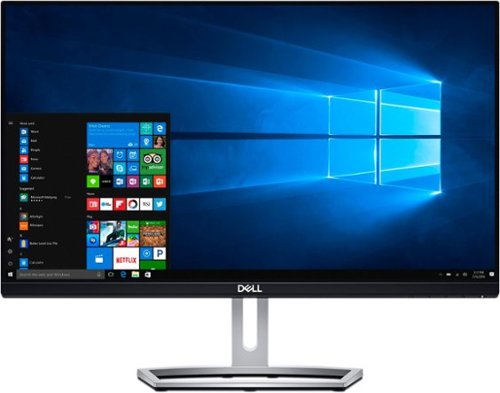
See stunning images in Full HD with this 23-inch Dell LED monitor. Its ultrathin bezel and IPS panel with a 178-degree viewing angle lets you work without missing any details on the screen. This TUV-certified Dell LED monitor helps prevent eyestrain from long hours of browsing thanks to its ComfortView feature.
Customer Rating
4
Good picture
on December 29, 2017
Posted by: Kris
Verified Purchase:Yes
Nice looking monitor. Easy to set up. Worth the $.
My Best Buy number: 2922075876
My Best Buy number: 2922075876
Mobile Submission: True
I would recommend this to a friend!
Share this review:


0points
0of 0voted this as helpful.
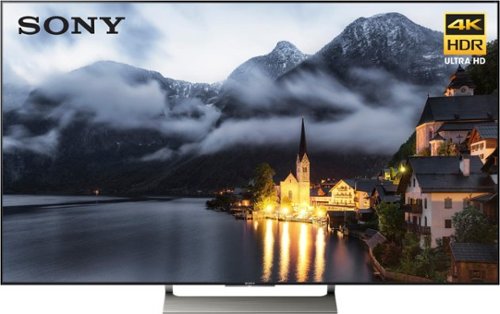
Set up this 65-inch Sony HDR Ultra TV, and entertain your family with their favorite films. Ultra 4K HD means you experience life-like action whether you're watching a movie or enjoying the game, and Voice Search lets you command without a remote. This Sony HDR Ultra TV is compatible with PlayStation Vue, letting you live stream events as they happen.
Customer Rating

5
Does almost everything
on December 9, 2017
Posted by: Kris
Verified Purchase:Yes
Picture is great. Upgraded from a 55” Bravia. Only thing I can’t figure out is how to make the remote power on the DirecTV box when the TV and sound bar are turned on. Other than that it’s perfect.
My Best Buy number: 2922075876
My Best Buy number: 2922075876
Mobile Submission: True
I would recommend this to a friend!
Share this review:


0points
0of 0voted this as helpful.
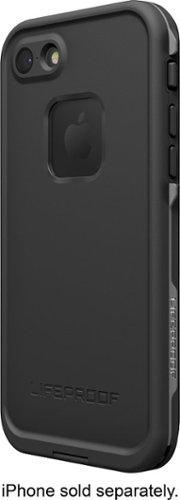
Take your iPhone 7 on daring adventures with this LifeProof FRE case. The fully sealed construction completely protects the phone from water, dust and snow to let you enjoy extreme outdoor activities while taking selfies. This form-fitting LifeProof FRE case provides impact resistance to drops up to 6.6 feet, keeping your phone intact.
Customer Rating
4
Not-Quite-"Proof"
on March 31, 2017
Posted by: Kris
Verified Purchase:Yes
Supposed to be everything-proof but mine lets dust in and yes, it is installed correctly. I think the weak point is the flap for the charging port. I produce a lot of dust sanding and this case is much better than most but not perfect. I can tell because my home button is white and shows specks underneath the clear protective membrane. Seems to keep water out fine so go figure.
My Best Buy number: 2922075876
My Best Buy number: 2922075876
Mobile Submission: True
I would recommend this to a friend!
Share this review:


0points
0of 0voted this as helpful.
Kris's Review Comments
Kris has not submitted comments on any reviews.
Kris's Questions
Kris has not submitted any questions.
Kris's Answers
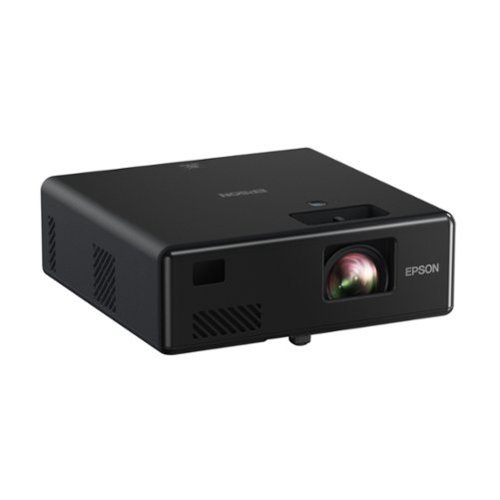
Go Epic! Enjoy an epic viewing experience virtually anywhere with the Epson EpiqVision Mini EF11 Laser Projector. With a built-in high-quality speaker system, this all-in-one projector is the perfect way to watch all your favorite streaming services. Simply hook-up your preferred streaming solution such as an Apple TV, Roku, Amazon FireTV, or Android TV to the built-in HDMI port and you~re ready to start streaming your favorite content up to an epic 150" ~ no screen required. The Epson EpiqVision Mini EF11 Laser Projector takes the complexity out of watching your favorite content anywhere in your home.
How well does the keystone on this projector work? Does it change the image in any way?
I have this projector and the only adjustment is focus. It pretty much has to face the screen or wall straight on.
5 years, 5 months ago
by
Kris
Go Epic! Enjoy an epic viewing experience virtually anywhere with the Epson EpiqVision Mini EF11 Laser Projector. With a built-in high-quality speaker system, this all-in-one projector is the perfect way to watch all your favorite streaming services. Simply hook-up your preferred streaming solution such as an Apple TV, Roku, Amazon FireTV, or Android TV to the built-in HDMI port and you~re ready to start streaming your favorite content up to an epic 150" ~ no screen required. The Epson EpiqVision Mini EF11 Laser Projector takes the complexity out of watching your favorite content anywhere in your home.
Is there anyway to mount this projector such as using a stand?
There aren't any mounts or adapters under the projector so it does have to sit on a table or shelf.
5 years, 5 months ago
by
Kris
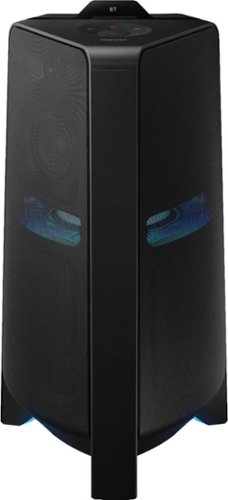
Get the party started with this Samsung T70 sound tower. The powerful speakers fill the room with up to 1500W of bi-directional sound, and the built-in 10-inch woofer delivers loud, impressively detailed bass. This Samsung T70 sound tower has integrated LED party lights that enhance any gathering with a variety of rhythmic lighting effects.
can you pair two of them
Yes. The are designed to be used in pairs although one is sufficient for most applications.
5 years, 10 months ago
by
Kris
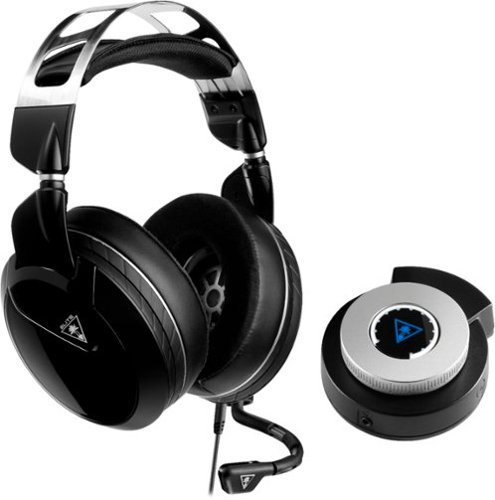
Keep your head in the game with this Turtle Beach Elite Pro 2 audio system. The SuperAmp audio controller is compatible with the PlayStation 4 Pro and standard, and the headset can be used alone with any 3.5mm jack. This Turtle Beach Elite Pro 2 audio system brings comfort and audio quality together for long nights of action.
Will the black ps4 version of the Turtle Beach Elite Pro 2 with SuperAmp work the same on the Xbox One?
No. There are specific versions for PS4 and XBox.
7 years, 2 months ago
by
Kris
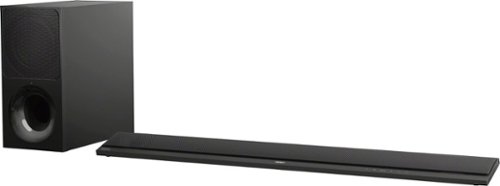
Improve your audio experience with this 2.1-channel Sony sound bar. It lets you enjoy wireless streaming from radio services with its Wi-Fi connectivity, and its S-Force PRO Front Surround technology produces dynamic audio details. This 350W Sony sound bar supports playback of high-definition audio formats from Bluetooth-enabled devices with its LDAC technology.
I purchased this yesterday. it works with the bluetooth but i am not getting sound from the tv. I have the HDMI plugged into the ARC slots and I have tried every HDMI setting as well as TV setting. what am i doing wrong?
Just purchased this as well with a Sony Bravia TV. I had to go to my TV sound settings and change the sound output from TV speakers to “external speakers”.
8 years, 5 months ago
by
Kris