
Share Keithr's profile


Keithr
Keithr's stats
- Review count6
- Helpfulness votes17
- First reviewAugust 4, 2010
- Last reviewJanuary 2, 2017
- Featured reviews0
- Average rating3.2
Reviews comments
- Review comment count0
- Helpfulness votes0
- First review commentNone
- Last review commentNone
- Featured review comments0
Questions
- Question count0
- Helpfulness votes0
- First questionNone
- Last questionNone
- Featured questions0
Answers
- Answer count0
- Helpfulness votes0
- First answerNone
- Last answerNone
- Featured answers0
- Best answers0
Keithr's Reviews
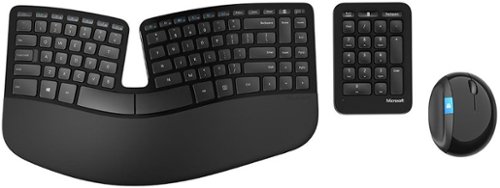
This wireless keyboard and mouse are designed to encourage good hand and wrist posture. The Advanced Encryption Standard keyboard has a split dome shape to fit the curve of your hands, and the mouse's raised design allows you to keep your wrist in a more comfortable, natural position.

Posted by: Keithr
from Mobile, AL
It's a nice keyboard and very comfortable to use but that means nothing if it doesn't work. It worked flawlessly on its first day of use when an eight-page paper was typed. The next time it was used, it didn't work at all. The mouse and little keyboard did so the dongle worked. I replaced the batteries in the main keyboard and it worked as expected until it was unused for about a minute then it went to sleep and never woke up. The old batteries were reinstalled. Again, it woke up and worked fine until it wasn't used for a minute and then went to back to sleep again. Tried it in 3 computers, same problem. The only way to revive it is to disconnect the batteries and then you had better not stop typing or will go back to sleep. My second complaint is that the dongle is too tight and requires way too much force inserting it into usb ports. This may be why so many users are complaining about broken dongles. It really grinds going in and it won't go in some ports at all. I have tried the whole system on three different computers. Same problems on both. This product is the result of very poor quality control. It's too bad. It had a shot at greatness. If this is how Microsoft builds things, Surface computers will not be an option for this user.
No, I would not recommend this to a friend.
Share this review:


+2points
2of 2voted this as helpful.

iPad features a stunning Retina display, iSight and FaceTime cameras, the all new A6X chip and ultrafast wireless. And with access to over 275,000 apps~ on the App Store, you can do more than ever.
Customer Rating

3
Nice, but does not interface with a PC
on December 14, 2012
Posted by: Keithr
from Mobile, AL
I like iPads but it's ability to interface with my pc computer is impossible. I just spent 4 hours trying do add 27 tunes to my ipad. It doesn't work and gives me no indication as to what is wrong. All I get in itunes 10 is an error 1056 and a quick serarh on internet indicates that others have this problem but there are no solutions. Apple itself has no clue. After upgrading to itunes 11, I get no error messages and no connectivity. I was better off with the old software. Not only do I hate the "simpleistic" interface of iTunes 11, it simply does not work. After a week and hours of trying to troubleshoot my problem, I finally returned the iPad and got an Android system that works. Avoid the iPad like the plague. It does not work with a PC.
What's great about it: The display is nice
What's not so great: It does not connect with a PC and gives no reason why.
No, I would not recommend this to a friend.
Ease of Use

3
Features
3
Share this review:


-13points
5of 23voted this as helpful.
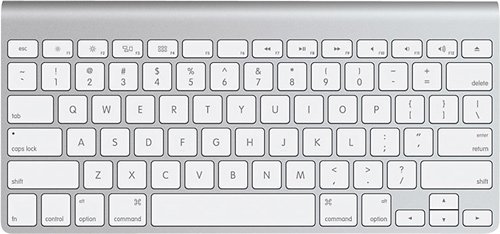
This wireless keyboard is compatible with select Mac computers, including Apple~ iMac~ and other Mac computers with Bluetooth technology, for wide-ranging use. Function keys provide 1-touch access to a variety of Mac features.
Customer Rating

2
NIce Keyboard but difficult to install
on July 3, 2012
Posted by: Keithr
from Mobile, AL
This is really a nice keyboard IF you can get it to work . . . . The included book is worthless . . . . If you can successfuly find an online search site, the directions to implement this are reasonably easy. What Apple does not tell you concisely in thier stupid documentation is that there is a very hidden button on the right side of the keyboard that needs to be pressed to setup bluetooth conectivity. Thier supplied documentation is so poor that this is easily overlooked. One should not have to go searching through the web to find this. Apple really messed this one up. Once the very hidden button is pressed, the keyboard links to the iPad easily.
I'ts too bad that Apple's arrogance leaves them short once again. I'm so upset at them that this keyboard is going to be returned and replaced with a Logitec device instead.
Apple devices are and can be really neat but their logic in using them is so far out of the box that their devices are far from being intuitiave. As far as this user is concerned, this, like so many other Apple things, is a major fail.
I have three college educations and this took me over a half an hour to make it work. What a waste of my time.
I finally got this working but I am so angry that I'm going to make Apple eat this one. AVOID.
What's great about it: Wireless
What's not so great: Completely hidden button, Completely hidden LED, Completely inadequate directions int he box, Poor implimentation
No, I would not recommend this to a friend.
Design
3
Ease of Use

1
Share this review:


-61points
4of 69voted this as helpful.
Customer Rating

4
Much better than Apple TV version 2
on April 25, 2012
Posted by: Keithr
from Mobile, AL
I use it in...:Large home
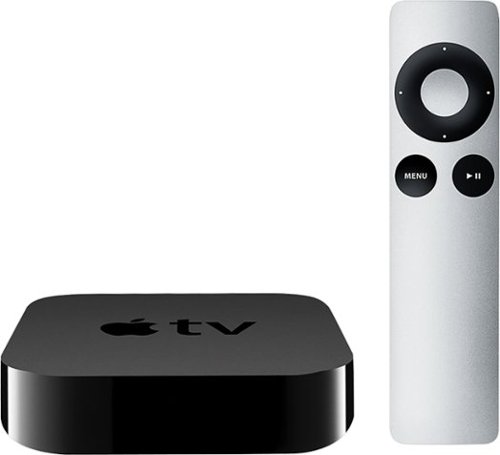
This device is very nice and certainly up to Apple's excellent build quality. The addition of 1080p and Broadcom's wireless setup is a welcome addition. So far I have not had the connection issues that I constantly had with the previous version of the Apple TV which had to be restarted at least three times a week to regain wireless connectivity.
Be warned that there are unexplainable eratic issues that sometimes keep it from seeing and connecting to iTunes on the PC. There are reports of similar issues all over the web and no one seems to know why. Sometimes it works, sometimes it doesn't even when no settings are changed. Don't be surprised if you buy a movie from iTunes and it takes hours of "tweaking" to play it through the Apple TV. When it works, it works well. When it doesn't work, it won't work wired or wireless.
Apple tech support is poor and the reset switch is the plug. The build quality is so excellent that having to uplug the device is difficult; hence annoying especially when one has to do it often. A simple reset switch would have been nice and if you can exit iTunes, the "Restart" option in the settings section will do the job nicely.
Apple's Netflix interface is second to none. This is very well done and reason enough to buy this device in spite of it's annoyances. The remote interface is excellent for this application even though I constantly exit movies by accidentally pressing the "Menu" button. Something about that does not fit my brain well. But starting the movie again gives you the option of starting from the beginning or resuming from where you exited - no problem, just an annoyance.
This device would be ten times more useful if it had other video outputs like Roku. I would own three more of these if I could hook them up to my projectors at work which are older and don't have HDMI ports. I would love to be able to easily project my iPad screens - a feature which works flawlessly with this device. If an HDMI to DVI or VGA adapter exists, Apple hasn't done much to make a user like me aware of its existance.
The 1080p and Broadcom wireless chipset are definitely an added improvement. Buffering seems better with version 3 as well. It is a definite hardware improvement even though it is the same as an Apple TV 2 at the software level. I am glad that I upgraded.
Historically, Apple TV updates sometimes create problems while fixing others. I don't expect that to change. And Apple's connectivity in the PC world is always challenging. Still, I keep choosing this device over Roku so I don't want to complain too loudly. It's a definite four star device even though I would like it to be a five. Adding some extra outputs and proving that connectivity issues are really fixed would add the final star. As it stands, from a disappointing experience with network connectivity with Apple TV 2, I'm holding my breath. So far, no glitches but it has only been three days . . . .
What's great about it: Very nice interface, easy to navigate, nice integration with iProducts, networking seems to be improved
What's not so great: Only has HMDI out so it cannot be used with older equipment
I would recommend this to a friend!
Ease of Use

4
Performance
4
Share this review:


+1point
1of 1voted this as helpful.
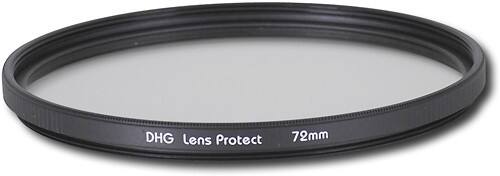
Snap stunning photos with this ultraviolet filter designed for use with 72mm lenses.
Posted by: Keithr
from Mobile, A:
I use this mainly to protect the front element of my lens from scratches and dirt. It is cheap insurance for scratches.
The lens ring is a bit shallow so adding a polorized filter to the front of it is difficult. I can't fault the company for this, I'm sure they assume that the UV filter will be replaced by the Polorized filter.
Still, some of my shooting requirements demand that I be able to get the polorized filter on the camera as quickly as possible. A deeper ring would accodate this much better.
What's great about it: Cheap scratch insurance.
What's not so great: Outer lens ring is too shallow.
I would recommend this to a friend!
Performance
4
Ease of Use

5
Durability
5
Share this review:


+2points
2of 2voted this as helpful.

This circular polarizer delivers intense color and reduces reflections for stunning images.

Posted by: Keithr
from Mobile, A:
Great addition to any lens. Makes blue sky blue and gives you a yellow or blue cast to lower light scenes.
The only con is that the dark filter lowers your f-stop some; but that is not really a problem with modern cameras. They adjust the exposure automatically.
What's great about it: Better Color
What's not so great: Requires longer exposure in low light.
I would recommend this to a friend!
Performance
5
Ease of Use
5
Durability
5
Share this review:


+3points
3of 3voted this as helpful.
Keithr's Review Comments
Keithr has not submitted comments on any reviews.
Keithr's Questions
Keithr has not submitted any questions.
Keithr's Answers
Keithr has not submitted any answers.