
Share stirfry's profile


stirfry
stirfry's stats
- Review count12
- Helpfulness votes34
- First reviewMay 25, 2016
- Last reviewFebruary 5, 2018
- Featured reviews0
- Average rating5
Reviews comments
- Review comment count0
- Helpfulness votes0
- First review commentNone
- Last review commentNone
- Featured review comments0
Questions
- Question count0
- Helpfulness votes0
- First questionNone
- Last questionNone
- Featured questions0
- Answer count4
- Helpfulness votes4
- First answerMay 25, 2016
- Last answerDecember 2, 2017
- Featured answers0
- Best answers1

Get more speed for your computer with this SanDisk SSD Plus solid state drive, which features a secure SATA Revision 3.0 interface and sequential read speeds up to 520MB/sec. The shock-resistant construction protects the hard drive from damage.
Customer Rating

5
Excellent and Inexpensive Upgrade
on July 22, 2016
Posted by: stirfry
Verified Purchase:Yes
I have purchased three of these SSDs for aging laptops and desktops, as part of an upgrade to Windows 10. These laptops and desktops were up to six years old, running Windows 7. The SSDs immediately made these laptops run significantly faster than with the replaced mechanical drives, especially for start-up and shut-down. To make the replacement easy, just download Macrium Reflect (free version) and clone the drive. Then, remove the mechanical drive and replace it with the SSD. You will notice a significant difference in speed already! Then, perform the Windows 10 upgrade. You will be shocked at how an older laptop can perform like a new one. There are certainly better SSDs than this one--a bit faster. But as far as bang for the buck, you can't beat the performance upgrade for the price.
My Best Buy number: 3529235632
My Best Buy number: 3529235632
I would recommend this to a friend!
Share this review:


+2points
2of 2voted this as helpful.
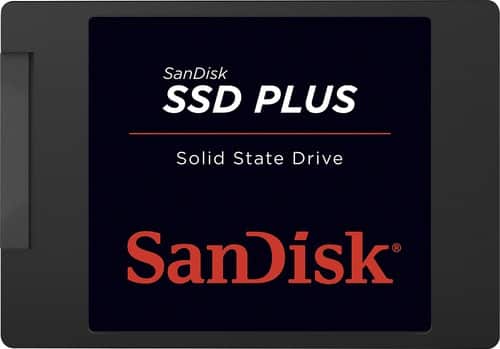
Expand your PC or laptop's storage capacity with this SanDisk SSD Plus SDSSDA-240G-G25 solid state drive, which offers 240GB of space and sequential read speeds up to 520MB/sec. The shock-resistant design ensures lasting use.
Customer Rating
5
Outstanding Value
on May 25, 2016
Posted by: stirfry
Verified Purchase:Yes
I purchased this drive after waiting for the prices on SSDs to level off. This was a replacement drive for a desktop PC that is about 7 years old, running Windows 10 with 8GB of memory, a Core i5 2.8 GHz processor, and a dedicated video card. The system was sluggish at startup and shutdown, and slow at certain other tasks. The fresh reload of Windows 10 did not speed up the computer at all.
With the installation of the SSD, the system sped up significantly. Coupling a fresh reload of Windows 10 (instead of cloning the old drive) made even more improvement. Startup and shutdown now take seconds instead of minutes. Downloads from the internet are faster, and overall system performance is way up. This is not one of the fancy Samsung SSDs that cost way more, but the performance increase is great value.
Although many people will suggest cloning your old drive, a fresh install of Windows will give you a double dose of performance improvement. I liked the performance boost so much, I also bought the smaller 120GB drive for an older laptop that was also running quite sluggish. The performance improvement was just as significant.
Installation took about 20 minutes, and reinstalling Windows 10 took less than an hour.
My Best Buy number: 3529235632
My Best Buy number: 3529235632
I would recommend this to a friend!
Share this review:


0points
0of 0voted this as helpful.
stirfry's Review Comments
stirfry has not submitted comments on any reviews.
stirfry's Questions
stirfry has not submitted any questions.
stirfry's Answers
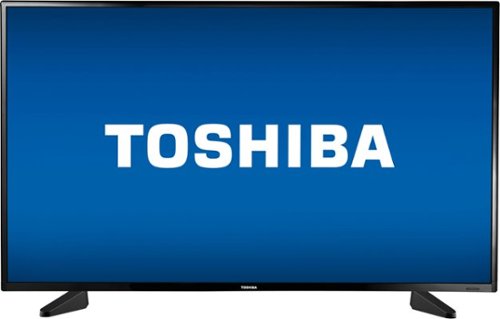
Only at Best BuySee and hear high-quality entertainment with this 49-inch Toshiba LED TV. Its 1080p resolution and 16:9 aspect ratio provide a cinematic viewing experience in Full HD, and its 10W speakers with DTS TruSurround audio enhancement provide rich, dynamic sound. Connect this Toshiba LED TV to high-definition A/V components via its three HDMI inputs.
how is the sound and does it have or could you connect a vcr and dvd player
The sound is actually very good for the price. The volume is very adjustable, also. As for a VCR and DVD player--if they both have component/composite jacks, you will only be able to hook up one or the other. However, if the DVD player has an HDMI output, then you will be able to hook up both.
8 years, 8 months ago
by
stirfry
Only at Best BuySee and hear high-quality entertainment with this 49-inch Toshiba LED TV. Its 1080p resolution and 16:9 aspect ratio provide a cinematic viewing experience in Full HD, and its 10W speakers with DTS TruSurround audio enhancement provide rich, dynamic sound. Connect this Toshiba LED TV to high-definition A/V components via its three HDMI inputs.
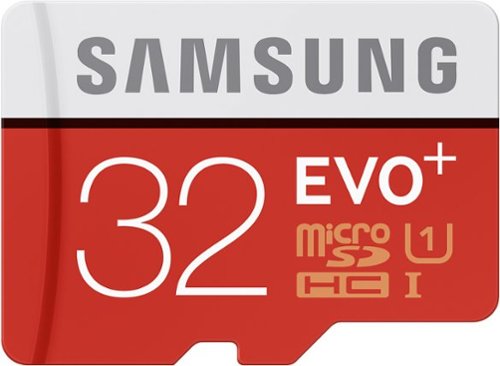
Designed for use with a variety of mobile devices, including action cameras, smartphones and tablets, this 32GB Samsung EVO+ MB-MC32DA/AM microSDXC memory card offers ample room for pictures, videos and music.
how to remove data from memory card ?
You can either use the file manager in your tablet or phone (you can download one from the Play Store), or you can use the adapter to use the SD card reader on your laptop or computer. On your tablet or phone, you generally long press the file name and then select delete from the menu. On your computer, you just use Windows Explorer.
9 years, 7 months ago
by
stirfry
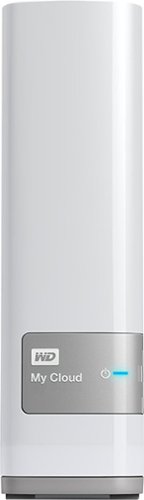
This WD My Cloud drive features a 4TB capacity and lets you stream media to compatible DLNA-/UPnP-capable devices or upload and access data on the go via PC, Mac and compatible mobile phones and tablets. Automatic backup helps safeguard your files.
Does this device support single files larger than 16Gb? If so, how should the drive be formatted for a PC using Win10?
I have files larger than 16GB on this drive. It is formatted as NTFS. When you install the drive, make sure you have a Windows 10 DVD or ISO file for a fresh install. Windows will take care of the formatting for you.
10 years, 2 months ago
by
stirfry