


Cipher469's stats
- Review count196
- Helpfulness votes252
- First reviewOctober 29, 2009
- Last reviewJune 3, 2026
- Featured reviews0
- Average rating4.5
Reviews comments
- Review comment count0
- Helpfulness votes0
- First review commentNone
- Last review commentNone
- Featured review comments0
Questions
- Question count0
- Helpfulness votes0
- First questionNone
- Last questionNone
- Featured questions0
- Answer count15
- Helpfulness votes4
- First answerJuly 5, 2018
- Last answerNovember 19, 2021
- Featured answers0
- Best answers0

HMD Vibe gives you smooth performance, even while running multiple apps, for up to 2 days between charges. And it does this for less than you~d expect. It~s not lacking in the camera department, either ~ thanks to advanced AI modes, all you have to do is strike a pose, snap away and share.
Customer Rating

4
A decent phone/camera at a very affordable price
on December 27, 2024
Posted by: Cipher469
HMD is a Finnish company, but the phone is built in China. The Vibe is incredibly low priced, yet it has features that you might expect on a higher priced phone.
These features include:
*OS is Android13 (latest version), Snapdragon 68 Octa-Core
*Cameras: There are two, front 5 megapixels and rear 13 megapixels. Digital zoom is 4x. While the quality of pictures may not be as sharp as higher cost phone cameras, the output is surprisingly good. What they lack is the detail generally found in cameras on more expensive mobile phones. Even so, if you can’t or don’t want to spend a lot of money, the Vibe can resolve the situation.
*Display: The 6.5” screen is high def and has a 90Hz refresh rate.
*Memory: 128GB with MicroSD slot supporting additional memory up to 512GB. RAM is 6GB, with an additional virtual RAM of 3 GB.
*Battery: This is an area where the Vibe is outstanding. With full charge and average usage, the battery will last for several days. At full charge, usage for evaluating the phone and camera features, and leaving the phone turned on 24-7 for 5 days, utilization is only 47% at the time of this writing. Two days later without charging, the battery is at 44%. That is amazing!
Other: Vibe is GPS Enabled, has facial recognition for security, and supports Google Pay. The information provided says it is water resistant; however, the details say its maximum depth of resistance is 0 feet. Bottom-line, don’t get it wet more than a slight splash.
Quirks and Dislikes:
*Call voice quality is good, but not great.
*Call voice quality is good, but not great.
*Contrary to some comments, the Vibe is not compatible with 5G.
*On every Android phone or tablet I own(ed), I tap the screen to wake up the phone. It is so easy to do without even picking up the phone, especially in dim light. With the Vibe, you must use the black-on-black on/off button on the side of the phone. This is not as easily done as simply tapping the screen…especially in dim lighting or the dark.
*Installing the SIM card into the card holder slot was a real chore. In the past, never has that been difficult. Place into the holder slot, slide the holder into its port and the phone is ready. Not so with Vibe, it felt like trying to put the proverbial square peg into a round hole! At much trial and error, the SIM finally fitted and stayed in the slot. Also, if you wish to insert a memory card, it goes into the same holder as the SIM.
*It comes with a lot of what I call “non-productive” apps. After the Vibe is up and running, you might want to do some “housecleaning” to rid the phone of power parasites.
For a first-time phone, affordability concerns, or for someone who tends to easily lose things, Vibe would be a particularly good buy. Or, if your primary goal for a mobile phone is mainly making/receiving calls, or for use in an emergency, the Vibe is an excellent value. Your cost would be roughly 10% of the “name brands.” If you catch a sale, then it’s even better.
I would recommend this to a friend!
Share this review:


0points
0of 0voted this as helpful.
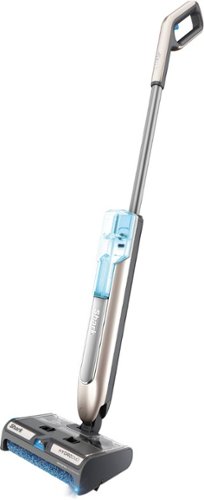
Shark HydroDuo with Dirt-Reveal Technology is a cordless hard floor cleaning system that picks up both wet and dry debris, mops, and scrubs~all at once, ideal for everyday, grab-and-go cleaning. Tackle stuck-on messes with the on-demand spray or pick up dry messes and debris without having to wet your floors. Use on sealed hard floors including hardwood, tile, marble, stone, laminate, and more. Faster than a vacuum and mop alone*. *Based on cleaning simulation in area of 300 sq. ft.
Customer Rating

5
Hard Floor Cleaning Done So Easily
on November 24, 2024
Posted by: Cipher469
Right at the start, I’ll say this: I love the DUO. As a fan of Shark products for years, I presume I will like a product with the Shark name. Very rarely have I been disappointed.
My downstairs floors are all firm surface; and there are often spills in the kitchen, a pet dropping wet food pieces on the floor near his food and water station, and more. For hard floor clean and shine, I have a large self-propelled electric spin-pads cleaner. It does a great job, but it is heavy, has a long power cord that has to be moved around and plugged/unplugged at various outlets. For small area cleaning, it is a lot to deal with. As a result, I was doing a lot of bending down or getting on my knees to do a quick clean. Inconvenient and not great for the back and knees.
The Duo had already proven itself to be an excellent alternative, which began to display themselves right out to the box.
*Before removing Duo from its box, I could already feel its weight was going to be back saver. Assembly of the components is quite easy. (Do check the easy-to-read diagram enclosed.)
*The only power cord to deal with is for the battery charging station. When the battery is fully charged, there is lots of cleaning time available. For my first run, I cleaned all the downstairs area. Based on battery usage, as shown on an easy to see indicator, cleaning the area could have been repeated again and again before losing power.
*Using the DUO is so easy, and it is noticeably quiet! It is self-propelled, but not at the pace that has you hang on for the ride. The pace is very comfortable, control is effortless, the cleaning fluid release button is located conveniently in the ergonomic handle, and there is no power cord to get in your way. For “Senior Citizens” such as I, the DUO is exceptionally kind to hands, arms, and backs.
*There is a light on the left front corner of the console to assist in identifying small residue that might to unnoticed otherwise.
*The brushroll is made of absorbent microfiber and is self-cleaning. The bristles are soft, so with proper care there is no worry of scratching the floor surface.
*Debris swept up channels into a holding tray. This tray can easily be emptied into your trash bin when the job is completed.
*Cleaning the DUO components after floor cleaning is done is an uncomplicated process. Some disassembly and reassembly are required; and if you refer once again to the easy-to-follow diagram included, you’ll do fine.
*NOTE. There is one thing the DUO IS NOT, as apparently some buyers have misunderstood. It is not a vacuum cleaner, as there is no cleaning done by suction. Wet and dry cleaning functions (hence DUO) are done by dry brush or wet brush using liquid cleaner.
*Before removing Duo from its box, I could already feel its weight was going to be back saver. Assembly of the components is quite easy. (Do check the easy-to-read diagram enclosed.)
*The only power cord to deal with is for the battery charging station. When the battery is fully charged, there is lots of cleaning time available. For my first run, I cleaned all the downstairs area. Based on battery usage, as shown on an easy to see indicator, cleaning the area could have been repeated again and again before losing power.
*Using the DUO is so easy, and it is noticeably quiet! It is self-propelled, but not at the pace that has you hang on for the ride. The pace is very comfortable, control is effortless, the cleaning fluid release button is located conveniently in the ergonomic handle, and there is no power cord to get in your way. For “Senior Citizens” such as I, the DUO is exceptionally kind to hands, arms, and backs.
*There is a light on the left front corner of the console to assist in identifying small residue that might to unnoticed otherwise.
*The brushroll is made of absorbent microfiber and is self-cleaning. The bristles are soft, so with proper care there is no worry of scratching the floor surface.
*Debris swept up channels into a holding tray. This tray can easily be emptied into your trash bin when the job is completed.
*Cleaning the DUO components after floor cleaning is done is an uncomplicated process. Some disassembly and reassembly are required; and if you refer once again to the easy-to-follow diagram included, you’ll do fine.
*NOTE. There is one thing the DUO IS NOT, as apparently some buyers have misunderstood. It is not a vacuum cleaner, as there is no cleaning done by suction. Wet and dry cleaning functions (hence DUO) are done by dry brush or wet brush using liquid cleaner.
The HYDRODUO is another highly useful floor cleaner in the Shark product line, and I expect to use it frequently. Needing a spot clean or a large area, the DUO is ready to provide assistance. I look forward to using my DUO for a long time. Absolutely, I would recommend to family and friends. It could be a very handy holiday gift, too.
I would recommend this to a friend!
Share this review:


0points
0of 0voted this as helpful.
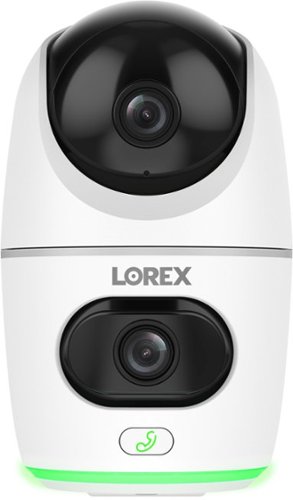
Monitor like never before with the ability to keep an eye on two rooms or areas at the same time.
Customer Rating
5
Double your security coverage!
on November 15, 2024
Posted by: Cipher469
Getting two areas of coverage from a single site is a space-saving idea. Lorex offers that and more with their new vertical duplex 2K camera. Though in one body, the two lenses operate independently. The upper lens is up/down right/left movable, while the lower lens is up/down. As a result, a large area can be covered from a single spot. Security aside, if you want to monitor the kids or see what your furry friend is doing at night or when you are away, the Lorex has it covered with its 360-degree viewing field .
In addition to full-circle viewing, there is a lot more to be said for the Lorex. Other features include:
*Clear coverage is available day or night. Maximum clear night coverage is up to 32 feet.
*There is a 2-way talk feature via a call button on the front of the camera. It is easy to locate as it is a lighted “telephone” icon.
*Camera recording memory is provided by an enclosed (pre-installed!) 32GB SD card. In addition, cloud service is available for a service fee.
*Connectivity is via Wi-Fi, and the Lorex is Alexa and Google Assistant compatible.
*Powering the Lorex means plugging it in, and the cord plus adapter plug are provided. This is the one feature of the Lorex of which I am not fond. With battery operation, the camera could be placed anywhere you choose, not so with an outlet being needed.
*Clear coverage is available day or night. Maximum clear night coverage is up to 32 feet.
*There is a 2-way talk feature via a call button on the front of the camera. It is easy to locate as it is a lighted “telephone” icon.
*Camera recording memory is provided by an enclosed (pre-installed!) 32GB SD card. In addition, cloud service is available for a service fee.
*Connectivity is via Wi-Fi, and the Lorex is Alexa and Google Assistant compatible.
*Powering the Lorex means plugging it in, and the cord plus adapter plug are provided. This is the one feature of the Lorex of which I am not fond. With battery operation, the camera could be placed anywhere you choose, not so with an outlet being needed.
Other than my quirk regarding the power source, the Lorex can be of great service as a monitor and/or security camera. With the holidays almost upon us, the Lorex could be especially useful.
I would recommend this to a friend!
Share this review:


0points
0of 0voted this as helpful.

The ultimate dinner flex, the bella PRO 4-qt. TriZone Touchscreen Air Fryer with Dual Flex Basket features a removable divider so you can cook two meals at once or simply opt for cooking one large meal. The spacious basket holds up to 3 lbs. of food and features EverGood Ceramic Nonstick Coating that~s made without PFAS, PFOA, PTFE, Lead, and Cadmium. Simple, one-touch custom cooking options include Air Fry, Roast, Broil, Bake, Reheat, and Dehydrate. Plus, the Sync function allows you to cook two different dishes at once and have them finish at the same time~eliminating the need to juggle cooking times or multiple pots and pans on your stove.
Customer Rating
5
Easy, Quick and Healthy Cooking
on November 2, 2024
Posted by: Cipher469
Bella is a brand that I trust for quality kitchen products. I have/had a variety from skillets to Bella Pro air fryers, and none have let me down. This new air fryer upholds the standards of the Bella Pro family.
This 4Qt TriZone fryer is a perfect size for cooking meals for one or two people. Without using the divider, it could be more. Also, with its compact size, it is not a counter space hog. The cooking components include a 4qt basket, a basket divider, and two crisping trays. When powered on, an easy-to-read multifunction touch screen lights up. The control panel shows six preset functions, as well as other icons permitting manual adjustments as you may desire. Furthermore, the fryer is named TriZone because it offers three modes for cooking:
*Single Zone Mode: This is cooking with the divider inserted and using only the left zone for cooking. You can use a preset time/temperature or adjust using the touchpads. For example, you want only to cook some French fries or other single food item.
*Dual Zone Mode: Both zones with the divider are used. In this mode, you can cook two diverse types of food simultaneously. Carefully follow the programming instructions.
*TriZone Mode: This mode uses both zones without the divider. In this mode, both zones and the entire basket are used simultaneously.
In all these modes, use of the crisping trays is at your discretion. Personally, I always use them because they allow cooking heat to better circulate around the food.
*Single Zone Mode: This is cooking with the divider inserted and using only the left zone for cooking. You can use a preset time/temperature or adjust using the touchpads. For example, you want only to cook some French fries or other single food item.
*Dual Zone Mode: Both zones with the divider are used. In this mode, you can cook two diverse types of food simultaneously. Carefully follow the programming instructions.
*TriZone Mode: This mode uses both zones without the divider. In this mode, both zones and the entire basket are used simultaneously.
In all these modes, use of the crisping trays is at your discretion. Personally, I always use them because they allow cooking heat to better circulate around the food.
Although the TriZone air fryer does an excellent job of cooking food, it also has a new non-stick feature that helps protect you from possible harm. Non-stick coatings have been around for years, but did you know the commonly used brand contains potentially harmful elements? I sure didn’t. Bella’s new coating is called EverGood Ceramic Nonstick Coating. What makes it special is the absence of PFAS, PFOA, PFE, Lead, and Cadmium. Not being familiar with the “alphabet soup” items, I went to Google and learned the three are harmful chemicals that can accumulate in your body over time. Also, they are found in some foods, so they can be difficult to avoid. However, using “clean” nonstick coating is one step to minimizing exposure.
The Bella Pro TriZone Air Fryer is not only an excellent multi-method air fryer. It has the bonus of doing its work in a safer cooking environment. A second bonus is that it comes at a very reasonable price. With the holiday season almost upon us, the TriZone could be a nice gift.
I would recommend this to a friend!
Share this review:


0points
0of 0voted this as helpful.

JVC hybrid noise cancelling over ear headband style headphones with wind cut mode for exceptional silence, premium sound, comfortable ergonomic soft earpads and hanger design. 35 hour long battery life with rechargeable battery.
Posted by: Cipher469
Over the years, I have owned many JVC products. None have ever disappointed me. With that in mind, I was delighted to have the opportunity to give the HA-S95N phones a test run.
Job 1, of course, is giving the phones a full battery charge. As is so often the case these days, the enclosed charging cable does not have a plug. No worries, I’d just plugged the cable into a charging station and then wondered why it wasn’t charging. Hint: Read and follow the charging instructions so you don’t make the same mistake. Put a plug on the end, and the phones will charge. Once charged, there will be many hours of music before charging is needed again. JVC estimates up to 35 or 50 hours, whether or not you have Noise Canceling turned on. Either way, that is a lot of listening time. Should you wish to use the phones in a wired format, a detachable cable is provided.
The phones are very lightweight and quite comfortable. In one session of use I had them on for about an hour. All good. The over-the-ear design and cushioning further ensures listening comfort. Also, if you wear behind-the-ear hearing aids, there is no problem.
When it comes to the music presentation, JVC is true to the expectation I would have of these headphones. I have an eclectic taste in music (i.e. Eagles, Pink Floyd, U2, Foo Fighters, Metallica, Sarah McLachlan, Red Hot Chilli Pipers, Martina McBride etc.). No matter the genre, these phones provide excellent sound quality. Music is clean and crisp, and separation is excellent. With the phones Bluetooth connected to an Echo device, it is possible for me to comfortably listen to my music all over the house, on the deck, or in the garage without losing the connection or music quality.
Like headphones in general, the controls for the various operations are tiny and on one or both ear covers. For advanced age hands like mine, those little buttons are hard to deal use without removing the phones. That matter is easily overcome by using the app for your music source, especially if it is either Alexa, Google, or similar device.
With the HA-S95N headphones, JVC continues to make excellent music reproduction products. Without hesitation, I would recommend these headphones to family and friends.
I would recommend this to a friend!
Share this review:


0points
0of 0voted this as helpful.
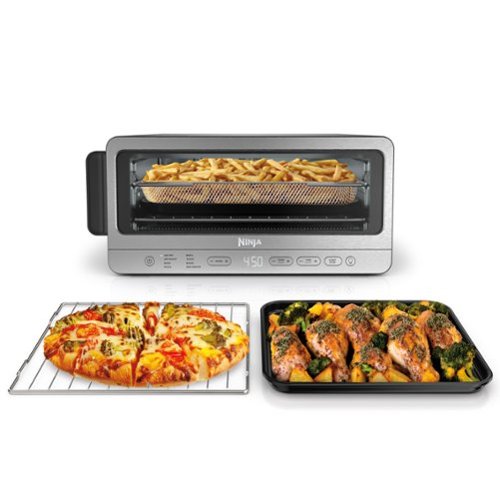
The Ninja Flip Toaster Oven & Air Fryer is a convection oven, air fryer, and toaster that crisps and flips up and away. Get extra-large capacity without sacrificing counter space with its unique design that allows you to flip it up against your backsplash when not in use so you can save 50% more space on your countertop. OvenCrisp Technology combines infrared heat with rapid, circulating hot air all around your food for quick, edge-to-edge even cooking providing you with optimum cooking results. The Ninja Flip includes 8 functions so no matter what you~re craving, you can make it all in this countertop appliance~air fry, roast, broil, bake, pizza, toast, bagel, dehydrate all in one.
Posted by: Cipher469
I am a fan of Ninja kitchen appliances. So, I was delighted to get the opportunity to try out the new Flip. It is designed to provide an assortment of cooking methods, as well as opening lots of counter space when not in use. It does all that and looks good doing it.
In the box is a crumb tray (Remove for cleaning; otherwise, it stays in place.), a wire rack, a non-stick sheet pan, and an air fry basket. Hand washing is recommended for all.
The Flip has eight cooking presets: Air Fryer, Air Roast, Bake, Pizza, Broil, Toast, Bagel, and Dehydrate. Though these are time/temperature preset, they can easily be fine-tuned, as needed, by using the easy-to-read control panel options. For my taste, I found the preset on the functions Pizza, Toast, and Bake {Eggplant Parmigiano} to overcook. This is unlike other Ninjas that I have now or have had, which are mostly spot on. By comparison, that’s a bit of a disappointment. However, for continued use, I will dial down the presets. It is easier to fix undercooked food than it is to fix overcooked food. An especially nice cooking feature of the Flip is you don’t have to wait long for the oven to get ready to cook. Reaching the set temperature takes only a minute or so.
The Flip can definitely cook, and over-cooking issues that I have cited can be adjusted in the settings. On the other hand, there are design characteristics, good and not so good, that should be mentioned.
*For some reason, the door has only one handle to assist in opening, and it is on the left side of the door. For “lefties” that might be great, but for us “righties” it can be problematic. This is especially true when the door is hot! Reaching with the right hand, which we “righties” are acclimated to doing, can result in a painful burn. For one handle, put it in the middle of the front, not on the side. If two, put one on each side. That’s more comfortable, and it avoids burns. To me, this is a safety flaw and is why I have rated the Flip 4 stars instead of 5.
*For cooking “flat” items, the cooking space is fine. However, it is not designed to cook something that is thicker than approximately 3.75 inches. For my purposes, this is no bother, because I have a much larger Ninja for bigger items.
*The Flip has something helpful you don’t often see in Fryer/Ovens, an interior light. Given the small size of the oven chamber and its low positioning, the light sure is helpful, because you won’t have to open the door whenever you want to peer inside. There is an easily seen on/off button on the control panel. Also, when the cooker finishes the cooking cycle, the light automatically turns on. This is a helpful visual notification should you not hear the “done” chime.
*For some reason, the door has only one handle to assist in opening, and it is on the left side of the door. For “lefties” that might be great, but for us “righties” it can be problematic. This is especially true when the door is hot! Reaching with the right hand, which we “righties” are acclimated to doing, can result in a painful burn. For one handle, put it in the middle of the front, not on the side. If two, put one on each side. That’s more comfortable, and it avoids burns. To me, this is a safety flaw and is why I have rated the Flip 4 stars instead of 5.
*For cooking “flat” items, the cooking space is fine. However, it is not designed to cook something that is thicker than approximately 3.75 inches. For my purposes, this is no bother, because I have a much larger Ninja for bigger items.
*The Flip has something helpful you don’t often see in Fryer/Ovens, an interior light. Given the small size of the oven chamber and its low positioning, the light sure is helpful, because you won’t have to open the door whenever you want to peer inside. There is an easily seen on/off button on the control panel. Also, when the cooker finishes the cooking cycle, the light automatically turns on. This is a helpful visual notification should you not hear the “done” chime.
All in all, the Ninja Flip is a very nice, utile cooker. In my experience, Ninja products are built to last. They will continue cooking for you, if you don’t abuse them, for a long time. My large Ninja air fryer/grill combo has been in service for several years, and it still works like a champ. I expect the Flip will, too. With mention of the door handle positioning, I would surely recommend the Ninja Flip to a friend.
I would recommend this to a friend!
Share this review:


0points
0of 0voted this as helpful.

See what~s up and spot deliveries down low, all from your phone. With the easy-to-install Battery Doorbell, your front door shows more with Head-to-Toe Video. And knows more with Smart Alerts that recognize both people and packages (subscription required, sold separately)~helping you take action in the moment to keep your home and family secure.
Customer Rating
4
Great Performance limited by a build issue
on September 24, 2024
Posted by: Cipher469
The new 2024 version of the ring Battery Doorbell has excellent features similar to the prior Plus version, at a reduced price. The differences are mostly cosmetic and a built-in rechargeable battery rather than a removable rechargeable battery.
The key features include:
*Wi-Fi 2.5 connectivity.
*High quality HD video, 1440x1440. What you see is sharp and clear, including color night vision.
*Head-to-toe video coverage provides viewing of a large area, 150 degrees horizontal and vertical. Whomever is at your door can be seen, even if they step to the side.
*Upgraded motion detection. Motion zone can be modified to less or more area.
*Improved two-way audio, with noise cancellation. This is definitely a plus.
*Package Alerts are a safe way of learning a package has been placed at your door. Depending on placement, small packages may be overlooked. In any event, you would have had notification someone had been at the door.
*Quickly attaches to Alexa. The pop-up picture-in-picture feature is great if you are watching TV, when the doorbell is rung.
Once you have mounted the holding plate, the doorbell can be slipped on and locked into place in seconds. Later, when you need to remove the doorbell for charging, that is easily done….if you have not misplaced the little orange tool provided. Be sure to keep it where you can find it when needed.
*Wi-Fi 2.5 connectivity.
*High quality HD video, 1440x1440. What you see is sharp and clear, including color night vision.
*Head-to-toe video coverage provides viewing of a large area, 150 degrees horizontal and vertical. Whomever is at your door can be seen, even if they step to the side.
*Upgraded motion detection. Motion zone can be modified to less or more area.
*Improved two-way audio, with noise cancellation. This is definitely a plus.
*Package Alerts are a safe way of learning a package has been placed at your door. Depending on placement, small packages may be overlooked. In any event, you would have had notification someone had been at the door.
*Quickly attaches to Alexa. The pop-up picture-in-picture feature is great if you are watching TV, when the doorbell is rung.
Once you have mounted the holding plate, the doorbell can be slipped on and locked into place in seconds. Later, when you need to remove the doorbell for charging, that is easily done….if you have not misplaced the little orange tool provided. Be sure to keep it where you can find it when needed.
This doorbell is another useful product from ring, so why only 4 stars? Until now, the ring’s battery is easily removed from the device by pressing a small flange (front bottom) and pulling the battery out for recharging. When done, you slide the battery back in, make sure the flange is locked, and then the doorbell is back in service. The process is quite easy to accomplish. One important thing to remember is that when the doorbell is without power, it is not providing protection. Recharging the battery takes a long time. This downtime inconvenience can be eliminated by having a spare battery to keep your doorbell in service. Easy!
Now, with the built-in battery, the entire doorbell must be unmounted, opened, and plugged in for charging. No easy battery recharge access is available otherwise. With the “pop-out” low battery and “pop-in” charged battery process, your doorbell is out of service for a few seconds. Comparatively, the built-in battery format is neither user-friendly, nor is it providing any service during its charging time. With all the greatness otherwise, this battery situation seems to be a big step backwards. When the battery is down, the entire device is down. This means protection is down, too. There is a solar charger available for an older model, so why not this one? Even so, unless the doorbell is in direct sun, the solar charger would not be effective.
Now, with the built-in battery, the entire doorbell must be unmounted, opened, and plugged in for charging. No easy battery recharge access is available otherwise. With the “pop-out” low battery and “pop-in” charged battery process, your doorbell is out of service for a few seconds. Comparatively, the built-in battery format is neither user-friendly, nor is it providing any service during its charging time. With all the greatness otherwise, this battery situation seems to be a big step backwards. When the battery is down, the entire device is down. This means protection is down, too. There is a solar charger available for an older model, so why not this one? Even so, unless the doorbell is in direct sun, the solar charger would not be effective.
Workwise, this is a splendid video doorbell at an economical price, and I would recommend it to a friend. However, being a friend, I would also feel obliged to provide notice of the battery charging matter. Personally, I will stay with my ring Battery Pro doorbell that I Battery Pro doorbell that I have had for several months, primarily for the battery out/in charging convenience. Either way, ring is quality.
I would recommend this to a friend!
Share this review:


0points
0of 0voted this as helpful.

Google - Nest Learning Thermostat (4th gen) with Nest Temperature Sensor (2nd gen) - Polished Silver
The Nest Learning Thermostat (4th gen) is Google~s smartest, most advanced thermostat yet. It~s a brilliant way to save energy and keep your home comfortable. It learns the temperatures you like, when you like them, even as your routine changes.~ It gets to know how outdoor temps naturally heat and cool your home to save energy.~ And it helps make sure your heating and cooling systems run smoothly.~
Posted by: Cipher469
Before Nest became Google Nest, I was a happy Nest Learning Thermostat user, upstairs and downstairs. When Google Nest released its 4th Generation (4th Gen) learning thermostat, I was highly interested in seeing what it could do as compared to the prior Nest learning thermostat which set a high bar. The new 4th Gen sets an even higher one.
Installation is quick and easy, especially if you already have a Nest already installed. The wiring set up is the same as the prior generation. Unfortunately, the wiring connector mount is a tiny bit smaller so you cannot skip the wiring setup. Be sure to turn off the power before working with the electrical wiring. Once you have the wiring setup, you are ready to install the 4th Gen unit. Plug it into the wired base, and setup of the device itself is next. The Google Home app, if you don’t already have it, needs to be installed. When done, the app will lead you through the device setup. If you carefully follow the app’s instructions, setup should go smoothly. By this point, you will have connected the 4th Gen to your wi-fi and be ready for the 4th Gen experience.
Compared to its predecessor, the 4th Gen screen is easier to read. This is immensely helpful as there is a lot of useful information displayed. The “home” screen shows cooling or heating mode, indoor temperature, set temperature, humidity, outdoor temperature with icon for sunny/cloudy/rainy/etc, and time of day. To change your temperature or other settings, turn the device left or right to find what you need. Do this a few times, and you will learn how to manually operate the 4th Gen, as well as what it can automatically do for you. The photos below show two examples of what information can be available at any time. When you walk away, the screen will “turn off” as part of its energy savings process.
Additionally, the package includes a remote sensor that easily pairs with the thermostat itself. The sensor communicates what is happening temperature-wise in its zone, thus providing valuable information to the base so adjustments, if needed, can be made to maintain proper settings overall.
The Google Nest Learning Thermostat 4th Generation is an excellent product, and it looks good on the wall. Easy to install, easy to set up, easy to work with, and impressive performance, what more could you want in a thermostat?
I would recommend this to a friend!


Share this review:


0points
0of 0voted this as helpful.

Meet Pixel 9 Pro with Gemini, now in two sizes. It has a sleek, stunning design, and it~s the most powerful Pixel yet. Take pro-level photos and videos with the triple camera system, and make expert edits. And it~s engineered by Google, so it gets the best of Google~s AI first.
Customer Rating
5
When you thought they couldn’t make a better Pixel
on August 28, 2024
Posted by: Cipher469
When Google released the Pixel 8a, they set a high bar for themselves as to future releases. With the Pixel 9 Pro XL (XL) , they easily jumped the bar and moved into a new era! The price took a jump also, but there is a lot more under the hood with the XL! You get what you pay for (in a good way), and it’s still price competitive with other prime brands.
An overview of what makes the XL great includes:
*Performance: The Google Tensor G4 chip provides 16GB of RAM.
*Storage: A choice of 128GB or 256GB.
*Battery Power: The battery affords over 24 hours of usage and fast recharging. From a low charge condition, the battery can be fully ready in roughly an hour.
*Connectivity: This is the latest offerings of 5G, Wi-Fi 7, and 5.3 Bluetooth.
* Build: The phone is built to survive scratches, splashed water, and drops. The glass on front and back is Corning Gorilla Glass Victus 2. This is especially important, if you are a phone dropper, as I am. Being built to last, the XL also comes with 7 years of OS and security updates.
*Enhanced security protection: Create a password protected safe place on the phone for personal documents, pictures, apps, etc. Whether you loan your phone to someone, or it gets stolen, your personal stuff is unavailable. Also, if the XL suspects unwanted activity, it will automatically shut down. In addition, you can lock the phone remotely, if it is lost or stolen.
*An amazing camera: The camera in the Pixel 8a is great; however, the XL takes phone photography to a “knocked out of the park” level. The primary lens is 50 MP. While it is brag worthy, it is accompanied by a 48MP ultrawide lens for macro closeups. But wait, there’s more. If you are into selfies, autofocus will help with sharper pictures. Night Sight assists in making vivid photos and videos in low light and near dark situations. Magic Editor assists in cropping, expanding the image, moving objects around, reframing, and more. Plus, you can “reimagine” by adding things to the picture for an entirely new look.
So, what is it that powers the “magic” operational and photographic enhancements of the XL? The short answer is “Gemini,” your built-in AI friend. Gemini’s participation with the camera is what creates and assists with those great photography options. Gemini can also assist in many other areas: writing, learning, helping with directions, and using other Google services. Press and hold the power button and Gemini will be ready to help you. The XL comes with one year of the One AI Premium plan for free. The Premium Plan includes Gemini Advanced and 2T of storage. Per Google, this free for a year benefit has a value of $239.88. If you continue the plan after the free year, the fee is currently $19.99/month.
*Performance: The Google Tensor G4 chip provides 16GB of RAM.
*Storage: A choice of 128GB or 256GB.
*Battery Power: The battery affords over 24 hours of usage and fast recharging. From a low charge condition, the battery can be fully ready in roughly an hour.
*Connectivity: This is the latest offerings of 5G, Wi-Fi 7, and 5.3 Bluetooth.
* Build: The phone is built to survive scratches, splashed water, and drops. The glass on front and back is Corning Gorilla Glass Victus 2. This is especially important, if you are a phone dropper, as I am. Being built to last, the XL also comes with 7 years of OS and security updates.
*Enhanced security protection: Create a password protected safe place on the phone for personal documents, pictures, apps, etc. Whether you loan your phone to someone, or it gets stolen, your personal stuff is unavailable. Also, if the XL suspects unwanted activity, it will automatically shut down. In addition, you can lock the phone remotely, if it is lost or stolen.
*An amazing camera: The camera in the Pixel 8a is great; however, the XL takes phone photography to a “knocked out of the park” level. The primary lens is 50 MP. While it is brag worthy, it is accompanied by a 48MP ultrawide lens for macro closeups. But wait, there’s more. If you are into selfies, autofocus will help with sharper pictures. Night Sight assists in making vivid photos and videos in low light and near dark situations. Magic Editor assists in cropping, expanding the image, moving objects around, reframing, and more. Plus, you can “reimagine” by adding things to the picture for an entirely new look.
So, what is it that powers the “magic” operational and photographic enhancements of the XL? The short answer is “Gemini,” your built-in AI friend. Gemini’s participation with the camera is what creates and assists with those great photography options. Gemini can also assist in many other areas: writing, learning, helping with directions, and using other Google services. Press and hold the power button and Gemini will be ready to help you. The XL comes with one year of the One AI Premium plan for free. The Premium Plan includes Gemini Advanced and 2T of storage. Per Google, this free for a year benefit has a value of $239.88. If you continue the plan after the free year, the fee is currently $19.99/month.
The Pixel 9 Pro XL is an excellent phone/camera! With all its AI and non-AI features, it’s a little more than just transferring your information from another phone and all set to go. For most folks, there is a learning curve. Navigation can be a bit of a challenge in the beginning. An example is when more than one screen is needed to be open to perform a task. Out of the box, the home screen lacks an easily available “go back” icon that helps the user move back and forth among the screens in use. Pressing in various areas on the lower corners, I was able to back up. That was a one off, because I had to search for the spot every time. Exacerbating the matter is a very prominent visible icon that essentially abuts the “hot” spot. This was very frustrating! So, I Googled it, where I found clear resolution information. Moments later, my XL had navigation buttons at the bottom of the screen, right where it is found on thousands of mobile phones. Why would such a fantastic phone that appears to be everything one might want in mobile communication (and camera) not have this as a default, with it not being there as the option? Following this tip will save you time and aggravation.
The Google 8a merits a 5-star rating, because it is a great phone/camera! For the XL, I would award it at least 6 stars if the choice were there. It is great, and I would, without a doubt, recommend it to a friend.
I would recommend this to a friend!
Share this review:


0points
0of 0voted this as helpful.

Unprecedented efficiency on a premium 14-inch CoPilot+ PC featuring touch, text, and voice control for intuitive, smartphone-like ease of use so you can streamline your daily tasks and workflows.
Customer Rating
5
Big Thing In Small Package
on July 21, 2024
Posted by: Cipher469
I am a fan of Dell computers, currently have (wide screen AIO) and previously (laptops), because they are quality built for quality performance. This Inspiron 14 continues to prove to me my high opinion regarding Dell products.
With its 14” screen and overall compact body, the 7441 is sort of a hefty tablet with a keyboard. In no way is that said to denigrate, rather it is meant to note that it is easily portable and easy to pack for travel. When it’s opened, lots of computing power is ready and waiting.
Some of the key processing features of the 7441 are:
*The OS is the latest version of Windows 11 Home.
*Copilot+ brings on-device AI to the Windows environment. Combined with the Snapdragon X Plus (10 Core 3.4 GHz) Processor, the 45 trillion per second of NPU (Neural Processing Unit, works like the human brain) of productivity. I was recently introduced to AI via an OS update on my Android phone, and there is still a lot to learn.
*Memory is plentiful with 16Gb RAM and 512Gb total capacity.
*Memory is plentiful with 16Gb RAM and 512Gb total capacity.
*Battery power is plentiful for hours of operation. I have used it over the past few days; and, like the famous rabbit, it’s still going.
*The 14” QHD Touch Screen’s resolution is 2560 x 1600, it is designed comfortable viewing. Dell ComfortView Plus minimizes blue light issues.
*Excellent audio is provided by quad speakers producing a crisp, clean, and clear sound. Trying various music genres and performers, there was no disappointment. It is so good that this easily portable laptop can do double duty if you are out and about. In one, you can do computer stuff as well as enjoy the sound of your favorite tunes.
*Video chats are enhanced by MS Studio Effect software the utilizes AI to minimize background noise, adjust lighting, and reduce blurs.
The 7441 is proof that “big things” can come in small packages. Accustomed to expecting quality from Dell, I tried to find something not to like about the 7441. However, the more I searched for something not to like, the more I found to like. Hard core gamers might not love the graphics, but as a non-gamer, no worries for me. Not being a techie per se, learning how to properly utilize AI is going to be a task that I look forward to.
If you need or are just considering a new laptop, I highly recommend the Dell Inspiron 14 Plus Model 7441. It won’t be long before schools and universities will be starting new terms, and the 7441 could be a very useful tool for an ambitious student.
I would recommend this to a friend!
Share this review:


0points
0of 0voted this as helpful.
Cipher469's Review Comments
Cipher469 has not submitted comments on any reviews.
Cipher469's Questions
Cipher469 has not submitted any questions.

Shark AI Robot VACMOP combines powerful vacuum suction and hard floor wet mopping for a complete clean, all in one robot. Features include: Shark suction power, Sonic Mopping that delivers 100 scrubs per minute for stuck-on stains, and AI Laser Navigation for precision cleaning.
Can the robot work with 220 voltage? I am planning on taking it to another country?
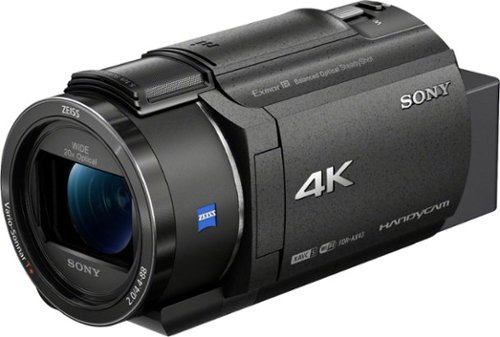
Capture high-quality videos with this Sony Handycam 4K camcorder. The 0.4-inch CMOS sensor delivers high-resolution 4K content with fast intelligent autofocus and enhanced audio, while the SteadyShot image stabilizer boasts clear detailed shots even at full zoom. This Sony Handycam 4K camcorder has a built-in Highlight Movie Maker that lets you create and share videos seamlessly.
Does the camera have night vision? And is it waterproof?
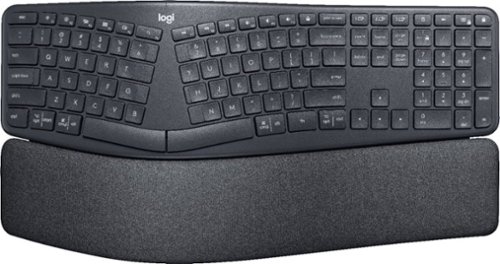
Type more naturally with ERGO K860 ~ an advanced ergonomic keyboard that promotes a more relaxed typing posture ~ reducing wrist bending and offering wrist support. A curved keyframe helps reduce wrist strain, while a pillowed wrist rest keeps your forearms elevated to help prevent excessive bending. This Logitech ERGO keyboard features Perfect Stroke keys for quiet performance and responsiveness, and the 2-year battery life offers long-lasting use.
How do you turn the Ergo 860 on/off?
Small switch on rear of upper level of keyboard at the top of the curve. See "logi" and look up from there.
6 years, 4 months ago
by
Cipher469
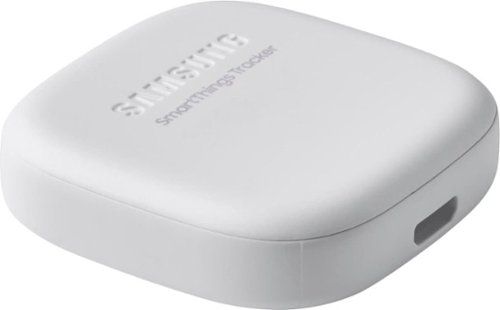
Secure yourself, a loved one or valuables with this smart, versatile Samsung SmartThings tracker. Its geo-fencing feature triggers smart home automations or alerts you when a pet or person who has it leaves or enters your designated zone. Double-press the button of this IP68-rated Samsung SmartThings tracker to notify authorized persons of your current location.
Does the LTE data cost anything?
It's free for the first 12 months. $50/year after.
7 years, 6 months ago
by
Cipher469
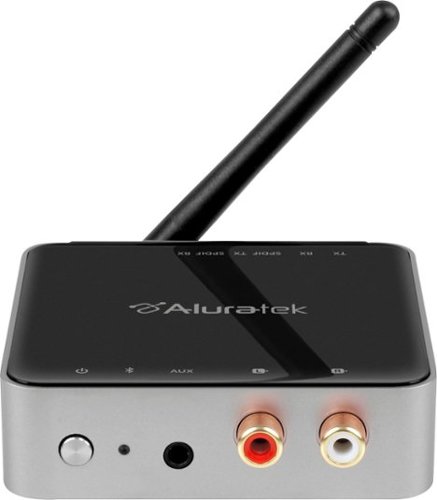
Stream HD audio from your TV to your headphones with this Aluratek Bluetooth 5.0 dual TV transmitter. It has a range up to 300 feet, which is four times the range of Bluetooth 4.2 transmitters, and you can easily connect the device to your TV via aux, RCA or SPDIF. This Aluratek Bluetooth 5.0 dual TV transmitter can handle two headphones at once.
How do you pair Bluetooth capable items an see that they have been connected sucessfully❓ Will the Bluetooth connections be seen on the TV screen after hooking up the audio receiver/transmitter❓
It doesn't show on screen, but the steady blue light on the device is an indicator. The best and easiest way to know is when you hear the TV audio coming through your headphones.
7 years, 11 months ago
by
Cipher469