
Share Jamesh248's profile


Jamesh248
Jamesh248's stats
- Review count43
- Helpfulness votes5
- First reviewNovember 26, 2014
- Last reviewMay 19, 2018
- Featured reviews0
- Average rating4.2
Reviews comments
- Review comment count0
- Helpfulness votes0
- First review commentNone
- Last review commentNone
- Featured review comments0
Questions
- Question count0
- Helpfulness votes0
- First questionNone
- Last questionNone
- Featured questions0
- Answer count1
- Helpfulness votes1
- First answerNovember 16, 2017
- Last answerNovember 16, 2017
- Featured answers0
- Best answers1
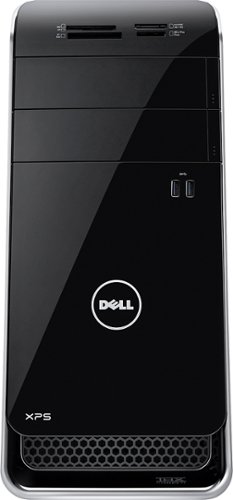
Dell XPS Desktop: It's easy to keep in touch using built-in wireless networking, which provides access to social networks, e-mail and streaming entertainment. Bluetooth technology allows pairing with compatible devices.
Customer Rating

3
Ok for a base sytem
on October 2, 2015
Posted by: Jamesh248
from Home
Verified Purchase:Yes
My review is for the base system. For which it is not now. After I upgraded the power supply, the max ram, and 970 nVidia graphics. If you plan to do this a good platform to start with. It should be noted that the main board x86 that comes standard is ok but the user can update to the z97 and the 3790k processor for more speed and better power boost, also over clocking if that is your thing.
My Best Buy number: 0964255171
My Best Buy number: 0964255171
I would recommend this to a friend!
Share this review:


-1point
2of 5voted this as helpful.
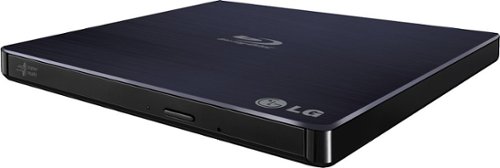
Easily and quickly record up to 100GB of data with this LG BP50NB40 8x external USB 2.0 Blu-ray Disc rewriter that features 6x maximum BD-R and 2x BD-RE write speeds to help you rapidly complete your tasks.
Customer Rating

4
Blu Ray Drive Mac Compatible
on January 2, 2015
Posted by: Jamesh248
from Home
Verified Purchase:Yes
Great little drive. Didn't have any issues making it work with my new Mac Book Pro. Would have like to have some Mac Blu Ray Software with the drive, but all in all it did what I wanted it to do.
My Best Buy number: 0964255171
My Best Buy number: 0964255171
I would recommend this to a friend!
Share this review:


+2points
3of 4voted this as helpful.
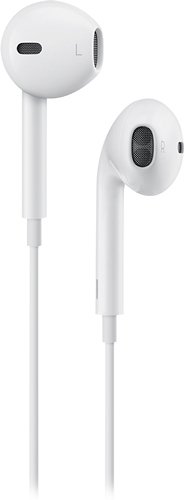
Control media playback, adjust the volume and answer and end calls on your Apple iPod, iPhone or iPad with these Apple EarPods MD827LL/A, which feature an in-line remote and mic for ease of use.
Customer Rating

5
Wired looking, but good sounding
on November 26, 2014
Posted by: Jamesh248
from Home
Verified Purchase:Yes
Was a little concerned with the new design, but they sound great.
My Best Buy number: 0964255171
My Best Buy number: 0964255171
I would recommend this to a friend!
Share this review:


0points
0of 0voted this as helpful.
Jamesh248's Review Comments
Jamesh248 has not submitted comments on any reviews.
Jamesh248's Questions
Jamesh248 has not submitted any questions.
Jamesh248's Answers

Only at Best BuySafeguard your library with this 4TB Western Digital hard drive. Its durable construction protects against shock, and USB 3.0 technology facilitates rapid data transfer to keep you working efficiently. This Western Digital hard drive has a slim design for portability, so you can access your files anywhere.
What free software will write to NTFS on Mac OS? Mostly I'll use this on Win10 so want to leave it NTFS (not exFAT). But my parents use Macs, so I'm sure I'll want to use it there sometime.
By default all external drives sold in the US, except for those specifically stated are formatted for a particular system are factory formatted in FAT 16 or 32. FAT 16 has a file size limitation and FAT 32 doesn't. A work around is to use exFAT, which works on both PC and Mac's and does not have a file size limitation.
There is another option, but requires you to add permissions in the Terminal in Mac to allow Write access to formatted NTFS drives. How to enable NTFS write support natively for OS X. Here is the link: https://www.techrepublic.com/article/pro-tip-enable-ntfs-write-support-natively-for-os-x/ I transfer from both systems and have found that exFAT works just fine for me.
The main reason to format NTFS on PC's is it give more security and other functions that exFAT or other FAT version does not give. So depending on the need and frequency a thumb drive formatted in exFAT to transfer from PC to Mac or vice versa sounds like would work best for you.
I hope this has given you some help in your search?
TechRepublic does state that care should be taken if you decide to use there information to open native support for NTFS on Mac's. Such as backup in case something goes wrong.
There is another option, but requires you to add permissions in the Terminal in Mac to allow Write access to formatted NTFS drives. How to enable NTFS write support natively for OS X. Here is the link: https://www.techrepublic.com/article/pro-tip-enable-ntfs-write-support-natively-for-os-x/ I transfer from both systems and have found that exFAT works just fine for me.
The main reason to format NTFS on PC's is it give more security and other functions that exFAT or other FAT version does not give. So depending on the need and frequency a thumb drive formatted in exFAT to transfer from PC to Mac or vice versa sounds like would work best for you.
I hope this has given you some help in your search?
TechRepublic does state that care should be taken if you decide to use there information to open native support for NTFS on Mac's. Such as backup in case something goes wrong.
8 years, 6 months ago
by
Jamesh248