
Share xspook's profile


xspook
xspook's stats
- Review count1
- Helpfulness votes18
- First reviewJanuary 23, 2010
- Last reviewJanuary 23, 2010
- Featured reviews0
- Average rating5
Reviews comments
- Review comment count0
- Helpfulness votes0
- First review commentNone
- Last review commentNone
- Featured review comments0
Questions
- Question count0
- Helpfulness votes0
- First questionNone
- Last questionNone
- Featured questions0
Answers
- Answer count0
- Helpfulness votes0
- First answerNone
- Last answerNone
- Featured answers0
- Best answers0
xspook's Reviews
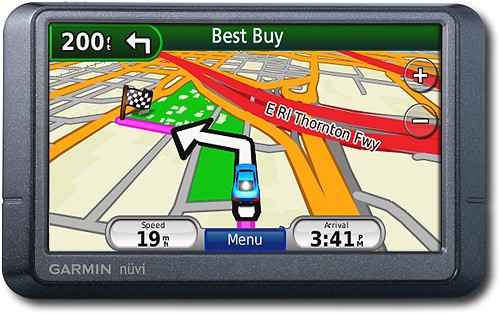
Navigate the United States and Canada with ease with this GPS that features free lifetime traffic updates, up to 1,000 waypoints and customizable points of interest for easy route planning. The "Where Am I?" emergency locator and travel assistant tools provide additional support.

Posted by: xspook
from Palm Bay, FL
This is a very nice GPS. It works well and is easy to use. I recommend it to anyone who asks me about GPS's.
Things you need to know:
1. This is a "wierd" model from Garmin. You won't find the 255WT on their website. The box is labeled 255WT, but it's marked 255W on the unit itself. It's basically a 255W with the traffic option built in.
1. This is a "wierd" model from Garmin. You won't find the 255WT on their website. The box is labeled 255WT, but it's marked 255W on the unit itself. It's basically a 255W with the traffic option built in.
2. If you buy from an auction site, Garmin will not warranty it. (It can be registered, though.)
3. You need to register it. The problem is, it does not come with a USB cable to connect it to your computer. The cable can be picked up any where like Best Buy, Radio Shack, possibly Wal-Mart, etc. Once you've got the cable and the unit connected to your computer, go to http:my.garmin.com. Once registered, click the My Dashboard tab, this will tell you what's available to update. This will enable you to install the latest software update and map updates.
4. One of the biggest advantages of this unit vs. the 255W is the free lifetime traffic. A lot of GPS's offer traffic information, but charge quite a bit more for that option. This unit comes with FM Traffic Message Channel (TMC) which it uses to get information broadcast over FM radio frequencies.
Important things to know about the traffic feature on this GPS:
You must have the GPS connected to your car charger for it to receive the traffic information. The power cord doubles as the traffic receiver. While a bit annoying, at least it doesn't require an additional antenna. I have a Sony GPS that requires the power cord, plus an additional antenna to get traffic, so there's cords dangling all over the place.
You do not have to "activate" the traffic; it's automatic. You'll know you're receiving traffic information if you see a little car icon in the upper left portion of the screen. There is MSN Direct traffic available for this unit as well. It costs extra, but has more features. But, according to their website, MSN Direct will cease operations on Jan 1, 2012.
5. Once registered you can go to Garmins website and download customizations like different vehicle icons, voices, etc. Most custom voices don't speak street names, though. They simply say, turn left in 200 feet. Look for the ones labled TTS if you want the street names spoken.
You can also download a free program from Garmin that allows you to record your own voice.
Or, you can use this to edit the Text to Speech (TTS) file in the unit. This allows you to keep the factory spoken street names but still change what the unit says:
http://turboccc.wikispaces.com/TTSVoiceEditor
6. You can create/download your own POI's. This allows you to create a list of custom business, etc, that you want to search on. An example would be BBQ restaurants, WalGreens, etc. There's a very nice site where people build these files and you can download for free:
http://www.poi-factory.com/
This is a very handy feature. The only thing I don't like about it is that the custom POI's are not "imbedded" into the factory POI's, so searching for them requires a few more "clicks", but no big deal.
What's great about it: Easy to use, ability to customize
What's not so great: Suction cup won't stick on textured dash boards, must use extra mounting disc that is nearly impossible to remove.
I would recommend this to a friend!
Durability

5
Ease of Use
5
Features
5
Share this review:


+18points
18of 18voted this as helpful.
xspook's Review Comments
xspook has not submitted comments on any reviews.
xspook's Questions
xspook has not submitted any questions.
xspook's Answers
xspook has not submitted any answers.