


RandallFlagg's stats
- Review count315
- Helpfulness votes388
- First reviewMarch 14, 2014
- Last reviewSeptember 28, 2023
- Featured reviews0
- Average rating4.6
Reviews comments
- Review comment count0
- Helpfulness votes0
- First review commentNone
- Last review commentNone
- Featured review comments0
Questions
- Question count0
- Helpfulness votes0
- First questionNone
- Last questionNone
- Featured questions0
- Answer count45
- Helpfulness votes55
- First answerNovember 3, 2015
- Last answerNovember 11, 2021
- Featured answers0
- Best answers8

You have a lot on your plate and need a printer that~s going to give you great results without slowing you down. Our fastest WorkForce printer for home offices, the WorkForce WF-2960 delivers presentations, spreadsheets, flyers and more at remarkable speeds. Engineered with Epson~s leading-edge PrecisionCore technology, this all-in-one printer consistently produces professional-quality prints with rich, vibrant colors and crisp text. With a built-in scanner, copier, fax and Auto Document Feeder~plus, a large 2.4" color touchscreen display and 150-sheet paper tray~the WF-2960 is the ultimate printer for productive home offices.
Customer Rating

5
Great all-in-one printer, wish it had the ink tank
on September 22, 2022
Posted by: RandallFlagg
Opening up the Epson Workforce WF-2960 and I find the printer, power cord, user’s manual, and ink bundle. Unboxing the unit is nice and easy. There are 4 Styrofoam corners and the top two just slide out allowing the bottom two to stay in the box as I removed the printer. Next to the printer is a nice and tidy cardboard pocket with the ink and power cord taped to it and at the bottom of the box is the user’s manual.
I get everything out and read the instructions. You can set up the printer either by mobile phone or PC. My phone already has so many apps on it and it’s running low on space, so I choose to do it through the PC. You skip the first two steps and there’s a web address listed for windows and mac software. I download the windows software for Windows 11 and it’s very straightforward. I installed the software, and it has a number of apps for photos, updating the software, scanning, event manager, fax utility, and OCR component. After installing the downloaded software (drivers and utilities combo package) from the Epson website, it says it wants to install a firmware update. You don’t really have a choice, so I clicked ok, and it downloaded and installed the update.
That done, the printer is ready to work. It’s all-in-one, so it’s able to fax, print, copy, and scan like it should. I own a couple of other recent Epson printers and I like the WF-2960 for the touch screen display. The other two have an LCD screen but lack a touch screen. I have to use the arrow buttons next to the display and it’s just not as good an experience as touching what you want to do. Just for your information, the printer does auto two-sided printing (as most do anymore) and mobile printing (again, like most). The paper loads from the front and has a 150-sheet paper tray. As for connections, I’m running mine wireless, but there is a USB 2.0 and LAN port available.
If there’s anything negative to say about the printer is that it still uses cartridges. My other two Epson printers have the tanks, one being the INKvestment tank and the other an Eco tank. Both work really well and make loading the ink simple. Cartridges are fairly simple when they read correctly, but it feels like such a waste to have all those empty plastic cases lying around. I don’t live close to many retailers that trade them in and the one that does is overpriced on the replacements. Even with that though, I’d gladly recommend this printer to anyone with an office that needs all the functions of an all-in-one printer, to an individual that has a home office or a student who still needs to turn in printed documents.
I would recommend this to a friend!
Share this review:


+1point
1of 1voted this as helpful.
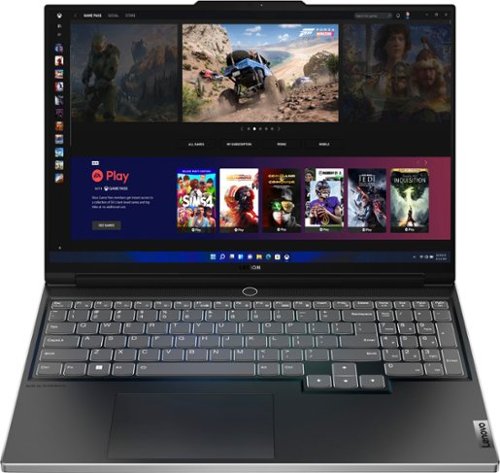
Engineered for those who know gaming is a way of life, the Lenovo Legion Slim 7, in Onyx Grey, is calibrated for next-gen creation and gaming alike. Redefine gaming experiences with the latest generation AMD Ryzen processor and AMD Radeon RX graphics that are AI-optimized via the Legion AI Engine, all the while cooled by the Legion Coldfront 3.0~s thermal system. The Legion Slim 7~s light and exhilarating design is further machined from an Aluminum and Magnesium blend that defies all basic laws of laptop engineering. Crush the competition in WQXGA for immersive gaming anywhere life takes you.
Customer Rating

4
Nice gaming laptop, updating components limited
on September 20, 2022
Posted by: RandallFlagg
I got to say I’m pretty excited to see what this Lenovo Slim 7 AMD Advantage Edition with the Ryzen 9 can do. I use an older Ryzen 7 desktop for everyday use and an I7 11th edition all-in-one for gaming. I opened up the box and this laptop looks well made. The aluminum/magnesium blended material used to case the PC is light, strong, and beautifully crafted. I then pull out the power brick and it’s a brick. This thing is big and heavy. It has a heavy-duty power cord to let you know it means business. It comes with 16GB of ram, but one is non-removable. An online tool says you could remove and replace the slot one module with a 16GB up to a 32GB stick, but I read on the Best Buy site that you can only upgrade the slot one module from 8GB to a 16GB. That was posted by a Lenovo Product Expert. It ships with Windows 11 and only needed a few updates. It doesn’t ship with a bunch of bloatware, which is awesome. A lot of manufacturers are doing that now. Nobody wants that stuff to begin with. The 1TB SSD is upgradeable to 2GB, but there isn’t an extra slot, so you would need to clone it and use the old drive elsewhere. The laptop has the AMD Radeon RX 6800s GPU with 8GB of GDDR6. While it’s not comparable to a desktop, it’s right up there with laptop graphics. The keyboard can be backlit in white (not RGB) or not and there is a headphone/microphone combination jack. The laptop includes (2) USB/C 3.2 ports on the left side and (2) USB/A 3.2 ports on the back. Oh, and there’s an SD card reader on the right side, I’ll post pics. There is a front-facing camera (1080p w/ E-shutter and dual array mics) at the top of the monitor which is barely visible. Unless I have something checked wrong, the camera doesn’t look to be compatible with facial recognition (Windows Hello). So let us charge this up and see what it can do.
I opened up a paid streaming music channel and picked a song with good vocals and bass. I wanted to see how it sounded. The Nihimic music default settings sounded good, with decent separation and not at all muddy, but it just lacked punch. Not much bass and at 100%, it was just too low. Adding a Bluetooth speaker to the Nihimic surround sound setting fixed that, albeit a need to carry an additional item. I didn’t experience surround sound as the laptop speakers stopped playing or I just couldn’t hear them over the Bluetooth speaker, which sounded great as it always does regardless of the source. It’s nice to have an easy way to pair up the BT speaker.
I wanted to try Forza 7, which seems to have issues on different PCs. Maybe that’s why it’s no longer available? It’s a fun game though and I thoroughly like playing it. Once I got it downloaded through the store and installed, I plugged in a controller and fired it up. I usually play it on an all-in-one 34” PC and it does great. To me, the game loaded faster on the Lenovo Slim 7 than on my daily gaming rig. This game is known for not being very optimized. I played the game for 71 minutes and it averaged 42.7 fps. Not great, but very playable. I didn’t notice any lag or glitches while racing or going through the menus. I did however notice the loud fan noise when loading the game. The noise lasted for minutes after shutting down the game, which seems normal, and I didn’t find the noise bothersome once I was immersed in the race. The laptop has the Lenovo Coldfront 3.0 which allows 20% more airflow through the side vents and fans. I should add that I downloaded the latest AMD software Adrenaline Edition and that’s where I got the information. I’ll post a pic. With AMD Adrenaline installed, I played about an hour of Madden 22, and it ran beautifully, but when I went to fire up the software, the driver had updated somehow. I got this version doesn’t match your installed driver. I rolled back the driver, and it opened up the software but didn’t log the game..ugh. I’ll just say it didn’t lag, the music played without issue, and I won the game.
I also ran a benchmark on the system, and it scored a 4490, which isn’t anywhere near the top with desktop gaming rigs, but the GPU scored in the top 99th percentile, which if I’m reading correctly, is the best you can get with this setup. The CPU scored 75% so not a slouch. There’s a pic of the results included.
Just FYI, I was updating some of the software and discovered that Fn Q controls the power mode. Press them once and the power button turns red (power mode full if needed), press them again and it turns blue (quiet mode), and finally press them once more and it turns back to white (auto). I’ll have to see what other function combinations I can find useful.
Finally, it’s a great gaming laptop and plays well. I’m a bit concerned about the lack of being able to upgrade the ram, add storage, etc. Things can be exchanged for a larger item, but not added if that makes sense. I’d recommend the laptop to someone that wants to install their games and start playing. If they’re looking to play and then tweak the machine, I’d suggest looking at some alternatives.
I would recommend this to a friend!



Share this review:


0points
0of 0voted this as helpful.
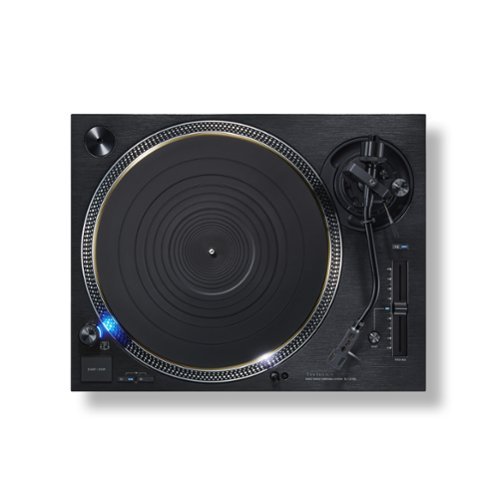
The direct-drive analogue turntable was first achieved worldwide by Technics. It alleviated issues such as signal-to-noise ratio and wow and flutter, which had until then posed problems for turntables. This turntable attracted interest for its high performance and reliability, and left a considerable track record, including use by broadcast stations. The performance and track record of the direct-drive turntable continues unabated to the present day, with support by numerous audiophiles. With a direct-drive system, the sound of the turntable can be even further enhanced. This is the uncompromising attitude and confidence of Technics, the creator of direct drive. Development of the SL-1210G thus began. The latest technologies have been added to solve issues involved with direct-drive systems, such as cogging. The SL-1210G includes a newly developed coreless direct-drive motor with greatly increased precision by incorporating Blu-ray Disc technology for rotation control. This cutting-edge direct-drive system will surpass previous direct-drive systems. It is not a reproduction but innovation. We are redefining the reference in direct-drive turntables for the modern age.
Customer Rating
5
Wow, I can enjoy my old vinyl and get new ones!
on September 15, 2022
Posted by: RandallFlagg
So where to start with the Panasonic Technics SL-1210G Grand Class Direct Drive Turntable? Well, start at the beginning. First off, this thing is a beast weighing in at 33 lbs. if you believe the carrier. I picked it up at the local depot and it’s heavy. I got it home and unboxed it. It was very well packed and protected. Everything is included except the cartridge Anyway, let’s just say it is stout.
I knew I needed a cartridge and purchased a headshell/cartridge combo, so I was ready. It wasn’t the most expensive unit, but it was a good place to start. I removed the platter, turntable unit, cords, weight, and instructions and got to work. The location of the RCA jacks, power, and ground screw is a bit hard to use. I have the unit in an entertainment center cabinet and that caused a lot of difficulties as there isn’t much room to turn the unit around. I didn’t want to tilt it too much, so I lifted it and used a flashlight to get the cables, cord and ground connected. I have a nice set of phono cables, so I chose to use them instead of the gold-plated RCA’s included with the unit, but I did use the factory ground wire and power cord. Also, the sheer weight of the turntable added to the difficulty. I connected the turntable to a high-end stereo integrated amplifier and a pair of decent front ported 6.5” woofer/1” tweeter bookshelf speakers. I prefer a two-speaker system for listening to music over my 7.1 theater receiver. I believe you can have a high-end turntable, like the Panasonic Technics SL-1210G, and a high-end receiver with lousy speakers and it will sound awful. I didn’t have a ton of funds left for the speaker, so I messaged a knowledgeable celebrity, and he recommended these $400 speakers from my local Best Buy store. I have to say, his recommendation was spot on. It made the turntable and receiver…well, sing!
Let me take a step back. I got the turntable plugged into the system, powered up, and looking good. That was the easy part. Now follow the instructions and get it ready to play an album. I’d love to say that the instructions made it easy, but they didn’t. It helped, but some parts are tedious and confusing, so I turned to the internet and watched a video or two. Attaching the weight and understanding the extra auxiliary weights takes a bit of time to comprehend. I understand now that they are to counterbalance the headshell and cartridge of more expensive and heavier units. I must have spent 10-15 minutes trying to balance that arm with the small weight attached and watching the arm just rise. So, no aux weights for my inexpensive needle, but down the road, who knows? Attaching the platter is no big deal. Just make sure to take your time and use a thin, wide-blade screwdriver so you don’t slip and mar the surface. Attaching the headshell is rather simple. There is a slot, so it only goes in the right way or upside down. Then you just hand tighten the lock nut to secure the needle. Then make sure you have the needle user’s guide so you can get the stylus pressure and anti-skating dialed in. The cartridge guide should also state the height, so you can dial in the height control ring. There are adjustable settings for startup and brake speeds, but I left them just the way they were out of the box, and it seems to work just fine for my liking. Finally getting all of that set, I was ready to sit back and enjoy some of my old vinyl.
I have a vintage Technics turntable, model SL-D30 that I’ve been using to listen to my old vinyl. It’s been a decent inexpensive turntable, but nothing I tried could completely eliminate the hiss during track changes. Not so with this top-of-the-line turntable. The SL-1210G is nice and quiet between tracks and when it should be during a song. Lovely to my ears. Other issues I have are a few of my records are warped a bit. Most have been stored vertically for decades and thus are pretty flat, but the SL-1210G didn’t care what condition they were in. If they played, the arm just floated along the grooves and I didn’t experience any skipping or issues, just pleasing music…as it should be. Speaking of the arm seeming to just float, the adjustable vibration-dampening feet must be doing their job. I have the turntable on its own shelf, and I can open/close doors and drawers without a skip. I’m not slamming them shut or yanking them open, but I am using them like I would any regular cabinet or drawer without any worry. I imagine the platter has something to do with that also. Out of everything I removed from the box, the platter is the heaviest single item in there. It has a three-layer design, with combined brass and aluminum and a rubber cover on the rear side.
I didn’t know what cogging was, so I did a bit of reading and it’s a bit over my head. I get that it is caused by metal poles which create a magnetic field. Panasonic/Technics has a coreless direct drive which if I understand what I’ve read eliminates cogging and creates a smooth rotation. I’m sure that’s an extremely basic explanation, but it removes the lag or stuttering a turntable can have when they experience slow rotation.
Finally, would I recommend this to a friend? I think that’s a no-brainer. If you want one of the best turntables made today, this is it. It must be because it’s what professional DJs and audiophiles use and listen to. I can’t say too much negative about it. The setup was a bit of a struggle, and the sheer weight of the unit can be tough to connect cables and cords to, but once the setup is done, it’s just sitting back and enjoy.
I would recommend this to a friend!


Share this review:


0points
0of 0voted this as helpful.
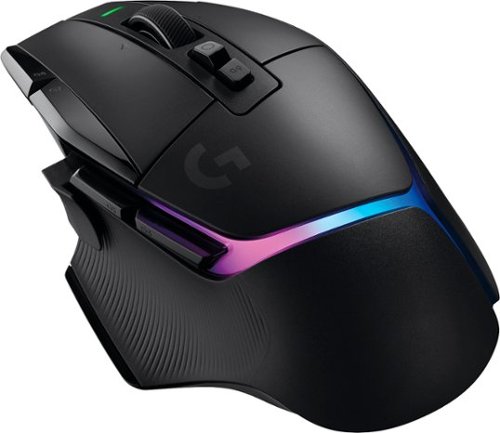
G502 X PLUS, the latest version of Logitech~s most popular gaming mouse, combines a legacy of performance with the most advanced gaming technologies. G502 X also introduces hybrid optical-mechanical LIGHTFORCE switches for the primary left and right buttons. Also equipped with LIGHTSYNC RGB powering flowing 8-LED lighting that~s customizable and adapts as you play with startup/power-down effects and battery optimization through active play detection. Complete with updated LIGHTSPEED wireless with 68 percent faster response rate, HERO 25K sub-micron sensor and more.
Customer Rating
5
Great gaming mouse, love the left thumb delete
on September 12, 2022
Posted by: RandallFlagg
Just unboxed the Logitech G502 x plus Lightspeed wireless gaming mouse. It comes with the mouse, wireless dongle/receiver, USB/A to USB/C charging cable, user’s guide, and a USB/A female to USB/C female coupler/adapter. Oh, and a sticker and a ‘cool’ shift button cover.
First off, this thing fits my hand beautifully. I always seem to press the thumb button, and this has a replaceable magnetic cover that eliminates that button. It works great for me. When I first connected it wirelessly to my PC, I was a bit bummed by the scroll wheel. It’s called Hyperfast scroll and is smooth and zoomed down a webpage. I prefer a slower drop and a click. Well, this mouse has a button on top that does just that. You can choose between the two actions and use what works best based on the task at hand. Nice!
If you’re like me, you probably already have the G Hub installed, if not surf over to the manufacturer’s website and download the app. Through the app, you have 5 onboard memory slots, different wave effects, battery level indicator and battery life. At max charge, the app states approximately 39 hours. The app also keeps the mouse up to date with firmware revisions. Currently, mine is on breathing effect w/ an ocean wave. I’ll post a pic or two.
The Lightspeed wireless and Hero 25k sensors make this mouse track beautifully. For an old dude like me, I have the active DPI Speed at 1600. You have the option to set it at 800, 1200, 1600, 2400, and 3200. There is a DPI Shift button that will allow temporary alterations or/and it can be used to shift assignments to one or all the keys on the mouse as long as you hold the button down.
So overall, this mouse is very comfortable for me to use. I have average to large hands, and I have zero issues with the size. I love the left thumb delete cap and I can always replace it with the button if I choose to make it operable again. The box states there are 13 programmable controls. I’m not sure exactly how, but if it states it, I’m sure it’s possible. This mouse is probably a bit more than I need for the type of games I play, but like I stated, I’m very happy with it and how well it scrolls across dual screens. I’d have no problem recommending this to anyone looking for a great wireless gaming mouse.
I would recommend this to a friend!

Share this review:


-1point
0of 1voted this as helpful.
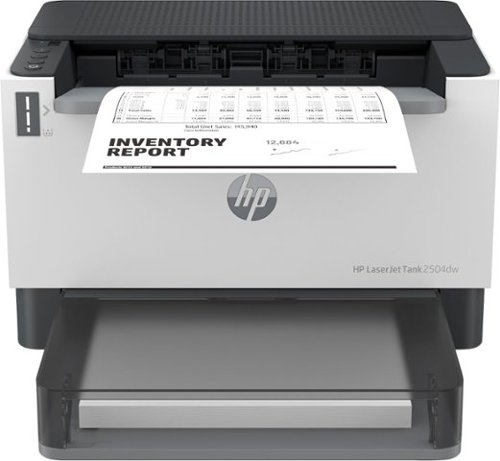
Business capabilities with up to 5,000 monochrome pages of prefilled toner and an ultra-low cost per page. Pre-filled with up to 2 years of Original HP Toner. The HP Toner Tank System makes it easy to refill delivering the lowest cost per page in black and white.
Customer Rating
5
Nice compact laserjet printer
on August 28, 2022
Posted by: RandallFlagg
I just unboxed and installed the HP LaserJet Tank 2504dw wireless black and white laser printer. It took just a few minutes to have the printer up and running. The box contains the printer, power cord, and installation instructions. There are just five steps to get it installed and printing.
After placing the printer on the desk, I connected the power cord and turned on the unit. I was going to install it via network cable, but I didn’t have a cable handy, so Wi-Fi it is. I already have several HP printers and have HP Smart installed on my PC. I fired up the app, clicked the three horizontal bar icon, and clicked add a printer. It wasn’t seeing the printer and duh, I need to press the Wi-Fi or ‘I’ button on the printer. As soon as I do, the printer shows up on the app and I just follow the instructions on the screen. There is a choice to allow HP to receive information from the printer. I chose to say no to those options, but you can decide for yourselves. You either click accept or choose which of the four you turn on or off. Then you connect to your Wi-Fi and enter the password. That’s it. It takes a few minutes to finish, and the printer is ready to go to work.
I printed a couple of copies and I tried printing double-sided. If you choose to print and turn from the short side, it will print double-sided, but the back will be upside down to the front. If you choose to flip it on the long side, the back will be the same as the front, which is what I like. It prints nice and clear as a LaserJet should and the printer itself takes up very little real estate.
Looking online, I see that the toner reload kit is very reasonable. The printer has a tank rather than a cartridge and from what I see, it’s a large, capped hole under the outfeed tray.
Lastly, I thought this was just a printer and it is, but it can scan via your smartphone. Using the HP Smart app on your phone, you can snap a picture of the document and print it. I will say, it comes out as good as the photo, so take the best shot you can. There are a couple of screens that you go through that let you crop the edges and try and square up the photo, then the app tries to crop it up some more, but the both of you can only do so much. Best to let the camera do the heavy lifting. I probably won’t use it much, but if I’m on the go and take a pic to print later, that might be handy.
Overall, it’s a great laser printer. It only prints in black ink, but I knew that going in. The cost of toner using genuine HP ink looks doable, at least based on the cost I saw. I’d recommend this printer to anyone that prints a lot of black ink documents and doesn’t really need an all-in-one.
I would recommend this to a friend!
Share this review:


+2points
2of 2voted this as helpful.
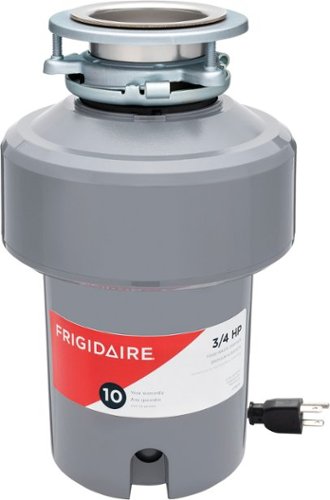
Quietly, power through tough food scraps and waste with this Frigidaire Garbage Disposal. Our tough, stainless steel Torque Master Grinding System is equipped with Sliver Guard for safely keeping most metal out of your disposal, and BIOSHIELD for protecting against odors and food residue. The 3-bolt mount design makes installation a cinch, and each disposer includes a removable splash guard for easy cleaning. This unit is backed by a 10-Year Product Warranty, and a Lifetime Warranty for failures caused by corrosion.
Customer Rating
5
Easy to install! Fully insulated makes it quiet.
on August 25, 2022
Posted by: RandallFlagg
So, what you do say when reviewing a garbage disposal? I opened the box and found all the necessary items I would need to install the unit. There was the stout ¾ horsepower unit with pigtail installed, the mounting/drain assembly, rubber sink baffle, the downpipe with flange and bolts, and stopper.
This unit is replacing a very inexpensive no-name one-third horsepower unit that’s about 12 years old. It’s loud and as basic as one can get. I unplugged the old unit, removed the airgap hose, and loosened the downpipe connection. The old one came right out. I was worried the Frigidaire unit was much taller and would require me to move or change the pipe configuration, but the airgap inlet and the downpipe are located in just about the same place. Only the unit below the tailpipe is longer. I installed the downpipe, tightened the airgap hose on the Frigidaire, and put it back in. It took just a few minutes. Oh yeah, I did punch out the knockout on the airgap inlet, just for those wondering. If I didn’t, I’d have a mess probably down the road when I ran the dishwasher, or the pipes backed up. For those in states that don’t require an airgap, it’s a ‘Y’ pipe under the sink, next to the faucet, and has an overflow cover that will allow backed-up water to flow back into the sink.
Now that the unit was installed, I plugged it into the dedicated 110v outlet, turned on the cold water, and flipped the switch. It sounded like it was stuck. It hardly made a sound. I turned it off and put about forty ice cubes in it and fired it up again with the water running. It ground them up in a flash and then sounded stuck again. It works, I’m just used to my old cheap one making a ton of noise. The Frigidaire unit is nice and quiet with the sound-deadening insulated shell!
Things that make this unit better or worse than my old one. The rubber splash guard is removable. That’s nice since food gunk builds up under it. It just pops in and you can hear it click as you press in four different spots. I’ll be able to take it out safely and give it a good scrub and rinse. The internals are stainless steel. I’m hoping that means less or no rust. The old one looked like it was left on a beach for years and you couldn’t tell where the rust started, and the metal ended. The most obvious benefit is the horsepower. Going for 1/3 to 3/4 hp makes for a quick grind. The unit is heavy and balanced, even though its outer shell is plastic. The only negative I’ve discovered, and it may not be a negative is there is no key slot on the bottom to spin the motor should it jam. The instructions state it has anti-jam features, but also say that if the blades should get stuck and not move, I have to revert to what my parents did back in the 60s. That is to stick a wooden handled broomstick in the unit and work it back and forth to dislodge the blades and stuck item. No biggie, at least Frigidaire put that in the instructions so it can be done safely, and I know that it won’t damage the unit.
Lastly, even though it’s a bit longer, it doesn't take up much more real estate under the sink and what I had stored there, is still there and I didn’t need to make room for it to fit. I’d recommend this unit to anyone wanting to replace and/or upgrade their current garbage disposal.
I would recommend this to a friend!
Share this review:


+4points
4of 4voted this as helpful.
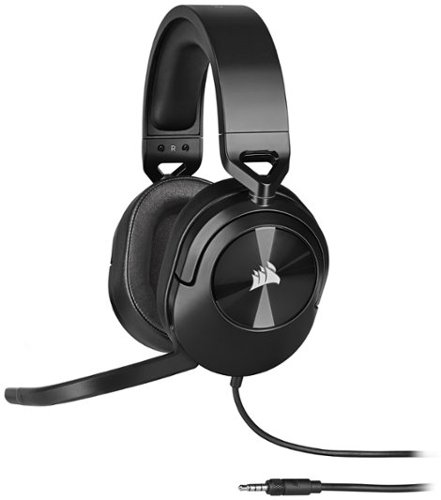
The CORSAIR HS55 SURROUND Gaming Headset delivers essential all-day comfort and sound quality with memory foam leatherette ear pads and Dolby~ Audio 7.1 surround sound on PC and Mac, without weighing you down thanks to lightweight construction. An omni-directional microphone picks up your voice loud and clear, and custom-tuned 50mm neodymium audio drivers offer great sound quality and range. A 3.5mm audio connector ensures wide compatibility with most devices, including PC, Mac, PS5 with Tempest 3D AudioTech support, PS4, Nintendo Switch, and mobile devices. Powerful CORSAIR iCUE Software unlocks audio equalizer settings, multi-channel 7.1 surround sound, and more. Complete with on-ear volume control for convenient audio adjustments, you can press play on great audio with the HS55 SURROUND.
Customer Rating
5
Wonderful wired headset, no negative issues!
on August 8, 2022
Posted by: RandallFlagg
Just got the Corsair HS55 7.1 surround sound gaming headset and like my other Corsair products, it’s great. I opened the box, and it comes with the headset and a 3.5mm plug attached to the wired end. Corsair includes an adapter for the 7.1 surround sound that connects to a USB/A port.
I plugged in the USB adapter and the headset into it, then loaded Forza 7. Wow, the game sounded great! I usually play it with the built-in HP speakers and what a difference. I got sounds from all directions. I didn’t have to change the audio settings in Windows 11 Home either. I looked and it only showed left and right channels, but when I hit the test button, it did the 7.1 test with front, rear, side, and sub speakers. I played the game via the Xbox app on Windows, just FYI.
Next, I changed desktops from the gaming rig and tried the headset on my daily tower. I have an older Ryzen 7 that I keep my music on. So, I open iTunes (yeah, I know) and play several songs from The Eagles Live. Don, Glen, now Joe sounds wonderful. Maybe I’ll keep listening and get to Timothy. Not sure if Don Felder sings on this album, but I’m sure enjoying his guitar.
Switched over to FB and watched the latest Tucker Budzyn video. The audio sounds clear and I can hear ‘Linda’ laughing at Tucker while he rolls around on the pool cover. Played a quick couple of rounds on Candy Crush Saga and had to find the volume dial. It was a bit too loud for me compared to iTunes and the video.
So, what else can I try on Windows? How about a few FLAC files on Foobar2000? First, is Nasty by Janet. Sound great. Her vocals come straight out of the speakers, the side and rear channels along with the backup singers. Might as well as listen to What have you done for me lately. Last one, Highway Song by Greta Van Fleet. Wow sounds awesome!
Lastly, I really like the Corsair headsets that I own. I have a big cranium and usually have to get the largest helmet, hat, or headset I can find. Not with Corsair, I can open them up all the way and need to back off a couple of clicks…nice. The headset isn’t too heavy and it’s rather comfortable on my head. I raced about 5 heats on Forza and then the rest, so say an hour or so. I forgot they were on as I focused on the game, video, or music. That doesn’t always happen with earbuds and headsets, at least not for me. If you’re looking for a wired gaming headset that won’t break the bank, I’d have no problem recommending these HS55’s.
I would recommend this to a friend!
Share this review:


0points
0of 0voted this as helpful.

Power through your hardest workouts with the GO Air Sport, the perfect everyday sport earbud. With 32+ hours of total playtime, a secure and comfortable sport fit, and 3 custom sound settings, the GO Air Sport are mighty (and fun). Auto connect to your device and add some color to your workout.
Customer Rating
4
Good sound for the money, step up for better sound
on August 5, 2022
Posted by: RandallFlagg
Opened up the JLab Go Air Sport True Wireless Earbuds and didn’t have high expectations for them. I have several JLab buds, but at this price point, I thought they were going to be average. Then the yellow color made me think they were going to be for kids, something they could lose and not hurt their pocketbooks. Well, that turned out not to be true.
So, inside the box I find the nice JLab charging case, but in yellow, lol. Also in the top flap, there are four additional earbud covers, large and small. Medium ones are the default and installed on the buds. So, I go to charge this up and the case doesn’t have the usual JLab charge port, hence no USB cable in the pack. I flip the case over, and it’s got a built-in, very short USB/A dongle. Handy and nice until it breaks. I got to remember to be gentle with this case!
So, I charge up the unit for a few hours and then open it up. I find paper stickers under each bud and think it didn’t charge, but it did…whew. I’m not sure why the paper insulators were there, but I take them off and chuck them in the trash. I try out the buds just the way they came, with the medium covers and they sound tinny. Absolutely no bass, not even with the EQ set to bass boost. They feel tight and I should be getting a great sound, but I don’t. I press them in my ears with my fingers and I hear the bass for a second, then my Android phone goes nuts. I’m pressing both buttons on the buds and the phone doesn’t know what to do first. So, I figure put on the small ones, they’ll go in and seal up. Nope, sounds just as bad. Well, last shot, the big ones. Maybe they’ll cover the ear canal and sound great. Great…no, but we have bass. With the EQ still set on bass boost, it sounds pretty good. I can tell they’re not the most expensive buds available, but I could use them for a while, during a workout or yard work. They don’t get loud enough and not a thud bass, but at the highest volume and bass, it would be okay.
Overall, I’d recommend them to a friend if this is the price point, they have in their budget. If they had a few more bucks, I’d say pony up and buy a little better JLab product. I love the buds and you get what you pay for. I’d give them a three overall, but a four at this price. So, four stars is based on this item’s competition.
I would recommend this to a friend!
Share this review:


+2points
2of 2voted this as helpful.
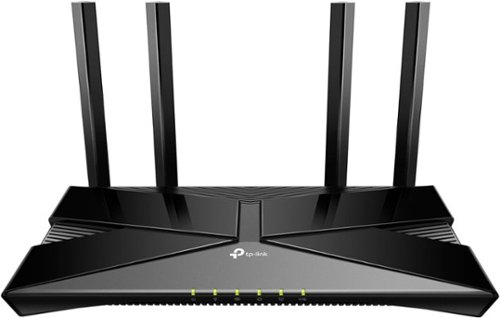
Upgrade to Wi-Fi 6 router and reach speeds of up to 3 Gbps for a buffer-free 4K/HD streaming and gaming experience. Use the 2.5 Gigabit port to create fast, reliable wired connection that can take full advantage of internet plans up to 2.5 Gbps.
Customer Rating
4
Decent router for a basic home network
on July 11, 2022
Posted by: RandallFlagg
Opening up the tp-link Archer AX3000 Dual Band Gigabit Router. In the box you get the router (of course), power adapter, quick install guide, and a short LAN cable (about 4’ long). There is an Android and iOs app available in either store for an easy installation. I chose this method, but you can also choose to install it via a web browser. Both instructions are in the quick installation guide.
Using the Android app, I downloaded the app, created, and logged in and then just added the router following all the prompts on my phone. That was it. So, what to say about a router. There really isn’t much to say about one other than it works, or it doesn’t. If you get internet and the speed is what you pay for and it doesn’t drive you crazy, it’s good. If there’s no internet, it blows. Well, this router was easy to set up and it blazes through the demands I put it through. I have between 15-25 devices connecting to my network at any given time and I didn’t think about it. That’s what a router should do, run in the background, and not give the user any issues. For me, I shouldn’t even think about the router, having to reset it or why is my service slow. Let me call the cable company and/or run a speed test. It performed as expected and I could list a bunch of technical stuff, but that’s on the tp-link website.
My impression is that this is a decent router for a basic home network. I’ll admit after evaluating it, I reconnected my tri-band 6e mesh unit and reboxed the AX3000. I’ll be setting up a basic network in another house for mom and this router will be perfect for her needs. Just need to be able to access the internet, Wi-Fi, and Fire stick on her Toshiba smart tv from Best Buy! For friends and those that have requirements similar to that, I’d recommend this router.
I would recommend this to a friend!
Share this review:


+1point
1of 1voted this as helpful.
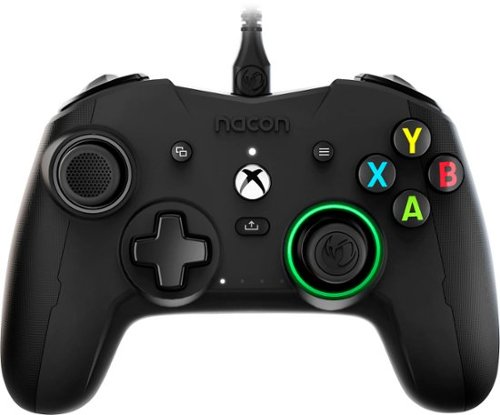
Designed for Xbox and PC, the Revolution X controller is built for competitive gamers looking for the ultimate in customization. Featuring a dedicated app from the Microsoft Store on Xbox Series X|S, Xbox One and Windows 10/11, the Revolution X App provides limitless customization options. Map buttons, set thumbstick sensitivity, trigger dead zones and much more. Create and store up to four game profiles in the controller to suit a range of games. Four programmable rear panel triggers for extra control. Seamlessly unlock Dolby Atmos for Headphones the moment you plug in your controller, giving you access to precise 3D Audio (headphones required). React faster and more accurately as you can detect the distance and direction of your threats.
Customer Rating
5
Controller fits my large hands with no issues!
on July 8, 2022
Posted by: RandallFlagg
I opened up the Rig Revolution X controller and was looking for the dongle. I guess I’ve come to think everything is wireless. This is a wired controller, and it comes with a 3m/10ft braided USB/A to USB/C cable. It’s nice and beefy and as of yet, it still has the bends in it from packing. The unit defaults to 44-degree angle adapters but includes 38 and 30-degree adapters (pairs). There is also a nice case for everything to store when not connected to your PC or console. Lastly, it comes with a Dolby Atmos activation card, and you can download the app from the Microsoft Store.
So how did this controller do on my fully updated Windows 11 Home PC? Surprising, it was easy to use. The first game I fired up was Forza 7 unlimited through the Xbox Windows app. I didn’t need to do anything. Windows and the app saw the controller and when I hit ‘A’, the start button on the monitor changed to ‘A’ and I was ready to play. There is a Rig app available in the Microsoft Store and it allows you to create up to 4 new profiles should that be your thing. I’m satisfied playing the games I do with the factory default setup. I took a couple of pics that show the 4 Nacon profiles that are listed in the app. The last thing the app does is let you update the controller if there is an update. If not, the button doesn’t work. Back to playing Forza 7. It worked very well. I’m used to using a standard Xbox wired controller to play the game and almost always place 1st in solo play. The Rig didn’t disappoint, and I was driving my way to victory like usual. The button layout works very well for me, and all the buttons seem large and that seems to work better for me and my hands. I have some wrist and hand issues and I didn’t seem to notice while I was playing. Woohoo! I then fired up the Epic Games app and wanted to see if the controller would work with it. There are a ton of videos and messages that tell you how to get any controller to work with the Epic app. The last one I saw got an Xbox X controller. Well, I can say I played Horizon Chase Turbo and I didn’t need to add or adjust anything. Once again, Windows 11 saw the controller, and the Epic Games Launcher and Horizon Chase Turbo allowed me to start the game with a simple press of the ‘A’ button. And lastly, I just played a few runs on FIA European Truck Racing Championship on Steam. It too worked as expected with no issues. Nice!
I would definitely recommend this controller to a friend or anyone looking for an Xbox controller using Windows 11 Home. It worked in the 3 apps/launchers I tried with no problems. I like the size, which seems a bit larger than my Microsoft Xbox controller. The a,b,x,y buttons look larger too, with very little space in between buttons. The texture carved into the plastic doesn’t seem like much, but if you rub that area and then the smooth sections, you can feel a bit of grip. I don’t have any complaints about the controller, and I rate it a solid 5 stars.
I would recommend this to a friend!



Share this review:


0points
0of 0voted this as helpful.
RandallFlagg's Review Comments
RandallFlagg has not submitted comments on any reviews.
RandallFlagg's Questions
RandallFlagg has not submitted any questions.

Keep your kids safe online with this Circle Home Plus monitoring setup. The included device uses your router to manage every device on your network, and Circle App makes it simple to limit screen time, filter content, and check browsing histories. This Circle Home Plus monitoring setup is easy to set up and lets you create custom settings for each family member.
Do I need a monthly or yearly subscription to use this product?
Yes. They are available with a 3 month, 1 year and lifetime subscription. It's $69, 199, 299 respectively. I don't see on the site where you can purchase a longer subscription once you purchase the module.
5 years, 11 months ago
by
RandallFlagg

Ninja - Professional Plus Kitchen System with Auto-iQ & (2) 24oz Single-Serve Cups - Stainless Steel
The Ninja Professional Plus Kitchen System with Auto-iQ features a new modern design and more functionality than Ninja's original Professional Kitchen System.* Ninja Total Crushing Blades and Pro Extractor Blades Assembly give you perfectly crushed ice for your smoothies, frozen drinks, and nutrient extractions**. The 72 oz.~ Total Crushing Pitcher is great for making large batches for the whole family with 1400 peak watts of professional power. Plus, its two 24 oz. single-serve cups with spout lids makes it easy to take delicious, nutrient-rich smoothies on the go. But don~t just stop at drinks~the 8-cup processor bowl provides precision processing for even chopping, smooth purees, and up to 2 lbs. of dough. Auto-iQ Technology provides preset programs that do the work for you, no guesswork required. *Versus BL770, based on the number of available blending programs **Extract a drink containing vitamins and nutrients from fruits and vegetables ~64 oz. max liquid capacity
How many accessories/blades does the processor come with?
The single use cups have one blade attachment, the processing bowl has one chopping blade attachment and a dough blade and the pitcher has one double stacked blade. So it has 3 accessories (4 if you count the 2 single cups individually) and 4 blades, the 3 chopping or sharp blade attachments and the one plastic dough attachment.
6 years, 1 month ago
by
RandallFlagg
Ninja - Professional Plus Kitchen System with Auto-iQ & (2) 24oz Single-Serve Cups - Stainless Steel
The Ninja Professional Plus Kitchen System with Auto-iQ features a new modern design and more functionality than Ninja's original Professional Kitchen System.* Ninja Total Crushing Blades and Pro Extractor Blades Assembly give you perfectly crushed ice for your smoothies, frozen drinks, and nutrient extractions**. The 72 oz.~ Total Crushing Pitcher is great for making large batches for the whole family with 1400 peak watts of professional power. Plus, its two 24 oz. single-serve cups with spout lids makes it easy to take delicious, nutrient-rich smoothies on the go. But don~t just stop at drinks~the 8-cup processor bowl provides precision processing for even chopping, smooth purees, and up to 2 lbs. of dough. Auto-iQ Technology provides preset programs that do the work for you, no guesswork required. *Versus BL770, based on the number of available blending programs **Extract a drink containing vitamins and nutrients from fruits and vegetables ~64 oz. max liquid capacity
Are the bowl and pitcher glass?
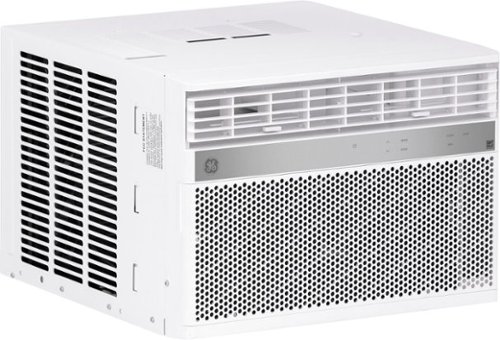
GE Appliances is dedicated to providing the right solutions for rooms of any size. Our window air conditioners are designed to offer exceptional comfort while remaining quiet, and our latest connected technology makes these products versatile and easy to use.This 8,000 BTU smart window air conditioner cools medium rooms up to 350 square feet. Energy efficient cooling with 3 cooling and 3 fan speeds provide flexible and optimal home comfort. Integration with the SmartHQ app allows you to monitor, schedule, and control your connected air conditioner from anywhere, or use the electronic controls with included remote to easily to adjust and manage your settings. This AC installs easily in a double hung window with included EZ Mount window kit and fixed chassis. Additional features like eco mode, power interruption restart, 24-hour on/off timer, and removable filter offer ease of use and maintenance.
Does this ait conditioner work with alexa?
It seems like the app is stand alone. I have two Alexa units in my home and I don't see any way of connecting the app to them.
6 years, 1 month ago
by
RandallFlagg
GE Appliances is dedicated to providing the right solutions for rooms of any size. Our window air conditioners are designed to offer exceptional comfort while remaining quiet, and our latest connected technology makes these products versatile and easy to use.This 8,000 BTU smart window air conditioner cools medium rooms up to 350 square feet. Energy efficient cooling with 3 cooling and 3 fan speeds provide flexible and optimal home comfort. Integration with the SmartHQ app allows you to monitor, schedule, and control your connected air conditioner from anywhere, or use the electronic controls with included remote to easily to adjust and manage your settings. This AC installs easily in a double hung window with included EZ Mount window kit and fixed chassis. Additional features like eco mode, power interruption restart, 24-hour on/off timer, and removable filter offer ease of use and maintenance.
How low does the temperature setting go?
Using the remote it went down to 64 and up to 86. I hope that helps.
6 years, 1 month ago
by
RandallFlagg

Type on your Chromebook or smartphone for effortless multitasking with this Logitech slim wireless keyboard. The built-in easy switch lets you pair and alternate multiple devices quickly, while the slim keys offer a comfortable, quiet typing experience. This Bluetooth-enabled Logitech slim wireless keyboard includes an auto-sleep feature that is activated when you're not typing to ensure long battery life.
Is this keyboard backlit at all?
No, no back light. Logitech calls it a minimalist keyboard.
6 years, 7 months ago
by
RandallFlagg
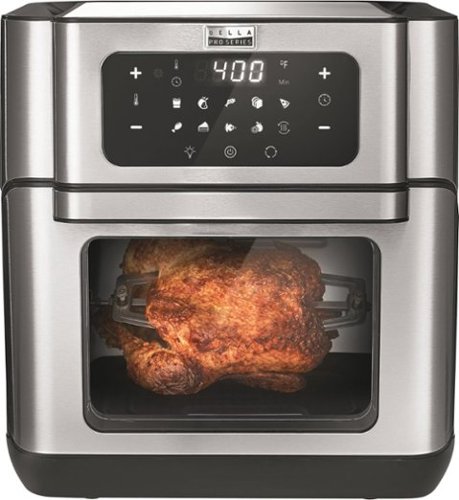
Cut down on cooking time with this Bella Pro air fryer oven dehydrator. Top and bottom heating elements ensure exceptional cooking results, while the 10.5-quart capacity holds plenty of food. This Bella Pro air fryer oven dehydrator features a touch-screen control panel for quick operation, two nonstick racks for crisping and one pan for baking convenience.
Can unit stay plugged in the outlet to be in off position?
Yes, mine's been plugged in for a few days. The display turns off and all you see illuminated is one small blue on/off icon. Hitting that or opening the door lights up the whole panel.
6 years, 7 months ago
by
RandallFlagg
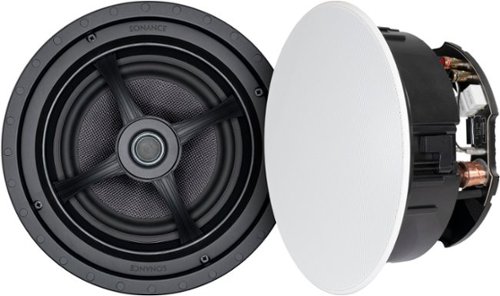
Fill your home with rich, detailed sound using these Sonance MAG8R in-ceiling speakers. Designed for whole house audio, multi room audio, and distributed audio system use, these 8" 2-way speakers combine exceptional acoustic performance with a low-profile appearance that disappears into the ceiling. A pivoting silk dome tweeter lets you direct high frequencies where you need them most, while the glass fiber woofer delivers clean, natural midrange and bass. These speakers are also compatible with Dolby Atmos and home theater setups when used as overhead channels, adding dimension and immersion to your entertainment setup. Ideal for retrofit or new construction projects, these speakers install quickly and securely with Sonance~s Roto-Lock mounting system and come with paintable magnetic grilles to match any room~s design.
How many watts are these speakers?

Achieve the deep-fried flavor you love, without all the oil and added calories. The Chefman TurboFry~ Air Fryer allows you to bake, fry and roast like a pro. This airfryer requires little to no oil, so there~s less of that fried oil smell lingering in the house and less fat that you~re consuming. It~s large 3.5-liter capacity and flat basket gives you the ability to cook enough for a hungry crowd all at once. Skip the microwave! Reheat soggy leftovers in the air fryer to return them to their original texture. Make better-for-you fries that are just as crispy and tasty, roast chicken thighs, or heat up leftovers for a quick and easy meal. The temperature control with 60-minute timer automatically shuts off once food is done, so you never have to worry about burning or drying out your food. Its space saving basket is removable and dishwasher safe for easy clean-up, so you~ll have more time to dream up your next air-fried meal!
Why does timer sets on ten minuets and doesn’t move ? Thanks
You must have a defective unit. The timer is really basic, like an old wind up timer and maybe the spring is damaged. I just set mine for 20 minutes and it worked just fine. I got a "ding" when it finished and the lights went out.
6 years, 9 months ago
by
RandallFlagg
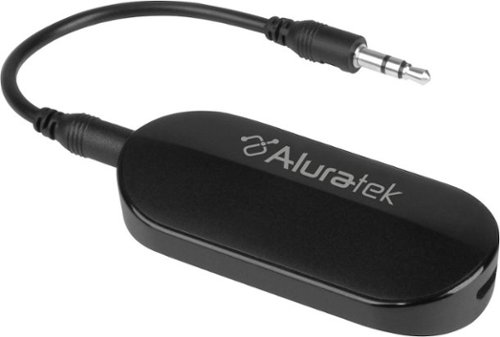
Stream audio up to 50 feet with this Aluratek Bluetooth 5 transmitter.This transmitter allows you to connect your AirPods, wireless headets and speakers to in-flight entertainment systems, PCs, TVs, MP3 players and a variety of other audio sources quick and simple that have a 3.5mm or RCA audio output. The rechargeable design saves you from having to replace the battery for added convenience.
will this device send audio to 2 Bluetooth speakers?
Yes, it can send out two signals. As per the instruction manual: The unit could connect with two stereo Bluetooth speakers or Bluetooth headsets to play music simultaneously.
7 years ago
by
RandallFlagg