


RandallFlagg's stats
- Review count315
- Helpfulness votes388
- First reviewMarch 14, 2014
- Last reviewSeptember 28, 2023
- Featured reviews0
- Average rating4.6
Reviews comments
- Review comment count0
- Helpfulness votes0
- First review commentNone
- Last review commentNone
- Featured review comments0
Questions
- Question count0
- Helpfulness votes0
- First questionNone
- Last questionNone
- Featured questions0
- Answer count45
- Helpfulness votes55
- First answerNovember 3, 2015
- Last answerNovember 11, 2021
- Featured answers0
- Best answers8
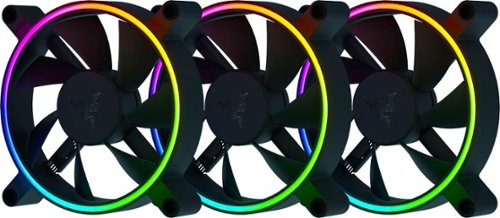
Get form and function that blows you away. Meet the Razer Kunai hydraulic bearing performance aRGB fans powered by Razer Chroma~ with fan blade technology inspired by elite military aircraft for stealthy, efficient cooling, and addressable LEDs for unique case designs.
Customer Rating

4
Fans are quiet, look good, and move a lot of air
on December 20, 2021
Posted by: RandallFlagg
from Hi Desert, CA
Just received and opened the Razer Kunai Chroma aRGB hydraulic case fans. The box includes 3 x 120mm fans, mounting hardware, manual and wire harnesses. That’s it. Oh wait…and a small sheet of stickers.
So, taking these out of the package and they are big. I thought they would fit in my current setup, but I must have smaller fans as they don’t fit. Anyway, I still tested them out and they look great. They are quiet and move a lot of air. Razer offers downloadable software and an optional fan controller to control settings.
So, for now, these will sit with my collection of parts for my next pc build or case.
Mobile Submission: False
I would recommend this to a friend!
Share this review:


0points
0of 0voted this as helpful.
![Webroot - Security for Chromebook Antivirus (1 Device) (1-Year Subscription) - Windows [Digital]](https://pisces.bbystatic.com/prescaled/500/500/image2/BestBuy_US/images/products/76bb7cd0-4cfc-43ea-9638-94951e9607ea.jpg)
Webroot Security for Chromebook is enhanced antivirus protection that is always-on, running seamlessly in the background and proactively alerting you about malicious activity, websites, apps and extensions. Included, Webroot Web Threat lets you browse safely and be alerted of dangerous sites in Google Chrome.
Customer Rating

5
Runs in the background, doesn't slow the OS
on December 7, 2021
Posted by: RandallFlagg
from Hi Desert, CA
I received the link from Webroot for the Chromebook Antivirus software and downloaded it. The download was easy and painless as was the installation. The keycode was provided and after entering it, this was probably one of the easiest software installs I’ve ever done.
To be honest, I didn’t think Chromebooks needed antivirus. I usually only use it when I’m lying-in bed and have some question in my head that needs to be answered so I can fall asleep. Now I have a Google Nest Hub so that answers about ¾ of my questions. But after seeing the Webroot software offered, I said to myself, yeah, every computer needs some protection. There’s got to be some malicious code for the Chromebook out in the wild.
After installing the software, it runs with ease in the background. Opening it up, it looks to run in a browser, I believe Webroot’s own secure browser. I just clicked it and it ran. It’s not like I have a ton of files on the Chromebook, but it’s nice to have it running while I’m ‘surfing the net’. I do wish this allowed for installation on more than one Chromebook as I have two that I use throughout the house.
I’d recommend it to Chromebook users for peace of mind.
Mobile Submission: False
I would recommend this to a friend!
Share this review:


0points
0of 0voted this as helpful.
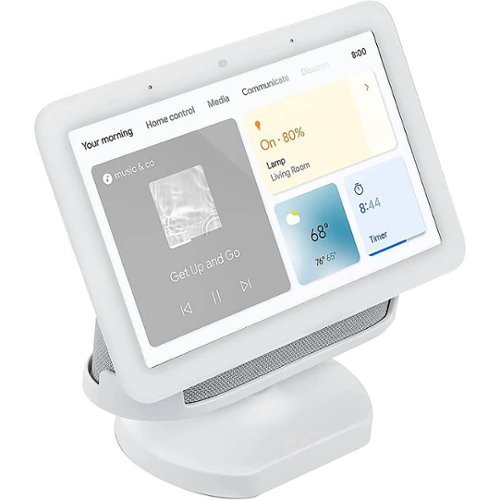
Get a secure and stable setup for your 2nd Gen Google Nest Hub with this Wasserstein adjustable stand. The built-in cable management storage lets you maintain a neat and clutter-free space, while the adjustable angle offers a flexible viewing experience. This Wasserstein adjustable stand features a versatile, streamlined design, allowing effortless installation.
Customer Rating
5
Does what I wanted it to
on December 3, 2021
Posted by: RandallFlagg
from Hi Desert, CA
The Wasserstein Adjustable Stand for the Google Nest Hub (2nd Gen) works very well. Opened up the box and it’s just the stand. This one came in Chalk and matches my Google Chalk Hub. I insert the Hub into the Wasserstein Stand and it’s a nice snug fit. It raises the Hub a bit which I needed to get the Hub at the same level as my mattress. I used it last night and was able to run the wellness/sleep function of the Hub. If I had any cons, it would be that the tilt is a bit loose. I didn’t see a way to tighten it. It does stay where I placed it, but it can be easily moved back or forth with a gentle nudge. I would prefer to have a bit more resistance to movement once I have it placed where I like it. That’s just me, some may like that they can just give it a bump and it raises or lowers its position. Not much else to say, except that if you have a Nest Hub (2nd Gen), I’d recommend the stand just to give it some height and the ability to tilt back and forward.
Mobile Submission: False
I would recommend this to a friend!


Share this review:


+1point
1of 1voted this as helpful.
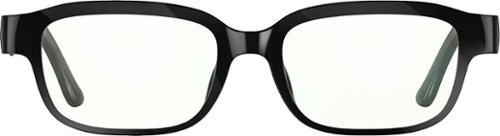
Echo Frames are smart audio glasses that give you hands-free access to Alexa. They are designed to help you save time so you can focus on what matters most. Use them to listen to audio entertainment, control your smart home, stay productive and organized, and communicate hands-free.
Customer Rating

3
Doesn't do much more than items I already own
on December 1, 2021
Posted by: RandallFlagg
from Hi Desert, CA
So, I received the Echo Frames and was very interested in what they could do. I opened the box and it’s a nice box. It’s set up so it can be used to store the glasses and accessories and that’s something I look for in a product. It comes with the glasses, glass case, charging cable with magnetic connector, and 110v adapter. I charged the glasses and tried them out for a few minutes. Then I came back after shopping to do the review and they were already dead. I didn’t read the manual and I needed to turn them upside down to put them to sleep. But how do you do that when they are in the case…huh! Anyway, I recharged them and set off to see what they could do. Well…
They don’t do much more than anything else I own. I have Facebook Portal, a Yamaha soundbar, and a Lyra Voice with Alexa built-in, so I can ask Alexa almost anything and anywhere in my house. I guess I can use Alexa away from the house via my Android phone, but why? What would I ask? Then I can listen to podcasts, music, and audiobooks, but again, I have several PCS, tablets, and other streaming devices available, so why glasses? And these aren’t that great for listening to music. The sound quality is decent to awful and can be heard by everyone in the room. I already hate it when someone is watching or listening to something in say a waiting room. They have no courtesy for those around them. Why would I want to do the same with glasses? I guess these would be good if you’re out in public…away from the public and only for listening to the spoken word, not music. Audiobooks would be great or maybe a little Joe Rogan, but I could get better sound quality using earbuds.
Now answering phones works, but again, not around people. I feel that’s just rude to do around others and with the glasses, they can hear both parties. Sheesh, no breaks for them. Also good are the controls. I found them easy to learn and use. The power button, the volume controls, and the sweep for the phone all work well. The frames are a bit weird, but I found them comfortable enough. It would be great if they weren’t so bulky and “plasticky…is that a word”, but I get that the hardware has to go somewhere, right?
Anyway, my take is that they are a good start to a sector that keeps trying to invent the next great thing but doesn’t. The gadgets I have, or you have at home are probably good or better at doing what these do without investing in another item to keep charged. That said, since I have them and wear prescription glasses, I am going to see what it will cost to get lenses put in them for around the house. I like to ask Alexa what the weather is, check the time and answer the phone when I’m outside. I wouldn’t recommend buying them unless you’re an early adopter and you miss Google Glasses, but if you have them or the opportunity to acquire them, go for it.
Mobile Submission: False
No, I would not recommend this to a friend.
Share this review:


0points
0of 0voted this as helpful.
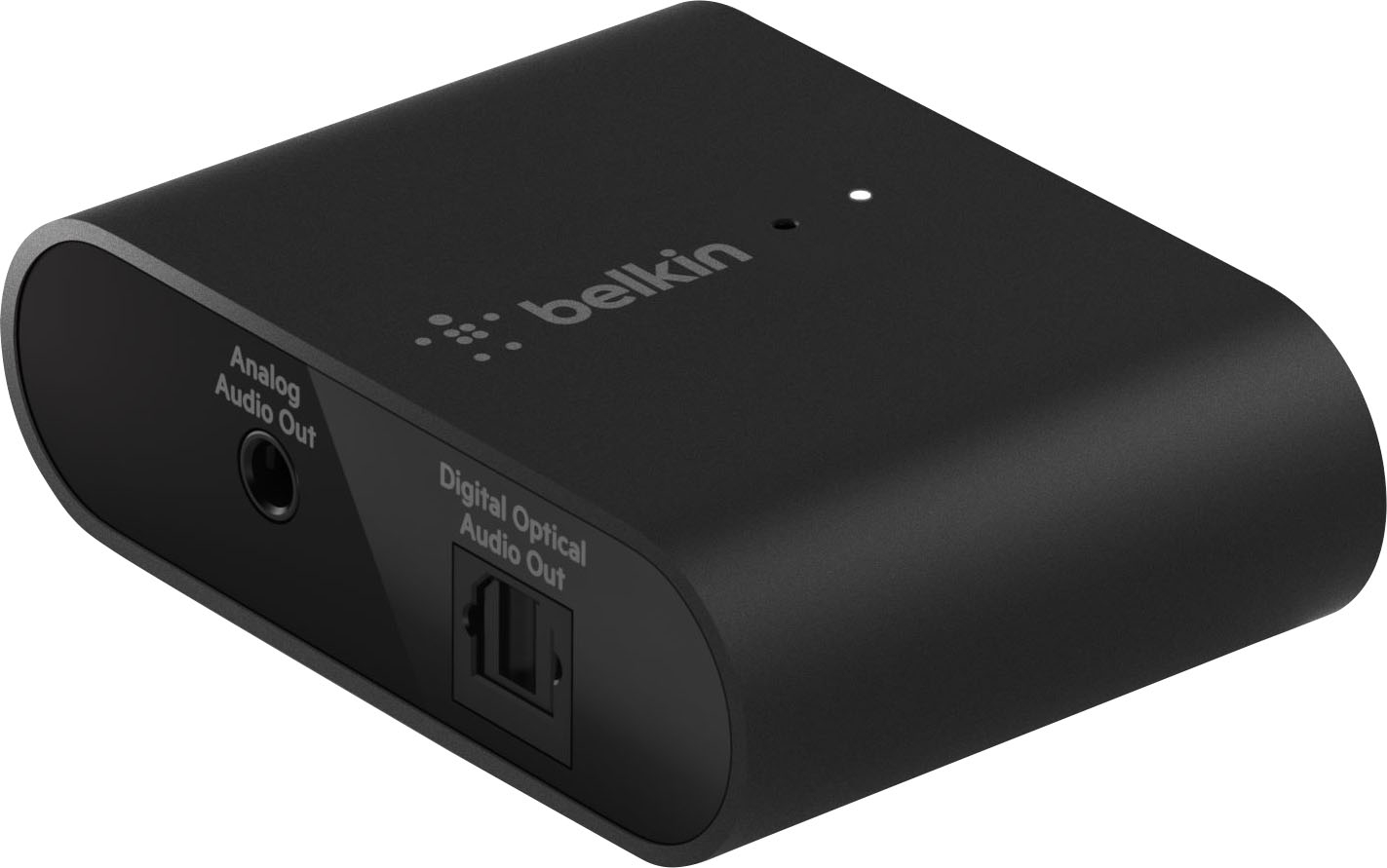
Keep enjoying your favorite sound equipment without an expensive component update. SOUNDFORM~CONNECT Audio Adapter with~AirPlay~ 2~ turns your stereo into an AirPlay 2-enabled speaker to stream the~music that you love from iOS and Mac devices. Our adapter is equipped with optical and 3.5mm output that brings signal from~your devices to any speaker~or receiver~with an audio~input.
Customer Rating
4
Wish I could get it to work with my Mac Mini I5
on December 1, 2021
Posted by: RandallFlagg
from Hi Desert, CA
I received the Belkin - SoundForm Connect Audio Adapter with Airplay 2 – Black as a review item. Unfortunately for me, I read that it would work with a soundbar or home theater/receiver. I have both of those and a Mac Mini I5 (late 2014). I thought I could connect the mini to either the soundbar or receiver via the home app in OsX. I tried to connect, but the app doesn’t see the SoundForm adapter. It does see all my Firesticks and Roku’s, but no adapter. I read a bunch of articles thinking I was doing something wrong, but everything I’ve found says I need an iPhone or iPad to connect. That being the case, I’ll review what I’m able to.
The package for starters isn’t great. I tend to like to reuse original boxes for small items like the adapter and this one isn’t designed for that. The green insert is difficult to take out and to reuse it would be frustrating. I’ll just throw out the insert and drop the adapter in the box for storage. It does come with a 110v power supply and USBc to USBA cable, so that’s a plus. However, it lacks an optical and/or 3.5mm cable, so be sure to have one on hand or pick one up.
Finally, I really did want this to work with my mini. I have it connected to my home theater in the den and use it to stream audio and video from my main Windows 11 desktop in the office. The setup works great, and I thought having the ability to stream to portable speakers like my Bose or Sony would be useful around the house. Sadly, I can’t get it to show up on my Home app within OsX Monterey. I even tried it again tonight before typing out this review, just hoping it would appear. I’ll box it up until I get an iPad as I doubt, I’ll ever switch from Android…but you never know. I can’t say if I would recommend this to a friend since I haven’t gotten to use it with an iOs or OsX system, but I’ll mark that I would as most Belkin items do exactly as described or so I’ve experienced.
Mobile Submission: False
I would recommend this to a friend!
Share this review:


0points
0of 0voted this as helpful.
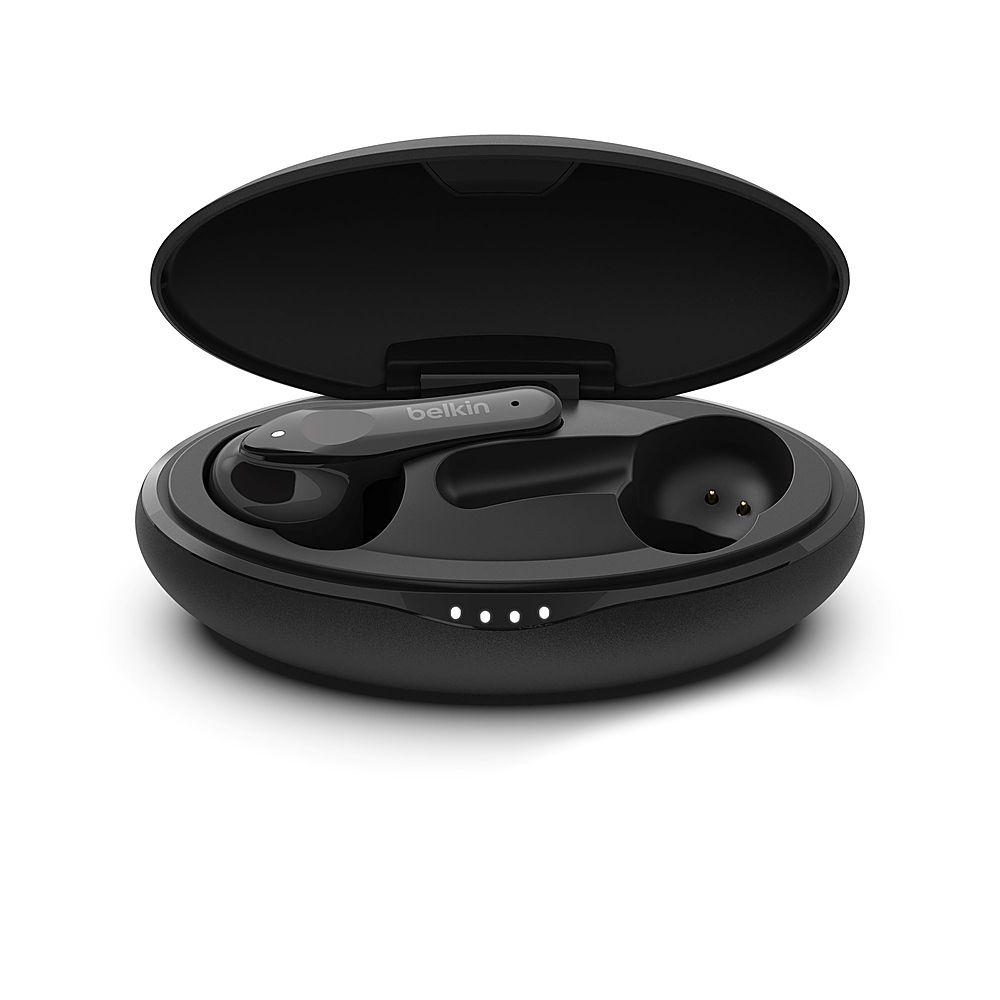
Enjoy high-quality sound for your music, podcasts, and phone calls with SOUNDFORM Move wireless earbuds, designed for life on-the-go. A complete seal and 3 sizes of silicon ear tips keep the buds secure in your ears while delivering quality sound, and simple touch controls plus a microphone in each bud streamline phone calls and listening on-the-go. With up to 5 hours of playtime per charge, plus another 19 hours in the case, these IPX5 rated earbuds are your new go-to buds.
Customer Rating
3
Not bad, but bass pop makes it hard to listen to..
on November 28, 2021
Posted by: RandallFlagg
from Hi Desert, CA
The Belkin Soundform Move Plus True Wireless Earbuds are a decent set of earbuds. Opening up the box (which is horrible, sorry I have a thing for good packaging) I find the charging case, the earbuds, charging cable, and 110v plug-in port…nice, a manual, and additional sized earpieces. So, I mention the box. I like to use the original box to store items and this package doesn’t hold up. The insert was so tight that it tore the box when I removed it. Also putting it back in the box repeatedly isn’t convenient. I get that the price point on these buds is that much, but a little more thought into the box would have been appreciated.
So, what do I like about the buds? First, there isn’t an app I need to download and keep on my smartphone. You just remove them from the charging case and as you go to place them in your ears, the bud chimes letting you know they are on. Each one chimes and then you just go to your Bluetooth settings and pair them up. As I type this, they are in my ears connected to my Windows 11 desktop, listening to iTunes. It was as easy as opening settings or clicking on the sound icon in the taskbar and pairing them up in Bluetooth settings. Another thing I love about these buds is they are marked left and right. It’s really small, but even these old eyes can make out the L or R in the white circle. As for the sound, it’s clear and sounds good, but on the tracks, I listened to, the bass sounded more like a pop than a thud…if that makes sense. If there is just a bit of bass, it’s not bad, but when there’s a bunch overlapping, I hear the muddy mess of pops and thuds and it’s not pleasant. With that, I’d say these are good enough to use while working out or going for a walk, but for me, I’d save these for audiobooks or the spoken word and not music. YMMV.
Mobile Submission: False
I would recommend this to a friend!
Share this review:


0points
0of 0voted this as helpful.
![Adobe - Premiere Elements 2022 - Windows [Digital]](https://pisces.bbystatic.com/prescaled/500/500/image2/BestBuy_US/images/products/6475/6475055_sd.jpg)
Tell your stories and share your memories in creative ways. Adobe Sensei AI technology* and automated options make it fast and easy to automatically reframe your subject, select specific areas to add effects, fix grainy footage, and more. Edit and export videos in social-friendly vertical and square aspect ratios. Grow your skills with 27 Guided Edits that add fun animated overlays to your videos and bring out details in shadows and highlights. Effortlessly organize your videos, and make memorable creations like dynamic photo and video slideshows and animated social posts. Compress videos for easy sharing. And enjoy an updated look that makes the software easier to use and navigate. *Adobe Sensei is the technology that powers intelligent features across all Adobe products to dramatically improve the design and delivery of digital experiences, using artificial intelligence and machine learning in a common framework.
Customer Rating
5
Great software to start learning how to edit video
on November 20, 2021
Posted by: RandallFlagg
from Hi Desert, CA
I received the download for Adobe Premiere Elements 2020 and clicked the link. The page had the download link, I clicked it and downloaded the software, and entered the key code. The installation was simple until I had to enter the key. It wasn’t a 16-digit numeric code, so I had to click a link to Adobe and enter it there. I thought that unlocked the software, but it didn’t. I just kept getting the link to enter the keycode I was given. Finally, after the 3rd try, I saw after entering my code, I had to click a button or link to receive the 16-digit numeric code. Once I had that, I was golden. I copy/pasted it into the app/software, and it unlocked Premiere Elements.
So, to start off, I’m not a video guy…hence the reason I chose the video software. I have an AS degree in Photography and would like to learn how to create and edit videos. Premiere has a quick start as well as an expert setting, so it should be educational and entertaining at the same time. Also, there is a tab in the software that has guided videos to educate me on how some things are done. They include getting started, trimming, or splitting clips, adding transitions between clips, adding titles, adjusting brightness, color, and contrast, adding an adjustment layer, and adjusting shadows and highlights. That’s just the basics, then there are 8 videos on video adjustments, 2 on audio adjustments, and 10 on some fun edits. That alone is worth the price for me. It should give me a basic foundation on which to build.
As for the software, it’s pretty much like it has been for a few years. You fire up the app and you get an Adobe screen that has an icon for Photo Elements and Premiere Elements. If you own both, you’re set. If not, clicking the software you own will open the app, clicking the one you don’t, will offer you the choice to install it from a DVD or install the trial version.
So, what’s new in this version? You can pick the aspect ratio to edit and export your created videos. The software can easily resize the video you create for social media, cropping it so the important action is left. There are animated overlays that can add to the look and feel of your creations. As stated above, you can adjust shadows and highlights so more of your recordings are visible to the viewer. There are animated slideshow templates for photos and videos to create stories for you to show off to family and friends. Lastly, you can compress your video files, so they are smaller for uploading to the internet or social media.
IMHO, if you want to learn how to edit video and you don’t want to spend a large initial investment, Premiere Elements might fill that want. It’s not part of the monthly Adobe suite/subscription, so once you purchase it, you own it. After spending time with it, maybe you’ll choose to pay the monthly fee to upgrade to Premiere Pro and have all the latest tools Adobe has to offer. In my case, this will work just fine until I get good at it. Then I’ll probably pay for the subscription since it also includes Photoshop.
Mobile Submission: False
I would recommend this to a friend!
Share this review:


0points
0of 0voted this as helpful.

Unlock a world of crypto possibilities with the Ledger Nano S. The world~s most popular hardware wallet to securely start your crypto journey. Buy, secure, exchange, grow and manage your favorite crypto assets.
Customer Rating
5
Easy to set up, but it's going to take some...
on November 11, 2021
Posted by: RandallFlagg
from Hi Desert, CA
So, I receive the Ledger Nano S and I’m thinking cool, this is what I need to manage digital currency. Years ago, I tried understanding bitcoin and collected a few dollars’ worth. Nothing even near 1 bitcoin, but just a fraction of one. I gave up because I didn’t understand it. I’m trying again to understand, and I thought this would help. I have an account with an online site and assumed I could just add it to the Nano S and have access to it on the wallet as well as my PC. As far as I understand, that’s not how it works. I could send my current holdings to the wallet, but that depletes my current online account. I’ve just got that working, so no I don’t want to mess that up. I watched a video on it and if I understand it correctly, I have to send it to the wallet, otherwise, if I could move it, it will double my funds with an additional Ledger account…and that’s not going to happen.
So, what do I think about the Nano S.? Well, it’s simple to use. I just followed the screen prompts on the device, and it set up in about 5 minutes. The only issue I have is my eyesight isn’t as good as it used to be and even with glasses, reading the tiny screen was a chore. I used my glasses with a magnifying glass or a second pair over the first ones just to make out some of the tasks. Those with great eyewear or eyesight will have no problem reading the screen as the blue stands out from the screen very well. Other than the initial setup and charging the device, it’s ready to go. It does come with a key ring and a leash, but I haven’t attached them. I like it just like a folding USB stick. The box also contains a USB micro charging cable, recovery sheets (a tedious task so you can recover your account should you need to). Even though it’s tedious, I get the long setup and handwritten passwords to secure one’s account. I do wish the charging port was USBc and not the old Micro USB port. USBc ports make it easier for those of us that are seeing impaired to get the plug in the first time.
And since I’m not going to merge or send my current account to the Ledger Nano S, you may wonder what I’ll do with it. Well once I understand how to buy digital currency on it, I’ll just have two digital accounts online. One on my PC’s and one on the Nano S. Down the road when I get a better handle on how things work, I’ll probably make one account. I’m guessing it will be on the Nano or a digital wallet available at that time. If I live long enough, I believe we’ll all need some form of wallet to do everyday tasks, just as we do with ATM/debit cards today.
Mobile Submission: False
I would recommend this to a friend!
Share this review:


0points
0of 0voted this as helpful.
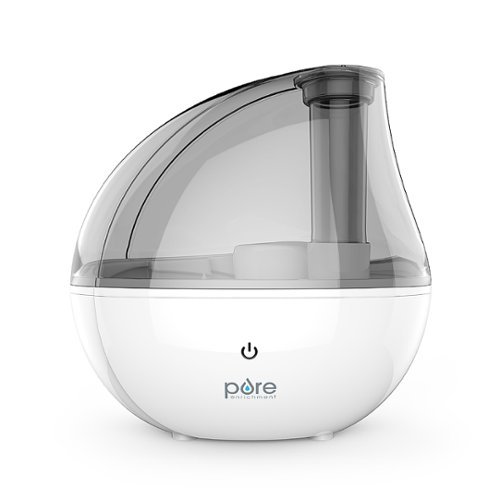
Moisturize the dry air in your home or office in minutes with the MistAire Silver Ultrasonic Cool Mist Humidifier from Pure Enrichment. This powerful and aesthetically pleasing tabletop humidifier is packed with smart features that make it the perfect solution for improving the air quality in any room.
Customer Rating
5
This thing is so tiny, but it mists 12-24 hours
on November 9, 2021
Posted by: RandallFlagg
from Hi Desert, CA
So, I got this package in the mail and it was tiny. I didn’t know what it was and when I opened it, it was the Pure Enrichment MistAir Silver Cool Mist Humidifier. I was expecting a rather large unit and this thing is so small. At first glance, I wondered how long it could run before running out of water. To my surprise, it will run a full day on low and 12 hours on high. It puts out a decent mist for its size and it’s great in a den or bedroom up to 250 sq. ft. Also, the spout can rotate 360 degrees to keep the mist pointed in the direction you wish it to. It’s also quiet. Sometimes you buy something with a motor and because it’s small you think it’s either going to be loud and work or silent and not able to perform as expected. Not this humidifier! It’s quiet and performs, at least in my opinion. Lastly, it has an auto shut-off and will stop when the water runs out (low) or the tank is removed.
Included with the unit is a power adapter, a small brush to clean, and a user’s guide.
I have no problems recommending this humidifier.
Mobile Submission: False
I would recommend this to a friend!
Share this review:


0points
0of 0voted this as helpful.
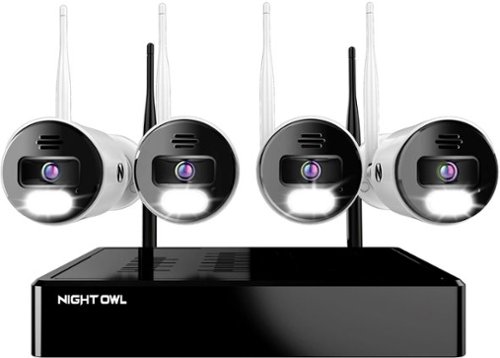
Night Owl is excited to offer our U.S. designed and engineered 4K Wi-Fi Bluetooth Network Video Recorder with Wi-Fi IP 4K Spotlight Cameras and Pre-Installed Hard Drive. With secure app-based Bluetooth setup, there is no need to connect a TV or monitor for setup or viewing (optional). You can easily configure your system right from the app on your smartphone or tablet with the Bluetooth connection. While a TV or monitor is not required, with Google Assistant you can use simple voice commands to stream camera footage directly to your TV or monitor, all while remaining hands free. Each camera has 2-Way audio (talk and listen) as well as a built-in siren and preset voice alerts. From within the app, you can easily activate the built-in siren, startling intruders and sending them packing. Have a guest but can~t get to them? Use a preset voice alert to let them know! Smart detection technology including human detection, facial capture, and vehicle alerts reduce the risk of false alarms, keeping you safe and well protected. Facial capture lets you see who is on your property by snapping a photo and sending the image to your Smart Device. Motion-activated dual spotlights flood your yard with bright lights when human motion is detected, instantly warding off trespassers. Proudly designed and engineered in the USA, our security system uses a built-in wireless connection for uninterrupted viewing with no delays. Our app gives you control of your system and easy access to your recordings, regardless of where you are. Night Owl never charges fees for storage or access to your videos. All recordings are securely stored on a pre-installed hard drive for convenience. You can view and download the recordings as you need them. This system provides the latest technology to give you the ultimate security experience. NOTE: Your Wi-Fi recorder is compatible with our BWNIP2 (Wire Free), WNIP2 (Wi-Fi IP) and WNIP8 (Wi-Fi IP) Series devices and is not backward compatible with other Night Owl products.
Customer Rating
4
You need outlets close to each cam
on November 3, 2021
Posted by: RandallFlagg
from Hi Desert, CA
I was anxiously waiting for the Night Owl 10 channel NVR Wi-Fi 4k camera set, to see how well wireless would work. I have another branded wired set installed and I thought either replacing or adding wireless cameras to the mix would be easy. Unfortunately, I was wrong.
Let’s start with what’s good about the system. The camera quality is great. Like many other security camera systems, once it’s installed it gives the user some peace of mind. You can view it via HDMI on a tv or with their app on an Android or Apple phone. I guess for me, the word installed is the issue. I didn’t think it through, but once mounted, how do you charge the batteries? Once I opened the kit, I discovered how. There is a 110v adapter that needs power to charge the batteries. In my case, I don’t have 110v outlets in my attic or garage close to the eaves where I wish to place a camera. I’ve done my fair share of electrical wiring and have a friend that’s a licensed electrician, so placing an outlet isn’t difficult for me, just not convenient. I don’t know what I was thinking, but wiring my attic wasn’t one of them. So, in my opinion, the old wired setup is actually an easier install. I still had to run cables, but just back to the DVR and not to an outlet. Also, the ac adapters that are included in the kit only have 9’ cords, making it difficult to install just one double gang outlet and run the adapters to it. I did purchase a couple of 20’ extension power cables to go between the adapter and camera, which allowed me to review the kit. This is just my opinion and my experience, but given the choice, I would stick with a wired setup, and the power is divided right by the DVR and the user only needs two outlets for power. I’m not sure about other users, but I don’t want 110v extension cords running from a camera to an existing outlet.
So, what do I tell someone considering this kit? If you have existing power outlets in your attic, I recommend getting enough extension cables that will go between the camera and the adapter so you can route them all to a power source. If you don’t mind running a few outlets close to the cameras and then using a couple of extension cables, that would be great also. But if you don’t have experience with electricity or access/means to a licensed electrician, I would suggest using a wired system that you can mount the cameras, drill a hole in the wall and run the cables through the attic or behind baseboards to get power right at the DVR.
Lastly, so I don’t want to sound negative about the system, it is a great system as I said, once you get it installed. It has dual spotlights that are motion-activated. It has Google assist for voice commands. The system has face and vehicle detection to cut down on false alarms. What I may do is add this system to my existing network of security devices and add a camera at a time as I figure out where to draw power from. As stated, it’s a wonderful system except for the need for power at the camera.
Mobile Submission: False
I would recommend this to a friend!
Share this review:


+2points
2of 2voted this as helpful.
RandallFlagg's Review Comments
RandallFlagg has not submitted comments on any reviews.
RandallFlagg's Questions
RandallFlagg has not submitted any questions.
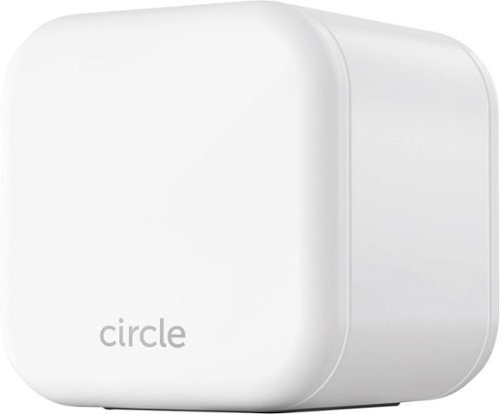
Keep your kids safe online with this Circle Home Plus monitoring setup. The included device uses your router to manage every device on your network, and Circle App makes it simple to limit screen time, filter content, and check browsing histories. This Circle Home Plus monitoring setup is easy to set up and lets you create custom settings for each family member.
Do I need a monthly or yearly subscription to use this product?
Yes. They are available with a 3 month, 1 year and lifetime subscription. It's $69, 199, 299 respectively. I don't see on the site where you can purchase a longer subscription once you purchase the module.
5 years, 11 months ago
by
RandallFlagg

Ninja - Professional Plus Kitchen System with Auto-iQ & (2) 24oz Single-Serve Cups - Stainless Steel
The Ninja Professional Plus Kitchen System with Auto-iQ features a new modern design and more functionality than Ninja's original Professional Kitchen System.* Ninja Total Crushing Blades and Pro Extractor Blades Assembly give you perfectly crushed ice for your smoothies, frozen drinks, and nutrient extractions**. The 72 oz.~ Total Crushing Pitcher is great for making large batches for the whole family with 1400 peak watts of professional power. Plus, its two 24 oz. single-serve cups with spout lids makes it easy to take delicious, nutrient-rich smoothies on the go. But don~t just stop at drinks~the 8-cup processor bowl provides precision processing for even chopping, smooth purees, and up to 2 lbs. of dough. Auto-iQ Technology provides preset programs that do the work for you, no guesswork required. *Versus BL770, based on the number of available blending programs **Extract a drink containing vitamins and nutrients from fruits and vegetables ~64 oz. max liquid capacity
How many accessories/blades does the processor come with?
The single use cups have one blade attachment, the processing bowl has one chopping blade attachment and a dough blade and the pitcher has one double stacked blade. So it has 3 accessories (4 if you count the 2 single cups individually) and 4 blades, the 3 chopping or sharp blade attachments and the one plastic dough attachment.
6 years, 1 month ago
by
RandallFlagg
Ninja - Professional Plus Kitchen System with Auto-iQ & (2) 24oz Single-Serve Cups - Stainless Steel
The Ninja Professional Plus Kitchen System with Auto-iQ features a new modern design and more functionality than Ninja's original Professional Kitchen System.* Ninja Total Crushing Blades and Pro Extractor Blades Assembly give you perfectly crushed ice for your smoothies, frozen drinks, and nutrient extractions**. The 72 oz.~ Total Crushing Pitcher is great for making large batches for the whole family with 1400 peak watts of professional power. Plus, its two 24 oz. single-serve cups with spout lids makes it easy to take delicious, nutrient-rich smoothies on the go. But don~t just stop at drinks~the 8-cup processor bowl provides precision processing for even chopping, smooth purees, and up to 2 lbs. of dough. Auto-iQ Technology provides preset programs that do the work for you, no guesswork required. *Versus BL770, based on the number of available blending programs **Extract a drink containing vitamins and nutrients from fruits and vegetables ~64 oz. max liquid capacity
Are the bowl and pitcher glass?
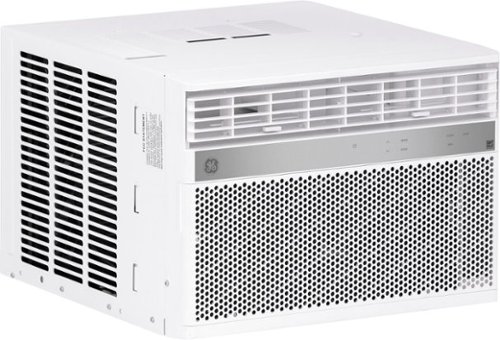
GE Appliances is dedicated to providing the right solutions for rooms of any size. Our window air conditioners are designed to offer exceptional comfort while remaining quiet, and our latest connected technology makes these products versatile and easy to use.This 8,000 BTU smart window air conditioner cools medium rooms up to 350 square feet. Energy efficient cooling with 3 cooling and 3 fan speeds provide flexible and optimal home comfort. Integration with the SmartHQ app allows you to monitor, schedule, and control your connected air conditioner from anywhere, or use the electronic controls with included remote to easily to adjust and manage your settings. This AC installs easily in a double hung window with included EZ Mount window kit and fixed chassis. Additional features like eco mode, power interruption restart, 24-hour on/off timer, and removable filter offer ease of use and maintenance.
Does this ait conditioner work with alexa?
It seems like the app is stand alone. I have two Alexa units in my home and I don't see any way of connecting the app to them.
6 years, 1 month ago
by
RandallFlagg
GE Appliances is dedicated to providing the right solutions for rooms of any size. Our window air conditioners are designed to offer exceptional comfort while remaining quiet, and our latest connected technology makes these products versatile and easy to use.This 8,000 BTU smart window air conditioner cools medium rooms up to 350 square feet. Energy efficient cooling with 3 cooling and 3 fan speeds provide flexible and optimal home comfort. Integration with the SmartHQ app allows you to monitor, schedule, and control your connected air conditioner from anywhere, or use the electronic controls with included remote to easily to adjust and manage your settings. This AC installs easily in a double hung window with included EZ Mount window kit and fixed chassis. Additional features like eco mode, power interruption restart, 24-hour on/off timer, and removable filter offer ease of use and maintenance.
How low does the temperature setting go?
Using the remote it went down to 64 and up to 86. I hope that helps.
6 years, 1 month ago
by
RandallFlagg

Type on your Chromebook or smartphone for effortless multitasking with this Logitech slim wireless keyboard. The built-in easy switch lets you pair and alternate multiple devices quickly, while the slim keys offer a comfortable, quiet typing experience. This Bluetooth-enabled Logitech slim wireless keyboard includes an auto-sleep feature that is activated when you're not typing to ensure long battery life.
Is this keyboard backlit at all?
No, no back light. Logitech calls it a minimalist keyboard.
6 years, 7 months ago
by
RandallFlagg
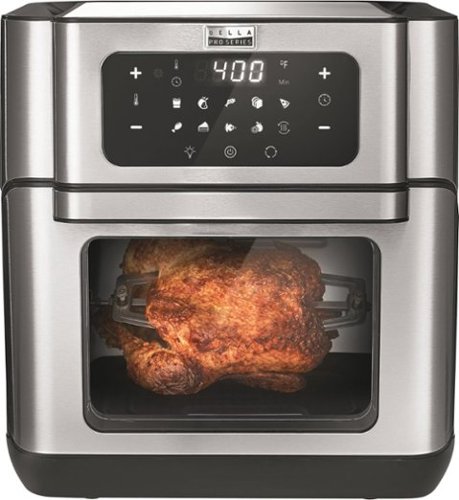
Cut down on cooking time with this Bella Pro air fryer oven dehydrator. Top and bottom heating elements ensure exceptional cooking results, while the 10.5-quart capacity holds plenty of food. This Bella Pro air fryer oven dehydrator features a touch-screen control panel for quick operation, two nonstick racks for crisping and one pan for baking convenience.
Can unit stay plugged in the outlet to be in off position?
Yes, mine's been plugged in for a few days. The display turns off and all you see illuminated is one small blue on/off icon. Hitting that or opening the door lights up the whole panel.
6 years, 7 months ago
by
RandallFlagg
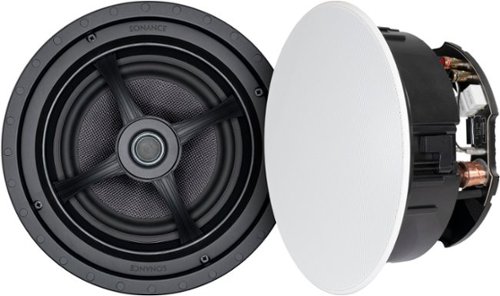
Fill your home with rich, detailed sound using these Sonance MAG8R in-ceiling speakers. Designed for whole house audio, multi room audio, and distributed audio system use, these 8" 2-way speakers combine exceptional acoustic performance with a low-profile appearance that disappears into the ceiling. A pivoting silk dome tweeter lets you direct high frequencies where you need them most, while the glass fiber woofer delivers clean, natural midrange and bass. These speakers are also compatible with Dolby Atmos and home theater setups when used as overhead channels, adding dimension and immersion to your entertainment setup. Ideal for retrofit or new construction projects, these speakers install quickly and securely with Sonance~s Roto-Lock mounting system and come with paintable magnetic grilles to match any room~s design.
How many watts are these speakers?

Achieve the deep-fried flavor you love, without all the oil and added calories. The Chefman TurboFry~ Air Fryer allows you to bake, fry and roast like a pro. This airfryer requires little to no oil, so there~s less of that fried oil smell lingering in the house and less fat that you~re consuming. It~s large 3.5-liter capacity and flat basket gives you the ability to cook enough for a hungry crowd all at once. Skip the microwave! Reheat soggy leftovers in the air fryer to return them to their original texture. Make better-for-you fries that are just as crispy and tasty, roast chicken thighs, or heat up leftovers for a quick and easy meal. The temperature control with 60-minute timer automatically shuts off once food is done, so you never have to worry about burning or drying out your food. Its space saving basket is removable and dishwasher safe for easy clean-up, so you~ll have more time to dream up your next air-fried meal!
Why does timer sets on ten minuets and doesn’t move ? Thanks
You must have a defective unit. The timer is really basic, like an old wind up timer and maybe the spring is damaged. I just set mine for 20 minutes and it worked just fine. I got a "ding" when it finished and the lights went out.
6 years, 9 months ago
by
RandallFlagg
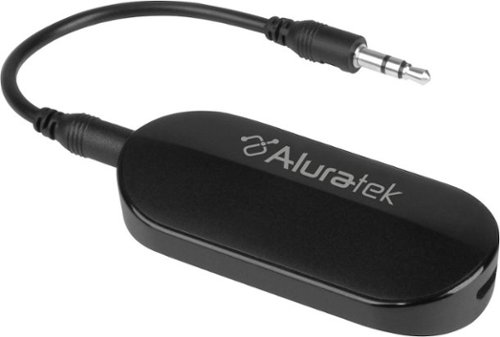
Stream audio up to 50 feet with this Aluratek Bluetooth 5 transmitter.This transmitter allows you to connect your AirPods, wireless headets and speakers to in-flight entertainment systems, PCs, TVs, MP3 players and a variety of other audio sources quick and simple that have a 3.5mm or RCA audio output. The rechargeable design saves you from having to replace the battery for added convenience.
will this device send audio to 2 Bluetooth speakers?
Yes, it can send out two signals. As per the instruction manual: The unit could connect with two stereo Bluetooth speakers or Bluetooth headsets to play music simultaneously.
7 years ago
by
RandallFlagg