


RandallFlagg's stats
- Review count315
- Helpfulness votes388
- First reviewMarch 14, 2014
- Last reviewSeptember 28, 2023
- Featured reviews0
- Average rating4.6
Reviews comments
- Review comment count0
- Helpfulness votes0
- First review commentNone
- Last review commentNone
- Featured review comments0
Questions
- Question count0
- Helpfulness votes0
- First questionNone
- Last questionNone
- Featured questions0
- Answer count45
- Helpfulness votes55
- First answerNovember 3, 2015
- Last answerNovember 11, 2021
- Featured answers0
- Best answers8
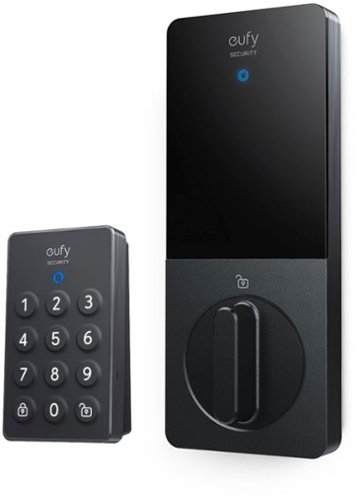
Give yourself complete front-door protection and convenience with Wi-Fi Retrofit Smart Lock. When your hands are full of groceries, Auto Unlock senses you and opens the door* so you~ll never have to fumble for your keys again. When you get inside, Smart Lock has your back and automatically locks, just in case you forget. You~ll have flexibility with a responsive keypad that can project onto the door, the wall, or anywhere you want. With built-in Wi-Fi, you can also control entry to your door from anywhere to let yourself or your family inside. Smart Lock is easy to install, needing just a few minutes without a phone call to a contractor, saving you time and money. And after installation, you~ll only need to charge Smart Lock once a year, giving you 365 days of front door security. Auto Unlock is only compatible with iOS*.
Posted by: RandallFlagg
from So. Cal.
Unboxed the Eufy Security Retrofit Smart Lock with Wi-Fi Remote and found a very well-made kit. It included the replacement unit for the inside of an existing deadbolt, the keypad, batteries for both the keypad and unit, four adapters for a variety of deadbolt manufacturers, a window sticker, and mounting hardware, and a quick guide. Just about everything you need to retro your manual deadbolt into a keyless entry. I would suggest including a few alcohol wipes to clean the areas for mounting the keypad and unit’s 3m tape.
I’ll start at the end first. Once the lock-in is installed, the installation is fairly straightforward. It all makes sense, but not from the start. The user’s guide is fairly small, and the illustrations are hard to view. It’s all black and white and not clear, at least not to me. I mounted the mounting plate but had to remove it to see how it fit in the unit. Neither way fit so I looked back and forth at the unit and the guide before figuring out the hinged (wings) hold downs open up and then lock on the mounting plate after installation. Okay, the guide shows that, but again, not very well. So, I remount the plate and get the unit locked on. After that, it’s a breeze. Insert batteries, cover replaced, and finish the passcode on the keypad. It’s all done via the Android app, but the mounting part wasn’t there either. That alone would have made this 15-minute job a 5-minute job. With that knowledge, anyone can do the installation.
So, how’s it work. The unit itself works flawlessly. My old deadbolt on the other hand, not so much. I’ve never had an issue with it, but after installing the smart lock, I see that the old cylinder binds as it goes in and out. I used graphite and WD40 to lubricate it, but over the years it must have gotten bent. I went as far as using emery cloth on the exposed shaft to remove any burrs, but it still binds a bit. With that issue, the smart lock had the power to fully lock the deadbolt about 75% of the time, but every few tries, the lock would only go in about half a turn and stop. I’ll have to go buy a new deadbolt or combo set and have it rekeyed. Maybe for the best as I have an old brass set and with the Indian bronze color of the smart lock, I can bring this door up to date. Other than the issue with my current deadbolt and the wing-hinged installation, I can’t think of any other negative. The lockset looks great, it doesn’t change the look of the door on the outside and the inside looks great, and the unit is pleasant to look at. For any homeowner looking to upgrade to a keyless entry and you don’t have the skills to change out an entire lockset, this one is for you. Just remove the old deadbolt on the inside and leave the outside as is. Maybe put a couple of pieces of masking tape over it to keep it on the door. Install the new smart lock on the deadbolt using one of the four matching adapters (there’s one for Kwikset with the arched arm, a straight slot one, a diagonal slot one, and another that I can’t remember…plus sign maybe?) screw in the mounting plate with the old deadbolt screws and the stainless ring adapters if you need them. Then spread open the wings (my bad) and put the unit on the mounting plate. Close the wings to lock the unit on the plate and you're done with the installation. Have the app running and press next each time you complete a step, and you should be able to enter your 4-8 digits passcode. Tada, all done.
As my long-winded paragraph states, this installation is easy, and I’d recommend it to a friend or anyone wanting to add a smart lock to their home. It works with both the Alexa app and Google Home, so if you’re like me and have both systems running items in your house, it’s great to buy items that can work with either app. It also works with iOS as well as Android.
I would recommend this to a friend!

Share this review:


+3points
3of 3voted this as helpful.
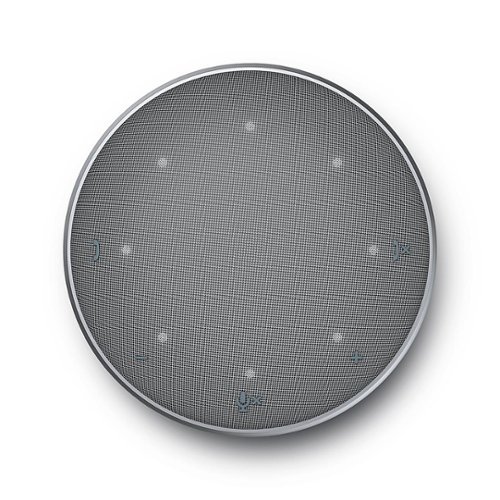
The Dell Mobile Adapter Speakerphone - MH3021P. The world~s first USB-C adapter with integrated speakerphone offers an all-in-one connectivity and conferencing solution. Stay productive in your home or at the office with this World~s first multi-port adapter with integrated speakerphone (speaker and microphone). Its numerous ports offer a variety of connectivity options, while its built-in speakerphone offers great conferencing convenience. Now you can charge your laptop while being connected to a display and your keyboard and mouse, plus get on a conference call -- all at the same time. Its compact design takes up little space, so you can easily fit it in your bag and take it anywhere. Connect to a display, transfer data and power your computer all at once while you are on a call. Plug and Play - no drivers required. Enjoy a seamless conferencing experience with the built-in speakerphone that gets you ready for daily calls and check-ins. The Dell speaker hub - MH3021P - a speakerphone with built in mic and mobile adapter all in one compact device.
Customer Rating

5
Plug and play. Works great
on February 18, 2022
Posted by: RandallFlagg
from Southern California
So, I got the Dell-Mobile Adapter Speakerphone and it works great. I plugged it into my PC that doesn’t have Thunderbolt, but it has a USBc slot. I have a Thunderbolt hub that offers the ports this does, but the speakerphone is the kicker. This PC has a Blue microphone, but usually, I have it disconnected. Plugging the Dell fixes that for me. Its small footprint is what I need on a daily basis.
So, the first place I went to was the Dell webpage for the MH3021P. There I downloaded the manual and found a firmware upgrade. It mentioned it’s needed to work with OsX. I have a Mac Mini late 2014, I5 Intel model connected to my main TV, so I did the upgrade. It took longer than I thought it should, but I just let it install on my Ryzen 7 PC, and finally, it finished. I then wanted to see how the sound was. I have a soundbar connected to this PC connected by Bluetooth and when I plugged in the Dell, it shut down the soundbar and fired itself on. It’s fairly loud at full volume. It’s got a nice led pattern to show the volume level. I turned it to about 40% to do the testing and it sounded great. First, I fired up iTunes and played a song or two. For what it is, it sounded good. I then wanted to use Alexa on this PC, but as I said, my mic is usually not connected. Not today! I opened the Alexa app and it saw the Dell just like it should. It walked me through the step and before I knew it, I was asking Alexa some basic tasks. I use both Google Home and Alexa throughout the house. I used Cortana too, but Microsoft shut that down. Then I tried it out on a Zoom call and being that it's Zoom certified, I expected nothing less than a great performance. Again, it delivers. Nice to use it on the table/desk rather than earphones while still having echo canceling and noise reduction.
I love the raised control buttons on the speaker grill. At three and nine o’clock, there’s a phone answer and phone disconnect. At six o’clock there’s a microphone and then at five and seven, there is a plus and minus button for volume. The ports on the sides are (2) USB-A 3.1, HDMI 2.0, USBc, and (2) microphone openings. The microphones are omnidirectional. The cable winds nicely under the unit for storage, but if you’re like me, you’ll be leaving this plugged into one of your machines.
If you are remote working from home or use your PC for meetings, interviews, or other video conferencing, this would make a great addition to your war chest. I’d recommend it to my friends.
I would recommend this to a friend!
Durability

5
Ease of Use
5
Quality
5
Value
5
Share this review:


0points
0of 0voted this as helpful.
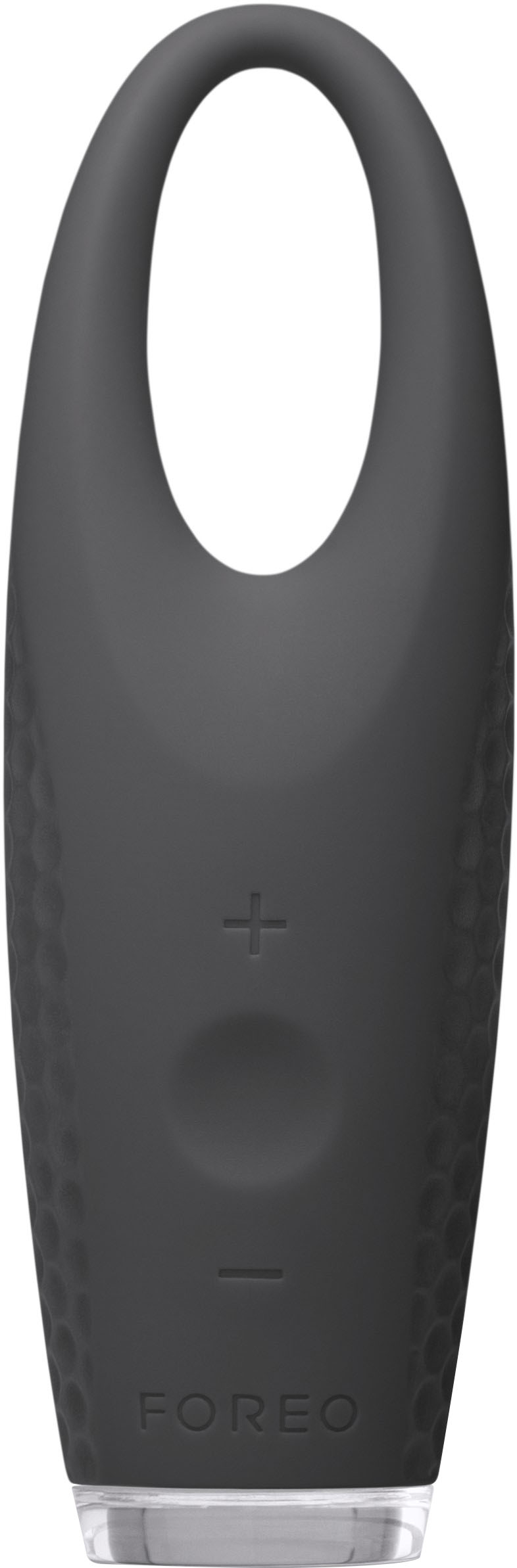
ILLUMINATING EYE MASSAGER As the eye contour has delicate skin that is up to 5 times thinner than facial skin along with muscles that can be overworked through blinking 10,000 times a day and movement every 10 seconds, the area is very prone to signs of stress, lack of sleep and aging. The IRISTM, with its innovative Alternating T-SonicTM Technology was specially developed as an answer to the strains the eye contour undergoes to bring every user refreshed, younger-looking eyes.
Customer Rating
5
Great little gadget that does what it claims to
on February 1, 2022
Posted by: RandallFlagg
from So Cal
Got the opportunity to review the Foreo Iris and it’s different. I opened up the box to find the unit, a power cord with USB/A to proprietary plug, a pink satchel to store it in, a few sample packs of serum, and an instruction booklet.
The webpage for the Iris says it’s for eye bags, dark circles, dry and irritated eyes. I don’t have bags, rather the opposite, my look sunken. What I do have are dark circles, so I thought this might work for me. And it does. I’ve noticed a remarkable difference since using the Iris. I tend to use a magnifying mirror up close, and the dark circles really show up. Looking in a regular mirror, I can see the circles, but not as bad. Now after using the Foreo Iris, looking in a regular mirror, I can hardly notice. In my magnifying mirror, I see improvement too.
I got to say this thing is weird. I didn’t think the soft massage action would do anything, but it does. It feels rather soft, but the gentle action is soothing to the eyes. There are 2 modes and I think I’ve used both, but it’s hard to tell which mode I’m in. I imagine there is a way and I’ll just have to find it as I continue to use the Iris. The silicone shell is easy to clean with just warm water. There is a charging port and I try to keep it dry. I only need to rinse the serum off the massaging end.
So, would I recommend it to a friend? If my friend had puffy bags or dark circles around their eyes, you bet. It works and ultimately that’s what matters. It is a bit pricey, but what isn’t if it’s a decent quality product…and this is. Once again or lastly, I don’t get how the delicate touch helps remove the raccoon eyes, but it does so don’t ask questions…right? I know I’ll keep using the Iris as part of my face routine.
I would recommend this to a friend!
Quality
5
Performance
5
Durability
5
Value

4
Ease of Use
4
Share this review:


0points
0of 0voted this as helpful.

Power through your weekly carpet clean with this Shark Rocket with DuoClean complete upright vacuum. It eliminates particles both large and small, and the deep-cleaning bristle brush breaks through embedded dirt to ensure a deeper clean. Plenty of space for debris ensures this Shark Rocket with DuoClean complete upright vacuum is practical for your everyday cleaning needs.BR>
Posted by: RandallFlagg
from So Cal
Gender:Male
Age:55-64
The Shark Rocket DuoClean HV381 is awesome. I’ve used this machine for many months and it’s a workhorse. It has great pickup and leaves vacuum marks on my carpet that many more expensive machines do not. I like just about everything this has to offer. The long power cord, the waste container doesn’t need to be emptied all the time, and how the brush tries to propel the powerhead forward as you vacuum. It makes this less of a chore. If I had any issue with the Rocket DuoClean, it’s that the accessory holder is awful. It falls off constantly. I wish it had a latch on the clamp to keep it on the pole. But that’s it. It comes with a wall mount so the unit easily hangs in my utility closet and a great appliance attachment that I can use for under the stove and furniture.
I’d recommend this to anyone that asks. It is a great tool.
I would recommend this to a friend!
Share this review:


0points
0of 0voted this as helpful.
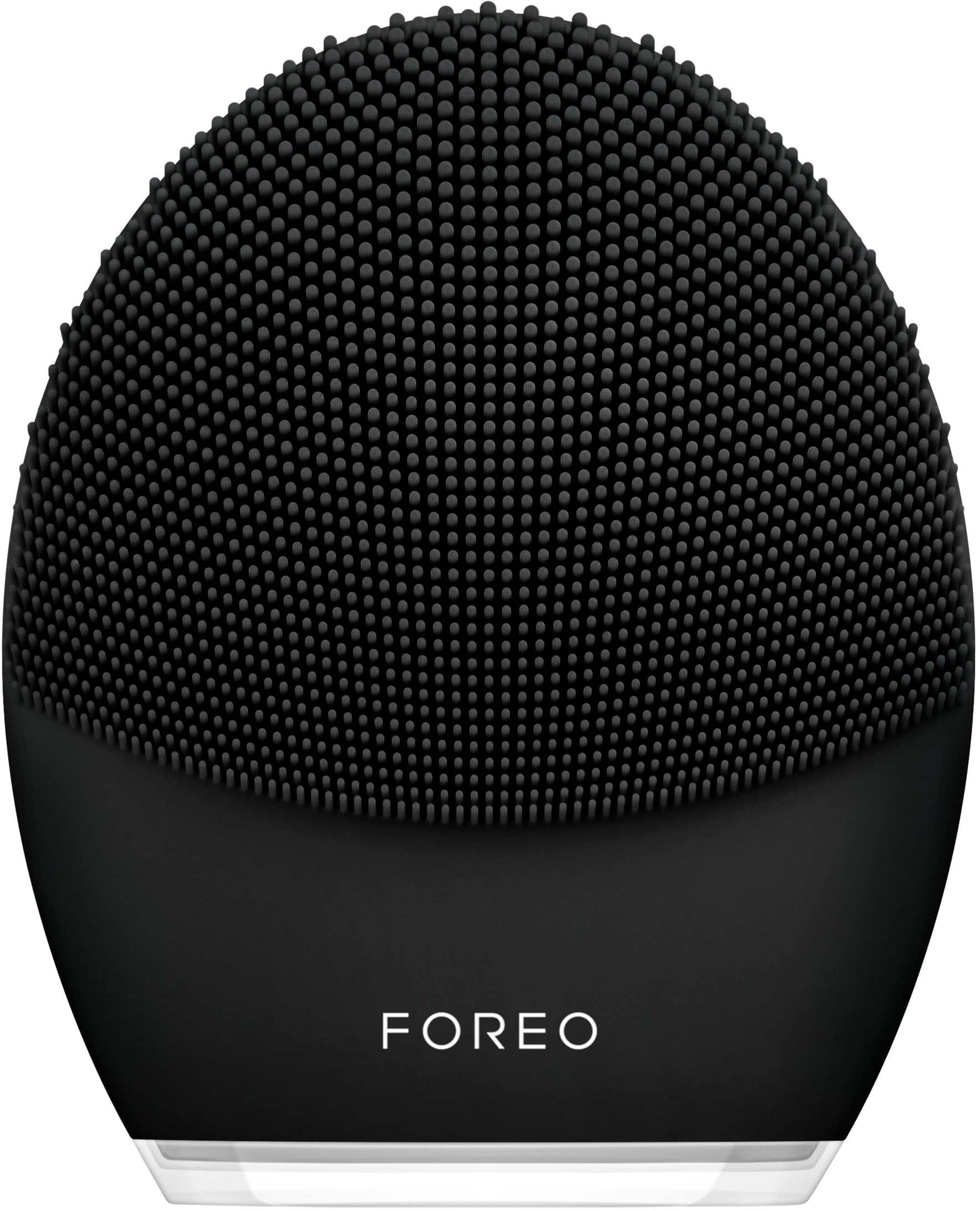
Meet LUNA~ 3 MEN, the facial cleansing tool that takes care of your skin so you don't have to. Featuring gentle yet firm silicone touchpoints and T-Sonic~ technology, LUNA~ 3 MEN cleans and conditions your skin and beard, removing the grime of the day off your face in just 1 minute, while a targeted firming facial massage reduces the appearance of fine lines so skin looks toned and energized. Used as part of your daily cleansing routine, LUNA~ 3 MEN's Cleansing Mode channels T-Sonic~ pulsations to provide a much deeper clean than washing by hand, lifting away 99.5% of dirt, oil and dead skin cells to reduce breakouts, remove ingrown hairs, prevent razor burn, and help razor blades last up to 2x longer. The Firming Massage Mode can then be enjoyed by turning your LUNA~ 3 device around and pressing the concentric ridges on the back to your skin, while gentle T-Sonic~ pulsations deliver a relaxing massage to help diminish visible signs of aging.
Customer Rating
5
A bit pricey, but works exceptionally well
on January 31, 2022
Posted by: RandallFlagg
from So Cal
I’m like most guys when it comes to washing our faces. A bit of soap and water, warm if we’re willing to wait for it to reach the faucet or we’re in the shower. Once in a while, I squirt a bit of store-brand facial scrub in my hands and give the face a once-over. So, when I got the chance to review the Foreo Luna 3 for men, I thought…why not. The box contains the unit, a pretty pink tote (for guys???) to keep it in, cleansing cream and a packet of serum, and a USB/A to proprietary plug to charge it with. It doesn’t come with a 110v power adapter, so buyers will need to have one lying around.
I charged the unit and set off to try it out. I downloaded the Android app for Foreo and fired it up. It found the unit and there were 4 routines I could download. I downloaded those too and tried them out. They last just a few minutes, and the app controls the unit. At the same time, the app has a visual instructor showing you what to do. It’s a bit clunky, as the unit’s timing is set and you’re learning the steps. It may get smoother with repetition, but the speed changes between movements, and sometimes I am not ready to go on to the next step. Anyway, even with the awkwardness, it does a great job at cleansing my face. I’ve never had it feel this clean. Usually, with any product, it feels like a film is on the skin, but not tonight. I felt like it stripped off all the grime.
Lastly, it seemed easy to clean. Just rinse with warm water, but then I saw the charge port and wondered if that should get wet. I just kept it dry as best as possible. Oh, and it has 16 intensities, but I haven’t figured out how to tell which one I’m on. Again, that will probably get figured out with use.
It is a bit pricey, but I’d recommend it to any guy looking to do a better job at keeping our faces clean and hopefully a youthful appearance as long as possible.
I would recommend this to a friend!
Quality
5
Performance
5
Durability
4
Value

3
Ease of Use
4
Share this review:


0points
0of 0voted this as helpful.
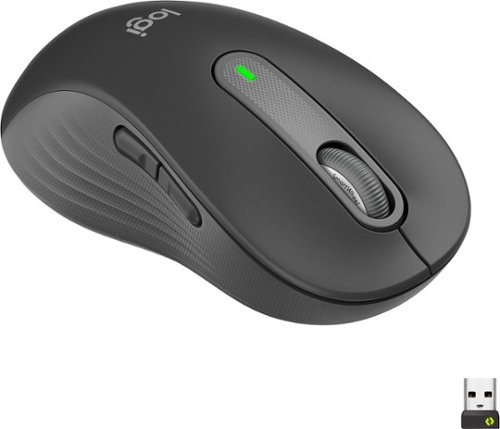
Upgrade to smarter scrolling, better comfort, and more productivity with the Signature M650 L Left. The versatile mouse features an adaptive scroll SmartWheel that delivers line-by-line precision, and auto-switches to super-fast free spin mode with the flick of a finger. A choice of sizes for smaller, larger and left hands means there's a perfect fit for anyone. Seamless wireless connectivity, customizable side buttons, and a comfort shape keep you comfortably and productive hour after hour. Logitech~s SilentTouch technology delivers silent clicks to keep you focused ~ while the up to 24-month battery life and universal operating system compatibility ensure hassle-free performance.
Customer Rating
5
Nice mouse for a lefty. Not a gaming mouse, but..
on January 23, 2022
Posted by: RandallFlagg
from Hi Desert, CA
So, a chance to try out a left-handed mouse. I’m ambidextrous and I’ve used to using a right-handed mouse, but the chance to use a lefty was something I couldn’t pass up. Out of the box, it’s weird. Nothing wrong with the mouse, just different for me. It does work very well and having the two thumb buttons on the right (pun intended) side works. You do need to download Logitech’s software to program the two side buttons, but again, the mouse works great out of the package. The smartwheel scrolling is handy. You can roll the wheel like normal, and it goes line by line or give it a spin and it will scroll to the bottom of a page. The large size isn’t too big. I wear a large glove, but my hands aren’t huge by any means and the mouse fits nicely. My fingertips fit perfectly with the back of the mouse in the center of my palm. The mouse is a tad light for my taste, but not so much that it feels cheap. The buttons are very quiet as stated on the package. Silent touch, Logitech calls it.
Going to the website for the download, I see that Logitech claims a 24-month battery life, so that’s a plus. One AA battery change every couple of years is one less thing to worry about. Lastly, the website states that it works with just about every platform, Windows, OsX, iPad OS, Chrome OS, Android, and Linux. Oops, forgot to say that Bluetooth pairing works great. I held the button on the bottom and the white light started to rapidly flash and Windows settings saw the mouse. Clicked connect and tada, it worked as it should.
I’d recommend this to any lefty that has a hard time using a right-handed mouse or would prefer to use one with the thumb buttons where they need them to be.
Mobile Submission: False
I would recommend this to a friend!
Share this review:


0points
0of 0voted this as helpful.
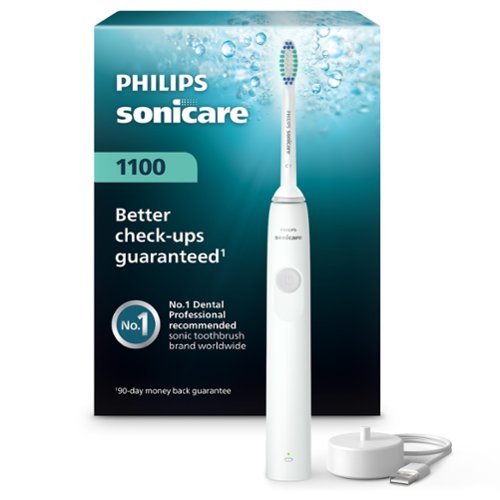
Achieve better plaque removal than with a manual toothbrush thanks to the Philips Sonicare 1100 Series sonic toothbrush paired with the C1 Simply Clean electric toothbrush head. Enjoy a powerful yet gentle clean, even in those hard-to-reach areas. The Advanced Sonic Technology provides gentle yet effective cleaning, pulsing fluid between teeth and along the gumline. To help you get used to the Sonicare experience, the EasyStart feature adjusts the power level of the toothbrush over the first 14 uses. Improve your brushing technique with QuadPacer, which reminds you to brush each section of your mouth for 30 seconds, and reach your recommended brushing time of 2 minutes with SmarTimer. Experience up to 14 days of regular brushing after a single charge, bringing a new level of convenience to your brushing routine (based on two periods of two-minute brushings per day on standard mode). Dental professionals recommend changing brush heads every 3 months.
Customer Rating

4
Works great, replacement heads pricey
on January 16, 2022
Posted by: RandallFlagg
from Hi Desert, CA
I’ve been using an electric toothbrush for a number of years, so I’m always ready to try a new one. I opened up the Philips Sonicare 1100 and found the toothbrush, a brush head, and charging base. This charger has a USB/A end, so the buyer must have a power adapter available. I have quite a few, so no biggie. I didn’t expect one at this price point.
I charged up the toothbrush and gave it a go. I really like it. The powerhead is narrow and doesn’t feel bulky when brushing the back of my molars. I like the 2-minute auto-shutoff. The unit itself is light and easy to handle. It seems to work very well as my teeth felt clean after brushing.
As for dislikes. The powerhead replacements seem a bit pricey when I search for them online. I’ll have to do a better search and see if I can find a deal. The other negative was the free powerhead offer. The inserted card makes it sound like if you register the brush, you’ll get a free one, but that’s not the case. You have to register and sign up for auto replacements and I hate anything that automatically replenishes my needs and charges my credit card without me authorizing it at that moment. So, no free brush for me. Other than that, it’s a well-made, inexpensive toothbrush and I’ll probably use it until this brush head wears out…unless I find some inexpensive replacements.
Mobile Submission: False
I would recommend this to a friend!
Share this review:


0points
0of 0voted this as helpful.
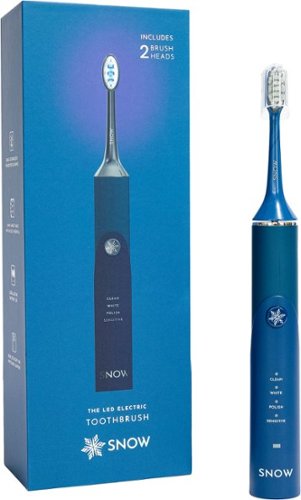
Welcome to the future of brushing. Our new LED electric toothbrush doesn't only clean, it also whitens! Equipped with blue LED light for whitening support and sonic technology for better cleaning, this toothbrush leaves your smile whiter and brighter. And, with 4 unique modes, your new toothbrush customizes each brushing session to exactly what you need: Clean, Whiten, Polish, and Sensitive.
Customer Rating

3
Not great for these sensitive teeth.
on January 13, 2022
Posted by: RandallFlagg
from Hi Desert, CA
I currently use a national drug store chain toothbrush and it works pretty well. I had hopes for the Snow LED Electric Toothbrush as I’ve been reading and watching reviews on how much users like it.
I opened the package to find a nice tote bag, but not sure why I would use it. I usually just take the unit and put it in my luggage along with other personal care items. I opened the box to charge the unit and saw that it uses a USB/A cord but doesn’t include a power adapter. Like most people, I have a few of these in use, but for this price point, I would expect to have one included, so the unit is complete. Buyers that don’t have a power adapter will have to locate one locally or online.
So, I plugged the power base into my existing adapter and left it plugged in for the day. When I returned home, it was no longer blinking red and had a nice steady green glow, so ready to test it out. I do have sensitive teeth and I just had my teeth cleaned at my dentist in December. I wasn’t having any issues after the dental cleaning, but one use with the Snow toothbrush and I had some bleeding around a crown and an ache that lasted the rest of the day. I was able to take a pain reliever and massaged around the ache to keep it at bay. I will say my teeth felt clean after the use, but apparently, it is too aggressive for me. I did try the sensitive setting to see if it would massage the gum line, but it seemed just as strong as the clean setting. The only thing I can think of is that the bristles are too hard for my needs. If they are hard, maybe Snow could send out some soft bristle heads and I’d be glad to try again. The unit itself is well made and I’d like to be able to use it, but not with the pain I get after each use.
For now, this will go in storage along with other items I hope to someday use. My suggestions to Snow would be to change the power cord to a 110v plug or include a power adapter for the current USB/c to USB/A cable. Also, to offer softer bristle powerheads.
Mobile Submission: False
No, I would not recommend this to a friend.
Share this review:


0points
0of 0voted this as helpful.
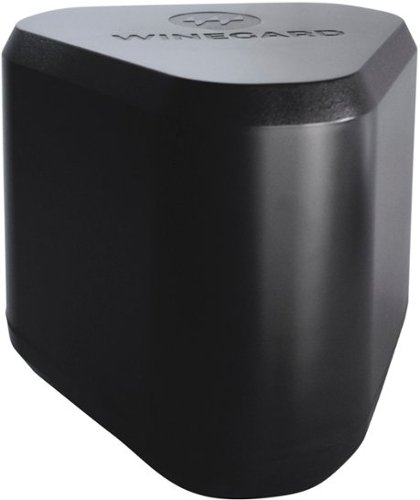
Winegard Extreme 2.0 High-Performance Wireless-AC Access Point and Outdoor Wi-Fi Range Extender. The Extreme 2.0 Extender offers 1,000 ft. of boosted range - Winegard's best, and most secure, outdoor Wi-Fi solution.
Customer Rating
4
Tough network install, but then it works great!
on December 26, 2021
Posted by: RandallFlagg
from Hi Desert, CA
About a week ago, I attempted to install the Winegard Extreme 2.0 Outdoor Wi-Fi Extender. After much frustration, I put it aside for a time when I could devote all my attention to it. Tonight, seemed a good choice. The kit comes with the Wi-Fi extender, power inserter, mounting hardware, and a LAN cable, oh and installation instructions.
Since it was a cold night here in the Mojave Desert, I temporarily mounted it in the garage and went about trying to install it again. At first, I thought it was going to be the same, but then it started to make sense. I read a few reviews and saw I should connect it to my existing network. That was a piece of cake as I have a 5-port network switch behind my garage tv. Connecting the unit was done in minutes. I mounted the unit, plugged in the provided LAN cable to the POE port and my LAN cable from the other port on the power inserter to my switch. Then came the fun of installing the network software. I tried many times on my Android phone, but it’s just too clunky with the old, designed interface of the Winegard app. So, I grabbed my Surfacebook 3 laptop and tried again. Being able to see most of the app on a browser made it much easier. The only issue I had was my Wi-Fi signal kept changing back to my main network. The instructions state to turn off auto, but I have three networks bridged and I didn’t want to mess with those. So, I just had to check my connection every time I wanted to make a change. I changed the SSID password and enabled 5Ghz to work. Then I had to locate where to change the admin password. Once that was done, I was trying to see if security was working. It showed it enabled, but I don’t remember typing in a password. Anyway, first I tried the cellphone. I turned off mobile and connected to the Winegard, but I still wasn’t satisfied that it was done. So, I fired up the garage tv and Roku. I reset the wireless network to the Winegard network and finally, I was asked to enter a password. I use LastPass and the generated password was a bear. I typed it in wrong 3-4 times before getting it right. So, I know it works because it wouldn’t let me access the Roku menu until I got it right…and yes, I tried logging in without a password. Nada.
So, then I braved the cold and walked around my cul-de-sac and across the street to my parent's house and the signal was accessible throughout. I usually lose my network inside my parent's home or it’s sporadic depending on where I’m sitting or the weather. We get lots of wind, cloud cover, dust, and traffic on their street, all of which seem to disturb the signal. Not now! The Winegard seems to allow me to use its signal with no problem. I can imagine it will be even better once I mount it outside. Also, I do like that from the extender to the power source, I only need a long LAN cable. I can either make one or order one online that I can easily fish through the attic to an outlet for the power inserter.
So, my impression of the extender is that it works great, once you get it installed, but that’s almost any network item. I do wish Winegard would work on the software as it looks and acts like software from the AOL days of the internet. It’s clunky and lacks a return to the main menu from the advanced menu. I just logged out whenever I needed to go back unless I made a change. Other than that, I’d recommend the extender to anyone wanting better Wi-Fi around their home.
Mobile Submission: False
I would recommend this to a friend!
Share this review:


0points
0of 0voted this as helpful.
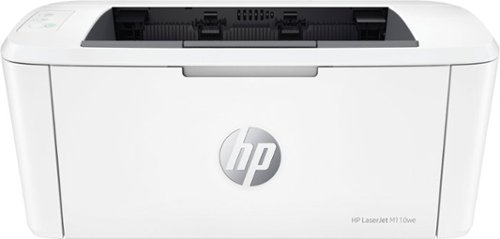
The compact size of the HP LaserJet M110we makes it perfect for those needing to print black and white documents in small spaces. Includes the HP+ Smart Printing System that keeps itself up to date, secure, and ready to print from virtually anywhere at any time. This printer only works with Original HP Toner and requires an HP account and internet connection. Includes 6 months of Instant Ink for lasers with HP+.
Customer Rating
5
Love the small size of this laser printer
on December 22, 2021
Posted by: RandallFlagg
from Hi Desert, CA
I currently have 2 black/white laser printers and love them both. The bad part of both of them is that they are huge and take up a lot of desk real estate. I received the HP LaserJet M110we, and the small printer looked great but had me wondering if it could produce a great print. So, before that, what does the box contain? The printer…of course, has a power cord, the typical stack of HP guides, and the HP 141A toner cartridge.
I unboxed the unit and followed the directions. I have HP Smart on other PCs, but the laptop I was installing it on didn’t have it yet. So, I downloaded it from the Microsoft Store and attempted to install the printer. It was a chore to get it installed. Typically, I’ve had great success with the HP Smart App, but not last night. The installation software kept stalling. I would let it run and it would just have a spinning blue ring. I canceled the installation and then fired it back up. It would pick up where it left off and after a try or two, it would advance to the next step or so. Finally, after multiple restarts, I got it installed. I went back to the app, and it said, nope, it still needed to finish the install. I went to the printer settings in Windows 11 and after a few attempts, the drivers and software said done. That was the hardest part.
I then made sure all the packing Styrofoam and tape were removed, inserted some paper, and attempted to print. The end of the install had a test page for me, but it didn’t work. I got a print error in the printer settings window, so I canceled that print job and opened a PDF I had for a recent game I downloaded. I clicked print and it printed the manual without issue. I’ve posted a couple of pics of the prints, and I think they look great. With the size of the laser printer as well as how good it prints; this will be a great printer to move about if needed. It’s lite and just needs a power source to plug into. Then connect to Wi-Fi and I’m golden.
If there’s any downside to this printer, it’s that at least for me, I had to agree to use genuine HP ink for the life of this printer as well as something else (I think it was tracking the unit or something to that effect). I did decline the 6-month free ink because I just don’t print enough to warrant that. If HP would say the second and/or third cartridge was free, then it would be worth it to users like me.
So, would I recommend this printer to a friend? Yes, I would. It works great, you just may have to struggle getting installed as I did, or you may breeze right through it and think my review is incorrect. That’s Windows and 3rd party apps for ya! For me, now that it’s installed on my laptop, I’m able to use it without any issues.
Mobile Submission: False
I would recommend this to a friend!


Share this review:


+5points
5of 5voted this as helpful.
RandallFlagg's Review Comments
RandallFlagg has not submitted comments on any reviews.
RandallFlagg's Questions
RandallFlagg has not submitted any questions.
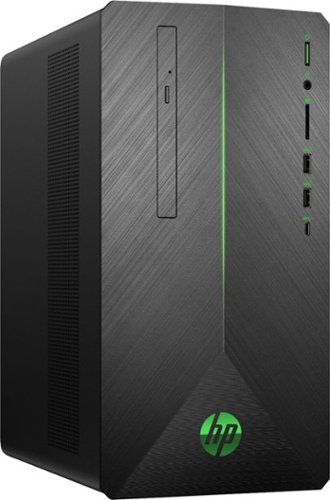
Experience powerful graphics and virtual reality with this HP Pavilion gaming desktop. It has an AMD Ryzen processor to handle intense gaming, and the 16GB of DDR4 RAM provides fast processing speeds. This HP Pavilion gaming desktop has a 1TB hard drive and 128GB solid-state drive for a large game collection and quick boot times.
Does the included keyboard have volume control buttons on it?
Yes, above the 4 5 and 6 keys. They share the key with a function key. They work without a second key press, the function keys need to use a second key. Hope that helps.
7 years, 6 months ago
by
RandallFlagg
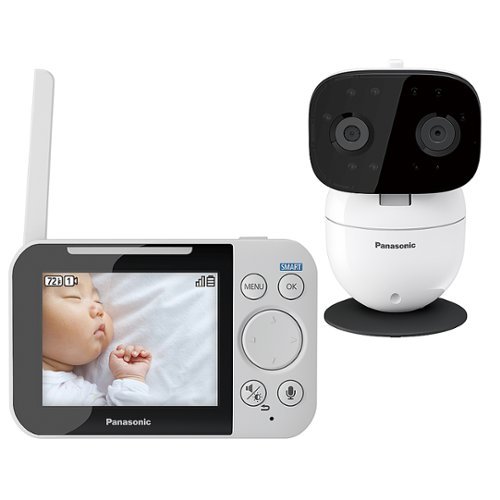
Watch over your infant with this Panasonic long-range baby monitor. It comes with a pan-and-tilt night vision camera with smart sensor alerts to keep your child~s environment in check, and two-way communication, lullaby and white noise functions let you soothe your baby. The DECT technology of this Panasonic long-range baby monitor provides strong wireless signal reception.
Does this monitor have a clock on the display?
Looking at the default screen, it doesn't. Nor does the photo on the box. I looked at the settings and I didn't see a way to add a clock. I hope that helps!
7 years, 8 months ago
by
RandallFlagg
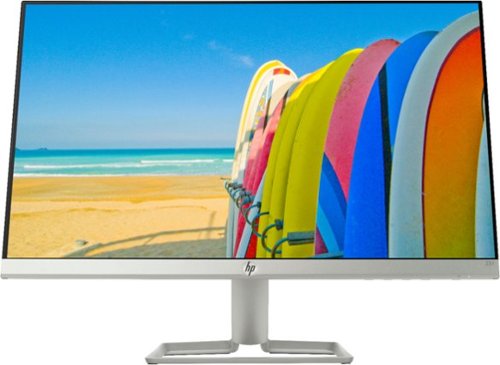
See vivid images and enjoy Full HD videos with this 23-inch HP micro-edge display. Its 178-degree viewing angle provides brilliant images from any position, and its AMD FreeSync technology lets you enjoy smooth gaming performance. This ultrathin HP micro-edge display has VGA and HDMI ports for versatile connectivity to high-definition devices.
Is this monitor compatible with a VESA mount?
No, the monitor is really thin and doesn't have the 4 VESA screw mounts. Attached is the stand assembly, maybe that will help.

7 years, 9 months ago
by
RandallFlagg
See vivid images and enjoy Full HD videos with this 23-inch HP micro-edge display. Its 178-degree viewing angle provides brilliant images from any position, and its AMD FreeSync technology lets you enjoy smooth gaming performance. This ultrathin HP micro-edge display has VGA and HDMI ports for versatile connectivity to high-definition devices.
Can this monitor be put on a desk mount?
I don't think so. The screen is really thin from the top to about 2/3 of the way down. The bottom is about 3/4 inch thick, but the only mount looks to be the proprietary male end to plug into the HP base. I have a screen shot of the assembly attached. Maybe that will help you visualize the mount. I hope that makes sense and helps you out

7 years, 9 months ago
by
RandallFlagg
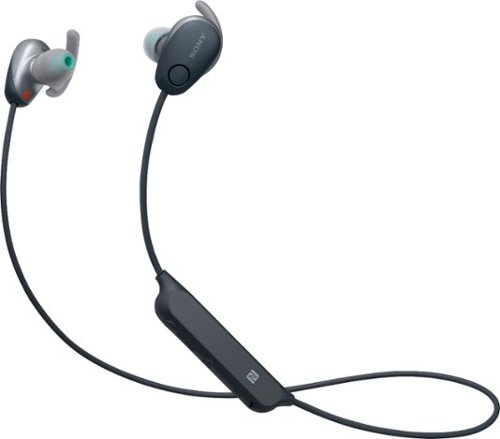
Enjoy your favorite music through these Sony Sports wireless noise-cancelling headphones. The in-ear design ensures a snug fit, so you can jog or walk without missing a beat, and the wireless format eliminates the need for cumbersome cords. The Ambient Sound Mode on these Sony Sports wireless noise-cancelling headphones keeps you alert to your environment.
Two questions: First, 6 hours battery life for listening time? Second, Can you turn off the noise canceling to increase battery life in-between charges?
I can try to answer the second question. Yes, you can toggle between nothing, noise canceling and ambient sound. I don't know if that saves you battery life between charges though. I just started using these.
8 years ago
by
RandallFlagg
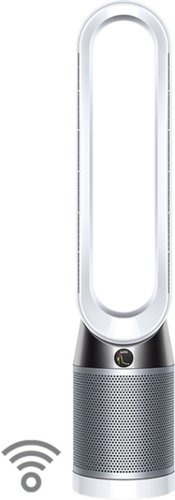
The only purifying fan to clean a whole room properly*. We design our purifying fans to go beyond test chamber conditions and focus on real home conditions ~ this is more than just having an efficient filter.*Dyson engineers and research concluded that to clean an entire room properly, you need to sense pollution events automatically; capture ultrafine pollutants; and project cleaner air around the room using Air Multiplier technology. Only the Dyson purifying fan is designed and tested to do all of this.**Dyson technology helps create a cleaner, healthier home - Our vacuums and purifiers are scientifically proven to capture particles as small as allergens and bacteria.
How often do you need to replace filters
According to a Dyson US YouTube video, they state in 30 seconds that the filters need to be changed once a year based on usage of 12 hours per day. They also recommend using auto mode as it only filters air when needed. How you use the unit will probably have the biggest impact on filter replacement.
8 years, 1 month ago
by
RandallFlagg
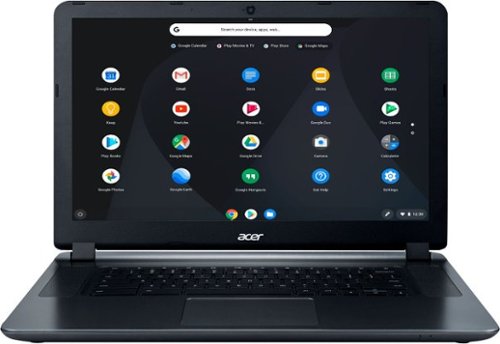
Acer 15 Chromebook: Enjoy up to 12 hours of battery life with this 15.6-inch Acer Chromebook. Its Intel Celeron processor and 4GB of RAM load webpages quickly and provide lag-free streaming, and the 16GB of internal storage holds documents and photos. This Acer Chromebook has an HDMI port for connecting to a larger display.
Can this product be connected to the internet with a wired modem/router instead of wireless ?
I would say no. The only ports I see on the unit are power supply, hdmi, headphone jack, 2 usb 3.0, and an sd card slot.
8 years, 4 months ago
by
RandallFlagg
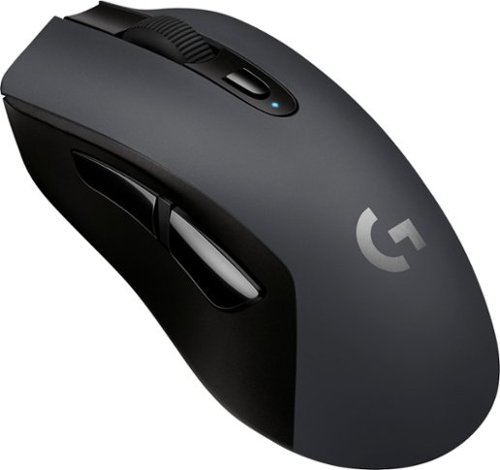
Navigate your desktop precisely with this Logitech wireless gaming mouse. Its sensitivity of 12,000 dpi ensures accurate movements, and it delivers up to 500 hours of nonstop gaming before needing batteries replaced. This Logitech wireless gaming mouse lets you connect to multiple devices via Bluetooth and switch between them with a push of a button.
might want to label it with the correct title if you want any one to be able to find it. it's the G603
Huh, the label says G603 Bluetooth Optical Gaming Mouse. Maybe Best Buy fixed it since you posted???
8 years, 5 months ago
by
RandallFlagg
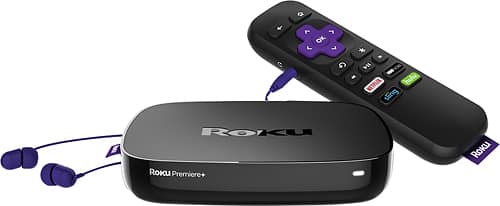
Stream favorite shows and movies with the Roku Premiere+. It handles 4K resolution so you get the most out of your high-end television, and it includes access to more than 4500 channels for varied subscription options. The Roku Premiere+ comes with a remote so you can browse entertainment options from your couch.
Does this have the YouTube tv app?
Yes, there is a YouTube app available and I stream video over wifi with it. I have 100mbs down and haven't had any issues.
8 years, 5 months ago
by
RandallFlagg
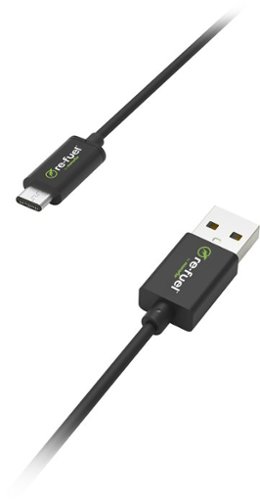
Charge your type C devices with this Digipower USB charging cable. The cord connects to a standard power pack or laptop USB plug for convenience.
Will this cable work with a google Pixel? It says it is a USB-C to USB-A..but are there other different variations I need to be looking for?
The Pixel uses a usb-c and the usb-a is the rectangle one that will fit into a desktop or laptop usb slot 2.0 or 3.0. It will also fit another 110v adapter, but not the Google Pixel adapter. The Pixel adapter is usb-c also so you would need a cord that was usb-c on both ends to work with the Phone and the included adapter. Hope that makes sense.
9 years, 1 month ago
by
RandallFlagg