
Share Liger's profile


Liger
Liger's stats
- Review count7
- Helpfulness votes4
- First reviewSeptember 20, 2014
- Last reviewFebruary 4, 2015
- Featured reviews0
- Average rating4.4
Reviews comments
- Review comment count0
- Helpfulness votes0
- First review commentNone
- Last review commentNone
- Featured review comments0
Questions
- Question count0
- Helpfulness votes0
- First questionNone
- Last questionNone
- Featured questions0
- Answer count16
- Helpfulness votes0
- First answerMay 3, 2014
- Last answerOctober 10, 2014
- Featured answers0
- Best answers0
Liger's Reviews
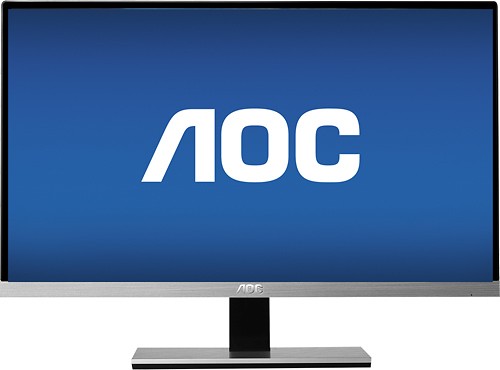
This AOC I2367F 23" IPS LED HD monitor features a 50,000,000:1 dynamic contrast ratio and a 5 ms response time for smooth images with rich detail. The 178~ horizontal and vertical viewing angles offer a clear view from multiple vantage points.
Customer Rating

5
Awsome picture, low power
on February 4, 2015
Posted by: Liger
from Bethany, OK
Verified Purchase:Yes
Great picture quality, got two of these, not a single dead pixel. They have been great for video games and movies, or normal every day work. They can set on the base or without it, but unfortunate cannot be mounted to a monitor stand. Being LED back-lit, they use hardy any power and put off no heat.
I would recommend this to a friend!
Share this review:


0points
0of 0voted this as helpful.
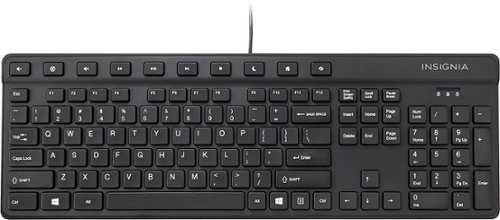
Control the functions of your PC with this Insignia~ NS-PNK5001 USB keyboard that features 104 keys, including hot keys, for easy operation. The waterproof design provides peace of mind during use.
Customer Rating

4
Cheep and durable.
on October 10, 2014
Posted by: Liger
from Bethany, OK
Verified Purchase:Yes
This is a cheep and so far durable keyboard, nothing fancy but a few media buttons, but gets the job done. Uses standard keyboard drivers, no drivers needed, just plug and play.
I have this thrown in my work truck, it gets tossed around and abused and hasn't shown any wear so far. I have dropped other items on top of the keyboard, dropped the keyboard on the floor, and dropped the keyboard snagged by the cable, and still no problems, not a crack.
My Best Buy number: 1023896694
My Best Buy number: 1023896694
I would recommend this to a friend!
Share this review:


0points
0of 0voted this as helpful.
![Captain America: The Winter Soldier [Includes Digital Copy] [3D] [Blu-ray] [Blu-ray/Blu-ray 3D] [2014]](https://pisces.bbystatic.com/prescaled/500/500/image2/BestBuy_US/images/products/304b2327-370a-41e7-956a-951dd4939472.png)
Customer Rating
5
Another marvel from Marvel Studios
on October 10, 2014
Posted by: Liger
from Bethany, OK
Verified Purchase:Yes
Marvel Studios has held up to their reputation with another amazing chapter in the thrilling Avengers story line.
My Best Buy number: 1023896694
My Best Buy number: 1023896694
I would recommend this to a friend!
Share this review:


0points
0of 0voted this as helpful.
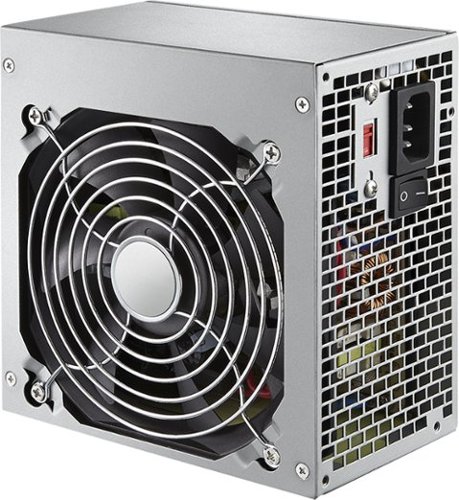
Keep your important computer components running with this Insignia~ 400W ATX power supply that features a 6-pin PCI Express connector for simple installation. The 4.7" fan provides efficient cooling to ensure optimal performance.
Customer Rating
4
Affordable and reliable replacement
on October 10, 2014
Posted by: Liger
from Bethany, OK
Verified Purchase:Yes
A suiting replacing for most computers. Will work in most any store bought computer, but would not recommend it for a high end system, such as gaming or video production.
The good:
Plenty of plugs, more then enough for most computers.
Standard ATX design
Plenty of plugs, more then enough for most computers.
Standard ATX design
The bad:
The fan was a bit noisy, but not that noticeable with other noise in the area. This would only be a problem with an HTPC.
The fan was a bit noisy, but not that noticeable with other noise in the area. This would only be a problem with an HTPC.
My Best Buy number: 1023896694
My Best Buy number: 1023896694
I would recommend this to a friend!
Share this review:


0points
0of 0voted this as helpful.
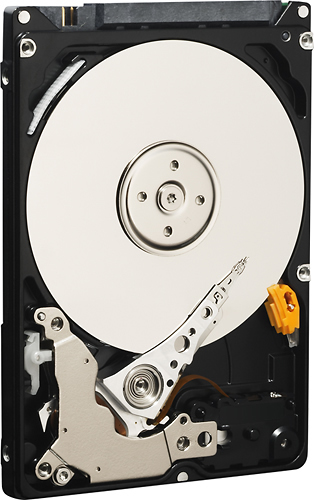
Store up to 320GB of data on this WD Mainstream internal Serial ATA hard drive that is designed for use with laptops and features data transfer rates up to 3 Gbps for enhanced efficiency. Low power consumption enables cool and quiet operation.
Customer Rating
5
Affordable and reliable.
on October 10, 2014
Posted by: Liger
from Bethany, OK
Verified Purchase:Yes
The capacity is too small for many home use applications, and won't do for music and movies, but is great, cheap alternative for business laptops and computers, or point of sales terminals.
Western Digital drives have a history of reliability in my experience and in the short time I have had two of these in terminals, they have been more reliable then the drives they replaced.
If you have any doubt on if it will have enough room, get a bigger drive. This one won't store much.
My Best Buy number: 1023896694
My Best Buy number: 1023896694
I would recommend this to a friend!
Share this review:


0points
0of 0voted this as helpful.
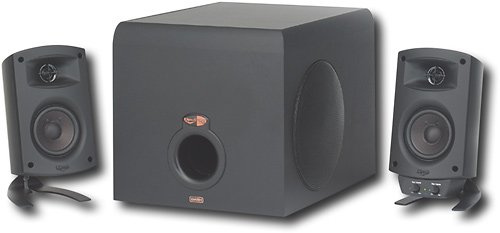
Use this Klipsch ProMedia 3-piece speaker system to enjoy brilliant sound when playing games, listening to music or watching videos on your computer.
Customer Rating
5
Great sound when you keep it ballanced.
on September 20, 2014
Posted by: Liger
from Bethany, OK
Verified Purchase:Yes
Great sound in a small package. The only way I have found to get better sound is with a full sound system, be it a stereo system or surround sound, but if you are trying to stick with a smaller package that fits a desk and gives great sound, this is what you want.
Klipsch does not compromise on sound to make a compact system. I was impressed by the range of this system, and it surpassed my expectations. the 2 way speakers have a very crisp high end and good range, and the sub has more power then a system of this size needs. The cables are more then long enough to fit your average desk, and you are not stuck with the volume on one speaker, as true to a good audio system, the speakers are the same, the volume control attaches to it. (or you could even stick the volume control somewhere else with some sticky tape, or tuck it out of the way)
The sub can overpower the speakers, but they make it easy to adjust with the sub level right next to the volume. This is also great to go between a game where you want that extra kick, to silencing the sub when your room mate is trying to sleep.
The aux input and head phone jacks are in a bit of an odd spot but give a cleaner appearance. The downside to the aux input is that it doesn't have its own volume, so when you do connect a phone or mp3 player, you need to balance it's volume with your computer using their independent volumes. Both the aux input and main input are quite sensitive to static when unplugged, and there is no power button, so remember to turn the volume down first.
The aux input and head phone jacks are in a bit of an odd spot but give a cleaner appearance. The downside to the aux input is that it doesn't have its own volume, so when you do connect a phone or mp3 player, you need to balance it's volume with your computer using their independent volumes. Both the aux input and main input are quite sensitive to static when unplugged, and there is no power button, so remember to turn the volume down first.
The one thing I don't like about this system is there is no power button to turn the system off, and the power light is quite bright. It would be nice if the speakers could be wall mounted for a cluttered or small desk, but I still love them.
My Best Buy number: 1023896694
My Best Buy number: 1023896694
What's great about it: Wide range, great power, great sound quality
What's not so great: No power button! A bit much boom, Sensative to static
I would recommend this to a friend!
Sound Quality

5
Share this review:


+1point
1of 1voted this as helpful.
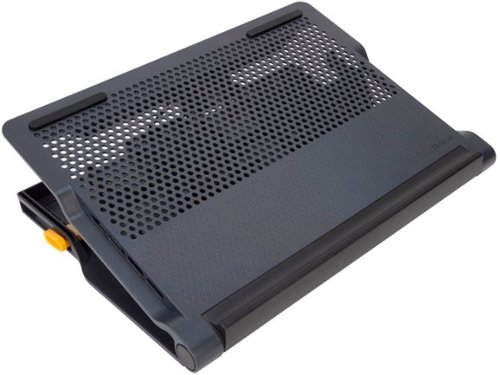
Turn your laptop into a workstation with the 17" Chill Mat + with 4-port Hub. The Chill Mat+ combines a chill mat with all the important things you need when working at a desk. Dual fans keep your laptop cool while a 4-port hub allows you to connect all your peripherals. The adjustable height allows you to use it as a laptop stand. Use it flat, or at the highest setting (4~) with an external keyboard for better ergonomics. The Chill Mat+ with 4-Port Hub is the ideal solution for owners looking to get the most out of their laptop.
Customer Rating

3
Great for desk, built in USB hub, and very quiet
on September 20, 2014
Posted by: Liger
from Bethany, OK
Verified Purchase:Yes
This is only intended at a table or desk or move around. The bottom is not padded.
I like the adjustable angle, but this can lead to some issues with it rocking back and forth occasionally. I would not recommend this if you plan on using the laptop's keyboard and mouse, but only with external keyboard and mouse on a desk. My Sony Vaio F series, 16.5" laptop is larger then this pad and hangs off every side.
The adjustable base does work great to move between tasks, but both sides move and lock separately
It gets the job done and keeps my laptop cool but I wish it was a bit bigger and more sturdy..
My Best Buy number: 1023896694
My Best Buy number: 1023896694
What's great about it: Very quiet, adjustable hight, built in hub, extremely quiet
What's not so great: A tad small for 16"+ laptops.
I would recommend this to a friend!
Share this review:


+3points
3of 3voted this as helpful.
Liger's Review Comments
Liger has not submitted comments on any reviews.
Liger's Questions
Liger has not submitted any questions.
can i hook speakers up to my lcd tv
i have speakers from my computer that plug into electricity for power. Can I hook these up to my lcd tv and which port do i plug them into.
Check to see if your TV has a headphone jack or audio out. This should be the same plug as your speakers used to connect to the computer.
11 years, 8 months ago
by
Liger
Bethany, OK
speakers for a plasma tv - not a whole system
I have been told a center channel speaker would work fine in a normal size living room. Any suggestions?
If you don't want a full sound system, look into a Soundbar. They are a compact system, some including subwoofers, but take up only a bar that can be mounted above or bellow your TV.
There are many sound bars available to match the width of your TV, keep this in mind when picking a sound bar.
There are many sound bars available to match the width of your TV, keep this in mind when picking a sound bar.
11 years, 8 months ago
by
Liger
Bethany, OK
Speakers for Samsung LCD
I am interested in adding external speakers to a Samsung LN46A540. Not really interested in "home theater" but rather better fidelity than that available via the flat screen. Any receommendations? Do I need a receiver/CD player or just speakers?
To match to a TV without the investment in a surround sound home theater system, I would recommend a sound bar. Most get a good sound profile, and many now include a sub-woofer for a wider range (many being wireless). Most sound bars can connect directly to the audio output of the tv if has one and/or connect in line between the TV and your cable box or blue-ray player, their setup is simple, and will give much better sound then the speakers built into your TV.
Sound bars are made to match the size (and width) of a TV. When shopping for a sound bar, consider the size of your TV, if you want sub-woofer (I would recommend one) and wireless or wired sub.
Sound bars are made to match the size (and width) of a TV. When shopping for a sound bar, consider the size of your TV, if you want sub-woofer (I would recommend one) and wireless or wired sub.
Products from my answer
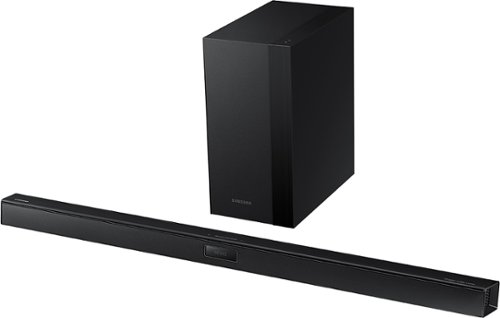
Samsung - 400 Series 2.1-Channel Soundbar with 6-1/2" Wireless Subwoofer - Black
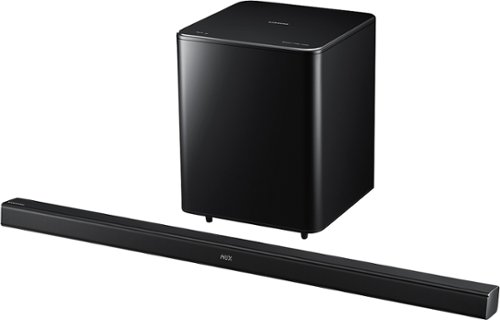
Samsung - 2.1-Channel Soundbar with 6-1/2" Wireless Subwoofer - Black
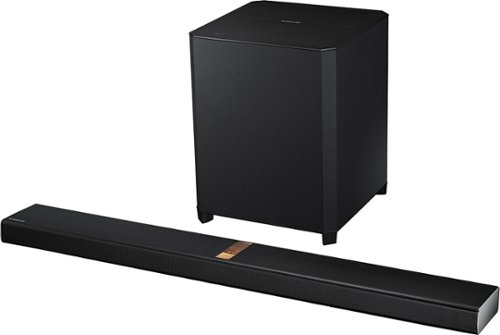
Samsung - 4.1-Channel Soundbar with 8" Wireless Active Subwoofer - Black
11 years, 8 months ago
by
Liger
Bethany, OK
What do I need to set up quality audio through my laptop?
I'd like to play my MP3, CD's and TV shows through my laptop. What do I need to get really good quality sound.
I'm also getting a second 22" monitor
for streaming movies, etc, so good sound is really important.
I'm also getting a second 22" monitor
for streaming movies, etc, so good sound is really important.
Best buy has several quality computer speaker systems, for quality sound I would recommend at minimum you find a 2.1 speaker system you like.
I h ave a Klipsch ProMedia 2.1 system I use for playing games, listening to music, and watching Netflix, and for a compact speaker system, the sound quality is hard to beat.
I h ave a Klipsch ProMedia 2.1 system I use for playing games, listening to music, and watching Netflix, and for a compact speaker system, the sound quality is hard to beat.
Products from my answer
Klipsch - ProMedia 2.1 Speaker System (3-Piece) - Black
 (2,212)
11 years, 8 months ago
by
Liger
Bethany, OK
Surround Speakers
If I get floor speakers for my front speakers and I buy a seperate center channel, what kind of speaker do I need to get for my rear surround sound speakers?
In general you want to stick with the same brand and series speakers all the way around. If you choose a different brand or series, they may not sound the same and will not blend together.
Personally I have a pair of Klipsch Icon KF-28, twin 8" floor standing speakers, a Klipsch Icon KC-25, 5-14" center speaker, and a pair of KB-15 5-1/4" bookshelf speakers for the surround sound speakers, paired with a SW-350, 8" sub, powered by a Pioneer 7.2ch receiver, and I love the sound.
The Klipsc KS-14 duel 4" speakers are designed for surround sound use and would also match with any speakers in the Klipsch Icon series.
Personally I have a pair of Klipsch Icon KF-28, twin 8" floor standing speakers, a Klipsch Icon KC-25, 5-14" center speaker, and a pair of KB-15 5-1/4" bookshelf speakers for the surround sound speakers, paired with a SW-350, 8" sub, powered by a Pioneer 7.2ch receiver, and I love the sound.
The Klipsc KS-14 duel 4" speakers are designed for surround sound use and would also match with any speakers in the Klipsch Icon series.
Products from my answer
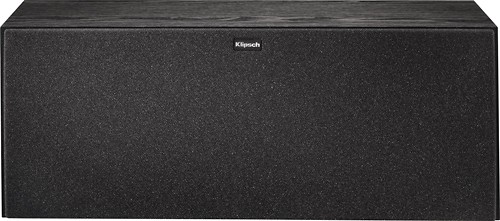
Klipsch - Icon 5-1/4" Center Speaker
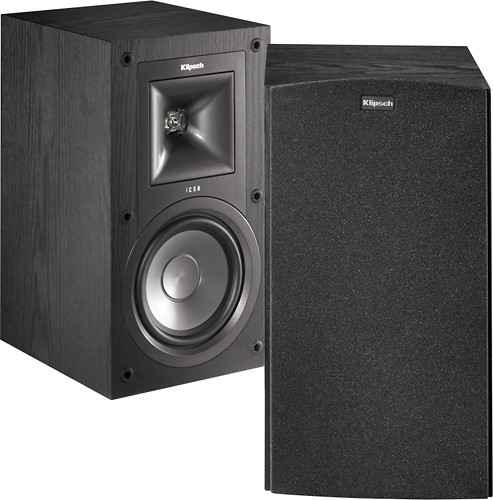
Klipsch - Icon 5-1/4" 2-Way Bookshelf Speakers (Pair)
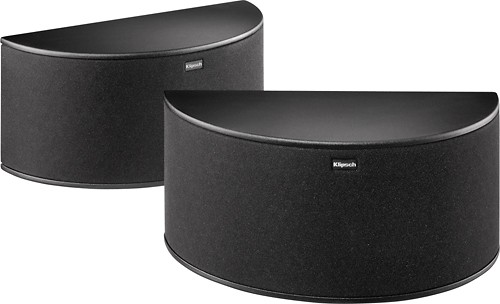
Klipsch - Icon Dual 4" 2-Way Bookshelf Speaker (Pair)
11 years, 8 months ago
by
Liger
Bethany, OK
Do you have speaker mounts for ceiling mounting
Yes. Search for Ceiling Speaker Mounts.
Please consider the size and weight of your speakers when choosing a mount.
Please consider the size and weight of your speakers when choosing a mount.
Products from my answer
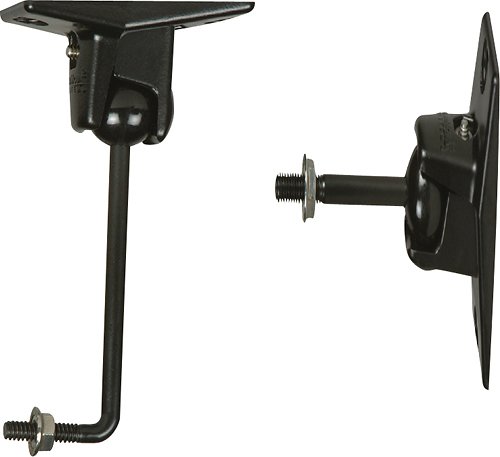
Omnimount - Home Theater Speaker Mount - Black
 (8)
(8)
SIIG - Ceiling Mount for Speaker

Pinpoint - Universal Speaker Ceiling Mount - White - White
11 years, 8 months ago
by
Liger
Bethany, OK
Can 5.1 surround from computer be used on TV?
I have a 5.1 surround sound system that goes to my computer via a 3 to 1 mini jack adapter.
The original cord is 3 separate mini jack ends, but the colors are not standard as in the RCA jacks. One is black, one very pale green and one is yellow. They will also not physically interface with the TV.
The speakers have their own power source and volume control also.
Is there a way to hook this to the TV and utilize the 5.1? I plugged it into the headphone jack and it works that way, but I have no control over the speakers aside from volume up/down, everything else is disabled.
The speakers have rca style jacks into the subwoofer/power source, but again, the colors don't match anything on the TV. They are purple, blue, yellow and pink, and the volume control on a small front speaker comes from a DVI size connector.
Long question, any help?
Thanks!
The original cord is 3 separate mini jack ends, but the colors are not standard as in the RCA jacks. One is black, one very pale green and one is yellow. They will also not physically interface with the TV.
The speakers have their own power source and volume control also.
Is there a way to hook this to the TV and utilize the 5.1? I plugged it into the headphone jack and it works that way, but I have no control over the speakers aside from volume up/down, everything else is disabled.
The speakers have rca style jacks into the subwoofer/power source, but again, the colors don't match anything on the TV. They are purple, blue, yellow and pink, and the volume control on a small front speaker comes from a DVI size connector.
Long question, any help?
Thanks!
Short answer is no.
Most TV's only provide stereo sound and with that would only utilize the front speakers. Computers have 6 sound channels to give surround sound to a speaker system like yours.
The only way to connect it would be a professional quality surround sound decoder, which would be more expensive then buying a surround sound system, and best buy does not have one available.
Most TV's only provide stereo sound and with that would only utilize the front speakers. Computers have 6 sound channels to give surround sound to a speaker system like yours.
The only way to connect it would be a professional quality surround sound decoder, which would be more expensive then buying a surround sound system, and best buy does not have one available.
11 years, 8 months ago
by
Liger
Bethany, OK
Hooking up speakers to a projector
I just recently got the Sanyo PLV-1080HD and didn't realize it didn't have a built in speaker. My question now is how do I connect speakers when using HMDI? Isn't the audio in the HDMI? but the projector has no audio out...? The receiver I'm using is just a Comcast cable box. Any help would be great, thank you. Also, any recommendations on particular speakers? I'm just trying to find something some-what cheap.
Thank you in advance
Thank you in advance
It doesn't seem your projector has an audio output but there is a good chance your Comcast cable box does. Most cable boxes have the ability to give the sound through the HDMI port, or through one of a couple ports on the back, three most common being stereo RCA plugs, or surround sound optical or coax.
If you have a stereo output, you can connect just about any stereo speakers with at most an adapter cable.
Most any sound bar or surround sound system these days can connect directly to the HDMI cable (between the cable box and projector/tv) to get all the sound the speakers need and send the video on to the projector/tv.
If you have a stereo output, you can connect just about any stereo speakers with at most an adapter cable.
Most any sound bar or surround sound system these days can connect directly to the HDMI cable (between the cable box and projector/tv) to get all the sound the speakers need and send the video on to the projector/tv.
Products from my answer
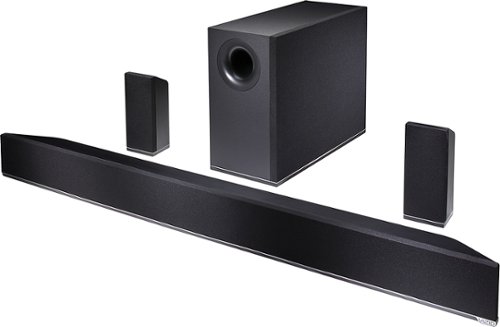
VIZIO - 5.1 Channel Soundbar System with Bluetooth and 6" Wireless Subwoofer - Black
(1,212)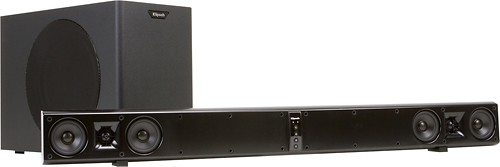
Klipsch - Icon SB 1 Soundbar with 10" Wireless Subwoofer
11 years, 8 months ago
by
Liger
Bethany, OK
what kind of adapter to get for copper wire speakers to analog?
Hi, I bought two sub woofers and some speakers from a friend and I'm trying to get an adapter or converter that will let me take the copper wires that are connected to the speakers and trough the adapter be able to use them with my computer. Got any suggestions? thanks!
You need an amplifier to run most speakers. your computer's plug can only power some headphones, and not speakers themselves.
I used to use a stereo receiver and some book shelf speakers for years.
Though for the price, You can buy a 2.1 speaker system with a built in amp for about the same as a stereo receiver and the cables.
I used to use a stereo receiver and some book shelf speakers for years.
Though for the price, You can buy a 2.1 speaker system with a built in amp for about the same as a stereo receiver and the cables.
Products from my answer
Klipsch - ProMedia 2.1 Speaker System (3-Piece) - Black
(2,212)
Pioneer - Elite 100W 2.0-Ch. Amplifier - Black
(23)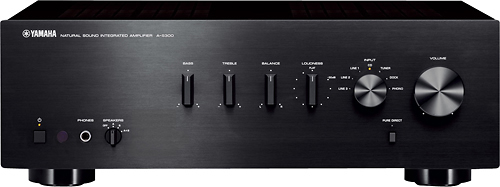
Yamaha - 200W 2-Channel Home Theater Amplifier - Black
11 years, 8 months ago
by
Liger
Bethany, OK
do wireless speakers need batters
Generally depends on the size of the speakers.
Portable speakers, such as out door wireless speakers, generally will run on batteries, often rechargeable, with the ability to plug the speakers in, making them more portable.
Wireless hoe theater speakers need to be plugged in to an AC outlet for power, no batteries needed.
As there are many types, styles, and uses for wireless speakers, It would be better to ask about a particular speaker then ll wireless speakers.
Portable speakers, such as out door wireless speakers, generally will run on batteries, often rechargeable, with the ability to plug the speakers in, making them more portable.
Wireless hoe theater speakers need to be plugged in to an AC outlet for power, no batteries needed.
As there are many types, styles, and uses for wireless speakers, It would be better to ask about a particular speaker then ll wireless speakers.
11 years, 8 months ago
by
Liger
Bethany, OK