


bc3tech's stats
- Review count164
- Helpfulness votes117
- First reviewDecember 3, 2009
- Last reviewMay 21, 2026
- Featured reviews0
- Average rating4.1
Reviews comments
- Review comment count0
- Helpfulness votes0
- First review commentNone
- Last review commentNone
- Featured review comments0
Questions
- Question count0
- Helpfulness votes0
- First questionNone
- Last questionNone
- Featured questions0
- Answer count28
- Helpfulness votes31
- First answerMarch 25, 2010
- Last answerDecember 5, 2021
- Featured answers0
- Best answers2
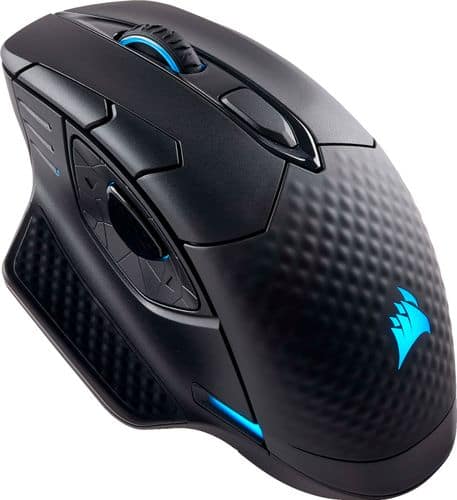
Upgrade PC game performance with this Corsair gaming mouse. Its 1 ms 2.4GHz wireless technology is low latency to provide the edge in eSports competitions, and the nine programmable buttons enable custom configurations. This Corsair gaming mouse has a contoured shape and interchangeable side grips to provide the user with a tailored fit.
Customer Rating

4
Great mouse overall
on April 12, 2018
Posted by: bc3tech
from Seattle, WA
No easy access to software download for configuration; had to web search then go to corsair's site. Would've been nice to have a shortlink right in the manual to type in & download, or better yet, Windows 10 driver detection pull it down and go. After downloading the software, realized you can't customize the mouse's buttons unless you connect *and use* it via USB or 2.4Ghz dongle; bluetooth mode didn't show the mouse as something that could be customized.
Very high sensitivity for typical (non-gaming) usage - took some getting used to
Qi charging is genius; esp when paired w/ the MM1000 mousepad. It's also nice to have the battery level of the mouse as something that can be displayed in the system tray.
Mouse feels good in hand; like a typical mouse. I use it 8hr/day with no fatigue.
My Best Buy number: 0034141229
Mobile Submission: False
I would recommend this to a friend!
Share this review:


0points
0of 0voted this as helpful.
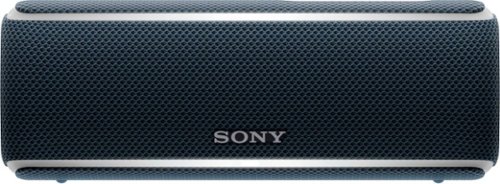
Enjoy your favorite songs with this Bluetooth Sony speaker. Its multicolored line lights and flashing strobe turn any gathering into a party, and the 12 hours battery keeps the music playing all night long. This portable Sony speaker is resistant to water, dust and rust, so you can supply the tunes for any adventure.
Customer Rating

3
Good speaker, with gimmicks
on April 10, 2018
Posted by: bc3tech
from Seattle, WA
At the end of the day this is as good as any speaker its size. The gimmick of "party mode" and the "lights that beat to the music" are just that. The lights don't sense a true music beat so they're barely purposeful.
I didn't get a chance to play with the 'party mode' as I only have one, but fail to see a real use case for this - you're going to have 20 friends all with this same exact speaker gather together? Chances are slim.
I didn't get a chance to play with the 'party mode' as I only have one, but fail to see a real use case for this - you're going to have 20 friends all with this same exact speaker gather together? Chances are slim.
Pairing was easy, battery life also good.
My Best Buy number: 0034141229
Mobile Submission: False
No, I would not recommend this to a friend.
Share this review:


0points
0of 0voted this as helpful.
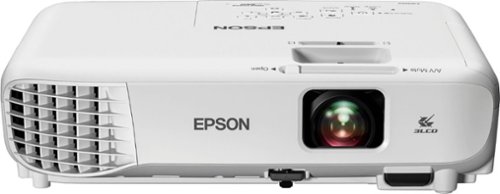
Enjoy big-screen entertainment with this Epson 3LCD portable projector. All-digital HDMI connectivity lets you stream from a variety of devices, and 3,300 lumens of equal color and white brightness let you use it in almost any lighting condition. This Epson 3LCD projector lets you view images up to 25 times larger than those on a 60-inch TV.
Customer Rating
4
Great little projector
on March 19, 2018
Posted by: bc3tech
from Seattle, WA
Our first projector, and something we've been wanting to pull the trigger on. For the price, I think it does a great job. I love that it has a USB port on the back of it because I can now plug my Roku Streaming Stick in and have it all right there, just one power cord going to the projector and I'm done.
Do pay attention to its resolution, friends. It's not even 480p. But I'll tell you that hasn't mattered to me in the least. My family loves the projector and I don't mind the lacking quality one bit.
As far as sound quality goes, it's about what you'd expect from a a speaker of this size. Very tinny, sometimes clipping if you have a show on that has loud sounds/dialog.The options for external sound are limited, just RCA jacks for L/R audio. I wish it had the ability to even pair to a bluetooth speaker - that would have been great. My plan for now is to use Roku's private streaming via its app to pipe the sound to my phone, then to a bluetooth speaker paired to the phone. Should work! :)
My Best Buy number: 0034141229
Mobile Submission: False
I would recommend this to a friend!
Share this review:


0points
0of 0voted this as helpful.
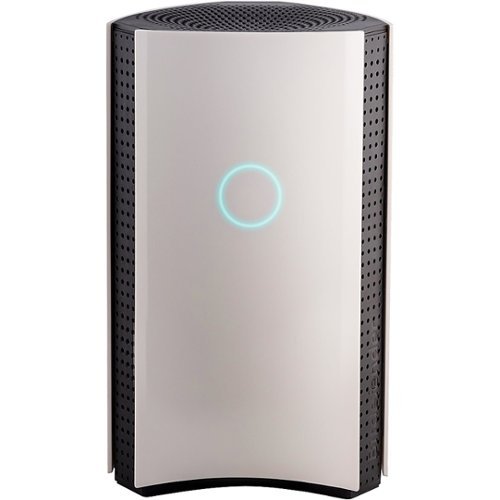
Make your smart home digitally secure with this Bitdefender BOX 2 cybersecurity hub. It protects your connected home and your family from hackers and privacy intruders. You get complete, multilayered cybersecurity for an unlimited number of internet-connected devices. Bitdefender BOX 2 is 100 percent compatible with your home network and lets you control all your connected devices from a single app.
Customer Rating
3
A $99/yr security blanket
on March 9, 2018
Posted by: bc3tech
from Seattle, WA
At face value, the BOX 2 seems like a great idea. Use a dedicated * appliance * to safeguard your family and devices from malware, viruses, inappropriate websites, and hacking.
Execution, however, lacks greatly.
I had difficulties setting up the BOX initially due to, what I presume, was an error in their Android app. I called support immediately and they couldn't get me around it either. During the initial setup, I 'X'd out of the wizard as I was on the phone w/ them, and the rep couldn't tell me how to get back in to it. "Clear data and try again" they said. I found out later through my own experimentation there's an option buried in the settings to re-launch the BOX setup wizard.
When they couldn't get me running, they simply told me to try an iOS device. Luckily my wife has one, or what would've been the choice??
The app experience, specifically logging in, differs on these platforms which further complicated matters. On Android I was able to login/create an account w/ my Microsoft Account credentials. On iOS this wasn't an option.
When they couldn't get me running, they simply told me to try an iOS device. Luckily my wife has one, or what would've been the choice??
The app experience, specifically logging in, differs on these platforms which further complicated matters. On Android I was able to login/create an account w/ my Microsoft Account credentials. On iOS this wasn't an option.
On to the actual usage.
Before the BOX, I had a Netgear Orbi 2-unit setup to blanket my house in solid wifi coverage no matter where you were. My internet connection is fiber, so the Orbi acts as my modem and my router by simply logging in as a PPPoE connection. None of the BOX's setup instructions addressed this scenario, other than telling me I should plug the box in to my Orbi, clone the network, and shut off my Orbi's wifi - a non-starter of a solution.
No matter, after some playing around on the BOX mobile app (the * only * way to configure the unit) I discovered you can give the BOX the PPPoE credentials and it, too, can act as the modem & router for your network. I coupled this with the "passthrough" ethernet ports on the BOX to devise a setup where I can still use my Orbi's mesh wifi coverage, but at least get some network protection from BOX. Said another way, my box now sits *between* my Orbi and the outside world, and I don't use its wifi access point for anything. This is another sticking point; you can't shut off the BOX's SSID broadcast - seems a silly oversight for something that's supposed to be a security appliance.
So, in my setup I have [world] - BOX - Orbi - [my devices] in order to still benefit from the mesh wifi coverage the Orbi provides (and I require) while still gating my network from outside attackers (I hope?). My fear here is that should somebody get in to my Orbi's wifi network, it'd be "behind" the BOX and therefore unprotected; this is, I guess, why they say you want the BOX to be your new wifi AP - but that just isn't an option for me.
After some more research and sleuthing the forums I found I had to turn my Orbi in to AP mode instead of Router mode. This gave me the coverage of the Orbi, but a direct line to the BOX; exactly what I needed. The downside? I lost the Circle parental controls of the Orbi and since the BOX doesn't have VPN capabilities (another odd thing for a security appliance to be missing) I can't use my VPN service to protect all my internet traffic anymore either.
On top of this, I've got no experience with BitDefender and was surprised when I went in to my account after setting up the BOX to discover "Subscription: Active | 365 days" next to the BOX unit in my profile. It’s not clear to me that I have to pay for this year after year and, if so, I won't be keeping it. In my opinion the only reason I spent hundreds of dollars on a security appliance is to avoid ongoing subscription fees. Otherwise it should just be offered like an ISP modem rental. Moreover, online chat support couldn't even directly answer this question - they had to ask me to fill out a form they could send over to the BOX support people who would "get back to me". Just more wastes of my time. 3 days later I received the reply that indeed, BOX only works as long as you pay a $100 yearly subscription fee. I won't be renewing. Especially since Netgear is said to be upgrading their Orbi offering w/ built-in BitDefender security in the near future for only $70/yr.
With respect to its performance, after a week protecting my home network it shows having blocked only 1 "phishing" attempt. In order to see the details of this attempt, I had to log in to BitDefender Central, look at the Notifications area, and the only details I got were "url: <url here>, type: phishing".
Bottom line: It's a nice security blanket but is more of a black BOX than something you can really prove is worth the $99/yr subscription. Customer support was woefully inept in the two interactions I had with them within 24 hours of receiving my device.
My Best Buy number: 0034141229
Mobile Submission: False
No, I would not recommend this to a friend.
Share this review:


+3points
5of 7voted this as helpful.
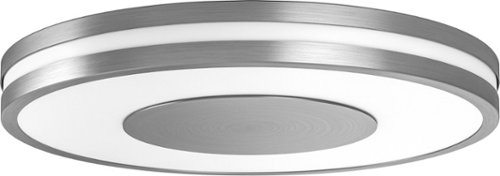
Brighten your day and night with this Philips Being Hue ceiling light. The dimming function lets you set an ambience for different moods, and it works with the Philips Hue dimmer switch and mobile app for versatile control. The ZigBee technology of this 32W Philips Being Hue ceiling lamp provides smooth, efficient interoperability with multiple Hue lighting units.
Customer Rating
3
Know what you're buying in to
on December 11, 2017
Posted by: bc3tech
from Seattle, WA
To do anything useful, this light requires a Philip Hue Bridge. Not a big deal if you've already committed to Philips' ecosystem, but I have not (yet) so I wasn't willing to install & try it out, unfortunately.
But, from the packaging and installation instructions I can certainly help! This light is 13" in diameter and 2" tall in case you're looking for it to fit a particular spot. In addition to it tying to a Hue Bridge, it's also intended to be hard-wired to a light fixture (not to be used as a lamp, "stick up anywhere", or other type of light).
It also, by the pictures & description, can't do *any* color you want, but rather only shades of natural light (eg: 'cool blue' to 'relaxing orange' etc)
My Best Buy number: 0034141229
Mobile Submission: False
No, I would not recommend this to a friend.
Share this review:


-1point
0of 1voted this as helpful.

Go from hundreds of mystery folders to a visual view of your photos automatically sorted by date, subject, people, and places. See your best photos auto-curated based on quality, faces, subjects, and more. Make your photos look amazing with automated photo editing options, and create and share printed artwork, new dynamic slideshows, photo collages, and gifts for friends and family.
Customer Rating
4
Great for organizing!
on December 8, 2017
Posted by: bc3tech
from Seattle, WA
I used Elements to get a grasp on my unruly Collection of photos and it really helped!!
I'm not sure I'd actually *pay* for this capability though. If you have a big enough collection is probably worth the time savings...
My Best Buy number: 0034141229
Mobile Submission: True
I would recommend this to a friend!
Share this review:


0points
0of 0voted this as helpful.
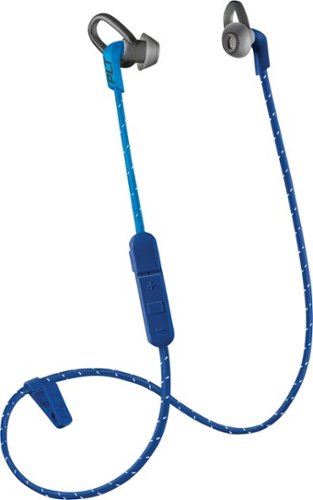
Enjoy clear audio without distraction while wearing these Plantronics BackBeat FIT wireless earbuds. They have a sweat-resistant coating and lightweight design that's comfortable to wear and stays in place as you exercise or lounge. These Plantronics BackBeat FIT wireless earbuds come with interchangeable tips in different sizes, providing a secure, noise-blocking fit.
Customer Rating
4
Good fitness headphones
on November 20, 2017
Posted by: bc3tech
from Seattle, WA
They actually even have a microphone on them.
The headphones themselves are smart enough to allow in background noise if you're talking on the phone (for a more natural experience) and provide good sound quality and fit.
The headphones themselves are smart enough to allow in background noise if you're talking on the phone (for a more natural experience) and provide good sound quality and fit.
They come with 2 additional sizes (smaller, larger) to adapt to most anyone's needs. They charge quickly via USB Micro.
USB-C charging would've been nice as then newer phones could be used to charge the headphones themselves which would be cool.
My Best Buy number: 0034141229
Mobile Submission: False
I would recommend this to a friend!
Share this review:


0points
0of 0voted this as helpful.
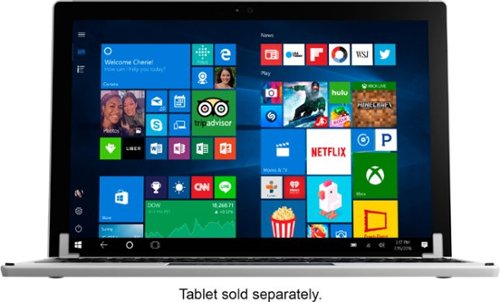
Replace the keyboard of your Microsoft Surface Pro 7, 6, 5 or 4 with this silver Brydge keyboard. It conveniently lets you open the screen at your preferred viewing angle without a kickstand, and its backlit keys increase visibility in low light working environments. This Brydge keyboard is lightweight, so it doesn't add extra bulk to your device.
Customer Rating
4
Solid keyboard, great functionality
on November 20, 2017
Posted by: bc3tech
from Seattle, WA
They keyboard itself weighs about as much as the Surface Pro. So if you don't mind doubling the weight you carry around w/ your SP3/4, this is a great keyboard. Its functionality is good, has all the keys you need, and is easy to pair and use.
I do wish, though, that it was able to take advantage of the charging ports built in to the Surface Pro, or maybe even provide power back to it to extend the battery life.
It comes with additional pieces to adapt the out-of-box configuration to an SP3 if you have one of those.
My Best Buy number: 0034141229
Mobile Submission: False
I would recommend this to a friend!
Share this review:


0points
0of 0voted this as helpful.
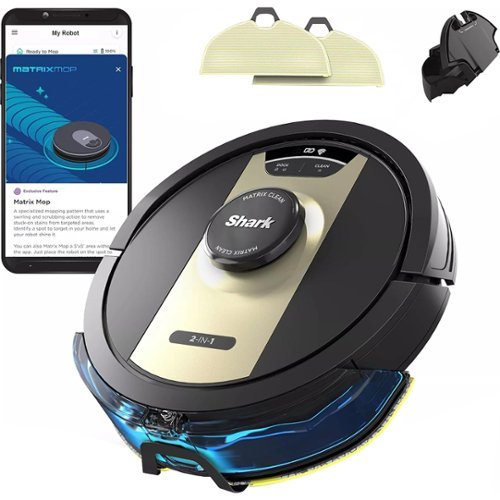
The Shark Matrix~ 2-in-1 robot is the complete package. It not only vacuums hard floors and rugs, but it also vacuums & sonic mops hard floors~at the same time. Other features include: Matrix Clean for a deeper clean leaving no spots missed, Home Mapping for customizing your clean; Voice Control; and a self-cleaning brushroll for picking up all types of hair. Product Features. The Shark Matrix 2-in-1 robot is the complete package. It not only vacuums hard floors and rugs, but it also vacuums & sonic mops hard floors-at the same time. Other features include: Matrix Clean for a deeper clean leaving no spots missed, Home Mapping for customizing your clean; Voice Control; and a self-cleaning brushroll for picking up all types of hair. POWERFUL SUCTION AND SONIC MOPPING: First, it's a powerful whole home vacuum on carpets and floors. Second, it's a powerful vacuum that sonic mops hard floors at the same time. NO SPOTS MISSED: With Matrix Clean, the vacuum cleans using a precision grid taking multiple passes over dirt and debris for whole home, deep cleaning coverage. TACKLE STUCK ON STAINS: Sonic Mopping scrubs hard floors 100x per minute and for extra deep cleaning initiate Matrix Mop in the app to get 50% better stain cleaning in targeted zones (vs. RV2001WD, modified IEC 62885-6). PRECISION HOME MAPPING: 360~ LiDAR vision quickly and accurately maps your home so your robot can methodically clean detecting and avoiding objects in its path, day or night, adapting to everyday changes in the home. HANDS-FREE CONTROL: Set a cleaning schedule, initiate on-demand cleaning, or activate Matrix Clean, all with sound of your voice using Amazon Alexa or Google Assistant. PERFECT FOR HOMES WITH PETS: With powerful suction, Sonic Mopping, and Shark's self-cleaning brushroll, the robot picks up pet hair and eliminates stuck-on pet messes with ease.
Customer Rating
3
Entry level robo vacuum at best
on October 30, 2017
Posted by: bc3tech
from Seattle, WA
The first thing I noticed about this robotic vacuum was its noisiness - or lack thereof to be specific.
After owning a Roomba 520 for years, I couldn't believe how quiet this one was. There had to be a reason for it. Sure enough, it just isn't powerful.
The brushes on the bottom (see picture) are not beefy at all. I would NOT recommend this robotic vacuum for a pet owner.
Additionally, it doesn't move fast at all. It uses the same "random bounce" pattern Roomba vacuums use as well. So, couple this with being slow and you can imagine that it doesn't hit everywhere you want it to in the amount of time it has before its battery dies.
The floor we have this on in our home is hardwood and that's where I think this vacuum would perform best.. Any carpet, rugs, etc and you won't get the performance you desire out of it. It even fails to pick up some crumbs on our wood floors if they're even mildly stuck to the floor (the Roomba would get this up no problem).
Another point of pain - you MUST use the remote to schedule it. This is reminiscent of the very first era of Roombas. Lose the remote and sorry Charlie, hope you like your schedule.
You can watch a video of the Shark in action in my house here: https://1drv.ms/v/s!AmuBKM4_QEQw44hl2_bX5BfZb20Peg
After owning a Roomba 520 for years, I couldn't believe how quiet this one was. There had to be a reason for it. Sure enough, it just isn't powerful.
The brushes on the bottom (see picture) are not beefy at all. I would NOT recommend this robotic vacuum for a pet owner.
Additionally, it doesn't move fast at all. It uses the same "random bounce" pattern Roomba vacuums use as well. So, couple this with being slow and you can imagine that it doesn't hit everywhere you want it to in the amount of time it has before its battery dies.
The floor we have this on in our home is hardwood and that's where I think this vacuum would perform best.. Any carpet, rugs, etc and you won't get the performance you desire out of it. It even fails to pick up some crumbs on our wood floors if they're even mildly stuck to the floor (the Roomba would get this up no problem).
Another point of pain - you MUST use the remote to schedule it. This is reminiscent of the very first era of Roombas. Lose the remote and sorry Charlie, hope you like your schedule.
You can watch a video of the Shark in action in my house here: https://1drv.ms/v/s!AmuBKM4_QEQw44hl2_bX5BfZb20Peg
My Best Buy number: 0034141229
Mobile Submission: False
No, I would not recommend this to a friend.

Share this review:


+1point
1of 1voted this as helpful.
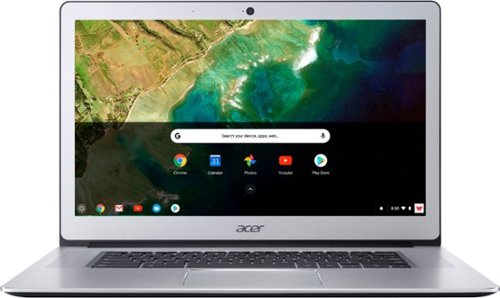
Stay productive wherever you go with this Acer Chromebook computer. Its quad-core Intel Pentium processor and 4GB of RAM run programs and apps efficiently, and its 32GB of storage holds personal documents and photographs. This Acer Chromebook computer has a 15.6-inch Full HD touch screen for clear viewing of videos and movies.
Customer Rating
3
Compelling but frustrating to use
on October 9, 2017
Posted by: bc3tech
from Seattle, WA
I am pleasantly surprised by my first experience with a Chromebook. Out of the box the first thing I noticed was the lightning-fast bootup time. Logging in and setting up the device was straightforward and easy. After that is where things get interesting.
For starters, there's no Caps Lock key. Yes, you read that right. Additionally it's apparently standard that Chromebooks just don't have a delete key. These two things have provided me no end of frustration in using this device. The "start button" (pops up the app chooser for the OS) is what's in place of the caps lock key. So imagine a Windows PC where the Caps Lock key fired up the Start Menu; that's what you get with this thing.
Getting to the settings area and configuring the device is also weird. Everything appears to be within a browser which is a confusing layout and interface for most users, I would expect.
It's cool that this device has a touch screen but let's be honest, what on the web is built for Touch anymore? While you can install Android apps on this (preview feature) and the touchscreen might come in handy there, they launch in a sliver of a window (think iPhone apps on the iPad) so the experience is less than optimal.
I'm one who reverses the scrolling direction on the touchpad on every device I own. I'm dismayed to find there's no setting to do that on this machine.
Other nuances are just a learning curve - where to go to install apps, uninstall apps, "pin" to the "taskbar" (aka Shell).
More hardware things are:
USB-C connectivity for power, but USB-A (aka "normal" USB) ports available as well. But note, those are the only IO ports on the device aside from a headphone jack. No video out - you'll need a USB-C adapter for that.
I noticed, though the screen is touted as high-fidelity 1080p, TweetDeck in particular looked very bad. It appears any "crisp" or "skinny" text has a hard time rendering on this machine. During normal browsing, however, it looked ok.
Sound is as good as laptop speakers can be.
USB-C connectivity for power, but USB-A (aka "normal" USB) ports available as well. But note, those are the only IO ports on the device aside from a headphone jack. No video out - you'll need a USB-C adapter for that.
I noticed, though the screen is touted as high-fidelity 1080p, TweetDeck in particular looked very bad. It appears any "crisp" or "skinny" text has a hard time rendering on this machine. During normal browsing, however, it looked ok.
Sound is as good as laptop speakers can be.
My Best Buy number: 0034141229
Mobile Submission: False
No, I would not recommend this to a friend.
Share this review:


-5points
6of 17voted this as helpful.
bc3tech's Review Comments
bc3tech has not submitted comments on any reviews.
bc3tech's Questions
bc3tech has not submitted any questions.
Enjoy big-screen entertainment with this Epson 3LCD portable projector. All-digital HDMI connectivity lets you stream from a variety of devices, and 3,300 lumens of equal color and white brightness let you use it in almost any lighting condition. This Epson 3LCD projector lets you view images up to 25 times larger than those on a 60-inch TV.
Can you plug your android cell phone into it and play movies from your cell phone to the projector?
If you're going in to any of the provided video ports (HDMI, VGA, etc) then yes. Not just via USB though; that's out/charging only.
8 years, 2 months ago
by
bc3tech
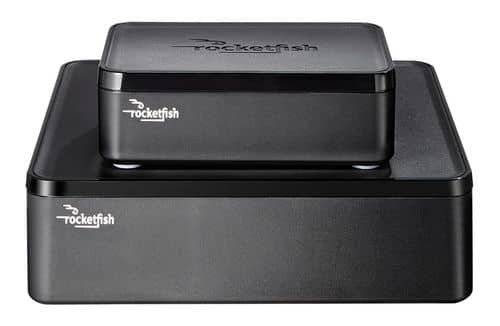
Only at Best BuyEnjoy vibrant CD-quality audio with this Rocketfish~ RF-WHTIB wireless rear speaker kit, which features a wireless range up to 100' for clear transmission. Multiple placement options allow flexible use.
Does it hurt to have the RF-WHTIB wireless rear speaker system plugged into its own power supply and "on" all the time?
Certainly not, mine was plugged in to a separate outlet and always on for a number of years and I never had issues with it.
12 years, 7 months ago
by
bc3tech
Minneapolis, MN
Only at Best BuyEnjoy vibrant CD-quality audio with this Rocketfish~ RF-WHTIB wireless rear speaker kit, which features a wireless range up to 100' for clear transmission. Multiple placement options allow flexible use.
Powered sub output?
Is there an output for my powered sub?
If your powered sub accepts speaker-wire inputs, then yes this could work for that. But it does only have two channels. so you're not going to get your L and R rears, PLUS the sub output if that's what you're wondering.
all the inputs and outputs of the system are speaker wire only, though - no RCA (which some powered subs only take)
all the inputs and outputs of the system are speaker wire only, though - no RCA (which some powered subs only take)
15 years, 4 months ago
by
bc3tech
Minneapolis, MN
Only at Best BuyEnjoy vibrant CD-quality audio with this Rocketfish~ RF-WHTIB wireless rear speaker kit, which features a wireless range up to 100' for clear transmission. Multiple placement options allow flexible use.
Can this be used with a side speaker and a rear speaker instead to two rear speakers?
Sorry for such a dumb question, but I had to ask since the back of the unit shows L/R for Left and Right. I do not have a problem with wiring left side of the room, but right side involves crossing two doors. Can I install the unit such that it services one right side speaker and one right rear speaker?
I see no reason why not. It simply transmits the signal for two channels; whatever those may be. as long as it can hit the "receiving" part of the unit, just plug the L and R lines accordingly and you should be able to get just what you're looking for.
15 years, 4 months ago
by
bc3tech
Minneapolis, MN
Only at Best BuyEnjoy vibrant CD-quality audio with this Rocketfish~ RF-WHTIB wireless rear speaker kit, which features a wireless range up to 100' for clear transmission. Multiple placement options allow flexible use.
Does the Rocketfish Wireless Rear Speaker Kit work with an RCA RT2906 home theater system?
I'm not sure on this particular home theatre system, but I can explain why they call it universal and perhaps that'll help you.
Basically if you have speaker wire coming out of your receiver, then you just plug that speaker wire in to the "sender" of the unit, and then put the "receiver" of the unit wherever your rear speakers are going to sit and plugs those in w/ their speaker wire.
The one downside is that the receiving unit has to be plugged in via A/C (wall plug) and is not battery powered; somewhat of a pain and faux pas on their part in the design. I'd have liked to see it powered by C/D batteries so that it could be completely disconnected.
Basically if you have speaker wire coming out of your receiver, then you just plug that speaker wire in to the "sender" of the unit, and then put the "receiver" of the unit wherever your rear speakers are going to sit and plugs those in w/ their speaker wire.
The one downside is that the receiving unit has to be plugged in via A/C (wall plug) and is not battery powered; somewhat of a pain and faux pas on their part in the design. I'd have liked to see it powered by C/D batteries so that it could be completely disconnected.
15 years, 4 months ago
by
bc3tech
Minneapolis, MN
Movies & TV Shows
Movies & TV Shows
Do you have SURIVOR DVDS?
Do you have surivor DVDS
http://www.bestbuy.com/site/olstemplatemapper.jsp?_dyncharset=ISO-8859-1&_dynSessConf=3417913174335253258&id=pcat17071&type=page&ks=960&st=survivor&sc=movieSP&cp=1&sp=&qp=ccat02015%23%23-1%23%23-1%7E%7Eq7375727669766f72%7E%7Enf472%7C%7C54656c65766973696f6e&list=y&usc=Movies&nrp=15&iht=n
16 years, 2 months ago
by
bc3tech
Minneapolis, MN
Movies & TV Shows
Movies & TV Shows
on Blu-Ray titles video specs
why do some have 1080P while others have AVC @ 26 MBPS
AVC would seem to suggest that they were not originally filmed at HD resolutions. AVCHD is a format you can use to encode videos not HD quality on to a blu-ray disc to play on HD players. I have not seen such a movie - can you specify the title of what you're seeing AVC & 26MBPS on?
16 years, 2 months ago
by
bc3tech
Minneapolis, MN
Movies & TV Shows
Movies & TV Shows
Where to find 3D movies and how do you tell they are 3D?
I have a 60" dlp set with the 3D glasses from Nvidia, it's fun for games but I would like to try watching a movie in 3D, but I am not sure where I could by the special DVDs/blurays for it, since they have to have a special format for the player to display them in 3D
If these are the "old" red/blue glasses, then no. If these are powered, Active Scan glasses, then there's a good chance you'll be able to use them w/ the new equipment. I do not yet know of any movies out in 3D, but the players do exist as I'm sure you already know. Early indications say that you will have to have glasses that match your 3d SET in order for it to work (panasonic glasses -> panasonic TV, etc). Your DLP set is likely not the new 3d standard that has been developed, so I don't think you can expect to see 3d content from the players/movies that are coming out on it.
16 years, 2 months ago
by
bc3tech
Minneapolis, MN