
Share riverratz04's profile


riverratz04
riverratz04's stats
- Review count12
- Helpfulness votes0
- First reviewMarch 21, 2014
- Last reviewFebruary 23, 2018
- Featured reviews0
- Average rating4.8
Reviews comments
- Review comment count0
- Helpfulness votes0
- First review commentNone
- Last review commentNone
- Featured review comments0
Questions
- Question count0
- Helpfulness votes0
- First questionNone
- Last questionNone
- Featured questions0
- Answer count9
- Helpfulness votes6
- First answerMarch 21, 2014
- Last answerFebruary 23, 2018
- Featured answers0
- Best answers1
![1989 [CD]](https://pisces.bbystatic.com/prescaled/500/500/image2/BestBuy_US/images/products/365f5006-bcf8-445f-b20e-eb10c5b28bcb.jpg)
Customer Rating

5
Great CD!
on November 14, 2014
Posted by: riverratz04
from PA.
Verified Purchase:Yes
This is a great CD! I like just about everything Taylor does, but this is outstanding!
My Best Buy number: 2130227197
My Best Buy number: 2130227197
I would recommend this to a friend!
Share this review:


0points
0of 0voted this as helpful.
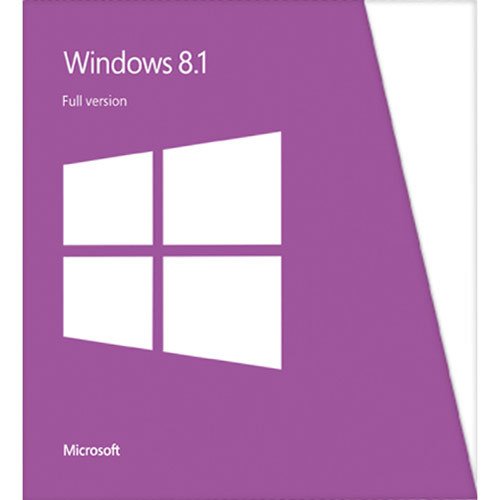
It's the twenty-first century: multitasking is a way of life. Cell phones, laptops and tablets and their ever-expanding networks, apps and programs make it so we can almost always be doing at least two things at once. You send an e-mail while you're out to lunch. You call your clients while you're finishing up that presentation. You send your brother a birthday e-card while you're walking to your next appointment. Technology allows us to stay connected to the people and things we care about. It also creates a world where work and play are constantly overlapping ~ where creativity, productivity and recreation often go hand-in-hand. With that in mind, Windows 8.1 has been designed to bring you one operating system that can handle all of life's demands ~ no matter what it throws at you. Whether you're at work, at play or just looking for some inspiration, Windows 8.1 is there to deliver. Windows 8.1 personalizes your experience so can work and play in a way that allows you to access what truly matters to you. Beginning at your Start screen, you see a new layout that features your favorite news, friends, social networks and apps. You can customize colors, backgrounds and tile sizes to make your device unique to you. You can even access your familiar Windows desktop with just one click, so all the features you love are never far away. All your old apps, files and settings easily transfer and run on Windows 8.1. Your productivity will reach new heights thanks to Windows 8.1's ability to work harmoniously with your devices, whether they are touch screen or mouse-and-keyboard. You can stay connected to important photos and files by accessing them on your phone, tablet or PC with SkyDrive. Just sign in to your Microsoft account and your desktop will appear with all your personal preferences and settings so you can keep working wherever you are. In addition to the enhanced built-in apps and features, you can also discover more of your favorite apps with access to the Windows Store, which puts Netflix, ESPN, Skype, Halo: Spartan Assault, and other features conveniently at your fingertips. The new Windows 8.1 also makes searching, browsing and sharing faster and safer than ever. Use your device's power more efficiently for quick start-ups and app-switching as you stay up to date with security features, including Windows Defender, Windows Firewall and Windows Update. Life won't wait, so why should you? Access what is important to you ~ your way ~ so you get the best of work and play with Windows 8.1.
Customer Rating
5
I don't know what all the fuss is about!
on March 21, 2014
Posted by: riverratz04
from PA.
Verified Purchase:Yes
What is all the fuss about? I like Windows 8. I think it got a bad rap from the beginning. It's easy to install, walks you right through it. My pc is running much more efficiently now. There's a little bit of a learning curve, but it's not bad at all. I highly recommend Windows 8, and I would buy it again.
My Best Buy number: 2130227197
My Best Buy number: 2130227197
What's great about it: more efficient use of system utilites
I would recommend this to a friend!
Ease of Use

5
Share this review:


0points
0of 0voted this as helpful.
riverratz04's Review Comments
riverratz04 has not submitted comments on any reviews.
riverratz04's Questions
riverratz04 has not submitted any questions.
riverratz04's Answers
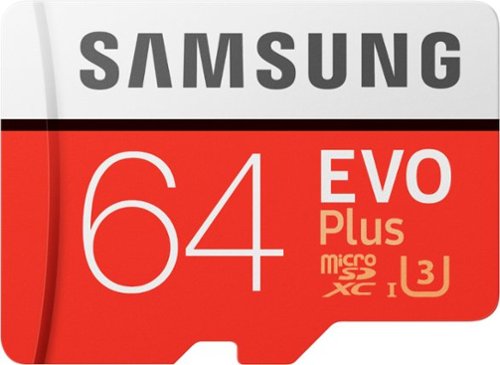
Keep high-resolution files protected and easily accessible with this Samsung EVO Plus microSDXC card. It provides robust storage for up to 64GB of data from your action camera, tablet or smartphone thanks to its resistance to shock, seawater and extreme environments. This Samsung EVO Plus microSDXC card reads data at speeds of 100MB/sec. for smooth 4K UHD media playback.
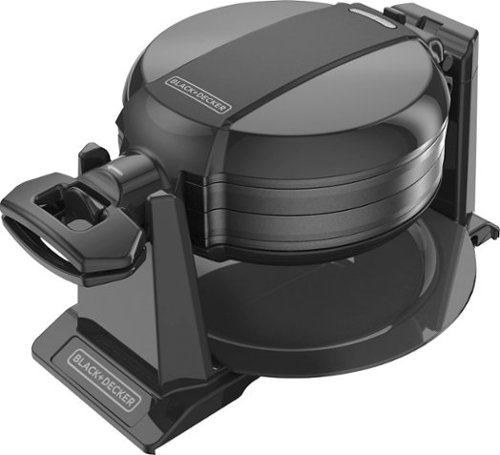
Black & Decker Double Flip Waffle Maker: Make two 1" thick, Belgian-style waffles at the same time with this waffle maker, which features extra-deep nonstick grids for easy food removal. Cool-touch handles protect your hands from the heat.
The original answer to my question was only partially answered. Are the grids for the Black & Decker - Double Flip Waffle Maker removable for deeper cleaning?
Black & Decker Double Flip Waffle Maker: Make two 1" thick, Belgian-style waffles at the same time with this waffle maker, which features extra-deep nonstick grids for easy food removal. Cool-touch handles protect your hands from the heat.
Re: Black & Decker - Double Flip Waffle Maker - Black Are the grids non-stick, and are they removable for cleaning?
Black & Decker Double Flip Waffle Maker: Make two 1" thick, Belgian-style waffles at the same time with this waffle maker, which features extra-deep nonstick grids for easy food removal. Cool-touch handles protect your hands from the heat.
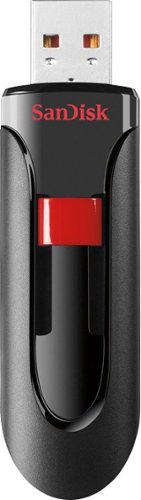
Store and protect everything from cherished photos and videos to sensitive work files with the Cruzer Glide USB Flash Drive. The drive comes with SanDisk SecureAccess software, which lets you password-protect and secure files you want to keep private while permitting access to files you want to share. The compact drive features a red slider that glides shut to shield the USB connector. A high-speed USB 2.0 interface delivers fast, reliable performance.
Is the Cruzer Glide 2.0/3.0 compatible with Windows 10?
I don't see Windows 10 listed on the package, yet it is listed as compatible on the SanDisk website.
Yes, that's what I used it with.
10 years, 7 months ago
by
riverratz04
PA.
It's the twenty-first century: multitasking is a way of life. Cell phones, laptops and tablets and their ever-expanding networks, apps and programs make it so we can almost always be doing at least two things at once. You send an e-mail while you're out to lunch. You call your clients while you're finishing up that presentation. You send your brother a birthday e-card while you're walking to your next appointment. Technology allows us to stay connected to the people and things we care about. It also creates a world where work and play are constantly overlapping ~ where creativity, productivity and recreation often go hand-in-hand. With that in mind, Windows 8.1 has been designed to bring you one operating system that can handle all of life's demands ~ no matter what it throws at you. Whether you're at work, at play or just looking for some inspiration, Windows 8.1 is there to deliver. Windows 8.1 personalizes your experience so can work and play in a way that allows you to access what truly matters to you. Beginning at your Start screen, you see a new layout that features your favorite news, friends, social networks and apps. You can customize colors, backgrounds and tile sizes to make your device unique to you. You can even access your familiar Windows desktop with just one click, so all the features you love are never far away. All your old apps, files and settings easily transfer and run on Windows 8.1. Your productivity will reach new heights thanks to Windows 8.1's ability to work harmoniously with your devices, whether they are touch screen or mouse-and-keyboard. You can stay connected to important photos and files by accessing them on your phone, tablet or PC with SkyDrive. Just sign in to your Microsoft account and your desktop will appear with all your personal preferences and settings so you can keep working wherever you are. In addition to the enhanced built-in apps and features, you can also discover more of your favorite apps with access to the Windows Store, which puts Netflix, ESPN, Skype, Halo: Spartan Assault, and other features conveniently at your fingertips. The new Windows 8.1 also makes searching, browsing and sharing faster and safer than ever. Use your device's power more efficiently for quick start-ups and app-switching as you stay up to date with security features, including Windows Defender, Windows Firewall and Windows Update. Life won't wait, so why should you? Access what is important to you ~ your way ~ so you get the best of work and play with Windows 8.1.
What is the difference between Windows 8 and Windows 8.1
I am buying a new PC that is loaded with Windows 8 and I don't really like the looks or how to use it. Does Windows 8.1 work similar to the older versions, say XP or Windows 7?
Windows 8.1 is an update to Windows 8. It might add a few new things in the update, but it will look and act pretty much the same. It takes a little getting used to, but is worth it. My pc is running much faster now because it uses your resources more efficiently.
12 years, 2 months ago
by
riverratz04
PA.
It's the twenty-first century: multitasking is a way of life. Cell phones, laptops and tablets and their ever-expanding networks, apps and programs make it so we can almost always be doing at least two things at once. You send an e-mail while you're out to lunch. You call your clients while you're finishing up that presentation. You send your brother a birthday e-card while you're walking to your next appointment. Technology allows us to stay connected to the people and things we care about. It also creates a world where work and play are constantly overlapping ~ where creativity, productivity and recreation often go hand-in-hand. With that in mind, Windows 8.1 has been designed to bring you one operating system that can handle all of life's demands ~ no matter what it throws at you. Whether you're at work, at play or just looking for some inspiration, Windows 8.1 is there to deliver. Windows 8.1 personalizes your experience so can work and play in a way that allows you to access what truly matters to you. Beginning at your Start screen, you see a new layout that features your favorite news, friends, social networks and apps. You can customize colors, backgrounds and tile sizes to make your device unique to you. You can even access your familiar Windows desktop with just one click, so all the features you love are never far away. All your old apps, files and settings easily transfer and run on Windows 8.1. Your productivity will reach new heights thanks to Windows 8.1's ability to work harmoniously with your devices, whether they are touch screen or mouse-and-keyboard. You can stay connected to important photos and files by accessing them on your phone, tablet or PC with SkyDrive. Just sign in to your Microsoft account and your desktop will appear with all your personal preferences and settings so you can keep working wherever you are. In addition to the enhanced built-in apps and features, you can also discover more of your favorite apps with access to the Windows Store, which puts Netflix, ESPN, Skype, Halo: Spartan Assault, and other features conveniently at your fingertips. The new Windows 8.1 also makes searching, browsing and sharing faster and safer than ever. Use your device's power more efficiently for quick start-ups and app-switching as you stay up to date with security features, including Windows Defender, Windows Firewall and Windows Update. Life won't wait, so why should you? Access what is important to you ~ your way ~ so you get the best of work and play with Windows 8.1.
WIn 8 Laptop with bad drive - want to install a new drive. Product Key Question.
So I have a Windows 8 laptop, I have the Windows 8 Product Key.
The current drive is problematice.
I want to install a new SSD drive, or maybe an SSHD.
I have no media from which to do a clean OS install and was wondering ......
Does this Full Install come with a new Product Key for activation?
-OR-
Can I use the current Win 8.0 Product key?
The current drive is problematice.
I want to install a new SSD drive, or maybe an SSHD.
I have no media from which to do a clean OS install and was wondering ......
Does this Full Install come with a new Product Key for activation?
-OR-
Can I use the current Win 8.0 Product key?
It will come with a new product key.
12 years, 2 months ago
by
riverratz04
PA.
It's the twenty-first century: multitasking is a way of life. Cell phones, laptops and tablets and their ever-expanding networks, apps and programs make it so we can almost always be doing at least two things at once. You send an e-mail while you're out to lunch. You call your clients while you're finishing up that presentation. You send your brother a birthday e-card while you're walking to your next appointment. Technology allows us to stay connected to the people and things we care about. It also creates a world where work and play are constantly overlapping ~ where creativity, productivity and recreation often go hand-in-hand. With that in mind, Windows 8.1 has been designed to bring you one operating system that can handle all of life's demands ~ no matter what it throws at you. Whether you're at work, at play or just looking for some inspiration, Windows 8.1 is there to deliver. Windows 8.1 personalizes your experience so can work and play in a way that allows you to access what truly matters to you. Beginning at your Start screen, you see a new layout that features your favorite news, friends, social networks and apps. You can customize colors, backgrounds and tile sizes to make your device unique to you. You can even access your familiar Windows desktop with just one click, so all the features you love are never far away. All your old apps, files and settings easily transfer and run on Windows 8.1. Your productivity will reach new heights thanks to Windows 8.1's ability to work harmoniously with your devices, whether they are touch screen or mouse-and-keyboard. You can stay connected to important photos and files by accessing them on your phone, tablet or PC with SkyDrive. Just sign in to your Microsoft account and your desktop will appear with all your personal preferences and settings so you can keep working wherever you are. In addition to the enhanced built-in apps and features, you can also discover more of your favorite apps with access to the Windows Store, which puts Netflix, ESPN, Skype, Halo: Spartan Assault, and other features conveniently at your fingertips. The new Windows 8.1 also makes searching, browsing and sharing faster and safer than ever. Use your device's power more efficiently for quick start-ups and app-switching as you stay up to date with security features, including Windows Defender, Windows Firewall and Windows Update. Life won't wait, so why should you? Access what is important to you ~ your way ~ so you get the best of work and play with Windows 8.1.
Does this package include Skype?
I need this for an interview
Yes, it comes with Skype.
12 years, 2 months ago
by
riverratz04
PA.
It's the twenty-first century: multitasking is a way of life. Cell phones, laptops and tablets and their ever-expanding networks, apps and programs make it so we can almost always be doing at least two things at once. You send an e-mail while you're out to lunch. You call your clients while you're finishing up that presentation. You send your brother a birthday e-card while you're walking to your next appointment. Technology allows us to stay connected to the people and things we care about. It also creates a world where work and play are constantly overlapping ~ where creativity, productivity and recreation often go hand-in-hand. With that in mind, Windows 8.1 has been designed to bring you one operating system that can handle all of life's demands ~ no matter what it throws at you. Whether you're at work, at play or just looking for some inspiration, Windows 8.1 is there to deliver. Windows 8.1 personalizes your experience so can work and play in a way that allows you to access what truly matters to you. Beginning at your Start screen, you see a new layout that features your favorite news, friends, social networks and apps. You can customize colors, backgrounds and tile sizes to make your device unique to you. You can even access your familiar Windows desktop with just one click, so all the features you love are never far away. All your old apps, files and settings easily transfer and run on Windows 8.1. Your productivity will reach new heights thanks to Windows 8.1's ability to work harmoniously with your devices, whether they are touch screen or mouse-and-keyboard. You can stay connected to important photos and files by accessing them on your phone, tablet or PC with SkyDrive. Just sign in to your Microsoft account and your desktop will appear with all your personal preferences and settings so you can keep working wherever you are. In addition to the enhanced built-in apps and features, you can also discover more of your favorite apps with access to the Windows Store, which puts Netflix, ESPN, Skype, Halo: Spartan Assault, and other features conveniently at your fingertips. The new Windows 8.1 also makes searching, browsing and sharing faster and safer than ever. Use your device's power more efficiently for quick start-ups and app-switching as you stay up to date with security features, including Windows Defender, Windows Firewall and Windows Update. Life won't wait, so why should you? Access what is important to you ~ your way ~ so you get the best of work and play with Windows 8.1.
well it work on windows XP
well it work on windows xp?
no. You can't update it from XP to 8, but you can do a clean install. That means you would lose all your pics, music, documents, etc. unless you backed them up first.
12 years, 2 months ago
by
riverratz04
PA.