
Share HouseHaverhcez's profile


HouseHaverhcez
HouseHaverhcez's stats
- Review count5
- Helpfulness votes5
- First reviewOctober 7, 2007
- Last reviewJune 15, 2013
- Featured reviews0
- Average rating4.4
Reviews comments
- Review comment count0
- Helpfulness votes0
- First review commentNone
- Last review commentNone
- Featured review comments0
Questions
- Question count0
- Helpfulness votes0
- First questionNone
- Last questionNone
- Featured questions0
Answers
- Answer count0
- Helpfulness votes0
- First answerNone
- Last answerNone
- Featured answers0
- Best answers0
HouseHaverhcez's Reviews
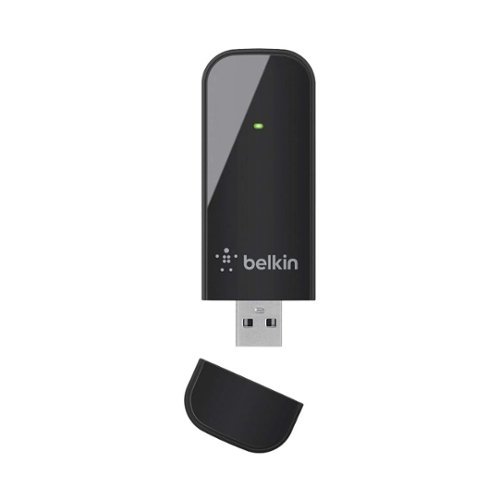
Connect wired computers to a wireless network with this Belkin dual-band USB adapter. This small dongle plugs into the computer's USB port and connects the device to the internet via a router's wireless access point. This Belkin dual-band USB adapter lets you choose the quietest channel for your wireless network.
Customer Rating

3
It works, but is sometimes unreliable with Windows
on June 15, 2013
Posted by: HouseHaverhcez
from Gloucester, MA
I use it in...:Large home
Verified Purchase:Yes
While easy to setup, Windows 8 seems to have a problem with USB Wireless Adapters. This is not new with this product, but sometimes forgets that this network adapter is installed. It's hard to blame Belkin, but after all the reliable network product manufactures no longer make these USB network adapters...maybe they saw the problems Windows creates.
My Best Buy number: 0329356499
My Best Buy number: 0329356499
What's great about it: Easy to install
What's not so great: Windows 8 does not always connect
I would recommend this to a friend!
Ease of Use

4
Performance

3
Share this review:


+1point
1of 1voted this as helpful.
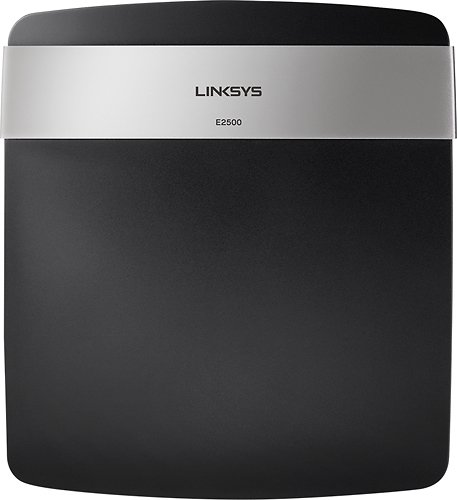
With a strong Wi-Fi connection and reduced buffering, this Linksys router lets your household enjoy uninterrupted entertainment, downloading and more. Plus, you can keep track of your kids~ online activity with Linksys Connect parental control.
Customer Rating

5
Great success with an easy setup
on June 14, 2013
Posted by: HouseHaverhcez
from Gloucester, MA
I use it in...:Large home
Verified Purchase:Yes
I only rely on Linksys routers. My last router that was nearly five years old was finally suffering from 24/7 usage, so I once again put my trust in Linksys for the latest and greatest. And Linksys delivered. Fast, easy, uncomplicated configuration.
My Best Buy number: 0329356499
My Best Buy number: 0329356499
What's great about it: Fast and reliable
I would recommend this to a friend!
Ease of Use

5
Performance
5
Share this review:


0points
0of 0voted this as helpful.
Customer Rating
5
Can you say "AirPlay"
on June 14, 2013
Posted by: HouseHaverhcez
from Gloucester, MA
I use it in...:Small home
Verified Purchase:Yes
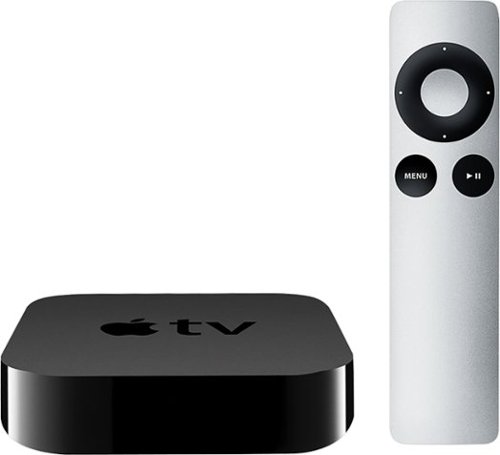
Once I discovered that my iPhone 5 and Apple TV were made for each other, I was hooked. Even though I cannot get my HBO shows through Apple TV, I can easily use the HBO GO app on my iPhone 5 to stream my HBO content, in HD, to my Apple TV. Wow, it's truly a match made in heaven--especially when I'm on the road and don't have my Comcast OnDemand available. Additionally, I have purchased some video content from iTunes that I can always watch through Apple TV. Apple has made a simple solution to an age-old problem.
My Best Buy number: 0329356499
My Best Buy number: 0329356499
What's great about it: AirPlay with my iPhone or iPod
What's not so great: Initial configuration
I would recommend this to a friend!
Ease of Use
4
Performance
5
Share this review:


0points
0of 0voted this as helpful.
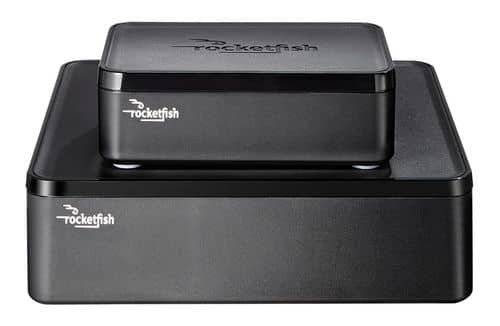
Only at Best BuyEnjoy vibrant CD-quality audio with this Rocketfish~ RF-WHTIB wireless rear speaker kit, which features a wireless range up to 100' for clear transmission. Multiple placement options allow flexible use.
Customer Rating

4
Great addition to home theater
on December 23, 2010
Posted by: HouseHaverhcez
from Gloucester, MA
I bought this kit to power my rear surround speakers where I cannot use a wired connection. I was impressed by the simplicity of use and that I could my current rear speakers making it an excellent choice. Only issue is that when they are on, the signal interferes with the wireless network reception on my BluRay player. So when I can use it works beautifully!
What's great about it: Simple to setup, supports my desired speaker choice
What's not so great: RF signal interferes with some WiFi
I would recommend this to a friend!
Sound Quality
5
Range
4
Share this review:


+2points
2of 2voted this as helpful.
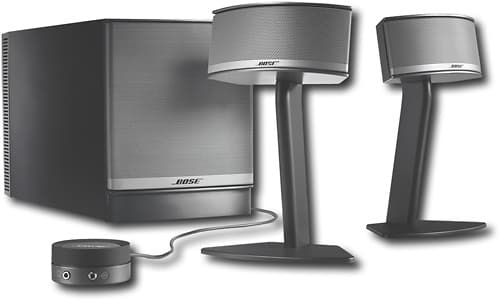
With TruSpace~ digital processing circuitry, this multimedia speaker system delivers 5.1 multichannel audio from just 2 speakers and the compact Acoustimass~ module, providing an immersive movie-watching or game-playing experience on your computer.2px 17px;margin:
Posted by: HouseHaverhcez
from Columbus, OH
Bose Companion 5 Multimedia Speakers are a luxurious addition to any computer system used for listening to music, watching TV or movies. As expected, this speaker system delivers rich, exceptionally clear, Bose-quality sound. I use my speakers with a Dell laptop through a USB port and use Windows Media Player (WMP) as my primary music player. I save all of my personal CDs in high-quality WMP files and the results from the Bose speakers are crisp, clear, deep, rich sound.
The volume/mute control pod is a great feature for adjusting the level for different music types, and the quick Mute allows for fast response when answering the phone. I keep the control pod right next to my phone which reduces fumbling when I receive a call.
The USB input allows for clear, digital sound signals to be processed by your Bose speakers. This is particularly useful when your computer is not well shielded internally causing whirrring or whinig noises in your sound output. The passing of the digital signal eliminates these noises.
Alternatively, you can plug your iPod or other MP3 player directly into the system through your control pod, using a stereo mini-plug.
If you want the best sound from your computer system, this is the best computer-based system to purchase.
Sometimes when booting up my computer the USB signal gets "stuck" which generates an annoying mid-level tone from the speakers. Once the Windows system is fulled booted, the problem automatically goes away.
When Windows Vista was released, the Windows Control Panel functions for the speakers changed and Bose was very responsive to assisting me choose the correct settings for my speakers.
The volume/mute control pod is a great feature for adjusting the level for different music types, and the quick Mute allows for fast response when answering the phone. I keep the control pod right next to my phone which reduces fumbling when I receive a call.
The USB input allows for clear, digital sound signals to be processed by your Bose speakers. This is particularly useful when your computer is not well shielded internally causing whirrring or whinig noises in your sound output. The passing of the digital signal eliminates these noises.
Alternatively, you can plug your iPod or other MP3 player directly into the system through your control pod, using a stereo mini-plug.
If you want the best sound from your computer system, this is the best computer-based system to purchase.
Sometimes when booting up my computer the USB signal gets "stuck" which generates an annoying mid-level tone from the speakers. Once the Windows system is fulled booted, the problem automatically goes away.
When Windows Vista was released, the Windows Control Panel functions for the speakers changed and Bose was very responsive to assisting me choose the correct settings for my speakers.
What's great about it: Bose-quality sound from your computer, USB Connectivity eliminates system noise on some systems
What's not so great: USB Connectivity can sometimes cause complications in sound generation, Expensive
I would recommend this to a friend!
Share this review:


+2points
2of 2voted this as helpful.
HouseHaverhcez's Review Comments
HouseHaverhcez has not submitted comments on any reviews.
HouseHaverhcez's Questions
HouseHaverhcez has not submitted any questions.
HouseHaverhcez's Answers
HouseHaverhcez has not submitted any answers.