


ETP1's stats
- Review count90
- Helpfulness votes413
- First reviewFebruary 1, 2014
- Last reviewMay 27, 2026
- Featured reviews0
- Average rating4.8
- Review comment count12
- Helpfulness votes6
- First review commentFebruary 1, 2014
- Last review commentDecember 25, 2016
- Featured review comments0
Questions
- Question count0
- Helpfulness votes0
- First questionNone
- Last questionNone
- Featured questions0
- Answer count19
- Helpfulness votes31
- First answerJanuary 3, 2009
- Last answerJuly 27, 2021
- Featured answers0
- Best answers5
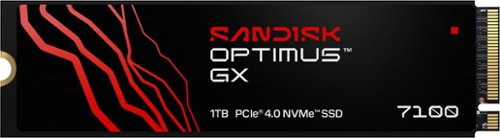
Game even faster with the SANDISK Optimus GX 7100 NVMe SSDs with PCIe Gen 4.0 boasting Sequential Read/Write speeds up to 7,250/6,900MB/s (1TB and 2TB models). Improve system responsiveness and help minimize game lag with Random Read/Write speeds up to 1M/1.4M IOPS (1TB and 2TB models) and integrated SANDISK nCache Technology. With a power-efficient architecture for laptops and handheld gaming consoles, conquer your gaming sessions or creative workflows while on-the go. Store more games and content with capacities up to 4TB on M.2 2280.
Customer Rating

5
Best new product that is supply chain safe
on May 27, 2026
Posted by: ETP1
5 stars for speed, quality, and endurance specifications.
Model Number: SDSP71100TAN-000E0
SANDISK Optimus GX 7100 NVMe™ SSD - 1TB
Similar product to the 850X!
SANDISK Optimus GX 7100 NVMe™ SSD - 1TB
Similar product to the 850X!
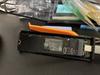
1. Fast transfer speeds to external USC C M.2 adapter
2. Four Minutes to back up an 850X boot drive (full Windows 11 Pro) to external adapter.
3. Five-year warranty
4. Complete printed manual online at SanDisk
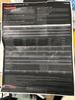
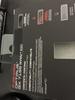
5. Full specifications in the pictures with review.
6. No heat sink
7. Manufacturing Origins of SanDisk M.2 Components:
SanDisk’s M.2 storage products — including SSDs and memory cards — are designed and engineered globally, with core components like NAND flash chips and controllers made in Taiwan and South Korea under SanDisk’s (now Western Digital’s) specifications. These chips are fabricated using advanced photolithography processes, often in wafer fabs in Asia, before being assembled into modules.
Malaysia – used for assembly and testing of some memory products, including SD cards and USB drives, leveraging cost advantages and skilled labor.
8. Be sure to install the Dash Board APP at SanDisk to check FW.
9. This product appears to be supply chain stable for the time being.
Final thoughts!
This product is as good as all the great fast products in the past from these two great American owned companies. Nice to see this much progress in M.2 SSD chip supplies.
Specifications
Capacity
1TB
1TB
Form Factor
M.2 2280 S3-M
M.2 2280 S3-M
Sequential Read Performance
7,250MB/s
7,250MB/s
Sequential Write Performance
6,900MB/s
6,900MB/s
Random Read
1M IOPS
1M IOPS
Random Write
1.4M IOPS
1.4M IOPS
Interface
PCIe 4.0 x4 NVME 2.0
PCIe 4.0 x4 NVME 2.0
Dimensions (L x W x H)
3.15" x 0.87" x 0.09"
3.15" x 0.87" x 0.09"
Warranty
5-Year Limited Warranty
5-Year Limited Warranty
Weight
5.8gms
5.8gms
Model Number
SDSP71100TAN-000E0
SDSP71100TAN-000E0
Operating Temperature
0°C to 85°C
0°C to 85°C
Non-Operating Temperature
-40°C to 85°C
-40°C to 85°C
I would recommend this to a friend!

Share this review:


+4points
5of 6voted this as helpful.
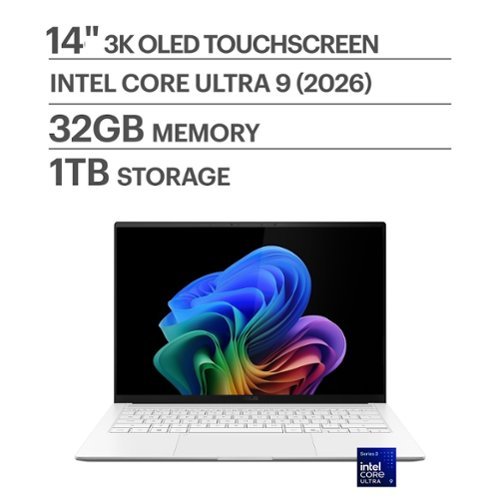
ASUS Zenbook S14 brings luxury to mobility with its ultra~thin, ultra~light Ceraluminum design that feels as refined as it looks. As a Copilot+ PC powered by the latest Intel Core Ultra processors, it delivers intelligent performance wrapped in effortless elegance. Its stunning 14" OLED WQXGA+ 16:10 display elevates every detail with vivid brilliance, while the long~lasting 77~Wh battery keeps you going in style wherever the day leads.
Customer Rating

4
5 stars over-all /very fast lite laptop
on May 23, 2026
Posted by: ETP1
5 Stars for ASUS solid metal build and cooling improvements and lite travel use for functionality.
5 stars for a well-built ultra lite travel laptop.
5 stars for looks.
5 stars for speed.
3 stars for one M.2 slot and a unknown drive.
5 stars for a well-built ultra lite travel laptop.
5 stars for looks.
5 stars for speed.
3 stars for one M.2 slot and a unknown drive.
ASUS - Zenbook S14 14" OLED 3K Touchscreen - Intel Core Ultra 9 Processor 2026 - 32GB RAM - 1TB SSD - Copilot+ PC - Scandinavian White
Model: UX5406AA-ZB/S14_90
SKU: 6671015
Model: UX5406AA-ZB/S14_90
SKU: 6671015
This unit has significant improvements over most laptops. Examples are; very lite, extremely fast, compact, cooling, keyboard layout, and basic well designed laptop for functionality. Someone at ASUS has been good about pushing the quality up. Very nice! One drive is a definite downgrade.
1. Very sturdy all Aluminum white body!
2. Worked on first boot / no issues in updates
3. Twelve months parts and labor warranty
4. Complete printed manual with extended warranty options online and also in the MY ASUS APP
5. Side cooling/grip slots for back cover for removal (be sure you have all the 10 T4 screws removed/ one stays in but loose) See note below! Also, they have gone back to size T4 screws. Be sure to magnetize a bit in advance.
6. No heat shield for the M.2 4.0 drive. If you swap out/clone drives, be sure to turn off drive encryption in the settings.
7. Internal drive is fine the way it is! No upgrade needed but only one M.2 slot with no heat shield. Use the clone software that works for you. I could not get any software to recognize this drive. Samsung Magician could not recognize this drive even though it is a Samsung product (MIC). This is the second time I have had a M.2 4X4 drive that was not properly recognized. If you forget to turn off drive encryption before you start you will be in for a bad day at best. I discovered, by accident, that Acronis can wipe a drive if you select a data only un-encrypted drive to clone and stop it after 20 minutes.
Also, there is a free software online (on initial use) that you can wipe the drive.
Also, there is a free software online (on initial use) that you can wipe the drive.
8. Small USB charger works great and fast
9. Never use additional security software with Microsoft built in complete security system
10. Keep MY ASUS (important FW update needed) and set up your account online/register for service. After warranty runs out consider delete if needed for space! Run the complete update in this APP!
11. Go into Microsoft settings and turn off everything you can live without. On initial setup say no to everything in life as you can always say yes later (exception security log ins).
12. Fully install XBOX and try to claim the 3-month pass. Having severe issues with 3- month free pass as it is broken as of today. If you are already a member this will not work.
13. Perfect business travel laptop
14. One USB A and 2 USB C make mouse, keyboard, and USB stick options easy
15. HDMI is a nice option but your 2 USB C (type 4) connections are a one place stop for everything. Full 3K external video with the ARK Intel video chip!
16. Installed 4 small stick-on furniture pads on the bottom for additional ventilation space! Be careful not to cover and vents.
17. WF 7 BE connections were perfect as I have a full WIFI 7 BE mesh network
18. Checked the WIFI 7 and it displays all my options and not just locked into one connection type. Extremely fast connection speeds.
19. Ten T4 screws and the clips are nicely weak. Don’t do this unless you have to. M.2 drive Philips screw in tight!
20. Cloning could not be done as the drive is not recognized as Samsung product. I had to remove the drive from the unit and do an external clone on another machine. Be careful! Turn off encryption!
21. The ASUS APP is a very nice product to keep you unit updated.
22. Sound is fine.
23. Battery life is phenomenal
24. Windows Hello is quick and accurate.
21. Most parts made in China.
Installed XBOX Ultimate and played several games (Fight Simulator 2024, Minecraft Bedrock, Warcraft 3, etc). Fans were on the highest speed in auto mode for the high-end games. Cooling is sufficient. When completely finished setting the unit up, I updated the BIOS FW in the ASUS APP. Critical update for this unit. Windows update should catch all the rest. The 10 T4 head screws for back access panel were easy to find. If you are not an experienced hardware technician, you may want to skip this step. Fans came on at the right temperatures. Also, the keyboard FN keys allow you have multiple functionalities. Cloning software failed. XBOX-X controller is the best bet for games. The i9 CPU showed its strength in gaming mode as I was surprised how quick it was. The external mouse and keyboard were ok for some gaming with the lighted keys. I use an external XBOX controller for most games. For additional cooling, I bought an elevated laptop stand and can place a fan under it for extremely intense games (decided it was easier to place 4 furniture pads under the raised feet of the laptop). Not needed for 99% of the games. Read the manual on how to use the FN keys. The manual is your friend. Also, the keys are clearly tagged as to functions. No separate number key pad area (no issue). The sound worked perfectly on startup with no adjustments needed. The screen will open to 140 degrees.
I could not find a function to turn on dedicated WASD key lighting
I could not find a function to turn on dedicated WASD key lighting
Final thoughts!
This a compact robust laptop. Fast and portable. Not being able to clone the drive without removing the 4X4 M.2 Stick was a significant setback. Wound up removing the drive and doing a very painful external clone on my desktop.
Features!
• Copilot+ PC on Windows 11 Home
Copilot+ PC on Windows 11 Home brings you smarter search, quick summaries, and seamless task assistance—right when you need it.
Copilot+ PC on Windows 11 Home brings you smarter search, quick summaries, and seamless task assistance—right when you need it.
• Brilliance You Can See
Experience brilliant visuals on a 14-inch OLED WQXGA+ 16:10 touch screen with vibrant color, deep contrast, and up to 1100 nit HDR brightness.
Experience brilliant visuals on a 14-inch OLED WQXGA+ 16:10 touch screen with vibrant color, deep contrast, and up to 1100 nit HDR brightness.
• Effortless Performance, Elevated
Powered by the Intel Core Ultra 9 processor with up to 50 TOPS, performance stays smooth and responsive through every task.
Powered by the Intel Core Ultra 9 processor with up to 50 TOPS, performance stays smooth and responsive through every task.
• Smooth, Reliable Graphics
Intel Graphics delivers smooth visuals and responsive performance for everyday work, play, and creative tasks.
Intel Graphics delivers smooth visuals and responsive performance for everyday work, play, and creative tasks.
• Fast Memory for Smooth Multitasking
With 32GB of high speed LPDDR5X RAM, apps stay smooth and responsive, letting you switch tasks, edit content, and work across multiple windows without slowdowns.
With 32GB of high speed LPDDR5X RAM, apps stay smooth and responsive, letting you switch tasks, edit content, and work across multiple windows without slowdowns.
• Spacious Storage for Everyday Files
A spacious 1TB PCIe 4.0 SSD ensures quick boot times, fast file access, and ample room for large projects, keeping heavy workloads feeling smooth and effortless.
A spacious 1TB PCIe 4.0 SSD ensures quick boot times, fast file access, and ample room for large projects, keeping heavy workloads feeling smooth and effortless.
• Slim. Light. Effortlessly Luxurious.
Remarkably slim at just 0.51″ and weighing only 2.65 lbs, Zenbook S14 delivers effortless elegance in every moment. Designed for true mobility, it’s the perfect balance of sleek sophistication and everyday portability.
Remarkably slim at just 0.51″ and weighing only 2.65 lbs, Zenbook S14 delivers effortless elegance in every moment. Designed for true mobility, it’s the perfect balance of sleek sophistication and everyday portability.
• Bright, Comfortable Typing
Enjoy comfortable, precise typing with a sleek chiclet-style keyboard that stays clear and easy to use—even in low light environments, thanks to its built in backlighting.
Enjoy comfortable, precise typing with a sleek chiclet-style keyboard that stays clear and easy to use—even in low light environments, thanks to its built in backlighting.
• See Clearly. Sign In Instantly
The FHD front camera with IR support delivers crisp video quality and enables fast, secure Windows Hello facial login, making every call and sign in smooth and effortless.
The FHD front camera with IR support delivers crisp video quality and enables fast, secure Windows Hello facial login, making every call and sign in smooth and effortless.
• Hear Every Detail
Smart Amp speakers and an array microphone deliver rich, detailed sound and clear voice pickup, creating a more immersive audio experience whether you’re on calls, watching content, or working on the go.
Smart Amp speakers and an array microphone deliver rich, detailed sound and clear voice pickup, creating a more immersive audio experience whether you’re on calls, watching content, or working on the go.
• Strength for Every Day
US MIL STD 810H certification means it withstands rigorous durability testing, giving you confidence and reliability through commutes, travels, and everyday moments.
US MIL STD 810H certification means it withstands rigorous durability testing, giving you confidence and reliability through commutes, travels, and everyday moments.
• Connected with Ease
Enjoy versatile connectivity with USB A, dual Thunderbolt 4, HDMI 2.1, and a 3.5 mm audio jack—ready for your displays, accessories, and everyday convenience.
What's Included
Zenbook S 14 14" 3K OLED Touch Screen Laptop - Copilot+ PC - Intel Core Ultra 9 - 32GB Memory - 1TB SSD, Power Cord, Power Adapter
Enjoy versatile connectivity with USB A, dual Thunderbolt 4, HDMI 2.1, and a 3.5 mm audio jack—ready for your displays, accessories, and everyday convenience.
What's Included
Zenbook S 14 14" 3K OLED Touch Screen Laptop - Copilot+ PC - Intel Core Ultra 9 - 32GB Memory - 1TB SSD, Power Cord, Power Adapter
Specifications
• Key Specs
Screen Size
14 inches
Screen Size
14 inches
Screen Resolution
2880 x 1800
2880 x 1800
Touch Screen
Yes
Yes
Refresh Rate
120Hz
120Hz
Brightness
1100 nits
1100 nits
Processor Model
Intel Core Ultra 9 Series 3
Intel Core Ultra 9 Series 3
CPU Base Clock Frequency
2.1 gigahertz
2.1 gigahertz
Storage Type
SSD
SSD
Total Storage Capacity
1000 gigabytes
1000 gigabytes
System Memory (RAM)
32 gigabytes
32 gigabytes
Graphics
Intel Graphics
Intel Graphics
Display Connector(s)
1 x HDMI 2.1, 2 x Thunderbolt 4
1 x HDMI 2.1, 2 x Thunderbolt 4
Battery Chemistry
Lithium-ion
Lithium-ion
Backlit Keyboard
Yes
Yes
• General
Brand
ASUS
ASUS
Model Number
UX5406AA-ZB/S14_90
UX5406AA-ZB/S14_90
Product Name
Zenbook S14 14" OLED 3K Touchscreen - Intel Core Ultra 9 Processor 2026 - 32GB RAM - 1TB SSD - Copilot+ PC
Zenbook S14 14" OLED 3K Touchscreen - Intel Core Ultra 9 Processor 2026 - 32GB RAM - 1TB SSD - Copilot+ PC
Color
Scandinavian White
Scandinavian White
Year of Release
2026
•
• Display
2026
•
• Display
Display Type
OLED
OLED
Screen Size
14 inches
14 inches
Screen Resolution
2880 x 1800
2880 x 1800
Touch Screen
Yes
Yes
Refresh Rate
120Hz
120Hz
Brightness
1100 nits
•
• Processor
1100 nits
•
• Processor
Processor Brand
Intel
Intel
Processor Model
Intel Core Ultra 9 Series 3
Intel Core Ultra 9 Series 3
Processor Model Number
Ultra 9 386H
Ultra 9 386H
CPU Base Clock Frequency
2.1 gigahertz
2.1 gigahertz
CPU Boost Clock Frequency
4.9 gigahertz
4.9 gigahertz
Number of CPU Cores
16-core
16-core
Number of CPU Threads
16
16
Neural Processing Unit (NPU)
Yes
Yes
Maximum NPU Performance
50 trillions operations per second
•
• Storage
50 trillions operations per second
•
• Storage
Storage Type
SSD
SSD
Total Storage Capacity
1000 gigabytes
1000 gigabytes
Solid State Drive Capacity
1000 gigabytes
1000 gigabytes
Solid State Drive Interface
PCIe 4.0
•
• Memory
PCIe 4.0
•
• Memory
System Memory (RAM)
32 gigabytes
32 gigabytes
Type of Memory (RAM)
LPDDR5X
LPDDR5X
System Memory RAM Speed
8533 megahertz
•
• Graphics
8533 megahertz
•
• Graphics
Graphics Type
Integrated
Integrated
GPU Brand
Intel
Intel
Graphics
Intel Graphics
•
• Compatibility
Intel Graphics
•
• Compatibility
Operating System
Windows 11 Home
•
• Connectivity
Windows 11 Home
•
• Connectivity
Display Connector(s)
1 x HDMI 2.1, 2 x Thunderbolt 4
1 x HDMI 2.1, 2 x Thunderbolt 4
Number of HDMI Outputs (Total)
1
1
Number of Thunderbolt Ports (Total)
2
2
USB Ports
1 x USB-A 3.2, 2 x USB-C 4
1 x USB-A 3.2, 2 x USB-C 4
Number of USB Ports (Total)
3
3
Number of USB-A Charging Ports
1
1
Number of USB-C Charging Ports
2
2
Headphone Jack
Yes
Yes
Microphone Input
Yes
Yes
Wireless Connectivity
Wi-Fi, Bluetooth
Wi-Fi, Bluetooth
Wireless Standard
BE
BE
Wireless Networking Standard
Wi-Fi 7
•
• Cooling
C
Wi-Fi 7
•
• Cooling
C
I would recommend this to a friend!

Share this review:


+2points
3of 4voted this as helpful.
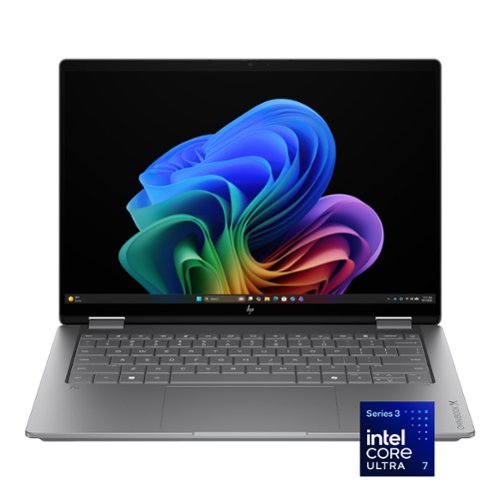
Flip your day, your way. More than just a laptop~it~s your all-day, anywhere companion with 4 flexible modes. Power and performance for AI acceleration, it keeps pace with your most creative ideas and demanding workloads. With fast charging and a design that~s both sleek and durable, the OmniBook X Flip moves as effortlessly~and stylishly~as you do.
Customer Rating
5
5 stars for a travel laptop for business
on April 23, 2026
Posted by: ETP1
5 Stars for HP solid metal build and cooling improvements and best travel use for functionality.
Internal M.2 does not have the correct driver proper cloning.
Will update in comments when these items gets fixed. But 5 stars for a well-built travel laptop.
Internal M.2 does not have the correct driver proper cloning.
Will update in comments when these items gets fixed. But 5 stars for a well-built travel laptop.
HP - OmniBook X Flip 2-in-1 - 14" 2K OLED Touchscreen Laptop - Intel Core Ultra 7 (2026) - 16GB Memory - 1TB SSD - Copilot+ - Meteor Silver
High quality i7 DDR5 laptop with 1 M.2 4.0.
High quality i7 DDR5 laptop with 1 M.2 4.0.
Upfront this unit has significant improvements over most laptops. Examples are; cooling, keyboard layout, and basic well designed functionality. Someone at HP has been reading the reviews and taking action. Very nice!
1. Very sturdy all Aluminum body!
2. Worked on first boot / no issues in updates
3. Twelve months parts and labor warranty
4. Complete printed manual with extended warranty options online and also in the HP APP
5. Side cooling/grip slots for back cover for removal (be sure you have all the 4 screws removed/ one stays in but loose) See note below
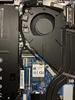
6. Very nice heat shield for the M.2 4.0 drive. If you swap out drives, be sure to use the old heat shield housing and parts on your new drive.
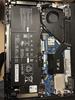
7. Internal drive is fine the way it is! No upgrade needed but only one M.2 slot. Use the clone software that works for you. I could not get clone software to recognize this drive. I used the Windows create image feature as a backup. We will see if this works?????
8. Small USB charger works great and fast
9. Remove all extra security software not part of Windows.
10. Keep HP assistant (important FW update needed) and set up your account online/register for service. Run the complete update in this APP! Uninstall apps inside HP support that you are sure you don’t need.
11. Go into Microsoft settings and turn off everything you can live without. On initial setup say no to everything in life as you can always say yes later (exception security log ins).
12. Fully install XBOX and claim 3-month pass. Having severe issues with 3- month free pass as it is broken as of today.
13. Perfect business travel laptop
14. Two USB A and 2 USB C make mouse, keyboard, and USB stick options easy
15. HDMI is a nice option but your 2 USB C (4) connections are a one place stop for everything.
16. Installed 4 small stick-on furniture pads on the bottom for additional ventilation space! Be careful not to cover and vents.
17. WF 7 connections were perfect as I have a full WIFI 7 mesh network
18. Could not check BT 6.0 as I do not have any of those devices yet. Maybe! Not sure if my mesh system can interface with that????
19. Four screws hold the back but the clips are extremely strong. Don’t do this unless you have to. Check online for HP instructions “remove back from a HP - OmniBook X Flip 2-in-1 14" /
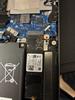
M.2 stick is a PC SN5000S SDEPNSJ-1T00-1006 not recognized so far as a WD product.
The Western Digital SDEPNSJ-1T00-1006 is a 1-terabyte M.2 22 by 80 NVMe SSD The SN5000S series in March 2024 in 2230 and 2280 sizes and 512 GB to 2 TB capacities.
The Western Digital SDEPNSJ-1T00-1006 is a 1-terabyte M.2 22 by 80 NVMe SSD The SN5000S series in March 2024 in 2230 and 2280 sizes and 512 GB to 2 TB capacities.
20. Cloning could not be done as the drive is not recognized as a WD or SANDISK product. I had to remove the drive from the unit and do an external clone on another machine. Be careful as when you snap the back on it automatically turns on the unit
21. The HP APP is a very nice product to keep you unit updated.
22. Sound is minimal for functionality basic functions/use ear buds
23. Battery life is phenomenal / had mine plugged into the wrong outlet
24. Twin cameras/ Windows Hello is very picky/ suggest you lean the screen back 20 degrees for face scanning
Installed XBOX Ultimate and played several games (Fight Simulator 2024, Minecraft Bedrock, Warcraft 3, etc). Fans were on the highest speed in auto mode for the high-end games. Cooling has dramatically improved in this newly designed cooling system. When completely finished setting the unit up, I updated the BIOS FW in the HP APP. Critical update for this unit. Windows update should catch all the rest. The 4 Phillips head screws for back access panel were easy to find. If you are not an experienced hardware technician, you may want to skip this step. Fans came on at the right temperatures. Also, the keyboard FN keys allow you to manually adjust the speed as well as many other functions. WD cloning software failed. Crucial Acronis failed! XBOX-X controller is the best bet for games. The i7 CPU showed its strength in gaming mode as I was surprised how quick it was. The external mouse and keyboard were ok for some gaming with the lighted keys. I use an external mouse or XBOX controller for most games. For additional cooling, I bought an elevated laptop stand and can place a fan under it for extremely intense games (decided it was easier to place 4 furniture pads under the raised feet of the laptop). Not needed for 99% of the games. Read the manual on how to use the FN keys. The manual is your friend. Also, the keys are clearly tagged as to functions. The sound worked perfectly on startup with no adjustments needed. However, the sound is for business only and not for music or quality sound. The screen will open 360 degrees. Be very careful!
I could not find a function to turn on the WASD key lighting
I could not find a function to turn on the WASD key lighting
Final thoughts!
This a compact robust laptop. Fast and portable. Not being able to clone the drive with authorized WD Acronis is a significant setback. Researching built in old Windows 7 features built into Windows
11. Wound up removing the drive and doing an external clone on my desktop.
I would recommend this to a friend!
Share this review:


+4points
5of 6voted this as helpful.
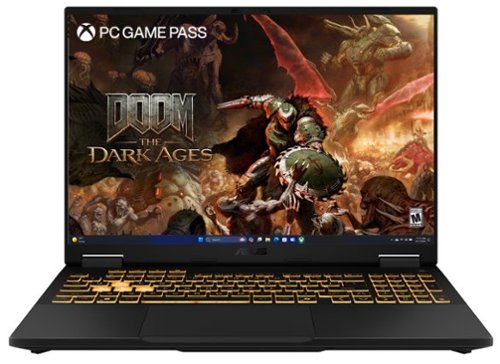
The TUF Gaming F16 is built to power through every gaming challenge. Dive into Windows 11 Home with confidence, backed by an Intel Core Processor i7-14650HX and NVIDIA GeForce RTX 5060 Laptop GPU with NVIDIA Advanced Optimus for smooth, responsive gameplay. Its sleek design, featuring a subtle TUF logo, pairs understated style with rugged strength. The 165Hz FHD display with 100% sRGB color range delivers vibrant, lifelike visuals that pull you straight into the action. With 32GB of DDR5 memory and a spacious 1TB PCIe Gen4 SSD, multitasking and storage are effortless. Designed for real-world toughness, it meets military-grade durability standards. Powerful components require powerful cooling, so we~ve equipped the TUF Gaming F16 with a whole suite of technology to keep it running at peak performance. From the 2nd Gen Arc Flow Fans inspired by aircraft engines to a full-width heatsink and integrated dust filters, the F16 will never lose its cool. And with Dolby Atmos and Hi-Res Audio, you~ll get rich, immersive sound that enhances every moment of your game.
Customer Rating
5
5 Stars for ASUS build and cooling improvements
on July 4, 2025
Posted by: ETP1
5 Stars for ASUS build and cooling improvements
ASUS - TUF Gaming F16 16" FHD+ 165Hz Gaming Laptop - Intel Core i7-14650HX - 32GB RAM - NVIDIA GeForce RTX 5060 - 1TB SSD - Jaeger Gray
High quality i7 DDR5 gaming laptop
Upfront this unit has significant improvements over the last generation. Examples are; cooling, ease of hardware upgrades, keyboard layout and functionality, and improvements of MYASUS.
Someone at ASUS has been reading the reviews and taking action. Very nice!
1. Aluminum body with unknown material of the back housing cover. However, the room between the case and the internal parts is deeper than the last generation.
2. Worked on first boot
3. 12 months parts and labor warranty
4. Complete printed manual with extended warranty options online
5. Disk Test Suite Average Results for MTFDKBA1T0QGN-1BN1AABGA
Sequential Read 6,769 MBytes/Sec
Sequential Write 5,302 MBytes/Sec
Random Seek Read Write (IOPS 32KQD20) 3,171 MBytes/Sec
IOPS 4KQD1 86 MBytes/Sec
Sequential Write 5,302 MBytes/Sec
Random Seek Read Write (IOPS 32KQD20) 3,171 MBytes/Sec
IOPS 4KQD1 86 MBytes/Sec
6. 32GB DDR5
7. NVIDIA GeForce RTX 5060 GPU
8. Very nice heat shield for the M.2 drive. If you swap out drives, be sure to use the old heat shield housing and parts on your new drive.
9. Internal drive is fine the way it is! No upgrade needed.
10. External monitors worked on USB-C and HDMI outputs.
11. Heavy unit and a perfect desktop replacement.
12. The keyboard is fully lighted and easy to use.
9. Internal drive is fine the way it is! No upgrade needed.
10. External monitors worked on USB-C and HDMI outputs.
11. Heavy unit and a perfect desktop replacement.
12. The keyboard is fully lighted and easy to use.
Setup:
The first boot takes a long time. Be advised you will not see any life for a few minutes. Unit must be plugged in on the first boot. Be very patient. Be sure to plug it in on reboot after a hardware change.
USB-C port next to the USB A port on the left side, where most of the inputs are located, supports charging the laptop.
Recommend the built in LAN port for quicker setup.
Updated and setup everything including an extra updates in Windows, Armory Crate, Intel suite, and MYASUS.
Installed XBOX Ultimate and played several games (Fight Simulator 2024, Minecraft Bedrock, Warcraft 3, etc. Fans were on the highest speed in auto mode for the high-end games. Cooling has dramatically improved in this newly designed fan system.
When completely finished setting the unit up, I updated the BIOS FW in MYASUS. Critical update for this unit.
Windows update should catch all the rest.
I installed two WD850X 2TB drives (boot drive and data drive). Cloning was done internally with WD ACRONIS.
The Phillips head screws for back access panel were easy to find. If you are not an experienced hardware technician, you may want to skip this step.
Fans came on at the right temperatures. Also, the keyboard FN keys allow you to manually adjust the speed as well as many other functions.
WD cloning software did fine but would not recognize the drive in the USB-C External docking unit. Crucial Acronis may have worked but I did not know it was a Micron product internally!
The extra M.2 slots vertical height is limited for heat sinks but more than the last version of this case. I used a heat sink transfer pad as I was worried about the height of my heat sink. If you have a very thin flat heat sink it will work. TBD
Memory is fully upgradable.
XBOX-X controller is the best bet for games. The i7 CPU showed its strength in gaming mode as I was surprised how quick it was. The mouse and keyboard were not optimal for gaming but worked fine with the lighted WASD keys.
For additional cooling, I bought an elevated laptop stand and placed a fan under it for extremely intense games (decided it was easier to place 4 furniture pads under the raised feet of the laptop). Not needed for 95% of the games.
Read the manual on how to use the FN keys. The manual is your friend. Also, the keys are clearly tagged as to functions.
The sound worked perfectly on startup with no adjustments needed.
The screen will not open past about 110ish degrees. Be very careful!
I have included pictures up to my limit but may add some in comments at a later date if possible.
•
• Windows 11 Home Operating System
Game, create, and maximize your productivity—Windows 11 Home is the one place for it all. With a fresh new feel and tools that make it easier to be efficient, Windows 11 has everything you need for whatever comes next.
• Immersive visuals with 16" FHD+ 165Hz (16:10) Display
Keep up with the pros thanks to its FHD+ 165Hz display. With Adaptive-Sync, the display synchronizes with the GPU’s output to reduce lag, minimize stuttering, and eliminate visual tearing for ultra-smooth gameplay.
• Ready for anything with a Intel Core i7-14650HX processor
Jump straight into action with an Intel Core i7-14650HX CPU. With 30M cache, 5.2GHz, and 16 cores, this laptop is ready to handle the latest and greatest games.
• Lifelike graphics with NVIDIA GeForce RTX 5060 GPU
Maximize gaming with an NVIDIA GeForce RTX 5060 laptop GPU, with a max TGP of 115W. Game-changing features like DLSS 4 and ray racing technology bring game graphics to life by simulating sunlight and creating a realistic environment for an immersive gaming experience.
• Seamless multitasking with 32GB of DDR5 RAM
Equipped with 32GB of DDR5 RAM, the TUF Gaming F16 effortlessly handles multitasking demands.
• Rapid loading times with 1TB of PCIe 4.0 M.2 SSD
Save files rapidly and store more data and games. With massive storage, PCIe SSDs are great for major gaming applications, multiple servers, daily backups, and more.
• Military Grade Toughness
In order to earn the TUF Gaming name, these laptops must successfully survive a rigorous battery of MIL-STD-810H* tests. Test devices are exposed to drops, vibration, humidity, and extreme temperatures to ensure reliability.
• Efficient Cooling Solutions
Equipped with 2nd Gen Arc Flow Fans™ inspired by aircraft engines to a full-width heatsink and integrated dust filters, the F16 will optimize cooling performance without extra noise.
• MUX Switch with Advanced Optimus
A MUX Switch increases laptop gaming performance by 5-10% by routing frames directly from the dGPU to the display bypassing the iGPU. With Advanced Optimus the switch between iGPU and dGPU becomes automatic based on the task, optimizing battery life.
• Robust Connectivity
Keep your setup versatile with an RJ45 LAN port for stable networking, a Thunderbolt™ 4 port with DisplayPort support, a USB 3.2 Gen 2 Type-C port with DisplayPort and G-SYNC support, three USB 3.2 Gen 2 Type-A ports for your peripherals, and an HDMI 2.1 FRL port for high-resolution external displays.
• 3 months of Xbox Game Pass
Play Minecraft Legends and hundreds of other PC games with 3 free months of Xbox Game Pass. *Terms apply.
What's Included
FX608JMR-F16.I75060
Specifications
• Key Specs
Screen Type
IPS
Screen Size
16 inches
Screen Resolution
1920 x 1200 (Full HD+)
Touch Screen
No
Refresh Rate
165Hz
Brightness
300 nits
Processor Model
Intel Core i7 14th Generation
CPU Base Clock Frequency
2.2 gigahertz
Storage Type
SSD
Total Storage Capacity
1000 gigabytes
System Memory (RAM)
32 gigabytes
Graphics
NVIDIA GeForce RTX 5060
Display Connector(s)
1 x HDMI 2.1
Battery Life (up to)
10 hours
Battery Chemistry
Lithium-ion
2-in-1 Design
No
Backlit Keyboard
Yes
• General
Brand
ASUS
Model Number
FX608JMR-F16.I75060
Product Name
TUF Gaming F16 16" FHD+ 165Hz Gaming Laptop - Intel Core i7-14650HX - 32GB RAM - NVIDIA GeForce RTX 5060 - 1TB SSD
Color
Jaeger Gray
Year of Release
2025
• Display
Display Type
LCD
Screen Type
IPS
Screen Size
16 inches
Screen Resolution
1920 x 1200 (Full HD+)
Touch Screen
No
Refresh Rate
165Hz
Synchronization Technology
G-SYNC (NVIDIA Adaptive Sync)
Display Surface
Anti-glare
Brightness
300 nits
Color Gamut (Standard RGB)
100 percent
• Processor
Processor Brand
Intel
Processor Model
Intel Core i7 14th Generation
Processor Model Number
14650HX
CPU Base Clock Frequency
2.2 gigahertz
CPU Boost Clock Frequency
5.2 gigahertz
Number of CPU Cores
16-core
Number of CPU Threads
24
Neural Processing Unit (NPU)
No
• Storage
Storage Type
SSD
Total Storage Capacity
1000 gigabytes
Solid State Drive Capacity
1000 gigabytes
Solid State Drive Interface
PCIe 4.0
• Memory
System Memory (RAM)
32 gigabytes
Type of Memory (RAM)
DDR5
System Memory RAM Speed
5600 megahertz
Number Of Memory Slots
2
Number of Memory Sticks Included
2
System Memory RAM Expandable To
64 gigabytes
• Graphics
Graphics Type
Dedicated
GPU Brand
NVIDIA
Graphics
NVIDIA GeForce RTX 5060
Advanced Graphics Rendering Technique(s)
DLSS 4 (Deep Learning Super Sampling), Ray tracing
GPU Video Memory (RAM)
8 gigabytes
GPU Video Memory Type (RAM)
GDDR7
• Compatibility
Operating System
Windows 11 Home
• Connectivity
Display Connector(s)
1 x HDMI 2.1
Number of HDMI Outputs (Total)
1
Number of Thunderbolt Ports (Total)
1
USB Ports
2 x USB-C 3.2, 3 x USB-A 3.2
Number of USB Ports (Total)
5
Number of USB-C Charging Ports
2
Headphone Jack
Yes
Microphone Input
Yes
Wireless Connectivity
Wi-Fi, Bluetooth
Wireless Standard
AX
Wireless Networking Standard
Wi-Fi 6E
Number Of Ethernet Ports
1
• Cooling
CPU Cooling System
Air
GPU Cooling System
Air
• Power
Power Supply Maximum Wattage
280 watts
Battery Life (up to)
10 hours
Battery Cells
4-cell
Battery Chemistry
Lithium-ion
• Expansion
Number of M.2 Slots
2
• Camera
Front-Facing Camera
Yes
Front Facing Camera Video Resolution
1080p
Built-In Microphone
Yes
• Features
2-in-1 Design
No
Backlit Keyboard
Yes
Customizable Keyboard Lighting
RGB
Foldable Screen
No
GPS Enabled
No
Customizable Case Lighting
No
Audio Technology
High Res audio and Dolby Atmos support
Security Features
Facial recognition
• Dimensions
Product Height
0.7 inches
Product Width
13.94 inches
Product Depth
10.59 inches
Product Weight
5 pounds
• Certifications Listings & Approvals
ENERGY STAR Certified
No
EPEAT Qualified
No
• Included
Included Software
ROG Armoury Crate
Numeric Keypad
No
• Warranty
Warranty - Parts
1 Year
Warranty - Labor
1 Year
• Other
UPC
197105958647
• Windows 11 Home Operating System
Game, create, and maximize your productivity—Windows 11 Home is the one place for it all. With a fresh new feel and tools that make it easier to be efficient, Windows 11 has everything you need for whatever comes next.
• Immersive visuals with 16" FHD+ 165Hz (16:10) Display
Keep up with the pros thanks to its FHD+ 165Hz display. With Adaptive-Sync, the display synchronizes with the GPU’s output to reduce lag, minimize stuttering, and eliminate visual tearing for ultra-smooth gameplay.
• Ready for anything with a Intel Core i7-14650HX processor
Jump straight into action with an Intel Core i7-14650HX CPU. With 30M cache, 5.2GHz, and 16 cores, this laptop is ready to handle the latest and greatest games.
• Lifelike graphics with NVIDIA GeForce RTX 5060 GPU
Maximize gaming with an NVIDIA GeForce RTX 5060 laptop GPU, with a max TGP of 115W. Game-changing features like DLSS 4 and ray racing technology bring game graphics to life by simulating sunlight and creating a realistic environment for an immersive gaming experience.
• Seamless multitasking with 32GB of DDR5 RAM
Equipped with 32GB of DDR5 RAM, the TUF Gaming F16 effortlessly handles multitasking demands.
• Rapid loading times with 1TB of PCIe 4.0 M.2 SSD
Save files rapidly and store more data and games. With massive storage, PCIe SSDs are great for major gaming applications, multiple servers, daily backups, and more.
• Military Grade Toughness
In order to earn the TUF Gaming name, these laptops must successfully survive a rigorous battery of MIL-STD-810H* tests. Test devices are exposed to drops, vibration, humidity, and extreme temperatures to ensure reliability.
• Efficient Cooling Solutions
Equipped with 2nd Gen Arc Flow Fans™ inspired by aircraft engines to a full-width heatsink and integrated dust filters, the F16 will optimize cooling performance without extra noise.
• MUX Switch with Advanced Optimus
A MUX Switch increases laptop gaming performance by 5-10% by routing frames directly from the dGPU to the display bypassing the iGPU. With Advanced Optimus the switch between iGPU and dGPU becomes automatic based on the task, optimizing battery life.
• Robust Connectivity
Keep your setup versatile with an RJ45 LAN port for stable networking, a Thunderbolt™ 4 port with DisplayPort support, a USB 3.2 Gen 2 Type-C port with DisplayPort and G-SYNC support, three USB 3.2 Gen 2 Type-A ports for your peripherals, and an HDMI 2.1 FRL port for high-resolution external displays.
• 3 months of Xbox Game Pass
Play Minecraft Legends and hundreds of other PC games with 3 free months of Xbox Game Pass. *Terms apply.
What's Included
FX608JMR-F16.I75060
Specifications
• Key Specs
Screen Type
IPS
Screen Size
16 inches
Screen Resolution
1920 x 1200 (Full HD+)
Touch Screen
No
Refresh Rate
165Hz
Brightness
300 nits
Processor Model
Intel Core i7 14th Generation
CPU Base Clock Frequency
2.2 gigahertz
Storage Type
SSD
Total Storage Capacity
1000 gigabytes
System Memory (RAM)
32 gigabytes
Graphics
NVIDIA GeForce RTX 5060
Display Connector(s)
1 x HDMI 2.1
Battery Life (up to)
10 hours
Battery Chemistry
Lithium-ion
2-in-1 Design
No
Backlit Keyboard
Yes
• General
Brand
ASUS
Model Number
FX608JMR-F16.I75060
Product Name
TUF Gaming F16 16" FHD+ 165Hz Gaming Laptop - Intel Core i7-14650HX - 32GB RAM - NVIDIA GeForce RTX 5060 - 1TB SSD
Color
Jaeger Gray
Year of Release
2025
• Display
Display Type
LCD
Screen Type
IPS
Screen Size
16 inches
Screen Resolution
1920 x 1200 (Full HD+)
Touch Screen
No
Refresh Rate
165Hz
Synchronization Technology
G-SYNC (NVIDIA Adaptive Sync)
Display Surface
Anti-glare
Brightness
300 nits
Color Gamut (Standard RGB)
100 percent
• Processor
Processor Brand
Intel
Processor Model
Intel Core i7 14th Generation
Processor Model Number
14650HX
CPU Base Clock Frequency
2.2 gigahertz
CPU Boost Clock Frequency
5.2 gigahertz
Number of CPU Cores
16-core
Number of CPU Threads
24
Neural Processing Unit (NPU)
No
• Storage
Storage Type
SSD
Total Storage Capacity
1000 gigabytes
Solid State Drive Capacity
1000 gigabytes
Solid State Drive Interface
PCIe 4.0
• Memory
System Memory (RAM)
32 gigabytes
Type of Memory (RAM)
DDR5
System Memory RAM Speed
5600 megahertz
Number Of Memory Slots
2
Number of Memory Sticks Included
2
System Memory RAM Expandable To
64 gigabytes
• Graphics
Graphics Type
Dedicated
GPU Brand
NVIDIA
Graphics
NVIDIA GeForce RTX 5060
Advanced Graphics Rendering Technique(s)
DLSS 4 (Deep Learning Super Sampling), Ray tracing
GPU Video Memory (RAM)
8 gigabytes
GPU Video Memory Type (RAM)
GDDR7
• Compatibility
Operating System
Windows 11 Home
• Connectivity
Display Connector(s)
1 x HDMI 2.1
Number of HDMI Outputs (Total)
1
Number of Thunderbolt Ports (Total)
1
USB Ports
2 x USB-C 3.2, 3 x USB-A 3.2
Number of USB Ports (Total)
5
Number of USB-C Charging Ports
2
Headphone Jack
Yes
Microphone Input
Yes
Wireless Connectivity
Wi-Fi, Bluetooth
Wireless Standard
AX
Wireless Networking Standard
Wi-Fi 6E
Number Of Ethernet Ports
1
• Cooling
CPU Cooling System
Air
GPU Cooling System
Air
• Power
Power Supply Maximum Wattage
280 watts
Battery Life (up to)
10 hours
Battery Cells
4-cell
Battery Chemistry
Lithium-ion
• Expansion
Number of M.2 Slots
2
• Camera
Front-Facing Camera
Yes
Front Facing Camera Video Resolution
1080p
Built-In Microphone
Yes
• Features
2-in-1 Design
No
Backlit Keyboard
Yes
Customizable Keyboard Lighting
RGB
Foldable Screen
No
GPS Enabled
No
Customizable Case Lighting
No
Audio Technology
High Res audio and Dolby Atmos support
Security Features
Facial recognition
• Dimensions
Product Height
0.7 inches
Product Width
13.94 inches
Product Depth
10.59 inches
Product Weight
5 pounds
• Certifications Listings & Approvals
ENERGY STAR Certified
No
EPEAT Qualified
No
• Included
Included Software
ROG Armoury Crate
Numeric Keypad
No
• Warranty
Warranty - Parts
1 Year
Warranty - Labor
1 Year
• Other
UPC
197105958647
I would recommend this to a friend!

Share this review:


+12points
14of 16voted this as helpful.

TCL NXTVISION TVs combine an array of art options with premium picture technologies to create a stunning image. TCL~s Art Library of over 400 artworks and AI Art capable of generating over 100,000 images to transform your living room into your personal studio. The included Flush Wall Mount and additional light wood bezel allows the NXTVISION TV to blend seamlessly into any home d~cor. QLED PRO Quantum Dot technology and HDR ULTRA with Dolby Vision IQ provide enhanced contrast, accurate colors and fine details. The powerful TCL AIPQ PRO Processor intelligently optimizes the color, contrast, and clarity for an unrivaled 4K HDR experience. The High Brightness+ LED Backlight produces brighter images for an enhanced viewing experience for all your favorite movies and TV shows. Game Accelerator 240 together with Auto Game Mode provides the lowest latency for a more responsive gameplay without lag, designed to keep you at the top of any leaderboard. Including Dolby Atmos and DTS Virtual:X, the NXTVISION TV provides a complete audio package. Available accessories include an easel-style Movable Stand and Table Stands. The NXTVISION TV offers advanced picture quality with a beautiful lifestyle design worthy of any home.
Customer Rating
5
5 star features and quality/mounting issues
on November 15, 2024
Posted by: ETP1
TCL - 55" Class NXTFRAME TV 4K QLED Smart Frame TV with Google TV and Flush Wall Mount (2024)
Model:55A300W
SKU:6590118
Model:55A300W
SKU:6590118
Upfront observations before testing the product:
1. Heavy unit/ you will need at least 2 people
2. Quality feel and appearance
3. WIFI and LAN connection
4. Bluetooth Connection
5. Flush mount system looks difficult at first glance
6. This test will emphasize mounting and connectivity
Summary report:
Product met all advertised functions in live testing. Mounting is an issue for the weak at heart.
Product met all advertised functions in live testing. Mounting is an issue for the weak at heart.
Actual setup and testing the product:
Information pack sent with unit was fair. Not much as with most these days
First, I read the instructions that were included, then checked online for all updates before turning on the unit (could not find a mounting diagram online). Unit was set up on the floor with spacers under the bottom.
Once completely set up and functionality verified, I proceeded to mount the beast. This unit runs very warm.
Once completely set up and functionality verified, I proceeded to mount the beast. This unit runs very warm.
Mounting was an all-day project as I had to find help hanging the unit.
The template provided was not preset for a 55” TV. It had to be folded in the right two places correctly to be used with a 55”.
Since I only had one real stud to work with, I secured a sheet of plywood then centered it on the wall stud with several wood screws. The mounting plates were each attached with 4 high quality screws. Thought I had a picture of the final wall mount with those screws! Anyway, the unit is NOT held up with thumb tacks/LOL!
I could have used a large rigid metal hurricane SIMPSON horizontal strap/plate or other hurricane framing connection hardware from Lowes or HD. Just did not have one handy and the plywood was left over from another project. Also with a strap, you will need proper sized sheet metal screws since the connection to the strap is critical.
Do not use modern fake sheet rock for mounting as it is thin and very light weight to reduce costs. Last 15 plus years this sheetrock is used for most non-commercial construction.
I would never use any sheetrock except 5/8” or better NYC rated fire wall sheet rock for mounting. Even then you need at least one stud.
Measured at least 100 times to make sure the hooks were exactly centered on the wall brackets and the unit level/centered. The one thing I could not have predicted was the two hooks being 1/16” off in final vertical distance after mounting.
I used a laser level, square, tape measure, and the human eye. You may be perfect but the brackets may be a little off. This might be adjustable with a jerry rig but I would not do that. You could put a heavy framed painting U bracket under the side that needs a fine tune.
Since I only had one real stud to work with, I secured a sheet of plywood then centered it on the wall stud with several wood screws. The mounting plates were each attached with 4 high quality screws. Thought I had a picture of the final wall mount with those screws! Anyway, the unit is NOT held up with thumb tacks/LOL!
I could have used a large rigid metal hurricane SIMPSON horizontal strap/plate or other hurricane framing connection hardware from Lowes or HD. Just did not have one handy and the plywood was left over from another project. Also with a strap, you will need proper sized sheet metal screws since the connection to the strap is critical.
Do not use modern fake sheet rock for mounting as it is thin and very light weight to reduce costs. Last 15 plus years this sheetrock is used for most non-commercial construction.
I would never use any sheetrock except 5/8” or better NYC rated fire wall sheet rock for mounting. Even then you need at least one stud.
Measured at least 100 times to make sure the hooks were exactly centered on the wall brackets and the unit level/centered. The one thing I could not have predicted was the two hooks being 1/16” off in final vertical distance after mounting.
I used a laser level, square, tape measure, and the human eye. You may be perfect but the brackets may be a little off. This might be adjustable with a jerry rig but I would not do that. You could put a heavy framed painting U bracket under the side that needs a fine tune.
So, after hanging, I noticed it was slightly off level. But I was done and was not going to put the beast on the floor, remove all eight screws, adjust, and remount. I decided to adjust the painting above it at a later date. LOL
Setup was a learning process as with all brands.
Use your Google login for setup when prompted! It will migrate most of your links with passwords to your new unit.
Paramount+ did not migrate so I did a search in apps and installed it.
Finding the input selection menu was almost the complete opposite of my other TVs.
Volume control is on the side of the remote in case you can’t find it. You probably want to keep a copy of step 3 in the setup book near your remote.
Screen saver works perfect and should be used as needed. I was able to custom select pictures and use them in screen saver in portrait or any mode without issue. Even has a music option. There is no auto-on setting in any menu that I could find. I assume this is for art/picture display only and not an actual computer type screen saver.
Paramount+ did not migrate so I did a search in apps and installed it.
Finding the input selection menu was almost the complete opposite of my other TVs.
Volume control is on the side of the remote in case you can’t find it. You probably want to keep a copy of step 3 in the setup book near your remote.
Screen saver works perfect and should be used as needed. I was able to custom select pictures and use them in screen saver in portrait or any mode without issue. Even has a music option. There is no auto-on setting in any menu that I could find. I assume this is for art/picture display only and not an actual computer type screen saver.
Tested most on the inputs.
So, this is the potentially ugly part! You may need to remove the unit from the wall to connect cables as the inputs are not in a convenient place.
My advice it to hook up 2 HDMI 144HTZ, power, and LAN cables before mounting (cable connection if you have it). The other inputs are seldom used. The USB would have been nice if it was accessible. You will need to drop an M/F extension cable from the ports you may need for another date.
Ports were tested and worked fine.
On all TVs, basic inputs should be available without removing a TV from the wall. Especially the needed ones (one-HDMI, USB, Power, LAN, headphones)
Work arounds to hide cables:
Hole in the wall behind the TV and another hole in the wall where they exit,
Piece of furniture below the TV,
Recessed receptacle behind TV,
Wire moldings.
Most commercial mounts just us WIFI for everything.
Hole in the wall behind the TV and another hole in the wall where they exit,
Piece of furniture below the TV,
Recessed receptacle behind TV,
Wire moldings.
Most commercial mounts just us WIFI for everything.
Pictures included!
Summary:
This has an excellent picture and everyone was impressed with the matte screen and screen saver mode with speed adjustment.
The features and quality of the unit are obvious in actual use.
Since I use Google apps on 3 of my 4 other TVs, it was a better transition in setup.
Added magnetic frame does make it look nicer on the wall.
Mounting system is not for the weak of heart!
Not a fan of edge lighting but it was executed properly.
This has an excellent picture and everyone was impressed with the matte screen and screen saver mode with speed adjustment.
The features and quality of the unit are obvious in actual use.
Since I use Google apps on 3 of my 4 other TVs, it was a better transition in setup.
Added magnetic frame does make it look nicer on the wall.
Mounting system is not for the weak of heart!
Not a fan of edge lighting but it was executed properly.
Features!
• World’s Thinnest “All-In-One” NXTFRAME TV
Ultra-Slim Design is just 1.1” deep, and the built-in chassis allows for simple installation without the need for an external chassis box.
• Off-White Bezel and Included Light Wood Frame
The NXTFRAME TV has an off-white bezel that blends into virtually any home décor and includes a light wood color magnetic frame in the carton box, so you can quickly and easily change the look!
• Flush Wall Mount Included
Specially designed ultra-thin wall mount holds the NXTFRAME TV tight to the wall for an elegant look.
• Movable Floor Stand
Available easel-style design with detachable wheels, cable management, storage shelf, and magnetic decorative cover. Stand sold separately.
• Table Stands
Available height adjustable table stands with magnetic decorative cover making for a tidy appearance atop a credenza or console. Stand sold separately.
• Ultra Matte Anti-Glare Screen
Features a highly Matte anti-reflective screen for a true wall art look.
• Art Library and AI Art
Comes with a curated Art Library, AI Art capability, multiple matte options, and a personal photo gallery mode.
• TCL AIPQ PRO Processor
TCL’s powerful processor intelligently optimizes color, contrast, clarity, and motion to create images that are a work of Art.
• 4K Ultra HD Resolution
Experience incredible detail with 4X the resolution of 1080p Full HDTVs.
• QLED PRO – Quantum Dot Technology
Rich, vibrant, and amazingly accurate colors bring images to life.
• High Brightness+ LED Backlight
Brighter images enhance viewing in any room light.
• 120Hz Panel Refresh Rate (144 Hz Variable Refresh Rate)
Clear fast motion for viewing action movies or sports, and quick action gaming.
• HDR ULTRA with Dolby Vision IQ, HDR10+, HDR10, & HLG
Enjoy enhanced contrast, accurate colors and fine details utilizing all the most advanced HDR formats.
• Motion Rate 480 with MEMC
Combines multiple motion enhancement technologies for best-in-class motion clarity.
• Game Accelerator 240
With up to blistering fast 240 VRR, enjoy more responsive gameplay without lag, designed to keep you at the top of any leaderboard.
• Auto Game Mode (ALLM) with AMD FreeSync Premium
Automatically enables game mode for the lowest possible input lag and latency, ensuring an optimal gaming experience.
• Dolby Atmos Audio
Advanced spatial audio processing for movies, TV shows, and video games.
• Enhanced Dialogue Mode
Hear voices more clearly when watching movies or TV shows, or while playing video games.
• DTS:X Audio
Immersive, life-like surround sound in movies and TV shows.
• DTS Virtual:X
Advanced audio post-processing for immersive 3D sound, from just your TV speakers.
• Bluetooth Personal Audio
Pair your favorite Bluetooth headphones to the TV for a private listening experience.
• 4 HDMI Inputs including one with eARC
Four high-speed HDMI inputs for the best connection to gaming consoles, set-top boxes, AV receiver, and more.
• Wi-Fi 5
Fast Wi-Fi performance for your high-speed internet connection
• Google TV Smart OS with Hands-Free Voice Control and Voice Remote
The entertainment you love, quickly and easily. Google TV brings your favorite movies, TV shows, and live events together in one place.
• Google Chromecast Built-in
Works with the streaming apps you know and love: Enjoy TV shows, movies, videos, songs, games, sports and more from thousands of apps.
What's Included
• Remote Control
• Warranty Info
• Quick Start Guide (QSG)
• Power Cord
• Additional Magnetic Bezel (Light Oak, Wood-like finish)
• World’s Thinnest “All-In-One” NXTFRAME TV
Ultra-Slim Design is just 1.1” deep, and the built-in chassis allows for simple installation without the need for an external chassis box.
• Off-White Bezel and Included Light Wood Frame
The NXTFRAME TV has an off-white bezel that blends into virtually any home décor and includes a light wood color magnetic frame in the carton box, so you can quickly and easily change the look!
• Flush Wall Mount Included
Specially designed ultra-thin wall mount holds the NXTFRAME TV tight to the wall for an elegant look.
• Movable Floor Stand
Available easel-style design with detachable wheels, cable management, storage shelf, and magnetic decorative cover. Stand sold separately.
• Table Stands
Available height adjustable table stands with magnetic decorative cover making for a tidy appearance atop a credenza or console. Stand sold separately.
• Ultra Matte Anti-Glare Screen
Features a highly Matte anti-reflective screen for a true wall art look.
• Art Library and AI Art
Comes with a curated Art Library, AI Art capability, multiple matte options, and a personal photo gallery mode.
• TCL AIPQ PRO Processor
TCL’s powerful processor intelligently optimizes color, contrast, clarity, and motion to create images that are a work of Art.
• 4K Ultra HD Resolution
Experience incredible detail with 4X the resolution of 1080p Full HDTVs.
• QLED PRO – Quantum Dot Technology
Rich, vibrant, and amazingly accurate colors bring images to life.
• High Brightness+ LED Backlight
Brighter images enhance viewing in any room light.
• 120Hz Panel Refresh Rate (144 Hz Variable Refresh Rate)
Clear fast motion for viewing action movies or sports, and quick action gaming.
• HDR ULTRA with Dolby Vision IQ, HDR10+, HDR10, & HLG
Enjoy enhanced contrast, accurate colors and fine details utilizing all the most advanced HDR formats.
• Motion Rate 480 with MEMC
Combines multiple motion enhancement technologies for best-in-class motion clarity.
• Game Accelerator 240
With up to blistering fast 240 VRR, enjoy more responsive gameplay without lag, designed to keep you at the top of any leaderboard.
• Auto Game Mode (ALLM) with AMD FreeSync Premium
Automatically enables game mode for the lowest possible input lag and latency, ensuring an optimal gaming experience.
• Dolby Atmos Audio
Advanced spatial audio processing for movies, TV shows, and video games.
• Enhanced Dialogue Mode
Hear voices more clearly when watching movies or TV shows, or while playing video games.
• DTS:X Audio
Immersive, life-like surround sound in movies and TV shows.
• DTS Virtual:X
Advanced audio post-processing for immersive 3D sound, from just your TV speakers.
• Bluetooth Personal Audio
Pair your favorite Bluetooth headphones to the TV for a private listening experience.
• 4 HDMI Inputs including one with eARC
Four high-speed HDMI inputs for the best connection to gaming consoles, set-top boxes, AV receiver, and more.
• Wi-Fi 5
Fast Wi-Fi performance for your high-speed internet connection
• Google TV Smart OS with Hands-Free Voice Control and Voice Remote
The entertainment you love, quickly and easily. Google TV brings your favorite movies, TV shows, and live events together in one place.
• Google Chromecast Built-in
Works with the streaming apps you know and love: Enjoy TV shows, movies, videos, songs, games, sports and more from thousands of apps.
What's Included
• Remote Control
• Warranty Info
• Quick Start Guide (QSG)
• Power Cord
• Additional Magnetic Bezel (Light Oak, Wood-like finish)
• Key Specs
Display Type
LED
Resolution
4K (2160p)
Screen Size Class
55 inches
High Dynamic Range (HDR)
Yes
High Dynamic Range Format
Dolby Vision, HDR 10, HDR 10+, Hybrid Log-Gamma (HLG)
LED Panel Type
QLED
Backlight Type
Edge Lit
Refresh Rate
120Hz
Motion Enhancement Technology
Motion Rate 480
Specific Manufacturer Technologies
TCL AIPQ PRO Processor, QLED PRO, High Brightness+, HDR ULTRA, Motion Rate 480
Smart Platform
Google TV
Featured Streaming Services
Netflix, Prime Video, Max, Peacock, Hulu, Disney+, YouTube, YouTube TV, Vudu, Google Play Movies & TV, Spotify
Number of HDMI Inputs (Total)
4
TV Tuner Type
ATSC, NTSC, Clear QAM
Works With
Amazon Alexa, Google Assistant, Apple HomeKit
Voice Assistant Built-in
Amazon Alexa, Google Assistant
• General
Product Name
55" Class NXTFRAME TV 4K QLED Smart Frame TV with Google TV and Flush Wall Mount (2024)
Brand
TCL
Model Number
55A300W
Series
QLED - NXTFRAME TV
Model Year
2024
Color
White
Color Category
White
• Dimensions
Product Width
48.46 inches
Product Height Without Stand
28.23 inches
Product Depth Without Stand
1.1 inches
Product Weight Without Stand
34.39 pounds
• Display
Display Type
LED
Resolution
4K (2160p)
Screen Size
54.6 inches
Screen Size Class
55 inches
High Dynamic Range (HDR)
Yes
High Dynamic Range Format
Dolby Vision, HDR 10, HD
Display Type
LED
Resolution
4K (2160p)
Screen Size Class
55 inches
High Dynamic Range (HDR)
Yes
High Dynamic Range Format
Dolby Vision, HDR 10, HDR 10+, Hybrid Log-Gamma (HLG)
LED Panel Type
QLED
Backlight Type
Edge Lit
Refresh Rate
120Hz
Motion Enhancement Technology
Motion Rate 480
Specific Manufacturer Technologies
TCL AIPQ PRO Processor, QLED PRO, High Brightness+, HDR ULTRA, Motion Rate 480
Smart Platform
Google TV
Featured Streaming Services
Netflix, Prime Video, Max, Peacock, Hulu, Disney+, YouTube, YouTube TV, Vudu, Google Play Movies & TV, Spotify
Number of HDMI Inputs (Total)
4
TV Tuner Type
ATSC, NTSC, Clear QAM
Works With
Amazon Alexa, Google Assistant, Apple HomeKit
Voice Assistant Built-in
Amazon Alexa, Google Assistant
• General
Product Name
55" Class NXTFRAME TV 4K QLED Smart Frame TV with Google TV and Flush Wall Mount (2024)
Brand
TCL
Model Number
55A300W
Series
QLED - NXTFRAME TV
Model Year
2024
Color
White
Color Category
White
• Dimensions
Product Width
48.46 inches
Product Height Without Stand
28.23 inches
Product Depth Without Stand
1.1 inches
Product Weight Without Stand
34.39 pounds
• Display
Display Type
LED
Resolution
4K (2160p)
Screen Size
54.6 inches
Screen Size Class
55 inches
High Dynamic Range (HDR)
Yes
High Dynamic Range Format
Dolby Vision, HDR 10, HD
I would recommend this to a friend!





Share this review:


+3points
3of 3voted this as helpful.

Meet Pixel 9 Pro with Gemini, now in two sizes. It has a sleek, stunning design, and it~s the most powerful Pixel yet. Take pro-level photos and videos with the triple camera system, and make expert edits. And it~s engineered by Google, so it gets the best of Google~s AI first.
Customer Rating
5
Outstanding camera with one inoperative function
on August 24, 2024
Posted by: ETP1
Google Pixel 9 PRO XL Cell Phone!
Upfront observations before testing the product:
1. Memory is well above average for a high-end phone at 16GB
2. Battery 5060 mAh is well above average for a high-end phone
3. Wi-Fi 802.11 a/b/g/n/ac/6e/7, tri-band, Wi-Fi Direct is outstanding for a newly released phone
4. BT 5.4, A2DP, LE, aptX HD is outstanding
5. No micro-sd slot is below average
6. 7 years of OS and security updates is outstanding.
7. Checked with my newly acquired 5G service company and I can just insert my other phones
sim into the new phone. Both unlocked!
sim into the new phone. Both unlocked!
8. OLED/120htz is outstanding
9. Gorilla Glass Victus 2 is well above average for high-end phone
10. Wireless charging is above average
11. Screen brightness is outstanding at max of 3000 nits
12. Security features including dealing with spam calls is outstanding
12. Security features including dealing with spam calls is outstanding
13. 6.8-inch OLED display
14. Cameras 50MP main camera, 48MP ultrawide, 48MP telephoto with 5x optical zoom, and a 42MP selfie camera
15. Android 14
16. USB Type-C 3.2
17. NETWORK Technology
GSM / HSPA / LTE / 5G
GSM / HSPA / LTE / 5G
2G bands
GSM 850 / 900 / 1800 / 1900
3G bands
HSDPA 800 / 850 / 900 / 1700(AWS) / 1900 / 2100
4G bands
LTE
5G bands
SA/NSA/Sub6/mmWave
SA/NSA/Sub6
Speed
HSPA, LTE (CA), 5G
GSM 850 / 900 / 1800 / 1900
3G bands
HSDPA 800 / 850 / 900 / 1700(AWS) / 1900 / 2100
4G bands
LTE
5G bands
SA/NSA/Sub6/mmWave
SA/NSA/Sub6
Speed
HSPA, LTE (CA), 5G
Actual setup and testing the product:
Information pack sent with phone was outstanding. Never have I received a product with this quality and quantity of information. Full contact information if you need help!
First, I read the instructions that were included, charged the phone, left charge cable connected, inserted the SIM card when told to in the boot up process. When turning the phone on you will be walked through every step. In addition, I installed a protective case and screen cover for accidental drops and bumps. My new phone service even emailed me that I was using the sim in another phone.
Setup Find Device! Don’t skip this step ever!
Do not turn your old phone off until the end of the complete process. It is not finished until it does a very long data transfer as one of the last steps. The initial connection is a little misleading as you think the whole transfer is finished.
Do not turn your old phone off until the end of the complete process. It is not finished until it does a very long data transfer as one of the last steps. The initial connection is a little misleading as you think the whole transfer is finished.
The Google account help and Pixel Phone help will guide you online if you want to preview them before turning on the phone. Otherwise, the phone will walk you through everything.
Transferred all the data from my other Android phone wirelessly without any issues! Very nice! You will have to re-sign into each APP with your current password for that APP. All my old APPs worked fine but I had to delete the other brand specific device APPs that transferred.
I setup the phone to use all data transfer and updates over WIFI.
Google Guidebooks are available on your phone with lessons on how to use your phone. You will be sent an email with the link when the phone is first registered. First time that has ever happened with any phone! Service after sale is outstanding.
First system update needs to be done. It takes around 35-50 minutes.
Installed a wallet case and glass protector. All my phones for the last 15 years have had a wallet case and none were ever damaged. Only the washing machine did one phone in. Also dropped a phone into the water on a canoeing trip. Always plastic bag your phone for water sports and do not store it in a hot place (car).
Feel and weight of phone is perfect. Boots faster than other phones that I have and accesses menus/apps quickly. I was able to move icons around with ease and place them where I wanted in the quick access screen.
On a local road trip today, I was able to fully access 5G connections, log into numerous local WIFIs, navigate on maps, text/talk clearly, use a BT5.4 earphone, check for spam calls, and check battery usage. Battery usage was must more efficient than I expected in that after 3 days it was still over 70% of light to medium usage. I set the battery usage to save mode but not the extreme mode and kept all apps closed I was not using. QI was tested and was fully functional.
Auto orientation screen works fine in all menus.
Took videos and pictures and all were excellent! 30X down the street and 30 feet across the house to the TV screen. Those three photos can’t be sent to my PC in the Pixel 9 Pro XL as is non-functional. I had to use the email function to get the photos. Got a message saying this function is not ready yet.
Portrait mode is awesome. The only victims I could find were on TV. Camera automatically tags people in the picture. Just be sure to decrease your zoom to get them all.
The 4 cameras on this phone are the best in the industry. It would take several months to check all the functionalities of every camera. But these stand out: 8K video, 30X zoom, and 50MP. The house at the end of a long street was crystal clear.
Portrait mode is awesome. The only victims I could find were on TV. Camera automatically tags people in the picture. Just be sure to decrease your zoom to get them all.
The 4 cameras on this phone are the best in the industry. It would take several months to check all the functionalities of every camera. But these stand out: 8K video, 30X zoom, and 50MP. The house at the end of a long street was crystal clear.
Face recognition, fingerprint, PIN, and password was set for sign-on. All worked perfect! Just swipe up on the screen and face works fine or use the fingerprint function. If you mess up, you will get the PIN login.
On the PIN login you have to use the enter key as the last step.
Message/text mode worked as advertised but only selfie camera shot was available for new photos in message/text mode. If you need to take a new photo you will have to open up the camera app and take a picture, then go back to the message app and retrieve the photo from gallery in the + drop down menu. This is different than most message/text apps. I did try contacting Google Tester for additional clarification on this but was unsuccessful.
Screen was large and clear and noticed a faster response to APP activation that the previous model. Screen size is measured as though the case has square corners. Pixel is the top of the premium phones from my limited short test of this product.
Screen was large and clear and noticed a faster response to APP activation that the previous model. Screen size is measured as though the case has square corners. Pixel is the top of the premium phones from my limited short test of this product.
My family is sold on Pixel as it does everything right. Blocks spam calls very efficiently and photo albums can be shared with everyone you want in google. Better function than the competition.
Towards the end of my evaluation, I closed out all the functionality I did not need in the APP menus in settings.
Towards the end of my evaluation, I closed out all the functionality I did not need in the APP menus in settings.
Summary:
This is a superior phone to the other manufacturers (light and powerful). The features and quality are at the highest level. Many cell phone service providers are offering additional discounts for trade in and other deals. This could make this a better bargain if your service provider has any incentives. This is my phone/LOL.
Specifications:
6.8-inch Super Actua display1 (LTPO)
20:9 aspect ratio
1344 x 2992 LTPO OLED at 486 PPI
Smooth Display (1-120Hz)2
Corning® Gorilla® Glass Victus® 2 cover glass
Up to 2000 nits (HDR) and up to 3000 nits (peak brightness)3
>2,000,000:1 contrast ratio
HDR support
Full 24-bit depth for 16 million colors
Dimensions and Weight4
6.4 in (height) x 3 in (width) x 0.3 in (depth)
7.8 oz
7.8 oz
Battery and Charging
24+ hour battery life5
24+ hour battery life5
Up to 100-hour battery life with Extreme Battery Saver6
Typical 5060 mAh (Minimum 4942 mAh)7
Fast charging – up to 70% in about 30 minutes8 – using Google 45W USB-C® Charger, sold separately
Fast wireless charging (Qi-certified)9
Battery Share10
Memory and Storage
16 GB RAM
16 GB RAM
128 GB / 256 GB / 512 GB / 1 TB11
Processors
Google Tensor G4
Google Tensor G4
Titan M2 security coprocessor
Security
Google VPN at no extra cost12
Google VPN at no extra cost12
End-to-end security designed by Google
Multi-layer hardware security: Tensor security core, certified Titan M2 security chip, and Trusty (Trusted Execution Environment)
Anti-malware and anti-phishing protection
Spam protection in Google Phone and Messages
Rear Camera
Pro triple rear camera system: 50 MP wide | 48 MP ultrawide with Macro Focus | 48 MP 5x telephoto lens | Super Res Zoom up to 30x13 and optical quality at 0.5x, 1x, 2x, 5x, 10x13
Wide Camera
Pro triple rear camera system: 50 MP wide | 48 MP ultrawide with Macro Focus | 48 MP 5x telephoto lens | Super Res Zoom up to 30x13 and optical quality at 0.5x, 1x, 2x, 5x, 10x13
Wide Camera
50 MP Octa PD wide camera
ƒ/1.68 aperture
82° field of view13
1/1.31" image sensor size
Ultrawide Camera
Ultrawide Camera
48 MP Quad PD ultrawide camera with autofocus
ƒ/1.7 aperture
123° field of view13
1/2.55" image sensor size
Tele Camera
Tele Camera
48 MP Quad PD telephoto camera
ƒ/2.8 aperture
22° field of view13
5x optical zoom
Super Res Zoom up to 30x13
1/2.55" image sensor size
Multi-zone LDAF (laser detect auto focus) sensor
Multi-zone LDAF (laser detect auto focus) sensor
Spectral and flicker sensor
Optical + electronic image stabilization on wide and telephoto
Front Camera
42 MP Dual PD selfie camera with autofocus
42 MP Dual PD selfie camera with autofocus
ƒ/2.2 aperture
103° ultrawide field of view13
Camera Features
Pro controls
Pro controls
High-Res (up to 50 MP)
Super Res Zoom up to 30x13
Add Me
Macro Focus
Night Sight
Astrophotography
Portrait Mode
Face Unblur
Long Exposure
Action Pan
Real Tone
Panorama
Top Shot
Frequent Faces
Editing Features
Editing Features
Magic Editor
Magic Eraser
Best Take
Photo Unblur
Zoom Enhance
Portrait Light
Video and Audio
Rear Camera
Rear Camera
8K video recording at 30 FPS (powered by Video Boost)
4K video recording at 24/30/60 FPS
1080p video recording at 24/30/60 FPS
Dual exposure on wide camera13
Super Res Zoom Video up to 20x14
Front Camera
4K video recording at 30/60 FPS
Video Features
4K video recording at 30/60 FPS
Video Features
Video Boost
Night Sight Video
Super Res Zoom Video14
Audio Magic Eraser
Macro Focus Video
10-bit HDR video
Cinematic Blur
Cinematic Pan
Slo-mo video support up to 240 FPS
4K timelapse with stabilization
Astrophotography timelapse
Night Sight timelapse
Optical image stabilization for video
Fused video stabilization
Cinematic Pan video stabilization (4K, 1080p)
Locked video stabilization (4K, 1080p)
Active video stabilization (1080p)
Video formats: HEVC (H.265), AVC (H.264)
Audio
Stereo recording
Audio
Stereo recording
Speech enhancement
Wind noise reduction
Audio zoom
Authentication
Fingerprint Unlock
Fingerprint Unlock
Face Unlock
Pattern, PIN, password
Safety
Satellite SOS19
Satellite SOS19
Emergency SOS20
Crisis Alerts20
Car Crash Detection21
Safety Check20
Emergency Location Service22
I would recommend this to a friend!



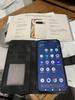
Share this review:


-9points
2of 13voted this as helpful.
Those who drive every day value peace of mind, and you deserve nothing less. The Cobra SC 250R offers premium protection and unparalleled features. Like crystal-clear 4K video, parking mode recording, and remote vehicle monitoring. Everything you need to make your journey worry free.
Customer Rating
5
High quality unit with minor issues
on August 9, 2024
Posted by: ETP1
SC 250R Dash Cam
Dual-View Dash Cam with True 4K, 360 Alerts & Rear Camera
Dual-View Dash Cam with True 4K, 360 Alerts & Rear Camera
Upfront observations before testing the product:
1. Advertised 512GB Micro SD capability is well above average for all Dash Cams.
2. Apple Carplay and Android Auto APP connections are well above average
3. WIFI connection to Phone APP
4. Bluetooth Connection to Phone APP
5. Live radar/traffic alerts from cellphone connections direct to MID (dash) display as well as
dash cam well above average.
dash cam well above average.
6. MID dash display on vehicle well above average.
7. Live and recorded downloads on app are well above average.
8. Temporary mount for testing was a needed function.
9. Rear camera has a standard input to main camera
10. PC or WIFI connection for FW updates.
11. Full manual online at COBRA
12. Rear camera for night videos at 1080P
Summary report:
Product met all advertised functions in live testing except the micro-SD card size and IOS app compatibility. See below for details!
Actual setup and testing the product:
Information pack sent with unit was fair. But product telephone call in assistance with a live person (who actually knows what is going on) was perfect. Full contact information if you need help!
First, I read the instructions that were included, then checked online for all updates, inserted the 400GB micro-SD high end card before turning on the unit. 400GB high end card completely failed to be recognized so I installed a 256GB high end card and it worked perfect. Telephone assistance confirmed the 256GB is the limit and not 512GB. Formatting these large cards to FAT 32 with special programs does not work as you might think. Somehow the total recorded space for clips is truncated.
Quality of the parts was outstanding with the rear camera connection inside the dash cam inoperative at first. I unplugged and re-plugged several times and the last time I pushed very hard on the connection and heard a snap. Then it would connect normally after that procedure.
Quality of the parts was outstanding with the rear camera connection inside the dash cam inoperative at first. I unplugged and re-plugged several times and the last time I pushed very hard on the connection and heard a snap. Then it would connect normally after that procedure.
Installed the current Drive Smarter app on my iPhone and could not register my account. After calling I discovered I had a very old account (20 years old at least) and then just changed my password to register. The IOS app did not function properly, so I was forced to use my Samsung A35 5G phone for all testing. Once my Samsung was up and running, I had 12 versions of my current vehicles I had to delete. Evidently every time I used my iPhone 13 to add a vehicle it did add it but did not show it in the device menu. After testing in the vehicle and my office this unit will work both places with a stable 4-amp wall supply.
Testing has been slow due to the hurricane and COVID, but I was determined to punch this test out as soon as I could.
Testing has been slow due to the hurricane and COVID, but I was determined to punch this test out as soon as I could.
The electrostatic film for mounting is preferred as permanent mounting can be problematic on removal. The unit will slide off the mount if needed but the clicking lock is too firm so I slid it in place without snapping the final lock. In Florida, you never leave your dash cam parked all day in direct sunlight. Either use a full windshield cover or remove the unit from the windshield and place in a protected spot.
This unit runs hot so use the screen saver to mitigate the heat issue. Unit will run an additional 10-12 seconds after power is removed.
The APP:
The best feature of this outstanding app is the ability to live monitor the dash cam as well as download clips. You can also cast your cell phone to the MID display with car play (2024 Toyota Venza Limited) and view a large screen version of your dash cam feed or whatever you are viewing in the app. Very nice when needed. The other features all work as advertised.
Final note on rear camera necessity! There are insurance scams active in many states where a rear end collision is settled against the car rear ended at the max limit of liability. Without a witness and a video, the insurance companies fold fast. You must have a high-quality rear camera! Even if the police reports no injuries and initially had no witnesses they claim injuries later and have a witness in the car at a later date.
Once the storm finally passed, I was able to go outside and mount this properly.
Pictures included!
Note: Rear and front at night are almost like daylight. However, my rear window has car wash wax spots all over it so I needed to do a wax removal and deep clean. I will post another rear-view video this week online at my review if possible.
Summary:
This is a much better dash cam than my previous units and the other manufacturers need to take note. The features and quality are obvious in actual use. Those el-cheapo units online are great for the front but are unacceptable for rear cameras. Specifications are one thing, but how well does it function in the real world.
This is a much better dash cam than my previous units and the other manufacturers need to take note. The features and quality are obvious in actual use. Those el-cheapo units online are great for the front but are unacceptable for rear cameras. Specifications are one thing, but how well does it function in the real world.
Cobra needs to fix the bug (not showing registered vehicles in the device menu) in the IOS app as it should be an easy fix. Evidently, previous versions did not have this issue.
Cobra has been making products for at least 63 years. It would be interesting to see who they worked for in WW2. Evidently, they did make test equipment at first. They did make the first portable phone without an external antenna (owned Marantz for many years and may still own Lloyd’s/TBD).
Quote /Cobra was founded as Dynascan in 1961 by electronics engineer Carl Korn, who served as president, and Samuel Horberg, who became chief financial officer. The two had worked together in the electronics field since 1947, and they had formed another company in 1954. /Quote
Cobra has been making products for at least 63 years. It would be interesting to see who they worked for in WW2. Evidently, they did make test equipment at first. They did make the first portable phone without an external antenna (owned Marantz for many years and may still own Lloyd’s/TBD).
Quote /Cobra was founded as Dynascan in 1961 by electronics engineer Carl Korn, who served as president, and Samuel Horberg, who became chief financial officer. The two had worked together in the electronics field since 1947, and they had formed another company in 1954. /Quote
Very nice trip in the Way Back machine!
Tech Specifications
Item # SC250R
Key Specs
Front Resolution: 4096 x 2160 (4K)
Rear Resolution: 1920 x 1080 (Full HD)
Front Field of View: 140 degrees
Rear Field of View: 120 degrees
Max Capable Camera Views: 3
Screen Size: 3"
Memory: 32GB microSD Card (up to 512GB)
Built-In GPS
Dual Band Wi-Fi
Bluetooth® Connectivity
USB-C
G-Sensor
Features
Heads-Up Navigation
Accessory Camera Capable
Loop-Cycle Recording
360 Alerts with the Drive Smarter® App
Emergency Mayday Alert
Automatic Incident Detection & Reports
Parking Mode & Motion Detection
Trip Clips
Privacy Mode
Extreme Temperature Protection
Cloud Video Management
Night Vision (Accessory Interior Camera)
On-Screen Display Languages: English, Spanish, French
Automatic Incident Detection
Yes
G-Sensor
Yes
Yes
Forward Collision Warning
No
No
IOS, Android
Wi-Fi Built-in
Yes
Wi-Fi Built-in
Yes
Camera Mounting Location
Rearview mirror, Windshield
Vehicle Camera Type
Dashboard
Professional Installation Recommended
No
Rearview mirror, Windshield
Vehicle Camera Type
Dashboard
Professional Installation Recommended
No
General
Product Name
SC 250R 4K Dual-View Front & Rear Dash Cam, works with Apple CarPlay/Android Auto
Brand
Cobra
Vehicle Camera Type
Dashboard
Professional Installation Recommended
No
SC 250R 4K Dual-View Front & Rear Dash Cam, works with Apple CarPlay/Android Auto
Brand
Cobra
Vehicle Camera Type
Dashboard
Professional Installation Recommended
No
Model Number
SC250R
Color
Black
Color Category
Black
SC250R
Color
Black
Color Category
Black
Recording and Playback
GPS Enabled
Yes
GPS Enabled
Yes
Camera Power Source
Vehicle battery
Expandable Memory Compatibility
microSD
Recording Feature
Yes
Vehicle battery
Expandable Memory Compatibility
microSD
Recording Feature
Yes
Alert
Forward Collision Warning
No
Forward Collision Warning
No
Lane Departure Warning
No
No
Traffic Camera Alert
Yes
• Compatibility
Compatibility
IOS, Android
App Compatible
Yes
Wi-Fi Built-in
Yes
Yes
• Compatibility
Compatibility
IOS, Android
App Compatible
Yes
Wi-Fi Built-in
Yes
Operating System Compatibility
Android, Apple iOS, Apple iPadOS
Android, Apple iOS, Apple iPadOS
Features
Integrated Microphone
Yes
Integrated Microphone
Yes
Night Vision
Yes
Yes
Remote Control Included
No
No
Display
Screen Included
Yes
Yes
Screen Size
3 inches
Screen Resolution
4096 x 2160
On-Screen Display Languages
English, Spanish, French
3 inches
Screen Resolution
4096 x 2160
On-Screen Display Languages
English, Spanish, French
Mounting
Camera Mounting Location
Rearview mirror, Windshield
Mount Included
Yes
Camera Mounting Location
Rearview mirror, Windshield
Mount Included
Yes
Mount Type
Adhesive
Adhesive
Input
Number Of Auxiliary Inputs
0
0
Number of USB Port(s)
one
Dimension
Product Height
2.56 inches
Product Width
3.27 inches
Product Depth
1.3 inches
Product Weight
0.42 pounds
2.56 inches
Product Width
3.27 inches
Product Depth
1.3 inches
Product Weight
0.42 pounds
Warranty
Manufacturer's Warranty - Parts
1 year
Manufacturer's Warranty - Labor
1 Year
1 year
Manufacturer's Warranty - Labor
1 Year
Other
UPC
028377108389
UPC
028377108389
I would recommend this to a friend!

Share this review:


+3points
3of 3voted this as helpful.
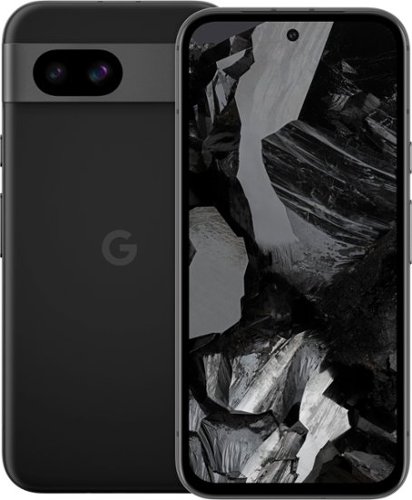
Meet Pixel 8a, engineered by Google. Take amazing photos with the Pixel Camera. And do more, even faster with Google AI. All at a great price.
Posted by: ETP1
Google Pixel 8a Cell Phone Review!
Upfront observations before testing the product:
1. Memory is above average for a midlevel phone at 8GB
2. Battery 4,492 mAh is average for a midline phone
3. WIFI version 6E is outstanding for a newly released phone.
4. Bluetooth 5.3 is outstanding
5. No micro-sd slot is below average
6. 7 years of OS and security updates is outstanding.
7. Checked with my newly acquired 5G service company and I can just insert my other phones sim into the new phone. Both unlocked!
8. OLED/120htz is outstanding
9. Gorilla 3 glass is above average for midlevel phone
10. Wireless charging is above average
11. Screen brightness is outstanding at max of 2000 nits
12. Security features including dealing with spam calls is outstanding
Actual setup and testing the product:
Information pack sent with phone was outstanding. Never have I received a product with this quality and quantity of information. Full contact information if you need help!
First, I read the instructions that were included, charged the phone, inserted the SIM card before turning the phone on. In addition, I installed a protective case and screen cover for accidental drops and bumps. My new phone service even emailed me that I was using the sim in another phone.
Setup Find Device! Don’t skip this step ever!
The Google account help and Pixel Phone help will guide you online if you want to preview them before turning on the phone. Otherwise, the phone will walk you through everything.
I was able to transfer all data from my other Android phone wirelessly without any issues! Very nice!
I setup the phone to use all data transfer and updates over WIFI.
Google guide books are available on your phone with lessons on how to use your phone. You will be sent an email with the link when the phone is first registered. First time that has ever happened with any phone! Service after sale is outstanding.
First system update needs to be done. It takes around 35 minutes.
Feel and weight of phone is perfect. Boots faster than other phones that I have and accesses menus/apps quickly. I was able to move icons around with ease and place them where I wanted in the quick access screen.
On a local road trip today, I was able to fully access 5G connections, log into numerous local WIFIs, navigate on maps, text/talk clearly, use a BT5.3 ear piece, checked for spam calls, and check battery usage. Battey usage was must more efficient than I expected in that after 3 days it was still over 70% of light to medium usage. I set the battery usage to save mode but not the extreme mode and kept all apps closed I was not using. QI was tested and was fully functional.
Auto screen works fine in all sub menus. Be advised the main menu is always in vertical mode.
Took videos and pictures and all were excellent!
Set face recognition, finger print, PIN, and password recognition. All worked perfect!
Summary:
This is a much better phone than I was expecting, and the other manufacturers need to take note. The features and quality are more in line with a phone between mid and high-level price range. Many cell phone service providers are offering additional discounts for trade ins and other deals. This could make this a better bargain if your service provider has any incentives.
Specifications:
Display
6.1-inch Actua display1
20:9 aspect ratio
1080x2400 OLED at 430 PPI
Smooth Display2(up to 120Hz)
Corning® Gorilla® Glass™ 3 cover glass
Always-on display with At a Glance and Now Playing
Up to 1400 nits (HDR) and up to 2000 nits (peak brightness)
>1,000,000:1 contrast ratio
6.1-inch Actua display1
20:9 aspect ratio
1080x2400 OLED at 430 PPI
Smooth Display2(up to 120Hz)
Corning® Gorilla® Glass™ 3 cover glass
Always-on display with At a Glance and Now Playing
Up to 1400 nits (HDR) and up to 2000 nits (peak brightness)
>1,000,000:1 contrast ratio
HDR support
Full 24-bit depth for 16 million colors
Full 24-bit depth for 16 million colors
Dimensions and Weight
6 in (height) x 2.9 in (width) x 0.4 in (depth)
6.6 oz
6 in (height) x 2.9 in (width) x 0.4 in (depth)
6.6 oz
Battery and Charging
24+ hour battery life5
Up to 72-hour battery life with Extreme Battery Saver
Typical 4492 mAh6 (Minimum 4404 mAh)
Fast charging
Wireless charging (Qi-certified)
24+ hour battery life5
Up to 72-hour battery life with Extreme Battery Saver
Typical 4492 mAh6 (Minimum 4404 mAh)
Fast charging
Wireless charging (Qi-certified)
Memory and Storage
8 GB LPDDR5x RAM
128 GB / 256 GB UFS 3.1 storage
8 GB LPDDR5x RAM
128 GB / 256 GB UFS 3.1 storage
Processors
Google Tensor G3
Titan M2 security coprocessor
Google Tensor G3
Titan M2 security coprocessor
Security
VPN by Google One at no extra cost
End-to-end security designed by Google
Multi-layer hardware security: Tensor security core, Titan M2™ security chip, and Trusty (Trusted Execution Environment)
7 years of OS, security, and Feature Drop updates
Anti-malware and anti-phishing protection, including support for passkeys
Automatic security checks and privacy controls with Security and Privacy hub
Camera and mic toggles
Private Compute Core
Android System Intelligence
Android Messages end-to-end encryption and Android backup encryption
Learn more at g.co/pixel/security and g.co/pixel/certifications
VPN by Google One at no extra cost
End-to-end security designed by Google
Multi-layer hardware security: Tensor security core, Titan M2™ security chip, and Trusty (Trusted Execution Environment)
7 years of OS, security, and Feature Drop updates
Anti-malware and anti-phishing protection, including support for passkeys
Automatic security checks and privacy controls with Security and Privacy hub
Camera and mic toggles
Private Compute Core
Android System Intelligence
Android Messages end-to-end encryption and Android backup encryption
Learn more at g.co/pixel/security and g.co/pixel/certifications
Rear Camera
64 MP Quad PD wide camera
0.8 μm pixel width
ƒ/1.89 aperture
80° field of view
1/1.73" image sensor size
Super Res Zoom up to 8x12
13 MP ultrawide camera
1.12 μm pixel width
ƒ/2.2 aperture
120° field of view
Lens correction
Optical + electronic image stabilization on wide
64 MP Quad PD wide camera
0.8 μm pixel width
ƒ/1.89 aperture
80° field of view
1/1.73" image sensor size
Super Res Zoom up to 8x12
13 MP ultrawide camera
1.12 μm pixel width
ƒ/2.2 aperture
120° field of view
Lens correction
Optical + electronic image stabilization on wide
Front Camera
13 MP
1.12 μm pixel width
ƒ/2.2 aperture
Fixed focus
96.5° ultrawide field of view
13 MP
1.12 μm pixel width
ƒ/2.2 aperture
Fixed focus
96.5° ultrawide field of view
Camera Features
Magic Editor
Best Take
Magic Eraser
Photo Unblur
Real Tone
Magic Editor
Best Take
Magic Eraser
Photo Unblur
Real Tone
Face Unblur
Panorama
Manual white balancing
Locked Folder
Night Sight
Top Shot
Portrait Mode
Portrait Light
Motion Auto Focus
Frequent Faces
Dual exposure controls
Live HDR+
Ultra HDR
Long Exposure
Astrophotography
Super Res Zoom
Panorama
Manual white balancing
Locked Folder
Night Sight
Top Shot
Portrait Mode
Portrait Light
Motion Auto Focus
Frequent Faces
Dual exposure controls
Live HDR+
Ultra HDR
Long Exposure
Astrophotography
Super Res Zoom
Video and Audio
Rear Camera
4K video recording at 30 FPS, 60 FPS
1080p video recording at 30 FPS, 60 FPS
Rear Camera
4K video recording at 30 FPS, 60 FPS
1080p video recording at 30 FPS, 60 FPS
Front Camera
4K video recording at 30 FPS
1080p video recording at 30 FPS
Cinematic Pan
Slo-mo video support up to 240 FPS
4K timelapse with stabilization
4K video recording at 30 FPS
1080p video recording at 30 FPS
Cinematic Pan
Slo-mo video support up to 240 FPS
4K timelapse with stabilization
Astrophotography timelapse
Optical image stabilization
Fused video stabilization
4K Cinematic Pan video stabilization
4K locked video stabilization
1080p active video stabilization
Digital zoom up to 5x12
Video formats: HEVC (H.265) and AVC (H.264)
Optical image stabilization
Fused video stabilization
4K Cinematic Pan video stabilization
4K locked video stabilization
1080p active video stabilization
Digital zoom up to 5x12
Video formats: HEVC (H.265) and AVC (H.264)
Audio
Stereo recording
Speech enhancement
Wind noise reduction
Audio Magic Eraser
Stereo recording
Speech enhancement
Wind noise reduction
Audio Magic Eraser
Authentication
Fingerprint Unlock with under-display fingerprint sensor
Face Unlock
Pattern, PIN, password
Fingerprint Unlock with under-display fingerprint sensor
Face Unlock
Pattern, PIN, password
Sensors
Proximity sensor
Ambient light sensor
Accelerometer
Gyrometer
Magnetometer
Barometer
Proximity sensor
Ambient light sensor
Accelerometer
Gyrometer
Magnetometer
Barometer
Buttons and Ports
USB Type-C® 3.2
Power button
Volume controls
USB Type-C® 3.2
Power button
Volume controls
SIMs
Dual SIM (Single Nano SIM and eSIM16)
Dual SIM (Single Nano SIM and eSIM16)
Media and Audio
Stereo speakers
2 microphones
Noise suppression
Stereo speakers
2 microphones
Noise suppression
Connectivity and Location
Wi-Fi 6E (802.11ax) with 2.4GHz+5GHz+6GHz, HE80, MIMO
Bluetooth® v5.3, Bluetooth Diversity
Wi-Fi 6E (802.11ax) with 2.4GHz+5GHz+6GHz, HE80, MIMO
Bluetooth® v5.3, Bluetooth Diversity
NFC
Google Cast
GPS, GLONASS, Galileo, QZSS
Network
[5G Sub 6GHz]18 Model GKV4X
GSM/EDGE: Quad-band (850, 900, 1800, 1900 MHz)
UMTS/HSPA+/HSDPA: Bands 1,2,4,5,6,8,19
LTE: Bands
B1/2/3/4/5/7/8/12/13/14/17/20/25/26/28/29/30/38/41/48/66/71
5G Sub-618: Bands
n1/2/3/5/7/8/12/20/25/26/28/29/30/38/41/48/66/70/71/77/78
[5G Sub 6GHz]18 Model GKV4X
GSM/EDGE: Quad-band (850, 900, 1800, 1900 MHz)
UMTS/HSPA+/HSDPA: Bands 1,2,4,5,6,8,19
LTE: Bands
B1/2/3/4/5/7/8/12/13/14/17/20/25/26/28/29/30/38/41/48/66/71
5G Sub-618: Bands
n1/2/3/5/7/8/12/20/25/26/28/29/30/38/41/48/66/70/71/77/78
eSIM
[5G mmWave + Sub 6GHz]18 Model G8HHN
[5G mmWave + Sub 6GHz]18 Model G8HHN
GSM/EDGE: Quad-band (850, 900, 1800, 1900 MHz)
UMTS/HSPA+/HSDPA: Bands 1,2,4,5,6,8,19
LTE: Bands
B1/2/3/4/5/7/8/12/13/14/17/20/25/26/28/29/30/38/41/48/66/71
5G Sub-618: Bands
n1/2/3/5/7/8/20/28/48/66/71/77/78
5G mmWave18: Bands n260/n261
B1/2/3/4/5/7/8/12/13/14/17/20/25/26/28/29/30/38/41/48/66/71
5G Sub-618: Bands
n1/2/3/5/7/8/20/28/48/66/71/77/78
5G mmWave18: Bands n260/n261
eSIM
Hearing Aid Compatibility
Hearing aid-compatible. See g.co/pixel/hac.
Security and OS Updates
7 years of OS, security, and Feature Drop updates
7 years of OS, security, and Feature Drop updates
Materials
Scratch-resistant Corning® Gorilla® Glass 3 cover glass
IP67 dust and water resistance
Fingerprint-resistant coating
Matte composite back with matte aluminum frame
Made with at least 24% recycled materials based on product weight
100% recycled aluminum in housing and camera bar
76% recycled plastic in back cover
100% plastic-free packaging
Scratch-resistant Corning® Gorilla® Glass 3 cover glass
IP67 dust and water resistance
Fingerprint-resistant coating
Matte composite back with matte aluminum frame
Made with at least 24% recycled materials based on product weight
100% recycled aluminum in housing and camera bar
76% recycled plastic in back cover
100% plastic-free packaging
Warranty
1 year
1 year
Operating System
Launched with Android 14
Launched with Android 14
What's in the box
Pixel 8a
1 m USB-C® to USB-C cable (USB 2.0)
Quick Switch Adapter
Pixel 8a
1 m USB-C® to USB-C cable (USB 2.0)
Quick Switch Adapter
I would recommend this to a friend!

Share this review:


+2points
3of 4voted this as helpful.
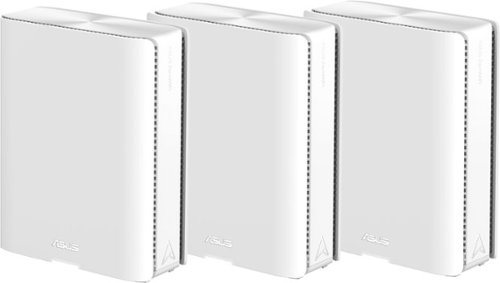
Award-winning meshes bring next-gen Wi-Fi 7 speeds of up to 30 Gbps, extendable coverage of up to 11000 sq. ft. (3pk) for your worry-free smart home.
Customer Rating
5
Outstanding feature rich product
on May 16, 2024
Posted by: ETP1
Pictures and specifications at the end of the review.
Unfortunately, trying to get the system up and running I forgot to take pictures of the lights!
Unfortunately, trying to get the system up and running I forgot to take pictures of the lights!
UPFRONT
Be sure to reboot your modem when needed!
Setup:
Received the ASUS ZenWiFi BE30000 3-pack undamaged and double boxed. Made in Vietnam! This seems to be the place companies like for advanced electronics (I actually look for that and three other counties for my products). Wow! Way-back machine is working on me, but they are a manufacturer of outstanding quality electronics. The power supplies were made somewhere else.
The setup instructions and the cellphone app links were on a large fold out sheet. Be sure to read it 3 times before starting and reboot your modem after connecting to the main unit and turning all units on.
Be sure you install your cell phone APP before unplugging your old mesh system. In my case, Wi-Fi connection is the main mode of cell phone service as tower reception is marginal due to aluminum foil lining on the OSB roofing in our house.
I recommend using a laptop connected to the main router for setup. However, there are no recommendations on what connection profile you should use in the menu on your cell phone.
Dedicated manual for the BE30000 was unavailable.
I unplugged all my old mesh nodes, so they reverted to a no power state. This way I could recover my old system quickly if needed.
All 3 units are identical so just pick one for the main router (parent). Instructions say to turn them all on and plug in your internet cable to the main unit/node you have selected. When they are all solid blue then start using the app with a USB cable from your phone tethered to the main unit. There are multiple options in the APP for connectivity during setup (BT, USB, etc). Only after selecting a method do instructions follow for that specific mode. I since I picked the tethering method, I can verify that option works fine.
Solid blue light means nodes are ready for setup (mine were doing all kinds of colors since I moved them closer to the parent node!
Light description is missing on what the flashing lights mean and that the colors may change after the solid blue. So, it was a real chore to figure out what the node lights on the units meant during setup. There is a chart for after setup included which should be used during setup.
This is what I suspect:
Solid green/blue lights indicate active WIFI bands. Blinking on the child nodes means devices are receiving or sending data.
A red WAN light signals trouble connecting to the internet.
When connected to internet, the main unit (Parent) was always white once stable.
It was very distracting to have all those flashing and alternating color lights during setup as I assumed something was wrong.
Only when I started using my devices could I ascertain that all nodes were functioning properly as the app showed sporadic connectivity issues between nodes.
50% of my security devices will require a new paring as the WIFI name and password being the same did not help.
Big issue is to reboot your modem when first turning on and connecting the system to your modem. Otherwise, you will have numerous issues with sporadic internet connectivity.
Initial observations:
These are quality units but a real challenge to set them up properly using the cell phone app and a USB cable.
The three units were well built and felt solid. Units were heavier (good thing) than my older professional mesh system.
WIFI 7 devices were not tested but 4,5,6,6E devices and BT 5.3 headsets were. This was good enough to test the wireless dedicated connections.
MU-MIMO gives every compatible device its own dedicated full-speed Wi-Fi connection, so that multiple devices can connect at the same time without slowing down the network. (MU-MIMO technology).
MU-MIMO gives every compatible device its own dedicated full-speed Wi-Fi connection, so that multiple devices can connect at the same time without slowing down the network. (MU-MIMO technology).
Link speed on a 6E devices were download 2162/ upload 490 MBPS and 1922/1922 on the other.
Ethernet was 1000/1000 on the child nodes using the 1GB connection. The 10GB connection was not tested! Transfer rates may be greater if you have 10GB service or transferring data between nodes in a business environment.
Noticed a difference in the LAN connection video quality on an internet channel APP (connected to main unit via LAN). Can’t explain that as it may be a setting in the system! Also, the WIFI picture looked different as it was brighter (still a great picture).
Recovered the previous system and the video quality improved over the LAN. This was with all LAN connections to the main unit!
The speed was excellent during actual device usage, but the displayed download and upload capabilities were the limit of 1G port. 10G port would be different.
Final thoughts!
The install took several hours to finish. Most of the time was wasted due to not rebooting the modem and moving the child nodes around thinking they were not connected correctly because of the alternating lights during setup. Also, the APP kept showing the child nodes on then off! This was the key to reboot my modem.
50 feet with direct line of sight and 35 feet with walls seems to be the limit for steady connections between child and parent nodes. WIFI device connections were outstanding.
System was stable once completely set up and is a solid quality product. But the difference in internet app video quality (LAN to main unit) was strange and cannot be explained other than a possible system setting. This issue can be resolved by using WIFI if needed.
The main status of system on the menu in the APP phone screen, displayed all the connections for each mode with their status and suggestive corrective actions (very nice feature). Be advised, if a LAN cable is not hooked up to an active device, it may ask you to change cables.
All installs are location specific as each location has different issues and needs. This unit may be a good fit for your specific needs like multiple computers in a business environment using the MU-MIMO technology. A small to medium business that does not want to run internet cables to all devices (or wired back haul) will find this as an excellent option.
Auto mobile tethering is a great feature for using a cell phone as a 5G hotspot. This will allow cable cutting in some situations. I could not find another brand WIFI mesh system that does this on a quick look online (at least in published specifications). Outstanding for ASUS!
This is a very advanced system with lots of flexibility on types of use in an appropriate environment. VPN is a feature on the newest advanced electronic communication devices that will enhance security.
Specifications:
ASUS ZenWiFi BE30000
Model Name BE30000 (W-2-PK)
Network Standard
IEEE 802.11a, IEEE 802.11b, IEEE 802.11g, WiFi (802.11n), WiFi 5 (802.11ac), WiFi 6 (802.11ax), WiFi 6E (802.11ax), WiFi 7 (802.11be), IPv4, IPv6
Product Segment
BE30000 ultimate BE performance: 1376+5764+11529+11529 Mbps
WiFi Data Rate
WiFi 7 (802.11be) (2.4GHz): up to 1376 Mbps
WiFi 7 (802.11be) (5GHz): up to 5764 Mbps
WiFi 7 (802.11be) (6GHz-1): up to 11529 Mbps
WiFi 7 (802.11be) (6GHz-2): up to 11529 Mbps
WiFi 7 (802.11be) (5GHz): up to 5764 Mbps
WiFi 7 (802.11be) (6GHz-1): up to 11529 Mbps
WiFi 7 (802.11be) (6GHz-2): up to 11529 Mbps
Antenna
Internal antenna x 12
Transmit / Receive
2.4GHz 4x4
5GHz 4x4
6GHz-1 4x4
6GHz-2 4x4
2.4GHz 4x4
5GHz 4x4
6GHz-1 4x4
6GHz-2 4x4
Memory
RAM 2GB , Flash 256MB
RAM 2GB , Flash 256MB
Boosts Speed
OFDMA (Orthogonal Frequency Division Multiple Access)
Beamforming: standard-based and universal
4096-QAM high data rate
20/40/80/160/320 MHz bandwidth
OFDMA (Orthogonal Frequency Division Multiple Access)
Beamforming: standard-based and universal
4096-QAM high data rate
20/40/80/160/320 MHz bandwidth
Operating Frequency
2.4 GHz / 5 GHz / 6 GHz
2.4 GHz
5 GHz
6 GHz-1
6 GHz-2
2.4 GHz
5 GHz
6 GHz-1
6 GHz-2
Operating Mode
Wireless Router Mode
AiMesh Node Mode
Access Point Mode
AiMesh Node Mode
Access Point Mode
I/O Ports
10G WAN/LAN x 1, 10G LAN x 1, 1G WAN/LANx 1, 1G LAN x2, USB 3.0
Buttons
Reset/ WPS/ Rocker Switch
LED Indicator
Power x 1
Power x 1
Power Supply
AC Input : 110V~240V(50~60Hz)
DC Output : 19V with max. 3.42A current/ 12V 5A
AC Input : 110V~240V(50~60Hz)
DC Output : 19V with max. 3.42A current/ 12V 5A
Package Content
ZenWiFi BE30000
RJ-45 cable
Power adapter
Warranty card
Quick start guide
RJ-45 cable
Power adapter
Warranty card
Quick start guide
Product Weight (g)
1341g
Product Dimensions
214*174.2*72 mm
214*174.2*72 mm
AiMesh
AiMesh
• Primary AiMesh Router
• AiMesh Node
• Primary AiMesh Router
• AiMesh Node
Parental Control
"Allow you to block access to unwanted websites and apps."
Web & Apps Filters
Time Scheduling
Reward
Parental Control - Safe Browsing
Customized Internet Schedule
• Maximum Parental Control Profile : 64
• Maximum Parental Control Content Filter Rule : 64
Web & Apps Filters
Time Scheduling
Reward
Parental Control - Safe Browsing
Customized Internet Schedule
• Maximum Parental Control Profile : 64
• Maximum Parental Control Content Filter Rule : 64
Router APP
APP: ASUS Router APP
Guest Network
"The Guest Network provides Internet connection for guests but restricts access to your local network."
Support Guest Network
• Maximum Guest Network Rule : 2.4G+5G/ 2.4G+5G+6G: 8
Guest Network Connection Time Limit
Open system, WPA/WPA2-Personal/WPA3-Personal
Support Guest Network
• Maximum Guest Network Rule : 2.4G+5G/ 2.4G+5G+6G: 8
Guest Network Connection Time Limit
Open system, WPA/WPA2-Personal/WPA3-Personal
Security
AiProtection
VPN
WPA3 Enterprise, WPA3 Personal, WPA2 Enterprise , WPA2 Personal, WPA Personal, WPA Enterprise , WPS support
WPS
Let's Encrypt
DNS-over-TLS
SSH
Security Scan
Firewall
• Maximum Firewall Keyword Filter : 64
• Maximum Firewall Network Service Filter : 32
• Maximum Firewall URL Filter : 64
VPN
WPA3 Enterprise, WPA3 Personal, WPA2 Enterprise , WPA2 Personal, WPA Personal, WPA Enterprise , WPS support
WPS
Let's Encrypt
DNS-over-TLS
SSH
Security Scan
Firewall
• Maximum Firewall Keyword Filter : 64
• Maximum Firewall Network Service Filter : 32
• Maximum Firewall URL Filter : 64
AiProtection
AiProtection Pro
• Router Security Assessment
• Malicious Site Blocking
• Two-Way IPS
• Infected Device Prevention and Blocking
AiProtection Pro
• Router Security Assessment
• Malicious Site Blocking
• Two-Way IPS
• Infected Device Prevention and Blocking
VPN
Instant Guard
VPN Client L2TP
VPN Client Open VPN
VPN Client PPTP
VPN Client WireGuard
VPN Server IPSec
VPN Server Open VPN
VPN Server PPTP
VPN Server WireGuard
VPN Fusion
VPN Client L2TP
VPN Client Open VPN
VPN Client PPTP
VPN Client WireGuard
VPN Server IPSec
VPN Server Open VPN
VPN Server PPTP
VPN Server WireGuard
VPN Fusion
Traffic Control
Adaptive QoS
• Bandwidth Monitor
• Bandwidth Limiter
-- Maximum Bandwidth Limiter Rule : 32
Traditional QoS
Traffic Monitor
• Real-time Traffic Monitor
• Wired Traffic Monitor
• Wireless Traffic Monitor
Traffic Analyzer
• Traffic Analysis Period : Daily, Weekly, Monthly
• Website History
• Bandwidth Monitor
• Bandwidth Limiter
-- Maximum Bandwidth Limiter Rule : 32
Traditional QoS
Traffic Monitor
• Real-time Traffic Monitor
• Wired Traffic Monitor
• Wireless Traffic Monitor
Traffic Analyzer
• Traffic Analysis Period : Daily, Weekly, Monthly
• Website History
WAN
Internet Connection
I would recommend this to a friend!

Share this review:


-1point
2of 5voted this as helpful.
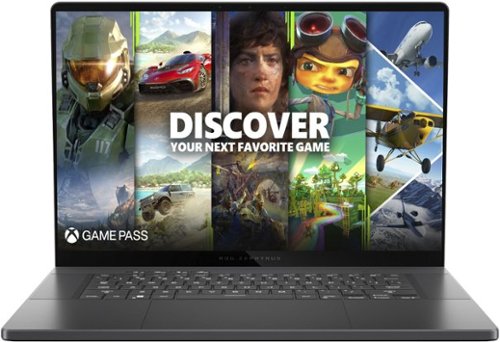
Experience the height of gaming innovation with the ROG Zephyrus G16. Featuring an all-new premium aluminum chassis with customizable lighting, this laptop merges style and durability. Its ultra-slim 0.59~ profile and lightweight 4.08lbs 16~ chassis redefines portability, but does not compromise on performance. Powered by Windows 11, an Intel Core Ultra 9 185H processor, and an NVIDIA GeForce RTX 4070 laptop GPU, the Zephyrus G16 seamlessly aligns with your lifestyle, meeting all your gaming and creative demands. ROG Intelligent Cooling features liquid metal for reduced CPU temperatures and upgraded Arc Flow Fans for improved airflow to sustain peak performance on the Zephyrus G16 no matter the task. Immerse yourself in the OLED Nebula Display and enjoy rapid 0.2ms response times, vivid 2K resolution, and a smooth 240Hz refresh rate.
Customer Rating
5
Quality aluminum case high end laptop
on March 9, 2024
Posted by: ETP1
5 Stars for ASUS aluminum case laptops
ASUS - ROG Zephyrus G16 (2024) 16" OLED 240Hz Gaming Laptop - Intel Core Ultra 9 - 16GB LPDDR5X - GeForce RTX 4070 - 1TB SSD - Eclipse Gray
Model:GU605MI-G16.U94070
SKU:6570222
Model:GU605MI-G16.U94070
SKU:6570222
High quality i9 DDR5 gaming laptop
1. Aluminum housing
2. Worked on first boot
3. 12 months parts and labor warranty
4. Complete printed manual with extended warranty options online
5. WD M.2 4x4 1 TB drive
6. 16GB DDR5
7. 4070 video card
8. Very nice heat shield for the M.2 drive. If you swap out drives, be sure to use the old heat shield housing on your new drive.
9. Internal drive is fine the way it is! No upgrade needed.
10. External monitors worked on USB-C and HDMI outputs.
2. Worked on first boot
3. 12 months parts and labor warranty
4. Complete printed manual with extended warranty options online
5. WD M.2 4x4 1 TB drive
6. 16GB DDR5
7. 4070 video card
8. Very nice heat shield for the M.2 drive. If you swap out drives, be sure to use the old heat shield housing on your new drive.
9. Internal drive is fine the way it is! No upgrade needed.
10. External monitors worked on USB-C and HDMI outputs.
Setup:
First boot takes a long time. Be advised you will not see any life for a few minutes. Unit must be plugged in on first boot. Be very patient. Be sure to plug it in on reboot after a hardware change.
Recommend a USB-C LAN adapter for quicker setup.
Update and setup everything including an extra Windows Update in settings.
When completely finished setting the unit up, update the BIOS FW at ASUS. Critical update for this unit.
Windows update should catch all the rest.
I installed a WD850X 2TB for a boot drive and a WD850 2TB for a data drive.
There are two hidden screws on the edge of the case covered by rubber pads. If you are not an experienced hardware technician, you may want to skip this step.
Fans come on at the right temperatures, but I could not find settable fan speeds the BIOS. There is a fan monitor that appears to be a monitor only. You have to use the enter key for some functions and the mouse pad for others.
WD cloning software did fine but be sure to use a USB C external doc and no adapters.
The extra M.2 slot does not have much vertical height for heat sinks. I used a heat sink transfer pad as my thinnest heat sink was a fraction too high. If you have a very thin flat heat sink that might work. TBD
XBOX-X controller is the best bet for games. The i9 CPU showed its strength in gaming mode as I was surprised how quick it was. The mouse and keyboard were not optimal for gaming.
For additional cooling, I bought an elevated laptop stand and placed a fan under it for intense games.
Read the manual on how to use the FN keys.
In addition, the sound is off on the speakers in initial setup. You will need to tag the Realtek audio in audio settings.
The screen will not open past about 110ish degrees. Be very careful!
I have included pictures up to my limit but may add some in comments at a later date if possible.
•
•
•
• Key Specs
Screen Size
16 inches
Screen Resolution
2560 x 1600
Touch Screen
No
Refresh Rate
240Hz
Processor Model
Intel Core Ultra 9 Series 1
CPU Base Clock Frequency
2.3 gigahertz
Storage Type
SSD
Total Storage Capacity
1000 gigabytes
System Memory (RAM)
16 gigabytes
Graphics
NVIDIA GeForce RTX 4070
Display Connector(s)
1 x HDMI 2.1, 1 x Thunderbolt 4
Battery Life (up to)
10 hours
Battery Type
Lithium-ion
2-in-1 Design
No
Backlit Keyboard
Yes
• General
Product Name
ROG Zephyrus G16 (2024) 16" OLED 240Hz Gaming Laptop - Intel Core Ultra 9 - 16GB LPDDR5X - GeForce RTX 4070 - 1TB SSD
Brand
ASUS
Model Number
GU605MI-G16.U94070
Year of Release
2024
Color
Eclipse Gray
Color Category
Gray
• Display
Display Type
OLED
Screen Size
16 inches
Screen Resolution
2560 x 1600
Touch Screen
No
Refresh Rate
240Hz
• Processor
Processor Brand
Intel
Processor Model
Intel Core Ultra 9 Series 1
Processor Model Number
Intel Core Ultra 9 185H
CPU Base Clock Frequency
2.3 gigahertz
CPU Boost Clock Frequency
5.1 gigahertz
Number of CPU Cores
14-core
• Storage
Storage Type
SSD
Total Storage Capacity
1000 gigabytes
Solid State Drive Capacity
1000 gigabytes
Solid State Drive Interface
PCIe 4.0
• Memory
System Memory (RAM)
16 gigabytes
Type of Memory (RAM)
LPDDR5X
System Memory RAM Speed
6400 megahertz
Number Of Memory Slots
2
Number of Memory Sticks Included
2
• Graphics
Graphics Type
Dedicated
GPU Brand
NVIDIA
Graphics
NVIDIA GeForce RTX 4070
Advanced Graphics Rendering Technique(s)
DLSS 3 (Deep Learning Super Sampling), Ray tracing
GPU Video Memory (RAM)
8 gigabytes
GPU Video Memory Type (RAM)
GDDR6X
• Compatibility
Operating System
Windows 11 Home
Operating System Architecture
64-bit
• Connectivity
Display Connector(s)
1 x HDMI 2.1, 1 x Thunderbolt 4
Number of HDMI Outputs (Total)
1
Number of DisplayPort Outputs (Total)
0
Number of Thunderbolt Ports (Total)
1
Number of VGA Ports
0
USB Ports
2 x USB-A 3.2, 2 x USB-C 3.2
Number of USB Ports (Total)
4
Number of USB Type A Charging Ports
0
Number of USB Type C Charging Ports
1
Headphone Jack
Yes
Microphone Input
Yes
Wireless Connectivity
Bluetooth, Wi-Fi
Wireless Standard
AX
Wireless Networking Standard
Wi-Fi 6E
Network Connectivity
None
• Cooling
CPU Cooling System
Air
• Power
Power Supply Maximum Wattage
330 watts
Battery Life (up to)
10 hours
Battery Cells
4-cell
Battery Type
Lithium-ion
• Camera
Front-Facing Camera
Yes
Front Facing Camera Video Resolution
1080p
Built-In Microphone
Yes
• Features
2-in-1 Design
No
Backlit Keyboard
Yes
Customizable Keyboard Lighting
RGB
Foldable Screen
No
GPS Enabled
No
Customizable Case Lighting
No
Windows Features
Windows Hello
Security Features
Facial recognition
Stylus Dock
None
• Dimensions
Product Height
0.59 inches
Product Width
9.72 inches
Product Depth
13.97 inches
Product Weight
4.1 pounds
• Certifications & Listings
ENERGY STAR Certified
Yes
EPEAT Qualified
No
• Included
Included Software
ROG Armoury Crate
Numeric Keypad
No
Stylus Included
No
• Warranty
Manufacturer's Warranty - Parts
1 year
Manufacturer's Warranty - Labor
1 year
• Other
UPC
197105404113
•
•
•
• Key Specs
Screen Size
16 inches
Screen Resolution
2560 x 1600
Touch Screen
No
Refresh Rate
240Hz
Processor Model
Intel Core Ultra 9 Series 1
CPU Base Clock Frequency
2.3 gigahertz
Storage Type
SSD
Total Storage Capacity
1000 gigabytes
System Memory (RAM)
16 gigabytes
Graphics
NVIDIA GeForce RTX 4070
Display Connector(s)
1 x HDMI 2.1, 1 x Thunderbolt 4
Battery Life (up to)
10 hours
Battery Type
Lithium-ion
2-in-1 Design
No
Backlit Keyboard
Yes
• General
Product Name
ROG Zephyrus G16 (2024) 16" OLED 240Hz Gaming Laptop - Intel Core Ultra 9 - 16GB LPDDR5X - GeForce RTX 4070 - 1TB SSD
Brand
ASUS
Model Number
GU605MI-G16.U94070
Year of Release
2024
Color
Eclipse Gray
Color Category
Gray
• Display
Display Type
OLED
Screen Size
16 inches
Screen Resolution
2560 x 1600
Touch Screen
No
Refresh Rate
240Hz
• Processor
Processor Brand
Intel
Processor Model
Intel Core Ultra 9 Series 1
Processor Model Number
Intel Core Ultra 9 185H
CPU Base Clock Frequency
2.3 gigahertz
CPU Boost Clock Frequency
5.1 gigahertz
Number of CPU Cores
14-core
• Storage
Storage Type
SSD
Total Storage Capacity
1000 gigabytes
Solid State Drive Capacity
1000 gigabytes
Solid State Drive Interface
PCIe 4.0
• Memory
System Memory (RAM)
16 gigabytes
Type of Memory (RAM)
LPDDR5X
System Memory RAM Speed
6400 megahertz
Number Of Memory Slots
2
Number of Memory Sticks Included
2
• Graphics
Graphics Type
Dedicated
GPU Brand
NVIDIA
Graphics
NVIDIA GeForce RTX 4070
Advanced Graphics Rendering Technique(s)
DLSS 3 (Deep Learning Super Sampling), Ray tracing
GPU Video Memory (RAM)
8 gigabytes
GPU Video Memory Type (RAM)
GDDR6X
• Compatibility
Operating System
Windows 11 Home
Operating System Architecture
64-bit
• Connectivity
Display Connector(s)
1 x HDMI 2.1, 1 x Thunderbolt 4
Number of HDMI Outputs (Total)
1
Number of DisplayPort Outputs (Total)
0
Number of Thunderbolt Ports (Total)
1
Number of VGA Ports
0
USB Ports
2 x USB-A 3.2, 2 x USB-C 3.2
Number of USB Ports (Total)
4
Number of USB Type A Charging Ports
0
Number of USB Type C Charging Ports
1
Headphone Jack
Yes
Microphone Input
Yes
Wireless Connectivity
Bluetooth, Wi-Fi
Wireless Standard
AX
Wireless Networking Standard
Wi-Fi 6E
Network Connectivity
None
• Cooling
CPU Cooling System
Air
• Power
Power Supply Maximum Wattage
330 watts
Battery Life (up to)
10 hours
Battery Cells
4-cell
Battery Type
Lithium-ion
• Camera
Front-Facing Camera
Yes
Front Facing Camera Video Resolution
1080p
Built-In Microphone
Yes
• Features
2-in-1 Design
No
Backlit Keyboard
Yes
Customizable Keyboard Lighting
RGB
Foldable Screen
No
GPS Enabled
No
Customizable Case Lighting
No
Windows Features
Windows Hello
Security Features
Facial recognition
Stylus Dock
None
• Dimensions
Product Height
0.59 inches
Product Width
9.72 inches
Product Depth
13.97 inches
Product Weight
4.1 pounds
• Certifications & Listings
ENERGY STAR Certified
Yes
EPEAT Qualified
No
• Included
Included Software
ROG Armoury Crate
Numeric Keypad
No
Stylus Included
No
• Warranty
Manufacturer's Warranty - Parts
1 year
Manufacturer's Warranty - Labor
1 year
• Other
UPC
197105404113
I would recommend this to a friend!

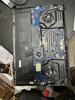

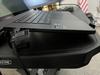
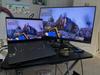
Share this review:


+1point
3of 5voted this as helpful.
DO NOT SELL RECALL Surface with Windows 8 Pro - 128 GB
Overall5 out of 5
5 out of 5quality product in all areas
By ETP1
from fl
Got this In the Jan sale and the price went down another $100. I will drive in today and get the price match as I still am in the 45 day window.
As to functionality, I bought the key board and a BT mouse and install office 2014. Bought a 64GB SD and all is up and running smooth. Very nice product.

ETP1
fl
February 1, 2014
I meant Office 2013/sorry folks
0points
0of 0voted this comment as helpful.
DO NOT SELL RECALL Surface with Windows 8 Pro - 128 GB
Overall5 out of 5
5 out of 5quality product in all areas
By ETP1
from fl
Got this In the Jan sale and the price went down another $100. I will drive in today and get the price match as I still am in the 45 day window.
As to functionality, I bought the key board and a BT mouse and install office 2014. Bought a 64GB SD and all is up and running smooth. Very nice product.
ETP1
fl
correction
February 1, 2014
office 2013/slip of the finger this morning
0points
0of 0voted this comment as helpful.
DO NOT SELL RECALL Surface with Windows 8 Pro - 128 GB
Overall5 out of 5
5 out of 5quality product in all areas
By ETP1
from fl
Got this In the Jan sale and the price went down another $100. I will drive in today and get the price match as I still am in the 45 day window.
As to functionality, I bought the key board and a BT mouse and install office 2014. Bought a 64GB SD and all is up and running smooth. Very nice product.
ETP1
fl
February 2, 2014
I was expecting the same thing but was given a prompt refund. It is silly that they did that to you since you can bring it back and not buy anything.
0points
0of 0voted this comment as helpful.
Enjoy flexible entertainment with this Samsung Notebook 7 Spin laptop. Its 360-degree rotating monitor converts into a tablet for touch-screen browsing or a tent or display for hands-free viewing. This fast-charging 13-inch Notebook 7 Spin laptop powers up as quickly as 20 minutes to add two hours of battery life for playing another HD movie.
Overall4 out of 5
4 out of 5Great quality, good buy!
By momof3
Ive been researching and shopping for the perfect laptop. Just wanted a nice laptop for home use...streaming movies, internet, some apps but want it to be fast. This fit the bill. Its very nice quality and works very well so far. Set up went smoothly and I was impressed with the picture quality. My only complaint is, I wish it wasn't so heavy. I'm not sure why they made this new Notebook heavier and thicker then last years model. Other then that I really like it..great buy!
ETP1
fl
bloat ware
August 6, 2016
Did you do anything to speed up the performance?
-1point
0of 1voted this comment as helpful.
Enjoy flexible entertainment with this Samsung Notebook 7 Spin laptop. Its 360-degree rotating monitor converts into a tablet for touch-screen browsing or a tent or display for hands-free viewing. This fast-charging 13-inch Notebook 7 Spin laptop powers up as quickly as 20 minutes to add two hours of battery life for playing another HD movie.
Overall5 out of 5
5 out of 5Best quality laptop so far at this price point
By ETP1
from fl
Bought this on sale last week with a student coupon so that made it in the lowish 500's.
Cleaned the system up by eliminating all extra antivirus programs and reactivation of Defender. Set it to max performance and disabled flash player.
Cleaned disk, and defragged.
Cleaned disk, and defragged.
As fast as a Surface with the same specs after boot. With no SSD boot is slow as it should be.
Aluminum case is perfect.
Solid quality unit and my second laptop from Samsung.
ETP1
fl
sale was just afew days
August 13, 2016
sale was just afew days
+2points
2of 2voted this comment as helpful.
Enjoy flexible entertainment with this Samsung Notebook 7 Spin laptop. Its 360-degree rotating monitor converts into a tablet for touch-screen browsing or a tent or display for hands-free viewing. This fast-charging 13-inch Notebook 7 Spin laptop powers up as quickly as 20 minutes to add two hours of battery life for playing another HD movie.
Overall5 out of 5
5 out of 5Best quality laptop so far at this price point
By ETP1
from fl
Bought this on sale last week with a student coupon so that made it in the lowish 500's.
Cleaned the system up by eliminating all extra antivirus programs and reactivation of Defender. Set it to max performance and disabled flash player.
Cleaned disk, and defragged.
Cleaned disk, and defragged.
As fast as a Surface with the same specs after boot. With no SSD boot is slow as it should be.
Aluminum case is perfect.
Solid quality unit and my second laptop from Samsung.
ETP1
fl
$699 plus a 150 student discount.
August 21, 2016
$699 plus a 150 student discount.
+1point
1of 1voted this comment as helpful.
Enjoy flexible entertainment with this Samsung Notebook 7 Spin laptop. Its 360-degree rotating monitor converts into a tablet for touch-screen browsing or a tent or display for hands-free viewing. This fast-charging 13-inch Notebook 7 Spin laptop powers up as quickly as 20 minutes to add two hours of battery life for playing another HD movie.
Overall5 out of 5
5 out of 5Best quality laptop so far at this price point
By ETP1
from fl
Bought this on sale last week with a student coupon so that made it in the lowish 500's.
Cleaned the system up by eliminating all extra antivirus programs and reactivation of Defender. Set it to max performance and disabled flash player.
Cleaned disk, and defragged.
Cleaned disk, and defragged.
As fast as a Surface with the same specs after boot. With no SSD boot is slow as it should be.
Aluminum case is perfect.
Solid quality unit and my second laptop from Samsung.
ETP1
fl
sale on again
August 21, 2016
Not sure if the student coupon is still working for this unit.
+1point
1of 1voted this comment as helpful.
Enjoy flexible entertainment with this Samsung Notebook 7 Spin laptop. Its 360-degree rotating monitor converts into a tablet for touch-screen browsing or a tent or display for hands-free viewing. This fast-charging 13-inch Notebook 7 Spin laptop powers up as quickly as 20 minutes to add two hours of battery life for playing another HD movie.
Overall 3 out of 5
3 out of 5Great laptop, but...
By Chicagoland
I absolutely love this laptop, it looks great, outstanding keyboard and love the fact that it can handle 32GB of ram (BBY specs incorrect), Samsung specs show 32GB. This is primary reason to make the purchase. One huge drawback is the internal Toshiba 1TB 5400 RPM Drive. It is soooo slow....takes 6-8 minutes on startup to get out of 100% disk access. I cant wait to upgrade it to SSD and also install an M.2 SSD as well. (have to wait because of warranty. Like I said, this is a great laptop, (is very expandable), but comes with very poor drive.
ETP1
fl
BB/Samsung - Notebook 7 Spin 2-in-1 13.3" at BB f
August 30, 2016
This unit does not take 6-8 minutes to boot. Suggest you uninstall the extra anti virus and clean disk. Then defrag. Don't forget the WIN 10 anniversary update.
You should not open up the unit while under warranty. Wait until the year is up before installing a SSD.
Mine boots the same speed as the average computer without a SSD. Maybe a little faster. But it never took 6 minutes. Maybe 1-2 minutes max after clean up.
+1point
2of 3voted this comment as helpful.
Prepare for battle in Ultra HD with this Xbox One S bundle. In a distinctive military green, this special-edition console comes complete with a matching controller and stand to help you get into the action. This Xbox One S bundle includes the Early Enlister Deluxe Edition of Battlefield 1, providing access to Hellfighter and other exclusive battle packs.
Overall4 out of 5
4 out of 5Faster and has 4K
By sublevel
First off you really need compatible hdr10 equipment if you wish to take advantage of this system and know how to access certain settings on tvs and receivers
I'm running this with a Sony xbr-65x850D tv and str-dh770 receiver and getting full 4K and 7.1 - it's brilliant! But again I had to find YouTube videos that explained how to change hdmi port settings to take full advantage of all the components to make them work together
ETP1
fl
manuals
November 16, 2016
Any online manuals for this? Can't seem to find a downloadable manual online or a forum for the one S.
Thanks
0points
0of 0voted this comment as helpful.
A new saga begins.Own the Xbox One S Gears of War 4 Bundle (1TB), featuring a full game download of Gears of War 4 for Xbox One and Windows 10, 4K Ultra HD video, and High Dynamic Range. Experience a new generation of Gears of War with the sleeker, more streamlined Xbox console and controller. Play and store more games, including Xbox 360 classics, with the 1TB hard drive. Stream video and watch UHD Blu-ray~ movies in stunning 4K Ultra HD. And now you can enjoy the freedom to play Gears of War 4 on another Xbox One or Windows 10 PC, so you can make shared progress across multiple devices. As one of the most acclaimed video game franchises in history, everything you love about Gears of War is even better on Xbox One.
Overall5 out of 5
5 out of 5A nice upgrade from original Xbox One
By GamePlayingBear
The Xbox One S is a nice upgrade from the original Xbox One. It is significantly smaller than the original and it does not have the large power brick, or any power brick for that matter. It is quiet and stays cool while playing games. I also like having a white console for a change of pace, since most consoles are black except for special edition ones.
This version also supports 4K video playback via the Blu-ray player or other sources, such as streaming. This is a nice feature for those who have 4K TVs. The console in this bundle has a 1TB hard drive, which is a nice upgrade to the 500GB one in the cheaper bundles.
This bundle also includes Gears of War 4, which people will like if they liked others in the series. It comes with one controller, 2 batteries for the controller, and all the needed cables, even an HDMI cable.
Overall it is a good bargain for any gamers looking for a smaller Xbox One and 4K video support.
ETP1
fl
printed manual
November 16, 2016
Do you have a link to a printed manual?
Thanks,
0points
0of 0voted this comment as helpful.
ETP1's Questions
ETP1 has not submitted any questions.
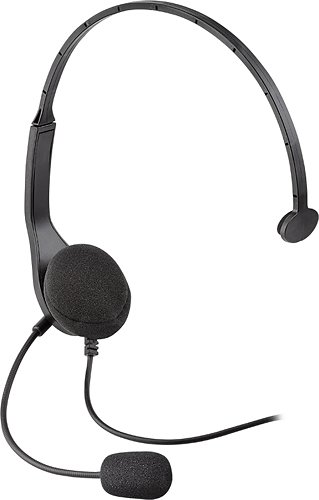
Your teammate shouts the location of a foe ~ a sniper, located on the rooftop in the shadows. You enter the building's stairwell, silent and stealthy. Reaching the roof, you catch the enemy gunner off guard, and before he can react, you eliminate the threat, telling your partners the location is safe and secure.Allow your team to gain the upper hand by talking with friends and allies using this Wired Chat Headset for PlayStation 3. Speak into the noise-reducing microphone to give split-second orders. Adjust the easy-to-reach in-line volume and mute controls to a desired listening level. The key to victory is to keep your team on the same page ~ use this headset and stay a step ahead of your enemy.
Can I use this headset with my PS4?
Suspect it will only work as chat. You can use any headset on the PS4 controller
9 years, 8 months ago
by
ETP1
Enjoy flexible entertainment with this Samsung Notebook 7 Spin laptop. Its 360-degree rotating monitor converts into a tablet for touch-screen browsing or a tent or display for hands-free viewing. This fast-charging 13-inch Notebook 7 Spin laptop powers up as quickly as 20 minutes to add two hours of battery life for playing another HD movie.
Is the college student valid for this one?
Enjoy flexible entertainment with this Samsung Notebook 7 Spin laptop. Its 360-degree rotating monitor converts into a tablet for touch-screen browsing or a tent or display for hands-free viewing. This fast-charging 13-inch Notebook 7 Spin laptop powers up as quickly as 20 minutes to add two hours of battery life for playing another HD movie.
Samsung Makes A Laptop? Is the one of the first Laptops that Samsung has made?
They have made them for years and this is my second one. Last one was also perfect. They are not cheap but good.
9 years, 9 months ago
by
ETP1
Enjoy flexible entertainment with this Samsung Notebook 7 Spin laptop. Its 360-degree rotating monitor converts into a tablet for touch-screen browsing or a tent or display for hands-free viewing. This fast-charging 13-inch Notebook 7 Spin laptop powers up as quickly as 20 minutes to add two hours of battery life for playing another HD movie.
Can the factory hard drive be replaced by an aftermarket SSD. If so, what flavor SATA or PCI-e?
Yes, but it will invalidate the warranty unless an authorized Samsung shop does it. Just wait until the one year is up.
9 years, 10 months ago
by
ETP1
Enjoy flexible entertainment with this Samsung Notebook 7 Spin laptop. Its 360-degree rotating monitor converts into a tablet for touch-screen browsing or a tent or display for hands-free viewing. This fast-charging 13-inch Notebook 7 Spin laptop powers up as quickly as 20 minutes to add two hours of battery life for playing another HD movie.
What app / programs are on machine?
It had an antivirus program which I immediately uninstalled but not as much bloat ware as the HP. Very nice unit. Bought this and the HP on sale at SAMSCLUB last Sat.
All come with a trial period of office and antivirus.
Never had an issue with a Samsung product and this is my second laptop. Aluminum case BTW and side mounted power button.
Quality is first class.
All come with a trial period of office and antivirus.
Never had an issue with a Samsung product and this is my second laptop. Aluminum case BTW and side mounted power button.
Quality is first class.
9 years, 10 months ago
by
ETP1
Enjoy flexible entertainment with this Samsung Notebook 7 Spin laptop. Its 360-degree rotating monitor converts into a tablet for touch-screen browsing or a tent or display for hands-free viewing. This fast-charging 13-inch Notebook 7 Spin laptop powers up as quickly as 20 minutes to add two hours of battery life for playing another HD movie.
Can you upgrade the processor to Intel Core i7? Quickbooks requires a minimum of 2.4 GHz processor.
Probably not but I called Samsung and opening the case will invalidate the warranty. So the first year you need to leave it alone.
BTW/my review has not posted.
BTW/my review has not posted.
9 years, 10 months ago
by
ETP1
Enjoy flexible entertainment with this Samsung Notebook 7 Spin laptop. Its 360-degree rotating monitor converts into a tablet for touch-screen browsing or a tent or display for hands-free viewing. This fast-charging 13-inch Notebook 7 Spin laptop powers up as quickly as 20 minutes to add two hours of battery life for playing another HD movie.
Does this have a "hard disk"? I bought this one back in 2013 and I keep getting a "hard disk" error. I don't want the same problem.
1 Terabit HD and seems to be ok so far. Only one day.
9 years, 10 months ago
by
ETP1
Enjoy flexible entertainment with this Samsung Notebook 7 Spin laptop. Its 360-degree rotating monitor converts into a tablet for touch-screen browsing or a tent or display for hands-free viewing. This fast-charging 13-inch Notebook 7 Spin laptop powers up as quickly as 20 minutes to add two hours of battery life for playing another HD movie.
What is the casing made of? Is there some aluminum panels on this? If yes which ones?
Top is aluminum. Not sure about the bottom. Solid well built laptop.
Still installing and uninstalling software I don't need to see if it will speed up a little.
Still installing and uninstalling software I don't need to see if it will speed up a little.
9 years, 10 months ago
by
ETP1