


ETP1's stats
- Review count90
- Helpfulness votes413
- First reviewFebruary 1, 2014
- Last reviewMay 27, 2026
- Featured reviews0
- Average rating4.8
- Review comment count12
- Helpfulness votes6
- First review commentFebruary 1, 2014
- Last review commentDecember 25, 2016
- Featured review comments0
Questions
- Question count0
- Helpfulness votes0
- First questionNone
- Last questionNone
- Featured questions0
- Answer count19
- Helpfulness votes31
- First answerJanuary 3, 2009
- Last answerJuly 27, 2021
- Featured answers0
- Best answers5
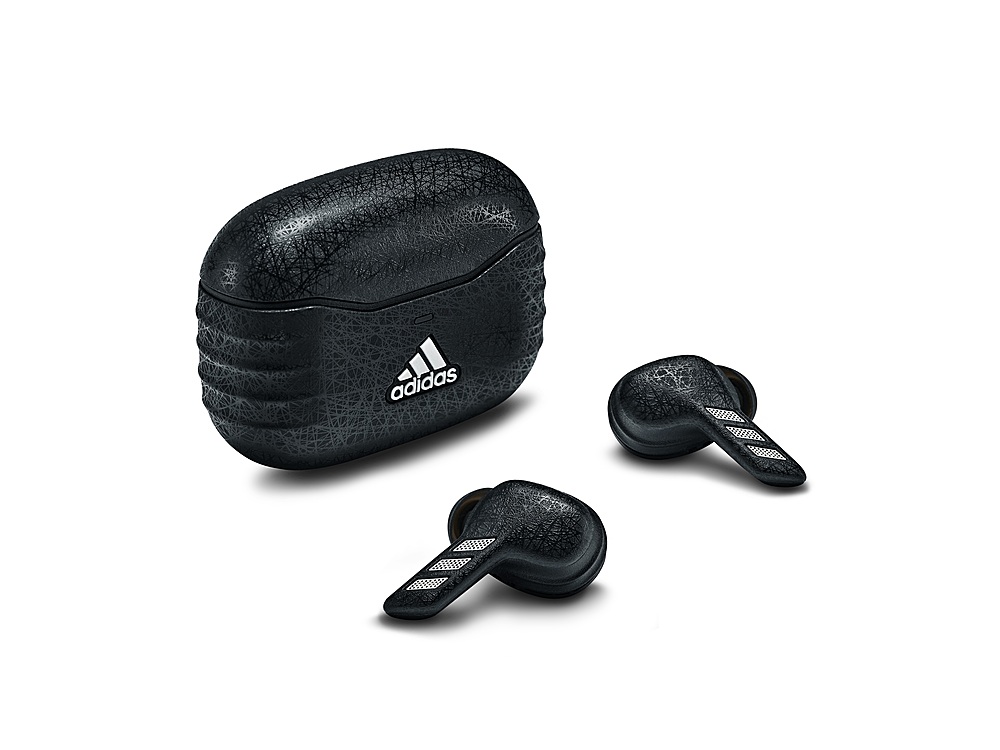
adidas Z.N.E. 01 ANC gives you immersive sound to connect to the moment. They're built to move, from the sleek ergonomics to the carefully considered style. The versatile design will become a staple in any outfit from your workout to daily life. Active Noise Canceling blocks out distractions, so you keep your mind focused on what's next.
Posted by: ETP1
Very high end ear buds. No warranty registration required!
Upfront everything works well!
Product works as advertised out of the box. Tested BT 5.2 dual channel. Range is 37 feet with lots of
walls. Line of site is yet to be tested. Sound quality in all modes was excellent. Specifications are listed at the end and the instructions below are very important to the correct operation of these ear buds. First
thing is to select the correct rubber ear canal inserts. I had to go large! Also, you will accidentally turn off
features when changing the inserts. Long presses will turn certain features off and on. If the bass is
weak you need to do some long presses. Product was tested with two BT 5.2 systems. Distance fade out
on individual channels shows dual channels are working. iPhone testing with Face-time was perfect.
walls. Line of site is yet to be tested. Sound quality in all modes was excellent. Specifications are listed at the end and the instructions below are very important to the correct operation of these ear buds. First
thing is to select the correct rubber ear canal inserts. I had to go large! Also, you will accidentally turn off
features when changing the inserts. Long presses will turn certain features off and on. If the bass is
weak you need to do some long presses. Product was tested with two BT 5.2 systems. Distance fade out
on individual channels shows dual channels are working. iPhone testing with Face-time was perfect.
((((Z.N.E. 01 ANC Noise-canceling Earbuds | adidas (adidasheadphones.com)))))
ENGLISH GETTING STARTED • Open the charging case. • Press and hold the logo on the front of the case until the LED turns to a slow blue pulse. • Select adidas Z.N.E. 01 ANC from your sound device’s
Bluetooth® list. 1. TOUCH CONTROLS Touch the left or right earbud to control your music, phone calls
and more. The long touch behavior can be customized in the app. 1 touch to play/pause or receive/end
a call 2 touches to skip forward or reject a call 3 touches to skip backward long touch to toggle noise
cancelling, Awareness and ANC off 2. CHARGING THE EARBUDS Put your earbuds back in the case and
close the lid to turn them off and begin charging. 3. CHARGING THE CASE Use a wireless charger or plug
the case into a USB power source to charge it. The case is fully charged when the front facing LED is
steady green. To charge the case using a wireless charger, follow the instruction below. 1. Place the
charging case with its back flat against the wireless charging pad. 2. Make sure that the front LED lights
up to indicate that the case is charging. 3. Once the LED light has turned steady green the case is fully
charged. 4. LED INDICATOR The LED shows the case battery charge, from red through yellow to green
(0–100%). It pulses blue while in Bluetooth pairing mode. 5. PAIRING A NEW DEVICE adidas Z.N.E. 01
ANC remembers up to 3 previously paired devices and will try to reconnect with the last connected
device. 1. Place the earbuds in the case and keep the lid open. 2. Press and hold the logo on the front of
the case until the LED turns to a slow blue pulse. 3. Select adidas Z.N.E. 01 ANC from your sound device’s
Bluetooth list. Note: The earbuds can be connected with one sound device at a time. Make sure to
disconnect from the current device before reconnecting with a different device. 6. FITTING THE EARTIPS
Take the time to find the ear tips that best fit your ear. The ear tips should fit snugly in your ear but still
feel comfortable. It is not uncommon to use different sizes for left and right earbuds. 7. NOISE CONTROL
Long touch either left or right earbud to cycle through the noise control modes. Active Noise Cancelling
mode - blocks out distractions, so you stay focused on completing that final set Awareness mode -
allows you to hear more of the outside world, ideal for long runs in the city Off – noise control is turned
off the amount of noise cancelling and Awareness can be adjusted in the adidas Headphones app. 8.
RESETTING THE EARBUDS If your earbuds become erratic or unresponsive, follow the instructions below.
1. Place the earbuds in the case and close the lid to restart the earbuds. If the problem persists, perform
a hardware reset: 1. Place the earbuds in the case and keep the lid open. 2. Press and hold the touch
surface on both earbuds for 4 seconds to reset the earbuds. If the problem persists, perform a factory
reset. Note: This will delete all user settings and the earbuds will need to be set up again. 1. Place the
earbuds in the case and keep the lid open. 2. Press and hold the button on the case for 10 seconds, until
the LED turns purple, to reset the earbuds to factory settings. 3. Remove adidas Z.N.E. 01 ANC from your
sound device’s Bluetooth list before pairing again
AUDIO SPECIFICATION
Bluetooth® list. 1. TOUCH CONTROLS Touch the left or right earbud to control your music, phone calls
and more. The long touch behavior can be customized in the app. 1 touch to play/pause or receive/end
a call 2 touches to skip forward or reject a call 3 touches to skip backward long touch to toggle noise
cancelling, Awareness and ANC off 2. CHARGING THE EARBUDS Put your earbuds back in the case and
close the lid to turn them off and begin charging. 3. CHARGING THE CASE Use a wireless charger or plug
the case into a USB power source to charge it. The case is fully charged when the front facing LED is
steady green. To charge the case using a wireless charger, follow the instruction below. 1. Place the
charging case with its back flat against the wireless charging pad. 2. Make sure that the front LED lights
up to indicate that the case is charging. 3. Once the LED light has turned steady green the case is fully
charged. 4. LED INDICATOR The LED shows the case battery charge, from red through yellow to green
(0–100%). It pulses blue while in Bluetooth pairing mode. 5. PAIRING A NEW DEVICE adidas Z.N.E. 01
ANC remembers up to 3 previously paired devices and will try to reconnect with the last connected
device. 1. Place the earbuds in the case and keep the lid open. 2. Press and hold the logo on the front of
the case until the LED turns to a slow blue pulse. 3. Select adidas Z.N.E. 01 ANC from your sound device’s
Bluetooth list. Note: The earbuds can be connected with one sound device at a time. Make sure to
disconnect from the current device before reconnecting with a different device. 6. FITTING THE EARTIPS
Take the time to find the ear tips that best fit your ear. The ear tips should fit snugly in your ear but still
feel comfortable. It is not uncommon to use different sizes for left and right earbuds. 7. NOISE CONTROL
Long touch either left or right earbud to cycle through the noise control modes. Active Noise Cancelling
mode - blocks out distractions, so you stay focused on completing that final set Awareness mode -
allows you to hear more of the outside world, ideal for long runs in the city Off – noise control is turned
off the amount of noise cancelling and Awareness can be adjusted in the adidas Headphones app. 8.
RESETTING THE EARBUDS If your earbuds become erratic or unresponsive, follow the instructions below.
1. Place the earbuds in the case and close the lid to restart the earbuds. If the problem persists, perform
a hardware reset: 1. Place the earbuds in the case and keep the lid open. 2. Press and hold the touch
surface on both earbuds for 4 seconds to reset the earbuds. If the problem persists, perform a factory
reset. Note: This will delete all user settings and the earbuds will need to be set up again. 1. Place the
earbuds in the case and keep the lid open. 2. Press and hold the button on the case for 10 seconds, until
the LED turns purple, to reset the earbuds to factory settings. 3. Remove adidas Z.N.E. 01 ANC from your
sound device’s Bluetooth list before pairing again
AUDIO SPECIFICATION
FREQUENCY RESPONSE
20 Hz - 20 kHz
DRIVER SENSITIVITY
106±2 dB @ 1 mW (0.126Vrms) 1 KHz
DRIVER TYPE
Dynamic
DRIVER IMPEDANCE
16 Ω
BATTERY
PLAY TIME
4,5 hours in buds with ANC (6 hours without)
20 hours total incl. charging case with ANC (26 without)
CHARGING TIME
Quick charge: 15 min gives you 1 hour of playtime
Time to full charge:3 hours to recharge earbuds from charging case
CONTROLS AND CONNECTIVITY
MICROPHONE & REMOTE
4 for ANC (2 in each earbud)
2 for calls (1 in each earbud)
TOUCH RESPONSE FUNCTIONS
Control music
ANC control (on, off, Awareness mode)
Receive / end calls
BLUETOOTH RANGE
10 m
WIRELESS CONNECTIVITY
Bluetooth 5.2
INCLUDED IN THE BOX
BOX CONTENTS
adidas Z.N.E. 01 ANC
Charging case
USB-C charging cable (10 cm)
Eartips (small, medium, large)
Quick start guide
Legal & safety
PHYSICAL UNIT
WEIGHT
Earbud: 4.2g / Case: 37g
WATER RESISTANCE
Earbuds - IPX5 / Case - IPX4
MOBILE APPLICATION
APPS
20 Hz - 20 kHz
DRIVER SENSITIVITY
106±2 dB @ 1 mW (0.126Vrms) 1 KHz
DRIVER TYPE
Dynamic
DRIVER IMPEDANCE
16 Ω
BATTERY
PLAY TIME
4,5 hours in buds with ANC (6 hours without)
20 hours total incl. charging case with ANC (26 without)
CHARGING TIME
Quick charge: 15 min gives you 1 hour of playtime
Time to full charge:3 hours to recharge earbuds from charging case
CONTROLS AND CONNECTIVITY
MICROPHONE & REMOTE
4 for ANC (2 in each earbud)
2 for calls (1 in each earbud)
TOUCH RESPONSE FUNCTIONS
Control music
ANC control (on, off, Awareness mode)
Receive / end calls
BLUETOOTH RANGE
10 m
WIRELESS CONNECTIVITY
Bluetooth 5.2
INCLUDED IN THE BOX
BOX CONTENTS
adidas Z.N.E. 01 ANC
Charging case
USB-C charging cable (10 cm)
Eartips (small, medium, large)
Quick start guide
Legal & safety
PHYSICAL UNIT
WEIGHT
Earbud: 4.2g / Case: 37g
WATER RESISTANCE
Earbuds - IPX5 / Case - IPX4
MOBILE APPLICATION
APPS
adidas Headphones (iOS & Android)
I would recommend this to a friend!
Share this review:


+1point
1of 1voted this as helpful.

The TUF Gaming VG279Q1A 27" IPS Gaming Monitor with IPS panel and 1 ms MPRT response time combined with AMD FreeSync Premium support, NVIDIA G-SYNC compatibility, Full HD resolution monitor is designed to deliver sharp graphics during high-action sequences.
Customer Rating

5
Very nice monitor that works
on May 9, 2022
Posted by: ETP1
from Florida
OK, I am struggling to do this on a Chromebook. LOL
Monitor was well packed.
Worked out of the box.
Not dead or stuck on pixels.
Picture filled the screen.
Two adjustable angles for the stand.
Tested all refresh rates and all worked.
HDMI was truncated as usual for some refresh rates and resolutions.
DP worked very well on 3 different machines. Used USB C on two of the test beds.
As usual 60 was the max I could play some high end games like Flight Simulator.
Everyday use I was able to go up to 165.
Has the feel of a quality unit.
Nice non UHD monitor.
Monitor was well packed.
Worked out of the box.
Not dead or stuck on pixels.
Picture filled the screen.
Two adjustable angles for the stand.
Tested all refresh rates and all worked.
HDMI was truncated as usual for some refresh rates and resolutions.
DP worked very well on 3 different machines. Used USB C on two of the test beds.
As usual 60 was the max I could play some high end games like Flight Simulator.
Everyday use I was able to go up to 165.
Has the feel of a quality unit.
Nice non UHD monitor.
I will attempt to add photos and specs.
ASUS specifications:
Display Panel Size (inch) : 27
Aspect Ratio : 16:9
Display Viewing Area (H x V) : 597.888 x 336.312 mm
Display Surface : Non-Glare
Backlight Type : LED
Panel Type : IPS
Viewing Angle (CR≧10, H/V) : 178°/ 178°
Pixel Pitch : 0.311mm
Resolution : 1920x1080
Brightness (Typ.) : 250cd/㎡
Contrast Ratio (Typ.) : 1000:1
ASUS Smart Contrast Ratio (ASCR) : 100000000:1
Display Colors : 16.7M
Response Time : 1ms MPRT
Refresh Rate (Max) : 165Hz
Flicker-free : Yes
Video Feature Trace Free Technology : Yes
GameVisual : Yes
Color Temp. Selection : Yes(4 modes)
Networking /
IoT / Servers
Accessories Support Register
GamePlus : Yes
HDCP : Yes
Extreme Low Motion Blur : Yes
VRR Technology : FreeSync™ Premium
GameFast Input technology : Yes
Low Blue Light : Yes
Audio Feature Speaker : Yes(2Wx2)
I/O Ports DisplayPort 1.2 x 1
HDMI(v1.4) x 2
Earphone Jack : Yes
Signal Frequency Digital Signal Frequency : DisplayPort: 52~184KHz (H) / 48~165 Hz (V)
HDMI: 52~184 KHz (H) / 48~144Hz (V)
Power Consumption Power Consumption : <16W*
Power Saving Mode : <0.5W
Power Off Mode : <0.5W
Voltage : 100-240V, 50/60Hz
Mechanical Design Tilt : Yes (+20° ~ -5°)
Swivel : Yes (+16° ~ -16°)
Height Adjustment : No
VESA Wall Mounting : 100x100mm
Kensington Lock : Yes
Tripod Socket : Yes Feedback
Dimensions (Esti.) Phys. Dimension with Stand (W x H x D) : 614.9 x 454.34 x 213.79 mm
Phys. Dimension without Stand (W x H x D) : 614.09 x 364 x 56.95 mm
Box Dimension (W x H x D) : 680 x 525 x 171 mm
Weight (Esti.) Net Weight with Stand : 4.4 Kg
Net Weight without Stand : 3.4 Kg
Gross Weight : 7.4 Kg
Accessories (varies by region) DisplayPort cable
HDMI cable
Power adapter
Quick start guide
Warranty Card
Certificate TÜV Flicker-free
TÜV Low Blue Light
ASUS specifications:
Display Panel Size (inch) : 27
Aspect Ratio : 16:9
Display Viewing Area (H x V) : 597.888 x 336.312 mm
Display Surface : Non-Glare
Backlight Type : LED
Panel Type : IPS
Viewing Angle (CR≧10, H/V) : 178°/ 178°
Pixel Pitch : 0.311mm
Resolution : 1920x1080
Brightness (Typ.) : 250cd/㎡
Contrast Ratio (Typ.) : 1000:1
ASUS Smart Contrast Ratio (ASCR) : 100000000:1
Display Colors : 16.7M
Response Time : 1ms MPRT
Refresh Rate (Max) : 165Hz
Flicker-free : Yes
Video Feature Trace Free Technology : Yes
GameVisual : Yes
Color Temp. Selection : Yes(4 modes)
Networking /
IoT / Servers
Accessories Support Register
GamePlus : Yes
HDCP : Yes
Extreme Low Motion Blur : Yes
VRR Technology : FreeSync™ Premium
GameFast Input technology : Yes
Low Blue Light : Yes
Audio Feature Speaker : Yes(2Wx2)
I/O Ports DisplayPort 1.2 x 1
HDMI(v1.4) x 2
Earphone Jack : Yes
Signal Frequency Digital Signal Frequency : DisplayPort: 52~184KHz (H) / 48~165 Hz (V)
HDMI: 52~184 KHz (H) / 48~144Hz (V)
Power Consumption Power Consumption : <16W*
Power Saving Mode : <0.5W
Power Off Mode : <0.5W
Voltage : 100-240V, 50/60Hz
Mechanical Design Tilt : Yes (+20° ~ -5°)
Swivel : Yes (+16° ~ -16°)
Height Adjustment : No
VESA Wall Mounting : 100x100mm
Kensington Lock : Yes
Tripod Socket : Yes Feedback
Dimensions (Esti.) Phys. Dimension with Stand (W x H x D) : 614.9 x 454.34 x 213.79 mm
Phys. Dimension without Stand (W x H x D) : 614.09 x 364 x 56.95 mm
Box Dimension (W x H x D) : 680 x 525 x 171 mm
Weight (Esti.) Net Weight with Stand : 4.4 Kg
Net Weight without Stand : 3.4 Kg
Gross Weight : 7.4 Kg
Accessories (varies by region) DisplayPort cable
HDMI cable
Power adapter
Quick start guide
Warranty Card
Certificate TÜV Flicker-free
TÜV Low Blue Light
I would recommend this to a friend!
Ease of Use

5
Quality
5
Value
5

Share this review:


+3points
3of 3voted this as helpful.
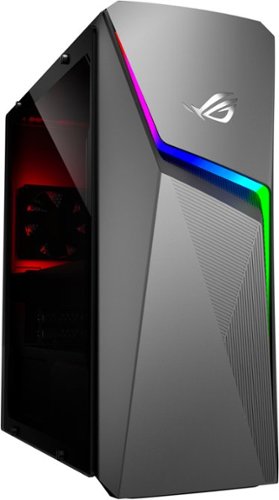
Upgrade from the last generation with the new ROG Strix G10CE, a Windows 11 gaming desktop that delivers exhilarating gaming experiences powered by an 11th Gen Intel~ Core~ i5-11400F processor and NVIDIA~ GeForce GTX1660Ti graphics.
Posted by: ETP1
from Florida
Two-part review! Be sure to check both parts.
OK, this works out of the box and is a business computer for day-to-day desk top use! 5 stars!
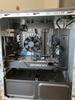
The video card version is awesome as this is my 3 rd one for builds. One fan in the GPU shroud that vents
out the back.
There are no full-time case fans.
Be sure to update everything before your start. Windows has at least 20-30 updates and you will need
to install WIN 11 as directed. If you uninstall Armoury Crate use the official uninstall tool at ASUS for
this model.
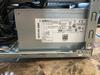
The standard size/mount 600-watt Gold Liteon PS works fine but has no off switch (pulls air on the
bottom and vents out the back). Also, no legacy MOLEX connectors which should not be an issue.
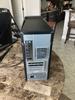
The WIFI M.2 is underneath the GPU. The GPU is very large and has a vent cover with one fan. It appears
to take air in, blow it over a basic circuit board and out the back of the case.
WIFI was fine in all modes (AX worked fine). Blue tooth was a little wimpy on the bass but worked fine.
Check setup for BT if you have issues. XBOX controller was linked with no issues. Do not use the BT
version suggested at third party sites as it is not compatible with this unit.
Unit functions in all normal use applications including videos and music.
3 stars! OK/ truth in advertising:
Fan deployment is severely lacking but easily fixable for significant gaming or graphics. The back case fan
seems to only run at turn on with a short burst and over heat situations (no way to set its’ parameters
that I can find). This appears to be a MOBO/BIOS built in function on the first fan MOBO connector.
Other fans work fine but there is no full-time case fan. Be sure to use the side cover with the holes in it.
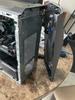
With all 3 covers off cooling was barely acceptable. The plastic left side panel has standoffs for
additional outflow of air.
BIOS has no adjustments for any fans and only Armoury Crate can manually adjust the CPU fan.
What I did:
(This unit with minor modifications will make a fine gamming box)
1. Completely removed Armoury Crate from the system using software from the ASUS site. This
software is always running in the background and is using the CPU constantly! Nice features but
it may increase your CPU temps. YMMV
2. Installed a 120MM front fan inside the case blowing into the case (mounting holes for 92mm
and 120mm). Be advised there is an intake vent slot on the bottom of the front panel facing
backwards. In addition, if you remove all the guts in the front cover for lights you will get an
additional 3 input areas for air. Mounting holes for front fans are available. You may want to
remove the paper and guts in the front cover (do so at your own risk as the rubber covered
grommets are tricky to pry off). Only after I did this did I have acceptable CPU gamming temps. I
The video card version is awesome as this is my 3 rd one for builds. One fan in the GPU shroud that vents
out the back.
There are no full-time case fans.
Be sure to update everything before your start. Windows has at least 20-30 updates and you will need
to install WIN 11 as directed. If you uninstall Armoury Crate use the official uninstall tool at ASUS for
this model.
The standard size/mount 600-watt Gold Liteon PS works fine but has no off switch (pulls air on the
bottom and vents out the back). Also, no legacy MOLEX connectors which should not be an issue.
The WIFI M.2 is underneath the GPU. The GPU is very large and has a vent cover with one fan. It appears
to take air in, blow it over a basic circuit board and out the back of the case.
WIFI was fine in all modes (AX worked fine). Blue tooth was a little wimpy on the bass but worked fine.
Check setup for BT if you have issues. XBOX controller was linked with no issues. Do not use the BT
version suggested at third party sites as it is not compatible with this unit.
Unit functions in all normal use applications including videos and music.
3 stars! OK/ truth in advertising:
Fan deployment is severely lacking but easily fixable for significant gaming or graphics. The back case fan
seems to only run at turn on with a short burst and over heat situations (no way to set its’ parameters
that I can find). This appears to be a MOBO/BIOS built in function on the first fan MOBO connector.
Other fans work fine but there is no full-time case fan. Be sure to use the side cover with the holes in it.
With all 3 covers off cooling was barely acceptable. The plastic left side panel has standoffs for
additional outflow of air.
BIOS has no adjustments for any fans and only Armoury Crate can manually adjust the CPU fan.
What I did:
(This unit with minor modifications will make a fine gamming box)
1. Completely removed Armoury Crate from the system using software from the ASUS site. This
software is always running in the background and is using the CPU constantly! Nice features but
it may increase your CPU temps. YMMV
2. Installed a 120MM front fan inside the case blowing into the case (mounting holes for 92mm
and 120mm). Be advised there is an intake vent slot on the bottom of the front panel facing
backwards. In addition, if you remove all the guts in the front cover for lights you will get an
additional 3 input areas for air. Mounting holes for front fans are available. You may want to
remove the paper and guts in the front cover (do so at your own risk as the rubber covered
grommets are tricky to pry off). Only after I did this did I have acceptable CPU gamming temps. I
installed a combination fan splitter and PWM controller to hook up the rear and front case fans
to get constant flow through the case. I set the fans at medium high speed and they are quiet
and efficient with the adjustable PWM controller. The PWM controller was connected to the
extra 6 pin power supply and does not affect the MOBO or computer in any way.
3. Installed a 4x4 M.2 in slot one and a 3X4 in slot 2 (optional)
4. Left the 16 GB single DDR4 stick as is (it is 3200 stick). I did not see an XMP function in the BIOS
so I skipped replacing it with dual 3600 sticks.
5. Put 4 feet on the bottom of the case to elevate the case for proper airflow.
6. Lastly do not run this in gaming mode without sufficient cooling. You will brick your GPU and
eventually your CPU.
to get constant flow through the case. I set the fans at medium high speed and they are quiet
and efficient with the adjustable PWM controller. The PWM controller was connected to the
extra 6 pin power supply and does not affect the MOBO or computer in any way.
3. Installed a 4x4 M.2 in slot one and a 3X4 in slot 2 (optional)
4. Left the 16 GB single DDR4 stick as is (it is 3200 stick). I did not see an XMP function in the BIOS
so I skipped replacing it with dual 3600 sticks.
5. Put 4 feet on the bottom of the case to elevate the case for proper airflow.
6. Lastly do not run this in gaming mode without sufficient cooling. You will brick your GPU and
eventually your CPU.
If you are not a gamer you need not worry about any of these issues as the unit works out of the box.
The case is cramped and is difficult to upgrade the parts but doable. Had to put some feet on the case to
get it off the table surface for airflow.
After all of this I was able to use Flight Simulator without any issues at 60FPS. 120FPS was a bridge too
far.
Summary:
It’s all about price versus features. You need to remember that the ASUS had a lot of off the shelf
standard parts that easily fit any standard computer. PS, GPU, PSU, DDR 4, M.2, MOBO mounting holes
were all standard. Most prebuilds have proprietary designs that force you to buy parts from the
manufacture if you can get them at all.
Why 4 stars? Because it works out of the box but has heating issues in heavy gamming modes!
Suggestions for ASUS:
Make both side metal panels with holes as well as provide a vent in the top of the case.
Change the next run of the front cover so it has additional front facing vents (leave the vent on the
bottom as it is fine).
Put 4 feet on the case to elevate the PS vent properly above the desk.
Install a front fulltime fan.
Design the rear case fan functionality so it runs 24/7 at medium speed.
At this point in time, I am debating on which side cover to use as it will also determine air flow patterns
inside the case. When the CPU fan goes into after burner you can feel the CPU fan force hot air out the
side vent on the metal cover. That may be the best option to limit backpressure. Maybe! The plastic
cover looks very nice and has stand offs for venting!
The case is cramped and is difficult to upgrade the parts but doable. Had to put some feet on the case to
get it off the table surface for airflow.
After all of this I was able to use Flight Simulator without any issues at 60FPS. 120FPS was a bridge too
far.
Summary:
It’s all about price versus features. You need to remember that the ASUS had a lot of off the shelf
standard parts that easily fit any standard computer. PS, GPU, PSU, DDR 4, M.2, MOBO mounting holes
were all standard. Most prebuilds have proprietary designs that force you to buy parts from the
manufacture if you can get them at all.
Why 4 stars? Because it works out of the box but has heating issues in heavy gamming modes!
Suggestions for ASUS:
Make both side metal panels with holes as well as provide a vent in the top of the case.
Change the next run of the front cover so it has additional front facing vents (leave the vent on the
bottom as it is fine).
Put 4 feet on the case to elevate the PS vent properly above the desk.
Install a front fulltime fan.
Design the rear case fan functionality so it runs 24/7 at medium speed.
At this point in time, I am debating on which side cover to use as it will also determine air flow patterns
inside the case. When the CPU fan goes into after burner you can feel the CPU fan force hot air out the
side vent on the metal cover. That may be the best option to limit backpressure. Maybe! The plastic
cover looks very nice and has stand offs for venting!
I would recommend this to a friend!

Share this review:


+7points
11of 15voted this as helpful.
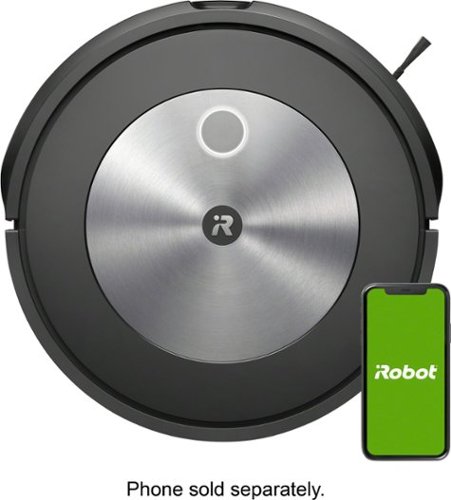
Finally. A robot vacuum you can rely on to get the job done. The Roomba j7 robot vacuum packs 10x the power-lifting suction and comes with unique intelligence to avoid cords and pet waste. It even understands times when you~re home and seasons when more cleaning may be needed. Compared to the Roomba 600 series cleaning system.
Customer Rating
5
High quality product that needs more instructions
on October 24, 2021
Posted by: ETP1
from fl
Upfront make sure your power cord is firmly seated all the way into the charger!
1. I have run this through all the paces and so far it works as advertised.
2. Set up on the App was a little confusing in that until you activated your WIFI in a 2 step process the icon for the j7 never showed in the setup app.
So be advised that when the link sends you to "blue tooth set to on" you then have to manually switch to WIFI settings on you phone and click on the irobot connection. Then after you see a very short connection and then disconnection click back on your normal WIFI.
The disconnection part was what caused me to stumble at first. Just ignore it.
So be advised that when the link sends you to "blue tooth set to on" you then have to manually switch to WIFI settings on you phone and click on the irobot connection. Then after you see a very short connection and then disconnection click back on your normal WIFI.
The disconnection part was what caused me to stumble at first. Just ignore it.
3. As far as mapping and cleaning it works much better than the previous series.
4. Multiple room maps and Google functionality will cut down your cleaning time.
5. Mapping mode "only" runs for hours if your area is large and cluttered.
6. Interesting issue is that my two grey indoor/outdoor 10X12 flat stiff area carpets seem to confuse it slightly.
7. Unless you create multiple maps it will always start at the beginning area and clean untill the battery runs low.
8.Another issue is you must close out the app and reopen it to get it reconnected after a long cleaning run.
9.This is my 5th iRobot and appreciate the advanced systematic mapping and cleaning versus the older random models.
10. Best use is hard to get areas under furniture, baseboards, curtains, and doors.
11. This unit came with a spare cat wisker and filter.
Bottom line this is a very high quality product with a high end long run battery.
BTW it always finds it way home!
Mobile Submission: False
I would recommend this to a friend!
Share this review:


0points
0of 0voted this as helpful.
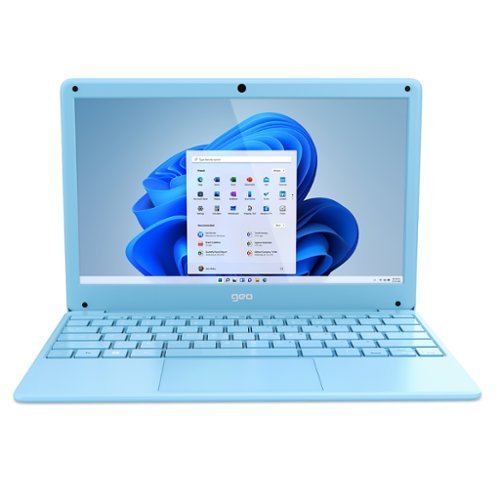
GeoBook 120 is a 12.5-inch Windows 10 laptop complete with a 1-year subscription to Microsoft 365 Personal. Powered by an Intel Celeron Dual Core Processor and 4GB RAM, this lightweight laptop makes easy work of essential tasks, browsing and more. 64GB eMMC storage is built in and can be expanded with the addition of a MicroSD card (up to 64GB). GeoBook 120 also features a 2MP webcam, dual microphones and integrated speakers, plus reliable AC Wi-FI.
Customer Rating
5
value product that works
on September 1, 2021
Posted by: ETP1
from fl
Upfront this is a reliable value product that works
Good:
1. After set up the speed of this unit is acceptable.
2. Free Office 360 for every device you own (12 months)
3. All ports work as advertised including the USB C
4. Micro SD 128GB card works fine
5. WPS Office (free) installs from the Microsoft store and works with Google classroom
6. Unit is well protected with the soft plastic case
7. Back of case is removable but most parts are permanently attached
8. Unit was charged enough to boot out of the box
9. Microsoft Mouse works perfect
1. After set up the speed of this unit is acceptable.
2. Free Office 360 for every device you own (12 months)
3. All ports work as advertised including the USB C
4. Micro SD 128GB card works fine
5. WPS Office (free) installs from the Microsoft store and works with Google classroom
6. Unit is well protected with the soft plastic case
7. Back of case is removable but most parts are permanently attached
8. Unit was charged enough to boot out of the box
9. Microsoft Mouse works perfect
Needs work:
1. 64GB is too small to run Windows 10 full version and full Office at the same time/stay in S mode
2. No known way to run Apps or Office from the Micro SD card
3. Lettering on the keys is white and very hard to see against the light blue background
4. Could not find a way to register this product on the Geo website.
1. 64GB is too small to run Windows 10 full version and full Office at the same time/stay in S mode
2. No known way to run Apps or Office from the Micro SD card
3. Lettering on the keys is white and very hard to see against the light blue background
4. Could not find a way to register this product on the Geo website.
After setup, I did a deep clean of all unneeded files in Free up disk space in control panel as well as trimmed the drive. First update took a very long time so just walk away and let it reboot when needed. You may need to wiggle the mouse every 5 minutes to keep the screen active. Other wise it may shut down left unattended for too long.
Suggested use is for school, internet surfing and paying bills.
This unit is fine for most school work except dedicated computer classes in HS .
This unit is fine for most school work except dedicated computer classes in HS .
Specifications:
(https://geo-computers.com/geobook-120-colors-laptop-us/)
(https://geo-computers.com/geobook-120-colors-laptop-us/)
Mobile Submission: False
I would recommend this to a friend!


Share this review:


+4points
4of 4voted this as helpful.
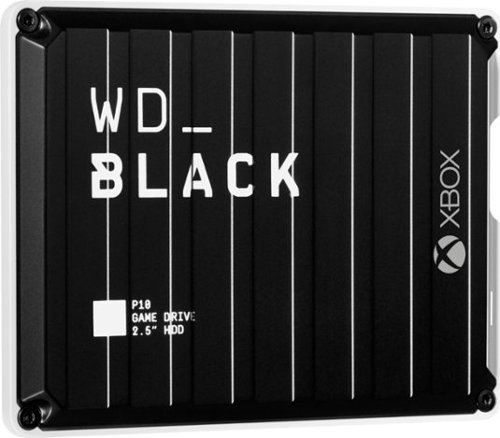
The WD_Black P10 Game Drive for Xbox gives your Xbox the tools it needs to keep your competitive edge. With up to 5TB* of storage capacity, the WD_Black P10 Game Drive for Xbox is a top-tier external HDD built specifically for gamers looking to expand the potential of their Xbox so they can drive their game the way they choose. Included with your purchase is a 1-month membership of Xbox Game Pass Ultimate, with access to 100+ games on consoles and PC, plus online console multiplayer.****
Posted by: ETP1
from fl
Very fast for a non SSD drive.
Transferred a 188GB file at a consistent 118-121 MBPS.
Be advised these need to be properly formatted in an XBOX before first use as the XBOX used a multi format file structure to enable faster game response.
Advise that you put all your games and apps on an external drive so when you need to reset your system you will not lose all your games and apps.
Then load a game or two on your boot drive that needs the extra speed.
These black drives for XBOX have always been a fast, reliable, and cheap solution for extra storage. I have several 1-5 TB sized versions in my stable and they all work as advertised.
Mobile Submission: False
I would recommend this to a friend!
Share this review:


+1point
1of 1voted this as helpful.
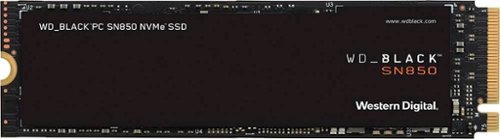
The future of gaming has arrived with the WD_BLACK~ SN850 NVMe~ SSD. Long load times are obsolete with PCIe~ Gen4 technology, reaching up to 7,000MB/s read speed and up to 4,100MB/s write speed. Spend more time playing and less time deleting, storing your latest and favorite games with 500GB capacity (not intended for NAS or server environments). This WD_Black internal SSD has a compact form factor and a PCIe Gen4 interface for compatibility with select PCs or laptops.
Customer Rating
5
fastest horse so far in the stable
on July 25, 2021
Posted by: ETP1
from fl
Using the cloning software from WD the unit cloned in under 4 minutes or less. To be honest I forgot to time it as it went by so quick.
This gets very hot when cloning on a USB C port and suggest you find a slower speed to do the cloning process. Probably a USB 2.0 port will do the job.
Registered the product by pulling the serial niumber off in the Dashboard software.
Also update dashboard as this is a very useful drive monitoring app.
Anyway I was surprised at the relative low cost for a super speed 4X4. Yes this is a 4 wheel drive drive! LOL
Dashboard said I needed to uodate the FW but that function was disabled for some reason.
Anyway this is a perfect boot drive and best use is to fresh install Windows Pro 64 if possible.
If you can't do a fresh install the make a recovery drive so you can install fresh software later.
If you can't do a fresh install the make a recovery drive so you can install fresh software later.
Mobile Submission: False
I would recommend this to a friend!
Share this review:


+1point
1of 1voted this as helpful.
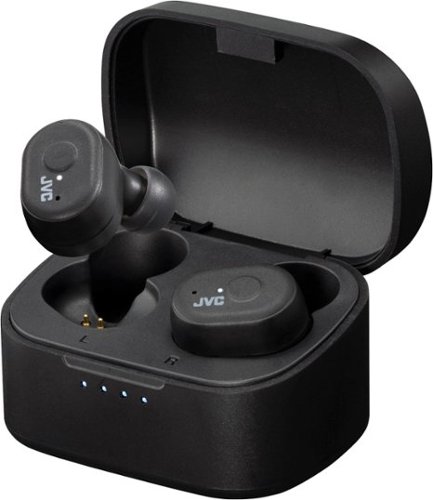
JVC Marshmallow True Wireless headphones offer two sizes of soft memory foam earpiece for superior comfort. Experience total true wireless headphones with no wires connecting the earpieces. Each earpiece offers a one button remote to control music and phone calls at the touch of a button. The Touch & Talk feature makes it quick and easy to reduce playback volume and take in outside sounds, which allows for conversation with others without removing the earbuds. Keep on listening for hours with plenty of time to spare. You get 8 hours battery life on a single charge, then recharge in the included carrying case for another 2.5 times, total 28 hours. Also available is a quick 10-minute charge which provides 1-hour playback. These headphones are rated IPX5 so you can enjoy sports or other activities out in the rain without hesitation. The convience of automatic power on allows you to connect to your device when simply removing the earbuds from the charging case, for quick and easy operation. Bluetooth 5.1 provides a stable connection. Individually, you can use either right or left earbuds by themselves whenever you desire.
Customer Rating
5
Second pair of JVC True wireless
on June 13, 2021
Posted by: ETP1
from fl
I have two different JVC models sitting in front of my computer and they are almost identical in performance. The Marshmallow is for casual use since it does not hook over the ear.
Both pair easily and pair correctly every time you take them out of the charger case.
This is the only brand that has consistent and reliable pairing for my use.
The second you grab them from the charging box they are paired.
Both pair easily and pair correctly every time you take them out of the charger case.
This is the only brand that has consistent and reliable pairing for my use.
The second you grab them from the charging box they are paired.
Be advised the ear cushions are very ear canal specific. Be sure to check several sizes for a good fit. If you do not hear clear bass then you may need to change the cushions or insert them properly.
BT is 5.1.
Range is about the same for every BT device I have in the house tagged to me new Mid Tower Build.
Range is about the same for every BT device I have in the house tagged to me new Mid Tower Build.
Range appears to be source dependent more than the receiver as my laptops have a greater range.
Mobile Submission: False
I would recommend this to a friend!
Share this review:


0points
0of 0voted this as helpful.
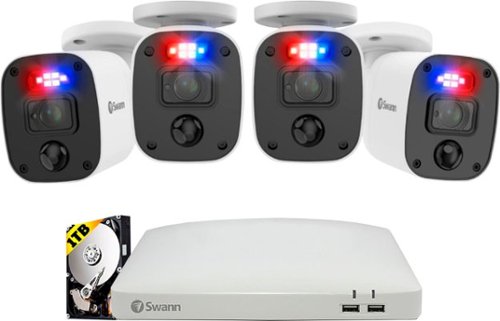
The expandable Swann 8 channel 1080p SwannForce system is armed with the latest in-home security, such as red and blue flashing lights, Night2Day color night vision, TrueDetect heat and motion detection, Google, and Alexa compatibility, and much more. Expand your security with up to four additional SwannForce 1080p cameras. An 8-channel security system suits larger properties, such as retail stores, restaurants, warehouses, and large homes.
Customer Rating
5
Solid reliable wired system
on June 5, 2021
Posted by: ETP1
from fl
Upfront this is a quality system!
However, no WIFI other than the app on your cell phone for functionality. Noticed some systems had a plug in USB WIFI antenna. Not sure if this unit is compatible.
Initial setup was straight forward and was up and running with OEM settings.
The phone app worked for all functions and was reliable and easy to use.
Needed!
Detailed manual on all the menu settings and functionality.
USB sticks have no instructions other than insert it. Evidently you can save specific files after the fact to a USB stick.
It would be nice if you could set it to record to the USB stick and swap out sticks every 30-45 days. This may be an option but no information on if this is even possible.
Auto notify disabled for good reason! You don't want every lizard sending you an email.
As far as tweaking the system to send certain wanted pictures, no information was available at this time. I did look at older manuals and you can gleam information from those and do your setup.
Bottom line is this wired system is always your best bet for access to stored videos locally, offline, and visible on your computer.
I am not a fan of all your security stuff on a server some where in space.
And now to find a victim to drag cables through my attic.
Mobile Submission: False
I would recommend this to a friend!
Share this review:


+6points
6of 6voted this as helpful.
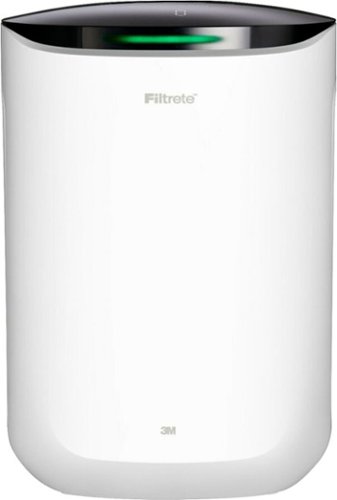
Say Hello to Cleaner, Fresher Indoor Air~24/7.Pets. A new baby. A new home. Each of these things sparks a reason to improve the air quality in your home. And though you can~t see microscopic airborne particles, Filtrete~ Smart Air Purifiers can detect them with a built-in air quality monitor and automatically clean the air using the strength of electrostatic air filters.Keep tabs on your air quality with your Filtrete~ Smart App and control your air purifier from anywhere using your smartphone. Plus, these Wi-Fi-enabled devices are compatible with Amazon Alexa and Google Assistant.Enable auto-mode on your Filtrete~ 150 Sq. Ft. Smart Air Purifier for Medium Rooms and let our tried-and-true filters do the rest. Compatible Filtrete~ Air Purifier Filters pull in and trap particles 1000x smaller than those visible to the human eye. Each device includes a True HEPA filter that helps capture 99.97% of airborne particles*~such as dust and lint, mold spores, bacteria, viruses and pet dander.Eliminate the guesswork with a connected device and filter combo from the most trusted HVAC filter brand in America**.
Customer Rating
5
quality product that works
on May 10, 2021
Posted by: ETP1
from fl
Quick look of Filtrete - 150 Sq. Ft. Smart Air Purifier for Medium Rooms - White
Model:FAP-SC02N
SKU:6450270
Model:FAP-SC02N
SKU:6450270
Upfront: Works as advertised out of the box
Summary report:
Detailed results:
This unit was able display clearly all the functions.
All functions can be done by app or manually.
Filter is very thick.
Unit is quiet for a TV room or bedroom.
Published specs:
Key Specs
• Voice Assistant Built-in
Specifications Info info
No
• Air Quality Indicator Light(s)
Specifications Info info
Yes
• App-Controlled
Specifications Info info
Yes
• Clean Air Delivery Rate (CADR)
Specifications Info info
98
• Recommended Room Size
Specifications Info info
150 square feet
• Works With
Specifications Info info
Amazon Alexa, Google Assistant
• Wireless Connectivity
Specifications Info info
Bluetooth, Wi-Fi
________________________________________
Compatibility
• Voice Assistant Built-in
Specifications Info info
No
• Works With
Specifications Info info
Amazon Alexa, Google Assistant
________________________________________
General
• Product Name
150 Sq. Ft. Smart Air Purifier for Medium Rooms
• Brand
Filtrete
• Model Number
FAP-SC02N
• Color
White
• Color Category
White
________________________________________
Dimension
• Product Height
Specifications Info info
18.2 inches
• Product Width
Specifications Info info
12 inches
• Product Depth
Specifications Info info
9.5 inches
• Product Weight
Specifications Info info
11 pounds
________________________________________
Warranty
• Manufacturer's Warranty - Parts
1 year
• Manufacturer's Warranty - Labor
Not Available
________________________________________
Other
• Filter Compatibility
F2
• Air Purifier Type
Console
• ENERGY STAR Certified
Specifications Info info
Yes
• Programmable Timer
Yes
• Filter Type
HEPA
• Number Of Fan Speeds
4
• Remote Control
No
• Filter Included
Yes
• Temperature Control
No
• Filter Indicator Light(s)
Yes
• Ionizing
Specifications Info info
No
• AHAM Certified
Specifications Info info
Yes
• UPC
638060852354
Detailed results:
This unit was able display clearly all the functions.
All functions can be done by app or manually.
Filter is very thick.
Unit is quiet for a TV room or bedroom.
Published specs:
Key Specs
• Voice Assistant Built-in
Specifications Info info
No
• Air Quality Indicator Light(s)
Specifications Info info
Yes
• App-Controlled
Specifications Info info
Yes
• Clean Air Delivery Rate (CADR)
Specifications Info info
98
• Recommended Room Size
Specifications Info info
150 square feet
• Works With
Specifications Info info
Amazon Alexa, Google Assistant
• Wireless Connectivity
Specifications Info info
Bluetooth, Wi-Fi
________________________________________
Compatibility
• Voice Assistant Built-in
Specifications Info info
No
• Works With
Specifications Info info
Amazon Alexa, Google Assistant
________________________________________
General
• Product Name
150 Sq. Ft. Smart Air Purifier for Medium Rooms
• Brand
Filtrete
• Model Number
FAP-SC02N
• Color
White
• Color Category
White
________________________________________
Dimension
• Product Height
Specifications Info info
18.2 inches
• Product Width
Specifications Info info
12 inches
• Product Depth
Specifications Info info
9.5 inches
• Product Weight
Specifications Info info
11 pounds
________________________________________
Warranty
• Manufacturer's Warranty - Parts
1 year
• Manufacturer's Warranty - Labor
Not Available
________________________________________
Other
• Filter Compatibility
F2
• Air Purifier Type
Console
• ENERGY STAR Certified
Specifications Info info
Yes
• Programmable Timer
Yes
• Filter Type
HEPA
• Number Of Fan Speeds
4
• Remote Control
No
• Filter Included
Yes
• Temperature Control
No
• Filter Indicator Light(s)
Yes
• Ionizing
Specifications Info info
No
• AHAM Certified
Specifications Info info
Yes
• UPC
638060852354
Description
Description
Say Hello to Cleaner, Fresher Indoor Air—24/7.
Pets. A new baby. A new home. Each of these things sparks a reason to improve the air quality in your home. And though you can’t see microscopic airborne particles, Filtrete™ Smart Air Purifiers can detect them with a built-in air quality monitor and automatically clean the air using the strength of electrostatic air filters.
Keep tabs on your air quality with your Filtrete™ Smart App and control your air purifier from anywhere using your smartphone. Plus, these Wi-Fi-enabled devices are compatible with Amazon Alexa and Google Assistant.
Enable auto-mode on your Filtrete™ 150 Sq. Ft. Smart Air Purifier for Medium Rooms and let our tried-and-true filters do the rest. Compatible Filtrete™ Air Purifier Filters pull in and trap particles 1000x smaller than those visible to the human eye. Each device includes a True HEPA filter that helps capture 99.97% of airborne particles*—such as dust and lint, mold spores, bacteria, viruses and pet dander.
Eliminate the guesswork with a connected device and filter combo from the most trusted HVAC filter brand in America**.
Features
Up to 150 sq. ft. purification capacity
For rooms up to 150 sq. ft., like a bedroom, office, or nursery.
Designed with auto-mode
Designed with auto-mode to clear your air automatically, 24/7.
True HEPA filter
Included to attract and capture 99.97% of unwanted airborne particles, such as allergens, dust, lint, mold spores, bacteria, viruses and pet dander (as small as 0.3 microns, from the air passing through the filter media. Initial efficiency value).
Filtrete™ Smart App
Control the smart air purifier from anywhere using your smartphone and the Filtrete™ Smart App. The app provides visual graphs to monitor trends of your home's unique indoor air quality.
Built-in air quality monitor
The built-in air quality monitor in the Filtrete™ Smart Air Purifier has a color and numerical scale to provide at-a-glance air quality readings and filter life percentage on the top of the device that are easy to understand.
Filter Life Indicator
Know when to change your filter! When the device's Filter Life Indicator reaches 0%, it's time to change your filter (approximately every 6 months based on 12 hours of run time per day). Works with F2 Filtrete™ Filters.
Clean Air Delivery Rate (CADR)
Clean Air Deliver Rate (CADR) of 98.
Tradition you can trust
Backed by 25+ years of filtration experience.
For residential use only.
* As small as 0.3 microns from the air passing through the filter media. Initial efficiency value.
**2019 TNS Brand Health Tracking Study
What's Included
• Filtrete™ 150 Sq. Ft. Smart Air Purifier for Medium Rooms
• Filtrete™ True HEPA F2 Air Filter
Energy Ratings
ENERGY STAR Certified
Description
Say Hello to Cleaner, Fresher Indoor Air—24/7.
Pets. A new baby. A new home. Each of these things sparks a reason to improve the air quality in your home. And though you can’t see microscopic airborne particles, Filtrete™ Smart Air Purifiers can detect them with a built-in air quality monitor and automatically clean the air using the strength of electrostatic air filters.
Keep tabs on your air quality with your Filtrete™ Smart App and control your air purifier from anywhere using your smartphone. Plus, these Wi-Fi-enabled devices are compatible with Amazon Alexa and Google Assistant.
Enable auto-mode on your Filtrete™ 150 Sq. Ft. Smart Air Purifier for Medium Rooms and let our tried-and-true filters do the rest. Compatible Filtrete™ Air Purifier Filters pull in and trap particles 1000x smaller than those visible to the human eye. Each device includes a True HEPA filter that helps capture 99.97% of airborne particles*—such as dust and lint, mold spores, bacteria, viruses and pet dander.
Eliminate the guesswork with a connected device and filter combo from the most trusted HVAC filter brand in America**.
Features
Up to 150 sq. ft. purification capacity
For rooms up to 150 sq. ft., like a bedroom, office, or nursery.
Designed with auto-mode
Designed with auto-mode to clear your air automatically, 24/7.
True HEPA filter
Included to attract and capture 99.97% of unwanted airborne particles, such as allergens, dust, lint, mold spores, bacteria, viruses and pet dander (as small as 0.3 microns, from the air passing through the filter media. Initial efficiency value).
Filtrete™ Smart App
Control the smart air purifier from anywhere using your smartphone and the Filtrete™ Smart App. The app provides visual graphs to monitor trends of your home's unique indoor air quality.
Built-in air quality monitor
The built-in air quality monitor in the Filtrete™ Smart Air Purifier has a color and numerical scale to provide at-a-glance air quality readings and filter life percentage on the top of the device that are easy to understand.
Filter Life Indicator
Know when to change your filter! When the device's Filter Life Indicator reaches 0%, it's time to change your filter (approximately every 6 months based on 12 hours of run time per day). Works with F2 Filtrete™ Filters.
Clean Air Delivery Rate (CADR)
Clean Air Deliver Rate (CADR) of 98.
Tradition you can trust
Backed by 25+ years of filtration experience.
For residential use only.
* As small as 0.3 microns from the air passing through the filter media. Initial efficiency value.
**2019 TNS Brand Health Tracking Study
What's Included
• Filtrete™ 150 Sq. Ft. Smart Air Purifier for Medium Rooms
• Filtrete™ True HEPA F2 Air Filter
Energy Ratings
ENERGY STAR Certified
Mobile Submission: False
I would recommend this to a friend!


Share this review:


+1point
1of 1voted this as helpful.
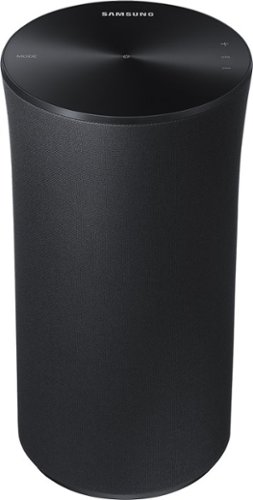
Samsung Radiant360 R1 Speaker: Hear the full, rich sound of your favorite music from anywhere in the room. The Samsung R1 uses breakthrough Ring Radiator technology to equally project audio in all directions, so wherever you move, you're always in the sweet spot. Built-in Wi-Fi and Bluetooth 4.0 make it simple to stream Pandora, Spotify and other instant content.
Overall 2 out of 5
2 out of 5Hard to connect to Samsung Curved Sound Bar and TV
By ginny
Took forever to figure out how to get it all connected with Samsung Curved Sound Bar and TV. If often drops the WiFi signal and you miss parts of the sound. I wish we went wired. when it works the sound is great.

ETP1
fl
me too
December 16, 2016
Could not get it to connect with my Samsung sound bar or any Samsung device via BT. Only WIFI works with an extremely complicated procedure. Also sound was muddled over wifi.
0points
0of 0voted this comment as helpful.
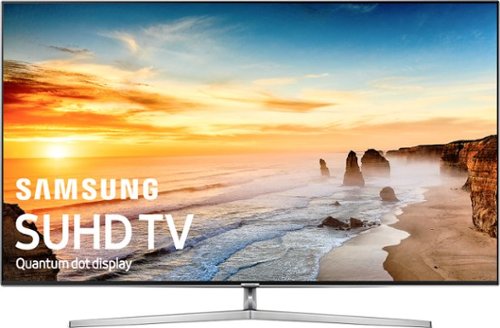
Bring television shows to life with this Samsung LED 4K Ultra HD TV. This 65-inch television uses Quantum Dot Color to display a lifelike picture, while the Supreme Motion Rate 240 feature keeps up with the action. This Samsung LED 4K Ultra HD TV uses HDR 1000 to display hidden details, and includes a full web browser and applications.
Overall 4 out of 5
4 out of 5Good set - after adjustments
By Josie1
This was my first LED TV purchase (the one it was replacing was a plasma set). I bought based on positive online reviews and Best Buy in-store demo.
It is a very good set, however, it takes some tweaking to get there. It ships out of the box with the color set very blue and the contrast very high. The Geek Squad guy who set it up goosed the picture to even more unnatural settings before leaving. Very significantly, the anti-jitter motion setting (I later found out this is known as the Soap Opera Effect) was set to full-on high, which lead to a very disorienting "pan and scan" sensation while watching. It took me a better part of a week to find the settings to bring the set into a natural picture.
So...a good set. I'm happy with it. But take some time and adjust it, or you won't be happy with it. And do NOT take the recommendation of the Geek Squad guy...he'll only make things worse.
ETP1
fl
HDR mode
December 25, 2016
I set all my inputs the HDR mode for better color. Could you post all your settings for us.
Many thanks,
0points
0of 0voted this comment as helpful.
ETP1's Questions
ETP1 has not submitted any questions.
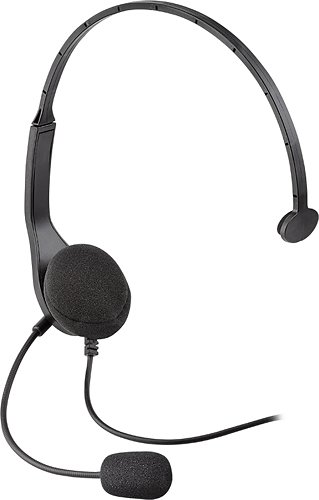
Your teammate shouts the location of a foe ~ a sniper, located on the rooftop in the shadows. You enter the building's stairwell, silent and stealthy. Reaching the roof, you catch the enemy gunner off guard, and before he can react, you eliminate the threat, telling your partners the location is safe and secure.Allow your team to gain the upper hand by talking with friends and allies using this Wired Chat Headset for PlayStation 3. Speak into the noise-reducing microphone to give split-second orders. Adjust the easy-to-reach in-line volume and mute controls to a desired listening level. The key to victory is to keep your team on the same page ~ use this headset and stay a step ahead of your enemy.
Can I use this headset with my PS4?
Suspect it will only work as chat. You can use any headset on the PS4 controller
9 years, 8 months ago
by
ETP1
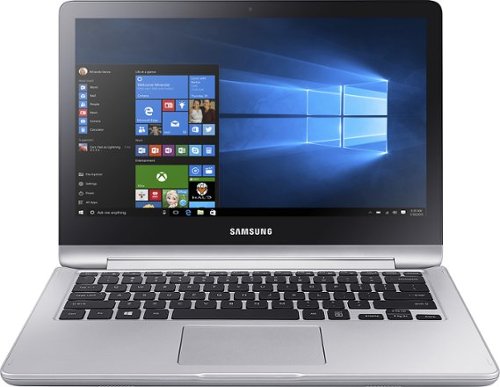
Enjoy flexible entertainment with this Samsung Notebook 7 Spin laptop. Its 360-degree rotating monitor converts into a tablet for touch-screen browsing or a tent or display for hands-free viewing. This fast-charging 13-inch Notebook 7 Spin laptop powers up as quickly as 20 minutes to add two hours of battery life for playing another HD movie.
Is the college student valid for this one?
Enjoy flexible entertainment with this Samsung Notebook 7 Spin laptop. Its 360-degree rotating monitor converts into a tablet for touch-screen browsing or a tent or display for hands-free viewing. This fast-charging 13-inch Notebook 7 Spin laptop powers up as quickly as 20 minutes to add two hours of battery life for playing another HD movie.
Samsung Makes A Laptop? Is the one of the first Laptops that Samsung has made?
They have made them for years and this is my second one. Last one was also perfect. They are not cheap but good.
9 years, 9 months ago
by
ETP1
Enjoy flexible entertainment with this Samsung Notebook 7 Spin laptop. Its 360-degree rotating monitor converts into a tablet for touch-screen browsing or a tent or display for hands-free viewing. This fast-charging 13-inch Notebook 7 Spin laptop powers up as quickly as 20 minutes to add two hours of battery life for playing another HD movie.
Can the factory hard drive be replaced by an aftermarket SSD. If so, what flavor SATA or PCI-e?
Yes, but it will invalidate the warranty unless an authorized Samsung shop does it. Just wait until the one year is up.
9 years, 10 months ago
by
ETP1
Enjoy flexible entertainment with this Samsung Notebook 7 Spin laptop. Its 360-degree rotating monitor converts into a tablet for touch-screen browsing or a tent or display for hands-free viewing. This fast-charging 13-inch Notebook 7 Spin laptop powers up as quickly as 20 minutes to add two hours of battery life for playing another HD movie.
What app / programs are on machine?
It had an antivirus program which I immediately uninstalled but not as much bloat ware as the HP. Very nice unit. Bought this and the HP on sale at SAMSCLUB last Sat.
All come with a trial period of office and antivirus.
Never had an issue with a Samsung product and this is my second laptop. Aluminum case BTW and side mounted power button.
Quality is first class.
All come with a trial period of office and antivirus.
Never had an issue with a Samsung product and this is my second laptop. Aluminum case BTW and side mounted power button.
Quality is first class.
9 years, 10 months ago
by
ETP1
Enjoy flexible entertainment with this Samsung Notebook 7 Spin laptop. Its 360-degree rotating monitor converts into a tablet for touch-screen browsing or a tent or display for hands-free viewing. This fast-charging 13-inch Notebook 7 Spin laptop powers up as quickly as 20 minutes to add two hours of battery life for playing another HD movie.
Can you upgrade the processor to Intel Core i7? Quickbooks requires a minimum of 2.4 GHz processor.
Probably not but I called Samsung and opening the case will invalidate the warranty. So the first year you need to leave it alone.
BTW/my review has not posted.
BTW/my review has not posted.
9 years, 10 months ago
by
ETP1
Enjoy flexible entertainment with this Samsung Notebook 7 Spin laptop. Its 360-degree rotating monitor converts into a tablet for touch-screen browsing or a tent or display for hands-free viewing. This fast-charging 13-inch Notebook 7 Spin laptop powers up as quickly as 20 minutes to add two hours of battery life for playing another HD movie.
Does this have a "hard disk"? I bought this one back in 2013 and I keep getting a "hard disk" error. I don't want the same problem.
1 Terabit HD and seems to be ok so far. Only one day.
9 years, 10 months ago
by
ETP1
Enjoy flexible entertainment with this Samsung Notebook 7 Spin laptop. Its 360-degree rotating monitor converts into a tablet for touch-screen browsing or a tent or display for hands-free viewing. This fast-charging 13-inch Notebook 7 Spin laptop powers up as quickly as 20 minutes to add two hours of battery life for playing another HD movie.
What is the casing made of? Is there some aluminum panels on this? If yes which ones?
Top is aluminum. Not sure about the bottom. Solid well built laptop.
Still installing and uninstalling software I don't need to see if it will speed up a little.
Still installing and uninstalling software I don't need to see if it will speed up a little.
9 years, 10 months ago
by
ETP1