
Share jlk72's profile


jlk72
jlk72's stats
- Review count1
- Helpfulness votes0
- First reviewAugust 10, 2009
- Last reviewAugust 10, 2009
- Featured reviews0
- Average rating1
Reviews comments
- Review comment count0
- Helpfulness votes0
- First review commentNone
- Last review commentNone
- Featured review comments0
Questions
- Question count0
- Helpfulness votes0
- First questionNone
- Last questionNone
- Featured questions0
Answers
- Answer count0
- Helpfulness votes0
- First answerNone
- Last answerNone
- Featured answers0
- Best answers0
jlk72's Reviews
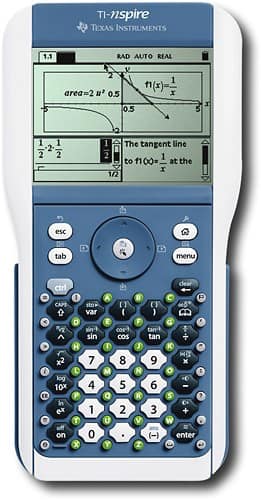
The latest TI math and science learning technology features the TI-Nspire family of products and services. This technology goes beyond graphing to help students see math and science in new and different ways. TI-Nspire technology was developed hand-in-hand with educators worldwide and built on proven graphing technology which research shows has a positive impact on student achievement. This exciting learning technology offers both handhelds and computer software for the flexibility to meet different classroom needs.
Customer Rating

1
Can't back up data entered with TI-84 keypad
on August 10, 2009
Posted by: jlk72
I just bought this for my son since he needed a TI-84 figuring he could start with that keypad and grow into the Nspire keypad. I don't know enough about it to rate the features, etc so I left that blank. What I did discover though is that in order to back up data entered in TI-84 mode, you need to purchase a separate cable. The USB cable that comes with it will only work properly with the Nspire keypad. The handbook tells you you need to back up TI-84 data before updating the OS or you'll lose it and also tells you that you need a different cable to back up TI-84 data. However, that cable was not in the package and when I called to ask about it, I was told it wasn't included but could be ordered. I made enough noise that they're sending me one for free but I shouldn't have had to do that. They advertise the fact that it can be used as a TI-84, they should provide the cable to backup the data. I would only buy this if I already had a TI-84 at home since you can use the same cable.
No, I would not recommend this to a friend.
Share this review:


0points
0of 0voted this as helpful.
jlk72's Review Comments
jlk72 has not submitted comments on any reviews.
jlk72's Questions
jlk72 has not submitted any questions.
jlk72's Answers
jlk72 has not submitted any answers.