
Share Hoobuck's profile


Hoobuck
Hoobuck's stats
- Review count13
- Helpfulness votes13
- First reviewJune 26, 2014
- Last reviewMay 19, 2017
- Featured reviews0
- Average rating4.5
Reviews comments
- Review comment count0
- Helpfulness votes0
- First review commentNone
- Last review commentNone
- Featured review comments0
Questions
- Question count0
- Helpfulness votes0
- First questionNone
- Last questionNone
- Featured questions0
- Answer count1
- Helpfulness votes0
- First answerJune 26, 2014
- Last answerJune 26, 2014
- Featured answers0
- Best answers0
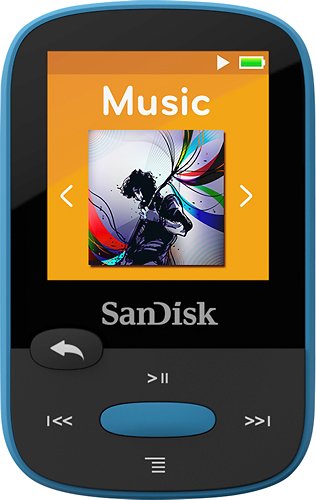
This SanDisk Clip Sport MP3 player features 8GB* of built-in storage for ample space to bring your music with you on the go. The 1.4" TFT-LCD screen enables easy navigation of your media while you're in motion.
Customer Rating

5
Nice mp3 player
on April 23, 2015
Posted by: Hoobuck
from Tyler, TX
Verified Purchase:Yes
Wife bought this for my birthday to replace a very old san disk player that was finally giving up the ghost. It is very intuitive to use, charges with a usb cable instead of always having to put in new batteries. Holds a whole lot more music than my old one did.
To me the most important thing is that it works well and you don't have to be a rocket scientist to figure out how to operate it.
To me the most important thing is that it works well and you don't have to be a rocket scientist to figure out how to operate it.
My Best Buy number: 0323776385
My Best Buy number: 0323776385
I would recommend this to a friend!
Share this review:


+1point
1of 1voted this as helpful.
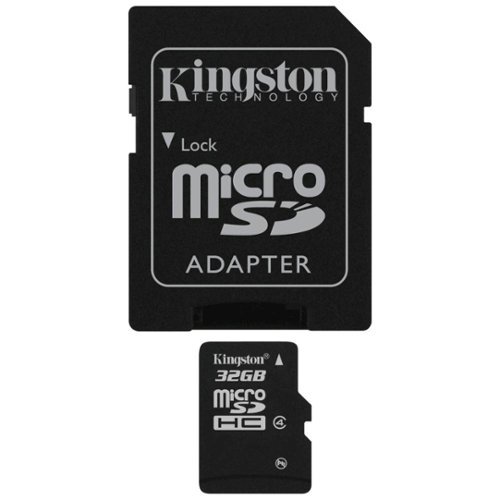
MicroSDHC cards offer higher storage for more music, more videos, more pictures, more games - more of everything you need in today's mobile world. The microSDHC card allows you to maximize today's revolutionary mobile devices.
Customer Rating

4
Works fine in cell phone
on September 12, 2014
Posted by: Hoobuck
from Tyler, TX
I use it with:Cell phone
Verified Purchase:Yes
The card did just what I needed it to do. I was able to put it in my old Samsung phone and pull pics from it and get them on my computer.
My Best Buy number: 323776385
What's great about it: nothing
What's not so great: price is somewhat high considering it is such a slow card
No, I would not recommend this to a friend.
Capacity

4
Durability
4
Share this review:


0points
0of 0voted this as helpful.
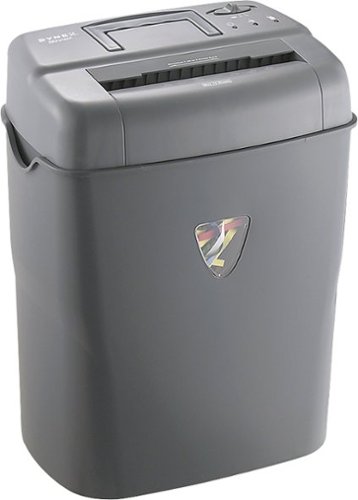
Protect your privacy with this Dynex~ DX-PS10CC shredder that crosscuts documents, credit cards, CDs, DVDs, staples and paper clips and features a top handle to make transport and emptying easy.
Customer Rating
4
Works well so far
on June 26, 2014
Posted by: Hoobuck
from Tyler, TX
Verified Purchase:Yes
Once you get the paper where it needs to be, this shredder works pretty well. The problem is getting the paper in the right spot to trigger it. In my opinion, the shredder head is poorly designed. There are times when you insert a piece or several pieces of paper and the the shredder head triggers, but the paper doesn't get pulled into the head. You have to move the paper around until it catches. This happens more with smaller papers than it does with letter size sheets. The second issue is with the small bin capacity. There are times when it seems like I almost take as much time emptying the bin and I do shredding papers. One thing I will give Dynex credit for is putting a handle on the shredder head to make it easier to remove the head from the bin.
My Best Buy number: 0323776385
My Best Buy number: 0323776385
What's great about it: Shreds large papers easily
What's not so great: Small bin capacity, poorly designed paper handling chute
I would recommend this to a friend!
Ease of Use

3
Share this review:


+11points
11of 11voted this as helpful.
Hoobuck's Review Comments
Hoobuck has not submitted comments on any reviews.
Hoobuck's Questions
Hoobuck has not submitted any questions.
Hoobuck's Answers
Printer wont print
My laptop has a USB3.0 and my printer has a USB2.0. Is there something that I can use to make it work?
USB 3 ports are backwards compatible with USB 2. The same cable that you used to connect your printer to your old computer will work just fine. You will just lose the speed difference between USB 2 and 3.
If your printer won't work using that cable, you have some other issue going on.
If your printer won't work using that cable, you have some other issue going on.
11 years, 11 months ago
by
Hoobuck
Tyler, TX