
Share downconvert's profile


downconvert
downconvert's stats
- Review count2
- Helpfulness votes36
- First reviewFebruary 10, 2009
- Last reviewSeptember 6, 2016
- Featured reviews0
- Average rating4.5
- Review comment count2
- Helpfulness votes2
- First review commentDecember 21, 2011
- Last review commentSeptember 6, 2016
- Featured review comments0
Questions
- Question count0
- Helpfulness votes0
- First questionNone
- Last questionNone
- Featured questions0
- Answer count1
- Helpfulness votes0
- First answerJuly 28, 2009
- Last answerJuly 28, 2009
- Featured answers0
- Best answers0
downconvert's Reviews
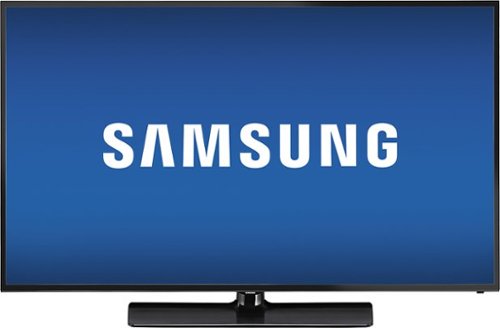
Samsung LED HDTV: With 1080p HD visuals and color enhancement technology, this TV makes it easy to enjoy your favorite movies and TV shows. Smart connectivity lets you connect to the Web or stream from your compatible devices.
Customer Rating

5
Excellent VALUE for a large Smart TV
on September 6, 2016
Posted by: downconvert
from Chicago,IL
I needed a larger TV for my basement in my new house, I didn't want to spend a ton of money on a large 4K screen yet as we have plenty of other things we need to buy to furnish our house. I read the reviews of this TV, I l already had a 32" Samsung that is probably 7-8 years old and is still kickin so I had no reservations about Samsung so I pulled the trigger on this yesterday for $500 (Labor Day Sale). Set it up last night, no issues, nice, big beautiful picture and EXCELLENT built in speakers for Movies and Sporting events (TV shows of course too). I connect to NETFLIX via my Tivo unit so I can't fully comment on it's wireless capabilities but it found my wireless network right away so no complaints there ! The 60Hz refresh rate is beautiful for Netflix content, sporting events look good enough so if you want a LARGE, VALUE Smart TV with EXCELLENT SOUND... get this TV ! It's GREAT !
My Best Buy number: 2635019020
I would recommend this to a friend!
Share this review:


+32points
36of 40voted this as helpful.

This DVD recorder lets you watch movies in stunning 1080p high-definition. Create your own DVD home movies from your camcorder thanks to the built-in DV input.Learn more with these helpful resources:DVD Recorders: Learn what's in 'em for youBuild A Home Entertainment Library on DVDs

Posted by: downconvert
from Chicago,IL
I bought this DVD recorder the other day for the advertised price, brought it home set it up, and it worked perfectly. For recordings, I am running a RCA feed into it from my HD cable box ( 480p feed ) and runnning that out to my HDTV via component cables so that I can record and watch things at the same time. I have not hooked up the HDMI output to my TV yet, but I do not anticipate any upconvert problems there. This is a nice little unit for the price and my only legitimate gripe is the recorder's titling interface. My old recorder allowed you to grab stills of what you had recorded and use them for your title screens, this was so convienent and awesome and was the only way I ever titled ANYTHING. Ultimately, for the price, this is a good buy.
What's great about it: Great price, easy to record content, nice compact/lightweight design
What's not so great: Record menu interface, titling interface, RCA only input
I would recommend this to a friend!
Picture Quality

4
Ease of Use
4
Share this review:


0points
0of 0voted this as helpful.
downconvert's Review Comments
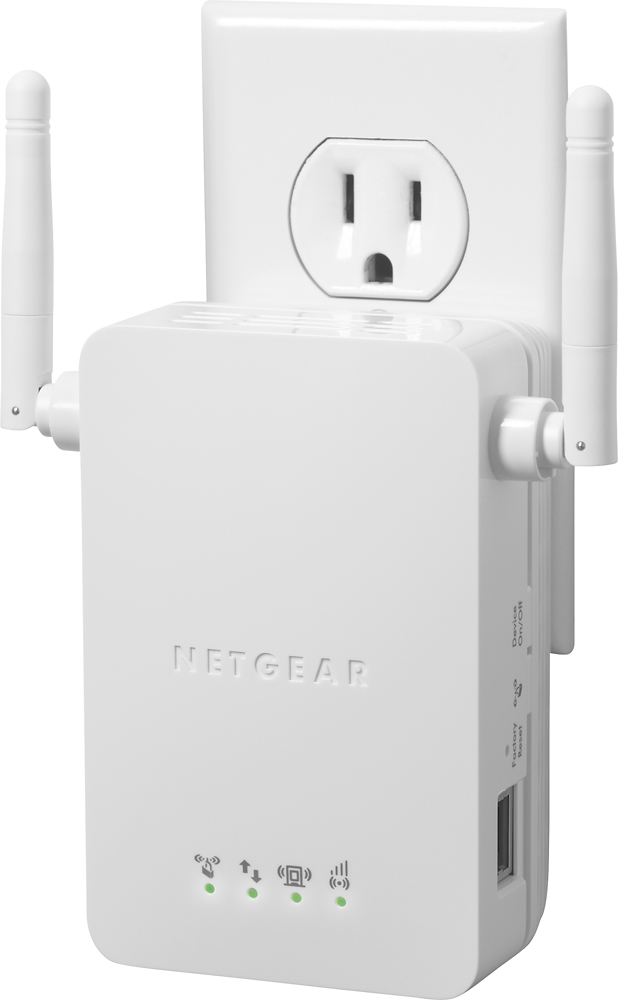
NETGEAR Universal Wi-Fi Range Extender: Broaden your network connection with a range extender that gives you extra Wi-Fi coverage in your home. Smart LED indicators will direct you to the optimal location to plug the extender into the wall, so you can easily enjoy improved range and speed on your mobile and wired devices. Save on data usage by connecting your smartphone or tablet to your home network.
Overall5 out of 5
5 out of 5Good product, it's doing its job very well
By turcu
from Chicago, IL
Very simple to install and I like the fact that the adapter is incorporated in the device itself - I didn't have to run additional wires.

downconvert
Chicago,IL
WIRELESS CONNECTION DROPOUTS ??? BUY THIS THING !!
December 21, 2011
We have our cable modem and wireless router in the back corner of our bedroom of our little 1200 square foot condo and we have been suffering from progressively worse intermittent wireless connections in our living room (30'- 40' feet away) for the past few years. I first upgraded from a G router to an N router just recently....virtually no improvement. I ran speed tests from the modem, wireless router, and the tests indicated the modem was fine, but the router was just not getting the job done, or maybe it was my coaxial cable that goes through a powered splitter then to my modem that was the problem ? Or maybe "it's probably just my lame Comcast signal, thanks Comcast !". ANYWAY, as a last ditch effort, I bought THIS EXTENDER...and now....I have 4 CONSISTENT BARS in my LIVING ROOM !!! THANK YOU NETGEAR !!! I have 4 BARS on my LAPTOP in my living room and 4 BARS on my XBOX 360 in my living room...I'm so happy I could cry !
INSTRUCTIONS !!! (In case the "EASY SETUP" does'nt work for you EITHER !!!)
1.) GET AN ETHERNET CABLE !!!
2.) Plug your range extender somewhere around the recommended distance between your wireless router and your desired wireless access location.
3.) PLUG IN the extender into a wall outlet if possible (I guess a power strip is fine?).
4.) Look to see if the EXTENDER shows up as a wireless access point as "NETGEAR_EXT".
5.) CONNECT to "YOUR WIRELESS NETWORK NAME", and NOT "NETGEAR_EXT" !!!
6.) CONNECT the ETHERNET CABLE from your LAPTOP to the EXTENDER.
7.) OPEN your WEB BROWSER on your laptop.
8.) TYPE in your BROWSER: www.mywifiext.net
9.) Your EXTENDER's INTERFACE should come up IF you have an actual wireless connection to "YOUR WIRELESS NETWORK NAME", again, NOT "NETGEAR_EXT"
10.) Follow the instructions, make the EXTENDER's name (SSID):
"YOUR WIRELESS NETWORK NAME_EXT"
2.) Plug your range extender somewhere around the recommended distance between your wireless router and your desired wireless access location.
3.) PLUG IN the extender into a wall outlet if possible (I guess a power strip is fine?).
4.) Look to see if the EXTENDER shows up as a wireless access point as "NETGEAR_EXT".
5.) CONNECT to "YOUR WIRELESS NETWORK NAME", and NOT "NETGEAR_EXT" !!!
6.) CONNECT the ETHERNET CABLE from your LAPTOP to the EXTENDER.
7.) OPEN your WEB BROWSER on your laptop.
8.) TYPE in your BROWSER: www.mywifiext.net
9.) Your EXTENDER's INTERFACE should come up IF you have an actual wireless connection to "YOUR WIRELESS NETWORK NAME", again, NOT "NETGEAR_EXT"
10.) Follow the instructions, make the EXTENDER's name (SSID):
"YOUR WIRELESS NETWORK NAME_EXT"
11.) It should be "successful" if you have gotten this far.
12.) Then FEEL FREE (it will REMEMBER your settings!) to UNPLUG the UNIT and MOVE IT AROUND to different outlet/locations to find the OPTIMAL SIGNAL STRENGTH
for your wireless connection by running WIRELESS tests from: http://www.speedtest.net/
12.) Then FEEL FREE (it will REMEMBER your settings!) to UNPLUG the UNIT and MOVE IT AROUND to different outlet/locations to find the OPTIMAL SIGNAL STRENGTH
for your wireless connection by running WIRELESS tests from: http://www.speedtest.net/
I hope it works for you ! I was thrilled when I got it to work, but I had to figure out the setup by myself (I'm an IT guy though) as I could not find the method I used anywhere online.
EXTREMELY HAPPY CUSTOMER
0points
0of 0voted this comment as helpful.
Samsung LED HDTV: With 1080p HD visuals and color enhancement technology, this TV makes it easy to enjoy your favorite movies and TV shows. Smart connectivity lets you connect to the Web or stream from your compatible devices.
Overall5 out of 5
5 out of 5Phenomenal purchase
By JM0261
I made this purchase yesterday and not lightly I might add. I am a hard pressed type of person for big purchases such as this one and rarely make them. I reviewed many tv and went into the store to look at them all. Now you know me as a purchaser.
I am happy to say that I am beyond happy with this purchase. The colors are crisp, clear, and rich. You may be concerned at the 60hz and the fact that there may be some blur but I personally see no difference.
For those worried about the sound and if it will be loud enough for you, I am partially deaf in both ears and I can hear the shows I watch just fine. I will say though that at times when there is deep base that the voices may be drowned out but this may be due to individual programming.
The fact of the matter is, at this price, the size of the tv, adding the smart capabilities which I have found no fault in, I will say that if you are in the market for a new TV that this is more bang for your buck than anything I personally have looked at for the amount of money you will spend. I highly recommend this product.
downconvert
Chicago,IL
Check your Audio settings
September 6, 2016
Hey, I bought this TV yesterday as well and regarding the audio. Did you try changing your audio setting to "Movie" ? I was watching Marco Polo on Netflix and I often have a hard time understanding some of the actors so I changed the audio setting to "Movie" and I found the dialogue to be much crisper with that setting. Cheers ! And smart purchase !
+2points
2of 2voted this comment as helpful.
downconvert's Questions
downconvert has not submitted any questions.
downconvert's Answers
Is there a TV I can get that will hook up to my laptop as well?
I want to use one screen for both television viewing and computer use. Is that possible?
I have a Samsung 32 inch 1080p HDTV and a Insignia 19" 720p HDTV and both have VGA connections that allow you to connect your computer to them. Your maximum display resolution will be limited to maybe 1024x768, but that may or may not be a problem for you ?
16 years, 10 months ago
by
downconvert
Chicago,IL