
Share Ezra's profile


Ezra
Ezra's stats
- Review count12
- Helpfulness votes0
- First reviewDecember 29, 2015
- Last reviewJanuary 20, 2018
- Featured reviews0
- Average rating4.8
Reviews comments
- Review comment count0
- Helpfulness votes0
- First review commentNone
- Last review commentNone
- Featured review comments0
Questions
- Question count0
- Helpfulness votes0
- First questionNone
- Last questionNone
- Featured questions0
- Answer count2
- Helpfulness votes0
- First answerAugust 12, 2016
- Last answerAugust 12, 2016
- Featured answers0
- Best answers0
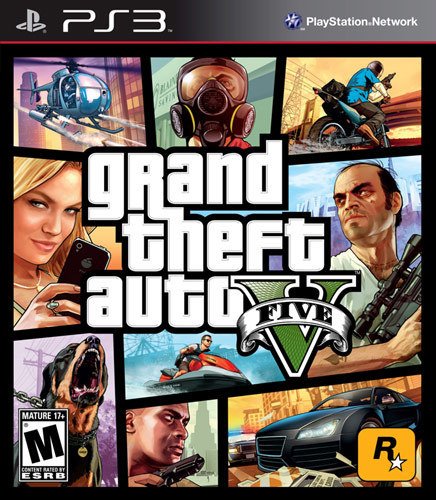
Los Santos: a sprawling sun-soaked metropolis full of self-help gurus, starlets and fading celebrities, once the envy of the Western world, now struggling to stay afloat in an era of economic uncertainty and cheap reality TV. Amidst the turmoil, three very different criminals plot their own chances of survival and success: Franklin, a former street gangster, now looking for real opportunities and serious money; Michael, a professional ex-con whose retirement is a lot less rosy than he hoped it would be; and Trevor, a violent maniac driven by the chance of a cheap high and the next big score. Running out of options, the crew risks everything in a series of daring and dangerous heists that could set them up for life.Grand Theft Auto V is the largest and most ambitious game Rockstar Games has yet created and takes full advantage of every ounce of processing power available in the current generation of consoles. In order to provide the best possible experience for such a massive and detailed world, the game will have installation requirements on the PlayStation 3 system. Grand Theft Auto V ships on one disc and will install content as soon as you insert the game. The install is roughly 8GB, and players will be able to play as soon as the install is complete.
Customer Rating

5
Very imerseve experience
on December 29, 2015
Posted by: Ezra
Verified Purchase:Yes
This game offers alot of entertainment both offline and online.
My Best Buy number: 2571460887
My Best Buy number: 2571460887
Mobile Submission: True
I would recommend this to a friend!
Share this review:


0points
0of 0voted this as helpful.
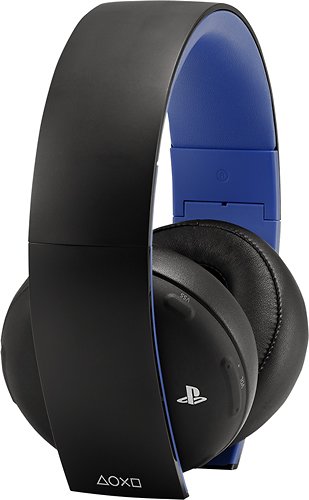
Sony Gold Wireless Stereo Headset: Pinpoint which direction the action is coming from with this 7.1 virtual surround sound headset. Download the Headset Companion app to experience exclusive custom audio settings for supported PlayStation games.
Customer Rating
5
Excelent sound
on December 29, 2015
Posted by: Ezra
Verified Purchase:Yes
These headphones sound fenomenal and are very easy to use. They can be used as wired or wireless which makes them useful for more than just game play. I like using them when I travel, as there compact design and included carry pouch, makes it easy to fix in my carry on bag.
My Best Buy number: 2571460887
My Best Buy number: 2571460887
Mobile Submission: True
I would recommend this to a friend!
Share this review:


0points
0of 0voted this as helpful.
Ezra's Review Comments
Ezra has not submitted comments on any reviews.
Ezra's Questions
Ezra has not submitted any questions.
Ezra's Answers
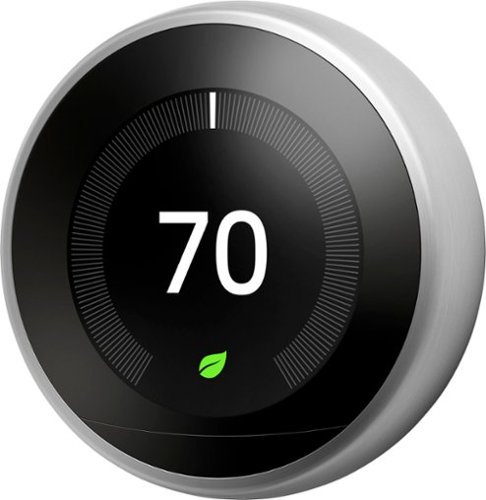
Nest 3rd Generation Smart Learning Thermostat: Take control of your home's heating and cooling without lifting a finger with this thermostat, which learns your habits and adjusts to automatically regulate your home's temperature based on your schedule. The Nest Leaf feature alerts you when you choose a temperature that's energy efficient.
I have an old thermostat. Can I replace it with the new one or does this require an electrician?
It's very simple to replace just look at the letter and color of wire as you disconnect the old thermostat and put it in the same place on the new one

9 years, 10 months ago
by
Ezra
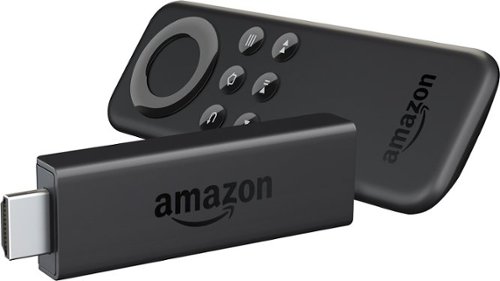
Amazon Fire TV Stick connects to your TV's HDMI port. Just grab and go to enjoy Netflix, Prime Instant Video, Hulu Plus, YouTube.com, music, and much more.
does the fire stick work out side USA
You can take your Amazon Fire TV device with you if you are moving or traveling to certain countries outside of the U.S. Your Amazon Fire TV device will work in the following countries:
United States
United Kingdom (UK)
Germany
Austria (Fire TV Stick only)
Japan
In order to use your device outside of the U.S., you need to change the Country Settings for your Amazon account.
Prime customers, with Prime Video, can also stream selected Amazon Originals titles while traveling abroad, and you do not need to change the Country Settings for your Amazon Account to view these titles.
While traveling abroad, eligible Prime members see Watch While Abroad carousels when browsing Amazon Video from the Amazon website on Amazon Fire TV, and Fire TV Stick.
These carousels, “Prime TV to Watch While Abroad,” “Kids TV to Watch While Abroad,” and “Your Video Library” show all titles available while traveling abroad.
To start watching, open the video details for a title in the Watch While Abroad carousels, and select Watch Now.
You can also find titles available to watch while traveling abroad on the Amazon website at: https://www.amazon.com/watchabroad
Important:
When you change the country for your Amazon account, you will no longer be able to access any of your purchased or rented videos from Amazon Video. Your purchased videos will still be available in the original country if you change back to that country, but any rented videos will be unavailable.
Some apps and games may not work in your new country. If you have any questions about app compatibility, contact the app developer for more information
To change your country settings:
Go to the Settings tab in Manage Your Content and Devices .
Under Country Settings select Change.
Enter your new address.
Choose a supported country for Amazon Fire TV and then select Update.
In the notification that appears, select learn more and then select Transfer your Kindle account to.
On your Fire TV device, go to Home > Settings > My Account. Select Deregister. Return to My Account and select Register. You can now use your Amazon Fire TV in the supported country.
Note: Features and content will differ by region. Please see the product detail pages on our Amazon international sites for more information about the availability of apps, TV, movies, music, and more in those regions.
United States
United Kingdom (UK)
Germany
Austria (Fire TV Stick only)
Japan
In order to use your device outside of the U.S., you need to change the Country Settings for your Amazon account.
Prime customers, with Prime Video, can also stream selected Amazon Originals titles while traveling abroad, and you do not need to change the Country Settings for your Amazon Account to view these titles.
While traveling abroad, eligible Prime members see Watch While Abroad carousels when browsing Amazon Video from the Amazon website on Amazon Fire TV, and Fire TV Stick.
These carousels, “Prime TV to Watch While Abroad,” “Kids TV to Watch While Abroad,” and “Your Video Library” show all titles available while traveling abroad.
To start watching, open the video details for a title in the Watch While Abroad carousels, and select Watch Now.
You can also find titles available to watch while traveling abroad on the Amazon website at: https://www.amazon.com/watchabroad
Important:
When you change the country for your Amazon account, you will no longer be able to access any of your purchased or rented videos from Amazon Video. Your purchased videos will still be available in the original country if you change back to that country, but any rented videos will be unavailable.
Some apps and games may not work in your new country. If you have any questions about app compatibility, contact the app developer for more information
To change your country settings:
Go to the Settings tab in Manage Your Content and Devices .
Under Country Settings select Change.
Enter your new address.
Choose a supported country for Amazon Fire TV and then select Update.
In the notification that appears, select learn more and then select Transfer your Kindle account to.
On your Fire TV device, go to Home > Settings > My Account. Select Deregister. Return to My Account and select Register. You can now use your Amazon Fire TV in the supported country.
Note: Features and content will differ by region. Please see the product detail pages on our Amazon international sites for more information about the availability of apps, TV, movies, music, and more in those regions.
9 years, 10 months ago
by
Ezra