


JimC's stats
- Review count115
- Helpfulness votes8,372
- First reviewOctober 30, 2016
- Last reviewApril 28, 2026
- Featured reviews0
- Average rating4.8
Reviews comments
- Review comment count0
- Helpfulness votes0
- First review commentNone
- Last review commentNone
- Featured review comments0
Questions
- Question count0
- Helpfulness votes0
- First questionNone
- Last questionNone
- Featured questions0
- Answer count34
- Helpfulness votes324
- First answerDecember 4, 2016
- Last answerNovember 16, 2021
- Featured answers0
- Best answers11
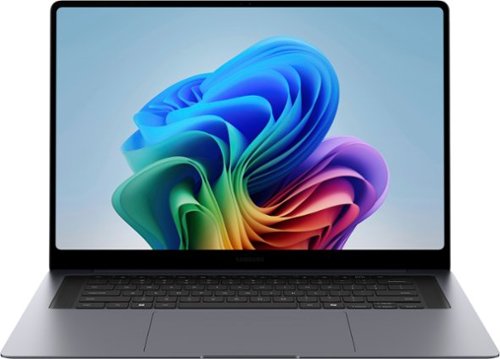
Power through your busiest days with Galaxy Book6 Pro. This PC is engineered for perfection and works together with your Galaxy devices as an unmatched force with features like Storage Share~, Phone Link~ and more. Perform your best with the latest Intel Core Ultra 7 Processor (PTL) with the latest ARC GPU that brings exceptional speed and responsiveness. Whatever you~re working on, the immersive 16~ Dynamic AMOLED 2X touch display helps put your work in the best light. And, get more hands on with your projects thanks to its light design, seamless haptic touchpad and long lasting battery.
Customer Rating

5
Beautiful Screen in an AI-Enhanced Powerhouse!
on April 28, 2026
Posted by: JimC
This brand-new Samsung Galaxy Book6 Pro CoPilot+ laptop is a superb combination of technology and functionality which will outperform almost all existing laptops thanks to its incorporation of a new Intel Core Ultra 7 processing unit which integrates the CPU with an advanced GPU, an image processor and an NPU. The display is an outstanding 3K AMOLED touch screen in an elegant, very compact but sturdy casing.
Samsung is one of the world’s largest consumer electronic firms. It was founded in 1938 as a diversified trading company which grew to include heavy industry, chemicals, financial services and food processing. It is the largest South Korean company. A subsidiary began to focus on electronics in the late 1960s. Today Samsung is a leading manufacturer of semiconductors, cell phones, LCD panels, digital TVs, computers, tablets, audio equipment and consumer products such as kitchen appliances, laundry equipment, air conditioners and floor care products. The Samsung Book6 Pro with CoPilot is their newest entry for high-end computing use.
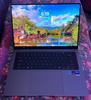
Visually, the Samsung Galaxy Book6 Pro is a stunning design with an ultra-slim beautiful slate grey body. The high contrast white-on-black keyboard has white backlighting which is activated automatically. The superb 16 inch 3K AMOLED screen seems larger because it is jet black when off and incorporates a frameless thin black edge. Overall, the impression is very sophisticated and high tech. This design would be just as much at home in a corporate boardroom as in a college dorm.
Consider these incredible specifications:
• Samsung Galaxy Book6 Pro 360 (Model NP960XJG-KA2US)
• Intel Core Ultra 7 356H CPU 4 performance cores/8 efficient cores, up to 16 hyper-threads, 25 watt base power with 80 watt turbo power mode, speeds 1.5 GHz to 4.7 GHz, 18 MB L3 cache
• Integrated Intel 2.45 GHz 4 Xe Core GPU uses shared system memory
• Intel Image Processing Unit version 7.5, 16MP max resolution
• Integrated 5th generation NPU 50 TOPS Peak
• 16 GB LP-DDR5X high efficiency 5,200 MHz RAM primary memory
• 1.0 TB Samsung PCIe NVMe Gen 3 SSD fast hard drive
• 15.6” IPS AMOLED-backlit touch-screen display with 2880 x 1800 (3K) resolution @ 30-120Hz and 1000 nits brightness capability, Gorilla Glass panel, supports Vision Booster software
• 64 bit Windows 11 Home operating system with CoPilot+ AI
• Full suite of Samsung utility programs
• Bixby voice assistant built-in, also supports Alexa
• 4 AKG-tuned Dolby ATMOS 4 watt stereo speakers and audio processing
• Full HD (1080P) wide-angle Webcam with auto-framing and dual microphones
• Bluetooth 6.0 connectivity
• 2 USB-C 4.0 (up to 40 GBps), 1 USB-A 3.2 (up to 5 GBps) (All can be used for charging)
• HDMI 2.1 port
• WiFi 7 Wireless LAN (802.11be) provides max 46 GBps connection speed
• Headphone out/Microphone in 3.5 mm port
• Ultra-quiet dual cooling fans and vapor chamber cooling system
• 4 cell 68 Watt-Hour Lithium Ion battery provides up to 30 hours use
• Compact 65 watt USB Type C charger restores 40% of power in 30 minutes, full recharge in 90 minutes
• Full size back-lit keyboard with fingerprint scanner key to unlock PC
• Haptic touchpad
• Fingerprint-resistant aluminum casing is certified for military-grade durability
• Very slim and compact: 14.1” wide x 9.8” deep x 0.5” thick
• Weight: 3.4 pounds
• One year warranty on parts and labor
• Intel Core Ultra 7 356H CPU 4 performance cores/8 efficient cores, up to 16 hyper-threads, 25 watt base power with 80 watt turbo power mode, speeds 1.5 GHz to 4.7 GHz, 18 MB L3 cache
• Integrated Intel 2.45 GHz 4 Xe Core GPU uses shared system memory
• Intel Image Processing Unit version 7.5, 16MP max resolution
• Integrated 5th generation NPU 50 TOPS Peak
• 16 GB LP-DDR5X high efficiency 5,200 MHz RAM primary memory
• 1.0 TB Samsung PCIe NVMe Gen 3 SSD fast hard drive
• 15.6” IPS AMOLED-backlit touch-screen display with 2880 x 1800 (3K) resolution @ 30-120Hz and 1000 nits brightness capability, Gorilla Glass panel, supports Vision Booster software
• 64 bit Windows 11 Home operating system with CoPilot+ AI
• Full suite of Samsung utility programs
• Bixby voice assistant built-in, also supports Alexa
• 4 AKG-tuned Dolby ATMOS 4 watt stereo speakers and audio processing
• Full HD (1080P) wide-angle Webcam with auto-framing and dual microphones
• Bluetooth 6.0 connectivity
• 2 USB-C 4.0 (up to 40 GBps), 1 USB-A 3.2 (up to 5 GBps) (All can be used for charging)
• HDMI 2.1 port
• WiFi 7 Wireless LAN (802.11be) provides max 46 GBps connection speed
• Headphone out/Microphone in 3.5 mm port
• Ultra-quiet dual cooling fans and vapor chamber cooling system
• 4 cell 68 Watt-Hour Lithium Ion battery provides up to 30 hours use
• Compact 65 watt USB Type C charger restores 40% of power in 30 minutes, full recharge in 90 minutes
• Full size back-lit keyboard with fingerprint scanner key to unlock PC
• Haptic touchpad
• Fingerprint-resistant aluminum casing is certified for military-grade durability
• Very slim and compact: 14.1” wide x 9.8” deep x 0.5” thick
• Weight: 3.4 pounds
• One year warranty on parts and labor
Those features culminate in a truly powerful, capable device.
It is almost as fast as dedicated gaming laptops but has the portability and features which will make it the go-to choice for business travelers. It is beautifully engineered. The solid-state hard drive and low power needs of the CPU/GPU/NPU make fan noise almost non-existent. This is a very quiet device!
It seemed pretty fast, so I ran a well-regarded benchmark program (Novabench 5) on both it and four of my other computers to determine their relative performance. This test measures both CPU (general processing), GPU (graphics processing) and data storage rate so they give a good overall measure of a computer’s speed. The four computers included two desktop all-in-one PCs (an older medium powered model with a HDD and a newer model with more RAM, SSD and a more powerful CPU/GPU combination), an older Samsung laptop and a Surface 4 laptop. All computers were well-maintained, running the latest Windows versions with no other programs active. Here are the results (higher is faster):
Novabench 5 Results:
2016 All-in-One Desktop
(Intel i5-6400, Intel 530 GPU, 12GB ram, 1TB HD): 615 (base)
(Intel i5-6400, Intel 530 GPU, 12GB ram, 1TB HD): 615 (base)
2022 All-in-One Desktop
(Intel i7-1255, 16GB ram, Nvidia MX550 GPU, 1TB SSD): 1242 (+102%)
(Intel i7-1255, 16GB ram, Nvidia MX550 GPU, 1TB SSD): 1242 (+102%)
2022 Samsung Galaxy Book2 360 Laptop
(Intel i7-1260, 16GB ram, Intel Iris Xe GPU, 1TB SSD): 1805 (+193%)
(Intel i7-1260, 16GB ram, Intel Iris Xe GPU, 1TB SSD): 1805 (+193%)
2021 Microsoft Surface 4 Laptop
(AMD Ryzen 7 4980U, 8GB ram, Radeon GPU, 0.5TB SSD): 1851 (+201%)
(AMD Ryzen 7 4980U, 8GB ram, Radeon GPU, 0.5TB SSD): 1851 (+201%)
2026 Samsung Galaxy Book6 Pro Laptop
(Intel Core Ultra 7 356H, 16 GB ram, Intel GPU/IPU/NPU. 1TB SSD): 2811 (+357%)
(Intel Core Ultra 7 356H, 16 GB ram, Intel GPU/IPU/NPU. 1TB SSD): 2811 (+357%)
The 56% speed advantage by this Samsung laptop over its 2022 predecessor clearly shows the massive improvement in the new Intel CPU/GPU/NPU. You will find this Samsung capable of out-performing anything you currently own (unless you have a really geeked-out special system). I loaded some graphics-intensive games and it was very smooth and responsive on all. Put this elegant notebook to work on most business software and it will never even break a sweat. Use it for photo or video editing and it will calmly do whatever you want, no drama.
Samsung has done a superb integration of AI in this laptop’s functions. The NPU (Neural Processing Unit) has a 50 trillion operations per second (TOPS) rating. CoPilot requires 40 TOPS so this laptop easily handles the demands of that AI in all tasks.
The screen on this laptop is incredible. It uses AMOLED technology, the same as that found on Samsung’s premium cell phones, so it is very responsive and the colors are very vivid with blacks that are truly black. AMOLED also provides the highest contrast ratio (1 million to 1) of any screen type and supports HDR video. The anti-reflective screen also adjusts its refresh rate automatically from 30 Hz up to 120 HZ (depending upon content) to conserve battery life and is protected by Gorilla Glass. The quality of the display alone justifies the price of this laptop!
The AKG Dolby ATMOS sound system on this notebook is surprisingly good. I listened to some of my favorite albums from Spotify and the speakers were much better than typical for laptops. They are mounted at the sides of the keyboard, have decent volume and good stereo separation – certainly good enough for watching Netflix or YouTube videos. It also provides intelligent noise cancellation during Zoom calls.
A major plus for this Samsung laptop is the outstanding battery life. I always test laptops by streaming a Netflix series on battery power with a bright screen and high speaker volume. The combination of WiFi modem usage, video rendering, screen lighting and speaker volume usually drains most laptop batteries in less than three hours. But this Galaxy Book6 lasted 14+ hours before exhausting the charge! That is long enough for seven full movies or a full season of a TV series and certainly would suffice a traveler for even the longest international flights. You can thank the ultra-efficient and power-miser Intel CPU/GPU and the new screen technology for that amazing performance. Recharge time was 90 minutes.
Another advantage for travelers is the compact size (just 14.1” wide, 9.8” deep and only 0.5” thick) and very light weight – about 3.5 pounds. The USB-C power cube is tiny (about 2” x 2” x 1”) so it won’t take up any precious space or weight in your briefcase/backpack, plus it can be used to charge your other USB-C powered accessories. The notebook is nicely balanced with a great lighted keyboard and a big haptic-touchpad. It also runs very cool with dual silent fans and a vapor chamber cooling system, so those who like to literally use their laptop on their lap will be pleased.
Other bonus features: Built-in Bixby and Alexa voice assistant, a nice fingerprint reader key, auto-framing by the 1080P wide-angle webcam, WiFi 7 connectivity, military-spec durable aluminum case, ability to run multiple monitors simultaneously, adjustable keyboard backlighting level, a nice suite of bundled utility apps, great integration with the Samsung family of phones and tablets.
What are the weak points? Really, I had to dig deep to find any complaints.
• It would have been nice to have a form-fitting cloth carrying case included (as many other notebook brands provide.)
• Previous Galaxy Books had a separate keypad. If you do a lot of data entry this feature will be missed, but removing it did provide a better typing keyboard layout.
• It would have been nice to have a form-fitting cloth carrying case included (as many other notebook brands provide.)
• Previous Galaxy Books had a separate keypad. If you do a lot of data entry this feature will be missed, but removing it did provide a better typing keyboard layout.
But these are really just minor quibbles. When you consider all of its power and functionality you will agree that the price is a bargain. I can enthusiastically recommend the new Samsung Galaxy Book6 Pro CoPilot+ for both serious stay-at-home power users and for those who need a perfect travel companion.
I would recommend this to a friend!


Share this review:


+13points
13of 13voted this as helpful.
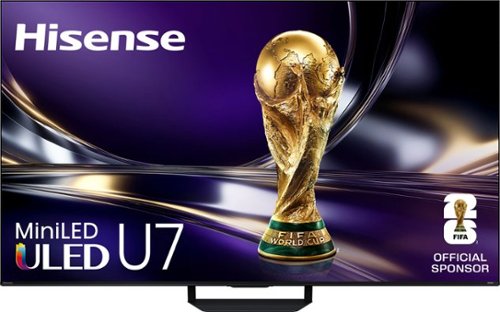
The Hisense U7 Series is built for speed and clarity, combining ultra-smooth 165Hz motion, powerful MiniLED brightness, and intelligent AI processing for sports, movies, and next-gen gaming. Hi-QLED MiniLED Pro technology, featuring thousands of Mini LEDs, with up to 3,000 local dimming zones and up to 3,000 nits of peak brightness, delivers brighter highlights, deeper blacks, and Pantone Validated color for more natural, accurate detail in every scene. Powered by the Hi-View AI Engine Pro, U7 automatically optimizes color, contrast, and clarity in real time~so everything looks sharp and balanced without over-processing. A Native 165Hz Refresh Rate with AI Smooth Motion keeps fast action fluid and blur-free, while Game Booster 330 with VRR delivers ultra-responsive gameplay with reduced input lag. A 2.1.2 Multi-Channel Sound system tuned by Devialet delivers immersive, room-filling audio, while Google TV with Gemini AI brings personalized content discovery and voice control together in one seamless experience. Bringing together speed, precision, and smart performance, U7 delivers a more balanced, responsive, and lifelike viewing experience across everything you watch.
Customer Rating
5
Beautiful Picture, Feature Loaded, Superb Sound
on April 23, 2026
Posted by: JimC
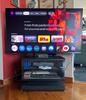
This Hisense 55 inch U7SG 4K ULED Smart TV is one of the finest LED TVs I have ever experienced. Its combination of features, sound quality, aesthetics, picture quality and price is without match.
Hisense is a major consumer electronics and appliance manufacturer. It was founded in Qingdao, China as a radio manufacturer in 1969, then began producing televisions in 1971. It purchased technology and production lines from Matsushita, Hitachi, NEC, Toshiba and others, emerging as Hisense in 1994. Today it is the largest television manufacturer in China and the fifth largest in the world. Its best-known consumer products are sold under the Hisense, Toshiba, Sharp and Hitachi brands. Its television products are very well-regarded for quality and features, on a par with the two major Korean brands and the best-known Japanese brand. The U7SG is Hisense’s best value 4K ULED TV.
Consider these superb features:
• Model: Hisense 55” U7SG Mini-LED 4K QLED TV (Model 55U7SG)
• 55” Quantum Dot UHD Mini-LED VA (Vertical Alignment) Display (3840 x 2160 resolution: 8,294,400 pixels per image frame)
• Quantum Dot display with 10 bit color (1,073,741,824 possible colors) and up to 3000 nits peak brightness
• Over 2,000 local dimming zones for optimal blacks (over 40,000 to 1 contrast ratio)
• MediaTek Pentonic 800 Quad-core Intelligent Video Processor provides AI-Powered optimized color, clarity and contrasts to upscale HD images to near 4K quality
• Google TV with Gemini interface
• Supports advanced video delivery: HDR10+, HLG (hybrid log-gamma), Dolby Vision IQ, IMAX Enhanced, Filmmaker mode
• Native 165 Hz eliminates motion blur from sports and coupled with up to 330 Hz VRR 8 ms response, AMD FreeSync Premium Pro optimizes gaming experience
• Google Assistant and Alexa connected features
• 5 internal speakers tuned by Devialet deliver 50 watts of 2.1.2 channel Atmos sound (2 10-watt left-right front-firing speakers, 2 5-watt left-right upward-firing speakers, 1 20-watt woofer)
• Automatic room audio calibration using the remote
• Backlit Voice Remote gives quick access to all major functions
• Natural language processing/intelligent voice recognition for most features; supports English, Spanish and French
• Expanded electronic program guide (adds over-the-air channels to cable and internet channels)
• Multiple video mode and sound profile presets, most with automatic settings
• Netflix, Amazon Prime, Disney, Hulu, YouTube, Hulu, HBO Max, AppleTV, Tubi, Pluto, Peacock, Paramount, Google Play already installed, 32 GB available for additional apps and system
• Google Play Content Store with hundreds of additional apps, games, videos
• AirPlay screen-sharing function (iPhone, Windows 11)
• 4 HDMI 2.1 4K video inputs, (HDMI 3 is also eARC)
• 2 USB-A ports, 3.0 and 2.0
• Optical digital audio output
• Wireless WiFi 6E LAN 802.11AX 2.4/5G/6G
• Gigabit Ethernet LAN
• Bluetooth 5.2 (both inbound from external sources and outbound to headphones)
• ATSC 3.0 coax input/digital tuner for over-the-air 4K channel reception
• Beautiful appearance with a very slim bezel (0.4”)
• 400 mm x 400 mm VESA mount holes
• Multi-layer anti-reflective matte screen coating to reduce glare
• 48.3” wide x 28.1” tall x 2.5” deep (without stand)
• Stand: 14.8” wide (front), 11.5 “wide (rear) x 10.4” deep, raises TV up to 3” at high setting
• Weight: 30.4 pounds, 37.5 pounds with stand
• Power consumption (190 watts in use, 0.5 watt in standby mode)
• 2 year parts and labor warranty
• 55” Quantum Dot UHD Mini-LED VA (Vertical Alignment) Display (3840 x 2160 resolution: 8,294,400 pixels per image frame)
• Quantum Dot display with 10 bit color (1,073,741,824 possible colors) and up to 3000 nits peak brightness
• Over 2,000 local dimming zones for optimal blacks (over 40,000 to 1 contrast ratio)
• MediaTek Pentonic 800 Quad-core Intelligent Video Processor provides AI-Powered optimized color, clarity and contrasts to upscale HD images to near 4K quality
• Google TV with Gemini interface
• Supports advanced video delivery: HDR10+, HLG (hybrid log-gamma), Dolby Vision IQ, IMAX Enhanced, Filmmaker mode
• Native 165 Hz eliminates motion blur from sports and coupled with up to 330 Hz VRR 8 ms response, AMD FreeSync Premium Pro optimizes gaming experience
• Google Assistant and Alexa connected features
• 5 internal speakers tuned by Devialet deliver 50 watts of 2.1.2 channel Atmos sound (2 10-watt left-right front-firing speakers, 2 5-watt left-right upward-firing speakers, 1 20-watt woofer)
• Automatic room audio calibration using the remote
• Backlit Voice Remote gives quick access to all major functions
• Natural language processing/intelligent voice recognition for most features; supports English, Spanish and French
• Expanded electronic program guide (adds over-the-air channels to cable and internet channels)
• Multiple video mode and sound profile presets, most with automatic settings
• Netflix, Amazon Prime, Disney, Hulu, YouTube, Hulu, HBO Max, AppleTV, Tubi, Pluto, Peacock, Paramount, Google Play already installed, 32 GB available for additional apps and system
• Google Play Content Store with hundreds of additional apps, games, videos
• AirPlay screen-sharing function (iPhone, Windows 11)
• 4 HDMI 2.1 4K video inputs, (HDMI 3 is also eARC)
• 2 USB-A ports, 3.0 and 2.0
• Optical digital audio output
• Wireless WiFi 6E LAN 802.11AX 2.4/5G/6G
• Gigabit Ethernet LAN
• Bluetooth 5.2 (both inbound from external sources and outbound to headphones)
• ATSC 3.0 coax input/digital tuner for over-the-air 4K channel reception
• Beautiful appearance with a very slim bezel (0.4”)
• 400 mm x 400 mm VESA mount holes
• Multi-layer anti-reflective matte screen coating to reduce glare
• 48.3” wide x 28.1” tall x 2.5” deep (without stand)
• Stand: 14.8” wide (front), 11.5 “wide (rear) x 10.4” deep, raises TV up to 3” at high setting
• Weight: 30.4 pounds, 37.5 pounds with stand
• Power consumption (190 watts in use, 0.5 watt in standby mode)
• 2 year parts and labor warranty
A great TV, no matter the brand, has three elements – the beauty of the visual delivery system, the quality of the sound produced and the range and substance of the other features included.
You will fall in love with the video quality of this TV. The 4K Quantum Dot display with 10 bit color, 3,000 nits of stunning brightness and 2,000+ local dimming zones, all managed by the powerful upscaling MediaTek Pentonic 800 Quad-core Intelligent Video Processor delivers an absolutely stunning image, easily the best I have ever seen from a non-OLED TV. Since comparable-sized OLED screens may be twice the price of this TV, there is just no other set in its price range which can match it. There are many preset video modes to choose from (e.g., vivid, standard, theater, sports, gaming, Filmmaker) or calibrate the picture yourself with an incredible degree of precision. You will be absolutely delighted with the video images created by this magnificent TV.
To meet the HDR 10+ (High Dynamic Range) and Dolby Vision IQ standards the display has to attain both a very high brightness level and a very dark black level coupled with a vast range of colors presented with very subtle shading between the millions of pixels on the screen. The 2,000+ local dimming zones give deep blacks and the 10 bit color with the multiple HDR and Dolby Vision systems supported create a very wide range of colors and brightness levels. It creates an effective 480 frame per second refresh rate (Tru-Motion 480) with each of the 8.3 million pixels set to the exact color/brightness level required to achieve the truest image. This also includes upscaling HD content (which has only 2 million pixels in the image) by interpolating the correct color and brightness to the full 8.3 million pixels of the 4K display. Most TVs produce 250-350 nits of light output, but this Hisense has a specified 3000 nits brightness level which ensures that the picture will even stand up to bright, direct sunlight. The new multi-layer anti-reflective matte coating on the screen works very well to limit distracting reflections and glare. This amazing combination of technologies creates an unmatched picture quality.
How good is the sound? Most television speakers are just not comparable to the display, yet the immersive experience of movies or sporting events comes from rich sound rolling over and around you. This usually requires adding a sound bar to replace those pitiful little speakers typically built in.
But this Hisense has one of the best sound systems I have ever heard on any set. Its unaided sound is so good that I watched an entire action movie with my sound bar turned off and it seemed there was very little drop off in audio quality. This is due to the 2.1.2 channel Dolby Atmos sound system, the most advanced surround sound system. It delivers sound as “objects” which are placed in three dimensional space rather than in specific channels to immerse listeners in the sound delivered through two built-in 10-watt full-range left/right speakers mounted at the bottom edge, a 20-watt woofer mounted in the center of the back of the TV and two 5-watt side/up speakers mounted on the left and right back of the TV. You can also choose preset sound modes (e.g., standard, theater, sports, clear voice, music) or make your own sound adjustments. If you use this TV in a room where a supplemental audio system would not fit in, the built-in sound system will not disappoint you. Even better, Hisense offers a nice range of modestly-priced Hi-Concerto soundbars which connect seamlessly to this TV and enable you to use both the TV speakers and the soundbar speakers together.
Finally, the third element of evaluating is the set of added features available. Here you will find that this TV is like one of those Russian nesting doll sets – every time you open up a feature your find another bonus inside!
• All extra features are controlled by the excellent Google TV + Gemini operating system. This facilitates an effortless setup process including installing all of your streaming services.
• The lighted remote gives direct access to the most popular streaming services (Netflix, Amazon Prime, YouTube, Disney+ and a customizable button. It also accepts voice commands and provides a menu button for settings.
• The Google Play Content Store contains hundreds of additional apps and games which can be downloaded. The storage capacity for the operating system and apps is a generous 32 GB.
• The Google TV Live feature is amazing. It is an integrated program guide of internet program sources and over-the-air channels. It also includes Gemini. Just ask it any question and it will respond to you! It also finds any content you may want, instantly, and suggests all of the alternative viewing choices for that content. It also learns your viewing preferences and makes intelligent suggestions that you will probably enjoy.
• Gamers will be thrilled by the dedicated Game Bar menu options and the superb color and 330 Hz variable refresh rate image processing capability of the TV.
• The ATSC 3.0 over-the-air tuner can receive 4K broadcasts. It is very easy to receive digital broadcasts with this fine tuner and you will be amazed by their quality.
• A Device Assistant button in the Apps menu gives access to a fine array of built-in utilities including a hardware check, storage cleaner and a system optimizer.
• Nearly all menu options include explanations of their function.
• Air Play screen sharing from a PC or phone is supported and it is effortless. There is also a Multi-View display mode which permits both a video feed from the TV and screen mirroring from a phone – great for watching two games side-by-side!
• WiFi is the latest 6E standard (LAN 802.11AX 2.4/5G/6G). An Ethernet port is also available.
• “Ambient Mode” gives rotating artwork or personal photos plus time/temperature on screen.
• The very solid stand is easy to assemble, has a compact 10.4” x 15” footprint and provides two height choices. The taller setting raises the TV about 3 inches which is plenty to permit a soundbar to be placed in front without blocking the screen.
Evaluation - the Hisense 55” U7SG is an absolutely superb premium television, offered at an attractive price and perfectly-sized for smaller rooms (den, bedrooms) - an excellent choice for those who demand the best. It earned a full five stars and my most enthusiastic endorsement!
I would recommend this to a friend!




Share this review:


+10points
12of 14voted this as helpful.
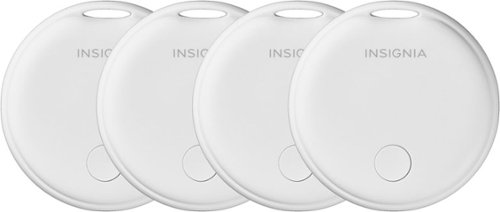
Ideal for travel days or the keys you regularly misplace around the house, this Insignia Locator Tag for iOS, iPadOS, and macOS with Apple Find My App (4-Pack) will help you quickly find the items you~ve attached to it. It uses Bluetooth and Apple network technology to show its location on the Find My app and plays audible alerts when you~re within range to help find a missing bag or keys.
Customer Rating
5
Inexpensive, Effective Option to Locate Your Items
on November 10, 2025
Posted by: JimC
The Insignia Find My Tags provide an effective alternative to AirTags with some nice design advantages and at a cost about one quarter of the hefty price of those AirTags. You will learn to love them!
Insignia is owned by Best Buy. It produces a broad line of consumer electronics products which have good quality and modest prices. Here is their mission statement: “We believe electronics should be dependable, affordable and easy to use. That’s why Insignia products are designed and tested to meet high standards of quality and functionality. Each product is built to last and designed with the user in mind. The result is exceptional quality at a very reasonable price.”
Here are the key features of these locator tags:
• Insignia Locator Tags (4 pack) (Model: NS-TAG4PK)
• Compatible with all iPhones and iPads using iOS 14.5 or newer, Macs using macOS 12.5 or newer
• Requires Apple Find My app
• Durable white plastic construction
• Built-in slot for key ring, included metal ring
• Powered by replaceable CR2032 battery
• Bluetooth 5.1
• Maximum wireless range: 164 feet outdoors, 65 feet indoors
• Audible alert
• No GPS function
• Lightweight: 0.3 ounces
• 1.34 inches in diameter. 0.33 inches thick
• One year warranty on parts and labor
• Made in Vietnam
• Compatible with all iPhones and iPads using iOS 14.5 or newer, Macs using macOS 12.5 or newer
• Requires Apple Find My app
• Durable white plastic construction
• Built-in slot for key ring, included metal ring
• Powered by replaceable CR2032 battery
• Bluetooth 5.1
• Maximum wireless range: 164 feet outdoors, 65 feet indoors
• Audible alert
• No GPS function
• Lightweight: 0.3 ounces
• 1.34 inches in diameter. 0.33 inches thick
• One year warranty on parts and labor
• Made in Vietnam
The Insignia Locator Tag box includes four white plastic tags, four metal key rings that can be inserted into the slot built into the locator tag body and a quick setup guide. The four locator tags all include an installed CR2032 with a protective plastic guard over the battery. The tags are the familiar Apple Alpine White color and are UV-resistant to combat yellowing to retain their attractive appearance for many years.
Setting up the Locator Tags is very easy. Just pull the protective plastic tag to activate the battery. Open the Find My app on your iPhone, iPad or Mac. Tap Items, then Add Other Items, then Connect when Insignia Tag appears. Give the tag a unique name, choose an emoji to represent the tag on your app’s map, then tab Continue and Agree. Attach the tag to the item you wish to find. Your tag is now active and the item can be located using the Find My app.
If you subsequently decide to rename the tag or alter the emoji associated with it, the locator tag has a reset button which can be used in conjunction with the Find My app to make those changes. No one else can reassign the tag without access to your iPhone because the Find My app assigns it exclusively to your Apple ID.
Once the locator tag is linked to your iPhone or iPad the Find My app maintains a record of where the locator was last detected. You can leave your tagged item anywhere and you will see its location on the Find My app map. If the item is moved it will show up on the Find My app if another iPhone comes into proximity to the tag. The tag’s new location will then be detected and forwarded through the Find My network. Then your Find My app’s map will show you the new location.
I checked the range of the Bluetooth transmitter built into the tag and the provided estimates (65 feet indoors and 164 feet outdoors) are pretty accurate. The Bluetooth range is significant for purposes of activating the beeper built into the tag. The map will give you the approximate location and then the beeper will guide you to the item.
The Insignia Locator Tag has one minor limitation in that is does not have “GPS” function, unlike the Apple Air Tag. That Air Tag feature allows more rapid and precise location detection but the Insignia Locator Tag approximates this function. The tracking for lost items which are moving (for example, a tagged pet who has run away) is a bit sporadic. The item will jump from one location on the Find My app map to another as the tag comes into proximity with an iPhone. However, the odds are pretty good that you will be able to quickly find your lost item.
The tags function best if you have a static item (e.g., lost keys in your home) and for many purposes, this is sufficient. For moving items (like a pet or a stolen bike) detection of the new location is dependent upon the number of iPhones in its vicinity. But these locator tags should enable you to find it eventually.
I put one tag on my puppy’s collar. It was so lightweight that she didn’t even notice it. Another tag went onto a set of storage locker keys that I typically don’t carry with me and used to spend half an hour looking for. I hid a third tag in my car to help recover it in the event that it is ever stolen. As a test I loaned my car to a friend who needed to go on a quick trip out-of-state. I was able to follow the car’s progress very closely on the 400+ mile trip and the Find My map showed every stop the car made.
Advantages? The Insignia Locator Tags are very inexpensive compared to Apple AirTags (about one-quarter the cost). The built-in slot is an improvement over the design of the Apple AirTag and make connecting them to your items very easy. You can use the provided key ring or use a twist-tie through the slot. Finally, changing the CR2032 battery may be a bit easier with the Insignia Locator Tags than with the Air Tag. There is a slot on the device which is supposed to allow you to open it with a coin. However, I tried to do so and could not get the tag body to open. (Maybe I was using the wrong size coin.)
I was a bit skeptical at first about the effectiveness of these locator tags but after a bit of a learning curve I was completely persuaded that these are a great product. I really like these little guys and can think of many other uses (bikes, backpacks, luggage, tool box, etc.) so I bought two more sets of these bargain devices. Now I have a dozen for less than the cost of just four Apple AirTags.
I can happily recommend these Insignia Locator Tags and I give them a full five stars!
I would recommend this to a friend!




Share this review:


+16points
17of 18voted this as helpful.
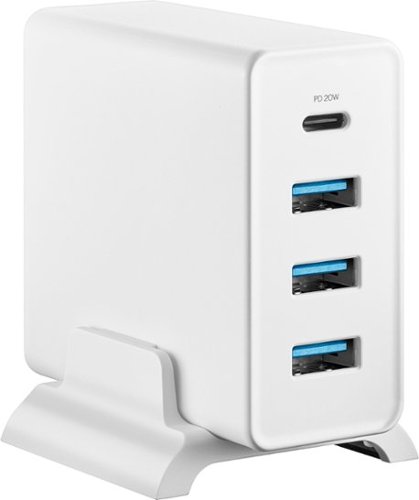
Keep your USB connections within reach using the Insignia 47W 4-Port Wall Charger with 1 USB-C & 3 USB Ports with 4 ft. Power Cord for Smartphones, Tablets and More. A 4 ft. power cable extends the reach from your power outlet, and a stand positions your wall charger upright on your counter or tabletop. One USB-C and three USB ports provide up to 47W to quickly charge multiple devices at the same time. The wall charger also features short-circuit, over-current, over-voltage, and thermal protections to give you confidence that your devices are safe.
Customer Rating
5
Powerful, Inexpensive Charger For Your Devices
on November 3, 2025
Posted by: JimC
The Insignia 47 Watt 4-Port USB Charger with Power Cord provides rapid charging power and a durable high-quality cord designed to complement the needs of newer devices at a very economical price. It also provides a very convenient way to manage the multiple cable connections of your USB devices.
Insignia is owned by Best Buy. It produces a broad line of consumer electronics products which have good quality and modest prices. Here is their mission statement: “We believe electronics should be dependable, affordable and easy to use. That’s why Insignia products are designed and tested to meet high standards of quality and functionality. Each product is built to last and designed with the user in mind. The result is exceptional quality at a very reasonable price.”
Here are the key features of this great charger:
• Insignia 47 Watt 4-Port Charger with 4 Foot Power Cord (Model: NS-WALL47W3A1CW)
• 47 watt power transformer with 1 USB-C output port, 3 USB-A output ports
• 4 foot white 120 volt power cord
• Vertical stand
• Input: 100 – 240 volt, 50/60 Hz, 1 amp
• Output: 20 watts USB-C port, 12 watts max each USB-A port (27 watts total on USB-A ports)
• Compatible with all iPhones 5 – 17 Pro Max, all iPads 4th-11th generations, iPad Mini, Air and Pro
• Short-circuit, over-current, over-voltage and thermal protection on all ports
• Designed to support Qi wireless charging
• Weight: 5.9 ounces (8.1 ounces including cord)
• Power block: 2.8 inches tall x 2.5 inches deep x 1.2 inches wide
• One year warranty on parts and labor
• Made in Vietnam
• 47 watt power transformer with 1 USB-C output port, 3 USB-A output ports
• 4 foot white 120 volt power cord
• Vertical stand
• Input: 100 – 240 volt, 50/60 Hz, 1 amp
• Output: 20 watts USB-C port, 12 watts max each USB-A port (27 watts total on USB-A ports)
• Compatible with all iPhones 5 – 17 Pro Max, all iPads 4th-11th generations, iPad Mini, Air and Pro
• Short-circuit, over-current, over-voltage and thermal protection on all ports
• Designed to support Qi wireless charging
• Weight: 5.9 ounces (8.1 ounces including cord)
• Power block: 2.8 inches tall x 2.5 inches deep x 1.2 inches wide
• One year warranty on parts and labor
• Made in Vietnam
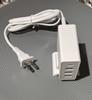
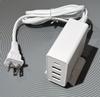
The power block and cable are the familiar Apple Alpine White color and are UV-resistant to combat yellowing to retain their attractive appearance for many years. The power cord is very sturdy, thick and with reinforced connectors at each end.
The substantial power supplied by the power block enables rapid charging of all iPhones, iPads and tablets. It is specifically designed to meet the power needs of the huge battery inside the newest iPhone Pro Max models.
The four charging ports are divided into three USB-A ports and one USB-C port. The USB-C port provides 20 watts of power. The three USB-A ports each provide up to 12 watts of power but are limited to a total of 27 watts when all three are in use.
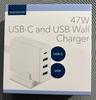
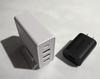
To put this in perspective, Amazon includes a large USB-A power transformer with its Fire tablets (see photo). This transformer provides 9 watts of power and most people feel this is adequate. However, each port on the Insignia 47 Watt 4 Port Charger delivers up to 12 watts of power which results in faster recharging of those Fire tablets.
The power needs of an Apple Watch and other small devices are easily met by using the USB-A ports.
It is very convenient to have a Charger which includes a 120 volt power cord. It makes positioning the device much easier and saves valuable outlet space. No need to have three or more separate power transformers plugged into your wall outlets. Also, you can more easily manage the USB power cables if you can position the 4 Port Charger on your desktop or counter.
It is very convenient to have a Charger which includes a 120 volt power cord. It makes positioning the device much easier and saves valuable outlet space. No need to have three or more separate power transformers plugged into your wall outlets. Also, you can more easily manage the USB power cables if you can position the 4 Port Charger on your desktop or counter.
How effective is the charger?
I tested it by fully depleted the battery on my iPhone 13 Pro Max and measured the time required to achieve various charge levels using the USB-C port on this Insignia 47 Watt 4 Port Charger:
10%: 5 minutes
20%: 10 minutes
29% 15 minutes
37% 20 minutes
46% 25 minutes
53% 30 minutes
60% 35 minutes
67% 40 minutes
73% 45 minutes
79% 50 minutes
80% 55 minutes
83% 60 minutes
87% 65 minutes
89% 70 minutes
91% 75 minutes
93% 80 minutes
95% 85 minutes
96% 90 minutes
100% 120 minutes
20%: 10 minutes
29% 15 minutes
37% 20 minutes
46% 25 minutes
53% 30 minutes
60% 35 minutes
67% 40 minutes
73% 45 minutes
79% 50 minutes
80% 55 minutes
83% 60 minutes
87% 65 minutes
89% 70 minutes
91% 75 minutes
93% 80 minutes
95% 85 minutes
96% 90 minutes
100% 120 minutes
As you can see, in less than 30 minutes you can obtain a 50% charge and in about one hour you can be over 80%. Charging really slows as the battery approaches the 80% charge level. Apple actually discourages owners from fully charging their phones each night. They recommend that you charge the battery to 80% normally.
I also checked the charger using a Qi wireless charging pad and the results were somewhat slower, but not appreciably. If you prefer a wireless charging arrangement you will certainly see an improvement in your charging times using this Insignia 47 watt charging kit.
I am delighted to give this great Insignia 47 watt Four Port Charger a strong recommendation! Buy this modestly priced gem and your iPhone, Watch, iPad and Tablets will have all of their power needs satisfied and you will enjoy the convenience of much better cable management.
I would recommend this to a friend!
Share this review:


+11points
11of 11voted this as helpful.
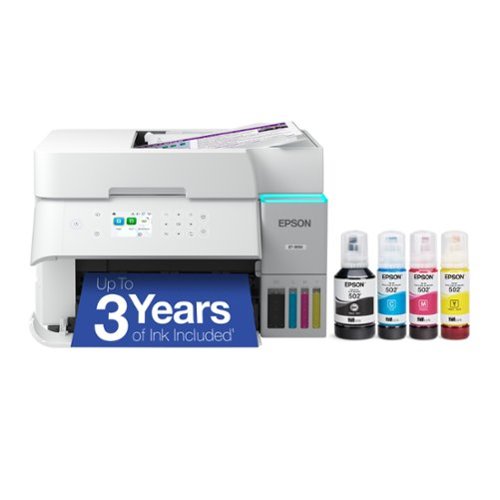
Introducing the EcoTank ET-3950 ~ The Perfect Printer for Busy Families. Say goodbye to expensive cartridges with the Epson EcoTank ET-3950, the newest innovation from a recognized leader in photographic printing. Combining simplicity with a modern design, the ET-3950 features advanced technology that enhances both performance and print quality, making it an ideal choice for home office printing~including content created by AI. Powered by PrecisionCore Heat-Free technology, the ET-3950 offers a duty cycle that~s twice as robust as its predecessor (1). And unlike conventional thermal inkjet printers, its unique permanent printhead is engineered to last the life of the printer. Designed to be simple and error-free, refilling ink is a breeze with large ink tanks and uniquely keyed EcoFit bottles~no mess, no stress and no ink bottle mix-ups. And with enough ink in the box to last up to three years (2), you'll enjoy affordable color printing without the hassle of frequently replacing cartridges. Featuring Ethernet and Wi-Fi for seamless connectivity, along with the user-friendly Epson Smart Panel app (3), you can easily print, scan, and more directly from your computer or mobile device (4). Choose Epson EcoTank, the #1 Best-Selling Supertank Printer (5). With more than 100 million units sold globally (6) across seven generations of innovation, EcoTank consistently delivers affordable, photo-quality prints, making it a reliable choice for all your printing needs.
Customer Rating
5
Elegant, Fast & No More Expensive Ink Cartridges!
on July 16, 2025
Posted by: JimC
The new Epson ET-3950 wireless EcoTank All-in-One Printer is a superb choice if quality and cost per page is important to you. This is a very reliable, inexpensive, easy to use and compact device which will economically and quietly print large quantities of documents at an unmatched quality level.
Epson is one of the three major units of Japan’s Seiko Group (the other two produce Seiko watches and SII microelectronics.) Seiko created the printing timers used in the 1964 Tokyo Olympics, then developed the first electronic mini-printer (the EP-101) in 1968. In 1975 the company created the Epson name to brand the next generation of printers based upon the EP-101 technology. Epson literally means “son of EP” and it introduced dot matrix printers in 1978. Epson created the micro piezo inkjet technology (which is the basis for most modern inkjet printers) in 1993. To combat the cost and waste associated with inkjet cartridges Epson released the first of the EcoTank line of printers in 2015. The ET-3950 is the seventh generation of these superb devices and incorporates numerous improvements. When it comes to printer technology you can’t go wrong with Epson!
Here are the key features of this great multifunction printer:
• Epson ET-3950 All-in-One Color Inkjet Printer/Copier/Scanner (Model C11CL43201 UPC 198390000936)
• 2.4 inch color LCD control screen with animation of help function
• 30 sheet capacity auto document feeder
• Connectivity: Wireless (802.11ac, 802.11 k/v/r mesh), USB, Ethernet 10/100
• Ink capacity/page yield: Black 127 ml = approx. 7,500 pages, Cyan/Yellow/Magenta 70 ml each = approx. 6,000 pages
• PrecisionCore technology gives print resolution up to 4800 x 1200 dpi
• ISO print speed: 18 ppm (Black), 9 ppm (Color)
• Automatic duplex (two-sided) printing (7 ppm Black, 5 ppm Color)
• Multi-page printing on a single sheet – up to 16 pages/images per side
• ISO duplex print speed: 6.5 ppm (Black), 4.5 ppm (Color)
• Paper capacity: 250 sheets in lower tray
• Paper sizes: Adjustable down to 3.5” width, Letter, A4, Legal, #10 envelopes
• Duty cycle: Up to 10,000 pages/month
• Scan function: up to 1200 x 2400 resolution, 8.5 x 11.7 inch flatbed (A4 paper size), auto two-sided scan
• Copy function: up to 99 copies, reduce, enlarge, borderless, duplex (11.5 ppm Black, 5.7 ppm Color)
• Epson Smart Panel app for Apple and Android phones
• Dimensions: 14.8 inch Wide x 13.7 inch/19.9 inch (w. tray extended) Deep x 10.6 inch Tall
• Weight: 15.9 pounds
• Includes Photo+, Photo Editing, ScanSmart, NetPrint utilities, setup and driver software
• One year warranty on parts and labor
• 2.4 inch color LCD control screen with animation of help function
• 30 sheet capacity auto document feeder
• Connectivity: Wireless (802.11ac, 802.11 k/v/r mesh), USB, Ethernet 10/100
• Ink capacity/page yield: Black 127 ml = approx. 7,500 pages, Cyan/Yellow/Magenta 70 ml each = approx. 6,000 pages
• PrecisionCore technology gives print resolution up to 4800 x 1200 dpi
• ISO print speed: 18 ppm (Black), 9 ppm (Color)
• Automatic duplex (two-sided) printing (7 ppm Black, 5 ppm Color)
• Multi-page printing on a single sheet – up to 16 pages/images per side
• ISO duplex print speed: 6.5 ppm (Black), 4.5 ppm (Color)
• Paper capacity: 250 sheets in lower tray
• Paper sizes: Adjustable down to 3.5” width, Letter, A4, Legal, #10 envelopes
• Duty cycle: Up to 10,000 pages/month
• Scan function: up to 1200 x 2400 resolution, 8.5 x 11.7 inch flatbed (A4 paper size), auto two-sided scan
• Copy function: up to 99 copies, reduce, enlarge, borderless, duplex (11.5 ppm Black, 5.7 ppm Color)
• Epson Smart Panel app for Apple and Android phones
• Dimensions: 14.8 inch Wide x 13.7 inch/19.9 inch (w. tray extended) Deep x 10.6 inch Tall
• Weight: 15.9 pounds
• Includes Photo+, Photo Editing, ScanSmart, NetPrint utilities, setup and driver software
• One year warranty on parts and labor
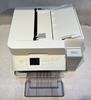
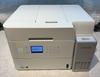
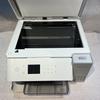
First impression of this printer is that is elegantly styled in an arctic white with subtly rounded corners to relieve the bulkiness seen in some competitors’ devices. It has a minimal impact upon your workspace with a nearly square footprint (just 14.8” x 13.7”) and stands a compact 10.6” tall with the automatic document feeder open (9.4” with the feeder closed.) Epson cleverly designed the sheet feeder to fold flat when not in use, minimizing both the height and the width of the printer. The power cord has no bulky transformer on it so it adds to the clean look of the printer. Overall you will be pleased to share your office with this beautiful unit, especially since when in operation it is very quiet. Wirelessly connected, it can be located in any convenient space – it does not need to be next to the PC it is serving. This is ideal for homes and small offices since you can also use this great device as a supplemental copier.
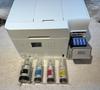
Setting up this printer is very easy. The quick setup instructions are well-written and you could just follow them. But an even easier method is to download the Epson Smart Panel to your phone and obey the illustrated step-by-step instructions in the app. Filling the ink tanks on the printer Is foolproof and no longer requires lifting the main body of the printer to access the fill points – just flip open the small cover on the right side. The ink bottles have alignment tabs which securely hold the bottle while it fills the respective printer tank and the filling process stops automatically when the tank is full. There will be some ink left in the bottle, so reclose it and store it in a seal bag (see photo) to prevent possible leakage. Flip down the ink tank cap and repeat the process with each ink color.
Once the ink tanks have been filled, turn on the printer’s power and follow the detailed instructions in the Epson Smart Panel. The system will be charged with ink in a process that takes about ten minutes.
Next, load some paper and the printer will conduct an alignment process during which four pages will be printed and you will be asked a series of question to select the line on the page which best matches the sample shown on the control panel.
You should download the nice suite of supplemental software (Driver and Utilities Combo Package Installer) from the Epson website. That site also has videos and the User Guide/Manual.
If, for some reason you do not want to use the printer’s wireless connection option, there are two other connection methods: attaching an Ethernet cable to your router or using a USB cable to your PC.
If you don’t want to use the downloaded setup software and have a Windows PC just go to Settings, then Devices and select Add Printer. The Epson printer should be discovered and the driver automatically downloaded.
The Epson ET-3950 has a large (250 sheet) paper capacity in the lower paper drawer. It loads easily and is adjustable for multiple paper sizes. To print envelopes, remove the paper and adjust the paper guides to the width of the envelope. If you want to use legal-size paper the end of the paper tray flips down to accommodate the longer paper.
Print quality is really excellent, even in the economy (standard) mode. In the higher quality (business document) mode the print quality matches most laser printers I have used. The printer driver provides nice printing options like 2 on 1, 4 on 1 and up to 16 on 1 (number of page images on a single sheet of paper), borderless, scaled, fit-to-page, booklet and others. The most useful option is the automatic duplexing (two-sided printing) which it manages without drama.
Photo printing quality using the Epson proprietary PrecisionCore technology is quite good (up to 4800 x 1200 dpi resolution) and will satisfy most purposes. This printer’s color capability will be best used in printing business documents (graphs, multi-colored text, PowerPoint slide copies, etc.) and it does a very nice job on such tasks. The printing speed is not equal to that of a laser printer but certainly acceptable at about 18 pages/minute (black) and about 9 pages/minute for color documents (speeds estimated by my own testing.) For home use and most small offices this is more than adequate.
Scanning, at resolutions up to 1200 x 2400 dpi, can be managed from the printer’s control panel or by using the included Espson Smart Scan Utility (or by just using Windows Fax and Scan utility.) I recommend Epson’s utility which will scan to a PDF, stich large documents together and facilitate OCR, among other features. A really nice feature is the automatic two-sided scan option.
The copy function is excellent, producing up to 99 copies in black print or color from each original with options for shrinking or enlarging originals, adjusting contrast, etc. The color control panel walks you through the options available or you can just hit the start button to make a single copy with the default settings and the automatic document feeder. There is an automatic two-sided copy function option.
Other bonus features include easy printing from phones and tablets using the free Epson app.
But the most important feature of the Epson ET-3950 All-in-One Inkjet Printer/Copier/Scanner is that wonderful EcoTank. It holds 127 ml of black ink and a total of 210 ml of color ink (70 ml each of cyan, yellow and magenta). Those massive tanks will print about 7,500 sheets of black ink documents and about 6,000 sheets of color documents. If you print ten pages a day that initial ink supply will last you for more than three years! The best part is the incredibly low cost of the ink. The refills for the ink tanks are far less expensive than replacement cartridges. The cost comparison to standard ink cartridges is amazing. A typical replacement inkjet cartridge for other printers costs $30 to $40 and will print 220-350 pages at an ink cost per page of about $0.09. The ink cost per page of the EcoTank system is about $0.004 – less than 5% of the cost of a standard inkjet printer! If you are upgrading from a traditional inkjet printer you may be used to minimizing your printing to avoid the expense of ink cartridge replacement. This Epson Et-3950 will free you to print much more readily since you have a cost per page lower than almost any other printing device on the market.
Those savings are due to the fact that you are not replacing the print head, as you must with each new ink cartridge, and the elimination of the plastic cartridge body cost. The ecological benefits of eliminating this waste are a nice bonus. The only replacement item on the Epson ET-3950 is a “maintenance box” which collects excess ink. It costs about $15 and probably needs replacement every other year.
The only caution that I would advise is that you print at least one page in black ink and one color copy every month to keep the ink lines from potentially drying out from lack of use.
The more I use the Epson ET-3950 EcoTank All-in-One Inkjet Printer/Copier/Scanner, the more I like it. You can see the evolutionary changes Epson has made in the increased speed, higher monthly duty cycle, better resolution and overall better aesthetics. I can happily give this great printer a full five stars and my unqualified endorsement. Buy it without qualms!
I would recommend this to a friend!

Share this review:


+23points
24of 25voted this as helpful.
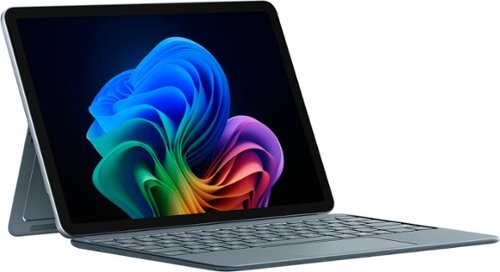
Use the new Surface Pro 12~, a Copilot+ PC, as a powerful tablet with an intuitive touchscreen, touch, voice, and Surface Slim Pen [3] to bring ideas to life, or attach the Surface Pro 12~ Keyboard for a full Windows laptop experience [3]. With built~in AI features, seamless integration across the Windows ecosystem, and an ultra~thin, lightweight design, Surface Pro gives you the freedom and versatility designed for creativity, efficiency and mobility to go beyond what you thought possible.
Customer Rating
5
Compact Powerhouse, Ready for the AI Revolution!
on June 14, 2025
Posted by: JimC
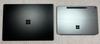
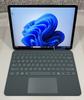
The newly updated Microsoft Surface Pro Copilot+ 12” tablet is a superb combination of technology and functionality which will outperform many existing laptops thanks to its incorporation of a new 8 core Qualcomm Snapdragon X Plus processor with integrated Hexagon neural processing unit and Adreno graphic processing unit in a very compact form. The solid-state hard drive and low power needs of the LED display, CPU, NPU and GPU make possible up to 12 hours of silent web-intensive operation. The audio quality of the 2 watt stereo speakers with Dolby Atmos sound processing is amazing. Overall, the impression is very sophisticated and high tech – a worthy competitor for iPad fans.
Microsoft introduced the Surface product line in 2012 as a Windows tablet. It was the company’s first product which incorporated the Windows operating system and their own hardware. The first products ran tablet-only Windows RT. The early models were somewhat under-powered with limited storage and poor battery life. The next generation added a supplemental keyboard and more processing power, becoming 2-in-1 tablet/laptops. In 2015 the Surface 3 models were the first to run the full Windows operating system and standard programs. Currently there are six lines of devices (Go, Laptop, Book, Studio, Hub and Pro.) The Surface Pro is the most powerful tablet offered and the optional Keyboard with Slim Pen completes its transformation to a laptop form.
Consider this outstanding combination of features:
• Microsoft Surface Pro Copilot+ 12” Tablet (Model EP2-33676 UPC 196388550616)
• Snapdragon X Plus 8 core CPU, 3.30 GHz
• Qualcomm Hexagon NPU, 45 TOPS
• Qualcomm Adreno X1-45 GPU, 128 MB
• 64 bit Windows 11 Home 24H2 operating system
• 16 GB LPDDR5x high efficiency RAM primary memory
• 512 GB SK-Hynix UFS hard drive
• 12” PixelSense 10 point multi-touch-screen display with 2196 x 1464 (220 PPI) resolution
• Windows ink workspace/Surface Pen support
• 2 watt full-range Aqstic stereo speakers and Dolby Atmos audio processing
• Dual studio microphones with enhanced voice focus
• Full HD (1080p) front-facing Studio Camera (with auto framing, blur, creative filters, eye contact, portrait light)
• 3D IR Camera for Windows Hello facial and gesture recognition
• 10 MP Ultra HD rear-facing camera
• WiFi 7, Bluetooth Core 5.4 connectivity, Bluetooth LE Audio
• 2 USB 3.2 Type C (up to 20 GBps) data transfer, DisplayPort 1.4a (2 4k monitors), fast charging
• Sensors: ambient color, accelerometer, gyroscope, magnetometer
• 38 Watt-Hour Lithium Ion battery – up to 12 hours active web usage
• Requires 45 watt (minimum) USB-C charger (not included)
• Kickstand with 165 degree full friction hinge
• Power and volume buttons
• No fan is required for cooling so the case is sealed
• Very slim and compact: 10.8” wide x 7.5” deep x 0.3” thick (tablet only)
• Lightweight: only 1.51 pounds (2.28 pounds with optional keyboard/sim pen)
• One year warranty on parts and labor
• Snapdragon X Plus 8 core CPU, 3.30 GHz
• Qualcomm Hexagon NPU, 45 TOPS
• Qualcomm Adreno X1-45 GPU, 128 MB
• 64 bit Windows 11 Home 24H2 operating system
• 16 GB LPDDR5x high efficiency RAM primary memory
• 512 GB SK-Hynix UFS hard drive
• 12” PixelSense 10 point multi-touch-screen display with 2196 x 1464 (220 PPI) resolution
• Windows ink workspace/Surface Pen support
• 2 watt full-range Aqstic stereo speakers and Dolby Atmos audio processing
• Dual studio microphones with enhanced voice focus
• Full HD (1080p) front-facing Studio Camera (with auto framing, blur, creative filters, eye contact, portrait light)
• 3D IR Camera for Windows Hello facial and gesture recognition
• 10 MP Ultra HD rear-facing camera
• WiFi 7, Bluetooth Core 5.4 connectivity, Bluetooth LE Audio
• 2 USB 3.2 Type C (up to 20 GBps) data transfer, DisplayPort 1.4a (2 4k monitors), fast charging
• Sensors: ambient color, accelerometer, gyroscope, magnetometer
• 38 Watt-Hour Lithium Ion battery – up to 12 hours active web usage
• Requires 45 watt (minimum) USB-C charger (not included)
• Kickstand with 165 degree full friction hinge
• Power and volume buttons
• No fan is required for cooling so the case is sealed
• Very slim and compact: 10.8” wide x 7.5” deep x 0.3” thick (tablet only)
• Lightweight: only 1.51 pounds (2.28 pounds with optional keyboard/sim pen)
• One year warranty on parts and labor
So how does this tablet perform? Superbly!
It seemed pretty fast when I was using it, so I ran a well-regarded benchmark program (Novabench 5) on both it and four of my other computers to determine their relative performance. This test measures both CPU (general processing), GPU (graphics processing) and data storage rate so they give a good overall measure of a computer’s speed. The four computers included two desktop all-in-one PCs (an older medium powered model with a HDD and a newer model with more RAM, SSD and a more powerful CPU/GPU combination), a well-equipped laptop and a Surface 4 laptop. Finally, I ran the same tests on the Microsoft Surface Pro tablet. All computers were well-maintained, running the latest Windows versions with no other programs active. Here are the results (higher is faster):
Novabench 5 Results:
2016 All-in-One Desktop (Intel i5-6400, Intel 530 GPU, 12GB ram, 1TB HD): 619 (base)
2022 All-in-One Desktop (Intel i7-1255, 16GB ram, Nvidia MX550 GPU, 1TB SSD): 1285 (+108%)
2022 Two-in-One Laptop (Intel i7-1260, 16GB ram, Intel Iris Xe GPU, 1TB SSD): 1846 (+198%)
2021 Microsoft Surface 4 Laptop (AMD Ryzen 7 4980U, 8GB ram, Radeon GPU, 0.5TB SSD): 1851 (+199%)
2025 Microsoft Surface Pro Tablet (Snapdragon X Plus, 16GB ram, Adreno X1-45 GPU, 0.5TB SSD): 1441 (+133%)
OK, that’s a lot of numbers and technical jargon but the bottom line is that you will find the 2021 Surface 4 laptop out-performed all systems and the Surface Pro tablet was significantly faster than the All-in-One Desktop.
But that’s not the whole story. Because the new Surface Pro tablet has an integrated Hexagon NPU (neural processing unit) rated at an amazing 45 Tera operations/second it is far more efficient in supporting artificial intelligence. Even though the older Surface 4 laptop has a higher Novabench score the new Surface Pro tablet is far superior in utilizing the built-in Microsoft Copilot AI.
Besides delivering a wonderful, fluid interaction with Copilot, the energy use is far less which enhances battery life. Coupled with the excellent Adreno GPU this produces outstanding performance on games.
This little tablet far surpasses any of my other computers in graphics-intensive gaming quality!
Now, besides AI and gaming, this is a very capable laptop replacement (with the optional keyboard/slim pen accessory). Put this elegant beauty to work on most business software and it will never even break a sweat. Use it for photo or video editing and it will calmly do whatever you want, no drama.
The 2 watt Aqstic stereo speakers and Atmos sound system on this tablet are surprisingly good. I listened to some of my favorite albums from Spotify and the speakers (although tiny) were much better than typical for laptops. They are mounted on the left and right edges, have excellent volume and great stereo separation – they will make watching videos a real pleasure.
A major plus for this Surface Pro device is the outstanding battery life. I always test laptops by streaming Netflix series on battery power with a bright screen and high speaker volume. The combination of modem usage, video rendering, screen lighting and speaker volume usually drains most laptop batteries in less than two hours. But this tablet lasted a bit over 10.5 hours before exhausting the charge! That is long enough for five full movies and certainly would suffice a traveler for even the longest international flights. You can thank the ultra-efficient and power-miser Snapdragon CPU and Adreno GPU for that amazing performance.
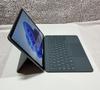
Another advantage for travelers is the compact size (less than 11” wide and 0.5” thick) and very light weight – about 2.3 pounds (measured with the optional keyboard attached.) The tablet with lighted keyboard attached is nicely balanced, so those who like to literally use their laptop on their lap will be pleased. It has latest WiFi 7 which and provides excellent, high speed connection to your network. There is no audio port but it supports Bluetooth LE Audio for wireless headphones.
The 12” touchscreen display has superb resolution, high speed video rendering and HDR content support with very good color saturation. The 6:4 screen ratio is taller than the 16:9 or 16:10 ratios seen on many laptops and actually offers considerably more screen area (about 19% more) than the 16:9 screens. This is an advantage when working with Word documents or spreadsheets. Support for the Surface Pen in graphic editing and document notation is flawless.
The Microsoft Hello facial recognition and Copilot both work well, as does the webcam and built-in dual microphones. For video calls the tablet offers a variety of useful image enhancement features. The main (rear) camera has good resolution (although most will rarely use it.)
What are the possible weak points or purchase issues to consider?
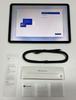
• Oddly, no charger is included. You will need to purchase a 45 watt (or larger) USB-C charger if you do not already have one.
• Since it uses an ARM processor some applications will run in emulator mode which may affect performance. However, this won’t be an issue for most Office programs.
• I would have preferred at least one Type A (for standard flash drives) and two Type C USB ports. I bought an inexpensive USB-C multi-port hub with an HDMI, Ethernet, 2 USB-A and 2 USB-C ports which also allows power delivery to overcome this problem.
• I prefer to use a mouse rather than a trackpad so having only USB-C ports is an issue. (I solved it by buying a very nice Bluetooth mouse from Best Buy.)
• It would have been nice to have a form-fitting cloth carrying case included (as many other notebook brands provide.)
• Since it uses an ARM processor some applications will run in emulator mode which may affect performance. However, this won’t be an issue for most Office programs.
• I would have preferred at least one Type A (for standard flash drives) and two Type C USB ports. I bought an inexpensive USB-C multi-port hub with an HDMI, Ethernet, 2 USB-A and 2 USB-C ports which also allows power delivery to overcome this problem.
• I prefer to use a mouse rather than a trackpad so having only USB-C ports is an issue. (I solved it by buying a very nice Bluetooth mouse from Best Buy.)
• It would have been nice to have a form-fitting cloth carrying case included (as many other notebook brands provide.)
But these are really just minor quibbles. When you consider all of its power and functionality you will agree that the price is very reasonable. I can enthusiastically recommend the new Microsoft Surface Pro Copilot+ 12” tablet for both serious stay-at-home power users, those who need to take notes at meetings and for those who desire a perfect travel companion!
I would recommend this to a friend!


Share this review:


+35points
35of 35voted this as helpful.
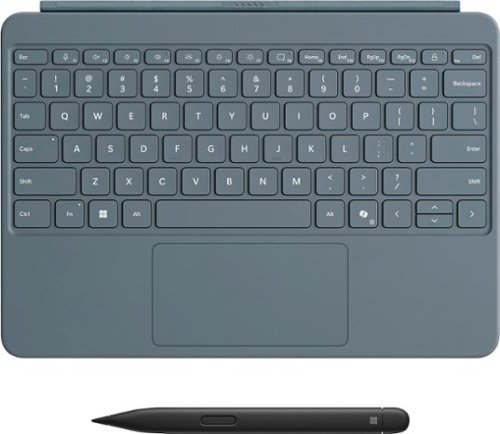
Level up your productivity in a click by easily attaching Surface Pro 12" Keyboard to Surface Pro 12" [1], transforming it into a powerful laptop. Designed by Microsoft, it features a stable and durable design, full size backlit keyboard, a dedicated Copilot key for instant AI access, and dynamic hinge that unlocks new postures. Perfect for your on-the-go lifestyle.
Customer Rating
5
A Must-Have Addition for the Surface Pro 12!
on June 12, 2025
Posted by: JimC
The Microsoft Surface Pro 12 is their latest and most versatile tablet device offering superb general purpose computing, streaming capability and internet access services. The Pro 12” Keyboard with Slim Pen is designed to supplement the tablet with additional functionality while providing important protection.
Microsoft introduced the Surface product line in 2012 as a Windows tablet. It was the company’s first product which incorporated the Windows operating system and their own hardware. The first products ran tablet-only Windows RT. The early models were somewhat under-powered with limited storage and poor battery life. The next generation added a supplemental keyboard and more processing power, becoming 2-in-1 tablet/laptops. In 2015 the Surface 3 models were the first to run the full Windows operating system and standard programs. Currently there are six lines of devices (Go, Laptop, Book, Studio, Hub and Pro.) The Surface Pro is the most powerful tablet offered and the optional Keyboard with Slim Pen is an essential accessory.
Here are the key features of this very useful device:
• Microsoft Surface Pro 12” Keyboard with Slim Pen (Model: EP2-33077, UPC: 196388544844)
• Bluetooth 5.0 connectivity for keyboard and pen
• Keyboard: 79 keys including 12 function keys, arrows, Copilot and all special Windows keys
• Keyboard is illuminated in use, includes microphone mute, snipping and lock keys
• Integrated Trackpad: 4.25 inches x 2.19 inches
• Adjustable trackpad pointer speed, supports trackpad gestures
• Power supplied by pogo pins to tablet connection, instant installation upon attachment
• Automatically wakes tablet when opened
• Keyboard disabled when front of case is flipped onto the back
• Construction: easy to clean Alcantara suede fabric over ABS plastic
• Dimensions: 10.82 inches Wide, 7.54 inches Height, 0.27 inch Thick
• Weight: 12 ounces
• Slim pen with haptic feedback, 4,096 levels of pressure sensitivity, zero force inking
• Pen is carpenter-style: 5.38 inches Long x 0.44 inches Wide x 0.25 inches Thick
• Auto-conversion of handwriting to text
• Pen is securely held magnetically and recharges on back of tablet
• Pen has a 15 hour battery life
• Bluetooth 5.0 connectivity for keyboard and pen
• Keyboard: 79 keys including 12 function keys, arrows, Copilot and all special Windows keys
• Keyboard is illuminated in use, includes microphone mute, snipping and lock keys
• Integrated Trackpad: 4.25 inches x 2.19 inches
• Adjustable trackpad pointer speed, supports trackpad gestures
• Power supplied by pogo pins to tablet connection, instant installation upon attachment
• Automatically wakes tablet when opened
• Keyboard disabled when front of case is flipped onto the back
• Construction: easy to clean Alcantara suede fabric over ABS plastic
• Dimensions: 10.82 inches Wide, 7.54 inches Height, 0.27 inch Thick
• Weight: 12 ounces
• Slim pen with haptic feedback, 4,096 levels of pressure sensitivity, zero force inking
• Pen is carpenter-style: 5.38 inches Long x 0.44 inches Wide x 0.25 inches Thick
• Auto-conversion of handwriting to text
• Pen is securely held magnetically and recharges on back of tablet
• Pen has a 15 hour battery life
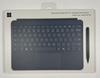
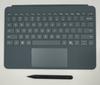
The Keyboard with Slim Pen provides elegant protection and superb functionality to the new 12” Surface Pro. It is finished in a very nice ocean grey Alcantara fabric which matches the aluminum body of the tablet. The case overlaps the body of the tablet just enough to give edge protection without becoming overly bulky. It is also quite slim, adding only a quarter of an inch to overall thickness and 12 ounces to the total weight. This keeps the total weight of the protected Surface Pro 12” Tablet at a svelte 2 pounds, 4.5 ounces.
I really like how the case snaps into place when you bring the keyboard section near your Surface Pro. The magnets are powerful and the tabs ensure that the alignment is perfect.
Once in place you have the sense that your Surface Pro is very well protected. The case is quite solid but not bulky. The fabric covering, besides being very attractive, also gives a non-slip surface. Alcantara is a premier polyester/polyurethane velvety fabric made in Italy which is soil resistant and will not stain from water. It is used in designer goods, Formula One cars and the SpaceX Crew Dragon capsule.
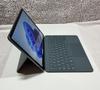
Setting up the tablet in a laptop form just requires flipping down the keyboard cover and opening the lower portion of the back of the tablet.
The stand provides multiple angles for the tablet with no slippage. If you are just watching videos, you can detach the keyboard and just use the back to support the screen at a comfortable angle.
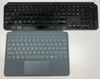
The keyboard is just superb, very responsive, solid-feeling keys and no mushiness when typing. The size is essentially that of a normal, full-size keyboard (see photo of this keyboard next to a desktop keyboard.) You don’t have the feeling that your typing is compromised in any way. It really works well. There is no separate numeric keypad, but for general purposes such as word document and email typing it is about as good as any laptop and the backlighting is excellent.
The trackpad is solid feeling and large enough to easily navigate to precise locations on the screen. It gives very definite clicks when you need that feature. It also supports useful gestures such as scrolling (two fingers), switching apps (three finger swipe), pinch to zoom (two fingers).
I found the preprogrammed shortcut keys very useful. One tap to activate Copilot or the snipping tool, another tap to lock the tablet – very nice!
The Slim Pen is just perfect. It has a nice, carpenter pencil (flat surface) design with a top (endcap) button and a side button. The pen can detect 4,096 pressure levels which translate into various pen outputs. The side button can be used to select things or function like a right mouse click. The top button functions as an eraser or it can activate various apps. Use is very smooth. If you take notes in cursive the tablet will automatically convert those notes to text. The pen is also very useful for marking up documents with notes and deletions.
The pen auto-positions itself on the back of the tablet and is very securely held magnetically. It recharges while held in place. The charge lasts 15 hours so the pen is always ready for use.
Anyone who buys the new Microsoft Surface Pro 12” would be well-advised to add this great keyboard and slim pen to that purchase. It is essential to obtain the full productivity possible from the new tablet. It is very reasonably priced (considering that the pen alone would cost $130!) since it gives both protection and full laptop functionality. It will greatly add to your enjoyment and I give it my highest rating!
I would recommend this to a friend!


Share this review:


+34points
34of 34voted this as helpful.

Oura Ring 4 brings you closer to what matters most ~ your health. With an updated all-titanium design, this smart ring features Smart Sensing, a new sensing platform that doesn~t just measure your biometrics but also adapts to you. It provides insights into over 50 biometrics including sleep, readiness, activity, heart health, stress, metabolic health and women~s health.
Customer Rating

4
Sleeker, Improved Sensors and Better Fit!
on November 21, 2024
Posted by: JimC
The Oura Ring 4 is the fourth generation of this compact health and activity data monitoring product. It supersedes the Oura Ring 3 which has been available since 2015. The new Ring 4 is an improved, slimmer version with more sizes for a better fit, better sensors and longer battery life.
Oura Health was founded in 2013 and is based in Oula, Finland. Oura Health has become the foremost developer of wearable personal health data monitoring devices. It created its first Oura Ring in 2015 which has evolved to a new generation (Ring 2 in 2018, Ring 3 in 2021 and now Ring 4) every three years. The Oura Ring collects a variety of biometric readings more frequently than competitive devices and integrates that data in a well-designed app which provides advice on maximizing health and fitness. More than 2.5 million Oura Rings have been sold to date.
Here are the key features of the new Oura Ring 4:
• Oura Health Ring Generation 4 (Model JZ90-54220-12)
• All titanium ring construction, six surface finishes: Gold, Rose Gold, Silver, Brushed Silver, Black, Stealth (dark grey)
• Available in 12 sizes (#4 - #15), free (after credit) sizing kit available
• Oura App provides extensive data analysis and advice to optimize health and sleep
• Sensors integrate with app to monitor: Sleep quality, sleep apnea, heart rate, heart rate variability (HVR), temperature, blood oxygen, cardio capacity, cardiovascular age, stress, activity, resilience, menstrual cycle, body clock
• Recessed Sensors: Red/IFR LED (Blood oxygen), Green/IFR PPG (Heart rate, variability, respiration), Digital temperature (Body temperature, variability), Accelerometer (Movement, activity) – more than twenty biometrics continually monitored
• Smart sensing algorithm adapts to skin structure, tone and activity, optimizes battery life
• 18 signal pathways improve accuracy and continuous reading capability of sensors
• Memory capacity: One week of activity and sensor readings
• Automatic firmware update via Oura App
• Bluetooth Low Energy connectivity, 30+ foot range, EMF-safe, airplane mode available
• Lithium polymer battery 15mAH (#6)-22mAH (#13) provides 8 day life, full recharge in 90 minutes, daily recharge in 15-20 minutes
• Waterproof to 328 foot depth
• Operating temperature range: 14 degree F – 129 degree F
• 5 VDC wireless charging dock and 38” USB-C to USB-C recharge cable included
• Dimensions: 7.9 mm Width, 2.9 mm Thickness, 20 mm (#4) – 29 mm (#15) Diameter
• Weight: 0.2 ounce (ring), 2.3 ounces with charger and cable
• Made in Estonia
• One year warranty on parts and labor
• All titanium ring construction, six surface finishes: Gold, Rose Gold, Silver, Brushed Silver, Black, Stealth (dark grey)
• Available in 12 sizes (#4 - #15), free (after credit) sizing kit available
• Oura App provides extensive data analysis and advice to optimize health and sleep
• Sensors integrate with app to monitor: Sleep quality, sleep apnea, heart rate, heart rate variability (HVR), temperature, blood oxygen, cardio capacity, cardiovascular age, stress, activity, resilience, menstrual cycle, body clock
• Recessed Sensors: Red/IFR LED (Blood oxygen), Green/IFR PPG (Heart rate, variability, respiration), Digital temperature (Body temperature, variability), Accelerometer (Movement, activity) – more than twenty biometrics continually monitored
• Smart sensing algorithm adapts to skin structure, tone and activity, optimizes battery life
• 18 signal pathways improve accuracy and continuous reading capability of sensors
• Memory capacity: One week of activity and sensor readings
• Automatic firmware update via Oura App
• Bluetooth Low Energy connectivity, 30+ foot range, EMF-safe, airplane mode available
• Lithium polymer battery 15mAH (#6)-22mAH (#13) provides 8 day life, full recharge in 90 minutes, daily recharge in 15-20 minutes
• Waterproof to 328 foot depth
• Operating temperature range: 14 degree F – 129 degree F
• 5 VDC wireless charging dock and 38” USB-C to USB-C recharge cable included
• Dimensions: 7.9 mm Width, 2.9 mm Thickness, 20 mm (#4) – 29 mm (#15) Diameter
• Weight: 0.2 ounce (ring), 2.3 ounces with charger and cable
• Made in Estonia
• One year warranty on parts and labor
Setup:
When you open the Oura Ring 4 box you will find a QR code to download the Oura app. This is the essential element to analyze and manage the data generated by the ring. To set this up, just enter your email address. Then you are given a link to Oura website. At the Oura website, create a unique password and you are given a code which allows you to register the ring, connect the ring via Bluetooth and update the firmware. Then enter your personal details (country, age, weight, height, sex) to enable the Oura app to properly interpret the biometric data generated from the ring.
If you are an iPhone owner, the Oura app will connect to Apple Health to integrate and access the data stored there. A brief questionnaire will help the Oura app to focus on your health and fitness goals.
While you are doing the setup, unpack the Oura Ring and set up the charger. (By the way, the charger is sized to match the ring size, so it is not interchangeable with rings of other sizes.) Place the ring on the charger to top off its battery. When fully charged, the white charger LED changes to green. If a ring’s battery is fully depleted it will take up to two hours to recharge. The battery life is substantial and should last eight days without recharging. I found that the battery drain is about 15% per day. By placing the ring on the charger each day while I was in the shower (15-20 minutes) the battery was restored to full power.
Once the Oura Ring is fully charged, put it on your finger and rotate the ring so that the indentation is on the palm side of your finger. The ring should fit snugly and there should be no significant gaps between the ring and your skin. You may find that you can also wear the ring on other fingers. I found that sensitivity was very good and the ring generated accurate data even when on a finger slightly different in size than the finger for which you selected the Oura Ring size.
The Oura Ring 4 has several advantages over its predecessor – it is thinner, lighter and the sensors are all recessed so it is more comfortable to wear. Plus it has more sizes so it will provide a better fit. It is also more durable since it is all titanium with a decorative surface finish. If you engage in activities which may scratch that finish (e.g., working out with weights) you can buy inexpensive silicone covers for the ring to protect it.
Use:
If you own an Apple Watch or other fitness watch you are conditioned to glance at the watch to read various data while exercising (heart rate, pace, calories burned, distance, steps, etc.) The Oura Ring has no display, so you must access the Oura app to see the data being generated. The only display is a red or green glow which indicate when your biometric measures are below (red) or above (green) normal.
The Bluetooth Low Energy wireless connectivity provided a solid signal up to 50 feet from my phone and was very stable in all conditions. However, even if you do not have your phone with you, the Oura Ring will store data internally for up to eight days of use. When you bring the phone back into proximity it will synchronize and download all stored data.
The key to effective use of the Oura Ring 4 is to allow it to build a solid baseline of your biometric data. This takes about two to three weeks of continuous use. During this learning period the Oura app becomes better and better at assessing your health condition. It uses this assessment to give you advice on the activity each day which will optimize your health, fitness and sleep. The app is also excellent at giving you a quick summary of your current condition (Readiness, Sleep, Activity, Heart Rate, Stress) – much better than the Apple Health app.
Is it accurate? Both independent and Oura-sponsored research have confirmed that the Oura sensors provide data as accurately as specialized medical equipment. The Oura app works well to integrate and track all of this data so you trust its conclusions.
Since I have worn an Apple Watch for five years and use it to track my exercise activities I was curious if the Oura Ring 4 would be a substitute, supplement or irrelevant for Apple Watch users. First, it is obviously not a substitute since it cannot offer any data readout by glancing at it during a run or bike ride. But does it offer enough additional value to justify it as a supplementary device?
The answer depends upon your willingness to follow its AI-inspired daily advice and your general health condition. There are three categories of users who will certainly benefit. First, the truly committed health enthusiasts who seek every bit of data on their condition. Next, those with specific health issues who need to monitor those conditions. Finally, those who want to continuously monitor their health but don’t want to wear an Apple Watch when sleeping or in social settings where wearing the Watch is inappropriate (e.g., a formal event.)
However, in all cases, keep in mind that the Oura Ring 4 is part of a system which includes a near-mandatory subscription to Oura Membership ($6/month or $70/year) in order to access all of the analysis and advice available in the app. I wish that Oura would simply offer a lifetime membership as part of the purchase price.
Bottom line? The Oura Ring 4 is a marvel of compact, effective technology. The Oura app is superb and nearly all users will gain great utility from its data analysis. I love the product but have some qualms about the need to maintain membership for $70/year so I am giving the Oura Ring 4 just four stars. I recommend it, but only to those who recognize that ongoing cash commitment. But aside from that if you purchase the Oura Ring 4 I think you will be delighted with its subtle elegance in appearance which hides its awesome technologic power.
I would recommend this to a friend!
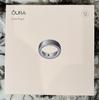




Share this review:


+23points
23of 23voted this as helpful.
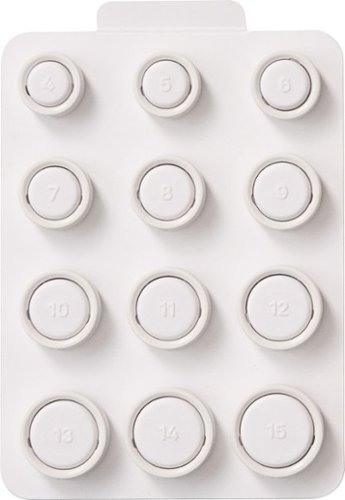
Oura Ring 4 sizes are slightly different from standard ring sizes, so it is important to size yourself using our tools and to follow our sizing instructions. The Oura Ring 4 Sizing Kit allows for you, and those around you, to find the ideal fit before purchasing. You can also size yourself in stores where there is an Oura Ring 4 display. A properly fitting Oura Ring will result in the highest possible data accuracy, comfort, and overall experience.
Customer Rating
5
Essential but Easy Step for Sizing Oura Ring 4
on November 8, 2024
Posted by: JimC
The Oura Ring 4 is their latest and most versatile device offering superb general purpose health and fitness monitoring. But in order to get the best, most accurate results from the ring it must fit properly. Fortunately, Oura has created a great kit which enables you to accurately determine the best size for the ring.
Better yet, the kit is really free, with the small purchase price applied as a credit against the cost of the Oura Ring.
The nicely packaged kit consists of twelve white plastic rings on a card holder. Each ring is clearly marked with its size, ranging from tiny (#4) to Hulk size (#15). The sizing rings are accurate avatars of the actual Oura Ring 4, with the same exterior dimensions and indentations on their inner surfaces which reflect the actual sensors on the inside of the Oura Ring 4.
Each of the white sizing rings has its size posted in raised letters on the side and the card holder has the matching numbers for easy selection.
So how do you decide which finger to select for the Oura Fitness Ring? Oura says that the ring can function on any finger, but recommends that you place it on your index finger. Next best choices are the middle finger or the ring finger.
Key to a proper fit is to wear the sizing ring for 24 hours to get used to the feel on your hand. You may find that it interferes with some activity that you do often. For me, wearing it on my right hand felt uncomfortable when using my computer mouse, so my left hand was a better choice.
Also, keep in mind that the fingers on your dominant hand (right for right-handed persons) may be somewhat larger than those on the other hand.
Another consideration is to choose a ring size that can snugly fit several fingers. This will give you flexibility to shift the ring to another finger if you ever need to do so. Typically your index and ring fingers will be close in size.
Wearing the sizing ring for 24 hours will also reveal if your finger swells over the course of a day’s activities. I found that my initial ring size choice got too tight after several hours, during which I did a typical daily run and bike ride. If you often exercise with weights you should include that in your 24 hour trial period. The main objective is to determine if you can comfortably wear the ring every day during your normal activities. If you have the patience to do so, extend the test period for a couple more days just to be sure that you like the fit.
To choose your ring size, just pick one and slide it onto your chosen finger. Flex your hand and look for any significant gaps between the ring and your skin. The ring should fit snugly but still slip off fairly easily. Orient the sizing ring so that the number is visible on the top of your hand. This will properly position the indentations inside the ring to match the proper position of the sensors on the actual Oura Ring 4.
If you find that two sizes both seem to work, Oura recommends that you select the smaller size to improve contact with the sensors.
Even if you think you know your correct ring size, I still strongly urge you to purchase this Oura Sizing Kit. It really costs nothing and will make you more confident in your ring size selection. It is a great system and typical of the high quality and superb service you can expect from Oura.
I would recommend this to a friend!



Share this review:


+8points
8of 8voted this as helpful.
Bursting in a range of vibrant colors, Vertuo Pop+ coffee maker and espresso machine makes a bold statement to match your style. With five cup sizes, from Espresso to Alto and Cold Brew style coffee, simply choose your Vertuo pod, pop it in, and you~re away at the touch of a button. To keep you spinning, the machine reads the code on each pod to reveal its hidden treasures, from aroma to crema. The Vertuo Pop+ has a water tank accessible from the side, all in a compact design.
Customer Rating
5
Elegant and Foolproof Espresso/Cappucino!
on November 2, 2024
Posted by: JimC
The Breville Nespresso Vertuo Pop+ Deluxe automatic expresso brewer is a worthwhile addition to even the most sophisticated kitchens. It is a very attractive unit, elegantly styled in matte black and gold accents. The device takes the new Vertuo capsule to effortlessly create superb classic espresso or delicious cappuccino and lattes.
Nespresso is part of Nestle Group, a Swiss firm which was founded in 1866 and is the largest public food company in the world. Nespresso was created in 1975 by Eric Favre who invented the sealed Nespresso pod system for brewing espresso. This avoids the problem of grinding an individual portion of beans and the cleanup after each cup. A consumer machine was first sold in 1986, then in 1989 Nespresso introduced their Club to market the pods. Nespresso began to focus on selling pods rather than coffee machines by licensing the equipment technology to appliance manufacturers including Krups, Philips, DeLonghi and Breville. The pods are hermetically sealed, food-grade-lacquered aluminum capsules to preserve coffee freshness. The original pods are cylindrical with flat top and a curved base. In 2014 the larger Vertuo pod was introduced. This has a flat top and a semi-globular base. The system uses Centrifusion technology to inject water at high pressure (19 bars) into the perimeter of the capsule top causing the coffee to spin at up to 7,000 rpm to extract maximum flavor. The brewing machine uses a bar code on the capsule to optimally set time, temperature, rotation speed and water flow rate for each coffee type.
Breville was founded in Sydney, Australia in 1932. It began as an electronics manufacturer then sold that unit in 1955 and focused on small appliances exclusively. Today it produces a premium array of counter-top ovens, coffee machines, grinders, juicers, cookers, food processors, blenders, toasters, griddles, mixers and microwaves (among others!) Breville’s stated goal is to create products which deliver innovation based upon consumer insights, empowering their ability to create more impressive results in home kitchens, more easily than they thought possible. The Breville Nespresso Vertuo Pop+ is their latest offering.
Here is a summary of the key features of this superb device:
• Nespresso Vertuo Pop+ Deluxe by Breville (Model: BNV125MTB1BUC1)
• Color: Matte Black and Gold/Bronze highlights
• Produces coffee, espresso, cappuccino, lattes, iced coffee
• Selection of one dozen Vertuo pods included
• Centrifusion flavor extraction technology maximizes flavor and intensity
• One touch electronic control for brewing, cleaning, descaling
• Bar coding on Vertuo pods precisely control temperature, time and water flow
• Over 40 Vertuo coffee blends available from Nespresso and Starbucks
• 19 bars of pressure for coffee/espresso extraction
• 37 ounce removable water reservoir with auto-metering
• Five individual cup brew sizes (1.35 oz, 2.7 oz, 5 oz, 8 oz, 12 oz) for coffee and espresso
• 30 second heat up time, 95 second total brew time
• Conserves energy with automatic shut off after two minutes
• Nespresso app provides coffee purchase options, maintenance, software updates
• Bluetooth/WiFi connectivity is very easy to set up
• Removable drip tray can be positioned at two heights
• Waste container holds used pods from at least 5 servings, easy to empty
• Recycling program for used aluminum pods
• Includes full instructions and trouble-shooting guide
• 1500 watt heating unit
• Cord length: 40 inches
• Dimensions: 10.4 inch height, 14 inch depth, 8.6 inch width
• Weight: 8 pounds, 4 ounces
• Two year warranty on parts and labor
• Color: Matte Black and Gold/Bronze highlights
• Produces coffee, espresso, cappuccino, lattes, iced coffee
• Selection of one dozen Vertuo pods included
• Centrifusion flavor extraction technology maximizes flavor and intensity
• One touch electronic control for brewing, cleaning, descaling
• Bar coding on Vertuo pods precisely control temperature, time and water flow
• Over 40 Vertuo coffee blends available from Nespresso and Starbucks
• 19 bars of pressure for coffee/espresso extraction
• 37 ounce removable water reservoir with auto-metering
• Five individual cup brew sizes (1.35 oz, 2.7 oz, 5 oz, 8 oz, 12 oz) for coffee and espresso
• 30 second heat up time, 95 second total brew time
• Conserves energy with automatic shut off after two minutes
• Nespresso app provides coffee purchase options, maintenance, software updates
• Bluetooth/WiFi connectivity is very easy to set up
• Removable drip tray can be positioned at two heights
• Waste container holds used pods from at least 5 servings, easy to empty
• Recycling program for used aluminum pods
• Includes full instructions and trouble-shooting guide
• 1500 watt heating unit
• Cord length: 40 inches
• Dimensions: 10.4 inch height, 14 inch depth, 8.6 inch width
• Weight: 8 pounds, 4 ounces
• Two year warranty on parts and labor
When you unbox the Breville Nespresso Vertuo Pop+ Deluxe Espresso Machine you should be very impressed by the elegant design and the quality of construction. It is a beautiful combination of matte black surfaces, accented by gold on the locking ring, the Nespresso label and the drip tray. It is quite compact, significantly smaller than my Keurig. (See my photo of the two side-by-side.) The water reservoir is located on the left side which minimizes depth on your counter and makes refilling it easier. After brewing, the pod is ejected into an internal waste container which is easily emptied from the side. The drip tray can be positioned at two levels or removed entirely for larger mugs. There is just a single button on top since all brewing settings are controlled by the bar code on each pod. Simplicity and elegance!
To start using the Vertuo Pop+ Deluxe, you simply fill the water reservoir and press the brew button three times (without a pod in place.) This will initiate a rinse cycle for about seven minutes and the machine is now ready for brewing.
Next, open the top, drop a pod in place, lock the top and press the brew button.
The water will be rapidly heated (about 30 seconds) and then injected into the pod at very high pressure (19 bars – about 275 psi) while the pod is rotated at up to 7,000 rpm. This will extract all of the flavor from the pod and the brewed coffee/espresso is poured into your mug. A beautiful dark brew will be topped by a tall, perfect crema (See my photo of my first brew.) The taste is superb and each subsequent cup will be delivered as an exact match thanks to the sophisticated automatic settings for time, temperature, water flow set by the bar code on the pod. Total time for each brew is about 90 seconds.
Now, the best part – making a latte or cappuccino. Just add some milk or half & half to a cup and heat it in a microwave for 30-40 seconds. Pour half of the heated dairy into a mug, then select a pod of your favorite coffee type and brew it into that mug. Aerate the remaining heated milk with a whisk and pour it onto the top of the brew – you have just saved $5 compared to the same drink at Starbucks!
Lots of easy alternative drinks can be created. You can make a mocha by just substituting chocolate milk for the milk or half & half. Or use egg nog for a holiday drink, bits of peppermint, shaved chocolate, etc., etc.
The brew produced from each pod is quite strong – great if you like authentic espresso – but it also gives you the opportunity to split the brew and create two medium cappuccinos from one pod.
One tip – the best espresso drinks are served hot, so preheat your cups or mug with hot water or by putting them in a microwave oven with a bit of water for 20 seconds.
Nespresso has its own extensive collection of Vertuo coffees and has supplied one dozen pods in various sizes and types. Nespresso’s business model is to license the technology for the machines to premier appliance manufacturers to create a market for its pods, then sell pods through its Nespresso Club system which has both retail locations and an efficient online presence.
However, Nestle, the parent of Nespresso, also owns the rights to sell Starbucks coffee at retail locations. It has created Vertuo pods for all of the most popular Starbucks coffees. (See my photo.) This makes access to a nice variety of pods as close as your nearest grocery store.
But keep in mind the old computer saying: GIGO (Garbage In, Garbage Out)! The quality and taste of the coffee you use will be the biggest determinant in the quality of your coffee drinks. If you are not happy with the taste of your coffee or espresso, try another type of beans or experiment with various roasts until you find one that suits your taste. The problem of bad tasting coffee/espresso will almost certainly be traced to the beans, not the fault of this fine machine!
In setting up the Breville Vertuo Pop+ Deluxe I just followed the simple quick start guide. But Nespresso has a great app which facilitates ordering pods and simple maintenance tasks (such as descaling) by connecting the machine to the internet. This process was quite easy and it also gives access to detailed how-to videos as well as keeping the machine current with periodic software updates.
Routine maintenance? A quick rinse of the drip tray and some light hand-washing of the body of the machine are all that is required to keep it looking like new.
How good is this Nespresso machine? I have owned several top quality automatic espresso machines including a classic Saeco Magic and a recent Philips 1200. The Breville Vertuo Pop+ Deluxe Nespresso produces a brew easily the equal to those fine machines but with a huge advantage in compact size, ease of use and it is unmatched in effortless clean up. Plus, the system ensures that each brew will be produced very quickly and exactly match the last.
When you add up the superb aesthetics, the delicious taste of the coffee and espresso produced and the fine design and technology features of this appliance, the Breville Nespresso Vertuo Pop+ Deluxe has certainly earned a full five stars and my strong recommendation.
I would recommend this to a friend!






Share this review:


+25points
25of 25voted this as helpful.
JimC's Review Comments
JimC has not submitted comments on any reviews.
JimC's Questions
JimC has not submitted any questions.
Bring the world into your living room with this Hisense smart TV. It enhances your viewing experiences via 4k UHD resolution capability, local dimming and motion smoothing. This Hisense 50H8C smart TV lets you stream media via applications such as Netflix or connect to local Wi-Fi to display files on the television screen.
What is the length of the power cord on this TV?
The cord is about 5 feet long. It is a standard removable two wire cord used in a lot of electrical devices so you could probably find one even longer if you need to.
8 years, 7 months ago
by
JimC
Lead the way with this innovative Toshiba 64.5-inch 4K LED TV. Incredible 4K technology ensures you can see every last bit of detail from a huge variety of shows, and extraordinary contrast delivers the darkest of darks and the brightest whites. Stream from your mobile to this Toshiba 64.5-inch 4K LED TV using Chromecast to enjoy even more shows.
How far apart are the legs, end to end?
Lead the way with this innovative Toshiba 64.5-inch 4K LED TV. Incredible 4K technology ensures you can see every last bit of detail from a huge variety of shows, and extraordinary contrast delivers the darkest of darks and the brightest whites. Stream from your mobile to this Toshiba 64.5-inch 4K LED TV using Chromecast to enjoy even more shows.
When you turn this TV on WHY does it always default to the google cast and not the last used Input feature! I have to choose the input option everytime I turn the TV on?! You have to be kidding me
My Toshiba stays at the last input. If I last watched cable, that is what is on when I turn the TV on.
You might need a firmware update.
But try selecting cable and hitting OK on the TV remote then use your cable remote to turn it on/off.
You might need a firmware update.
But try selecting cable and hitting OK on the TV remote then use your cable remote to turn it on/off.
9 years, 6 months ago
by
JimC
Dell Inspiron Touch-Screen All-In-One Computer: Manage a variety of tasks with this versatile all-in-one computer, which features 12GB memory for smooth multitasking and a 1TB hard drive to store your music, photos and videos. The wireless keyboard and mouse keep your desktop neat and organized.
Does this have an SD card slot?
Yes, there is a slot on the left side, just above the USB 2.0 ports, for SD cards.
9 years, 6 months ago
by
JimC