
Share ryanmcv's profile


ryanmcv
ryanmcv's stats
- Review count1
- Helpfulness votes0
- First reviewJune 25, 2018
- Last reviewJune 25, 2018
- Featured reviews0
- Average rating5
- Review comment count4
- Helpfulness votes21
- First review commentSeptember 25, 2017
- Last review commentJune 22, 2018
- Featured review comments0
Questions
- Question count0
- Helpfulness votes0
- First questionNone
- Last questionNone
- Featured questions0
Answers
- Answer count0
- Helpfulness votes0
- First answerNone
- Last answerNone
- Featured answers0
- Best answers0
ryanmcv's Reviews
![The Incredible Hulk [4K Ultra HD Blu-ray/Blu-ray] [2008]](https://pisces.bbystatic.com/prescaled/500/500/image2/BestBuy_US/images/products/304b2327-370a-41e7-956a-951dd4939472.png)
Posted by: ryanmcv
from Phoenix, AZ
Any fan of this movie will appreciate this upgrade to 4K. HDR really brings new life to this movie. Highly recommended!
Mobile Submission: False
I would recommend this to a friend!
Share this review:


0points
0of 0voted this as helpful.
ryanmcv's Review Comments
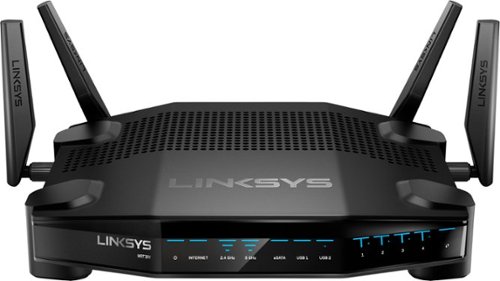
Enjoy lag-free gaming with this Linksys dual-band Wi-Fi router. Its Killer prioritization engine works with Killer-enabled computers to minimize peak ping by up to 77 percent, and the 1.8GHz CPU delivers super-fast speeds with wired and wireless connections. This Linksys dual-band Wi-Fi router has a custom-built user interface that lets you manage your gaming network performance.
Overall 4 out of 5
4 out of 5A Gamer's New Best Friend
By ryanmcv
from Phoenix, AZ
In a crowded market of accessories that aiming to enhance the PC gaming experience, the new WRT32X router claims to cut down latency and prioritize gaming bandwidth. It's equipped with the Killer Prioritization Engine. If your rig has a Killer ethernet or wireless card, the WRT32X will prioritize gaming traffic from that device above all other network activity. In my experience, it lives up to its claims.
PROS:
- Easy set-up and sleek packaging. Like all other modern Linksys routers, setup is as easy as connecting your modem and then navigating to 192.168.1.1 in a browser. The router is simplistically packaged, giving the feel of a premium device.
- The router configuration interface at 192.168.1.1 is by far the nicest I have ever used. It's incredibly simple yet very powerful. See the attached screenshot. The main dashboard shows current network traffic, speed test results, and connected devices. Advanced settings like prioritization, port forwarding, etc. are easy to access and don't feel overwhelming. If nothing else, Linksys has hit a home run with the design of this new configuration page.
- Seamless prioritization of Killer-enabled devices. The router automatically detects my Alienware PC with a Killer E2500 ethernet card. In the router's prioritization page, my PC is shown at the top with the option to manually prioritze non-Killer devices.
- Gaming latency on Killer devices is noticeably reduced when there is high activity on your network. If your gaming PC is the only device utilizing the network, you're not going to see much difference. In fact, while playing Team Fortress 2 with no other network traffic, I saw a decrease in ping of only 3 to 5 ms versus my previous Linksys router. I tested it again while two smart TVs were streaming 4K video. On my old Linksys router, gaming latency immediately increased to more than 100 ms. On the WRT32X, latency remained steady at about 30 ms while my TVs continued to stream 4K video without interruption.
- Solid Wi-Fi performance. The router is certified for Dynamic Frequency Selection (DFS), meaning the 5 GHz band can operate on channels normally reserved for radar. In high-density housing environments like my apartment complex, this will grealy reduce interference from neighboring networks. A local file transfer between two laptops connected via 5 GHz showed transfer speeds up to 500 mbps at 30 feet: more than acceptable for my purposes.
- Easy set-up and sleek packaging. Like all other modern Linksys routers, setup is as easy as connecting your modem and then navigating to 192.168.1.1 in a browser. The router is simplistically packaged, giving the feel of a premium device.
- The router configuration interface at 192.168.1.1 is by far the nicest I have ever used. It's incredibly simple yet very powerful. See the attached screenshot. The main dashboard shows current network traffic, speed test results, and connected devices. Advanced settings like prioritization, port forwarding, etc. are easy to access and don't feel overwhelming. If nothing else, Linksys has hit a home run with the design of this new configuration page.
- Seamless prioritization of Killer-enabled devices. The router automatically detects my Alienware PC with a Killer E2500 ethernet card. In the router's prioritization page, my PC is shown at the top with the option to manually prioritze non-Killer devices.
- Gaming latency on Killer devices is noticeably reduced when there is high activity on your network. If your gaming PC is the only device utilizing the network, you're not going to see much difference. In fact, while playing Team Fortress 2 with no other network traffic, I saw a decrease in ping of only 3 to 5 ms versus my previous Linksys router. I tested it again while two smart TVs were streaming 4K video. On my old Linksys router, gaming latency immediately increased to more than 100 ms. On the WRT32X, latency remained steady at about 30 ms while my TVs continued to stream 4K video without interruption.
- Solid Wi-Fi performance. The router is certified for Dynamic Frequency Selection (DFS), meaning the 5 GHz band can operate on channels normally reserved for radar. In high-density housing environments like my apartment complex, this will grealy reduce interference from neighboring networks. A local file transfer between two laptops connected via 5 GHz showed transfer speeds up to 500 mbps at 30 feet: more than acceptable for my purposes.
CONS:
- The LEDs on the front of the device might be useful to some, but to me they are rather annoying and flash excessively. Luckily they can be disabled via the configuration page.
- The router includes one USB port and one eSATA/USB combo port to connect external storage devices. However, I could not get the router to report the correct storage capacities of my 3 TB hard drives. When accessing them through the SMB protocol on both Windows and Mac, the reported storage capacity was only 100 MB. I tried reformatting to both NTFS and FAT32 file systems, but the issue persisted. If network storage is important to you, this should be a consideration until Linksys issues a firmware update.
- This is not a "smart" router, so you cannot use the Linksys app to setup or control the router remotely.
- The LEDs on the front of the device might be useful to some, but to me they are rather annoying and flash excessively. Luckily they can be disabled via the configuration page.
- The router includes one USB port and one eSATA/USB combo port to connect external storage devices. However, I could not get the router to report the correct storage capacities of my 3 TB hard drives. When accessing them through the SMB protocol on both Windows and Mac, the reported storage capacity was only 100 MB. I tried reformatting to both NTFS and FAT32 file systems, but the issue persisted. If network storage is important to you, this should be a consideration until Linksys issues a firmware update.
- This is not a "smart" router, so you cannot use the Linksys app to setup or control the router remotely.
OVERALL:
For the first time in a while, I can easily recommend a product targeted towards gaming enhancement. If you have any Killer-enabled devices, this is a no-brainer: the router will greatly improve your gaming experience on high-traffic networks. Even if you aren't a gamer or don't have any Killer devices, this is still a solid router with a beautiful configuration interface, solid wireless performance, and DFS. Hopefully Linksys will improve external storage performance. Recommended!
For the first time in a while, I can easily recommend a product targeted towards gaming enhancement. If you have any Killer-enabled devices, this is a no-brainer: the router will greatly improve your gaming experience on high-traffic networks. Even if you aren't a gamer or don't have any Killer devices, this is still a solid router with a beautiful configuration interface, solid wireless performance, and DFS. Hopefully Linksys will improve external storage performance. Recommended!

ryanmcv
Phoenix, AZ
September 25, 2017
Yeah, I just updated to the latest firmware and now my hard drives are not being recognized at all. They show up on the configuration page, but there is an error message that says “unable to read storage device.” They are brand new hard drives and I’ve tried formatting them as NTFS, FAT32, and HFS+. No luck with any of them.
0points
0of 0voted this comment as helpful.
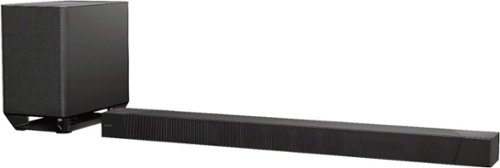
Fill your space with rich surround sound by using this 7.1.2 channel Sony Dolby Atmos sound bar. Its S-Force PRO front surround and wavefront technology distribute dynamic, three-dimensional audio details via the included coaxial speakers. This Wi-Fi-enabled Sony Dolby Atmos sound bar supports high-definition A/V components with its four HDMI ports.
Overall 5 out of 5
5 out of 5Powerful, Immersive Soundbar Experience
By ryanmcv
I've been excited to get my hands on the HT-ST5000 soundbar ever since it was announced at CES this year, and I'm glad to say that it was well worth the wait. If you're a cinephile looking for the easiest way to bring theater-quality sound into your home, this may be the answer.
SETUP AND CONFIGURATION (5 Stars):
The soundbar ships in a heavy, awkwardly-shaped box with no handles anywhere, so I would recommend having someone help you out. Once unpacked, the system is incredibly easy to set up. A 4K-capable HDMI cable is included. Plug the HDMI cable into the ports labeled HDMI ARC on the soundbar and your TV (if supported), and then connect your other devices to the HDMI IN ports on the soundbar. The subwoofer is wireless and automatically connects to the soundbar once its plugged into a power outlet. You can optionally connect a magnetic mesh cover to hide the front-facing drivers. Follow the on-screen setup procedures, and you'll be up and running in mere minutes.
The soundbar ships in a heavy, awkwardly-shaped box with no handles anywhere, so I would recommend having someone help you out. Once unpacked, the system is incredibly easy to set up. A 4K-capable HDMI cable is included. Plug the HDMI cable into the ports labeled HDMI ARC on the soundbar and your TV (if supported), and then connect your other devices to the HDMI IN ports on the soundbar. The subwoofer is wireless and automatically connects to the soundbar once its plugged into a power outlet. You can optionally connect a magnetic mesh cover to hide the front-facing drivers. Follow the on-screen setup procedures, and you'll be up and running in mere minutes.
DESIGN AND BUILD QUALITY (4.5 Stars):
At first glance, there is no doubt that this is a premium product. The soundbar and subwoofer are heavy and substantial, but should easily blend in with any home theater setup. The top-mounted, upfiring speakers are placed behind sturdy metal grilles. There is a crisp display on the front which shows the volume level and current input selected. There are even keyholes on the back if you want to wall-mount the soundbar. Connectivity is very generous, with three HDCP 2.2-capable HDMI inputs on the rear and a USB port on the right side of the soundbar. You can connect to your home network wirelessly or via the ethernet port on the back. My only gripe is the design of the remote. It looks way too similar to my Sony Blu-ray player remote and feels very cheap in comparison to the rest of the system.
At first glance, there is no doubt that this is a premium product. The soundbar and subwoofer are heavy and substantial, but should easily blend in with any home theater setup. The top-mounted, upfiring speakers are placed behind sturdy metal grilles. There is a crisp display on the front which shows the volume level and current input selected. There are even keyholes on the back if you want to wall-mount the soundbar. Connectivity is very generous, with three HDCP 2.2-capable HDMI inputs on the rear and a USB port on the right side of the soundbar. You can connect to your home network wirelessly or via the ethernet port on the back. My only gripe is the design of the remote. It looks way too similar to my Sony Blu-ray player remote and feels very cheap in comparison to the rest of the system.
FEATURES AND OPTIONS (4 Stars):
Sony has made it very easy to customize and adjust the settings of this soundbar. By pressing the Home button on the remote, you can access the Setup screen and adjust the settings for ceiling height, seating distance from the soundbar, advanced HDMI settings, and much more. Spotify and Chromecast are built-in as easy ways to stream content to the soundbar. There are several preset options for sports, music, etc., but I find that "ClearAudio+" suits most content. Unfortunately, there is one glaring omission in supported formats: this soundbar does not support any type of DTS signal. Luckily, my Sony UBP-X800 Blu-ray player seems to detect that the soundbar does not support DTS and sends an LPCM signal instead. But I have read reports of DTS tracks simply not playing on this soundbar with other Blu-ray players. Rumor is that Sony may be preparing a firmware update to enable DTS later this year. But regardless, this is a huge oversight by Sony that will hopefully be corrected.
Sony has made it very easy to customize and adjust the settings of this soundbar. By pressing the Home button on the remote, you can access the Setup screen and adjust the settings for ceiling height, seating distance from the soundbar, advanced HDMI settings, and much more. Spotify and Chromecast are built-in as easy ways to stream content to the soundbar. There are several preset options for sports, music, etc., but I find that "ClearAudio+" suits most content. Unfortunately, there is one glaring omission in supported formats: this soundbar does not support any type of DTS signal. Luckily, my Sony UBP-X800 Blu-ray player seems to detect that the soundbar does not support DTS and sends an LPCM signal instead. But I have read reports of DTS tracks simply not playing on this soundbar with other Blu-ray players. Rumor is that Sony may be preparing a firmware update to enable DTS later this year. But regardless, this is a huge oversight by Sony that will hopefully be corrected.
SOUND QUALITY (5 Stars):
Simply put, I've never heard anything sound so amazing in my home. Granted, I've always owned soundbars and not dedicated surround systems. But this soundbar delivers rich, enveloping sound. I watched the UHD Blu-ray of Magnificent Seven and actually turned my head several times due to the sensation of bullets flying around the room. The UHD Blu-ray of Mad Max: Fury Road also impressed, with the soundbar clearly separating dialogue, music, and explosions and placing sounds all around my living room. I can't say that I really noticed any sounds coming from directly overhead, but this might require some more fine-tuning of the distance settings. Dialogue is clear, loud, and crisp. There is no distortion at higher volumes. The subwoofer is absolutely thunderous -- anything above volume level 5 is overkill to me. I am absolutely amazed at how Sony put such capabilities into a sleek, compact soundbar.
Simply put, I've never heard anything sound so amazing in my home. Granted, I've always owned soundbars and not dedicated surround systems. But this soundbar delivers rich, enveloping sound. I watched the UHD Blu-ray of Magnificent Seven and actually turned my head several times due to the sensation of bullets flying around the room. The UHD Blu-ray of Mad Max: Fury Road also impressed, with the soundbar clearly separating dialogue, music, and explosions and placing sounds all around my living room. I can't say that I really noticed any sounds coming from directly overhead, but this might require some more fine-tuning of the distance settings. Dialogue is clear, loud, and crisp. There is no distortion at higher volumes. The subwoofer is absolutely thunderous -- anything above volume level 5 is overkill to me. I am absolutely amazed at how Sony put such capabilities into a sleek, compact soundbar.
OVERALL:
I'm not an audiophile, but the overall package of the HT-ST5000 is amazing to me. Hats off to Sony for delivering such an immersive experience in a product that can be used and installed by practically anyone. I sincerely hope that Sony adds support for DTS formats, as I know that this will anger many potential buyers. That issue aside, you'd be hard-pressed to find another soundbar with such capabilities. Highly recommended!
I'm not an audiophile, but the overall package of the HT-ST5000 is amazing to me. Hats off to Sony for delivering such an immersive experience in a product that can be used and installed by practically anyone. I sincerely hope that Sony adds support for DTS formats, as I know that this will anger many potential buyers. That issue aside, you'd be hard-pressed to find another soundbar with such capabilities. Highly recommended!
ryanmcv
Phoenix, AZ
DTS and Dolby Vision Pass Through Now Supported
September 27, 2017
I'm happy to report that Sony has released a firmware update (version M40.R.0374) enabling support for all DTS:X, DTS-HD Master Audio, and standard DTS Digital Surround. The update also allows for the pass-through of Dolby Vision video signals. This is now one of the most powerful and capable soundbars on the market!
+10points
10of 10voted this comment as helpful.
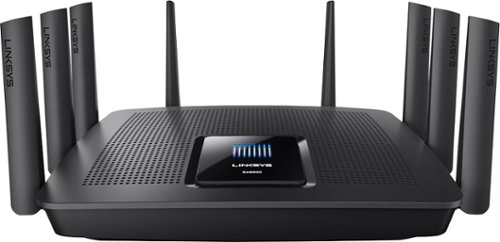
Your household is busy streaming media, working online, and playing games every day. This Linksys Wi-Fi Router will expand your network coverage, send signals directly to your devices, and deliver a lag-free connection, even when you~re all online at the same time.
Overall5 out of 5
5 out of 5Router In A League Of Its Own
By ryanmcv
from Phoenix, AZ
With dozens of Wi-Fi enabled devices in my home, I've long been searching for a router that can deliver maximum speeds to all devices with no interference. Having used mid-range ($150-$200) routers for the past several years, I thought I had reached the peak of Wi-Fi performance in my home. I've always been very skeptical of high-end ($300+) routers -- Can a tri-band router really make that much of a difference? As it turns out, yes it can -- especially if you have tons of devices and/or live in a dense housing development. Here's my take:
Setup and management:
- This thing is BIG, but it looks pretty cool. Eight antennas come pre-installed -- you simply flip them up-right.
- The Linksys EA9500 is a breeze to setup. If you're feeling super lazy, you can pretty much plug in the router, connect your cable or DSL modem, and be done with it. The router comes with a pre-set network name and password, which is printed on the bottom of the device. However, most people will want to customize these settings (along with a few others). This can be done easily by navigating to 192.168.1.1 in your web browser or by creating an account at the Linksys Smart Wi-Fi website. Creating this account allows you to manage your router's settings from anywhere in the world.
- The setup/administration interface is somewhat elementary, but it gets the job done. The Network Map feature is great to visualize all of the devices connected to the network and determine which of the three bands they are connected to (2.4GHz, 5GHz[1], or 5GHz[2]). You can also set parental controls to limit the amount of time specific devices can access the Internet. Other options include security settings, guest access, and settings for external storage.
- This thing is BIG, but it looks pretty cool. Eight antennas come pre-installed -- you simply flip them up-right.
- The Linksys EA9500 is a breeze to setup. If you're feeling super lazy, you can pretty much plug in the router, connect your cable or DSL modem, and be done with it. The router comes with a pre-set network name and password, which is printed on the bottom of the device. However, most people will want to customize these settings (along with a few others). This can be done easily by navigating to 192.168.1.1 in your web browser or by creating an account at the Linksys Smart Wi-Fi website. Creating this account allows you to manage your router's settings from anywhere in the world.
- The setup/administration interface is somewhat elementary, but it gets the job done. The Network Map feature is great to visualize all of the devices connected to the network and determine which of the three bands they are connected to (2.4GHz, 5GHz[1], or 5GHz[2]). You can also set parental controls to limit the amount of time specific devices can access the Internet. Other options include security settings, guest access, and settings for external storage.
Performance and Features:
- The defining feature of the EA9500 is the inclusion of an additional 5GHz wireless band. Using a technology that Linksys calls "Smart Connect," the router intelligently assigns devices to one of the two 5GHz Wi-Fi bands for higher performance. The router will “steer” devices to the optimum band, effectively telling devices to disconnect and reconnect to the other radio within the 5GHz band as needed. This process is seamless and ensures that neither of the two 5GHz bands becomes congested. With 5GHz-enabled devices ('N' and 'AC') becoming the norm, a tri-band router like this will give you ample room to grow.
- When connecting via 5GHz, I consistently max out my Internet download and upload speeds (130 mbps/15 mbps). Transferring files between two 802.11ac-equipped laptops on the network is astonishingly fast: I clocked one of the local transfers at nearly 450 mbps.
- Performance on the 2.4GHz band is acceptable, but pales in comparison to 5GHz. Speeds fluctuate greatly and I struggled to reach more than 100 mbps on most tests. I think this is more a limitation of the 2.4GHz band than it is of the router itself.
- Wireless range is excellent. I only have a 1,200 sq. ft. apartment, but I receive a full signal anywhere I go.
- My favorite feature is the external storage capability. I plugged in a 3 TB external hard drive and stream video files to my Apple TV with zero stuttering or buffering. You can even enable an FTP feature to access an external hard drive from anywhere with an Internet connection.
- The defining feature of the EA9500 is the inclusion of an additional 5GHz wireless band. Using a technology that Linksys calls "Smart Connect," the router intelligently assigns devices to one of the two 5GHz Wi-Fi bands for higher performance. The router will “steer” devices to the optimum band, effectively telling devices to disconnect and reconnect to the other radio within the 5GHz band as needed. This process is seamless and ensures that neither of the two 5GHz bands becomes congested. With 5GHz-enabled devices ('N' and 'AC') becoming the norm, a tri-band router like this will give you ample room to grow.
- When connecting via 5GHz, I consistently max out my Internet download and upload speeds (130 mbps/15 mbps). Transferring files between two 802.11ac-equipped laptops on the network is astonishingly fast: I clocked one of the local transfers at nearly 450 mbps.
- Performance on the 2.4GHz band is acceptable, but pales in comparison to 5GHz. Speeds fluctuate greatly and I struggled to reach more than 100 mbps on most tests. I think this is more a limitation of the 2.4GHz band than it is of the router itself.
- Wireless range is excellent. I only have a 1,200 sq. ft. apartment, but I receive a full signal anywhere I go.
- My favorite feature is the external storage capability. I plugged in a 3 TB external hard drive and stream video files to my Apple TV with zero stuttering or buffering. You can even enable an FTP feature to access an external hard drive from anywhere with an Internet connection.
Final Thoughts:
I was skeptical of this ultra-premium router, but I think I've finally found "the one." The performance and feature set of the EA9500 are truly top-of-the-line, especially if you have tons of devices equipped with 802.11n or 802.11ac that can take advantage of the two 5GHz bands. The remote management and external storage features enable you to create your own personal "cloud." If you want the best possible WI-FI performance in your home, don't be put off by the price tag. The EA9500 looks to provide stellar performance for years to come.
I was skeptical of this ultra-premium router, but I think I've finally found "the one." The performance and feature set of the EA9500 are truly top-of-the-line, especially if you have tons of devices equipped with 802.11n or 802.11ac that can take advantage of the two 5GHz bands. The remote management and external storage features enable you to create your own personal "cloud." If you want the best possible WI-FI performance in your home, don't be put off by the price tag. The EA9500 looks to provide stellar performance for years to come.
ryanmcv
Phoenix, AZ
October 1, 2017
Hate to break it to you, but I’ve been using the router for the past year and a half (ever since I posted the review) with not a single problem. Yes, I regularly clock local file transfers in excess of 450 megabits per second between two SSD-equipped PCs. Maybe you are confused on megabits vs. megabytes. High-end SSDs are more than capable of such speeds.
Also, I had no idea that multiple versions of this router exist. I suppose I’m using V1 since I received the router as soon as it launched. Since mine is still working perfectly, I think it’s a bit of a stretch to claim that “every last one” of the V1 models are faulty.
I’m sorry that you had problems with this router, but please don’t use your bad experience to discredit my review.
+7points
7of 7voted this comment as helpful.
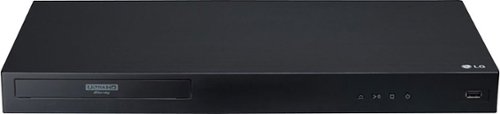
Set up a Dolby Vision home cinema with this LG Ultra HD Blu-ray player. It supports 4K and HDR content, and its Wi-Fi connectivity lets you enjoy premium on-demand programs from your favorite streaming providers. Play media files from a portable device via the USB port of this LG Ultra HD Blu-ray player.
Overall4 out of 5
4 out of 5Beautiful Picture; Limited Features
By ryanmcv
from Phoenix, AZ
The LG UBK90 is a worthy successor to LG's previous player, the UP970. It is Dolby Vision-compatible out of the box and should be an excellent 4K Blu-ray player for most users. However, it's missing a few features that some A/V enthusiasts would enjoy.
PROS:
- Easy set up. Simply connect an HDMI cable (make sure it's a Certified Premium cable), plug it into a power outlet, and then follow the on-screen instructions.
- Very fast and responsive. Discs are fast to load and the unit responds to commands from the remote quickly.
- Dual HDMI outputs. HDMI 2 is reserved for audio-only output. Perfect for those with older soundbars or receivers that can't pass through Dolby Vision or HDR signals.
- Beautiful picture quality. I've tried several UHD Blu-rays, 3D Blu-rays, regular Blu-rays, and even some old DVDs. All look very nice. For UHD Blu-rays, the player automatically engages Dolby Vision or HDR10 depending on the format of the disc. Unlike some other 4K Blu-ray players, this player supports Dolby Vision out of the box -- you don't have to wait for any firmware updates.
- Quiet operation. A common complaint of the previous UP970 model was that the disc drive sounded like a jet engine. The UBK90 has been extremely quiet during all discs that I've played.
- Solid build quality. It's not as sturdy or hefty as some competing models, but it feels noticeably heavier and more solidly built than the UP970.
- The remote control is lightweight and comfortable to hold.
- Easy set up. Simply connect an HDMI cable (make sure it's a Certified Premium cable), plug it into a power outlet, and then follow the on-screen instructions.
- Very fast and responsive. Discs are fast to load and the unit responds to commands from the remote quickly.
- Dual HDMI outputs. HDMI 2 is reserved for audio-only output. Perfect for those with older soundbars or receivers that can't pass through Dolby Vision or HDR signals.
- Beautiful picture quality. I've tried several UHD Blu-rays, 3D Blu-rays, regular Blu-rays, and even some old DVDs. All look very nice. For UHD Blu-rays, the player automatically engages Dolby Vision or HDR10 depending on the format of the disc. Unlike some other 4K Blu-ray players, this player supports Dolby Vision out of the box -- you don't have to wait for any firmware updates.
- Quiet operation. A common complaint of the previous UP970 model was that the disc drive sounded like a jet engine. The UBK90 has been extremely quiet during all discs that I've played.
- Solid build quality. It's not as sturdy or hefty as some competing models, but it feels noticeably heavier and more solidly built than the UP970.
- The remote control is lightweight and comfortable to hold.
CONS:
- There is no "subtitle" button on the remote. If you want to turn on subtitles during movie playback, you'll need to press the "info" button and then turn on subtitles via an on-screen menu.
- The user interface design of this player is archaic - like something out of the early 2000s. It works, but I personally think it's time for LG to add a bit more polish.
- The settings menu is extremely limited. There are no advanced audio/video settings. No Bluetooth connectivity for wireless headphones. No obvious way to stream media from a home network.
- There is no advanced playback information while watching a disc. Some other Blu-ray players are capable of displaying detailed video/audio codec information as well as bitrate during disc playback. Likely not a big deal for average users, but advanced users might miss having this information available.
- Only two streaming services - Netflix and YouTube - are available. It doesn't appear that anymore will be added.
- There is no "subtitle" button on the remote. If you want to turn on subtitles during movie playback, you'll need to press the "info" button and then turn on subtitles via an on-screen menu.
- The user interface design of this player is archaic - like something out of the early 2000s. It works, but I personally think it's time for LG to add a bit more polish.
- The settings menu is extremely limited. There are no advanced audio/video settings. No Bluetooth connectivity for wireless headphones. No obvious way to stream media from a home network.
- There is no advanced playback information while watching a disc. Some other Blu-ray players are capable of displaying detailed video/audio codec information as well as bitrate during disc playback. Likely not a big deal for average users, but advanced users might miss having this information available.
- Only two streaming services - Netflix and YouTube - are available. It doesn't appear that anymore will be added.
OTHER THOUGHTS:
- There is a known issue with Dolby Vision over HDMI on LG OLED TVs. During certain movies, black levels (particularly the black bars above and below the picture) will appear as a murky grey rather than perfect black. Usually, the black levels will flicker back-and-forth between perfect black and grey during the entire movie. I tried to watch The Matrix 4K disc (with Dolby Vision) on the UBK90 connected to my LG OLED C6 TV. The elevated black levels were so distracting that I had to stop watching. Unfortunately, there is no way to force the UBK90 into HDR10 mode for discs that have Dolby Vision, which would solve the black level issue (at the expense of Dolby Vision). So in order to watch The Matrix, I had to reconnect an older 4K Blu-ray player that does not support Dolby Vision. Some discs do not have this issue: Black Panther and Saving Private Ryan appeared to play in Dolby Vision with perfect black levels. Regardless, LG has acknowledged that this is a problem with its OLED TVs, but still has not fixed it. It needs to be fixed ASAP.
- There is a known issue with Dolby Vision over HDMI on LG OLED TVs. During certain movies, black levels (particularly the black bars above and below the picture) will appear as a murky grey rather than perfect black. Usually, the black levels will flicker back-and-forth between perfect black and grey during the entire movie. I tried to watch The Matrix 4K disc (with Dolby Vision) on the UBK90 connected to my LG OLED C6 TV. The elevated black levels were so distracting that I had to stop watching. Unfortunately, there is no way to force the UBK90 into HDR10 mode for discs that have Dolby Vision, which would solve the black level issue (at the expense of Dolby Vision). So in order to watch The Matrix, I had to reconnect an older 4K Blu-ray player that does not support Dolby Vision. Some discs do not have this issue: Black Panther and Saving Private Ryan appeared to play in Dolby Vision with perfect black levels. Regardless, LG has acknowledged that this is a problem with its OLED TVs, but still has not fixed it. It needs to be fixed ASAP.
OVERALL:
If you're looking for a no-frills 4K Blu-ray player to go with your new Dolby Vision-enabled TV, this is a great option. However, competing models in the same price range offer more advanced features and more streaming services that some users will enjoy. Perhaps most importantly, LG needs to address the elevated Dolby Vision black level issue via firmware updates ASAP. Otherwise, the benefits of many Dolby Vision Blu-ray discs will be lost on owners of LG OLED TVs.
If you're looking for a no-frills 4K Blu-ray player to go with your new Dolby Vision-enabled TV, this is a great option. However, competing models in the same price range offer more advanced features and more streaming services that some users will enjoy. Perhaps most importantly, LG needs to address the elevated Dolby Vision black level issue via firmware updates ASAP. Otherwise, the benefits of many Dolby Vision Blu-ray discs will be lost on owners of LG OLED TVs.
ryanmcv
Phoenix, AZ
Atmos through Netflix
June 22, 2018
Unfortunately, it doesn't appear that the Netflix app on the UBK90 outputs Dolby Atmos. This might change with a future software update. The upcoming tvOS 12 update for Apple TV 4K will enable Dolby Atmos, and I'm willing to bet that Netflix will add Atmos support for their Apple TV app at that time.
+4points
4of 4voted this comment as helpful.
ryanmcv's Questions
ryanmcv has not submitted any questions.
ryanmcv's Answers
ryanmcv has not submitted any answers.