
Share TooRound's profile


TooRound
TooRound's stats
- Review count14
- Helpfulness votes5
- First reviewMay 30, 2014
- Last reviewAugust 19, 2016
- Featured reviews0
- Average rating3.6
Reviews comments
- Review comment count0
- Helpfulness votes0
- First review commentNone
- Last review commentNone
- Featured review comments0
Questions
- Question count0
- Helpfulness votes0
- First questionNone
- Last questionNone
- Featured questions0
- Answer count3
- Helpfulness votes0
- First answerMay 30, 2014
- Last answerAugust 1, 2015
- Featured answers0
- Best answers0
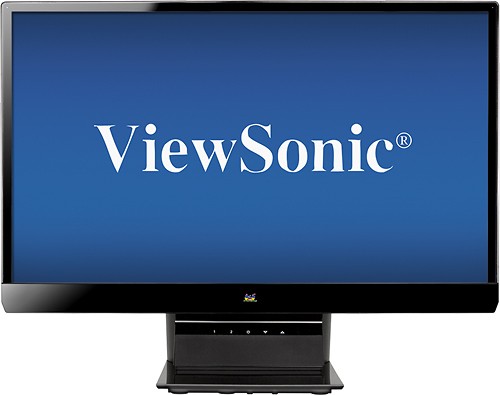
With 1920 x 1080 resolution and SuperClear IPS panel technology, this 27" ViewSonic VX2770SMH-LED LED HD monitor displays images in brilliant clarity to enhance your video editing and graphic design capabilities.
Posted by: TooRound
from Dayton OH
Verified Purchase:Yes
got this to set between two 22" LCD monitors. love it!
My Best Buy number: 2101849380
What's great about it: it is a 27" monitor what isn't great?
What's not so great: it wasn't free i suppose
I would recommend this to a friend!
Features

4
Design

5
Share this review:


+1point
3of 5voted this as helpful.
![The Hobbit: The Desolation of Smaug [Includes Digital Copy] [UltraViolet] [3D] [Blu-ray/DVD] [Blu-ray/Blu-ray 3D/DVD] [2013]](https://pisces.bbystatic.com/prescaled/500/500/image2/BestBuy_US/images/products/802e7911-889f-409d-b624-135ea8f9431b.jpg)
Customer Rating

5
It is the Hobbit in 3d!
on May 30, 2014
Posted by: TooRound
from Dayton OH
Verified Purchase:Yes
well it is the second part of the Hobbit in 3d and it looks better on our 47" Lg than it did at the theater. can't wait for the next one is out.
My Best Buy number: 2101849380
My Best Buy number: 2101849380
What's great about it: it is the Hobbit in 3d!
What's not so great: nothing
I would recommend this to a friend!
Other Best Buy Products I Recommend

The Hobbit: An Unexpected Journey [4 Discs] [Includes Digital Copy] [3D] [Blu-ray] [Blu-ray/Blu-ray 3D] [2012]
 (438)
(438)Share this review:


0points
0of 0voted this as helpful.
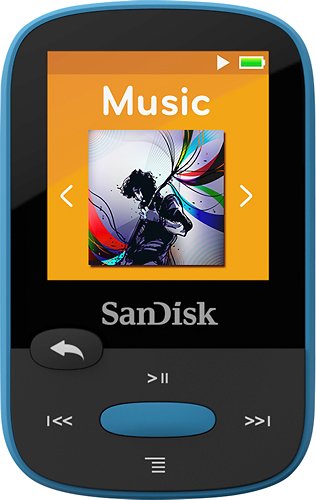
This SanDisk Clip Sport MP3 player features 8GB* of built-in storage for ample space to bring your music with you on the go. The 1.4" TFT-LCD screen enables easy navigation of your media while you're in motion.
Customer Rating

4
nice mp3 player
on May 30, 2014
Posted by: TooRound
from Dayton OH
Age Range:35-44
Number of MP3 Players Owned:More than 5
Verified Purchase:Yes
i've owned several mp3 players from Sandisk. i primarily use them to record our d&d games (like sports teams review games. i know i'm weird). just assumed this one could record like the others. it doesn't so i gave it to my wife then went and bought an older version for my games. of course it is a great mp3 player like all the others from Sandisk with long battery lifer and big storage.
My Best Buy number: 2101849380
My Best Buy number: 2101849380
What's great about it: easy to use large storage
What's not so great: cannot record
I would recommend this to a friend!
Other Best Buy Products I Recommend
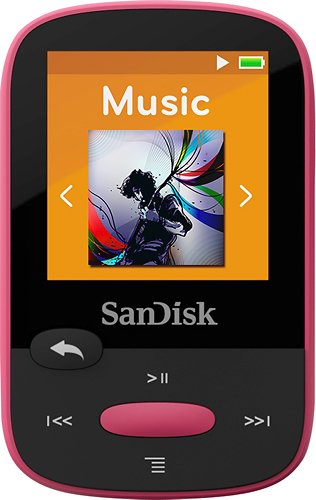
SanDisk - Clip Sport 8GB* MP3 Player - Pink
(98)Durability
5
Sound Quality
5
Features

3
Ease of Use
5
Share this review:


0points
0of 0voted this as helpful.
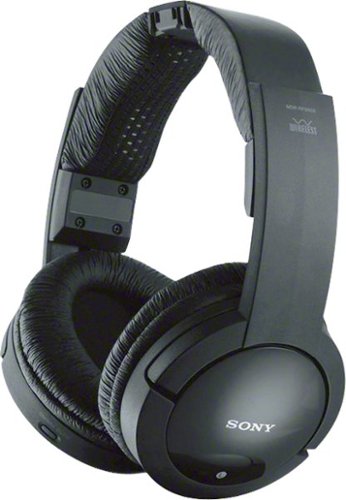
Enjoy clear sound with these Sony MDRRF985RK over-the-ear headphones that include a transmitter and feature automatic tuning, so you can easily listen to music and more at a range of up to 150'. The easy-adjust headband offers comfort.
Customer Rating
5
use it every day
on May 30, 2014
Posted by: TooRound
from Dayton OH
How Often Used:Daily
Verified Purchase:Yes
got this after purchasing a similar product advertised on tv that really didn't work well. my wife and i are on different sleeping schedules. this set works nicely and now we can both use the big tv while the other gets some sleep.
My Best Buy number: 2101849380
My Best Buy number: 2101849380
What's great about it: comfortable use it for tv and video games
What's not so great: nada
I would recommend this to a friend!
Sound Quality
5
Comfort
5
Durability
5
Share this review:


0points
0of 0voted this as helpful.
TooRound's Review Comments
TooRound has not submitted comments on any reviews.
TooRound's Questions
TooRound has not submitted any questions.
TooRound's Answers
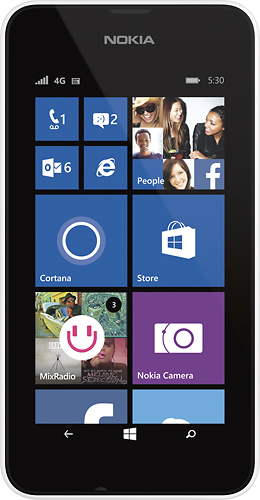
Microsoft Lumia 530 No-Contract Cell Phone for T-Mobile Prepaid: Enjoy the functionality of a phone, plus check your e-mail, download videos and music and use a 5.0MP camera to snap photos with the Microsoft Lumia 530. Use the touch screen to navigate through features with ease.
how many a minutes a month can I buy with this phone? where can I buy the minutes? Besides prepaid minutes, what are the other costs, either one-time
or monthly. new cell phone user I am supposed to be able to get this today for 9.99 with a plan but when I go to buy it online I am told I have to go to the store. Is that right? Why do I have to buy a plan if it is a prepaid phone? I am confused.
i was also confused by this but the way i (think) understand it is that you get texts and minutes for $3, taken from a $9.99 prepaid card. in 30 days another $3 buys the same amount of texts and minutes. I had to call the number on the card for help on this.
10 years, 10 months ago
by
TooRound
Dayton OH
HP Moitor
Why does a monitor suddenly go black while is use? Is it going bad or something else. Thank you
Control Panel, Device Manager, Monitors, right click on your monitor then click Properties. Under the General tab Windows may tell you that your monitor isn't working properly. If this is the case, try
Check your monitor settings (my Viewsonic monitor has an auto off option that will turn it off regardless of whether it is in use or not)
Update the monitor's drivers (if it came with a disk from the manufacturer use those drivers instead of the generic Windows Drivers.)
Check your Power Plan:
For Windows 7
Go to Control Panel, System and Security, Power Options. under Preferred Plans, pick whichever plan and click Change plan settings. Choose how long before your monitor turns off.
If you want a screen saver to run instead of just going dark, right click on your desktop choose personalize and note or change your screen saver (it is in the bottom right corner).
Check your motherboard settings.
Check your graphics card's settings (though I've never heard of a graphics card that did what you've described).
Hope any of these help.
Check your monitor settings (my Viewsonic monitor has an auto off option that will turn it off regardless of whether it is in use or not)
Update the monitor's drivers (if it came with a disk from the manufacturer use those drivers instead of the generic Windows Drivers.)
Check your Power Plan:
For Windows 7
Go to Control Panel, System and Security, Power Options. under Preferred Plans, pick whichever plan and click Change plan settings. Choose how long before your monitor turns off.
If you want a screen saver to run instead of just going dark, right click on your desktop choose personalize and note or change your screen saver (it is in the bottom right corner).
Check your motherboard settings.
Check your graphics card's settings (though I've never heard of a graphics card that did what you've described).
Hope any of these help.
11 years, 8 months ago
by
TooRound
Dayton OH
Enjoy clear sound with these Sony MDRRF985RK over-the-ear headphones that include a transmitter and feature automatic tuning, so you can easily listen to music and more at a range of up to 150'. The easy-adjust headband offers comfort.
Is there a way to connect the system to earbuds?
our elderly user finds the ear phones too heavy. Earbuds would solve the problem. She is hard of hearing and these work great except for the weight.
you can get adapters for almost any type of wire. you'd probably be wired to the unit and close to the tv though. just search Audio Adapters on this sight
12 years ago
by
TooRound
Dayton OH