
Share Hungary's profile


Hungary
Hungary's stats
- Review count6
- Helpfulness votes0
- First reviewDecember 3, 2014
- Last reviewDecember 29, 2015
- Featured reviews0
- Average rating4.7
Reviews comments
- Review comment count0
- Helpfulness votes0
- First review commentNone
- Last review commentNone
- Featured review comments0
Questions
- Question count0
- Helpfulness votes0
- First questionNone
- Last questionNone
- Featured questions0
- Answer count2
- Helpfulness votes1
- First answerDecember 29, 2015
- Last answerDecember 29, 2015
- Featured answers0
- Best answers0
Hungary's Reviews
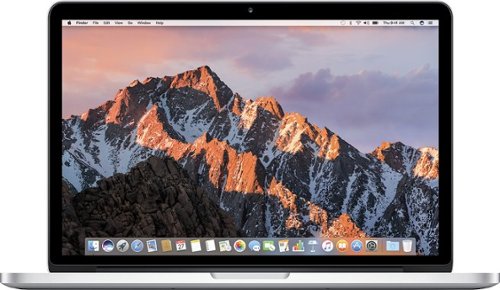
MacBook Pro features Intel's latest quad core processor, the core i5 processor, for a boost in processor and memory speeds. New next-generation graphics deliver performance levels that are up to 60 percent faster than before. And high-speed Thunderbolt I/O lets you transfer data at rates up to 10 GBps. The MacBook Pro is a great computer that just got even greater.
Customer Rating

4
Great machine
on December 29, 2015
Posted by: Hungary
Verified Purchase:Yes
I really like this Mac. Just making the cutover from windows. Two recommendations: 1) This is an updated older model design, which makes it a less expensive way to go Mac. Plus, unlike the newest Macs, it has a DVD player/burner. It is good as it is, but if you really want to make it go zoom. Replace the hard drive with an SSD and max out the RAM at 16GB. You will really enjoy the result. Best Buy can help with those upgrades. You can do it yourself for about $200 if you watch the Best Buy sales. Geek Squad will probably do it for a fee, but I found it fairly simple to do myself after watching YouTube instructional videos. 2) While iMovie is an excellent free app, If you are buying Mac because you want to make home video DVDs. Apple no longer supports the iDVD function that was included in the Mac package, so you'll have to do get a 3rd party product to use to burn DVD with menus and chapters of your iMovie productions. This was my only disappointment, but it was a biggie since video DVD production was a main reason I switched over. 3) Overall I really like it. Of particular note, this keyboard is really smooth under your fingers and i like it a lot, ... the mouse pad takes a bit of getting used to if you are just cutting over from windows, but works very well. This machine just says "quality" every way you look at it.
Excellent machine, though Apple could make me a lot happier if the ability to burn home movie DVDs with chapters and menus were included as part of the package.
My Best Buy number: 0407813692
I would recommend this to a friend!
Share this review:


0points
0of 0voted this as helpful.

FIFA 16 innovates across the entire pitch to deliver a balanced, authentic, and exciting football experience that lets you play your way, and compete at a higher level. And with all new ways to play!With innovative gameplay features, FIFA 16 brings Confidence in Defending, Control in Midfield, and gives you the tools to create more Moments of Magic than ever before. Fans new to the franchise, or skilled players looking to improve their game will have a chance to Compete at a Higher Level using the all new FIFA Trainer. Innovation Across the Entire Pitch. New Ways to Play. Compete at a Higher Level.Play Beautiful in FIFA 16.
Customer Rating

5
Great Game.
on November 2, 2015
Posted by: Hungary
Verified Purchase:Yes
My kids love it. It does capture the dramatics of the sport. You just can't get any more family friendly than this and still have a game your teens will really enjoy.
My Best Buy number: 0407813692
My Best Buy number: 0407813692
Mobile Submission: True
I would recommend this to a friend!
Share this review:


0points
0of 0voted this as helpful.
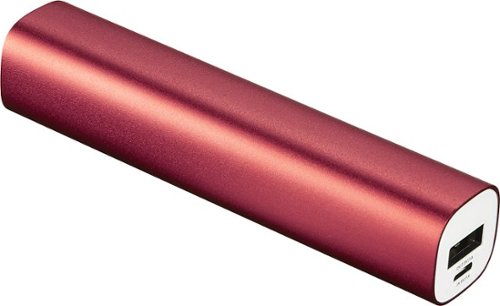
This Dynex~ DX-922 portable battery recharges most devices with a micro USB charge port, so you can talk, text and surf longer. The aluminum housing provides protection against bumps, scratches and other accidental damage.
Customer Rating
4
Works great!
on November 2, 2015
Posted by: Hungary
Verified Purchase:Yes
Works great and is a real bargain for the price. Feels sturdy and looks professional too. The only thing holding back the fifth star is that the light to see it charging or complete is not so plain to see. I have to pick it up and look at it, a small task considering the bargain price.
My Best Buy number: 0407813692
My Best Buy number: 0407813692
Mobile Submission: True
I would recommend this to a friend!
Share this review:


0points
0of 0voted this as helpful.
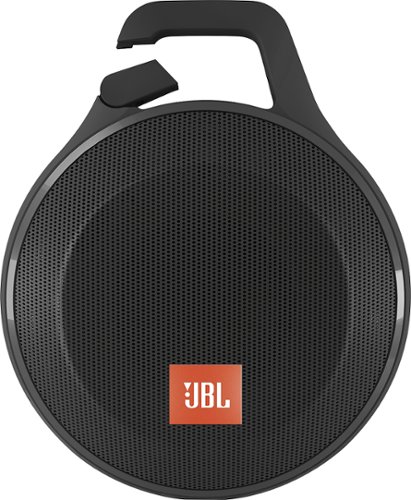
With a Bluetooth interface, this JBL Clip+ JBLCLIPPLUSBLK portable speaker allows you to wirelessly stream music from compatible Bluetooth-enabled devices. A built-in carabiner makes it easy to take the speaker on the go.
Customer Rating
5
Great Deal at the on sale price
on November 2, 2015
Posted by: Hungary
Verified Purchase:Yes
Very handy portability. Sounds great at all volumes except at the maximum volume it starts to distort a little. Got it on sale and at the on sale price I feel that I got a real bargain. Takes a couple of hours to charge and at a fairly high volume it will last a couple hours. If you turn it down for closer in use, you can add a couple more hours.
My Best Buy number: 0407813692
My Best Buy number: 0407813692
Mobile Submission: True
I would recommend this to a friend!
Share this review:


0points
0of 0voted this as helpful.
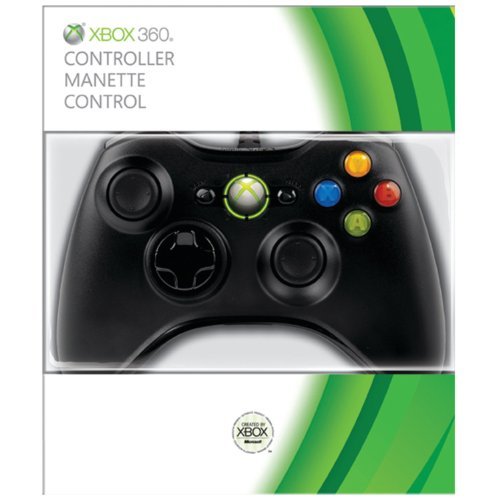
The days of primitive joysticks and wheel paddles are long gone. Modern gaming requires a precise, responsive and comfortable controller, and the Xbox 360 stands right on the cutting edge. When you're ready to switch between your games, movies and music, you don't want to be bogged down by tedious menus and selection screens. Experience thrilling gameplay with the new standard in wired controllers.The Xbox 360 Controller features compact ergonomics for comfortable play and accommodates gamers of all sizes and skill levels. The centralized Xbox Guide button provides you with instant access to your digital movies, music and games at just the touch of a glowing button. Adjustable vibration feedback results in a more personalized gaming experience, and the unit works with most Windows Vista-based PCs in addition. An integrated port accepts the Xbox 360 headset, and the extended 9' cable lets you sit a comfortable distance from the screen. The next generation of gaming and entertainment is here.
Customer Rating
5
Good product
on December 26, 2014
Posted by: Hungary
Verified Purchase:Yes
Works great! 12 foot of cord instead of the 10 supplied would fit our playroom better, but quite satisfied!
My Best Buy number: 0407813692
My Best Buy number: 0407813692
I would recommend this to a friend!
Share this review:


0points
0of 0voted this as helpful.
![Despicable Me [DVD] [Standard]](https://pisces.bbystatic.com/prescaled/500/500/image2/BestBuy_US/images/products/5dc664ea-2a21-457b-8938-4f9c0939c08a.jpg)
Customer Rating
5
Great for all ages!!!
on December 3, 2014
Posted by: Hungary
Verified Purchase:Yes
Looks like a kids movie, but my teens loved it, I loved it and kids love it. You'll watch it multiple times...its that funny and has a great story! This should be an icon in everyone's collection.
My Best Buy number: 0407813692
My Best Buy number: 0407813692
I would recommend this to a friend!
Share this review:


0points
0of 0voted this as helpful.
Hungary's Review Comments
Hungary has not submitted comments on any reviews.
Hungary's Questions
Hungary has not submitted any questions.
Hungary's Answers
MacBook Pro features Intel's latest quad core processor, the core i5 processor, for a boost in processor and memory speeds. New next-generation graphics deliver performance levels that are up to 60 percent faster than before. And high-speed Thunderbolt I/O lets you transfer data at rates up to 10 GBps. The MacBook Pro is a great computer that just got even greater.
Can I upgrade to 8 gb RAM?, or higher?
I read online tech articles that said Mac has upgraded this design model, but did not upgrade the specs, and therefore can take 16GB of RAM. So, I tried it. I put in 16GB of RAM and swapped the Hard Drive for an SSD. It really zooms now, and it recognizes the 16GB. I have been doing HD video editing, and it hasn't hesitated at all. If you can watch for a sale the PNY RAM 2 x 8GB at Best Buy is what I used at a very nice price when on sale.
10 years, 5 months ago
by
Hungary
MacBook Pro features Intel's latest quad core processor, the core i5 processor, for a boost in processor and memory speeds. New next-generation graphics deliver performance levels that are up to 60 percent faster than before. And high-speed Thunderbolt I/O lets you transfer data at rates up to 10 GBps. The MacBook Pro is a great computer that just got even greater.
Is this mac book pro good for making and editing vidoes? movies?
Yes and no. Depending on the end product you want.
Yes, the free iMovie app is an excellent product. As long as you don't want to get super sophisticated in your editing the iMovie app does a lot for something you get included free. I found it fairly easy to use, especially since there are You Tube tutorials. Just make sure the tutorials you watch are recent. If you want to post the videos online or make data DVD disks then iMovie is a great tool.
If you really want to make it hum on the video making, watch for some sales... you can replace the hard drive with an SSD and upgrade the RAM to 16GB for around $220. That makes it really zoom and produces a machine that video edits without the slightest hesitation, in my experience. Once you purchase the SSD and RAM, I am sure Geek Squad will replace your hard drive and RAM for a fee, but after watching You Tube instructional videos, it was fairly simple to do myself.
No, if you want to make Home move DVDs that play on any DVD player with Menus and Chapters. That's not the machine, that's Mac. When they took most of the DVD burners out of their newest models, they stopped supporting the iDVD app that allowed you to take your iMovie produced videos and burn them to DVDs with menus and chapters. I think they made this decision prematurely, but it depends on what you want to do with your videos.
There are lots of 3rd party apps available that do Video DVD burning, but being new to Mac, I haven't determined yet which one is a good one. None get great reviews. Final Cut Pro is the Mac app of choice for super great video editing functionality, but that costs $300 and you'd probably want to go to a newer model Mac for that, which isn't exactly a budget option.
Yes, the free iMovie app is an excellent product. As long as you don't want to get super sophisticated in your editing the iMovie app does a lot for something you get included free. I found it fairly easy to use, especially since there are You Tube tutorials. Just make sure the tutorials you watch are recent. If you want to post the videos online or make data DVD disks then iMovie is a great tool.
If you really want to make it hum on the video making, watch for some sales... you can replace the hard drive with an SSD and upgrade the RAM to 16GB for around $220. That makes it really zoom and produces a machine that video edits without the slightest hesitation, in my experience. Once you purchase the SSD and RAM, I am sure Geek Squad will replace your hard drive and RAM for a fee, but after watching You Tube instructional videos, it was fairly simple to do myself.
No, if you want to make Home move DVDs that play on any DVD player with Menus and Chapters. That's not the machine, that's Mac. When they took most of the DVD burners out of their newest models, they stopped supporting the iDVD app that allowed you to take your iMovie produced videos and burn them to DVDs with menus and chapters. I think they made this decision prematurely, but it depends on what you want to do with your videos.
There are lots of 3rd party apps available that do Video DVD burning, but being new to Mac, I haven't determined yet which one is a good one. None get great reviews. Final Cut Pro is the Mac app of choice for super great video editing functionality, but that costs $300 and you'd probably want to go to a newer model Mac for that, which isn't exactly a budget option.
10 years, 5 months ago
by
Hungary