
Share R1ceBurner's profile


R1ceBurner
R1ceBurner's stats
- Review count8
- Helpfulness votes3
- First reviewAugust 9, 2013
- Last reviewAugust 25, 2017
- Featured reviews0
- Average rating4.5
Reviews comments
- Review comment count0
- Helpfulness votes0
- First review commentNone
- Last review commentNone
- Featured review comments0
Questions
- Question count0
- Helpfulness votes0
- First questionNone
- Last questionNone
- Featured questions0
- Answer count1
- Helpfulness votes42
- First answerJune 29, 2017
- Last answerJune 29, 2017
- Featured answers0
- Best answers1
R1ceBurner's Reviews
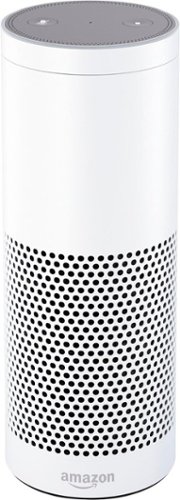
Control your technology from afar with this Amazon Echo voice-activated speaker. The hands-free technology lets you control it with only your voice, and the 360~ omnidirectional sound fills the room with music. This Amazon Echo voice-activated speaker answers questions and offers news, sports and weather updates to keep you in the know.
Customer Rating

5
Great as a speaker and for home automation
on August 25, 2017
Posted by: R1ceBurner
from Long Beach, CA
Verified Purchase:Yes
The full size echo sounds great and is responsive. Setup is easy. I use it with Phillips Hue and Plum light pad. Works well.
New "drop in" feature allows me to use the full size Echo, Echo Dot and Echo Show as intercom units.
My Best Buy number: 0537905250
My Best Buy number: 0537905250
Mobile Submission: True
I would recommend this to a friend!
Share this review:


0points
0of 0voted this as helpful.
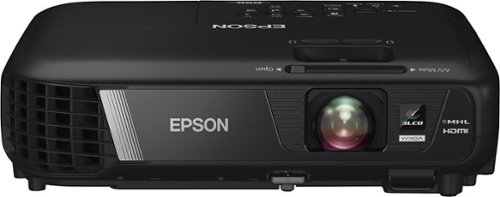
Display presentations and videos in 1280 x 800 resolution with this Epson EX7240 Pro projector, which features 3200 lumens of white and color brightness and 3LCD, 3-chip technology for clear images with rich colors and intricate detail.
Customer Rating

4
Works well
on June 30, 2017
Posted by: R1ceBurner
from Long Beach, CA
Verified Purchase:Yes
Purchased for use as outdoor movie projector and it works well for this but there a few things to note (later in the review).
This is pretty much a plug and play device for what I wanted to use it for. I'm pretty sure that connecting to a PC would be as easy as it was for me to setup for movies.
This is pretty much a plug and play device for what I wanted to use it for. I'm pretty sure that connecting to a PC would be as easy as it was for me to setup for movies.
NOTE: This is only a projector, you will need a source, something to connect to that is capable of playing what you want. I have tried a laptop, XBox1S, Nintendo Switch and Amazon FireTV. They all work to project an image using HDMI. There is no audio OUT from the projector and the built in speaker should not be the only speaker. With this being said. The laptop and Switch worked well because they have a 3.5mm audio jack that allows for the connection to speakers. The Xbox1S only has a digital audio output from the console, BUT, the wireless controller did allow for the 3.5mm jack to connect to and work to send the sound to the speakers (adjustment for sound settings needed for the controller). The Amazon FireTV only has digital audio out. Unless you connect the audio out from the FireTV to a real AV receiver it will be difficult to hear the audio.
My Best Buy number: 0537905250
My Best Buy number: 0537905250
Mobile Submission: False
I would recommend this to a friend!


Share this review:


+3points
3of 3voted this as helpful.
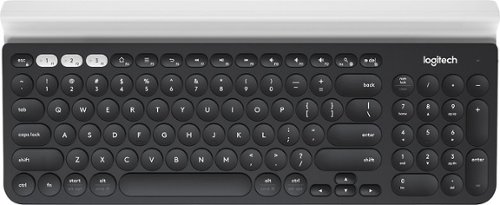
Type with this multi-device Logitech wireless keyboard. The built-in rubber cradle supports devices vertically, making small screens easily viewable, and 128-bit AES encryption keeps information private. Compatible with Windows, Mac, Chrome and Android devices, this Logitech wireless keyboard uses USB and Bluetooth technology to connect to your smartphone and tablet.
Customer Rating
4
Works well
on June 30, 2017
Posted by: R1ceBurner
from Long Beach, CA
Verified Purchase:Yes
Purchased this to be used at work on my desktop and with my Surfacebook.
The keyboard comes with a unifying dongle that is already paired with the keyboard. I was able to quickly pair a Logitech mouse using the Logitech unifying software. The keyboard connects to the surface using Bluetooth. This was done by "adding device" in the Bluetooth settings of the surface. The keyboard itself lays flat and does not have any legs to angle the keyboard. I used erasers on opposite ends to raise it to my liking. Switching from one device to another is easy to do once you have it setup.
The biggest complaint I have is that the default layout requires that the fn button is pressed to use the F1-F12 keys. To change this the Logitech Options software must be downloaded. From there you can set the f-lock so that the F1-F12 act as regular F1-F12 keys.
My Best Buy number: 0537905250
My Best Buy number: 0537905250
Mobile Submission: False
I would recommend this to a friend!
Share this review:


0points
0of 0voted this as helpful.
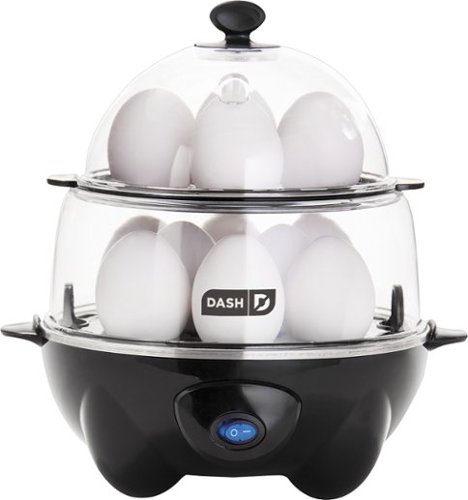
Dash Egg Cooker Deluxe: Cook up an omelet for yourself quickly with this 360W egg cooker, which features an easy-to-operate switch for simple control. Use the integrated timer to soft-, medium- or hard-boil your eggs.
Customer Rating
4
Cook's eggs well
on March 3, 2017
Posted by: R1ceBurner
from Long Beach, CA
Verified Purchase:Yes
I use it to make hard boiled eggs in the morning at work. Easy to use. Make sure to use the included measuring cup fore "doneness" and to BE SURE TO PIERCE THE EGG
My Best Buy number: 0537905250
My Best Buy number: 0537905250
Mobile Submission: True
I would recommend this to a friend!
Share this review:


0points
0of 0voted this as helpful.
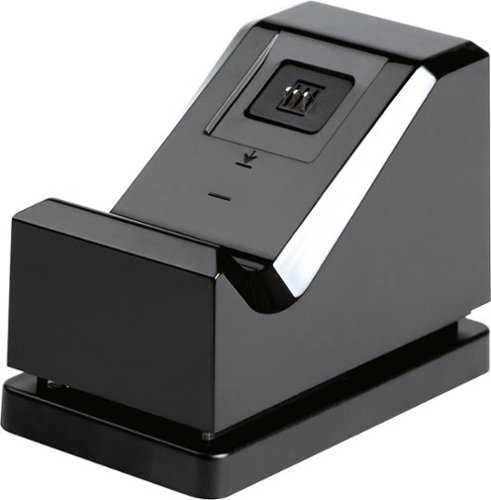
You duck behind a burned out car just as the bullets whiz past. You and your squad have been moving methodically through this arena and are a few yards away from the flag. Your team has suffered heavy casualties, and you know the next kill will end this match. Just as you were about to vault over your obstacle and make a run at the flag, a grenade lands at your feet. You hit the X button to no avail. The timer counts down as you mash on the button ~ but it's too late. Your controller has run out of juice. With this Power A Charging Station, you'll be able to keep your Xbox One controller powered and ready for your next action-packed adventure.
Customer Rating
4
Works, easy to use
on February 3, 2017
Posted by: R1ceBurner
from Long Beach, CA
Verified Purchase:Yes
It works. Easy to use. Keep it pressed down for easy charging
My Best Buy number: 0537905250
My Best Buy number: 0537905250
Mobile Submission: True
I would recommend this to a friend!
Share this review:


0points
0of 0voted this as helpful.
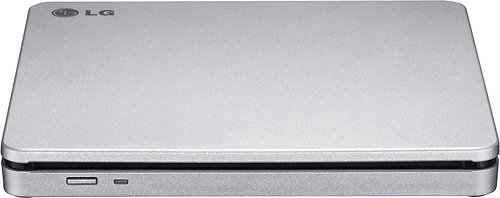
Copy your favorite movies and music to disc with this LG AP70NS50 double-layer DVD~RW/CD-RW drive, which features an overall maximum DVD write speed of 8x for speedy burning. The slim design allows easy portability.
Customer Rating
5
slim portable, works
on April 1, 2015
Posted by: R1ceBurner
from Long Beach, CA
Verified Purchase:Yes
cant get much smaller than this. slim, no AC cord needed. works perfect with the new Intel NUCs.
My Best Buy number: 0537905250
My Best Buy number: 0537905250
I would recommend this to a friend!
Share this review:


0points
0of 0voted this as helpful.
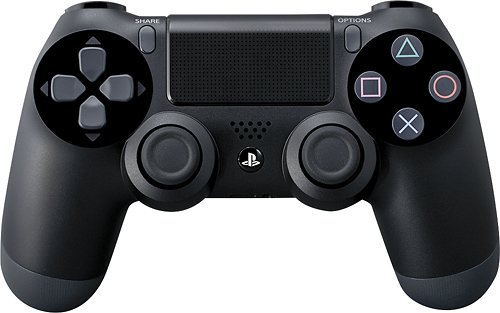
DualShock 4 Wireless Controller for PlayStation 4: Improved dual analog sticks and trigger buttons offer an impressive sense of control, while the capacitive touchpad opens up endless potential for new gameplay possibilities.
Customer Rating
5
It's a controller for the PS4
on January 16, 2015
Posted by: R1ceBurner
from Long Beach, CA
Verified Purchase:Yes
its a wireless controller that works with the PS4.
My Best Buy number: 0537905250
My Best Buy number: 0537905250
Mobile Submission: True
I would recommend this to a friend!
Share this review:


0points
0of 0voted this as helpful.
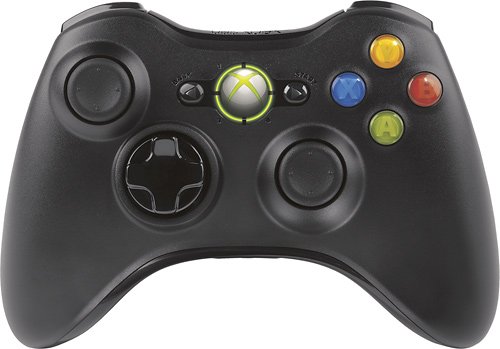
Learn more about Xbox 360 Wireless Controller. (Flash demo)Xbox 360 takes wireless technology to the next level. Experience precision and comfort with the Xbox 360 Wireless Controller. Feel the freedom of no restraints as you enhance your gaming pleasure.Powerful 2.4GHz wireless technology with a 30' range should be enough to accommodate almost any room and TV size, and controller response is lag-free. This unit also features adjustable vibration feedback. Free yourself and leave bothersome wires in the past where they belong.
Customer Rating
5
It's a wireless controller
on August 9, 2013
Posted by: R1ceBurner
from Long Beach, CA
Verified Purchase:Yes
It's an Xbox wireless controller, it works. Easy setup.
My Best Buy number: 0537905250
My Best Buy number: 0537905250
What's great about it: It works.
I would recommend this to a friend!
Other Best Buy Products I Recommend
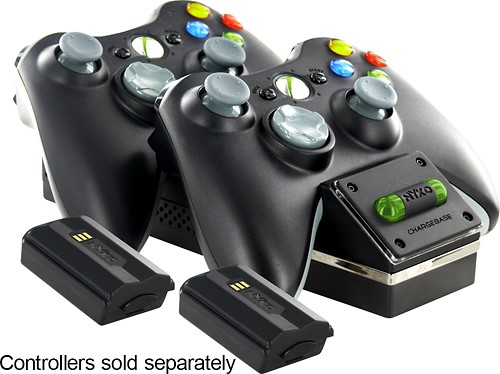
Nyko - Charge Base 360 Dual-Port Controller Charging System for Xbox 360
Share this review:


0points
0of 0voted this as helpful.
R1ceBurner's Review Comments
R1ceBurner has not submitted comments on any reviews.
R1ceBurner's Questions
R1ceBurner has not submitted any questions.
R1ceBurner's Answers
Type with this multi-device Logitech wireless keyboard. The built-in rubber cradle supports devices vertically, making small screens easily viewable, and 128-bit AES encryption keeps information private. Compatible with Windows, Mac, Chrome and Android devices, this Logitech wireless keyboard uses USB and Bluetooth technology to connect to your smartphone and tablet.
What do you use in place of the F2mkey on regular keyboard?
So I think you are asking about the F1, F2 & F3 keys. The default behaviour is to select your connected device.
When using with a Windows pc, You need to download the Logitech options software. This will allow you to set the f-lock so that the F keys function as regular F keys. If not, you will need to press and hold the fn key (bottom left) to use the F row as Fkeys. Poor design by Logitech in my opinion.
I have this keyboard for about 3 weeks now I like it other than this silly setup to use the F1 keys
Hope that helps.
When using with a Windows pc, You need to download the Logitech options software. This will allow you to set the f-lock so that the F keys function as regular F keys. If not, you will need to press and hold the fn key (bottom left) to use the F row as Fkeys. Poor design by Logitech in my opinion.
I have this keyboard for about 3 weeks now I like it other than this silly setup to use the F1 keys
Hope that helps.
8 years, 11 months ago
by
R1ceBurner