
Share Randy's profile


Randy
Randy's stats
- Review count1
- Helpfulness votes0
- First reviewJuly 13, 2018
- Last reviewJuly 13, 2018
- Featured reviews0
- Average rating5
Reviews comments
- Review comment count0
- Helpfulness votes0
- First review commentNone
- Last review commentNone
- Featured review comments0
Questions
- Question count0
- Helpfulness votes0
- First questionNone
- Last questionNone
- Featured questions0
- Answer count1
- Helpfulness votes0
- First answerAugust 19, 2018
- Last answerAugust 19, 2018
- Featured answers0
- Best answers0
Randy's Reviews
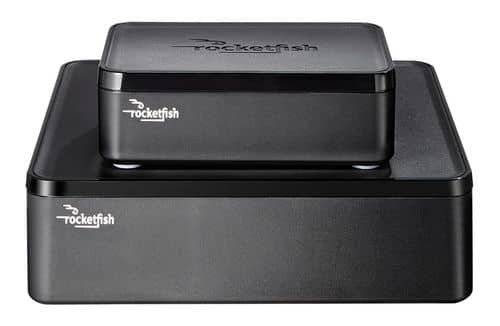
Only at Best BuyEnjoy vibrant CD-quality audio with this Rocketfish~ RF-WHTIB wireless rear speaker kit, which features a wireless range up to 100' for clear transmission. Multiple placement options allow flexible use.
Customer Rating

5
Good for aplcation
on July 13, 2018
Posted by: Randy
Verified Purchase:Yes
so far so good not a great distance from or between sending and receving units.
My Best Buy number: 1047664712
Mobile Submission: False
I would recommend this to a friend!
Share this review:


0points
0of 0voted this as helpful.
Randy's Review Comments
Randy has not submitted comments on any reviews.
Randy's Questions
Randy has not submitted any questions.
Randy's Answers
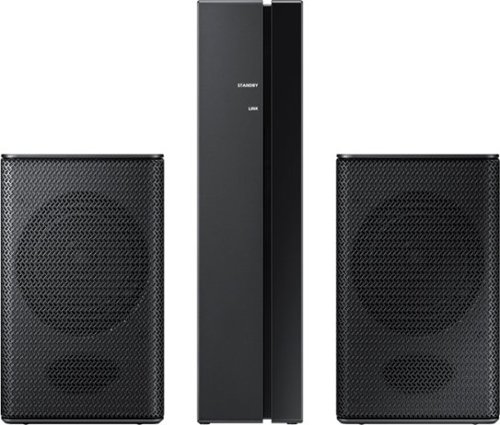
Set up a seamless home entertainment system with this Samsung wireless rear speaker kit. Easy to incorporate with your soundbar, the units mount to your wall and connect wirelessly to eliminate unsightly tangles of wire. Low standby power consumption and a slim design make this Samsung wireless rear speaker kit an ideal solution for smaller spaces.
Can not get the ID SET to come up on soundbar, even after turning off everything several times and trying again. Need advice please...............
Not sure, I just connect the optical cable from tv to sound bar and it all connected just fine. there is a rear speaker volume that will come up on the sound bar as you click through the settings, just make sure that the tv is set to surround sound and ext speakers. You can connect the optical cable to your cable or satellite box also and get a bit better volume, but, no sound for dvd or blue ray players, must connect to tv for that. If tv is on the sound bar will auto come out of standby (blue lights), could take 1 to 5 minutes to go into standby (red light). Red lights = stand by, blue lights = power on. I hope this helps.
7 years, 9 months ago
by
Randy