
Share dnottingham4's profile


dnottingham4
dnottingham4's stats
- Review count84
- Helpfulness votes366
- First reviewDecember 4, 2011
- Last reviewMay 1, 2026
- Featured reviews0
- Average rating4.5
Reviews comments
- Review comment count0
- Helpfulness votes0
- First review commentNone
- Last review commentNone
- Featured review comments0
Questions
- Question count0
- Helpfulness votes0
- First questionNone
- Last questionNone
- Featured questions0
- Answer count8
- Helpfulness votes12
- First answerOctober 6, 2019
- Last answerSeptember 26, 2021
- Featured answers0
- Best answers1
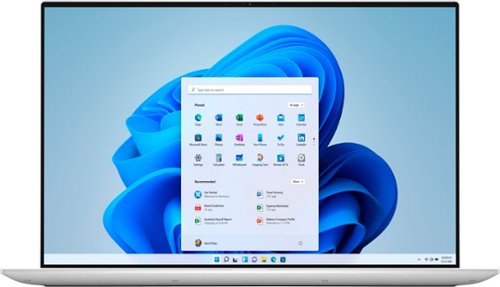
The Dell XPS 15 laptop features a stunning, new 4-sided InfinityEdge OLED display that shows off a 5% larger 16:10 screen and 92.9% screen to body ratio. All the power and features to maximize prodcutivity - Core i7 processor, 16GB of RAM, a 1TB solid state drive, and NVIDIA GeForce GTX 3050 Ti graphics. A premium 15" touch laptop with a thin and light design.
Customer Rating

5
Stay Frosty with this well Provisioned Laptop!
on August 7, 2021
Posted by: dnottingham4
from Pineville, NC
The Dell XPS 15 model 9510 is an impressive high-end laptop oriented at the creative user. With its 11th generation core i7-11800H processor, Nvidia GeForce RTX 3050 Ti GPU (4GB of video RAM), and its 4-sided InfinityEdge display allows for plenty of room to create on. This model also comes with a 1 TB NVMe SSD and 16 GB of RAM. For something completely different for Dell - this model is also outfitted in a frost white, which gives it a very clean look.
The device is outfitted with AX wireless and Bluetooth. For ports, it is also well proportioned with 2 Thunderbolt 4 USB Type-C ports with Power Delivery on the left side. On the right, it has a USB 3.2 Gen 2 Type-C port with Power Delivery/Display Port, an SD card slot, and a wired headset port. Rounding out the impressive features of this laptop is the sound system. It features a quad-speaker system with Waves Nx 3D Audio and has 2 Speakers (1.5 W each) and 2 Subwoofers (2.5 W each). The 3 USB C-Type ports all having power delivery means that any of the three can be used to charge the laptop, which is a convenient feature.
The laptop is manufactured from CNC Machined Aluminium with a woven glass fiber composite palm rest that includes a massive 5.91 in. X 3.54 in. TouchPad. This manufacturing and the 86Whr battery lead to a sturdy 4.31 lbs for the laptop. While a bit high for today's travel standards, this does not concern me too much should one need the capability offered by this system while on the road.
Usage Impressions
This laptop comes in a typical Dell box on the outside, but when opened you see a premium internal box that makes the presentation of this system very exciting - you can tell it's a premium product just by this packaging.
The screen is a gorgeous 4K screen the has good responsiveness and contrast. The sound system was next up for testing and it is equally impressive while listening to numerous test songs that I use for testing audio devices.
Performance was tested by rendering a video that was handled without a hiccup.
The system comes with a 6-cell, 86WHr battery. The battery life was tested by playing a long YouTube video and seeing how long the battery lasted - this ended up being nearly 7.5 hours.
The last area tested was multi-monitor support and I was able to run the primary 4k display and 4 external displays including a second 4K display for a total of 5 displays (one via USB DisplayLink). I tried to add a 6th display using the 3rd set of ports but was unable to do so.
Summary
The XPS 15 is an impressive laptop. It has outstanding features and capabilities. it is no surprise that these features come at a premium price, retailing for $2549.99 in the tested configuration. This is not an unreasonable price for all the power you get. It would be interesting to see a 2-in-1 version of this system.
The XPS 15 is an impressive laptop. It has outstanding features and capabilities. it is no surprise that these features come at a premium price, retailing for $2549.99 in the tested configuration. This is not an unreasonable price for all the power you get. It would be interesting to see a 2-in-1 version of this system.
With all the features and capabilities this laptop will help one to stay frosty!
Pros: Performance, Multi-monitor support, Graphics, and Sound.
Cons: Weight.
Cons: Weight.
Mobile Submission: False
I would recommend this to a friend!


Share this review:


+2points
2of 2voted this as helpful.
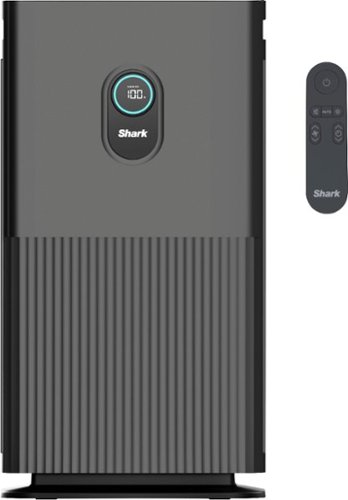
The Shark Air Purifier 6 with Anti-Allergen Multi-Filter uses Clean Sense IQ technology to constantly track air quality and auto-adjust power. It delivers clean air with 6 powerful, quiet fans and anti-allergen HEPA filtration with advanced odor & fumes protection.
Posted by: dnottingham4
from Pineville, NC
The Shark™ Air Purifier 6 is a HEPA Filter and 6-Fan based air purifying system that is used to provide one cleaner air within one or more rooms of your home. The following items are the key features:
• 6-FAN AIRFLOW: Shark gives you six high-speed micro-fans work together to evenly distribute airflow across the filter.
• ULTRA-FAST MEETS ULTRA-QUIET: Six high-speed fans provide a remarkably quiet, clean, and an incredibly fast clean air delivery rate.
• TRACKS & ADJUSTS AUTOMATICALLY: Clean Sense IQ™ tracks air quality and auto-adjusts power to constantly maintain clean air in your home. The easy-to-use control panel displays data in real-time.
• ANTI-ALLERGEN HEPA MULTI-FILTER: Shark’s Anti-Allergen Multi-Filter captures 99.97% of dust, dander, allergens, smoke, and household odors.*
• HEIGHTENED ODOR PROTECTION: An advanced odor guard on the filter protects against household odors from cooking, cleaning products, and more.
• ADVANCED PROTECTION FROM HOUSEHOLD FUMES: The activated carbon layer protects your air from household fumes like formaldehyde.
• LARGE CLEANING AREA: 6 fans working together generate the power to clean the air in large, open-space areas.
• REMOTE CONTROL INCLUDED: An easy-to-use remote gives you complete control from up to 15'.
• *Based on HEPA filtration standards of 99.97% filtration, down to 0.3 microns.
• 6-FAN AIRFLOW: Shark gives you six high-speed micro-fans work together to evenly distribute airflow across the filter.
• ULTRA-FAST MEETS ULTRA-QUIET: Six high-speed fans provide a remarkably quiet, clean, and an incredibly fast clean air delivery rate.
• TRACKS & ADJUSTS AUTOMATICALLY: Clean Sense IQ™ tracks air quality and auto-adjusts power to constantly maintain clean air in your home. The easy-to-use control panel displays data in real-time.
• ANTI-ALLERGEN HEPA MULTI-FILTER: Shark’s Anti-Allergen Multi-Filter captures 99.97% of dust, dander, allergens, smoke, and household odors.*
• HEIGHTENED ODOR PROTECTION: An advanced odor guard on the filter protects against household odors from cooking, cleaning products, and more.
• ADVANCED PROTECTION FROM HOUSEHOLD FUMES: The activated carbon layer protects your air from household fumes like formaldehyde.
• LARGE CLEANING AREA: 6 fans working together generate the power to clean the air in large, open-space areas.
• REMOTE CONTROL INCLUDED: An easy-to-use remote gives you complete control from up to 15'.
• *Based on HEPA filtration standards of 99.97% filtration, down to 0.3 microns.
Set-up is straightforward and consists of removing the various tape, plastic covers and removing the Filter from its plastic packaging. Next, one places the unit with at least 3 inches of space between the unit and the wall with the front of the unit facing away from the nearest wall. Once set in place one just turns the unit on to have it begin cleaning the air. The top of the unit is a control panel that has the following controls - the On/Off Button, Air Info (cycles between displaying the % Clean air, Time to Clean air, and 3 particle size counts), Auto Mode Button, Filter life button, Brightness button, shut-off timer button, and the Fan Speed button. Each of these controls literally does what it says or displays the information it states it will display. Auto mode is recommended for optional filter life and unit performance. The front display mimics the top display and when using the remote can be seen from across the room.
The front of the unit displays a colored ring and a percentage score for the air quality of the room/area the unit is working in. The ranges are Poor (Red Ring and 0% - 69%). Fair (Yellow Ring and 70-84%), and Good (Blue Ring and 85% - 100%) rating. The air quality percentage is based on the system counting 3 particle sizes in the air and calculating the air quality % in accordance with the particulate matter (PM) Air Quality Standards as determined by the EPA to calculate the air quality rating.
Overall, this unit is a nice unit and does what it states it will do. When considering its basic/midrange functionality when combined with the $449.99 suggested retail price, it seems to be on the steep end of the pricing spectrum and I would highly recommend folks shop around to see if this unit meets their needs before purchasing it.
Mobile Submission: False
I would recommend this to a friend!


Share this review:


0points
4of 8voted this as helpful.
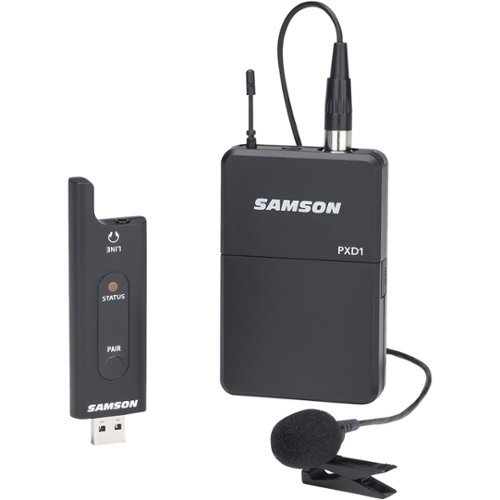
Record audio or chat with friends by using this Samson lavalier USB digital wireless system. The USB stick receiver is compatible with Macs, PCs and other machines for versatility. This Samson lavalier USB digital wireless system provides clear audio up to 100 feet away, making it ideal for live broadcasts and other mobile activities.CONSUMER ALERTMost users do not need a license to operate this wireless microphone system. Nevertheless, operating this microphone system without a license is subject to certain restrictions: the system may not cause harmful interference; it must operate at a low power level (not in excess of 50 milliwatts); and it has no protection from interference received from any other device. Purchasers should also be aware that the FCC is currently evaluating use of wireless microphone systems, and these rules are subject to change. For more information, call the FCC at 1-888-CALL-FCC (TTY: 1-888-TELL-FCC) or visit the FCC's wireless microphone website at www.fcc.gov/cgb/wirelessmicrophones
Posted by: dnottingham4
from Pineville, NC
While the name XPD2 might strike visions of an eXperimental Prototype Droid that is a pre-R2-D2 robot; the Samson XPD2 Lavalier is an amazingly useful USB Digital Wireless System. This device consists of a belt pack transmitter with an LM8 Lavalier microphone, and a USB stick receiver with 1/8” headphones/line output to provide high-definition wireless audio to a variety of use cases including but not limited to capturing audio via a computer, a mobile phone, a tablet, a Public Address System, a mixing board, and karaoke systems. The device retails for $129.99.
You can see a video review of this device and its audio at: https://youtu.be/cVn8x02OMYU
While testing this device I used a laptop, a desktop, and my portable phone. In each case the setup was to plug it in and select the device as the recording device – no software or other special requirements were needed, the device just worked. In the case of the mobile phone, I did have to connect it to the phone via a USB on-the-go adapter and a USB C to micro-USB adapter that I had on hand but other than that is just plainly worked.
The device has a 100’ range and the belt pack is powered by two AA batteries. The belt pack also has a gain adjustment with a small screwdriver contained within the belt pack to make those adjustments.
The USB receiver gets power from the device it is plugged into, or it can be connected to a 5- volt USB adapter to gain power – this is useful when using the device with the line output to an analog device.
Using the device results in high-quality audio for whatever audio needs you may have – this could be streaming, video production, public speaking, etc. The device is compatible with the Samson Expedition Series Portable PAs and Apple’s Lightning USB camera adapter for use with iPADs® and iPhones® (sold separately).
Overall, this is an extremely nice addition to the audio recording capabilities that my wife and I use in producing YouTube videos and other content. I believe that you may as well.
Mobile Submission: False
I would recommend this to a friend!

Share this review:


0points
0of 0voted this as helpful.
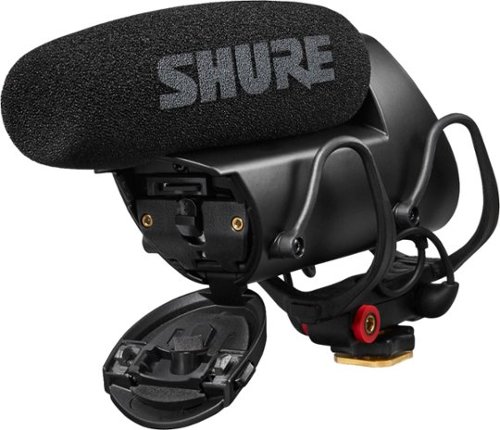
VP83F LensHopper Camera Mount Condenser Shotgun Microphone with Flash Recording
Posted by: dnottingham4
from Pineville, NC
The Sure Lens Hopper VP83F Shotgun Microphone is a high-quality microphone for your DSLR camera or even as a secondary audio source should one need it.
This review will be done in 3 parts – features, usage impressions, and pros/cons:
Features:
The features of this Microphone are simple but effective. It is a compact but relatively common-looking shotgun microphone for use with DLSR or HD video cameras. It has a built-in Rycote® Lyre® shock mount so that the recording is isolated from vibration and mechanical noise. The Mic has both a headphone out for monitoring and an output port for the microphone port on your camera. What is unique about this microphone is that it has its own integrated Flash Recording feature (uncompressed WAV capture at 24-bit/48khz sampling rate) that allows for high-quality audio capture that in my testing has been better than the audio that is captured via the camera – even when the microphone is plugged into the camera. The microphone has a very small LCD display that is amazingly readable that can be used for monitoring as well as setting up the recording options to be used. The manual states that it supports up to a 32GB micro-SD card, however, I have been using a 64 GB card during my testing without issue. The menus are controlled via a 5-position control joystick/lever.
The features of this Microphone are simple but effective. It is a compact but relatively common-looking shotgun microphone for use with DLSR or HD video cameras. It has a built-in Rycote® Lyre® shock mount so that the recording is isolated from vibration and mechanical noise. The Mic has both a headphone out for monitoring and an output port for the microphone port on your camera. What is unique about this microphone is that it has its own integrated Flash Recording feature (uncompressed WAV capture at 24-bit/48khz sampling rate) that allows for high-quality audio capture that in my testing has been better than the audio that is captured via the camera – even when the microphone is plugged into the camera. The microphone has a very small LCD display that is amazingly readable that can be used for monitoring as well as setting up the recording options to be used. The manual states that it supports up to a 32GB micro-SD card, however, I have been using a 64 GB card during my testing without issue. The menus are controlled via a 5-position control joystick/lever.
The microphone comes with a foam windscreen (fur windscreen available as an accessory), 2 AA Batteries, and a 3.5 mm detachable coiled cable for connecting to your camera.
This microphone has a Supercardioid/lobar pattern to avoid unwanted audio.
Usage Impressions:
The audio quality of this microphone is top-notch. It is very easy to use, and the feature and capabilities of the flash recording system are impressive, especially with the small LCD screen.
The audio quality of this microphone is top-notch. It is very easy to use, and the feature and capabilities of the flash recording system are impressive, especially with the small LCD screen.
The options available in the menus on the microphone include File List, Mic Gain, Headphone, Low Cut, and Utilities (SD card options, backlight, time/date, battery type, camera out, contrast, reset defaults, Device data, update firmware).
This Device is a high-quality, versatile shotgun microphone that can be used as a primary audio source or even as a secondary source on a boom or stand when needed. The only challenge here is remembering to start the flash recording and the camera recording when using the integrated flash recording feature.
Pros: High Audio quality, Uncompressed Flash Recording, shock mount, monitoring features.
Cons: None
Mobile Submission: False
I would recommend this to a friend!


Share this review:


0points
0of 0voted this as helpful.
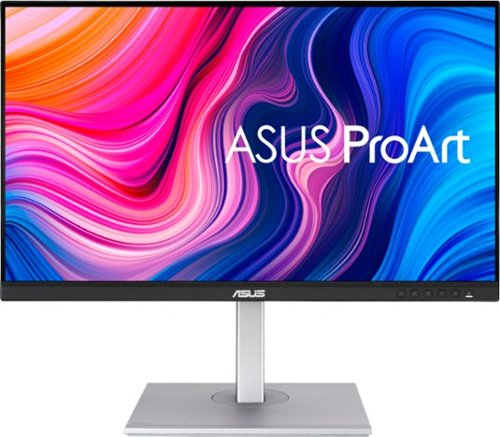
4 times the resolution of full HD 1080p with HDR for stunning details and image quality. IPS technology is optimized for the finest image quality with 178~ wide-viewing-angle.
Posted by: dnottingham4
from Pineville, NC
The Asus PA279CV – 27” 4K IPS Monitor is an excellent addition to the Asus ProArt line of monitors that are oriented at Professional Monitor needs including Photography, Filmmaking & Video Editing, Animation & Game Development, Architecture & Engineering, Product Design & Manufacturing, and Graphics & Art. As a user of 3 ProArt monitors for the last 11 years that are still going strong - yes that is correct the same monitors for the last 11 years - I was extremely pleased to have an opportunity to review this new addition to the series.
This review will be done in 3 parts – key features and specifications, usage impressions, and pros/cons:
Key Features:
The key features of this monitor are excellent. The basic features are as follows this is a 27”, 4K (3840x2160) IPS monitor with 1x DisplayPort v1.2, 2 x HDMI (v 2.0), and 1x USB-C inputs with a 178° viewing angle and a 16:9 ratio. Other specifications of interest include:
• International color standard 100% sRGB and 100% Rec. 709 wide color gamut
• Calman Verified with factory calibrated for excellent Delta E < 2 color accuracy
• Extensive connectivity including DP over USB-C with 65W Power Delivery, DisplayPort, HDMI, USB hub with 4 downstream ports.
• Adaptive-Sync technology (40~60Hz) to animated content with fast action and eliminate screen tearing
• ASUS-exclusive ProArt Preset and ProArt Palette provide numerous adjustable color parameters.
• Ergonomic design with +35° ~ -5° tilt, ±45° swivel, ±90° pivot and 150mm height adjustments for a comfortable viewing experience
• The monitor also has 2Wx2 speakers
• International color standard 100% sRGB and 100% Rec. 709 wide color gamut
• Calman Verified with factory calibrated for excellent Delta E < 2 color accuracy
• Extensive connectivity including DP over USB-C with 65W Power Delivery, DisplayPort, HDMI, USB hub with 4 downstream ports.
• Adaptive-Sync technology (40~60Hz) to animated content with fast action and eliminate screen tearing
• ASUS-exclusive ProArt Preset and ProArt Palette provide numerous adjustable color parameters.
• Ergonomic design with +35° ~ -5° tilt, ±45° swivel, ±90° pivot and 150mm height adjustments for a comfortable viewing experience
• The monitor also has 2Wx2 speakers
Included with the monitor are the stand, power cable, DisplayPort cable, HDMI cable, USB-C cable, the color pre-calibration report, a Warranty card, and a welcome card. The monitor weighs in at 18.9598 pounds with the included stand and 12.5663 pounds without it and has VESA 100 x 100 mm mounting capabilities.
Usage Impressions:
This unit is easy to use, and the only setup is to attach the stand and cables. Once connected the device is easily recognized by the operating system. The screen itself is gorgeous and watching 4K video is amazingly crisp and clean with vibrant colors and the darkest of darks with no notifiable issues for contrasting areas. The stand mount has an extremely useful swivel feature on it allowing the monitor to be rotated without having to rotate the stand. The stand and the VESA 100 mounting bracket allow for this monitor to be configured in multiple ways to allow for the best use case, including with the use of monitor arms.
This unit is easy to use, and the only setup is to attach the stand and cables. Once connected the device is easily recognized by the operating system. The screen itself is gorgeous and watching 4K video is amazingly crisp and clean with vibrant colors and the darkest of darks with no notifiable issues for contrasting areas. The stand mount has an extremely useful swivel feature on it allowing the monitor to be rotated without having to rotate the stand. The stand and the VESA 100 mounting bracket allow for this monitor to be configured in multiple ways to allow for the best use case, including with the use of monitor arms.
The fact that this monitor continues the long tradition of ProArt Monitors having multiple inputs, allows for one to connect the device to a wide array of inputs. In my existing setup, I have been able to configure the setup to handle inputs from my Tower, My work laptop, and my personal laptop via the multiple inputs available. I see no reason why I cannot continue to do this with the new monitor, albeit using different ports. The multiple input feature also allows one to set up the screen in either a Picture-in-Picture or a Picture-By-Picture Mode, with the latter allows up to four inputs.
The other features available in the On-Screen Display (OSD) menu include:
• ProArt Preset – Offering various modes of use including Standard Mode, sRGB, Rec. 709, DCI-P3, HDR, Scenery, Reading, Darkroom, and Rapid rendering modes. It also allows for 2 user-specified modes.
• Blue Light Filter – this allows one to adjust the amount of Blue light emitted from the panel. Level 4 is optimized and is compliant with the TUV low Blue Light Certification and in this mode the Brightness function is disabled.
• ProArtPalette – is for managing the Brightness, Contrast, Saturation, Hue, Color Temperature, Gamma, Black Level, Color, and has a Color Reset capability.
• Image – allowing one to adjust the Sharpness, Trace Free, Aspect Control, and ASCR capabilities.
• Sound – You can adjust Volume, Mute, and Source for Audio
• PIP/PBP Setting – as discussed above
• Input Select – to Select the source for input including auto Detection
• System Setup – Language settings, System Information and All Reset (return to factory default)
• Shortcut – Used to create two shortcut keys for brightness, contrast, input select, Color temp., Volume, QuickFit, GamePlus Rest Reminder, Color Augmentation, and set as a shortcut key.
• ProArt Preset – Offering various modes of use including Standard Mode, sRGB, Rec. 709, DCI-P3, HDR, Scenery, Reading, Darkroom, and Rapid rendering modes. It also allows for 2 user-specified modes.
• Blue Light Filter – this allows one to adjust the amount of Blue light emitted from the panel. Level 4 is optimized and is compliant with the TUV low Blue Light Certification and in this mode the Brightness function is disabled.
• ProArtPalette – is for managing the Brightness, Contrast, Saturation, Hue, Color Temperature, Gamma, Black Level, Color, and has a Color Reset capability.
• Image – allowing one to adjust the Sharpness, Trace Free, Aspect Control, and ASCR capabilities.
• Sound – You can adjust Volume, Mute, and Source for Audio
• PIP/PBP Setting – as discussed above
• Input Select – to Select the source for input including auto Detection
• System Setup – Language settings, System Information and All Reset (return to factory default)
• Shortcut – Used to create two shortcut keys for brightness, contrast, input select, Color temp., Volume, QuickFit, GamePlus Rest Reminder, Color Augmentation, and set as a shortcut key.
Overall, the Asus PA279CV – 27” 4K IPS Monitor is a wonderful high-quality monitor with a lot of features that can aid the user in all aspects of their needs for a monitor.
Pros: Picture Quality, Number of available inputs, PBP/PIP functionality, Available modes
Cons: The USB hub requires the use of the USB-C upstream port which is not available on all machines (but cab be rectified via an adapter or add-on card.)
Cons: The USB hub requires the use of the USB-C upstream port which is not available on all machines (but cab be rectified via an adapter or add-on card.)
Mobile Submission: False
I would recommend this to a friend!


Share this review:


+5points
6of 7voted this as helpful.
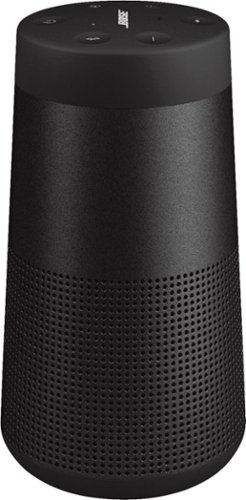
Deep. Loud. And immersive, too. The SoundLink Revolve II Bluetooth speaker delivers true 360~ sound for consistent, uniform coverage. Place it in the center of the room to give everyone the same experience. Or set it near a wall and sound will radiate and reflect around the room, immersing you in that same feeling you felt at your favorite show. The tapered cylindrical shape makes this wireless speaker easy to grab and go, while a durable aluminum body provides worry-free protection. And it~s water resistant so you can keep the party going, even if it starts to rain. The rechargeable, lithium-ion battery plays up to 13 hours ~ for full-day listening. Voice prompts talk you through Bluetooth pairing, and there~s a built-in speakerphone for calls. Use the Bose Connect app to pair two SoundLink speakers for Stereo or Party Mode. The app also helps you manage your devices, unlock features, and access future updates. Available in Triple Black or Luxe Silver.
Customer Rating
5
Great Sounding Bluetooth Speaker/Speaker Phone!
on April 4, 2021
Posted by: dnottingham4
from Pineville, NC
The Bose SoundLink Revolve II is a great-sounding Bluetooth speaker and speakerphone.
This review will be done in 3 parts – features, usage impressions, and pros/cons.
Features:
The features of this Bluetooth speaker/speakerphone are excellent. The device has an excellent sound that is deep, loud, and immersive. Listening to a wide variety of music including many of the test tracks that Cambridge audio engineers use; I can attest to the fact that this speaker has a wonderful range and great sound. The device has an impressively Saturday feel and at the same time is very portable. This speaker/speakerphone is rated for up to 13 hours of run-time per charge. It comes with a 1m micro-USB cable for charging and the Speaker Unit itself. It also has a tripod mount on the bottom for use with a tripod.
The features of this Bluetooth speaker/speakerphone are excellent. The device has an excellent sound that is deep, loud, and immersive. Listening to a wide variety of music including many of the test tracks that Cambridge audio engineers use; I can attest to the fact that this speaker has a wonderful range and great sound. The device has an impressively Saturday feel and at the same time is very portable. This speaker/speakerphone is rated for up to 13 hours of run-time per charge. It comes with a 1m micro-USB cable for charging and the Speaker Unit itself. It also has a tripod mount on the bottom for use with a tripod.
The Unit has an array of controls on the top of the unit for power, Input mode, volume up, multi-function button, volume down, and the Bluetooth button. When first powered on the speaker talks to you to get you to select the voice prompt language the volume up and down key allows one to scroll through the languages with English being the default and German, Spanish, French, Italian, Netherlands (Dutch), Polish, Portuguese, Swedish, Russian, Japanese, Mandarin, and Korean also being available.
Pairing to my phone was quick and easy and straightforward and did not require any special software. The device does work with the Bose Connect app. This app allows for control of the product as well as updating the speaker’s firmware. Settings available in the app are – speaker name, connections, party mode – which allows one to connect multiple SoundLink devices together, Auto-Off Timer, Voice prompts (on or off) and the prompt language, and access to the user manual via web link and product info. The app does require one to have a free Bose ID to use the software.
This device retails for $199.00, which some may find high. I believe the device to be an excellent value at this price.
Usage Impressions:
This speaker/speakerphone is another wonderful Bose addition to one’s setup. I tested this just like I have tested many other audio products by using multiple tracks that were recommended for testing audio systems. These tracks test audio systems across the sound spectrum from deep bass to soaring highs. The tracks allow testing the spatial separation of sounds and the dynamic ranges of the piece being played. From all of these tracks, the sounds were excellent. I also tested with several other tracks that I have listed too including the 1812 Overture with real cannons and Space shuttle ascent imagery – these also sounded excellent.
This speaker/speakerphone is another wonderful Bose addition to one’s setup. I tested this just like I have tested many other audio products by using multiple tracks that were recommended for testing audio systems. These tracks test audio systems across the sound spectrum from deep bass to soaring highs. The tracks allow testing the spatial separation of sounds and the dynamic ranges of the piece being played. From all of these tracks, the sounds were excellent. I also tested with several other tracks that I have listed too including the 1812 Overture with real cannons and Space shuttle ascent imagery – these also sounded excellent.
The device also makes for a wonderful speakerphone that allows one to work in a hands-free mode with listening to conference calls or when working in a group setting, the microphones are super sensitive and can pick up a speaker, or any other noise from a respectable distance. The sound of the person on the speakerphone end is outstanding – even from 10 feet.
Pros: Audio quality, Batty life, portability, performance
Cons: Some may find the price to be a bit high.
Cons: Some may find the price to be a bit high.
Mobile Submission: False
I would recommend this to a friend!


Share this review:


+6points
11of 16voted this as helpful.

Get organized ~ quickly and easily ~ with the WorkForce ES-580W wireless duplex desktop document scanner. This reliable performer makes it easy to scan to your smartphone, tablet or online storage account1 from your desktop or your mobile device. You can even scan directly to a USB memory drive without using a computer. A 4.3" touchscreen enables quick, effortless navigation, while a 100-sheet Auto Document Feeder allows you to breeze through stacks of documents. Scan pages at up to 35 ppm/70 ipm2, capturing both sides in one pass. Intuitive Epson ScanSmart Software1 means you can easily preview, email and upload your scans. The included TWAIN driver ensures compatibility with most document management software. Wirelessly scan to cloud storage accounts1, create searchable PDFs, and get remarkable image quality with Epson Image Processing Technology.
Customer Rating

4
Excellent Scanning Device with versatile features.
on February 5, 2021
Posted by: dnottingham4
from Pineville, NC
The Epson Workforce ES-580W Wireless Color Document Scanner is an excellent document scanning device that is well suited for home or office use. This Sheet-fed 1-pass duplex color document scanner comes with an AC adapter and power cable, SuperSpeed USB Cable, a 100-sheet feeder, and 2 Start Here Posters and Notices documents – both in multiple languages. The document scanner has 2 SuperSpeed USB 3.0 inputs on the back - a USB A-Type for connecting this to a device via a cable and a USB B-Type for connecting a USB drive for storing scanned documents.
The key features of this scanner are:
• 4.3” Touchscreen
• Wireless 802.11 a/b/g/n/ac Connectivity
• 600 dpi Optical Resolution / 1200 DPI interpolated resolution
• 3-color RGB LED light source
• 30-Bit Color and 24-bit Grayscale output
• Up to a 35 ppm/70 ipm (images per minute) scan speed.
• TWAIN Driver Support.
• 4.3” Touchscreen
• Wireless 802.11 a/b/g/n/ac Connectivity
• 600 dpi Optical Resolution / 1200 DPI interpolated resolution
• 3-color RGB LED light source
• 30-Bit Color and 24-bit Grayscale output
• Up to a 35 ppm/70 ipm (images per minute) scan speed.
• TWAIN Driver Support.
Additional specifications include:
• Can scan up to an 8.5 x 53” document at 600 dpi. Lower resolutions can handle larger 8.5” lengths.
• Daily Duty Cycle of 4,000 sheets.
• OS Support includes Windows 10, 8, and 7, as well as Mac OS X 10.11.X to 10.15.X
• Included software is Epson ScanSmart software and Presto! BizCard® OCR (internet connection required to download)
• Can scan up to an 8.5 x 53” document at 600 dpi. Lower resolutions can handle larger 8.5” lengths.
• Daily Duty Cycle of 4,000 sheets.
• OS Support includes Windows 10, 8, and 7, as well as Mac OS X 10.11.X to 10.15.X
• Included software is Epson ScanSmart software and Presto! BizCard® OCR (internet connection required to download)
Usage impressions:
This Device is an extremely easy to set up and provides excellent value and functionality. The setup is quick and only has 3 steps on the Start Here Poster. Much like any printing device, one of these steps is to remove all the shipping tape from the device and the other is to download the software. The primary connection method for the device is via a wireless connection. The system can connect to Windows and Mac devices as well as Android and IOS devices. For the mobile OS devices, you must download the Epson Smart Panel App from either Google Play or the App Store The device you are connecting to must be on the same wireless network as the scanner and it will be found by the software package. Within minutes I was connected via a windows laptop and ready to scan. Once connected you can initiate scans from a computer or smart device just place the originals and set the scan settings in the app and hit scan.
This Device is an extremely easy to set up and provides excellent value and functionality. The setup is quick and only has 3 steps on the Start Here Poster. Much like any printing device, one of these steps is to remove all the shipping tape from the device and the other is to download the software. The primary connection method for the device is via a wireless connection. The system can connect to Windows and Mac devices as well as Android and IOS devices. For the mobile OS devices, you must download the Epson Smart Panel App from either Google Play or the App Store The device you are connecting to must be on the same wireless network as the scanner and it will be found by the software package. Within minutes I was connected via a windows laptop and ready to scan. Once connected you can initiate scans from a computer or smart device just place the originals and set the scan settings in the app and hit scan.
The first test I ran was 2 notebooks that my wife wanted to scan so that she could share this information with relatives. The first notebook was 115 pages and they all fit without issue in the sheet feeder of the device. A few clicks and about 3 minutes later I had the entire notebook in a PDF document ready to share. The second one was actually a few more pages and I split that pack into two and again it had no issues with the scanning. In under 10 minutes, I had 3 PDF documents totaling about 500 pages ready to go. Quite impressive and the single-pass duplex scanning of this device really speeds up to process of scanning and it reduces the chances of the device jamming as the paper does not have to be reoriented.
The sheet feeder is rated at 100 pages and can handle mixed sizes of paper for quick scanning. When using originals of mixed sizes, the manual states to order the scans with the widest sizes toward the back of the sheet feeder – which means they will be scanned first.
Other options besides scanning to a smart device or a computer include scanning to a network folder, scanning to email, scanning to the cloud, and scanning to an external USB device. For scanning to a network folder, you must first set up the network folder which can be reached by SMB. FTP, FTPS, WebDAV via HTTP or HTTPS, or WSD in Windows 7 and higher. The device can scan for shared drives across the network via the SMB protocol. For email, you must configure additional settings to an email server. For Cloud, you must link the device to your Epson Connect account. USB device scanning simply requires you to plug the drive into the back of the device via the USB A-Type connector.
Other options besides scanning to a smart device or a computer include scanning to a network folder, scanning to email, scanning to the cloud, and scanning to an external USB device. For scanning to a network folder, you must first set up the network folder which can be reached by SMB. FTP, FTPS, WebDAV via HTTP or HTTPS, or WSD in Windows 7 and higher. The device can scan for shared drives across the network via the SMB protocol. For email, you must configure additional settings to an email server. For Cloud, you must link the device to your Epson Connect account. USB device scanning simply requires you to plug the drive into the back of the device via the USB A-Type connector.
In addition to scanning documents for storage in electronic format, this device would be great for those that get checks and need to scan them in for deposit. Another use case for this device is the scanning of photographs, however, this is one area where this device can have trouble and the manual explicitly states that they can be damaged by the machine. To do this they recommend using an optional carrier sheet – basically a sleeve to protect the original. Unfortunately, these sleeves are quite expensive. The manual further recommends using a flatbed scanner for photos to get the best color reproduction. They also make other products for the scanning of photos.
The device has an MSRP of $399.99, which is a good price for this scanner. It would be a great price at $349.99, and a steal at $299.99.
Overall, this scanner has great versatility and capabilities. This document can allow one to archive in electronic form many documents that one may have in paper form and thus saving you physical storage spaced in your file drawers.
Overall, this scanner has great versatility and capabilities. This document can allow one to archive in electronic form many documents that one may have in paper form and thus saving you physical storage spaced in your file drawers.
Pros: versatility, Speed, connectivity.
Cons: Lack of direct photo scanning, possible need to use expensive carrier pages.
Cons: Lack of direct photo scanning, possible need to use expensive carrier pages.
Mobile Submission: False
I would recommend this to a friend!


Share this review:


+2points
4of 6voted this as helpful.
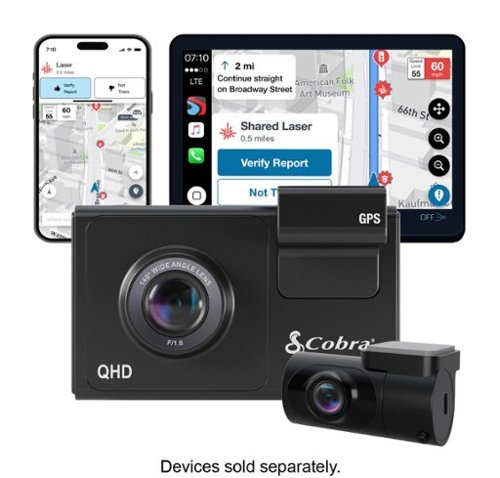
SC 200D - The dash cam that can see the future. We designed the Cobra SC 200D smart dash cam to offer state-of-the-art protection against anything the road throws at you. With QHD 1600P front-view resolution and rear FHD 1080P, built-in Wi-Fi and GPS, heads-up navigation, and voice commands, you can capture everything that happens in or around your vehicle on the road or in the lot. Learn how a SC 200D dash cam can be your extra pair of eyes on the road, protecting the ones you love against life's blindspots.
Customer Rating
4
Nice Dual DashCam Set with some challenges
on December 31, 2020
Posted by: dnottingham4
from Pineville, NC
The Cobra SC400 D is a very nice dashcam set for front and rear dashcams and will work extremely well in sedans. This review will be done in 4 parts – features, installation, usage impressions, and Pros/Cons.
Features:
The Cobra SC200D Dash Cam is the top of the SC line of Cobra SC Dash Cameras and as such is an extremely well-featured kit. Chief among the features is that this kit comes with both a Front and Rear camera included. The system is capable of multiple resolutions, all at 30 FPS, including 2560x1600 (when using the front camera only), 1920x1080 (default for Dual Camera use), and 1280x720. The system also includes emergency mayday alert, cloud video management, and real-time driver alerts (allows notifications from the driver community – touted as over 100 million shared alerts each year including red light and speed camera locations, sopped zones. Road conditions, and other “relevant notifications to make you a smarter driver”) as additional key features. Also included is hands-free voice control, a 3” LCD Screen, the Drive Smarter App, an included 16 GB SD Card (the system can support up to a 256 GB card). The feature set is rounded out with the following features:
- Safety and Security – Parking Mode and Motion Sensing Mode.
- Advanced Driver Assistance – Lane departure and forward-collision warnings.
- Extreme Temperature protection – the camera capacitor technology allows this camera set to withstand both frigid cold and intense heat.
- Dual-Band Wi-Fi to allow the most reliable connection to enable software updates, cloud management, and alerts.
The Cobra SC200D Dash Cam is the top of the SC line of Cobra SC Dash Cameras and as such is an extremely well-featured kit. Chief among the features is that this kit comes with both a Front and Rear camera included. The system is capable of multiple resolutions, all at 30 FPS, including 2560x1600 (when using the front camera only), 1920x1080 (default for Dual Camera use), and 1280x720. The system also includes emergency mayday alert, cloud video management, and real-time driver alerts (allows notifications from the driver community – touted as over 100 million shared alerts each year including red light and speed camera locations, sopped zones. Road conditions, and other “relevant notifications to make you a smarter driver”) as additional key features. Also included is hands-free voice control, a 3” LCD Screen, the Drive Smarter App, an included 16 GB SD Card (the system can support up to a 256 GB card). The feature set is rounded out with the following features:
- Safety and Security – Parking Mode and Motion Sensing Mode.
- Advanced Driver Assistance – Lane departure and forward-collision warnings.
- Extreme Temperature protection – the camera capacitor technology allows this camera set to withstand both frigid cold and intense heat.
- Dual-Band Wi-Fi to allow the most reliable connection to enable software updates, cloud management, and alerts.
The Drive Smarter® app loaded to your phone is this camera’s gateway to real-time driver alerts, advanced safety, and security features, and to the community. The application is available in the Google Play Store or the Apple App Store. The app used about 70 MB of space for its installation.
Installation
Installation of this system is straightforward, as such the installation guidance provide don this quick start card is limited. The full manual is available as a download and provides more complete guidance. The included power cable is oriented for use with the vehicle’s power port (aka the cigarette lighter). A hardwire kit is available from the vendor as an optional accessory ($30). This option allows for a more permanent and discrete installation and can also allow for recording while the vehicle is powered off.
Installation of this system is straightforward, as such the installation guidance provide don this quick start card is limited. The full manual is available as a download and provides more complete guidance. The included power cable is oriented for use with the vehicle’s power port (aka the cigarette lighter). A hardwire kit is available from the vendor as an optional accessory ($30). This option allows for a more permanent and discrete installation and can also allow for recording while the vehicle is powered off.
One thing to remember for this kit is that the rear camera is connected to the front camera via an included extension cable and as such it must be run from the front of the vehicle to the rear of the vehicle. This wired connection makes this kit most suitable for sedan style vehicles without a rear lifting door. While it could be used with the lifting door vehicles, you would have to find a way to get the cable to the window on the door and still be able to be connected. One item that would have been a nice addition here is to include a tool to help one tuck the cable into vehicle panels to help hide the cables.
Both cameras in this kit have an adhesive mount option as the sole mounting options – a suction cup option would have been a nice addition. Unfortunately, the kit includes one set of spare adhesive stirps in case one needs to move the camera to another vehicle or needs to remount the unit.
Usage Impressions
The cameras are nice and record great video. And when using both cameras the display defaults to a Picture-in-Picture (PIP) viewing mode. You can see this view at this link: https://youtu.be/RNEPjWvePSg, each of the images has basic telemetry data including Date, time, longitude, latitude, and speed included on the video.
The cameras are nice and record great video. And when using both cameras the display defaults to a Picture-in-Picture (PIP) viewing mode. You can see this view at this link: https://youtu.be/RNEPjWvePSg, each of the images has basic telemetry data including Date, time, longitude, latitude, and speed included on the video.
The Drive smarter™ software is nice and offers a lot of features (see accompanying images). I was however not able to get my Android phone to connect in a live view mode. I looked online for assistance the instructions they provided prevent me from getting to the camera at all – so that was not a good experience.
Overall, despite some of the issues noted above, I would give this camera set a 4/5 rating. This rating would drop to a 3 if the Android issues cannot be overcome with more time. It would also be nice to see Cobra offer this same camera with the interior cabin facing camera as a kit.
Overall, despite some of the issues noted above, I would give this camera set a 4/5 rating. This rating would drop to a 3 if the Android issues cannot be overcome with more time. It would also be nice to see Cobra offer this same camera with the interior cabin facing camera as a kit.
Pros: Features, rear camera inclusion, Motion-sensing features.
Cons: Only works with specific vehicles, Android issues with Drive Smarter™ software, lack of a suction cup mounting option being included.
Cons: Only works with specific vehicles, Android issues with Drive Smarter™ software, lack of a suction cup mounting option being included.
Mobile Submission: False
I would recommend this to a friend!


Share this review:


+28points
28of 28voted this as helpful.
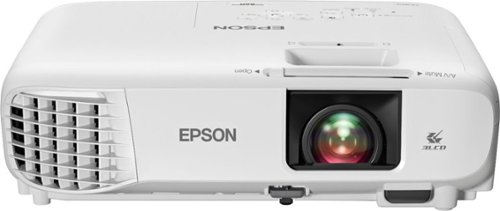
Sit back, relax and watch movies with this Epson video projector. It offers 3,300 lumens of color & white brightness to ensure vibrant, accurate colors, and its HD resolution delivers crisp image quality at 1080p. This Epson video projector lets you connect a Blu-ray player or gaming console via an HDMI input for smooth streaming of your favorite media.
Posted by: dnottingham4
from Pineville, NC
The Epson Home Cinema 880 3LCD 1080p Projector is a very good entry-level 1080p triple LCD projector for home or office use. The projector comes with a power cable, remote control (batteries included) and the quick setup guide, and other literature. The projector has a single HDMI input, and audio output, and 2 USB 2.0 inputs (1 USB-A and one USB-B). The key features of this projector are:
• 1080p Full HD resolution
• 3300 Lumens of color and white brightness
• 3LCD technology
• All digital HDMI Technology
• Built-in Speaker and easy setup.
• 3300 Lumens of color and white brightness
• 3LCD technology
• All digital HDMI Technology
• Built-in Speaker and easy setup.
Additional features include:
• Built-in Picture skew sensor – to correct for keystone issues.
• Up to a 16, 000:1 dynamic contrast ratio
• Convenient color mode adjustments
• The ability to mount the projector in an inverted position.
• Split mode and zoom features (more on these later)
• Built-in Picture skew sensor – to correct for keystone issues.
• Up to a 16, 000:1 dynamic contrast ratio
• Convenient color mode adjustments
• The ability to mount the projector in an inverted position.
• Split mode and zoom features (more on these later)
Usage impressions:
This is a very good starter 1080P projector. The device is currently retailing for $499.99, which is an excellent price for this projector. When married up to one of many devices that can output to HDMI you can have up to a 386” diagonal (varies with the distance the projector is from the screen/wall). For my setup, while testing the throw distance was about 11.25 feet for a screen size diagonal of 127.60 inches. The projector has some digital zoom capabilities in the event the screen is too small or too large at the throw distance – in my case I used this capability to reduce the screen size to fit the available space on the wall.
The projector’s built-in audio is a small, tinny-sounding 2W mono-speaker and while it does a good job, the 3.5 MM audio output can be used to provide improved audio.
During my review, I found that this projector comes with USB video driver software that can allow a system to connect to the projector via the USB-B port. This can be combined with the HDMI port to have a split-screen view – I used this with my Surface Book and Roku device during testing and was able to display each screen. The screens can be of equal size or one screen can be made larger than the other one. While this may have limited use cases, it does offer some versatility to how one can project information or use this projector. One use case would be to have a sporting event live on one screen and a second screen showing the stats of the game on the other screen via a computer.
Overall, this projector is a very good machine and has some hidden gem features and capabilities. While the single HDMI input could be considered a con by some, there is another model in this family of services that has dual HDMI inputs.
I have found projectors, including this one, to be excellent, and cost-effective substitutes for TVs, where I can get 2x the screen size for a much lower price point (1/3 – ½ or even more). Granted I am not getting 4K in this configuration, but so far, I have not been persuaded that those benefits are worth the added expense.
Pros: Price, some surprise features such as split-screen and USB input.
Cons: None Noted.
Cons: None Noted.
Mobile Submission: False
I would recommend this to a friend!


Share this review:


-2points
0of 2voted this as helpful.
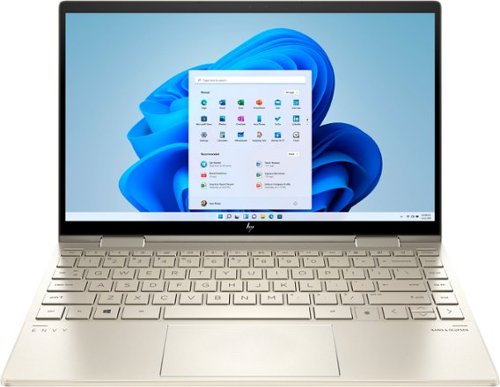
Bring vibrant visuals to your screen anywhere, anytime with the versatility of a 360 degree hinge, long battery life and simultaneous pen and touch support.
Customer Rating
5
Impressively Powerful and highly portable Laptop!
on November 16, 2020
Posted by: dnottingham4
from Pineville, NC
The HP Envy X360 is an impressively powerful, and highly portable 2-in-1 laptop. This system can meet nearly anyone’s computing needs for office automation, gaming, to video editing.
The review will be done in 3 parts – Features, usage impressions, and Pros/Cons.
Features
The features of this laptop are superb and include the following items – an 11th Generation Core i7-1165G7 Processor @ 2.8 GHz, 8 GB onboard DDR4 SDRAM, Integrated Iris XE Graphics, and a KIOXIA 512 GB NvMe SSD. The Screen has a recommended resolution of 1920x1080 and is a micro-edge touchscreen with multitouch enabled and is an IPS panel, rated at 1000 nits of brightness. The audio system is a Bang & Olufsen system that sounds incredible. The system also comes with a fingerprint reader for added security. The system includes a dual-band AX Wi-Fi system and Bluetooth technology.
The features of this laptop are superb and include the following items – an 11th Generation Core i7-1165G7 Processor @ 2.8 GHz, 8 GB onboard DDR4 SDRAM, Integrated Iris XE Graphics, and a KIOXIA 512 GB NvMe SSD. The Screen has a recommended resolution of 1920x1080 and is a micro-edge touchscreen with multitouch enabled and is an IPS panel, rated at 1000 nits of brightness. The audio system is a Bang & Olufsen system that sounds incredible. The system also comes with a fingerprint reader for added security. The system includes a dual-band AX Wi-Fi system and Bluetooth technology.
The system layout is straight forward with the left side having USB-C, USB, and headset jacks. The right side has microSD, USB, and power connector. The regular USB ports are “Drop Jaw” ports that open to full size when being used, helping the system be as thin as possible. The right-side port is also is marked as being as standby power and thus can be used for charging when the system is off. The fingerprint reader is on the lower right of the keyboard near the arrow keys. There are no ports on the rear since the system is a 2-in-1 and can covert to full tablet mode by folding over the screen. Additionally, it can support Tent and Display modes for different use cases.
The USB-C port can transmit both audio and video giving one the option for an external monitor when working in an office. It also supports DisplayPort MST mode over the USB-C port and is able to not only display the main laptops screen but also my 3 24” ASUS 1920x1080 P monitors with an MST Adapter I own.
The USB-C port can transmit both audio and video giving one the option for an external monitor when working in an office. It also supports DisplayPort MST mode over the USB-C port and is able to not only display the main laptops screen but also my 3 24” ASUS 1920x1080 P monitors with an MST Adapter I own.
The Function Keys on the keyboard have a dual purpose with Brightness, volume, Microphone, audio controls, and settings being able to be controlled from them. The keyboard also has a camera on-off button and the F1 key can enable a “privacy screen” mode on the laptop screen, to help limit shoulder surfers.
Usage Impressions
This laptop is an impressive system. It has a high-quality touchscreen and excellent battery life with the built-in 51 Wh battery. The nice touches of this laptop include the keyboard backlighting, with an on-off key, the camera and microphone buttons let you know if you are on air or not and the Camera off button allows you to be more secure when you are not video conferencing.
This laptop is an impressive system. It has a high-quality touchscreen and excellent battery life with the built-in 51 Wh battery. The nice touches of this laptop include the keyboard backlighting, with an on-off key, the camera and microphone buttons let you know if you are on air or not and the Camera off button allows you to be more secure when you are not video conferencing.
The versatility of the USB-C connector is such that this system makes for an excellent travel system that can be used, with the right cables/adapters to use a hotel room TV as a second monitor.
My wife has spent a bit of time with this device and she asked me to make sure that I noted her two favorite items. She states “… the battery life is AWESOME and it's a fast processor when working off the battery only! OMG, I don't even notice a difference in speed between on battery vs on electricity! OMG! SO FAST... and second is the screen. I mean it is so crisp and clear! It is better than my monitors! LOL! If you do graphics on your laptop this one is worth a look at! Graphics plus speed plus battery life! OMG! THANK YOU, HP! and it's affordable!!!!!!!! YES! I LOVE IT!”
She has also traveled with the laptop and says “Battery life was perfect (though I did plug in at night) and it weighs maybe 3 pounds. So not clumsy to pull out of a backpack and not weighty either. AND ITS A TABLET TOO! This really is an exceptional product! I can see many happy people getting this for the upcoming holidays!!”
The display is crisp, and the colors are bright. The screen is easy on the eyes, even after hours of working on it. While the additional keyboard keys do have a small learning curve one you have learned them, they are extremely useful – especially the security of knowing the mic and camera is on or not! The keyboard keys are comfortable and have just enough "give" to them so you know you are typing and yet they are so low that it does not take much finger strength or work to type.
The weight and size are perfect.
The weight and size are perfect.
Pros: Performance, Battery life, Audio Quality, flexibility
Cons: None observed.
Cons: None observed.
Mobile Submission: False
I would recommend this to a friend!

Share this review:


+12points
14of 16voted this as helpful.
dnottingham4's Review Comments
dnottingham4 has not submitted comments on any reviews.
dnottingham4's Questions
dnottingham4 has not submitted any questions.
dnottingham4's Answers
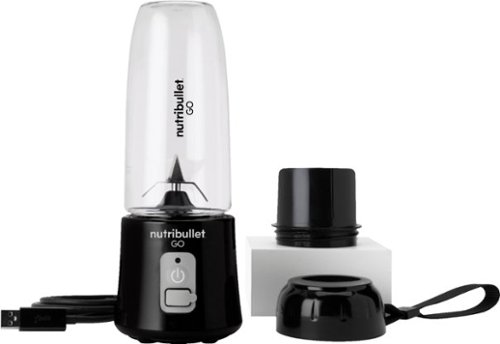
The Nutribullet GO Cordless Blender has a compact and ergonomic design, ideal for those on the go! The 2000mAH battery offers up to 20 blending cycles before needing to be recharged. The 13oz cups are the perfect size for personal smoothies or protein shakes and with 18000 RPMs you can be confident your smoothies will come out tasting delicious! Our base even comes with a blade protector so you can feel confident putting this in a backpack or bag.
Can you use it to blend fresh coffee (to make bulletproof coffee)
This unit is NOT intended for use with HOT or carbonated liquids.
4 years, 8 months ago
by
dnottingham4
The Nutribullet GO Cordless Blender has a compact and ergonomic design, ideal for those on the go! The 2000mAH battery offers up to 20 blending cycles before needing to be recharged. The 13oz cups are the perfect size for personal smoothies or protein shakes and with 18000 RPMs you can be confident your smoothies will come out tasting delicious! Our base even comes with a blade protector so you can feel confident putting this in a backpack or bag.
What’s the voltage on this product?
It is 7.4 Volts and 60 Watts (8.1 Amps) and runs off of a 2000mAH battery and is rated for 20 up to blending cycles.
4 years, 8 months ago
by
dnottingham4
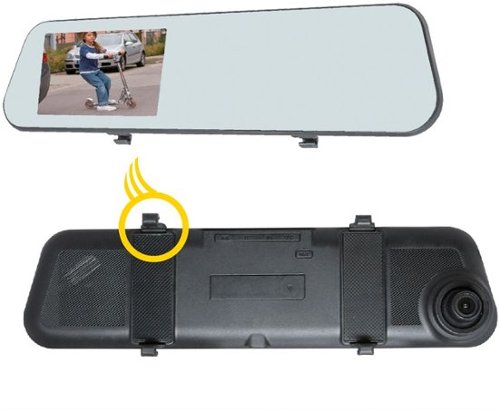
Add extra protection for your car with this EchoMaster vehicle camera kit. It has dual cameras for capturing front and rear action, and the 4.5-inch clip-on DVR display delivers real-time movements and recorded footage. The 500 mAh battery of this EchoMaster vehicle camera kit makes automatic recordings even after ignition is turned off to document any parking incident.
So, the rearview is only good for backing up and not to see out the back window?
Just the opposite - it is a rear facing camera and NOT a backup camera.
5 years, 5 months ago
by
dnottingham4
Add extra protection for your car with this EchoMaster vehicle camera kit. It has dual cameras for capturing front and rear action, and the 4.5-inch clip-on DVR display delivers real-time movements and recorded footage. The 500 mAh battery of this EchoMaster vehicle camera kit makes automatic recordings even after ignition is turned off to document any parking incident.
Will this fit a 2012 Volvo XC 60?
It should work and you might have to get an extension cable to route the rear-facing camera. Since your vehicle has a hatchback - routing the cable through the wiring harness and onto the glass will present challenges.
5 years, 5 months ago
by
dnottingham4
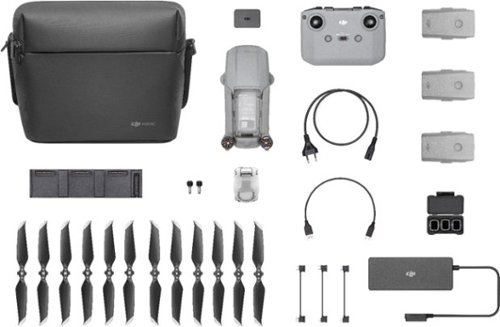
Shoot pro-quality aerial footage with this DJI Mavic Air 2 drone. The three-axis gimbal stabilizes the 48.0MP camera for stunning photos and clear videos, while the 3500 mAh battery delivers dependable power for every flight. This DJI Mavic Air 2 drone features FocusTrack technology for advanced obstacle avoidance and target tracking.
Is this made in china?
Yes
6 years ago
by
dnottingham4
Shoot pro-quality aerial footage with this DJI Mavic Air 2 drone. The three-axis gimbal stabilizes the 48.0MP camera for stunning photos and clear videos, while the 3500 mAh battery delivers dependable power for every flight. This DJI Mavic Air 2 drone features FocusTrack technology for advanced obstacle avoidance and target tracking.
Will the remote controller hold a Galaxy Note 9 in a case?
IT is unlikely to do so - I could not fit my iPhone 6 with an otter box case.
6 years ago
by
dnottingham4
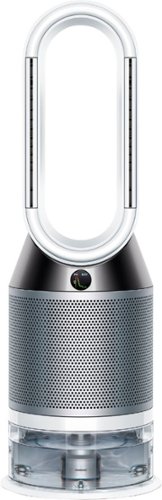
Automatically purifies and humidifies for a healthier environment. Hygienically removes 99.9% of bacteria in the water~. The Dyson Pure Humidify+Cool is a multi-functional machine for whole room air treatment - it purifies, humidifies and cools you. Its activated carbon and HEPA filters capture 99.97% of allergens and pollutants as small as 0.3 microns and Air Multiplier technology projects purified, humidified air throughout the room~. And with a hassle-free deep clean cycle, thoroughly eliminate mineral build-up and bacteria at the touch of a button. Dyson technology helps create a cleaner, healthier home - Our vacuums and purifiers are scientifically proven to capture particles as small as allergens and bacteria.
What type of humidifier is this new one? Ultrasonic or Evaporative?
From the Dyson Website - this unit "uses Dyson’s advanced evaporative technology. Water is placed onto a biostatic woven mesh evaporator and air is used to convert that water into water vapor so fine that it is invisible. This also means it can’t carry particles or bacteria with it, providing a healthier environment."
6 years, 1 month ago
by
dnottingham4
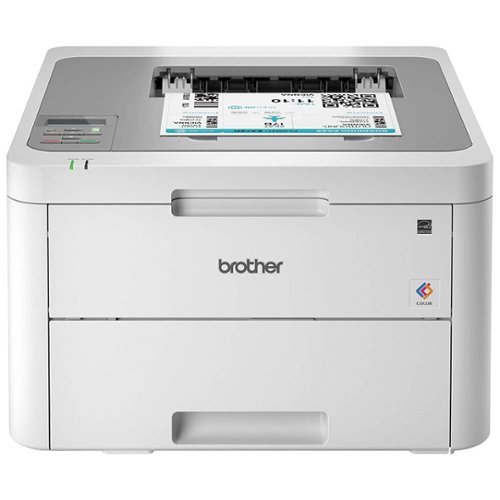
The reliable Brother HL-L3210CW compact digital color printer is a great choice for the busy home or small office. Quick print speeds of up to 19 pages per minute~ plus manual feed slot accommodates varied printing needs and can handle a variety of paper types and sizes including card stock, envelopes and more. Connect with versatile options including built-in wireless or USB interfaces and print wirelessly from mobile devices. The 250-sheet capacity adjustable paper tray helps improve efficiency with fewer refills and handles letter or legal sized paper. Brother Genuine high-yield replacement toner cartridges help lower printing costs. Comes with a 1-year limited warranty and free online, call or live chat support for the life of your product. Prints up to 19 ppm~ in black and up to 19 ppm~ in color.
Does this printer have two trays, one letter and one legal?
It has one tray that can use Letter or legal and holds 250 sheets. It does have a single-sheet manual feed tray also.
6 years, 8 months ago
by
dnottingham4