
Share dnottingham4's profile


dnottingham4
dnottingham4's stats
- Review count84
- Helpfulness votes366
- First reviewDecember 4, 2011
- Last reviewMay 1, 2026
- Featured reviews0
- Average rating4.5
Reviews comments
- Review comment count0
- Helpfulness votes0
- First review commentNone
- Last review commentNone
- Featured review comments0
Questions
- Question count0
- Helpfulness votes0
- First questionNone
- Last questionNone
- Featured questions0
- Answer count8
- Helpfulness votes12
- First answerOctober 6, 2019
- Last answerSeptember 26, 2021
- Featured answers0
- Best answers1
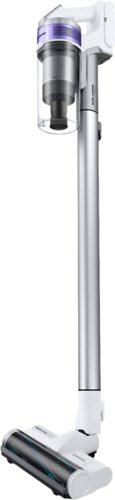
The Samsung Jet~ 70 Pet Cordless Stick Vacuum features a lightweight and maneuverable design plus a removable battery that can be easily swapped* for a spare extended cleaning time up to 40 minutes. Compatible with Samsung Clean Station~ for mess-free, automatic emptying of the hygienic dust bin.
Posted by: dnottingham4
from Pineville, NC
The Samsung - Jet™ 70 Pet Cordless Stick Vacuum with Turbo Action Brush is an adaptable and useful portable vacuum cleaner that works on multiple surfaces and is suitable for users with kids and/or pets. We will step through the features and usage impressions and then provide some pros and cons for this device.
Feature-wise this vacuum is a straightforward device – it is a battery-operated vacuum cleaner. The unit comes with 2 main heads – the Turbo Action Brush and a Mini Motorized Tool. Additionally, the unit comes with a Combination tool – allowing one to easily switch surfaces with the same tool, an extending crevice tool, a wall mount (With mounting kit) a battery, and a Battey Charger. An extension pipe is also included to allow the unit to be used in an upright configuration, or in a handheld configuration to reach all those out of the way places that one needs to vacuum. The main unit has the power/suction settings (min, Medium, and Max), the waste bin (0.8 L / 0.21-gallon capacity), the main motor, the HEPA and cyclone filtration system (rated capturing at 99.999% of dust 0.3 to 10 microns in size) and the battery mount. The unit is rated at up to 40 minutes of run time that depends solely on the combination of power and tools used. The unit takes 3.5 hours to fully recharge. It does come with a docking station that can either be used to mount the unit on the wall for charging and storage of the tools while it is not in use or in a desktop configuration that holds the crevice and combination tools and can charge the battery. The unit weighs 5.73 lbs. and is rated for up to 150 Air Watts of Suction.
Usage Impressions
This vacuum cleaner is a well-designed and useful tool for one’s cleaning regimen. Since the unit it portable it has distinct uses cases where it has advantages including but not limited to Stairs, Quick clean up scenarios, reaching dusting high places, and the Car. This unit is very useful for vacuuming stairs as you don’t have to manhandle a full upright unit with a long power cord on the stairs – increasing the safety of stair vacuuming while doing a better job because the tools fit better on the stairs. The portability of the unit makes it ideal for a quick clean up use case. The unit’s high degree of portability is also awesome when using the device for dusting duties as it is easier to reach the corners of the ceilings and walls with this unit than a typical upright unit and of course, the combined use of the Mini Motorized tool, the combination tool, and the crevice tool made quick work of cleaning out a vehicle.
Summary
Overall, this unit has some very nice features. Personally, I find vacuuming stairs much safer using this vacuum than our regular upright vacuum cleaner. The Min Power level is suited for light vacuuming use cases and in many cases on will have to use either the medium level – which I found to be perfect for doing the stairs during testing or Max level and consequently impact the battery life. It gets a 4 on features as well as performance.
Overall, this unit has some very nice features. Personally, I find vacuuming stairs much safer using this vacuum than our regular upright vacuum cleaner. The Min Power level is suited for light vacuuming use cases and in many cases on will have to use either the medium level – which I found to be perfect for doing the stairs during testing or Max level and consequently impact the battery life. It gets a 4 on features as well as performance.
At the current $349.99 MSRP price point its falls into either the upper end of the middle-range for price or the lower end of the high-range for price. Personally, I find this to be a good device and perhaps worth the price. At $299.00 it would be a steal.
Pros: Size, portability, Safety advantage for vacuuming stairs.Acceptable battery life on low and medium settings.
Cons: Not as much suction as other brands, the Extremely low battery life on the max setting, the cost is a little high.
Cons: Not as much suction as other brands, the Extremely low battery life on the max setting, the cost is a little high.
Mobile Submission: False
I would recommend this to a friend!


Share this review:


+4points
5of 6voted this as helpful.
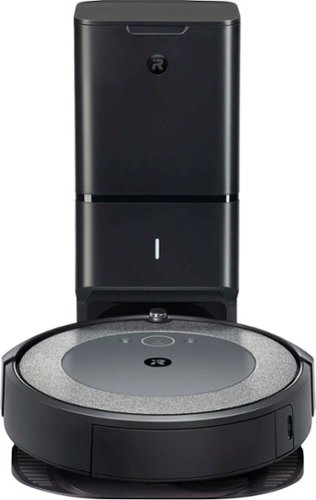
Now the Roomba i3+ EVO robot vacuum is smarter than ever, learning and mapping your home room-by-room so it can clean the room you want, when you want~with 10x the Power-Lifting Suction* and Premium 3-Stage Cleaning System. Powered by iRobot OS, it stays one step ahead of everyday messes, by learning your life and suggesting cleaning schedules~to clean when you~re out enjoying life. On-demand cleaning is only a command away, with Google Assistant and Alexa compatibility** that let you direct your robot to messes right when they happen. With Clean Base Automatic Dirt Disposal, Roomba will return itself to the base when the bin is full, automatically empty and resume cleaning, so you don~t have to think about emptying the bin for months at a time. (*Compared to the Roomba~ 600 series cleaning system)
Posted by: dnottingham4
from Pineville, NC
The Roomba i3+ is a well designed and thought out robot vacuum with the added accessory called the Clean Base® Automatic Dirt Disposal unit, which enables the robot to automatically empty it catch bin, so you do not have too. Let’s first discuss what comes with this robotic vacuum system and then we’ll tackle any remaining features, provide some usage impressions, and end with pros and cons.
The i3+ comes with of course the Roomba I3+ robot and the Clean Base®. You get the usual assortment of manuals – one for each part of the product. The Clean Base® comes pre-installed with an AllergenLock™ bag and there is a spare in the kit as well. This will give you up to 120 days-worth of vacuum collection, and the bags are rated to trap 99% of pollen and mold. Additionally, the kit includes a spare High-Efficiency Filter. The Clean Base® is also the Robot’s parking spot and charging unit. Here are some additional features of the robot:
The i3+ comes with of course the Roomba I3+ robot and the Clean Base®. You get the usual assortment of manuals – one for each part of the product. The Clean Base® comes pre-installed with an AllergenLock™ bag and there is a spare in the kit as well. This will give you up to 120 days-worth of vacuum collection, and the bags are rated to trap 99% of pollen and mold. Additionally, the kit includes a spare High-Efficiency Filter. The Clean Base® is also the Robot’s parking spot and charging unit. Here are some additional features of the robot:
• Powerful Pick-Up and Suction – the robot has a 3-stage cleaning system that includes the 10x (vs the iRobot 600 series) Power-Lifting Suction.
• Smart navigation – navigates and maps your home via state-of-the-art floor tracking sensors to vacuum hardwood floors, tile, and carpet.
• Reactive Sensor Technology – helps the robot know where it can and cannot reach – so it does not get stuck and knows where to go. This combined with its Dirt Detect™ sensors means the robot will focus
on the areas that need the most cleaning.
• The robot can be controlled from the iRobot Home app – which allows for scheduled operations and multiple schedules, seasonal recommendations, and other options – so the robot works to your schedule.
It is also Google Assistant and Alexa compatible and you can get the robot moving with your voice.
• Smart navigation – navigates and maps your home via state-of-the-art floor tracking sensors to vacuum hardwood floors, tile, and carpet.
• Reactive Sensor Technology – helps the robot know where it can and cannot reach – so it does not get stuck and knows where to go. This combined with its Dirt Detect™ sensors means the robot will focus
on the areas that need the most cleaning.
• The robot can be controlled from the iRobot Home app – which allows for scheduled operations and multiple schedules, seasonal recommendations, and other options – so the robot works to your schedule.
It is also Google Assistant and Alexa compatible and you can get the robot moving with your voice.
The setup of the robot is easy and starts with strategically placing the Clean Base® and plugging it in. Next, one downloads the iRobot at home app, creates or logs into their iRobot account, and sync the robot to your WI-FI® network, and then sends the robot on its way. The app will also allow you to update robot and base settings and find your robot should it get lost! The only issue that I have been having it looking at the post job status items - this causes the application to crash on my Android phone but I have not missed this part of the application and I have not yet done proper troubleshooting.
Usage Impressions
Well, this robot has already found its place in our home. We love the fact that she will startup at 10 am and vacuum the entire lower floor while we work on other things. The robot has yet to get stuck and as needed she returns to the Clean Base® to get a recharge in and then she is off and running again to complete the job. All told it takes her just under 3 hours with 1 hour of recharge time included for vacuuming nearly 1300 square feet. She has already earned her place in my wife’s heart when she stated that she is on the list of items that are now must-haves for our home.
Well, this robot has already found its place in our home. We love the fact that she will startup at 10 am and vacuum the entire lower floor while we work on other things. The robot has yet to get stuck and as needed she returns to the Clean Base® to get a recharge in and then she is off and running again to complete the job. All told it takes her just under 3 hours with 1 hour of recharge time included for vacuuming nearly 1300 square feet. She has already earned her place in my wife’s heart when she stated that she is on the list of items that are now must-haves for our home.
The unit retails for $599.99. Annual recommend maintenance costs for - Bags (6/year), filters (6/year), and brushes (1 set each year) are $140. This means the first-year cost of $710 dollars, with annual maintenance thereafter of $140.00 – which is likely to be far cheaper than hiring this work to a human.
Overall, we are thoroughly impressed with the vacuum and it has indeed found its place in our home. The fact that one does not have to do much with this device except replace the bag when it gets full is a real time saver. The ability to schedule the robot to run on your schedule allows one to automate the basic day-to-day cleaning and then focus in on other responsibilities and cleaning where the human touch is needed. Despite the app issues, this item is a winner and the app issues should be an easy fix.
Pros: Clean Base®, Smart Navigation, scheduling.
Cons: the app issues – which should go away.
Cons: the app issues – which should go away.
Mobile Submission: False
I would recommend this to a friend!


Share this review:


+11points
22of 33voted this as helpful.
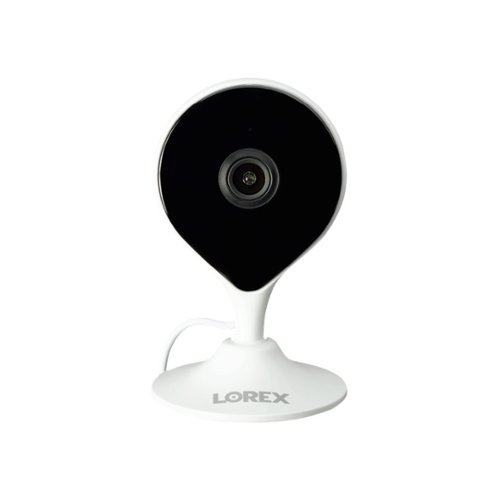
Experience a new level of flexibility when it comes to your home security. With 1080p HD resolution, a wide 115~ diagonal field of view and a flexible camera head that can bend up to 90~, you can rest assure you will not miss any detail. The compact light weight design and magnetic base provides a variety of placement options, while the included mounting kit allows for ceiling or wall installation. Only get the most important notifications with Person Detection technology. Keep your footage private with no monthly fee local storage. Experience a new level of confidence in your security with a camera that is designed to protect what matters most.
Customer Rating

4
A Well-Featured and Priced Wi-Fi Security Camera
on September 2, 2020
Posted by: dnottingham4
from Pineville, NC
This review will be done in 4 parts – features, set up options, usage impressions, and Pros/Cons.
Features:
The HD Wi-Fi camera is a well-featured Wi-Fi camera with a security orientation. Features include 1080p HD video, 2 way-talk, private local storage via up to a 256 MB MicroSD card (a 16 GB card is included), IR night vision up to 33 feet, 2.4 GHz Wi-Fi connectivity, 112° wide-angle field of view, person detection, and on the go connectivity via the Lorex Home App. Finally, the device can be used with Alexa and Google Assistant (not reviewed here as I don’t use those services).
The following items are included in the package with the Wi-Fi Camera – a magnetic wall mount, a pre-inserted 16GB MicroSD card, a power adapter, a camera mounting kit (screws, plastic anchors, mounting template), and the literature pack featuring 3 quick start guides (English, French, and Spanish), regulatory and warranty information, and 2 window stickers for Lorex 24 HR Protection/Video Surveillance.
The HD Wi-Fi camera is a well-featured Wi-Fi camera with a security orientation. Features include 1080p HD video, 2 way-talk, private local storage via up to a 256 MB MicroSD card (a 16 GB card is included), IR night vision up to 33 feet, 2.4 GHz Wi-Fi connectivity, 112° wide-angle field of view, person detection, and on the go connectivity via the Lorex Home App. Finally, the device can be used with Alexa and Google Assistant (not reviewed here as I don’t use those services).
The following items are included in the package with the Wi-Fi Camera – a magnetic wall mount, a pre-inserted 16GB MicroSD card, a power adapter, a camera mounting kit (screws, plastic anchors, mounting template), and the literature pack featuring 3 quick start guides (English, French, and Spanish), regulatory and warranty information, and 2 window stickers for Lorex 24 HR Protection/Video Surveillance.
Set-up/ Installation
The quick start guides have sections for package contents, camera overview, instructions for connecting to Lorex home (see below for more), camera placement guidance (how to avoid interference), wall and ceiling mounting instructions, an overview of the Lorex Home app device page (since you can have multiple devices linked to one’s account), safety precautions, where to get help, troubleshooting, and LED behavior for the LED on the camera.
Set up begins by plugging in the camera to power near the location you select for this camera to monitor. Next, one installs the Lorex Home app on your iPhone® or Android™ phone. Once you have created your Lorex Home account you connect to the camera by scanning the QR code located in the rear of the camera. The account and the camera both have passwords to help secure them.
Usage Impressions:
Once installed the camera monitors the area it can see. It can be configured to alert you to people in your home. You can then use the features to record the area, talk to the person in your home, or even capture still images. Each device can be configured to send you notifications as the camera senses people in the home – this can be continuous or on a schedule of your choosing. You can also designate the zone in which you want the camera to detect within its field of view via the Motion Zones feature. You can also set the camera to record when it detects sound about a designate decibel level (90 dB being the default setting.
One nice feature of the camera is that it records in HD, but can stream in both HD and SD, with SD being the default to reduce bandwidth requirements of live video. When monitoring live you can watch and/or listen via the camera’s microphone.
The quick start guides have sections for package contents, camera overview, instructions for connecting to Lorex home (see below for more), camera placement guidance (how to avoid interference), wall and ceiling mounting instructions, an overview of the Lorex Home app device page (since you can have multiple devices linked to one’s account), safety precautions, where to get help, troubleshooting, and LED behavior for the LED on the camera.
Set up begins by plugging in the camera to power near the location you select for this camera to monitor. Next, one installs the Lorex Home app on your iPhone® or Android™ phone. Once you have created your Lorex Home account you connect to the camera by scanning the QR code located in the rear of the camera. The account and the camera both have passwords to help secure them.
Usage Impressions:
Once installed the camera monitors the area it can see. It can be configured to alert you to people in your home. You can then use the features to record the area, talk to the person in your home, or even capture still images. Each device can be configured to send you notifications as the camera senses people in the home – this can be continuous or on a schedule of your choosing. You can also designate the zone in which you want the camera to detect within its field of view via the Motion Zones feature. You can also set the camera to record when it detects sound about a designate decibel level (90 dB being the default setting.
One nice feature of the camera is that it records in HD, but can stream in both HD and SD, with SD being the default to reduce bandwidth requirements of live video. When monitoring live you can watch and/or listen via the camera’s microphone.
Overall, I like this well-featured camera. It has very good features and capabilities for a device with an MSRP of $59.99 and available for as low as $39.99 - $49.99 based on a quick web search it is priced well and makes a great first impression with the included features and capabilities. One item that I did have some issue with is that the initial card got corrupted within a few hours of activating the camera. I was able to replace it with another card and to date have not had any further issues but it was a concern for me that there might be a possibility that the replacement card would go bad as well.
This camera has several use cases above and beyond the basic security and alerting features. First, it can be used as a monitoring system for those that have pets or family in the home that one would like to keep an eye on. It can also provide peace of mind if you were going on a trip and could not remember if you closed the front door or not (it happens) and were far enough away that returning to check was not a viable option.
This camera has several use cases above and beyond the basic security and alerting features. First, it can be used as a monitoring system for those that have pets or family in the home that one would like to keep an eye on. It can also provide peace of mind if you were going on a trip and could not remember if you closed the front door or not (it happens) and were far enough away that returning to check was not a viable option.
Pros: Features, Ease of installation, Lore Home App, Price.
Cons: The included card went bad.
Cons: The included card went bad.
Mobile Submission: False
I would recommend this to a friend!


Share this review:


+5points
5of 5voted this as helpful.
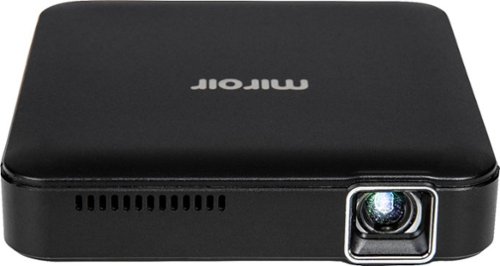
The M125 Micro Projector features 2 internal 1W speaker for amazing built-in sound, 2 hour battery, and LED lamp for 20,000 hours of projecting time. Connect with your own speakers and headphones for an even bigger surround sound experience. When charged, the Micro Pro also works as a battery backup for your mobile device and source for powering your streaming stick. Compact and portable, the M125 will quickly become a best friend to all your devices! ~I wish I had a way to view this bigger~~ From family pictures, movies and gaming, the M125 Micro Pro Projector is a mini pocket projector that delivers vivid images as large as 50~ inches in dark spaces. Bring it with you wherever you go and easily connect it to your mobile device, tablets, and streaming sticks for on-the-go entertainment. Featuring Texas Instruments DLP technology, the M125 is the perfect way to view your favorite content on a big screen whenever you want! Ultra-portable mini projector, up to 2 hour battery with 2 one watt speakers or 3.5mm jack to add your own bigger external speakers. The Micro Pro can be easily connected to streaming media players like Apple TV, Amazon Fire TV, Amazon Fire TV stick, Roku, Roku Streaming Stick, or Google Chromecast. You can also share streaming content from your phone or tablet with applications on your device like Netflix, Hulu and YouTube.
Customer Rating
4
A 50" Video Screen that Fits in your Pocket!
on August 8, 2020
Posted by: dnottingham4
from Pineville, NC
The Miroir – M125 480p Micro Pro Projector is a surprisingly good LED Based, battery, operated portable, DLP Projector. This projector fits a few niche use-cases – travelers, traveling presenters, presenters, office use, and van lifers. The M125 is a feature-rich and well thought our projector for these cases and is supported by the device’s size and has a couple of nice surprises included.
While this device is intended for use with Mobile devices, laptops, gaming consoles, and streaming devices, it can be used with any device you can adapt to an HDMI output.
I have a somewhat unique perspective on projectors because over the last few years my wife and I have moved away from TVs to projectors with streaming devices as our TVs. Instead of spending $1,000 or more on a TV, we spend less than $600, get a much larger screen with excellent quality images and decent sound – enough for us anyway. Currently, we are running 3 projectors in this fashion and have a variety of devices and configurations – our primary system is a 1080p projector with a 5.1 Surround sound attached, the secondary system is a 780p system with a soundbar setup, and the 3rd one is a 1080p LED-based, battery-powered, portable projector with a TV tuner.
While this device is intended for use with Mobile devices, laptops, gaming consoles, and streaming devices, it can be used with any device you can adapt to an HDMI output.
I have a somewhat unique perspective on projectors because over the last few years my wife and I have moved away from TVs to projectors with streaming devices as our TVs. Instead of spending $1,000 or more on a TV, we spend less than $600, get a much larger screen with excellent quality images and decent sound – enough for us anyway. Currently, we are running 3 projectors in this fashion and have a variety of devices and configurations – our primary system is a 1080p projector with a 5.1 Surround sound attached, the secondary system is a 780p system with a soundbar setup, and the 3rd one is a 1080p LED-based, battery-powered, portable projector with a TV tuner.
You can watch a video review of this device at https://youtu.be/6BFjDXCvpSQ
The rest of this review will occur in 3 parts – Tech Specs and features, Usage Impressions, and pros/cons:
Tech Specs
While the tech specs of the Miroir M125 may not impress all projector aficionados, in use, this projector has surprisingly excellent specifications for its niche and price point. Let us dive into the technical specifications. First – this is NOT a FULL HD projector – it is a 480p projector with an 854x480p native resolution, a 400:1 contrast ratio, and is rated at 100 lumens – which means it needs to be in a slightly darkened room. The projector specifications state it can project up to a 70” screen size with a throw ratio of 1.2. This means to get a 70” Screen diagonal, you will need to be about 5.1 feet away from the screen. Second, this projector is a LED lamp DLP projector with a lamp life of up to 20,000 hours – which equates to 2500 days with 8 hours of usage per day (not the typical use case for this device) assuming you made it to the full lamp life – that is nearly 7 years! The projector contains a 2-hour built-in rechargeable battery. Rounding out the specifications the devices has 2 1-watt speakers, a 3.5 mm audio out port, a DC in port (micro USB), HDMI, and a USB charging port, a tripod mount, and weighs in at 7 oz.
While the tech specs of the Miroir M125 may not impress all projector aficionados, in use, this projector has surprisingly excellent specifications for its niche and price point. Let us dive into the technical specifications. First – this is NOT a FULL HD projector – it is a 480p projector with an 854x480p native resolution, a 400:1 contrast ratio, and is rated at 100 lumens – which means it needs to be in a slightly darkened room. The projector specifications state it can project up to a 70” screen size with a throw ratio of 1.2. This means to get a 70” Screen diagonal, you will need to be about 5.1 feet away from the screen. Second, this projector is a LED lamp DLP projector with a lamp life of up to 20,000 hours – which equates to 2500 days with 8 hours of usage per day (not the typical use case for this device) assuming you made it to the full lamp life – that is nearly 7 years! The projector contains a 2-hour built-in rechargeable battery. Rounding out the specifications the devices has 2 1-watt speakers, a 3.5 mm audio out port, a DC in port (micro USB), HDMI, and a USB charging port, a tripod mount, and weighs in at 7 oz.
The front of the unit has the projection lens and a cooling vent, the left side of the unit contains the manual focus wheel, the right side has the power and volume controls, the rear of the unit has all of the input and output ports. The bottom of the unit has the ¼” Tripod mounting hole.
Usage Impressions
I have to say that being a fan of projectors, I was very skeptical about this projector and its 100-lumen rating. In use, however, I am very impressed with is capabilities. The screen is suitably bright and works well in slightly dimmed or darker lighting conditions at decent throw distances. The battery life was spot on at the two-hour rating and when reached the projector performed a nice shutdown. I also tested the unit plugged in and over a 3 – 4-hour testing session the battery did not lose any charge level on the battery indicator. For a 1W+1W system, the audio performed very nicely with only a slight bit of tinny-ness that low-powered speakers tend to have. The 3.5 mm audio output also gives you great options to connect to external speaker systems.
Using the projector with my laptop and a streaming device as the primary tests, the unit performed well. During the laptop test, the downscaling from the laptop’s high-resolution setting to 480p did reveal issues with the text fonts being garbled. For presentations and video, there were no issues. A nice feature of this system is the USB port of the device uses the internal battery of the unit to power a streaming stick. The manual focus of the device works well but it does have a fine range at each throw distance.
In my opinion, this device is well suited to many uses cases where one may need to project something as part of their work or personal life. Since the unit does not actually require a fully darkened room, it could be easily used in shaded outdoor settings or slightly dimmed inside locations to show presentations when and where a projector or a tv is not available for use. Another outstanding use case is for travelers – this device and a streaming stick can make for a very nice travel addition. Another use case for this device is camping (van lifers included) as the short throw distance and lighting requirements of this device match that of a camper or van being used as a camper or home.
Overall, I have found this device to be a wonderful surprise and useful addition to my family of projectors.
Pros: Features/Capabilities (Battery, USB charging port), Portability, Quality, Performance
Cons: Battery-life could be a bit longer.
Mobile Submission: False
I would recommend this to a friend!

Share this review:


+4points
4of 4voted this as helpful.
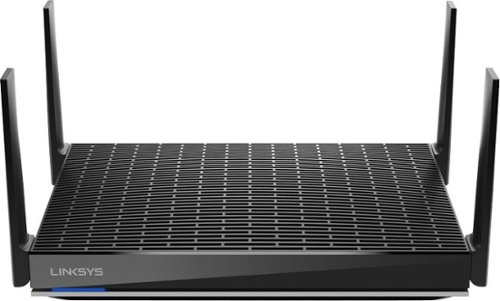
The MR9600 dual-band router with Wi-Fi 6 delivers maximum performance, coverage, and blistering speeds, so you can stream HD video, games, and binge like crazy. Powered by the Linksys Intelligent Mesh~ technology and 6 Gbps of speed, it's 4x faster than Wi-Fi 5 routers, eliminates dead zones, and isolates your network to eliminate interference. Increase the size of your network easily: this future-ready router expands Wi-Fi by adding any Linksys mesh compatible products. The MR9600 is so easy to set up with Linksys App, you'll be streaming 8K video in a matter of minutes.
Posted by: dnottingham4
from Pineville, NC
The Linksys MR9600 MAX-STREAM Dual Band Wi-Fi 6 Router is a superb router that is oriented at streaming, Gaming, and Mesh Wi-Fi Integration. It has a straightforward setup, speed and excellent coverage.
This review will be done in 3 parts – features, usage impressions, and pros/cons:
Features:
The Linksys MR9600 MAX-STREAM Dual Band Wi-Fi 6 Router has several features. First of all this is a Wi-Fi 6 router that enables a coverage area of up to 3000 square feet (just above my home size), allows for over 40 devices to connect to is and it can connect at up to 6.0 Gbps. This is an 802.11ax router that enables 4x the performance of an AC router with eight Wi-Fi streams. This router also supports Velop Mesh Wi-Fi capabilities via additional Velop nodes.
The Linksys MR9600 MAX-STREAM Dual Band Wi-Fi 6 Router has several features. First of all this is a Wi-Fi 6 router that enables a coverage area of up to 3000 square feet (just above my home size), allows for over 40 devices to connect to is and it can connect at up to 6.0 Gbps. This is an 802.11ax router that enables 4x the performance of an AC router with eight Wi-Fi streams. This router also supports Velop Mesh Wi-Fi capabilities via additional Velop nodes.
The router is powered by a 1.9 GHz Quad-Core processor, a 4x4 MU-MIMO radios, and advanced security to keep your network safe. All these features combine to minimize Wi-Fi Congestion, eliminate dead zones, deliver more speed to multiple devices all while maintaining 100% backwards compatibility for your older devices.
Usage Impressions:
This device is very easy to set up and get running right out of the box. Setup and management of the router is conducted via the use of a mobile app installed to your phone or tablet and uses Bluetooth technology to initially configure the router. In this setup mode you get a 2.5 GHz and a 5 GHz network of each with the same network name for use with your devices. As part of this setup you also configure an account with Linksys should you not already have one with them. You can see screen shots of the mobile app accompanying this review below to see that is allows one to monitor the devices connected, Guest Access, Parental Controls, Device Prioritization, and external storage. Via the menu there are even more options for managing this router, with a Speed test function, more Wi-Fi Settings, Notifications, Network Administration, Advanced Settings, and account Management features.
I have been using this router for about 10 days so far and I am pleased with its performance from both a coverage and speed perspective. Consistently on the lower floor of my home this router is providing the best signal strength typically around -38 db and is the best of the 3 routers I currently have active in the home (one is part of the network gateway from my internet provider). While I was initially surprised to only have 2 networks, in reality the lack of a second high-speed network on this router is a nice to have that I had gotten used to with my other router. I do like the quick ability to run a speed test from the mobile app to make sure that my service provider is working at its typical speeds. The router supports 2 USB external storage devices. I have tested this capability with an 8 GB USB drive and found no issues connecting to the storage from a laptop.
This device is very easy to set up and get running right out of the box. Setup and management of the router is conducted via the use of a mobile app installed to your phone or tablet and uses Bluetooth technology to initially configure the router. In this setup mode you get a 2.5 GHz and a 5 GHz network of each with the same network name for use with your devices. As part of this setup you also configure an account with Linksys should you not already have one with them. You can see screen shots of the mobile app accompanying this review below to see that is allows one to monitor the devices connected, Guest Access, Parental Controls, Device Prioritization, and external storage. Via the menu there are even more options for managing this router, with a Speed test function, more Wi-Fi Settings, Notifications, Network Administration, Advanced Settings, and account Management features.
I have been using this router for about 10 days so far and I am pleased with its performance from both a coverage and speed perspective. Consistently on the lower floor of my home this router is providing the best signal strength typically around -38 db and is the best of the 3 routers I currently have active in the home (one is part of the network gateway from my internet provider). While I was initially surprised to only have 2 networks, in reality the lack of a second high-speed network on this router is a nice to have that I had gotten used to with my other router. I do like the quick ability to run a speed test from the mobile app to make sure that my service provider is working at its typical speeds. The router supports 2 USB external storage devices. I have tested this capability with an 8 GB USB drive and found no issues connecting to the storage from a laptop.
Overall if find this router to be a superb addition to my home network and I love the performance and coverage it provides. It has me now rethinking the placement of the routers within my home to ensure the best coverage possible. If there are any cons to this device as of this writing it may be the $399.99 MSRP but the jury is still out on that front.
Pros: Ease of Setup, Coverage, built-in speed test, Mobile App, automatic updates
Cons: Maybe the price
Cons: Maybe the price
Mobile Submission: False
I would recommend this to a friend!


Share this review:


+3points
3of 3voted this as helpful.

G915 TKL is a new class of wireless mechanical gaming keyboard with three selections of low-profile GL switches and pro-grade 1 ms LIGHTSPEED wireless. Capable of delivering up to 40 hours of non-stop gaming on a full charge. Fully customizable per-key and advanced LIGHTSYNC RGB technology to synchronize lighting with any content.
Posted by: dnottingham4
from Pineville, NC
The Logitech G915 TKL Gaming Keyboard is a superb quality gaming keyboard that could give serious gamers an edge in their gaming. This keyboard is a high-quality, compact mechanical wireless keyboard that is intended for high-performance gaming. The keyboard has serious features – such as an ability to connect via a highspeed wireless connection technology called LIGHTSPEED, and low-profile mechanical switched for the keys – which come in 3 varieties – Clicky Linear, and Tactile (the version I have); this enables the purchaser to select a keyboard that matches their preferences and up to 40 hours of non-stop gaming on a charge. The Keyboard also has fun features – such as the RGB LIGHTSYNC capabilities that allow you to customize the keyboard lighting effects and the refined media controls that include a nice volume roller.
This review will be done in 3 parts – features, usage impressions, and pros/cons. You can see my video review at https://youtu.be/GNuk8Pslg3E
Features:
The features of this keyboard are excellent and very versatile. The build quality is excellent with the top side of the keyboard made of an aircraft-grade aluminum alloy. Even with the top side made so robustly, the keyboard itself is very thin and compact and weighs in at 1.75 lbs. The lack of a keypad allows for more space for mouse movements during gaming sessions. This however takes some getting used to for other non-gaming uses of the keyboard.
The features of this keyboard are excellent and very versatile. The build quality is excellent with the top side of the keyboard made of an aircraft-grade aluminum alloy. Even with the top side made so robustly, the keyboard itself is very thin and compact and weighs in at 1.75 lbs. The lack of a keypad allows for more space for mouse movements during gaming sessions. This however takes some getting used to for other non-gaming uses of the keyboard.
This keyboard has multiple connectivity options – the high-speed Lightspeed option allows for a connection with a 1 ms report rate using the included USB receiver. The second option is to connect via Bluetooth®. You can switch before the two of them with the touch of a button. The third option is of course to use the included micro-USB cable to run the keyboard in a wired mode. Another feature to note is that the LIGHTSPEED wireless dongle can be stored in a port on the bottom of the keyboard – reemphasizing that this keyboard is intended to be portable.
The Keyboard uses the Logitech G HUB software to configure the lighting effects, Assignments – covering commands, keys, Actions, macros and system, and Game mode – which lets you designate keys to deactivate while gaming. This software comes with present settings you can use or use as a baseline to set up your own preferences. For lighting effects see the image showing the various settings for the lighting assignments including presets, freestyle, and animation categories for lighting control.
Usage Impressions:
The G915 TKL is a superb keyboard that is oriented at avid and professional gamers. The keyboard works great for other uses as well, however, the lack of a keypad (by design) makes those who desire a keypad for their uses to use the number keys instead. I have especially liked the audio controls and most notably the roller volume control. I have also found the keyboard backlighting option to be a fun addition to the keyboard allowing you to set the mood of one’s gaming or work sessions. The lighting capabilities can also let you set the keyboard colors to “dance” the lighting align to the system audio.
I like the capabilities of the keyboard and the unit’s battery life is excellent, but this is not a keyboard that one would normally think of for everyday uses due to its $229.99 price tag. The connectivity options provide a whole host of options for each usage scenario. I was disappointed, but completely understand, why the LIGHTSPEED DONGLE for this keyboard would not also allow for my Logitech MX mouse to connect to my system.
Overall, this is a superb gaming keyboard.
Pros: Build quality, Connectivity options, audio controls, and lighting
Cons: lack of a keypad (use the G915 if you need one), price (quite expensive at an MSRP of @229.99)
Mobile Submission: False
I would recommend this to a friend!


Share this review:


0points
1of 2voted this as helpful.
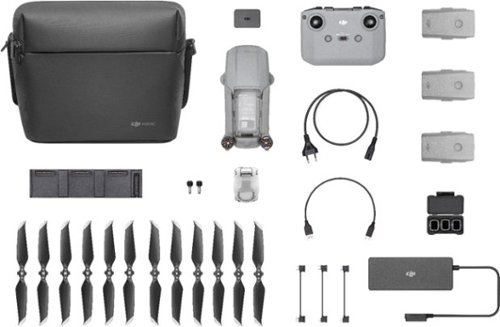
Shoot pro-quality aerial footage with this DJI Mavic Air 2 drone. The three-axis gimbal stabilizes the 48.0MP camera for stunning photos and clear videos, while the 3500 mAh battery delivers dependable power for every flight. This DJI Mavic Air 2 drone features FocusTrack technology for advanced obstacle avoidance and target tracking.
Posted by: dnottingham4
from Pineville, NC
The DJI Mavic Air 2 with the Fly More Combo is an amazing well-featured compact consumer-level drone. The primary features include:
• 4K/60fps Video/48 MP Photos
• 34-Min Max Flight Time
• 10km 1080p Video Transmission
• APAS 3.0 Obstacle Avoidance
• 8K Hyperlapse
• FocusTrack
• 4K/60fps Video/48 MP Photos
• 34-Min Max Flight Time
• 10km 1080p Video Transmission
• APAS 3.0 Obstacle Avoidance
• 8K Hyperlapse
• FocusTrack
The Fly More Combo adds to this by including accessories that – well, as stated in the name – help you fly more! These accessories include 2 extra Intelligent flight batteries ($230 value), 3 extra Pairs of Low-noise Propellers ($33 value), a set of ND Filters for the camera ($65 value), a battery charging hub ($59 value), and a Battery to Power Bank Adapter, which allows you to use the Mavic Air Battery as a power bank to charge your phone or a tablet ($19 value). This combo adds $189 to the price of the base Mavic Air 2. Bought separately these would cost $495 – which makes this a fantastic price at $998 vs the base Mavic Air 2 price of $799.
This review will be done in 3 parts – features, usage impressions, and Pros/Cons.
Features:
The DJI Mavic Air 2 has several key features. First among these are features that aid a drone pilot to capture some awesome videos and still images shots. The ½-inch CMOS sensor allows for up to 48 MP photos including smart photos and for 4K/60 FPS video. Smartphoto is an optimized capture method that “integrates scene recognition, HyperLight, and HDR into one mode for optimal results. Scene recognition optimizes different camera parameters for various scenes and supports intelligent recognition of five categories: sunset, skies, grass, snow, and trees.” The device is also capable of Enhanced HDR photos, videos, and panorama shots. Additionally, the device has several Quickshots built in that allow one to take a cinematic quality shot of a target and the surrounding area. Each Quickshot is a pre-programmed aerial route that allows one to capture cinematic video clips. The quick shots are all oriented at a target and have an associated flight pattern, for example, the Dronie pattern the drone flies backward away from the subject while capturing the shot; while the Rocket pattern flies straight up with the camera pointing down at the targeted subject. The others are called Circle, Helix, Boomerang, and Asteroid. One can see examples of each at the DJI website. The final video feature is called Hyperlapse and this mode is shot in 8K and this mode allows “you to warp time and space for especially stunning footage. Best of all, you can achieve this shot without complex post-processing. Choose from Free, Circle, Course Lock, and Waypoint modes, select the shooting location, and the DJI Fly app will do the rest.” You can view a video clip shot at 1080P @30 FPS here: https://youtu.be/H-KbXEqi3Pc
The DJI Mavic Air 2 has several key features. First among these are features that aid a drone pilot to capture some awesome videos and still images shots. The ½-inch CMOS sensor allows for up to 48 MP photos including smart photos and for 4K/60 FPS video. Smartphoto is an optimized capture method that “integrates scene recognition, HyperLight, and HDR into one mode for optimal results. Scene recognition optimizes different camera parameters for various scenes and supports intelligent recognition of five categories: sunset, skies, grass, snow, and trees.” The device is also capable of Enhanced HDR photos, videos, and panorama shots. Additionally, the device has several Quickshots built in that allow one to take a cinematic quality shot of a target and the surrounding area. Each Quickshot is a pre-programmed aerial route that allows one to capture cinematic video clips. The quick shots are all oriented at a target and have an associated flight pattern, for example, the Dronie pattern the drone flies backward away from the subject while capturing the shot; while the Rocket pattern flies straight up with the camera pointing down at the targeted subject. The others are called Circle, Helix, Boomerang, and Asteroid. One can see examples of each at the DJI website. The final video feature is called Hyperlapse and this mode is shot in 8K and this mode allows “you to warp time and space for especially stunning footage. Best of all, you can achieve this shot without complex post-processing. Choose from Free, Circle, Course Lock, and Waypoint modes, select the shooting location, and the DJI Fly app will do the rest.” You can view a video clip shot at 1080P @30 FPS here: https://youtu.be/H-KbXEqi3Pc
The second area of features that make this drone so incredible is called FocusTrack. FocusTrack is a “suite of intelligent tracking modes” – including Active Track 3.0, Spotlight 2.0 and Point of Interest 3.0 as follows:
• Active track 3.0 – Allows the drone to follow subjects while avoiding obstacles and the drone can keep track of the subjects. This mode can also find subjects if they are lost because of moving behind an obstacle. There are 2 modes for this feature – Trace, that tracks the subject at a constant distance and allows for obstacles, and Parallel, that tracks the subject at a constant angle and distance from the side, unfortunately, the aircraft cannot sense obstacles in this mode.
• Spotlight 2.0 – “Fly freely while the camera remains locked on the subject with this convenient mode. Simply select your subject and fly.”
• Point of Interest 3.0 – in this mode “the aircraft tracks the subject in a circle based on the radius and flight speed selected. This mode works with both static and moving subjects – as long as they are not moving too fast.”
• Active track 3.0 – Allows the drone to follow subjects while avoiding obstacles and the drone can keep track of the subjects. This mode can also find subjects if they are lost because of moving behind an obstacle. There are 2 modes for this feature – Trace, that tracks the subject at a constant distance and allows for obstacles, and Parallel, that tracks the subject at a constant angle and distance from the side, unfortunately, the aircraft cannot sense obstacles in this mode.
• Spotlight 2.0 – “Fly freely while the camera remains locked on the subject with this convenient mode. Simply select your subject and fly.”
• Point of Interest 3.0 – in this mode “the aircraft tracks the subject in a circle based on the radius and flight speed selected. This mode works with both static and moving subjects – as long as they are not moving too fast.”
The third area of features for this drone is the built-in safety systems. The safety systems being with OcuSync 2.0, which is the video transmission system for the drone. This system has a range of 10 km and can deliver a 1080P FHD resolution Livestream directly form the drone’s camera. The system is also dual banded allowing transmission at both 2.4 and 5.8 GHz to deliver “a reliable signal and smooth flights” and since the system gets to the best channel with the lowest interference it increases flight safety. Adding to this is the Intelligent Flight Battery with up to 34 minutes of flight time, allows one to take great shots and in sport mode one can reach a flight speed of up to 68 kph (just over 42 mph). Rounding out the safety features is the impressive obstacle avoidance system known as the Advanced Pilot Assistance Systems (APAS) 3.0. This system “utilizes an advanced mapping technology for smooth following and reliable obstacle avoidance in complex scenarios. Obstacle avoidance performance and automatic flight planning have dramatically improved compared to previous generations, increasing safety, and providing more options.” This system allows the drone to perceive its environment forward, backward, and downward.
The fourth and final feature area that I am going to focus one is the applications that one uses with the Mavic Air 2 – DJI Fly and DJI Assistant 2 for Mavic. The DJI Fly app works on several smartphones – but not all smartphones It works in connection with the remote control the comes with the Mavic Air 2. The app allows for ease of flying, using manual settings, advanced functions – including Quickshots and the FocusTrack modes. DJI Fly also allows one to edit their videos right on your smartphone. The remote control also has a 6-hour battery life and charges the phone while it’s in use. DJI Assistant 2 for Mavic is a Windows/Mac application that provides you with the ability to “upload flight data, black box information, calibrate your vision sensors and upgrade your firmware”. It also contains a simulator that will replay your flights based on the blackbox data. This feature does use the motors so be sure to remove the aircraft’s propellers before using it!
Usage Impressions:
The Mavic Air 2 is a device that truly makes the saying that “good things come in small packages” ring true. This is a highly sophisticated drone aircraft that is packed with features. Features for the advanced drone user as well as those that can help the new to drone operations. The DJI Fly app is a terrific feature of this system that allows one to take advantage of the many pre-programmed activities to get wonderful shots from the drone. This application also has plenty of features and capabilities to aid you in using the drone most effectively. The included tutorials – including videos - and help features of the app are great aid helping one get up to speed on this drone and its capabilities.
The Mavic Air 2 is a device that truly makes the saying that “good things come in small packages” ring true. This is a highly sophisticated drone aircraft that is packed with features. Features for the advanced drone user as well as those that can help the new to drone operations. The DJI Fly app is a terrific feature of this system that allows one to take advantage of the many pre-programmed activities to get wonderful shots from the drone. This application also has plenty of features and capabilities to aid you in using the drone most effectively. The included tutorials – including videos - and help features of the app are great aid helping one get up to speed on this drone and its capabilities.
The Fly More Combo included in this version is an amazingly valuable addition to the overall value of the package. One of the best features is that the entire collection of items in this package fits in the carry bag – which makes taking this drone with you on your travels and adventures that much more enjoyable and gives you over 100 minutes of flight time with all 3 Intelligent flight batteries fully charged.
The included safety systems, especially the Obstacle avoidance capabilities also allow one to do more with the drone and do it safely. This will bring you hours of fun using the system and capturing your travels and adventures in a whole new way.
The included safety systems, especially the Obstacle avoidance capabilities also allow one to do more with the drone and do it safely. This will bring you hours of fun using the system and capturing your travels and adventures in a whole new way.
One downside to the DJI Fly app is that it supports a very limited set of phones. It does support many iPhones and iPods with iOS 10.0 or above. For Android devices, they must have Android 6.0 or above but also must be specific brands and models – for example, my Motorola G6 Android device is not compatible; even with Android 9.0 installed. Samsung Galaxy/Note, HUAWEI, Honor, OnePlus, and Pixel phones are compatible Android devices.
On a final note, please be advised that in the United States of America, Drone usage is a highly regulated activity with Federal requirements, state, and possibly local regulations to comply with. Please be aware of the rules and regulations and fly safely and legally.
Pros: Features, Features, and more features. Fly Mode Combo is a terrific value add.
Cons: Battery flight time seems shorter than advertised, iPhone Charging must be activated each time one uses the DJI Fly App, limited Android phone model support
Mobile Submission: False
I would recommend this to a friend!


Share this review:


+10points
11of 12voted this as helpful.
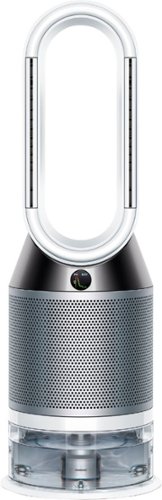
Automatically purifies and humidifies for a healthier environment. Hygienically removes 99.9% of bacteria in the water~. The Dyson Pure Humidify+Cool is a multi-functional machine for whole room air treatment - it purifies, humidifies and cools you. Its activated carbon and HEPA filters capture 99.97% of allergens and pollutants as small as 0.3 microns and Air Multiplier technology projects purified, humidified air throughout the room~. And with a hassle-free deep clean cycle, thoroughly eliminate mineral build-up and bacteria at the touch of a button. Dyson technology helps create a cleaner, healthier home - Our vacuums and purifiers are scientifically proven to capture particles as small as allergens and bacteria.
Posted by: dnottingham4
from Pineville, NC
Do you suffer from allergies? Do you like to Breathe cool fresh Clean air? Do you like to sleep with a fan on?
If you answered yes to any of these questions, then the Dyson Pure Humidify+Cool may be a device for you! My wife is enjoying it so much she is planning on writing Dyson to ask when a smaller, portable version is coming out to use when we travel!
Features
The Dyson Pure Humidify+Cool is a purifying, humidifying, and cooling fan that is designed to automatically purify and humidify the air inside your living spaces to provide you with a healthier environment. This is accomplished using sensors, filtration, and humidification.
The sensors use local temperature and humidity data from the web to adjust the fan’s cooling and humidification levels to ensure that area it is placed in has the most hygienic air possible. These sensors “automatically detect airborne particles, gasses, temperature, and humidity”. It provides insight into this information on a small screen on the unit as well as via the Dyson Link App, which can also be used to control the machine’s settings. If desired the fan can be controlled via Amazon Alexa and Apple Siri ®.
This fan uses HEPA and activated carbon filters to capture gasses and fine particles including allergens. This is a fully sealed 360-degree filtration system with a 99.97% capture rating of allergens as small as 0.3 microns. It also has what Dyson calls Air Multiplier technology to project over 84 gallons of smooth, powerful airflow per second to circulate the purified, humidified air throughout the room.
One the humidification side of the fan, this unit comes with a 1-gallon water tank that can provide up to 36 hours of hygienic humidification. This means you will not have to constantly fill up the tank. The unit also has an Ultraviolet system that is used to remove 99.9% of bacteria in the water being used for humidification. The humidification system is based on Dyson developed evaporative methods using a woven mesh evaporator, the results in an extremely fine water vapor that makes it invisible and incapable of carrying any bacteria with it.
If you answered yes to any of these questions, then the Dyson Pure Humidify+Cool may be a device for you! My wife is enjoying it so much she is planning on writing Dyson to ask when a smaller, portable version is coming out to use when we travel!
Features
The Dyson Pure Humidify+Cool is a purifying, humidifying, and cooling fan that is designed to automatically purify and humidify the air inside your living spaces to provide you with a healthier environment. This is accomplished using sensors, filtration, and humidification.
The sensors use local temperature and humidity data from the web to adjust the fan’s cooling and humidification levels to ensure that area it is placed in has the most hygienic air possible. These sensors “automatically detect airborne particles, gasses, temperature, and humidity”. It provides insight into this information on a small screen on the unit as well as via the Dyson Link App, which can also be used to control the machine’s settings. If desired the fan can be controlled via Amazon Alexa and Apple Siri ®.
This fan uses HEPA and activated carbon filters to capture gasses and fine particles including allergens. This is a fully sealed 360-degree filtration system with a 99.97% capture rating of allergens as small as 0.3 microns. It also has what Dyson calls Air Multiplier technology to project over 84 gallons of smooth, powerful airflow per second to circulate the purified, humidified air throughout the room.
One the humidification side of the fan, this unit comes with a 1-gallon water tank that can provide up to 36 hours of hygienic humidification. This means you will not have to constantly fill up the tank. The unit also has an Ultraviolet system that is used to remove 99.9% of bacteria in the water being used for humidification. The humidification system is based on Dyson developed evaporative methods using a woven mesh evaporator, the results in an extremely fine water vapor that makes it invisible and incapable of carrying any bacteria with it.
Other features include:
• Breeze Mode – the airflow mimics a natural breeze
• Fan mode – with options for 0, 45 or 90 degrees of oscillation
• Backwards Airflow mode – to gain air quality benefits without cooling you.
• Night mode – uses the quietest settings and dimmed display to allow you to sleep and have purified and humidified air.
• Sleep timer – this will allow you to program the machine to turn off after pre-set intervals from 30 minutes to 8 hours.
• The unit has a multifunction remote to control the various settings including automatic modes for both purification and humidification mode.
Setting Up the Unit
Setting up the unit is very straight forward and includes needing to remove packing some packing tape and cardboard from the unit that is there to make sure the unit arrives in perfect shape. It reminds me of setting up a new printer as far as the tape. The filters easily snap into place and then the panels are reattached to the unit (see picture accompanying this review).
• Breeze Mode – the airflow mimics a natural breeze
• Fan mode – with options for 0, 45 or 90 degrees of oscillation
• Backwards Airflow mode – to gain air quality benefits without cooling you.
• Night mode – uses the quietest settings and dimmed display to allow you to sleep and have purified and humidified air.
• Sleep timer – this will allow you to program the machine to turn off after pre-set intervals from 30 minutes to 8 hours.
• The unit has a multifunction remote to control the various settings including automatic modes for both purification and humidification mode.
Setting Up the Unit
Setting up the unit is very straight forward and includes needing to remove packing some packing tape and cardboard from the unit that is there to make sure the unit arrives in perfect shape. It reminds me of setting up a new printer as far as the tape. The filters easily snap into place and then the panels are reattached to the unit (see picture accompanying this review).
Next one needs to fill the tank with water. The tank is held in place via two levers on the side of the unit. The lid of the tank has the pump and electric connections to allow the water to flow to the rest of the unit and has a nice carrying handle and small wheels to help it roll into place.
The final step of setup is installing and connecting the machine to your tablet or smartphone via the Dyson Link app. The app is very quick to set up and includes a step by step guide for connecting the fan to the internet so it can download your local air quality data to help it perform at its best. The app has 3 main functions – to control the fan, to get air quality data, and to keep you informed when the unit needs to be cleaned or the filters need to be replaced.
The unit comes with 3 packs of a Citric acid solution that is used to clean it when it tells you to do so. The cleaning cycle is used to eliminate mineral build-up in the machine’s water system and the machine has built-in step-by-step instructions on how to manage the cycle.
Usage Impressions
Once set up the fan is very easy to use. It quickly becomes a "set and forget" device. With the main activity being to refill the water tank. For our usage pattern, primarily at night and in the morning, the 36 hours of humidification time will last for 7 -10 days. Once we found the right fan speed and humification settings we have largely left the unit alone except to turn it off and back on.
Once set up the fan is very easy to use. It quickly becomes a "set and forget" device. With the main activity being to refill the water tank. For our usage pattern, primarily at night and in the morning, the 36 hours of humidification time will last for 7 -10 days. Once we found the right fan speed and humification settings we have largely left the unit alone except to turn it off and back on.
Initially, we were very skeptical of this unit because we had in place a very low cost and somewhat effective box fan plus filter system to help control the allergen level and provide air circulation with some purification to keep the allergens low. This is especially true when you factor in the cost of the Dyson unit. After several days of use, however, we have found this to be an excellent device that has reduced the “morning allergy flow”. It has been a very pleasant surprise.
Summary
Overall, this unit has extremely nice features and as previously stated has been a nice addition to our home. The unit is easy to set up and maintain.
While pricey, the unit is designed to keep you healthier and by using this you might be able to avoid potential future health issues by breathing in better quality air. For us, being healthy and delaying future health issues is something we are willing to invest in. Still, it loses a star due to the price.
Overall, this unit has extremely nice features and as previously stated has been a nice addition to our home. The unit is easy to set up and maintain.
While pricey, the unit is designed to keep you healthier and by using this you might be able to avoid potential future health issues by breathing in better quality air. For us, being healthy and delaying future health issues is something we are willing to invest in. Still, it loses a star due to the price.
Pros: it does what it says it will do, HEPA Filtration
Cons: Cost – both initially and for replacement filters
Cons: Cost – both initially and for replacement filters
Mobile Submission: False
I would recommend this to a friend!


Share this review:


+2points
11of 20voted this as helpful.
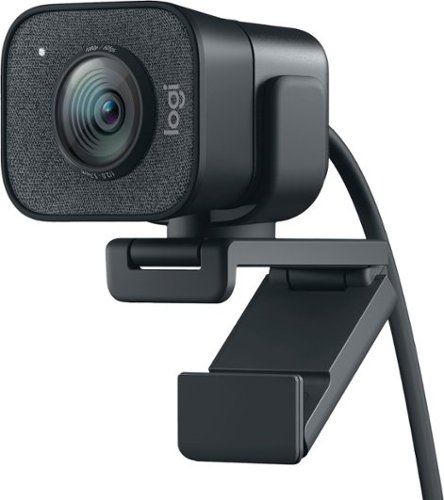
The Logitech StreamCam premium webcam streams and records in full 1080p HD resolution at 60 fps, delivering professional-quality results for YouTube videos and Twitch streaming. Create sharp, natural video with smooth motion and crisp details thanks to a premium glass lens and smart features like autofocus. The external computer camera's glass lens delivers vibrant, true-to-life image quality with crisp details. A 78-degree field of view keeps you upfront and center, while autofocus intelligently adjusts the lens in real-time soyou always stay in focus, even when you move toward or away from the camera. The live streaming webcam's intelligent exposure system adjusts the aperture and ISO speed in real-time to ensure accurate skin tones for a more natural, healthy look ~even in varying lighting conditions. With StreamCam, you can be confident that you~ll always look great.
Customer Rating

5
Super High-Quality Professional Streaming Camera
on March 5, 2020
Posted by: dnottingham4
from Pineville, NC
The STREAMCAM PLUS camera by Logitech is an excellent Full 1080P, 60 FPS streaming camera that is ideal for YouTube streaming, video logs, video conferencing, or any other application for a webcam.
This review will be done in 3 parts – features, usage impressions, and pros/cons:
Features:
The features of this Camera are very thorough. The camera is capable of video streaming at many resolutions and FPS settings including Full HD of 1080P at 60 FPS. The camera is capable of either landscape or Portrait orientations at these resolutions. The camera also includes Smart video features that include AI-based Facial tracking and auto focusing features. The camera comes with two mounting options – one intended for use with the included mini-tripod and one for use in mounting the camera to a screen. Both mounts allow the camera to be mounted in either landscape or portrait modes. The camera is a USB 3.1 type C device and as such requires that connector type to be used; although it might be able to be run via an adapter that adapts a USB 3.1 type B to type C – I have not tested this. The final part of this equation is the recommended and free to download Logitech Capture software to enable the capture of video.
The features of this Camera are very thorough. The camera is capable of video streaming at many resolutions and FPS settings including Full HD of 1080P at 60 FPS. The camera is capable of either landscape or Portrait orientations at these resolutions. The camera also includes Smart video features that include AI-based Facial tracking and auto focusing features. The camera comes with two mounting options – one intended for use with the included mini-tripod and one for use in mounting the camera to a screen. Both mounts allow the camera to be mounted in either landscape or portrait modes. The camera is a USB 3.1 type C device and as such requires that connector type to be used; although it might be able to be run via an adapter that adapts a USB 3.1 type B to type C – I have not tested this. The final part of this equation is the recommended and free to download Logitech Capture software to enable the capture of video.
Usage Impressions:
The video and audio quality of this camera are top-notch. I recorded multiple videos using it in the two modes and each capture was of great quality. You can see this in the phots that are included in this review.
The video and audio quality of this camera are top-notch. I recorded multiple videos using it in the two modes and each capture was of great quality. You can see this in the phots that are included in this review.
The included Logitech capture software is full of features and captures video well. I also tested the camera with Camtasia and the Zoom video conferencing software with no issues and the autofocus and tracking capabilities worked well as did some automatic lighting adjustments that occurred as I moved in the video.
One of the best features is the monitor mount that comes with the system. This mount is extremely versatile, it has adjustments that allow it to securely mount to the screen and keep the camera level this is especially useful on the thin screen of a laptop as you can see in the image that shows this mount.
For streamers, combining this device with a Blue Yeti X microphone yields and an incredible combination of video and audio capabilities. I was a little surprised to see that the Logitech G hub app that supports the Blue Yeti X microphone does not currently support this camera. Regardless the combination is a wonderful one.
Pros: Video and Audio quality, Mounts and included tripod.
Cons: The USB C requirement is a minor challenge for older systems but can be overcome.
Cons: The USB C requirement is a minor challenge for older systems but can be overcome.
Mobile Submission: False
I would recommend this to a friend!


Share this review:


+28points
34of 40voted this as helpful.
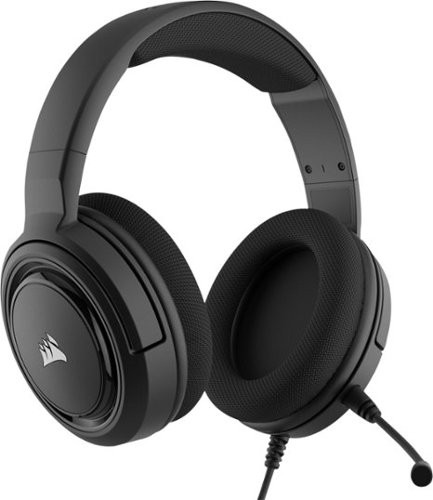
Coordinate your strategy during multiplayer battles with this CORSAIR SURROUND gaming headset. The plush memory foam padding offers lasting comfort, and the 50mm neodymium drivers enhance your gaming experience with rich dynamic sound. This CORSAIR SURROUND gaming headset includes a USB adapter, letting you listen to music and game audio in 7.1 surround sound.
Customer Rating
4
Budget friendly multi-purpose gaming Headset!
on February 1, 2020
Posted by: dnottingham4
from Pineville, NC
The Corsair HS45 Surround – Stereo Gaming Headset with 7.1 Surround Sound is a well-designed headset that is not only useful for gaming applications, but it is also just as useful for more serious needs such as web conferencing, or any other use for a headset. This adds to the value that this headset provides; especially with the budget-friendly $49.99 price tag.
This review will be done in 3 parts – features, usage impressions, and pros/cons.
This review will be done in 3 parts – features, usage impressions, and pros/cons.
Features:
The features of this entry-level gaming headset are well thought out and useful. This wired headset provides multiple ways of listening to audio on your devices (PC- either directly or using the USB external sound card), cell phone, tablet, or game controller). The headset comes with a USB external sound card for use with the PC, a detachable boom mic, and user documentation. This headset is made of quality plastic and metal materials that help it to be used for long usage periods of gaming. This headset is an over the ear design allowing one to concentrate on the task at hand - be it a teleconference, listening to music, watching a moving, or a gaming session. The earpieces do provide some level of noise reduction due to the padded design.
The features of this entry-level gaming headset are well thought out and useful. This wired headset provides multiple ways of listening to audio on your devices (PC- either directly or using the USB external sound card), cell phone, tablet, or game controller). The headset comes with a USB external sound card for use with the PC, a detachable boom mic, and user documentation. This headset is made of quality plastic and metal materials that help it to be used for long usage periods of gaming. This headset is an over the ear design allowing one to concentrate on the task at hand - be it a teleconference, listening to music, watching a moving, or a gaming session. The earpieces do provide some level of noise reduction due to the padded design.
The headset uses Corsair's iCUE software to aid one in adjusting the settings especially when using the device with the included 7.1 Surround Sound USB adapter for PC. The software provides for 5 EQ presets – Pure Direct, Movie Theater, FPS Competition, Clear Chat, and Bass Boost – to aid you in your listening enjoyment and the activity you are using the headset to enjoy. You can also create and save your own presets to further customize your listening. You can also turn the 7.1 surround sound on or off as desired in the software. The ICUE software appears to have many uses across the Corsair product line and can different things for different devices.
Usage Impressions:
The headset is a nice addition to one’s setup, especially for those just starting to use a headset for their gaming. The price point especially allows one to begin using a headset for a relatively inexpensive manner and have the benefits of 7.1 surround sound while gaming.
I tested the headset using multiple tracks that were recommended for testing audio systems to test them across the sound spectrum form deep base to soaring highs. The tracks allow testing spatial separation of sounds and the dynamic ranges of the piece being played. From all of these tracks, the sounds were very good. While they may not have been as good as other headsets I have tested and reviewed, they were still very good. This headset might be a little bit “tinnier” than these other headsets; but not enough to be a large distraction. The 7.1 surround sound adapter and the detachable boom mic are nice additions.
The headset is a nice addition to one’s setup, especially for those just starting to use a headset for their gaming. The price point especially allows one to begin using a headset for a relatively inexpensive manner and have the benefits of 7.1 surround sound while gaming.
I tested the headset using multiple tracks that were recommended for testing audio systems to test them across the sound spectrum form deep base to soaring highs. The tracks allow testing spatial separation of sounds and the dynamic ranges of the piece being played. From all of these tracks, the sounds were very good. While they may not have been as good as other headsets I have tested and reviewed, they were still very good. This headset might be a little bit “tinnier” than these other headsets; but not enough to be a large distraction. The 7.1 surround sound adapter and the detachable boom mic are nice additions.
For audio and video conferencing functionality, this headset works well. The headset and accessories are portable enough that one can travel with the headset and take advantage of it for a quality audio experience for this use case. The mute function via the button on the back of the left earcup is well-positioned. The volume control is also on the headset and works well but does not actually adjust the systems volume level as you raise or lower the volume on the headset.
I also testing this headset via a wired connection to my cell phone and the audio qualities extended to that use case as well.
Pros: Price/value, Audio quality, versatility via the iCUE software
Cons: Not as portable as it could be
Cons: Not as portable as it could be
Mobile Submission: False
I would recommend this to a friend!

Share this review:


+10points
10of 10voted this as helpful.
dnottingham4's Review Comments
dnottingham4 has not submitted comments on any reviews.
dnottingham4's Questions
dnottingham4 has not submitted any questions.
dnottingham4's Answers
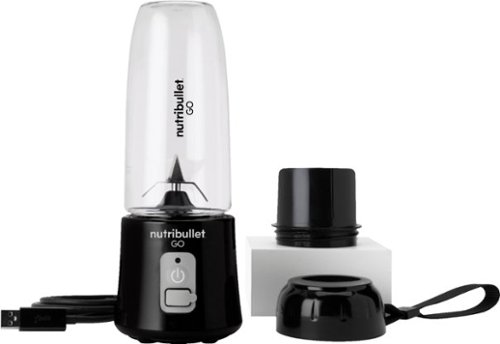
The Nutribullet GO Cordless Blender has a compact and ergonomic design, ideal for those on the go! The 2000mAH battery offers up to 20 blending cycles before needing to be recharged. The 13oz cups are the perfect size for personal smoothies or protein shakes and with 18000 RPMs you can be confident your smoothies will come out tasting delicious! Our base even comes with a blade protector so you can feel confident putting this in a backpack or bag.
Can you use it to blend fresh coffee (to make bulletproof coffee)
This unit is NOT intended for use with HOT or carbonated liquids.
4 years, 8 months ago
by
dnottingham4
The Nutribullet GO Cordless Blender has a compact and ergonomic design, ideal for those on the go! The 2000mAH battery offers up to 20 blending cycles before needing to be recharged. The 13oz cups are the perfect size for personal smoothies or protein shakes and with 18000 RPMs you can be confident your smoothies will come out tasting delicious! Our base even comes with a blade protector so you can feel confident putting this in a backpack or bag.
What’s the voltage on this product?
It is 7.4 Volts and 60 Watts (8.1 Amps) and runs off of a 2000mAH battery and is rated for 20 up to blending cycles.
4 years, 8 months ago
by
dnottingham4
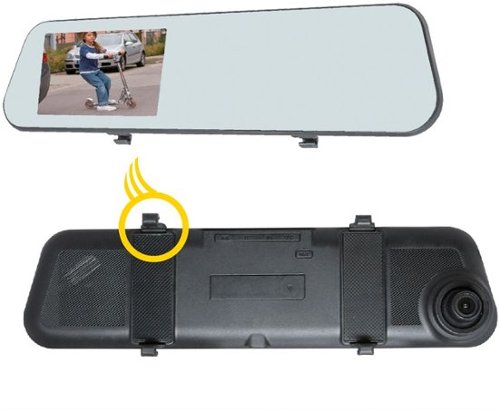
Add extra protection for your car with this EchoMaster vehicle camera kit. It has dual cameras for capturing front and rear action, and the 4.5-inch clip-on DVR display delivers real-time movements and recorded footage. The 500 mAh battery of this EchoMaster vehicle camera kit makes automatic recordings even after ignition is turned off to document any parking incident.
So, the rearview is only good for backing up and not to see out the back window?
Just the opposite - it is a rear facing camera and NOT a backup camera.
5 years, 5 months ago
by
dnottingham4
Add extra protection for your car with this EchoMaster vehicle camera kit. It has dual cameras for capturing front and rear action, and the 4.5-inch clip-on DVR display delivers real-time movements and recorded footage. The 500 mAh battery of this EchoMaster vehicle camera kit makes automatic recordings even after ignition is turned off to document any parking incident.
Will this fit a 2012 Volvo XC 60?
It should work and you might have to get an extension cable to route the rear-facing camera. Since your vehicle has a hatchback - routing the cable through the wiring harness and onto the glass will present challenges.
5 years, 5 months ago
by
dnottingham4
Shoot pro-quality aerial footage with this DJI Mavic Air 2 drone. The three-axis gimbal stabilizes the 48.0MP camera for stunning photos and clear videos, while the 3500 mAh battery delivers dependable power for every flight. This DJI Mavic Air 2 drone features FocusTrack technology for advanced obstacle avoidance and target tracking.
Is this made in china?
Yes
6 years ago
by
dnottingham4
Shoot pro-quality aerial footage with this DJI Mavic Air 2 drone. The three-axis gimbal stabilizes the 48.0MP camera for stunning photos and clear videos, while the 3500 mAh battery delivers dependable power for every flight. This DJI Mavic Air 2 drone features FocusTrack technology for advanced obstacle avoidance and target tracking.
Will the remote controller hold a Galaxy Note 9 in a case?
IT is unlikely to do so - I could not fit my iPhone 6 with an otter box case.
6 years ago
by
dnottingham4
Automatically purifies and humidifies for a healthier environment. Hygienically removes 99.9% of bacteria in the water~. The Dyson Pure Humidify+Cool is a multi-functional machine for whole room air treatment - it purifies, humidifies and cools you. Its activated carbon and HEPA filters capture 99.97% of allergens and pollutants as small as 0.3 microns and Air Multiplier technology projects purified, humidified air throughout the room~. And with a hassle-free deep clean cycle, thoroughly eliminate mineral build-up and bacteria at the touch of a button. Dyson technology helps create a cleaner, healthier home - Our vacuums and purifiers are scientifically proven to capture particles as small as allergens and bacteria.
What type of humidifier is this new one? Ultrasonic or Evaporative?
From the Dyson Website - this unit "uses Dyson’s advanced evaporative technology. Water is placed onto a biostatic woven mesh evaporator and air is used to convert that water into water vapor so fine that it is invisible. This also means it can’t carry particles or bacteria with it, providing a healthier environment."
6 years, 1 month ago
by
dnottingham4
The reliable Brother HL-L3210CW compact digital color printer is a great choice for the busy home or small office. Quick print speeds of up to 19 pages per minute~ plus manual feed slot accommodates varied printing needs and can handle a variety of paper types and sizes including card stock, envelopes and more. Connect with versatile options including built-in wireless or USB interfaces and print wirelessly from mobile devices. The 250-sheet capacity adjustable paper tray helps improve efficiency with fewer refills and handles letter or legal sized paper. Brother Genuine high-yield replacement toner cartridges help lower printing costs. Comes with a 1-year limited warranty and free online, call or live chat support for the life of your product. Prints up to 19 ppm~ in black and up to 19 ppm~ in color.
Does this printer have two trays, one letter and one legal?
It has one tray that can use Letter or legal and holds 250 sheets. It does have a single-sheet manual feed tray also.
6 years, 8 months ago
by
dnottingham4