
Share CentralOhioGal's profile


CentralOhioGal
CentralOhioGal's stats
- Review count3
- Helpfulness votes1
- First reviewDecember 28, 2008
- Last reviewMarch 19, 2017
- Featured reviews0
- Average rating2.7
Reviews comments
- Review comment count0
- Helpfulness votes0
- First review commentNone
- Last review commentNone
- Featured review comments0
Questions
- Question count0
- Helpfulness votes0
- First questionNone
- Last questionNone
- Featured questions0
Answers
- Answer count0
- Helpfulness votes0
- First answerNone
- Last answerNone
- Featured answers0
- Best answers0
CentralOhioGal's Reviews
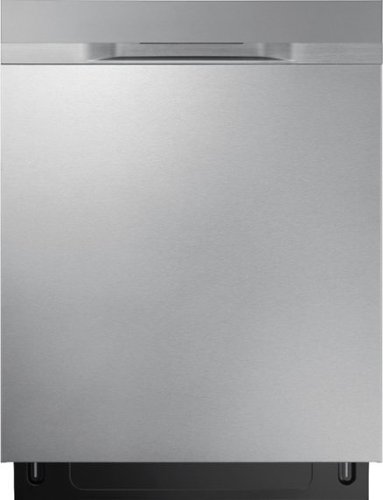
Samsung STORMWASH~ Dishwasher Heavy-duty wash system makes pre-rinsing unnecessary. Powerful rotating spray jets are positioned to clean dishes at every angle. Simply place hard-to-clean items above the StormWash~ wheel on the bottom rack and it scrubs them for you. The AutoRelease~ door opens automatically to circulate air and accelerate drying time.

Posted by: CentralOhioGal
from Central Ohio
On my second unit. The first one was installed incorrectly and leaked water underneath. Second unit installed correctly. This model has a rubber strip that's supposed to tuck underneath the door but on both units it absolutely does not stay in and hangs down under the door. When the installer tells you it's a problem, you know it's a design flaw. Have to figure out exactly what it's designed for and if I can remove it because there's no way it's going to stay where it's supposed to.
My Best Buy number: 2178249885
I would recommend this to a friend!
Share this review:


0points
0of 0voted this as helpful.

Compare editions of Microsoft Office 2010.Take a tour of Microsoft Office 2010.Learn more about Microsoft Office Home and Student 2010.With Microsoft Office Home and Student 2010, you and your kids can create great schoolwork and home projects from multi-page bibliographies to multimedia presentations. Capture ideas and set them apart with video-editing features and dynamic text effects. Then easily collaborate with classmates without being face-to-face thanks to new Web Apps tools. The results go well beyond expectations with a little inspiration, a lot of creativity and Office Home and Student 2010.Navigate tasks and access and manage files using the new Microsoft Office Backstage view which replaces the traditional File menu found on previous versions of Office. Powerful writing tools, dynamic presentation capabilities and new spreadsheet graph and analysis features let you create rich, informative documents. New picture-editing tools let you better illustrate your ideas without the need for additional software. Flexible note-taking tools in OneNote 2010 help you organize all your information the way you want while working in Word, PowerPoint or Internet Explorer. New text effects and graphics give you more formatting options to play around with and ultimately perfect. Work closely with others, even if you're not all in the same room with Office Web Apps ~ post your Office documents online and access, share and edit them. Compile an innovative multimedia presentation with eye-catching video, dazzling transitions and improved animations, and then broadcast it online with the new Broadcast Slide Show option. Microsoft Office Home and Student 2010 helps you complete tasks and projects efficiently with new tools and the programs you know. Buy Microsoft Office now and get the next version FREE. See the details.
Customer Rating

3
Sorry I spent the money!
on January 18, 2012
Posted by: CentralOhioGal
from Central Ohio
The program enhancements and upgrades to Office Home & Student 2010 are not worth the money spent.
What's great about it: Easy installation
What's not so great: Poor upgrades for the cost.
No, I would not recommend this to a friend.
Share this review:


-5points
1of 7voted this as helpful.
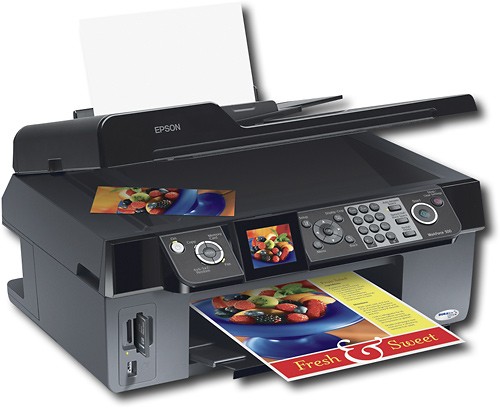
Print, scan, copy and fax all with this multifunction printer. Enjoy high-speed borderless photo printing with PictBridge compatibility and built-in memory card slots.
Customer Rating

1
Disappointing All-in-One
on December 28, 2008
Posted by: CentralOhioGal
from Central Ohio
Disappointed because I have 3 other Epson printers which I use and love! But Epson missed the mark with this Workforce 500. (1) When choosing Epson Scan from desktop shortcut it causes problems with my desktop display. (2) The print quality is poor -- with smudges, and horizontal banding within the first 10 pages printed. (3) The scanning speed from the autodoc feeder is very, very slow. (4) Dislike Epson's new feature where the printer stops mid-page if it detects the ink level in one cartridge is too low.
What's great about it: Decent size and easy to program
What's not so great: Poor Print Quality, Slow Scanning
No, I would not recommend this to a friend.
Features

3
Speed

1
Share this review:


0points
0of 0voted this as helpful.
CentralOhioGal's Review Comments
CentralOhioGal has not submitted comments on any reviews.
CentralOhioGal's Questions
CentralOhioGal has not submitted any questions.
CentralOhioGal's Answers
CentralOhioGal has not submitted any answers.