


BillFromKC's stats
- Review count233
- Helpfulness votes729
- First reviewJune 27, 2012
- Last reviewJune 4, 2026
- Featured reviews0
- Average rating4.5
- Review comment count6
- Helpfulness votes10
- First review commentAugust 27, 2015
- Last review commentFebruary 19, 2017
- Featured review comments0
Questions
- Question count0
- Helpfulness votes0
- First questionNone
- Last questionNone
- Featured questions0
- Answer count65
- Helpfulness votes40
- First answerJanuary 9, 2014
- Last answerNovember 5, 2021
- Featured answers0
- Best answers9
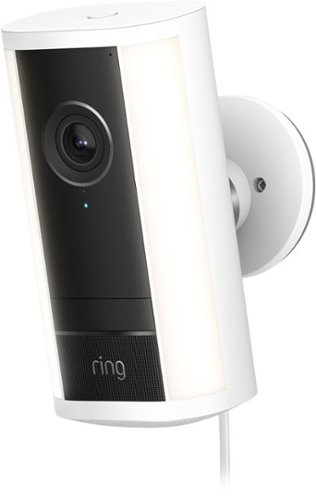
Spotlight Cam Pro eliminates dark spots and helps protect key outdoor areas with targeted, motion-activated lights. See critical details ~ even at a distance ~ with Retinal 4K video. 1 Radar-powered 3D Motion Detection lets you fine-tune your motion zones to your property for more precise alerts.
Customer Rating

3
Solid camera with a subscription
on November 25, 2025
Posted by: BillFromKC
TL;DR - the Ring Spotlight Cam Pro 2g is a solid choice for those who are already in the Ring ecosystem. Compact enough to place nearly anywhere, this is a good device to augment your ring doorbell when you have a large front porch. It's also handy for placement to cover the front yard, spaces between houses, or garage and basement spaces. The spotlight feature is pleasant and more than bright enough to make large spaces visible. Just realize that if you're not already in the Ring ecosystem, you'll have to subscribe to Ring services to use this for more than just a basic camera.
I'm going to gloss over unboxing and setup because the unboxing is the Ring experience we've come to expect and setup is as easy as it's always been. I do recommend installing the camera as high as you comfortably can, however, to give it as broad of a view as possible. Also, while this version of the Ring Spotlight Cam Pro 2g doesn't come with a solar panel, it's compatible with any Ring solar panel that supports USB-C devices.
Usage is what I want to cover here. Compared to other compact security cameras I've used in the past, I'm a fan of how much brighter the spotlight is since it's multiple LEDs and not a single LED. If you happen to be looking outside or use this as a "greeting light", it does provide enough light where you'll be able to see any hazards in your lawn or basement at night. However, it does not replace a flood light in terms of seeing the whole yard with your naked eye. This is where camera sensitivity comes into play, however - the Spotlight Cam could see my 30x50 basement in full color with ease.
Now comes the part that I'm torn about - Ring services. You'll need to subscribe to Ring services if you want more than just a camera with a light on it, as activity recording, AI features, video previews, and so are hidden behind the monthly or yearly fee. If you subscribe to Ring Premium and have an internet service provider that uses data caps (common with cellular and satellite internet, less common with DSL, cable, and fiber), keep in mind that you'll constantly be streaming video to Ring's cloud servers from your cameras. I prefer local storage in this regard and would love to see Ring make a network video recorder to help with data usage and privacy concerns.
All in all, however, the Ring Spotlight Cam Pro 2g is a solid option for a security camera. If you're already in the Ring ecosystem, it's a terrific option for you.
I would recommend this to a friend!
Share this review:


0points
0of 0voted this as helpful.

Introducing the CASETiFY Snappy Ripple Grip Stand. Designed as a seamless extension of our beloved Ripple Case, this MagSafe compatible grip stand delivers everyday function with quiet elegance. Effortlessly snap the Grip Stand onto your MagSafe-compatible phone for a secure hold. Flip it to convert into a 45~ or 90~ stand for easy viewing or streaming, in both landscape and portrait modes. Thanks to its strong magnetic grip and ultra-slim design, your phone stays securely attached, allowing you to use it with one hand and avoid accidental drops. Easily hold your phone and Grip Stand together with just one hand (or slide it into your pocket) With the high magnetic strength, your phone can stay securely attached without accidental drops.
Customer Rating
3
A good concept but a flimsy design
on November 14, 2025
Posted by: BillFromKC
TL;DR - The Casetify Snappy MagSafe phone stand is pretty terrific in concept but feels like it will easily fail in practice. as a device meant to add texture to the back of your phone, it does improve your grip on both a bare phone and a phone in a smooth case. As a stand, the thin plastic mechanism feels like it wants to rip itself apart.
Unboxing and first impressions:
Casetify nailed this aspect. You slide the bottom of the package out to open the box, and the Snappy is easily removed from the box. When closed, it feels very solid. It snaps to any MagSafe phone or case with ease, meaning it works with nearly every iPhone since the 12 and the new Google Pixel and Samsung Galaxy phones with Qi2 magnetic charging.
Usage:
The mechanism origami-like, and feels a little delicate. Don’t try to twist to adjust the stand. Wireless charging doesn’t work when you’re using this, too, as Qi/MagSafe won’t be able to connect with the additional thickness. However,, the stand does work well enough for its intended purpose.
As for the price? I think the build quality doesn’t justify it. If the stand mechanism was stronger, then it would absolutely be worth the price.
No, I would not recommend this to a friend.

Share this review:


0points
0of 0voted this as helpful.
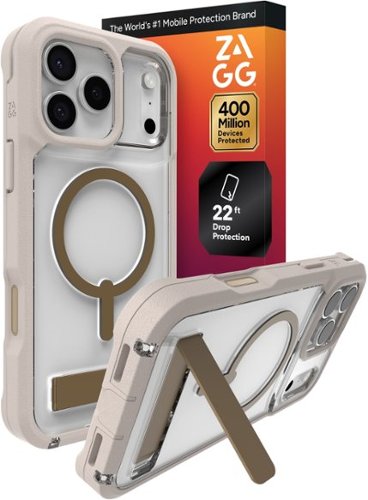
Rainier is extreme protection with a kickstand and magnetic ring compatible with wireless chargers and magnetic accessories. Protect your new iPhone from drops up to 22 feet. The 2-piece design has got you covered with a snap-on frame. Now you~re ready for anything.
Customer Rating

4
Solid case with a middling kickstand
on November 8, 2025
Posted by: BillFromKC
TL;DR - The Zagg Rainier Snap with Kickstand is a pretty solid case for the money. The soft touch bumper area provides enough side impact protection where you don't have to worry about dropping your phone, and the back side provides ample space to the iPhone 17 Pro Max's camera array so you don't have to worry about lenses cracking should it land on its back. I would like to see a better kickstand setup, however, as it's not as flexible in use as some other cases. All together though, I do like the case.
MagSafe functionality is there. If you have a MagSafe wallet, you'll be able to continue using it without an issue. Charging was also solid overall.
The kickstand is good if you're the type to put your phone on your desk while charging with USB, as you'll be able to use standby for a desk clock (and calendar, depending on what clock you choose). However, after having a case where the MagSafe ring doubles as a fully-adjustable kickstand, I can say I'm a little disappointed with this one.
However, cases are all about protection and the Zagg Rainier Snap is solid when it comes to that. The softer bumper and rigid back keep things safe and secure.
I would recommend this to a friend!
Share this review:


0points
0of 0voted this as helpful.
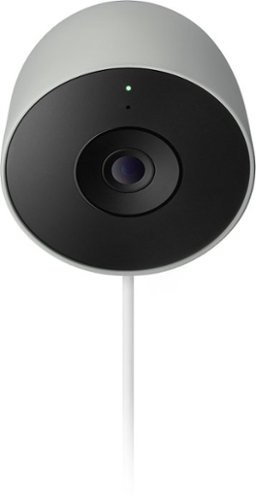
Meet the smarter, sharper wired Nest Cam Outdoor with 2K video and Gemini. Get more peace of mind about the things that matter with the intelligence of Google Home. It provides more details, summarizes what happened, and lets you search video history simply by asking for something.~,~,~
Customer Rating
3
Great camera limited by paywalled features
on October 30, 2025
Posted by: BillFromKC
TL;DR - Google Nest Camera Outdoor is a solid option for DIY security but hides its best features behind a paywall. 6 hours of local storage is enough for lower traffic areas and the AC adapter is small enough to fit under the majority of in-use outlet covers, but the proprietary nature of the power connection means if you break it, it’s not as easy to replace as something USB-based.
Unboxing and setup:
Google packages this well, definitely letting you know the premium nature of this product. You have a long power cable, small power adapter, plenty of clips and screws to manage wiring, and enough instructions to get you to the Google Home app.
If you’ve set up a Matter or HomeKit device before, the new method that Google Home used is similar. I wasn’t asked for my wifi password and it connected pretty quickly.
The magnetic base makes this easy to aim. Setting zones is as easy as some competitor devices, but with more customizable
polygons for detection zones.
polygons for detection zones.
Usage:
On a Unifi network with Xfinity internet (2 down/40 up), I had zero issues with connecting to the camera to watch or play back video clips. The 6 hours of local storage is plenty for short clips - in my testing, I had well over 500 short clips stored.
However, recording 24/7 video is paywalled behind a subscription to Google Home Premium. Even some of the detection features, like garage door detection, is paywalled behind the Google Home Basic subscription. I’m not a fan of paying to use all the features of something I purchased. Google could provide the ability to store things locally like other competing devices, and detecting that a garage door is open should be standard.
For those who do want a simple experience, however, the Nest Cam Outdoor is a good option. If you don’t want to subscribe to get the best out of your device, look elsewhere.
I would recommend this to a friend!
Share this review:


0points
0of 0voted this as helpful.
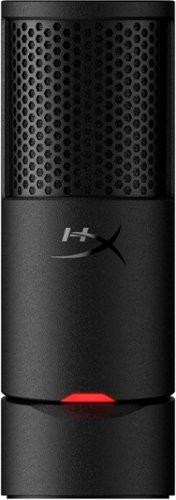
HyperX SoloCast 2 is an all-in-one USB microphone designed for gamers and creators who want great sound without the fuss. Featuring a built-in shock mount, internal pop filter, and tiltable stand, this plug-and-play mic delivers clear audio in a compact, self-contained form. Customize your sound using onboard filters via HyperX NGENUITY Software.
Customer Rating

5
Best microphone around this price point.
on October 21, 2025
Posted by: BillFromKC
The HyperX SoloCast 2 USB-C microphone is a solid choice for any voice work, whether it be streaming, podcasting, or recording voiceovers. The cardioid microphone has terrific range and sensitivity, sounding as good as microphones that cost at least twice as much. When paired with the HyperX NGENUITY software on Windows (currently in beta at the time of this review), you have access to EQ functions, high/low pass filters, AI-powered background noise removal that works well, sound compressor and limiters to help balance dynamics, and even a presence boost that helps put your voice front and center. Of course, you also have compatibility with any device that supports input from USB audio class devices if you don't mind not having the software available to you.
The best parts of this mic are that, for the price, you get great audio and build quality, and some great quality of life features you wouldn't expect like a mounting hole for stands and booms using both 3/8th and 5/8th inch hardware. The mute switch is the top of the mic and is sensitive enough where you barely brush it to activate mute. There is a red indicator light that shows when the mic is unmuted; when muted, the light goes out. No RGB in the mic helps keep the design professional-looking, versus the toy-like nature of RGB microphones. The base is also tilt adjustable, meaning you can aim the mic at up to a 45-degree angle.
If I could make a complaint, its that there wasn't an included USB-A to C adapter or that the cable wasn't USB-C on both ends with a USB-C to A adapter. Still, with many custom setups, you're likely to get your own longer cables anyway so it's not that much of a problem, especially for the price.
Compared to other microphones I've used around this price point, the HyperX SoloCast 2 is definitely a better microphone overall. I'd happily give up features like headphone jacks and RGB lighting for audio quality.
I would recommend this to a friend!
Share this review:


0points
0of 0voted this as helpful.
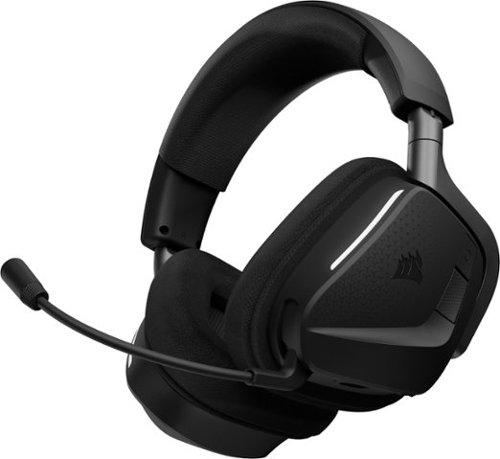
VOID v2 MAX WIRELESS unlocks a new dimension of audio immersion in your favorite games on Xbox, PC, and more with custom-tuned 50mm drivers and Dolby Atmos~ Spatial Audio. Simultaneous 2.4GHz wireless and Bluetooth~ connectivity allows you to seamlessly swap connections, or listen to both at the same time. 70 hours* of long-lasting battery life and comfortable breathable memory foam ear cushions let you game longer. The omni-directional microphone features NVIDIA Broadcast~ technology** to reduce unwanted background noise. On-ear controls let you mute, adjust volume, and control audio, while iCUE software lets you tune your sound and customize RGB lighting.
Customer Rating
5
Great gaming headset, good headphones too.
on October 20, 2025
Posted by: BillFromKC
TL;DR – The Corsair Void V2 Max for Xbox is a solid wireless headset. Solid audio quality, solid build quality, and (for the Windows and macOS crowd) integration with the Corsair iCUE ecosystem makes it a great choice for those of you who already have peripherals or computer parts from Corsair, SCUF, or El Gato. It’s easy to set up and use, the lighting on the side isn’t extremely annoying like on some headsets, and did I mention the audio quality is pretty terrific? The only real downside here is that it’s yet another wireless adapter for yet another Corsair product if you’re already multiple devices deep in the ecosystem.
Unboxing and first impressions:
The packaging is both classy and eco-friendly. Inside the box, you’ll find a USB-A to USB-C charge cable, the wireless adapter, instruction and warranty literature, and the headset itself wrapped in cloth.
The headset’s build quality is pretty impeccable. I’m not sure if the brackets holding the ear cups are metal or plastic, but they feel very solid. All the other plastics in this headset feel very high quality compared to other headsets I’ve used in the past. Of course, though, the cable and dongle are exactly what you expect in a Corsair headset box, though the cable was shorter this time.
The packaging is both classy and eco-friendly. Inside the box, you’ll find a USB-A to USB-C charge cable, the wireless adapter, instruction and warranty literature, and the headset itself wrapped in cloth.
The headset’s build quality is pretty impeccable. I’m not sure if the brackets holding the ear cups are metal or plastic, but they feel very solid. All the other plastics in this headset feel very high quality compared to other headsets I’ve used in the past. Of course, though, the cable and dongle are exactly what you expect in a Corsair headset box, though the cable was shorter this time.
Setup:
For the Xbox, it’s pretty much plug in and go. Double-tap the power button and you’re in Xbox mode. Everything takes care of itself for audio, including automatic pairing.
For the Xbox, it’s pretty much plug in and go. Double-tap the power button and you’re in Xbox mode. Everything takes care of itself for audio, including automatic pairing.
On Windows and Mac, if you don’t already have iCUE installed, you’ll need that. If you do have iCUE installed, you’ll likely need to restart your computer after connecting both the wireless dongle and the headset because of iCUE updates and drivers. Pairing with the wireless dongle is automatic.
This headset also supports Bluetooth connectivity for mobile devices. Press the button next to the power button on the left ear cup and you enter Bluetooth pairing mode. It connects nearly instantly to whatever mobile device you have.
This headset also supports Bluetooth connectivity for mobile devices. Press the button next to the power button on the left ear cup and you enter Bluetooth pairing mode. It connects nearly instantly to whatever mobile device you have.
Also, a nice surprise for the multiple platform people – The Void V2 Max for Xbox supports PlayStation and Nintendo Switch. Again, plug and play or pair via Bluetooth and go.
Usage:
I did test this out on both Xbox (Series X) and Windows. On the Series X, it worked as advertised – double-tap the power button and the controls just worked. Audio quality was good, Atmos for Headphones did what it was supposed to do in both games and with movies, and the connection was very stable. Even Atmos on 4k Blu-Ray discs worked well.
I did test this out on both Xbox (Series X) and Windows. On the Series X, it worked as advertised – double-tap the power button and the controls just worked. Audio quality was good, Atmos for Headphones did what it was supposed to do in both games and with movies, and the connection was very stable. Even Atmos on 4k Blu-Ray discs worked well.
On Windows, there were updates to run before I could use this headset. I ended up restarting twice (once for the dongle, once for the headset itself). Audio quality was insanely good, Atmos for Headphones did was it was supposed to do in both games and with streaming content, and Apple Music Lossless Hi-Res with Atmos sounded very impressive (24-bit/96 KHz sampling is available for playback).
macOS’ situation would have been similar to Windows with firmware updates had I not updated the dongle and headset in Windows. I couldn’t test for special audio compatibility as my Mac is too old, but lossless sounded great in Apple Music and game audio with a variety of titles was solid. I also made a quick composition in GarageBand and didn't have any noticeable latency compared to wired headphones.
Audio quality via Bluetooth on my iPhone was decent. Game audio via Bluetooth was extremely low latency.
Gaming performance on both Xbox and Windows was similar. Both handled Atmos in games like Halo: MCC, Forza Motorsport 7, and Doom Dark Ages very well. Game audio was placed exactly where you thought enemies, squadmates, and people you drove against were at. I also tried out music mastered in Dolby Atmos via Apple Music and noticed a definite increase of spaciousness in the music. In particular, Pink Floyd’s Dark Side Of The Moon felt like I was listening with a properly configured quadraphonic audio system which is very impressive for a headset without headtracking.
I did find the lighting on the side of the headset distracting from time to time when I caught it out of my peripheral vision. It’s a nice visual flare if you’re streaming, but otherwise, I’d recommend turning the lighting off.
I did notice that I wore these headphones 5 hours straight and they were extremely comfortable. I would have liked slightly larger ear cups, but the cushioning and covering made these melt away.
Disappointments:
Honestly, I wish I could have paired this with another one of my Corsair dongles. USB ports seem to be at a premium on many modern computers these days – I’m not knocking the headset over this, however. Also, I’d like to be able to disable the LED on the dongle.
Honestly, I wish I could have paired this with another one of my Corsair dongles. USB ports seem to be at a premium on many modern computers these days – I’m not knocking the headset over this, however. Also, I’d like to be able to disable the LED on the dongle.
Closing:
When it comes down to it, the Void V2 Max for Xbox is a solid option for a gaming headset. While you can get something that costs less, you’ll give up either build quality, audio quality, wireless connectivity, or some combination of the three. You can also spend more on other brands of headset that don’t do everything as well as the Void V2 Max for Xbox does.
When it comes down to it, the Void V2 Max for Xbox is a solid option for a gaming headset. While you can get something that costs less, you’ll give up either build quality, audio quality, wireless connectivity, or some combination of the three. You can also spend more on other brands of headset that don’t do everything as well as the Void V2 Max for Xbox does.
I would recommend this to a friend!
Share this review:


0points
0of 0voted this as helpful.
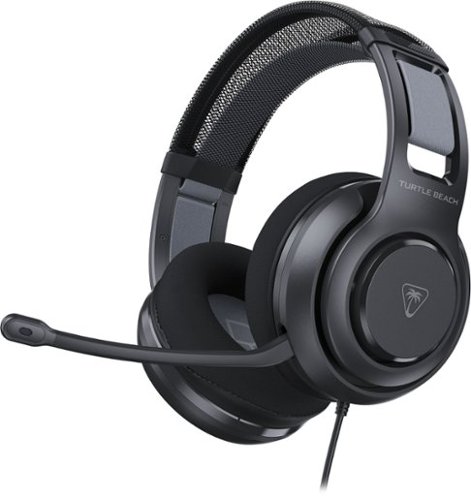
Experience premium gaming audio & chat with the Turtle Beach Atlas 200 wired multiplatform gaming headset. Featuring a pair of legendary 50mm Nanoclear drivers optimized for spatial audio on gaming consoles and PC, the Atlas 200 delivers ultra-detailed sound for immersive gaming. The adjustable floating headband, memory foam ear cushions, and ProSpecs glasses-friendly comfort ensure hours of fatigue-free gameplay. Chat clearly with the uni-directional microphone that conveniently flips to mute when not in use.
Customer Rating
3
good headphones ruined by their pricetag.
on October 15, 2025
Posted by: BillFromKC
TL;DR - The Turtle Beach Atlas 200 wired headphones are a little expensive for what they are. For the price, I'd expect better overall audio quality and build quality. The mic is okay, the drivers cover the full spectrum of audio we can hear but focus too much on highs and lows, and for those of us with large heads, they're not very comfortable.
Unboxing and first impressions:
They're packaged well, with molded cardboard instead of foam inserts. I'm great with this as it means packaging is safer for the environment. The headphones themselves look good, with soft foam earcups that give a true over-ear experience, a mesh insert under the headband, and black matte plastic that doesn't feel cheap. However, considering the price, the earcups to being able to rotate and the adjustable portion of the headband being limited to how adjustable it is took away from the positives. I'm not a fan of fixed cables or mics as well, but considering these are entry-level headphones and probably aimed at tweens and teens for the market demographic, I understand why this is the case.
Usage:
These are plug-and-play simple. Does your device have a 3.5mm headphone jack? Plug in and go. Using it with a phone or another device that requires a dongle for the headphone connection? It works great with those adapters. No software to install, no batteries to charge.
The head strap uses hook-and-loop to adjust the spacing for your head. However, it's not meant for people like me who have large heads, so if you have a large head, this will probably be uncomfortable. The ear cups are quite nice though - soft foam padding seals out most sounds and they are true over-ear for the fit.
The audio quality is okay-ish. I prefer gaming headphones that have more of a focus on midrange than lows. I do appreciate the highs for in-game, as it makes it easier to "hear" where enemies and squadmates are. When using DTS:X and Dolby Atmos, audio headphone is pretty terrific as the headphone drivers aren't directly on or in your ears, giving spacial audio a chance to work properly.
Keep in mind that audio quality of these headphones will directly correlate to the audio output quality of whatever you attach them to. I used several computers and other devices to test these out. The best experiences were with an Apple iPad (9th gen), my laptop (Gigabyte Aero X16), and a desktop stereo system (Panasonic bookshelf stereo system). Inline USB-C to headphone adapters were adequate but didn't get as loud.
The biggest drawback here, however, is the price. For what this cost, I'd expect rotating earcups and better adjustability, especially with these being wired. If they were half or two-thirds the price, I'd give them another star, but you can get similar gaming headphones with similar sound quality for less money. (If you can catch them on sale for 1/3 off or more, they'd be a better value.)
Still, all in all, the Atlas 200 gaming headphones aren't bad. I'd just like to see the fitment and quality of life issues addressed in the successor model, especially at this price.
I would recommend this to a friend!
Share this review:


0points
0of 0voted this as helpful.
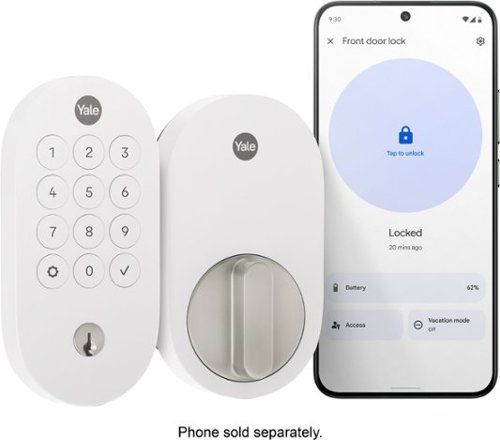
The Yale Smart Lock, designed to work seamlessly with Google Home, allows users to manage access from anywhere*, create passcodes for guests, and get real-time alerts when someone comes and goes. With Matter technology, it connects effortlessly to Google Home as well as other Matter-enabled products in your home for a smooth and connected smart home experience. This keyed, push button lock offers multiple unlocking options, IPX5 rating for enhanced weather resistance as well as is rated ANSI/BHMA Grade 2. With easy installation and optimized battery life, securing your home has never been more convenient. *Remote access requires Matter-enabled hub.
Posted by: BillFromKC
Tl;DR - if you have a compatible Google device to connect this to, the Yale Smart Lock with Matter, designed for Google Home, is a solid choice for a smart dead bolt. Easy enough to install, easy enough to setup, and easy to manage, this is a solid choice for a smart lock. I just wish they used a rechargeable battery instead of AAs in this design.
Setup and usage:
Unboxing is straight-forward and it comes with everything you'll need for installation outside of the screwdriver. It installs quickly in place of other locks and is also easily removed should something go wrong.
Unboxing is straight-forward and it comes with everything you'll need for installation outside of the screwdriver. It installs quickly in place of other locks and is also easily removed should something go wrong.
Software setup is simple, but you'll need to make sure you have a compatible Google Nest or Google Home device. If you've ever used Apple HomeKit, the process of adding a Matter Device to Google Home is identical - scan the QR code and follow the prompts. Once added, you're ready to go.
Google Home makes changing the pin code on the keypad easy, along with managing multiple codes for entry. It also is a great way to make sure you locked up on your way out, or if you need to let someone in and you're not at home (which has already come in handy for me). Compared to my other home access solution, I've found this to be extremely user-friendly.
Maintenance of the deadbolt also is simple enough. The inner cover also doubles as the battery cover and is easy enough to remove when it's time to replace them. Although I would have liked to see a USB-C or Qi2/MagSafe rechargeable battery, it's good to see that the AA batteries are easy enough to reinstall.
All in all, it's a solid lock. Works well with the keypad, Google Home, and Google Nest speakers. Matter just works. Yale also means quality in terms of the mechanism, so expect this to last for years without issue. The Smart Lock with Matter is a great option for those of us in the Google Home ecosystem.
I would recommend this to a friend!
Share this review:


0points
0of 0voted this as helpful.
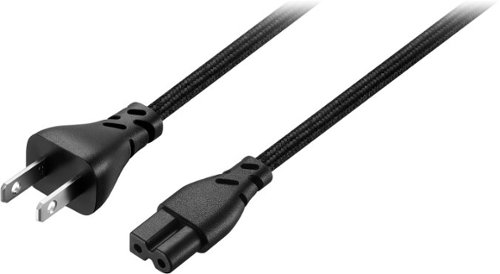
Replace a missing or damaged power cord with the Rocketfish 8 ft. 2-Slot Polarized Power Cord. This high-quality, UL certified power cord features a premium design and build with an 8-foot braided cable jacket. The 2-prong male to 2-slot polarized female connectors feature an 18 AWG wire gauge with a 7A amp rating to power your electronics.
Customer Rating
5
Solid cloth-covered cable.
on August 8, 2025
Posted by: BillFromKC
TL;DR - do you have a device that uses a polarized IEC 320 C7 power cable, like a laptop power adapter or a television, and you need a slightly longer AC power cord than what came with it? This is your solution. 8 feet length means you won’t need an extension cord and the cloth cover is a nice touch.
The longer part:
Unboxing and setup: First, the boxed packaging is nice. since this is cloth-covered, it keeps things clean. Second, the cloth covering makes it easier to thread things through tight spaces if you’re using entertainment furniture or hardware to allow in-wall cable runs. I’m using it with a Hisense H8G that I used an extension cord with for the longest time; now I just have the power cord running to the TV.
Usage: Keep in mind this is an 18 gauge power cable. While it is rated for 7 amps, I wouldn’t use this with audio amplifiers or higher-draw appliances for more than 30 minutes at a time. Anything that would draw more than 4 amps and is used for an extended period of time should probably have a thicker gauge power cable.
All in all, if you need a longer power cord for a lower power draw TV, laptop, CPAP, or game console, this is a good option.
I would recommend this to a friend!
Share this review:


0points
0of 0voted this as helpful.
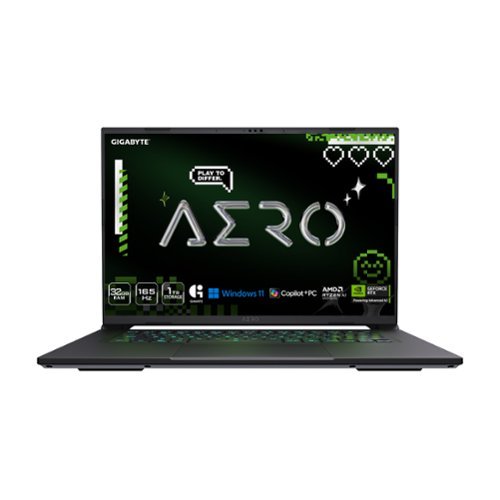
The GIGABYTE AERO X16 Copilot+ PC redefines mobile computing, seamlessly blending cutting-edge performance with a sleek and thin design. Weighing just 1.9 kgs, its precision crafted chassis houses the powerful AMD Ryzen 7 AI 350 processor, delivering best-in-class CPU and NPU performance for demanding productivity tasks. The NVIDIA GeForce RTX 5070 Laptop GPU unleashes next-generation graphics capabilities for both gaming and creative pursuits. Equipped with GIGABYTE GiMATE~an intelligent AI agent that personalizes performance to your workflow~ adapting system operations to your unique needs. With a creator-class display, portable build, and versatile performance, the AERO X16 is the ultimate laptop for gamers and creators alike.
Customer Rating
4
Very solid choice for a Windows laptop
on July 16, 2025
Posted by: BillFromKC
TL;DR - the Gigabyte Aero X16 with Ryzen 7 AI 350 processor and Nvidia 5070 graphics is a nearly perfect laptop, only really held back by its lack of VRAM. There is plenty of power to rip through daily tasks, gaming is generally a pleasant experience, and video editing is effortless. Plenty of upgradability is in store, too, thanks to user-upgradeable DDR5 RAM, two SSD slots, and a user replaceable/upgradeable WIFI card. The 5070 is terrific for video editing and plays tons of games well but is held back with both newer and older games. Battery life is overall solid - I managed over 6 hours running Microsoft Office and surfing the web. One USB-C port is not enough USB-C ports, but a built-in gigabit ethernet port is a win. While not perfect, I will happily say the Gigabyte Aero X15 is the best Windows laptop I've used in years.
Unboxing and initial setup:
While I've experienced more "premium" unboxings, I have to say that no laptop I've ever bought or received was as well protected by its packaging. After removing the laptop from layers or cardboard protection and its cloth packaging, I found the Aero to be extremely premium in fit and finish. There are 3 regular USB ports, 1 USB-C port (more on that later), a gigabit network port, a headphone port, and a barrel jack port for the AC adapter. The cooling vents cover the back side of the laptop, placing those ports toward the middle of the laptop body on the left and ride sides.
Windows 11 is about as bloat-free as it can be here with only Gigabyte's GiMate, AMD Adrenaline, and Nvidia GeForce installed. For those who don't want to use a Microsoft account, the OoBE bypass works, but you'll miss out on a free month of Xbox Game Pass Ultimate. Otherwise, setup is fast and easy.
Usage:
First and foremost, this is the first computer I've used that uses Windows Dynamic Lighting. It's not my favorite RGB lighting manager, but I have to say it's by far the most stable I've used. The single lighting zone is a little disappointing but expected for the price point.
For productivity, the Ryzen 7 AI 350 processor is a beast. Anything you want to do in office processes quickly and easily. The keyboard is very comfortable for long-term usage, and the adjustable backlight helps you figure out why you're typing Z instead of X.
For video editing, the 5070 gives solid performance for a laptop GPU, allowing DaVinci Resolve to rip through 1080p and 4k editing projects. Topaz Gigapixel also runs very well using the 5070 and gives decent performance using the Ryzen's neural processing unit, especially with denoising pictures.
Gaming is a mixed bag. Games like The Last of Us and Black Myth run well at medium to medium-high settings but are close to their limits in terms of hitting the VRAM limitation. Hitting that limitation can drop games from well over 75 fps to under 30 in a hurry. On the other end of the spectrum, games that use 32-bit Physx will not run nearly as well thanks for Nvidia's decision to deprecate 32-bit CUDA. Being that I enjoy games like the Batman Arkham series, Mirror's Edge, and Borderlands 2, this is disappointing to me. There's also the DLSS frame generation feature that I'm disappointed in, as it made all the games I could test it with feel "floaty" for a lack of a better way to describe it; everything felt a little off, even with the latest drivers installed. For the greater majority of games, however, this laptop was great and even ran with desktop cards like the 5060 8GB, 7600 8GB, and A770 16GB in terms of framerates at 2560x1600/1440 and 4k.
Hardware notes:
I like Gigabyte's count of USB-A ports and that they're well-placed. There's also a headphone port, a HDMI port, a single USB-C port, a network port, and a barrel-jack AC adapter port. No second USB-C is disappointing in this case and I would have liked to see USB-PD charging. However, a network port is something rare on modern laptops so that was a nice surprise.
The screen is also a very nice touch. Laptops that go beyond 1080p are harder to come by, and the clarity of the screen definitely helps usage. Colors are crisp, whites are clear, and the screen gets bright.
The speakers are alright. They're not particularly loud or bassy, but are decent for video streaming from YouTube or other platforms and will get you by for gaming. Dolby Atmos is good for simulating 5.1.2 surround with a good pair of wired headphones.
Battery life is pretty impressive. With the screen brightness set at 40% and and they keyboard backlight on, I was getting around 6 hours of battery life comfortably.
The hardware is very upgradeable. RAM is on sticks, not soldered like some other competing laptops. There are 2 NVME slots, meaning you can have one as a game drive, scratch drive (for video editing or photo work), or dual-boot using two SSDs instead of partitions. Even the WIFI card is user replaceable - I swapped in another card and it worked without issue.
Disappointments:
Honestly, the single USB-C is the only real disappointment. Had it come with a second USB-C and USB-PD charging, it'd think this laptop was near perfection. The only other real problem is gaming on 8GB in 2025, as it doesn't work as well for newer games.
Conclusion:
Gigabyte really did swing for the fences with this one. The Aero X16 gets a lot of things right. For creatives on Windows, it's a solid choice. For those who want productivity, it's a solid choice. For those who game, this could really use a little more VRAM. Altogether though, you really can't go wrong for the price vs the package. Well done, Gigabyte.
I would recommend this to a friend!
Share this review:


0points
0of 0voted this as helpful.
BillFromKC's Review Comments

Westinghouse HDTV: Enjoy your favorite movies, shows, games and sporting events in realistic 1080p resolution on this Westinghouse HDTV's LED panel. Ensure fast-moving scenes remain clear with a 60Hz refresh rate that minimizes blurring and ghosting.
Overall 1 out of 5
1 out of 5No HD tuner
By Westingtonhouse
I can not imagine that tv in today time do not have digiter tuner. I bought 6 now I have to return them since i use cable straight from wall for tv from COX

BillFromKC
KCMO
This TV has an ATSC tuner.
August 27, 2015
There's no guarantee that ATSC tuners will work with ClearQAM cable channels, and even so, the greater majority of cable providers now scramble all cable channels. Including OTA channels. Because the FCC changed the rules and they're allowed to do this now.
+6points
6of 6voted this comment as helpful.
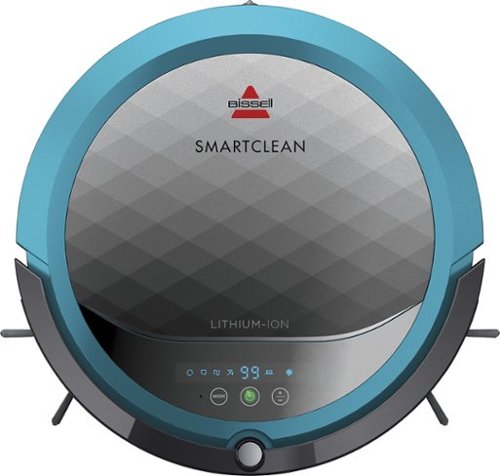
BISSELL SmartClean Robot Vacuum: Easily rid your floors of dirt and debris with this vacuum that uses Opticlean optical sensors and a Triple-Action Cleaning System to tackle your floors. Invisible Wall technology lets you target specific areas.
Overall3 out of 5
3 out of 5Hard To Program
By FortFun2
from Illinois
Found it is difficult, not intuitive, to program. Others have said if you loose power all your programming is lost, but we haven't lost power yet so can't confirm. I just wanted it to run when I left the house without a set program and contacting Bissell just led to more confusion. But, once I got it working I was impressed with the amount of pet hair it removed.
BillFromKC
KCMO
I can attest to this.
September 16, 2016
Sometimes, I have to plug mine directly into the charger to get it to charge because the battery is overly drained. Because of this, I don't even bother programming it anymore.
0points
0of 0voted this comment as helpful.

The new MacBook Pro is faster and more powerful than before, yet remarkably thinner and lighter.~ It has the brightest, most colorful display ever on a Mac notebook. And it features up to 10 hours of battery life.~ It~s a notebook built for the work you do every day. Ready to go anywhere a great idea takes you.
Overall1 out of 5
1 out of 5Terrible
By Joel
I purchased this one month ago and it has a faulty display. Best Buy takes no responsibility and will not exchange it for a good one. I have left voicemails for a district manager to call me and no one has called. I will never shop at Best Buy again.
BillFromKC
KCMO
Yep, take it to Apple.
January 13, 2017
If Best Buy is doing you wrong, just take it to your nearest Apple location and they'll set you up with a fix or a new one.
+4points
4of 4voted this comment as helpful.
![The Secret Life of Pets [DVD] [2016]](https://pisces.bbystatic.com/prescaled/500/500/image2/BestBuy_US/images/products/5224f7b2-43d6-4d33-8d0e-315348745874.jpg)
Overall1 out of 5
1 out of 5Bootleg Copy of Secret Life of Pets
By Disappointed
About 15 minutes into the movie the volume became muted and a message came on the TV that this was a bootleg movie. An unauthorized copy. Be very careful purchasing DVD's or Blu Ray movies from Best Buy. They just may leave you and your grand children very disappointed as it did our family.
BillFromKC
KCMO
This could very well be your DVD or Blu-Ray player
January 20, 2017
causing your issues. The Film Industry (MPAA and associated groups) are known for their draconian DRM systems, first with DVD and now with Blu-Ray and 4k Blu-Ray.
if your Blu-Ray player isn't connected to the internet, connect it to the internet and update its firmware. That should fix all your issues.
0points
0of 0voted this comment as helpful.
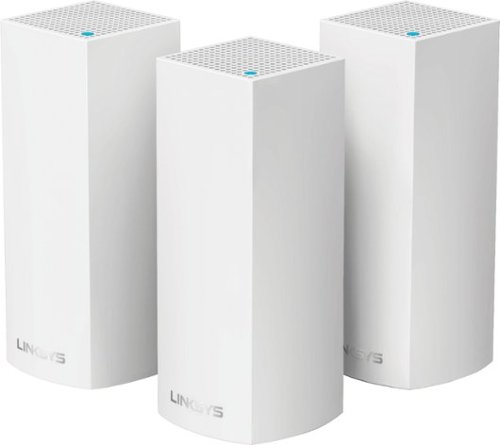
Make your home an internet haven with this versatile Linksys Velop wireless Wi-Fi system. Three identical tri-band dual-stream AC2200 routers, each equipped with a quad-core ARM Cortex-A7 processor, deliver lightning-fast internet. Equipped with Bluetooth 4.0/LE, this Linksys Velop wireless Wi-Fi system is simple to set up and pairs easily with computers, tablets and smart devices.
Overall5 out of 5
5 out of 5This is the future of WiFi
By neio11
I threw (recycled) away my wifi extenders plus I am now able connect a device with an ethernet cable without having to run cables through the walls because each node has 2 ethernet ports. So for instance, I have one node connected to my modem and an ethernet switch. My 2nd node in another room is connected to an NVR for my security cameras. The speed through the nodes is surprisingly fast. The NVR is capturing HD videos from 3 cameras and it seems to capture fine. The 3rd node is in my living room area. The whole house is covered! Please put a password on your wifi otherwise you'll be supplying FREE wifi for your neighbors. I can have full internet access from 3-4 houses away from my house. I thought installation would be a pain considering you have to setup each node. Well, I shouldn't say "have to" because you don't have to use all 3 nodes. You can use only 1 or 2 and give the 3rd to me. haha. No but setup is a breeze! The only thing is that you have to use a smart device such as a tablet or phone, to do the setup. Velop currently doesn't support PC-based setup but I hope Linksys changes that especially for us "techies"!!! It works with Alexa. You can ask #Alexa what the wifi password is... so they say. I haven't had much success with it yet. It looks clean and neat. It doesn't all those antennas sticking out of it which makes it aesthetically pleasing.
I'm loving so far!
BillFromKC
KCMO
The setup process basically forces you to put a...
February 19, 2017
...password on your WiFi network. In fact, it's one of three things it asks when you set up the parent node, the other two being "Do you connect directly to the internet or through a modem/router device provided by your ISP?" and what to call your wireless network.
0points
0of 0voted this comment as helpful.
Make your home an internet haven with this versatile Linksys Velop wireless Wi-Fi system. Three identical tri-band dual-stream AC2200 routers, each equipped with a quad-core ARM Cortex-A7 processor, deliver lightning-fast internet. Equipped with Bluetooth 4.0/LE, this Linksys Velop wireless Wi-Fi system is simple to set up and pairs easily with computers, tablets and smart devices.
Overall5 out of 5
5 out of 5Blazing Speed, Best In Class Performance!
By gadgetguy11
The Linksys - Velop Tri-Band Whole Home Wi-Fi System (3-pack) is packaged in a beautiful & functional box with magnetic closure - it exudes quality! Each Node is protected individually. Just looking at the box, you expect a premium, esoteric product... & Linksys delivers that & more in spades! The shapely Nodes are beautiful & blend with any decorating style.
Simple set-up via the Linksys iOS or Android App. Within minutes, you are ready to go online.
As shown in attached photo, I have 90 wireless devices utilized over 5,000 sq feet / 3 floors: this is a challenging application for high speed Wi-Fi that includes: connected major appliances; BAS ceiling fans & Haiku Wi-Fi connected lights; Wi-Fi Thermostats; Netatmo Wi-Fi Weather Station; 65 Hue Lights; Connected exterior door locks; Wink Wi-Fi connected devices; connected iDevices, Nest & Arlo cameras; iPads; iPhones & computers. Finally, Streaming from 4) Apple TV's; Nixplay Wi-Fi Photo Frames.
And now the Results:
Velop delivers the fastest Wi-Fi speed I have ever experienced and does so consistently! The attached screen capture shows 349 Mbps Download / 23 Mbps Upload. These are WIRELESS speeds!! I pay for 300 Mbps Download / 30 Mbps Upload & our internet service provider generally delivers 300 - 360 Download & 22 - 32 Upload.
Velop is the only Wi-Fi System I have found to date that actually delivers this sustainable speed and does not randomly disconnect the many devices.
High power Wi-Fi requires a high current source. Each of the 3) square white power supplies produce 12 Volt, 2 Amp output! 24VA (Volt Amps) is the highest output of any router I have tested. Better yet, the cable that plugs into each Velop is perfectly angled at the plug so the wire routs neatly through the cable management feature at the base. Brilliant design!
PRO's:
1- Fastest Wi-Fi Speed
2- Easy approximate 10 minute Set-up per hub
3- Velop Nodes are very attractive & blend with any architecture
4- Robust infrastructure yields dependable performance
5- 24/7 Support
6- 3-Year Warranty
7- Easy to use App with great diagnostics
8- Wire Management at the base is excellent & offers a wire free appearance.
9- Three Velop Nodes establish fast Wi-Fi speed across the house on any floor.
10- Expandable: Add an additional Node any time you prefer.
1- Fastest Wi-Fi Speed
2- Easy approximate 10 minute Set-up per hub
3- Velop Nodes are very attractive & blend with any architecture
4- Robust infrastructure yields dependable performance
5- 24/7 Support
6- 3-Year Warranty
7- Easy to use App with great diagnostics
8- Wire Management at the base is excellent & offers a wire free appearance.
9- Three Velop Nodes establish fast Wi-Fi speed across the house on any floor.
10- Expandable: Add an additional Node any time you prefer.
CON's:
1- IP Address range cannot be changed from: 192.***. My 2) existing Apple Time Capsule / Routers had IP addresses of 10.***, but they can be set to different ranges. A different IP Address range requires individually resetting a few devices that previously connected to the other range. For example, each Nixplay connected frame had to manually "Forget" the old Wi-Fi name of the previous SSID, then set up the same name with Velop, even though the Wi-Fi name and password are the same. On 13) Apple Airport Express devices, I had to power down each device to reset it from 10.*** to 192.***
2- IPv6 is not supported as of product release. This is surprising, as my three year old Apple Time Capsule / Router supported IPv6.
3- The first unit set up in under 10 minutes; however the remaining two hubs froze at the same exact place midway every time during set-up. After 6 failed attempts, I held each Node horizontally and kept my hand around it. Surprisingly, this procedure resulted in a virtually immediate set-up! Then I set each Node vertically & it continued to work great.
4- Only one Node can connect to the internet via ethernet. The other Nodes connect to the first Node via wireless mesh connection. I would prefer the option of connecting each Node to a wired ethernet connection. Linksys Technical Support indicated this may be added later as a software update. This would prove beneficial because the Nodes must be located fairly close together (my tests showed less than 40 feet apart at most).
1- IP Address range cannot be changed from: 192.***. My 2) existing Apple Time Capsule / Routers had IP addresses of 10.***, but they can be set to different ranges. A different IP Address range requires individually resetting a few devices that previously connected to the other range. For example, each Nixplay connected frame had to manually "Forget" the old Wi-Fi name of the previous SSID, then set up the same name with Velop, even though the Wi-Fi name and password are the same. On 13) Apple Airport Express devices, I had to power down each device to reset it from 10.*** to 192.***
2- IPv6 is not supported as of product release. This is surprising, as my three year old Apple Time Capsule / Router supported IPv6.
3- The first unit set up in under 10 minutes; however the remaining two hubs froze at the same exact place midway every time during set-up. After 6 failed attempts, I held each Node horizontally and kept my hand around it. Surprisingly, this procedure resulted in a virtually immediate set-up! Then I set each Node vertically & it continued to work great.
4- Only one Node can connect to the internet via ethernet. The other Nodes connect to the first Node via wireless mesh connection. I would prefer the option of connecting each Node to a wired ethernet connection. Linksys Technical Support indicated this may be added later as a software update. This would prove beneficial because the Nodes must be located fairly close together (my tests showed less than 40 feet apart at most).
CONCLUSION: My search for the "Ideal" Whole Home Wi-Fi System that consistently delivers 300 Mbps over 5,000 square feet with 90 devices ends here!! I am THRILLED with Velop & give it my highest recommendation!! It has proven to be the BEST ROUTER available for 2017!
BillFromKC
KCMO
Mine gave me IPv6 OOB
February 19, 2017
and even so, there was a firmware update it applied immediate after setup. I agree that the IP address range thing is annoying though, especially when you're moving from an existing network with static IP devices (NAS, printers, etc.)
0points
0of 0voted this comment as helpful.
BillFromKC's Questions
BillFromKC has not submitted any questions.
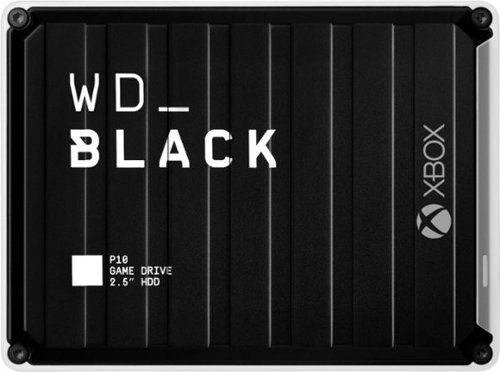
The WD_Black~ P10 Game Drive for Xbox~ gives your Xbox the tools it needs to keep your competitive edge. With up to 5TB* of storage capacity, the WD_Black~ P10 Game Drive for Xbox~ is a top-tier external HDD built specifically for gamers looking to expand the potential of their Xbox so they can drive their game the way they choose. Included with your purchase is a 1-month membership of Xbox Game Pass Ultimate, with access to 100+ games on consoles and PC, plus online console multiplayer.
Can x/s games that require speed (normally needed to be the Normally on the internal drive) able to be installed and played on this drive?
No. You'll be able to back those games up to this drive, however, so you don't have to deal with downloading those games off of the internet. This is useful for both slower internet connections. (200mbps or slower) and capped internet connections (AT&T, Comcast, and others).
4 years, 10 months ago
by
BillFromKC
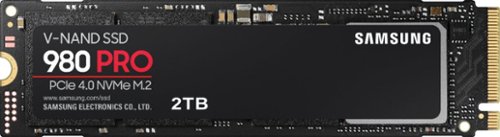
Unleash the power of the Samsung 980 PRO PCIe 4.0 NVMe Gen4 SSD for next-level computing. 980 PRO delivers 2x the data transfer rate of PCIe 3.0, while maintaining compatibility with PCIe 3.0.~ ~The NVM Express~ design mark is a registered trademark of NVM Express, Inc.* Results are based on a comparison with Samsung PCIe 3.0 NVMe SSDs and SATA SSDs. PS5 compatible with heatsink as recommended by Sony; heatsink sold separately.
Has anyone noticed it being hot? Not quite sure if it would be ok for my laptop.
Unless your laptop has PCIe 4.0, it’ll be alright. I used it in a Ryzen 5500u laptop, which is Zen 2 architecture and PCI3 3.0, and it never got hotter than 42℃ under load.
4 years, 11 months ago
by
BillFromKC
Stream audio from your TV wirelessly with this Bluetooth audio transmitter and receiver. You can stream to one Bluetooth headset or two headsets and/or Airpods simultaneously. Enjoy the freedom to walk around while listening to theTV up to 100 feet away. Receiver function allows you to bluetooth enable an audio device and stream to that device from a bluetooth phone, tablet, PC. Features include digital and analog audio inputs for compatibility with a variety of TVs and other devices, dual headphone / speaker connectivity, and Qualcomm aptX Low Latency technology for high-fidelity audio with no lip-sync delay.
hood up and have bluetooth connected but no sound from Tv.
If your TV doesn't support Bluetooth audio transmitting, you'll need another way to connect between the TV and the sound bar. There's the included optical cable, or you can use an aux cable between your TV's headphone port and sound bar's analog input, or you can connect an HDMI cable if your TV supports HDMI ARC.
5 years, 6 months ago
by
BillFromKC

The sound bar for those with small spaces or minimalistic tendencies. The compact Yamaha SR-C20ABL sound bar fits easily in whatever space is available and can be wall-mounted for even more possibilities. Setup is easy with a simple connection to your TV while Bluetooth lets you stream wirelessly from your mobile devices.
Is this capable of connecting wirelessly by Bluetooth to a Yamaha 7.2 receiver ?
If the receiver can connect to external devices via Bluetooth, or if you added a Bluetooth audio transmitter, then yes. If you have a MusicCast-capable receiver with multi-zone capability, then you'd need a Bluetooth transmitter as this sound bar doesn't natively support MusicCast. Keep in mind you'll need the proper cable to connect the transmitter to the receiver if the transmitter is necessary.
Products from my answer
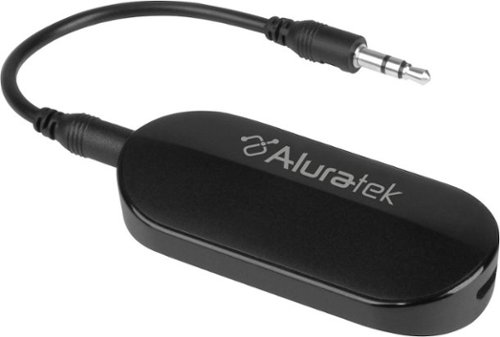
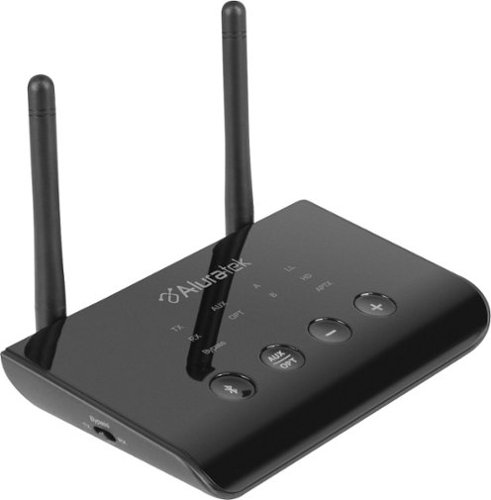
Aluratek - Bluetooth Audio Transmitter for AirPods/Wireless headsets and speakers - Black
(1,000)
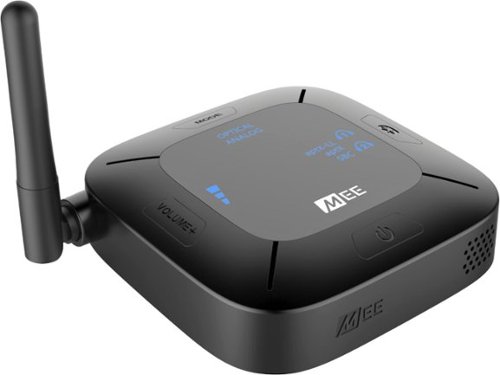
Aluratek - Bluetooth Wireless Audio Transmitter and Receiver for TVs - Black
 (394)
(394)

5 years, 6 months ago
by
BillFromKC
The sound bar for those with small spaces or minimalistic tendencies. The compact Yamaha SR-C20ABL sound bar fits easily in whatever space is available and can be wall-mounted for even more possibilities. Setup is easy with a simple connection to your TV while Bluetooth lets you stream wirelessly from your mobile devices.
Does this have the clear voice
It does have the clear voice. And it lives up to the name clear voice.
5 years, 6 months ago
by
BillFromKC
The sound bar for those with small spaces or minimalistic tendencies. The compact Yamaha SR-C20ABL sound bar fits easily in whatever space is available and can be wall-mounted for even more possibilities. Setup is easy with a simple connection to your TV while Bluetooth lets you stream wirelessly from your mobile devices.
What is the rated voltage for this product?
Input into the AC adapter is 120VAC 1A, output is 20VDC 2.1A 42 watts.
5 years, 6 months ago
by
BillFromKC
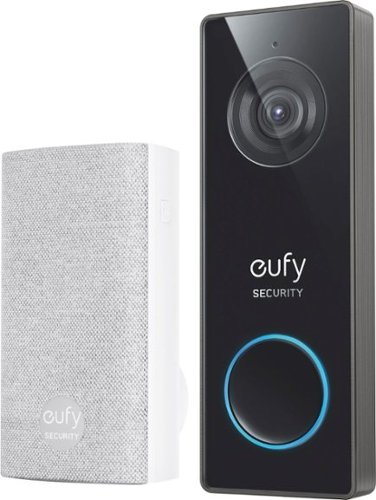
eufy Security Wired 2K Video Doorbell. 2K Resolution, 5-Day Continuous Video Recording (CVR) on Secure Local Storage, No Monthly Fees, Human Detection, 2-way Audio, and Free Wireless Chime included.
Hello, does this have night vision? Does it have the 3 second preview before the video is recorded like the other 2k hardwired? I don't see this on Eufy's website. Is it new?
It does have nightvision and it just records video either continuously or when its motion detection is triggered, no clip preview that I know of.
5 years, 7 months ago
by
BillFromKC
eufy Security Wired 2K Video Doorbell. 2K Resolution, 5-Day Continuous Video Recording (CVR) on Secure Local Storage, No Monthly Fees, Human Detection, 2-way Audio, and Free Wireless Chime included.
I know the battery operated version of this doorbell works with existing mechanical chimes. Does this new wired version support existing mechanical chimes? I can't find this doorbell on the Eufy website, is this for Best Buy only?
I can't answer the Best Buy exclusivity question, but I can tell you it does not work with mechanical chimes. Or at least I've found no way for it to do so.
It does, however, come with an electronic chime that connects wirelessly and plugs into any standard electrical outlet.
It does, however, come with an electronic chime that connects wirelessly and plugs into any standard electrical outlet.
5 years, 7 months ago
by
BillFromKC

Offering the ultimate true-wireless experience for any fitness-loving music lover, JLab Epic Air Sport ANC offers customized sound and active noise canceling plus industry-leading 70+ hours playtime. Transition from gym to calls or from work to a run, effortlessly, with features like wear-detect, movie mode, wireless charging and more.
1. Does leaving the buds in the charging case for long periods of time degrade the battery? 2. Is any operating system specific apps or drivers needed for use? My use case is running it off a Linux laptop without Windows installed
As an addendum to my answer for #2, keep in mind that you'll need the Epic Air ANC app for Android or iPhone to adjust eq, ANC/BeAware, and side button functionality. I'm not sure if this would work in BlueStacks or other Android emulators for Linux; for the Windows and Mac people out there, I highly doubt it would work in BlueStacks for those platforms.
5 years, 8 months ago
by
BillFromKC
Offering the ultimate true-wireless experience for any fitness-loving music lover, JLab Epic Air Sport ANC offers customized sound and active noise canceling plus industry-leading 70+ hours playtime. Transition from gym to calls or from work to a run, effortlessly, with features like wear-detect, movie mode, wireless charging and more.
Can I wear this in one just one ear?
Yes. In fact, if. you put one in your ear and leave the other in the case, only the one in your ear is on meaning you can switch earbuds out as they hit low battery. Keep in mind you may need to use the Epic Air ANC app to disable the ear sensors.
5 years, 8 months ago
by
BillFromKC