


BillFromKC's stats
- Review count233
- Helpfulness votes729
- First reviewJune 27, 2012
- Last reviewJune 4, 2026
- Featured reviews0
- Average rating4.5
- Review comment count6
- Helpfulness votes10
- First review commentAugust 27, 2015
- Last review commentFebruary 19, 2017
- Featured review comments0
Questions
- Question count0
- Helpfulness votes0
- First questionNone
- Last questionNone
- Featured questions0
- Answer count65
- Helpfulness votes40
- First answerJanuary 9, 2014
- Last answerNovember 5, 2021
- Featured answers0
- Best answers9
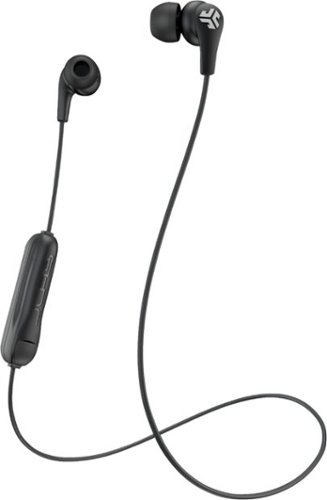
Listen to music all day with these JLab JBuds Pro earbuds. The adjustable tip placement provided by the three gel tip sizes delivers comfortable wear, while the two Cush Fins offer a deeper sound-sealing fit. The 10mm titanium drivers of these JLab JBuds Pro earbuds produce high-quality audio for a dynamic listening experience.
Customer Rating

5
Cheap buds that don't feel or sound that way
on July 10, 2017
Posted by: BillFromKC
from KCMO
Disclaimer: I was given this pair of headphones in exchange for my fair an honest review.
I'm generally not a fan of your buds, since my ears are weird and they tend to fall out. However I decided to give the JLabs JBuds Pro Signature a try because of the fitment options and because of my prior luck with JLab's wired options (my son has two pairs of their children-oriented headphones).
Everything is packaged well and it comes with what you'd expect a pair of active-oriented earbuds to come with - 3 sizes of cushioned earbud tips, two sizes of fin cushions to lock the earbuds in place while using them, and a short charge cable (micro USB) that matches the color of the packaging. Even the twist tie holding the cable is color-matched to the package and the packaging is done in such a way where it doesn't feel like you're buying a cheap pair of earbuds.
Pairing was straightforward with both my iPhone and my Android handsets. My FireTV Stick also detected and paired easily with them, and was able to use Alexa with them.
Sound quality was pretty good for cheap headphones. While not as punchy as some more expensive options from other brands, these little guys definitely aren’t bad for the price. They also sounded better than wired and wireless offerings at around the same price point from established brands. And against pack-in buds that come with most phones? No contest.
Battery life was also pretty decent. JLab claims 6 hours; I got 5 hours while listening to bass-heavy rock and hip-hop on my iPhone and 6.5 while listening to lighter fare and talking on my Android.
In terms of comfort, these weren't too bad. While I'm not a fan of earbuds when compared to over-ear headphones, I can't complain too much about these. They didn't want to fall off easily and I actually forgot I was wearing them while working my late shift job. They also didn’t want to come out of my ears whenever I shook my head, and the design allowed for the cord to go around or behind my neck comfortably.
All in all, I'm impressed by these earbuds. They're definitely not enough to make me switch from over the ea or on-ear headphones because of personal preference, but they're a good choice for someone who likes buds and wants a pair of Bluetooth earbuds for the gym or a jog.
My Best Buy number: 2181888255
Mobile Submission: False
I would recommend this to a friend!
Share this review:


0points
0of 0voted this as helpful.
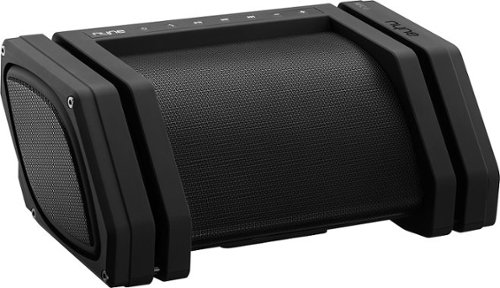
Enjoy tunes outdoors with this Nyne Rebel wireless speaker. With one-touch NFC connectivity and Bluetooth 4.0, it can queue music on any smartphone or tablet, and its water-resistant and long battery life keep your party's soundtrack pumping. This Nyne Rebel wireless speaker has auxiliary inputs and outputs for karaoke microphones and additional speakers.
Customer Rating
5
A great speaker, though large.
on June 22, 2017
Posted by: BillFromKC
from KCMO
Disclaimer - I was given this speaker in exchange for my fair and unbiased review.
TL;DR - the Nyne Rebel Bluetooth speaker is a great option for both those of us who are adventurous and for those of us who need a relatively tough speaker to take with us around the house. The soft-touch plastics feel great, the audio is crisp with strong bass response, and it's a great value for the price. It was larger than I expected it to be, but with audio, size is generally a tradeoff for sound quality.
Expanded review:
The Nyne Rebel Bluetooth speaker exactly what you want in a Bluetooth speaker for use outside or in the garage. It's large, it sticks out, it plays nice with your phone, and the battery life is pretty good overall.
First, with unboxing, you'll find the unit easy to remove. It also comes with an accessory box that features its power supply (for charging and running off of AC power) with plugs for the US, Europe, Great Britain, and Australia (for international travelers). It also comes with a 3 foot (~1 meter) aux cord in the package, which can be useful for either connecting an audio device without Bluetooth (think classic iPod, portable CD player, or something similar) or connecting the line output to another speaker (Nyne recommends no more than 4 be connected to each other at one time). The only disappointment of this package was the instruction manual and warranty information; I expect something this expensive to have an actual book and not a folded sheet of paper as a manual.
As for the unit itself, it's large. When I generally think of a Bluetooth speaker, I think about something the size of a brick. This unit eclipses pretty much any other portable Bluetooth speaker on the market, being that it's around 16 inches wide, 8 inches deep, and 6 inches tall. Where the typical unit is carry-on luggage, this will probably end up as checked baggage in your suitcase. It does have a rather striking design, however, between the soft-touch plastics and the metal speaker grill.
But with size comes sound, and does this thing bring the sound. A dedicated woofer and stereo midranges and tweeters provide deep lows, clear vocals, and crisp highs. I tested with both my iPhone 6s and my Moto Z Play Droid edition, and both sounded phenomenal while playing tracks from Apple Music, Google Play Music, and Pandora over Bluetooth. Bass is punchy and downright powerful, especially for the size of the woofer. It also rarely distorted, no matter how loud I played music through it, be it The Weeknd's "The Hills", Van Halen's "Right Now", Darius Rucker's "Wagon Wheel", a recording of Beethoven's "Moonlight Sonata", or Green Day's "Good Riddance". Dr. Dre's "The Chronic" sounded exactly how it should have at full blast - thumping bass and a solid beat, with enough power to shake my kitchen floor somewhat.
Running on batteries only, I got around 5 hours at full blast and a little over 10 while closer to halfway (as set on my iPhone, not the speaker). The charger output is a 1 amp output, so while it'll quickly charge an iPhone 6s, it provides only enough power to keep an iPad running.
All in all, this is a great speaker. Sure, it's big, but if you want loud, clean, and punchy, this is the speaker for you.
My Best Buy number: 2181888255
Mobile Submission: False
I would recommend this to a friend!
Share this review:


0points
0of 0voted this as helpful.

Improve your audio experience with this Samsung three-channel soundbar. This unit, which has a built-in subwoofer, channels high-resolution full-spectrum sound and eliminates the need for an extra bass speaker. Use 4K pass-through to connect your Blu-ray player or other UHD device to the Samsung three-channel soundbar for stunning multi-channel audio and a clear picture.
Customer Rating

4
Good, but slightly pricy for what it is
on June 22, 2017
Posted by: BillFromKC
from KCMO
Disclaimer - I received this item in exchange for a fair and unbiased review.
TL;DR - the audio quality for both viewing and listening is surprisingly great for a soundbar and a brand not known for audio. The bass hits deep for a speaker as small as it is, wireless options are pretty good overall (Bluetooth for your phone, WiFi for streaming options and connectivity to Samsung TVs, and wireless connectivity is available for subwoofers and surround speakers). Wired connectivity is limited, especially if your TV does not support HDMI's ARC (audio return channel) feature. There are better options for the price, but not necessarily better-sounding options. If you don't mind the wires and are looking for a true home theater experience, a "Home Theater in a Box" setup is a better option, but as far as soundbars go, it's hard to beat this one.
Full review:
The Samsung Sound+ soundbar, model HW-MS650, is a surprisingly good sound bar. While not exactly a small unit, it does sound far larger than it actually is. Wired connectivity options are okay; It gives you HDMI passthrough (with audio return channel from your TV), optical digital audio, and an aux connector for phones and other devices. Wireless connectivity is where this shines, however; it supports Bluetooth from any smart phone or device that supports Bluetooth audio out (including the Aptx codec for high-quality audio), WiFi for streaming audio services, and WiFi audio streaming from compatible Samsung TVs (2014 on up).
First, the initial unpacking and setup is pretty straight forward. The soundbar itself is very well-packed, and its box of accessories is easy to sort through. You'll want to decide if you want the sound bar wall mounted or sitting on a shelf; Samsung includes both feet for placing it on a shelf and brackets for wall mounting. Samsung also sells an optional bracket kit for mounting the soundbar under your wall mounted Samsung TV.
The soundbar looks at home under a 48-50" TV set. Under a smaller TV set (up to 42"), you'll have either side of the sound bar sticking out. Under a larger (52" or larger), and the soundbar looks a little undersized. If you're using this as part of surround setup, you'll really want a soundbar that's about the same width as your TV, so it doesn't sound like all three front channels are coming from the center of the TV set.
The included cables are a standard 2 prong power cord with right-angle connectors and a "figure 8"end that connects to the sound bar, and a standard TOSLINK digital optical audio cable. The ports on the sound bar include the TOSLINK connector, two HDMI ports (input and output, with the output supporting audio return channel - or ARC), an AUX connector for devices like phones or analog input from your TV, the power in, a connector for a wireless subwoofer dongle, and a power output port that requires a special power cable to connect between your TV and the soundbar (which is included with the previously mentioned Samsung mounting kit, but can be purchased separately - just search the web for "C7 to C8 extension cord").
Once you have your wired connections made and have everything set up, you'll power on your soundbar and should hear audio through it after setting the correct input. Pairing a Bluetooth device is simple and painless. You'll also want to install the Samsung Multiroom Audio app to your smartphone (it works with Apple devices running iOS 8 or later, or Android devices running Android 5 Lollipop or later). The Multiroom app is used to both manage your soundbar (firmware updates, changing settings) and as a remote app for adjusting audio settings and using streaming music services. Out of the box, it supports Amazon Music, TuneIn Radio, Pandora, iHeart Radio, 8Tracks, Spotify, 7Digital, Napster, Murfie, Tidal, SiriusXM, along with media on your device or on a DLNA server. The Android and iOS apps are very similar to each other in terms of both layout and functionality.
In terms of performance and ease of use, this sounds great and is very easy to use. If your TV supports HDMI-CEC (also known as Anynet+, BRAVIALink, or SimpLink among other trade names), the soundbar can turn itself on and off with signals sent from the TV. If your TV supports HDMI ARC (which may need to be enabled in your TV's menu system), you'll only need the single HDMI cable running from your TV to your sound bar. The remote's volume and bass buttons are slightly unintuitive - they're actually rocker switches. Pressing up and down on them does adjust your volume and bass up and down; pressing in on the volume mutes the sound bar, while pressing in on bass brings your bass gain setting back to zero.
I did try this soundbar with 3 different TV sets I own - a Sony 55" XBR850C, a LG 49" LH570A, and an Olevia 37" 537-B11. Both the Sony and LG support CEC and ARC functionality, and that worked as expected with the soundbar. The Olevia lacks CDC and ARC functionality as it's an older TV set (from 2007), but the optical audio connectivity worked great. I also tested it with different phones and devices - Apple iPhone 6s, Moto Z Play Droid edition, Acer Iconia One 8 B1-850, and a Mac. All four worked well with the sound bar over Bluetooth, and the iPhone managed to make it around 50 feet away from the soundbar inside of my home before the signal started dropping. It also worked well with both Pandora and TuneIn; in fact, TuneIn makes this an excellent radio on top of everything else it does, since it allows for radio stations around the world to be played through your WiFi connection.
One thing I didn't get to test was how well this worked with a wireless subwoofer and wireless surround speakers. This unit supports adding both of these features on.
There are a couple of drawbacks with this soundbar, however. First, for the price, you can find a better solution that comes with a wireless subwoofer and/or wireless surround speakers. Or if you want to go the HTIB route, you can get a good HTIB with more flexibility on input for around the same price. This also lacks support for some streaming services and wireless music features, like Rhapsody, Apple Music, Google Music casting, and Apple AirPlay. The iPhone app also doesn't support playing back any music from Apple Music on the sound bar, whether from the cloud or stored on your iPhone. The pack-in of a TOSLINK cable is nice, but this should have also come with an HDMI cable in the box, along with that previously mentioned C7 to C8 extension cable. One other disappointment was the fact there are no rear mount points for the soundbar. almost every other soundbar of this style has a pair of mount points on its back side.
All in all, the Samsung Sound+ HW-MS650 is a great soundbar. It's a little on the pricy side for what it is, but it also packs plenty of features for what it is. I can easily recommend this for people that have a Samsung smart TV and are looking for a better audio experience, and I can recommend this for people who are looking for a better audio experience for their newer (2012+) TV sets that support HDMI ARC. This would also make a good minimalist audio system for a small office or a room without a lot of space.
My Best Buy number: 2181888255
Mobile Submission: False
I would recommend this to a friend!
Share this review:


+2points
3of 4voted this as helpful.
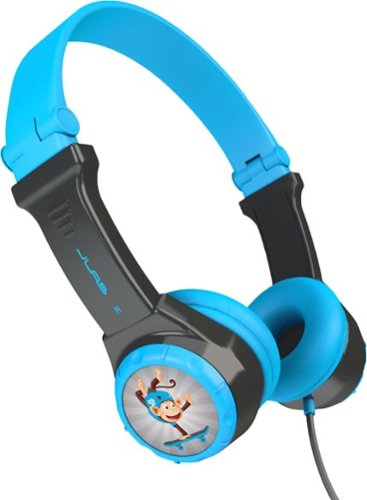
Listen to music safely with these JLab JBuddies folding headphones, which have an integrated 85db volume leveler to safeguard sensitive ears. Equipped with soft cushions which stay comfortable for extended periods, these earphones and make a great addition to your kid~s travel kit. Use these versatile JLab JBuddies folding headphones with a range of devices.
Customer Rating
5
Seemingly well-built and the volume limiter works
on May 26, 2017
Posted by: BillFromKC
from KCMO
Disclaimer - I was given this pair of headphones in exchange for my fair and unbiased review.
The JLab JBuddies folding headphones answer many of the problems parents have with devices, headphones, and children. They're designed to be sturdy, with a single long cable that can connect to any phone, tablet, computer, or other audio device with a 3.5 inch headphone jack (or dongle, in the case of a few different models of smartphones. They're also, by design, unable to play audio at a volume level dangerous to young ears. They're comfortable, the audio quality is good, and they even have a small level of customization your child can do to them.
So for the good stuff -
The build quality is supurb. They're a thick but lightweight plastic that can stand up to abuse. The hinges for folding the headset are a little stiff, but seem very strong. The single-cable design helps cut down on the number of accidents that can happen when the cable gets yanked on (single-cable designs are usually much sturdier than split cable designs). The volume control mounted on the right can has a very solid feel to it.
The audio quality is pretty good, considering how quiet this headset is. I had to listen so I could get a feel for audio quality and volume level before I gave them to my son. While the volume limiter worked very well, it didn't cause issues with highs, mids, and lows. My playlist included the Jackson 5, Warren G, Anthrax, John Coltrane, and Mozart, all sourced from Apple Music, and all sounded as good as my pair of Sonys while played through the headphone jacks of my iPhone, iPad, and Onkyo TX-NR717 (using an Apple TV 3rd gen via HDMI with Apple Music via AirPlay as a source). Volume levels probably didn't exceed 82 decibels at my ears at any time, even with the Onkyo turned up completely. The headset was also nearly inaudible from 2 feet while attached to the iPhone and iPad at full volume; you could hear the Sonys from 8 feet away at that level.
Packaging was decent. the parcel was mishandled at sometime during shipment, causing box crush; however, it wasn't enough to damage the tray holding the headphones and sticker inserts. Had I seen these sitting on a store shelf, they definitely would have attracted my attention with the bright, colorful box.
My child found the headset comfortable over a period of 4 hours. He watched a couple of movies and two or three different things on YouTube. The headset was quiet enough where he could hear me over whatever he was listening to without taking it off. He did miss the higher sound output of my headphones, but not enough to take these off when I said no.
The retail price is definitely not bad. While you can buy your child cheaper headphones, they probably won't be built as well as these are, and will probably lack features like a volume control, single cable design, and the folding ear cups. They will probably also lack a volume limiter that works as well as this one does.
As for the bad, the only thing I was disappointed by is a lack of storage bag for the headphones. A few years back, I bought my niece the non-folding version of this headset from another electronics store as a gift. It came with a storage bag for the headset, where this one did not. It actually makes more sense for this set to come with the bag, since this pair folds and has a longer cable that could possibly become tangled.
All in all, it's a good headset. It's well-built and keeps maximum volume out of your children's devices low (along with your own when you hand them your phone). I can happily recommend these to anyone that needs headphones for their kids.
My Best Buy number: 2181888255
I would recommend this to a friend!
Share this review:


0points
0of 0voted this as helpful.
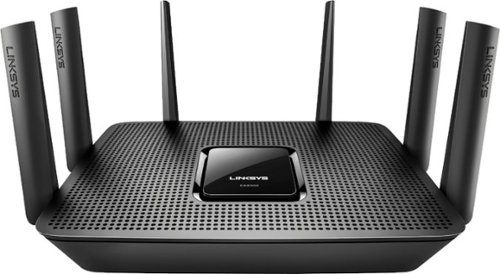
Meet your large household~s high-bandwidth requirements with this tri-band Linksys Max-Stream Wi-Fi router. It performs at up to 4 Gbps for high-speed Internet access, and its MU-MIMO technology lets everyone at home enjoy smooth, simultaneous gaming and media streaming on multiple devices. This Linksys Max-Stream Wi-Fi router has six adjustable external antennas for maximum area coverage
Customer Rating
5
A good choice if you need blazing fast wifi
on May 15, 2017
Posted by: BillFromKC
from KCMO
Disclaimer - I was given this device in exchange for a fair and unbiased review.
TL;DR version - The Linksys EA9300 MAXSTREAM AC4000 router is decent choice in a crowded market. There are many things to like about it - super fast wifi connectivity speeds that actually can saturate the fastest internet connections you'd see in a home, a modern design carried over from last year's EA-series routers, and easy-to-use apps (for smartphone) and web access (for desktop computers) for setting up and managing the router. Setup is very flexible for many situations ranging from home to small or medium office. WiFi range is good but not great, but still has usable coverage in medium and large homes and can handle a lot of devices with ease.
Full review:
First, the box. Linksys finally fixed something I've had a problem with for a while - instead of just advertising the total combined speed of the router, they put a disclaimer on it with a breakdown of the speeds. While marketing wants you to believe this can connect to a single device at 4000 mbps, the box tells you that the speed breaks down to 750 mbps for 2.4 GHz N network devices and two separate 1625 mbps 5 GHz AC networks. They also let you know that, chances are, you won't see connections anywhere near these speeds. The iPhone 6s and 7 handsets that were tested with this router would top out around 530 mpbs on 5 GHz AC and 130 mbps on 2.4 GHz N connections. Everything was also packaged well - plenty of foam to protect the router itself and it was easy to get everything out of the box.
Onto the the hardware. It's a very stylish piece of kit, black on black with 6 antennas arranged on the back and sides of the hardware. The antennas are permanently attached, meaning you can't upgrade them for higher-gain models like you can in the Linksys WRT series and with some other brands. The router is also powered by a 12 volt/5 amp power supply that comes in the form of a "line lump". also in the package is a CAT5E ethernet cable, about 4 feet long. This cable is actually a disappointment to me; CAT6 cables don't cost much more to make, let alone buy.
As for the setup process, it's straight-forward. You log into the setup page, configure your internet connection and WiFi, and your basic setup is complete. For more advanced settings, you would either use the Linksys Smart Wifi app or log into the router's configuration page with your computer. Two settings I found that are defaults that make this router less secure are WiFi protected setup (WPS) being enabled by default, and WPA/WPA2 mixed security mode being enabled by default. Both settings are easy to change.
In terms of speed, this router has it in spades. I was able to saturate a Google fiber connection (gigabit) with an iPhone 6s and an iPhone 7 connected to one of the 5 GHz networks white at a friend's house. Network file transfers from a 5GB USB 3 hard drive to a desktop sustained speeds fast enough to nearly saturate the gigabit network connection (105 MB/s read). With a load test involving 6 computers, 8 smartphones (3 iPhone 6s, 2 iPhone 7, 1 iPhone SE, 1 Moto Z Play, one Samsung Note 5, one Samsung J3), 3 tablets (iPad Air 2, iPad Air, and Acer Iconia One 8), 2 smart TVs (Sony XBR850C and LG LH5700), 2 smart TV devices (Apple TV Gen3 and Amazon FireTV Stick Gen 1), 4 game consoles (XBox One S, XBox 360 E, XBox 360, and Nintendo Wii), and a slow cooker (because why not), the router balanced everything out between wireless networks and managed to share 300mbps without much of an issue for 15 minutes (peak transfer was 275 mbps, internet connection is Comcast 250/25). We managed to also get 75 MBytes/s (600 mbit/s) out of the 5TB USB 3.0 hard drive to a computer over ethernet while repeatedly testing WiFi speeds at the Google house.
Wireless Network coverage is both good but not stellar. Compared to most routers, the EA9300 does a good job with network coverage throughout a typical home. at 50 feet, 5 GHz wifi is slow but not lossy, and 2.4 GHz wifi is fast enough to stream Netflix or Vudu in HD. At 100 feet, the 5 GHz coverage is non-existent but the 2.4 GHz is still usable. The 2.4 GHz wifi finally dropped out on my iPhone 6s at 180 feet, which is impressive but still 50 feet short of what my current Linksys router can do. There are other options on the market if you want greater coverage - including options from Linksys.
All in all, this is another good option from Linksys. While I'd like to see better wifi range out of it, I'm not disappointed with the wifi range it does provide. The amount of speed it provides is awesome, however.
My Best Buy number: 2181888255
I would recommend this to a friend!
Share this review:


+3points
5of 7voted this as helpful.
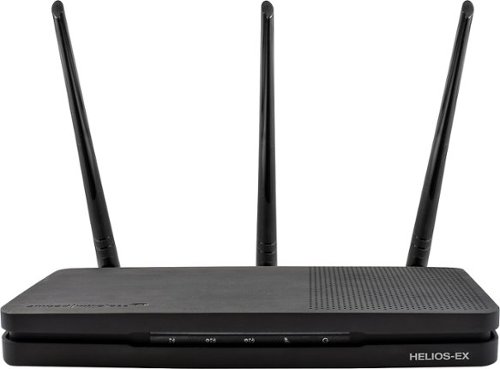
Add stability to your home network with the Amped Wireless HELIOS-EX Wi-Fi Extender. With DirectLink technology, it avoids signal loss by adding another 5GHz Wi-Fi channel to the standard setup, which it then uses strictly for receiving signal from the source. This Amped Wireless HELIOS-EX Wi-Fi Extender covers an area of up to 12,000 sq. ft. and includes four Gigabit network ports.
Customer Rating
4
Solid hardware but possibly some software issues
on May 7, 2017
Posted by: BillFromKC
from KCMO
Disclaimer - Best Buy gave me a sample of the product in return for my fair and honest opinion.
TL;DR version - this extender is actually pretty great for what it is. Some networks may have issues with setting it up after the initial setup, but even with that quirk, you shouldn't have too many problems with an otherwise rock-solid connection.
Long version:
Amped Wireless always seemed more of a niche brand to me than something I'd be willing to pick up off the shelf, as it's a brand I knew little about other than they sell high-powered wifi routers, access points, extenders, and adapters. I went into testing the Helios-EX extender not knowing must about the brand's reliability and knowing nothing of their setup process. Amped was also a brand that I'd see at my local computer emporium and on the major online parts sellers, usually buried below the names we all know and love.
I must say that I'm pretty impressed overall with the Helios EX and the brand in general, though there is some disappointment with the setup process.
First, the rundown on my current network configuration:
Arris SB6183 connected to Comcast with 250/50 speeds.
Apple Time Capsule (3rd gen) as router and firewall
TP Link 8 port gigabit switch
Linksys EA7500 as access point
Various computers, smartphones, an iPad, an Android tablet, 2 smart TVs, Apple TV, Fire Stick, home theater receiver, Blu-Ray player, Nintendo Wii, Nintendo Switch, crock pot, and thermostat connected via WiFi for load testing
Arris SB6183 connected to Comcast with 250/50 speeds.
Apple Time Capsule (3rd gen) as router and firewall
TP Link 8 port gigabit switch
Linksys EA7500 as access point
Various computers, smartphones, an iPad, an Android tablet, 2 smart TVs, Apple TV, Fire Stick, home theater receiver, Blu-Ray player, Nintendo Wii, Nintendo Switch, crock pot, and thermostat connected via WiFi for load testing
Some notes on the hardware:
Overall, the Helios-EX is pretty well designed. The body might be smooth plastic, but it's solid and has a stylish brushed metal look to it. The front indicator LEDs light up large portions of the front side of the unit, but aren't annoyingly bright like some other routers and stick with a generally blue aesthetic (green, yellow, or red for the incoming signal indicator). All ports on the back are clearly labeled as to what they do, though you might look at the 5 ethernet ports and think this was a router instead of a extender. It can be used as a wireless-to-ethernet bridge as well, though I never fully tested that ability. The antennas are of the proper (read - detachable) variety, meaning you can swap them out with higher-gain antennas if need be. There are only three of them, but that's enough to handle what you can throw at this device.
So with the setup process:
You connect your device via WiFi to either the 2.4 or 5 GHz network created by the access point, open a webpage, connect it to your main WiFi network, tell the device whether you want to clone your network's name or give it a unique name, and then you're done. Unfortunately, I wasn't able to log back into the device on my iPhone after around 15 minutes without resetting it back to factory defaults. I don't know if this is a bug in the Helios' firmware or if it's unique to my network, but it is an annoyance. (Apple routers default to 10.0.0.x ip address ranges.)
Where the Helios EX wins me over, however, is performance:
I decided to hop in my car with an inverter just to see how far I could get into my field before I lost the 2.4 GHz signal. I hit around 400 feet - with the unit in my car - before it became unusably slow. I'm sure that if I strapped it to the roof of my car I could have probably made it another 100 feet or so before it dropped out. The 5 GHz was also pretty impressive, reaching around 125 feet before becoming unusably slow. To compare, my iPad air reaches around 200 feet on 2.4 and 75 feet on 5 GHz, my Acer Iconia One 8 (B1-850) hits around 300 and 60, respectively, my iPhone 6s hits 225 and 75, respectively, and my Moto Z Play hits 150 and 50, respectively.
Wireless performance is also pretty great. My iPhone 6s maintained a download speed of 300 mbit/s on the cloned network at 50 feet total (20 feet from the EA7500 to the Helios, an additional 30 feet from the Helios to the phone). My Sony XBR850C TV maintained a network connection speed of 867 mbit/s from the Helios-EX at 25 feet. It was able to sustain transfer rates of 60 MByte/s from an attached USB 3.0 hard drive to a Windows 7-based computer over both the wireless and wired connections (speed limited by the drive, not the Helios).
I was able to throw the entire wireless portion of my network onto the Helios EX, and didn't have a single problem with slowdown among devices thanks to it's "tri-band" design. The wireless AC connections aren't the fastest in the world (2.4 GHz 399 mbit/s plus 2 x 5 GHz 866 mbit/s is close enough to 2200 mbit/s for marketing purposes), but they're plenty fast; through the extender, I was able to maintain 300 mbit/s download speeds through the nPerf internet speed test.
All in all, the Helios EX is perfect for those with large homes who can't run network cabling due to any reason. It allows for great wireless coverage in your home, on your property, and even into part of your neighborhood. The unit handles high traffic loads with ease and doesn't become very warm like some other extenders can. If the software issues are addressed, this device would be pretty close to perfect. Even with the software issues, it's still an 7.5 out of 10 because the hardware is more important than the software in an extender.
My Best Buy number: 2181888255
I would recommend this to a friend!
Share this review:


+3points
3of 3voted this as helpful.
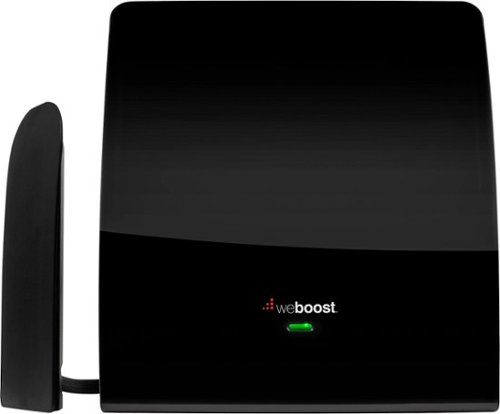
Enhance your 4G LTE or 3G signal with this weBoost eqo 4G, which is ideal for one to two rooms. This compact antenna covers up to 1500 square feet and works for multiple cellular devices at once, regardless of carrier. Make your signal up to 32 times stronger and get more done with this weBoost eqo 4G antenna kit.
Customer Rating
5
Works great, but can be a painful install
on April 4, 2017
Posted by: BillFromKC
from KCMO
Disclaimer - I received the WeBoost Eqo cell phone extender in exchange for my fair and honest review.
TL;DR - if you live in a poor signal area and your carrier is good with you using a range extender, this is worth investing into. If you don't have problems with calls and data connectivity, then you can probably pass on this. I do recommend it for those that need it, however.
Now for my review and "my not recommended but it worked pretty great" installation:
So you're sitting at home, the WiFi works great, but the moment you receive a call, the person at the other end of the line tells you "He---can---re y-------cu----n an----t." So you go outside to use your phone like you always do. Annoying, right?
That's where the WeBoost Eqo comes into play. This cell phone extender is designed to work magic when it comes to not only your voice signal (GSM, CDMA, and LTE technologies), but your data signal as well.
Setup isn't exactly the easiest thing in the world, but it is what it is - you have a base station, an inside antenna, an outside antenna with a short lead cable attached to it, and coax cabling for both antennas (6 foot for the outside, 25 foot for inside).
You'll go through a registration process with WeBoost and your cellphone provider before you actually set the hardware up. Fill out a form and you're done. Straighten out your cabling and make your runs, then hook everything together (the 25 foot cable translates to about 15 feet between the base station and the inside antenna, while the outside antenna has a lead cord running into it, giving you an extra couple of feet to play with). Make sure you get those SMA screw connections tight, as loose connections lead to signal loss.
For antenna installation, I placed the outside antenna in my attic, with the flat side of the antenna directed toward the nearest cell phone tower as I wanted it out of sight/out of mind. The base station was placed in a closet where my attic access is. The inside antenna was placed in a hallway with a currently unused wall box to hide wiring, and near where the lowest signal quality in my home is.
WeBoost recommends installing the antenna in a windows if you have what's known as low-E glass; if you have EnergyStar™-rated windows, chances are you have low-E glass. Otherwise, you can place the base station on a window sill if you have standard glass windows.
Once you're all wired up, power up the base station and wait for the unit to start up. You'll see a red light if signals are unusable or a green light when it has a solid connection with any cell phone towers in your area. Keep in mind this works with ALL CARRIERS and all current technologies - CDMA, GSM, and LTE - so just because it gets a green light doesn't mean that your carrier will necessarily work.
I tested my unit with Verizon. I'm in a 1-2 bar area on my Moto Z Play and 2-3 bar area on my iPhone 6s. Voice quality over LTE is generally very good, voice quality over CDMA is generally very good. Over the better part of a week, I noticed no voice issues at all. LTE download speeds average 28 mbps on the iPhone and 20 mbps on the Z Play with around 50ms of latency, and CDMA download speeds average about 720 kbps on both phones with around 140ms of latency. After setting up the WeBoost, both phones had 4 bars. Download speeds on the iPhone remained the same, download speeds on the Z Play increased on LTE to 25 mbps, and latencies increased by around 2 ms on average. All speed tests were run using the nPerf speed test with a connection to the same server (10gb/s bandwidth). For comparison, a wired speed test using Comcast 250/25 internet ran 294 down and 31 up with a latency of 33 ms.
The best part of setting up this booster is that it's pretty much automatic. There aren't any setup screens. You can text a picture of a code on the basestation itself to register the unit.
The only downside is physical installation. I'd like to see it come with longer coax cables for internal antenna placement (50 and 75 foot cables along with the 25 foot cable, and I'd say an SMA to SMA connector to make that 75 foot run, but since those connectors are generally lossy, it's gotta be solid cables). I'd like to see an option for white or beige cables as well, to help hide them in the room those cables are placed in. I'd also like to see it come with a small wrench in the package for tightening those connectors, and a power supply that both takes advantage of the threads on the outside of the connector on the base station and that also has a longer cord - or maybe just integrate power into the base station so where's one less wall wart or line lump. The cabling is a bigger issue to me than to most people though.
Still, this works pretty well. Since Best Buy doesn't allow half-star ratings, I give it 5 stars.
My Best Buy number: 2181888255
I would recommend this to a friend!
Share this review:


-1point
0of 1voted this as helpful.
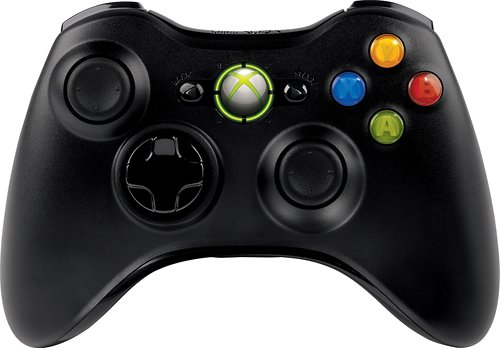
Enhance your gaming with this ergonomically designed Microsoft Xbox 360 JR9-00011 controller that features 2.4GHz wireless technology to provide an up to 30' wireless range from your PC or Xbox 360. Vibration feedback ensures riveting gameplay.
Customer Rating
5
Decent enough controller.
on April 1, 2017
Posted by: BillFromKC
from KCMO
My problem with the 360 controller was always the placement of the analog sticks. I prefer the PlayStation layout, but the Xbox sticks always worked better. This is true across every generation of these consoles.
This particular one I picked up also came with the Windows adapter, which is why I'm giving it 5 stars. Unlike knockoff adapters, this one supports 4 controllers simultaneously within any game that supports the Xinput standard - pretty much every game with joystick support since 2008. It's also supported in older games that use the DirectInput, though not as well.
Don't expect this to work with other platforms outside of Windows without some work (macOS) or at all (non-rooted Android). While wired Xinput controllers work with my Sony XBR850C (Marshmallow firmware), this doesn't even show up in AIDA64 as connected to the TV. Still, for my intended usage (console-style games and emulation on the big screen), this works great; the only thing blasphemous with this is playing PlayStation and PS2 games with Xbox controllers, but since we live in interesting times these days, why not?
If you're a PC gamer, you don't want to spend money on Xbox One controllers (or PS3/PS4 controllers for that matter), you don't wired controllers (such as the excellent Logitech F310), and you want a wireless controller set that supports more than one player, this is what you want. However, if you're good with spending a little more and your PC has a Bluetooth adapter with great range, the Xbox One and PS4 controllers may be a better option.
My Best Buy number: 2181888255
I would recommend this to a friend!
Share this review:


+1point
1of 1voted this as helpful.
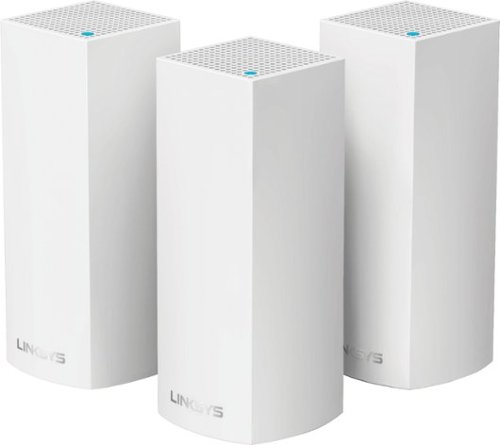
Make your home an internet haven with this versatile Linksys Velop wireless Wi-Fi system. Three identical tri-band dual-stream AC2200 routers, each equipped with a quad-core ARM Cortex-A7 processor, deliver lightning-fast internet. Equipped with Bluetooth 4.0/LE, this Linksys Velop wireless Wi-Fi system is simple to set up and pairs easily with computers, tablets and smart devices.
Customer Rating

3
A luxury WiFi system with shortcomings
on February 8, 2017
Posted by: BillFromKC
from KCMO
Please note that I was given one of these from Best Buy in exchange for a fair and honest review.
Also, this is a very long review, so the TL;DR summary is that it’s a good option for those looking at an easy to configure mesh network with good overall performance but it’s also missing usability features that should be available at its price point, such as the ability to add network storage directly to the system. Alexa connectivity helps somewhat but due to features you can get elsewhere, I think it’s overpriced and I'm slightly disappointed. I'd recommend it for those that only want the WiFi connection and nothing more, but for those that want more from their WiFi, I don't recommend it. (Best Buy doesn't have a "maybe" option.)
------------------------------------
Linksys Velop is more than a mesh WiFi system for your home. It’s a luxury WiFi system. While it’s not the fastest or most complete solution out there, it does solve these problems:
1) WiFi coverage in large homes
2) WiFi connectivity for lots of wireless devices
3) “Ugly Router” issues
2) WiFi connectivity for lots of wireless devices
3) “Ugly Router” issues
I’m going to start with the hardware itself. Each Velop node is small and has a distinct modern style that blends in with most décor. Connections, the power switch, and the reset button are recessed on the underside of each node, with a slot for cable management; each node features two auto-sensing gigabit Ethernet ports.
Inside each node resides a quad-core processor that manages connectivity and runs the standard security things a router does. Keep in mind that none of the nodes have USB or eSATA ports, so you won’t be able to use the Velop system as a file server, DLNA media server, or print server.
The “tri-band” WiFi connectivity each node is comprised of a 2.4 GHz radio capable of 400 mbps and two 5 GHz radios capable of 867 mbps each. One of the two 5 GHz radios is used for the “backhaul”, or node-to-node connection, meaning that each node has an aggregate total of 1267 mbps available for connection to your devices.
However, if it’s something you’re able to do in your home, Velop has a neat trick up its sleeve – you can use Ethernet network infrastructure or power line networking (with appropriate adapters, of course) as the backhaul connection between nodes, therefore opening up both 5 GHz radios on each node for communication with your WiFi devices. You’ll still have to go through the standard setup procedure, but once that’s done, it’s just a matter of plugging the Velop nodes into your wired home network. You can even mix and match wired and wireless nodes if you need to.
Setup is quite simple thanks to the Linksys app, as long as you have a smartphone or tablet with Bluetooth LE; this includes every iPhone since the 4s, every iPad since the 3rd generation model, iPod Touch 5th and 6th generation models, and a majority of Android phones since 2013. Your phone connects to the router and then configures the first node automatically through the app. You’ll want to connect the node to the modem your internet provider gave you directly; if you have a stand-alone router, you can unhook it and put it away for now. During the setup process, the only two things the Velop asks you to do are to tell it if it’s connected to a stand-alone modem or a gateway router device, and to give the wireless network a name and a password. After configuring the first node, you’ll configure any additional nodes. This configuration is automatic and takes a few moments. Once you’re done adding nodes (in theory, it supports an infinite number of nodes, and Linksys has stated it’s tested up to six nodes in the online support documentation), it will download updated firmware for the nodes and restart them all. At that point, you’re done messing with it and everything is ready to use.
In terms of performance, it works pretty well. I was able to maintain download speeds of 275 mbps using my iPhone 6s and 115 mbps with my Moto Z Play. Compared to both a Linksys EA7500 and a Linksys WRT3200ACM, this stays consistently faster throughout my house, but when I’m within about 20 feet of the either of the stand-alone routers, I do hit faster wireless speeds. (Each Velop node features a 2x2 AC867 connection, while the EA7500 is a 3x3 AC1300 connection and the WRT3200ACM is a 3x3 wideband AC2600 connection.)
Now for the drawbacks:
First thing I noticed is there is no way to add storage to this router system, either via internal hard drive (think Apple AirPort Time Capsule) or USB (think every midrange stand-alone router on the market today). Also, this means there is no easy way to add your old USB-only printer to the network without leaving a computer on 24/7 to function as a print server or purchasing a separate USB printer network bridge device.
My second problem with Velop is how configurable the system is. I am a power user when it comes to all my electronics. With my network equipment, I like to have control over what my IP range is. I like to set static IP addresses over devices that may need configuration or reconfiguration later. I also like – no, LOVE – web-based setup options. This app-only thing is actually annoying. The inability to configure the system as a set of access points so it can be used with a router that features built-in network storage capabilities or a print server is a major blow in my book; many midrange and high-end routers manufactured with these capabilities in the last few years can comfortably handle a gigabit connection to the internet via wired ports but lack wireless connectivity that can break 150 mbps. If this could be configured to be a set of mesh access points you could attach to your existing router, I’d happily up my score and you guys would be saving routers from the landfill. This would make Velop more attractive to people that use the additional features their current routers have. This would also make Velop more attractive to small to medium offices looking for an easy way to add WiFi connectivity to existing infrastructure, since it does compete with enterprise-grade gear at its price points.
Speaking of, my final problem with Velop is price. Had it been able to do more than just WiFi, the price points would be justifiable.
All in all, I’m giving scoring Velop at 3 stars. Performance is pretty good overall, but it just lacks features it should have at it’s price points. If you’re looking for fast connectivity and incredibly easy setup, it’s a good option. If you’re a power user like myself however, or if you do more with your existing router than just connect to the internet, even Linksys makes better options for you if you’re willing to do a little work.
My Best Buy number: 2181888255
I would recommend this to a friend!
Share this review:


+2points
2of 2voted this as helpful.
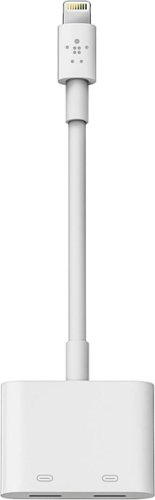
Enjoy nonstop music while charging your iPhone with this Belkin Lightning Audio + Charge RockStar adapter. It keeps your iPhone 7 or 7 Plus fully functional while plugged in, and it's compatible with Apple MFi-certified cables and headphones. The 12W power pass-through of this Belkin Lightning Audio + Charge RockStar adapter provides optimal charging speed for compatible devices.
Customer Rating
4
Serves its purpose well
on January 7, 2017
Posted by: BillFromKC
from KCMO
Disclaimer - I received this product at no cost for a fair and unbiased review.
The Belkin Lightning Audio + Charge Rockstar (I'll refer to it as Rockstar from here on out) is a product that shouldn't exist. Having said that, it's also a product that should have come out when Apple released the iPhone 5, iPad 4th gen, and iPad Mini.
It does what it does very well. You plug a pair of Lightning-based headphones into one of the two ports on the Rockstar, your Lightning cable in the other port, and connect it to your iPhone, iPad, or iPod Touch running the current version of iOS (10.2 as of this writing). The iDevice will see the dongle as a pair of headphones that can also charge the device.
I tested this with A9-based iPhones (6s, 6s Plus, and SE) and the A7-based iPad Air, all running 10.2 with a pair of Bose headphones that connect via Lightning. There was zero performance difference between having them connected with and without the dongle.
My only disappointment with this cable is the fact that it's not really designed to be used on-the-go. You can leave it connected to your phone, but it feels like it'll be damaged if it's connected to your phone and in your pocket. Otherwise, I don't have any complaints about the cable. If I were to make a suggestion to Belkin for a redesign, I'd go with a "U"-shaped connector so this adapter rests on the back side of the phone, instead of hanging off of it, so people on the go can keep it handy.
Please keep in mind that devices that aren't Lightning audio will not work with this dongle. That means no USB syncing, no camera connection kit functionality for SD cards, USB keyboards, and USB to MIDI adapters, and no digital AV or VGA adapter functionality. I didn't try a USB headset or USB audio adapter with the camera connection kit. This adapter is only for audio.
All in all, it does what it needs to do. A little expensive for what it is, but it works very well.
My Best Buy number: 2181888255
I would recommend this to a friend!
Share this review:


0points
0of 0voted this as helpful.
BillFromKC's Review Comments
Westinghouse HDTV: Enjoy your favorite movies, shows, games and sporting events in realistic 1080p resolution on this Westinghouse HDTV's LED panel. Ensure fast-moving scenes remain clear with a 60Hz refresh rate that minimizes blurring and ghosting.
Overall 1 out of 5
1 out of 5No HD tuner
By Westingtonhouse
I can not imagine that tv in today time do not have digiter tuner. I bought 6 now I have to return them since i use cable straight from wall for tv from COX

BillFromKC
KCMO
This TV has an ATSC tuner.
August 27, 2015
There's no guarantee that ATSC tuners will work with ClearQAM cable channels, and even so, the greater majority of cable providers now scramble all cable channels. Including OTA channels. Because the FCC changed the rules and they're allowed to do this now.
+6points
6of 6voted this comment as helpful.
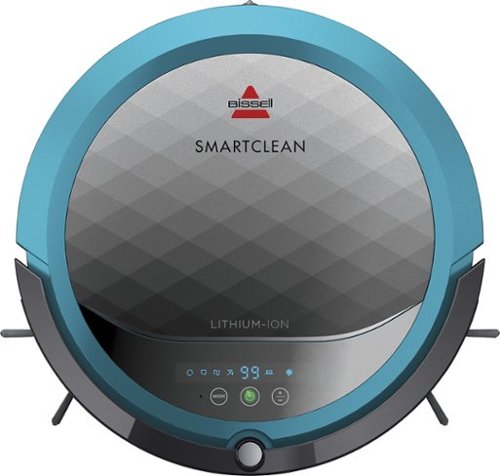
BISSELL SmartClean Robot Vacuum: Easily rid your floors of dirt and debris with this vacuum that uses Opticlean optical sensors and a Triple-Action Cleaning System to tackle your floors. Invisible Wall technology lets you target specific areas.
Overall3 out of 5
3 out of 5Hard To Program
By FortFun2
from Illinois
Found it is difficult, not intuitive, to program. Others have said if you loose power all your programming is lost, but we haven't lost power yet so can't confirm. I just wanted it to run when I left the house without a set program and contacting Bissell just led to more confusion. But, once I got it working I was impressed with the amount of pet hair it removed.
BillFromKC
KCMO
I can attest to this.
September 16, 2016
Sometimes, I have to plug mine directly into the charger to get it to charge because the battery is overly drained. Because of this, I don't even bother programming it anymore.
0points
0of 0voted this comment as helpful.

The new MacBook Pro is faster and more powerful than before, yet remarkably thinner and lighter.~ It has the brightest, most colorful display ever on a Mac notebook. And it features up to 10 hours of battery life.~ It~s a notebook built for the work you do every day. Ready to go anywhere a great idea takes you.
Overall1 out of 5
1 out of 5Terrible
By Joel
I purchased this one month ago and it has a faulty display. Best Buy takes no responsibility and will not exchange it for a good one. I have left voicemails for a district manager to call me and no one has called. I will never shop at Best Buy again.
BillFromKC
KCMO
Yep, take it to Apple.
January 13, 2017
If Best Buy is doing you wrong, just take it to your nearest Apple location and they'll set you up with a fix or a new one.
+4points
4of 4voted this comment as helpful.
![The Secret Life of Pets [DVD] [2016]](https://pisces.bbystatic.com/prescaled/500/500/image2/BestBuy_US/images/products/5224f7b2-43d6-4d33-8d0e-315348745874.jpg)
Overall1 out of 5
1 out of 5Bootleg Copy of Secret Life of Pets
By Disappointed
About 15 minutes into the movie the volume became muted and a message came on the TV that this was a bootleg movie. An unauthorized copy. Be very careful purchasing DVD's or Blu Ray movies from Best Buy. They just may leave you and your grand children very disappointed as it did our family.
BillFromKC
KCMO
This could very well be your DVD or Blu-Ray player
January 20, 2017
causing your issues. The Film Industry (MPAA and associated groups) are known for their draconian DRM systems, first with DVD and now with Blu-Ray and 4k Blu-Ray.
if your Blu-Ray player isn't connected to the internet, connect it to the internet and update its firmware. That should fix all your issues.
0points
0of 0voted this comment as helpful.
Make your home an internet haven with this versatile Linksys Velop wireless Wi-Fi system. Three identical tri-band dual-stream AC2200 routers, each equipped with a quad-core ARM Cortex-A7 processor, deliver lightning-fast internet. Equipped with Bluetooth 4.0/LE, this Linksys Velop wireless Wi-Fi system is simple to set up and pairs easily with computers, tablets and smart devices.
Overall5 out of 5
5 out of 5This is the future of WiFi
By neio11
I threw (recycled) away my wifi extenders plus I am now able connect a device with an ethernet cable without having to run cables through the walls because each node has 2 ethernet ports. So for instance, I have one node connected to my modem and an ethernet switch. My 2nd node in another room is connected to an NVR for my security cameras. The speed through the nodes is surprisingly fast. The NVR is capturing HD videos from 3 cameras and it seems to capture fine. The 3rd node is in my living room area. The whole house is covered! Please put a password on your wifi otherwise you'll be supplying FREE wifi for your neighbors. I can have full internet access from 3-4 houses away from my house. I thought installation would be a pain considering you have to setup each node. Well, I shouldn't say "have to" because you don't have to use all 3 nodes. You can use only 1 or 2 and give the 3rd to me. haha. No but setup is a breeze! The only thing is that you have to use a smart device such as a tablet or phone, to do the setup. Velop currently doesn't support PC-based setup but I hope Linksys changes that especially for us "techies"!!! It works with Alexa. You can ask #Alexa what the wifi password is... so they say. I haven't had much success with it yet. It looks clean and neat. It doesn't all those antennas sticking out of it which makes it aesthetically pleasing.
I'm loving so far!
BillFromKC
KCMO
The setup process basically forces you to put a...
February 19, 2017
...password on your WiFi network. In fact, it's one of three things it asks when you set up the parent node, the other two being "Do you connect directly to the internet or through a modem/router device provided by your ISP?" and what to call your wireless network.
0points
0of 0voted this comment as helpful.
Make your home an internet haven with this versatile Linksys Velop wireless Wi-Fi system. Three identical tri-band dual-stream AC2200 routers, each equipped with a quad-core ARM Cortex-A7 processor, deliver lightning-fast internet. Equipped with Bluetooth 4.0/LE, this Linksys Velop wireless Wi-Fi system is simple to set up and pairs easily with computers, tablets and smart devices.
Overall5 out of 5
5 out of 5Blazing Speed, Best In Class Performance!
By gadgetguy11
The Linksys - Velop Tri-Band Whole Home Wi-Fi System (3-pack) is packaged in a beautiful & functional box with magnetic closure - it exudes quality! Each Node is protected individually. Just looking at the box, you expect a premium, esoteric product... & Linksys delivers that & more in spades! The shapely Nodes are beautiful & blend with any decorating style.
Simple set-up via the Linksys iOS or Android App. Within minutes, you are ready to go online.
As shown in attached photo, I have 90 wireless devices utilized over 5,000 sq feet / 3 floors: this is a challenging application for high speed Wi-Fi that includes: connected major appliances; BAS ceiling fans & Haiku Wi-Fi connected lights; Wi-Fi Thermostats; Netatmo Wi-Fi Weather Station; 65 Hue Lights; Connected exterior door locks; Wink Wi-Fi connected devices; connected iDevices, Nest & Arlo cameras; iPads; iPhones & computers. Finally, Streaming from 4) Apple TV's; Nixplay Wi-Fi Photo Frames.
And now the Results:
Velop delivers the fastest Wi-Fi speed I have ever experienced and does so consistently! The attached screen capture shows 349 Mbps Download / 23 Mbps Upload. These are WIRELESS speeds!! I pay for 300 Mbps Download / 30 Mbps Upload & our internet service provider generally delivers 300 - 360 Download & 22 - 32 Upload.
Velop is the only Wi-Fi System I have found to date that actually delivers this sustainable speed and does not randomly disconnect the many devices.
High power Wi-Fi requires a high current source. Each of the 3) square white power supplies produce 12 Volt, 2 Amp output! 24VA (Volt Amps) is the highest output of any router I have tested. Better yet, the cable that plugs into each Velop is perfectly angled at the plug so the wire routs neatly through the cable management feature at the base. Brilliant design!
PRO's:
1- Fastest Wi-Fi Speed
2- Easy approximate 10 minute Set-up per hub
3- Velop Nodes are very attractive & blend with any architecture
4- Robust infrastructure yields dependable performance
5- 24/7 Support
6- 3-Year Warranty
7- Easy to use App with great diagnostics
8- Wire Management at the base is excellent & offers a wire free appearance.
9- Three Velop Nodes establish fast Wi-Fi speed across the house on any floor.
10- Expandable: Add an additional Node any time you prefer.
1- Fastest Wi-Fi Speed
2- Easy approximate 10 minute Set-up per hub
3- Velop Nodes are very attractive & blend with any architecture
4- Robust infrastructure yields dependable performance
5- 24/7 Support
6- 3-Year Warranty
7- Easy to use App with great diagnostics
8- Wire Management at the base is excellent & offers a wire free appearance.
9- Three Velop Nodes establish fast Wi-Fi speed across the house on any floor.
10- Expandable: Add an additional Node any time you prefer.
CON's:
1- IP Address range cannot be changed from: 192.***. My 2) existing Apple Time Capsule / Routers had IP addresses of 10.***, but they can be set to different ranges. A different IP Address range requires individually resetting a few devices that previously connected to the other range. For example, each Nixplay connected frame had to manually "Forget" the old Wi-Fi name of the previous SSID, then set up the same name with Velop, even though the Wi-Fi name and password are the same. On 13) Apple Airport Express devices, I had to power down each device to reset it from 10.*** to 192.***
2- IPv6 is not supported as of product release. This is surprising, as my three year old Apple Time Capsule / Router supported IPv6.
3- The first unit set up in under 10 minutes; however the remaining two hubs froze at the same exact place midway every time during set-up. After 6 failed attempts, I held each Node horizontally and kept my hand around it. Surprisingly, this procedure resulted in a virtually immediate set-up! Then I set each Node vertically & it continued to work great.
4- Only one Node can connect to the internet via ethernet. The other Nodes connect to the first Node via wireless mesh connection. I would prefer the option of connecting each Node to a wired ethernet connection. Linksys Technical Support indicated this may be added later as a software update. This would prove beneficial because the Nodes must be located fairly close together (my tests showed less than 40 feet apart at most).
1- IP Address range cannot be changed from: 192.***. My 2) existing Apple Time Capsule / Routers had IP addresses of 10.***, but they can be set to different ranges. A different IP Address range requires individually resetting a few devices that previously connected to the other range. For example, each Nixplay connected frame had to manually "Forget" the old Wi-Fi name of the previous SSID, then set up the same name with Velop, even though the Wi-Fi name and password are the same. On 13) Apple Airport Express devices, I had to power down each device to reset it from 10.*** to 192.***
2- IPv6 is not supported as of product release. This is surprising, as my three year old Apple Time Capsule / Router supported IPv6.
3- The first unit set up in under 10 minutes; however the remaining two hubs froze at the same exact place midway every time during set-up. After 6 failed attempts, I held each Node horizontally and kept my hand around it. Surprisingly, this procedure resulted in a virtually immediate set-up! Then I set each Node vertically & it continued to work great.
4- Only one Node can connect to the internet via ethernet. The other Nodes connect to the first Node via wireless mesh connection. I would prefer the option of connecting each Node to a wired ethernet connection. Linksys Technical Support indicated this may be added later as a software update. This would prove beneficial because the Nodes must be located fairly close together (my tests showed less than 40 feet apart at most).
CONCLUSION: My search for the "Ideal" Whole Home Wi-Fi System that consistently delivers 300 Mbps over 5,000 square feet with 90 devices ends here!! I am THRILLED with Velop & give it my highest recommendation!! It has proven to be the BEST ROUTER available for 2017!
BillFromKC
KCMO
Mine gave me IPv6 OOB
February 19, 2017
and even so, there was a firmware update it applied immediate after setup. I agree that the IP address range thing is annoying though, especially when you're moving from an existing network with static IP devices (NAS, printers, etc.)
0points
0of 0voted this comment as helpful.
BillFromKC's Questions
BillFromKC has not submitted any questions.
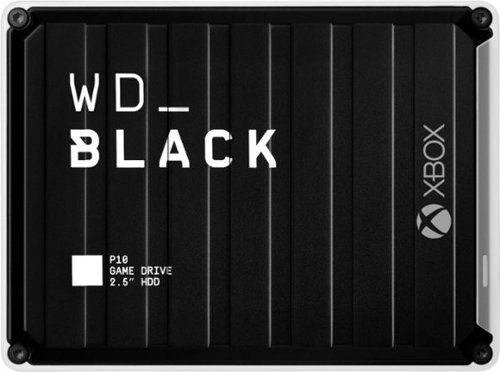
The WD_Black~ P10 Game Drive for Xbox~ gives your Xbox the tools it needs to keep your competitive edge. With up to 5TB* of storage capacity, the WD_Black~ P10 Game Drive for Xbox~ is a top-tier external HDD built specifically for gamers looking to expand the potential of their Xbox so they can drive their game the way they choose. Included with your purchase is a 1-month membership of Xbox Game Pass Ultimate, with access to 100+ games on consoles and PC, plus online console multiplayer.
Can x/s games that require speed (normally needed to be the Normally on the internal drive) able to be installed and played on this drive?
No. You'll be able to back those games up to this drive, however, so you don't have to deal with downloading those games off of the internet. This is useful for both slower internet connections. (200mbps or slower) and capped internet connections (AT&T, Comcast, and others).
4 years, 10 months ago
by
BillFromKC
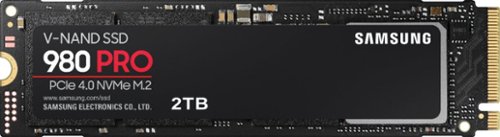
Unleash the power of the Samsung 980 PRO PCIe 4.0 NVMe Gen4 SSD for next-level computing. 980 PRO delivers 2x the data transfer rate of PCIe 3.0, while maintaining compatibility with PCIe 3.0.~ ~The NVM Express~ design mark is a registered trademark of NVM Express, Inc.* Results are based on a comparison with Samsung PCIe 3.0 NVMe SSDs and SATA SSDs. PS5 compatible with heatsink as recommended by Sony; heatsink sold separately.
Has anyone noticed it being hot? Not quite sure if it would be ok for my laptop.
Unless your laptop has PCIe 4.0, it’ll be alright. I used it in a Ryzen 5500u laptop, which is Zen 2 architecture and PCI3 3.0, and it never got hotter than 42℃ under load.
4 years, 11 months ago
by
BillFromKC
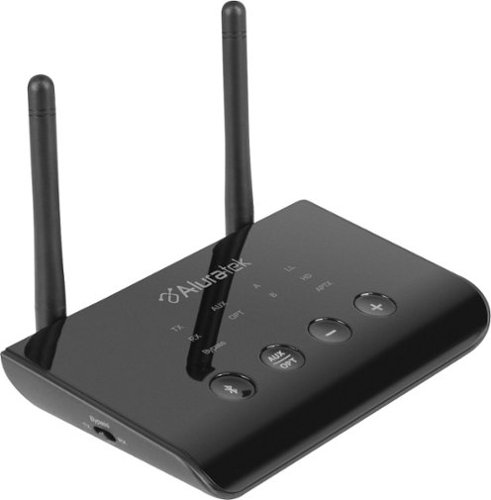
Stream audio from your TV wirelessly with this Bluetooth audio transmitter and receiver. You can stream to one Bluetooth headset or two headsets and/or Airpods simultaneously. Enjoy the freedom to walk around while listening to theTV up to 100 feet away. Receiver function allows you to bluetooth enable an audio device and stream to that device from a bluetooth phone, tablet, PC. Features include digital and analog audio inputs for compatibility with a variety of TVs and other devices, dual headphone / speaker connectivity, and Qualcomm aptX Low Latency technology for high-fidelity audio with no lip-sync delay.
hood up and have bluetooth connected but no sound from Tv.
If your TV doesn't support Bluetooth audio transmitting, you'll need another way to connect between the TV and the sound bar. There's the included optical cable, or you can use an aux cable between your TV's headphone port and sound bar's analog input, or you can connect an HDMI cable if your TV supports HDMI ARC.
5 years, 6 months ago
by
BillFromKC

The sound bar for those with small spaces or minimalistic tendencies. The compact Yamaha SR-C20ABL sound bar fits easily in whatever space is available and can be wall-mounted for even more possibilities. Setup is easy with a simple connection to your TV while Bluetooth lets you stream wirelessly from your mobile devices.
Is this capable of connecting wirelessly by Bluetooth to a Yamaha 7.2 receiver ?
If the receiver can connect to external devices via Bluetooth, or if you added a Bluetooth audio transmitter, then yes. If you have a MusicCast-capable receiver with multi-zone capability, then you'd need a Bluetooth transmitter as this sound bar doesn't natively support MusicCast. Keep in mind you'll need the proper cable to connect the transmitter to the receiver if the transmitter is necessary.
Products from my answer
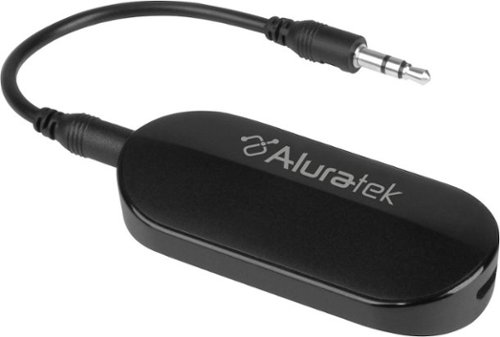
Aluratek - Bluetooth Audio Transmitter for AirPods/Wireless headsets and speakers - Black
(1,000)
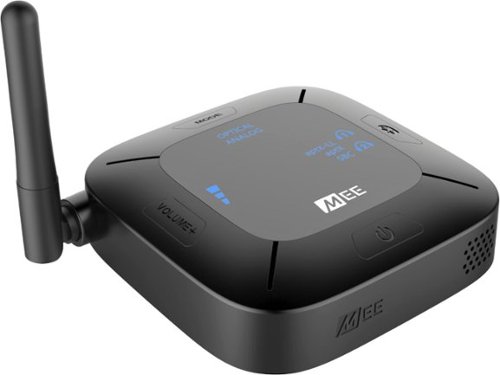
Aluratek - Bluetooth Wireless Audio Transmitter and Receiver for TVs - Black
 (394)
(394)

5 years, 6 months ago
by
BillFromKC
The sound bar for those with small spaces or minimalistic tendencies. The compact Yamaha SR-C20ABL sound bar fits easily in whatever space is available and can be wall-mounted for even more possibilities. Setup is easy with a simple connection to your TV while Bluetooth lets you stream wirelessly from your mobile devices.
Does this have the clear voice
It does have the clear voice. And it lives up to the name clear voice.
5 years, 6 months ago
by
BillFromKC
The sound bar for those with small spaces or minimalistic tendencies. The compact Yamaha SR-C20ABL sound bar fits easily in whatever space is available and can be wall-mounted for even more possibilities. Setup is easy with a simple connection to your TV while Bluetooth lets you stream wirelessly from your mobile devices.
What is the rated voltage for this product?
Input into the AC adapter is 120VAC 1A, output is 20VDC 2.1A 42 watts.
5 years, 6 months ago
by
BillFromKC
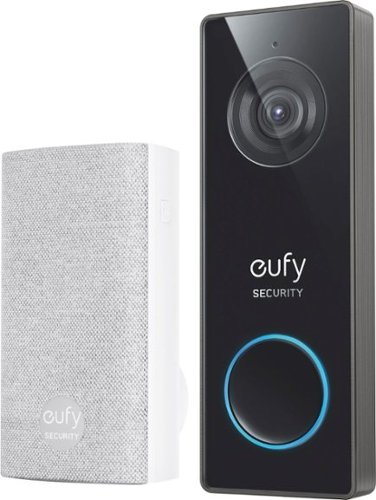
eufy Security Wired 2K Video Doorbell. 2K Resolution, 5-Day Continuous Video Recording (CVR) on Secure Local Storage, No Monthly Fees, Human Detection, 2-way Audio, and Free Wireless Chime included.
Hello, does this have night vision? Does it have the 3 second preview before the video is recorded like the other 2k hardwired? I don't see this on Eufy's website. Is it new?
It does have nightvision and it just records video either continuously or when its motion detection is triggered, no clip preview that I know of.
5 years, 7 months ago
by
BillFromKC
eufy Security Wired 2K Video Doorbell. 2K Resolution, 5-Day Continuous Video Recording (CVR) on Secure Local Storage, No Monthly Fees, Human Detection, 2-way Audio, and Free Wireless Chime included.
I know the battery operated version of this doorbell works with existing mechanical chimes. Does this new wired version support existing mechanical chimes? I can't find this doorbell on the Eufy website, is this for Best Buy only?
I can't answer the Best Buy exclusivity question, but I can tell you it does not work with mechanical chimes. Or at least I've found no way for it to do so.
It does, however, come with an electronic chime that connects wirelessly and plugs into any standard electrical outlet.
It does, however, come with an electronic chime that connects wirelessly and plugs into any standard electrical outlet.
5 years, 7 months ago
by
BillFromKC
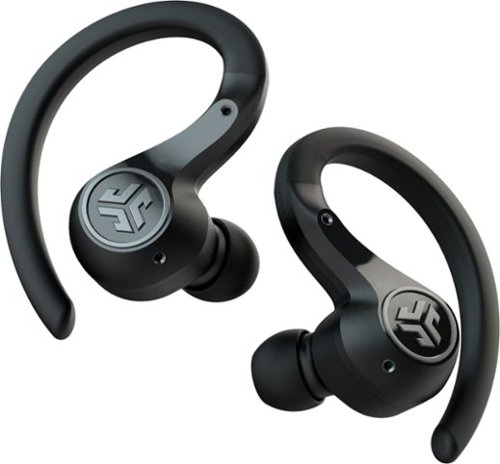
Offering the ultimate true-wireless experience for any fitness-loving music lover, JLab Epic Air Sport ANC offers customized sound and active noise canceling plus industry-leading 70+ hours playtime. Transition from gym to calls or from work to a run, effortlessly, with features like wear-detect, movie mode, wireless charging and more.
1. Does leaving the buds in the charging case for long periods of time degrade the battery? 2. Is any operating system specific apps or drivers needed for use? My use case is running it off a Linux laptop without Windows installed
As an addendum to my answer for #2, keep in mind that you'll need the Epic Air ANC app for Android or iPhone to adjust eq, ANC/BeAware, and side button functionality. I'm not sure if this would work in BlueStacks or other Android emulators for Linux; for the Windows and Mac people out there, I highly doubt it would work in BlueStacks for those platforms.
5 years, 8 months ago
by
BillFromKC
Offering the ultimate true-wireless experience for any fitness-loving music lover, JLab Epic Air Sport ANC offers customized sound and active noise canceling plus industry-leading 70+ hours playtime. Transition from gym to calls or from work to a run, effortlessly, with features like wear-detect, movie mode, wireless charging and more.
Can I wear this in one just one ear?
Yes. In fact, if. you put one in your ear and leave the other in the case, only the one in your ear is on meaning you can switch earbuds out as they hit low battery. Keep in mind you may need to use the Epic Air ANC app to disable the ear sensors.
5 years, 8 months ago
by
BillFromKC