


BillFromKC's stats
- Review count233
- Helpfulness votes729
- First reviewJune 27, 2012
- Last reviewJune 4, 2026
- Featured reviews0
- Average rating4.5
- Review comment count6
- Helpfulness votes10
- First review commentAugust 27, 2015
- Last review commentFebruary 19, 2017
- Featured review comments0
Questions
- Question count0
- Helpfulness votes0
- First questionNone
- Last questionNone
- Featured questions0
- Answer count65
- Helpfulness votes40
- First answerJanuary 9, 2014
- Last answerNovember 5, 2021
- Featured answers0
- Best answers9
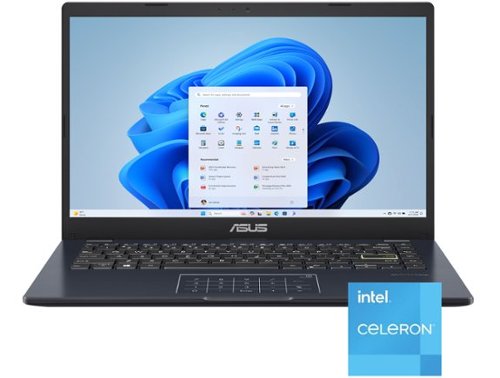
Life is all about finding the right balance, and Vivobook Go 14 delivers just that. Lightweight and compact, it sports a stylish new look that fits right in with your dynamic lifestyle. Designed for daily computing and productivity tasks, and boasting innovative features such as the ASUS NumberPad, Vivobook Go 14 gives you everything you need for work or play.

Posted by: BillFromKC
TL;DR - the ASUS Viviobook Go 14 is what happens when you cut too many corners to hit a low price point whilst keeping some profit margin in the product. 4GB of RAM and eMMC storage makes for a bad Windows 11 experience, no matter how you cut it. There is a bit of a silver lining for people that are willing to tinker, however; the WiFi/Bluetooth card is user-replaceable, and there is a full x4 NVMe slot that supports 2280-sized SSDs. Had ASUS went with 8GB of RAM and a real SSD instead of eMMC storage, this could have been a recommendable laptop. With the specs at 4GB RAM and eMMC storage, I recommend spending a little more and getting a better laptop. If you can't afford to do that, just get a Chromebook instead.
Unboxing and setup:
Having tested other ASUS laptops before, I wasn't sure if I was going to get the basic or the more premium opening experience. It was the more premium experience, where the laptop is presented to you in its packaging and with a cloth bag around it. There's also a cloth piece between the screen and palmrest/keyboard. The screen has a nice, premium matte finish to it.
Having tested other ASUS laptops before, I wasn't sure if I was going to get the basic or the more premium opening experience. It was the more premium experience, where the laptop is presented to you in its packaging and with a cloth bag around it. There's also a cloth piece between the screen and palmrest/keyboard. The screen has a nice, premium matte finish to it.
The charger was the first warning sign. Instead of a USB-C charger like nearly every other new device in 2025, the Vivobook Go came with a charger featuring a small barrel jack connection. It's at least a right-angle connector, but I would rather have a second USB-C port.
Windows literally took hours to complete the OOBE setup, which includes adding your Microsoft account (no option not to here), running software updates, and installing the included Microsoft Office 365 Personal. Once into Windows 11, it was extremely slow, taking about 90 seconds to boot to the login screen. Shut downs also take a shockingly long time.
I did test the storage with CrystalDiskMark. Reads and writes would average about 130 megabytes per second. Because of this, I turned off Windows BitLocker to see if device encryption was the culprit. It was not, as the disk benchmarks ran slightly slower.
I also checked the Windows installation. Other than the standard bloat that Microsoft puts on new Windows 11 installs and the MyAsus software, there was nothing on this laptop that stuck out to me for poor performance. It also didn't matter if this laptop was running S mode or regular Windows mode, both modes ran slowly.
Teardown:
I did pop the bottom cover off the laptop to see if there was an upgrade path to at least improve the performance of the laptop, slightly. I wasn't surprised to see there was no RAM slot, but what was a pleasant surprise was a spot for a 2280 NVMe SSD. The WiFi/Bluetooth card - which also leaves a lot to be desired for performance - is also slotted and upgradeable, but only has a single antenna so it's slightly limited. One thing I will say is that, for the lack of power, this laptop has a very large battery.
I did pop the bottom cover off the laptop to see if there was an upgrade path to at least improve the performance of the laptop, slightly. I wasn't surprised to see there was no RAM slot, but what was a pleasant surprise was a spot for a 2280 NVMe SSD. The WiFi/Bluetooth card - which also leaves a lot to be desired for performance - is also slotted and upgradeable, but only has a single antenna so it's slightly limited. One thing I will say is that, for the lack of power, this laptop has a very large battery.
I did slot a 256GB SSD I had laying around and cloned the Windows installation from the eMMC drive. While the RAM limitation still was felt, Windows was suddenly more usable.
I also installed Linux Mint on the SSD to see what an alternative operating system would do for performance, and for general productivity with web-based apps, it was a massive improvement for the better. I didn't try Thorium or any of the other ChromeOS-based projects, but I suspect this laptop would make an excellent Chromebook.
Performance:
So again with Windows 11 and the eMMC, that is not a match that should happen. Again with out of the box, the initial setup took hours between all the updates and everything else Windows 11 tends to do. The included Microsoft Office apps did take a bit longer to load than they do on a 4th-gen Core i3 with a hard drive. Windows boot times were particularly atrocious, taking somewhere around 90 seconds.
So again with Windows 11 and the eMMC, that is not a match that should happen. Again with out of the box, the initial setup took hours between all the updates and everything else Windows 11 tends to do. The included Microsoft Office apps did take a bit longer to load than they do on a 4th-gen Core i3 with a hard drive. Windows boot times were particularly atrocious, taking somewhere around 90 seconds.
With the SSD installed, Windows boot times were cut down by nearly 65% (generally 35 seconds to the login screen). Additional RAM would help this, but there is no upgrade path for RAM.
With Linux Mint, you're logged in and ready to go on using the SSD within 20 seconds, so the hardware is capable but held back.
Usage:
A bright point is the keyboard. It's very comfortable, responsive, quiet, and comfortable. The trackpad is also decent, and it's numpad mode is useful once you learn how to use it.
A bright point is the keyboard. It's very comfortable, responsive, quiet, and comfortable. The trackpad is also decent, and it's numpad mode is useful once you learn how to use it.
The screen is a mixed bag. 1080p resolution means it's clear, the matte screen helps with reflectivity, but the brightness and contrast are both mid at best and the viewing angle is super narrow.
WiFi is okay. It's an 802.11ac card, and downloads typically hit 300mbps (my home internet is capable of up to 1.2Gbps downloads).
Battery life is stellar as long as you're not doing anything overly intense. Viewing movies allowed for about 8 hours in Windows and Linux.
So, in closing, why the 2-star rating? ASUS could have put 8GB of RAM and a real SSD in this laptop and had a winner, but instead chose to cut corners to cut costs and put out a subpar product instead.
If you want something cheap to tinker with, this is it. If you want a laptop, either spend more to get something with at least 8GB of RAM and an actual SSD, or get a Chromebook.
No, I would not recommend this to a friend.
Share this review:


+2points
2of 2voted this as helpful.
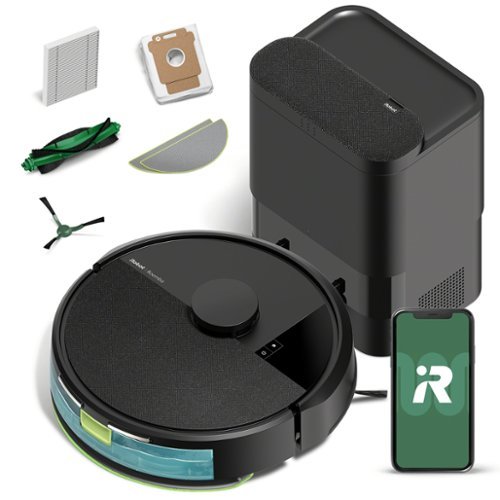
The Roomba 105 Combo Robot + AutoEmpty Dock is made for every kind of wet and dry floor-cleaning task. The self-emptying dock holds up to 75 days of debris in a bag you just lift out and toss away. The 4-stage cleaning system delivers high-performance cleaning by combining 70X more intense power-lifting suction*, an edge-sweeping brush that cleans 20% better*, a multi-surface brush to pick up all kinds of dirt, and a washable, re-usable microfiber pad to wipe away spills. ClearView LiDAR quickly maps your home for precise coverage. Choose from 3 cleaning options - mop, vacuum, or vacuum-and-mop at the same time. Using water or cleaning solution**, choose the perfect amount of liquid for the job, and set SmartScrub to 2X deeper scrubbing*** on high-traffic areas the way you would to erase the messes of the day. Tap the app, push the robot's buttons or ask your preferred voice assistant**** for an on-demand clean.
Customer Rating

5
Probably the best robot vac I've used
on June 28, 2025
Posted by: BillFromKC
TL;DR - the original brand is still the best brand. After years of upgrading (and also testing) robotic vacuums, I'm always left most impressed with iRobot's Roomba offerings. The model 105 has left me even more impressed with its smarts in cleaning, with both the vacuum and the mop modes, on pretty much any surface (I tested vacuuming on high and low pile carpet, tile, and hardwood and mopping on tile). Connectivity with smart home platforms is also top notch.
Setup:
Unboxing is simple enough when it comes to pulling everything out. You'll find the vacuum itself, the base with its automated dirt collection bin, and a mopping attachment. You'll want to not add the mop pad when you initially set the device up, as you'll get an error about the mop pad in the app. Mapping, speaking of, is very quick - my 1300 square feet of main floor space was mapped in a matter of 15 minutes. The only real times you have to handle the device are when you're adding water or cleaning solution for the mop, when you're changing/cleaning mop pads, and when you're doing maintenance for the brush rolls and filters, otherwise it's pretty much set it and forget it.
Unboxing is simple enough when it comes to pulling everything out. You'll find the vacuum itself, the base with its automated dirt collection bin, and a mopping attachment. You'll want to not add the mop pad when you initially set the device up, as you'll get an error about the mop pad in the app. Mapping, speaking of, is very quick - my 1300 square feet of main floor space was mapped in a matter of 15 minutes. The only real times you have to handle the device are when you're adding water or cleaning solution for the mop, when you're changing/cleaning mop pads, and when you're doing maintenance for the brush rolls and filters, otherwise it's pretty much set it and forget it.
In terms of the app, you'll need an iRobot account, and you'll likely want to pair the account to Google or Alexa if you have Google Assistant or Amazon Alexa-based smart speakers. Once paired, you can tell the Roomba to vacuum the whole house or just a room, and also mop the whole house or just a room; if you're wanting it to stop, just tell your smart speaker to send the Roomba home.
Usage:
It's quiet. It's decently quick, and - again - it's quiet. While I wouldn't have it running in an office while working from home, it's quiet enough where it won't wake you at night if you're on the second floor or it happens to be working in your basement. The dust collection feature of the charging base is about the same volume level as a typical vacuum, so keep that in mind for your placement.
It's quiet. It's decently quick, and - again - it's quiet. While I wouldn't have it running in an office while working from home, it's quiet enough where it won't wake you at night if you're on the second floor or it happens to be working in your basement. The dust collection feature of the charging base is about the same volume level as a typical vacuum, so keep that in mind for your placement.
The one thing that surprised me the most is it was smart enough to not get stuck behind furniture. The LiDAR sensor (how it sees the world) can see couches, chairs, and open appliance doors its too tall to fit under and avoids them.
I did purposely have it suck something up that would jam inside its beater bar to see what would happen. Some other brands of robot vacuums I've owned in the past would go until they either broke or ran out of battery, while this Roomba just went back to its dock and alerted me in-app about the issue. That was a definite improvement for me versus finding the robot just laying around or busted.
If I were going to complain about anything with this device, it would be that there's no mute that I've found for the on-device voice prompts. I also haven't seen where the dust collection bin has a timer of when it will and won't run, but that hasn't been an issue for me.
All in all, the Roomba 105 is a powerful little cleaning robot that I'd highly recommend for anyone who wants a robot vacuum to keep small to medium spaces clean. I don't know if I could recommend it for those with pets as I wasn't able to test that ability, but I find that for myself and my family, it's a definite win in fighting the battle of keeping the house clean.
I would recommend this to a friend!
Share this review:


0points
0of 0voted this as helpful.

The X870 EAGLE WIFI7 supports AM5 Processors and features unparalleled performance. GIGABYTE X870 motherboards come with upgraded power design, high grade storage standards, and outstanding connectivity that enables you to optimize your performance.
Customer Rating
5
Solid motherboard, good value for the price.
on May 18, 2025
Posted by: BillFromKC
TL;DR - the Gigabyte X870 Eagle WiFi 7 is a solid foundation for your next AMD build. There are a few things I wasn't a fan of, but lots of quality-of-life things I'm a huge fan of on this board. There's space for large air coolers (like the Noctua D15 or the Thermaltake ToughAir 550) around the CPU, the 4+8 pin CPU power connectors allow for extra power to overclock your processor (should you choose to do so), the graphics card PCI-e slot has a push button to make releasing the slot clip easier, 3 SSD slots (one PCI-e 5.0 and two PCI-e 4.0) mean you have the ability to install massive amounts of fast storage, and massive heat sinks on the power delivery and board chipset keep it cool. I'm disappointed that the two auxiliary PCI-e x16 slots are wired for PCI-e X1, which means that additional NVMe SSDs beyond the 3 installed on the motherboard will run slowly, and I would have liked to see right-angled CPU power connectors to help ease cable management. Otherwise, it's a solid performer.
Unboxing - Gigabyte did a good job here, with the motherboard on top in its anti-static packaging and accessories underneath, including 2 NVMe slot screws and two SATA cables. The instruction manual is clear and concise, with the typical layout drawings instead of pictures that really make it easier to find everything.
Setup - Installing the processor is straight-forward. Match the "golden triangles" and close the processor load plate. If you're using a 3rd-party contact frame in place of the included mechanism, follow those installation instructions carefully. Once the processor is installed, install whatever cooling solution you wish to use. some coolers - like the AMD Wraith Prism - will use the clips already installed on the motherboard. Others require you to remove those clips and possibly the backplate. Make sure to follow the installation instructions because improper installation can destroy a motherboard and/or processor.
Go ahead and install your RAM as well. I recommend using only two sticks if you're planning on using XMP or EXPO settings, as Ryzen processors are finnicky about RAM speeds. If this is your first time building a computer, you'll want to use the slot closest to the ATX power connector, leave the one next to it empty, and then install in the second RAM slot away from the processor.
For the SSD, you'll remove the plastic protection from the clip-on heat sink, place your SSD into the slot underneath it, and then close the heat sink in over it. This is the PCI-e 5 NVMe slot so this is where you'd want to install your fastest SSD. If you're installing additional SSDs, I'd recommend models with heat sinks as PCI-e 4 speeds can still generate heat.
Now would be a good time to test and make sure everything works. Plug a video cable into your monitor, connect up the PSU, and hit the power button on the motherboard. After a few minutes (memory training), you should see a screen telling you to press any key to continue. Power down, this means the motherboard works. (The only exception here is AMD Ryzen-F chips, as those don't have built-in video.)
Mounting to a case is easy enough - just don't over-tighten the screws. You have two fan headers dedicated to the CPU up by the CPU, and then 4 more at the bottom of the board for case fans or fan hubs. I'd recommend using a fan hub if you're running more than 3 fans. This is also when you'd connect up everything for power, indicator lights, case lighting, USB, and front panel audio.
Install your CPU cooler before installing your video card. Life will be easier that way. When installing your video card, don't press too hard as you place the connector into its slot. You do have two additional slots, but they're really meant for slower add-in cards like additional USB or screen capture, as they're PCI-e x1 slots.
Once you have everything assembled, you'll want to go into BIOS and make sure that EXPO is enabled for your RAM. You'll want a directly-connected keyboard and mouse to navigate the BIOS screen. You can also set fan curves here as well; if you're using an all-in-one or an open-loop cooling system, one thing I'd highly recommend is setting the pump speed somewhere between 70 and 85 percent as a maximum speed, as you won't get additional cooling with the pump running any faster than that.
As far as performance goes, this board is great. EXPO didn't give me any issues, BIOS upgrades were easy, and overclocking the 9600X was a cakewalk. I also saw speed out of my SSD that qualifies as insane, as I have computers with RAM slower than PCIe 5 NVMEs in my house.
Is it worth the cost? If you need the features the X870 chipset provides, yes. I don't see a huge reason to jump to the X870E and the B650 will honestly suffice for most people that don't overclock or need the expanded PCI-e connectivity.
I'd also like to take a moment to critique Best Buy as a parts supplier for building computer systems, a space they were in many years ago and are slowly returning to. While their competition has far more selection for parts, along with far more odds-and-ends, the prices are very competitive with the competition. I was able to find the processor I used (9600x), the RAM (Corsair Dominator DDR5-6000), the case (Thermaltake View 270), the PSU (Corsair RMe 750), the AIO CPU cooler (Corsair Nautilus 360 RGB), the additional fans (Corsair RS120 3 pack), and at prices that were close enough to both the online poultry farm, the jungle site, and a local center that justified not taking a drive or ordering from them. Overall, I was pretty happy with the experience and the combination of local pickup with shipping. I wish that Best Buy would take a more serious look into this space, however, as I feel a local computer parts shop would benefit both them as a corporation and the community of PC enthusiasts and gamers as a whole. Overall, I found it to be pretty positive. and I hope Best Buy continues toward being a place where I can get the parts to do it myself.
I would recommend this to a friend!
Share this review:


+1point
1of 1voted this as helpful.

The myQ Smart Outdoor Camera doesn~t just watch, it acts. Equipped with myQ Smart Secure, it automatically locks compatible doors and closes your myQ smart garage, alerting you instantly when it detects someone during preset times.
Customer Rating

3
Good camera, not a good value
on May 5, 2025
Posted by: BillFromKC
TL;DR - the video quality is good but the dependency on an internet connection for recording video is a drawback. While the camera itself has a smart design, I would have preferred USB-C instead of Micro-USB for the power connection and the AC adapter's bulk makes it difficult to use in many in-use plug covers. Video quality is great and nighttime video quality is excellent, but because of the design flaws and the lack of local recording options, I can only recommend this to people with plenty of outdoor power and internet connections with massive upload bandwidth. By far my biggest problem, however, is that you have to pay a monthly or yearly fee to have functionality beyond an outdoor camera, meaning you're paying a kinda high price for the right to rent something you bought.
Unboxing and setup - I do like the way this is packaged, plastic sack and film over the camera, the super-long power cable (25 feet!!!) and AC adapter nicely tucked in, and a backplate and screws that make this super easy to install. I wish it would have come with cable clips, however, as that long cable tends to drape over long distances. For the price, this could have also come with a shorter cable for those who have power outlets in their soffits or at different levels of their exterior.
Adding it to the MyQ app was extremely easy. Unlike most cameras and DVRs, this is configured using Bluetooth, meaning you don't have to line up the camera with a QR code on your phone or read a hard-to-scan QR code with your phone. Of course, if you don't already have paid MyQ services, you will get hit with upsells from the MyQ app for video recording service.
(Pro-tip - if you don't subscribe as you set up, you'll be offered 20% off for a year of services after the fact.)
Mounting is easy, but the screws packed in were a little small. I ended up using slightly larger stainless-steel screws to mount to wood siding. Aiming and securing the camera is also pretty easy - the mounting hardware makes it easy to adjust and secure where you're aimed.
I have a love/hate relationship with the way power is. I love that this came with a 25-foot-long power cable, with water-tight gaskets for both ends. I hate that it didn't come with an optional shorter (~8 feet maybe) option for a power cord, and I hate that the AC adapter is as bulky as it is, making it difficult to use with an in-use outdoor outlet cover; a power cube like what the iPhone comes with would have been a better design choice here. Luckily, if you have outdoor outlets with USB power connectors, most of those will output more than enough power to be usable with this camera.
Usage - it works like any other outdoor camera, as long as you have a subscription to the MyQ services. Detection zones, face recognition, pet recognition, motion sensing - it's all there, just behind a paywall. At least it's not using huge amounts of bandwidth for recording video to the MyQ servers.
One really neat feature is how you can use the AI features of MyQ to automatically close your garage and lock doors should an unknown come into view. While this probably works for entry doors (I don't have any MyQ-enabled door locks so I couldn't try this), it didn't work well for my garage door as it didn't trigger a door close until I was close enough to stick my foot in for the auto-reverse function to kick in.
Herein is the rub for MyQ, however - other companies make cameras for about the same price that are useable without a monthly fee for anything outside of live video. Many brands have good detection features, some with on-device zone, person, and pet detection.
So all in all, I feel like MyQ smart outdoor camera is good at being a camera but not good at being a good value. Had the camera itself been less expensive, it would be easier to recommend. Considering there are cameras that are far less expensive with similar subscription fees and cameras that cost about the same with local recording options, I'm hard-pressed to recommend this for anyone other than those who are set on MyQ, and even then, I'd recommend other options.
No, I would not recommend this to a friend.
Share this review:


0points
0of 0voted this as helpful.
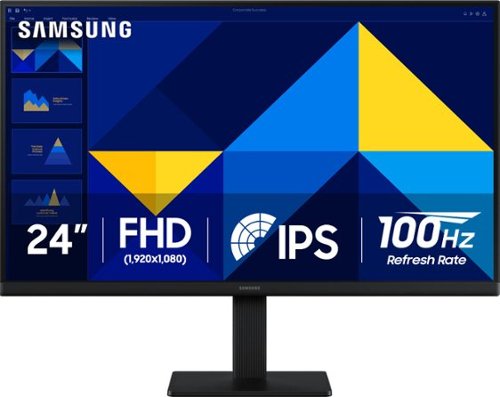
Samsung~s 24" S3 Monitor enables smooth performance, heightened productivity, and greater comfort. The IPS Panel delivers a stunning color experience across the entire display with less color washing, offering clarity from any viewpoint so tones stay consistent and accurate. The 100Hz refresh rate reduces lag and motion blur while playing games, watching videos, or working. Game Picture Mode with optimizable game settings enables instant adjustment of color and image contrast. Eye Saver Mode protects vision, reduces blue light and screen flicker, and extends comfort even during long sessions. The ergonomic super-slim design is a stylish addition to any environment, while ultra-thin border bezels make the most of screen space. Multiple connectivity enables devices to be plugged straight into the monitor for increased flexibility.
Customer Rating
5
Solid performing monitor held back by connectivity
on April 4, 2025
Posted by: BillFromKC
TL;DR - the Samsung S30GD 24-inch 100Hz IPS monitor is a terrific option for an everyday display. Bright, clear picture, EyeSaver mode, and that 100Hz refresh rate make it a good option for productivity work and entry-level gaming. A VESA 100x100 mounting point make it a great option for a multi-monitor setup, with a minor caveat. VGA connectivity makes it a solid option for those with older computer systems, but only one HDMI port limits connectivity for those with multple modern computers at one workstation. All in all, a solid option when it comes to displays.
Unboxing and setup - inside the box, you'll find the monitor with stand, AC adapter and power cord, HDMI cable, and instruction manual. Assembling the monitor is easy enough - lay the screen on a soft surface, attach the stand with a Phillips screwdriver, then attach the base. I'd recommend attaching the HDMI cable, an optional VGA cable (sold separately), and the AC adapter and running those cables through the integrated cable management clip.
Once attached to your computer, go head and configure the display settings using Samsungs joystick OSD control. I'd recommend using game mode over other modes as it had the best picture and least blur out of all the picture settings, but make sure to turn the display brightness down to a comfortable level (somewhere between 40-65%), as the default 100% brightness is definitely brighter than the advertised 250 nits.
Usage - I tested motion using several streaming videos that included display testing and manufacturer demo loops, a gaming session playing Halo MCC, Minecraft, and Control Ultimate Edition, a photo editing session with my Mac, by attaching it as a secondary display for my phone, and by attaching it as a secondary display for my Chromebook.
Calibration was pretty solid overall out of the box, only needing a slight adjustment using ColorSync on the Mac to match my other monitors in terms of white point and gamma. Colors performed very well, with lifelike skin tones and a full spectrum that was smooth and not "peaky" like typical inexpensive monitors can be.
Gaming was incredibly smooth. Being that my testing system can drive both Halo MCC and Control at over 100 fps at 1080p, I was treated to an extremely smooth experience. I ran screen mirroring while running Minecraft between this screen and another LCD of mine capable of 360Hz, and there was no real noticeable difference in visuals between the two while forcing fast motion; the other monitor indicated it was running somewhere between 190 and 260Hz while doing this testing, so for you parents out there with children getting into PC gaming, they don't need to spend twice to four times as much on a screen for a good experience.
Video playback was solid. Considering this isn't a FALD panel, black levels were good - not inky black like an OLED or good FALD MicroLED LCD, but good enough where shadows weren't being ruined by too high of a black level. This monitor does have a black level adjustment that fixes the out of the box problems. Blur wasn't too much of an issue; even the Blur Busters UFO test was clear with its scrolling.
As a secondary display for Chromebooks, iPads, Android phones, and iPhones, it's a good performer. Remote desktop apps, presentation apps, and video playback apps that can use the second screen will feel like you're watching a TV or doing your presentation with a laptop. Just know that the greater majority of these devices won't be able to use the 100Hz feature, as their video output doesn't support it. I tested using Keynote on my iPhone and Apple TV and Microsoft Windows app on Chromebook.
Drawbacks - the biggest thing I see wrong with this display is the lack of more than one digital connection. While VGA is handy for those who need it, fewer and fewer modern computers have VGA, Macintosh systems haven't been compatible with VGA with adapters since at least 10.9 (and possibly 10.7), it's difficult to find adapter for VGA output easily, and VGA lacks support for encryption protocols which makes it a no-go for streaming video apps and some video games. Also, this could have come with an audio output for those with laptops and desktop speakers who would want a single cable connection between their laptop and the rest of their setup.
Conclusion - the Samsung S30GD really is a solid monitor, even when considering the one drawback it has. The 100Hz refresh rate only makes the outstanding video quality that much better.
I would recommend this to a friend!
Share this review:


0points
0of 0voted this as helpful.

The GO Charge Wireless Bluetooth Mouse is small, comfortable in your hand, and dare we say~kind of cute? Your everything go-to, it goes with you from desk to caf~ to coworking space and beyond. We see you digital nomads. Three saved device connections means you can seamlessly switch connections as easily as you switch filters.
Posted by: BillFromKC
TL;DR - The JLab Go Charge wireless/Bluetooth mouse is pretty feature-packed for being so inexpensive. Bluetooth and standard wireless connectivity mean you can use this mouse with two different computing devices. DPI adjustability means you can slow the speed of your mouse cursor when you need precision and speed it back up when you need speed. USB-C charging means no more batteries to change. However, the optical sensor isn't particularly great without a mousepad, the scroll wheel gets "grindy" and lacks sensitivity at times, and the rubberized finish gets oily quickly.
Unboxing and setup - You open the box at the bottom with a knife, pair of scissors, or whatever else you have on hand. The outer packaging is a sleeve, with the bottom dropping out and presenting the mouse in blue tissue paper (a nice touch, might I add). Behind the mouse, you'll find instructions for Bluetooth pairing and using the dongle; if you already have a JLab keyboard, there's a QR code that links to instructions for how to pair the mouse to the keyboard's dongle (or vice-versa). You'll find the USB cable for charging in the bottom of the package.
Charge the mouse for a bit before continuing. You'll see that the white line at the bottom of the mouse is a charge indicator. You'll find the wireless adapter on the bottom of the mouse; it connects to any USB-A port. I tested this mouse with Google TV, ChromeOS, macOS, Windows, and even the Windows app on my iPhone, and it works with all without needing to install software or do anything special. Also, JLab, thanks for getting the USB charge port placement right.
Usage - it's a mouse with 5 function buttons and a DPI setting switch. the thumb buttons give you forward and back functionality in your web browser by default and are useful for switching weapons or additional interactions and attacks in games. You just need to make sure you use a good mousepad with this because it doesn't really care for desks, counters, or textured couch cushions.
I got about 25 feet of Bluetooth range with my desktop PC and about 35 feet of wireless range using the included adapter.
Drawbacks - I'm not really a fan of rubberized plastic, as it's not very grippy to me and seems to absorb oils. I'm also disappointed there's no optional software so the side button functions could be adjusted and the battery life displayed while connected with the USB wireless adapter. The USB-C port only being a charge port was also a surprise, as I own several other brands of mice with USB-C charging that can function as a wired mouse with the charge cable attached.
Finally, I'm most disappointed in the DPI functionality. I would have liked to see an indicator as to what DPI setting the mouse is at. The DPI switch is also in a place where it's likely to accidentally get bumped. I also can't recommend this mouse for gaming, as the sensor seems finnicky in 800 and 1200 DPI modes.
Final thoughts - if you need to have a mouse that can function with two different computers, this is definitely one of the less expensive options out there. It does Bluetooth and its own wireless dongle, and you could say that it works fine. However, if you only need to use the mouse with one device, there are better options out there in terms of build and materials quality in this price range.
I would recommend this to a friend!
Share this review:


+1point
1of 1voted this as helpful.

Upgrade your home theater experience with the Rocketfish 15 ft. In-Wall Male to Male RCA Cable with Shielding for Subwoofers and More and enjoy a high-level audio experience, reduced signal interference and a better overall performance. A step up from your basic RCA cable, it features digital coaxial technology, high-quality copper, 100% shielding, and corrosion resistant gold-plated connectors. The durable 22 AWG cable is also UL CL2 in-wall rated so you can feel good about your new setup.
Customer Rating
5
Overbuilt cable without an overbuilt price
on March 22, 2025
Posted by: BillFromKC
I picked up this Rocketfish shielded subwoofer cable because of a recent change to one of my home theater setups. With where my subwoofer is placed in relation to my receiver, I needed a cable I could run behind wall paneling without needing to worry about durability.
This cable fits the bill perfectly. It's completely overbuilt with metallic connectors at each end and a thicker, in-wall rated cable jacket; this is important as it's both more durable than the typical cheap RCA cable, and it'll meet fire codes if you're using it as part of a remodel project for a home theater setup.
Being that the cable is shielded, I did test to see how capable it is for preventing interference from external devices that can (and sometimes do) create noticeable noises. Compared to a thin cable I was using, my iPhone (running in hotspot mode) caused far, far less noticeable noise. Even more surprising was a Wifi node that would create clicking noises while placed within 1 foot of the thin cable didn't cause any of these noises while in direct contact of the Rocketfish cable.
The one thing I really did appreciate was build quality. I've had that one brand of cable everyone knows about that was always overpriced, and none of them were made this well. It's honestly a solid value for what it is, as you could spend 10 times more for a similar cable and it won't be any better than this.
If there was anything I could call a drawback to this cable, it would be the lack of connector covers for when you're fishing this through the wall. While masking tape does the job, it would have been nice had this come with smooth, hard plastic connector covers.
All in all though, Rocketfish did well with this cable. It's definitely a great option for when you need a subwoofer cable you can hide in the wall.
I would recommend this to a friend!
Share this review:


0points
0of 0voted this as helpful.
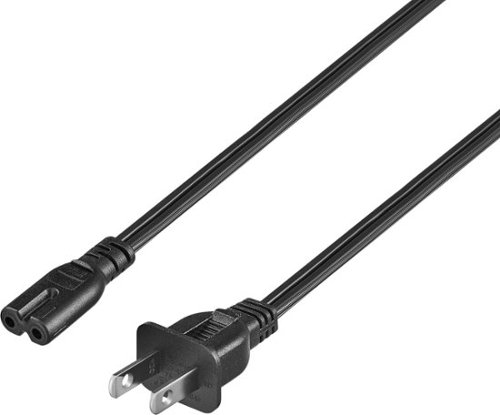
Replace a missing or damaged power cord with the Best Buy essentials 12' C7 Non-Polarized Power Cord. The non-polarized, two-prong design works with select electronic devices, including PlayStation 5 or Xbox Series X and S gaming systems ~ just confirm the shape of the power port against your device to ensure compatibility. The cord is backed by Best Buy, so you can rely on it to safely power your electronics.
Posted by: BillFromKC
Happened to be just want I needed for an in-line power supply. The figure-8 connector (also known as IEC C7) is pretty universal to a fair number of electronics, so this is a perfect replacement for most TVs, in-line AC adapters, and other devices that use a 2-pin connector. The cord length was great for avoiding an extension cord.
If I were going to complain about anything with this cord, it would be that it’s not a flat wire. The non-polarized design helps though, making it universal for any device that uses a standard C7 connector - gaming console, AV device, router, laptop power adapter, and so on. Just make sure that what you’re connecting it to is insulated so you don’t get shoked.
Note that it only allows for 10 amps of maximum draw. Make sure you pay attention to this because you’ll either cause a failure of the cord or you’ll overheat the cord, which can cause fires.
Like I stated earlier, the 10 foot length is perfect for avoiding extension cords, which can be extremely dangerous. Make sure that you also don’t run this cord under furniture or carpets, which can be tempting.
I would recommend this to a friend!
Share this review:


0points
0of 0voted this as helpful.

Level up your workouts with JLab's Epic Sport ANC 3 - our most advanced and best-sounding sport earbuds yet. Engineered with hybrid dual drivers and Hi-Res Audio with noise cancellation, these IP66 sweatproof earbuds deliver unparalleled sound tailored for athletes. Stay motivated through intense sessions with an incredible 68+ hour battery, ergonomic sport fit, built-in interval timer, and customizable sound via the JLab App. Unlock superior performance with best-in-class audio, durability and features in our most premium sport earbuds ever.
Customer Rating
5
Another solid entry from JLab
on January 14, 2025
Posted by: BillFromKC
JLab does it again, but are we really surprised? The Epic Sport ANC 3 earbuds are everything you want in a pair of earbuds for the gym with nothing you don't. For those looking for quality audio, the Epic Sport ANC 3 had support for LDAC on Android and AAC on iOS, meaning that you won't experience the quality drop typical for most headphones on either platform.
The noise cancelling won't win any awards, but for drowning out the noises at the typical gym during Resolution Month, they're pretty solid, I also tested them (briefly) for ambient mode while shoveling the recent Kansas City snow, but found they couldn't last very long in the blistering cold while exposed; under a stocking cap or ear muffs, they fared better in 5 degree Fahrenheit temperatures (-15 Celsius). Inside the house after they warmed back up, I got a few hours of listening to music out of them without even using half the battery.
The charging case is where the most innovation with these earbuds happened over my last pair. First, it's more pocket-friendly that past versions. Second, the built-in cable is USB-C instead of a flat-plug USB-A. Third, on top of the built-in USB-C cable, there's also a USB-C port for an external charger wire and the ability to charge on any Qi-compatible wireless charger. The ONLY thing I would have liked to see added was a USB A-to-C adapter in the charge case, and there is room for it.
Audio quality is very good, but depends on your phone more than anything else. iOS devices will use AAC streaming, which means that if your music is in AAC format or you're using a streaming platform like Apple Music, Amazon Music, Pandora, or the paid version of SoundCloud, the audio conversion will happen inside the earbuds instead of on your phone. All other formats will be converted to AAC audio on the fly, including FLAC and ALAC lossless formats. For Android headsets, LDAC support requires the capability in your phone to encode this format, but you'll be able to enjoy hi-res lossless formats like FLAC, ALAC, MQA, and even files you might have in the uncompressed WAV and AIFF formats.
The JLab app is also a must-have with these earbuds, as it lets you tweak EQ settings and more easily control the ANC and transparency modes from your phone screen (along with firmware updates to add or tweak features in the earbuds themselves).
All in all, you really can't go wrong with the JLab Epic Sport ANC 3 earbuds.
I would recommend this to a friend!
Share this review:


0points
0of 0voted this as helpful.
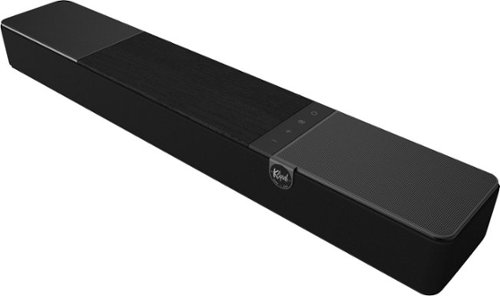
The Klipsch Flexus Core 100 Sound System, powered by Onkyo, lays the foundation for amazing movie nights, gripping gaming campaigns that go late into the night, and streaming the next binge-worthy show. Powered by exceptional acoustics and proprietary Klipsch Transport technology, this 2.1-channel sound bar is the first step towards building the whole home entertainment ecosystem of your dreams.
Customer Rating
5
Solid soundbar but with a few flaws
on January 14, 2025
Posted by: BillFromKC
TL;DR - The Klipsch Flexus CORE 100 2.1 channel soundbar is very feature-packed for a reasonable price. It does a decent job of managing Dolby Atmos, Dolby TrueHD, Dolby Digital+, and PCM audio of any speaker layout (up to 7.1 channel) very well, and the expansion capabilities mean that you have room to grow with it. While I do suggest a subwoofer for greatly enhanced bass (the Flexus SUB gives you wireless flexibility but any wired subwoofer with low-level input is supported), the soundbar is very capable on its own and sounds better than pretty much any TV you'd pair it with.
Unboxing and setup - The Flexus CORE 100 comes nicely packaged, with a HDMI cable and power cable in the box. The remote has the look and feel of the remote that comes with your streaming stick or certain brands of TVs, but does give you the nice touch of a backlight that's perfect for late-night viewing. The CORE 100 can also be used with the Klipsche Connect+ app to tweak settings using a touch interface.
You have options for connectivity - HDMI eARC, TOSLink optical, and Bluetooth. There is no HDMI passthrough, so you will lose a HDMI port on your TV using this soundbar with HDMI. There is a USB-C port on this soundbar as well, but it's only there for charging USB devices from what I can tell. There's another USB-A port labeled "Flexus Transport Out" that's meant for an expansion device used with the matching wireless rear speakers and subwoofer.
The Flexus CORE 100 works well with both eARC-enabled TVs like the Hisense 65-U8K and standard ARC-enabled TVs like the Sony XBR-X850C. Older TVs like the Sony 40XBR2 that feature optical audio out provide a good sound experience, and that optical output can be connected to any computer or audio player that uses TOSLink optical output (many PCs, Macs, CD players, and DVD/Blu-Ray players support this older technology). Pairing Bluetooth was very straightforward, and audio quality from both my iPhone 15 Pro Max and my HMD Vibe was excellent (for Bluetooth) using Apple Music and its ALAC format.
The functionality with the Klipsch Connect+ app was similar between Android and iOS, which is a nice change from other manufacturers - including those that build phones - nerfing features in their apps for one platform or another.
The Flexus CORE 100 also came with something most soundbars do not - wall-mounting brackets and hardware. While I didn't use this myself, it was a very nice touch to see.
Usage - First things first, the sound quality that the Flexus CORE 100 had with factory default settings was very clean and crisp. The one thing I really enjoyed was the lack of harshness that most modern Klipsch products usually have when I listen to them. Bass response was very good for as small as the woofers are, and was easily adjusted with the remote. Surround mode, night mode, dialog enhancement, and volume were all easily adjusted as well.
Adding a third-party subwoofer was easy (I was not provided a Flexus SUB to test with) thanks to the line level output on the back of the soundbar. While I'm very appreciative of this feature, better subwoofer level out control would have been nice so I didn't need to get up to adjust the deep bass strength.
The Connect+ app also made adjusting mids and highs easy, along with switching sound modes and inputs. Like I stated earlier, I didn't notice any difference using the Connect+ app on an iPhone 15 Pro Max versus a HMD Vibe, which is a low-end Android handset.
If there are any complaints I have about the Flexus CORE 100, it's lack of USB and analog inputs and lack of HDMI passthrough. There's a USB-C port labeled for 5 volts at 3 amps. However, this soundbar isn't detectable via USB with a Windows 11 PC, a macOS computer, an iPhone, an Android phone, or a computer running Linux. The lack of HDMI passthrough is also a big thing for many TV sets, as eARC ports are generally a HDMI 2.1 port and that limits you to one device that takes advantage of HDMI 2.1's feature set of 120+ Hz refresh rates at 4k resolution.
Still, this is a pretty amazing soundbar for the price. High quality audio, a great sound stage, good future expansion capabilities, and flexibility on adding a subwoofer make this an overall win in my book.
I would recommend this to a friend!
Share this review:


0points
0of 0voted this as helpful.
BillFromKC's Review Comments

Westinghouse HDTV: Enjoy your favorite movies, shows, games and sporting events in realistic 1080p resolution on this Westinghouse HDTV's LED panel. Ensure fast-moving scenes remain clear with a 60Hz refresh rate that minimizes blurring and ghosting.
Overall 1 out of 5
1 out of 5No HD tuner
By Westingtonhouse
I can not imagine that tv in today time do not have digiter tuner. I bought 6 now I have to return them since i use cable straight from wall for tv from COX

BillFromKC
KCMO
This TV has an ATSC tuner.
August 27, 2015
There's no guarantee that ATSC tuners will work with ClearQAM cable channels, and even so, the greater majority of cable providers now scramble all cable channels. Including OTA channels. Because the FCC changed the rules and they're allowed to do this now.
+6points
6of 6voted this comment as helpful.
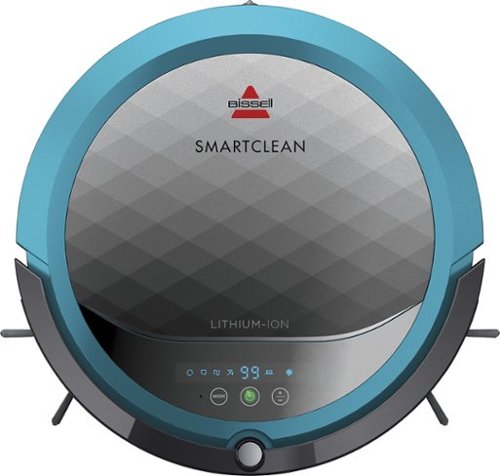
BISSELL SmartClean Robot Vacuum: Easily rid your floors of dirt and debris with this vacuum that uses Opticlean optical sensors and a Triple-Action Cleaning System to tackle your floors. Invisible Wall technology lets you target specific areas.
Overall3 out of 5
3 out of 5Hard To Program
By FortFun2
from Illinois
Found it is difficult, not intuitive, to program. Others have said if you loose power all your programming is lost, but we haven't lost power yet so can't confirm. I just wanted it to run when I left the house without a set program and contacting Bissell just led to more confusion. But, once I got it working I was impressed with the amount of pet hair it removed.
BillFromKC
KCMO
I can attest to this.
September 16, 2016
Sometimes, I have to plug mine directly into the charger to get it to charge because the battery is overly drained. Because of this, I don't even bother programming it anymore.
0points
0of 0voted this comment as helpful.

The new MacBook Pro is faster and more powerful than before, yet remarkably thinner and lighter.~ It has the brightest, most colorful display ever on a Mac notebook. And it features up to 10 hours of battery life.~ It~s a notebook built for the work you do every day. Ready to go anywhere a great idea takes you.
Overall1 out of 5
1 out of 5Terrible
By Joel
I purchased this one month ago and it has a faulty display. Best Buy takes no responsibility and will not exchange it for a good one. I have left voicemails for a district manager to call me and no one has called. I will never shop at Best Buy again.
BillFromKC
KCMO
Yep, take it to Apple.
January 13, 2017
If Best Buy is doing you wrong, just take it to your nearest Apple location and they'll set you up with a fix or a new one.
+4points
4of 4voted this comment as helpful.
![The Secret Life of Pets [DVD] [2016]](https://pisces.bbystatic.com/prescaled/500/500/image2/BestBuy_US/images/products/5224f7b2-43d6-4d33-8d0e-315348745874.jpg)
Overall1 out of 5
1 out of 5Bootleg Copy of Secret Life of Pets
By Disappointed
About 15 minutes into the movie the volume became muted and a message came on the TV that this was a bootleg movie. An unauthorized copy. Be very careful purchasing DVD's or Blu Ray movies from Best Buy. They just may leave you and your grand children very disappointed as it did our family.
BillFromKC
KCMO
This could very well be your DVD or Blu-Ray player
January 20, 2017
causing your issues. The Film Industry (MPAA and associated groups) are known for their draconian DRM systems, first with DVD and now with Blu-Ray and 4k Blu-Ray.
if your Blu-Ray player isn't connected to the internet, connect it to the internet and update its firmware. That should fix all your issues.
0points
0of 0voted this comment as helpful.
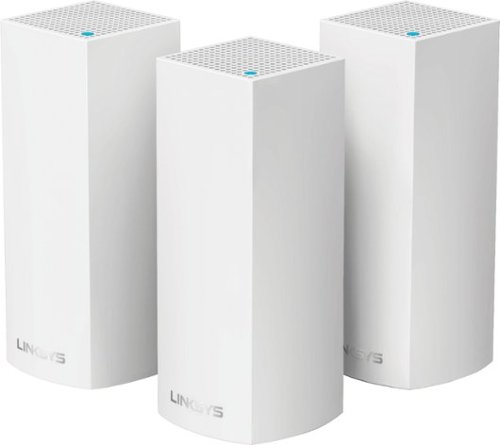
Make your home an internet haven with this versatile Linksys Velop wireless Wi-Fi system. Three identical tri-band dual-stream AC2200 routers, each equipped with a quad-core ARM Cortex-A7 processor, deliver lightning-fast internet. Equipped with Bluetooth 4.0/LE, this Linksys Velop wireless Wi-Fi system is simple to set up and pairs easily with computers, tablets and smart devices.
Overall5 out of 5
5 out of 5This is the future of WiFi
By neio11
I threw (recycled) away my wifi extenders plus I am now able connect a device with an ethernet cable without having to run cables through the walls because each node has 2 ethernet ports. So for instance, I have one node connected to my modem and an ethernet switch. My 2nd node in another room is connected to an NVR for my security cameras. The speed through the nodes is surprisingly fast. The NVR is capturing HD videos from 3 cameras and it seems to capture fine. The 3rd node is in my living room area. The whole house is covered! Please put a password on your wifi otherwise you'll be supplying FREE wifi for your neighbors. I can have full internet access from 3-4 houses away from my house. I thought installation would be a pain considering you have to setup each node. Well, I shouldn't say "have to" because you don't have to use all 3 nodes. You can use only 1 or 2 and give the 3rd to me. haha. No but setup is a breeze! The only thing is that you have to use a smart device such as a tablet or phone, to do the setup. Velop currently doesn't support PC-based setup but I hope Linksys changes that especially for us "techies"!!! It works with Alexa. You can ask #Alexa what the wifi password is... so they say. I haven't had much success with it yet. It looks clean and neat. It doesn't all those antennas sticking out of it which makes it aesthetically pleasing.
I'm loving so far!
BillFromKC
KCMO
The setup process basically forces you to put a...
February 19, 2017
...password on your WiFi network. In fact, it's one of three things it asks when you set up the parent node, the other two being "Do you connect directly to the internet or through a modem/router device provided by your ISP?" and what to call your wireless network.
0points
0of 0voted this comment as helpful.
Make your home an internet haven with this versatile Linksys Velop wireless Wi-Fi system. Three identical tri-band dual-stream AC2200 routers, each equipped with a quad-core ARM Cortex-A7 processor, deliver lightning-fast internet. Equipped with Bluetooth 4.0/LE, this Linksys Velop wireless Wi-Fi system is simple to set up and pairs easily with computers, tablets and smart devices.
Overall5 out of 5
5 out of 5Blazing Speed, Best In Class Performance!
By gadgetguy11
The Linksys - Velop Tri-Band Whole Home Wi-Fi System (3-pack) is packaged in a beautiful & functional box with magnetic closure - it exudes quality! Each Node is protected individually. Just looking at the box, you expect a premium, esoteric product... & Linksys delivers that & more in spades! The shapely Nodes are beautiful & blend with any decorating style.
Simple set-up via the Linksys iOS or Android App. Within minutes, you are ready to go online.
As shown in attached photo, I have 90 wireless devices utilized over 5,000 sq feet / 3 floors: this is a challenging application for high speed Wi-Fi that includes: connected major appliances; BAS ceiling fans & Haiku Wi-Fi connected lights; Wi-Fi Thermostats; Netatmo Wi-Fi Weather Station; 65 Hue Lights; Connected exterior door locks; Wink Wi-Fi connected devices; connected iDevices, Nest & Arlo cameras; iPads; iPhones & computers. Finally, Streaming from 4) Apple TV's; Nixplay Wi-Fi Photo Frames.
And now the Results:
Velop delivers the fastest Wi-Fi speed I have ever experienced and does so consistently! The attached screen capture shows 349 Mbps Download / 23 Mbps Upload. These are WIRELESS speeds!! I pay for 300 Mbps Download / 30 Mbps Upload & our internet service provider generally delivers 300 - 360 Download & 22 - 32 Upload.
Velop is the only Wi-Fi System I have found to date that actually delivers this sustainable speed and does not randomly disconnect the many devices.
High power Wi-Fi requires a high current source. Each of the 3) square white power supplies produce 12 Volt, 2 Amp output! 24VA (Volt Amps) is the highest output of any router I have tested. Better yet, the cable that plugs into each Velop is perfectly angled at the plug so the wire routs neatly through the cable management feature at the base. Brilliant design!
PRO's:
1- Fastest Wi-Fi Speed
2- Easy approximate 10 minute Set-up per hub
3- Velop Nodes are very attractive & blend with any architecture
4- Robust infrastructure yields dependable performance
5- 24/7 Support
6- 3-Year Warranty
7- Easy to use App with great diagnostics
8- Wire Management at the base is excellent & offers a wire free appearance.
9- Three Velop Nodes establish fast Wi-Fi speed across the house on any floor.
10- Expandable: Add an additional Node any time you prefer.
1- Fastest Wi-Fi Speed
2- Easy approximate 10 minute Set-up per hub
3- Velop Nodes are very attractive & blend with any architecture
4- Robust infrastructure yields dependable performance
5- 24/7 Support
6- 3-Year Warranty
7- Easy to use App with great diagnostics
8- Wire Management at the base is excellent & offers a wire free appearance.
9- Three Velop Nodes establish fast Wi-Fi speed across the house on any floor.
10- Expandable: Add an additional Node any time you prefer.
CON's:
1- IP Address range cannot be changed from: 192.***. My 2) existing Apple Time Capsule / Routers had IP addresses of 10.***, but they can be set to different ranges. A different IP Address range requires individually resetting a few devices that previously connected to the other range. For example, each Nixplay connected frame had to manually "Forget" the old Wi-Fi name of the previous SSID, then set up the same name with Velop, even though the Wi-Fi name and password are the same. On 13) Apple Airport Express devices, I had to power down each device to reset it from 10.*** to 192.***
2- IPv6 is not supported as of product release. This is surprising, as my three year old Apple Time Capsule / Router supported IPv6.
3- The first unit set up in under 10 minutes; however the remaining two hubs froze at the same exact place midway every time during set-up. After 6 failed attempts, I held each Node horizontally and kept my hand around it. Surprisingly, this procedure resulted in a virtually immediate set-up! Then I set each Node vertically & it continued to work great.
4- Only one Node can connect to the internet via ethernet. The other Nodes connect to the first Node via wireless mesh connection. I would prefer the option of connecting each Node to a wired ethernet connection. Linksys Technical Support indicated this may be added later as a software update. This would prove beneficial because the Nodes must be located fairly close together (my tests showed less than 40 feet apart at most).
1- IP Address range cannot be changed from: 192.***. My 2) existing Apple Time Capsule / Routers had IP addresses of 10.***, but they can be set to different ranges. A different IP Address range requires individually resetting a few devices that previously connected to the other range. For example, each Nixplay connected frame had to manually "Forget" the old Wi-Fi name of the previous SSID, then set up the same name with Velop, even though the Wi-Fi name and password are the same. On 13) Apple Airport Express devices, I had to power down each device to reset it from 10.*** to 192.***
2- IPv6 is not supported as of product release. This is surprising, as my three year old Apple Time Capsule / Router supported IPv6.
3- The first unit set up in under 10 minutes; however the remaining two hubs froze at the same exact place midway every time during set-up. After 6 failed attempts, I held each Node horizontally and kept my hand around it. Surprisingly, this procedure resulted in a virtually immediate set-up! Then I set each Node vertically & it continued to work great.
4- Only one Node can connect to the internet via ethernet. The other Nodes connect to the first Node via wireless mesh connection. I would prefer the option of connecting each Node to a wired ethernet connection. Linksys Technical Support indicated this may be added later as a software update. This would prove beneficial because the Nodes must be located fairly close together (my tests showed less than 40 feet apart at most).
CONCLUSION: My search for the "Ideal" Whole Home Wi-Fi System that consistently delivers 300 Mbps over 5,000 square feet with 90 devices ends here!! I am THRILLED with Velop & give it my highest recommendation!! It has proven to be the BEST ROUTER available for 2017!
BillFromKC
KCMO
Mine gave me IPv6 OOB
February 19, 2017
and even so, there was a firmware update it applied immediate after setup. I agree that the IP address range thing is annoying though, especially when you're moving from an existing network with static IP devices (NAS, printers, etc.)
0points
0of 0voted this comment as helpful.
BillFromKC's Questions
BillFromKC has not submitted any questions.
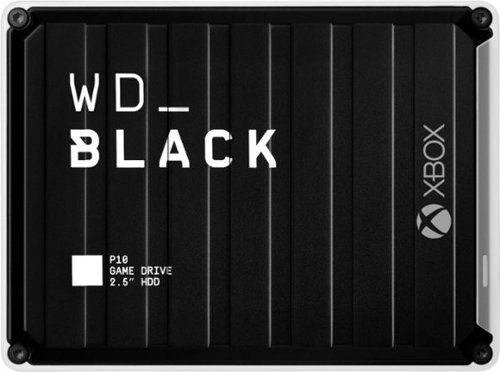
The WD_Black~ P10 Game Drive for Xbox~ gives your Xbox the tools it needs to keep your competitive edge. With up to 5TB* of storage capacity, the WD_Black~ P10 Game Drive for Xbox~ is a top-tier external HDD built specifically for gamers looking to expand the potential of their Xbox so they can drive their game the way they choose. Included with your purchase is a 1-month membership of Xbox Game Pass Ultimate, with access to 100+ games on consoles and PC, plus online console multiplayer.
Can x/s games that require speed (normally needed to be the Normally on the internal drive) able to be installed and played on this drive?
No. You'll be able to back those games up to this drive, however, so you don't have to deal with downloading those games off of the internet. This is useful for both slower internet connections. (200mbps or slower) and capped internet connections (AT&T, Comcast, and others).
4 years, 10 months ago
by
BillFromKC
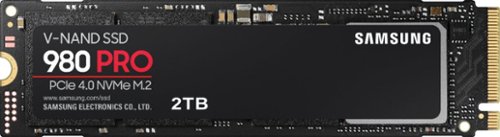
Unleash the power of the Samsung 980 PRO PCIe 4.0 NVMe Gen4 SSD for next-level computing. 980 PRO delivers 2x the data transfer rate of PCIe 3.0, while maintaining compatibility with PCIe 3.0.~ ~The NVM Express~ design mark is a registered trademark of NVM Express, Inc.* Results are based on a comparison with Samsung PCIe 3.0 NVMe SSDs and SATA SSDs. PS5 compatible with heatsink as recommended by Sony; heatsink sold separately.
Has anyone noticed it being hot? Not quite sure if it would be ok for my laptop.
Unless your laptop has PCIe 4.0, it’ll be alright. I used it in a Ryzen 5500u laptop, which is Zen 2 architecture and PCI3 3.0, and it never got hotter than 42℃ under load.
4 years, 11 months ago
by
BillFromKC
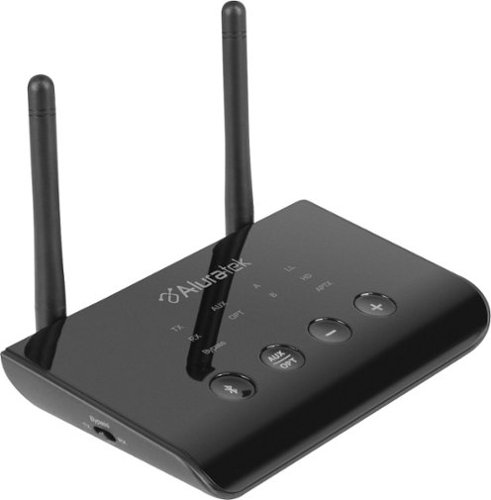
Stream audio from your TV wirelessly with this Bluetooth audio transmitter and receiver. You can stream to one Bluetooth headset or two headsets and/or Airpods simultaneously. Enjoy the freedom to walk around while listening to theTV up to 100 feet away. Receiver function allows you to bluetooth enable an audio device and stream to that device from a bluetooth phone, tablet, PC. Features include digital and analog audio inputs for compatibility with a variety of TVs and other devices, dual headphone / speaker connectivity, and Qualcomm aptX Low Latency technology for high-fidelity audio with no lip-sync delay.
hood up and have bluetooth connected but no sound from Tv.
If your TV doesn't support Bluetooth audio transmitting, you'll need another way to connect between the TV and the sound bar. There's the included optical cable, or you can use an aux cable between your TV's headphone port and sound bar's analog input, or you can connect an HDMI cable if your TV supports HDMI ARC.
5 years, 6 months ago
by
BillFromKC

The sound bar for those with small spaces or minimalistic tendencies. The compact Yamaha SR-C20ABL sound bar fits easily in whatever space is available and can be wall-mounted for even more possibilities. Setup is easy with a simple connection to your TV while Bluetooth lets you stream wirelessly from your mobile devices.
Is this capable of connecting wirelessly by Bluetooth to a Yamaha 7.2 receiver ?
If the receiver can connect to external devices via Bluetooth, or if you added a Bluetooth audio transmitter, then yes. If you have a MusicCast-capable receiver with multi-zone capability, then you'd need a Bluetooth transmitter as this sound bar doesn't natively support MusicCast. Keep in mind you'll need the proper cable to connect the transmitter to the receiver if the transmitter is necessary.
Products from my answer
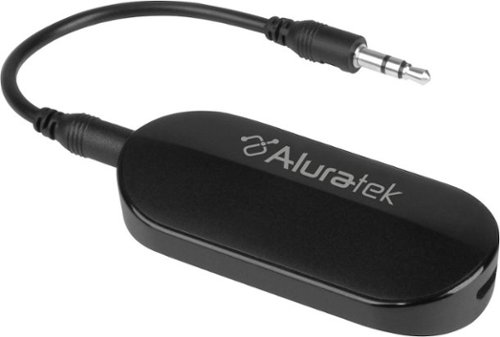
Aluratek - Bluetooth Audio Transmitter for AirPods/Wireless headsets and speakers - Black
 (1,000)
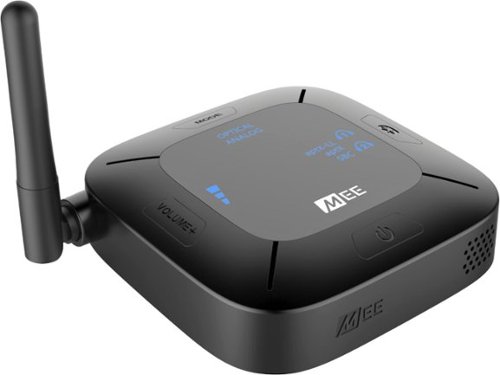
Aluratek - Bluetooth Wireless Audio Transmitter and Receiver for TVs - Black
 (394)
(394)

5 years, 6 months ago
by
BillFromKC
The sound bar for those with small spaces or minimalistic tendencies. The compact Yamaha SR-C20ABL sound bar fits easily in whatever space is available and can be wall-mounted for even more possibilities. Setup is easy with a simple connection to your TV while Bluetooth lets you stream wirelessly from your mobile devices.
Does this have the clear voice
It does have the clear voice. And it lives up to the name clear voice.
5 years, 6 months ago
by
BillFromKC
The sound bar for those with small spaces or minimalistic tendencies. The compact Yamaha SR-C20ABL sound bar fits easily in whatever space is available and can be wall-mounted for even more possibilities. Setup is easy with a simple connection to your TV while Bluetooth lets you stream wirelessly from your mobile devices.
What is the rated voltage for this product?
Input into the AC adapter is 120VAC 1A, output is 20VDC 2.1A 42 watts.
5 years, 6 months ago
by
BillFromKC
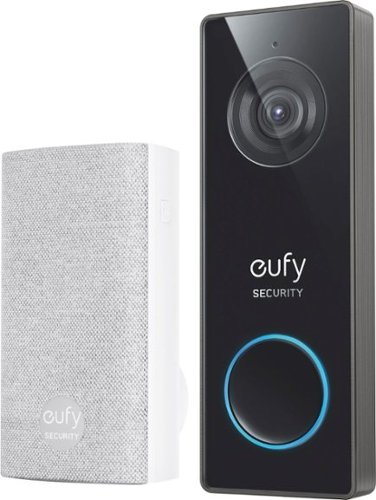
eufy Security Wired 2K Video Doorbell. 2K Resolution, 5-Day Continuous Video Recording (CVR) on Secure Local Storage, No Monthly Fees, Human Detection, 2-way Audio, and Free Wireless Chime included.
Hello, does this have night vision? Does it have the 3 second preview before the video is recorded like the other 2k hardwired? I don't see this on Eufy's website. Is it new?
It does have nightvision and it just records video either continuously or when its motion detection is triggered, no clip preview that I know of.
5 years, 7 months ago
by
BillFromKC
eufy Security Wired 2K Video Doorbell. 2K Resolution, 5-Day Continuous Video Recording (CVR) on Secure Local Storage, No Monthly Fees, Human Detection, 2-way Audio, and Free Wireless Chime included.
I know the battery operated version of this doorbell works with existing mechanical chimes. Does this new wired version support existing mechanical chimes? I can't find this doorbell on the Eufy website, is this for Best Buy only?
I can't answer the Best Buy exclusivity question, but I can tell you it does not work with mechanical chimes. Or at least I've found no way for it to do so.
It does, however, come with an electronic chime that connects wirelessly and plugs into any standard electrical outlet.
It does, however, come with an electronic chime that connects wirelessly and plugs into any standard electrical outlet.
5 years, 7 months ago
by
BillFromKC

Offering the ultimate true-wireless experience for any fitness-loving music lover, JLab Epic Air Sport ANC offers customized sound and active noise canceling plus industry-leading 70+ hours playtime. Transition from gym to calls or from work to a run, effortlessly, with features like wear-detect, movie mode, wireless charging and more.
1. Does leaving the buds in the charging case for long periods of time degrade the battery? 2. Is any operating system specific apps or drivers needed for use? My use case is running it off a Linux laptop without Windows installed
As an addendum to my answer for #2, keep in mind that you'll need the Epic Air ANC app for Android or iPhone to adjust eq, ANC/BeAware, and side button functionality. I'm not sure if this would work in BlueStacks or other Android emulators for Linux; for the Windows and Mac people out there, I highly doubt it would work in BlueStacks for those platforms.
5 years, 8 months ago
by
BillFromKC
Offering the ultimate true-wireless experience for any fitness-loving music lover, JLab Epic Air Sport ANC offers customized sound and active noise canceling plus industry-leading 70+ hours playtime. Transition from gym to calls or from work to a run, effortlessly, with features like wear-detect, movie mode, wireless charging and more.
Can I wear this in one just one ear?
Yes. In fact, if. you put one in your ear and leave the other in the case, only the one in your ear is on meaning you can switch earbuds out as they hit low battery. Keep in mind you may need to use the Epic Air ANC app to disable the ear sensors.
5 years, 8 months ago
by
BillFromKC