


BillFromKC's stats
- Review count233
- Helpfulness votes729
- First reviewJune 27, 2012
- Last reviewJune 4, 2026
- Featured reviews0
- Average rating4.5
- Review comment count6
- Helpfulness votes10
- First review commentAugust 27, 2015
- Last review commentFebruary 19, 2017
- Featured review comments0
Questions
- Question count0
- Helpfulness votes0
- First questionNone
- Last questionNone
- Featured questions0
- Answer count65
- Helpfulness votes40
- First answerJanuary 9, 2014
- Last answerNovember 5, 2021
- Featured answers0
- Best answers9
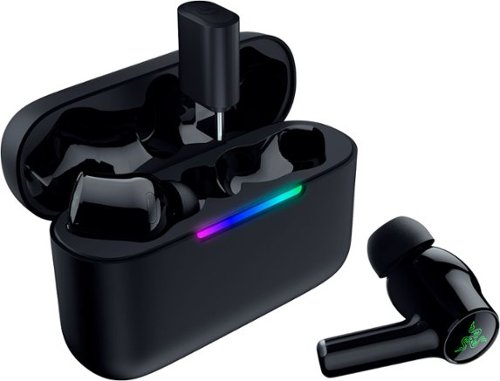
True Wireless Multi Platform Gaming Earbuds. The Razer Hammerhead V3 HyperSpeed is built for gamers who want low latency performance and everyday convenience in one true wireless design. These gaming earbuds support both 2.4 GHz Razer HyperSpeed Wireless and Bluetooth 6.0, making them ideal for competitive play, casual gaming, and daily listening across multiple devices. Connectivity and Latency. Connect using 2.4 GHz Razer HyperSpeed Wireless for gaming grade, lag free audio on compatible devices such as PC, smartphones, PlayStation 5, Steam Deck, and more. Switch to Bluetooth 6.0 for stable connections, improved efficiency, and reliable performance in busy wireless environments.Hybrid Active Noise Cancellation. Stay focused with Hybrid Active Noise Cancellation designed to reduce outside distractions. Whether gaming, traveling, commuting, or watching shows, ANC helps maintain immersion and clarity.HyperSpeed Case and Dongle. The included HyperSpeed Case functions as both a charging case and a 2.4 GHz wireless receiver. Use the compact removable dongle on the go or connect the case to your setup to play and charge at the same time. Keeping the dongle inserted enables 2.4 GHz wireless through the case for desktop or portable setups. All Day Battery Life and Durable Design. Enjoy up to 40 hours of total battery life, with up to 10 hours on the earbuds and up to 30 additional hours from the pocketable charging case. USB C passthrough allows continued use while charging, and an IPX4 water resistant design helps protect against sweat, rain, and daily use.THX Spatial Audio and Custom Controls. On PC, activate THX Spatial Audio in Razer Synapse to experience 7.1.4 surround sound for greater positional accuracy and immersion on Windows 11 systems. Fine tune settings, gestures, and touch controls using Synapse 4 or the Razer Audio App, with an on case LED bar providing clear charging and pairing status."
Posted by: BillFromKC
TL;DR - the Razer Hammerhead V3 HyperSpeed achieves its goal of low-latency Bluetooth audio with Bluetooth 6 devices, not quite to wired latency but about as close as we can currently get. Audio quality is actually decent for the price, active noise cancelling it a bit here and there but works pretty well overall, and the earbuds themselves are comfortable. The case isn't as pocketable as the cases for the most popular earbuds, but not bad. The biggest thing missing here is a USB-A to USB-C adapter, as the charge cable and HyperSpeed audio adapter are both USB-C only. All in all, however, it's not a bad package for the price.
Unboxing and setup:
Pop the seals and slide the box open. You're greeted with an envelope with the instruction and warranty literature within. The earbuds themselves are in a plastic-wrapped case. You'll find additional earbud tips and the USB-C to USB-C charge cable in the bottom of the box.
Pop the seals and slide the box open. You're greeted with an envelope with the instruction and warranty literature within. The earbuds themselves are in a plastic-wrapped case. You'll find additional earbud tips and the USB-C to USB-C charge cable in the bottom of the box.
Changing earbud tips is simple enough. Razer's Audio app for your phone has a nice fit checker feature that makes sure you're using the right size earbud tips and they're fitted properly in your ears.
Pairing with a phone is quick. Open the case and you'll see the earbuds immediately pop up in the list of devices to pair.
Usage:
The audio that comes out of these earbuds is "flat" by default, meaning that treble and bass aren't artificially boosted like they normally are with most earbuds. You can use Razer Synapse on your PC or Razer Audio on your phone to adjust this to your liking; I found that I could get the increased bass response I like pretty easily, and without distortion.
If you're just buying these to listen to music and take calls, they're a pretty solid option overall. Call audio quality was pretty good for me, no matter if I was using ANC, transparency mode, or had ANC completely turned off. Same with music - I noticed a difference between AAC and ALAC audio using Apple Music.
Where these stand out, however, is mobile gaming. Bluetooth 6.0 may finally be the game-changer (no pun intended) needed to get rid of lag. It's not quite at the same level as wired, but it's very close. Not just games, but audio production software too.
The biggest miss with the Hammerhead V3 is the lack of USB-A connectivity. There is no USB-A to USB-C cable, no USB-A to USB-C adapter. If you don't have a computer with a free USB-C port or a stand-alone USB-C charger, you'll need to get an adapter or a charger with these headphones.
Other than that one glaring omission (that probably isn't a huge deal to most people), the Razer Hammerhead V3 HyperSpeed earbuds are pretty terrific for the price.
I would recommend this to a friend!
Share this review:


0points
0of 0voted this as helpful.
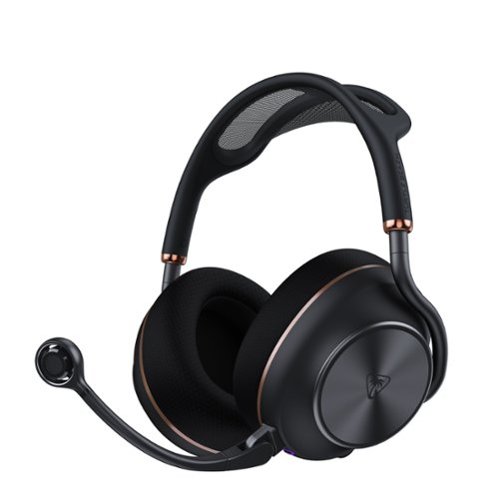
The Turtle Beach Stealth Pro II Wireless Gaming Headset delivers uncompromising audio performance and versatility. Officially certified for Hi-Res Audio Wireless, it provides 24-bit/96kHz wireless sound via an ultra-low latency 2.4GHz USB connection. Featuring 60mm Eclipse dual drivers, Dolby Atmos Spatial Audio on PC, and adjustable Active Noise Cancellation, it delivers an immersive, high-fidelity sound with exceptional clarity and detail. The exclusive CrossPlay 2.0 system supports up to four connected transmitters, allowing seamless switching between PC, PlayStation, and more, while Bluetooth 5.3 enables simultaneous mobile pairing for calls or music. Communicate clearly with a unidirectional 9mm floating microphone featuring AI-based noise reduction and upgraded beamforming mics, all customizable through the Swarm II app. Dual 40-hour swappable batteries, quick charging, premium memory-foam comfort, and an included hard storage case complete the ultimate wireless gaming headset.
Customer Rating

5
Very solid gaming headset with few compromises
on May 23, 2026
Posted by: BillFromKC
TL;DR - The Turtle Beach Stealth Pro II wireless headset does several things quite well, and for the price, it absolutely should. Two SWAPPABLE batteries and a pair of transmitters are included, compatibility with computers, smartphones, tablets, and PlayStation 4/5 is covered with this version of the headset, and incredible audio quality for several difference use cases is covered here. The mic is also pretty great overall, and the headset is extremely comfortable. I just wish it came with a second USB-C cable. Overall, this package is definitely a case of "you get what you pay for".
Unboxing and setup:
When you pop the seals on the box, you find the cover is held together with magnets. Open it to find a large case, well-padded with foam on the inside and room for the included. Inside the case, you'll find the Stealth Pro II headset, a transmitter/charging base to attach to your computer, a secondary transmitter that can attach to another computer, game console, or even your phone with an adapter, the USB-C cable for the transmitter base, and the microphone you'll attach to the headset. The batteries are pre-installed in both the left earcup of the headset and in the transmitter/charging base; pull the paper tabs out and things will power up. With your PC on, the headset and transmitter/charging base will pair automatically. Attach the secondary transmitter to another device and it also automatically pairs.
When you pop the seals on the box, you find the cover is held together with magnets. Open it to find a large case, well-padded with foam on the inside and room for the included. Inside the case, you'll find the Stealth Pro II headset, a transmitter/charging base to attach to your computer, a secondary transmitter that can attach to another computer, game console, or even your phone with an adapter, the USB-C cable for the transmitter base, and the microphone you'll attach to the headset. The batteries are pre-installed in both the left earcup of the headset and in the transmitter/charging base; pull the paper tabs out and things will power up. With your PC on, the headset and transmitter/charging base will pair automatically. Attach the secondary transmitter to another device and it also automatically pairs.
Bluetooth pairing with a phone, tablet, or other Bluetooth device is also quick and easy. Keep in mind that some devices will not support low latency or high-res audio over Bluetooth, so you may notice sound delays and reduced audio quality.
The microphone has a connector that looks similar to the old mini USB connector that phones and some external drives for computers used at one point. it can be a little awkward to connect, but once everything is lined up, it slides right in and locks into place.
Usage:
So just to cover what supports what, this version of the Stealth Pro II supports Dolby Atmos through a transmitter on PCs, Macs, and Linux/SteamOS devices that support Dolby Atmos. It supports Dolby Atmos over Bluetooth with certain devices, and phones that support LDAC High-Res over Bluetooth give you higher quality audio while other phones (including iPhone) only support the Bluetooth SBC codec.
So just to cover what supports what, this version of the Stealth Pro II supports Dolby Atmos through a transmitter on PCs, Macs, and Linux/SteamOS devices that support Dolby Atmos. It supports Dolby Atmos over Bluetooth with certain devices, and phones that support LDAC High-Res over Bluetooth give you higher quality audio while other phones (including iPhone) only support the Bluetooth SBC codec.
I did find the performance of these headphones to be terrific, overall. Playing games, listening to movies, listening to music - all sounded great. Latency using either transmitter was as close to non-existent as possible in Windows, and pretty much non-existent on Mac. Using Bluetooth with an iPad Air (M3), audio latency was a little more noticeable but not horrible. On the Mac in particular, I mixed a project in GarageBand and found the overall balance of the headset to be flat; this is a good thing as treble and bass weren't overpowering like they can be with other headsets.
The microphone is solid in quality. While I would have liked to see higher sample rates, what you're given is adequate for gaming. I feel like the mic itself could be sampled at 24-bit/96KHz and really shine.
I will admit that I'm a little disappointed that Turtle Beach didn't include AptX or AAC support in this headset, especially at the price point it's at.
Battery swapping is easy. The transmitter/charge base has an eject button, and it's easy to pop the battery out of the headset itself.
On the transmitter/charge base itself, you'll find the LED ring glows white when the headset powers up, red when the mic is muted, white is active, amber is standby, and purple when high res audio is active and the mic is unmuted. The eject button glows green when the battery is fully charged. The LED behind the eject button glows solid green when fully charged and "breathes" in either red, amber, or green as the battery charges. You can't disable these lights in SWARM II on PC.
Speaking of, SWARM II is how you'll manage the headset. EQ settings, 3D audio settings, what the macro button does, noise cancelling, firmware updates - it's all in here. There are apps for both mobile devices and PC, and to get the absolute most of of this headset, you'll need the app. You'll need a PC for updating the transmitters.
Now for the biggest thing when it comes to ANY set of headphones - comfort. The headband is metal with a cloth suspension, and the ear cups are cloth-covered memory foam. This combination makes for a terrific experience when listening for hours on end. No sharp pressure points, ear sweat, or that annoying feeling on top of your head from where the headband rests.
Closing:
For PC gamers, the Stealth Pro II is a very solid option. For PlayStation gamers, these are an extremely solid option if you're okay without high-res audio in-game. For mobile users, these are pretty solid, though I wish they supported more codecs in this regard. For Mac and Linux/SteamOS users, you get great audio quality but no software support.
For PC gamers, the Stealth Pro II is a very solid option. For PlayStation gamers, these are an extremely solid option if you're okay without high-res audio in-game. For mobile users, these are pretty solid, though I wish they supported more codecs in this regard. For Mac and Linux/SteamOS users, you get great audio quality but no software support.
I would recommend this to a friend!
Share this review:


0points
0of 0voted this as helpful.
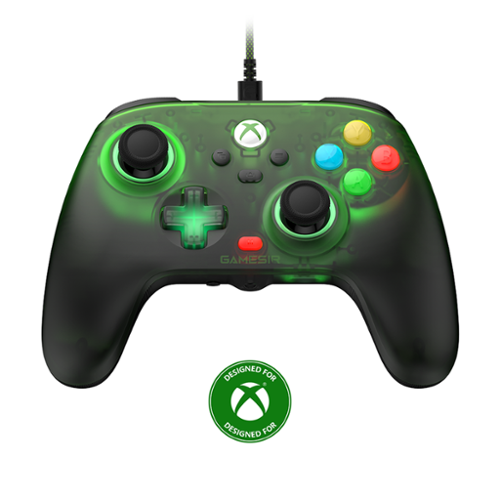
Embrace elegance and comfort with the GameSir T7 Pro Floral, featuring a stunning floral-patterned matte shell. Its semi-transparent design and dynamic RGB lighting create a mesmerizing visual experience. Shine with the T7 Pro Floral and elevate your gaming setup!
Customer Rating
5
Hits well above its price tag
on May 4, 2026
Posted by: BillFromKC
TL;DR - the GameSir T7 Pro wired controller is a solid option for those who don't mind wired game play and are looking to jump into the world of Hall effect controllers. Both sticks and the triggers are very accurate, the face buttons feel solid - especially for membrane, and the backlighting is a nice touch for those who game in dark rooms. This works just as well for Windows and Linux gaming systems as it does for Xbox Series X/S and Xbox One consoles, and the translucent green plastic is a nice nod to the custom Xboxes of the past (specifically the Halo and Mt. Dew editions). It's also priced right for a wired controller at it's regular price, and the included month of GamePass Ultimate is a nice added bonus.
Unboxing and setup:
The packaging is pretty simple - the controller, a nice cloth-wrapped USB-A to USB-C cable, and the instruction, warranty, and GamePass literature. Connect the USB cable between the controller and your console or computer, and you're good to go. The nearly 10 foot length of the cable is handy for dorm rooms, bedrooms, and theater rooms where your console or computer is in the back of the room instead of by the screen, but it's not what I'd recommend for most living rooms.
The packaging is pretty simple - the controller, a nice cloth-wrapped USB-A to USB-C cable, and the instruction, warranty, and GamePass literature. Connect the USB cable between the controller and your console or computer, and you're good to go. The nearly 10 foot length of the cable is handy for dorm rooms, bedrooms, and theater rooms where your console or computer is in the back of the room instead of by the screen, but it's not what I'd recommend for most living rooms.
You'll want the GameSir Nexus app for your Windows machine or Xbox so you can configure the back buttons and adjust the lighting to a comfortable level. You'll also need this for the occasional firmware update (which likely will add additional functionality in the future).
Usage:
It's comfortable, for the most part. The grips do feel like etched hard plastic, but they don't slip and, unlike soft-touch plastics, they don't feel gummy or oily after a longer play session. The backlights are handy if you're new to the Xbox controller layout and want to make sure you're pressing the right face buttons. Also, the lights around both analog sticks are useful if you're an analog stick user for fighting games, as they'll help you with combos; these lights would have been great for the D-pad as well.
It's comfortable, for the most part. The grips do feel like etched hard plastic, but they don't slip and, unlike soft-touch plastics, they don't feel gummy or oily after a longer play session. The backlights are handy if you're new to the Xbox controller layout and want to make sure you're pressing the right face buttons. Also, the lights around both analog sticks are useful if you're an analog stick user for fighting games, as they'll help you with combos; these lights would have been great for the D-pad as well.
As for the Hall effect sticks, they remained comfortable and accurate after playing for hours on end. I haven't had this controller long enough to speak about it's longevity, but I have two other GameSir controllers for my son's Switch that are 4 years old and not drifting.
The triggers are great. Full analog sweeps for racing games like Forza, Assetto Corsa, F1, and Project Cars is handy, but being able to hit a switch to make the triggers more button-like is great for platformers like Cuphead, Sackboy's Big Adventure, and fighters like Mortal Kombat, Tekken, and Street Fighter.
The headphone jack is a nice touch for those that need it. Any standard 3.5mm-connected headphone with microphone will work.
Was there anything I wasn't really into? Nope. I'm just looking forward to updates that allow me to tweak the lighting. The included month of Game Pass Ultimate was also a nice touch.
All in all, the GameSir T7 Pro wired controller is a solid option for those who are looking for a wired controller with all the bells and whistles without the price tag.
I would recommend this to a friend!
Share this review:


0points
0of 0voted this as helpful.
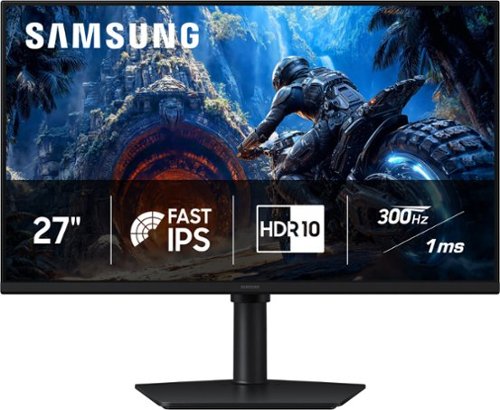
Samsung~s 27" Odyssey G4 Gaming Monitor offers brilliant lifelike visuals for exhilarating, engaging gameplay. Fast IPS panel with a 178~ wide viewing angle accurately delivers clear, crisp hues that remain consistent from multiple viewpoints. HDR10 provides brighter highlights and nuanced shadows for added depth and more realistic scenes. 300Hz Refresh Rate and 1ms response time (GtG) enables ultra-smooth gaming precision with minimized screen lag, while AMD FreeSync Premium reduces choppiness and image tearing. Black Equalizer enhances visibility in dark scenes, making it easier to view fine details, while Virtual Aim Point provides elevated precision and accuracy. Height-adjustable Ergonomic Stand pivots, tilts, and swivels for the perfect view.
Posted by: BillFromKC
TL;DR - the Samsung Odyssey G4 (G40H) is a solid 27 inch 1080p monitor for those who value frame rate over resolution. It pairs well with cards in the same performance class as the AMD Radeon 7600XT, Intel ARC B580, and Nvidia GeForce RTX 5060Ti. Color performance is spot on, AMD FreeSync and VESA VRR work as expected for variable framerates, and HDR10 does add depth to video, graphics design, modeling, and gaming content. However, there are some limits as to what the HDMI and DisplayPort ports can do. I can only recommend this display for eSports gamers looking for a relatively inexpensive 300Hz panel.
Unboxing and setup:
Packaging is minimal, but in a good way. Everything you need to get started is in the box, too - HDMI and DisplayPort cables, power adapter and cord, and desktop stand. Assembly requires no tools - attach the stand to its base using a thumbscrew, snap the monitor in place on the stand, and remove the protective film from the display. Then you'll attach power and video cables, hook it up to your computer or gaming console, and you're good to go.
Packaging is minimal, but in a good way. Everything you need to get started is in the box, too - HDMI and DisplayPort cables, power adapter and cord, and desktop stand. Assembly requires no tools - attach the stand to its base using a thumbscrew, snap the monitor in place on the stand, and remove the protective film from the display. Then you'll attach power and video cables, hook it up to your computer or gaming console, and you're good to go.
For PC users, I HIGHLY recommend using the DisplayPort connection over the HDMI connection as you'll be able to get a higher refresh rate with HDR and 10-bit color enabled. If you plan on switching back and forth between a PC and a game console or two separate PCs, there is a headphones/audio out port on the back of the monitor you can attach analog speakers or an analog soundbar to.
My biggest gripe here is that Samsung insists on using an external power brick with their displays, something I've never been a fan of no matter what brand it is. I know they wanted to go for a thin form-factor with this display, but I'd rather deal with just a power cable instead of a "line lump" when it comes to cable management.
Usage:
When you set up the monitor initially, it'll display a QR code for registration. You can get past this screen using the joystick interface. You'll also find the initial setting for the monitor to be "Eco Mode", which is a welcome change from nearly every monitor and TV I've used in the past being set to "Vivid Mode" from the factory. While Eco doesn't provide the best color balance, it also doesn't fry your retinas.
When you set up the monitor initially, it'll display a QR code for registration. You can get past this screen using the joystick interface. You'll also find the initial setting for the monitor to be "Eco Mode", which is a welcome change from nearly every monitor and TV I've used in the past being set to "Vivid Mode" from the factory. While Eco doesn't provide the best color balance, it also doesn't fry your retinas.
For Windows PCs, you'll want to head to your display software first (Intel Graphics Software, AMD Adrenalin, Nvidia App) and make sure to enable VRR/FreeSync and turn up your bits per pixel setting. Then in the Settings App, you'll need to go to Display and advanced Display to turn on "Dynamic Refresh Rate) and crank your refresh rate up to the highest setting it'll allow. Note that the power draw for anything above 60Hz is negligible compared to 60Hz, so feel free to set it as high as you're allowed to. On most modern Macintosh computers, you'll be able to change the refresh rate and bits per pixel setting entirely from the Displays portion of the System Settings app, and enable variable refresh rate as well. For Linux users, your Display control panel should work similarly to macOS's Displays settings pane, meaning you won't need to go into the driver app to enable VRR or change bits per pixel.
So how well does it work? Very. I played games using a Nintendo Switch 2, a ARC B580/Ryzen 7 7800X3D PC, a Radeon 6950XT/Ryzen 7 7800X3D PC, and a GeForce 5070 Mobile 8GB/Ryzen AI 350 laptop. In games that consistently ran above 120FPS, action was very smooth. For more demanding titles like Cyberpunk 2077, Doom Dark Ages, and Black Myth: Wukong, the variable refresh rate made it so screen tearing wasn't a thing. For audio editing and production in macOS, I found a 120Hz refresh was adequate for scrolling multitrack projects in Logic Pro. Watching Amazon HDR content showed strength and weakness in panel brightness - while muzzle flashes in the movie Fury were bright and punchy, the dark backgrounds were crushed by the limits of LCD technology without a full-array local dimming backlight.
The stand is also super nice on this monitor. Vertical adjustment, full screen rotation, and the ability to turn the panel left and right are some really nice touches here, and moving the screen didn't feel like I was moving the base as well.
This display also doubles as a decent 1080p TV for a college dorm, bedroom, or studio apartment. Pair it with a streaming media player and a pair of speakers or an analog sound bar, and you have a perfect streaming companion.
Drawbacks:
On a technical standpoint, I would have liked to see HDMI 2.1 and DisplayPort 1.4 or later. While HDMI 2.0 and DisplayPort 1.2 provide enough bandwidth for a 1080P high refresh rate experience, the newer versions of these ports would have allowed 300Hz and 10-bit full RGB display.
On a technical standpoint, I would have liked to see HDMI 2.1 and DisplayPort 1.4 or later. While HDMI 2.0 and DisplayPort 1.2 provide enough bandwidth for a 1080P high refresh rate experience, the newer versions of these ports would have allowed 300Hz and 10-bit full RGB display.
On an aesthetic standpoint, I would much prefer an integrated power supply in the monitor instead of a line lump When it comes to cable management, it's one more thing to deal with. Yes, the monitor would be about a half-inch thicker, but that's a tradeoff I can stand.
In closing:
Again, the Samsung Odyssey G4 is a compelling option for those wanting to make the jump into high refresh rate gaming. 300Hz 1080p is perfect for eSports. The monitor also doubles as a good all-arounder in day-to-day performance. I did have to ding it for a couple of things I see as shortcomings, but it's not enough where I wouldn't be able to recommend it. It is a good option for eSports gamers though, and that's who I recommend it to.
Again, the Samsung Odyssey G4 is a compelling option for those wanting to make the jump into high refresh rate gaming. 300Hz 1080p is perfect for eSports. The monitor also doubles as a good all-arounder in day-to-day performance. I did have to ding it for a couple of things I see as shortcomings, but it's not enough where I wouldn't be able to recommend it. It is a good option for eSports gamers though, and that's who I recommend it to.
I would recommend this to a friend!
Share this review:


0points
0of 0voted this as helpful.
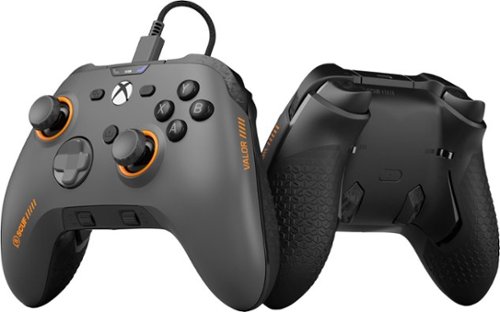
Valor Wired TMR pushes performance on Xbox with optimized ergonomics and game-changing features. Stop sacrificing your aim. Keep your thumbs on the thumbsticks while you jump, slide, reload, and more. Our new Endurance TMR thumbsticks are designed to feel familiar while still alleviating common symptoms of wear and tear. The wraparound bumpers are designed with more surface area allowing faster transitions between bumper and trigger. Elevate your audio controls by effortlessly managing all your sounds without taking your hands off the controller. A non-slip grip helps during those high intensity situations while the new shape fits naturally in your hands for comfort.
Customer Rating

4
Solid controller overall
on April 15, 2026
Posted by: BillFromKC
TL;DR - the SCUF Valor TMR is a solid controller for XBox and PC gamers alike. It feels solid, it's very responsive, it's very customizable, and the feature set is top-notch. I also think that for what you get in the package, the price is pretty solid overall. The software to customize what you can do with the control is nice, but it would be nicer for PC users if the option of it being part of iCUE was there. Otherwise, another win from SCUF in my book.
Unboxing and first impressions:
The packaging is pretty basic - the controller with the instruction manual, a paper wrapper, 10-foot USB-A to USB-C cloth-wrapped cord, replacement sticks with convex grips, and flat rear buttons. The controller comes pre-installed with concave sticks and raised rear buttons. The sticks are decently stiff, the d-pad and shoulder buttons have a nice click to the switches for them as do the inner rear buttons, the triggers have a nice and smooth travel to them, but the face buttons and outer rear buttons feel a bit "mushy", like a stock controller that comes with an XBox - it's not a bad feeling, but I was expecting everything to be clicky switches.
The packaging is pretty basic - the controller with the instruction manual, a paper wrapper, 10-foot USB-A to USB-C cloth-wrapped cord, replacement sticks with convex grips, and flat rear buttons. The controller comes pre-installed with concave sticks and raised rear buttons. The sticks are decently stiff, the d-pad and shoulder buttons have a nice click to the switches for them as do the inner rear buttons, the triggers have a nice and smooth travel to them, but the face buttons and outer rear buttons feel a bit "mushy", like a stock controller that comes with an XBox - it's not a bad feeling, but I was expecting everything to be clicky switches.
Usage:
Connecting to both an Xbox Series S and my PC was straightforward - plug the USB cable in and go. The SCUF Valor software was a quick install, but keep in mind the PC app is 400MB. I did have a firmware update to run on my controller, but that updated quickly. The app should also feel familiar to anyone who owns a customizable controller when it comes to changing stick, trigger, and button settings.
Connecting to both an Xbox Series S and my PC was straightforward - plug the USB cable in and go. The SCUF Valor software was a quick install, but keep in mind the PC app is 400MB. I did have a firmware update to run on my controller, but that updated quickly. The app should also feel familiar to anyone who owns a customizable controller when it comes to changing stick, trigger, and button settings.
As far as gameplay goes, it's a pretty good package. I tested with Forza 7, Mortal Kombat 11, Battlefield 6, and Silksong, and didn't feel as if I missed a beat no matter what I played and where I played. The rear buttons were handy in BF6 for duplicating the shoulder buttons, and the switched D-pad was perfect for both platforming and special moves. The sticks and triggers also made driving in Forza 7 really easy.
The two things I wasn't a fan of are the soft touch faceplate that comes stock with the controller and that it's not supported in iCUE on PC. At least I can replace the faceplate, and the app issue isn't enough since the SCUF Valor app worked perfectly on my PC.
This brings me to customization. The faceplate is held on by magnets (like with most other SCUF controllers I've used), the sticks are easy to pop off and swap, and the middle rear buttons are easy to pop out and replace. If you want different rear buttons than either option that comes with this controller, there are options you can 3D print. There are also plenty of stick replacement options from SCUF if you want to change the way your controller looks.
The one feature I wasn't expecting were the on-controller volume and mic level adjustments. While I didn't get to test this feature, it was definitely in the best spot for quick adjustment. A nice to have would be the ability to set either system volume on a PC or HDMI CEC volume with an XBox.
Final thoughts:
Overall, I really enjoyed the Valor TMR. I found it to work just as well on PC as it did with XBox. The app worked well for both updating and changing settings on the controller. For the price, it's a solid package.
Overall, I really enjoyed the Valor TMR. I found it to work just as well on PC as it did with XBox. The app worked well for both updating and changing settings on the controller. For the price, it's a solid package.
I would recommend this to a friend!
Share this review:


0points
0of 0voted this as helpful.
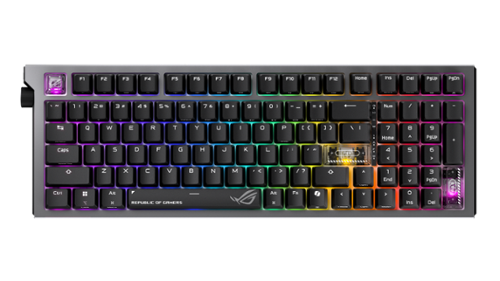
The ROG Strix Morph 96 Wireless gaming keyboard is designed for customization, featuring easy disassembly from top plate to PCB, hot-swappable mechanical switches, South-facing PCB, and GearLink web-based configuration. Enjoy peak gaming performance on tri-mode connection with ROG SpeedNova technology and SpeedTap mode. MacOS supported.
Customer Rating
4
Solid keyboard but the caps felt narrow.
on March 23, 2026
Posted by: BillFromKC
TL;DR - while the ROG Strix Morph 96 is a solid option for those who want a more narrow keyboard but also want to keep your 10-key, I wasn't a fan of the keycaps that came standard on it. It's solidly built, quiet, responsive, and the RGB is some of the best in the business. The left-mounted rotary control also takes some getting used to as most keyboards put their rotary controls on the right side. Wireless performance is solid, and it's still customizable so you can always change your keycaps out for something else. This is a solid choice for those who want to customize their keyboard or like narrow caps,
Unboxing - the premium experience starts here. You'll find the keyboard and wireless receiver in a bag, and both the key/switch changing tool, USB-A to USB-C cable, USB-C to USB-A adapter, and some special keycaps in the package.
Setup - it's either pair and go or plug in and go, depending on if you're using Bluetooth, the wired connection, or the wireless receiver. If you want to adjust RGB settings or pair a compatible Asus wireless mouse to the wireless receiver, you'll need to download Armory Crate. However, you can change RGB settings without the software to different built-in options.
Usage - I love the NX Snow key switches and how quiet they are. While they're not by favorite switches, they're definitely solid linear switches. However, I'm not a fan of the key caps. They feel more narrow than I'd like. The spacing of the switches is far enough apart, however, that you can replace these caps with another set to give the keyboard a different feel altogether.
The wireless adapter is a standout here. I set this up with my living room PC, and found that the keyboard worked perfectly from my couch across the room (about 15 feet).
In closing, I feel that I could give the Asus ROG Strix Morph 96 a five out of five if the keys felt better. Otherwise, Asus did good here and definitely gives the dedicated makers of keyboards a run for their money.,
I would recommend this to a friend!
Share this review:


0points
0of 0voted this as helpful.
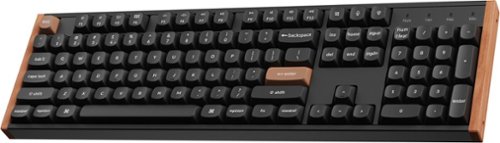
Transform your gaming and typing experience with the Keychron K10 HE. Combining classic mechanical feel with cutting-edge magnetic technology, it offers exceptional performance in a sleek design~enhanced by elegant natural rosewood accents. A fully customizable 100% layout wireless keyboard with magnetic switches ~ a breakthrough in switch technology, which instead of physical contacts, uses magnetic sensors to measure actuation depth, putting you in total control over the response of each and every switch.
Customer Rating
5
I finally understand the hype
on February 7, 2026
Posted by: BillFromKC
I now understand the hype behind Keycron keyboards after using the K10 HE. It's quiet, it's comfortable, the backlighting is fun without being obnoxious, and it's just an all-around solid performer. Mac users will appreciate that, by default, it's configured for macOS computers instead of Windows PCs, but don't fret my Windows PC friends - you're a couple of key swaps away from a traditional Windows layout.
Unboxiing and setup -
This is definitely a premium keyboard, and the packaging lets you know this before you even open it. You'll find the keyboard itself in a nicely-padded foam box, and it comes with a receiver, a USB--C to USB-A adapter, a USB-A to USB-C cable for charging and wired usage, and a small toolkit that covers key and switch swaps along with removing the wood accents from the sides of the keyboard itself. A USB-C to USB-C cable would have been a nice addition here for modern Mac users.
The keyboard itself is heavy. The metal frame makes it very solid, with virtually zero flex. It's definitely not one you'd want for a LAN party packout, but the weight does make it more difficult to shift around on your desk when you're hammering away at the keys.
The included wireless adapter plugs into any available USB-A port and provides nearly the same latency as a wired connection, complete with 1000Hz polling for lightning-fast response in games or in everyday usage. There is also Bluetooth connectivity that provides 250Hz polling and is relatively lag-free as well.
Usage -
I have a large collection of keyboards from many enthusiast brands at this point - my wife would say too many, but I find enough differences between them all where swapping one for another makes a difference in how my typing experience is. The K10 definitely hits well above its price point, as I prefer it to keyboards I have that cost twice to three times as much. In fact, this may be my new favorite keyboard.
Even going beyond the Hall effect keys, I'm a fan of the satisfying thunk that isn't obnoxiously loud. The response feel ranks up there with some classic keyboards from the 80s and early 90s.
The only thing that could make the K10 better in my book would be an adjustment mechanism like what Apple used in the Extended Keyboard II; while most people will appreciate having two angles to select from instead of the typical single angle of elevation, I want the angle between the two options given with the elevation feet.
Speaking of those Hall effect keys, gamers will appreciate that they can adjust where the actuation point is, meaning you can set how far the key goes down before it registers a "click".
All in all, other than my one little nitpick, the Keychron K10 is a very solid choice for gaming, productivity, and everything in between.
I would recommend this to a friend!
Share this review:


0points
0of 0voted this as helpful.

Experience your favorite content on an older RCA display with this Insignia HDMI to RCA Converter. It converts modern HDMI signals from devices like streaming sticks, game consoles, laptops, and Blu~ray players to standard~definition RCA (red/white/yellow) Composite. That means you can connect and watch from your legacy TV, projector, or monitor. It supports standard resolutions up to 1080p for high-definition viewing. This converter does not support HDMI ARC (Audio Return Channel) and is intended for converting HDMI video into RCA Composite video.
Customer Rating
5
Solid HDMI to RCA converter.
on February 2, 2026
Posted by: BillFromKC
For the Mini Console or emulation enthusiast, the Insignia HDMI to RCA converter is a great way to enjoy newer HDMI-only devices on older TVs that lack HDMI or DVI ports. There is very little latency in the conversion, moving from 720p or 480p to 480i is solid (albeit not perfect), and the device is powered by USB-C so it’s easy to find a cable if you bring it with you and forget your power connector.
Unboxing and setup:
Connect the power cable and HDMI source to the box, then using the tried-and-true ketchup, mustard, and mayo RCA cables, connect this to your CRT TV. I would recommend against using this with LCD, plasma, DLP, LCoS/SXRD, or other display technologies as it can give your image a serious case of “dot crawl” and “the jaggies” that CRTs tend to not have because of how they work.
You may ask yourself “Can I get something better?” and yes, yes you can. But you’ll also pay a lot more for it. The Insignia converter gets the job done well enough.
For the money, however, you can’t really beat this converter from Insignia.
Share this review:


0points
0of 0voted this as helpful.
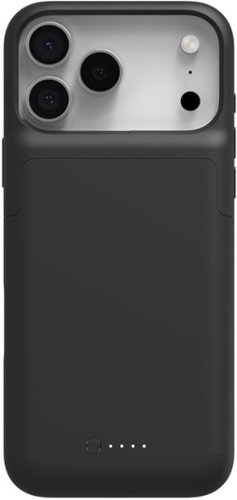
Juice Pack by Mophie wraps power and protection into one incredible bundle with this slim, protective, charging case. Juice Pack can provide your iPhone with up to an extra 50% battery life. So, at the end of a long day, you never have to worry about low battery when you~re sending a text, ordering a ride, or finding out where everybody~s meeting. Stay powerful with Juice Pack~s 2,400-3,600mAh rechargeable battery.
Customer Rating
4
Nice little battery pack, wish it had more juice
on December 16, 2025
Posted by: BillFromKC
TL;DR - the Mophie Juicepack for the iPhone 17 Pro Max is both a great case that adds a nice heft and thickness to the phone, and gives you a little extra juice on the go. It does a decent job at drop protection and is easy to use. A nice feature not mentioned on the box is it pipes bottom speaker audio to the front of the phone, improving the stereo effect of the speakers. In my testing, I got about 35% battery life back, but noticed the charger getting a little warm in this usage. I’m impressed but I wish it had more battery capacity.
Unboxing and setup: Like with any phone case, the box slides apart to present the battery case to you. Pull it out of its paper sleeve and slide the top of the case off, then slide your phone in.
You’ll want to completely charge the case before first usage. The good news is it can pass through power to the phone while it charges.
I started charging my phone at 53% with the juice pack while doing things throughout my day, which included wireless carplay and some gaming. The phone was able to make it back to 88% before it went flat. Without being used, I’m sure it would have made it back to 90% (my charge limit) with power to spare. Having said that, I’d like to see a little more capacity considering how large the battery pack is.
Compatibility with magnetic phone holders is a nice touch.
All in all, the Mophie Juicepack is a nice addition to those who need extra battery life throughout the day.
I would recommend this to a friend!

Share this review:


0points
0of 0voted this as helpful.
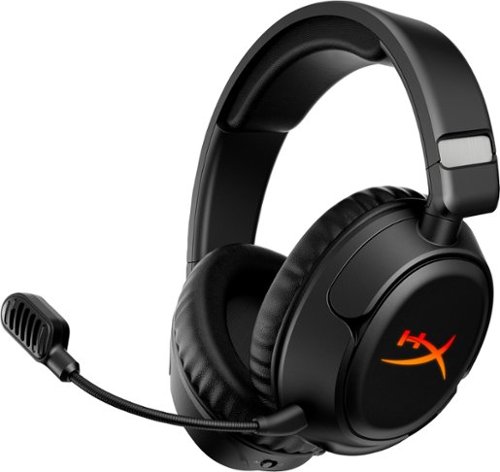
The HyperX Cloud Flight 2 lights up every match with full-panel RGB paired with magnetic ear-cup plates you can pop off and swap in seconds ~ no tools, no downtime. Change the look, save one lighting profile onboard, and match your headset to your playstyle, rank, or stream setup. Designed for endurance, turn the lighting off to conserve battery and keep going with up to 100 hours~ of 2.4GHz gameplay or 150 hours~ via Bluetooth~. Instant Pair~ support lets you connect to select OMEN laptops without a dongle, while a simple switch toggles between 2.4GHz wireless and Bluetooth modes. Stay comfortable through every round with plush memory foam ear cushions, 90~ rotating earcups, and steel sliders built to withstand daily wear. The angled 50mm drivers deliver immersive, game-optimized sound. Use the detachable 10mm boom mic for clear communications or go boomless with the built-in mic when you~re off duty. Onboard controls for audio, microphone, media, and lighting put you in control with convenience ~ no menus, no distractions. Whether you're gaming, streaming music or videos, browsing Twitch, or completing assignments, the HyperX Cloud Flight 2 keeps you comfortable and stylish with all-day comfort and customizable RGB.
Customer Rating
5
Very solid gaming headset
on December 6, 2025
Posted by: BillFromKC
TL:DR - the HyperX Cloud Flight 2 wireless gaming headset is a solid option for those who want a good value when it comes to audio quality, features, and performance. Gaming performance is solid, music playback is really good for the price, audio quality is great, and customization using the HyperX Ngenuity software is easy to do. Those of you with newer computers and consoles will appreciate USB-C charging cable and USB-C connection on the wireless dongle. They're comfortable for longer listening sessions. The only thing I wish the headset had were folding ear cups, but that's a minor issue.
First impressions and unboxing - I'll be honest, the package made me think the quality of the headset was going to be lower tier than what it is. However, as soon as I opened the package, the impression quickly changed. Opening the box went to more of a "presentation" of the headset, with the instructions and other literature in a pocket on the upper flap of the box and the mic, dongle, and USB-C cable are under the cardboard at the bottom of the package. The near complete lack of packaging plastic was also a nice touch.
Setup and usage - You'll want to charge the headset before usage, of course. The dongle has USB-C connectivity and works with a huge range of devices - iPhone, Android, macOS, and SteamOS all worked perfectly with the USB-C dongle. Most consoles should work seamlessly with the USB dongle as well, and it does come with a USB A-to-C adapter for older systems and computers.
For Windows users, you'll want to download the Ngenuity software to get the most out of this headset. You can adjust the audio mode to cover modes from stereo audio to a virtualized 7.1.4 surround setup where every virtual audio channel can be adjusted manually. You're given different EQ setups from a basic 3-band to a fully adjustable parametric EQ with high-pass and low-pass filters.
Usage - First and foremost is audio quality. By default, response is relatively flat - no huge bass, no huge treble, strong vocals. The flat response works well for many games, making it easy to hear where enemies and squadmates are. However, for Windows users, the EQ settings can quickly inject chunky bass and super crispy treble if that's the audio that you prefer.
Bluetooth is also easy to use. Unlike most headsets gaming or otherwise, you have a physical switch to go from the wireless dongle to Bluetooth. For iOS users, Bluetooth connectivity supports AAC audio so the audio quality is pretty solid with a wireless collection.
One of the really neat features of the headset are the earcup covers. They can be removed and replaced easily thanks to magnets.
The boom mic is also optional. It's great when you're in a higher noise environment, and being able to run without it is terrific for when you're on the go. Using the dongle, the mic audio quality is solid. Over Bluetooth, it's decent.
Battery life really sticks out, too. I charged them and I'm still around half battery left after two days with constant usage.
My only disappointment is the ear cups don't fold in to be more compact for storage. If they did and it came with a case or a bag for storage, these would be the perfect headset for me.
For the price, you can't go wrong with the HyperX Cloud Flight 2 headset. Well done, HyperX.
I would recommend this to a friend!
Share this review:


+1point
1of 1voted this as helpful.
BillFromKC's Review Comments

Westinghouse HDTV: Enjoy your favorite movies, shows, games and sporting events in realistic 1080p resolution on this Westinghouse HDTV's LED panel. Ensure fast-moving scenes remain clear with a 60Hz refresh rate that minimizes blurring and ghosting.
Overall 1 out of 5
1 out of 5No HD tuner
By Westingtonhouse
I can not imagine that tv in today time do not have digiter tuner. I bought 6 now I have to return them since i use cable straight from wall for tv from COX

BillFromKC
KCMO
This TV has an ATSC tuner.
August 27, 2015
There's no guarantee that ATSC tuners will work with ClearQAM cable channels, and even so, the greater majority of cable providers now scramble all cable channels. Including OTA channels. Because the FCC changed the rules and they're allowed to do this now.
+6points
6of 6voted this comment as helpful.
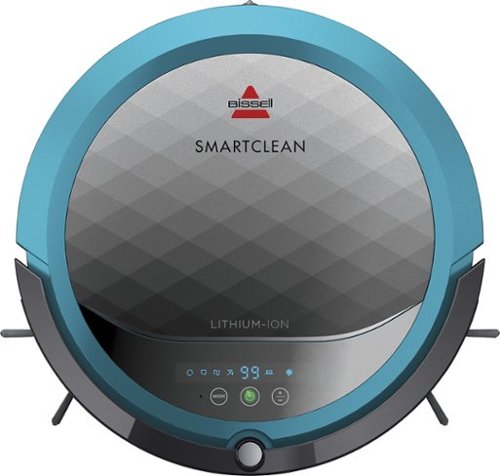
BISSELL SmartClean Robot Vacuum: Easily rid your floors of dirt and debris with this vacuum that uses Opticlean optical sensors and a Triple-Action Cleaning System to tackle your floors. Invisible Wall technology lets you target specific areas.
Overall 3 out of 5
3 out of 5Hard To Program
By FortFun2
from Illinois
Found it is difficult, not intuitive, to program. Others have said if you loose power all your programming is lost, but we haven't lost power yet so can't confirm. I just wanted it to run when I left the house without a set program and contacting Bissell just led to more confusion. But, once I got it working I was impressed with the amount of pet hair it removed.
BillFromKC
KCMO
I can attest to this.
September 16, 2016
Sometimes, I have to plug mine directly into the charger to get it to charge because the battery is overly drained. Because of this, I don't even bother programming it anymore.
0points
0of 0voted this comment as helpful.

The new MacBook Pro is faster and more powerful than before, yet remarkably thinner and lighter.~ It has the brightest, most colorful display ever on a Mac notebook. And it features up to 10 hours of battery life.~ It~s a notebook built for the work you do every day. Ready to go anywhere a great idea takes you.
Overall1 out of 5
1 out of 5Terrible
By Joel
I purchased this one month ago and it has a faulty display. Best Buy takes no responsibility and will not exchange it for a good one. I have left voicemails for a district manager to call me and no one has called. I will never shop at Best Buy again.
BillFromKC
KCMO
Yep, take it to Apple.
January 13, 2017
If Best Buy is doing you wrong, just take it to your nearest Apple location and they'll set you up with a fix or a new one.
+4points
4of 4voted this comment as helpful.
![The Secret Life of Pets [DVD] [2016]](https://pisces.bbystatic.com/prescaled/500/500/image2/BestBuy_US/images/products/5224f7b2-43d6-4d33-8d0e-315348745874.jpg)
Overall1 out of 5
1 out of 5Bootleg Copy of Secret Life of Pets
By Disappointed
About 15 minutes into the movie the volume became muted and a message came on the TV that this was a bootleg movie. An unauthorized copy. Be very careful purchasing DVD's or Blu Ray movies from Best Buy. They just may leave you and your grand children very disappointed as it did our family.
BillFromKC
KCMO
This could very well be your DVD or Blu-Ray player
January 20, 2017
causing your issues. The Film Industry (MPAA and associated groups) are known for their draconian DRM systems, first with DVD and now with Blu-Ray and 4k Blu-Ray.
if your Blu-Ray player isn't connected to the internet, connect it to the internet and update its firmware. That should fix all your issues.
0points
0of 0voted this comment as helpful.
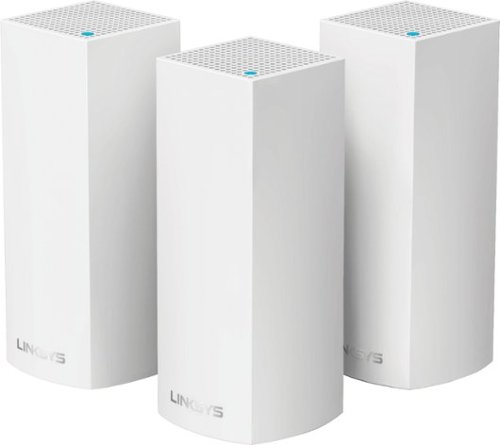
Make your home an internet haven with this versatile Linksys Velop wireless Wi-Fi system. Three identical tri-band dual-stream AC2200 routers, each equipped with a quad-core ARM Cortex-A7 processor, deliver lightning-fast internet. Equipped with Bluetooth 4.0/LE, this Linksys Velop wireless Wi-Fi system is simple to set up and pairs easily with computers, tablets and smart devices.
Overall5 out of 5
5 out of 5This is the future of WiFi
By neio11
I threw (recycled) away my wifi extenders plus I am now able connect a device with an ethernet cable without having to run cables through the walls because each node has 2 ethernet ports. So for instance, I have one node connected to my modem and an ethernet switch. My 2nd node in another room is connected to an NVR for my security cameras. The speed through the nodes is surprisingly fast. The NVR is capturing HD videos from 3 cameras and it seems to capture fine. The 3rd node is in my living room area. The whole house is covered! Please put a password on your wifi otherwise you'll be supplying FREE wifi for your neighbors. I can have full internet access from 3-4 houses away from my house. I thought installation would be a pain considering you have to setup each node. Well, I shouldn't say "have to" because you don't have to use all 3 nodes. You can use only 1 or 2 and give the 3rd to me. haha. No but setup is a breeze! The only thing is that you have to use a smart device such as a tablet or phone, to do the setup. Velop currently doesn't support PC-based setup but I hope Linksys changes that especially for us "techies"!!! It works with Alexa. You can ask #Alexa what the wifi password is... so they say. I haven't had much success with it yet. It looks clean and neat. It doesn't all those antennas sticking out of it which makes it aesthetically pleasing.
I'm loving so far!
BillFromKC
KCMO
The setup process basically forces you to put a...
February 19, 2017
...password on your WiFi network. In fact, it's one of three things it asks when you set up the parent node, the other two being "Do you connect directly to the internet or through a modem/router device provided by your ISP?" and what to call your wireless network.
0points
0of 0voted this comment as helpful.
Make your home an internet haven with this versatile Linksys Velop wireless Wi-Fi system. Three identical tri-band dual-stream AC2200 routers, each equipped with a quad-core ARM Cortex-A7 processor, deliver lightning-fast internet. Equipped with Bluetooth 4.0/LE, this Linksys Velop wireless Wi-Fi system is simple to set up and pairs easily with computers, tablets and smart devices.
Overall5 out of 5
5 out of 5Blazing Speed, Best In Class Performance!
By gadgetguy11
The Linksys - Velop Tri-Band Whole Home Wi-Fi System (3-pack) is packaged in a beautiful & functional box with magnetic closure - it exudes quality! Each Node is protected individually. Just looking at the box, you expect a premium, esoteric product... & Linksys delivers that & more in spades! The shapely Nodes are beautiful & blend with any decorating style.
Simple set-up via the Linksys iOS or Android App. Within minutes, you are ready to go online.
As shown in attached photo, I have 90 wireless devices utilized over 5,000 sq feet / 3 floors: this is a challenging application for high speed Wi-Fi that includes: connected major appliances; BAS ceiling fans & Haiku Wi-Fi connected lights; Wi-Fi Thermostats; Netatmo Wi-Fi Weather Station; 65 Hue Lights; Connected exterior door locks; Wink Wi-Fi connected devices; connected iDevices, Nest & Arlo cameras; iPads; iPhones & computers. Finally, Streaming from 4) Apple TV's; Nixplay Wi-Fi Photo Frames.
And now the Results:
Velop delivers the fastest Wi-Fi speed I have ever experienced and does so consistently! The attached screen capture shows 349 Mbps Download / 23 Mbps Upload. These are WIRELESS speeds!! I pay for 300 Mbps Download / 30 Mbps Upload & our internet service provider generally delivers 300 - 360 Download & 22 - 32 Upload.
Velop is the only Wi-Fi System I have found to date that actually delivers this sustainable speed and does not randomly disconnect the many devices.
High power Wi-Fi requires a high current source. Each of the 3) square white power supplies produce 12 Volt, 2 Amp output! 24VA (Volt Amps) is the highest output of any router I have tested. Better yet, the cable that plugs into each Velop is perfectly angled at the plug so the wire routs neatly through the cable management feature at the base. Brilliant design!
PRO's:
1- Fastest Wi-Fi Speed
2- Easy approximate 10 minute Set-up per hub
3- Velop Nodes are very attractive & blend with any architecture
4- Robust infrastructure yields dependable performance
5- 24/7 Support
6- 3-Year Warranty
7- Easy to use App with great diagnostics
8- Wire Management at the base is excellent & offers a wire free appearance.
9- Three Velop Nodes establish fast Wi-Fi speed across the house on any floor.
10- Expandable: Add an additional Node any time you prefer.
1- Fastest Wi-Fi Speed
2- Easy approximate 10 minute Set-up per hub
3- Velop Nodes are very attractive & blend with any architecture
4- Robust infrastructure yields dependable performance
5- 24/7 Support
6- 3-Year Warranty
7- Easy to use App with great diagnostics
8- Wire Management at the base is excellent & offers a wire free appearance.
9- Three Velop Nodes establish fast Wi-Fi speed across the house on any floor.
10- Expandable: Add an additional Node any time you prefer.
CON's:
1- IP Address range cannot be changed from: 192.***. My 2) existing Apple Time Capsule / Routers had IP addresses of 10.***, but they can be set to different ranges. A different IP Address range requires individually resetting a few devices that previously connected to the other range. For example, each Nixplay connected frame had to manually "Forget" the old Wi-Fi name of the previous SSID, then set up the same name with Velop, even though the Wi-Fi name and password are the same. On 13) Apple Airport Express devices, I had to power down each device to reset it from 10.*** to 192.***
2- IPv6 is not supported as of product release. This is surprising, as my three year old Apple Time Capsule / Router supported IPv6.
3- The first unit set up in under 10 minutes; however the remaining two hubs froze at the same exact place midway every time during set-up. After 6 failed attempts, I held each Node horizontally and kept my hand around it. Surprisingly, this procedure resulted in a virtually immediate set-up! Then I set each Node vertically & it continued to work great.
4- Only one Node can connect to the internet via ethernet. The other Nodes connect to the first Node via wireless mesh connection. I would prefer the option of connecting each Node to a wired ethernet connection. Linksys Technical Support indicated this may be added later as a software update. This would prove beneficial because the Nodes must be located fairly close together (my tests showed less than 40 feet apart at most).
1- IP Address range cannot be changed from: 192.***. My 2) existing Apple Time Capsule / Routers had IP addresses of 10.***, but they can be set to different ranges. A different IP Address range requires individually resetting a few devices that previously connected to the other range. For example, each Nixplay connected frame had to manually "Forget" the old Wi-Fi name of the previous SSID, then set up the same name with Velop, even though the Wi-Fi name and password are the same. On 13) Apple Airport Express devices, I had to power down each device to reset it from 10.*** to 192.***
2- IPv6 is not supported as of product release. This is surprising, as my three year old Apple Time Capsule / Router supported IPv6.
3- The first unit set up in under 10 minutes; however the remaining two hubs froze at the same exact place midway every time during set-up. After 6 failed attempts, I held each Node horizontally and kept my hand around it. Surprisingly, this procedure resulted in a virtually immediate set-up! Then I set each Node vertically & it continued to work great.
4- Only one Node can connect to the internet via ethernet. The other Nodes connect to the first Node via wireless mesh connection. I would prefer the option of connecting each Node to a wired ethernet connection. Linksys Technical Support indicated this may be added later as a software update. This would prove beneficial because the Nodes must be located fairly close together (my tests showed less than 40 feet apart at most).
CONCLUSION: My search for the "Ideal" Whole Home Wi-Fi System that consistently delivers 300 Mbps over 5,000 square feet with 90 devices ends here!! I am THRILLED with Velop & give it my highest recommendation!! It has proven to be the BEST ROUTER available for 2017!
BillFromKC
KCMO
Mine gave me IPv6 OOB
February 19, 2017
and even so, there was a firmware update it applied immediate after setup. I agree that the IP address range thing is annoying though, especially when you're moving from an existing network with static IP devices (NAS, printers, etc.)
0points
0of 0voted this comment as helpful.
BillFromKC's Questions
BillFromKC has not submitted any questions.

Offering the ultimate true-wireless experience for any fitness-loving music lover, JLab Epic Air Sport ANC offers customized sound and active noise canceling plus industry-leading 70+ hours playtime. Transition from gym to calls or from work to a run, effortlessly, with features like wear-detect, movie mode, wireless charging and more.
1. Does leaving the buds in the charging case for long periods of time degrade the battery? 2. Is any operating system specific apps or drivers needed for use? My use case is running it off a Linux laptop without Windows installed
1) absolutely not. Like any good smartphone or laptop, the charge control circuit automatically stops feeing a charging current into the batteries for the earbuds and the charging case the moment the charge control detects the batteries are 100% full. Now, for long-term storage, it's recommended to keep lithium batteries between 50 and 80%, but this would be for a period of over 6 months.
2) from what I can tell, these earbuds use the same standard profiles that any Bluetooth stereo headset would use. You should be fine, but if your current sound subsystem gives you issues with lag or stutter, you can always try another sound library.
2) from what I can tell, these earbuds use the same standard profiles that any Bluetooth stereo headset would use. You should be fine, but if your current sound subsystem gives you issues with lag or stutter, you can always try another sound library.
5 years, 8 months ago
by
BillFromKC
Offering the ultimate true-wireless experience for any fitness-loving music lover, JLab Epic Air Sport ANC offers customized sound and active noise canceling plus industry-leading 70+ hours playtime. Transition from gym to calls or from work to a run, effortlessly, with features like wear-detect, movie mode, wireless charging and more.
How long JLab Epic Air Sport ANC dry out?
As in if you get them wet from rain, sweat, or dropping them into something?
You can towel them off and they should be dry enough to charge at that point.
You can towel them off and they should be dry enough to charge at that point.
5 years, 8 months ago
by
BillFromKC
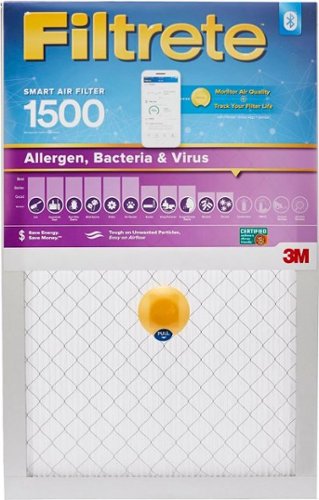
Improve the air quality around you with this Filtrete smart air filter. The air filtration technology eliminates bacteria and traps dust particles, while the built-in Bluetooth pairs with the Filtrete mobile app allowing you to track filter life remotely. This Filtrete smart air filter lets you monitor outdoor air quality for different locations conveniently.
Is the device that makes the filter 'smart' reusable, it would be a shame to throw it away every 3 months?
From what I can tell, no. And I completely agree that it seems wasteful.
5 years, 8 months ago
by
BillFromKC
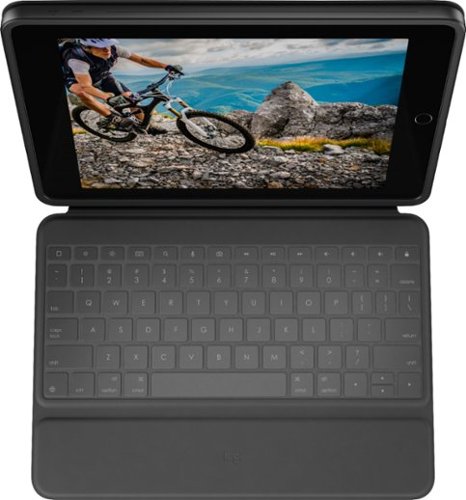
Experience comfortable laptop-like typing on your tablet with this Logitech Rugged Folio keyboard case for 7th, 8th, & 9th generation iPad. A flexible kickstand combined with sturdy hinges ensures you find the perfect angle for the task at hand. This Logitech Rugged Folio keyboard case is constructed with proprietary shock-absorbent material for optimal protection against accidental drops and other mishaps.
How does the keyboard charge? Does it cell batteries or does it draw power from the IPAD
It uses Apple's Magic Keyboard Connector, which means it draws power directly from the iPad. This also means this device doesn't need to pair to the keyboard like you would with a traditional Bluetooth keyboard.
6 years, 5 months ago
by
BillFromKC
Experience comfortable laptop-like typing on your tablet with this Logitech Rugged Folio keyboard case for 7th, 8th, & 9th generation iPad. A flexible kickstand combined with sturdy hinges ensures you find the perfect angle for the task at hand. This Logitech Rugged Folio keyboard case is constructed with proprietary shock-absorbent material for optimal protection against accidental drops and other mishaps.
Where is the pencil holder located? Does it lay flat for writing?
The pencil holder is located in the flap for the magnetic closure, and the case can lay flat for writing.
6 years, 5 months ago
by
BillFromKC
Experience comfortable laptop-like typing on your tablet with this Logitech Rugged Folio keyboard case for 7th, 8th, & 9th generation iPad. A flexible kickstand combined with sturdy hinges ensures you find the perfect angle for the task at hand. This Logitech Rugged Folio keyboard case is constructed with proprietary shock-absorbent material for optimal protection against accidental drops and other mishaps.
Can you type with this on your lap?
You can, but it's not very comfortable. There are better solutions that can make your iPad more laptop-like if this is what you're looking for; this case is more akin to using a Microsoft Surface tablet with one of the type covers, in that it uses a kickstand to keep the screen upright.
6 years, 5 months ago
by
BillFromKC
Experience comfortable laptop-like typing on your tablet with this Logitech Rugged Folio keyboard case for 7th, 8th, & 9th generation iPad. A flexible kickstand combined with sturdy hinges ensures you find the perfect angle for the task at hand. This Logitech Rugged Folio keyboard case is constructed with proprietary shock-absorbent material for optimal protection against accidental drops and other mishaps.
When you don't want to use the keyboard such as drawing with the Apple Pencil, can you remove the keyboard, such as disconnect it from the smart connector? Or can you disable the keyboard when it is not in use?
Just fold the keyboard behind the iPad and you're fine. You can also use a stylus and the keyboard at the same time.
6 years, 5 months ago
by
BillFromKC
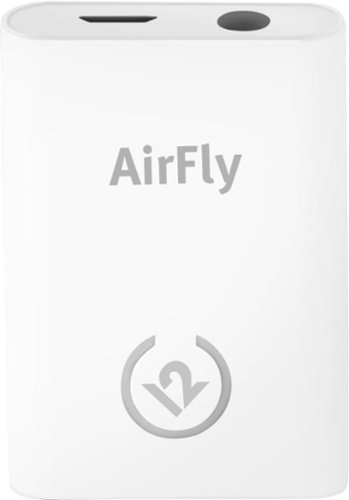
Unlock new potential for your wireless headphones with this Airfly headphone accessory. It plugs into any conventional headphone jack to enhance your listening experience and can pair with in-flight entertainment systems for added convenience. This Airfly headphone accessory has an eight-hour battery life and recharges through USB, so it's easy to take anywhere.
Does this charge air pods. Lost my charger
No. This allows deivces without Bluetooth (like TVs, CD players, and so on) to connect to Bluetooth headphones, ear buds, and speakers.
Apple does sell the charging case for your AirPods in both wired and wireless options. Or if you're missing the charge cable, any Lightning cable will do.
Apple does sell the charging case for your AirPods in both wired and wireless options. Or if you're missing the charge cable, any Lightning cable will do.
Products from my answer
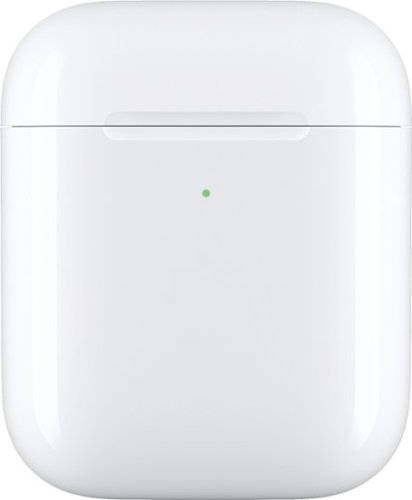
Apple - AirPods Wireless Charging Case - White
 (1,436)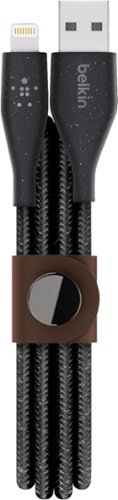
Belkin - DuraTek Plus 4' Lightning-to-USB Type A Cable - Black
(44)7 years, 1 month ago
by
BillFromKC
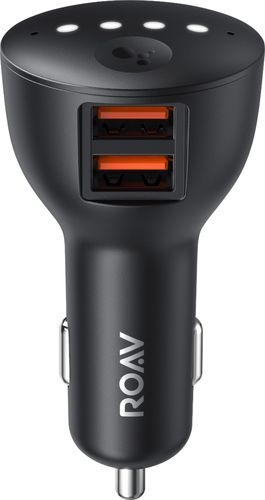
Ensure full power for your mobile devices during long drives with this Anker ROAV Bolt car charger. It~s compatible with Google Assistant for voice-controlled navigation and music streaming, and it supports versatile connectivity via Bluetooth, and auxiliary port. This Anker ROAV Bolt car charger~s compact, lightweight design offers convenient portability and storage.
I found the device listed on my Bluetooth list then when the home app popped up it kept trying to connect but neve did. What should I do? This is the screen I was stuck on.


Logitech C920s is a budget-friendly, work-from-anywhere webcam that delivers a professional video meeting experience. It includes features designed to make you look and sound great in your next meeting. A 78~ diagonal field of view perfectly frames you and your space, while autofocus adjusts smoothly and precisely. RightLight 2 technology automatically adjusts to your lighting situation even in low-light or backlit conditions. And dual integrated mics accurately capture your voice from multiple angles for greater nuance. If you~re streaming or recording, use Logitech~s Capture app to edit and customize. Flip down the lens cover at any point to protect your privacy.
I need a web cam for a presentation for a a showing on Facebook. The web cam will be on a screen from a projector going to Facebook live. Would this be the web cam to get or should I get a different one?
You should actually look at getting a video capture card if you're wanting to put the contents of your computer display (from a projector or monitor) to any streaming platform. There are also different software packages you could obtain that would bypass the need for video capture devices (camera or direct input) for this purpose, but you'd need a discrete video chip for this sort of software to work well.
7 years, 2 months ago
by
BillFromKC