


BillFromKC's stats
- Review count234
- Helpfulness votes729
- First reviewJune 27, 2012
- Last reviewJune 9, 2026
- Featured reviews0
- Average rating4.5
- Review comment count6
- Helpfulness votes10
- First review commentAugust 27, 2015
- Last review commentFebruary 19, 2017
- Featured review comments0
Questions
- Question count0
- Helpfulness votes0
- First questionNone
- Last questionNone
- Featured questions0
- Answer count65
- Helpfulness votes40
- First answerJanuary 9, 2014
- Last answerNovember 5, 2021
- Featured answers0
- Best answers9
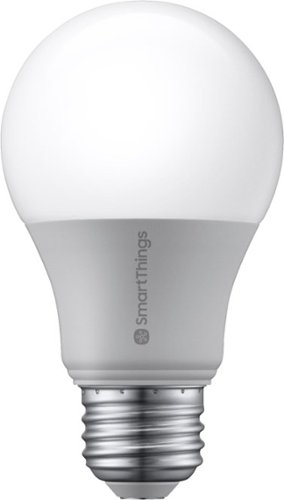
Light up any room with the SmartThings smart bulb that's easy to control from your smartphone or tablet. Turn on the living room lamps as you're heading home, dim the lights from movie night, or schedule them to turn off before bed. It's a smarter way to light your house while saving money on energy costs.
Customer Rating

5
A nice, inexpensive smart bulb...
on June 20, 2019
Posted by: BillFromKC
from KCMO
Disclaimer - I received this product in exchange for my fair and honest review.
Samsung's SmartThings light bulb is both versatile and inexpensive. I tested it with a Samsung SmartThings Hub and Google Home, but it should work with nearly any ZigBee compatible hub or base station. It hits all the marks you'd need in a smart light bulb - high-quality light, dimmable, and controllable from Google Assistant, Amazon Alexa, and Samsung BIxby. I tested it with Google Home and it seamlessly integrated with other brands of smart lights I have (WiFi, Bluetooth, and Z-wave/ZigBee).
The thing that gets me with this bulb is the price - it's actually less expensive than most other brands of connected light bulbs, which is a great thing considering that Samsung is one of the more major players in the electronics game and could have charged more for this bulb.
If you already have a compatible ZigBee bridge, I can highly recommend these light bulbs. If you're looking at doing smart lighting for your home, I'd recommend doing research into what sort of system would work best for you (ZigBee/Z-wave, WiFi, or Bluetooth). If you can get past the initial cost of a compatible hub (or multiple hubs in a larger home), Samsung SmartThings light bulbs are a good choice to start your system with.
The only drawback with this light bulb is you'll need a compatible controller hub to make it work. That means something like a Samsung SmartThings Hub or a Wink Hub that allows you to connect this light bulb to the internet.
All in all, I'd recommend the SmartThings light bulb for anyone who wants to go with a ZigBee smart lighting system.
Mobile Submission: False
I would recommend this to a friend!
Share this review:


+1point
1of 1voted this as helpful.
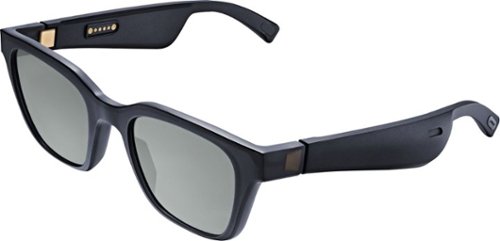
Meet Bose Frames. Bluetooth sunglasses with a soundtrack. The first audio sunglasses with built-in Bose speakers for an immersive audio experience unlike any other. A revolutionary personal audio experience hidden inside two classic designs, each enriched with premium accents and materials. Play music, take calls, and enjoy the sun with UVA/UVB protection. Bose Frames Alto feature a classic angular lenses, available in small and large size.
Customer Rating

4
A few drawbacks but otherwise terrific.
on May 19, 2019
Posted by: BillFromKC
from KCMO
(I received this product in exchange for my fair and unbiased opinion.)
The Bose Frames Alto are an interesting product to say the least. They’re a high-quality, comfortable pair of sunglasses, and they’re also an open-ear replacement for headphones that let you listen to your music in relatively high fidelity while still being able to hear the world around you.
First come the first impressions. While I’ve bought sunglasses that have come packaged better than these, I’ve also spent far more than what these retail for on those sunglasses. The Alto style is very familiar to those of us who like high-end sunglasses, just slightly thicker. The lenses are a high-quality polycarbonate, but lack polarization (for the retail cost, this is a huge detriment in my book). In the box they come with is also a magnetic-shut case, a magnetic (and proprietary) charge cable, and a packet with instructions, warnings, and warranty information.
Set up is easy. They paired to my iPhone. The BoseConnect app found the headphones quickly and suggested a number of apps that take advantage of what I think the possible (but currently underexploited) killer feature of these glasses are - Bose AR. While BoseConnect lacks a few features that other Bose products have, such as tone control, it’s still nice it gives you an instruction manual on the go.
For what they are, audio quality is excellent. Don’t expect boomy bass or the absolute crispest highs you’ve heard from headphones or other personal audio devices, but expect an otherwise full, rich sound from these. Vocals are clear and classical music sounds surprisingly great.
Usage couldn’t be easier. The magnetic charge cable only goes on one way, so it’s not as nifty as Apple’s MagSafe tech but it’s still more convenient than a USB-C, Lightning, and especially a Micro USB charge port. Just don’t lose that cable, as it’s proprietary. The headphones also have a single button for nearly all functionality; press once to power on, play/pause, or answer/hang up calls, press twice for the next song, and press three times for the previous song. Want to turn them off? Set them down upside down.
Now some thoughts on Bose AR:
This is the killer app for these glasses. The BoseRadar app gives a good idea what it’s capable of - an audio experience that’s very much like Dolby Atmos, DTS:X, or Barco Aura3D. You look around and audio seemlessly follows your head movements, and audio sounds as if it comes from all directions. Where this could be amazing is with integration to Apple Maps, Google Maps, Waze, or other map and navigation apps; audio cues to help you find where you need to go.
As for the negatives, I have a few. First, battery life could be better; there’s room for a larger battery in these frames (I averaged 3 hours between charges). Second, the lack of polarized lenses; especially for the MSRP, polarized lenses should be standard. Finally, and this is a gripe for myself, these could be slightly larger, but that’s a personal thing as I have a giant head.
All in all, I have to say that Bose’ take on the headphone sunglasses is probably the best take on the category to date. Other companies have made attempts with this sort of product, but they were always ugly; these are the classiest take on the category by far.
So do I recommend Bose Frames Alto? If you’re good with the few shortfalls, then yes I do. Add polarized lenses and increase the size of the battery for 6-7 hours of life and you have a perfect product for this category. And for those with smaller heads or who don’t like the style of the Alto, check out the Bose Frames Rondo.
Mobile Submission: True
I would recommend this to a friend!
Share this review:


0points
0of 0voted this as helpful.
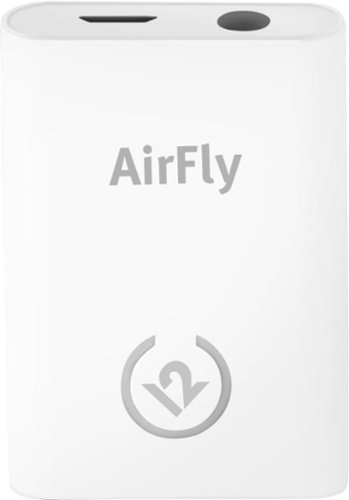
Unlock new potential for your wireless headphones with this Airfly headphone accessory. It plugs into any conventional headphone jack to enhance your listening experience and can pair with in-flight entertainment systems for added convenience. This Airfly headphone accessory has an eight-hour battery life and recharges through USB, so it's easy to take anywhere.
Customer Rating
4
Just needs two things to be perfect.
on May 9, 2019
Posted by: BillFromKC
from KCMO
(I received this product in return for my fair and unbiased review.)
TL;DR - The Twelve South Airfly Bluetooth audio transmitter is better suited for transmitting audio from your TV, stereo, computer, or other device that either lacks Bluetooth connectivity or has poor Bluetooth connectivity for audio. Audio is crisp and clear - especially with AptX-enabled headphones, earbuds, and speakers - and lacks perceivable auidio lag as compared to many smartphones. While audio quality with lossless formats (CD audio, DVD audio, SuperCD, FLAC, ALAC, WAV, AIFF, Dolby TrueHD, and DTS HD) isn't as clear as with a wired connection, the audio quality with lossy formats (MP3, AAC, and streaming music formats) is indistinguishable between a direct connection to your device and a Bluetooth connection using the Airfly. The lack of audio lag makes this a good option for connecting to your TV so you don't bother others while watching at higher volumes or playing games. The only negatives are you manually need to turn the device on and off when you want to use it and finish using it and I feel like Twelve South is missing out on a bigger niche market to go after than just the crowd wanting to add Bluetooth to portable audio devices lacking Bluetooth.
Packaging, pack-in goodies, and initial feel:
The device is packaged nicely and comes with a 3" micro USB cable. 3" headphone jack to headphone jack cable, and a velour cinch sack to carry the device with you. The unit isn't very heavy at all and its size matches up nicely with small MP3 players (Apple iPod Nano, Sandisk Sansa, Microsoft Zune, and the various other small players available over the years. Note that while the cinch sack will fit a small (iPod Mini, iPod Nano, Sandisk Sanza) or micro (iPod Shuffle) MP3 player, it won't fit a standard-sized player (iPod Classic, Zune).
The device is packaged nicely and comes with a 3" micro USB cable. 3" headphone jack to headphone jack cable, and a velour cinch sack to carry the device with you. The unit isn't very heavy at all and its size matches up nicely with small MP3 players (Apple iPod Nano, Sandisk Sansa, Microsoft Zune, and the various other small players available over the years. Note that while the cinch sack will fit a small (iPod Mini, iPod Nano, Sandisk Sanza) or micro (iPod Shuffle) MP3 player, it won't fit a standard-sized player (iPod Classic, Zune).
Performance:
Pairing headphones and speakers is easy - just press and hold the power button until it starts flashing at you, then put your device you want to listen to audio on into pairing mode. I paired mine with both a pair of JBL Everest 310s and a Bose Soundwear personal speaker. Worked great with both devices.
Pairing headphones and speakers is easy - just press and hold the power button until it starts flashing at you, then put your device you want to listen to audio on into pairing mode. I paired mine with both a pair of JBL Everest 310s and a Bose Soundwear personal speaker. Worked great with both devices.
I attached the Airfly to my iPhone 6s and played several games where audio sync can make a difference on how you play. It worked great at everything I threw at it, just like if it were played through headphones either connected via the headphone port or Bluetooth.
I followed this up with attaching it to a Digiland Android tablet. It performend like it should, no audio lag in games.
My next test was with a Windows 10 computer. In the various games I play, I had no issues with auidio lag caused by the Airfly. Even playing Guitar Hero in the Dolphin Emulator was a treat, as the game worked perfectly and sounded perfect.
Finally, I attached it to the headphone dongle for my Nintendo GameBoy SP. The longtime dream for GameBoy owners who want wireless headphones is achieved with this device. Again, flawless performance.
No matter the audio source, it all sounded great. While lossless wasn't as good as a wired pair of headphones would be, you still get AptX-quality audio.
Now for my gripes:
First, this works better as a way to attach headphones to your TV set, computer, or home audio system. It's not as convenient to carry around with a MP3 player or other portable audio device, though it's small size does help.
First, this works better as a way to attach headphones to your TV set, computer, or home audio system. It's not as convenient to carry around with a MP3 player or other portable audio device, though it's small size does help.
Second, what would be neat is if this thing could be plugged into a TV's USB port and set to power up and power down autiomatically with a device like a TV or computer. Instead, you have to manually power it up and down when you want to use it, and I could n't get it to charge and operate at the same time.
Otherwise, I like the Airfly. Twelve South got almost everything right in my book.
Mobile Submission: False
I would recommend this to a friend!
Share this review:


+18points
18of 18voted this as helpful.
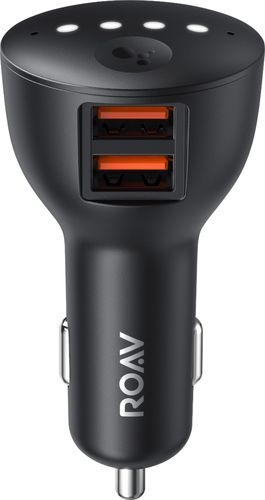
Ensure full power for your mobile devices during long drives with this Anker ROAV Bolt car charger. It~s compatible with Google Assistant for voice-controlled navigation and music streaming, and it supports versatile connectivity via Bluetooth, and auxiliary port. This Anker ROAV Bolt car charger~s compact, lightweight design offers convenient portability and storage.
Customer Rating
4
The perfect travel buddy for your rental car.
on April 20, 2019
Posted by: BillFromKC
from KCMO
I received this product in exchange for my fair and unbiased review.
The Anker Bolt with Google is a little bit of a mixed bag. It’s a high-quality Bluetooth audio adapter for your car that lacks that functionality. It’s a decent hands-free phone solution for your vehicle that lacks Bluetooth connectivity. Google Assistant works well enough, especially for those of you who use Google for home automation (including myself). For parents with teenagers that can’t put the phone down, it’s a good way for them to stay connected without looking at their phone.
Where the Bolt with Google excels, however, is a plug and an aux cord you can take with you to keep your phone connected to multiple cars without dealing with pairing and repairing your phone every single time, or wondering if you deleted your pairing from a vehicle which means you potentially left your contact information on it.
One of the cool things is how Google Assistant can interact with your apps while using the Bolt with Google. Among my installed apps, it works with Gmail, Twitter, Facebook Messenger, Google Hangouts, and the My Verizon app. It doesn’t currently work with Microsoft Office apps, Snapchat, Google Duo, and Google Voice (which is strange since Voice and Duo are Google apps).
One thing I noticed is the audio quality. While nothing beats the aux cable and a high quality DAC, it’s still very passable; 256kbps Apple Music sounded better through the Bolt with Google than with any Bluetooth audio adapter I’ve tried, and slightly better than Bluetooth audio built into my Alpine UTE-73 head unit.
The only complaint I have about this device is it lacks HD voice, so calls over Facebook, Google Hangouts, Facetime Audio, and Verizon’s LTE network all sound like they’re being made on an older non-HD voice capable phone. Maybe this can be fixed with a firmware update?
All in all, it’s a great travel companion that’ll get better as Google makes improvements to the software.
Mobile Submission: True
I would recommend this to a friend!
Share this review:


0points
1of 2voted this as helpful.

Logitech C920s is a budget-friendly, work-from-anywhere webcam that delivers a professional video meeting experience. It includes features designed to make you look and sound great in your next meeting. A 78~ diagonal field of view perfectly frames you and your space, while autofocus adjusts smoothly and precisely. RightLight 2 technology automatically adjusts to your lighting situation even in low-light or backlit conditions. And dual integrated mics accurately capture your voice from multiple angles for greater nuance. If you~re streaming or recording, use Logitech~s Capture app to edit and customize. Flip down the lens cover at any point to protect your privacy.
Customer Rating
5
Solid webcam for those that need one
on April 8, 2019
Posted by: BillFromKC
from KCMO
I received this product in exchange for my fair and unbiased opinion.
The Logitech C920S Pro may not be the most fully-featured webcam on the market today, but it has plenty of features, solid video quality, and that legendary quality that dates back to the original QuickCam series of webcams.
Video is clear, even in darker rooms. Frame rates are a solid 30 FPS at HD resolutions (1080 and 720) and can hit 60 FPS at lower non-HD resolutions; a glass lens helps immensely with keeping the picture clear. The stereo microphones are some of the best I've heard on any webcam; while not nearly as good as a stand-alone microphone, it's better than the built-in mics in most computers. Cortana, Siri, and dictation on both Mac and Windows worked great with the mic.
It mounts with ease over a TV set or monitor, and it has an added bonus of a standard camera screw mount on its base that allows you to place it securely on a fixed mount or a tripod.
One thing not mentioned by Logitech in their packaging or support documents is this webcam also works with Android devices, such as a Sony Android-based TV or NVidia Shield. "Hey Google" and speech to text, along with HD video is supported.
All in all, the Logitech C920S Pro is terrific. It's a webcam for wherever you'd need one.
Mobile Submission: False
I would recommend this to a friend!
Share this review:


0points
0of 0voted this as helpful.
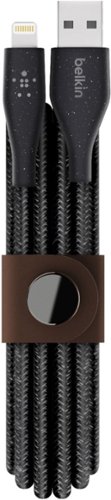
Expand device connectivity with this Belkin DuraTek Plus Lightning to USB-A cable. A rugged design with fiber-reinforced conductors ensures lasting durability, while the included strap and snap button improve portability and prevent tangles. Measuring 6 feet long, this Belkin DuraTek Plus Lightning to USB-A cable makes it easy to access hard-to-reach outlets.
Customer Rating
4
Strong, but a little overpriced.
on March 10, 2019
Posted by: BillFromKC
from KCMO
I received this product in return for my fair and unbiased opinion.
Belkin’s Duratek charge cables for iPhone fit a niche that some iPhone users have. They’re a strong cable that won’t easily fail from bending and flexing like many Lightning cables will. They support a full-speed 12 watt charge. The cloth overing over the cables definitely reinforces the strength of the wires. The connectors are some of the most solid on the market.
The only two weak spots I can point out are the snap scratches very easily amd the price is just a little high compared to other options on the market.
I can recommend this cable, but there are options that are just as good and not quite as expensive.
Mobile Submission: True
I would recommend this to a friend!
Share this review:


0points
0of 0voted this as helpful.

Listen to customized audio with these black JLab Fit Sport wireless fitness earbuds. Signature, Balanced and Bass Boost modes let you set sound quality preferences, and the adjustable tip placement and flexible memory wire provide a secure, comfortable fit. Recharge these JLab Fit Sport wireless fitness earbuds via the included microUSB cable to enjoy up to six hours of playback.
Customer Rating
5
Another winner from JLab
on November 28, 2018
Posted by: BillFromKC
from KCMO
Disclaimer - I received this product in exchange for my fair and unbiased review.
JLab makes some good audio products for the price. They've always had well-rounded sound, good battery life, and a good feature set, and are generally well built. Their customer service has also been easy to deal with in the past.
So when I saw the FitSport Wireless earbuds, I knew I wanted to review them. I'm glad I did.
I have other, more expensive pairs of earbuds and in-ear monitors that cost between three and ten times what these do. Some of those more expensive earbuds have lesser audio quality, some have shorter battery life. The FitSport Wireless compares favorably to all of them because they live up to their 6 hour battery life claim while listening to anything from rapid-fire metal to bass-heavy electronic music, with little distortion unless you turn the volume up to 11 (if you've seen "This Is Spinal Tap", you'll know the reference) and set the EQ for more bass response.
Speaking of, these headphones have a nice feature that is generally reserved for more expensive earbuds and headphones - a built-in EQ. While it's not a nice software-controlled EQ like you'd find in high-end headphones and earbuds, it does give you three modes - balanced (the equivalent of flat), bass boost (where the low-end gets cranked up), and JLab Signature Sound (which cranks up the highs and lows for heavy bass and crisp treble). All three modes worked well, but like previously stated, turning the volume all the way up with the bass level boosted does lead to some distortion.
The ear tips are also a pleasure. The "wings" do a good job of holding the buds in place when you're active, and with FOUR choices of ear tips, you'll find a good fit (I preferred the large silicone tips, but the foam "Cloud" tips were pretty nice).
These earbuds also report battery life to iOS devices. They didn't report battery life to my Android 7.1 tablet, however. Some Android devices may receive the battery life information, however.
All in all, you can't beat the value of these ear buds.
Mobile Submission: False
I would recommend this to a friend!
Share this review:


0points
1of 2voted this as helpful.
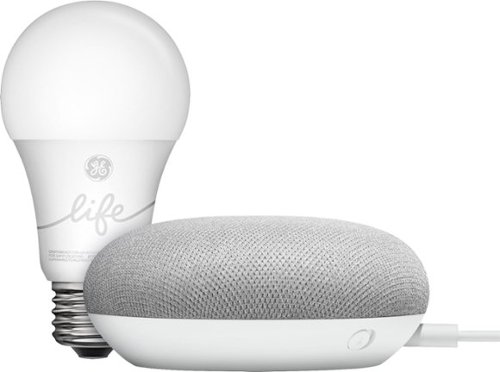
Use the Google Smart Light Starter Kit to control the lights using just your voice. Set up in a snap: just plug in Google Home Mini, screw in the GE C-Life smart light bulb, and download the Google Home app to get started. Then just say "Hey Google" to dim, brighten, turn on and turn off the lights."
Customer Rating

2
Good idea, poor execution
on November 28, 2018
Posted by: BillFromKC
from KCMO
Disclaimer - I was given this product in return for my fair and honest review.
TL;DR version - this would be okay for apartment dwellers, but the Google Smart Light Starter Kit featuring the C-Life by GE bulb is otherwise a 4-star smart speaker with tons of features and smarts paired with a "smart" lightbulb that isn't exactly smart. Also, a bad value for its regular price, but the "smart bulbs" themselves are also a bad value compared to other superior options for around their same price point.
----------------------------------------------------------------------------------------
The Google Smart Light Starter Kit will always look enticing to the unknowing consumer, because who doesn't like the idea of including a smart lightbulb (in this case, C-Life by GE) with a Google Home Mini smart speaker for a decent overall price compared to buying the speaker and a smart bulb by themselves?
Looks can be deceiving.
I'm not going to talk much about the Google Home Mini (referred to as a GHM from here on out), because if you're reading this, chances are that you know it's a small smart speaker device that you can get answers to your questions from and control most home automation devices from nearly every manufacturer with. Unlike non-Google brand Google Assistant speakers, you can also use it with the FREE Google Voice VoIP phone service - just like with its big brothers, the Google Home and the Google Home Max - to make outgoing phone calls with terrific audio quality (but not to receive incoming calls or contact emergency services). With more and more abilities being added to Google Assistant, you can use it to order food, electronics, clothing, and more though various retailers that have embraced the service. It also functions as a Chromecast Audio receiver and can control your Chromecast-equipped TV, speakers, or your Android TV-based smart TV. If the next version of the GHM were to add an audio output, the GHM is the perfect small smart speaker in my book. But enough about that, because there are tons of reviews and articles about the GHM and how awesome it is.
What I am going to talk about is the the other part of the package package. A decent enough smart speaker that I would give 4 stars to in its current iteration is brought down by what GE passes off as a "smart" bulb. For me, there's not enough of a feature set here to justify calling it smart. While you can turn the bulb on and off and set its brightness via the Google Home app or through Google Assistant, that's about it for the bulb's "smarts".
It also uses a Bluetooth connection that requires the GHM that comes in the package; powering down the GHM it's paired to effectively makes the smart bulb the equivalent of a cheap LED bulb you'd pick up in your local hardware store, and Bluetooth's limited range compared to WiFi means the GHM and the bulb need to be placed in close proximity with each other. Metallic light fixtures, water pipes, HVAC ducting, and electrical wiring affect the usable range distance between the GHM and the bulb. A setup note for the C-Life bulb states that if you use multiple bulbs, they can create a mesh network, but all bulbs need to be placed within 40 feet of each other.
The good about this kit is it's at least extremely easy to set up. You set up the GHM inside the Google Home app on your Android device (Kit Kat or later with a Bluetooth 4.0LE capability) or iOS (iPhone 5, iPod Touch 5, iPad 4rd Gen, or iPad Mini 2 or later device running iOS 10 or later), and then you're prompted by the Google Home app to pair the C by GE bulb to the GHM. Sorry PC and Mac users, you need a portable device to get this going.
I did try to pair the bulb with other Google Assistant smart speakers I have that aren't the GHM in the package via the Google Home app (I have 3 different brands, all with Bluetooth 4 connectivity). None of the other speakers were able to discover up the C-Life lightbulb, which means to use C-Life lightbulbs with Google Assistant, you pretty much need a GHM or other Google-branded smart speaker. If you're looking at the "Made for Google" C-Life or C-Sleep bulbs and you have a non-Google brand Google Assistant speaker, it's just not going to work.
The good news here, at least, is that you can control the bulb away from home as long as it maintains a connection with the GHM. My GHM and C-Life are located about 15 feet apart and the two devices have lost connection with each other a few times, but nothing a quick power cycle can't fix (in each case, it was always resetting the bulb).
While the lightbulb can pair with the C by GE app for iPhone and Android, this also gives you a basic Bluetooth-connected remote controlled lightbulb and the inability to control it away from home. Because of this, I highly recommend that you stay completely away from GE's app when it comes to this bulb, because you will have issues getting it to work with the GHM if you have previously paired it with the C by GE app. (I did try this by the way; it's a major pain to unpair a C-Life bulb from any device because of the strangest on-off cycling pattern you need to follow to factory reset it.) Also, the bulbs can only pair with ONE device, be it a GHM or a phone. Once paired with a GHM, however, you can use multiple devices with the Google Home app installed to control the bulb; you'll just need to do the "Invite" thing inside of the Google Home app so people on other Google accounts can use the C-Life bulb and all of the other smart devices you have under Google Home's control.
The C by GE app also warns you that you should really pair the C-Life bulb with the GHM and not the app. (I ignored this warning in the name of science.)
Like I said, a decent 4-star speaker is brought down by a lightbulb pretending that it's smart. While I might recommend this for apartment dwellers, I highly recommend that you look into other ways of doing smart lighting in your home or apartment. WiFi-connected smart bulbs from other manufacturers are inexpensive and far more flexible. Lighting systems based on Z-Wave, ZigBee, Wink, and other protocols have greater range than the Bluetooth-connected C by GE lightbulbs. Finally, the GHM and other Google Assistant smart speakers can be had on the cheap. Now if you can find the Smart Light Starter Kit for the same price as a GHM by itself, then go for it since you'd get a free remote-controlled lightbulb.
Mobile Submission: False
No, I would not recommend this to a friend.
Share this review:


+3points
10of 17voted this as helpful.
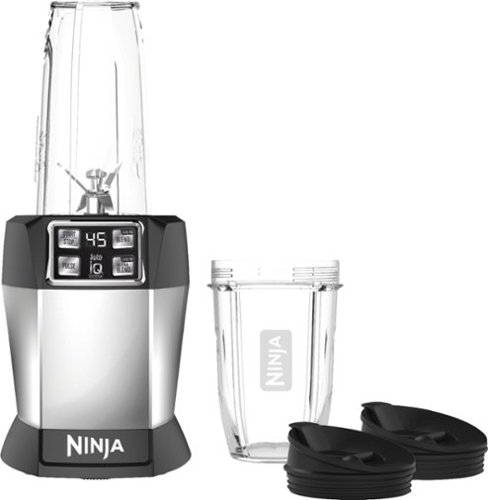
Concoct fresh, healthy smoothies with this Nutri Ninja Auto-iQ single-serve blender. Pro Extractor Blades and a powerful 1000W motor provide efficient performance, and it comes with 18-oz. and 24-oz. Tritan cups with spout lids for travel-friendly drinking. This intelligent Nutri Ninja Auto-iQ single-serve blender has preprogrammed settings for easy, quick operation.
Customer Rating
5
Perfect for making a quick frozen drink
on October 24, 2018
Posted by: BillFromKC
from KCMO
I received this product in exchange for my fair and unbiased review.
The Ninja brand did it again. They released an overpowered blending system, this time for individual beverages (along with soups and dressings) that works perfectly. Within 2 minutes, you can fill a cup with fruit and a liquid of your choice, screw on the blending base, hit the autoIQ blend button, wait around a minute for the beverage to blend, change the blend base with a flip-top lid, and have a tasty beverage. Smoothies, shakes, doesn’t matter - this thing gets it right every time.
The only drawback is owners of some other Nutri Ninja blending systems - myself included (I also own a Nutri Ninja BlendMax system) will find the individual cup bases may not be cross compatible. This isn’t a dealbreaker for me, but something I think should be incorporated into any company’s design process when they make a family of products under a shared name. Some may also feel the base is rather large; considering the Nutri Ninja has at least twice to up to 5 times the power of competing products, the base can’t be much smaller without creating heat problems.
All in all, another great product from the Ninja brand.
Mobile Submission: True
I would recommend this to a friend!
Share this review:


+1point
1of 1voted this as helpful.
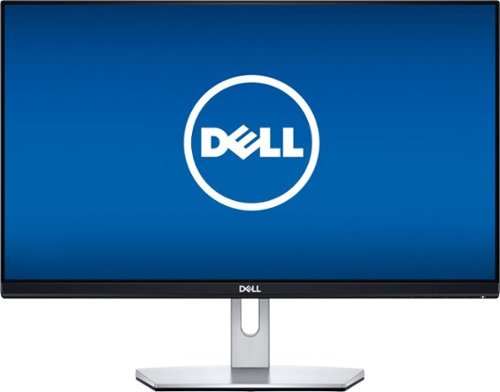
Optimize your viewing experience on this 23-inch Dell LCD monitor. Its Full HD IPS screen lets you see content from almost any angle. Easily connect a laptop or a PC to the VGA and HDMI ports on this Dell LCD monitor.
Customer Rating
5
Solid color quality straight out of the box.
on October 17, 2018
Posted by: BillFromKC
from KCMO
Disclaimer - I received this monitor in exchange for a fair and honest review.
Dell has been a company known for decent computers and, surprisingly, legendary monitors. Back in the CRT days, they used Sony Trinitron tubes - the absolute best in the industry. Their pro line screens, the UltraSharp series, are some of the best displays in the industry (and even a go-to for Apple users).
Their consumer LCD monitors were also generally good, but overpriced for their features and quality. However, I do believe Dell has finally figured it out with their current line of consumer monitors, which include the S2319NX display.
The monitor itself is pretty decent before you turn it on. The base is solid and the screen has very little wobble compared to many other consumer-model screens. The only things I would have wanted to see at this price point are a fully-adjustable base and VESA mounting holes on the back side of the screen; a second HDMI port and built-in power supply would have also been nice.
Power it on and I'm greeted to the a couple of firsts:
- the first glossy screen that I actually like.
- the first monitor I've purchased in years that only needed a brightness adjustment.
- the first monitor I've purchased in years that only needed a brightness adjustment.
A really thoughtful feature was also that this monitor can manage audio from two sources; there is an analog audio input that pairs with a VGA port, so those of us who will use this screen with an older computer and a gaming console, a cable box, a media player, or even in a 2 computer setup can connect our speakers straight to the audio output of the screen, allowing the screen to switch both the video and auto source for you. This is where the additional HDMI port would have come in handy, as this monitor could be used as a dorm room TV when paired with a streaming sick.
All in all, I highly recommend this monitor for consumer use.
Mobile Submission: False
I would recommend this to a friend!
Share this review:


0points
0of 0voted this as helpful.
BillFromKC's Review Comments
Westinghouse HDTV: Enjoy your favorite movies, shows, games and sporting events in realistic 1080p resolution on this Westinghouse HDTV's LED panel. Ensure fast-moving scenes remain clear with a 60Hz refresh rate that minimizes blurring and ghosting.
Overall 1 out of 5
1 out of 5No HD tuner
By Westingtonhouse
I can not imagine that tv in today time do not have digiter tuner. I bought 6 now I have to return them since i use cable straight from wall for tv from COX

BillFromKC
KCMO
This TV has an ATSC tuner.
August 27, 2015
There's no guarantee that ATSC tuners will work with ClearQAM cable channels, and even so, the greater majority of cable providers now scramble all cable channels. Including OTA channels. Because the FCC changed the rules and they're allowed to do this now.
+6points
6of 6voted this comment as helpful.
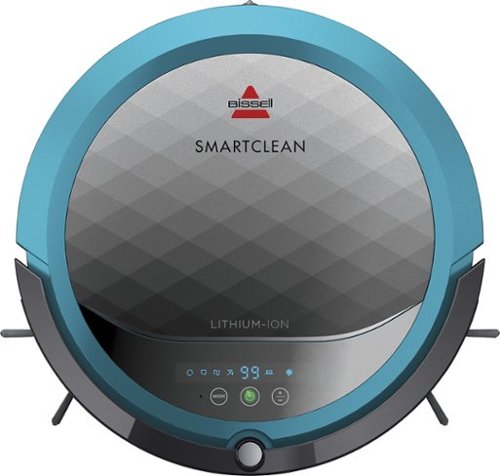
BISSELL SmartClean Robot Vacuum: Easily rid your floors of dirt and debris with this vacuum that uses Opticlean optical sensors and a Triple-Action Cleaning System to tackle your floors. Invisible Wall technology lets you target specific areas.
Overall 3 out of 5
3 out of 5Hard To Program
By FortFun2
from Illinois
Found it is difficult, not intuitive, to program. Others have said if you loose power all your programming is lost, but we haven't lost power yet so can't confirm. I just wanted it to run when I left the house without a set program and contacting Bissell just led to more confusion. But, once I got it working I was impressed with the amount of pet hair it removed.
BillFromKC
KCMO
I can attest to this.
September 16, 2016
Sometimes, I have to plug mine directly into the charger to get it to charge because the battery is overly drained. Because of this, I don't even bother programming it anymore.
0points
0of 0voted this comment as helpful.

The new MacBook Pro is faster and more powerful than before, yet remarkably thinner and lighter.~ It has the brightest, most colorful display ever on a Mac notebook. And it features up to 10 hours of battery life.~ It~s a notebook built for the work you do every day. Ready to go anywhere a great idea takes you.
Overall1 out of 5
1 out of 5Terrible
By Joel
I purchased this one month ago and it has a faulty display. Best Buy takes no responsibility and will not exchange it for a good one. I have left voicemails for a district manager to call me and no one has called. I will never shop at Best Buy again.
BillFromKC
KCMO
Yep, take it to Apple.
January 13, 2017
If Best Buy is doing you wrong, just take it to your nearest Apple location and they'll set you up with a fix or a new one.
+4points
4of 4voted this comment as helpful.
![The Secret Life of Pets [DVD] [2016]](https://pisces.bbystatic.com/prescaled/500/500/image2/BestBuy_US/images/products/5224f7b2-43d6-4d33-8d0e-315348745874.jpg)
Overall1 out of 5
1 out of 5Bootleg Copy of Secret Life of Pets
By Disappointed
About 15 minutes into the movie the volume became muted and a message came on the TV that this was a bootleg movie. An unauthorized copy. Be very careful purchasing DVD's or Blu Ray movies from Best Buy. They just may leave you and your grand children very disappointed as it did our family.
BillFromKC
KCMO
This could very well be your DVD or Blu-Ray player
January 20, 2017
causing your issues. The Film Industry (MPAA and associated groups) are known for their draconian DRM systems, first with DVD and now with Blu-Ray and 4k Blu-Ray.
if your Blu-Ray player isn't connected to the internet, connect it to the internet and update its firmware. That should fix all your issues.
0points
0of 0voted this comment as helpful.
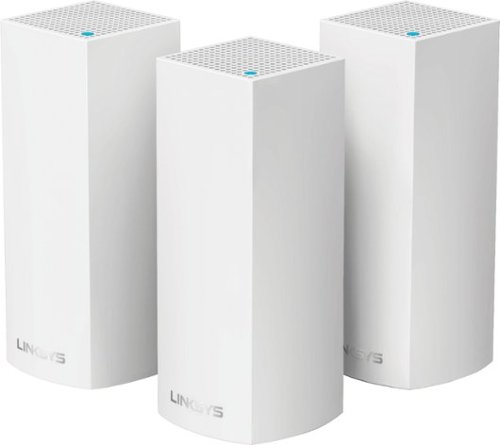
Make your home an internet haven with this versatile Linksys Velop wireless Wi-Fi system. Three identical tri-band dual-stream AC2200 routers, each equipped with a quad-core ARM Cortex-A7 processor, deliver lightning-fast internet. Equipped with Bluetooth 4.0/LE, this Linksys Velop wireless Wi-Fi system is simple to set up and pairs easily with computers, tablets and smart devices.
Overall5 out of 5
5 out of 5This is the future of WiFi
By neio11
I threw (recycled) away my wifi extenders plus I am now able connect a device with an ethernet cable without having to run cables through the walls because each node has 2 ethernet ports. So for instance, I have one node connected to my modem and an ethernet switch. My 2nd node in another room is connected to an NVR for my security cameras. The speed through the nodes is surprisingly fast. The NVR is capturing HD videos from 3 cameras and it seems to capture fine. The 3rd node is in my living room area. The whole house is covered! Please put a password on your wifi otherwise you'll be supplying FREE wifi for your neighbors. I can have full internet access from 3-4 houses away from my house. I thought installation would be a pain considering you have to setup each node. Well, I shouldn't say "have to" because you don't have to use all 3 nodes. You can use only 1 or 2 and give the 3rd to me. haha. No but setup is a breeze! The only thing is that you have to use a smart device such as a tablet or phone, to do the setup. Velop currently doesn't support PC-based setup but I hope Linksys changes that especially for us "techies"!!! It works with Alexa. You can ask #Alexa what the wifi password is... so they say. I haven't had much success with it yet. It looks clean and neat. It doesn't all those antennas sticking out of it which makes it aesthetically pleasing.
I'm loving so far!
BillFromKC
KCMO
The setup process basically forces you to put a...
February 19, 2017
...password on your WiFi network. In fact, it's one of three things it asks when you set up the parent node, the other two being "Do you connect directly to the internet or through a modem/router device provided by your ISP?" and what to call your wireless network.
0points
0of 0voted this comment as helpful.
Make your home an internet haven with this versatile Linksys Velop wireless Wi-Fi system. Three identical tri-band dual-stream AC2200 routers, each equipped with a quad-core ARM Cortex-A7 processor, deliver lightning-fast internet. Equipped with Bluetooth 4.0/LE, this Linksys Velop wireless Wi-Fi system is simple to set up and pairs easily with computers, tablets and smart devices.
Overall5 out of 5
5 out of 5Blazing Speed, Best In Class Performance!
By gadgetguy11
The Linksys - Velop Tri-Band Whole Home Wi-Fi System (3-pack) is packaged in a beautiful & functional box with magnetic closure - it exudes quality! Each Node is protected individually. Just looking at the box, you expect a premium, esoteric product... & Linksys delivers that & more in spades! The shapely Nodes are beautiful & blend with any decorating style.
Simple set-up via the Linksys iOS or Android App. Within minutes, you are ready to go online.
As shown in attached photo, I have 90 wireless devices utilized over 5,000 sq feet / 3 floors: this is a challenging application for high speed Wi-Fi that includes: connected major appliances; BAS ceiling fans & Haiku Wi-Fi connected lights; Wi-Fi Thermostats; Netatmo Wi-Fi Weather Station; 65 Hue Lights; Connected exterior door locks; Wink Wi-Fi connected devices; connected iDevices, Nest & Arlo cameras; iPads; iPhones & computers. Finally, Streaming from 4) Apple TV's; Nixplay Wi-Fi Photo Frames.
And now the Results:
Velop delivers the fastest Wi-Fi speed I have ever experienced and does so consistently! The attached screen capture shows 349 Mbps Download / 23 Mbps Upload. These are WIRELESS speeds!! I pay for 300 Mbps Download / 30 Mbps Upload & our internet service provider generally delivers 300 - 360 Download & 22 - 32 Upload.
Velop is the only Wi-Fi System I have found to date that actually delivers this sustainable speed and does not randomly disconnect the many devices.
High power Wi-Fi requires a high current source. Each of the 3) square white power supplies produce 12 Volt, 2 Amp output! 24VA (Volt Amps) is the highest output of any router I have tested. Better yet, the cable that plugs into each Velop is perfectly angled at the plug so the wire routs neatly through the cable management feature at the base. Brilliant design!
PRO's:
1- Fastest Wi-Fi Speed
2- Easy approximate 10 minute Set-up per hub
3- Velop Nodes are very attractive & blend with any architecture
4- Robust infrastructure yields dependable performance
5- 24/7 Support
6- 3-Year Warranty
7- Easy to use App with great diagnostics
8- Wire Management at the base is excellent & offers a wire free appearance.
9- Three Velop Nodes establish fast Wi-Fi speed across the house on any floor.
10- Expandable: Add an additional Node any time you prefer.
1- Fastest Wi-Fi Speed
2- Easy approximate 10 minute Set-up per hub
3- Velop Nodes are very attractive & blend with any architecture
4- Robust infrastructure yields dependable performance
5- 24/7 Support
6- 3-Year Warranty
7- Easy to use App with great diagnostics
8- Wire Management at the base is excellent & offers a wire free appearance.
9- Three Velop Nodes establish fast Wi-Fi speed across the house on any floor.
10- Expandable: Add an additional Node any time you prefer.
CON's:
1- IP Address range cannot be changed from: 192.***. My 2) existing Apple Time Capsule / Routers had IP addresses of 10.***, but they can be set to different ranges. A different IP Address range requires individually resetting a few devices that previously connected to the other range. For example, each Nixplay connected frame had to manually "Forget" the old Wi-Fi name of the previous SSID, then set up the same name with Velop, even though the Wi-Fi name and password are the same. On 13) Apple Airport Express devices, I had to power down each device to reset it from 10.*** to 192.***
2- IPv6 is not supported as of product release. This is surprising, as my three year old Apple Time Capsule / Router supported IPv6.
3- The first unit set up in under 10 minutes; however the remaining two hubs froze at the same exact place midway every time during set-up. After 6 failed attempts, I held each Node horizontally and kept my hand around it. Surprisingly, this procedure resulted in a virtually immediate set-up! Then I set each Node vertically & it continued to work great.
4- Only one Node can connect to the internet via ethernet. The other Nodes connect to the first Node via wireless mesh connection. I would prefer the option of connecting each Node to a wired ethernet connection. Linksys Technical Support indicated this may be added later as a software update. This would prove beneficial because the Nodes must be located fairly close together (my tests showed less than 40 feet apart at most).
1- IP Address range cannot be changed from: 192.***. My 2) existing Apple Time Capsule / Routers had IP addresses of 10.***, but they can be set to different ranges. A different IP Address range requires individually resetting a few devices that previously connected to the other range. For example, each Nixplay connected frame had to manually "Forget" the old Wi-Fi name of the previous SSID, then set up the same name with Velop, even though the Wi-Fi name and password are the same. On 13) Apple Airport Express devices, I had to power down each device to reset it from 10.*** to 192.***
2- IPv6 is not supported as of product release. This is surprising, as my three year old Apple Time Capsule / Router supported IPv6.
3- The first unit set up in under 10 minutes; however the remaining two hubs froze at the same exact place midway every time during set-up. After 6 failed attempts, I held each Node horizontally and kept my hand around it. Surprisingly, this procedure resulted in a virtually immediate set-up! Then I set each Node vertically & it continued to work great.
4- Only one Node can connect to the internet via ethernet. The other Nodes connect to the first Node via wireless mesh connection. I would prefer the option of connecting each Node to a wired ethernet connection. Linksys Technical Support indicated this may be added later as a software update. This would prove beneficial because the Nodes must be located fairly close together (my tests showed less than 40 feet apart at most).
CONCLUSION: My search for the "Ideal" Whole Home Wi-Fi System that consistently delivers 300 Mbps over 5,000 square feet with 90 devices ends here!! I am THRILLED with Velop & give it my highest recommendation!! It has proven to be the BEST ROUTER available for 2017!
BillFromKC
KCMO
Mine gave me IPv6 OOB
February 19, 2017
and even so, there was a firmware update it applied immediate after setup. I agree that the IP address range thing is annoying though, especially when you're moving from an existing network with static IP devices (NAS, printers, etc.)
0points
0of 0voted this comment as helpful.
BillFromKC's Questions
BillFromKC has not submitted any questions.

Offering the ultimate true-wireless experience for any fitness-loving music lover, JLab Epic Air Sport ANC offers customized sound and active noise canceling plus industry-leading 70+ hours playtime. Transition from gym to calls or from work to a run, effortlessly, with features like wear-detect, movie mode, wireless charging and more.
1. Does leaving the buds in the charging case for long periods of time degrade the battery? 2. Is any operating system specific apps or drivers needed for use? My use case is running it off a Linux laptop without Windows installed
1) absolutely not. Like any good smartphone or laptop, the charge control circuit automatically stops feeing a charging current into the batteries for the earbuds and the charging case the moment the charge control detects the batteries are 100% full. Now, for long-term storage, it's recommended to keep lithium batteries between 50 and 80%, but this would be for a period of over 6 months.
2) from what I can tell, these earbuds use the same standard profiles that any Bluetooth stereo headset would use. You should be fine, but if your current sound subsystem gives you issues with lag or stutter, you can always try another sound library.
2) from what I can tell, these earbuds use the same standard profiles that any Bluetooth stereo headset would use. You should be fine, but if your current sound subsystem gives you issues with lag or stutter, you can always try another sound library.
5 years, 8 months ago
by
BillFromKC
Offering the ultimate true-wireless experience for any fitness-loving music lover, JLab Epic Air Sport ANC offers customized sound and active noise canceling plus industry-leading 70+ hours playtime. Transition from gym to calls or from work to a run, effortlessly, with features like wear-detect, movie mode, wireless charging and more.
How long JLab Epic Air Sport ANC dry out?
As in if you get them wet from rain, sweat, or dropping them into something?
You can towel them off and they should be dry enough to charge at that point.
You can towel them off and they should be dry enough to charge at that point.
5 years, 8 months ago
by
BillFromKC
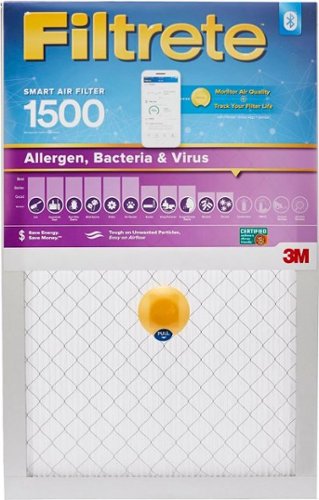
Improve the air quality around you with this Filtrete smart air filter. The air filtration technology eliminates bacteria and traps dust particles, while the built-in Bluetooth pairs with the Filtrete mobile app allowing you to track filter life remotely. This Filtrete smart air filter lets you monitor outdoor air quality for different locations conveniently.
Is the device that makes the filter 'smart' reusable, it would be a shame to throw it away every 3 months?
From what I can tell, no. And I completely agree that it seems wasteful.
5 years, 8 months ago
by
BillFromKC
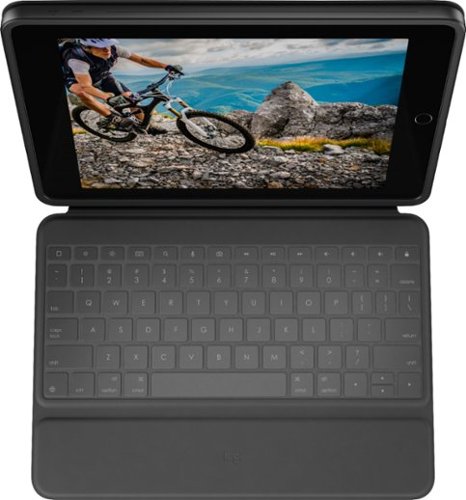
Experience comfortable laptop-like typing on your tablet with this Logitech Rugged Folio keyboard case for 7th, 8th, & 9th generation iPad. A flexible kickstand combined with sturdy hinges ensures you find the perfect angle for the task at hand. This Logitech Rugged Folio keyboard case is constructed with proprietary shock-absorbent material for optimal protection against accidental drops and other mishaps.
How does the keyboard charge? Does it cell batteries or does it draw power from the IPAD
It uses Apple's Magic Keyboard Connector, which means it draws power directly from the iPad. This also means this device doesn't need to pair to the keyboard like you would with a traditional Bluetooth keyboard.
6 years, 5 months ago
by
BillFromKC
Experience comfortable laptop-like typing on your tablet with this Logitech Rugged Folio keyboard case for 7th, 8th, & 9th generation iPad. A flexible kickstand combined with sturdy hinges ensures you find the perfect angle for the task at hand. This Logitech Rugged Folio keyboard case is constructed with proprietary shock-absorbent material for optimal protection against accidental drops and other mishaps.
Where is the pencil holder located? Does it lay flat for writing?
The pencil holder is located in the flap for the magnetic closure, and the case can lay flat for writing.
6 years, 5 months ago
by
BillFromKC
Experience comfortable laptop-like typing on your tablet with this Logitech Rugged Folio keyboard case for 7th, 8th, & 9th generation iPad. A flexible kickstand combined with sturdy hinges ensures you find the perfect angle for the task at hand. This Logitech Rugged Folio keyboard case is constructed with proprietary shock-absorbent material for optimal protection against accidental drops and other mishaps.
Can you type with this on your lap?
You can, but it's not very comfortable. There are better solutions that can make your iPad more laptop-like if this is what you're looking for; this case is more akin to using a Microsoft Surface tablet with one of the type covers, in that it uses a kickstand to keep the screen upright.
6 years, 5 months ago
by
BillFromKC
Experience comfortable laptop-like typing on your tablet with this Logitech Rugged Folio keyboard case for 7th, 8th, & 9th generation iPad. A flexible kickstand combined with sturdy hinges ensures you find the perfect angle for the task at hand. This Logitech Rugged Folio keyboard case is constructed with proprietary shock-absorbent material for optimal protection against accidental drops and other mishaps.
When you don't want to use the keyboard such as drawing with the Apple Pencil, can you remove the keyboard, such as disconnect it from the smart connector? Or can you disable the keyboard when it is not in use?
Just fold the keyboard behind the iPad and you're fine. You can also use a stylus and the keyboard at the same time.
6 years, 5 months ago
by
BillFromKC
Unlock new potential for your wireless headphones with this Airfly headphone accessory. It plugs into any conventional headphone jack to enhance your listening experience and can pair with in-flight entertainment systems for added convenience. This Airfly headphone accessory has an eight-hour battery life and recharges through USB, so it's easy to take anywhere.
Does this charge air pods. Lost my charger
No. This allows deivces without Bluetooth (like TVs, CD players, and so on) to connect to Bluetooth headphones, ear buds, and speakers.
Apple does sell the charging case for your AirPods in both wired and wireless options. Or if you're missing the charge cable, any Lightning cable will do.
Apple does sell the charging case for your AirPods in both wired and wireless options. Or if you're missing the charge cable, any Lightning cable will do.
Products from my answer
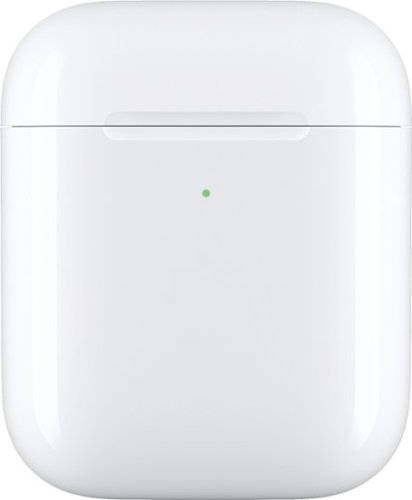
Apple - AirPods Wireless Charging Case - White
 (1,436)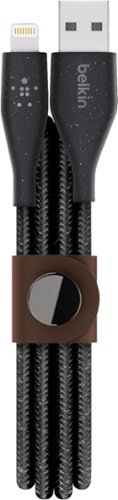
Belkin - DuraTek Plus 4' Lightning-to-USB Type A Cable - Black
(44)7 years, 1 month ago
by
BillFromKC
Ensure full power for your mobile devices during long drives with this Anker ROAV Bolt car charger. It~s compatible with Google Assistant for voice-controlled navigation and music streaming, and it supports versatile connectivity via Bluetooth, and auxiliary port. This Anker ROAV Bolt car charger~s compact, lightweight design offers convenient portability and storage.
I found the device listed on my Bluetooth list then when the home app popped up it kept trying to connect but neve did. What should I do? This is the screen I was stuck on.

Logitech C920s is a budget-friendly, work-from-anywhere webcam that delivers a professional video meeting experience. It includes features designed to make you look and sound great in your next meeting. A 78~ diagonal field of view perfectly frames you and your space, while autofocus adjusts smoothly and precisely. RightLight 2 technology automatically adjusts to your lighting situation even in low-light or backlit conditions. And dual integrated mics accurately capture your voice from multiple angles for greater nuance. If you~re streaming or recording, use Logitech~s Capture app to edit and customize. Flip down the lens cover at any point to protect your privacy.
I need a web cam for a presentation for a a showing on Facebook. The web cam will be on a screen from a projector going to Facebook live. Would this be the web cam to get or should I get a different one?
You should actually look at getting a video capture card if you're wanting to put the contents of your computer display (from a projector or monitor) to any streaming platform. There are also different software packages you could obtain that would bypass the need for video capture devices (camera or direct input) for this purpose, but you'd need a discrete video chip for this sort of software to work well.
7 years, 2 months ago
by
BillFromKC