


BillFromKC's stats
- Review count234
- Helpfulness votes729
- First reviewJune 27, 2012
- Last reviewJune 9, 2026
- Featured reviews0
- Average rating4.5
- Review comment count6
- Helpfulness votes10
- First review commentAugust 27, 2015
- Last review commentFebruary 19, 2017
- Featured review comments0
Questions
- Question count0
- Helpfulness votes0
- First questionNone
- Last questionNone
- Featured questions0
- Answer count65
- Helpfulness votes40
- First answerJanuary 9, 2014
- Last answerNovember 5, 2021
- Featured answers0
- Best answers9

The ROCCAT~ Kone Pro Lightweight Optical Ergonomic Performance Gaming Mouse with RGB Lighting is the result of over 14 years of devoted craftmanship and is the most advanced gaming mouse we~ve ever created. After meticulous global research into hand sizes and grip styles, the result is one shape to fit any hand. It~s the iconic Kone shape, perfected. Providing supreme comfort without compromising on performance, the feeling of using the Kone Pro is unrivalled. It seamlessly fuses with your hand, virtually disappearing, keeping you focused and immersed. The Kone Pro utilizes our Titan Switch Optical. With a satisfying and responsive tactile click, it~s reliable, fast and durable. No double-click issues and no learning curve. Thanks to advancements in our extreme lightweight engineering, the Kone Pro weighs in at just 66g. The ROCCAT Bionic Shell keeps the weight down and provides a comfortable and consistent surface, whilst keeping dust and dirt out. It transitions into a beautiful translucent finish on the main buttons, allowing vivid AIMO 16.8 million color lighting to shine through, creating the signature look. The Kone Pro features our state-of-the-art 19K DPI Owl-Eye Sensor which delivers world-leading responsiveness and precision. It also features the ROCCAT~ PhantomFlex~ cable, creating a near-wireless experience with a cable that virtually disappears ~ no friction, no distractions. Everything rests on our best-in-class pure PTFE heat-treated skates. They offer sublime glide right out of the box, with a spare pair thrown in for good measure.
Customer Rating

5
Interesting name for a great mouse
on May 20, 2021
Posted by: BillFromKC
from KCMO
I received this product in exchange for my fair and unbiased review.
After using it for a few days, the Roccat Kone Pro is my new favorite mouse for gaming. The lightweight design and the button layout fit not only my hand perfectly, but my son’s hand as well, and proved to be comfortable during extended gameplay.
The lighting is subtle, but I wish there was a little more of it and it was more customizable than it is. Tracking is nothing short of excellent on most any surface and the glides move very smoothly; it even comes with an extra set of glides should the preinstalled pair wear out.
The cable is sleeved and doesn’t get caught on bare MDF board edges. It’s also long enough for those who keep their computer on the floor or have a multi-monitor setup that necessitates a longer mouse cable.
Performance and ergonomics are both terrific. My kid tested with Minecraft and didn’t have a sore hand after 3 hours of crafting. I had a marathon gaming session with Halo MCE, Portal II, and Doom64; all were enjoyable with the mouse as it worked exactly how I wanted it to.
If you’re familiar with Roccat Hive, then you’ll know how to manage firmware updates, macros, and tweaking settings on the Kone Pro. It’s a quick download and is constantly updated. Also, unlike some other peripheral management software, Hive seems particularly lightweight and loads quickly.
So to conclude, this is a great gaming mouse.
Mobile Submission: True
I would recommend this to a friend!
Share this review:


0points
0of 0voted this as helpful.
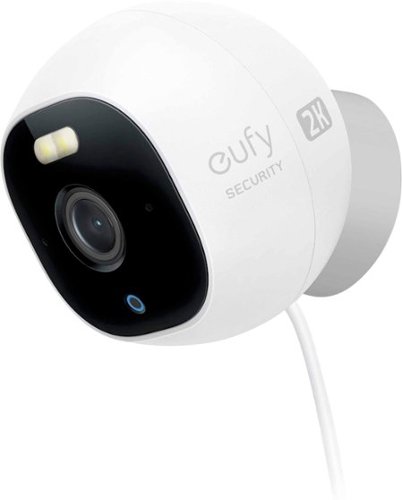
eufy Security Outdoor Cam Pro 2K is a wired 2K Wi-Fi surveillance camera that is completely free of the bounds of an external system hub- instead storing all the information locally in the 32gb SD card that comes with it. Check your high-quality, encrypted, 2K footage whenever you need to via the eufy Security app and only be alerted of the things that matter with AI Human and Pet detection. Outdoor Cam Pro is not compatible with eufy HomeBase. The USB adapter is not waterproof, a cover is required for outdoor use.
Customer Rating
5
Terrific value for all the features you get
on May 17, 2021
Posted by: BillFromKC
from KCMO
I received this product in exchange for my fair and unbiased review.
TL;DR - If Eufy isn't on your list of security products to consider purchasing, why not? High-quality cameras, software for your phone that works well, and unexpected features are just some of the reasons to consider Eufy's products. For the Outdoor Cam Pro, they hit one out of the park. It's super easy to set up, either with double-sided tape or a single screw and one thing to plug in. Video quality is great, it can stand up to a pounding Missouri rainstorm, and nighttime visuals work very well. The MicroSD card is easy to change out and the device comes with a name-brand 32GB MicroSD card, but supports up to a 128GB MicroSD card. The only negative is that this uses USB for power (Micro for the power cable to camera pigtail and standard A for the power cable to AC adapter) and the AC to USB adapter it comes with doesn't easily fit inside a covered outlet, but this is easily remedied with using a smaller AC to USB adapter; I would have preferred to see a barrel plug with a wire coming directly out of the AC adapter. Other than the one issue, I can definitely recommend this camera.
------------------------------------------------------------
Unboxing and initial setup:
Unboxing and initial setup:
This comes well-packaged in a compact box. You'll find the Outdoor Cam Pro 2k, the magnetic mount, the well mount with a cable clip, two screws with retainers, a single piece of double-sided tape formed to match the wall mount with cable clip, a very long USB power cable, and a USB adapter.
I chose to tape mine to the siding, but you can install this under the eaves, on a door frame, in an outdoor ceiling, or elsewhere as long as you have nearby (and constant) power within about 15 feet. Make sure that you run the power cable under the cable clip so it doesn't accidentally get pulled from the camera, and after you connect the power, that you wiggle the water-tight connection cover over the USB connection. It's also usable indoors and you can use a shorter USB cable for power if you want to to.
Adding it to the Eufy app was easy, and the app guides you through this process. You'll undo a water-tight flap which contains the setup/reset button and a slot for the included SD card, which you'll want to go ahead and insert at this point. Once the SD card is installed, press and hold the button to enter setup mode. Enter a couple of things in the Eufy app, and the camera connects to your WiFi and displays video on your phone. This camera also streams to Chromecast-enabled TVs, Google Nest displays, and Alexa Show devices by way of asking Google Assistant or Alexa to display the camera on those devices.
Another terrific feature this camera has, and one I was not able to test out unfortunately, is the ability to send video to RTSP-capable network video recorders. The app walks you through enabling this feature on the camera, and it's suggested that you make a static IP address for the camera if you decide to do this via DHCP address reservation in your router.
The only real negative was the choice for USB power. The pigtail coming off of the camera uses Micro USB, and the AC to USB adapter uses standard USB. The AC to USB adapter was also a longer unit, meaning that the USB cable plugged into it wouldn't easily fit under a standard in-use outlet cover. I was able to remedy this myself by using an AC to USB adapter that came with a phone I had. Just remember the camera requires a power adapter putting out 5 volts at 1 amp. As stated earlier, I would have preferred to see a barrel plug and an AC adapter with the cord coming straight out of it as this would be a more robust design.
------------------------------------------------------------
Usage:
Usage:
After configuring, the camera just goes and goes on its own. You can configure it to alert you when it "sees" people, pets, and any other motion. Eufy's software is good at detecting both people and pets - it would catch my family as we came and went from the house over the weekend, it would let me know if my neighbors' cats were in my back yard or by my house, and it picked up on coyotes being in my back yard. It did not trigger alerts for squirrels, deer, a rabbit, and the hawk that decided to eat lunch on my back porch.
The night vision of this camera is terrific, with a vast range before it loses focus on things in the back yard. I live on 4 a narrow 4 acres and I'm able to see past some large trees in my back yard at night, about 75 feet or so from the camera. It's even helped the sensitivity of another camera improve somewhat because of how bright the IR LEDs are. There's also a small spotlight on the camera with about the same brightness as your smartphone's flashlight LED, which is good for those moments your brighter motion lights aren't working but you want to see what's outside in color or let an uninvited guest know you're watching. The softer light is also good for when you're on your back porch at night and want something a little stronger than citronella torches but not blindingly bright.
The app is what pulls everything together for this camera. It's thoughtfully laid out and easy to use, including saving clips to your phone of things that go past it.
So for the reason you've read everything so far - how good is the camera? Well, in a word, terrific. It's a 2560x1440-capable sensor and the video it captures is crystal-clear. Colors look great and nighttime mode is perfectly clear. Audio is also recorded by this camera and it's some of the best I've heard from any outdoor camera or doorbell.
------------------------------------------------------------
Conclusion and final thoughts:
Conclusion and final thoughts:
The Eufy Outdoor Cam Pro is a terrific value proposition. 2k recording, excellent night vision, motion sensing that doesn't trigger on everything (unless you want it to), and a little built-in spotlight along with the RTSP recording feature that surprised me by being there make this a camera worth seriously considering. The USB power might be a turn-off for some, but you can work around it.
Mobile Submission: False
I would recommend this to a friend!
Share this review:


+2points
2of 2voted this as helpful.
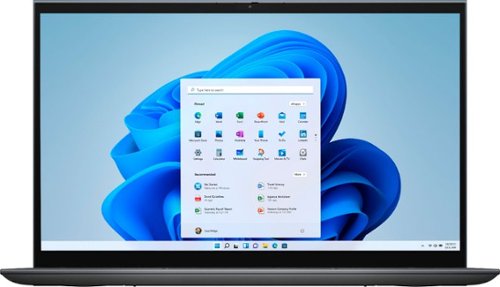
The Inspiron range of laptops and 2-in1s are thoughtfully designed so you can stay connected wherever you are with long-lasting battery life. Equipped with the latest processors, graphics, and thermal solutions; your PC runs quickly and smoothly as you connect with confidence. Optimized with technology that simplifies your life, Inspiron laptops and 2-in-1s offer a range of easy-to-use features all packaged in a minimalist and modern design. A newly designed and ergonomically positioned lift hinge increases comfort for a better typing experience when on chat, writing lengthy emails or connecting to your world. Rest assured that your privacy is secure with the mechanical privacy camera shutter. Also, the single sign on (SSO) fingerprint reader on the power button provides a more personal, more secure instant access login experience. And that~s not all, your Inspiron, is now environmentally conscious ~ The Inspiron compliments not just your style but also your values.
Customer Rating

4
Solid, premium-feeling laptop at a good price
on May 7, 2021
Posted by: BillFromKC
from KCMO
I received this laptop in exchange for my fair and unbiased review.
The quick review:
The Dell Inspiron 7415 is a midrange laptop with a premium build quality, premium features, and only a few minor and easily-overcome issues. The 14 inch touchscreen is very crisp and clear. The backlit keyboard and large touchpad feel great, and the computer features a fingerprint sensor that's as good as any in a smartphone. The design of the hinge is very smart; when sitting in laptop mode, it sits up far enough that the computer can breathe.
The AMD Ryzen 5 5500u processor is an absolute beast when it comes to power computing on the go, and the Radeon graphics are powerful enough for some light gaming on the go . The battery life is nothing short of amazing, easily surpassing 10 hours on a charge - enough to get you through a full day. With two USB A-type and one USB C-type ports, along with a HDMI port, MicroSD card slot, and an analog headphone port. The laptop also supports WiFi 6 (802.11ax) and Bluetooth 5.
The USB C port is also used as a charging port, which is a blessing and a curse - you'll need a USB C hub capable of passing through charging if you want to use USB-C devices and charge the laptop at the same time. The power brick also has a permenantly attached USB cable, unlike what some other manufacturers provide with their power bricks, but any 65 watt or better USB C charger should work with this laptop (just make sure you have a compliant USB C to USB C cable that supports the USB Power Delivery standard). The SSD in this laptop is also smallish at 256GB, but any NVMe SSD will work as an upgrade. The power button is in the upper right corner of the keyboard; while it's not easily pressed down with normal typing, I do recommend setting the option for "do nothing" in case you accidentally press it too hard. Finally, there is bloatware on this laptop just like you'd find with most Windows laptops, but everything you don't need that comes installed is easily removed.
All in all, it's another winner from Dell.
----------------------------------------------------------
The more in-depth review:
Unboxing and initial setup -
When I opened the box for the Inspiron 7415, I wasn't expecting the build quality it has, since my experience with all but the highest-end Dell laptops (Alienware and Precision) has always been an underwheling plasticy feeling. With the 7415, however, the screen and palmrest are aluminum with a smooth, satin-like finish. The bottom is still plastic, but it doesn't feel like cheap plastic at least.
The hinge for the display is a masterclass in engineering. It smoothly moves from the closed position to the standard laptop position and is designed to lift the botton of the unit off the surface you place it on, helping to keep it cool while operating. Pushing it even further back is still extremely smooth; while there is a noticable stop as the display gets to the 180 degree point, the motion continues smoothly all the way back as you keep pushing. While this laptop is not as light as a dedicated tablet is, it's still not bad to hold in tablet mode.
Seeing a pair of USB A-type ports along with the single USB C-type, HDMI, headphone jack, and MicroSD card slot was definitely a nice surprise. It's a little disappointing there's only one USB C port, however, considering the number of devices now coming with C to C cables or that natively use the USB C port; this means you'll need to purchase a dongle to use a USB C-only device while charging the laptop. While you can get around this with USB A to C adapters or cables in some instances, you can't plug the majority of native USB C to video adapters into a USB A port as these adapters take advantage of some special USB C features.
Usage -
Powering on the 7415 leads to a near-instant loading of Windows 10, thanks in part to the Ryzen 5 5500u processor and the NVMe SSD. Setting up Windows 10 is the typical affair for the most part - it does ask to scan your fingerprint, however, which is done on the power button. The fingerprint sensor is as quick and accurate as any smartphone or tablet and enables one-touch login. I'm not going to bore you with benchmark numbers, as you can find those elsewhere, but I will say this - the Ryzen 5 5500u is no slouch when it comes to heavy-duty tasks like video editing, 3D modeling, or code compiling. It'll give many current desktops a run for their money.
WiFi is particularly snappy in this laptop thanks to the 802.11ax-capable card installed. Network transfers from SSD-equpped desktop computers were fast over the WiFi connection, averaging somewhere between 85 and 100 megabytes per second, or 680 to 800 megabits. Compared to WiFi 5 laptops I have, the connection was about 40% faster overall.
Bluetooth works as it should. Headphones, gaming controllers, keyboards, and mice all easily connect and sound great.
The SSD is good but it's not great. 256GB is small, and even though it's an NVMe device, it didn't test much faster than older SATA3-based SSDs. The good news is this can be upgraded, and various manufacturers make NVMe SSDs that offer nearly limitless lightning-fast storage compared to the hard drives of yesteryear.
The battery life is amazing. While editing video, 3D design work, and gaming will kill the battery within a couple of hours, normal usage (surfing the web, streaming movies, using productivity software) will give you incredible battery life. I've seen well over 10 hours while surfing the web and watching things on Disney+.
8GB of RAM is usable for most people, but this is also easily upgradable using DDR4 SODIMMs.
The keyboard is an absolute joy to type on. While there are two laptop keyboards I'll immediately prefer over this one, Dell's keyboards have come a long way in 4 years. The trackpad is also quite nice, very large, and the chrome-finished edge makes it easy to see in the dark (though I would prefer it to have a backlit edge as well. The touch screen, like every other Dell touch screen I've owned, is also quality with a bright, detailed picture and terrific accuracy.
The webcam is okay. Not the most clear thing I've used, but far from the worst. The manual shutter on it is a nice feature, perfect for an added sense of security.
The other part of this laptop worth talking about is graphics performance. It has a Radeon 7 core integrated graphics processor. While this won't play every single game at ultra graphics in 4k resolution, it's fast enough for the casual gamer to enjoy pretty much any title available today at reduced graphical settings. As an example, Tetris Effect: Connected from XBox Game Pass, which is a moderately demanding title, ran at 1080p 60 fps with medium settings.
Downsides -
So there was some software that came with the 7415 I either have a long-seeded disdain for or I could find no functional reason for it to be there. The good news is this software was easily removed without the need to reinstall Windows 10.
I already mentioned that this laptop charges via USB C. This could lead to problems if your USB C port dies, since there isn't another USB C port on this laptop. I personally would have preferred to see a second USB C port instead of a second USB A port. This is the biggest reason I rated the laptop 4 stars instead of 5.
Speaking of the USB C charging, the included USB C charger's cable is integrated. I personally believe that this should use a connector like other laptops using USB C to charge, as this would potentially save you money should the charger fail (cables are cheaper than chargers, after all). Being this is USB-C and not proprietary, however, you can replace it with another brand of USB-C charger.
Finally, the SSD is on the small side. While I know some things had to be cut to make this laptop hit its price point, a 512GB SSD doesn't cost much more than a 256GB SSD these days. If you buy this laptop, this will probably be your first upgrade; the good news is it's an easy one.
Final Thoughts -
Out of the box, the Inspiron 7415 2-in-1 is a great choice for anyone looking for a midrange laptop that performs well. You get premium build quality, terrific performance, and some of the latest and greatest technology of today. It can go from work to play without a problem. You might be uninstalling some bloatware right away, but otherwise it's good to go from the moment you turn it on for the first time. If you do pick this up, consider getting a USB C hub to go with it if you have anything you plan on connecting that uses USB C.
Mobile Submission: False
I would recommend this to a friend!
Share this review:


+1point
2of 3voted this as helpful.

BISSELL SpinWave wet and dry robotic vacuum provides two ways to clean in a single revolutionary robot. The two tank system actively mops or powerfully vacuums with smart, structured cleaning paths. Use it in dry vacuuming mode to collect pet hair, dirt and other debris on carpet, area rugs and hard floors. When used in wet mopping mode, the mop pads and BISSELL cleaning solution work together to scrub floors clean. And, with the Soft Surface Avoidance Sensor, there's no need to worry about the robot going up on area rugs or carpets when in wet mopping mode. Plus, this product doesn't just clean up after pets, it helps save them, too. BISSELL proudly supports BISSELL Pet Foundation and its mission to help save homeless pets. When you buy a BISSELL product, you help save pets, too. We're proud to design products that help make pet messes, odors and pet homelessness disappear.
Customer Rating
4
A great little robot vac+mop but missing one thing
on March 26, 2021
Posted by: BillFromKC
from KCMO
I received this product in exchange for my fair and unbiased review.
TL;DR - the Bissell SpinWave robot vacuum and mop is not only an excellent value for what it is, but it does a job comparable to machines more expensive than it is. It's quiet enough to run while on the phone or during a video conference call while vacuuming, it's almost silent while mopping, and it does an awesome job in both modes. The ONLY THING I wish it had was a virtual wall, a feature I constantly used with my older Bissell robot vacuum. Otherwise, you can spend more on a robot vacuum and a robot mop and still not have machines that can do either job as well as this one does by itself.
Initial impressions and setup:
So in the box, you'll find the SpinWave robot with the vacuum collection chamber, corner brushes, and rechargeable battery all pre-installed. You'll also find the mop module with two microfiber pads installed, a bottle of cleaning solution, the dock and charger, brush roll cleaner, extra corner brushes, microfiber pads, and instruction literature in the package.
So in the box, you'll find the SpinWave robot with the vacuum collection chamber, corner brushes, and rechargeable battery all pre-installed. You'll also find the mop module with two microfiber pads installed, a bottle of cleaning solution, the dock and charger, brush roll cleaner, extra corner brushes, microfiber pads, and instruction literature in the package.
Initial setup is straightforward. You'll want to charge the robot overnight before you proceed with setting up the connection to your WiFi, so you piece the charging dock together. Keep in mind that you'll want to make sure you have about a foot on either side of the dock at the minimum for placement. Power the robot on and set it on the dock, making sure its charging contacts touch the dock's charging contacts; when this is done properly, you'll see the power indicator and the ring of LEDs on the robot "breathe".
Make sure that you install the Bissell Connect app on your phone before you continue with your setup. You'll need to make an account with Bissell to do this part, but you get the option to not receive emails from their marketing team so that's a win at least.
Once that's installed and the SpinWave robot is fully charged, you'll use the Bissell Connect app to configure the robot's connection to your network. This is necessary for using the device outside of the very basics; as there's only a power button on the unit, you won't be able to adjust settings or set timed cleanings otherwise. Unit setup is very straightforward though - you'll find a QR code sticker on the bottom of the robot, it'll ask for your WiFi password, and you're done at that point.
As far as design goes, the SpinWave robot itself is very clean in terms of design. The interchangeable bins are simple to manipulate. The vacuum collection bin is easy to empty and the filter is easy to clean and change. The mop pads and tank assembly is easy to fill and easy to clean. The corner brushes are easy to change out. The only part of the design I could knock is the charging dock could snap together instead of how it goes together.
Usage:
The controls are very simple. When you've viewing the screen in the app for your SpinWave, you'll see a start button and a few controls at the bottom to adjust cleaning settings. For the vacuum mode, you can adjust suction and whether you want a wide area clean with the automatic mode or you want a focused clean with the spot clean mode. For the mop, you can adjust how much cleaning solution or water is used and whether you want to have it clean a wide area with auto mode or clean a small area with spot mode. While it's on, the start button is replaced with buttons for pausing the cleaning cycle and stopping the cleaning cycle so the robot can return to its base.
The controls are very simple. When you've viewing the screen in the app for your SpinWave, you'll see a start button and a few controls at the bottom to adjust cleaning settings. For the vacuum mode, you can adjust suction and whether you want a wide area clean with the automatic mode or you want a focused clean with the spot clean mode. For the mop, you can adjust how much cleaning solution or water is used and whether you want to have it clean a wide area with auto mode or clean a small area with spot mode. While it's on, the start button is replaced with buttons for pausing the cleaning cycle and stopping the cleaning cycle so the robot can return to its base.
You select the cleaning mode of the machine by inserting either the dust collection bin or the mop pad/solution tank into the SpinWave robot. While some combo robot vacuum/mops can do both in one unit, having a "one or the other" device makes it less cumbersome to empty the dust collection bin and the water tank after use.
The vacuum mode works best on hard surface floors but does a good job with short and medium pile rugs. While it won't have the same power as a plug-in upright or can vac, it was able to get a significant amount of dust out of my medium pile living room rug and my short pile bedroom carpets. My hard surfaces were nearly debris-free after a cycle, including picking up a bunch of paper bits my child left on the floor. It also does a decent job of transferring between medium pile rugs and hard floors, along with clearing transition pieces between flooring surfaces you may have. The low mode is very quiet and good at picking up debris off of hard floors but not carpet, medium is still not annoyingly loud but will do a better job at picking up debris, and max mode is loud enough where most webcams and some phones and headsets will pick up its noise in the background.
Where it shines, however - no pun intended - is moping. The SpinWave's mop pads do an excellent job at getting grime off of hardwood, ceramic tile, and vinyl. Something else the SpinWave does is stay off your carpet in mopping mode; I even tested this in my basement where I have an outdoor rug on the floor and when the robot came in contact with it, it turned away as to not get the rug wet. The only noise my unit made while mopping was wheel noise, but it's quiet enough to run late at night so it mops while you sleep.
It did an excellent job at getting sticky stuff and stuck stuff off the ceramic in my kitchen. I tried with orange juice, pizza sauce, bacon grease, and chocolate sauce, and all 4 were cleaned with ease.
One thing that the SpinWave can do while mopping is sweep up some medium-sized debris. However, there isn't very much capacity for debris to get swept into and there is no vacuum running while mopping so it won't pick up small debris like dust and sand, so make sure you vacuum first. Also, keep in mind that if you have certain other Bissell cleaning machines like the CrossWave vacuum/mop, you can use the same cleaning solutions with the SpinWave. You can also use straight water if you want to.
Setting automatic cleaning times is also simple. You tell it what days of the week you want it to run, what time, and if you want it in low, medium, or max mode. You can also set multiple schedules for cleaning.
Drawbacks:
The biggest thing I'm missing is either room mapping or a virtual wall. I have an older Bissell robot vacuum and it has the virtual wall capability; being that I want to keep this unit in my kitchen and living room instead of having it clean the entire house in a single go, I'm actually annoyed that there isn't a virtual wall available (or if there is one, that I can't find it). While I can stick a 2x2 or a heavy box in front of a doorway, that's not an ideal solution for keeping the SpinWave in one part of my house.
The biggest thing I'm missing is either room mapping or a virtual wall. I have an older Bissell robot vacuum and it has the virtual wall capability; being that I want to keep this unit in my kitchen and living room instead of having it clean the entire house in a single go, I'm actually annoyed that there isn't a virtual wall available (or if there is one, that I can't find it). While I can stick a 2x2 or a heavy box in front of a doorway, that's not an ideal solution for keeping the SpinWave in one part of my house.
The other thing I noticed today is when the SpinWave got stuck trying to figure out how to get out of a predicament it got itself into, it beeped loudly instead of sending a message to my phone. I would much rather have the unit alert my phone to problems than beep loudly, especially if it's mopping at night.
Conclusion:
For the price, you can't go wrong with the SpinWave. It's a good robot vacuum cleaner for hard surfaces and short-to-medium pile rugs and carpet, it's a great automatic mop, it's quiet, and it's easy to use. Add the virtual walls or room mapping and it would be nearly perfect for the price.
For the price, you can't go wrong with the SpinWave. It's a good robot vacuum cleaner for hard surfaces and short-to-medium pile rugs and carpet, it's a great automatic mop, it's quiet, and it's easy to use. Add the virtual walls or room mapping and it would be nearly perfect for the price.
Mobile Submission: False
I would recommend this to a friend!
Share this review:


0points
0of 0voted this as helpful.
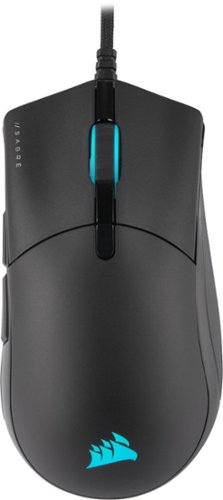
The CORSAIR SABRE RGB PRO Gaming Mouse is designed for and tested by esports pros, weighing an ultra-light 74g and equipped with a drag-reducing flexible paracord cable for responsive, unhindered movements. CORSAIR QUICKSTRIKE Buttons ensure every click is immediate and responsive, while CORSAIR AXON hyper-processing technology delivers inputs to your PC up to 8x faster with 8,000Hz hyper-polling. The SABRE RGB PRO is equipped with an 18,000 DPI optical sensor customizable in 1 DPI steps, with a DPI button to cycle through five presets on-the-fly. Finished with high-quality materials such as 50 million click-rated OMRON switches and 100% PTFE glide pads, the SABRE RGB PRO will cut through the competition.
Customer Rating
5
A very good choice for beginners and intermediates
on March 25, 2021
Posted by: BillFromKC
from KCMO
I received this product in exchange for my fair and unbiased review. Tested with a Xeon e3-1246v3 (4c/8t@3.5 ghz) with 32GB DDR3-1866, Radeon RX570 8GB, and on an Asus VG248QEZ@1080p/144 hz.
TL;DR - The Corsair Saber RGB Pro Champion Series gaming mouse has a familiar feel to it, between it's large size that fits well in my meat claws, it's scroll wheel that has that "just right" amount of tension in its movement, buttons that also have that "just right" amount of tension in their switches, and a a shape that is conducive to hours of play with FPS, MMO, and strategy games. The texture does take some getting used to and those accustomed to heavier or wireless mice might find the ultra lightweight design a little off-putting at first, but you do get used to it quickly. The only thing I can knock is if your cable management solution includes holes though a MDF surface, the paracord might get stuck. Otherwise, this is a good beginner to intermediate gaming mouse.
Unboxing and first impressions:
The mouse is packaged nicely. You'll find the cable wrapped with a Velcro tab. The paracord wrapping the mouse's cable is a little looser than I expected, but that's not a bad thing; just expect it to bunch up if you move the Velcro tab toward the USB connector. Speaking of, the USB connector is fairly stout in build quality but doesn't get in the way of other ports. You'll also find instruction and warranty literature in the package.
The mouse is packaged nicely. You'll find the cable wrapped with a Velcro tab. The paracord wrapping the mouse's cable is a little looser than I expected, but that's not a bad thing; just expect it to bunch up if you move the Velcro tab toward the USB connector. Speaking of, the USB connector is fairly stout in build quality but doesn't get in the way of other ports. You'll also find instruction and warranty literature in the package.
Setup:
Of course, you start by plugging in the mouse. The RGB lights are fairly bright before you can adjust them with the Corsair iCue software.
Of course, you start by plugging in the mouse. The RGB lights are fairly bright before you can adjust them with the Corsair iCue software.
If you already have Corsair's iCue software installed, then you're halfway done. If not, it's easy to install from Corsair's website. Once installed, open it and you'll see your Saber Pro in the software's home screen. You can adjust DPI and button assignments (other than left-click, that is) including disabling the on-the-fly DPI adjustment button, adjust the DPI mode, adjust the polling speed (up to 8000 hz - more on that later), adjust lighting mode and effects, and even calibrate it to your mousing surface.
The software is very straight-forward and easy to use, a much better experience than the last time I used it. (Kudos to your programming and software design team, Corsair!)
Usage:
You could say that "All mice are mice", but that doesn't help you learn about the features that can help your game. Having said that, I enjoyed paying Portal 2, Postal 2, Doom Eternal, DOTA, Sims 3, and Minecraft with it. GTA 5, RDR II, and the old puzzle game Bejeweled 3 were all alright but it's not my preferred experience.
You could say that "All mice are mice", but that doesn't help you learn about the features that can help your game. Having said that, I enjoyed paying Portal 2, Postal 2, Doom Eternal, DOTA, Sims 3, and Minecraft with it. GTA 5, RDR II, and the old puzzle game Bejeweled 3 were all alright but it's not my preferred experience.
The on-the-fly DPI adjustment is great for both FPS games when you're using a sniper weapon and for RTS games when you're placing things and you want to make sure you're placing things accurately; conversely, it's useful when you want rapid, twitchy movements in those games because speed trumps accuracy.
This is a good spot for me to bring up it's polling speed. Many optical and laser mice might update position data around 125-250 times a second (125 to 250 hz), with some higher-end "every day" mice being able to update it at 500 hz. Gaming mice typically run around 1000 hz. The Corsair Saber Pro Champion Series can update up to 8000 hz. While I did notice differences between 500, 1000, and 2000 hz, I didn't notice any difference between 2000, 4000, and 8000 hz. There's also a warning that the 8000 hz mode can use significant system resources, so I tried the mouse out at 8000 hz mode in an older Core 2 Duo computer running Windows 10 and did observe more processor usage with 8000 hz mode, though not enough to make a significant difference in most of the games that could run on that computer.
Note that for the Mac and XBox One gamers, the fastest the mouse's polling rate can be with those systems is 1000 hz. I wasn't able to test and confirm this myself on a Mac or an XBox.
Using it as an "every day" mouse is also an alright experience, but its size can sometimes make it awkward. If you use your gaming rig for work and play, you can always run a second mouse if you find yourself in this situation.
The RGB lighting is a nice touch. You can choose from presets Corsair provides or make your own, and Corsair's iCue software can be used to control some 3rd party smart lighting systems, which is awesome for those of you who want to expand your RGB lighting beyond the computer, mouse, and keyboard.
The only thing that was an annoyance was that paracord around the cable. While it stayed out of the way, unlike most mouse cables I've used in the past, it would catch on the MDF my desk is made out of.
Final thoughts:
If you're looking for a mouse to play strategy and first-person games with, the Corsair Saber Pro RGB Champion Series mouse is a safe bet for a comfortable mouse that'll get the job done. If you're just getting into PC gaming or you're experienced but don't want to spend a lot of money on a high-end mouse, this unit has enough features at it's midrange price point to keep you satisfied until you're ready to make the plunge into the high-end.
If you're looking for a mouse to play strategy and first-person games with, the Corsair Saber Pro RGB Champion Series mouse is a safe bet for a comfortable mouse that'll get the job done. If you're just getting into PC gaming or you're experienced but don't want to spend a lot of money on a high-end mouse, this unit has enough features at it's midrange price point to keep you satisfied until you're ready to make the plunge into the high-end.
Mobile Submission: False
I would recommend this to a friend!
Share this review:


0points
0of 0voted this as helpful.
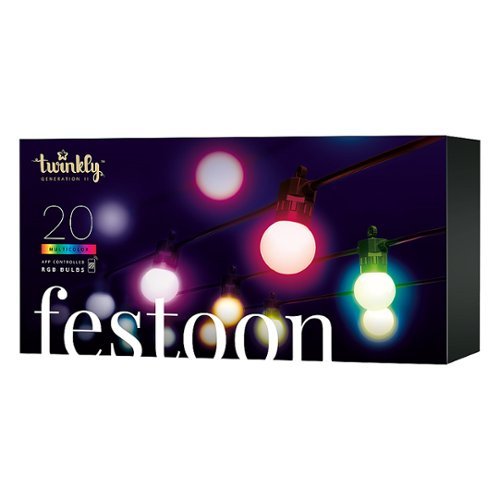
Twinkly Light Strings will add advanced technology and innovation to your home with premium decorative lighting. Getting started with Twinkly lights is easy, a quick and intuitive setup process configures your device in a matter of seconds. The Twinkly ecosystem uses a Bluetooth and Wi-Fi controller with a state-of-the-art smartphone application, bringing new levels of lighting design and creativity to customize your connected home. Like all Twinkly products, every single LED light can be controlled individually, allowing you to create and reproduce unique effects, gradients, and color animations. Twinkly Lights can be grouped together with other Twinkly devices to create larger, synchronized light installations and combined with Twinkly Music (sold separately), to offer a fully customizable light show to fit any occasion. The Festoon Light String has 20 RGB LED lights, each G45 shape measures 1.67" in diameter.
Posted by: BillFromKC
from KCMO
I received this product in exchange for my fair and unbiased review.
TL;DR - the Twinkly Festoon Lights are the ultimate café-style light for indoor or outdoor use. you can set them to use what feels like a nearly infinite number of colors, you can program them to display different patterns either independently or to the sound of your music (using the mic in your smartphone or tablet), and you can control them using your smart speaker (Google and Alexa are supported) and even Razer Chroma. If you're looking for a fun way to decorate an outdoor seating area or you're looking to add some fun to a room, I can highly recommend these.
Unboxing and setup:
If you've ever bought a set of LED café-style lights, they're packaged pretty much identically - so if you're impatient like my kid is, you're going to tangle the wires. The "bulbs" are permanently attached, so there's no replacing them unfortunately, but this shouldn't be an issue as LEDs have a long lifespan. The only difference compared to some sets is you have an inline LED controller; sets that use single-color or non-controllable RGB LEDs generally don't have the inline controller.
If you've ever bought a set of LED café-style lights, they're packaged pretty much identically - so if you're impatient like my kid is, you're going to tangle the wires. The "bulbs" are permanently attached, so there's no replacing them unfortunately, but this shouldn't be an issue as LEDs have a long lifespan. The only difference compared to some sets is you have an inline LED controller; sets that use single-color or non-controllable RGB LEDs generally don't have the inline controller.
Connecting Twinkly to your home network is cakewalk. You'll want to download the Twinkly app to your smartphone or tablet (iPhone, iPad, and Android devices released over the last 3-5 years are generally supported). Once you set up an account, connecting the Twinkly device to your home network only involves pressing and holding a button, entering your WIFI password, and letting the app run a firmware update. Optionally, you can add Twinkly to your Google Home app or as an Alexa Skill.
The final step - and you'll have to do this at night if you set Twinkly up outside - is letting the Twinkly app map your lights out. It uses your smartphone or tablet's camera to do this, so the better your camera is, the better it can discern individual lights in a strand (I used an iPhone 11 to do this step the first time, but my wife's iPhone 12 performed nearly the same). If you have other Twinkly devices (the holiday lights, for example), the app can map out tons of lights for higher-resolution displays. Even just 20 lights like what this set has is enough for some patterns to be recognizable, however.
Usage:
The app is very straight-forward. You can select patterns or make your own. You can also edit existing patterns that either come built-in or are downloaded through the app. You can also select solid colors for each light, from a single color to an entire spectrum.
The app is very straight-forward. You can select patterns or make your own. You can also edit existing patterns that either come built-in or are downloaded through the app. You can also select solid colors for each light, from a single color to an entire spectrum.
You can also use the app to set power on and power off times for the lights. This was useful for me as I installed them in my kid's room, where they function as a surprisingly calming nightlight.
I used Google Assistant to also set solid colors and power the lights on and off. While different shades of white weren't accurate (ghost white, daylight white, and bright white were cooler than I hoped for while incandescent and soft white were much more yellow), the other colors that Google Assistant recognizes for other smart lights were accurate and switching was fast.
For the gamers out there, you can also use Razer Chroma. I didn't try that, but that's nice to have as an option.
Drawbacks:
The biggest drawback is the power adapter, since it's a wall wart and not in-line or integrated into the controller. Actually, that's the only drawback I can find as it makes it more difficult to do a proper outdoor installation (most covered outlets won't have room for the AC adapter, which means you'll need a short extension cord and somewhere where the adapter and cord won't be exposed to the elements). You can, however, get larger outdoor outlet cover boxes that would fit the adapter. Changing this one thing, Twinkly would be perfect for any installation.
The biggest drawback is the power adapter, since it's a wall wart and not in-line or integrated into the controller. Actually, that's the only drawback I can find as it makes it more difficult to do a proper outdoor installation (most covered outlets won't have room for the AC adapter, which means you'll need a short extension cord and somewhere where the adapter and cord won't be exposed to the elements). You can, however, get larger outdoor outlet cover boxes that would fit the adapter. Changing this one thing, Twinkly would be perfect for any installation.
Also, the only other issue I had was needing to reconfigure the Twinkly device after performing a firmware update. It happened to me with a Plume mesh network, but with other Twinkly devices I've helped set up on single access point WiFi networks, I've not had this issue. This is very minor though since setup doesn't take very long.
All in all, the Twinkly Festoon Lights are great for what they are and something I recommend for a fun lighting alternative you can put anywhere.
Mobile Submission: False
I would recommend this to a friend!
Share this review:


+1point
1of 1voted this as helpful.
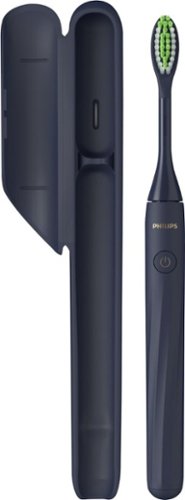
Philips One by Sonicare is an ultra-portable electric toothbrush that keeps your smile bright. Always be ready to touch up your smile, no matter where the day takes you. Designed with you in mind, Philips One is a big step up from manual brushing.
Customer Rating
5
My teeth have never felt cleaner
on March 6, 2021
Posted by: BillFromKC
from KCMO
I've received this product in exchange for my fair and unbiased review.
The Philips One by Sonicare more than gets the job done - it leaves your teeth feeling as if you just left the dentist. While the high speed vibration takes some getting used to, it's worth the bit of awkwardness that you get at first. Even when you have a permanent retainer or other orthodontic work in your mouth, the One manages to get the job done amazingly well.
Considering this is a battery brush instead of a rechargeable brush, this would be terrific for travelers as you wouldn't have to deal with the plug-in charger.
The only drawback is I found it somewhat difficult to get the brush open to test battery replacement. Otherwise, it's super easy to use.
All in all, the Philips One by Sonicare is worth getting, even at full price.
Mobile Submission: False
I would recommend this to a friend!
Share this review:


0points
0of 0voted this as helpful.

This H&R Block Deluxe + State Tax software offers everything homeowners and investors need to easily complete federal taxes. It includes a free online chat with a tax professional, step-by-step guidance on hundreds of credits and deductions, in-person representation in the unlikely event of an audit, and reporting assistance on income from investments, home sales and more.
Customer Rating
5
Another year, another excellent experience
on February 25, 2021
Posted by: BillFromKC
from KCMO
I received this product in exchange for my fair and unbiased opinion. I’m also going to keep this short and sweet - H&R Block’s Tax Software Deluxe makes it easy to prep and file your taxes. W-2, 1099s, and all your other forms are simple to enter, and it’ll find other deductions for you that you may not have thought about. It’ll also help you amend your taxes from previous years should it find anything in previous years that you owe or should get back.
And it’s cheaper than dropping your documents off at the office.
Just remember that with the state edition that you will still need to pay the state e-file fee.
Mobile Submission: True
I would recommend this to a friend!
Share this review:


0points
0of 0voted this as helpful.
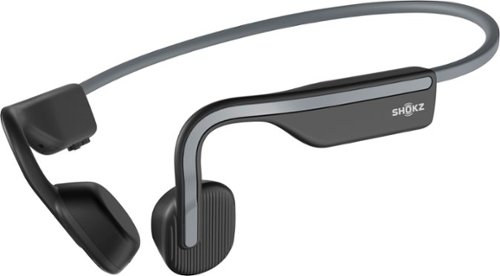
Inspired by athletes, designed for everyone. Shokz OpenMove Bone Conduction Lifestyle/Sport Headphones were made to move you. For the past 10 years, Shokz has been dedicated to providing safety and situational awareness through bone conduction technology. Unlike traditional in-ear headphones, OpenMove features the signature Shokz open-ear design to keep you tuned in to your music and your moments. The lightweight, titanium fit makes it easy to move through your day with versatility.
Customer Rating
4
Almost the complete package
on January 15, 2021
Posted by: BillFromKC
from KCMO
I've received this product in exchange for my fair and unbiased review.
TL:DR:
The AfterShokz - OpenMove Open Ear Headphones are interesting to say the least. They're a hybrid open-ear/bone conduction headphone, meaning that you get all the benefits of open-ear headphones for your outdoor workouts (environmental awareness through sound) while you get the benefits of bone conduction headphones (better bass than standard open-ear headphones). Audio quality is surprisingly good, battery life is decent, you get USB-C charging, they're packaged very well, but the headband is not adjustable and there's no app to adjust audio quality or other features of the headset (though the audio quality is exceptional for this type of headphone).
------------------------------------------------
First impressions:
Unboxing was simple enough, and everything in the packaging has a premium feel across the board. The headset itself has a premium feel thanks to soft-touch plastics. In the package, you'll find a USB-C charge cable, a cinch sack for storage, foam ear plugs, instructions in more languages than I can count, warranty information, and registration information on a card. A 2 year warranty was unexpected, but a nice bonus.
------------------------------------------------
Setup and usage:
Pairing the AfterShokz is just like pairing any other Bluetooth headphone - hold the power button until the indicator starts flashing, select the headphones in your Bluetooth settings to pair, and go. There's no app to install to adjust settings or handle multi-pairing. There also is no multi-pairing (connectivity to two devices at once), but it's easy enough to switch between devices on the fly (for instance, from your iPhone to your Apple Watch) by re-pairing between devices.
The charge port is located under a door, like most headphones. It uses USB-C, a nice surprise that makes plugging the cable in simple. The cable that comes with the AfterShokz is also longer than the average charge cable.
The behind-the-head headband design is comfortable for me, but it's how I prefer to wear headphones. It gives just the right amount of squeeze on your head to keep them planted but not induce a headache. It's not adjustable, however, which is disappointing because being able to wear the ear phones without the headband touching my head would be nice.
------------------------------------------------
Audio quality:
So how do they sound? For what these are, they're surprisingly good, but you have to find the perfect spot (or spots) on your head for listening first.
On finding the "perfect spot", I actually found two for me - the first is the fossa triangularis (Google it) and the other being between the upper half of my outer ear and where the sphenoid bone meets the ridge of the zygomatic bone (Google this as well). Your perfect spots may vary, because we're all different. The fossa triangularis happens to be where they worked as regular open ear headphones for me, the other location as bone conduction transducers.
On finding the "perfect spot", I actually found two for me - the first is the fossa triangularis (Google it) and the other being between the upper half of my outer ear and where the sphenoid bone meets the ridge of the zygomatic bone (Google this as well). Your perfect spots may vary, because we're all different. The fossa triangularis happens to be where they worked as regular open ear headphones for me, the other location as bone conduction transducers.
No matter how I wore them, I found the soundstage is surprisingly wide for something like these. While bass and treble both seemingly cut off within the range of human hearing (more so in the ear versus on the skull), it's not a bad thing as using my sine wave generator app caused a funny feeling using these at both low frequencies and high volume (35-55 hz), and mid-bass frequencies at a moderate volume (175-320 hz). Also surprisingly, the AfterShokz did not distort while testing it's response range; most headphones I test with Bluetooth tend to distort at low frequencies and high volumes (any frequency below 45 hz).
For music, I played a selection that included classics from Snoop Dogg, Gorillaz, Iron Maiden, Rancid, the Misfits, Garth Brooks, Nine Inch Nails, and Debussy. The flat response through all but the highest of highs sounded refreshing across genres, and the soundstage felt much wider than it should have been. Of particular note, I could barely detect the sound of Bluetooth artifacts while listening to Claire De Lune; classical is often the best way to catch these compression artifacts.
Video playback was synced quite well, no matter if the source was YouTube, Facebook Watch, Apple TV+, or Comcast Stream. Gaming was also a good experience as sound effects weren't laggy.
One other thing these come with is a pair of foam ear plugs. While I don't recommend these as your "I'm lounging around the house and I want to listen to music while toning the world out" headphones - and I would tell you to invest in a midrange to the lower side of high-end pair of over-ear headphones for that - the ear plugs let you experience what the bone conduction tech can really do. It's impressive to say the least.
------------------------------------------------
Comparison to other types of headphones:
(This section is for those who aren't familiar with bone conduction technology.)
Bone conduction transducers aren't your typical headphone drivers. While the endgame is the same, how they achieve the goal is different as bone conduction literally puts the sound inside your head. You'll even go as far as to feel your music if it's loud enough, as the transducers do vibrate where you can feel beats and even some bass drops.
If you were to compare the sound of these to a good pair of earbuds or on-ear/over-ear headphones that seal to your ear, these come up slightly flat and night as bright in comparison. However, with those good earbuds or on-ear/over-ear headphones at this price point, you'll likely not have a transparency mode worth using, if they even have one at all, meaning you won't have the same level of environmental awareness (if any).
You could also spend two to three times as much for open-ear earbuds or headphones that give you slightly better treble response but at the cost of a loss of low bass and even some mid bass; most other open ear headphones would also have a more narrow sound stage. They'd likely match the level of environmental awareness you'd receive with the AfterShokz though because of their design.
Finally, compared to wearing on-ear headphones improperly so you can hear around you, the AfterShokz will give you a superior fit and level of environmental awareness, which generally matches the audio quality you'd get doing this.
------------------------------------------------
Final thoughts:
I could completely recommend the AfterShokz OpenMove headphones to anyone looking for good audio quality while retaining environmental awareness. These really are made for runners, bikers, golfers, and anyone who wants quality audio while retaining environmental awareness. The only major issue you could have is if you have a huge head or a lot of hair - especially dreadlocks - for fitment issues. The lack of an app is a minor thing for me, but it would have been nice to have an EQ to adjust. For what they are and for how much they cost, however, they're an excellent value.
If you want open ear headphones, these are it.
Mobile Submission: False
I would recommend this to a friend!
Share this review:


+6points
7of 8voted this as helpful.
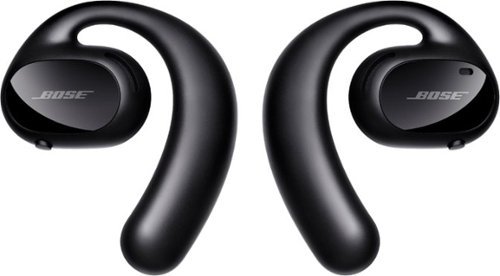
Bose Sport Open Earbuds are true wireless earbuds like you~ve never seen or heard before. What makes them truly unique is that they are the first workout headphones of their kind that combine exclusive Bose OpenAudio technology with an innovative open-ear headphone design to produce high-quality sound without covering your ears. This allows you to hear your music and the world around you for an unbelievable, full-sensory experience. The city. The surf. Your running buddy. Hear it all and your music at the same time with these entirely new, entirely open sport earbuds. Sound is what motivates, and Bose Sport Open Earbuds deliver. The exclusive Bose OpenAudio technology produces clear, consistent sound that~s more authentic and comfortable than bone conduction. In addition, acoustic spillage is minimal thanks to speaker placement that~s closer to the ear. A comfortable and secure fit is crucial when exercising. These sport earbuds were rigorously designed and tested to gently rest on your ears while staying put no matter how intense your workout. Bose Sport Open Earbuds also offer up to eight hours of play time (with daily charging), an advanced mic system for crystal-clear calls, and IPX4 sweat and weather resistance. Now you can combine the environment that invigorates you with the content that motivates you.
Customer Rating

2
Sound quality good but features definitely lack
on January 9, 2021
Posted by: BillFromKC
from KCMO
I received this product in exchange for my fair and unbiased review.
TL;DR - The Bose Sport Open Earbuds have almost as many positives as they do negatives. Sound quality is good if you don't mind the lack of bass from them sitting on your ears instead of going in them, fit is excellent, and call quality works well. However, the case doesn't charge the earbuds or power them off, the charging dock has a permanently-attached USB cable, there is no audio customization, and the app for these requires an unnecessary login since it doesn't have a "Find My" feature. If these well less expensive, I'd give them 3 stars, but they're too expensive for what they are.
You can find better, more feature-packed sport ear buds for less money.
---------------------------------------------------------------------
Unboxing and first impressions:
Inside the no-frills Bose packaging (which I love) , you’ll find the Sport Open Earbuds, a magnetic charging dock with a short, permanently-attached cable, a case with magnetic earbud holders, magnetic closure, and no charging capability, and the setup and warranty literature.
I'm actually disappointed. Ear buds in this price class should come with a case that at least charges the ear buds, if not also charges wirelessly itself. Instead, we're stuck with a cheap case and a dock that, if it breaks, will probably set you back the price of 4 or 5 GOOD USB-C cables. Let's hope nothing breaks that permanently-attached USB cord...
---------------------------------------------------------------------
Setup:
You’ll want to install the Bose Music app on your phone for this process since it allows for multi-paring and lets you turn the left ear functionality on and off. I’m a little disappointed that the existing Bose Connect app I have for my other Bose products I own doesn’t work with these earbuds. I’m also disappointed I had to create an account to use the Bose Music app; the older Bose Connect app didn’t require this.
Charging is easy enough - plug the charging dock into any USB port and drop your Sport Open Buds into it. They’ll flash white LEDs to indicate they’re charging and glow solid when they're at 100%. However, this is still a charging dock that shouldn't exist since the greater majority of true wireless earbuds available - even the super cheap ones at a store with the price of most items it carries in its name - charge inside of their case.
Speaking of case, while its nice that the case these come with has a magnetic closure and magnetically hold the earbuds, it's not a charging case and it overall cheapens the experience. Come on, Bose - it's 2021 and we want to charge our earbuds in their case when we're not using them.
---------------------------------------------------------------------
Usage:
So pairing is easy enough. Turn on the right earbud and both power up. Connect it either in your phone's settings app or in the Bose Music app. The Bose Music app also allows for multiple connections between the earbuds and other devices supporting Bluetooth, useful for those who want to go from phone to computer or who have a phone and a smartwatch they want connected simultaneously.
You'll want to control music playback, taking calls, and your phone's assistant through your phone; the single buttons on either earbud are hard to quickly find while you're on the move. Also, you'll have to control the volume through your phone as there is no way to do so on the earbuds. I don't have a problem with this, but I know some people will.
---------------------------------------------------------------------
Sound quality:
Stereo. separation is good, frequency response is terrific. If these sealed with your ear, the bass response would be pretty good; however, they sit far enough away from your ear that you can hear the world around you almost unimpeded, so bass suffers. Audio quality through Apple Music high bandwidth mode and with FLAC and ALAC-encoded audio files sounded good enough; not the best I've heard but still clear and crisp.
Unlike many other headphones and earbuds I've tested over the years, however, there is no audio customization. I can't turn up the treble or bass, and I can't adjust an EQ to bring out vocals. Even earbuds at a third of the cost can do this. At least audio response is flat from about 100Hz on up to the limits of human hearing.
---------------------------------------------------------------------
Final thoughts:
These are too expensive for what they are. With no charging case, no audio customization, and a required dock to charge, they feel out of place at their price point and in 2021. Had Bose made these with a charge case instead of a dock, I could have given these 4 stars. But because of the inconvenience factor and Best Buy's lack of half-star ratings, I gotta give it 2 stars out of 5.
Would I recommend these? Only in one particular case - you want Bose, you're okay with overspending on earbuds, and you're okay with the drawback of not being able to charge in a case. Otherwise, look elsewhere; you'll likely find similar earbuds with better features, or earbuds that go into your ear and have "transparency mode" at a similar price point so you can still hear the world around you but you don't lose the bass.
Mobile Submission: False
No, I would not recommend this to a friend.
Share this review:


+3points
3of 3voted this as helpful.
BillFromKC's Review Comments

Westinghouse HDTV: Enjoy your favorite movies, shows, games and sporting events in realistic 1080p resolution on this Westinghouse HDTV's LED panel. Ensure fast-moving scenes remain clear with a 60Hz refresh rate that minimizes blurring and ghosting.
Overall 1 out of 5
1 out of 5No HD tuner
By Westingtonhouse
I can not imagine that tv in today time do not have digiter tuner. I bought 6 now I have to return them since i use cable straight from wall for tv from COX

BillFromKC
KCMO
This TV has an ATSC tuner.
August 27, 2015
There's no guarantee that ATSC tuners will work with ClearQAM cable channels, and even so, the greater majority of cable providers now scramble all cable channels. Including OTA channels. Because the FCC changed the rules and they're allowed to do this now.
+6points
6of 6voted this comment as helpful.
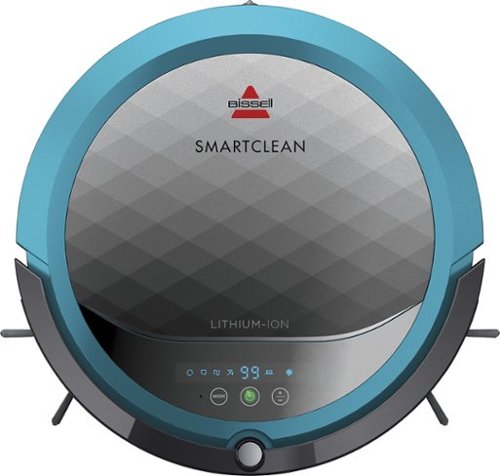
BISSELL SmartClean Robot Vacuum: Easily rid your floors of dirt and debris with this vacuum that uses Opticlean optical sensors and a Triple-Action Cleaning System to tackle your floors. Invisible Wall technology lets you target specific areas.
Overall 3 out of 5
3 out of 5Hard To Program
By FortFun2
from Illinois
Found it is difficult, not intuitive, to program. Others have said if you loose power all your programming is lost, but we haven't lost power yet so can't confirm. I just wanted it to run when I left the house without a set program and contacting Bissell just led to more confusion. But, once I got it working I was impressed with the amount of pet hair it removed.
BillFromKC
KCMO
I can attest to this.
September 16, 2016
Sometimes, I have to plug mine directly into the charger to get it to charge because the battery is overly drained. Because of this, I don't even bother programming it anymore.
0points
0of 0voted this comment as helpful.

The new MacBook Pro is faster and more powerful than before, yet remarkably thinner and lighter.~ It has the brightest, most colorful display ever on a Mac notebook. And it features up to 10 hours of battery life.~ It~s a notebook built for the work you do every day. Ready to go anywhere a great idea takes you.
Overall1 out of 5
1 out of 5Terrible
By Joel
I purchased this one month ago and it has a faulty display. Best Buy takes no responsibility and will not exchange it for a good one. I have left voicemails for a district manager to call me and no one has called. I will never shop at Best Buy again.
BillFromKC
KCMO
Yep, take it to Apple.
January 13, 2017
If Best Buy is doing you wrong, just take it to your nearest Apple location and they'll set you up with a fix or a new one.
+4points
4of 4voted this comment as helpful.
![The Secret Life of Pets [DVD] [2016]](https://pisces.bbystatic.com/prescaled/500/500/image2/BestBuy_US/images/products/5224f7b2-43d6-4d33-8d0e-315348745874.jpg)
Overall1 out of 5
1 out of 5Bootleg Copy of Secret Life of Pets
By Disappointed
About 15 minutes into the movie the volume became muted and a message came on the TV that this was a bootleg movie. An unauthorized copy. Be very careful purchasing DVD's or Blu Ray movies from Best Buy. They just may leave you and your grand children very disappointed as it did our family.
BillFromKC
KCMO
This could very well be your DVD or Blu-Ray player
January 20, 2017
causing your issues. The Film Industry (MPAA and associated groups) are known for their draconian DRM systems, first with DVD and now with Blu-Ray and 4k Blu-Ray.
if your Blu-Ray player isn't connected to the internet, connect it to the internet and update its firmware. That should fix all your issues.
0points
0of 0voted this comment as helpful.
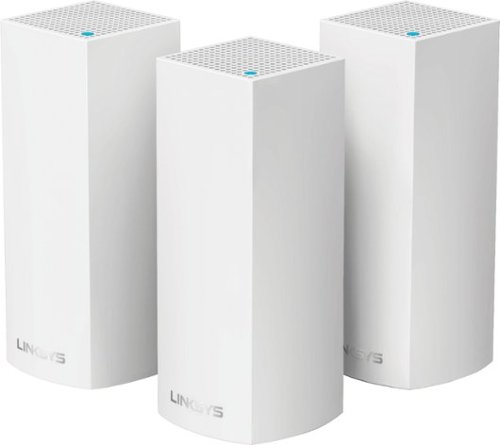
Make your home an internet haven with this versatile Linksys Velop wireless Wi-Fi system. Three identical tri-band dual-stream AC2200 routers, each equipped with a quad-core ARM Cortex-A7 processor, deliver lightning-fast internet. Equipped with Bluetooth 4.0/LE, this Linksys Velop wireless Wi-Fi system is simple to set up and pairs easily with computers, tablets and smart devices.
Overall5 out of 5
5 out of 5This is the future of WiFi
By neio11
I threw (recycled) away my wifi extenders plus I am now able connect a device with an ethernet cable without having to run cables through the walls because each node has 2 ethernet ports. So for instance, I have one node connected to my modem and an ethernet switch. My 2nd node in another room is connected to an NVR for my security cameras. The speed through the nodes is surprisingly fast. The NVR is capturing HD videos from 3 cameras and it seems to capture fine. The 3rd node is in my living room area. The whole house is covered! Please put a password on your wifi otherwise you'll be supplying FREE wifi for your neighbors. I can have full internet access from 3-4 houses away from my house. I thought installation would be a pain considering you have to setup each node. Well, I shouldn't say "have to" because you don't have to use all 3 nodes. You can use only 1 or 2 and give the 3rd to me. haha. No but setup is a breeze! The only thing is that you have to use a smart device such as a tablet or phone, to do the setup. Velop currently doesn't support PC-based setup but I hope Linksys changes that especially for us "techies"!!! It works with Alexa. You can ask #Alexa what the wifi password is... so they say. I haven't had much success with it yet. It looks clean and neat. It doesn't all those antennas sticking out of it which makes it aesthetically pleasing.
I'm loving so far!
BillFromKC
KCMO
The setup process basically forces you to put a...
February 19, 2017
...password on your WiFi network. In fact, it's one of three things it asks when you set up the parent node, the other two being "Do you connect directly to the internet or through a modem/router device provided by your ISP?" and what to call your wireless network.
0points
0of 0voted this comment as helpful.
Make your home an internet haven with this versatile Linksys Velop wireless Wi-Fi system. Three identical tri-band dual-stream AC2200 routers, each equipped with a quad-core ARM Cortex-A7 processor, deliver lightning-fast internet. Equipped with Bluetooth 4.0/LE, this Linksys Velop wireless Wi-Fi system is simple to set up and pairs easily with computers, tablets and smart devices.
Overall5 out of 5
5 out of 5Blazing Speed, Best In Class Performance!
By gadgetguy11
The Linksys - Velop Tri-Band Whole Home Wi-Fi System (3-pack) is packaged in a beautiful & functional box with magnetic closure - it exudes quality! Each Node is protected individually. Just looking at the box, you expect a premium, esoteric product... & Linksys delivers that & more in spades! The shapely Nodes are beautiful & blend with any decorating style.
Simple set-up via the Linksys iOS or Android App. Within minutes, you are ready to go online.
As shown in attached photo, I have 90 wireless devices utilized over 5,000 sq feet / 3 floors: this is a challenging application for high speed Wi-Fi that includes: connected major appliances; BAS ceiling fans & Haiku Wi-Fi connected lights; Wi-Fi Thermostats; Netatmo Wi-Fi Weather Station; 65 Hue Lights; Connected exterior door locks; Wink Wi-Fi connected devices; connected iDevices, Nest & Arlo cameras; iPads; iPhones & computers. Finally, Streaming from 4) Apple TV's; Nixplay Wi-Fi Photo Frames.
And now the Results:
Velop delivers the fastest Wi-Fi speed I have ever experienced and does so consistently! The attached screen capture shows 349 Mbps Download / 23 Mbps Upload. These are WIRELESS speeds!! I pay for 300 Mbps Download / 30 Mbps Upload & our internet service provider generally delivers 300 - 360 Download & 22 - 32 Upload.
Velop is the only Wi-Fi System I have found to date that actually delivers this sustainable speed and does not randomly disconnect the many devices.
High power Wi-Fi requires a high current source. Each of the 3) square white power supplies produce 12 Volt, 2 Amp output! 24VA (Volt Amps) is the highest output of any router I have tested. Better yet, the cable that plugs into each Velop is perfectly angled at the plug so the wire routs neatly through the cable management feature at the base. Brilliant design!
PRO's:
1- Fastest Wi-Fi Speed
2- Easy approximate 10 minute Set-up per hub
3- Velop Nodes are very attractive & blend with any architecture
4- Robust infrastructure yields dependable performance
5- 24/7 Support
6- 3-Year Warranty
7- Easy to use App with great diagnostics
8- Wire Management at the base is excellent & offers a wire free appearance.
9- Three Velop Nodes establish fast Wi-Fi speed across the house on any floor.
10- Expandable: Add an additional Node any time you prefer.
1- Fastest Wi-Fi Speed
2- Easy approximate 10 minute Set-up per hub
3- Velop Nodes are very attractive & blend with any architecture
4- Robust infrastructure yields dependable performance
5- 24/7 Support
6- 3-Year Warranty
7- Easy to use App with great diagnostics
8- Wire Management at the base is excellent & offers a wire free appearance.
9- Three Velop Nodes establish fast Wi-Fi speed across the house on any floor.
10- Expandable: Add an additional Node any time you prefer.
CON's:
1- IP Address range cannot be changed from: 192.***. My 2) existing Apple Time Capsule / Routers had IP addresses of 10.***, but they can be set to different ranges. A different IP Address range requires individually resetting a few devices that previously connected to the other range. For example, each Nixplay connected frame had to manually "Forget" the old Wi-Fi name of the previous SSID, then set up the same name with Velop, even though the Wi-Fi name and password are the same. On 13) Apple Airport Express devices, I had to power down each device to reset it from 10.*** to 192.***
2- IPv6 is not supported as of product release. This is surprising, as my three year old Apple Time Capsule / Router supported IPv6.
3- The first unit set up in under 10 minutes; however the remaining two hubs froze at the same exact place midway every time during set-up. After 6 failed attempts, I held each Node horizontally and kept my hand around it. Surprisingly, this procedure resulted in a virtually immediate set-up! Then I set each Node vertically & it continued to work great.
4- Only one Node can connect to the internet via ethernet. The other Nodes connect to the first Node via wireless mesh connection. I would prefer the option of connecting each Node to a wired ethernet connection. Linksys Technical Support indicated this may be added later as a software update. This would prove beneficial because the Nodes must be located fairly close together (my tests showed less than 40 feet apart at most).
1- IP Address range cannot be changed from: 192.***. My 2) existing Apple Time Capsule / Routers had IP addresses of 10.***, but they can be set to different ranges. A different IP Address range requires individually resetting a few devices that previously connected to the other range. For example, each Nixplay connected frame had to manually "Forget" the old Wi-Fi name of the previous SSID, then set up the same name with Velop, even though the Wi-Fi name and password are the same. On 13) Apple Airport Express devices, I had to power down each device to reset it from 10.*** to 192.***
2- IPv6 is not supported as of product release. This is surprising, as my three year old Apple Time Capsule / Router supported IPv6.
3- The first unit set up in under 10 minutes; however the remaining two hubs froze at the same exact place midway every time during set-up. After 6 failed attempts, I held each Node horizontally and kept my hand around it. Surprisingly, this procedure resulted in a virtually immediate set-up! Then I set each Node vertically & it continued to work great.
4- Only one Node can connect to the internet via ethernet. The other Nodes connect to the first Node via wireless mesh connection. I would prefer the option of connecting each Node to a wired ethernet connection. Linksys Technical Support indicated this may be added later as a software update. This would prove beneficial because the Nodes must be located fairly close together (my tests showed less than 40 feet apart at most).
CONCLUSION: My search for the "Ideal" Whole Home Wi-Fi System that consistently delivers 300 Mbps over 5,000 square feet with 90 devices ends here!! I am THRILLED with Velop & give it my highest recommendation!! It has proven to be the BEST ROUTER available for 2017!
BillFromKC
KCMO
Mine gave me IPv6 OOB
February 19, 2017
and even so, there was a firmware update it applied immediate after setup. I agree that the IP address range thing is annoying though, especially when you're moving from an existing network with static IP devices (NAS, printers, etc.)
0points
0of 0voted this comment as helpful.
BillFromKC's Questions
BillFromKC has not submitted any questions.
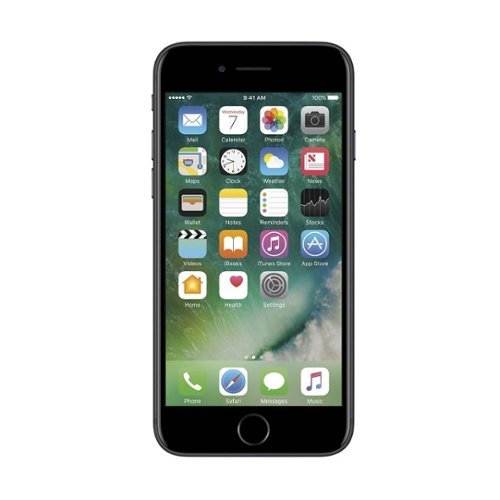
Stay connected with this Apple pre-owned unlocked iPhone 7, which features a quad-core processor to handle apps and functions. The wide 4.7-inch Retina display delivers crystal clear images for streaming video or scrolling social media, while a 12MP camera combines 5x zoom with optical image stabilization for incredibly professional photographs. This Apple pre-owned unlocked iPhone 7 has an IP67 splash, water and dust resistance rating to keep up with an active life.
This phone iis refurbished from the description. Does it come with a new battery as part of this process?
It depends on the refurbisher. You can always check by opening the settings app and viewing Battery Health under the Battery selection.
7 years, 2 months ago
by
BillFromKC
what kind of digital receiver do i need for a Sony Weather.TV.FM.AM.48 band ICE-36
You might be able to use a digital TV converter to get tv audio on your radio, but you'd also have to deal with a 300 ohm matching transformer and possibly soldering.
7 years, 10 months ago
by
BillFromKC
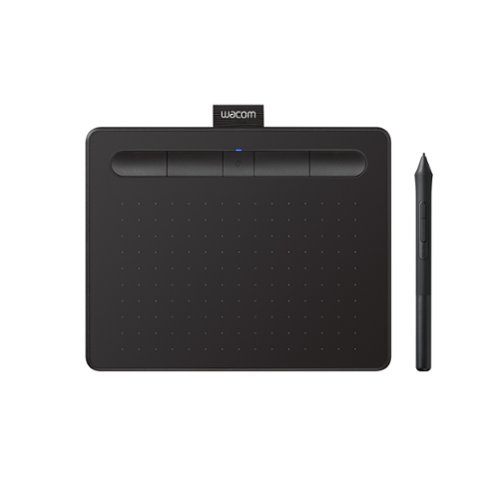
Transform your creative ideas into digital reality with Wacom Intuos drawing tablets. Perfect for casual or aspiring artists this compact graphics tablet delivers reliable Wacom-quality precision at an accessible price. The battery-free, pressure-sensitive pen provides natural, responsive drawing with no charging needed - just pick up and draw, with smooth, jitter-free lines and consistent pressure response. Get started immediately with over $240 in included downloadable creative software and trials, including 2 years of Clip Studio Paint Pro, 12 months of Boris FX Optics, and much more. The paper-like surface texture and four customizable ExpressKeys make digital art, photo editing, illustration, and design feel natural and efficient. Select models (CTL4100WL, CTL6100WL) offer Bluetooth wireless connectivity, letting you create freely at your desk, sofa, or anywhere in the room - with the option to switch to wired mode for ultimate flexibility. The wireless freedom is especially popular with educators and presenters who use the drawing tablet to control their computer while moving around a classroom or conference room. Certified to work with Chromebook and compatible with Windows and Mac, Wacom Intuos seamlessly integrates with Adobe, Corel, and all major creative applications. Backed by Wacom's 40+ years of industry leadership, you're choosing the same pen technology trusted by professional studios worldwide - at a creator-friendly price.
Will this work on a Chromebook?
Nope. This requires Windows or a Mac for full functionality.
7 years, 11 months ago
by
BillFromKC
We~ll do the heavy lifting and save you time and hassle. Enjoy the convenience of our installers professionally setting up and mounting your TV to the wall and configuring your video components. We~ll make recommendations on placement for the best viewing experience and conceal properly rated cabling within the wall in a single stud bay. We'll also add your TV and connected devices to an existing wireless network, perform any needed software or firmware updates, and configure up to two smart streaming services, like Netflix or Disney+. In addition, we~ll program the remotes that come with your equipment and configure an existing voice-control device for basic TV control commands. Once the setup is finished, we~ll take the time to demo your new technology and make sure you know how to use it. Finally, we~ll ensure that all wires and cables are neatly dressed, and that the workspace is clean when we finish. Best Buy~s TV services are backed by a 90-day limited workmanship warranty.
Need to have 43 " tv mounted on the wall 5 ft above electrical outlet. Xfinity cable 25 ft away from where tv needs installation. Any additional charges for this? I understand I need to purchase wall mount. Do I need to purchase cable?
Unless Best Buy installers do new power outlets, you'll need an electrician to install a power outlet up by the TV mount. A Comcast tech can run a new cable outlet if you don't want cable TV wires exposed on the wall. Also, don't bother with buying coax from anyone; technicians from pretty much every cable company will throw it out and replace it with their own, which is generally higher-quality than what you'd get from a retail store.
8 years, 3 months ago
by
BillFromKC
We~ll do the heavy lifting and save you time and hassle. Enjoy the convenience of our installers professionally setting up and mounting your TV to the wall and configuring your video components. We~ll make recommendations on placement for the best viewing experience and conceal properly rated cabling within the wall in a single stud bay. We'll also add your TV and connected devices to an existing wireless network, perform any needed software or firmware updates, and configure up to two smart streaming services, like Netflix or Disney+. In addition, we~ll program the remotes that come with your equipment and configure an existing voice-control device for basic TV control commands. Once the setup is finished, we~ll take the time to demo your new technology and make sure you know how to use it. Finally, we~ll ensure that all wires and cables are neatly dressed, and that the workspace is clean when we finish. Best Buy~s TV services are backed by a 90-day limited workmanship warranty.
Should I have Xfinity installed before TV installation?
If you already have a TV set or computer monitor with HDMI you can test with, you'd be fine with getting Xfinity pre-installed. But if you do not, then wait until after TV installation.
Also, get yourself a nice antenna you can hide behind your TV so for those moments cable goes out and you need local TV, you can still watch local TV.
Also, get yourself a nice antenna you can hide behind your TV so for those moments cable goes out and you need local TV, you can still watch local TV.
8 years, 3 months ago
by
BillFromKC
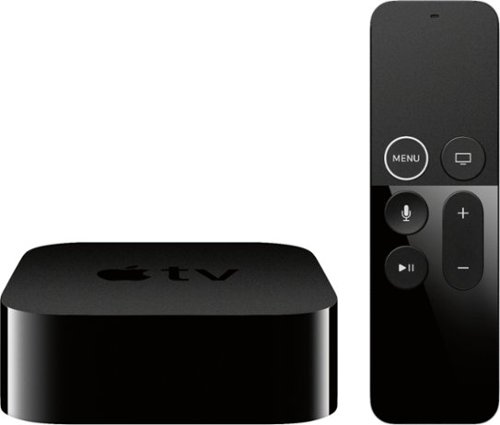
Apple TV 4K lets you watch movies and shows in amazing 4K HDR - and now it completes the picture with immersive sound from Dolby Atmos~. It streams your favorite sports, news, and TV channels live. Has great content from apps like Apple TV+, Disney+, Netflix, Amazon Prime Video, and ESPN~. And thanks to Siri, you can control it all with just your voice.
I just purchased the Apple TV 4K. I don’t have a 4K tv but I do have a smart tv. Will any HDMI cable work? Or do I need a 4K? Can I get 4K on a regular smart tv with the Apple TV?
The Apple TV 4k will detect your TV properly and output the correct signal for it. It also will stream the correct content for your TV from its various sources so you don't needlessly run up your data usage with content your TV can't display properly. The Apple TV 4k works with TVs all the way down to 480p video resolution.
This also applies to people that have 4k TVs without HDR capability - the Apple TV will stream the SDR 4k content instead of the higher-bandwidth HDR 4k content.
This also applies to people that have 4k TVs without HDR capability - the Apple TV will stream the SDR 4k content instead of the higher-bandwidth HDR 4k content.
8 years, 3 months ago
by
BillFromKC

Enjoy wireless audio with these Sony Bluetooth headphones. The rechargeable battery lets you listen for up to 8 hours, and these headphones also have a built-in microphone so you can issue voice commands. These Sony Bluetooth headphones can be paired with your tablet or smartphone, letting you control volume and navigate playlists from your device.
I am interested in a set of headphones to plug into our JVC TV so that we can watch and listen to programs with out bothering the rest of the house. Do you have something that would work with our 8-9 year old JVC 36" TV? Thanks, Bev
You can go a few different directions with this.
If your TV has fixed audio output, your best option is to buy a pair of RF wireless headphones. Several manufacturers make headphones like this, but my favorites of this kind are Sennheiser and Sony.
If your TV has variable audio output and you're able to turn the built-in speakers on and off, you can get a Bluetooth transmitter (or two, depending on the device capabilities) and any Bluetooth headphones of your choosing - earbuds, on-ear, and over-ear. You'll have lots of options for headphones themselves, but few companies actually make the transmitters. This is also the most expensive option.
Finally, if you don't want to go with a wireless solution and your TV has fixed audio output, you can get a headphone amp (or two) and either long RCA audio cables or long 3.5mm extension cables. Several options for cheap headphone amps are available, as are options for the extension cables.
If your TV has fixed audio output, your best option is to buy a pair of RF wireless headphones. Several manufacturers make headphones like this, but my favorites of this kind are Sennheiser and Sony.
If your TV has variable audio output and you're able to turn the built-in speakers on and off, you can get a Bluetooth transmitter (or two, depending on the device capabilities) and any Bluetooth headphones of your choosing - earbuds, on-ear, and over-ear. You'll have lots of options for headphones themselves, but few companies actually make the transmitters. This is also the most expensive option.
Finally, if you don't want to go with a wireless solution and your TV has fixed audio output, you can get a headphone amp (or two) and either long RCA audio cables or long 3.5mm extension cables. Several options for cheap headphone amps are available, as are options for the extension cables.
8 years, 4 months ago
by
BillFromKC
Make your home an internet haven with this versatile Linksys Velop wireless Wi-Fi system. Three identical tri-band dual-stream AC2200 routers, each equipped with a quad-core ARM Cortex-A7 processor, deliver lightning-fast internet. Equipped with Bluetooth 4.0/LE, this Linksys Velop wireless Wi-Fi system is simple to set up and pairs easily with computers, tablets and smart devices.
I currently have an WRT1900ACS Router, would the VELOP AC6600 system be able to connect with that or do I did to replace in order to use the mesh system?
The Velop replaces the WRT as your router.
If you're using the NAS functionality of your WRT router, you'll need to put it into bridge mode (which should automatically disable its DHCP server) and set a static IP address for it that isn't 192.168.1.1; I'd probably go 192.168.1.2. If you're also using an aftermarket firmware on the WRT for functionality including being a web server, VPN server, or anything else of that nature, you'll also need to configure port forwarding on the Velop system to support that functionality.
Unfortunately, Velop doesn't support running as an access point at this time. Also, if you're more concerned about speed than coverage, the WRT1900 is technically faster since each Velop node will only offer a 400mbps 2.4GHz connection and a single 867mbps 5GHz connection in wireless mesh mode for your WiFi devices; in wired mesh mode, you gain a second 867mbps 5GHz connection and each Velop node will load balance your 5GHz devices automatically. Meanwhile your WRT offers a 600mbps 2.4GHz connection and a 1300mbps 5GHz connection.
If you're using the NAS functionality of your WRT router, you'll need to put it into bridge mode (which should automatically disable its DHCP server) and set a static IP address for it that isn't 192.168.1.1; I'd probably go 192.168.1.2. If you're also using an aftermarket firmware on the WRT for functionality including being a web server, VPN server, or anything else of that nature, you'll also need to configure port forwarding on the Velop system to support that functionality.
Unfortunately, Velop doesn't support running as an access point at this time. Also, if you're more concerned about speed than coverage, the WRT1900 is technically faster since each Velop node will only offer a 400mbps 2.4GHz connection and a single 867mbps 5GHz connection in wireless mesh mode for your WiFi devices; in wired mesh mode, you gain a second 867mbps 5GHz connection and each Velop node will load balance your 5GHz devices automatically. Meanwhile your WRT offers a 600mbps 2.4GHz connection and a 1300mbps 5GHz connection.
9 years, 4 months ago
by
BillFromKC
Make your home an internet haven with this versatile Linksys Velop wireless Wi-Fi system. Three identical tri-band dual-stream AC2200 routers, each equipped with a quad-core ARM Cortex-A7 processor, deliver lightning-fast internet. Equipped with Bluetooth 4.0/LE, this Linksys Velop wireless Wi-Fi system is simple to set up and pairs easily with computers, tablets and smart devices.
Can the Velop be easily integrated into a AT&T U-verse setup either to act as the router or be placed into bridge mode? I'm primarily interested if the Velop can be placed into bridge mode which would make the Velop an access point.
Yes and no. You can put your Uverse Gateway into bridge mode and use the Velop that way, or you can leave the router in the Uverse gateway active and the Velop runs a second-layer network on top of it.
Keep in mind that anything plugged into the Uverse Gateway will not be seen by your WiFi network, so if you have any hardwired devices plugged into your Uverse Gateway, you'll need to also purchase a network switch (preferably a gigabit model). If your Uverse Gateway also functions as a print server or network-attached storage server, you'll need to find a solution to put those devices inside of your Velop network so they continue to function normally.
Keep in mind that anything plugged into the Uverse Gateway will not be seen by your WiFi network, so if you have any hardwired devices plugged into your Uverse Gateway, you'll need to also purchase a network switch (preferably a gigabit model). If your Uverse Gateway also functions as a print server or network-attached storage server, you'll need to find a solution to put those devices inside of your Velop network so they continue to function normally.
9 years, 4 months ago
by
BillFromKC
Make your home an internet haven with this versatile Linksys Velop wireless Wi-Fi system. Three identical tri-band dual-stream AC2200 routers, each equipped with a quad-core ARM Cortex-A7 processor, deliver lightning-fast internet. Equipped with Bluetooth 4.0/LE, this Linksys Velop wireless Wi-Fi system is simple to set up and pairs easily with computers, tablets and smart devices.
Will it work with Hughesnet?
If Hughesnet outputs via ethernet from it's modem, then yes. You'll want to disable the Hughesnet modem's WiFi connection first, and if the Hughesnet modem has things like a file server or print server integrated into it, those features will no longer work.
9 years, 4 months ago
by
BillFromKC