


BillFromKC's stats
- Review count233
- Helpfulness votes729
- First reviewJune 27, 2012
- Last reviewJune 4, 2026
- Featured reviews0
- Average rating4.5
- Review comment count6
- Helpfulness votes10
- First review commentAugust 27, 2015
- Last review commentFebruary 19, 2017
- Featured review comments0
Questions
- Question count0
- Helpfulness votes0
- First questionNone
- Last questionNone
- Featured questions0
- Answer count65
- Helpfulness votes40
- First answerJanuary 9, 2014
- Last answerNovember 5, 2021
- Featured answers0
- Best answers9
Customer Rating

5
Bought it for my tech un-savvy mom.
on January 26, 2013
Posted by: BillFromKC
from KCMO
I use it in...:Small home
Verified Purchase:Yes
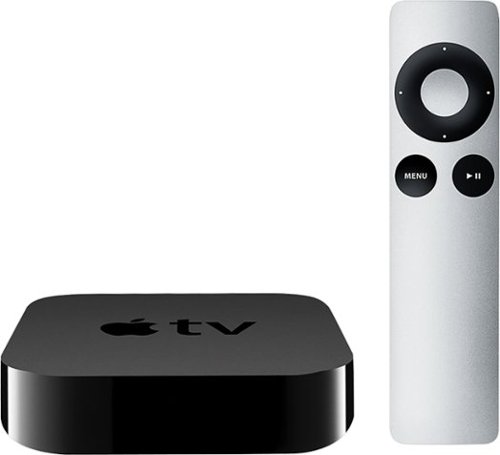
I've had an AppleTV gen2 for a while and use it constantly with my iPhones and Macs for AirPlay music and video, and it works great. The AppleTV gen3 improves on the gen2 with a bit faster processor performance and 1080p video output (AirPlay Mirroring is still 720p, unfortunately).
As for the person I bought this for, saying my mom is tech un-savvy is an understatement. When she had her Windows XP-based computer, she thought the only way she could get internet from one side of her house to the other was a large ethernet cable. Yeah, that type of parent.
Long story short, she tried Windows 8 and that lasted all of about 30 minutes. We took that laptop back and then bought an iPad 3, which she loves - except for the audio output on it. She bought different Bluetooth and AirPlay speakers, but none seemed to be what she was looking for in terms of audio quality (she doesn't believe in spending money to get something that is quality). She also tried those battery-powered speakers you see on TV, and none of them worked all that well either. I decided to buy her this, based on the fact that I've yet to show anyone that's used mine how to use mine (other than the activity button for it on my Harmony 700).
I buy it for her, call it a holiday gift, set it up, and then show her how AirPlay works on her iPad 3. I show her how to send audio, either from the audio player or one of the many radio apps that she has installed (Pandora, TuneIn, iHeart). I show her how to send video to it through YouTube and the rest of the internet. Then I show her AirPlay Mirroring so when she wants to type something in Pages, all she has to do is turn on her Bluetooth keyboard and she can sit the iPad off to the side while viewing what she's typing on her 42" in the bedroom or her 26" in the office.
Oh yeah, I also showed her how easy it is to move the AppleTV from TV to TV, since HDMI easy to connect like USB is.
Needless to say, if my tech un-savvy mom NEVER calls me to ask how to use something with her AppleTV and she's doing the more advanced stuff with it and her iPad, it must be easy to use and "just work".
What's great about it: Easy to use, easy to move, works awesome with her iPad 3.
What's not so great: The fact she wants me to get her another one... :\
I would recommend this to a friend!
Other Best Buy Products I Recommend
Apple - iPad 2 with Wi-Fi - 16GB - White
Apple - iPad mini with Wi-Fi - 16GB - Silver
 (40)
(40)
Apple - iPad with Retina display with Wi-Fi - 16GB - White
Ease of Use

5
Performance
5
Share this review:


0points
0of 0voted this as helpful.
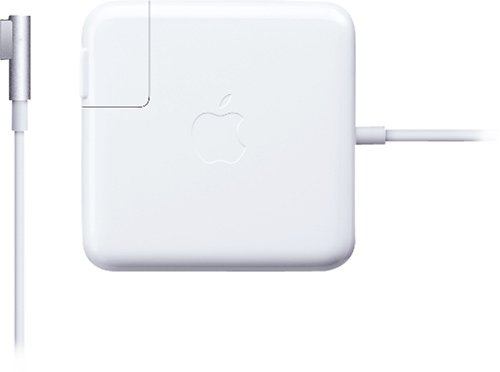
Ensure your 15" or 17" MacBook Pro is fully charged and ready for use with this 85-watt power adapter that features a magnetic DC connector to protect the cord from damage.
Customer Rating

4
Better than the OG style magsafe adapter
on September 26, 2012
Posted by: BillFromKC
from KCMO
So my wife and I lost our second MagSafe charger in a period of 4 years, this time due to my son figuring out that he could touch it to a metal part of my recliner and create sparks.
Unfortunately, this killed the chip inside the charger that IDs it to the laptop as an 85 watt MagSafe charger, so we had to replace it. The older style shares a common design (flaw) with MagSafe 2, where the cord goes straight into the plug, The newer style has the cable running into the side of the plug. In my personal option, putting the cable off to the side made this connector about 1000x better than the original.
The only downside is these adapters are so darn expensive. I know that some other OEM adapters are also quite expensive, but with Apple, you don't really have much of an alternative if you need a new adapter that night. Even considering the cost, however, I highly recommend that everyone using the older style MagSafe 1 chargers upgrade to the newer style if you can justify the cost.
What's great about it: the cord doesn't stick out to the side of my MBP anymore
What's not so great: the cost
I would recommend this to a friend!
Quality
5
Ease of Use
5
Share this review:


+2points
3of 4voted this as helpful.
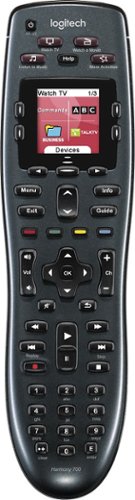
Manage up to 8 of your home theater electronics devices with this Logitech Harmony 700 915-000162 universal remote, which features a brilliant color command screen for easy navigation. One-touch activity buttons simplify device selection.
Customer Rating
4
Awesome remote
on June 27, 2012
Posted by: BillFromKC
from KCMO
My wife and I bought this to move up from a Logitech 300. While the 650 and 600 both did everything we needed, this particular remote gave us a little more room to expand as our setup grows. The Logitech 300 was alright, but not up to what we needed in our setup. The rest of the HT setup is as follows (and yes, I know it's old) -
Olevia 537h-B11 TV set (1 HDMI, 2 component, and 1 VGA inputs)
Onkyo HT-R340 receiver, connected to TV via component video (and it lacks HDMI)
Comcast/Motorola DCX3400, connected to receiver via component video and optical audio
Sony DVD player, connected to receiver via component video and coax digital audio
AppleTV (A4 version), connected to TV via HDMI and receiver via optical audio
Nintendo Wii, connected to receiver via component video and analog audio (but only because the XBox 360 died...for the 7th time...and was out of warranty)
Onkyo HT-R340 receiver, connected to TV via component video (and it lacks HDMI)
Comcast/Motorola DCX3400, connected to receiver via component video and optical audio
Sony DVD player, connected to receiver via component video and coax digital audio
AppleTV (A4 version), connected to TV via HDMI and receiver via optical audio
Nintendo Wii, connected to receiver via component video and analog audio (but only because the XBox 360 died...for the 7th time...and was out of warranty)
What I like about it is the macro programmability. While it does have its drawbacks, it's overall an amazing experience to be able to press the "Watch TV" button and see the remote power up my TV, receiver, and DVR and make sure the inputs are set correctly. It's also great in the case of my AppleTV; since my Onkyo receiver has programmable digital inputs, I'm able to set two different input modes (with two different surround field modes) for one device on the receiver, and then use two different macros for the AppleTV (one for AirPlay and one for watching streaming media and media stored on my computer). Battery life with the included batteries is also great, and it uses standard NiMH AA batteries so when the included pair fail, it's nothing to get a replacement set.
There are only five things I don't like about this remote. First, I don't like how sensitive to motion the backlight activation is; bump the arm of a couch or a coffee table and it lights up. Speaking of the lights, a brightness control would be nice; this thing puts off enough light where you can read a book. An on-screen battery indicator would also be nice. The setup is web-based using Microsoft Silverlight technology; it can be annoyingly slow at times, even with a fast internet connection and a Core i7-2600k overclocked to 4.2 GHz.
Finally, and this may be a function of either the web-based software or the remote itself, but you can't pace the timing of macros out to your equipment; in my case, going from powering down the HT system after using the AppleTV for watching movies to turning the HT system back on to watch the DVR, which uses different inputs on the TV set itself (HDMI and component, respectively) often results in the TV being set to the wrong input due to the pace of the macro functionality. While part of it is the TV's boot time of around 15 seconds, the fact that macro pauses can't be programmed into power on sequences is a little inexcusable on Logitech's part.
All in all, this is the best remote I've ever used. As long as I turn the TV back on to the mode it was in before switching from a component device to an HDMI device, I don't have any issues with it at all. If the macro pacing issue was addressable, I'd excuse the other flaws of this remote and give it 5 stars.
What's great about it: Makes even the most complicated HT setups "idiot-proof", solid construction.
What's not so great: very sensitive to motion, no brightness adjust for the screen, no battery indicator.
I would recommend this to a friend!
Share this review:


+3points
5of 7voted this as helpful.
BillFromKC's Review Comments
Westinghouse HDTV: Enjoy your favorite movies, shows, games and sporting events in realistic 1080p resolution on this Westinghouse HDTV's LED panel. Ensure fast-moving scenes remain clear with a 60Hz refresh rate that minimizes blurring and ghosting.
Overall 1 out of 5
1 out of 5No HD tuner
By Westingtonhouse
I can not imagine that tv in today time do not have digiter tuner. I bought 6 now I have to return them since i use cable straight from wall for tv from COX

BillFromKC
KCMO
This TV has an ATSC tuner.
August 27, 2015
There's no guarantee that ATSC tuners will work with ClearQAM cable channels, and even so, the greater majority of cable providers now scramble all cable channels. Including OTA channels. Because the FCC changed the rules and they're allowed to do this now.
+6points
6of 6voted this comment as helpful.
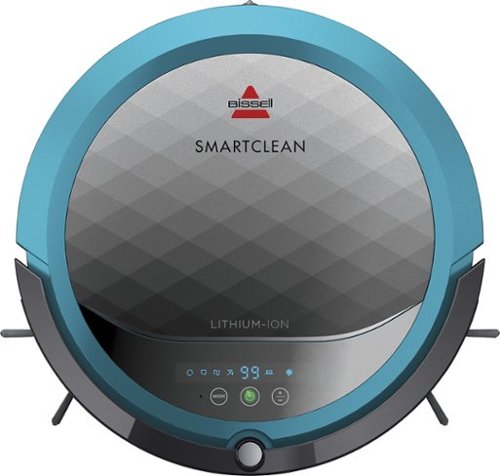
BISSELL SmartClean Robot Vacuum: Easily rid your floors of dirt and debris with this vacuum that uses Opticlean optical sensors and a Triple-Action Cleaning System to tackle your floors. Invisible Wall technology lets you target specific areas.
Overall 3 out of 5
3 out of 5Hard To Program
By FortFun2
from Illinois
Found it is difficult, not intuitive, to program. Others have said if you loose power all your programming is lost, but we haven't lost power yet so can't confirm. I just wanted it to run when I left the house without a set program and contacting Bissell just led to more confusion. But, once I got it working I was impressed with the amount of pet hair it removed.
BillFromKC
KCMO
I can attest to this.
September 16, 2016
Sometimes, I have to plug mine directly into the charger to get it to charge because the battery is overly drained. Because of this, I don't even bother programming it anymore.
0points
0of 0voted this comment as helpful.
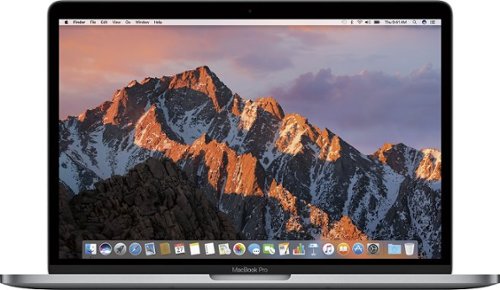
The new MacBook Pro is faster and more powerful than before, yet remarkably thinner and lighter.~ It has the brightest, most colorful display ever on a Mac notebook. And it features up to 10 hours of battery life.~ It~s a notebook built for the work you do every day. Ready to go anywhere a great idea takes you.
Overall1 out of 5
1 out of 5Terrible
By Joel
I purchased this one month ago and it has a faulty display. Best Buy takes no responsibility and will not exchange it for a good one. I have left voicemails for a district manager to call me and no one has called. I will never shop at Best Buy again.
BillFromKC
KCMO
Yep, take it to Apple.
January 13, 2017
If Best Buy is doing you wrong, just take it to your nearest Apple location and they'll set you up with a fix or a new one.
+4points
4of 4voted this comment as helpful.
![The Secret Life of Pets [DVD] [2016]](https://pisces.bbystatic.com/prescaled/500/500/image2/BestBuy_US/images/products/5224f7b2-43d6-4d33-8d0e-315348745874.jpg)
Overall1 out of 5
1 out of 5Bootleg Copy of Secret Life of Pets
By Disappointed
About 15 minutes into the movie the volume became muted and a message came on the TV that this was a bootleg movie. An unauthorized copy. Be very careful purchasing DVD's or Blu Ray movies from Best Buy. They just may leave you and your grand children very disappointed as it did our family.
BillFromKC
KCMO
This could very well be your DVD or Blu-Ray player
January 20, 2017
causing your issues. The Film Industry (MPAA and associated groups) are known for their draconian DRM systems, first with DVD and now with Blu-Ray and 4k Blu-Ray.
if your Blu-Ray player isn't connected to the internet, connect it to the internet and update its firmware. That should fix all your issues.
0points
0of 0voted this comment as helpful.
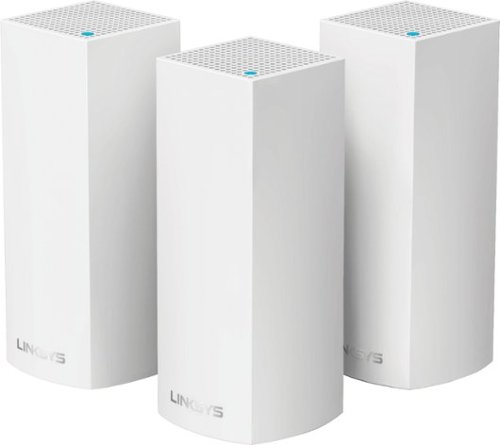
Make your home an internet haven with this versatile Linksys Velop wireless Wi-Fi system. Three identical tri-band dual-stream AC2200 routers, each equipped with a quad-core ARM Cortex-A7 processor, deliver lightning-fast internet. Equipped with Bluetooth 4.0/LE, this Linksys Velop wireless Wi-Fi system is simple to set up and pairs easily with computers, tablets and smart devices.
Overall5 out of 5
5 out of 5This is the future of WiFi
By neio11
I threw (recycled) away my wifi extenders plus I am now able connect a device with an ethernet cable without having to run cables through the walls because each node has 2 ethernet ports. So for instance, I have one node connected to my modem and an ethernet switch. My 2nd node in another room is connected to an NVR for my security cameras. The speed through the nodes is surprisingly fast. The NVR is capturing HD videos from 3 cameras and it seems to capture fine. The 3rd node is in my living room area. The whole house is covered! Please put a password on your wifi otherwise you'll be supplying FREE wifi for your neighbors. I can have full internet access from 3-4 houses away from my house. I thought installation would be a pain considering you have to setup each node. Well, I shouldn't say "have to" because you don't have to use all 3 nodes. You can use only 1 or 2 and give the 3rd to me. haha. No but setup is a breeze! The only thing is that you have to use a smart device such as a tablet or phone, to do the setup. Velop currently doesn't support PC-based setup but I hope Linksys changes that especially for us "techies"!!! It works with Alexa. You can ask #Alexa what the wifi password is... so they say. I haven't had much success with it yet. It looks clean and neat. It doesn't all those antennas sticking out of it which makes it aesthetically pleasing.
I'm loving so far!
BillFromKC
KCMO
The setup process basically forces you to put a...
February 19, 2017
...password on your WiFi network. In fact, it's one of three things it asks when you set up the parent node, the other two being "Do you connect directly to the internet or through a modem/router device provided by your ISP?" and what to call your wireless network.
0points
0of 0voted this comment as helpful.
Make your home an internet haven with this versatile Linksys Velop wireless Wi-Fi system. Three identical tri-band dual-stream AC2200 routers, each equipped with a quad-core ARM Cortex-A7 processor, deliver lightning-fast internet. Equipped with Bluetooth 4.0/LE, this Linksys Velop wireless Wi-Fi system is simple to set up and pairs easily with computers, tablets and smart devices.
Overall5 out of 5
5 out of 5Blazing Speed, Best In Class Performance!
By gadgetguy11
The Linksys - Velop Tri-Band Whole Home Wi-Fi System (3-pack) is packaged in a beautiful & functional box with magnetic closure - it exudes quality! Each Node is protected individually. Just looking at the box, you expect a premium, esoteric product... & Linksys delivers that & more in spades! The shapely Nodes are beautiful & blend with any decorating style.
Simple set-up via the Linksys iOS or Android App. Within minutes, you are ready to go online.
As shown in attached photo, I have 90 wireless devices utilized over 5,000 sq feet / 3 floors: this is a challenging application for high speed Wi-Fi that includes: connected major appliances; BAS ceiling fans & Haiku Wi-Fi connected lights; Wi-Fi Thermostats; Netatmo Wi-Fi Weather Station; 65 Hue Lights; Connected exterior door locks; Wink Wi-Fi connected devices; connected iDevices, Nest & Arlo cameras; iPads; iPhones & computers. Finally, Streaming from 4) Apple TV's; Nixplay Wi-Fi Photo Frames.
And now the Results:
Velop delivers the fastest Wi-Fi speed I have ever experienced and does so consistently! The attached screen capture shows 349 Mbps Download / 23 Mbps Upload. These are WIRELESS speeds!! I pay for 300 Mbps Download / 30 Mbps Upload & our internet service provider generally delivers 300 - 360 Download & 22 - 32 Upload.
Velop is the only Wi-Fi System I have found to date that actually delivers this sustainable speed and does not randomly disconnect the many devices.
High power Wi-Fi requires a high current source. Each of the 3) square white power supplies produce 12 Volt, 2 Amp output! 24VA (Volt Amps) is the highest output of any router I have tested. Better yet, the cable that plugs into each Velop is perfectly angled at the plug so the wire routs neatly through the cable management feature at the base. Brilliant design!
PRO's:
1- Fastest Wi-Fi Speed
2- Easy approximate 10 minute Set-up per hub
3- Velop Nodes are very attractive & blend with any architecture
4- Robust infrastructure yields dependable performance
5- 24/7 Support
6- 3-Year Warranty
7- Easy to use App with great diagnostics
8- Wire Management at the base is excellent & offers a wire free appearance.
9- Three Velop Nodes establish fast Wi-Fi speed across the house on any floor.
10- Expandable: Add an additional Node any time you prefer.
1- Fastest Wi-Fi Speed
2- Easy approximate 10 minute Set-up per hub
3- Velop Nodes are very attractive & blend with any architecture
4- Robust infrastructure yields dependable performance
5- 24/7 Support
6- 3-Year Warranty
7- Easy to use App with great diagnostics
8- Wire Management at the base is excellent & offers a wire free appearance.
9- Three Velop Nodes establish fast Wi-Fi speed across the house on any floor.
10- Expandable: Add an additional Node any time you prefer.
CON's:
1- IP Address range cannot be changed from: 192.***. My 2) existing Apple Time Capsule / Routers had IP addresses of 10.***, but they can be set to different ranges. A different IP Address range requires individually resetting a few devices that previously connected to the other range. For example, each Nixplay connected frame had to manually "Forget" the old Wi-Fi name of the previous SSID, then set up the same name with Velop, even though the Wi-Fi name and password are the same. On 13) Apple Airport Express devices, I had to power down each device to reset it from 10.*** to 192.***
2- IPv6 is not supported as of product release. This is surprising, as my three year old Apple Time Capsule / Router supported IPv6.
3- The first unit set up in under 10 minutes; however the remaining two hubs froze at the same exact place midway every time during set-up. After 6 failed attempts, I held each Node horizontally and kept my hand around it. Surprisingly, this procedure resulted in a virtually immediate set-up! Then I set each Node vertically & it continued to work great.
4- Only one Node can connect to the internet via ethernet. The other Nodes connect to the first Node via wireless mesh connection. I would prefer the option of connecting each Node to a wired ethernet connection. Linksys Technical Support indicated this may be added later as a software update. This would prove beneficial because the Nodes must be located fairly close together (my tests showed less than 40 feet apart at most).
1- IP Address range cannot be changed from: 192.***. My 2) existing Apple Time Capsule / Routers had IP addresses of 10.***, but they can be set to different ranges. A different IP Address range requires individually resetting a few devices that previously connected to the other range. For example, each Nixplay connected frame had to manually "Forget" the old Wi-Fi name of the previous SSID, then set up the same name with Velop, even though the Wi-Fi name and password are the same. On 13) Apple Airport Express devices, I had to power down each device to reset it from 10.*** to 192.***
2- IPv6 is not supported as of product release. This is surprising, as my three year old Apple Time Capsule / Router supported IPv6.
3- The first unit set up in under 10 minutes; however the remaining two hubs froze at the same exact place midway every time during set-up. After 6 failed attempts, I held each Node horizontally and kept my hand around it. Surprisingly, this procedure resulted in a virtually immediate set-up! Then I set each Node vertically & it continued to work great.
4- Only one Node can connect to the internet via ethernet. The other Nodes connect to the first Node via wireless mesh connection. I would prefer the option of connecting each Node to a wired ethernet connection. Linksys Technical Support indicated this may be added later as a software update. This would prove beneficial because the Nodes must be located fairly close together (my tests showed less than 40 feet apart at most).
CONCLUSION: My search for the "Ideal" Whole Home Wi-Fi System that consistently delivers 300 Mbps over 5,000 square feet with 90 devices ends here!! I am THRILLED with Velop & give it my highest recommendation!! It has proven to be the BEST ROUTER available for 2017!
BillFromKC
KCMO
Mine gave me IPv6 OOB
February 19, 2017
and even so, there was a firmware update it applied immediate after setup. I agree that the IP address range thing is annoying though, especially when you're moving from an existing network with static IP devices (NAS, printers, etc.)
0points
0of 0voted this comment as helpful.
BillFromKC's Questions
BillFromKC has not submitted any questions.
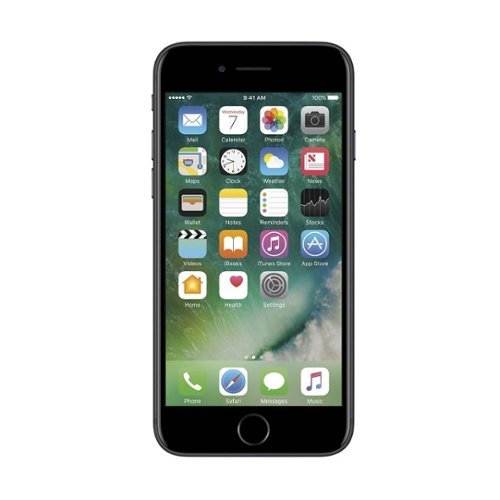
Stay connected with this Apple pre-owned unlocked iPhone 7, which features a quad-core processor to handle apps and functions. The wide 4.7-inch Retina display delivers crystal clear images for streaming video or scrolling social media, while a 12MP camera combines 5x zoom with optical image stabilization for incredibly professional photographs. This Apple pre-owned unlocked iPhone 7 has an IP67 splash, water and dust resistance rating to keep up with an active life.
This phone iis refurbished from the description. Does it come with a new battery as part of this process?
It depends on the refurbisher. You can always check by opening the settings app and viewing Battery Health under the Battery selection.
7 years, 2 months ago
by
BillFromKC
what kind of digital receiver do i need for a Sony Weather.TV.FM.AM.48 band ICE-36
You might be able to use a digital TV converter to get tv audio on your radio, but you'd also have to deal with a 300 ohm matching transformer and possibly soldering.
7 years, 10 months ago
by
BillFromKC
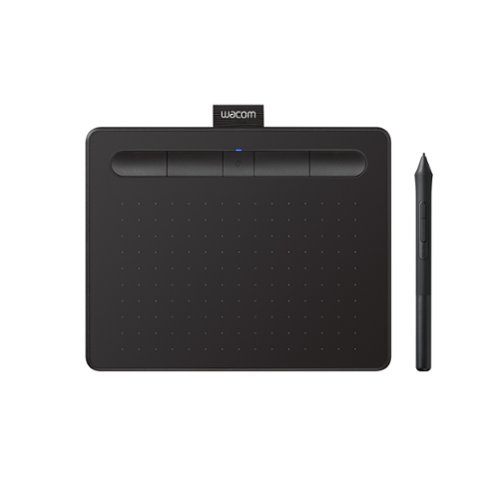
Transform your creative ideas into digital reality with Wacom Intuos drawing tablets. Perfect for casual or aspiring artists this compact graphics tablet delivers reliable Wacom-quality precision at an accessible price. The battery-free, pressure-sensitive pen provides natural, responsive drawing with no charging needed - just pick up and draw, with smooth, jitter-free lines and consistent pressure response. Get started immediately with over $240 in included downloadable creative software and trials, including 2 years of Clip Studio Paint Pro, 12 months of Boris FX Optics, and much more. The paper-like surface texture and four customizable ExpressKeys make digital art, photo editing, illustration, and design feel natural and efficient. Select models (CTL4100WL, CTL6100WL) offer Bluetooth wireless connectivity, letting you create freely at your desk, sofa, or anywhere in the room - with the option to switch to wired mode for ultimate flexibility. The wireless freedom is especially popular with educators and presenters who use the drawing tablet to control their computer while moving around a classroom or conference room. Certified to work with Chromebook and compatible with Windows and Mac, Wacom Intuos seamlessly integrates with Adobe, Corel, and all major creative applications. Backed by Wacom's 40+ years of industry leadership, you're choosing the same pen technology trusted by professional studios worldwide - at a creator-friendly price.
Will this work on a Chromebook?
Nope. This requires Windows or a Mac for full functionality.
7 years, 11 months ago
by
BillFromKC
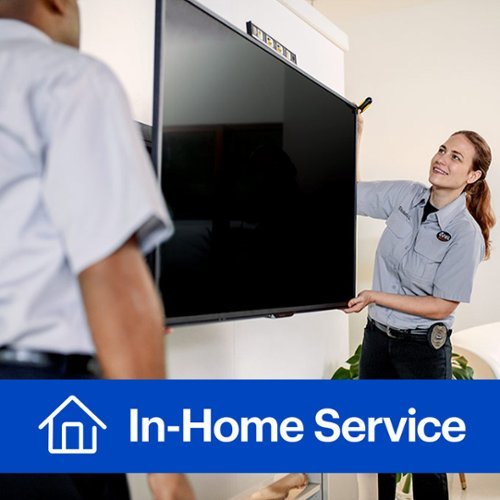
We~ll do the heavy lifting and save you time and hassle. Enjoy the convenience of our installers professionally setting up and mounting your TV to the wall and configuring your video components. We~ll make recommendations on placement for the best viewing experience and conceal properly rated cabling within the wall in a single stud bay. We'll also add your TV and connected devices to an existing wireless network, perform any needed software or firmware updates, and configure up to two smart streaming services, like Netflix or Disney+. In addition, we~ll program the remotes that come with your equipment and configure an existing voice-control device for basic TV control commands. Once the setup is finished, we~ll take the time to demo your new technology and make sure you know how to use it. Finally, we~ll ensure that all wires and cables are neatly dressed, and that the workspace is clean when we finish. Best Buy~s TV services are backed by a 90-day limited workmanship warranty.
Need to have 43 " tv mounted on the wall 5 ft above electrical outlet. Xfinity cable 25 ft away from where tv needs installation. Any additional charges for this? I understand I need to purchase wall mount. Do I need to purchase cable?
Unless Best Buy installers do new power outlets, you'll need an electrician to install a power outlet up by the TV mount. A Comcast tech can run a new cable outlet if you don't want cable TV wires exposed on the wall. Also, don't bother with buying coax from anyone; technicians from pretty much every cable company will throw it out and replace it with their own, which is generally higher-quality than what you'd get from a retail store.
8 years, 3 months ago
by
BillFromKC
We~ll do the heavy lifting and save you time and hassle. Enjoy the convenience of our installers professionally setting up and mounting your TV to the wall and configuring your video components. We~ll make recommendations on placement for the best viewing experience and conceal properly rated cabling within the wall in a single stud bay. We'll also add your TV and connected devices to an existing wireless network, perform any needed software or firmware updates, and configure up to two smart streaming services, like Netflix or Disney+. In addition, we~ll program the remotes that come with your equipment and configure an existing voice-control device for basic TV control commands. Once the setup is finished, we~ll take the time to demo your new technology and make sure you know how to use it. Finally, we~ll ensure that all wires and cables are neatly dressed, and that the workspace is clean when we finish. Best Buy~s TV services are backed by a 90-day limited workmanship warranty.
Should I have Xfinity installed before TV installation?
If you already have a TV set or computer monitor with HDMI you can test with, you'd be fine with getting Xfinity pre-installed. But if you do not, then wait until after TV installation.
Also, get yourself a nice antenna you can hide behind your TV so for those moments cable goes out and you need local TV, you can still watch local TV.
Also, get yourself a nice antenna you can hide behind your TV so for those moments cable goes out and you need local TV, you can still watch local TV.
8 years, 3 months ago
by
BillFromKC
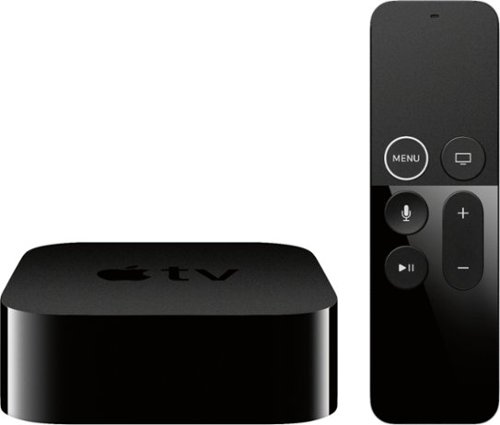
Apple TV 4K lets you watch movies and shows in amazing 4K HDR - and now it completes the picture with immersive sound from Dolby Atmos~. It streams your favorite sports, news, and TV channels live. Has great content from apps like Apple TV+, Disney+, Netflix, Amazon Prime Video, and ESPN~. And thanks to Siri, you can control it all with just your voice.
I just purchased the Apple TV 4K. I don’t have a 4K tv but I do have a smart tv. Will any HDMI cable work? Or do I need a 4K? Can I get 4K on a regular smart tv with the Apple TV?
The Apple TV 4k will detect your TV properly and output the correct signal for it. It also will stream the correct content for your TV from its various sources so you don't needlessly run up your data usage with content your TV can't display properly. The Apple TV 4k works with TVs all the way down to 480p video resolution.
This also applies to people that have 4k TVs without HDR capability - the Apple TV will stream the SDR 4k content instead of the higher-bandwidth HDR 4k content.
This also applies to people that have 4k TVs without HDR capability - the Apple TV will stream the SDR 4k content instead of the higher-bandwidth HDR 4k content.
8 years, 3 months ago
by
BillFromKC
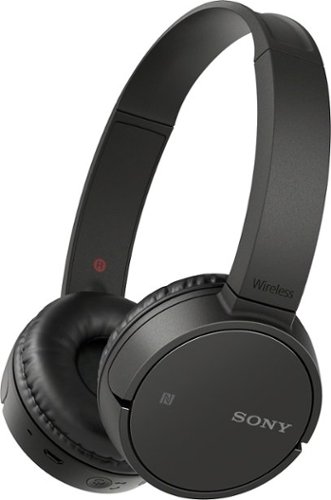
Enjoy wireless audio with these Sony Bluetooth headphones. The rechargeable battery lets you listen for up to 8 hours, and these headphones also have a built-in microphone so you can issue voice commands. These Sony Bluetooth headphones can be paired with your tablet or smartphone, letting you control volume and navigate playlists from your device.
I am interested in a set of headphones to plug into our JVC TV so that we can watch and listen to programs with out bothering the rest of the house. Do you have something that would work with our 8-9 year old JVC 36" TV? Thanks, Bev
You can go a few different directions with this.
If your TV has fixed audio output, your best option is to buy a pair of RF wireless headphones. Several manufacturers make headphones like this, but my favorites of this kind are Sennheiser and Sony.
If your TV has variable audio output and you're able to turn the built-in speakers on and off, you can get a Bluetooth transmitter (or two, depending on the device capabilities) and any Bluetooth headphones of your choosing - earbuds, on-ear, and over-ear. You'll have lots of options for headphones themselves, but few companies actually make the transmitters. This is also the most expensive option.
Finally, if you don't want to go with a wireless solution and your TV has fixed audio output, you can get a headphone amp (or two) and either long RCA audio cables or long 3.5mm extension cables. Several options for cheap headphone amps are available, as are options for the extension cables.
If your TV has fixed audio output, your best option is to buy a pair of RF wireless headphones. Several manufacturers make headphones like this, but my favorites of this kind are Sennheiser and Sony.
If your TV has variable audio output and you're able to turn the built-in speakers on and off, you can get a Bluetooth transmitter (or two, depending on the device capabilities) and any Bluetooth headphones of your choosing - earbuds, on-ear, and over-ear. You'll have lots of options for headphones themselves, but few companies actually make the transmitters. This is also the most expensive option.
Finally, if you don't want to go with a wireless solution and your TV has fixed audio output, you can get a headphone amp (or two) and either long RCA audio cables or long 3.5mm extension cables. Several options for cheap headphone amps are available, as are options for the extension cables.
8 years, 4 months ago
by
BillFromKC
Make your home an internet haven with this versatile Linksys Velop wireless Wi-Fi system. Three identical tri-band dual-stream AC2200 routers, each equipped with a quad-core ARM Cortex-A7 processor, deliver lightning-fast internet. Equipped with Bluetooth 4.0/LE, this Linksys Velop wireless Wi-Fi system is simple to set up and pairs easily with computers, tablets and smart devices.
I currently have an WRT1900ACS Router, would the VELOP AC6600 system be able to connect with that or do I did to replace in order to use the mesh system?
The Velop replaces the WRT as your router.
If you're using the NAS functionality of your WRT router, you'll need to put it into bridge mode (which should automatically disable its DHCP server) and set a static IP address for it that isn't 192.168.1.1; I'd probably go 192.168.1.2. If you're also using an aftermarket firmware on the WRT for functionality including being a web server, VPN server, or anything else of that nature, you'll also need to configure port forwarding on the Velop system to support that functionality.
Unfortunately, Velop doesn't support running as an access point at this time. Also, if you're more concerned about speed than coverage, the WRT1900 is technically faster since each Velop node will only offer a 400mbps 2.4GHz connection and a single 867mbps 5GHz connection in wireless mesh mode for your WiFi devices; in wired mesh mode, you gain a second 867mbps 5GHz connection and each Velop node will load balance your 5GHz devices automatically. Meanwhile your WRT offers a 600mbps 2.4GHz connection and a 1300mbps 5GHz connection.
If you're using the NAS functionality of your WRT router, you'll need to put it into bridge mode (which should automatically disable its DHCP server) and set a static IP address for it that isn't 192.168.1.1; I'd probably go 192.168.1.2. If you're also using an aftermarket firmware on the WRT for functionality including being a web server, VPN server, or anything else of that nature, you'll also need to configure port forwarding on the Velop system to support that functionality.
Unfortunately, Velop doesn't support running as an access point at this time. Also, if you're more concerned about speed than coverage, the WRT1900 is technically faster since each Velop node will only offer a 400mbps 2.4GHz connection and a single 867mbps 5GHz connection in wireless mesh mode for your WiFi devices; in wired mesh mode, you gain a second 867mbps 5GHz connection and each Velop node will load balance your 5GHz devices automatically. Meanwhile your WRT offers a 600mbps 2.4GHz connection and a 1300mbps 5GHz connection.
9 years, 4 months ago
by
BillFromKC
Make your home an internet haven with this versatile Linksys Velop wireless Wi-Fi system. Three identical tri-band dual-stream AC2200 routers, each equipped with a quad-core ARM Cortex-A7 processor, deliver lightning-fast internet. Equipped with Bluetooth 4.0/LE, this Linksys Velop wireless Wi-Fi system is simple to set up and pairs easily with computers, tablets and smart devices.
Can the Velop be easily integrated into a AT&T U-verse setup either to act as the router or be placed into bridge mode? I'm primarily interested if the Velop can be placed into bridge mode which would make the Velop an access point.
Yes and no. You can put your Uverse Gateway into bridge mode and use the Velop that way, or you can leave the router in the Uverse gateway active and the Velop runs a second-layer network on top of it.
Keep in mind that anything plugged into the Uverse Gateway will not be seen by your WiFi network, so if you have any hardwired devices plugged into your Uverse Gateway, you'll need to also purchase a network switch (preferably a gigabit model). If your Uverse Gateway also functions as a print server or network-attached storage server, you'll need to find a solution to put those devices inside of your Velop network so they continue to function normally.
Keep in mind that anything plugged into the Uverse Gateway will not be seen by your WiFi network, so if you have any hardwired devices plugged into your Uverse Gateway, you'll need to also purchase a network switch (preferably a gigabit model). If your Uverse Gateway also functions as a print server or network-attached storage server, you'll need to find a solution to put those devices inside of your Velop network so they continue to function normally.
9 years, 4 months ago
by
BillFromKC
Make your home an internet haven with this versatile Linksys Velop wireless Wi-Fi system. Three identical tri-band dual-stream AC2200 routers, each equipped with a quad-core ARM Cortex-A7 processor, deliver lightning-fast internet. Equipped with Bluetooth 4.0/LE, this Linksys Velop wireless Wi-Fi system is simple to set up and pairs easily with computers, tablets and smart devices.
Will it work with Hughesnet?
If Hughesnet outputs via ethernet from it's modem, then yes. You'll want to disable the Hughesnet modem's WiFi connection first, and if the Hughesnet modem has things like a file server or print server integrated into it, those features will no longer work.
9 years, 4 months ago
by
BillFromKC