


BillFromKC's stats
- Review count233
- Helpfulness votes729
- First reviewJune 27, 2012
- Last reviewJune 4, 2026
- Featured reviews0
- Average rating4.5
- Review comment count6
- Helpfulness votes10
- First review commentAugust 27, 2015
- Last review commentFebruary 19, 2017
- Featured review comments0
Questions
- Question count0
- Helpfulness votes0
- First questionNone
- Last questionNone
- Featured questions0
- Answer count65
- Helpfulness votes40
- First answerJanuary 9, 2014
- Last answerNovember 5, 2021
- Featured answers0
- Best answers9
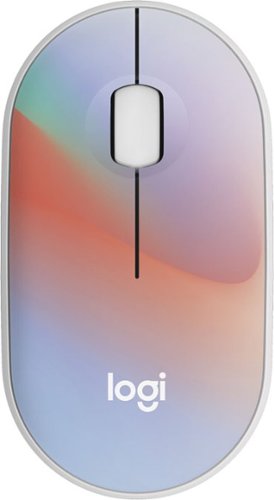
Put your style on display with the M340 wireless mouse collection, offering a choice of colorful statement designs made with recycled plastic. M340~s minimalist round shape and compact mouse design make it super portable. Enjoy silent clicks with Silent Touch Technology to work, browse, and chat in peace, and experience a strong wireless connection with the included USB receiver.
Posted by: BillFromKC
The Logitech M340 is a solid choice if you're someone like me that likes low-profile mice and doesn't want to spend a lot of money on them. While it's not perfect, it's a great option for an inexpensive wireless mouse. Make sure that your laptop or desktop computer can support this, however, because it only uses Logitech's 2.4 GHz wireless technology and not Bluetooth.
Setup - While I get why Logitech wants to use a clear clamshell package for retail display, it's not my favorite kind of package to get into. However, the rear of the package has cutouts for pulling the plastic open. Once you get the mouse out of the package, you'll want to lift the top shell by the mouse buttons in order to get underneath it. You'll need to pull a paper tab from the battery and pull the USB receiver from its hole in the mouse itself, then put the buttons back on.
Usage - Once the receiver is connected to your computer and the mouse is powered on, you're good to go. It functions like any other ordinary mouse. It prompted me to download the Logi Options+ software, but this isn't required for any additional functionality the mouse would have.
The clicks of the left and right buttons are nearly silent, meaning you won't hear yourself click. There is a tactile feel to the buttons, so you'll at least feel the click. For productivity, this is a solid option. You won't want to play any fast-paced games, however, as you may lose track of your finger being up or down on the button.
My only complaint? No Bluetooth, Unifying receiver, or Bolt support. Not a huge dealbreaker for a desktop PC or a laptop with multiple USB-A ports, but for people using Macs or newer computers that have more USB-C than USB-A ports on them, this can be a dealbreaker.
Still, the M340 is a good option if you want a low-profile wireless mouse that just works.
I would recommend this to a friend!
Share this review:


0points
0of 0voted this as helpful.

Say hello to your first ergo keyboard, designed for Mac. Wave Keys for Mac wireless ergonomic keyboard is shaped for all-day comfort, with a wavy keyframe design for easy, natural typing. The cushioned palm rest with memory foam, provides 57% more wrist support. Pair Wave Keys for Mac with Lift for Mac for the full comfy experience.
Customer Rating

4
Solid keyboard for small hands.
on June 30, 2024
Posted by: BillFromKC
The Logitech Wave Keys for Mac is a nice ergo keyboard, as long as you have smaller hands. The keys are narrower than I'm used to, meaning I'd consistently hit wrong letters - generally "Q" instead of "W", "[/{" instead of P, and a definite issue with the numbers row on the top of the keyboard. Even so, the membrane switches felt very nice and firm, and were very quiet - while I still prefer mechanical keyboards over this kind, it was a pretty decent and very quiet experience.
Setup and unboxing - I used this keyboard with a Mac running 10.15.7 so your milage may vary. The keyboard itself comes ready to go - just pull it out of its cloth-like bag and pull the paper tab out, then power it up. Pairing works like any other keyboard, and like with any recent Logitech keyboard, you're prompted to install the Logi Options+ software once paired, though this is optional.
Having the palm rest built into the keyboard is a nice touch; I used this with both my Apple TV 4K and a Hisense Android TV, and it worked well for couch potato duty, keeping my hands where they should be instead of at the carpal tunnel angle.
Usage - this was a mixed bag for me. It was terrific for the membrane switches, which could almost be mistaken for soft mechanical switches. However, the smaller key sizes on the number and "QWERTY" rows were a downer since normal-sized keys are a little on the small side for me; my wife, with her smaller hands, didn't have a problem with it though. The numpad was definitely a bonus though.
If anything was disappointing, it was that the keyboard used a pair of AAA batteries instead of an internal rechargeable battery. Being that one of the things Logitech is marketing is environmental awareness, I'd prefer to see a rechargeable battery. While Logitech keyboards are known for their batteries outlasting any other brand of wireless keyboard, it would still be a nice touch and add to the premium feel of the device. I give the Wave Keys a pass, however, since the price point isn't high enough to demand this feature.
All in all, however, the Logitech Wave Keys for Mac is a solid choice for those of you who want a supremely comfortable keyboard for any situation, as long as you have small hands.
I would recommend this to a friend!
Share this review:


0points
0of 0voted this as helpful.
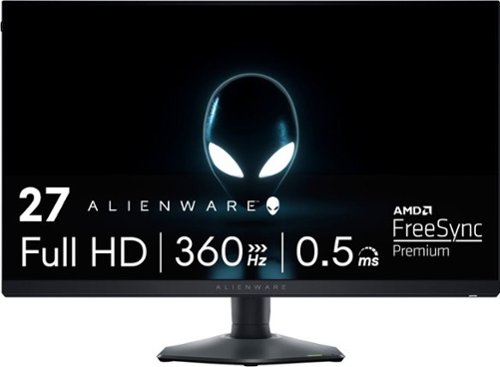
The Alienware AW2724HF 27" Gaming Monitor with a 360Hz variable refresh rate and blazing-fast 0.5ms GtG (Gray to Gray) response time, you~ll experience unbelievably smooth gameplay while being able to view fast-moving graphics with incredible clarity for a quicker in-game reaction time. AMD FreeSync Premium Technology and VESA Adaptive Sync certification lets you experience stutter-free, tear-free gaming and crystal-clear graphics, even during action packed sequences.
Customer Rating
4
Good display, bad design choices
on June 23, 2024
Posted by: BillFromKC
Incredible performance, incredible color and black levels, but slightly marred by some ease-of-use issues and port choices is how I would sum up how I feel about the Alienware AW2724HF 27-inch display.
Unboxing and setup:
The unboxing experience is where it should be for a higher-end monitor - clamshell-style box, easy to assemble adjustable base, and a design that makes assembly easy to do. Besides the monitor and stand, you'll find a DisplayPort to DisplayPort cable, a DisplayPort to USB-C cable, a USB-A to USB-B 3.0 cable, a power cable, and a paperboard box that comes with the instruction literature in it. Assembly is completely toolless. The included stand uses a standard Dell mounting design, meaning that the mounting plate easily snaps into place; there's also a standard VESA 100x100 mounting pattern for those who want to use their own mount.
The stand allows for rotating the display 90 degrees in either direction, though this is difficult as the stand is a little too short for doing to without interfering with your desk. Cable management can handle several cables at once, making it easy to make cables disappear.
A nice touch on the left side of the screen is a headphone holder that pops out; while it's not very big, I did manage to keep a pair of Roccat ELOs - a chunky, mid-weight set of gaming headphones - for a couple of days without falling down.
The port selection works but could have been better. Two DisplayPort ports support input for up to 360Hz video at 1080p; the single HDMI port is listed as supporting 255Hz. There is also a built-in USB 3.0 hub with 4 ports for those who want fewer cables running between their desktop and the top of their desk.
Performance:
Comparing this monitor against other LCD gaming monitors I own of have owned, the motion rendering is smoother at any refresh rate over 100Hz. It's almost OLED good, in fact - at 360Hz, the Blur Busters UFO test was showing very little blur and ghosting.
in terms of color performance, it's not going to match calibrated displays but for everyday work, it's definitely a step above where I expect a gaming display to be. Even the gamma curves looked right straight out of the box. I also managed to get 360Hz video working with an AMD Radeon 6950XT over DisplayPort, an Intel Arc A750 over DisplayPort, and both a Mobile GeForce 4070 and Intel Arc integrated on a Core Ultra 185H over USB-C. HDMI was a little more mixed, with the AMD card hitting 240Hz, the Intel card hitting 144Hz, and the laptop not wanting to go above 120Hz, but part of that could have been the cables being used.
Drawbacks and disappointments:
First, this display should have replaced one of the DisplayPort ports with a USB-C port with power delivery for charging. Had they gone this route, it could also have KVM functionality between devices for those of us with a laptop and a desktop computer. Second, one of the suggested uses for this display is console gaming but there's no speakers or audio output to speak of. A minijack out would have been nice. Third, the stand could stand to be about 2 inches taller. That would end the desk interference with rotating the display.
Conclusion:
The Alienware AW2724HF is a solid 1080p high refresh rate display. If you're in the market for a screen with little compromises, this is it.
I would recommend this to a friend!
Share this review:


+1point
1of 1voted this as helpful.
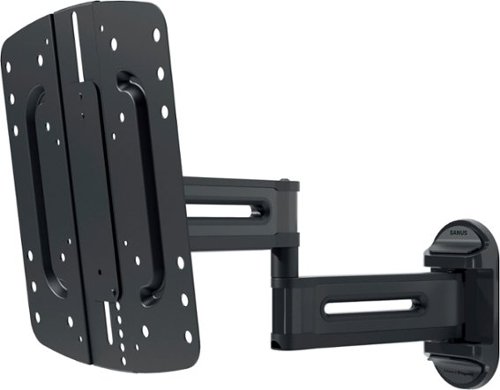
The SANUS Elite Advanced Full-Motion 4D + SHIFT TV Wall Mount for TVs 19"-43" presents the newest technology from Sanus to bring your TV viewing experience to new heights. With the 4D + SHIFT height adjustment feature, you can enjoy 2" up or 2" down of movement for precision TV positioning on the wall, making this mount an ideal solution for when mounting a TV above a fireplace mantle, above a TV console, or even when you have to position around a pre-existing outlet on the wall. This SHIFT feature also allows you to raise your TV at a later time to provide enough space to add in a soundbar or, accommodate seasonal decorations that may interfere with the screen of the TV. If your TV doesn~t happen to end up in the position you hoped it would be, or you accidentally mismeasure during installation, our SHIFT height adjustment feature allows for easy TV height readjustment, either up or down, ensuring that your TV is perfectly positioned where you want it. Designed to blend seamlessly with TVs and d~cor, the Advanced Full-Motion TV Mount was inspired by the sleek look of modern TVs and ultra-high-end kitchen appliances. Beneath the mount~s stylish exterior is an ultra-strong, solid steel frame that provides maximum support ensuring your TV will stay securely in place. With a lower profile depth than traditional full-motion mounts, the Advanced Full-Motion Mount positions TVs closer to the wall creating a more streamlined look. Route your cables along the arms of the TV mount and ensure a clean and organized look for your home entertainment system. Expertly engineered with FluidMotion design, the Advanced Full-Motion Mount provides unparalleled smoothness. Effortlessly extend, tilt and swivel your TV regardless of its weight or thickness. With Virtual Axis, easily reduce glare and reflections caused by lights or windows by tilting your TV up or down with the touch of a finger. The mount~s included Steady Set functionality ensures your TV will stay exactly where you want it ~ no drifting, shifting or unwanted movement. With its simple and intuitive design, the Advanced Full-Motion Mount ensures a clear and hassle-free installation in just 3 easy steps.
Customer Rating

5
The real magic is in the mounting plate
on June 18, 2024
Posted by: BillFromKC
The Sanus Elite Advanced Full-Motion 4D+Shift tv mount is perfect for the first-timer or the person that wants to get mounting their TV or computer monitor to the wall right the first time. The arm is compact and easily moved, easily installed, and has ample cable management for power and an HDMI cable or two.
The adjustability of the mounting plate makes life easy, but don't think you'll be able to adjust the height while the TV is mounted; this isn't the purpose of the height adjustability. If you decide to adjust the height later on though, it's good this remains an option and all you'll need to do is take the screen off the mount to get to the height adjustment.
Installation was a breeze. I replaced an older mount in my kid's room because he decided he wanted his TV to sit a little lower for bedtime viewing. After lining up the bottom screw for a true vertical, it was time to mess with the mounting plate; this is made easy since the bottom wall screw has a little wiggle room to keep the spacing straight.
Once mounted up, I found this mount easy enough to move the TV around with. There is very little play with the mount once it's assembled. Wire routing is also easy and adequate, with plenty of room for a power cord and a thick HDMI cable (HDMI 2.1 compliant).
If anything was disappointing, is was the lack of mounting options beyond 200x200. There are some TVs out there at 40 and 43 inches with 300x200, 300x300, 200x300, and even 400x200 and 400x400.
All in all, this is a solid mount and I'd highly recommend this to the first timer looking to mount a TV. Just make sure you also have a drill, a level, and a stud finder (or the appropriate equipment for mounting into a cement or block wall).
I would recommend this to a friend!
Share this review:


0points
0of 0voted this as helpful.
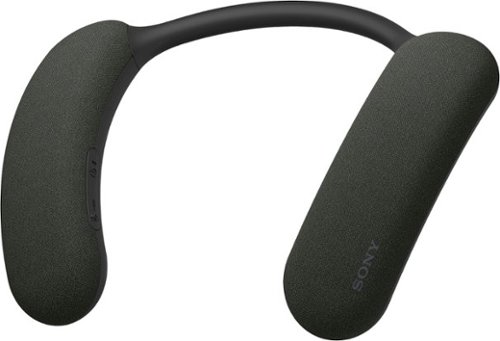
Experience home theater like never before.BRAVIA Theatre U Wireless Wearable Neckband Speaker uses Sony' 360 Spatial Sound technology to transport you into the action of your favorite shows and movies, while not disrupting your household. Pair with your compatible Sony BRAVIA TV to enjoy thrilling Dolby Atmos sound.
Customer Rating
5
Sony made the wearable speaker better.
on June 12, 2024
Posted by: BillFromKC
The Sony Bravia theater you is a device that’s basically in a class by itself. I own three other wearable speakers, and to say this one is leaps and bounds better is an understatement. While the other devices still sound good, Sony elevates the category with sound processing the others lack. While it is a bit pricey for the typical consumer, I feel Sony did enough to add real value here.
Unboxing and set up:
In keeping with Sony being a premium brand, the unboxing experience gives the feeling that you’ve just purchased a high-end device. The unit itself has some heft, and the soft-touch plastics are a nice design choice.
The package also includes two cables - a USB-A to USB-C charge cable that I think is entirely too short, and a 1/8th inch to USB-C cable for using this device with anything that has a headphone output (laptops, DACs, music players, portable gaming systems, and the like)..
To fully take advantage of the 3D positional audio capabilities of the device, you’ll need the Sony Headphones Connect app for your smartphone. While I don’t mind an app for advanced settings, I do mind that I have to agree to 100 different things to use it, and then log in to save settings.
Usage and sound quality:
After initially charging the headset, setup is a breeze. It immediately paired to my iPhone 15 Pro, asked me to download the Sony Headphone Connect app. The app made pairing additional devices simple - I connected it to my Google TV device, my Nintendo Switch, and my Windows laptop. This is designed to allow two devices connected at once, so you can leave your phone paired while watching TV.
I also used the analog audio cable, which was easy enough to use with the laptop. It was kind of on the short side, but was adequate for me.
Bluetooth performance depends on the device and what you’re doing. I found that watching live broadcast TV with the Google TV device had some lag, but screaming was fine. Gaming on my phone, laptop, and Switch wirelessly all also had audio lag. This, unfortunately, is the drawback of Bluetooth. Analog mode fixes this.
The real draw of this device is 3D positional audio. While it works well, it’s limited. You can use a few music apps on the iPhone side for 3D audio music, Tidal being the most common service. If you have a recent Sony Bravia TV, you also get Atmos-enabled audio from sources that support it.
The only real drawbacks I see with the Bravia Theater U are the lack of full functionality across apps outside of those Sony picked for 3D positional audio and a lack of full features on more TVs. I’d like to see Apple Music and other music services, and the various streaming TV services that support Atmos be supported on phones, tablets, and even PCs and Macs. I’d also like to see more TVs supported, especially Google TV/Android TV devices since Sony’s TVs run Google TV/Android TV.
However, the sum of the parts make the Sony Bravia Theater U the best wearable speaker I’ve ever used. I expect this to have a similar following to the original device in this category.
I would recommend this to a friend!
Share this review:


0points
0of 0voted this as helpful.

Water to Land, the Music Never Ends. Seamless transition from water to land, thanks to OpenSwim Pro's durable IP68 waterproof rating. Submerge your OpenSwim Pro up to 2 meters for 2 hours, seamlessly playing your tunes with perfection. Switch between Bluetooth and MP3 mode for uninterrupted music with a button press or in the Shokz App. OpenSwim Pro is tailored waterproof, versatile, while fitting safe and secure for your workout routine ~ in the water or on the land.
Customer Rating
5
Shokz keep getting better and better.
on June 5, 2024
Posted by: BillFromKC
The Shokz OpenSwim Pro is probably the perfect example of where bone conduction headphones are headed. Completely sealed, they're perfect for the pool because you don't have to worry about them getting wet. The sound quality is also improved over their previous headsets, with bass and highs you can hear clearly under and out of water. The only real negative - and I understand why it had to be this way - is the proprietary magnetic charge cable. But when it comes down to it, these are as close to perfection and you can expect waterproof headphones to be.
Unboxing - the premium feel of this headset starts with the packaging being very high-end smartphone like. Inside the box, you'll find the headset, charge cable, ear plugs, documentation, and a zippered storage bag made from wetsuit material. The charge cable has a proprietary magnetic connector instead of USB-C, which is slightly annoying in that you can't just use any charging cable, but in return, you never have to worry about a charge port allowing water in to destroy the electronics.
Usage - Pairing works like any other headset, that holding the power button as you power it up enables pairing mode. Once paired, they work like any other headset, except that they play the music directly into your head. The music playback quality is excellent - easily the best bone conduction headset I've ever listened to and pretty solid for the price class its in.
In the water, sound quality is not lost. They also stay put without being too tight on your head. Out of the water, the fact you can listen to a song and hear everything around you makes working out in public spaces safer, as you can hear traffic around you.
Charging is where I'm torn. I love the magnetic charger, but I don't like that USB-C or Qi charging isn't an option. I know it's not big enough for Qi though, and a USB-C charge port would allow for water ingress. The magnetic charger works well though, with a very positive connection.
For those that want the perfect headset for any exercise in any situation, these are the perfect headphones. Great sound quality with premium fit and feel make these worth the money.
I would recommend this to a friend!
Share this review:


0points
0of 0voted this as helpful.
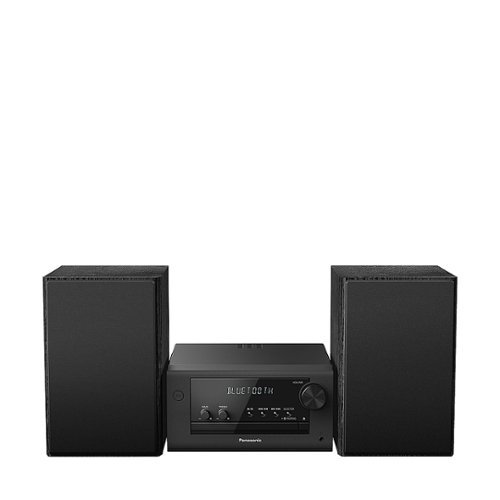
Experience your music in full clarity and richness, even when space is tight, with this compact, all-in-one stereo system that will fit anywhere. Whether you're playing a CD, the radio, or Bluetooth streaming from your smartphone, the PM700 delivers high-quality sound through powerful stereo speakers with a 10cm Woofer & 6cm Tweeter. Customize your sound through the Bass/Treble knob. as well simple presets. Sleek, matte black design; remote control.
Customer Rating
5
A solid small audio system with a great CD player
on May 6, 2024
Posted by: BillFromKC
It's small, it's loud, and it has most of the features you'd want in a shelf system. Bluetooth, CD, and over the air FM radio tuning all sound great. The remote is tiny but tactile but isn't rechargeable and doesn't come with the required one AA battery. The speakers have permanent wires, which I think is a detriment as you'll have to replace the whole speaker should the wire break. Also, there is no aux input so no attaching analog components.
Setup is a breeze. Push-pin speaker connectors let you quickly connect the included speakers, and it has enough power to push larger speakers should you choose.do to so (6 ohms at 40 watts per channel). The speakers sound good for their size and can be quite punchy with the right music.
The radio is straightforward to use, with presets and direct tuning. No AM radio here though, sorry sports fans. Likewise, there is a USB input that supports flash drives up to 32GB, formatted in the FAT format. MP3 is the only supported format, with bitrates up to 320kbps. USB does not function as a lossless way to input phone audio, however.
Bluetooth is somewhat limited. While version 4.2 is supported, which can help your phone's' battery life while streaming audio, only basic Bluetooth audio is supported which means audio quality is okay. Audio can be quite delayed, so don't expect videos or games to match perfectly to the audio.
The biggest selling point here is CD support. For those of us that have the large collections of CDs purchased over the years, this is a great way to listen to those albums. The CD player itself is one of the better players I've heard over the years, and on top of regular audio CDs, it also supports burned CDs loaded with MP3 files - a handy feature if you have a CD burner and a large MP3 library.
Navigating MP3 CDs and flash drives is pretty straightforward but does have a learning curve. compared to other CD players I've used that do MP3 discs, however, this was surprisingly easy to figure out without the manual.
Could this stereo be improved? Undoubtedly. Aux inputs, phone over USB support, and additional Bluetooth CODECs would be nice. For a small radio in the office or kid's room though, this is a solid solution.
I would recommend this to a friend!
Share this review:


+1point
1of 1voted this as helpful.

Experience the height of gaming innovation with the ROG Zephyrus G16. Featuring an all-new premium aluminum chassis with customizable lighting, this laptop merges style and durability. Its ultra-slim 0.59~ profile and lightweight 4.08lbs 16~ chassis redefines portability, but does not compromise on performance. Powered by Windows 11, an Intel Core Ultra 9 185H processor, and an NVIDIA GeForce RTX 4070 laptop GPU, the Zephyrus G16 seamlessly aligns with your lifestyle, meeting all your gaming and creative demands. ROG Intelligent Cooling features liquid metal for reduced CPU temperatures and upgraded Arc Flow Fans for improved airflow to sustain peak performance on the Zephyrus G16 no matter the task. Immerse yourself in the OLED Nebula Display and enjoy rapid 0.2ms response times, vivid 2K resolution, and a smooth 240Hz refresh rate.
Customer Rating
4
Almost a perfect thin and light gaming machine.
on March 13, 2024
Posted by: BillFromKC
Short but sweet - it's a beautifully designed, powerful gaming laptop but realize that the RAM this comes with is the RAM this is stuck with. At least you can throw in a second SSD should you want additional storage. Build quality is excellent, almost like it came from a certain orchard. The keyboard feel is amazing, better than any laptop I've ever used outside those that you have to think about. OLED - enough said.
Unboxing, first impressions, and initial setup:
First thing is the packaging feels like any other Asus laptop. While the ROG Zepherus G16 comes in a box within this box similar to what your high-end smartphone comes in, you have to get through the brown cardboard first. I feel like this takes away from the experience of opening it up.
The laptop is solidly built. The body is milled from a single piece of aluminum, the way premium laptops should be made. The bottom is one large set of vents, which is a way to keep things cool. The dark grey color looks nice, and where the light stripe is looks like a terrific accent, even when off.
Power it on that you'll be greeted by the sound of the G16 booting, which is the sound of a sword being drawn. I'm a fan of this. Also, the contrast between the foreground and background is startling if you've never seen an OLED larger than your smartphone.
This laptop comes with Windows 11 Home Edition. While there are ways to get around making a Microsoft account, plan on doing so if you haven't already. For what it costs, however, it should have with Windows 11 Pro.
The best part of the OOB experience is that McAfee doesn't come installed by default. That was enough to bring back one of the stars taken away from the upgradeability thing (more on that later).
Usage:
The Core Ultra 9-185H processor is extremely snappy and responsive. Windows boots fast and Windows updates very quickly. The SSD in this system isn't the fastest thing out there, but has adequate performance for any game you can throw at this machine. The RTX 4070 Mobile is a capable GPU, even with only 8GB of memory. Performance feels similar to the desktop RTX 4060Ti when turned all the way up to its 115-watt TDP mode. The Core Ultra 9-185H also has integrated Arc graphics that perform very similarly to the Arc A380, which is terrific for encoding and even decent for low-setting gaming.
Everyday usage for productivity is great. Internet browsing is only slowed by your WiFi connection. Office apps do whatever you need them to instantly.
Most games run without issues. While some modern titles will only allow for medium graphical settings because of how much memory they need for the GPU, almost everything else that can run on an 8GB video card will run at high, settings natively. On the 2560x1600 display, graphics look beautiful. Thanks to the display being OLED, the contrast is deep and colors are very rich.
For video editing, the combination of the RTX 4070 and Arc graphics makes for a powerhouse. The RTX chip is great for rendering out graphics while the Arc is very efficient at rendering video.
The G16 comes with a proprietary 240-watt charger. It's also compatible with up to 100 watts of USB-PD charging, which I confirmed for myself with a third-party adapter and a USB-PD cable rated for 240 watts each.
You'll also find USB-A and USB-C ports on both sides of the laptop, HDMI and headphone on the left side, and a SD card slot on the right side.
If you're familiar with Asus ArmoryCrate, that's the software used here to control the keyboard lighting, update the firmware/BIOS, and control the Slash Lighting, which is a very unique feature in that it's a multi-zone light strip that can be set to one of several animated presets. It does only glow white, however. Other Asus-branded peripherals can be controlled with this software, too.
Upgradeability:
2 SSD slots are a terrific way to make sure you don't run out of storage, especially with the price of high-capacity SSDs dropping. The included SSD is an adequate performer, with 5000 MBPS reads and 3000 MBPS writes. it does support PCIE 4 aand PCIE 5 SSDs, but I would stay away from high performance drives in a laptop because of heat and power concerns.
the WiFi card is also easily accessible with the bottom open and uses the standard form factor. As WiFi versions improve, it's good to know you can upgrade.
However, the RAM is soldered into the machine. You can't just go buy a DDR5 memory kit to upgrade from 16GB. Gaming laptops should have upgradeable memory. I would have even given up one of the SSD slots for this.
Closing:
This is almost a perfect laptop. Thin, light, powerful. Then you find out that even though you can add storage, you can't add RAM. While it's a good premium laptop for those looking for something thin, stylish, powerful, and not from the orchard, it's not something I can recommend to the core audience Asus was looking at selling this to, as 16GB will be less than the minimum spec you'll want for gaming. It is a solid laptop though. My recommendation is for those that aren't looking at this as a hardcore PC gamer.
And for the price, it should come with Windows 11 Pro.
If you're a gamer who really does want a Zephyrus laptop, I'd recommend spending a little more on one of the models with 32GB of RAM. Yes, it's going to cost more, but you'll get more enjoyment over the years out of one of those models.
I would recommend this to a friend!
Share this review:


+1point
2of 3voted this as helpful.
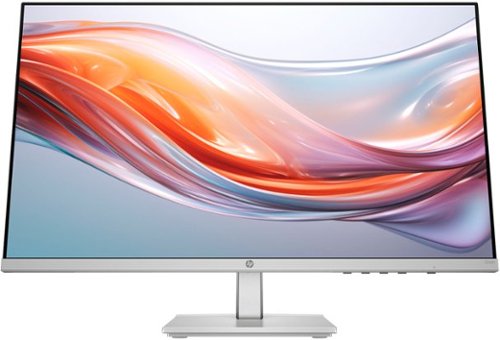
When you need the right tech to take on a day full of projects, meetings, and more, you need the HP Series 5 23.8-inch FHD Height Adjust Monitor. Its sleek design complements any workspace. And its beautiful screen, adjustable stand, and comfort features take your productivity to the next level. Bring flexibility to the way you work through enhanced visual performance, contrast ratio, and refresh rate.
Posted by: BillFromKC
The short and sweet - It's a nice-looking 24 inch-class (23.8 inches viewable) 1080p monitor that hits a lot of points in terms of features - 100 Hz fast refresh rate, bright panel, decent color, and smooth visuals. This is balanced out by the color balance not being the greatest (especially in the greens), no adaptive refresh rate technology for tear-free visuals while gaming, no VESA mounting options, a VGA port instead of a second HDMI or a DisplayPort port, black levels that aren't particularly great with the brightness turned up, and an external power brick instead of internal power.
Unboxing and setup:
This went pretty quickly. HP's packaging for their basic monitors is, well, basic, but gets the job done. The stand assembles quickly with two thumbscrews, and the panel snaps into place. There's the included power supply with power cord and a pretty solid HDMI cable as well - if you're wanting this monitor for a computer with a VGA port, you'll need to pick up a VGA cable if you don't already have one.
Aesthetically, this is a nice-looking monitor. 3 sides are "bezel-less", and the bottom chin's silver plastic does look classy. The surfaces have the look of aluminum, but are plastic.
The menu system is easy to navigate with four buttons on the lower right side of the screen. There are tons of adjustments, from the basic brightness and contrast to color levels, black levels, response time, and even sharpness (rare for a computer monitor).
To enable this monitor's marquee feature - the high refresh rate - you'll need a compatible graphics solution. Most video cards and integrated graphics chips made in the last 5 years should support this feature without issue. As long as this requirement is meant, you'll just need to go into the Settings app in Windows, under Display, then Advance Display at the bottom to Choose the 100 Hz refresh rate. For my fellow Mac users, it's a similar process - Go to the System Preferences app, click on Display, and the refresh rate should be immediately accessible.
I did play a little Doom Eternal and some Resident Evil 4, and tested with the UFO blur test. While there was a little ghosting on the screen in the dark scenes and in the UFO test set to high speed, the bigger problem was how the black levels were crushed by blacklight bleed. Turning down the brightness helped here, as did playing with the black stretch and making sure it was set for full-range visuals over the more television-like limited setting. Games like the Doom and Resident Evil series, along with other FPS games like Call of Duty and Fortnite, and horror-type games like Five Night at Freddy's and The Last of Us Part One need those more complete black levels for more immersive gameplay.
Productivity is where this screen shines. Text is crystal clear, spreadsheets are easily readable, and surfing the web is smooth as butter.
Video and photo editing is also decent on this screen, but you'll need to calibrate the display's color to get accurate results.
Criticisms:
So first and foremost, my biggest gripe with this display is the power supply isn't integrated. It's easier to manage a power cord than a power supply. No VESA mount also limits the options you have with this screen, especially if you want a portrait display. The lack of Adaptive Frame Rate - either generic, FreeSync, or G-Sync - is also disappointing, as I did have several games run faster than 100 fps, which resulted in some frame tearing. Also, it's 2024 - why do we still have VGA on a consumer-class display? Finally, I feel the price is high for the feature set of this monitor.
Conclusion:
It's a decent screen but lacks features you can find in competing screens for similar prices. The menu system is easy to use and featureful, but only a single HDMI port limits your connectivity. Gaming is okay outside of dark scenes, video and photo editing need display calibration, productivity is great though. Get it if it's on sale or matches your HP computer.
I would recommend this to a friend!
Share this review:


+2points
2of 2voted this as helpful.
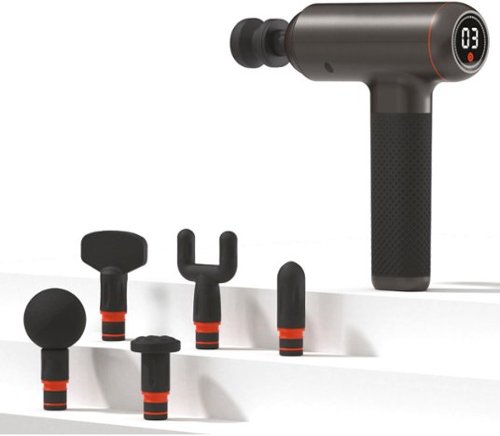
The Sharper Image Powerboost Deep Tissue Percussion Massager is the ultimate post-workout recovery tool. This advanced massage gun uses deep tissue percussion to target sore muscles and tight knots. Adjust the percussion's strength to any of the 7 built-in speed settings to cater to your body's needs. With 6 unique attachments, you can easily tailor your recovery process. The Powerboost is whisper quiet and features a user-friendly LED touch screen display for seamless operation. Enjoy up to 3 hours of uninterrupted use with a single charge and bring it with you for on-the-go recovery.
Customer Rating
4
Thump away the soreness.
on January 9, 2024
Posted by: BillFromKC
The Sharper Image Powerboost Deep Tissue Massager will thump that soreness out of your muscles. With different attachments, it's built to handle all of your sore spots. It's extremely powerful, where even its slowest speed won't grind to a halt as you power out those knots in even your thickest muscles. The only real disappointment is that it doesn't come with a USB-C charger - while it can charge with a USB-A style charger, even using a USB-A 12-watt charge brick won't charge this very quickly, where a 20-watt USB-C charger will.
Before usage, make sure you charge this device completely. While it will power on, you risk damaging the battery, depending on how discharged it is. Charing using a 20 watt USB-C charger didn't take too long to get it full.
To change tools, you'll want to twist as you remove the tool head. I don't know if it's a design issue or just my unit, but I found this a little finicky on the starting position of the tool. I've had this issue with nearly every percussive massager I've ever used though, no matter the brand.
Usage is straightforward. Press and hold on the power button to turn the unit on and off, press the power button to flip between standby and one of 7 speeds; the higher the speed, the harder the percussive thumps are. As for the tools, I'm a fan of the foam ball and the air cushion heads.
Now is this for everyone? Probably not. My wife has fibromyalgia and didn't enjoy this massager at all. My 12-year-old enjoyed that it made him have a robot voice but was over-sensitized after a few minutes of on-and-off use. Just because I had a positive experience with it personally doesn't mean that you will.
I'm a fan of it, but that doesn't mean you will be. I would give it 5 stars but this should come with a USB-C to C cable and USB-C charge brick instead of the USB-A cable.
I would recommend this to a friend!
Share this review:


0points
0of 0voted this as helpful.
BillFromKC's Review Comments
Westinghouse HDTV: Enjoy your favorite movies, shows, games and sporting events in realistic 1080p resolution on this Westinghouse HDTV's LED panel. Ensure fast-moving scenes remain clear with a 60Hz refresh rate that minimizes blurring and ghosting.
Overall 1 out of 5
1 out of 5No HD tuner
By Westingtonhouse
I can not imagine that tv in today time do not have digiter tuner. I bought 6 now I have to return them since i use cable straight from wall for tv from COX

BillFromKC
KCMO
This TV has an ATSC tuner.
August 27, 2015
There's no guarantee that ATSC tuners will work with ClearQAM cable channels, and even so, the greater majority of cable providers now scramble all cable channels. Including OTA channels. Because the FCC changed the rules and they're allowed to do this now.
+6points
6of 6voted this comment as helpful.
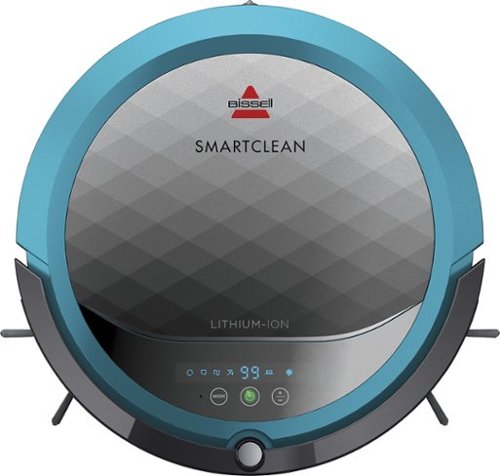
BISSELL SmartClean Robot Vacuum: Easily rid your floors of dirt and debris with this vacuum that uses Opticlean optical sensors and a Triple-Action Cleaning System to tackle your floors. Invisible Wall technology lets you target specific areas.
Overall 3 out of 5
3 out of 5Hard To Program
By FortFun2
from Illinois
Found it is difficult, not intuitive, to program. Others have said if you loose power all your programming is lost, but we haven't lost power yet so can't confirm. I just wanted it to run when I left the house without a set program and contacting Bissell just led to more confusion. But, once I got it working I was impressed with the amount of pet hair it removed.
BillFromKC
KCMO
I can attest to this.
September 16, 2016
Sometimes, I have to plug mine directly into the charger to get it to charge because the battery is overly drained. Because of this, I don't even bother programming it anymore.
0points
0of 0voted this comment as helpful.

The new MacBook Pro is faster and more powerful than before, yet remarkably thinner and lighter.~ It has the brightest, most colorful display ever on a Mac notebook. And it features up to 10 hours of battery life.~ It~s a notebook built for the work you do every day. Ready to go anywhere a great idea takes you.
Overall1 out of 5
1 out of 5Terrible
By Joel
I purchased this one month ago and it has a faulty display. Best Buy takes no responsibility and will not exchange it for a good one. I have left voicemails for a district manager to call me and no one has called. I will never shop at Best Buy again.
BillFromKC
KCMO
Yep, take it to Apple.
January 13, 2017
If Best Buy is doing you wrong, just take it to your nearest Apple location and they'll set you up with a fix or a new one.
+4points
4of 4voted this comment as helpful.
![The Secret Life of Pets [DVD] [2016]](https://pisces.bbystatic.com/prescaled/500/500/image2/BestBuy_US/images/products/5224f7b2-43d6-4d33-8d0e-315348745874.jpg)
Overall1 out of 5
1 out of 5Bootleg Copy of Secret Life of Pets
By Disappointed
About 15 minutes into the movie the volume became muted and a message came on the TV that this was a bootleg movie. An unauthorized copy. Be very careful purchasing DVD's or Blu Ray movies from Best Buy. They just may leave you and your grand children very disappointed as it did our family.
BillFromKC
KCMO
This could very well be your DVD or Blu-Ray player
January 20, 2017
causing your issues. The Film Industry (MPAA and associated groups) are known for their draconian DRM systems, first with DVD and now with Blu-Ray and 4k Blu-Ray.
if your Blu-Ray player isn't connected to the internet, connect it to the internet and update its firmware. That should fix all your issues.
0points
0of 0voted this comment as helpful.
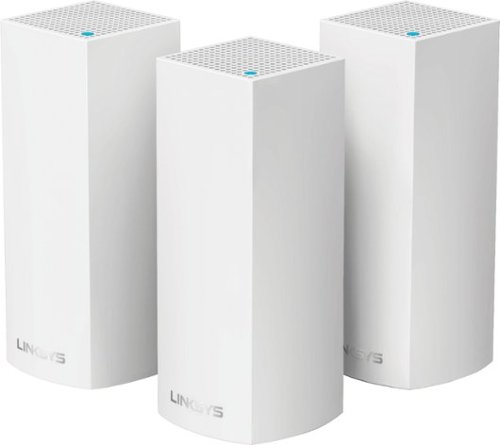
Make your home an internet haven with this versatile Linksys Velop wireless Wi-Fi system. Three identical tri-band dual-stream AC2200 routers, each equipped with a quad-core ARM Cortex-A7 processor, deliver lightning-fast internet. Equipped with Bluetooth 4.0/LE, this Linksys Velop wireless Wi-Fi system is simple to set up and pairs easily with computers, tablets and smart devices.
Overall5 out of 5
5 out of 5This is the future of WiFi
By neio11
I threw (recycled) away my wifi extenders plus I am now able connect a device with an ethernet cable without having to run cables through the walls because each node has 2 ethernet ports. So for instance, I have one node connected to my modem and an ethernet switch. My 2nd node in another room is connected to an NVR for my security cameras. The speed through the nodes is surprisingly fast. The NVR is capturing HD videos from 3 cameras and it seems to capture fine. The 3rd node is in my living room area. The whole house is covered! Please put a password on your wifi otherwise you'll be supplying FREE wifi for your neighbors. I can have full internet access from 3-4 houses away from my house. I thought installation would be a pain considering you have to setup each node. Well, I shouldn't say "have to" because you don't have to use all 3 nodes. You can use only 1 or 2 and give the 3rd to me. haha. No but setup is a breeze! The only thing is that you have to use a smart device such as a tablet or phone, to do the setup. Velop currently doesn't support PC-based setup but I hope Linksys changes that especially for us "techies"!!! It works with Alexa. You can ask #Alexa what the wifi password is... so they say. I haven't had much success with it yet. It looks clean and neat. It doesn't all those antennas sticking out of it which makes it aesthetically pleasing.
I'm loving so far!
BillFromKC
KCMO
The setup process basically forces you to put a...
February 19, 2017
...password on your WiFi network. In fact, it's one of three things it asks when you set up the parent node, the other two being "Do you connect directly to the internet or through a modem/router device provided by your ISP?" and what to call your wireless network.
0points
0of 0voted this comment as helpful.
Make your home an internet haven with this versatile Linksys Velop wireless Wi-Fi system. Three identical tri-band dual-stream AC2200 routers, each equipped with a quad-core ARM Cortex-A7 processor, deliver lightning-fast internet. Equipped with Bluetooth 4.0/LE, this Linksys Velop wireless Wi-Fi system is simple to set up and pairs easily with computers, tablets and smart devices.
Overall5 out of 5
5 out of 5Blazing Speed, Best In Class Performance!
By gadgetguy11
The Linksys - Velop Tri-Band Whole Home Wi-Fi System (3-pack) is packaged in a beautiful & functional box with magnetic closure - it exudes quality! Each Node is protected individually. Just looking at the box, you expect a premium, esoteric product... & Linksys delivers that & more in spades! The shapely Nodes are beautiful & blend with any decorating style.
Simple set-up via the Linksys iOS or Android App. Within minutes, you are ready to go online.
As shown in attached photo, I have 90 wireless devices utilized over 5,000 sq feet / 3 floors: this is a challenging application for high speed Wi-Fi that includes: connected major appliances; BAS ceiling fans & Haiku Wi-Fi connected lights; Wi-Fi Thermostats; Netatmo Wi-Fi Weather Station; 65 Hue Lights; Connected exterior door locks; Wink Wi-Fi connected devices; connected iDevices, Nest & Arlo cameras; iPads; iPhones & computers. Finally, Streaming from 4) Apple TV's; Nixplay Wi-Fi Photo Frames.
And now the Results:
Velop delivers the fastest Wi-Fi speed I have ever experienced and does so consistently! The attached screen capture shows 349 Mbps Download / 23 Mbps Upload. These are WIRELESS speeds!! I pay for 300 Mbps Download / 30 Mbps Upload & our internet service provider generally delivers 300 - 360 Download & 22 - 32 Upload.
Velop is the only Wi-Fi System I have found to date that actually delivers this sustainable speed and does not randomly disconnect the many devices.
High power Wi-Fi requires a high current source. Each of the 3) square white power supplies produce 12 Volt, 2 Amp output! 24VA (Volt Amps) is the highest output of any router I have tested. Better yet, the cable that plugs into each Velop is perfectly angled at the plug so the wire routs neatly through the cable management feature at the base. Brilliant design!
PRO's:
1- Fastest Wi-Fi Speed
2- Easy approximate 10 minute Set-up per hub
3- Velop Nodes are very attractive & blend with any architecture
4- Robust infrastructure yields dependable performance
5- 24/7 Support
6- 3-Year Warranty
7- Easy to use App with great diagnostics
8- Wire Management at the base is excellent & offers a wire free appearance.
9- Three Velop Nodes establish fast Wi-Fi speed across the house on any floor.
10- Expandable: Add an additional Node any time you prefer.
1- Fastest Wi-Fi Speed
2- Easy approximate 10 minute Set-up per hub
3- Velop Nodes are very attractive & blend with any architecture
4- Robust infrastructure yields dependable performance
5- 24/7 Support
6- 3-Year Warranty
7- Easy to use App with great diagnostics
8- Wire Management at the base is excellent & offers a wire free appearance.
9- Three Velop Nodes establish fast Wi-Fi speed across the house on any floor.
10- Expandable: Add an additional Node any time you prefer.
CON's:
1- IP Address range cannot be changed from: 192.***. My 2) existing Apple Time Capsule / Routers had IP addresses of 10.***, but they can be set to different ranges. A different IP Address range requires individually resetting a few devices that previously connected to the other range. For example, each Nixplay connected frame had to manually "Forget" the old Wi-Fi name of the previous SSID, then set up the same name with Velop, even though the Wi-Fi name and password are the same. On 13) Apple Airport Express devices, I had to power down each device to reset it from 10.*** to 192.***
2- IPv6 is not supported as of product release. This is surprising, as my three year old Apple Time Capsule / Router supported IPv6.
3- The first unit set up in under 10 minutes; however the remaining two hubs froze at the same exact place midway every time during set-up. After 6 failed attempts, I held each Node horizontally and kept my hand around it. Surprisingly, this procedure resulted in a virtually immediate set-up! Then I set each Node vertically & it continued to work great.
4- Only one Node can connect to the internet via ethernet. The other Nodes connect to the first Node via wireless mesh connection. I would prefer the option of connecting each Node to a wired ethernet connection. Linksys Technical Support indicated this may be added later as a software update. This would prove beneficial because the Nodes must be located fairly close together (my tests showed less than 40 feet apart at most).
1- IP Address range cannot be changed from: 192.***. My 2) existing Apple Time Capsule / Routers had IP addresses of 10.***, but they can be set to different ranges. A different IP Address range requires individually resetting a few devices that previously connected to the other range. For example, each Nixplay connected frame had to manually "Forget" the old Wi-Fi name of the previous SSID, then set up the same name with Velop, even though the Wi-Fi name and password are the same. On 13) Apple Airport Express devices, I had to power down each device to reset it from 10.*** to 192.***
2- IPv6 is not supported as of product release. This is surprising, as my three year old Apple Time Capsule / Router supported IPv6.
3- The first unit set up in under 10 minutes; however the remaining two hubs froze at the same exact place midway every time during set-up. After 6 failed attempts, I held each Node horizontally and kept my hand around it. Surprisingly, this procedure resulted in a virtually immediate set-up! Then I set each Node vertically & it continued to work great.
4- Only one Node can connect to the internet via ethernet. The other Nodes connect to the first Node via wireless mesh connection. I would prefer the option of connecting each Node to a wired ethernet connection. Linksys Technical Support indicated this may be added later as a software update. This would prove beneficial because the Nodes must be located fairly close together (my tests showed less than 40 feet apart at most).
CONCLUSION: My search for the "Ideal" Whole Home Wi-Fi System that consistently delivers 300 Mbps over 5,000 square feet with 90 devices ends here!! I am THRILLED with Velop & give it my highest recommendation!! It has proven to be the BEST ROUTER available for 2017!
BillFromKC
KCMO
Mine gave me IPv6 OOB
February 19, 2017
and even so, there was a firmware update it applied immediate after setup. I agree that the IP address range thing is annoying though, especially when you're moving from an existing network with static IP devices (NAS, printers, etc.)
0points
0of 0voted this comment as helpful.
BillFromKC's Questions
BillFromKC has not submitted any questions.
Make your home an internet haven with this versatile Linksys Velop wireless Wi-Fi system. Three identical tri-band dual-stream AC2200 routers, each equipped with a quad-core ARM Cortex-A7 processor, deliver lightning-fast internet. Equipped with Bluetooth 4.0/LE, this Linksys Velop wireless Wi-Fi system is simple to set up and pairs easily with computers, tablets and smart devices.
Can I use them in Jamaica
As long as the Velop system works with channels available Jamaica and you can download and use the Linksys WiFi app from the Apple App Store or Google Play, sure. Jamaica uses the FCC plan with 2.4 and 5 GHz devices if I remember correctly.
9 years, 4 months ago
by
BillFromKC
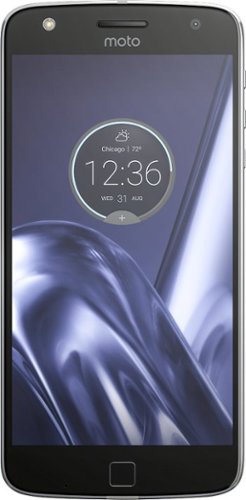
Catch up with friends and enjoy powerful connectivity with the Moto Z Play Droid. A variety of modules ensures this 5.5-inch smartphone can be adapted to suit your exact needs, whether you want a more powerful camera or simply longer battery life. Android 6.0.1 Marshmallow means the Moto Z Play Droid is fast and can handle the latest apps.
Does this phone exist????? Was told store had them, went to store they don't!! I tried to buy online and it says "In-Store" Pickup, but then says its not available at any within 250 miles???
Catch up with friends and enjoy powerful connectivity with the Moto Z Play Droid. A variety of modules ensures this 5.5-inch smartphone can be adapted to suit your exact needs, whether you want a more powerful camera or simply longer battery life. Android 6.0.1 Marshmallow means the Moto Z Play Droid is fast and can handle the latest apps.
Is there going to be a jbl booster included
No. The JBL speaker mod is sold separately, as are other moto mods and headphones.
9 years, 7 months ago
by
BillFromKC
BISSELL SmartClean Robot Vacuum: Easily rid your floors of dirt and debris with this vacuum that uses Opticlean optical sensors and a Triple-Action Cleaning System to tackle your floors. Invisible Wall technology lets you target specific areas.
What is the height so I can see if it will go under my couches? Thank you Shirley
It's probably 3 and a half inches high - a little bit taller than a roll of Charmin is wide.
I wouldn't necessarily plan on sending it under couches though - it got confused under my platform bed once and shut down, and was a pleasure to fish out of there.
I wouldn't necessarily plan on sending it under couches though - it got confused under my platform bed once and shut down, and was a pleasure to fish out of there.
9 years, 8 months ago
by
BillFromKC
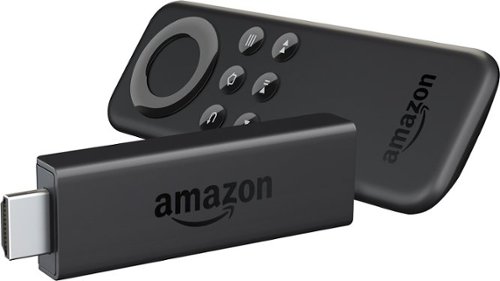
Amazon Fire TV Stick connects to your TV's HDMI port. Just grab and go to enjoy Netflix, Prime Instant Video, Hulu Plus, YouTube.com, music, and much more.
Can I plug the Amazon Fire Stick into the DVR from DirectTV. ?
I can't access the HDMI on my tv because of its location. The DVR from DirectTv has an HDMI port. Can I plug the Fire Stick into that and have it work? Thanks.
If it's an HDMI input, then yes. However, you're better off to attach the Fire Stick directly to your TV using the HDMI extender cable or to your AVR if you're using a home theater setup.
10 years, 5 months ago
by
BillFromKC
KCMO
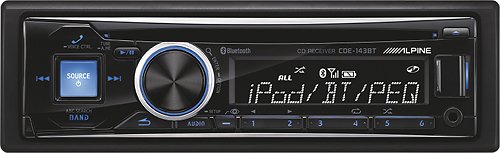
Alpine Car Stereo Receiver: Accept hands-free calls and stream music in your vehicle by connecting this car stereo receiver to your cell phone or MP3 player via Bluetooth. You can even play your CD collection.Geek Squad~ installation is strongly recommended for this product. Please visit your local Best Buy store for details.
Will this work in a 2000 Toyota Camry?

Sports, action, shooters, you name it. The familiar layout of this gamepad brings console-style control to your PC games. Bring the gaming console experience to your PC with this game controller that features broad game support for wide-ranging use and a floating D-pad for simple operation. The 6' cord allows you to sit back and relax while playing your favorite games.
Does it work with windows 10?
Yes. Some games will require the DirectInput mode, where other games will require XInput (aka XBox 360 mode).
10 years, 9 months ago
by
BillFromKC
KCMO
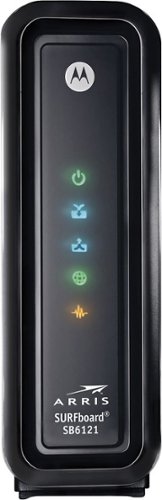
This ARRIS cable modem features Gigabit Ethernet connectivity for fast downstream and upstream data speeds. Six multicolor LEDs indicate the operational status and a color-coded rear panel ensures simple installation.
compatability
Will this modem work with century link?
If CenturyLink is using DSL technology, No. Contact their technical support for more information.
10 years, 10 months ago
by
BillFromKC
KCMO
Alpine Car Stereo Receiver: Accept hands-free calls and stream music in your vehicle by connecting this car stereo receiver to your cell phone or MP3 player via Bluetooth. You can even play your CD collection.Geek Squad~ installation is strongly recommended for this product. Please visit your local Best Buy store for details.
Is this compatible with Android phones?
If your Android phone supports Bluetooth audio, it should work just fine.
11 years ago
by
BillFromKC
KCMO
Sports, action, shooters, you name it. The familiar layout of this gamepad brings console-style control to your PC games. Bring the gaming console experience to your PC with this game controller that features broad game support for wide-ranging use and a floating D-pad for simple operation. The 6' cord allows you to sit back and relax while playing your favorite games.
How is the d-pad when used for fighting games?
I was wondering if the buttons are precise and don't have two inputs.
D-pad is alright, but since the entire thing can be pushed down at one time, you need a lighter touch to use it properly.
There are better controllers for fighting games if you're a d-pad aficionado.
There are better controllers for fighting games if you're a d-pad aficionado.
11 years ago
by
BillFromKC
KCMO