


BillFromKC's stats
- Review count234
- Helpfulness votes729
- First reviewJune 27, 2012
- Last reviewJune 9, 2026
- Featured reviews0
- Average rating4.5
- Review comment count6
- Helpfulness votes10
- First review commentAugust 27, 2015
- Last review commentFebruary 19, 2017
- Featured review comments0
Questions
- Question count0
- Helpfulness votes0
- First questionNone
- Last questionNone
- Featured questions0
- Answer count65
- Helpfulness votes40
- First answerJanuary 9, 2014
- Last answerNovember 5, 2021
- Featured answers0
- Best answers9

JVC Marshmallow true wireless inner ear headphones with memory foam ear tips for a custom secure fit. Includes Low Latency mode for gaming and watching videos. Bluetooth version 5.3 ensures a stable wireless connection and enjoy up to 26 hours of total use with included rechargeable charging case that includes USB-C charging. Three sound modes and independent Left/Right single-ear use. Auto-pairing and auto on/off. Touch controls for music or phone calls. Sweat and splash-proof IPX4 rated, ideal for sports and fitness. Integrated microphone with voice assistant compatibility.
Customer Rating

4
Decent but lacking some features at this price
on May 3, 2023
Posted by: BillFromKC
TL;DR - These are decent cheap earbuds for everyday use as long as you're not a bass head. The low-latency part is okay for watching videos but not good for gaming, at least on iPhone and Windows 11. Easy to use, good battery life, and all-day comfortable. No JVC app support for changing EQ modes easily. Thankfully, they use USB-C for the case charge port.
The package comes apart like you'd expect and you'll find the ear buds in their case, a short USB-C cable, a packet of ear bud tips, and instruction/warranty inserts. Make sure you pull the little adhesive tabs off the earbuds themselves and charge them before your first use for at least 15 minutes, as they're not charged out of the box.
Pairing is simple - pull the earbuds out of their charge case and connect your phone or laptop. Keep in mind these are not multi-point audio devices and, as such, will only work with one device at a time.
Usage is also simple. You can use the touch sensors on the ear buds to play and stop music, answer calls, skip tracks, and change the EQ and latency settings. The EQ is adjusted by touching the left ear bud for a second or so and will change between "Normal", "Bass", and "Clear" modes. Low latency mode is enabled and disabled by tapping the right ear bud 4 times in rapid succession. Siri and Google Assistant can be accessed by tapping the left ear bud 4 times in rapid succession.
Audio quality is overall decent. The headphones support AAC audio over Bluetooth so Apple Music sounds good, as do videos from Netflix and YouTube being played back from both my iPhone and my Windows 11 laptop. There's no AptX or LDAC support here, so audio quality on Android may vary. As far as response goes, these ear buds are good for mids and some highs but lack low-end punch. You can tell the bass is there, but it doesn't feel as rich as in some other ear buds in this price range. It does have clarity with vocals and many instrumentals, which makes up for this.
My only real problem with these is they're not app-controllable. Plenty of other ear buds and headphones that don't cost nearly as much have apps to adjust their settings. Had these been app-controllable, I would have given them a 5-star score.
All in all, these are a good value if you can catch them on sale. They're all-day comfortable, easy to use, with terrific battery life between the buds and case. If you can live without app control and you're not wanting a ton of bass, these might be your new go-to ear buds.
I would recommend this to a friend!
Share this review:


0points
0of 0voted this as helpful.
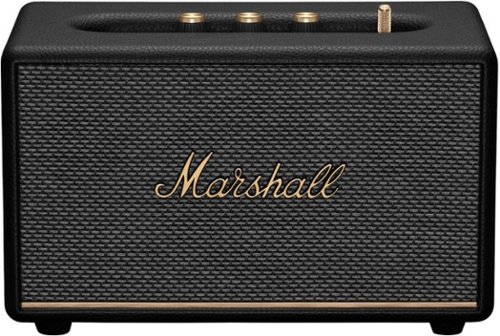
As the most compact speaker in the home line-up, Acton III fits in anywhere, with sound that really stands out. Acton III has an even wider soundstage than its predecessor, delivering room-filling Marshall signature sound that has been re-engineered for a more immersive experience. This new generation of Acton has tweeters angled outwards and updated waveguides to deliver a consistently solid sound that is so wide it chases you around the room. This two-way driver system delivers a balanced sound, with crisp, soaring treble and controlled, rumbling bass. Built-in Dynamic Loudness adjusts the tonal balance of the sound, ensuring your music sounds brilliant at every volume, while Placement Compensation corrects for any nearby reflective surfaces that may affect the sound. Acton III is ready for the future of Bluetooth technology and has been built to deliver next-generation Bluetooth features the moment they are available.
Customer Rating

5
little speaker got the beats
on May 3, 2023
Posted by: BillFromKC
When I see the Marshall name, I think crunchy distorted guitar and stacks of 4x12 speaker cabinets 4 units high and 25 or so units wide, blasting a Kirk Hammett, Jeff Hanneman, or Eddie Van Halen guitar solo to a stadium with 40,000+ that paid for seats they never used.
So imagine my surprise when I see they make Bluetooth speakers. They’re styled like miniature versions of their amps and speaker cabinets. While they’re surprisingly light for their size, they punch above their weight class.
The model I received is the Action III. It’s small - about 10 inches wide, 5 inches deep, and 6 inches tall with its feet. It requires mains power, so it’ll sit in your study, kitchen, or bedroom and probably not move. The most noticeable thing about the Action III is how solid the switchgear feels - a heavy toggle that feels like it came off an actual Marshall amp, buttons for playback controls and pairing that feel substantial, and knobs that feel like solid analog knobs (though they’re all rotary encoders with red LED indicators to show you volume, treble, and bass levels). Unboxing was easy enough, with molded cardboard around the speaker unit itself.
Pairing was straightforward on my iPhone. Once done, you’ll want to download the Marshall Bluetooth app - which, as an absolute win, does not require an email address to function. The app allows you to adjust treble and bass response, along with wall and shelf compensation.
Audio quality is remarkably good - solid treble and incredibly deep bass response for its size. It also gets very loud, though bass does distort at higher volumes - expected for the amplifier power (1x30 for the woofer and 2x15 for the tweeters). Everything I threw at it - NOFX’s “Don’t Count On Me”, TI and Rihanna’s “Live Your Life”, Mighty Mighty Bosstones’”Wonderful Day for a Race”, Avenge Sevenfold’s “Thick and Thin”, Yo-yo Ma’s rendition of Bach’s Unaccompanied Cello Suite, Pompeii’s rendition of Roberta Flack’s “Killing Me Softly”, and the Charles Mingus Band’s rendition of “Moanin’”. What was most surprising was clean the instruments sounded - you could hear hear the different parts of horn sections, guitars sounded like they should, and even a baritone sax “honk” sounded like the musician was in the room.
Only real negative? This speaker isn’t portable. But that’s okay because it wasn’t meant to be. Also, it could be considered pricy compared to other options but you won’t get this amount of quality sound in a package this small. And if it wasn’t for the control app not requiring an email to work, I would subtract a star for the lack of AirPlay, Chromecast, Sonos, or other wifi speaker tech.
It’s a solid value for a smaller listening space, no matter what genre of music you like. The lack of wifi audio doesn’t subtract enough from a quality aural and app experience to not give this 5 stars.
I would recommend this to a friend!
Share this review:


+4points
4of 4voted this as helpful.
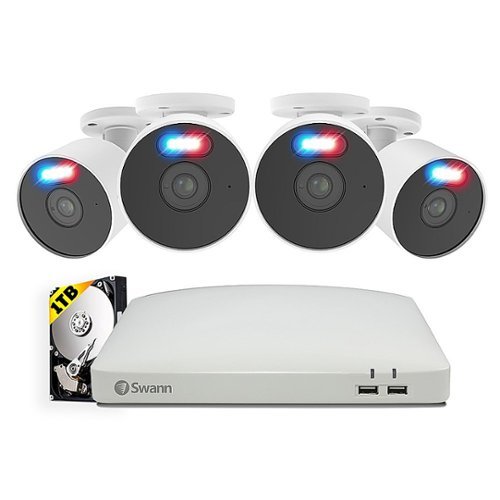
Swann - Home 8 Channel 4 Cameras Indoor/Outdoor 1080P 1TB DVR Security System with Analytics - White
The Swann SwannForce has crime-fighting features other security systems dream about. True Detect senses heat and motion-based to trigger red and blue flashing lights (Swann Patent) and bright spotlights to intimidate intruders and prevent crime. The activity also triggers reliable push notifications, with fewer false alarms, and video recordings. The SwannForce Cameras make it possible to see faces and license plates with 1080p Full HD video and powerful digital zoom to watch over entrances, yards, driveways, parking lots, storerooms and more. Know what~s happening at any hour, as the Cameras also display state-of-the-art Night2Day technology, providing full spectrum color night vision, to turn night into day. Mount the cameras inside or outdoors as their weatherproof design is built to withstand rain, snow and heat, all year round. Enjoy free local recording onto the massive 1TB hard drive with no fees ever and the option to backup video securely to your Dropbox account. One way audio allows you to hear what's happening and with the Swann Security app, you can even watch live or playback video on your smartphone from anywhere in the world. You can also speak to see via the Google Assistant or Alexa. The SwannForce Security System combines video surveillance and flashing lights to be an all in one crime prevention solution for any home or business. Enjoy Rich notifications with Swann's FREE Analytics Package which includes: Human, Vehicle, Sound, and Zone Defense Detection.
Customer Rating
4
Solid camera system but bad interface decision...
on April 3, 2023
Posted by: BillFromKC
TL;DR - solid performance, clear views, the app is easy to use, self-installation can be a pain if you're not comfortable with running wires through walls and applying caulk in order to seal things up, but the only real drawback is the on-device interface. It's an otherwise solid camera system with a bad UI.
Unboxing and setup:
You'll find this Swann Enforcer set comes with two boxes inside its retail packaging - one box for the cameras, cables, and camera power adapter, and one box for the DVR, its power supply, a mouse, a short network cable, and a single HDMI cable. The
First power-on and initial setup, for me, was a chore. I tried it with four different TV sets (a Sony XBR2, an Olevia 5 series, a Westinghouse 32" that can do 1080p input, and an Element that can do 1080p input). I followed that up by the VGA connection, and the XBR2 worked immediately. So for the initial setup, make sure you have access to a TV or monitor with VGA input as HDMI may not work for initial setup. (Swann not including a VGA cable here is a bad thing, even though the connector is about as old as it's gets.)
Placing the DVR does have a few considerations - you'll want a place where attic or basement access for cable runs isn't a big issue, you'll need at least two power outlets, and you'll need to be near an ethernet port for your internet connection as this doesn't do WiFi. While Swann suggests placing this near your router, that's not always possible so other options include a network extender with network port, a long ethernet cable that you can hide, or powerline networking. For my setup, I placed it near a network switch in a closet with the Westinghouse TV, mounted to the wall.
The software on the DVR itself has one major annoyance - no hardware keyboard support. I used several USB keyboards, both wired and wireless. Even my keyboard/touchpad combo gave me a touchpad but no keyboard. I don't know if this is a design feature or flaw, but hardware keyboards should be compatible. There also is no option to configure the DVR from another device connected to your network through a web interface, which is the other way setup could have gone faster.
After pointing and clicking my way though the software keyboard, I found the interface (mostly) pleasing. It can show up to 8 cameras at once, and you can use the mouse to click into and out of them. The picture is crystal clear 1080p, and the LED features on the cameras help to make dark rooms and areas visible. The field of view is also wide, and the Enforcer LEDs are a real attention-getter.
The included video/power connection wires are 60 feet long, which is more than enough in smaller houses and businesses. Cabling and connectors are the industry-standard BNC and barrel-jack pairing. Keep in mind this kit doesn't come with low-voltage cable clips so you'll need to supply your own.
Usage:
The interface on the DVR itself is very Windows 7/10 like, with a taskbar as the bottom that controls different camera views and gives you access to settings and recording/copying functions. The system keeps time updated over the internet, along with its software. If you need to do anything that involves typing, however, prepare to point and click all over again.
The iPhone app has a little bit of issue with auto-fill on signup, but works well as a camera viewer. It's also great about notifications when the cameras detect motion.
The cameras have both bright white and red/blue LEDs on them. You have the option to turn these on and off in both the phone app and the DVR interface itself.
Recording at night is great. I could see deer in my field about 200' from the cameras clearly.
Drawbacks:
The lack of hardware keyboard compatibility in the DVR interface is a bummer. Self-installation can be not fun. No integrated WiFi or compatible adapters are available. No using network cameras of any type - it only works with BNC-connected cameras. Power can be an issue with additional cameras, WiFi bridge, powerline networking, and a monitor. (a 6-plug surge strip with space for transformers should do nicely here.)
Verdict:
If you're willing to look past bad interface decisions, this is a winner.
I would recommend this to a friend!
Share this review:


0points
0of 0voted this as helpful.
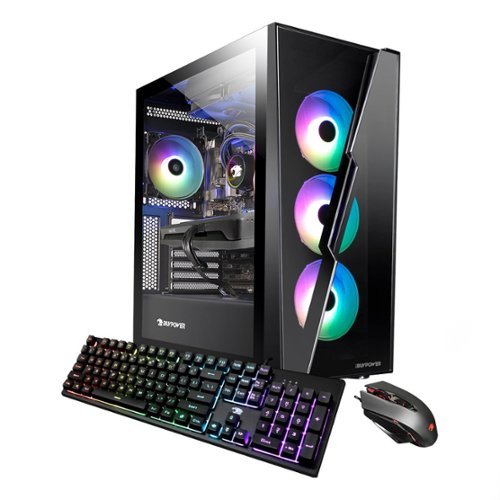
Upgrade your current gaming rig with this iBUYPOWER Desktop. It~s 8GB of RAM and Intel i3-12100 processor lets you run multiple programs at once, and its Intel Arc A380 graphics card renders fast-paced action smoothly without screen tearing. This iBUYPOWER desktop also has a 500GB NVME solid state drive for a faster start up and data acesss.
Customer Rating
5
Solid low-end gaming machine
on October 26, 2022
Posted by: BillFromKC
TL;DR - if you're looking for a low-end gaming rig with midrange power, the iBuyPower SlateHAKO MR fits the bill nicely. If you're looking for something you can upgrade down the line, the SlateHAKO uses commodity parts, unlike some major pre-built manufacturers, so you'll be able to drop in other motherboards and power supplies instead of needing to toss the whole system and start over when its upgrade time. If all you want to do is run Roblox or Minecraft, this system is actually complete overkill after a RAM upgrade. For some harder-to-run titles, you may hit settings you wouldn’t expect when you consider what that parts would cost individually.
---------------------------------------------
And now onto the rest of the review...
The iBuyPower SlateHAKO MR is an interesting beast to say the least. Out of the box, it does surprisingly well with some demanding gaming benchmarks when you consider the hardware - with Core i3 12100 4c/8t, 8GB single-channel RAM, and Intel Arc A380 6GB graphics. However, the real question is the cost for the performance you get and the included hardware. So let's get started...
Unboxing and first impressions:
First, the box this comes in is very large, and this is a good thing. When you get the box open, you'll notice that the computer itself is packed well with dense foam all around the corners. There isn't an internal foam fill inside the case, but with how light the video card is, it doesn't need one. You'll also find a box with the included keyboard, mouse, two SATA cables. and power cable.
The included peripherials are a mixed bag. I do like the mouse as it's weighted nicely and has a long, braided cord. The mouse also has a button that controls both the DPI mode and the RGB lighting; as nice as it would be, there is no software for controlling this. For as well-constructed as it is, however, you do have to be careful as a drop can break the mouse buttons. The keyboard, on the other hand, isn't very good at all. It's a mechanical-looking membrane unit with RGB lighting that you have no obvious control over, either with settings buttons or with software. The light pattern is a very fast rainbow flash that annoyed me after 15 minutes.
The build quality of the computer itself is a work of art, for the most part. I implore you to open the metal side panel on the rear side of the motherboard, as it is a masterclass of how to cable manage a non-modular power supply and all the RGB inside of the case. While off-brand, the claimed stats of that gold-rated power supply are terrific - 600 watts total power and all of it can come off the 12 volt rail, a very handy feature if you want to upgrade to a more power-hungry video card down the line. The real disappointment in here is a low-end aftermarket heat sink that makes all the noise when the computer is under load; for what this system costs, it should have at least came with a 120mm tower cooler.
The case is honestly one of the best I've poked around in, and I've built at least 100 computers for friends and family. For upgraders, there is room for two 360mm radiators (one on top, one in front). For those who want lots of storage, there are plenty of spaces for SATA SSDs and 3.5 inch drives. This case comes with four of iBuyPower's aRGB fans installed - 3 in front, 1 in the rear. The lighting for these fans is hidden inside of the motor hubs of the fans. As they are aRGB, the colors are completely adjustable.
The first thing that disappointed me, even before even powering the system, on was the single stick of memory installed. This was detrimental to performance; many games and benchmarks gained 4-10% in performance from upgrading this alone.
The motherboard is a Gigabyte B660-DS3H AC DDR4. This means you can use the less expensive and more commonly available DDR4 memory. It also has tons of room for expansion, with 2 M.2 NVMe SSD slots, front and rear USB 3.2 type A ports, a rear-mounted USB-C port, and intenal headers for more USB ports and a serial port. It also comes with 5 (mechanically) PCIe x16 slots, 3 of which support x1 speeds, 1 of which supports x4 speeds, and the 5th one supporting x16 speeds and already used by the graphics card. The only negative here is the on-board WiFi only supports 802.11ac (WiFi5) at speeds up to 433 mbps (which translates to around 220 mbps throughput).
Storage is nothing to write home about - it does use a Western Digital Blue 570 series PCIe 3.0 devices with read speeds around 3500 megabytes per second and write speeds I never saw break 2800 megabytes per second. While this is faster than many of the SSDs you'd get in major-brand prebuilts, a PCIe 4.0 device would have nearly doubled this performance.
The graphics card is the main attraction to this computer and why I got one - more as a curiousity, really. The Intel Arc A380 is not without some flaws, but I was honestly surprised on how well it works - many modern games ran at 1080p with medium settings and no ray-tracing without dropping below 60 fps, and even a few games surprised me with how well they ran at higher resolutions (Street Fighter V with low textures and high quality shadows ran 4k60, and Mortal Kombat 11 ran with low/medium settings at 4k/60.) Older titles also ran very well on this card; there wasn't a single Source engine game I couldn't run at 4k/60 with high settings, and the Half-Life 2: Lost Coast stress test had 68 fps at 4k with all the settings maxed out. I also ran the Superposition benchmark and got 22 fps before and 23.5 fps after upgrading from the stock RAM to dual-channel RAM at 4k. (This version of the Arc A380 card was manufactured by ASRock.)
Now here comes the value proposition for this system. You CAN build a very similar system with identical - or nearly identical in the case of the case and PSU - components for around $100 less. You do have to take into account the extra mile iBuyPower went with this in terms of assembly - with the exception of how they did the CPU cooler power cable, the cable management is amazing. It takes time to do presentation inside a computer case like this, I know - I've built several systems for friends over the years and what they thought would take half an hour would end up taking about 2 hours. You'll definitely be wanting to buy a second 8GB stick of DDR4-3200 memory and you may want to spring for a PCIe 4.0 NVMe drive for more - and faster - performance.
The one other thing to consider here is "What is my upgrade path?" While I think DDR4-based Intel systems are just fine for the majority of users, especially when you consider the current cost of DDR5 RAM modules versus DDR4 RAM modules (as of this review, DDR4 was about 40% less expensive than DDR5 for the same amount of memory), DDR5 is the future. Either way, you'll be buying a stick of memory to go with this computer so you can run in dual-channel memory mode for the performance benefits that come with it.
Also, this is a system that you'll want to upgrade the storage on as 500GB isn't enough space for keeping larger titles downloaded, especially as games get larger. Considering there are two M.2 slots and space for 2 SATA SSDs and two 3.5 inch hard drives, you have plenty of upgrade options and iBuyPower included SATA cables and a NVMe screw for those upgrades.
All in all, I can recommend the iBuyPower SlakeHAKO MR for those getting into gaming and are willing to upgrade later on and for those who don't want to mess with building their own computer.
I would recommend this to a friend!
Share this review:


0points
0of 0voted this as helpful.

Soundcore by Anker Liberty 4, Noise Cancelling Earbuds, True Wireless Earbuds with ACAA 3.0, Dual Dynamic Drivers, Hi-Res Audio, Heart Rate Sensor, CloudComfort Eartips, Spatial Audio, 28H Playtime
Customer Rating
5
Best earbuds for the money.
on October 17, 2022
Posted by: BillFromKC
You might think to yourself "Why would I get a pair of earbuds from a company known for their cables and battery packs?" I'm here to tell you that the Soundcore Liberty 4 earbuds are easily the best noise-cancelling earbuds you can get for the money, period. Solid build quality and terrific battery life are both here, as is great (for Bluetooth) sound quality. The noise cancelling is good - they worked well enough to silence fan noises at work and nearly silenced a set of refrigeration compressors. Setup is also super simple - the earbuds paired with my iPhone with no issues.
The other great part of these earbuds is the app you use to control them. It's easy to switch not only between noise cancelling modes, but to pair other devices so you can be connected to two things at one time (my second device was an Android TV box that supports Bluetooth headphones). Going from watching something on Netflix to taking a phone call and back was seamless.
My only complaint? The packaging, while otherwise great, isn't completely intuitive as to where the box opens.
All in all, the Anker Soundcore Liberty 4 are terrific.
I would recommend this to a friend!
Share this review:


0points
0of 0voted this as helpful.
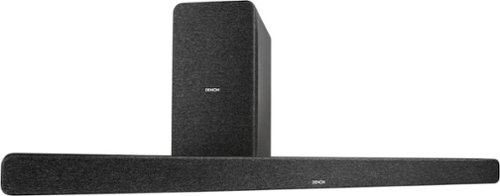
The Denon DHT-S517 premium soundbar takes your home entertainment up a notch with its left and right channel tweeters and midrange drivers, a dedicated center-channel driver, and two up-firing speakers, while the powerful wireless subwoofer delivers enhanced bass for your music, movies, and TV shows. Experience crystal clear dialogue and enveloping sound with Denon~s dialogue enhancer that lets you turn up the dialogue without having to adjust overall volume. Features a pure mode that eliminates surround processing and removes any adjusted characteristics associated with Movie, Music, or Night modes. Additionally, the DHT-S517 allows unlimited wireless music streaming at your fingertips via Bluetooth. Connect your Bluetooth-enabled smart device and directly stream your music to the soundbar. Enjoy a single-wire connection to your TV with included HDMI input and output with Enhanced Audio Return Channel (eARC) (Non-HDMI ARC TVs can connect via the digital optical input). All cables are included for a simplified setup.
Customer Rating
5
Solid soundbar for small to medium rooms.
on October 15, 2022
Posted by: BillFromKC
Solid performance and easy setup, hallmarks of Denon equipment. You're given a few connection options beyond HDMI eARC/ARC audio - optical audio and analog 3.5mm inputs for older TVs and equipment, and Bluetooth connectivity for listening to music through your phone. Unlike some other soundbars, The Denon DHT-S517 treats each port as an individual input. You'll also not lose your HDMI port to this soundbar as it does passthrough.
Setup was simple. Place the soundbar, connect power and HDMI to your eARC or ARC HDMI port (Sony, TCL, and Hisense all use the 4th input port for this), place your subwoofer where you want it, power everything on. The subwoofer was already paired for me which made life easy.
Once everything is physically set up, use the remote included to set your input mode, sound mode, and dialog enhancer. On some TV sets, you may also need to go into your settings to configure your HDMI port to support ARC or eARC properly, along with the power and remote functions over HDMI (also called HDMI CEC). After it's set up, you'll only need to touch your Denon remote to change input modes should you want to listen to music through your phone.
So how's the sound quality? Considering the soundbar's size, it's pretty good. The subwoofer definitely helps with the low end. The Dolby Atmos decoding was there in a smaller room but seemed to be swallowed up by my living room as I moved away from the soundbar, due to the room size; the sweet spot for Atmos seemed like 5 to 9 feet from the soundbar. Playback through Bluetooth from your phone may not sound as good as your earbuds do, as this soundbar doesn't support AAC or "lossless" headphone CODECs, which is a little disappointing but expected. For small to medium rooms, it's a good choice.
Overall, I was pleased with the setup and overall quality of the Denon DHT-S517 soundbar. The analog and optical inputs were pleasant surprises, leaving connectivity for Dolby audio from older gaming systems and analog input for a DAC for my phone.
I would recommend this to a friend!
Share this review:


0points
0of 0voted this as helpful.
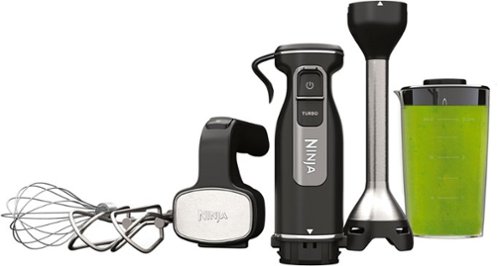
With the Ninja Foodi Power Mixer System, you can tackle all your essential food prep tasks in no time. Its 750-peak-watt power-dense motor lets you power through tough ingredients, evenly mix cookie dough, and blend drinks or soups. Simply connect the PowerBase with one of two attachments to transform it into whatever you need it to be. Mix, whisk, and blend~all in one.
Customer Rating
5
Nice immersion blender with bonus mixer mode
on October 15, 2022
Posted by: BillFromKC
This works great as both a mixer and an immersion blender. I felt like the motor had no problem whipping up a batch of meringue cookies and making whipped cream, with the mixer having 5 speeds and the immersion blender having two (thanks to a turbo button). Changing out tools is super simple and the immersion attachment is completely dishwasher safe. It also comes with a jar for use with the immersion blender attachment and the mixer attachment has both a pair of beaters and a whisk.
Everything is packaged well. Setup is super-easy and very intuitive, with release buttons on the tools for switching things out. Usage of the unit in either mode is intuitive as well; the immersion blender mode just has a power button and a "turbo" button for high speed until you release it; the mixer mode has 5 speeds, including a "turbo" button that takes you straight to high speed until you release it.
The other part about this kit is its overall power; a half cup of heavy cream became fresh whipped cream in maybe 2 minutes, and it whipped merengue faster than my older hand mixer does by about a minute and a half.
I would recommend this to a friend!
Share this review:


0points
0of 0voted this as helpful.
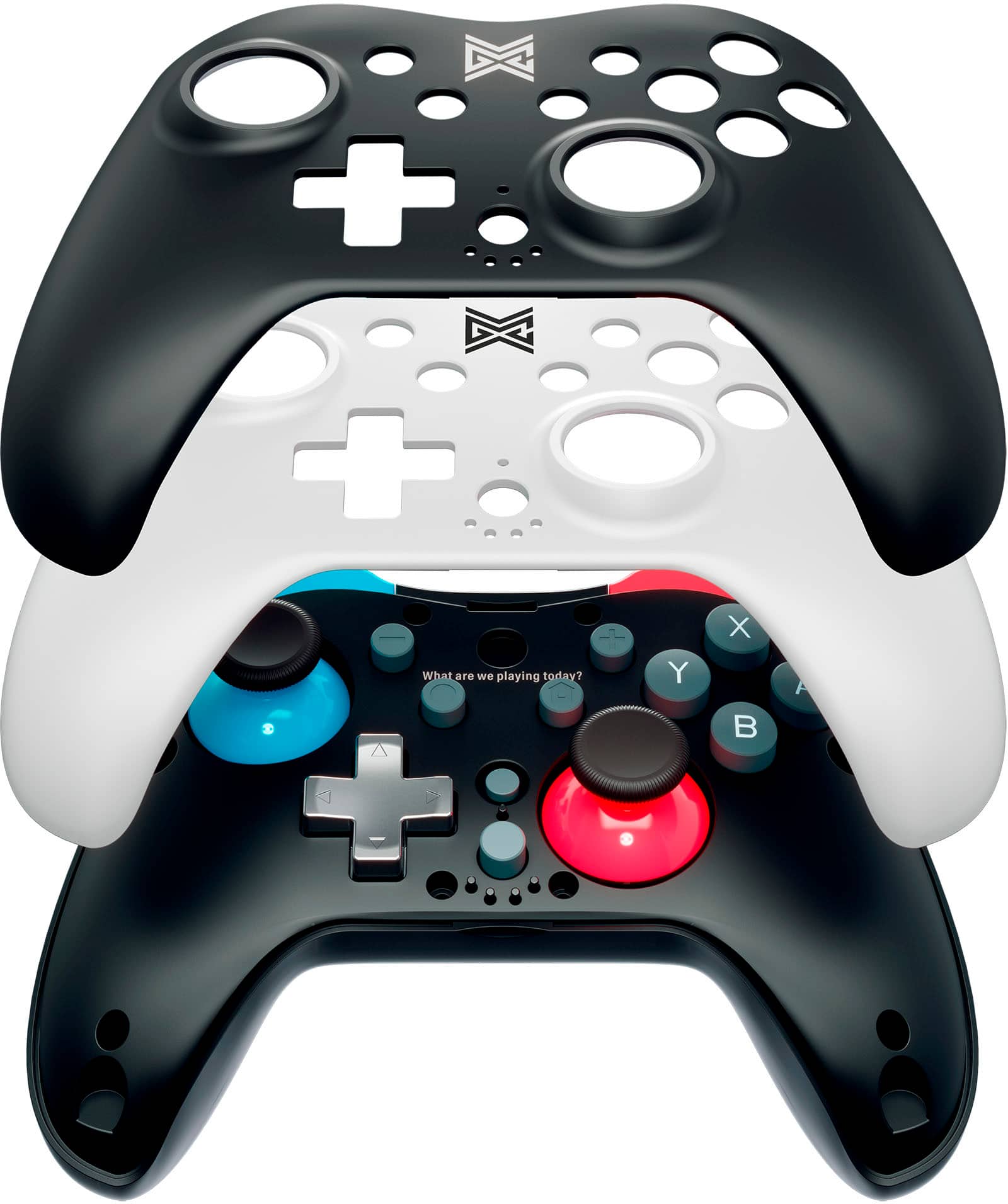
MGC Switchplate Wireless Controller for Switch and Windows PC. Featuring a compact design and 2 swappable magnetic faceplates in white and black, the Switchplate perfectly enhances the aesthetic and play of the Switch OLED, Switch and Switch Lite consoles. In addition to clean style, the Switchplate is packed with all the features you expect from a premium wireless controller:
Customer Rating
5
Pretty solid and easily customizable controller
on October 15, 2022
Posted by: BillFromKC
TL;DR - The Switchplate controller is solid, with compatibility to the Nintendo Switch. It functions exactly how you would expect, and compared to similar (and more expensive controllers) for the Switch, it's everything you would want. For fighting games, FPS games, sports games, and puzzle games, it works well. However, the key feature of this controller - the switchable magnetic faceplates - also feel like the most fragile part about it.
Unboxing and setup:
It comes packed well with a plastic piece holding the controller, the second faceplate boxed up, a decent-length USB-A to USB-C charge cable, and instructions. Pairing to the Switch was simple and quick. Swapping the faceplates does take some effort, but I promise that you won't break it even though it feels like you will.
Usage:
The only part I like better about other controllers is a little more motion in the shoulder trigger buttons, but that's not a big deal with Switch as the trigger buttons aren't analog anyway. There is a nice addition over other Switch controllers I've used in the underpad trigger buttons. The sticks were both responsive and the buttons felt solid overall. Wireless range was also fairly impressive - I was still connected with no interference at a little over 45 feet away from my console.
Negatives:
Like I said, the key feature of the Switchplate - the magnetically-attached faceplates - felt a little more fragile than I was hoping for. The magnets are very strong, which does add to this problem.
Closing:
I hope the ecosystem around this controller grows. The Switchplate has a lot of possibility for its future.
I would recommend this to a friend!
Share this review:


0points
0of 0voted this as helpful.

The Vulcan II Max Optical-Mechanical Gaming Keyboard combines durability, performance, and functionality into a dazzling RGB filled design. The exclusive TITAN II Optical switches have a smooth, hyper-fast actuation and incredible durability with a 100 million click life cycle. Feel confident in your keystrokes with 24 multi-function smart keys featuring a unique dedicated LED to indicate when secondary functions are active. Enter game mode to access Easy-Shift [+] button duplicator technology and unlock a second programmable function layer. The detachable, translucent silicone palm rest sets the stage for ROCCAT~s AIMO RGB lighting displays right out of the box and can sync with other compatible AIMO products.
Customer Rating
5
Solid keyboard for the price.
on September 30, 2022
Posted by: BillFromKC
TL;DR - a very solid mechanical keyboard for both gaming and productivity. The Titan II switches are very solid performers and not too loud, too. The lighting is completely adjustable in Roccat Swarm. The only real negative is the keyboard cable isn't detachable like with previous Vulkan series keyboards, and it requires TWO USB ports as this keyboard can draw a lot of power. Otherwise, I'm extremely happy with it.
Unboxing, setup, and first impressions:
This is packaged nicely with the keyboard and palm rest wrapped separately. You'll need to slide the tabs for the palm rest into the bottom of the keyboard, which was a pretty simple task for me.
When connecting to your computer, you'll need to plug in both USB-A connectors; the keyboard didn't want to respond for me, EVEN IN BIOS, when only one connector was plugged in. For those with very few USB ports, this may be a drawback (I'm looking at you, laptop users).
The Swarm software is a quick download; visit Roccat's support page and you'll find the link almost immediately. For those of you already using Swarm, you may need to update the software before the keyboard is detected.
Usage:
Response is nearly immediate. The feel is terrific, especially when you're using the silicon palmrest. The keys themselves are not too loud, which is a refreshing change from most mechanical keyboards. Unlike some mechanical keyboards, the space bar is very stable on this one.
The Roccat software does take some "getting used to" when it comes to customization, but once you get the hang of it, you can set up your keyboard to look however you'd like it to. The lighting supports 24-bit color for a total of about 16.8 million colors. You'll likely want to turn the brightness down as soon as you install the Swarm software.
There are also dedicated media keys, a volume knob that doubles as a mute switch, and a function key that allows certain keys to perform different functions, such as switching lighting and game profiles, enabling screen recording, mic mute, and chat functionality, and even performing macros.
Like stated earlier, the only drawback for me with this keyboard is the lack of a detachable cable. It's easier for me to run a cable from the computer to the keyboard. The cable is long enough for most setups, however. For some, the two USB ports required for use may be a problem, especially with laptops and older desktops that have fewer USB ports available.
Final thoughts:
All in all, the Roccat Vulcan II is an evolution over their prior models, with a couple of nice things added to make it a better overall experience.
I would recommend this to a friend!
Share this review:


0points
0of 0voted this as helpful.
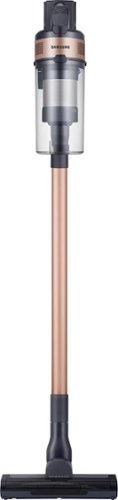
The Samsung Jet 60 Pet Cordless Stick Vacuum features a lightweight and maneuverable design plus a removable battery for extended cleaning time up to 40 minutes. The mini motorized tool is perfect for cleaning up pet dander and allergens. Compatible with the Samsung Clean Station.
Posted by: BillFromKC
TL;DR - The Samsung Jet 60 Pet cordless vacuum is a solid, lightweight choice for quick cleanups around the house. The battery life is decent, setup is easy, and cleaning it out is simple. If you have a larger home and want to use this as your primary vacuum, consider purchasing additional batteries for it.
Unboxing and setup:
Everything is well-organized inside the box. The packaging material is all cardboard, so it's easily recyclable. Everything is wrapped in a plastic bag that can be recycled with your grocery bags, and only the main unit and both included power heads have peels on the clear plastic parts.
Everything assembles easily. The hardest part is finding a place for the charge base so it's out of the way but still connected to power; you'll want a drill for pilot holes when you put the screws into your wall for the charge base.
Usage:
It's a vacuum cleaner, but battery powered. There are buttons for power and speed on the main part of the unit - low speed is quiet and good for removing dust from shelves, ceiling fans, and cobwebs; medium is a balance of power, sound, and battery life; and high is powerful but loud and drains the battery fast. It has a similar weight to a battery-powered impact wrench or yard blower with a high-capacity battery installed.
The battery charge takes a bit to complete, but there are blue indicator LEDs to show you where the battery level is. The charge base can charge the battery in the vacuum or on its own.
You should clean this machine after every use. remove the dust bin assembly, tap the lint collected out of the screen assembly (it's the silver part), and it's ready for next time.
Final thoughts - The Samsung Jet 60 Pet is the first battery vacuum I've used that, for the price, feels like an excellent machine. It cleans as well as the more expensive brands and is a solid value.
I would recommend this to a friend!
Share this review:


0points
0of 0voted this as helpful.
BillFromKC's Review Comments

Westinghouse HDTV: Enjoy your favorite movies, shows, games and sporting events in realistic 1080p resolution on this Westinghouse HDTV's LED panel. Ensure fast-moving scenes remain clear with a 60Hz refresh rate that minimizes blurring and ghosting.
Overall 1 out of 5
1 out of 5No HD tuner
By Westingtonhouse
I can not imagine that tv in today time do not have digiter tuner. I bought 6 now I have to return them since i use cable straight from wall for tv from COX

BillFromKC
KCMO
This TV has an ATSC tuner.
August 27, 2015
There's no guarantee that ATSC tuners will work with ClearQAM cable channels, and even so, the greater majority of cable providers now scramble all cable channels. Including OTA channels. Because the FCC changed the rules and they're allowed to do this now.
+6points
6of 6voted this comment as helpful.
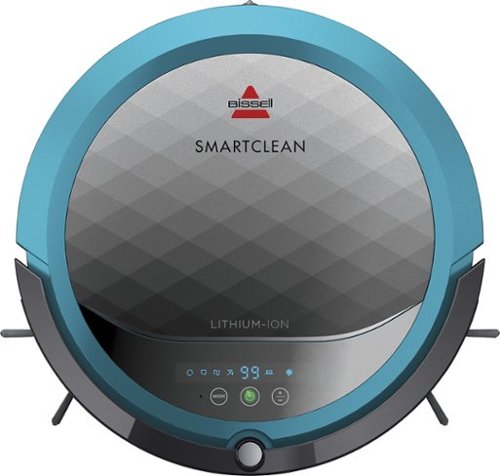
BISSELL SmartClean Robot Vacuum: Easily rid your floors of dirt and debris with this vacuum that uses Opticlean optical sensors and a Triple-Action Cleaning System to tackle your floors. Invisible Wall technology lets you target specific areas.
Overall 3 out of 5
3 out of 5Hard To Program
By FortFun2
from Illinois
Found it is difficult, not intuitive, to program. Others have said if you loose power all your programming is lost, but we haven't lost power yet so can't confirm. I just wanted it to run when I left the house without a set program and contacting Bissell just led to more confusion. But, once I got it working I was impressed with the amount of pet hair it removed.
BillFromKC
KCMO
I can attest to this.
September 16, 2016
Sometimes, I have to plug mine directly into the charger to get it to charge because the battery is overly drained. Because of this, I don't even bother programming it anymore.
0points
0of 0voted this comment as helpful.

The new MacBook Pro is faster and more powerful than before, yet remarkably thinner and lighter.~ It has the brightest, most colorful display ever on a Mac notebook. And it features up to 10 hours of battery life.~ It~s a notebook built for the work you do every day. Ready to go anywhere a great idea takes you.
Overall1 out of 5
1 out of 5Terrible
By Joel
I purchased this one month ago and it has a faulty display. Best Buy takes no responsibility and will not exchange it for a good one. I have left voicemails for a district manager to call me and no one has called. I will never shop at Best Buy again.
BillFromKC
KCMO
Yep, take it to Apple.
January 13, 2017
If Best Buy is doing you wrong, just take it to your nearest Apple location and they'll set you up with a fix or a new one.
+4points
4of 4voted this comment as helpful.
![The Secret Life of Pets [DVD] [2016]](https://pisces.bbystatic.com/prescaled/500/500/image2/BestBuy_US/images/products/5224f7b2-43d6-4d33-8d0e-315348745874.jpg)
Overall1 out of 5
1 out of 5Bootleg Copy of Secret Life of Pets
By Disappointed
About 15 minutes into the movie the volume became muted and a message came on the TV that this was a bootleg movie. An unauthorized copy. Be very careful purchasing DVD's or Blu Ray movies from Best Buy. They just may leave you and your grand children very disappointed as it did our family.
BillFromKC
KCMO
This could very well be your DVD or Blu-Ray player
January 20, 2017
causing your issues. The Film Industry (MPAA and associated groups) are known for their draconian DRM systems, first with DVD and now with Blu-Ray and 4k Blu-Ray.
if your Blu-Ray player isn't connected to the internet, connect it to the internet and update its firmware. That should fix all your issues.
0points
0of 0voted this comment as helpful.
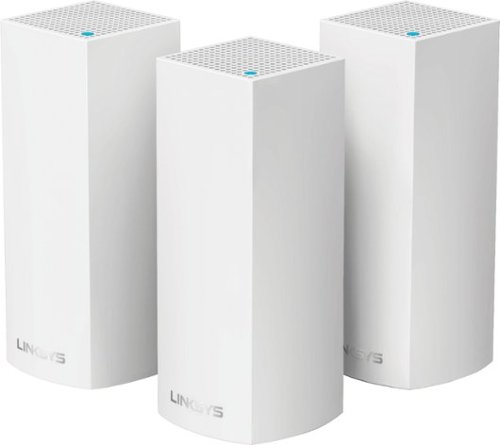
Make your home an internet haven with this versatile Linksys Velop wireless Wi-Fi system. Three identical tri-band dual-stream AC2200 routers, each equipped with a quad-core ARM Cortex-A7 processor, deliver lightning-fast internet. Equipped with Bluetooth 4.0/LE, this Linksys Velop wireless Wi-Fi system is simple to set up and pairs easily with computers, tablets and smart devices.
Overall5 out of 5
5 out of 5This is the future of WiFi
By neio11
I threw (recycled) away my wifi extenders plus I am now able connect a device with an ethernet cable without having to run cables through the walls because each node has 2 ethernet ports. So for instance, I have one node connected to my modem and an ethernet switch. My 2nd node in another room is connected to an NVR for my security cameras. The speed through the nodes is surprisingly fast. The NVR is capturing HD videos from 3 cameras and it seems to capture fine. The 3rd node is in my living room area. The whole house is covered! Please put a password on your wifi otherwise you'll be supplying FREE wifi for your neighbors. I can have full internet access from 3-4 houses away from my house. I thought installation would be a pain considering you have to setup each node. Well, I shouldn't say "have to" because you don't have to use all 3 nodes. You can use only 1 or 2 and give the 3rd to me. haha. No but setup is a breeze! The only thing is that you have to use a smart device such as a tablet or phone, to do the setup. Velop currently doesn't support PC-based setup but I hope Linksys changes that especially for us "techies"!!! It works with Alexa. You can ask #Alexa what the wifi password is... so they say. I haven't had much success with it yet. It looks clean and neat. It doesn't all those antennas sticking out of it which makes it aesthetically pleasing.
I'm loving so far!
BillFromKC
KCMO
The setup process basically forces you to put a...
February 19, 2017
...password on your WiFi network. In fact, it's one of three things it asks when you set up the parent node, the other two being "Do you connect directly to the internet or through a modem/router device provided by your ISP?" and what to call your wireless network.
0points
0of 0voted this comment as helpful.
Make your home an internet haven with this versatile Linksys Velop wireless Wi-Fi system. Three identical tri-band dual-stream AC2200 routers, each equipped with a quad-core ARM Cortex-A7 processor, deliver lightning-fast internet. Equipped with Bluetooth 4.0/LE, this Linksys Velop wireless Wi-Fi system is simple to set up and pairs easily with computers, tablets and smart devices.
Overall5 out of 5
5 out of 5Blazing Speed, Best In Class Performance!
By gadgetguy11
The Linksys - Velop Tri-Band Whole Home Wi-Fi System (3-pack) is packaged in a beautiful & functional box with magnetic closure - it exudes quality! Each Node is protected individually. Just looking at the box, you expect a premium, esoteric product... & Linksys delivers that & more in spades! The shapely Nodes are beautiful & blend with any decorating style.
Simple set-up via the Linksys iOS or Android App. Within minutes, you are ready to go online.
As shown in attached photo, I have 90 wireless devices utilized over 5,000 sq feet / 3 floors: this is a challenging application for high speed Wi-Fi that includes: connected major appliances; BAS ceiling fans & Haiku Wi-Fi connected lights; Wi-Fi Thermostats; Netatmo Wi-Fi Weather Station; 65 Hue Lights; Connected exterior door locks; Wink Wi-Fi connected devices; connected iDevices, Nest & Arlo cameras; iPads; iPhones & computers. Finally, Streaming from 4) Apple TV's; Nixplay Wi-Fi Photo Frames.
And now the Results:
Velop delivers the fastest Wi-Fi speed I have ever experienced and does so consistently! The attached screen capture shows 349 Mbps Download / 23 Mbps Upload. These are WIRELESS speeds!! I pay for 300 Mbps Download / 30 Mbps Upload & our internet service provider generally delivers 300 - 360 Download & 22 - 32 Upload.
Velop is the only Wi-Fi System I have found to date that actually delivers this sustainable speed and does not randomly disconnect the many devices.
High power Wi-Fi requires a high current source. Each of the 3) square white power supplies produce 12 Volt, 2 Amp output! 24VA (Volt Amps) is the highest output of any router I have tested. Better yet, the cable that plugs into each Velop is perfectly angled at the plug so the wire routs neatly through the cable management feature at the base. Brilliant design!
PRO's:
1- Fastest Wi-Fi Speed
2- Easy approximate 10 minute Set-up per hub
3- Velop Nodes are very attractive & blend with any architecture
4- Robust infrastructure yields dependable performance
5- 24/7 Support
6- 3-Year Warranty
7- Easy to use App with great diagnostics
8- Wire Management at the base is excellent & offers a wire free appearance.
9- Three Velop Nodes establish fast Wi-Fi speed across the house on any floor.
10- Expandable: Add an additional Node any time you prefer.
1- Fastest Wi-Fi Speed
2- Easy approximate 10 minute Set-up per hub
3- Velop Nodes are very attractive & blend with any architecture
4- Robust infrastructure yields dependable performance
5- 24/7 Support
6- 3-Year Warranty
7- Easy to use App with great diagnostics
8- Wire Management at the base is excellent & offers a wire free appearance.
9- Three Velop Nodes establish fast Wi-Fi speed across the house on any floor.
10- Expandable: Add an additional Node any time you prefer.
CON's:
1- IP Address range cannot be changed from: 192.***. My 2) existing Apple Time Capsule / Routers had IP addresses of 10.***, but they can be set to different ranges. A different IP Address range requires individually resetting a few devices that previously connected to the other range. For example, each Nixplay connected frame had to manually "Forget" the old Wi-Fi name of the previous SSID, then set up the same name with Velop, even though the Wi-Fi name and password are the same. On 13) Apple Airport Express devices, I had to power down each device to reset it from 10.*** to 192.***
2- IPv6 is not supported as of product release. This is surprising, as my three year old Apple Time Capsule / Router supported IPv6.
3- The first unit set up in under 10 minutes; however the remaining two hubs froze at the same exact place midway every time during set-up. After 6 failed attempts, I held each Node horizontally and kept my hand around it. Surprisingly, this procedure resulted in a virtually immediate set-up! Then I set each Node vertically & it continued to work great.
4- Only one Node can connect to the internet via ethernet. The other Nodes connect to the first Node via wireless mesh connection. I would prefer the option of connecting each Node to a wired ethernet connection. Linksys Technical Support indicated this may be added later as a software update. This would prove beneficial because the Nodes must be located fairly close together (my tests showed less than 40 feet apart at most).
1- IP Address range cannot be changed from: 192.***. My 2) existing Apple Time Capsule / Routers had IP addresses of 10.***, but they can be set to different ranges. A different IP Address range requires individually resetting a few devices that previously connected to the other range. For example, each Nixplay connected frame had to manually "Forget" the old Wi-Fi name of the previous SSID, then set up the same name with Velop, even though the Wi-Fi name and password are the same. On 13) Apple Airport Express devices, I had to power down each device to reset it from 10.*** to 192.***
2- IPv6 is not supported as of product release. This is surprising, as my three year old Apple Time Capsule / Router supported IPv6.
3- The first unit set up in under 10 minutes; however the remaining two hubs froze at the same exact place midway every time during set-up. After 6 failed attempts, I held each Node horizontally and kept my hand around it. Surprisingly, this procedure resulted in a virtually immediate set-up! Then I set each Node vertically & it continued to work great.
4- Only one Node can connect to the internet via ethernet. The other Nodes connect to the first Node via wireless mesh connection. I would prefer the option of connecting each Node to a wired ethernet connection. Linksys Technical Support indicated this may be added later as a software update. This would prove beneficial because the Nodes must be located fairly close together (my tests showed less than 40 feet apart at most).
CONCLUSION: My search for the "Ideal" Whole Home Wi-Fi System that consistently delivers 300 Mbps over 5,000 square feet with 90 devices ends here!! I am THRILLED with Velop & give it my highest recommendation!! It has proven to be the BEST ROUTER available for 2017!
BillFromKC
KCMO
Mine gave me IPv6 OOB
February 19, 2017
and even so, there was a firmware update it applied immediate after setup. I agree that the IP address range thing is annoying though, especially when you're moving from an existing network with static IP devices (NAS, printers, etc.)
0points
0of 0voted this comment as helpful.
BillFromKC's Questions
BillFromKC has not submitted any questions.
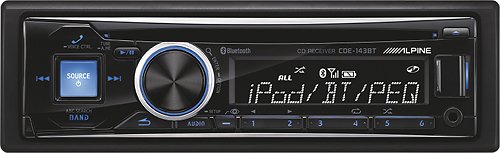
Alpine Car Stereo Receiver: Accept hands-free calls and stream music in your vehicle by connecting this car stereo receiver to your cell phone or MP3 player via Bluetooth. You can even play your CD collection.Geek Squad~ installation is strongly recommended for this product. Please visit your local Best Buy store for details.
are there compatible remote controllers?
I want to get a remote for the radio but I'm not sure which one is compatible with the radio
It depends on the model of your receiver. Some Alpines don't have remotes, some have IR remotes, and some newer models can use your smartphone as a remote.
11 years ago
by
BillFromKC
KCMO

iPhone 6 isn't just bigger ~ it's better in every way. Larger yet thinner. More powerful, yet power efficient. It's a new generation of iPhone.
CLARIFICATIONS
HELLO YOU WANT TO bespoke two I PHONE 6 FOR GREECE I WANT TO KNOW HOW MUCH WILL IT COST WITH SHIPPING ALL TOGETHER TOTAL until it reaches my hands . AND ALSO WHAT WAYS ARE PAYING !! Would like IF DELIVERY IS STILL WANT TO KNOW IS GREEK MENY ??
Depends on the model of iPhone you want to purchase, but you'd want to look at either Verizon iPhones at full price or unlocked iPhones (which are automatically full price). Verizon iPhones have the advantage of being unlocked for any GSM/UMTS/LTE carrier (including ATT and TMobile in the US), but with the ability to be used with the Verizon CDMA/LTE network in the United States; unlocked iPhones will likewise work with any GSM/UMTS/LTE carrier, but won't work with Verizon in the US.
You would then have to deal with import duty and customs.
Full-price iPhones start at $500 for the 8GB 5c and run all the way up to $1000 for the 128GB 6 Plus. Prices are in USD.
As far as getting the phone to Greece goes, you'd probably be better off to come over here and pick it up yourself.
You would then have to deal with import duty and customs.
Full-price iPhones start at $500 for the 8GB 5c and run all the way up to $1000 for the 128GB 6 Plus. Prices are in USD.
As far as getting the phone to Greece goes, you'd probably be better off to come over here and pick it up yourself.
11 years, 5 months ago
by
BillFromKC
KCMO
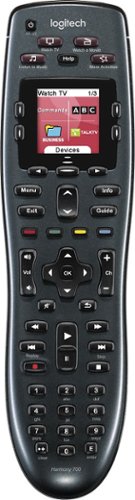
Manage up to 8 of your home theater electronics devices with this Logitech Harmony 700 915-000162 universal remote, which features a brilliant color command screen for easy navigation. One-touch activity buttons simplify device selection.
Will This remote work with apple TV and a Vizio sound bar?
Yes it will. Any Harmony remote will.
Since this remote can do several activity macros (in terms of what's on, what's off, where the audio goes, etc), you can configure different activities to handle the audio differently. For example, I have mine set up where sometimes the audio goes through my surround system and other times my audio goes through my TV.
Since this remote can do several activity macros (in terms of what's on, what's off, where the audio goes, etc), you can configure different activities to handle the audio differently. For example, I have mine set up where sometimes the audio goes through my surround system and other times my audio goes through my TV.
11 years, 5 months ago
by
BillFromKC
KCMO
Manage up to 8 of your home theater electronics devices with this Logitech Harmony 700 915-000162 universal remote, which features a brilliant color command screen for easy navigation. One-touch activity buttons simplify device selection.
Won't charge. What am I doing good? Says unable to hold charge
Says unable to charge batteries. Not sure what to do won't hold charge
Try a new pair of NiMH rechargable batteries of any brand (with at least a 2100 mAH rating). If your remote doesn't charge with new batteries, your remote's charging circuit is bad. Just use alkaline AAs or get a battery charger that plugs straight into the wall.
Products from my answer
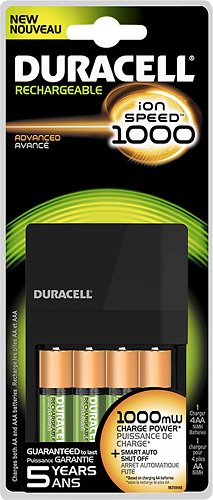
Duracell - NiMH AA/AAA Battery Charger - Brown
 (273)
(273)11 years, 5 months ago
by
BillFromKC
KCMO
Manage up to 8 of your home theater electronics devices with this Logitech Harmony 700 915-000162 universal remote, which features a brilliant color command screen for easy navigation. One-touch activity buttons simplify device selection.
how long does the battery last before replacing?
My harmony 900 Logitech is about 2 1/2 years old and at times it won't turn off the TV or turn it on and then if you wait awhile it does it.
You could try blanking out the memory on your Harmony 900 and reloading everything into it (remote codes, macros, etc) to see if that helps with turning your TV on and off.
As for Harmony 700 battery life, mine generally goes between a month and a month and a half with nightly usage before the batteries need to be replaced. It can be charged with it's USB cable and power adapter; however, I recommend picking up a battery charger and a second pair of rechargeable batteries as it doesn't tell you when your battery is low or about to die.
As for Harmony 700 battery life, mine generally goes between a month and a month and a half with nightly usage before the batteries need to be replaced. It can be charged with it's USB cable and power adapter; however, I recommend picking up a battery charger and a second pair of rechargeable batteries as it doesn't tell you when your battery is low or about to die.
11 years, 5 months ago
by
BillFromKC
KCMO
Alpine Car Stereo Receiver: Accept hands-free calls and stream music in your vehicle by connecting this car stereo receiver to your cell phone or MP3 player via Bluetooth. You can even play your CD collection.Geek Squad~ installation is strongly recommended for this product. Please visit your local Best Buy store for details.
Will this fit into a 2000 VW Beetle coupe?
As long as your car can either directly accept a DIN-sized radio in the dash (directly or with a kit), then yes it will. Keep in mind that you may need a wiring harness to make the connections between the radio and the car.
11 years, 7 months ago
by
BillFromKC
KCMO
Smart TVs & Devices
Smart TVs & Devices
What will Amazon Fire Tv do Thats different than Apple Tv and do you need a cable connection?
Amazon FireTV will have a few different streaming options, namely direct access to Prime (versus over the iPhone app). Otherwise, the FireTV will lack iTunes connectivity and integration with iOS and Macintosh devices (airplay video, for instance).
11 years, 10 months ago
by
BillFromKC
KCMO
Smart TVs & Devices
Smart TVs & Devices
Roku 3 ,Apple Tv Whats the difference?
I want more TV with out cable
The Roku is mainly used for streaming video, and anything that has streaming video through a website or a smartphone app will probably have a channel on Roku. For those that haven't invested in the iOS or iTunes ecosystem, it's really the best deal in media. While it can be used to DLNA and Miracast, configuring either to work properly with the box is a pain.
The AppleTV has some streaming functionality of the Roku Box, but not nearly as many channels. It makes up for this, however, in connectivity with Macintosh computers (Airplay), iDevices (Airplay and functionality), and it's access to iTunes (streaming content from iTunes on your computer and access to iTunes Music, Movies, TV shows, Podcasts, and other media). AppleTV is also the way to go when it comes to a household with an existing base of iOS devices (iPad, iPhone, iPod Touch) or those with an extensive collection of media in iTunes.
Another option is Amazon FireTV. It's similar to, but more powerful than Roku, though it's also limited on channels it can access. It makes up for this with it's unprecedented access to Amazon Streaming Music and Video, including Prime.
Another option is to get a smart TV or a smart Blu-Ray player. Either device will give you plenty of streaming options.
The AppleTV has some streaming functionality of the Roku Box, but not nearly as many channels. It makes up for this, however, in connectivity with Macintosh computers (Airplay), iDevices (Airplay and functionality), and it's access to iTunes (streaming content from iTunes on your computer and access to iTunes Music, Movies, TV shows, Podcasts, and other media). AppleTV is also the way to go when it comes to a household with an existing base of iOS devices (iPad, iPhone, iPod Touch) or those with an extensive collection of media in iTunes.
Another option is Amazon FireTV. It's similar to, but more powerful than Roku, though it's also limited on channels it can access. It makes up for this with it's unprecedented access to Amazon Streaming Music and Video, including Prime.
Another option is to get a smart TV or a smart Blu-Ray player. Either device will give you plenty of streaming options.
11 years, 10 months ago
by
BillFromKC
KCMO
Smart TVs & Devices
Smart TVs & Devices
How to connect DVD to TV or DVR
How do I connect my DVD to my HDTV or my DVR , wheb there are not enough port in the back of my TV , do I need to buy any special gadget?
You'd need an appropriate switchbox or a home theater receiver to go between sources.
11 years, 10 months ago
by
BillFromKC
KCMO
Smart TVs & Devices
Smart TVs & Devices
I want to connect two monitors to my laptop, but my laptop only has 1 hdmi output. what do i need to do this?
If your laptop also has a VGA output, you could use the VGA connection to power a second display. Otherwise, Matrox makes a device called the "DualHead2Go" that would allow two screens over one connection. You'd need the HDMI version of this device and 3 HDMI to DVI adapters, and audio over HDMI from your laptop would not work. Google Matrox DualHead2Go for more info on this device.
11 years, 10 months ago
by
BillFromKC
KCMO