


BillFromKC's stats
- Review count234
- Helpfulness votes729
- First reviewJune 27, 2012
- Last reviewJune 9, 2026
- Featured reviews0
- Average rating4.5
- Review comment count6
- Helpfulness votes10
- First review commentAugust 27, 2015
- Last review commentFebruary 19, 2017
- Featured review comments0
Questions
- Question count0
- Helpfulness votes0
- First questionNone
- Last questionNone
- Featured questions0
- Answer count65
- Helpfulness votes40
- First answerJanuary 9, 2014
- Last answerNovember 5, 2021
- Featured answers0
- Best answers9
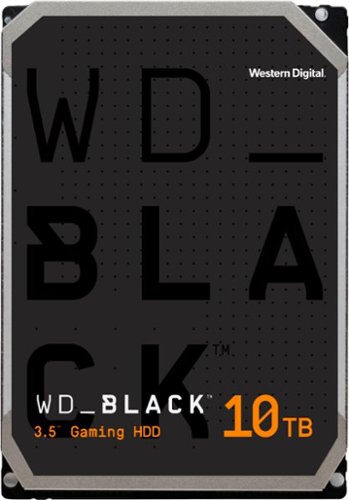
Offer your customers the latest generation of the WD_BLACK Gaming Hard Drives to give them the capacity they need and the performance they want. With up to 256 MiB of DRAM cache and storage capacities of up to 10TB, the WD_BLACK Gaming Hard Drive maximizes drive and system performance, allowing your customers to spend more time playing the games they love most. Combine the WD_BLACK Gaming Hard Drive with a WD_BLACK SSD for a dual-drive configuration, enabling additional caching of the operating system onto the SSD for even greater PC gaming performance. All together, the WD_BLACK Gaming Hard Drive gives your customer performance, capacity, and an industry-leading 5-year limited warranty for an inspiring three-in-one storage solution.
Customer Rating

5
Tons of storage, relatively fast, requires UEFI
on August 10, 2021
Posted by: BillFromKC
from KCMO
I received this product in exchange for my fair and unbiased review.
WD’s Black series (FZBX) 10TB hard drive is a beast of a storage drive for not just gaming PCs, but PCs capable of using it in general. Reads and writes are relatively fast for spinning rust. Just keep in mind that if your computer doesn’t support UEFI, you’ll only be able to access the first 2.25 TB of this drive.
Setup is simple - pop the drive in like any other 3.5 inch hard drive, boot your computer, and partition and format it using the disk management tools built into your Operating System. Then use it like any other drive.
Large file reads and writes are incredibly fast for a hard drive. Every system I tested with showed reads of over 270 megabytes per second with 1 megabyte files. Even small 4 kilobyte reads and writes were decent for a hard drive, though nowhere near as fast as even a SATA SSD. This is a drive that can handle some video editing tasks in 4k on its own. (Just for comparison, the 2006 Mac Pro would read and write at 285 MBps to its SSD while the other systems average between 490 and 535 to SATA SSDs.)
It’s also a good place to keep apps and games you don’t use on a regular basis so you’re not eating up all your SSD storage space.
Where it shines, however, is online backups and storage. Since it’s able to read and write quickly, it’s a good place to keep a large media collection or files you don’t want tying up your SSD but may need to quickly access. It also runs cool, so I’m not concerned about it running for extended periods like I would be for an external drive.
The only drawback is for those of us with older PC systems dating back to about a decade ago. Until Intel’s 3rd generation Core processors came out, properly implemented UEFI wasn’t common. Many systems from that time may be configured to not use UEFI booting, however, so Windows may need reinstallation. Computers without UEFI won’t properly recognize this drive at all.
All in all, the WD Black 10TB hard drive (FZBX) is a solid choice for augmenting the storage of your SSD.
Notes on my testing:
I tested with a 2006 Apple Mac Pro (flashed with 2007 Mac Pro firmware) running OS X 10.7 Lion, a 2009 Mac Pro (flashed with 2012 firmware) running macOS 11 Big Sur, a Dell Optiplex 780 running Windows 10, a HP EliteDesk 800 G1 running Windows 10, a system I put together with an Asus H81i-Plus motherboard running Windows 10, and a system I put together with an Aorus B550 Pro AX motherboard running Windows 11 Preview. The Macs, the HP, and the self-built systems recognized the drive as 10TB while the Dell recognized the hard drive as 2.25 TB in its BIOS setup.
Not wanting to risk damage to this drive, I stopped testing with the Dell at that point. Just know that if you connect this drive to a non-UEFI compliant PC (or one not in UEFI boot mode) or a PPC Mac, you risk damaging this drive.
The Macs reported the drives at 9.97TB formatted and available for use while the Windows machines mentioned here reported 9.09 TB available; this is due to how the different operating systems report hard drive space (Apple used base-10 while Windows uses a base-2 system). I did confirm that both OSes reported identical byte counts, however. (10,000,308,438,400 bytes exactly).
Mobile Submission: True
I would recommend this to a friend!
Share this review:


0points
0of 0voted this as helpful.
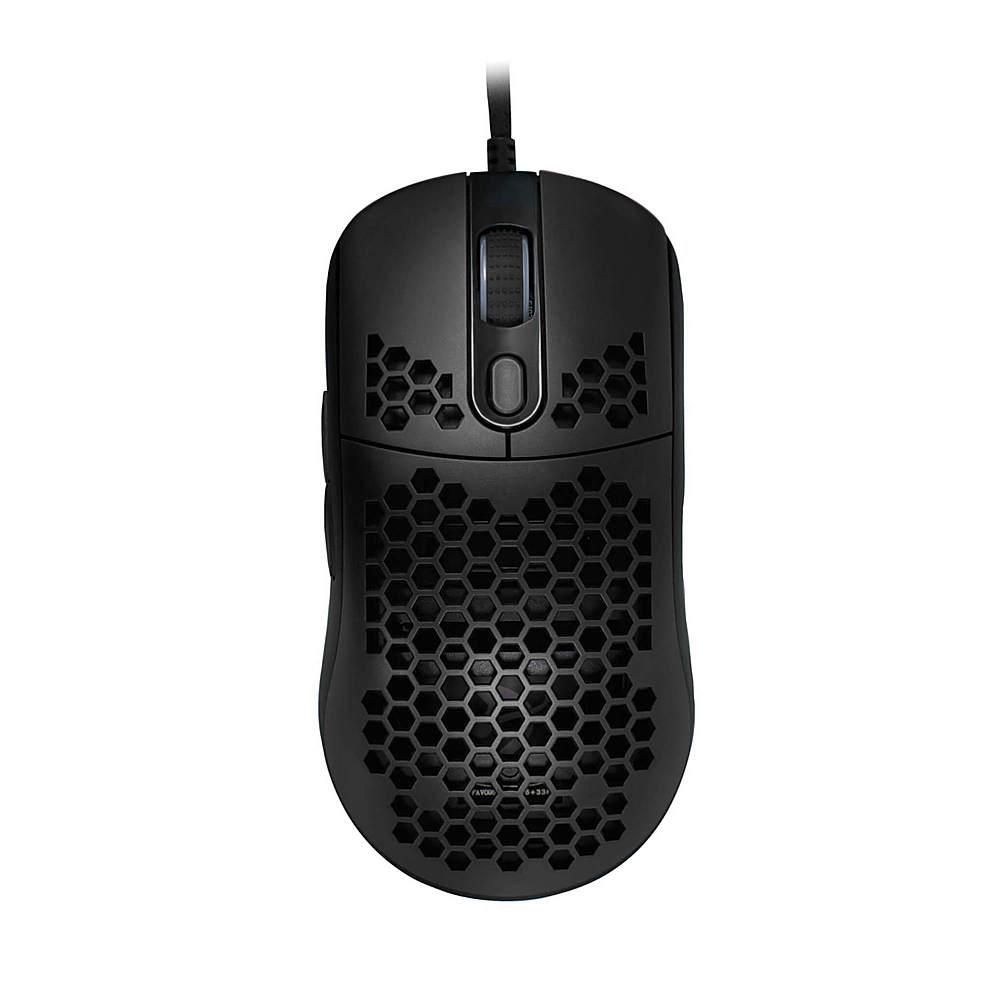
The Arozzi Favo is a featherweight Mouse with the powerful Pixart 3389 sensor and Omron 20M switches. The honeycomb pattern provides ventilation to keep your palms cool and fresh during use. The Arozzi Favo Ultra Light Gaming Mouse will raise your game to a new level!
Customer Rating
5
Solid, non-distracting gaming mouse
on August 2, 2021
Posted by: BillFromKC
from KCMO
I received this product in exchange for my fair and unbiased review.
The Arozzi Favo lightweight gaming mouse lives up to it's name - it's lightweight and it's great for gaming. The layout is comfortable, the buttons feel solid, and even the honeycomb shell is helpful in that it helps keep your hand cooler.
Setup is easy - connect it to your computer and you're off. You can control the RGB with a button on the bottom of the mouse, You can also control the RGB lighting with optional software (unlike other gaming peripherals, it's not mandatory to download for lighting control). You can also adjust the mouse DPI on-the-fly.
I didn't think I was going to like the honeycomb design at first, but it grew on me. While it did mark my hand after a few hours of Gears 5, it went away fairly quickly. The lightness of the mouse did take a little getting used to, however, but it made quick movements even easier.
I don't think there's anything I didn't like about this mouse. For its price, it's a terrific value.
Mobile Submission: False
I would recommend this to a friend!
Share this review:


0points
0of 0voted this as helpful.
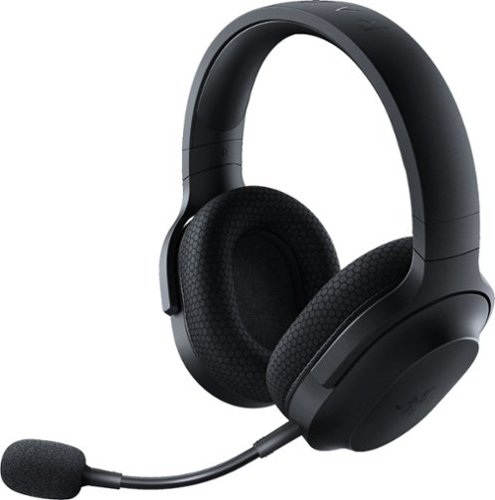
The Barracuda X is a slim, lightweight headset designed for maximum versatility. It is a 4-in-1 wireless headset, with a USB-C dongle that allows wireless connection to PC, PlayStation, Switch and Android. Incredibly comfortable with swivelling earcups, plush memory foam ear cushions and weighing just under 250g, the Barracuda X is a gamer~s ideal multi-purpose headset for gaming both indoors and on the go.
Customer Rating
5
Solid headset for gamers on multiple platforms
on August 2, 2021
Posted by: BillFromKC
from KCMO
I received this product in exchange for my fair and unbiased review.
The Razer Barracuda X wireless gaming headset is a solid choice for those who game on multiple platforms. While it lacks Bluetooth connectivity, the USB-C wireless dongle makes connection to modern platforms like Android phones, the Nintendo Switch, the iPad Pro, and computers with USB connectivity. An included USB-A to USB-C adapter cable makes connecting to a console or an older computer without USB-C easy. Charging the headset itself is also easy thanks to its USB-C connector. There's also an analog feature with included cable with this headset, which is handy if you have older devices or you want to use these with an iPhone (make sure you have a Lightning to headphone adapter).
Audio quality is pretty great overall - I didn't notice a difference between lossless streaming on Apple Music with these using a wired or wireless connection on my Mac. The microphone is clear and doesn't pick up on too much background noise. Bass is clear, highs are clear, and voices don't get muddy as you turn up the volume.
They're also surprisingly comfortable for longer gaming sessions. I kept at it with my Switch for a few hours and while I did realize I had them on, they stayed cool and comfortable.
Even the price for these are good. I was expecting the "Razer Tax", and these don't have that.
The biggest and only drawback I have with these is the lack of Bluetooth; I'd like to connect them to my iPhone without the cable, even with audio quality loss. If there's any other drawback for anyone, it's the lack of RGB lighting on them. While this doesn't bother me at all (I find RGB distracting), I realize some people want RGB.
All in all, Razer did well with the Barracuda X headset.
Mobile Submission: False
I would recommend this to a friend!
Share this review:


0points
0of 0voted this as helpful.
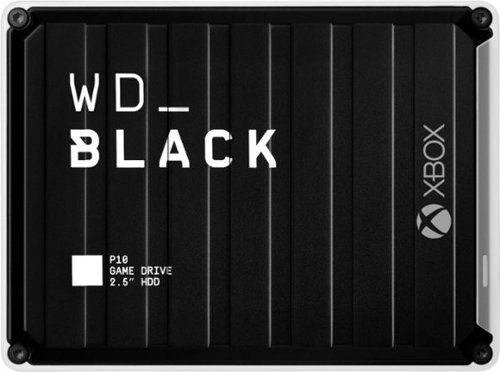
The WD_Black~ P10 Game Drive for Xbox~ gives your Xbox the tools it needs to keep your competitive edge. With up to 5TB* of storage capacity, the WD_Black~ P10 Game Drive for Xbox~ is a top-tier external HDD built specifically for gamers looking to expand the potential of their Xbox so they can drive their game the way they choose. Included with your purchase is a 1-month membership of Xbox Game Pass Ultimate, with access to 100+ games on consoles and PC, plus online console multiplayer.

Posted by: BillFromKC
from KCMO
I received this product in exchange for my fair and unbiased review.
The WD Black P10 Game Drive for Xbox is a fast way to backup games on a Series X or Series S system, and is also fast enough to play games off of on an Xbox One, One S, or One X.
Setup on the Xbox is super easy - just plug in and follow the on-screen prompts. Once it's set up, you can use the drive to store games.
It's fairly quick, too, especially for a traditional hard drive. I did connect the P10 to a Windows PC and got 125 megabyte per second read speeds and 120 megabyte per second write speeds on large files. For sake of comparison to other hard drives, small files were read between 512 kilobytes (half a megabyte) and 2.5 megabytes per second, and written between 512 kilobytes and 24.5 megabytes per second. Because speed claims are always based on longer file reads and writes, I'll give WD credit on this drive living up to its speed claims.
There are a few areas this drive does fall short for me, however. First, it uses the USB Micro B connector instead of USB-C, so if you break the cable or need a longer cable, it's not as readily available. Second, white the white indicator light was a nice touch, the rest of the aesthetics are bad; the drive should have been a solid color (black, white, or Xbox Green). Third, my drive got warm while copying Master Chief Collection (150GB) from the Xbox to the P10; ventilation should have been a thing on this. Finally, and again, why didn't this drive get a USB-C port instead of the USB Micro B port?
So as far as recommending this goes, it'll all in what your needs are. Do you need extra space on your Xbox One, One S, or One X device? Go for it. Do you want to be able to quickly move games on and off a backup for when you want to play them on your Series S or Series X? This is perfect for you. Are you not concerned about speed and money's tight? You could save some money with a less expensive external drive at the same capacity. For the performance, however, it's a good value.
Mobile Submission: False
I would recommend this to a friend!
Share this review:


0points
0of 0voted this as helpful.
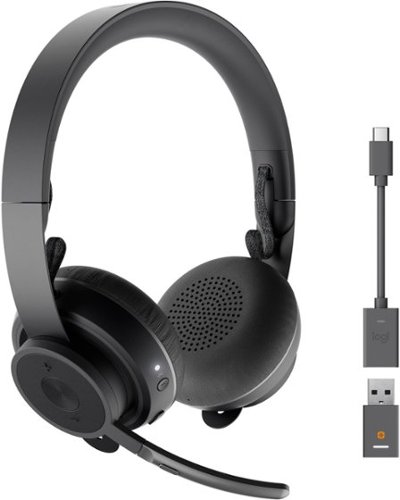
Take control of your acoustic experience with Logitech Zone 900, the wireless headset specifically designed to enhance focus and productivity at home. Connect to your smartphone and computer, and seamlessly switch between them to experience great audio, suitable for conference calls and immersive music. Active noise cancelation blocks out the noise around you. With comfort, simple controls, and wireless Qi charging, Zone 900 helps you define your workplace soundscape and stay in your zone. Logitech Unifying technology connects up to six compatible devices with one receiver. Stay focused, stay connected, and stay in your zone no matter where you work.
Posted by: BillFromKC
from KCMO
I received this product in exchange for my fair and unbiased review. Also, at the time of this review, Logi Tune for iOS (and probably Android as well, but I didn't test that) is not compatible with this headset, but Logi Tune for Windows is; however, this did not affect scoring as Logitech informed me the Tune app would be updated to support this headset when I reached out to them.
TL;DR - The Logitech Zone 900 wireless headset excels as a communication headset. It's comfortable to wear for extended periods. The mic is clear. The active noise cancelling is able to drown out a lot of background noise, though it doesn't totally silence everything. Audio quality for phone calls and teleconferencing apps is great, but is merely okay for music, movies, and gaming due to bass extension and clipping issues. The battery life is terrific - it'll make it through a full workday with ease. The Qi charging capability of the headset is awesome, as is the USB-C charge port (though, for the price, Logitech should have included both a USB-A to C and a USB-C to C charge cable in the package). Integration with Logitech's Unifying ecosystem is great - if you already have Logitech Unifying keyboards, mice, and other devices, they can integrate with the dongle that comes with this headset. Overall, I highly recommend this for teleworkers who spend a lot of their day on the phone or on Zoom/Teams/WebEx conferences.
-----------------------------------------------------------
Unboxing and initial impressions:
Unboxing and initial impressions:
The Zone 900 is packaged nicely in a slip-off cardboard box (note that the seals are on the bottom of the box). Inside the packaging, you'll find the Zone 900 headset, the Unifying Audio dongle, a USB-C to A adapter, a USB-A to C cable, a storage sack, and warranty literature. Pictogram instructions are printed on the inner box's inside.
The headset is nicely made. The headband is metal, covered in plastic across the top, the slide adjustments are incredibly smooth. The headband itself has a rubber-like material for padding between it and your head. The the drivers are enclosed in plastic that feels really nice and soft leatherette flat pads that are extremely pliable and soft. The wires running from the drivers through the headband are covered in a paracord-like material, much like the cable of a good gaming mouse is. A USB-C port is on the left cup, as is the rotatable microphone. The buttons feel solid and are easy to find without looking.
Setup for the computer is simple. You attach the Unifying Audio dongle to your computer in either an open USB-A port or with the included USB-C to A adapter, power the headset on, and you're ready to go. You can download the optional Logi Tune software for Windows if you want additional control over headset functionality, including controlling what buttons do and EQ settings.
Setup for a phone is every bit as easy. You put the headset into pairing mode by holding the power button, then connect it using your phone's Bluetooth settings. In the future, the Logi Tune app will allow you to change EQ settings and other features from your phone.
-----------------------------------------------------------
Usage:
Usage:
Charging is easy. You either connect the USB--C cable or you place the headset on its right earcup on a Qi-compatible charging pad.
The rotatable mic works as a mute switch. This is super handy for those moments when you don't want someone listening in on you mumbling while you're on the phone. You also get the mute switch on the mic itself if you don't want to rotate it for mute.
You can press the button on the left ear cup to answer calls. The volume buttons are on top and bottom of it, and are shaped in such a way that you can tell what they are by feel.
It's all-day comfortable. The headband doesn't put too much pressure on top of your head and doesn't squeeze too hard against your ears. It does squeeze hard enough that the headset isn't going anywhere, however, unless you're going for a run or headbanging.
You can use the headset with two devices simultaneously, but there's one caveat to this - one device needs to be connected with the Unifying Audio dongle. This means that your computer - Windows or Mac - will transfer audio using the dongle while your phone or tablet will transfer audio over Bluetooth. You can connect two devices over Bluetooth simultaneously, but I couldn't get audio out of both devices at the same time this way.
Audio quality is both great and could be better, depending on what you're doing. For calls, listening to podcasts and audiobooks, and anything without a lot of bass extension, it's fine. In fact, these have been my favorite headphones for listening to podcasts out of everything I've used.
However, anything with serious bass extension will have some clipping and distortion on the low end. Games with lots of explosions, hip-hop, modern country, modern hard rock, and pop, and movies with explosive scenes all caused clipping at higher volume levels. Adjusting your EQ to cut the bass helps. In fact, this is the only problem I've had with this headset.
One nice feature in the Desktop software is it'll help you pair other Unifying devices to the Unifying Audio dongle.
-----------------------------------------------------------
Closing:
Closing:
The Logitech Zone 900 is a great headset for what it's meant for and is almost the perfect headset for everything. With a little improvement to bass response, this headset could be perfect for everything. Also, being able to run two Bluetooth devices at once would be handy for road warriors. Otherwise, this is worth the price if you spend all day on the phone at work.
Mobile Submission: False
I would recommend this to a friend!
Share this review:


0points
0of 0voted this as helpful.
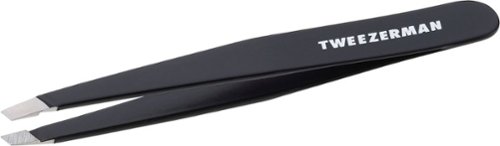
Expertly shape your brows with Tweezermans classic, award-winning slant tip tweezer. A staple to your beauty routine and famous for its precision, the Slant Tweezer features perfectly aligned, hand-filed tips that grab every hair, every time.
Customer Rating
5
Great tweezers for the price.
on June 25, 2021
Posted by: BillFromKC
from KCMO
I received this product in exchange for my fair and unbiased review.
Short and sweet - good tweezers make life easy. I used these to pluck splinters and an ingrown hair, it made cakewalk of both tasks. Versus cheap drug store/grocery store brand tweezers, these were much easier to use and have far superior grip.
Mobile Submission: True
I would recommend this to a friend!
Share this review:


0points
0of 0voted this as helpful.
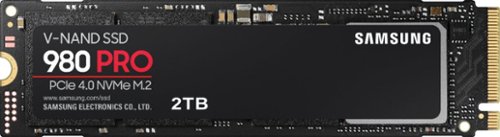
Unleash the power of the Samsung 980 PRO PCIe 4.0 NVMe Gen4 SSD for next-level computing. 980 PRO delivers 2x the data transfer rate of PCIe 3.0, while maintaining compatibility with PCIe 3.0.~ ~The NVM Express~ design mark is a registered trademark of NVM Express, Inc.* Results are based on a comparison with Samsung PCIe 3.0 NVMe SSDs and SATA SSDs. PS5 compatible with heatsink as recommended by Sony; heatsink sold separately.
Customer Rating
5
Beefy. Make sure you use with PCIe 4.0+ NVMe
on June 13, 2021
Posted by: BillFromKC
from KCMO
I received this product in exchange for my fair and unbiased review.
If you want fast storage that’s reliable, the Samsung 980 Pro Series is it.
Using a Ryzen 5800X on a B550 motherboard with PCIe 4.0 NVMe compatibility, I got reads a little better than 7100 MBps and writes at nearly 5300 MBps. It does get a little warm while being pushed to this limit, however, so make sure you use a heat sink of some kind with it. I also tried it out in my Ryzen 5500u-powered laptop, which used Zen 2 architecture and PCIe 3.0 NVMe, I pegged reads and writes at 3600 MBps each.
Samsung’s software also makes firmware updates on this drive easy.
Recommended? Yes, as long as you either have or plan on upgrading to something with PCIe 4.0, as the cost isn’t justified in a PCIe 3.0 system.
Mobile Submission: True
I would recommend this to a friend!
Share this review:


0points
0of 0voted this as helpful.
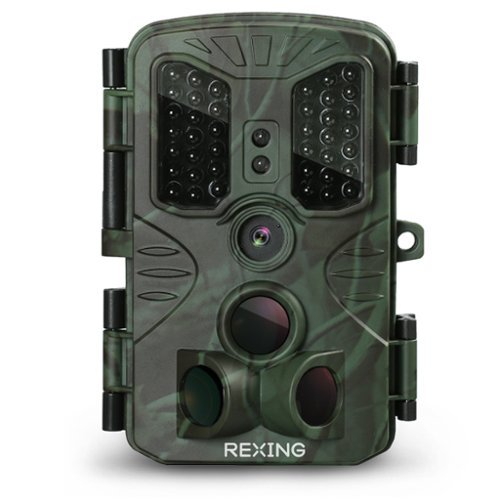
Capture HD photos and videos at night or during the day with Rexing Woodlens H1 Blackhawk trail camera. Less than 0.2s ultra-fast trigger is paired with an LED flash for split-second shooting when motion is detected, while a 2.4" built-in LCD screen lets you preview and navigate through photos and videos. The Rexing Woodlens H1 Blackhawk trail camera features password protection to guard against unwanted access.
Customer Rating

3
Bad value holds back an otherwise good trail cam
on June 7, 2021
Posted by: BillFromKC
from KCMO
I received this product in exchange for my fair and unbiased review.
TL-DR - The Rexing H1 Blackhawk Train Camera is a decent device overall but is held back by the device's firmware and the overall value of the package. Compared to other non-cellular trail cameras in this price range, you don't get included batteries or an included SD card. The unit itself is at least well-made and I found it to be very water resistant (it withstood being sprayed by a garden hose). Pictures and video shot by the camera - both in daylight and at night - is mostly clear with some artifacting from the camera itself, a good tradeoff for the high sensitivity of the sensor. The mounting hardware it comes with is also well-made and easy to use - the belt easily wraps around medium-sized trees and the hard mount goes together easily and securely. Besides the value proposition, the firmware is the other problem with this camera - it doesn't allow for higher compression of images and video, it causes the IR sensor to be too sensitive at even its lowest setting, and the menu system is just very dated in how it looks and works. It's worth considering if you're looking for a trail camera, but you can do better based on value.
------------------------------------------------------
Unboxing and first impressions:
Unboxing and first impressions:
The H1 Blackhawk Trail Camera is packaged in a relatively plain cardboard box. Items inside of the box are packaged in plastic - this is one case where I'd prefer to see the packaging be all paper, as there's just as much chance someone would be setting this up out in the field as they would be at home, meaning you have to deal with packaging waste properly. Inside the box is the trail camera itself, a mounting belt (meant to go around trees or posts), a hard mount (meant to be screwed into a board, pole, or bolted to a t-post with a nut and bolt you can get at any hardware store), a typical Mini USB cable (which I'm surprised is still a thing in 2021, but I’m not knocking it because it’s easier to plug in correctly the first time than Micro USB ever was), and instructions for usage.
What I didn't find in the box were a SD card and AA batteries, both necessary for use. Considering that other trail cameras this competes with come with those items at lower prices, I was disappointed about this.
The camera itself is built well. The plastic exterior is tough enough where it survived a fall onto a cement floor without a scratch. It has a 3 lens motion sensor, 40 IR LEDs in all, LEDs to indicate power and recording, belt and cable loops on the back side of the unit, and both a hard mount and a passthrough to the DC in port on the bottom. the unit latches together with two snaps and the rubber gasket protecting the electronics inside. There's a small hole so you can lock or zip tie the unit closed.
The electronics package has the battery storage on one side of the unit and a small screen and controls on the other. At the bottom of the controls are a full-sized SD card slot, a Mini USB port (for those of you who don't have a SD card reader), and the DC in port. The controls are clicky but somewhat mushy and the screen is clear but too small to be useful outside of device setup.
------------------------------------------------------
Setup and usage:
Setup and usage:
The belt is nylon with a plastic clip buckle and holds securely. The hard mount is simple to assemble and use - you'll just need a socket and a wrench to initially pit it together. For my testing, I chose to go with the belt clip because of placing the camera on a tree.
Inserting batteries is easy enough. You only need 4 batteries to power it on, but you can add 8 batteries so the camera has double the available power and battery life. Note that NiMH and NiCD rechargeable batteries won’t work properly in this device; I tried a set (because science) and got 30 seconds of run time out of the H1 Blackhawk in setup mode. In addition to Alkaline and Lithium disposable batteries, you can also obtain alternative ways to power the camera - either a 6 volt transformer or a third party battery pack with 6 volt output.
Configuring the camera is easy enough, once you get used to a somewhat archaic menu system on the camera. You get options for video and/or photo mode, what resolution the pictures and video will be shot in, time lapse recording, sensitivity of the motion sensor, whether it uses the side motion sensors or not, sound recording, and a few other system settings. Photo and video quality are not options in the setup, however, so you can’t set the camera to tie up around 4MB per picture file and around 100MB per 15 seconds of video recording when set to full resolution; because of this, you’ll find that a 32GB SD card will fill up very quickly. The reason I say photo and video quality should be adjustable is I did compress several pictures to between 1/5 and 1/6th of their original size using macOS’s Preview app and saw no discernible difference in picture quality (photos went from around 4MB each to 650-800KB each).
I also found the motion sensors to be very sensitive, even at the low setting. My 32GB SD card I tested with filled in a matter of hours and the 8 AA batteries are already about 50% depleted over two days of being deployed at different spots because of this (set to record video at 1080p while taking pictures at 16mp).
The picture quality was good overall, though while zoomed in, even the 16mb images tended to look "softened" around the edges; zoomed out, everything looked sharp while being viewed on a 1440p 27" monitor. While images do have some artifacting from the camera sensor being set to high sensitivity, the tradeoff is better low-light photos. The artifacting improved with lower resolutions. IR photos and videos were crisp, clear monochrome and only had artifacts in the darkest portions of the images and video.
Inserting and removing the SD card can be a little difficult; I found that I needed a pencil to engage and disengage the locking mechanism. Note that it also uses standard SD cards so you can feel free to push a little harder to engage and disengage the locking mechanism without fear of destroying your memory card. My 32GB SDXC card worked perfectly, and the device claims compatibility with up to 128GB SD cards.
You’ll want to set it up to test your chosen settings before you deploy it for “field research”. Once you have it configured and working the way you want it working, you can deploy it to the hunting grounds and check it every few days for new content. Keep in mind the small screen viewer isn’t particularly great, so you may want to invest in an OTG SD card reader (Android) or the Camera Connection Kit (Apple) so you can view photos on your phone.
------------------------------------------------------
Issues:
Issues:
So I think I’ve covered them all, but to reiterate:
1 - file sizes of pictures and video are huge so you should get a large capacity SD card to go with this camera
2 - the camera does not come with a SD card or batteries in the box, a big omission since competing products include these things and cost less
3 - the archaic menu feels cumbersome until you get used to it
4 - overly sensitive motion sensor
5 - soft edges while zoomed in on photos, including high megapixel images.
6 - just a bad value proposition compared to competition
2 - the camera does not come with a SD card or batteries in the box, a big omission since competing products include these things and cost less
3 - the archaic menu feels cumbersome until you get used to it
4 - overly sensitive motion sensor
5 - soft edges while zoomed in on photos, including high megapixel images.
6 - just a bad value proposition compared to competition
The sensitivity and image compression issues might be fixable with a firmware update, as would be the menu system. If the camera were less expensive, the omission of batteries and the SD card would be more acceptable; personally, I’d rather see batteries and a 32GB SD card included, but either a price drop or inclusion of those two things would fix the value proposition for me as the camera is a little better with image quality than similarly-priced competing products.
------------------------------------------------------
Conclusion:
Conclusion:
The Rexing H1 Blackhawk, by all measures, is a pretty decent trail camera. It’s dragged down, however, by poor design decisions in the firmware (menu system and image compression) and being a bad value proposition compared to competing products. For many people, image and video quality won’t outweigh a lack of storage and batteries as pack-in extras, but even with the bad value proposition versus competing products in that regard, it’s still worth considering as it does the job well, but you can do better based on value. Because it does what it needs to do well, however, I can recommend this.
Mobile Submission: False
I would recommend this to a friend!
Share this review:


+1point
1of 1voted this as helpful.
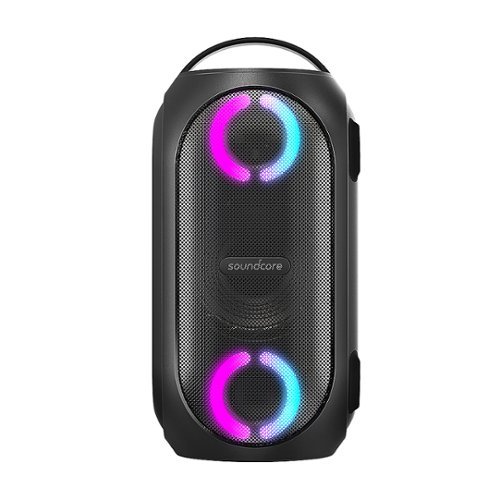
Soundcore Partycast is a portable Bluetooth Party Speaker with 80 watts of power, an 18-hour playtime, and a party-starting light show. Using our exclusive partycast technology, you can link over 100 partycast speakers together for synchronized music and lights to create the ultimate experience. IPX7 Waterproofing means you won~t need to worry about liquid getting on it, and with its USB charge-out capabilities your phone will stay charged no matter how long the party lasts.
Customer Rating
5
Packs a far bigger punch than you'd expect
on May 31, 2021
Posted by: BillFromKC
from KCMO
I received this product in exchange for my fair and unbiased review.
TL;DR - The Anker Soundcore Rave Partycast speaker is a surprisingly loud speaker for its size. Audio is customizable, as is the lighting, with the Soundcore app, and all music sounds terrific over Bluetooth or the aux input. Battery life is amazing, and it's a steal for the price.
-------------------------------------
Unboxing, setup, and first impressions:
Unboxing, setup, and first impressions:
The Soundcore Rave Partycast isn't a tiny speaker, but isn't a monster either. The handle on top makes it easy to lug around, and you're given options on how to stand it up - verically, horizontally, or you can mount it on a stand. The unit feels high-quality with soft touch controls and a metal speaker grill. The charging port, USB port, and aux port are located behind a soft-touch flap on the backside of the speaker.
You'll want to charge it, like anything else with a lithium battery, before use. This took my unit about 30 minutes, but your mileage might vary. Once charged, powering on is simple and the power button also doubles as the battery life indicator.
Pairing Bluetooth is easy enough. You'll press and hold the Bluetooth button on the speaker until a tone plays, then you'll connect your phone or other device to Rave Partycast. With iOS, iPadOS, and Android devices, you'll also want to download the Anker Soundcore app so you can customize the lights and EQ setting for the speaker. All told, you'll go from powered up to ready to use in about 2 minutes flat.
-------------------------------------
Usage:
Usage:
Before discovering the EQ settings in the Soundcore app, I thought the audio from the Rave Partycast was loud, but rather bass-heavy at the bottom at shallow at the top. While this was good for hip-hop, pop, rock, and modern country, it wasn't good for blues, jazz, classical, oldies, and classic country. After playing with the EQ, however, I was able to bring life back into the music that fell flat. So yeah, YOU NEED THE APP for this speaker.
Overall, the speaker has a good sound after tuning it to your preferences. While it's not the best speaker for quieter genres, it's great for what most people will listen to - music with a strong beat and a driving bass line.
The app also allowed for changing the colors of the lights around the midrange/tweeter drivers of the speaker. While it would have been nice to pick my own colors, the options given look pretty good over all.
I did use it without the power adapter after initial charging and, after 10 hours, it was about halfway down on battery life as indicated by both my iPhone 11 and the power indicator on the unit. I was also able to charge my phone using the USB port on the back of the speaker while it was powered on.
-------------------------------------
Drawbacks:
Drawbacks:
Like I stated earlier, the only thing is YOU NEED THE APP to get the most out of the Soundcore Rave Partycast. Once you adjust the EQ to your liking, it'll sound terrific. Also, it was designed to be loud first and give you high-quality audio second. While this isn't necessarily a bad thing, don't expect audio quality that matches a $500 speaker or a $1500 audio system that gets permanently installed in your back yard.
-------------------------------------
Conclusion:
Conclusion:
If you want a loud speaker for gatherings outside or just poolside by yourself, you can't go wrong with the Anker Soundcore Rave Partycast. It's easy to use and a terrific value for what you get.
Mobile Submission: False
I would recommend this to a friend!
Share this review:


0points
0of 0voted this as helpful.
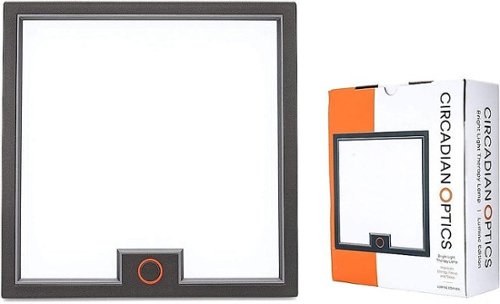
Circadian Optics is a maker of bright light therapy lamps that mimic daylight. Our designer lamps allow you to get the light you need, right at your desk. Symmetrical and minimalist, Lumine~s versatile design fits as well in a home as it does in an office. It~s perfectly square top-to-bottom light panel and integrated stand create a bold, modern aesthetic.
Customer Rating
5
Lamp is great, but get medical advice before use
on May 25, 2021
Posted by: BillFromKC
from KCMO
(I’ve received this product in exchange for my fair and unbiased review. Also - and I cannot emphasize this enough - please talk to your doctor before using any medical device. Because of this, I’m only reviewing the product and not it’s effects on me as, with any medical device, your milage may vary.)
The Circadian Optics Lumine light therapy lamp is the equivalent of bottled sunshine. It’s easy to set up, easy to use, and solidly constructed. Thanks to its LED light source, it stays relatively cool and draws little power, especially for as bright as it is.
Setup is simple - pop open the box, place the tabs for the base in the back of the light panel, and connect the power supply. Usage is also simple - aim it at your face from an angle so the light will enter your eyes but not blind you, then use the touch-sensitive power/brightness button to set the light to your desired brightness. Once your therapy session is done, turn it off.
Is there anything I would change with this lamp? Yes, but they’re not serious flaws. I’d like to see the panel mountable to a height-adjustable stand, and the ability to track therapy time and adjust brightness via an app would be nice; even better would be that the app connects with your doctor or therapist’s office and you can get adjustments as needed between visits on brightness and therapy length. However, I realize these things would only make the device more expensive, so maybe in a future higher-end model?
Otherwise, the Lumine is a great little light therapy lamp. Circadian Optics did well with this device in every regard, including price.
Do I recommend this? Yes, but make sure you get a recommendation to use light therapy from a medical professional first.
Mobile Submission: True
I would recommend this to a friend!
Share this review:


0points
0of 0voted this as helpful.
BillFromKC's Review Comments

Westinghouse HDTV: Enjoy your favorite movies, shows, games and sporting events in realistic 1080p resolution on this Westinghouse HDTV's LED panel. Ensure fast-moving scenes remain clear with a 60Hz refresh rate that minimizes blurring and ghosting.
Overall 1 out of 5
1 out of 5No HD tuner
By Westingtonhouse
I can not imagine that tv in today time do not have digiter tuner. I bought 6 now I have to return them since i use cable straight from wall for tv from COX

BillFromKC
KCMO
This TV has an ATSC tuner.
August 27, 2015
There's no guarantee that ATSC tuners will work with ClearQAM cable channels, and even so, the greater majority of cable providers now scramble all cable channels. Including OTA channels. Because the FCC changed the rules and they're allowed to do this now.
+6points
6of 6voted this comment as helpful.
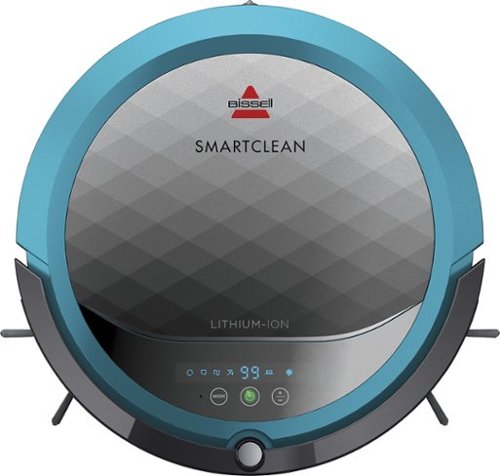
BISSELL SmartClean Robot Vacuum: Easily rid your floors of dirt and debris with this vacuum that uses Opticlean optical sensors and a Triple-Action Cleaning System to tackle your floors. Invisible Wall technology lets you target specific areas.
Overall3 out of 5
3 out of 5Hard To Program
By FortFun2
from Illinois
Found it is difficult, not intuitive, to program. Others have said if you loose power all your programming is lost, but we haven't lost power yet so can't confirm. I just wanted it to run when I left the house without a set program and contacting Bissell just led to more confusion. But, once I got it working I was impressed with the amount of pet hair it removed.
BillFromKC
KCMO
I can attest to this.
September 16, 2016
Sometimes, I have to plug mine directly into the charger to get it to charge because the battery is overly drained. Because of this, I don't even bother programming it anymore.
0points
0of 0voted this comment as helpful.

The new MacBook Pro is faster and more powerful than before, yet remarkably thinner and lighter.~ It has the brightest, most colorful display ever on a Mac notebook. And it features up to 10 hours of battery life.~ It~s a notebook built for the work you do every day. Ready to go anywhere a great idea takes you.
Overall1 out of 5
1 out of 5Terrible
By Joel
I purchased this one month ago and it has a faulty display. Best Buy takes no responsibility and will not exchange it for a good one. I have left voicemails for a district manager to call me and no one has called. I will never shop at Best Buy again.
BillFromKC
KCMO
Yep, take it to Apple.
January 13, 2017
If Best Buy is doing you wrong, just take it to your nearest Apple location and they'll set you up with a fix or a new one.
+4points
4of 4voted this comment as helpful.
![The Secret Life of Pets [DVD] [2016]](https://pisces.bbystatic.com/prescaled/500/500/image2/BestBuy_US/images/products/5224f7b2-43d6-4d33-8d0e-315348745874.jpg)
Overall1 out of 5
1 out of 5Bootleg Copy of Secret Life of Pets
By Disappointed
About 15 minutes into the movie the volume became muted and a message came on the TV that this was a bootleg movie. An unauthorized copy. Be very careful purchasing DVD's or Blu Ray movies from Best Buy. They just may leave you and your grand children very disappointed as it did our family.
BillFromKC
KCMO
This could very well be your DVD or Blu-Ray player
January 20, 2017
causing your issues. The Film Industry (MPAA and associated groups) are known for their draconian DRM systems, first with DVD and now with Blu-Ray and 4k Blu-Ray.
if your Blu-Ray player isn't connected to the internet, connect it to the internet and update its firmware. That should fix all your issues.
0points
0of 0voted this comment as helpful.
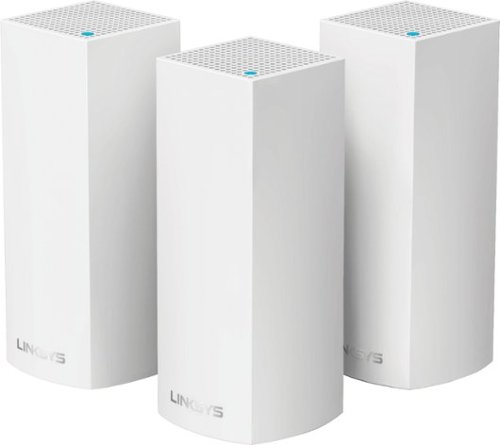
Make your home an internet haven with this versatile Linksys Velop wireless Wi-Fi system. Three identical tri-band dual-stream AC2200 routers, each equipped with a quad-core ARM Cortex-A7 processor, deliver lightning-fast internet. Equipped with Bluetooth 4.0/LE, this Linksys Velop wireless Wi-Fi system is simple to set up and pairs easily with computers, tablets and smart devices.
Overall5 out of 5
5 out of 5This is the future of WiFi
By neio11
I threw (recycled) away my wifi extenders plus I am now able connect a device with an ethernet cable without having to run cables through the walls because each node has 2 ethernet ports. So for instance, I have one node connected to my modem and an ethernet switch. My 2nd node in another room is connected to an NVR for my security cameras. The speed through the nodes is surprisingly fast. The NVR is capturing HD videos from 3 cameras and it seems to capture fine. The 3rd node is in my living room area. The whole house is covered! Please put a password on your wifi otherwise you'll be supplying FREE wifi for your neighbors. I can have full internet access from 3-4 houses away from my house. I thought installation would be a pain considering you have to setup each node. Well, I shouldn't say "have to" because you don't have to use all 3 nodes. You can use only 1 or 2 and give the 3rd to me. haha. No but setup is a breeze! The only thing is that you have to use a smart device such as a tablet or phone, to do the setup. Velop currently doesn't support PC-based setup but I hope Linksys changes that especially for us "techies"!!! It works with Alexa. You can ask #Alexa what the wifi password is... so they say. I haven't had much success with it yet. It looks clean and neat. It doesn't all those antennas sticking out of it which makes it aesthetically pleasing.
I'm loving so far!
BillFromKC
KCMO
The setup process basically forces you to put a...
February 19, 2017
...password on your WiFi network. In fact, it's one of three things it asks when you set up the parent node, the other two being "Do you connect directly to the internet or through a modem/router device provided by your ISP?" and what to call your wireless network.
0points
0of 0voted this comment as helpful.
Make your home an internet haven with this versatile Linksys Velop wireless Wi-Fi system. Three identical tri-band dual-stream AC2200 routers, each equipped with a quad-core ARM Cortex-A7 processor, deliver lightning-fast internet. Equipped with Bluetooth 4.0/LE, this Linksys Velop wireless Wi-Fi system is simple to set up and pairs easily with computers, tablets and smart devices.
Overall5 out of 5
5 out of 5Blazing Speed, Best In Class Performance!
By gadgetguy11
The Linksys - Velop Tri-Band Whole Home Wi-Fi System (3-pack) is packaged in a beautiful & functional box with magnetic closure - it exudes quality! Each Node is protected individually. Just looking at the box, you expect a premium, esoteric product... & Linksys delivers that & more in spades! The shapely Nodes are beautiful & blend with any decorating style.
Simple set-up via the Linksys iOS or Android App. Within minutes, you are ready to go online.
As shown in attached photo, I have 90 wireless devices utilized over 5,000 sq feet / 3 floors: this is a challenging application for high speed Wi-Fi that includes: connected major appliances; BAS ceiling fans & Haiku Wi-Fi connected lights; Wi-Fi Thermostats; Netatmo Wi-Fi Weather Station; 65 Hue Lights; Connected exterior door locks; Wink Wi-Fi connected devices; connected iDevices, Nest & Arlo cameras; iPads; iPhones & computers. Finally, Streaming from 4) Apple TV's; Nixplay Wi-Fi Photo Frames.
And now the Results:
Velop delivers the fastest Wi-Fi speed I have ever experienced and does so consistently! The attached screen capture shows 349 Mbps Download / 23 Mbps Upload. These are WIRELESS speeds!! I pay for 300 Mbps Download / 30 Mbps Upload & our internet service provider generally delivers 300 - 360 Download & 22 - 32 Upload.
Velop is the only Wi-Fi System I have found to date that actually delivers this sustainable speed and does not randomly disconnect the many devices.
High power Wi-Fi requires a high current source. Each of the 3) square white power supplies produce 12 Volt, 2 Amp output! 24VA (Volt Amps) is the highest output of any router I have tested. Better yet, the cable that plugs into each Velop is perfectly angled at the plug so the wire routs neatly through the cable management feature at the base. Brilliant design!
PRO's:
1- Fastest Wi-Fi Speed
2- Easy approximate 10 minute Set-up per hub
3- Velop Nodes are very attractive & blend with any architecture
4- Robust infrastructure yields dependable performance
5- 24/7 Support
6- 3-Year Warranty
7- Easy to use App with great diagnostics
8- Wire Management at the base is excellent & offers a wire free appearance.
9- Three Velop Nodes establish fast Wi-Fi speed across the house on any floor.
10- Expandable: Add an additional Node any time you prefer.
1- Fastest Wi-Fi Speed
2- Easy approximate 10 minute Set-up per hub
3- Velop Nodes are very attractive & blend with any architecture
4- Robust infrastructure yields dependable performance
5- 24/7 Support
6- 3-Year Warranty
7- Easy to use App with great diagnostics
8- Wire Management at the base is excellent & offers a wire free appearance.
9- Three Velop Nodes establish fast Wi-Fi speed across the house on any floor.
10- Expandable: Add an additional Node any time you prefer.
CON's:
1- IP Address range cannot be changed from: 192.***. My 2) existing Apple Time Capsule / Routers had IP addresses of 10.***, but they can be set to different ranges. A different IP Address range requires individually resetting a few devices that previously connected to the other range. For example, each Nixplay connected frame had to manually "Forget" the old Wi-Fi name of the previous SSID, then set up the same name with Velop, even though the Wi-Fi name and password are the same. On 13) Apple Airport Express devices, I had to power down each device to reset it from 10.*** to 192.***
2- IPv6 is not supported as of product release. This is surprising, as my three year old Apple Time Capsule / Router supported IPv6.
3- The first unit set up in under 10 minutes; however the remaining two hubs froze at the same exact place midway every time during set-up. After 6 failed attempts, I held each Node horizontally and kept my hand around it. Surprisingly, this procedure resulted in a virtually immediate set-up! Then I set each Node vertically & it continued to work great.
4- Only one Node can connect to the internet via ethernet. The other Nodes connect to the first Node via wireless mesh connection. I would prefer the option of connecting each Node to a wired ethernet connection. Linksys Technical Support indicated this may be added later as a software update. This would prove beneficial because the Nodes must be located fairly close together (my tests showed less than 40 feet apart at most).
1- IP Address range cannot be changed from: 192.***. My 2) existing Apple Time Capsule / Routers had IP addresses of 10.***, but they can be set to different ranges. A different IP Address range requires individually resetting a few devices that previously connected to the other range. For example, each Nixplay connected frame had to manually "Forget" the old Wi-Fi name of the previous SSID, then set up the same name with Velop, even though the Wi-Fi name and password are the same. On 13) Apple Airport Express devices, I had to power down each device to reset it from 10.*** to 192.***
2- IPv6 is not supported as of product release. This is surprising, as my three year old Apple Time Capsule / Router supported IPv6.
3- The first unit set up in under 10 minutes; however the remaining two hubs froze at the same exact place midway every time during set-up. After 6 failed attempts, I held each Node horizontally and kept my hand around it. Surprisingly, this procedure resulted in a virtually immediate set-up! Then I set each Node vertically & it continued to work great.
4- Only one Node can connect to the internet via ethernet. The other Nodes connect to the first Node via wireless mesh connection. I would prefer the option of connecting each Node to a wired ethernet connection. Linksys Technical Support indicated this may be added later as a software update. This would prove beneficial because the Nodes must be located fairly close together (my tests showed less than 40 feet apart at most).
CONCLUSION: My search for the "Ideal" Whole Home Wi-Fi System that consistently delivers 300 Mbps over 5,000 square feet with 90 devices ends here!! I am THRILLED with Velop & give it my highest recommendation!! It has proven to be the BEST ROUTER available for 2017!
BillFromKC
KCMO
Mine gave me IPv6 OOB
February 19, 2017
and even so, there was a firmware update it applied immediate after setup. I agree that the IP address range thing is annoying though, especially when you're moving from an existing network with static IP devices (NAS, printers, etc.)
0points
0of 0voted this comment as helpful.
BillFromKC's Questions
BillFromKC has not submitted any questions.

Make a smart solution to upgrade your home security to IndoorCam Mini. Never second-guess what you see in clear 2K resolution, and give yourself control with pan and tilt functions to monitor your home~s most vital areas. IndoorCam Mini features On-Device AI Human Detection, a technology that identifies humans in the frame and only sends you the notifications that matter. After returning home, you can turn on Home Privacy Mode, which turns off the camera and rotates it to your preferred privacy angle. Best of all, there~s no monthly fee after your purchase.
Can this new Indoor Cam Mini connect to the Eufy HomeBase? I would like for the IndoorDam store data on the base for easy access and control.
It stores data on the camera itself and not on a Homebase module. However, you still access the video like you would with Homebase-connected cameras - via the app.
4 years, 7 months ago
by
BillFromKC
Make a smart solution to upgrade your home security to IndoorCam Mini. Never second-guess what you see in clear 2K resolution, and give yourself control with pan and tilt functions to monitor your home~s most vital areas. IndoorCam Mini features On-Device AI Human Detection, a technology that identifies humans in the frame and only sends you the notifications that matter. After returning home, you can turn on Home Privacy Mode, which turns off the camera and rotates it to your preferred privacy angle. Best of all, there~s no monthly fee after your purchase.
Does this camera require WiFi to operate?
It can record internally to a micro SD card, but you would need WiFi to access your footage and receive motion alerts.
4 years, 7 months ago
by
BillFromKC
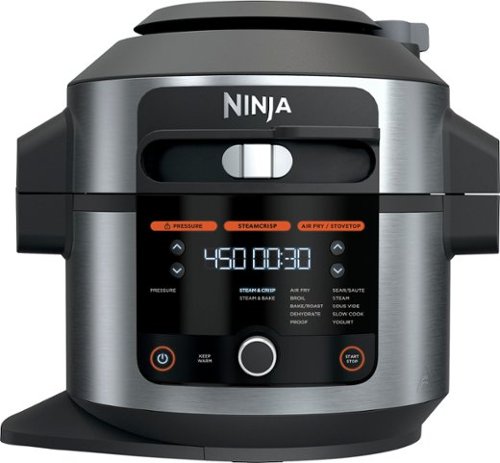
Meet the Ninja Foodi 14-in-1 6.5qt. Pressure Cooker Steam Fryer with SmartLid. The pressure cooker that steams and crisps. SmartLid slider unlocks pressure cooking, air frying, and Steamcrisping - all under one SmartLid. SteamCrisp Technology steams and crisps at the same time for faster, juicier, crispier results*. 14 one-touch programs unlock even more versatility. (*Vs. Ninja Foodi OL501 in dry mode only)
Does this model have hands free pressure release when pressure cooking timer is done, or do you have to manually release steam after pressure cooking?
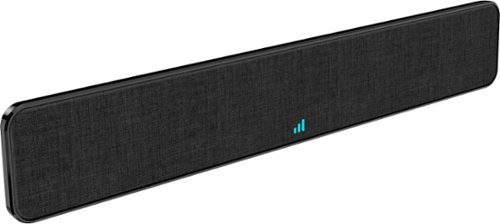
The Core Innovations ANT800BAR Indoor TV Antenna Bar allows you to access HDTV channels up to 80 miles away, free of charge. The signal indicator displays reception strength for peak viewing potential, and the omni-directional bar design provides connectivity in all directions. Enjoy content in up to 4K full HD where supported.
We have a steel roof, will this antenna work for us?
As long as the signal path isn't being blocked by the roof, this should work. However, you're better off to look into an outdoor antenna system.
4 years, 7 months ago
by
BillFromKC
The Core Innovations ANT800BAR Indoor TV Antenna Bar allows you to access HDTV channels up to 80 miles away, free of charge. The signal indicator displays reception strength for peak viewing potential, and the omni-directional bar design provides connectivity in all directions. Enjoy content in up to 4K full HD where supported.
Is this antenna ATSC 3.0 capable?
All antennas that work with ATSC 1.0 work with ATSC 3.0. In fact, all TV antennas that work on the standard UHF range (which means nearly every antenna, ever) work with ATSC 3.0 receivers and TV sets.
4 years, 7 months ago
by
BillFromKC
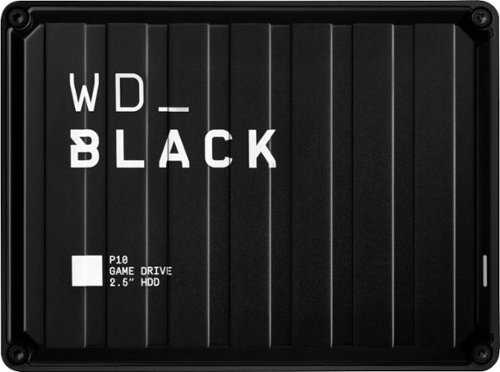
The WD_Black P10 Game Drive gives your console or PC the performance-enhancing tools it needs to keep your competitive edge. It's a top-tier external HDD in capacities 2TB, built specifically for gamers looking to expand the potential of their console or PC by saving their game library in an on-the-go form factor. Now, with WD_Black P10 Game Drive, you can drive your game the way you choose.
Will this work on a Xbox s and save my downloads
The WD_Black P10 Game Drive gives your console or PC the performance-enhancing tools it needs to keep your competitive edge. It's a top-tier external HDD in capacities 2TB, built specifically for gamers looking to expand the potential of their console or PC by saving their game library in an on-the-go form factor. Now, with WD_Black P10 Game Drive, you can drive your game the way you choose.
Can this work for Mac PC
It can. You may need to format it for PC usage first, however.
4 years, 10 months ago
by
BillFromKC
The WD_Black P10 Game Drive gives your console or PC the performance-enhancing tools it needs to keep your competitive edge. It's a top-tier external HDD in capacities 2TB, built specifically for gamers looking to expand the potential of their console or PC by saving their game library in an on-the-go form factor. Now, with WD_Black P10 Game Drive, you can drive your game the way you choose.
Can this be used with IPad Pro 10.5 inch
It can if you used a Camera Connection Kit and a Powered USB 3.x Hub. The lightning port by itself doesn't output enough power to run this drive.
For newer iPad Pros with USB-C connectors, you could just use a USB-C to USB 3.0 Micro B cable.
Either way, you'd need to format this drive using a computer first to a supported format (I believe that would be either ExFAT, HFS+, or APFS).
For newer iPad Pros with USB-C connectors, you could just use a USB-C to USB 3.0 Micro B cable.
Either way, you'd need to format this drive using a computer first to a supported format (I believe that would be either ExFAT, HFS+, or APFS).
4 years, 10 months ago
by
BillFromKC
The WD_Black P10 Game Drive gives your console or PC the performance-enhancing tools it needs to keep your competitive edge. It's a top-tier external HDD in capacities 2TB, built specifically for gamers looking to expand the potential of their console or PC by saving their game library in an on-the-go form factor. Now, with WD_Black P10 Game Drive, you can drive your game the way you choose.
Does this need a 3.0 slot to work correctly on an xbox series x? Will it work in a usb hub on the xbox series x with only 2.0 slots available?
It can work with a USB 2.0 hub, but it will run at approximately 1/3 the speed you'd get with a USB 3.x connection (40 megabyte per second transfers on USB 2.0 versus 120 megabyte per second transfers over USB 3.x).
4 years, 10 months ago
by
BillFromKC
The WD_Black P10 Game Drive gives your console or PC the performance-enhancing tools it needs to keep your competitive edge. It's a top-tier external HDD in capacities 2TB, built specifically for gamers looking to expand the potential of their console or PC by saving their game library in an on-the-go form factor. Now, with WD_Black P10 Game Drive, you can drive your game the way you choose.
Will it work with a Xbox 360 E console?
It should, but you'd be better off with a less expensive external drive as the Xbox 360 series of devices do not have USB 3.0 connections and even the slowest of external drives currently available can saturate a USB 2.0 connection.
4 years, 10 months ago
by
BillFromKC