


BillFromKC's stats
- Review count233
- Helpfulness votes729
- First reviewJune 27, 2012
- Last reviewJune 4, 2026
- Featured reviews0
- Average rating4.5
- Review comment count6
- Helpfulness votes10
- First review commentAugust 27, 2015
- Last review commentFebruary 19, 2017
- Featured review comments0
Questions
- Question count0
- Helpfulness votes0
- First questionNone
- Last questionNone
- Featured questions0
- Answer count65
- Helpfulness votes40
- First answerJanuary 9, 2014
- Last answerNovember 5, 2021
- Featured answers0
- Best answers9

HMD Vibe gives you smooth performance, even while running multiple apps, for up to 2 days between charges. And it does this for less than you~d expect. It~s not lacking in the camera department, either ~ thanks to advanced AI modes, all you have to do is strike a pose, snap away and share.
Posted by: BillFromKC
For a cheap Android phone, it’s solid. It’s not going to win any performance awards and the wireless connectivity is limited to WiFi 5 and 4G LTE, but it’s still useable and snappy. The screen does have a 90Hz refresh rate, but you do have ghosting since it’s a LCD and not an OLED. Just make sure your carrier supports SIM phones, as eSIM is not an option here. All in all, it’s a solid option for a cheap phone.
Unboxing and setup:
The packaging feels far better than what you would expect in a phone at this price point, somewhere along the lines of a $700+ unboxing experience. You’ll find the phone, a USB-C charging cable, SIM tool, instruction manuals - and a USB power adapter, something fewer phones come with these days.
The worst part about setup is inserting a SIM card. The tray also has room for a micro SD card, but with 128GB of storage, you have plenty of internal space for pictures, video, apps, and games.
Usage:
Once you log in with a Google account (because face it, you’re not using Android without a Google account), you’re greeted with a stock Android 14 experience. Stock Android should prove familiar for most anyone that has used a smartphone in the last decade.
Performance is adequate. It’s not going to play the high-end games that require the latest high-end phones, but for casual games, it’s perfectly smooth and fine. Camera performance is what you expect at this price point. Battery life is solid, easily lasting all day with moderate usage.
WiFi is relatively okay - I averaged about 250 mbps on my connection. LTE averaged about 35 mbps on Mint, which uses the T-Mobile network.
The only real drawback to this device is the lack of eSIM.
All in all, it’s a great backup phone or something for the kids.
I would recommend this to a friend!
Share this review:


0points
0of 0voted this as helpful.

Unleash full immersion with the Razer BlackWidow V4 Pro 75%~a wireless, hot-swappable keyboard powered by Razer HyperSpeed and 4K Hz HyperPolling. Armed with Bluetooth, Razer Command Dial and an OLED display to monitor PC metrics, show custom GIFs and much more - creating your dream keyboard now has no limits.
Customer Rating

5
Solid but pricy keyboard
on December 6, 2024
Posted by: BillFromKC
Razer hit it out of the park with the BlackWidow V4 Pro keyboard. Not only is it one of the best mechanical keyboards I've ever typed on, but the mode indicator display adds a bit of whimsey and fun to the mix. Razer's lighting is some of the best and easiest in the business to deal with, the wireless connectivity works great across a desk or across a room, and it's infinitely comfortable to use. If anything's a drawback, it's the weight of the keyboard's chassis. All in all though, a win.
Unboxing is a decent experience. The wireless receiver, charge cable, and wrist rest all come in smaller boxes while the keyboard itself is shrouded in a plastic bag. While I would prefer a paper wrap over plastic, it still works and kept the contents clean. You'll also find 3 extra switches in the box.
Setup is straightforward, but keep in mind you need to charge the keyboard before using it wirelessly. It does allow for charging while connected wirelessly, or you can forego the wireless connectivity and use it wired as well. Razer's Chroma is easy enough to use and Synapse makes it easy to change macros, polling modes, and update the keyboard firmware. Bluetooth mode is also handy for tablets and smartphones. The wrist rest is magnetically attached.
Usage is also straightfoward. Wireless works well no matter if you're a desktop or couch PC gamer. Wired works perfectly. RGB effects were easily configured, unlike some other RGB management programs. Bluetooth paired easily to an iPad 9th gen. Changing what the OLED display shows was nice, but I left it set to what looks like the game Defender because of it being a fun touch.
Polling is 500 hz for Bluetooth, 1000 hz for wired, and 4000 hz for wireless connections. I didn't notice as much of a difference between 1000 and 4000 as I did for 500 and 1000. Synapse does warn you that 2000 and 4000 hz modes can take a hit on performance, but I didn't notice any difference with even my slowest test system in the house (i7 4770-equivalent Xeon E3-1275 V3 running Windows 10 with 24GB memory and Radeon 560 4GB).
This is also a weighty beast at a little over 2 pounds (about 1 kg for the metric crowd). It is built solidly enough to justify that weight - I could not make the chassis flex.
If there's anything I could knock this keyboard for, it's the price. It's definitely a premium keyboard and is priced as such, but I'd expect either an alternative set of keycaps in the box or a completely metal chassis.
When it comes down to it though, the Razer BlackWidow V4 lives up to being every bit of a premium gaming keyboard.
I would recommend this to a friend!
Share this review:


0points
0of 0voted this as helpful.

After 15 years of recognized expertise employing H.E.A.R.T. Hall effect magnetic technology in the field of flight simulation, Thrustmaster is now incorporating H.E.A.R.T. into its mini-sticks. This ensures unrivalled precision that won~t decrease over time ~ tracking each mini-stick~s movements to 0.01 degree accuracy, while also preventing problems with "drifting".
Customer Rating

4
Standout sticks but a lackluster d-pad
on November 12, 2024
Posted by: BillFromKC
The Thrustmaster HEART Hall effect controller continues the tradition of Thrustmaster making quality controllers for all the games you play. The Hall effect sticks are accurate and easily adjustable, the buttons feel solid, and there is some customizability to the controller that doesn't require any software installation (though you'll want it for adjusting sensitivity and setting what the underside paddle buttons do). The only fault with this controller is the d-pad being a little loose, but otherwise it's a very solid choice.
The standout feature are the Hall effect sticks. I found them to be far more accurate than any standard analog stick I've used in the past. They also had resistance I've only found in very high-end controllers, which makes it easier to aim weapons and steer vehicles in game as the resistance forces me to be more accurate.
The one drawback I had was the d-pad. It felt loose, and while not the worst d-pad I've ever used, it's hard to use it once you've used d-pads that use switches instead of membranes.
The only thing I wish was more clear was customizing the lighting on the controller. While it's easily done, it should either be something that can be software controller or should be more obvious.
Still, had the d-pad been more solid, I could rate this controller higher. Since the d-pad is loose, I have to knock it down a star because fighting and puzzle games felt a little lacking because of this. Still, I can recommend the Thrustmaster HEART controller for anyone on PC or Xbox who wants a solid controller with a unique look to it
I would recommend this to a friend!

Share this review:


0points
0of 0voted this as helpful.
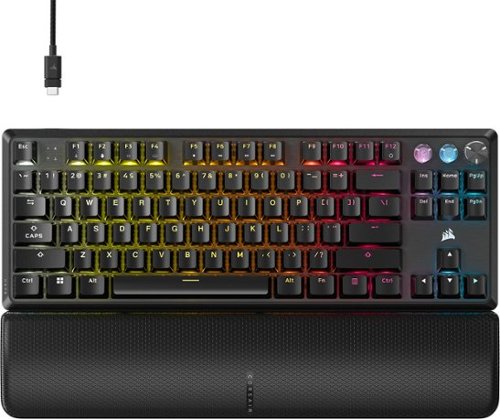
The CORSAIR K70 PRO TKL empowers you to react faster and overtake all opponents. Its ultra-quick performance is driven by CORSAIR MGX Hyperdrive magnetic switches with Rapid Trigger, which instantly resets keys to enable agile movements once thought impossible. Paired with 8,000Hz hyper-polling via AXON, actions register in just 0.125ms ~ that~s eight times faster than most gaming keyboards. MGX Hyperdrive~s Hall effect sensor calibrates each key~s actuation distance to your playstyle, from 0.4mm to 3.6mm. And two layers of sound dampening tame typing sounds, for keypresses that sound as nice as they feel. When milliseconds matter, speed is everything, and K70 PRO TKL sets the pace.
Customer Rating
5
The best TKL out today
on November 5, 2024
Posted by: BillFromKC
There are several versions of the Corsair K70 TKL, but the Pro is far and away the best version of this keyboard. The hall effect switches make this keyboard one of the most sensitive I've ever used, even faster than most optical switch keyboards I've used in the past. iCue offers near-infinite customization of the keys themselves, going beyond the typical RGB lighting to how far the keys need to be depressed in order to activate. The added bonus is these keys are incredibly quiet for a mechanical keyboard. The only thing that could have been better would be a cloth-covered USB-C cable, but it's otherwise about as perfect as a keyboard can get.
Unboxing and setup:
Just like with every other Corsair keyboard, your unboxing experience is definitely what I'd consider the new premium. An easy-open clam shell box, the keyboard wrapped in paper, a small box of accessories. The rubberized USB-C cable instead of a cloth-wrapped cable is a bit of a drawback in my opinion. it's the only part of this package that doesn't feel premium.
Just like with every other Corsair keyboard, your unboxing experience is definitely what I'd consider the new premium. An easy-open clam shell box, the keyboard wrapped in paper, a small box of accessories. The rubberized USB-C cable instead of a cloth-wrapped cable is a bit of a drawback in my opinion. it's the only part of this package that doesn't feel premium.
Install iCue if you haven't done so already. It makes a difference on how well the keyboard works for you.
Usage: As an everyday-usage keyboard, you get all the advantages of a mechanical keyboard but with a quietness you wouldn't expect. Most laptop and membrane keyboards are honestly louder unless you bang on the keys. This is definitely more than a quality gaming keyboard for gaming; this is a premium keyboard for everyday use.
The iCue software is what it is. You can use it to set when the keys on the keyboard trigger, configure macros...and yes, adjust RGB for the keys.
One really cool feature is 8000 Hz hyperpolling. Keep in mind that the system requirements for hyperpolling to work properly are particularly high - I had some problems with it on Windows 10 and a 4th gen i7, a few problems with Windows 11 and 12th gen i3, but my 8-core Ryzen systems (5700 X3D, 7800 X3D, and Lenovo Legion Z1 Extreme) had zero issues with input lag from too much input. Modern CPUs with 6 or more cores shouldn't have an issue with Hyperpolling mode.
The only thing I wasn't thrilled with was the rubber keyboard cable. This is mostly a preference thing, however, and I prefer cloth-wrapped cables over rubber-coated cables, as they're easier to thread for cable management.
However, that's not enough to draw back from a keyboard that's now in my top 5, only beat by legendary units from the 1980s and early 1990s. Corsair pretty much nailed it with the K70 Pro TKL with zero compromises. If you're looking for a mid-priced keyboard, this is it.
I would recommend this to a friend!
Share this review:


0points
0of 0voted this as helpful.

Treat your family and friends (and yourself) to restaurant-level pizza (and so much more) at home with the bella PRO Blaze Oven+: Pizza, Broil, Bake & Roast. This versatile countertop workhorse heats up to 750~F and delivers fresh-from-the-pizza-oven flavor. Bake a crisp 12~ pizza, sear four tender salmon filets or make sizzling quesadillas for a crowd. The oven door has a large viewing window so you can keep an eye on your creations as they cook. The cool-touch handle and included pizza peel are there to ensure seamless pizza-making in your kitchen!
Customer Rating
5
More than just a pizza oven
on October 31, 2024
Posted by: BillFromKC
TL;DR - The Bella Pro Blaze Pizza Oven+ is a serious contender for the ultimate kitchen appliance. It makes a solid pizza, it's terrific for baking small batches of cookies, biscuits and cakes, and it even does some air fryer things pretty well. The included pizza peel is easy to clean and use, as is the pizza stone. The only real negative is if you don't have the counter space for it, you'll need to put it away when not in use. Super solid value for sure, though.
Unboxing and setup - This is definitely packaged well, but the foam insert is tight so you may need help with getting the unit out of the box. Once out, you'll need to remove a little bit of tape that holds the door shut. Put the pizza stone in it, and run it for 15 minutes at 750 degrees to get any residual oils and odors out of the oven and pizza stone. I'll cover the quirks of the controls in a bit.
Assembly of the pizza peel is a little weird. I ended up punching the nut through the hole in it on the metal portion of the peel because the hole was a little small for the bolt. once the hole was enlarged, assembly was quick.
Usage - while the controls do make sense, the lack of a dedicated stop cooking button is something I was surprised about. The knob on the left is temperature control and the knob on the right is a timer. To start the oven, just twist the knob to set your temperature and press the knob to start the pre-heating. Set the timer, and wait for your food.
Once you're done cooking, you'll press the temperature knob twice to power the oven down (nothing on the display). Before you unplug, make sure you allow the unit to cool itself.
I did make a few things with this oven - pizza, cookies, brownies, cake, chicken wings, and enchiladas. While there is a small learning curve with using the oven, everything came out perfect with some practice.
The only complaint I have, like I said, is the lack of a dedicated stop cooking button. When you use the oven without reading the instruction manual, you'll wonder how to turn it off and possibly cause damage by pulling power while it's still hot.
Other than that one thing, however, the Bella Pro Blaze Pizza Oven+ is a solid performer in any kitchen. A great option when you need something that can do it all and with ease.
I would recommend this to a friend!
Share this review:


+2points
2of 2voted this as helpful.
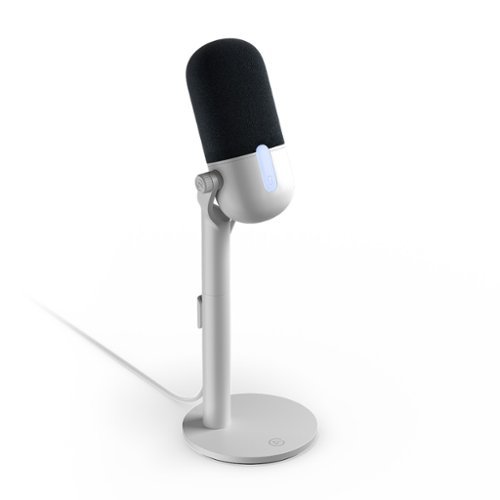
Great audio made easy. Meet Wave Neo, a plug-~n-play mic that captures everyday moments at home, in the office, or on the go. It may be easy to use, but to your listeners you~ll sound oh-so smooth and professional. So you can unmute and speak with newfound confidence.
Customer Rating
5
Solid mic for beginners and those who want simple
on October 20, 2024
Posted by: BillFromKC
TL;DR - The Elgato Neo Wired Cardioid Condenser USB Microphone is a great option if you want easy-to-use equipment for not just podcasting and game streaming, but also for recording vocals and acoustic instruments. The noise floor of the mic is low enough to give it great dynamic range, and the audio quality is excellent for being an all-in-one unit. An added bonus is the included headphone output for use as either an audio monitor output or as your audio output. The white finish also stands out among a sea of nothing but black equipment that you normally choose from. The only problem is I'd like the touch-sensitive power/mute indicator to either be dimmable or something that can be disabled, but at least software isn't required to use the indicator.
Unboxing at setup:
Elgato boxes this mic well, even if the packaging is plain. You'll find most everything you need in the package - the mic itself, a white base and stand for the mic, a sleeved USB-A to C cable, and all the mounting hardware. I would have liked to see either a USB-C to C cable and A-to-C adapter, or both the standard A-to-C cable and a C-to-C cable since laptops, tablets, and phones are going that way these days.
No tools are required for assembly. Everything is well-protected. Assembly is easy, with a single thumbscrew to attach the base to the stand and a second thumbscrew that allows for the upper part of the stand to be easily removeable from the bottom part. The bottom part of the stand has a soft-touch wire guide in a slot that works well.
Usage:
You can use this mic without any of the Elgato Wave Link software. Windows will recognize it as a standard USB audio device. You'll just want to make sure that audio is routed out of your main speakers and not the mic's audio output.
With the Elgato Wave Link software, you'll be able to mix the input of this and other microphones, audio sources such as web browsers, music editing software, and games, and even control the balance of those inputs with ease. The software is also surprisingly lightweight for what it is. Honestly, I find Wave Link to be a huge part of why I scored this microphone 5 out of 5 stars, especially with VST plugin support.
With other operating systems, the Wave Neo mic shows up as a USB audio device as long as the operating system supports USB audio class devices. I was able to use this mic with older versions of Windows, macOS, and on phones with USB-C connections (iPhone, Samsung S23, and Moto Razr). It worked as expected using other platforms. It was even recognized with an older Android TV, which allowed for "Hey Google" functionality.
The noise floor really impressed me. While leaving my computer as close to 0DB as possible (intake, exhaust, and GPU fans off, CPU fans set to their lowest operating speed, AIO pump at 80%, and behind something to block PSU sounds), I would have to amplify the recorded input in Audacity by around 150% before you could see noise on the waveform; My basement's noise floor on a calm wind day is somewhere around 39 db A-weighted.
The only real shortcoming was that the mic mute indicator lacked any sort of customization. I would have loved to have dimmed the white light, as it was at least as bright as any of the RGB on my most recent computer build.
In conclusion, the Elgato Wave Neo Wired Cardioid Condenser USB Mic is a solid choice for those looking at podcasting, game streaming, or recording live instruments. I wouldn't consider it a pro-class mic, but the sound quality is there and it's much easier to use than pro-level equipment will be at the cost of giving up some customization.
I would recommend this to a friend!
Share this review:


0points
0of 0voted this as helpful.
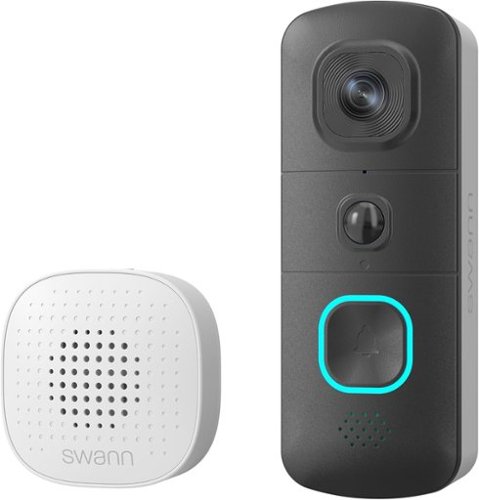
Introducing the Swann EVO Wireless Video Doorbell ~ your reliable front door companion that ensures peace of mind and security for your home like never before. With its cutting-edge technology and user-friendly features, the Swann EVO Wireless Video Doorbell redefines home surveillance. Capture every detail with the impressive 1.7MP camera, delivering incredible HD video resolution for crystal-clear images, day or night. Equipped with powerful infrared night vision, low-light conditions are no match for the Swann EVO Wireless Video Doorbell, ensuring you have a clear view 24/7. With a wide 140~ x 140~ viewing angle, you'll never miss a moment ~ from head-to-toe views to ground-level surveillance, the Swann EVO Wireless Video Doorbell guarantees comprehensive coverage for your peace of mind. Enhanced with True Detect technology, the Swann EVO Wireless Video Doorbell intelligently detects heat, motion, and people, providing reliable alerts tailored to your needs. Say goodbye to subscription fees with free recording ~ simply add your own Micro SD Card and take full control of your footage with ease. Engage in seamless communication with visitors or deter intruders with the 2-way audio feature, allowing you to interact remotely from anywhere. Whether you choose to power it with the long-life rechargeable battery or connect it to your existing doorbell wiring, the Swann EVO Wireless Video Doorbell offers flexibility to suit your preferences. Plus, enjoy the added convenience of the portable battery-powered indoor chime, featuring a selection of melodies to suit your preference. With the Swann EVO Wireless Video Doorbell, experience unparalleled reliability and convenience, ensuring your home is always protected.
Posted by: BillFromKC
TL; DR - A simplified setup process and flexibility in installation make the Swann EVO HD a great choice for a subscription-less video doorbell camera. Everything you need to get started comes in the box except the microSD card you'll need to record video locally. Its compact size fits nearly anywhere, and the option to run it either from its internal rechargeable battery (using USB-C as its charge port) or from existing doorbell wires (12-24 volts AC) means you have options on where to mount it; the mounting hardware even gives you the options of screw or adhesive mounting. Only the setup process is over-complicated compared to some competing products, and the lack of built-in storage or included microSD card can be considered a drawback as well, but for a video doorbell that doesn't require a subscription to use, this really does check off all the boxes.
Unboxing/Setup: Nothing really all that special here, the packaging is compact and well organized, and the included instructions are clear on how setup is done.
Pairing with the Swann app is a mixed bag. I couldn't get my iPhone's camera to focus at first (15 Pro Max). for the QR code. Once the QR code was read, the setup went fairly quickly. The only annoying part of setup was Wi-Fi pairing - it honestly felt scary more than anything else, like the doorbell would be bricked if you didn't enter the right password.
Charging via USB-C is as easy as charging anything with USB-C is. Using a fast charger (like a laptop or a 30-watt USB-C brick) doesn't make a difference in charging speed. Connecting it to your existing doorbell wiring is also simple, but you may have to bypass the existing chime to make it work (I don't have a traditional door chime so I wasn't able to test this).
Usage - video quality is great, audio quality is great, mic quality is also pretty good. The microSD card recording working well and seems to scrub as fast as my wired, hard drive-based Swann cameras do. Speaking of, this doorbell does not interface with a wired Swann system at all, as cool as that would have been.
The doorbell itself has some neat features I've not seen in other video doorbells. The button is lit blue when its inactive, but as soon as you open the Swann app to view the camera or the motion sensor picks up on any motion, the light switches to red so anyone in view knows they're being recorded.
The only real disappointing is that this doorbell doesn't come with a SD card inside the package. As inexpensive as a 32GB microSD card is, it seems like a shortcoming on Swann's part.
All in all, the Swann EVO HD is a solid choice. Flexible mounting options really set it apart from its competition. Because of the flexible mounting options, this is a solid choice for homeowners and renters alike. Not needing a subscription is the biggest strength, especially for what it costs.
I would recommend this to a friend!
Share this review:


0points
0of 0voted this as helpful.
Make your best plays and leave more room for your mouse. The CORSAIR K70 CORE TKL WIRELESS gaming keyboard offers amazing gaming and typing on a compact tenkeyless footprint, free from wires via ultra-fast SLIPSTREAM WIRELESS v1.5 or versatile Bluetooth. Enjoy silky-smooth, wobble-free keystrokes with pre-lubricated CORSAIR MLX Red v2 linear switches, lit by ultra-bright per-key RGB. The K70 CORE TKL WIRELESS typing experience is in a league of its own, as two layers of sound dampening create an ultra-satisfying sound and feel. A multi-function dial and programmable button put media control at your fingertips, while the game mode button activates settings that reduce input lag and maximize performance while competing. Your ambition starts with K70 CORE TKL WIRELESS.
Customer Rating
5
Solid wireless keyboard.
on September 30, 2024
Posted by: BillFromKC
The Corsair K70 Core TKL Wireless is a solid choice for those wanting to cut the cord and clutter on your desk, and also for those who have moved gaming to your living room. Powered by Corsair's iCue software technology, you're allowed a huge amount of customization, from per-key lighting to the performance of the keyboard itself. A dedicated game mode button is handy for those who want to quickly turn off RGB animations and turn on the performance features, and the Corsair MLX V2 switches are some of the best - and quietest - linear switches I've ever used.
Unboxing and setup:
This is packaged well, very presentation-like in how the box is done. The keyboard itself comes with the wireless received and a USB-A to USB-C data/charge cable. You'll also find basic instructions and warranty/legal literature in the box.
Setup and use:
You don't have to install iCue if you don't want to. I only have iCue because I already have more items in the Corsair ecosystem in my computer. iCue is iCue and I'm not allowing it to change the rating of the keyboard hardware, but certain setups will have more problems with iCue than others.
If you're going to use this keyboard wirelessly, I suggest plugging the receiver into a USB port not directly by your Wi-Fi antennas for the computer. If you're doing a living room setup, use the front or top USB ports to help with signals with the receiver.
This keyboard can also be wired. Just connect the USB cable between the laptop and your computer, and you're good to go.
Both the wired and Corsair Slipstream wireless support 1000Hz polling. Where the typical keyboard checks for keypresses between 125 and 250 times per second, Corsair gives you the option for up to 1000 checks per second.
Finally, Bluetooth connectivity is an option. While Bluetooth doesn't support the faster gaming modes available, like 1000Hz polling, it's still a perfectly usable keyboard in this regard and I notice almost no difference in performance. You can also pair with up to 3 different Bluetooth devices, so it's the one keyboard that can rule your phone, your tablet, and your laptop along with your PC.
The included wrist rest is a very nice touch. While I prefer to play games on the couch these days, I did try the keyboard at a desk and found the wrist wrest made the keyboard so much more comfortable to use that way.
What didn't I like? The lack of a USB-C to USB-C cable included in the package. If I wanted to use this keyboard wired with my laptop or tablet, I had to get a dongle for that connection. For what the keyboard cost, this should have been standard (or a USB-A to USB-C adapter and a USB-C to USB-C cable for that matter).
All in all, though, the Corsair K70 Core TKL WiFi is the best keyboard, period, I've tested in a while. While I'm still a bigger fan of clicky keys, this is already proving to be a great option for my living room.
I would recommend this to a friend!
Share this review:


+1point
1of 1voted this as helpful.

Get ready to revolutionize your phone experience with the TORRAS Ostand Spin stand case. This innovative case goes beyond mere protection ~ it~s a game-changer for your viewing pleasure. Offering an extensive range of angles from 15~ to 85~ horizontally and 0~ to 85~ vertically, it gives you diverse and comfortable viewing options. Whether it~s movie nights, browsing, or video calls, finding your ideal viewing angle has never been easier. Crafted to seamlessly integrate into your phone without compromising style, the pivot stand maintains a discreet profile. Built to surpass military-grade drop protection standards, it safeguards your phone against accidental drops, thanks to the raised camera lip and screen bezel protection. Powerful neodymium magnets provide a firm magnetic grip and uninterrupted wireless experience. Seamless connectivity with all MagSafe accessories. Elevate your phone experience and spin your life the infinite way with the TORRAS Ostand Spin case ~ where versatility, protection, and convenience work together to redefine the way you use your phone.
Posted by: BillFromKC
The Torras Upro Ostand Spin case is a solid choice for any iPhone user. A thin design means the greater majority of Qi and MagSafe chargers will work without issue. The metal ring is solidly designed, with a notchy feel to stops in the ring rotation mechanism. Even with the thin design, the drop protection is definitely there from pocket-height. For the price, it's a very solid case.
What I really like about it is the feel and finish. The soft-touch plastic feel is nice in the hand, and gives a grippy feel that isn't there with most plastic cases and is better than thick rubber cases. The metal ring is thin, but feels significant. The notch also makes the ring kickstand easy to pull out of its storage area, where many kickstand cases have issues with popping the kickstand out without damaging it.
With good build quality, the solidly-designed Torras Upro Ostand Spin case is a great choice for anyone who wants a thin but protective case for their iPhone 15 Pro Max - or any other model of iPhone this case is available for - with a kickstand that's actually functional.
I would recommend this to a friend!
Share this review:


0points
0of 0voted this as helpful.
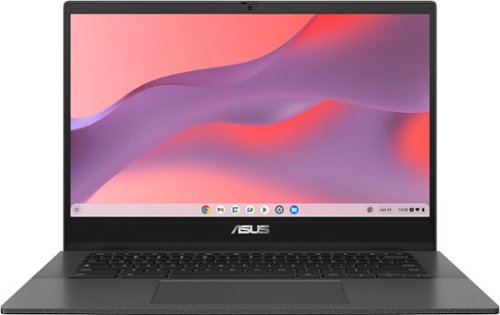
ASUS Chromebook CM14 is made for boosting productivity and having more fun ~ all day, every day. An efficient MediaTek Kompanio 520 processor and up to 15-hour battery life* gives you the freedom to stay productive throughout the day.
Customer Rating
4
Plenty powerful for most tasks with a premium feel
on July 12, 2024
Posted by: BillFromKC
The Asus CM1402 Chromebook is a solid choice for a more premium-feeling Chromebook. The MediaTek Kompanio 520 Processor has plenty of power for everyday tasks without draining the battery in a hurry. The keyboard and track pad are both very comfortable to use for long periods of time. The speakers are clear, even if they lack bass, and envelope you with that quality audio. The only real weak spot for me is the screen, which is clear when you look at it straight on but washes out quickly, but the port layout also seems it's poorly thought out since the USB-A port is on the left side. Overall though, it's a good choice, especially when on sale.
Unboxing and setup:
Asus gets the premium feel right from the moment you break the seal on the box. As you open the box clam shell style, it's more like the Chromebook is presented than just opened. Like with high-end Asus laptops, the Chromebook comes in a cloth bag. You'll also find the 45 watt USB-C charger in the box; I'm not a fan of the cable being fixed to the adapter but its compact size is nice.
Asus gets the premium feel right from the moment you break the seal on the box. As you open the box clam shell style, it's more like the Chromebook is presented than just opened. Like with high-end Asus laptops, the Chromebook comes in a cloth bag. You'll also find the 45 watt USB-C charger in the box; I'm not a fan of the cable being fixed to the adapter but its compact size is nice.
If you've set up a Chromebook before, then you know the setup process. You can use your Android phone for easy setup, but for those without an Android phone, you'll need to use your Google account to get things going. It's a quick process, however.
Usage:
So for being an Arm-based Chromebook, this thing is snappy. MediaTek really got a lot right with the Kompanio 520 processor when it comes to balancing performance and cost. Web performance is solid, keeping up with mid-range Windows laptops. Even advanced web technologies run well, like WebGL.
So for being an Arm-based Chromebook, this thing is snappy. MediaTek really got a lot right with the Kompanio 520 processor when it comes to balancing performance and cost. Web performance is solid, keeping up with mid-range Windows laptops. Even advanced web technologies run well, like WebGL.
You also get the option of running many Android apps from the Google Play store. (Other app stores are also an option, but you'll need to enable developer mode for these.) Regular productivity apps run well, like Google Docs and Google Slides. Casual games also run well, like Asphalt 9 and Minion Rush, as do emulators for systems through systems like the Gamecube and Wii.
WiFi performance is incredible. This Chromebook supports WiFi 6, so downloads from the Play Store, the internet, and across your home network are snappy. Stream video while downloading an app without skipping a beat.
The speakers are a little thin on bass, but have incredibly clear audio otherwise. The sound produced has a nice surround effect to it, too.
The port layout isn't the greatest, being that the only USB-A port is on the left side; I would have liked to see an additional USB-A port on the right side. You do have USB-C ports on either side, however. The USB-C ports both support video out to 1080p/60, as tested with USB-C to HDMI, USB-C to DisplayPort, and a USB-C speaker hub.
The weak spot is the screen. While it's perfectly clear when looking straight on, colors wash out quickly when off-angle. The 1080p screen has some of the nicest-looking text I've seen on any sub-$500 computer I've ever used, too.
I did not test the MicroSD card reader, but it's an option for copying files from devices like a digital camera, or loading up movies, music, and games for those times you're away from home and don't want the kids blowing through your hotspot data.
All in all, the Asus CM1402 really is a good Chromebook. I'd like a better built-in screen and a little more bass in the speakers, and a USB-A port on the right side for a mouse, but I really don't have any serious complaints about it. I even have to compliment Google on ChromeOS, making it a viable option for most people that need a basic laptop.
I would recommend this to a friend!
Share this review:


+2points
2of 2voted this as helpful.
BillFromKC's Review Comments

Westinghouse HDTV: Enjoy your favorite movies, shows, games and sporting events in realistic 1080p resolution on this Westinghouse HDTV's LED panel. Ensure fast-moving scenes remain clear with a 60Hz refresh rate that minimizes blurring and ghosting.
Overall 1 out of 5
1 out of 5No HD tuner
By Westingtonhouse
I can not imagine that tv in today time do not have digiter tuner. I bought 6 now I have to return them since i use cable straight from wall for tv from COX

BillFromKC
KCMO
This TV has an ATSC tuner.
August 27, 2015
There's no guarantee that ATSC tuners will work with ClearQAM cable channels, and even so, the greater majority of cable providers now scramble all cable channels. Including OTA channels. Because the FCC changed the rules and they're allowed to do this now.
+6points
6of 6voted this comment as helpful.
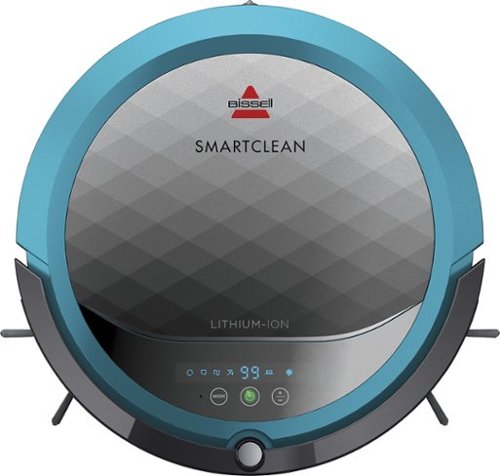
BISSELL SmartClean Robot Vacuum: Easily rid your floors of dirt and debris with this vacuum that uses Opticlean optical sensors and a Triple-Action Cleaning System to tackle your floors. Invisible Wall technology lets you target specific areas.
Overall 3 out of 5
3 out of 5Hard To Program
By FortFun2
from Illinois
Found it is difficult, not intuitive, to program. Others have said if you loose power all your programming is lost, but we haven't lost power yet so can't confirm. I just wanted it to run when I left the house without a set program and contacting Bissell just led to more confusion. But, once I got it working I was impressed with the amount of pet hair it removed.
BillFromKC
KCMO
I can attest to this.
September 16, 2016
Sometimes, I have to plug mine directly into the charger to get it to charge because the battery is overly drained. Because of this, I don't even bother programming it anymore.
0points
0of 0voted this comment as helpful.

The new MacBook Pro is faster and more powerful than before, yet remarkably thinner and lighter.~ It has the brightest, most colorful display ever on a Mac notebook. And it features up to 10 hours of battery life.~ It~s a notebook built for the work you do every day. Ready to go anywhere a great idea takes you.
Overall1 out of 5
1 out of 5Terrible
By Joel
I purchased this one month ago and it has a faulty display. Best Buy takes no responsibility and will not exchange it for a good one. I have left voicemails for a district manager to call me and no one has called. I will never shop at Best Buy again.
BillFromKC
KCMO
Yep, take it to Apple.
January 13, 2017
If Best Buy is doing you wrong, just take it to your nearest Apple location and they'll set you up with a fix or a new one.
+4points
4of 4voted this comment as helpful.
![The Secret Life of Pets [DVD] [2016]](https://pisces.bbystatic.com/prescaled/500/500/image2/BestBuy_US/images/products/5224f7b2-43d6-4d33-8d0e-315348745874.jpg)
Overall1 out of 5
1 out of 5Bootleg Copy of Secret Life of Pets
By Disappointed
About 15 minutes into the movie the volume became muted and a message came on the TV that this was a bootleg movie. An unauthorized copy. Be very careful purchasing DVD's or Blu Ray movies from Best Buy. They just may leave you and your grand children very disappointed as it did our family.
BillFromKC
KCMO
This could very well be your DVD or Blu-Ray player
January 20, 2017
causing your issues. The Film Industry (MPAA and associated groups) are known for their draconian DRM systems, first with DVD and now with Blu-Ray and 4k Blu-Ray.
if your Blu-Ray player isn't connected to the internet, connect it to the internet and update its firmware. That should fix all your issues.
0points
0of 0voted this comment as helpful.
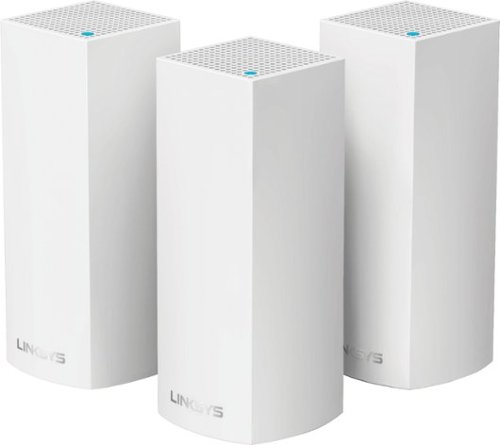
Make your home an internet haven with this versatile Linksys Velop wireless Wi-Fi system. Three identical tri-band dual-stream AC2200 routers, each equipped with a quad-core ARM Cortex-A7 processor, deliver lightning-fast internet. Equipped with Bluetooth 4.0/LE, this Linksys Velop wireless Wi-Fi system is simple to set up and pairs easily with computers, tablets and smart devices.
Overall5 out of 5
5 out of 5This is the future of WiFi
By neio11
I threw (recycled) away my wifi extenders plus I am now able connect a device with an ethernet cable without having to run cables through the walls because each node has 2 ethernet ports. So for instance, I have one node connected to my modem and an ethernet switch. My 2nd node in another room is connected to an NVR for my security cameras. The speed through the nodes is surprisingly fast. The NVR is capturing HD videos from 3 cameras and it seems to capture fine. The 3rd node is in my living room area. The whole house is covered! Please put a password on your wifi otherwise you'll be supplying FREE wifi for your neighbors. I can have full internet access from 3-4 houses away from my house. I thought installation would be a pain considering you have to setup each node. Well, I shouldn't say "have to" because you don't have to use all 3 nodes. You can use only 1 or 2 and give the 3rd to me. haha. No but setup is a breeze! The only thing is that you have to use a smart device such as a tablet or phone, to do the setup. Velop currently doesn't support PC-based setup but I hope Linksys changes that especially for us "techies"!!! It works with Alexa. You can ask #Alexa what the wifi password is... so they say. I haven't had much success with it yet. It looks clean and neat. It doesn't all those antennas sticking out of it which makes it aesthetically pleasing.
I'm loving so far!
BillFromKC
KCMO
The setup process basically forces you to put a...
February 19, 2017
...password on your WiFi network. In fact, it's one of three things it asks when you set up the parent node, the other two being "Do you connect directly to the internet or through a modem/router device provided by your ISP?" and what to call your wireless network.
0points
0of 0voted this comment as helpful.
Make your home an internet haven with this versatile Linksys Velop wireless Wi-Fi system. Three identical tri-band dual-stream AC2200 routers, each equipped with a quad-core ARM Cortex-A7 processor, deliver lightning-fast internet. Equipped with Bluetooth 4.0/LE, this Linksys Velop wireless Wi-Fi system is simple to set up and pairs easily with computers, tablets and smart devices.
Overall5 out of 5
5 out of 5Blazing Speed, Best In Class Performance!
By gadgetguy11
The Linksys - Velop Tri-Band Whole Home Wi-Fi System (3-pack) is packaged in a beautiful & functional box with magnetic closure - it exudes quality! Each Node is protected individually. Just looking at the box, you expect a premium, esoteric product... & Linksys delivers that & more in spades! The shapely Nodes are beautiful & blend with any decorating style.
Simple set-up via the Linksys iOS or Android App. Within minutes, you are ready to go online.
As shown in attached photo, I have 90 wireless devices utilized over 5,000 sq feet / 3 floors: this is a challenging application for high speed Wi-Fi that includes: connected major appliances; BAS ceiling fans & Haiku Wi-Fi connected lights; Wi-Fi Thermostats; Netatmo Wi-Fi Weather Station; 65 Hue Lights; Connected exterior door locks; Wink Wi-Fi connected devices; connected iDevices, Nest & Arlo cameras; iPads; iPhones & computers. Finally, Streaming from 4) Apple TV's; Nixplay Wi-Fi Photo Frames.
And now the Results:
Velop delivers the fastest Wi-Fi speed I have ever experienced and does so consistently! The attached screen capture shows 349 Mbps Download / 23 Mbps Upload. These are WIRELESS speeds!! I pay for 300 Mbps Download / 30 Mbps Upload & our internet service provider generally delivers 300 - 360 Download & 22 - 32 Upload.
Velop is the only Wi-Fi System I have found to date that actually delivers this sustainable speed and does not randomly disconnect the many devices.
High power Wi-Fi requires a high current source. Each of the 3) square white power supplies produce 12 Volt, 2 Amp output! 24VA (Volt Amps) is the highest output of any router I have tested. Better yet, the cable that plugs into each Velop is perfectly angled at the plug so the wire routs neatly through the cable management feature at the base. Brilliant design!
PRO's:
1- Fastest Wi-Fi Speed
2- Easy approximate 10 minute Set-up per hub
3- Velop Nodes are very attractive & blend with any architecture
4- Robust infrastructure yields dependable performance
5- 24/7 Support
6- 3-Year Warranty
7- Easy to use App with great diagnostics
8- Wire Management at the base is excellent & offers a wire free appearance.
9- Three Velop Nodes establish fast Wi-Fi speed across the house on any floor.
10- Expandable: Add an additional Node any time you prefer.
1- Fastest Wi-Fi Speed
2- Easy approximate 10 minute Set-up per hub
3- Velop Nodes are very attractive & blend with any architecture
4- Robust infrastructure yields dependable performance
5- 24/7 Support
6- 3-Year Warranty
7- Easy to use App with great diagnostics
8- Wire Management at the base is excellent & offers a wire free appearance.
9- Three Velop Nodes establish fast Wi-Fi speed across the house on any floor.
10- Expandable: Add an additional Node any time you prefer.
CON's:
1- IP Address range cannot be changed from: 192.***. My 2) existing Apple Time Capsule / Routers had IP addresses of 10.***, but they can be set to different ranges. A different IP Address range requires individually resetting a few devices that previously connected to the other range. For example, each Nixplay connected frame had to manually "Forget" the old Wi-Fi name of the previous SSID, then set up the same name with Velop, even though the Wi-Fi name and password are the same. On 13) Apple Airport Express devices, I had to power down each device to reset it from 10.*** to 192.***
2- IPv6 is not supported as of product release. This is surprising, as my three year old Apple Time Capsule / Router supported IPv6.
3- The first unit set up in under 10 minutes; however the remaining two hubs froze at the same exact place midway every time during set-up. After 6 failed attempts, I held each Node horizontally and kept my hand around it. Surprisingly, this procedure resulted in a virtually immediate set-up! Then I set each Node vertically & it continued to work great.
4- Only one Node can connect to the internet via ethernet. The other Nodes connect to the first Node via wireless mesh connection. I would prefer the option of connecting each Node to a wired ethernet connection. Linksys Technical Support indicated this may be added later as a software update. This would prove beneficial because the Nodes must be located fairly close together (my tests showed less than 40 feet apart at most).
1- IP Address range cannot be changed from: 192.***. My 2) existing Apple Time Capsule / Routers had IP addresses of 10.***, but they can be set to different ranges. A different IP Address range requires individually resetting a few devices that previously connected to the other range. For example, each Nixplay connected frame had to manually "Forget" the old Wi-Fi name of the previous SSID, then set up the same name with Velop, even though the Wi-Fi name and password are the same. On 13) Apple Airport Express devices, I had to power down each device to reset it from 10.*** to 192.***
2- IPv6 is not supported as of product release. This is surprising, as my three year old Apple Time Capsule / Router supported IPv6.
3- The first unit set up in under 10 minutes; however the remaining two hubs froze at the same exact place midway every time during set-up. After 6 failed attempts, I held each Node horizontally and kept my hand around it. Surprisingly, this procedure resulted in a virtually immediate set-up! Then I set each Node vertically & it continued to work great.
4- Only one Node can connect to the internet via ethernet. The other Nodes connect to the first Node via wireless mesh connection. I would prefer the option of connecting each Node to a wired ethernet connection. Linksys Technical Support indicated this may be added later as a software update. This would prove beneficial because the Nodes must be located fairly close together (my tests showed less than 40 feet apart at most).
CONCLUSION: My search for the "Ideal" Whole Home Wi-Fi System that consistently delivers 300 Mbps over 5,000 square feet with 90 devices ends here!! I am THRILLED with Velop & give it my highest recommendation!! It has proven to be the BEST ROUTER available for 2017!
BillFromKC
KCMO
Mine gave me IPv6 OOB
February 19, 2017
and even so, there was a firmware update it applied immediate after setup. I agree that the IP address range thing is annoying though, especially when you're moving from an existing network with static IP devices (NAS, printers, etc.)
0points
0of 0voted this comment as helpful.
BillFromKC's Questions
BillFromKC has not submitted any questions.

Make a smart solution to upgrade your home security to IndoorCam Mini. Never second-guess what you see in clear 2K resolution, and give yourself control with pan and tilt functions to monitor your home~s most vital areas. IndoorCam Mini features On-Device AI Human Detection, a technology that identifies humans in the frame and only sends you the notifications that matter. After returning home, you can turn on Home Privacy Mode, which turns off the camera and rotates it to your preferred privacy angle. Best of all, there~s no monthly fee after your purchase.
Can this new Indoor Cam Mini connect to the Eufy HomeBase? I would like for the IndoorDam store data on the base for easy access and control.
It stores data on the camera itself and not on a Homebase module. However, you still access the video like you would with Homebase-connected cameras - via the app.
4 years, 7 months ago
by
BillFromKC
Make a smart solution to upgrade your home security to IndoorCam Mini. Never second-guess what you see in clear 2K resolution, and give yourself control with pan and tilt functions to monitor your home~s most vital areas. IndoorCam Mini features On-Device AI Human Detection, a technology that identifies humans in the frame and only sends you the notifications that matter. After returning home, you can turn on Home Privacy Mode, which turns off the camera and rotates it to your preferred privacy angle. Best of all, there~s no monthly fee after your purchase.
Does this camera require WiFi to operate?
It can record internally to a micro SD card, but you would need WiFi to access your footage and receive motion alerts.
4 years, 7 months ago
by
BillFromKC
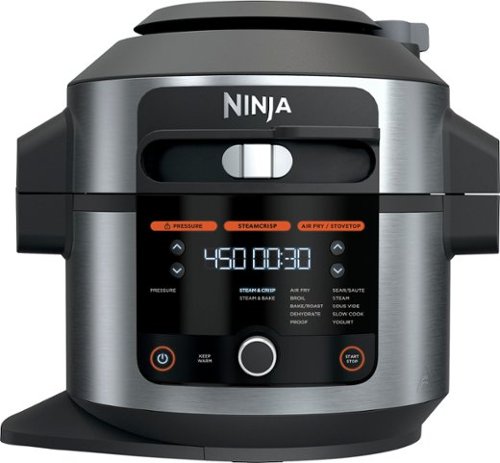
Meet the Ninja Foodi 14-in-1 6.5qt. Pressure Cooker Steam Fryer with SmartLid. The pressure cooker that steams and crisps. SmartLid slider unlocks pressure cooking, air frying, and Steamcrisping - all under one SmartLid. SteamCrisp Technology steams and crisps at the same time for faster, juicier, crispier results*. 14 one-touch programs unlock even more versatility. (*Vs. Ninja Foodi OL501 in dry mode only)
Does this model have hands free pressure release when pressure cooking timer is done, or do you have to manually release steam after pressure cooking?
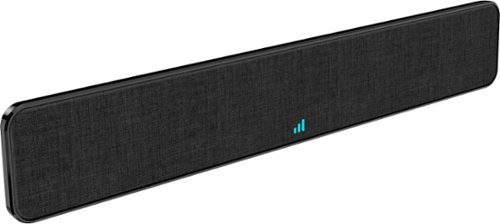
The Core Innovations ANT800BAR Indoor TV Antenna Bar allows you to access HDTV channels up to 80 miles away, free of charge. The signal indicator displays reception strength for peak viewing potential, and the omni-directional bar design provides connectivity in all directions. Enjoy content in up to 4K full HD where supported.
We have a steel roof, will this antenna work for us?
As long as the signal path isn't being blocked by the roof, this should work. However, you're better off to look into an outdoor antenna system.
4 years, 7 months ago
by
BillFromKC
The Core Innovations ANT800BAR Indoor TV Antenna Bar allows you to access HDTV channels up to 80 miles away, free of charge. The signal indicator displays reception strength for peak viewing potential, and the omni-directional bar design provides connectivity in all directions. Enjoy content in up to 4K full HD where supported.
Is this antenna ATSC 3.0 capable?
All antennas that work with ATSC 1.0 work with ATSC 3.0. In fact, all TV antennas that work on the standard UHF range (which means nearly every antenna, ever) work with ATSC 3.0 receivers and TV sets.
4 years, 7 months ago
by
BillFromKC
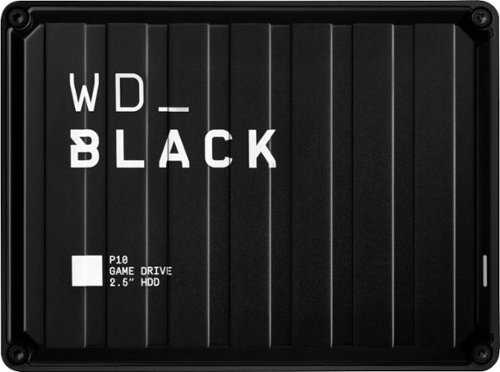
The WD_Black P10 Game Drive gives your console or PC the performance-enhancing tools it needs to keep your competitive edge. It's a top-tier external HDD in capacities 2TB, built specifically for gamers looking to expand the potential of their console or PC by saving their game library in an on-the-go form factor. Now, with WD_Black P10 Game Drive, you can drive your game the way you choose.
Will this work on a Xbox s and save my downloads
The WD_Black P10 Game Drive gives your console or PC the performance-enhancing tools it needs to keep your competitive edge. It's a top-tier external HDD in capacities 2TB, built specifically for gamers looking to expand the potential of their console or PC by saving their game library in an on-the-go form factor. Now, with WD_Black P10 Game Drive, you can drive your game the way you choose.
Can this work for Mac PC
It can. You may need to format it for PC usage first, however.
4 years, 10 months ago
by
BillFromKC
The WD_Black P10 Game Drive gives your console or PC the performance-enhancing tools it needs to keep your competitive edge. It's a top-tier external HDD in capacities 2TB, built specifically for gamers looking to expand the potential of their console or PC by saving their game library in an on-the-go form factor. Now, with WD_Black P10 Game Drive, you can drive your game the way you choose.
Can this be used with IPad Pro 10.5 inch
It can if you used a Camera Connection Kit and a Powered USB 3.x Hub. The lightning port by itself doesn't output enough power to run this drive.
For newer iPad Pros with USB-C connectors, you could just use a USB-C to USB 3.0 Micro B cable.
Either way, you'd need to format this drive using a computer first to a supported format (I believe that would be either ExFAT, HFS+, or APFS).
For newer iPad Pros with USB-C connectors, you could just use a USB-C to USB 3.0 Micro B cable.
Either way, you'd need to format this drive using a computer first to a supported format (I believe that would be either ExFAT, HFS+, or APFS).
4 years, 10 months ago
by
BillFromKC
The WD_Black P10 Game Drive gives your console or PC the performance-enhancing tools it needs to keep your competitive edge. It's a top-tier external HDD in capacities 2TB, built specifically for gamers looking to expand the potential of their console or PC by saving their game library in an on-the-go form factor. Now, with WD_Black P10 Game Drive, you can drive your game the way you choose.
Does this need a 3.0 slot to work correctly on an xbox series x? Will it work in a usb hub on the xbox series x with only 2.0 slots available?
It can work with a USB 2.0 hub, but it will run at approximately 1/3 the speed you'd get with a USB 3.x connection (40 megabyte per second transfers on USB 2.0 versus 120 megabyte per second transfers over USB 3.x).
4 years, 10 months ago
by
BillFromKC
The WD_Black P10 Game Drive gives your console or PC the performance-enhancing tools it needs to keep your competitive edge. It's a top-tier external HDD in capacities 2TB, built specifically for gamers looking to expand the potential of their console or PC by saving their game library in an on-the-go form factor. Now, with WD_Black P10 Game Drive, you can drive your game the way you choose.
Will it work with a Xbox 360 E console?
It should, but you'd be better off with a less expensive external drive as the Xbox 360 series of devices do not have USB 3.0 connections and even the slowest of external drives currently available can saturate a USB 2.0 connection.
4 years, 10 months ago
by
BillFromKC