


TheOffice1234's stats
- Review count180
- Helpfulness votes1,035
- First reviewDecember 11, 2009
- Last reviewJune 7, 2026
- Featured reviews0
- Average rating4.6
Reviews comments
- Review comment count0
- Helpfulness votes0
- First review commentNone
- Last review commentNone
- Featured review comments0
Questions
- Question count0
- Helpfulness votes0
- First questionNone
- Last questionNone
- Featured questions0
- Answer count27
- Helpfulness votes22
- First answerApril 24, 2020
- Last answerDecember 18, 2021
- Featured answers0
- Best answers6
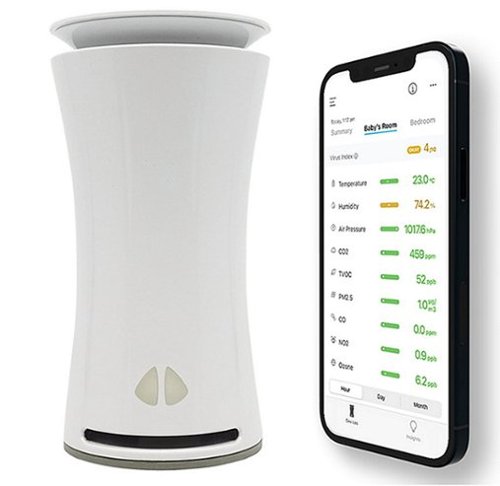
Detect allergens and toxins in the air with this uHoo smart indoor air monitor. The uHoo mobile app lets you view nine air quality sensors remotely, providing personalized tips on cleaning the air around your home. This uHoo smart indoor air monitor also features advanced integration capabilities with Amazon Alexa, Google Home, or IFTTT for smooth pairing with air purifiers, dehumidifiers, lights, etc.
Customer Rating

4
WORKS WELL - ALREADY FOUND AIR QUALITY ISSUES
on September 4, 2020
Posted by: TheOffice1234
from Lake Orion, MI
WORKS WELL - ALREADY FOUND AIR QUALITY ISSUES
REVIEW: UHOO - SMART INDOOR AIR QUALITY MONITOR
Best Buy Tech Insider Network
Best Buy Tech Insider Network
SUMMARY:
Was not sure what to expect, but it seems to work well detecting all the invisible stuff in the air. Within a few days of setting it up I started to get alerts about my air quality. Specifically, in my case about CO2 moving into the “yellow” zone. At first, I did not believe it, since the readings were all over the place from 300 to 1200 and I could not correlate it anything. I even went as far as to purchase a cheaper CO2 meter just to check the uHOO device and sure enough it was reading correctly. Finally, I think I have narrowed it down to my hot water heater directly below my home office. Every time my son was taking a shower within a few minutes CO2 readings started spiking. Since he keeps irregular work hours it was a little hard to pin down.
Was not sure what to expect, but it seems to work well detecting all the invisible stuff in the air. Within a few days of setting it up I started to get alerts about my air quality. Specifically, in my case about CO2 moving into the “yellow” zone. At first, I did not believe it, since the readings were all over the place from 300 to 1200 and I could not correlate it anything. I even went as far as to purchase a cheaper CO2 meter just to check the uHOO device and sure enough it was reading correctly. Finally, I think I have narrowed it down to my hot water heater directly below my home office. Every time my son was taking a shower within a few minutes CO2 readings started spiking. Since he keeps irregular work hours it was a little hard to pin down.
OK back the review.
UNBOXING: (see picture)
INITIAL IMPRESSIONS:
My package was not sealed. Maybe it was an open box. The outside box was fine, but inside was cheap packaging. Not what I would expect from an expensive device like this. There was a single card in the box in broken English telling me to go to a website for setup instructions. Can someone tell me what “The socket-outlet shall be installed near the equipment and shall be easily accessible.” Means? Of course, the socket (outlet?) needs to be near the unit, as the cord is only so long. Seems like unnecessary advice for a special card insert. So, they must be telling me something else? Maybe [Make sure you can easily access the outlet to plug it in?]. Again, unnecessary advice. It wont work unless it is plugged in, so of course you have to be able to plug it in to use it.
My package was not sealed. Maybe it was an open box. The outside box was fine, but inside was cheap packaging. Not what I would expect from an expensive device like this. There was a single card in the box in broken English telling me to go to a website for setup instructions. Can someone tell me what “The socket-outlet shall be installed near the equipment and shall be easily accessible.” Means? Of course, the socket (outlet?) needs to be near the unit, as the cord is only so long. Seems like unnecessary advice for a special card insert. So, they must be telling me something else? Maybe [Make sure you can easily access the outlet to plug it in?]. Again, unnecessary advice. It wont work unless it is plugged in, so of course you have to be able to plug it in to use it.
So, the broken English and poor interior packaging made me doubt the quality of the unit, which made me doubt the readings which led me to spend an extra $100 on a second device to check the first device.
SETUP:
Like everything else these days you have to download an app on the phone to use it [sigh]. The set up was more painful than needed. If you have ever installed older Alexa Devices this is the same type of setup. First you have to browse to this device, make it your default WIFI Device, then give it your credentials, then turn off your blue tooth because it is getting confused, then turn off your Mobile data because it is getting confused, and so on, until eventually you get it working. Then you have to wait several days (I think it was about 4 days in my case) while it was calibrating.
Like everything else these days you have to download an app on the phone to use it [sigh]. The set up was more painful than needed. If you have ever installed older Alexa Devices this is the same type of setup. First you have to browse to this device, make it your default WIFI Device, then give it your credentials, then turn off your blue tooth because it is getting confused, then turn off your Mobile data because it is getting confused, and so on, until eventually you get it working. Then you have to wait several days (I think it was about 4 days in my case) while it was calibrating.
ONCE IT WAS WORKING:
You have to do everything on your phone. There is no Web Browser counterpart. So, I’m trying to read trends on a 5 inch screen which only shows and hour at a time or a day at a time or a month at a time. It makes it really hard to pin down when readings changed over time to identify a root cause of the air quality issue. This is the trend of all “modern” only app enabled devices so it is more of a pet peeve of mine. I don’t want to do “Everything” from my phone. Give me an “export to Excel” feature or “print a detailed report”.
The app works well, I can scroll around and view history going back weeks or Months. I don’t know how long it will keep history or what level of detail. Again, it would be nice to access this on a website.
I think these should be “past 24 hours”, or “past 30 days” instead of “Today” or “This Month”. I’m trying to look at trends by I have to keep jumping between months and days to try to “remember” a trend from day to day. I can’t get a contiguous trend of the past 24 hours. Only 1200 am to 11:59pm.
You have to do everything on your phone. There is no Web Browser counterpart. So, I’m trying to read trends on a 5 inch screen which only shows and hour at a time or a day at a time or a month at a time. It makes it really hard to pin down when readings changed over time to identify a root cause of the air quality issue. This is the trend of all “modern” only app enabled devices so it is more of a pet peeve of mine. I don’t want to do “Everything” from my phone. Give me an “export to Excel” feature or “print a detailed report”.
The app works well, I can scroll around and view history going back weeks or Months. I don’t know how long it will keep history or what level of detail. Again, it would be nice to access this on a website.
I think these should be “past 24 hours”, or “past 30 days” instead of “Today” or “This Month”. I’m trying to look at trends by I have to keep jumping between months and days to try to “remember” a trend from day to day. I can’t get a contiguous trend of the past 24 hours. Only 1200 am to 11:59pm.
ADVANCED SETTINGS
I have not tried it yet, but this device says it is IOT (Internet of Things) enabled. In theory I could set up a recipe in IOT portals such as “When C02 is above 1000 run the fans on my furnace”. Or, ask Alexa, what is the CO2 in the room. Though I can’t imagine ever doing that. It already gives alerts, so I don’t see IOT doing anything important for me that I would want to automate.
I have not tried it yet, but this device says it is IOT (Internet of Things) enabled. In theory I could set up a recipe in IOT portals such as “When C02 is above 1000 run the fans on my furnace”. Or, ask Alexa, what is the CO2 in the room. Though I can’t imagine ever doing that. It already gives alerts, so I don’t see IOT doing anything important for me that I would want to automate.
BEST FEATURES:
Small Size
Attractive
Long History of Readings, not just current readings
Small Size
Attractive
Long History of Readings, not just current readings
SUMMARY:
The primary reason I would recommend this unit is the long history of readings. However, the lack of a Web Based Interface and only an App on a phone takes away a little from the usefulness of the history.
The primary reason I would recommend this unit is the long history of readings. However, the lack of a Web Based Interface and only an App on a phone takes away a little from the usefulness of the history.
I am a little nervous of the overall long term quality just from initial impressions unboxing, and setting up the device. Even after several weeks I still have lingering doubts in my mind and keep double checking readings with my second unit. (so far both units are within 10% of each other). They are not scientific lab grade measurements, so I would not take the readings as absolute value just for watching trends (is air getting better or worse).
I think you would do well with this unit. However, there are many similar units in the marketplace that, for a little more will also check for things like RADON or for a lot less, give you point in time (current) readings. If you need trends and history this is probably the unit to get.
Mobile Submission: False
I would recommend this to a friend!


Share this review:


+6points
8of 10voted this as helpful.
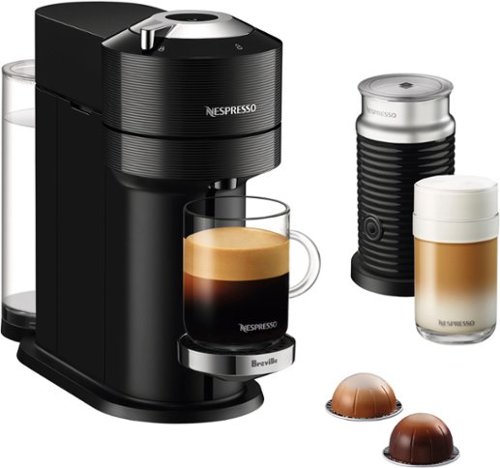
Vertuo Next takes the full range of Nespresso coffee styles even further with five cup sizes available to brew at the touch of a button. With a sleek new design made from 54% recycled plastics and stylish chrome accents, Vertuo Next will fit any kitchen and to go the extra mile, even connects to Wi-Fi and Bluetooth to ensure its software is always up-to-date.
Customer Rating

5
LUXURY COFFEE - HIGH QUALITY - AFFORDABLE
on August 29, 2020
Posted by: TheOffice1234
from Lake Orion, MI
LUXURY COFFEE - HIGH QUALITY - AFFORDABLE
REVIEW: Nespresso Vertuo Next Premium by Breville with Aeroccino3 - Classic Black
BEST BUY Tech Insider Network
SUMMARY:
GREAT for specialty coffees, espressos, cappuccinos. High quality build and performance. Easy foam for cappuccinos. We worked our way through the 12 samples in about 1.5 days. So we are spinning around a little from the caffeine. Mostly, that was because the coffee was that good we could not help ourselves. I really like that it has multiple sizes now instead of just the thimble sized pods. I would recommend this for anyone who likes specialty coffees without all the fuss.
UNBOXING:
INITIAL IMPRESSIONS:
Everything about the packaging was first class. I’m sure they are not making any money on the base unit itself, but they more than make up for it on the pods. At $1 per pod it is not a cheap investment. A household with 2 coffee drinkers and 3 cups per day each means you are spending nearly $200 / month on coffee. Still, that is a fraction of the amount you would spend if you hit the local coffee shop each morning and afternoon. My point is, that I’m glad they did not skimp on the unit, with the long term investment in mind this is a well built unit.
Everything about the packaging was first class. I’m sure they are not making any money on the base unit itself, but they more than make up for it on the pods. At $1 per pod it is not a cheap investment. A household with 2 coffee drinkers and 3 cups per day each means you are spending nearly $200 / month on coffee. Still, that is a fraction of the amount you would spend if you hit the local coffee shop each morning and afternoon. My point is, that I’m glad they did not skimp on the unit, with the long term investment in mind this is a well built unit.
MY BACKGROUND:
We have been using single cup coffee makers for about 10 years. Between work and home we have six of the “K-Brand” single cup machines. It was originally to save us money from the daily coffee shop routine, and it works well, especially if you buy in bulk. I travel to Europe a few times a year and started getting exposed to Nespresso about 5 years ago. My main complaint was the tiny thimble sized pods. At $1 / pod I needed 3 pods in a sitting to get an “American” sized coffee experience. The tipping point for us was a 10 day European river cruise where we had a Nespresso unit in our cabin. The coffee really was fantastic, and I knew it would not be long before Nespresso invaded our house.
We have been using single cup coffee makers for about 10 years. Between work and home we have six of the “K-Brand” single cup machines. It was originally to save us money from the daily coffee shop routine, and it works well, especially if you buy in bulk. I travel to Europe a few times a year and started getting exposed to Nespresso about 5 years ago. My main complaint was the tiny thimble sized pods. At $1 / pod I needed 3 pods in a sitting to get an “American” sized coffee experience. The tipping point for us was a 10 day European river cruise where we had a Nespresso unit in our cabin. The coffee really was fantastic, and I knew it would not be long before Nespresso invaded our house.
PERFORMANCE / EASE OF USE:
The setup and use of the machine is really easy. Pour water in the back (enough for about 6 drinks), and drop in your pod, and press the button. The maker reads the bar codes under the lid and make the perfect mix, blend, temperature coffee each and every time. When you open the top, it ejects the pod into a build in capture basket so you can let a dozen or so pods build up before you empty it. Likewise, the frothing machine is simple to use, and makes perfect foam each time.
The setup and use of the machine is really easy. Pour water in the back (enough for about 6 drinks), and drop in your pod, and press the button. The maker reads the bar codes under the lid and make the perfect mix, blend, temperature coffee each and every time. When you open the top, it ejects the pod into a build in capture basket so you can let a dozen or so pods build up before you empty it. Likewise, the frothing machine is simple to use, and makes perfect foam each time.
TIP: ONLY USE FILTERED WATER NOT TAP WATER
I speak from experience here. Before using a simple water filter at home and work we were burning out a “K-Brand” machine every 6 months. We started using a simple $20 under sink water filter kit 3 years ago and have not burned out a unit since. I skimmed reviews of Nespresso and they also have an issue with scale build up as does any high temp, high pressure device like this.
I speak from experience here. Before using a simple water filter at home and work we were burning out a “K-Brand” machine every 6 months. We started using a simple $20 under sink water filter kit 3 years ago and have not burned out a unit since. I skimmed reviews of Nespresso and they also have an issue with scale build up as does any high temp, high pressure device like this.
BEST FEATURES:
Automatic POD Eject (and capture)
Milk Foamer
Good sized water tank
Tall crema on each brew
Simple operation
You can recycle the pods which you can’t easily do on “K-Brand”
Automatic POD Eject (and capture)
Milk Foamer
Good sized water tank
Tall crema on each brew
Simple operation
You can recycle the pods which you can’t easily do on “K-Brand”
LET’S TALK ABOUT THE COFFEE ITSELF
The specialty coffee (smaller sizes, espressos,cappuccinos, etc) are all fantastic 9/10 score. I found the 8 oz coffees only OK, and the 14 oz coffee very watery tasting. The “best” 8oz coffee was only Hotel Coffee Shop Quality. OK but nothing special. Of course, everyone has different tastes. I like to start the day with a strong blast, and then downshift to a mild blend throughout the day. The only pods “strong enough” for me were 5 oz and below. To match the capacity of my “K-Brand” I would need to use 2-3 pods each morning. With a habit of 3 or 4, 12 oz mugs per day, if I limited myself to 5oz pods. I would be spending $300-$400 / month just for myself.
The specialty coffee (smaller sizes, espressos,cappuccinos, etc) are all fantastic 9/10 score. I found the 8 oz coffees only OK, and the 14 oz coffee very watery tasting. The “best” 8oz coffee was only Hotel Coffee Shop Quality. OK but nothing special. Of course, everyone has different tastes. I like to start the day with a strong blast, and then downshift to a mild blend throughout the day. The only pods “strong enough” for me were 5 oz and below. To match the capacity of my “K-Brand” I would need to use 2-3 pods each morning. With a habit of 3 or 4, 12 oz mugs per day, if I limited myself to 5oz pods. I would be spending $300-$400 / month just for myself.
SUMMARY
The Nespresso Vertuo Next Premium is a welcome addition to our house. But due to the watery quality of the larger pods, it will mostly settle into use for daily after dinner espresso. This does not take anything away from the unit. It has a welcome place in our daily routine. I would highly recommend the unit to anyone who likes specialty coffee, but I would not recommend it for everyday coffee. We pre-ordered a wide variety of coffees and have probably tried 60% of their flavors at this point.
The Nespresso Vertuo Next Premium is a welcome addition to our house. But due to the watery quality of the larger pods, it will mostly settle into use for daily after dinner espresso. This does not take anything away from the unit. It has a welcome place in our daily routine. I would highly recommend the unit to anyone who likes specialty coffee, but I would not recommend it for everyday coffee. We pre-ordered a wide variety of coffees and have probably tried 60% of their flavors at this point.
Mobile Submission: False
I would recommend this to a friend!


Share this review:


+6points
9of 12voted this as helpful.
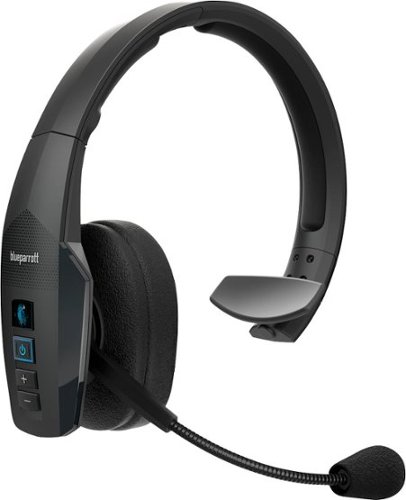
The BlueParrott B450-XT Bluetooth trucker headset delivers crystal-clear calls in noisy environments while you're on the road. With 96% noise cancellation, this mono headset is designed for truckers and delivery drivers, offering 24 hours of talk time on a single charge, perfect for long shifts. The B450-XT boasts an impressive wireless range of 300 feet (100 meters), allowing you to leave your phone in the vehicle while dropping off orders or taking a break~ideal for long-haul truckers, food delivery drivers, regional drivers, ride-share drivers, farmers, landscapers, RV drivers, off-road enthusiasts, or anyone on the move. Built to last, our hands-free call headset is IP54-rated for dust and water resistance, making it a durable companion for life on the road. The wide headband ensures comfort, and VoiceControl enables hands-free operation for safety. Mute calls, speed-dial your favorite contact, or Push-to-Talk with a colleague, family member, or friend~all with the customizable BlueParrott Button. Program it for your most-used function and access it instantly without taking your eyes off the road. The B450-XT connects to 2 devices simultaneously and offers 500 hours of standby time.
Customer Rating
4
GREAT BATTERY LIFE – TIGHT FIT FOR LARGE HEADS
on August 3, 2020
Posted by: TheOffice1234
from Lake Orion, MI
GREAT BATTERY LIFE – TIGHT FIT FOR LARGE HEADS
REVIEW: BlueParrott B450-XT Wireless Bluetooth Headset
Best Buy Tech Insider Network
Best Buy Tech Insider Network
SUMMARY:
PROS –
- Great Battery Life
- Easy Setup
- Good Microphone
- Good Speaker
- Large Buttons for ease of use
- Included Alternate Ear Cushion, Charging Cable
- Good Noise Cancelling
- Great Battery Life
- Easy Setup
- Good Microphone
- Good Speaker
- Large Buttons for ease of use
- Included Alternate Ear Cushion, Charging Cable
- Good Noise Cancelling
CONS –
- Tight fit for larger heads and/or people with Glasses
- Tight fit for larger heads and/or people with Glasses
UNBOXING: (see picture)
INITIAL IMPRESSIONS:
Packaging was good, and everything was well protected. Build quality seems pretty good. Pairing with phone and computer was easy.
I don’t really get why they included a Car Charger in the package. I understand that part of the target audience is “field workers” but it seems a waste of money for something that 95% of users will probably never need.
I am glad they included a USB-A to USB-C charging cable.
The only minor complaint for setup is that there is not a direct QR code to download the app in the manual. When you go to the store and type in BlueParrott it tries to load an App called something like Dail2Do, at first I thought it was a fake app but it was the real app.
After I download the App I updated the Firmware which takes about 30 minutes. There is also online a firmware updater App for Windows and MAC.
Packaging was good, and everything was well protected. Build quality seems pretty good. Pairing with phone and computer was easy.
I don’t really get why they included a Car Charger in the package. I understand that part of the target audience is “field workers” but it seems a waste of money for something that 95% of users will probably never need.
I am glad they included a USB-A to USB-C charging cable.
The only minor complaint for setup is that there is not a direct QR code to download the app in the manual. When you go to the store and type in BlueParrott it tries to load an App called something like Dail2Do, at first I thought it was a fake app but it was the real app.
After I download the App I updated the Firmware which takes about 30 minutes. There is also online a firmware updater App for Windows and MAC.
USAGE:
My goto “headset” is a noise canceling unit about the size of a stick of gum, that includes ear buds. My only dissatisfaction with my prior unit was a short battery life (about 3 hours). With the BlueParrott B450-XT it claims I can talk all day up to 24 hours of talk time. I’ve only used it for about 10 hours, but so far, so good.
My goto “headset” is a noise canceling unit about the size of a stick of gum, that includes ear buds. My only dissatisfaction with my prior unit was a short battery life (about 3 hours). With the BlueParrott B450-XT it claims I can talk all day up to 24 hours of talk time. I’ve only used it for about 10 hours, but so far, so good.
The speaker quality is just OK. Not bad, not Great, not for music (of course). The mic pickup seems to be very good. I’ve asked everyone on the other side of call about the Audio Quality and everyone said it was very good. I am working in my basement these days, with the furnace and other loud items. I would estimate this did a good job of blocking out most of those noises for the people on the other end of the call.
My only complaint with the unit itself is that it is a really tight fit. Fully extended, for me it is still a little “vice grip like” on my head. Especially when I wear my glasses it was really uncomfortable. I have a larger head, but not giant sized. I wear a 7 ¼ hat. With the default ear pad and my glasses I could not wear this more than 30-45 minutes. When I switched to the foam ear pad this helped a great deal and I can wear it several hours at a time. I still can’t easily take my glasses on and off, but at least it does not “hurt”. I think the speaker is just too large or perhaps if I could expand it more I could wear it lower on my ear so it does not interfere with my wearing glasses.
The Voice Commands are nice but probably won’t be used. If you have an incoming call you can say “answer or ignore” or “ask for list of commands” which are pretty much “answer or ignore”. If you don’t say the commands exactly it wont work. I asked “battery status” it did not work. I had to ask “check battery”. Then I get an unhelpful response “battery level high”. What does that mean. Do I have 3 hours of talk time left or 30 hours of talk time left?
According to the online datasheet. It seems there is also an “M” variant that plays more nicely with MS Teams. This would have been helpful, and maybe a firmware update with provide the missing “M” features.
CONCLUSION:
Not a perfect headset for me (I have not found the perfect one yet), but pretty darn good. Hopefully after some more usage it will expand a little to better fit my big head. Though I would have to say my hat size is the max I could recommend. If you wear more than a 7 ¼ hat size, this will hurt your head. Once I switched to the optional foam cover it felt a lot more comfortable. If your main need is huge battery life and secure fit (maybe you move around a lot), then this is a good solution. The speaker and Mic are both perfectly good. Noise reduction works as expected.
Not a perfect headset for me (I have not found the perfect one yet), but pretty darn good. Hopefully after some more usage it will expand a little to better fit my big head. Though I would have to say my hat size is the max I could recommend. If you wear more than a 7 ¼ hat size, this will hurt your head. Once I switched to the optional foam cover it felt a lot more comfortable. If your main need is huge battery life and secure fit (maybe you move around a lot), then this is a good solution. The speaker and Mic are both perfectly good. Noise reduction works as expected.
Mobile Submission: False
I would recommend this to a friend!


Share this review:


+16points
16of 16voted this as helpful.
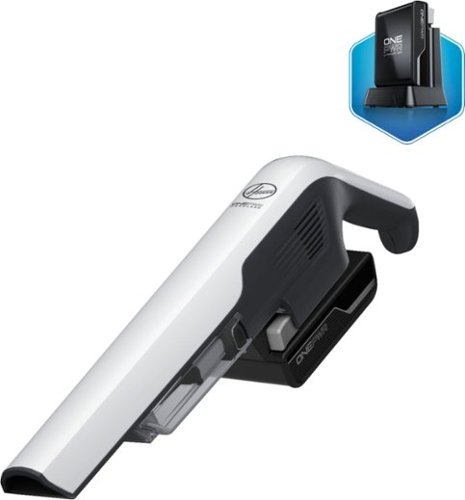
Keep surfaces dirt-free and dust-free with this Hoover ONEPWR DustChaser hand vacuum. The handheld design offers easy carrying between rooms, while the rechargeable LiIon battery allows for cord-free, continuous use. This Hoover ONEPWR DustChaser hand vacuum has a rinsable filter for easy maintenance and includes an upholstery tool and two-in-one dusting and crevice kit for furniture and hard-to-reach areas.
Customer Rating
5
BLAST DUST BUNNIES or STORMTROOPERS EASILY
on August 1, 2020
Posted by: TheOffice1234
from Lake Orion, MI
BLAST DUST BUNNIES or STORMTROOPERS EASILY
REVIEW: Hoover ONEPWR DUST CHASER CORDLESS HANDHELD VACUUM
Best Buy Tech Insider Network
SUMMARY:
Futuristic Shaped Mini Vac. Works great for small but important jobs. Even with attachments most vacs can’t get into the nooks and crannies of everyday living. Enter the mini vac that any Stormtrooper would love. Where this vac really excels is getting those nooks and crannies that your big vacuums can’t reach. It is a bit of a specialty tool, but that is OK. On a single charge, I cleaned two flights of wood stairs, and all of our outdoor patio furniture as well as our entrance between our backyard and kitchen. After about 30-40 minutes of near continuous operation I had to stop, but not because of the battery (it was still at 50%), but because the pack of cards sized dust collector was full. Thus proving it works, has high suction and does a pretty darn good job (see pictures).
Futuristic Shaped Mini Vac. Works great for small but important jobs. Even with attachments most vacs can’t get into the nooks and crannies of everyday living. Enter the mini vac that any Stormtrooper would love. Where this vac really excels is getting those nooks and crannies that your big vacuums can’t reach. It is a bit of a specialty tool, but that is OK. On a single charge, I cleaned two flights of wood stairs, and all of our outdoor patio furniture as well as our entrance between our backyard and kitchen. After about 30-40 minutes of near continuous operation I had to stop, but not because of the battery (it was still at 50%), but because the pack of cards sized dust collector was full. Thus proving it works, has high suction and does a pretty darn good job (see pictures).
I plan to use this ongoing for The Pool Table, The Wood Stairs, The Baseboards that collect dust and more. I definitely recommend it for smaller surface areas with the smallest accessory.
UNBOXING: (see picture)
INITIAL IMPRESSIONS:
Obviously the first thing we did was to chase each other around the house like it was a laser. How could you not draw that conclusion? Once we got that out of our system, we charged it and set out to test it. Since I do many of my review photos on the pool table, I wanted to clean that up, especially the hard to reach areas under the bumpers.
Obviously the first thing we did was to chase each other around the house like it was a laser. How could you not draw that conclusion? Once we got that out of our system, we charged it and set out to test it. Since I do many of my review photos on the pool table, I wanted to clean that up, especially the hard to reach areas under the bumpers.
USAGE:
The best suctions is with the smallest (long) accessory tool. The fold out brush is really cool and a smart touch. This did a great job on the stairs, but it took forever because the accessory is so small. My brilliant wife suggested I use the wide tool attachment instead (duh) and that worked great for all the surface dust, but I still had to revert back to the small tool for corners and joints. By the 11th stair the weight of carrying it around including the battery pack was starting to fatigue my wrist forcing me to change hands.
Likewise, when I tried it on my patio furniture the wide tool only did an OK job and I had to revert back to the narrow tool to get the more stubborn dirt up off the cushions. So this means that if you want deep cleaning you need to work on an area about the size of a quarter.
The best suctions is with the smallest (long) accessory tool. The fold out brush is really cool and a smart touch. This did a great job on the stairs, but it took forever because the accessory is so small. My brilliant wife suggested I use the wide tool attachment instead (duh) and that worked great for all the surface dust, but I still had to revert back to the small tool for corners and joints. By the 11th stair the weight of carrying it around including the battery pack was starting to fatigue my wrist forcing me to change hands.
Likewise, when I tried it on my patio furniture the wide tool only did an OK job and I had to revert back to the narrow tool to get the more stubborn dirt up off the cushions. So this means that if you want deep cleaning you need to work on an area about the size of a quarter.
SUMMARY:
This is not going to replace your everyday vac, but is a great supplement for those hard to reach places. Using the smallest opening tool, I can say this is the best battery powered hand vac I have used. Using the wider tool, it is just OK and average. I have some other tools from this line and it nice to have batteries to share between them. (Hoover ONEPWR). Cleaning and emptying the dirt chamber was easy (once I followed the instructions)/
This is not going to replace your everyday vac, but is a great supplement for those hard to reach places. Using the smallest opening tool, I can say this is the best battery powered hand vac I have used. Using the wider tool, it is just OK and average. I have some other tools from this line and it nice to have batteries to share between them. (Hoover ONEPWR). Cleaning and emptying the dirt chamber was easy (once I followed the instructions)/
Mobile Submission: False
I would recommend this to a friend!


Share this review:


+2points
2of 2voted this as helpful.
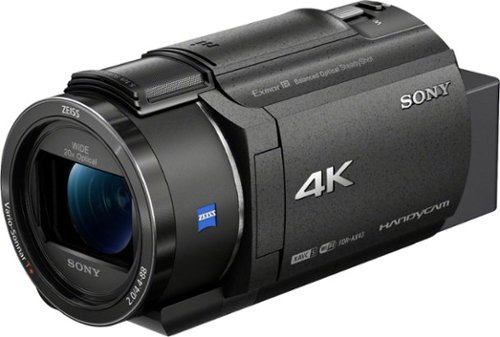
Capture high-quality videos with this Sony Handycam 4K camcorder. The 0.4-inch CMOS sensor delivers high-resolution 4K content with fast intelligent autofocus and enhanced audio, while the SteadyShot image stabilizer boasts clear detailed shots even at full zoom. This Sony Handycam 4K camcorder has a built-in Highlight Movie Maker that lets you create and share videos seamlessly.
Customer Rating
5
GOOD – BUT MOST WILL WANT THE NEXT MODEL UP
on July 19, 2020
Posted by: TheOffice1234
from Lake Orion, MI
GOOD – BUT MOST WILL WANT THE NEXT MODEL UP
REVIEW: Sony - Handycam AX43 4K Camcorder - Black
Best Buy Tech Insider Network
Best Buy Tech Insider Network
SUMMARY:
Overall the AX43 has very good image quality and great zoom with fantastic image stabilization, but it is missing some features that I expected at this price point. Almost all the missing features I wanted are on the next model up AX53 for only a little more money.
Mechanically, except for the missing features, they are the same, so this review should mostly work for the AX53 as well.
Overall the AX43 has very good image quality and great zoom with fantastic image stabilization, but it is missing some features that I expected at this price point. Almost all the missing features I wanted are on the next model up AX53 for only a little more money.
Mechanically, except for the missing features, they are the same, so this review should mostly work for the AX53 as well.
POSITIVES: Good Battery Life, Relatively Compact (but bigger than I expected), Hot Shoe Accessories, External MIC Capable, Good to Great Images in bright to dim lighting (not 0 LUX).
SHORTCOMINGS (most fixed on AX53): No Viewfinder, No Night Vision, Poor Viewing Angles on Screen, No Remote Control Included, No Live Streaming, Limited Photo Modes. Low (0 Lux) light is poor.
I can recommend the AX series, but if any of these shortcomings above are important to you, then spend a little bit more and get the upgraded AX53 instead.
UNBOXING: (see picture)
INITIAL IMPRESSIONS:
Typical Sony Camera Packaging, no surprises, well packaged, everything nice and secure. Easy to open, easy to unbox, easy to set up. The camera feels a little more fragile than my Sony Cameras of the past. It is also larger than I expected in this age of miniaturization and this price point (see pics). Nevertheless, it was easy to use without the manual.
INITIAL IMPRESSIONS:
Typical Sony Camera Packaging, no surprises, well packaged, everything nice and secure. Easy to open, easy to unbox, easy to set up. The camera feels a little more fragile than my Sony Cameras of the past. It is also larger than I expected in this age of miniaturization and this price point (see pics). Nevertheless, it was easy to use without the manual.
The Photo button is not in a good place, thus it necessitates two hands to use if you want to hold the camera steady while clicking.
IMAGE QUALITY:
Here is what you really bought the Video Camera for. At 8MP (mega pixels) it is more than enough for 4K Video, and while it also does a good job at snapshots, it won’t be the same as your 20MP DSLR. I took some video and stills with both my Sony 20MP RX100-VA and the AX43 to compare side by side. To the naked eye, there is little difference. The AX wins hands down on zoom (20X optical vs 3X optical) so I was able to get incredible closeup images from far away. Though I could get slightly better images with the RX camera I had to be right on top of the subject, which is rarely possible. The gimbal based Image Stabilization is amazing and probably the feature most worth the investment.
Here is what you really bought the Video Camera for. At 8MP (mega pixels) it is more than enough for 4K Video, and while it also does a good job at snapshots, it won’t be the same as your 20MP DSLR. I took some video and stills with both my Sony 20MP RX100-VA and the AX43 to compare side by side. To the naked eye, there is little difference. The AX wins hands down on zoom (20X optical vs 3X optical) so I was able to get incredible closeup images from far away. Though I could get slightly better images with the RX camera I had to be right on top of the subject, which is rarely possible. The gimbal based Image Stabilization is amazing and probably the feature most worth the investment.
Note: This does not shoot HDR video, in case that matters to you. Again, I would have expected it at this price point.
EASE OF USE:
Overall, the AX43 is very easy to use, I only have a few minor complaints.
Overall, the AX43 is very easy to use, I only have a few minor complaints.
The VIEWING ANGLE of the screen is very small. This means you need to be looking at it head on. It swivels, so you would think this would not be a problem, but it is. I find that I have to use 2 hands all the time. One on the view screen and one holding up the camera. The reason is that I have to change the angle of the view screen constantly as I move the camera around. The AX53 has an improved screen, maybe that is not a problem on that unit.
The PHOTO BUTTON is in an awkward place which again means you have to use 2 hands to hold the camera steady when taking a photo.
There is no hard or soft “stop” when transitioning from Optical to Digital Zoom. I understand this on the video side of things as 4K is smaller than 8MP so there is some buffer to spare. But in photo mode you usually don’t want to exceed the optical limits.
These are minor things for most people, and they are for me as well. They don’t take away from any of the other quality features. I’m just more used to other Sony products being so perfect ergonomically these stood out a little to me.
FEATURES:
You can read the feature list for yourself. What I appreciate the most are many of the little touches like all the ports have sliding covers. I like that is has a hot shoe mount for accessories like an external microphone. I like that the screen is touch screen. I’ve used the wifi remote app (memories) to transmit images to the phone or computer. The app is OK if you need to quickly get something to your phone to share, but I usually have to spend a few minutes fussing with the apps and wifi settings to make it work each time, while my spouse rolls her eyes for me taking too long to text the picture to her so she can share it.
You can read the feature list for yourself. What I appreciate the most are many of the little touches like all the ports have sliding covers. I like that is has a hot shoe mount for accessories like an external microphone. I like that the screen is touch screen. I’ve used the wifi remote app (memories) to transmit images to the phone or computer. The app is OK if you need to quickly get something to your phone to share, but I usually have to spend a few minutes fussing with the apps and wifi settings to make it work each time, while my spouse rolls her eyes for me taking too long to text the picture to her so she can share it.
My biggest disappointment and my bad assumption was that I could use this as a webcam for live streaming. The AX53 says it supports live streaming the AX43 does not. Most of the last few Sony Video Cameras I owned had this feature, I just assumed it would be there since they promote the as a VLOGGING platform. This means instead of using it every day, it goes back in the box until I go on my next vacation.
On the plus side I’ve never seen video stabilization this good.
SIDE NOTE: Why not just use my point and shoot RX100 for video?
I can’t say enough good things about the RX100 line of cameras, but they are not video cameras. The RX is used for photos and the occasionally video while the AX is used primarily for video and the occasional snapshot. Why drive a truck vs a sedan, they are both vehicles but specialize in different things. For one, the RX100Va and below have a short zoom 3x vs 20x. Also, the RX sensor is much larger, draws a lot of power, and can only shoot 4K video for about 5 minutes before it overheats. It also does not have a shoe mount or external mic input (though later models do). I tried to use only my RX on my last vacation and I missed a lot of great shots and videos that would have been better on a Camcorder like the AX. I could have recorded our entire private opera performance with the AX at 4K. Instead I had to record it at 1080p and only for 30 minutes instead of an hour because of the heating issue on the RX. They are just built for different purposes. You need them both!
SUMMARY:
Overall, the AX-43 is a good quality camera with all the basic features you typically would need. For my tastes I would upgrade to the AX-53 with more features. I’m more of the “rather have them and not use them” kind of person. Case in point, 6 months ago I would not care if I could use this as a Webcam. 4 Months into the COVID lockdown and I really need a better webcam than the one built into the laptop.
Overall, the AX-43 is a good quality camera with all the basic features you typically would need. For my tastes I would upgrade to the AX-53 with more features. I’m more of the “rather have them and not use them” kind of person. Case in point, 6 months ago I would not care if I could use this as a Webcam. 4 Months into the COVID lockdown and I really need a better webcam than the one built into the laptop.
I’m still rating this 5 stars for what it is, as I don’t believe in taking away stars for what it is not. It does everything it says it does, it does it well, and with high quality. You can't go wrong with Sony Camera / Video Gear.
Mobile Submission: False
I would recommend this to a friend!


Share this review:


+18points
18of 18voted this as helpful.
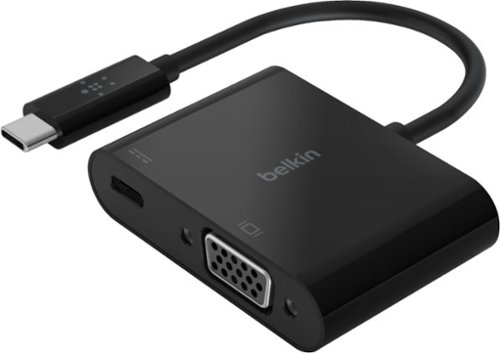
Connect an extra display to your workstation with this black Belkin USB-C to VGA charge adapter. The plug-and-play design offers fast connection of devices, while the pass-through USB-C power delivery allows convenient charging. This 60W Belkin USB-C to VGA charge adapter supports Full HD resolution for quality videos and pictures.
Customer Rating
5
GREAT FOR LEGACY VGA DEVICES (via USB-C)
on July 16, 2020
Posted by: TheOffice1234
from Lake Orion, MI
GREAT FOR LEGACY VGA DEVICES (via USB-C)
REVIEW: Belkin - USB Type C-to-HD D-Sub/USB Type C Cable - Black
Best Buy Tech Insider Network
If like me you have monitors and projectors laying around that just won’t die. Eventually, you need a way to connect to them with a standard VGA cable (DE-HD15). The problem is that almost no modern systems have VGA output any more. As soon as I retire a VGA monitor, a few weeks later I find another use for it. When I travel for business it is still a 50/50 chance that the customer’s conference room only has a VGA connector.
If I only had way to convert a modern standard like USB-C to VGA that would be great.
The Belkin USB-C to VGA adapter works exactly as it should. Plug in one end to your computer (must have Video Enabled USB-C Port) and the other end to a VGA device (monitor or projector) and you are off and running.
I tested it on a Dell Laptop < 1 year old that has a USB-C, Thunderbolt enabled port. The VGA monitor was instantly recognized and configured with Windows 10.
TIP:
At first Windows Cloned my primary 4K laptop screen to my 1080P VGA monitor. Is was trying to do some sort of downsizing / resampling, as both screens reported they were 4K. I had a strange wavy image on my VGA monitor as it was trying to deal with the input. Once I went into settings and told it to extend not duplicate, it properly recognized the VGA monitor as 1080p. I have no idea if this has to do with the adapter or just a glitch in windows (I assume windows). Anyway, once I made the change everything worked perfect.
At first Windows Cloned my primary 4K laptop screen to my 1080P VGA monitor. Is was trying to do some sort of downsizing / resampling, as both screens reported they were 4K. I had a strange wavy image on my VGA monitor as it was trying to deal with the input. Once I went into settings and told it to extend not duplicate, it properly recognized the VGA monitor as 1080p. I have no idea if this has to do with the adapter or just a glitch in windows (I assume windows). Anyway, once I made the change everything worked perfect.
TESTING:
I put the adapter through a variety of test, including running Doom at 60FPS. It worked perfectly fine without any issues.
I put the adapter through a variety of test, including running Doom at 60FPS. It worked perfectly fine without any issues.
I don’t have a computer that charges through USB-C so I could not test the “pass through charging” capability of the adapter.
So now I am happy to add one more of a growing number of “emergency” adapters to cover myself and my co-worker when we encounter VGA devices. I like to be prepared at meetings when someone asks if anyone has a particular cable. I dig around in my computer bag and like magic I find the right thing.
I would recommend this to anyone who need an easy to use VGA adapter for a modern computer.
Mobile Submission: False
I would recommend this to a friend!


Share this review:


+1point
1of 1voted this as helpful.
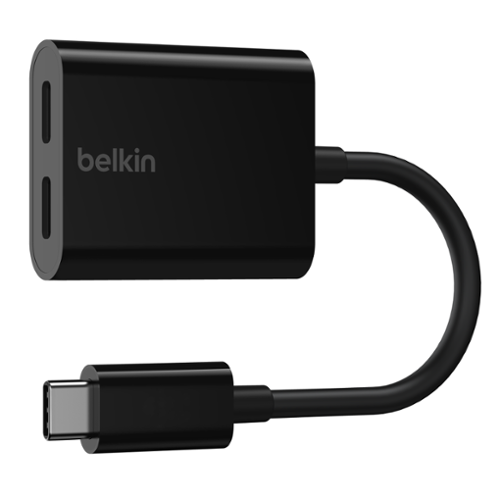
There~s no need to switch between charging and streaming audio. You can listen to music without draining your battery or charge while taking your calls, all from a single USB-C. Pass-through power of up to 60W means you~ll get full charging even when using your device. You can plug in worry-free, as each port can be used for either function. It supports fast charging, so you~ll get it done quickly, too.
Customer Rating
5
WORKS GREAT ON PHONES WITH NATIVE USB-C HEADSET S
on July 5, 2020
Posted by: TheOffice1234
from Lake Orion, MI
WORKS GREAT ON PHONES WITH NATIVE USB-C HEADSET SUPPORT
REVIEW: Belkin - Connect 46' USB Type C-to-USB Type C Adapter – Black
Best Buy Tech Insider Network
Best Buy Tech Insider Network
I can only comment on my phones (OnePlus 6 and OnePlus 7 Pro).
ONE PLUS 6 – NO GO
I use my OnePlus 6 with USB-C headphones, the trick is to turn on a feature called OTG in settings, then it will recognize a USB-C headphone. I’ve been using this “trick” forever. If I plug the Belkin Dongle into my phone then the headset into the dongle it works fine, UNTIL I plug in USB power. Then the audio drops and it won’t come back no matter what I do other than rebooting the phone. The phone does charge through the dongle, but alas it is only one or the other. If I use the ONE PLUS “DASH” quick charger I can’t even get it to charge through the dongle.
I use my OnePlus 6 with USB-C headphones, the trick is to turn on a feature called OTG in settings, then it will recognize a USB-C headphone. I’ve been using this “trick” forever. If I plug the Belkin Dongle into my phone then the headset into the dongle it works fine, UNTIL I plug in USB power. Then the audio drops and it won’t come back no matter what I do other than rebooting the phone. The phone does charge through the dongle, but alas it is only one or the other. If I use the ONE PLUS “DASH” quick charger I can’t even get it to charge through the dongle.
ONE PLUS 7 PRO – PERFECT FUNCTIONALITY - but it does not fit through my 3rd party case.
On this phone, it works as it should. However, the connector is a lot thicker than what comes standard with my USB-Headphones from OnePlus. So that when I try to use it with my 3rd part case (wallet style) the USB-C port won’t connect (insert) all the way. So, in order for me to use this I would have to remove my case each time (or buy a new case, which cost more than the adapter).
On this phone, it works as it should. However, the connector is a lot thicker than what comes standard with my USB-Headphones from OnePlus. So that when I try to use it with my 3rd part case (wallet style) the USB-C port won’t connect (insert) all the way. So, in order for me to use this I would have to remove my case each time (or buy a new case, which cost more than the adapter).
I can recommend this, but make sure you test it with your exact gear, so you can return it, within the return window if it does not work or fit. I assume you must have a phone that natively supports USB-C headsets, and not a phone like mine you have to trick to supporting it by turning on OTG.
Not a knock on Belkin, a lot of these gadgets wont universally work on everything.
Mobile Submission: False
I would recommend this to a friend!
Share this review:


0points
0of 0voted this as helpful.
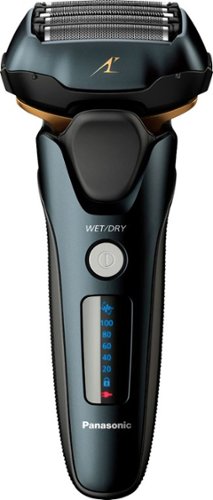
Simplify personal grooming with this Panasonic ARC 5 electric shaver. The ultra-fast motor and five-blade system make short work of facial hair by providing up to 70,000 cross-cuts per minute,. This Panasonic ARC 5 electric shaver has a built-in pop-up trimmer that makes it easy to sculpt mustaches, beards and sideburns.
Customer Rating
5
The Arc5 shaver does it both ways (wet and dry), b
on June 23, 2020
Posted by: TheOffice1234
from Lake Orion, MI
The Arc5 shaver does it both ways (wet and dry), but I like it wet
REVIEW: Panasonic - Arc5 Wet/Dry Electric Shaver - Matte Black
Best Buy Tech Insider Network
SUMMARY:
I would recommend the ARC5 Cordless Electric Wet/Dry Shaver for anyone starting out or returning to electric shavers. It has a good price point, and high end results. The main thing that would make it perfect is if it could be charged with a standard USB cord instead of a proprietary plug, but that is minor topic for most people. (but even my toothbrush uses a USB cord)
I would recommend the ARC5 Cordless Electric Wet/Dry Shaver for anyone starting out or returning to electric shavers. It has a good price point, and high end results. The main thing that would make it perfect is if it could be charged with a standard USB cord instead of a proprietary plug, but that is minor topic for most people. (but even my toothbrush uses a USB cord)
CONTEXT: I used to only use electric razors, but I switched to disposable blades about 15 years ago. Ironically, at the time I switched mostly because the cost of replacement razor heads seemingly were too expensive. But now with the 5 blade disposables I am using today, I am probably 2x the cost over a completely new electric shaver each year.
DESIGN / QUALITY: It seems well built, and I like the flexible moving head. I like the pop up trimmer, but I wish it were a little smaller for touch up trim work. After reading the documentation (which I usually don’t do), I am worried about how fragile the blades / foils are though I am sure they are no more fragile than any other brand. There are warnings all over the manual that imply don’t look at the foil cross eyed or you will damage the foil. Don’t clean it the wrong way, don’t press too hard, don’t brush it with a cleaning brush the wrong way, don’t use too hot of water…… and on “…they are very thin and deform easily…..”.
CLOSENESS: If a new disposable razor is a 10 on closeness of shave, then I would rate the ARC5 a 9 when used wet with shaving cream and an 8 when dry. It takes me about 2 minutes to shave with a disposable, about 3 minutes with a WET ARC5 and about 4 minutes with a DRY ARC5. When using it dry, I felt I really had to press hard and repeat over the same areas to finish the job. Then you need a minute or so to clean it and stow let it dry. After the dry shave, my face felt a little razor burned (2 out of 10). I know you need to use electrics for 30 days to allow your skin to get used to it. I think it is all the repeated hard pressing to get a closer shave.
TRAVEL: It has a nice travel case for the charger (by itself). It claims to hold a charge for approximately 2 weeks of dry shaving according to the instructions and average shave time of 3 minutes per day. Since I’m already over that, and I prefer the wet method (which I assume takes more power), I would be a little concerned about traveling with this for more than a few days without the charger. At least the charger is dual voltage for international travel. When I pack for travel, I pack as light and as small as possible. Generally, I have one USB charging brick the size of a deck of cards, that charges my laptops, phones, speakers, headphones, etc. So if I were to travel I would either need to take the charger or a backup disposable razor. Since it works better for me when wet, then I still need to bring foam. In the end I’ve added more weight and more bulk to my packing.
CONCLUSION: It is a well made product, it feels like it will last. If you change the foils every 12 months, it is still cheaper than 5 blade disposables which cost about $3-5 each and should be replaced every 1 week according to the mfg. I have no problem recommending this razor to anyone. (TESTED MALE FACIAL HAIR ONLY, NO BEARD, W/MUSTACHE)
Mobile Submission: False
I would recommend this to a friend!
Share this review:


+1point
1of 1voted this as helpful.
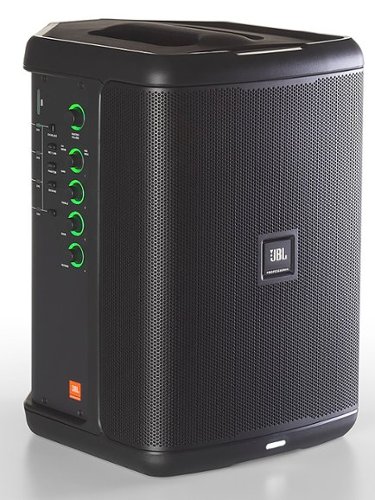
The JBL EON ONE Compact packs a professional-grade loudspeaker, a full-featured 4-channel digital mixer and Bluetooth audio streaming and control into our most compact battery-powered PA yet. Connect a microphone, guitar, keyboard or other audio source. Quickly and effortlessly get great sound with the integrated premium effects and presets that can be customized right from a phone or tablet using the JBL Pro Connect app. Connect a microphone(or two) and become the master of ceremonies during presentations, performances or in the backyard or at the beach. Presenters, musicians and all will appreciate EON ONE Compact~s ducking feature, which lowers background music volume when speech input is detected. Get amazing sounds fast with Lexicon and dbx inspired effects and presets. Whether you~re a singer, gigging musician, presenter, or you just want to enjoy amazing sound on the go, the JBL EON ONE Compact delivers big sound in a highly portable package. And swap out batteries in seconds with EON ONE Compact's tool-free, 12-hour battery. You'll keep the party going long after the sun goes down. Additional batteries available separately.
Customer Rating
4
GREAT PORTABLE SOUND - MODERN CONTROLS – POOR APP
on June 17, 2020
Posted by: TheOffice1234
from Lake Orion, MI
GREAT PORTABLE SOUND - MEETS MODERN AGE CONTROLS – BUT APP NEED WORK
REVIEW: JBL - EON ONE Compact Portable PA System - Black
Best Buy Tech Insider Network
Best Buy Tech Insider Network
SUMMARY:
I have to be honest I had some reservations and difficulties at first, but once I powered my way through them I am mostly satisfied. (See Tips below). Myself, being old school, I was a little taken aback by the lack of knobs and buttons compared to my previous experience with JBL PA systems (from around 2005). The old systems had an overwhelming amount of knobs and buttons to exactly zero in on the sound you were trying to project. Well, guess what, this one does as well, but they are all digital in your phone or tablet. Sure, this has a few basic knobs on the unit itself (Bass, Treble, etc) as well as 4 inputs most of which can be selected between various types of inputs (mic, aux, Bluetooth). The unit does a good job of balancing the needs of us old folks as well as the flexibility needed in a modern setting.
I have to be honest I had some reservations and difficulties at first, but once I powered my way through them I am mostly satisfied. (See Tips below). Myself, being old school, I was a little taken aback by the lack of knobs and buttons compared to my previous experience with JBL PA systems (from around 2005). The old systems had an overwhelming amount of knobs and buttons to exactly zero in on the sound you were trying to project. Well, guess what, this one does as well, but they are all digital in your phone or tablet. Sure, this has a few basic knobs on the unit itself (Bass, Treble, etc) as well as 4 inputs most of which can be selected between various types of inputs (mic, aux, Bluetooth). The unit does a good job of balancing the needs of us old folks as well as the flexibility needed in a modern setting.
Like the old school knobs, you have to know what you are doing even with the app and digital buttons. There are multiple sound bands (8) that you can precisely control in the mixer / fx app for the phone (including gain, frequency, and width). I did not like the default sound it puts out for music, but after some experimenting with the mixer app, I was able to get the PA exactly where I wanted it.
My only beef is that there should be more factory presets beside Music, Speech, Etc. But if you think of this as the starting off point you will be better prepared to fine tune the settings. This is not a toy, this is not casual Bluetooth speaker.
My only beef is that there should be more factory presets beside Music, Speech, Etc. But if you think of this as the starting off point you will be better prepared to fine tune the settings. This is not a toy, this is not casual Bluetooth speaker.
I am impressed overall and would recommend this to anyone who is serious about their PA/AMP needs, especially if they need strong sound from a relatively portable unit with battery power.
UNBOXING: (see picture)
INITIAL IMPRESSIONS:
It could not be any easier to unbox and setup. It was ready to go out of the box. I really like that it has a standard (PC Style) plug that you can find anywhere. It was easy to connect to my devices through Aux, Mic, or Bluetooth, no manuals or apps needed for basic functionality.
INITIAL IMPRESSIONS:
It could not be any easier to unbox and setup. It was ready to go out of the box. I really like that it has a standard (PC Style) plug that you can find anywhere. It was easy to connect to my devices through Aux, Mic, or Bluetooth, no manuals or apps needed for basic functionality.
It took me a while to accept that the physical knobs are all digital. You won’t find an analog control on the unit. Even the on/off button is like a computer button on a laptop. One issue I found was that when you use the EON ONE outdoors in bright full sunlight, you can’t see the rings of lights around the digital knobs, so you don’t know if you are at 100% gain or 0% gain. This led to lots of unexpectedly loud noises. Again, being old school, this makes me a little nervous with the controls being all digital. That means there is a computer inside this beast that could glitch out and render the entire unit useless. At least with old school devices you had a decent chance that if once input or control died you could still use the others. I just have to get over it and join the modern age
INITIAL SETUP / TIPS:
TIP1: FIRMWARE UPDATE
Every device (in my opinion) should get the latest firmware update. JBL did not make this easy. First, I had to find the right app on the Google Play Store, then I paired my phone, and the App it asked if I wanted to update the firmware. Sounds great / easy. However, no matter what I did it would not move the % complete past 0%. I tried EON factory reset (Press and hold Duck and Phantom). I uninstalled and reinstalled everything. I paired and unpaired my phone. After a few hours I gave up.
Every device (in my opinion) should get the latest firmware update. JBL did not make this easy. First, I had to find the right app on the Google Play Store, then I paired my phone, and the App it asked if I wanted to update the firmware. Sounds great / easy. However, no matter what I did it would not move the % complete past 0%. I tried EON factory reset (Press and hold Duck and Phantom). I uninstalled and reinstalled everything. I paired and unpaired my phone. After a few hours I gave up.
Flash forward a few weeks, and I wanted to write the review, so I tried something a little different. I paired the Bluetooth to my Amazon Dot so it was playing music from the Dot to the EON. While it was playing music I launched the JBL App, and told it to update firmware. This time it worked! It still took about an hour, but at least the % bar was moving this time. All good right? NOPE, even though the app said Firmware updated successfully, now the APP would not control the speaker at all. The firmware version showed “????????” (see pic) in the app. I tried 3 more times to update the firmware. Each time it said it was successful and each time the app stopped working. Finally, I did another factory reset on the EON, updated the firmware, and rebooted my phone, unpaired and re-paired the device.
FINALLY! I have the latest firmware and full control again from the App. I don’t know what finally worked, but I’m glad it did.
There is virtually no support on the JBL website. I opened a ticked 2-3 weeks ago and heard nothing back. I reached out to the JBL channel rep. No response. OK difficult times, COVID, etc.
FINALLY! I have the latest firmware and full control again from the App. I don’t know what finally worked, but I’m glad it did.
There is virtually no support on the JBL website. I opened a ticked 2-3 weeks ago and heard nothing back. I reached out to the JBL channel rep. No response. OK difficult times, COVID, etc.
TIP2: LEARN THE APP
I don’t love the app. I find it hard to use. You really need to spend some time with the App, and make sure you understand basics of PA, AMP, Mixer principles, then you will be fine. The more time you spend with the App, the more you will be able to make it do what you want. It is probably better on a tablet than a phone, but I feel this app is just scratching the surface of how this could be used. I see no reason why this could not evolve into a full featured digital sound board in the future.
TWEAKING THE SOUND
The best way to tweak the sound is through the mixer, which is fine, but SNAPSHOTS on the app (which I assume are like presets) have some strange behavior. After I played with the mixer to get the sound I wanted, I saved a SNAPSHOT. But afterwards, none of the mixer presets worked (speed music etc) all defaulted to “my new music mixer settings”. So then I loaded the Factory Snapshot. OK now the mixer was completely flat, and still none of the presets worked. Between the snapshot function and maybe the firmware update, I lost all my presets. It would be nice to be able to rename the presets in the mixer to something more meaningful than Music, Speech, etc. I assume future app / firmware updates will help.
SUMMARY:
PROS:
Portability
Battery Life
Physical Build Quality
Sound is GREAT
Portability
Battery Life
Physical Build Quality
Sound is GREAT
CONS:
App and Digital Support are fair at best, trending towards poor.
Technical Support does not exist online or via help desk
Lights around knobs are too dim for bright light outdoor use
Not waterproof or even water resistant. Strong warnings everywhere don’t get wet.
App and Digital Support are fair at best, trending towards poor.
Technical Support does not exist online or via help desk
Lights around knobs are too dim for bright light outdoor use
Not waterproof or even water resistant. Strong warnings everywhere don’t get wet.
Considering you are forced more or less to use the phone app to do anything meaningful with the device, it is the weakest link. OK, it is just software, they can fix it if they want to. It is usable just not great or living up to its full potential. I would love a simple mini page of presets that I can instantly choose from on a whim without having to “load” a snapshot, wait for it to load, and then fuss with volume which gets reset to 0 when you load a snapshot. Just let me put a page of 10 or so presets that I can modify and save and activate with a button press and I would be over the moon happy.
I would recommend this for anyone who needs portability and long battery life with great sound. Just pack your patience along with this great speaker. This is an investment, and I hope JBL will make the app better over time.
Mobile Submission: False
I would recommend this to a friend!


Share this review:


+8points
13of 18voted this as helpful.
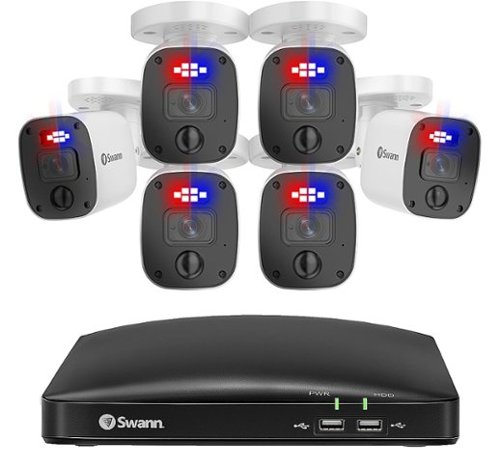
The Swann Professional 4K HD 6 Camera 8 Channel DVR CCTV camera security system is sure to give you peace of mind from every angle. Protect your loved ones & property with this multi-camera, wired surveillance system with everything you need to do-it-yourself or have it professionally installed. Be safe & confident as Swann outdoor home security cameras (camaras de seguridad para casa exterior) have you covered. A perfect home security system (camaras de seguridad inalambricas). See what's happening with digitally enhanced upscaling technology that provides 4K camera resolution & zoom - you won't miss a thing. Know what~s happening at any hour with powerful night vision up to 130ft in total darkness. Enjoy local recording onto the massive 2TB hard drive with no fees ever, store months of recordings before it starts saving over older footage. Cut the cost of crime & know what~s happening with this 8 camera security system (8 camaras de seguridad) to suit large homes, offices, small businesses & retail stores. Actively prevent crime as heat & motion trigger sensor lights, mobile alerts & video recordings. Enjoy hands-free security using voice commands. Stream video from your camera via Hey Google & Chromecast, Google Home Hub, or via Alexa devices with a screen, such as Echo Spot, Echo Show or 4K Fire TV. The Professional weatherproof design is IP66 rated, meaning they are built to withstand rain, snow & heat, all year round. The Pro-Series includes a DVR-5680 8 Channel DVR security system with 2TB Hard Drive, 4K Bullet Cameras x 8 also can be used as an indoor security camera, BNC Cables x 6, HDMI Cable, Power Adapter, Mouse, Mounting Screws & Plugs, Quick Start Guide and Theft Deterrent Stickers. Wireless cameras for home security & wifi cameras can be found on Swann's main website.
Customer Rating
5
SKEPTICAL NO LONGER! AFFORDABLE QUALITY
on May 24, 2020
Posted by: TheOffice1234
from Lake Orion, MI
SKEPTICAL NO LONGER! AFFORDABLE QUALITY
REVIEW: Swann - Enforcer™ 8-Channel, 6-Camera Indoor/Outdoor Wired 4K UHD 2TB DVR Surveillance System - White
Model: SWDVK-85680W6RL-US
Best Buy Tech Insider Network
SUMMARY:
I have been deploying security cameras for about 15 years at home, our local homeowner’s association, my office and for family. I am not in the industry, but I have probably deployed 6 different systems.
I have always been skeptical about these “all in one bundles”. I think however I can say now they seem to have grown up to be capable units. There is lots to like about this unit, and not much to complain about. While not at the same level as professional grade equipment (costing 4x to 10x more), it does a good to very good job covering most casual needs. This is about as “turn key” as you can get. Plug everything in, turn it on, you are in business for basic monitoring. It also supports many advanced features that you can optionally expose and utilize if needed.
I have been deploying security cameras for about 15 years at home, our local homeowner’s association, my office and for family. I am not in the industry, but I have probably deployed 6 different systems.
I have always been skeptical about these “all in one bundles”. I think however I can say now they seem to have grown up to be capable units. There is lots to like about this unit, and not much to complain about. While not at the same level as professional grade equipment (costing 4x to 10x more), it does a good to very good job covering most casual needs. This is about as “turn key” as you can get. Plug everything in, turn it on, you are in business for basic monitoring. It also supports many advanced features that you can optionally expose and utilize if needed.
I would recommend this package for anyone who wants to deploy something quickly without having to source each part out individually, and without breaking the bank. I have no hesitancy recommending this package, at this price point, especially for indoor use. You won’t find anything less expensive that is worthwhile. My only concern is that everything feels cheap and lightweight. There is even a giant warning sticker on the DVR “don’t put anything heavy on the DVR”. This summarizes my feelings about it overall. Again, there is nothing functionally wrong, it all works, it just feels cheap.
UNBOXING: (see picture)
INITIAL IMPRESSIONS:
Everything was protected, but it also seems somewhat loosely tossed into the boxes. The important things like the cameras and DVR are well protected, but cables, screws, power supplies, etc are mostly floating around loose. As mentioned above everything felt very lightweight and inexpensive. I think the focus is on cost (which is OK). For example, what is the cheapest cable we can bundle that will do the job vs, what is a cable that will last 20 years once installed. Again, that is OK.
Everything was protected, but it also seems somewhat loosely tossed into the boxes. The important things like the cameras and DVR are well protected, but cables, screws, power supplies, etc are mostly floating around loose. As mentioned above everything felt very lightweight and inexpensive. I think the focus is on cost (which is OK). For example, what is the cheapest cable we can bundle that will do the job vs, what is a cable that will last 20 years once installed. Again, that is OK.
Here is one simple example. The internal hard drive is a 2 TB Seagate Skyhawk LITE. Seagate Skyhawk’s have impressive quality and are optimized for security cameras. At first, I was very impressed that it had a Skyhawk drive. But I’d never heard of “LITE”. It seems to be a budget version (reduced specs and performance) sold primarily in India. Again, there is nothing wrong with this drive. For $10-$30 more I would have rather had a “regular” Skyhawk drive. If the focus is low cost, this is a good way to save money on each unit made and probably won’t impact performance. The Skyhawk drives are rated for about 60 devices and the LITE for about 30 devices (cameras). This DVR only supports 8 devices, so it is well within specs.
INITIAL SETUP / TIPS:
Here is where the SWANN shines. You can’t hook it up wrong there is only one way everything will connect together. I simply connected all the cables and power and video and turned it on, and instantly it all worked. There were some areas of advanced configuration that could have been easier or more intuitive, but it was not bad at all. I am confident that just about anyone without any technical experience, beyond turning on and configuring a laptop for the first time would have no problems with this system. The hardest part of any security system is running cables in a wall.
TIP: NO WIFI
As far as I can tell the unit does not have WIFI although some of the menus seem to indicate that on some units WIFI is an option. OK if you are trying to keep costs down, don’t include a $5 WIFI chip in the unit. It took me while to work around this topic. First, I had to connect the DVR to a wired network (back of router), and then get it all working. I had an extra WIFI to Ethernet adapter in my boxes of computer junk in my basement. This device connects to a WIFI network then bridges the WIFI down to a physical cable. Once I got that bridge working, I was able to move the DVR anywhere I had signal. So expect to spend an extra $50 on a WIFI-Ethernet Device if you need WIFI connectivity. Technically you don’t need it on a network other than TIME SYNC and remote viewing from the phone APP.
As far as I can tell the unit does not have WIFI although some of the menus seem to indicate that on some units WIFI is an option. OK if you are trying to keep costs down, don’t include a $5 WIFI chip in the unit. It took me while to work around this topic. First, I had to connect the DVR to a wired network (back of router), and then get it all working. I had an extra WIFI to Ethernet adapter in my boxes of computer junk in my basement. This device connects to a WIFI network then bridges the WIFI down to a physical cable. Once I got that bridge working, I was able to move the DVR anywhere I had signal. So expect to spend an extra $50 on a WIFI-Ethernet Device if you need WIFI connectivity. Technically you don’t need it on a network other than TIME SYNC and remote viewing from the phone APP.
TIP: LIMITED WINDOWS / REMOTE CONTROL / SUPPORT
This is a dedicated DVR for SECURITY, it is not designed to be operated and managed remotely. It is meant to be sitting on a shelf with a TV/Monitor attached (Think of a small self contained solution in a gas station for example). This means you have to be careful where you plan to install the unit as it will be there for good once you run the cables, and you have to be able to get to it physically to do anything advanced. There is a windows app on the SWAN website, it does not list this model as a supported model, but it does seem to work. It gives you some basic viewing and capturing capability, but not full advanced functionality as if you are sitting in front of the DVR itself. So, expect to spend $100-$200 on a dedicated TV for daily use (vs just launching an app on an existing PC). The phone app works well for quick viewing and motion alerts.
This is a dedicated DVR for SECURITY, it is not designed to be operated and managed remotely. It is meant to be sitting on a shelf with a TV/Monitor attached (Think of a small self contained solution in a gas station for example). This means you have to be careful where you plan to install the unit as it will be there for good once you run the cables, and you have to be able to get to it physically to do anything advanced. There is a windows app on the SWAN website, it does not list this model as a supported model, but it does seem to work. It gives you some basic viewing and capturing capability, but not full advanced functionality as if you are sitting in front of the DVR itself. So, expect to spend $100-$200 on a dedicated TV for daily use (vs just launching an app on an existing PC). The phone app works well for quick viewing and motion alerts.
TIP: NO KEYBOARD SUPPORT
While the DVR software does a good job of integrating mouse control, with the included mouse, it is still a pain to type in long complex passwords several times each session with a mouse. I tried plugging in a keyboard to one of the spare USB ports and it was not recognized.
While the DVR software does a good job of integrating mouse control, with the included mouse, it is still a pain to type in long complex passwords several times each session with a mouse. I tried plugging in a keyboard to one of the spare USB ports and it was not recognized.
TIP: NOT MUCH HELP ON SCREEN
As you start to try more advanced features, you are at the mercy of your wit and the people who defined the interface (or maybe read the manual). One example is scheduling for full time recording vs event recording. Here you paint the schedule grid yellow or green (or both) based on what you want. I only knew to paint the schedule because my other DVR system works the same way. But to took me 10 minutes or so to realize the “KEY” of yellow and green dots was more than a key, it was also a selection tool. So click on the green dot to paint green. Click on the Yellow dot pain yellow. Or, on some screens you can right click the mouse to unlock advanced features. As I as I said, you can just plug it all in and turn it all on and it all works. It is really the advanced features that take some time and work to reason out. For the record, in my experience, “ALL DVR SOFTWARE IS CLUNKY” and always has been. The easy stuff is intuitive, the advance stuff is clunky. This is not worse or better than any other DVR system I have ever used.
As you start to try more advanced features, you are at the mercy of your wit and the people who defined the interface (or maybe read the manual). One example is scheduling for full time recording vs event recording. Here you paint the schedule grid yellow or green (or both) based on what you want. I only knew to paint the schedule because my other DVR system works the same way. But to took me 10 minutes or so to realize the “KEY” of yellow and green dots was more than a key, it was also a selection tool. So click on the green dot to paint green. Click on the Yellow dot pain yellow. Or, on some screens you can right click the mouse to unlock advanced features. As I as I said, you can just plug it all in and turn it all on and it all works. It is really the advanced features that take some time and work to reason out. For the record, in my experience, “ALL DVR SOFTWARE IS CLUNKY” and always has been. The easy stuff is intuitive, the advance stuff is clunky. This is not worse or better than any other DVR system I have ever used.
TIP: FIRMWARE UPDATE ERRORS
Normally when I first get a new device the first thing I do is to update the firmware. When you try to upgrade the firmware it gives what seems to be a server or network error. I think the real issue it that there is no new firmware for this device. I looked all over the SWANN website and this firmware is newer than anything that is on their website. It also does not list this model (too new or Best Buy Exclusive?). This makes me a little nervous as their support website is a bit of a mess.
Normally when I first get a new device the first thing I do is to update the firmware. When you try to upgrade the firmware it gives what seems to be a server or network error. I think the real issue it that there is no new firmware for this device. I looked all over the SWANN website and this firmware is newer than anything that is on their website. It also does not list this model (too new or Best Buy Exclusive?). This makes me a little nervous as their support website is a bit of a mess.
IMAGE QUALITY:
My existing camera system is about 4 years old and is a network based system (vs a dedicated head end like this system). My existing cameras are 3MP vs the SWANN 8MP(?) cameras. In theory then the SWANN camera pictures should be about 2-3 times better, clearer, sharper. For comparison, my home system cost about $2800 for 6 cameras, 4TB storage. I plan to use the SWANN at my office since we have an unstaffed front lobby and I wanted to give the staff some piece of mind if they are working late or early about who is coming into the office or ringing the buzzer. I set up the cameras side by side and took snapshots at various times of the day. (See pics). For the most part, the images were about the same. Sometimes the SWANN was a touch better, sometime the SWANN was a touch worse. This is good news that for this price point, you can get good quality images. However, 4K did not really make much of a difference compared to my older non-4K cameras. NOTE: The maximum frames per second at 4K are only 8 FPS on SWANN. (Normal TV video is usually at least 30 FPS)
My existing camera system is about 4 years old and is a network based system (vs a dedicated head end like this system). My existing cameras are 3MP vs the SWANN 8MP(?) cameras. In theory then the SWANN camera pictures should be about 2-3 times better, clearer, sharper. For comparison, my home system cost about $2800 for 6 cameras, 4TB storage. I plan to use the SWANN at my office since we have an unstaffed front lobby and I wanted to give the staff some piece of mind if they are working late or early about who is coming into the office or ringing the buzzer. I set up the cameras side by side and took snapshots at various times of the day. (See pics). For the most part, the images were about the same. Sometimes the SWANN was a touch better, sometime the SWANN was a touch worse. This is good news that for this price point, you can get good quality images. However, 4K did not really make much of a difference compared to my older non-4K cameras. NOTE: The maximum frames per second at 4K are only 8 FPS on SWANN. (Normal TV video is usually at least 30 FPS)
FEATURES:
This has everything I could think of for advanced features: Scheduled Recordings, Motion Detection, Scheduled Snapshots, Email Alerts, Alarms, Sirens, Audio Recording. I like the lights on the cameras that can be “on” or “triggered”. I liked that the cameras supported PIR to better identify people as motion instead of a tree or flag blowing in the wind. It has advanced analysis modes so you can fine tune motion detection. You can black out areas you don’t want recorded. You can set motion detection in only a certain area. As far as features go, I could not find anything that was not there.
This has everything I could think of for advanced features: Scheduled Recordings, Motion Detection, Scheduled Snapshots, Email Alerts, Alarms, Sirens, Audio Recording. I like the lights on the cameras that can be “on” or “triggered”. I liked that the cameras supported PIR to better identify people as motion instead of a tree or flag blowing in the wind. It has advanced analysis modes so you can fine tune motion detection. You can black out areas you don’t want recorded. You can set motion detection in only a certain area. As far as features go, I could not find anything that was not there.
SUMMARY:
I think this is 100% perfect for a small self-contained office or building like a gas station or retail store or small carry out restaurant. Home use is good so long as you can place the device where a 30 foot cable to the unit can reach the camera. Maybe, for example, you put the DVR in your garage and just have cameras around the outside of the garage pointing at various locations. I’m sure you can buy or build longer cables, but at some point, you start to lose the advantage of an all in one bundle.
I think this is 100% perfect for a small self-contained office or building like a gas station or retail store or small carry out restaurant. Home use is good so long as you can place the device where a 30 foot cable to the unit can reach the camera. Maybe, for example, you put the DVR in your garage and just have cameras around the outside of the garage pointing at various locations. I’m sure you can buy or build longer cables, but at some point, you start to lose the advantage of an all in one bundle.
It is easy to use, easy to set up, and the image quality is pretty good.
Mobile Submission: False
I would recommend this to a friend!


Share this review:


+18points
28of 38voted this as helpful.
TheOffice1234's Review Comments
TheOffice1234 has not submitted comments on any reviews.
TheOffice1234's Questions
TheOffice1234 has not submitted any questions.

Give your movies, TV shows and games the great sound they deserve. This ultra-slim SR-B20 sound bar fits discreetly in front of your TV or on a shelf or can be rotated for a low-profile wall mount. Setup is a breeze with a simple connection to your TV while Bluetooth lets you wirelessly stream from your mobile devices.
What is the subwoofer for? What do subwoofers do?
without getting too technical it provides the low volume rumble for audio. (deep bass). the bar has built in small subwoofers, but you can also add a separate detached subwoofer for even more bass and rumbles.
5 years, 5 months ago
by
TheOffice1234
Give your movies, TV shows and games the great sound they deserve. This ultra-slim SR-B20 sound bar fits discreetly in front of your TV or on a shelf or can be rotated for a low-profile wall mount. Setup is a breeze with a simple connection to your TV while Bluetooth lets you wirelessly stream from your mobile devices.
Is this sound bar Alexa compatible?
You can connect alexa to it via bluetooth but by itself it is not alexa enabled
5 years, 5 months ago
by
TheOffice1234
Give your movies, TV shows and games the great sound they deserve. This ultra-slim SR-B20 sound bar fits discreetly in front of your TV or on a shelf or can be rotated for a low-profile wall mount. Setup is a breeze with a simple connection to your TV while Bluetooth lets you wirelessly stream from your mobile devices.
Can this be mounted to a Samsung TV?
If you mean physically mounted, you would need some sort of generic mounting kit. Generally they are about $30 from various sources
5 years, 5 months ago
by
TheOffice1234
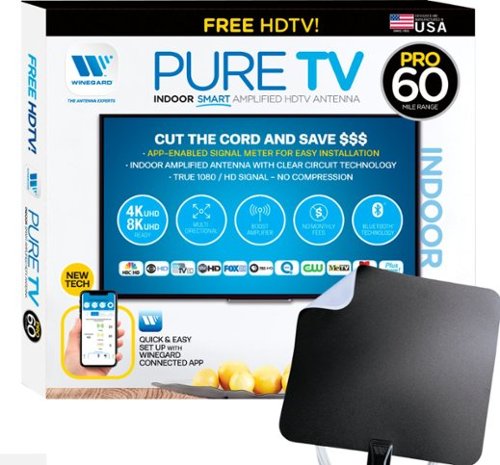
The PureTV Pro 60 is the only antenna with an actual signal meter integrated into the antenna to provide the best possible customer experience when installing. The PureTV Pro 60 has a dual-band, optimized antenna element that captures signals up to 60 miles away, while the antenna~s Clear Circuit Technology boosts the available signal, cuts dropout, and clears pixelation. The integrated, Bluetooth technology signal meter makes you the pro at installation. The PureTV Pro 60 uses a built-in tuner to get real-time signal data. Pair with the Winegard Connected app for no-fuss antenna positioning. Available for iOS and Android phones, the free, user-friendly Winegard Connected app quickly pairs with the PureTV Pro 60. Using both visual and audio indicators, you~ll get real-time feedback on the optimal antenna position for the best signal possible. The app shows a summary of available channels, and you can even fine-tune individual channels for maximum reception. Once you~re done, run a channel scan on TV, and start watching FREE TV.
my tv doesnt have a coax connector plug so what would i use?
Triple check that it does not have one. I've never heard of a TV without one. However, if that is the case then you need a real TV Tuner Box to interface with your TV. There are lots to chose from just google TV Tuner Box. TIVO OTA on the high end, AMAZON Fire TV ReCast on the medium end, and several others that just Tune, no additional functions for $30 or so.
5 years, 5 months ago
by
TheOffice1234
The PureTV Pro 60 is the only antenna with an actual signal meter integrated into the antenna to provide the best possible customer experience when installing. The PureTV Pro 60 has a dual-band, optimized antenna element that captures signals up to 60 miles away, while the antenna~s Clear Circuit Technology boosts the available signal, cuts dropout, and clears pixelation. The integrated, Bluetooth technology signal meter makes you the pro at installation. The PureTV Pro 60 uses a built-in tuner to get real-time signal data. Pair with the Winegard Connected app for no-fuss antenna positioning. Available for iOS and Android phones, the free, user-friendly Winegard Connected app quickly pairs with the PureTV Pro 60. Using both visual and audio indicators, you~ll get real-time feedback on the optimal antenna position for the best signal possible. The app shows a summary of available channels, and you can even fine-tune individual channels for maximum reception. Once you~re done, run a channel scan on TV, and start watching FREE TV.
What kind of range have this antenna?
In theory the 60 in the model number means 60 miles, I generally cut that in half for any stated antenna rage. I assume that means if you are in a desert with no obstructions you might get 60 miles.
5 years, 5 months ago
by
TheOffice1234
The PureTV Pro 60 is the only antenna with an actual signal meter integrated into the antenna to provide the best possible customer experience when installing. The PureTV Pro 60 has a dual-band, optimized antenna element that captures signals up to 60 miles away, while the antenna~s Clear Circuit Technology boosts the available signal, cuts dropout, and clears pixelation. The integrated, Bluetooth technology signal meter makes you the pro at installation. The PureTV Pro 60 uses a built-in tuner to get real-time signal data. Pair with the Winegard Connected app for no-fuss antenna positioning. Available for iOS and Android phones, the free, user-friendly Winegard Connected app quickly pairs with the PureTV Pro 60. Using both visual and audio indicators, you~ll get real-time feedback on the optimal antenna position for the best signal possible. The app shows a summary of available channels, and you can even fine-tune individual channels for maximum reception. Once you~re done, run a channel scan on TV, and start watching FREE TV.
Why does the app that is integral to the proper functioning of this antenna have a 1.6 rating in the App Store?
I assume because this one app covers many devices, reading the reviews on the app store most seem to be focused on WIFI devices that have nothing to do with the Antenna device. I used it, it is only OK, but in all reality you will use it one time to find your best location then never use it again.
5 years, 5 months ago
by
TheOffice1234
The PureTV Pro 60 is the only antenna with an actual signal meter integrated into the antenna to provide the best possible customer experience when installing. The PureTV Pro 60 has a dual-band, optimized antenna element that captures signals up to 60 miles away, while the antenna~s Clear Circuit Technology boosts the available signal, cuts dropout, and clears pixelation. The integrated, Bluetooth technology signal meter makes you the pro at installation. The PureTV Pro 60 uses a built-in tuner to get real-time signal data. Pair with the Winegard Connected app for no-fuss antenna positioning. Available for iOS and Android phones, the free, user-friendly Winegard Connected app quickly pairs with the PureTV Pro 60. Using both visual and audio indicators, you~ll get real-time feedback on the optimal antenna position for the best signal possible. The app shows a summary of available channels, and you can even fine-tune individual channels for maximum reception. Once you~re done, run a channel scan on TV, and start watching FREE TV.
What is the usb connector for?
This is a "powered" antenna, so you need the USB cable and included power supply to provide amplification to the antenna to improve signal strength.
5 years, 5 months ago
by
TheOffice1234
The PureTV Pro 60 is the only antenna with an actual signal meter integrated into the antenna to provide the best possible customer experience when installing. The PureTV Pro 60 has a dual-band, optimized antenna element that captures signals up to 60 miles away, while the antenna~s Clear Circuit Technology boosts the available signal, cuts dropout, and clears pixelation. The integrated, Bluetooth technology signal meter makes you the pro at installation. The PureTV Pro 60 uses a built-in tuner to get real-time signal data. Pair with the Winegard Connected app for no-fuss antenna positioning. Available for iOS and Android phones, the free, user-friendly Winegard Connected app quickly pairs with the PureTV Pro 60. Using both visual and audio indicators, you~ll get real-time feedback on the optimal antenna position for the best signal possible. The app shows a summary of available channels, and you can even fine-tune individual channels for maximum reception. Once you~re done, run a channel scan on TV, and start watching FREE TV.
Will having a metal roof on my house reduce the effectiveness of this antenna?
Maybe, but since this is more of a wall / window mount antenna, probably not as much impact as long as you have a window facing your stations.
5 years, 5 months ago
by
TheOffice1234
The PureTV Pro 60 is the only antenna with an actual signal meter integrated into the antenna to provide the best possible customer experience when installing. The PureTV Pro 60 has a dual-band, optimized antenna element that captures signals up to 60 miles away, while the antenna~s Clear Circuit Technology boosts the available signal, cuts dropout, and clears pixelation. The integrated, Bluetooth technology signal meter makes you the pro at installation. The PureTV Pro 60 uses a built-in tuner to get real-time signal data. Pair with the Winegard Connected app for no-fuss antenna positioning. Available for iOS and Android phones, the free, user-friendly Winegard Connected app quickly pairs with the PureTV Pro 60. Using both visual and audio indicators, you~ll get real-time feedback on the optimal antenna position for the best signal possible. The app shows a summary of available channels, and you can even fine-tune individual channels for maximum reception. Once you~re done, run a channel scan on TV, and start watching FREE TV.
does it connect with local networks, abc, cbs, nbc etc? How many channels or what stations maybe seen in the Frisco, TX area?
Google Antennaweb and enter your information for estimates of what channels you can receive. Just know that there many factors that go into good reception. The Antenna is just one of many factors such as do you have a window that faces your stations.
5 years, 5 months ago
by
TheOffice1234
The PureTV Pro 60 is the only antenna with an actual signal meter integrated into the antenna to provide the best possible customer experience when installing. The PureTV Pro 60 has a dual-band, optimized antenna element that captures signals up to 60 miles away, while the antenna~s Clear Circuit Technology boosts the available signal, cuts dropout, and clears pixelation. The integrated, Bluetooth technology signal meter makes you the pro at installation. The PureTV Pro 60 uses a built-in tuner to get real-time signal data. Pair with the Winegard Connected app for no-fuss antenna positioning. Available for iOS and Android phones, the free, user-friendly Winegard Connected app quickly pairs with the PureTV Pro 60. Using both visual and audio indicators, you~ll get real-time feedback on the optimal antenna position for the best signal possible. The app shows a summary of available channels, and you can even fine-tune individual channels for maximum reception. Once you~re done, run a channel scan on TV, and start watching FREE TV.
My TV is mounted on one wall. If the antenna gets optimal reception on another wall, is there enough cable to run from antenna to TV. How much cable is allowed? How have buyers dressed the cable to be unseen?
It comes with a good long cable, about 15-20 feet. It is very thin. I think anything you to try to hide it would make it look worse.
5 years, 5 months ago
by
TheOffice1234