


TheOffice1234's stats
- Review count180
- Helpfulness votes1,035
- First reviewDecember 11, 2009
- Last reviewJune 7, 2026
- Featured reviews0
- Average rating4.6
Reviews comments
- Review comment count0
- Helpfulness votes0
- First review commentNone
- Last review commentNone
- Featured review comments0
Questions
- Question count0
- Helpfulness votes0
- First questionNone
- Last questionNone
- Featured questions0
- Answer count27
- Helpfulness votes22
- First answerApril 24, 2020
- Last answerDecember 18, 2021
- Featured answers0
- Best answers6
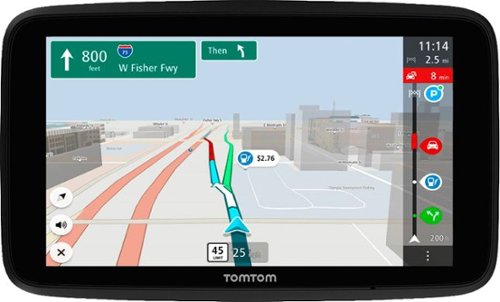
GO powerfully, reliably, and effortlessly with your TomTom GO Discover car GPS. Equipped with the best of TomTom technology, trusted by half a billion drivers worldwide, TomTom GO Discover GPS navigator is your reliable fix for ever-changing road and traffic conditions. TomTom real-time Traffic and the industry-leading maps your TomTom GO Discover GPS navigator is equipped with are enhanced by a service bundle that includes fuel pricing, parking availability, speed camera alerts, and more. Take control behind the wheel! Your TomTom GO Discover brings you easier, more relaxed, and more comfortable driving. Equipped for effortless setup and use, your TomTom GO Discover car GPS is enhanced by quicker map updates, immediate responsiveness, an intuitive user interface, and a simplified, modernized map view. Premium hardware, including a powerful speaker and snap-in and pop-out mount, enhance and simplify your driving experience! Includes World Maps
Customer Rating

5
GOOD LARGE SCREEN STANDALONE GPS NAVIGATION
on June 18, 2022
Posted by: TheOffice1234
TOMTOM - GO DISCOVER 7" GPS WITH BUILT-IN BLUETOOTH, MAP AND TRAFFIC UPDATES - BLACK - BLACK
MODEL:TOMTOM GO DISCOVER 7"
GOOD LARGE SCREEN STANDALONE GPS NAVIGATION (SATNAV) SYSTEM
OVERALL
The TOMTOM - GO DISCOVER 7" GPS is a good offline navigation system. If you want the live traffic alerts and so on, you’ll have to pair with your phone or your car’s Wi-Fi if so equipped. The TOMTOM - GO DISCOVER 7" GPS make a good alternative to your cell phone, due to its large size and easy mounting. It is especially useful if you are traveling in areas where cellular data coverage is not consistent. We are about to take a long trip, and last year we got stuck with cell phone navigation that would cut out when it lost coverage. This year we wanted a dedicated Navigation System for one less thing to worry about along the way.
SETUP:
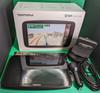
I had a horrible time initially setting up the TOMTOM - GO DISCOVER 7" GPS. Maybe their service was out, maybe it was on my side. In theory from the GPS, you just connect it to your WIFI (or phone), setup and account then login to do updates. Even though it connected easily to both my phone and home WIFI it would never log in to TOMTOM. After about 3 hours of reset and try again, I gave up and left the unit alone for several hours. I tried one last time before I went to bed, and it connected logged in and allowed me to update the maps. Nothing changed on my side, I have no idea what was going on. Maybe it had to fully charge or maybe get a satellite signal, not sure. Anyway, after it got over whatever was blocking it, it has performed perfectly.
DRIVING
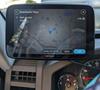
So far so good. It gets me to where I want to go with a minimum of fuss. It does everything I needed it to do. It is not as “modern feeling” as phone based or new car built in systems, but seeing as how this is going into a 2008 vehicle I can’t complain.
SUMMARY
Minor setup issues, aside, the TOMTOM - GO DISCOVER 7" GPS seems well made and should last a good long time. I can recommend it for anyone who does not want to be 100 reliant on having data on their phone.
I would recommend this to a friend!
Share this review:


+8points
8of 8voted this as helpful.
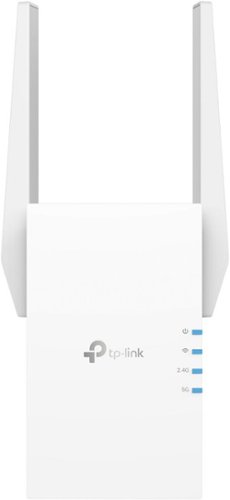
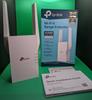
Extend high-performance Wi-Fi across your home to remove dead spots and Wi-Fi drop zones with RE705X Wi-Fi 6 range extender. High-gain antennas extend your routers~ Wi-Fi signal so you can enjoy smoother and more reliable streaming, gaming, downloading, and more with dual-band Wi-Fi speeds up to 3 Gbps (2402 Mbps on 5 GHz band and 574 Mbps on 2.4 GHz band) with the wider 160 MHz channel. Pair RE705X with a TP-Link OneMesh compatible router to create a network that only needs one name and password. Easily set up and manage RE705X with TP-Link Tether app (Android, iOS). Plus, the intelligent signal indicator will help you find the best placement for your range extender.
Customer Rating
5
EASY TO USE STURDY HIGH PERFORMANCE WIFI6 REPEATER
on June 17, 2022
Posted by: TheOffice1234
MODEL REVIEWED
TP LINK - RE705X AX3000 MESH WIFI 6 EXTENDER
HEADLINE:
EASY TO USE STURDY HIGH PERFORMANCE WIFI6 REPEATER
SETUP
I found the TP LINK - RE705X to be one of the easiest TP Link devices to set up yet. I’m old fashioned and like to use my browser to work directly on the router interface instead of through an app on my phone. Fortunately, TP Link thought of that and tells you how to do that on their quick start guide instead of hunting around.
Using the web interface setup wizard it asked me what 5Ghz network I wanted to connect to, and then what 2Ghz network. Next it asked what name I wanted to use for the extender and we were all set. I did have to go to my main router and find what IP was assigned so I could go back in and update the firmware and fine tuner my settings. I also appreciate the little touches like the ability to turn the LED’s on or off.
USAGE
What I primarily needed the TP LINK - RE705X for, was to get a little extra range on my outdoor patio, where I’ve been working lately while the weather is nice. I installed it under my kitchen sink (which is closest to my outside wall). Which allowed me good signal pickup of at least 20 ft away from the house.
As with any repeater there is always a little drop off in speed between the native signal and the repeated signal. My first test was to test the TP LINK - RE705X right next to my main indoor workspace just to see how much (or in this case how little) overhead the repeater added. Without the TP LINK - RE705X my speed 480Mb/s. With the repeater in the exact same spot my speed was 330Mb/s on the 5Ghz band, and 150Mb/s on the 2Ghz band. A 20% drop is actually very good for a repeater.
My next test was with me outside and the TP LINK - RE705X inside (under the sink). In this case I was able to achieve roughly 150Mbps/5Ghz and 50Mbps/2Ghz. For my needs, this is plenty good enough and 10 X faster than I was achieving without the TP LINK - RE705X.
Eventually, I’ll run a wire to the TP LINK - RE705X and change it to AP mode instead of repeater mode. I like that the TP LINK - RE705X supports both modes. In AP mode I should be able to get full speed as well as control what channels the AP is operating on.
I do wish the wired port was faster, as home networks and the internet are getting faster than 1Gbps which is the wired speed of the TP LINK - RE705X.
SUMMARY
The TP LINK - RE705X is the easiest and lowest latency repeaters I have tested. I hope to use it for a long time. WiFi6 rocks if your full network supports it.
I would recommend this to a friend!




Share this review:


+4points
4of 4voted this as helpful.
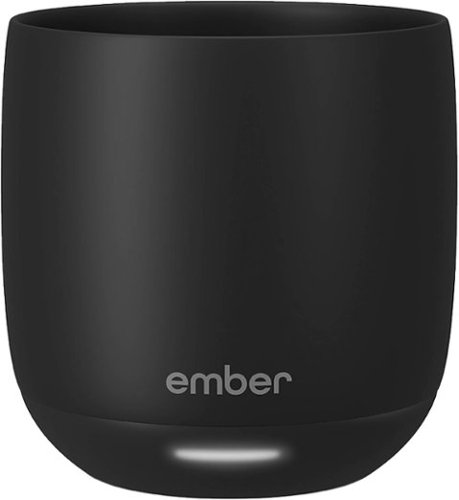
Ideal for espresso-based drinks such as cappuccinos, cortados, and flat whites, the new Ember Cup, 6 oz, offers a premium coffee experience that does more than keep your coffee hot. Our smart mug allows you to set your preferred drinking temperature, so you can enjoy your expertly crafted hot drink ~just the way you like it~ from the first sip to the last drop. Ember Cup~s built-in battery maintains your precise drinking temperature for up to 1.5 hours or all day with the included charging coaster.
Customer Rating
5
NICE ENDULGENT HEATED SMART MUG FROM THE FUTURE
on June 17, 2022
Posted by: TheOffice1234
EMBER - TEMPERATURE CONTROL SMART MUG - 6 OZ
MODEL:CM210600US
MODEL:CM210600US
Best Buy Tech Insider Network
NICE ENDULGENT HEATED SMART MUG FROM THE FUTURE
OVERALL
I can’t help but thinking of various SI-FI movies as I download a firmware update to my coffee mug!
At first, I thought what a silly idea, I already have an old-fashioned coffee warmer on my desk, that , if we are hones, really only works in for the last centimeter of coffee and otherwise just seems to heat up the outside of my mug making it too hot to hold.
Along comes the EMBER - SMART MUG to change my mind about how I enjoy my morning drinks. I like to savor my morning tea and coffee as I ease into the morning. Which usually means after a few minutes I’m drinking tepid liquid as best, even with my electric warmer.
Now with the EMBER - SMART MUG it is always as hot (or hotter) than the moment it came out of the coffee/tea/espresso maker. We have 2 coffee makers one with decaf and one with regular beans. The one with regular beans makes a better brew, but its temp is a little low. Now with the EMBER - SMART MUG it is heated to the perfect temp.
My wife likes her coffee as hot as possible, while I like it a few degrees cooler. With the EMBER - SMART MUG app we can adjust this with a single button press.
SETUP
I was a little worried with all the stickers, don’t microwave, don’t get the contacts wet, etc. Nevertheless, the setup was one of the better app installations in a while. Just put the EMBER - SMART MUG into pairing mode (I still can’t say that with a straight face), and the app finds it. Then you can control your temp, AND LED EFFECT COLOR!
USAGE
Somehow it magically knows when you have liquid in there and turns itself on. Then it does a fantastic job regulating the temperature until the liquid is gone. Next you rinse it out make sure it is dry and put it back on the base to recharge.
It does take a long time to fully recharge (hours), and I wish it used USB-C chargers for example, instead of another proprietary charger.
Yes, this version is only 6 oz, but that is OK as that is just about the size of output on the coffee settings from my espresso machines. I also look forward to having my espressos with the EMBER - SMART MUG which previously got cool too quickly. If you take cream or foam with your drinks, you will have a very small drink indeed.
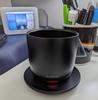
I also would have liked a lighter color. The mug is so dark it is like looking into a black hole and you can’t tell if you have any liquid left in the mug. Owing to the overall weight it always feels full.
SUMMARY
I like the EMBER - SMART MUG and make no mistakes, that this is a pure luxury item. But if, like me, you like to take your time to enjoy your hot drinks, then it is the perfect gift for yourself or others. I can already see us saving up enough Points to get another one (his/hers) before long.
I would recommend this to a friend!



Share this review:


0points
1of 2voted this as helpful.

Esports has a new apex predator. As successor to the award-winning Razer Viper Ultimate, our latest evolution is nearly 22% lighter and armed with all-round upgrades for enhanced performance. With one of the lightest wireless gaming mice ever, there~s now nothing holding you back.
Customer Rating
5
FANTASTIC LIGHTWEIGHT GAMING MOUSE – USE THE GRIP
on June 15, 2022
Posted by: TheOffice1234
RAZER - VIPER V2 PRO WIRELESS OPTICAL GAMING MOUSE - BLACK
MODEL:RZ01-04390100-R3U1
MODEL:RZ01-04390100-R3U1
Best Buy Tech Insider Network
FANTASTIC LIGHTWEIGHT GAMING MOUSE – USE THE GRIPS
OVERALL
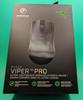
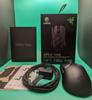
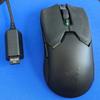
The RAZER - VIPER V2 PRO WIRELESS OPTICAL GAMING MOUSE is a joy to use especially for FPS games. The included grip stickers made all the difference in the world for my experience. After I applied the stickers the RAZER - VIPER V2 PRO WIRELESS OPTICAL GAMING MOUSE felt just like a part of my hand, and owing to its super light weight it felt like it was not even there. Prior to applying the grips, it just did not feel right to me. I’ve never had a mouse with grips before and I now I love them.
My Advice: USE THE GRIP STICKERS
When I don’t need a full MMO/MOBA mouse with a dozen buttons, the RAZER - VIPER V2 PRO WIRELESS OPTICAL GAMING MOUSE will probably end up being my everyday gaming / FPS mouse.
SETUP:
Setting up the RAZER - VIPER V2 PRO WIRELESS OPTICAL GAMING MOUSE was as easy as it could be. First I attached the included USB-A to USB-C cable to the mouse to make sure it was fully charged. Next (Win 10 pro) I was automatically prompted to install the Razer Central / Razer Synapse software. Then I was off to the races. After hunting around in the Razer Synapse software, It took me a while to realize there were no LED’s in the mouse to setup. (Everything has LED’s right?). I always thought LED’s in mice were not much use, since my hands cover the entire mouse anyway. Still I would have liked it if the logo was more pronounced or illuminated.
The buttons are also fully programmable to give you some extra options while gaming.
GAMEPLAY:
The RAZER - VIPER V2 PRO WIRELESS OPTICAL GAMING MOUSE made gameplay effortless. You can read all the specs, and how it does what it does, but in short it worked equally well on a mouse pad, desk pad, and smooth glossy surfaces.
I did find in “wired” mode that the weight of the mouse cord (charging cable) was more than enough to push the mouse around. So, I really don’t recommend wired mode, unless you have no choice.
PRO’s
- Highly accurate
- USB-C Charging
- Good Battery Life (for the weight)
- Super lightweight, but not flimsy
- Wired or Wireless mode.
- Weighted USB extension cable for the wireless dongle
- Highly accurate
- USB-C Charging
- Good Battery Life (for the weight)
- Super lightweight, but not flimsy
- Wired or Wireless mode.
- Weighted USB extension cable for the wireless dongle
CON’s
- For me, I don’t like the DPI switch on the bottom, I get why it is there (so you don’t press it by mistake), but sometimes you want to change speed on the fly.
- I found the wheel a little stiff to rotate, but maybe it will loosen up over time. It is really only noticeable because of how slight all the other buttons are to press.
- For me, I don’t like the DPI switch on the bottom, I get why it is there (so you don’t press it by mistake), but sometimes you want to change speed on the fly.
- I found the wheel a little stiff to rotate, but maybe it will loosen up over time. It is really only noticeable because of how slight all the other buttons are to press.
SUMMARY
I think the RAZER - VIPER V2 PRO WIRELESS OPTICAL GAMING MOUSE should be one of your top choices for consideration when looking at high end gaming mice. Like anything else you need to test drive and see what works for you. I am certain it will get a lot of use on my main gaming setup.
I would recommend this to a friend!


Share this review:


-1point
1of 3voted this as helpful.
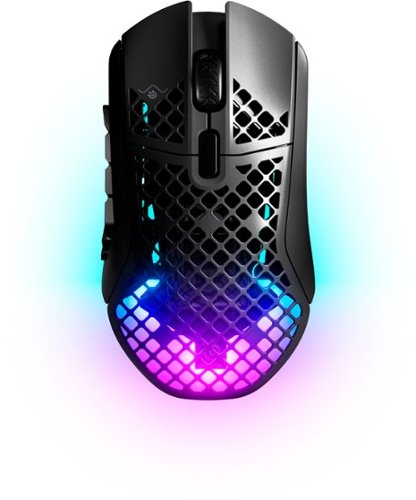
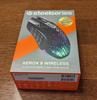
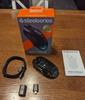
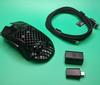
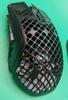
Aerox 9 Wireless combines dazzling RGB with industry-leading design, featuring a streamlined 89g build for comort and speed. Safeguarded against dust, dirt, and splashes with AquaBarrier protection, Aerox has 18-customizable buttons to excel in MMO and MOBA games. Outlast the competition with superb 180-hour battery life using 2.4GHz or Bluetooth 5.0 wireless.
Customer Rating
5
MY FAVORITE GAMINE MOUSE EVER
on May 14, 2022
Posted by: TheOffice1234
STEELSERIES - AEROX 9 WIRELESS OPTICAL GAMING MOUSE WITH ULTRA LIGHTWEIGHT DESIGN - BLACK
MODEL:62618
Best Buy Tech Insider Network
MY FAVORITE GAMINE MOUSE EVER
OVERALL:
I was not sure what to expect from the STEELSERIES - AEROX 9 WIRELESS OPTICAL GAMING MOUSE. I had not heard of the brand before (yes, I must have had my head in the sand). All the buttons, etc seemed like gimmicks. I don’t care too much about mouse-based lighting effects. Thus, I thought the STEELSERIES - AEROX 9 WIRELESS OPTICAL GAMING MOUSE was going to be “all sizzle and no steak”. \
WOW was I wrong. The STEELSERIES - AEROX 9 WIRELESS OPTICAL GAMING MOUSE is now my new favorite gaming mouse of all time. I’ve used some pretty expensive mice before and was never that much more impressed compared to a basic mouse. Even before I changed any settings or programmed any of the extra buttons, the moment I plugged it in, it just somehow felt better.
Once I started experimenting with the settings, I realized I was just scratching the surface in terms of capabilities and my mind started to churn about ways I could program the buttons and settings to improve gameplay.
Once I started experimenting with the settings, I realized I was just scratching the surface in terms of capabilities and my mind started to churn about ways I could program the buttons and settings to improve gameplay.
SETUP:
I started with the mouse plugged in directly to the USB port to make sure it was fully charged. Then I loaded the “ENGINE” software. It immediately found the mouse, and identified a needed firmware update. It even prompted me to unplug the mouse (from the computer) and to make sure it was running in the wireless (dongle) mode for the firmware update.
Next, I launched the ENGINE software, set the lights and speed to my preference, and programmed some keys to use as shortcuts for my main game layouts. For example, I made the largest button “1” to throw a “space bar” key press. Then the top row, (3,6,8,12) to be (Q,E,F,X) key presses. Because I’m a touch typist, it never felt natural to me to use WASD with my left hand and then have to search for QEFX as well. I was always having to look at the keyboard, since I am so used to using a keyboard for typing instead of gaming. Now that I programmed QEFX on the mouse, it just seems more natural to me and I’m not hunting around for keys anymore.
Next, I launched the ENGINE software, set the lights and speed to my preference, and programmed some keys to use as shortcuts for my main game layouts. For example, I made the largest button “1” to throw a “space bar” key press. Then the top row, (3,6,8,12) to be (Q,E,F,X) key presses. Because I’m a touch typist, it never felt natural to me to use WASD with my left hand and then have to search for QEFX as well. I was always having to look at the keyboard, since I am so used to using a keyboard for typing instead of gaming. Now that I programmed QEFX on the mouse, it just seems more natural to me and I’m not hunting around for keys anymore.
COMFORT:
The STEELSERIES - AEROX 9 WIRELESS OPTICAL GAMING MOUSE feels very good. I wish it was a touch taller for my taste. Because I have large hands, it is not perfectly easy to hit the bottom rows of buttons that are only a fraction off of the mouse pad. Nevertheless, it is still very nice.
TESTING:
I set the speed to 1200DPI and loved it. Though it can go as high as 3200DPI in the preset options. I instantly saw an improved in game play just by moving a few buttons from the keyboard to the mouse. I’m sure if I spend some time making macros to send a group of commands, it will go up another notch.
What I liked about the STEELSERIES - AEROX 9 WIRELESS OPTICAL GAMING MOUSE
- USB-C Charging Port on Mouse
- USB-C Dongle
- Long Charging Cable (for some reason this is USB-A, to USB-C instead of C-C)
- Can be used WIRED, DONGLE MODE, or BLUETOOTH MODE (no dongle)
- Easy to use / understand software
- Weighted USB C-C Coupler to keep the dongle / charging cable secure on your desk.
- USB-C Charging Port on Mouse
- USB-C Dongle
- Long Charging Cable (for some reason this is USB-A, to USB-C instead of C-C)
- Can be used WIRED, DONGLE MODE, or BLUETOOTH MODE (no dongle)
- Easy to use / understand software
- Weighted USB C-C Coupler to keep the dongle / charging cable secure on your desk.
CONCLUSION / RECOMMENDATION
The SteelSeries - Aerox 9 Wireless Optical Gaming Mouse is the mouse I’ve been waiting for, for a long time. I would never have looked at in the past owing to the price point, but now that I’ve used it, I think it is worth every penny if you want a better gaming experience.
Video Walkthrough https://youtu.be/YWig1sN7-EM
I would recommend this to a friend!
Ease of Use

5
Quality
5
Value
5
Share this review:


+2points
2of 2voted this as helpful.
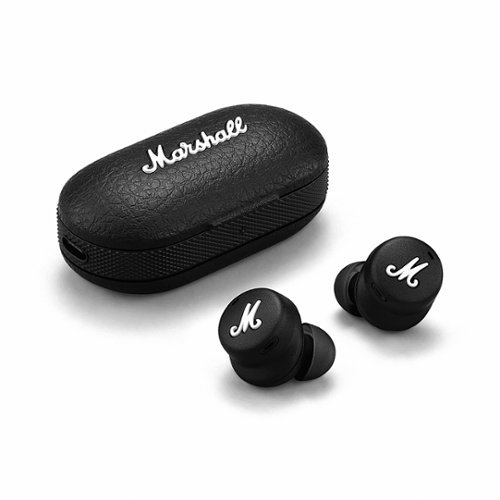
Introducing Mode II, the first true wireless in-ear headphones from Marshall. Engineered to deliver a thunderous audio experience and 25 hours of portable playtime with the charging case, Mode II produces phenomenal sound with no wires attached. Custom-tuned dynamic drivers create a highly detailed and precise sound experience with growling bass, natural-sounding mids and crisp treble. Experience the complete sound with mind-blowing clarity as if you were right there in front of the stage. Built for all-day listening, Mode II in-ear headphones are ergonomically designed to fi t securely and comfortably. Customise your fit with adjustable ear tips so you can listen for hours without your ears getting tired. The touch-responsive earbuds allow you to easily control your music, answer calls and more. With its durable rubberised fi nish, portable charging case and IPX5 water-resistant earbuds, Mode II is the ultimate travel companion.
Customer Rating

3
COMPACT - BRIGHT SOUNDING BUDS W/SOME ISSUES
on May 10, 2022
Posted by: TheOffice1234
How Often Used:1-2 times a week
MARSHALL - MODE II TRUE WIRELESS HEADPHONE - BLACK
Model:1005611
Model:1005611
Best Buy Tech Insider Network
COMPACT - BRIGHT SOUNDING BUDS W/SOME ISSUES
OVERALL:
When I first started using the MARSHALL - MODE II (outdoors) I was amazed at how bright the sound was coming from the buds (listening to music). Then I realized the bass was a little weak. So I played with the built in equalizer app and changed to “ROCK” settings and got my bass back but then the brightness was diminished. I played around with the transparency mode and turned it all the way off, but honestly, I could not tell any difference. As I switched back and forth between the MARSHALL - MODE II buds and my other buds (4 pair). The MARSHALL - MODE II continued to drop down the list in my personal taste. Ranking third out of my 4 pair.
Once I moved my testing indoors in a little more controlled environment, it only reinforced my previous assessment.
SETUP:
When I opened the case my phone (android) immediately found and paired the buds, then prompted me to install the phone app, which I did. So setup was very easy.
COMFORT:
The MARSHALL - MODE II buds are very small, which generally is good, but I had a hard time handling them with my large hands. Even with the largest pads, they did not feel secure, and I dropped them several times.
TESTING:
Generally, I’m testing with blues albums to get the bass and highs. When I paired the MARSHALL - MODE II with my new 2022 TV, there was a constant popping sound in the left ear bud. It was not usable for listening from the TV. Once I noticed that popping/clicking, I could hear it even from my phone, although it was much much fainter.
I could not get any touch controls to work. It did not matter what setting I had in the app.
I even told the phone to “forget” the MARSHALL - MODE II and then readded them.
I could not get any touch controls to work. It did not matter what setting I had in the app.
I even told the phone to “forget” the MARSHALL - MODE II and then readded them.
CONCLUSION / RECOMMENDATION
OK, this review sounds harsh, but it is written in the context of a premium sound device from a premium maker. There is a lot going for the MARSHALL - MODE II. If we take away the touch controls not working for me and assume it just some setting on my side causing the issue, they are “pretty good” ear buds. I like that they are compact and nearly invisible. I like that the sound overall is bright and lively. Hopefully a future firmware update will fix the TV compatibility issue.
I would recommend them for testing, as long as you are able to return them if the above issues don’t get resolved with a future firmware update.
Sound Quality

4
Comfort
5
Durability
5
Quality
5
Value

3
Ease of Use
5
Share this review:


0points
0of 0voted this as helpful.
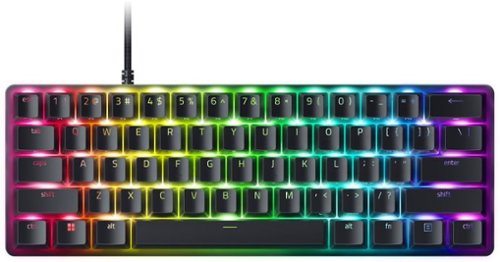
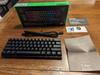
With the Razer Huntsman Mini Analog, the highest level of control now competes on a different scale. Meet our first 60% gaming keyboard with Razer Analog Optical Switches~a compact, portable weapon that offers the finest degree of execution.
Posted by: TheOffice1234
RAZER - HUNTSMAN MINI ANALOG 60% WIRED OPTICAL GAMING KEYBOARD WITH CHROMA RGB BACKLIGHTING - BLACK
MODEL:RZ03-04340200-R3U1SKU:6496584
Best Buy Tech Insider Network
MINI GAMING KEYBOARD LOVE
OVERALL:
The RAZER - HUNTSMAN MINI ANALOG was a really great surprise and it will probably replace my “monster” gaming keyboard as my primary keyboard for my gaming desktop. I am blown away by the level of functionality and more importantly the feel (touch & travel) of the keys themselves. They keys are far easier to program and customize than my giant gaming keyboard. Don’t be fooled (or scared) by the term mini. The keys that it does have are “full size” keys. In this case, Mini only means that they did away with all the extra keys that are rarely used (number pad, function keys, media keys and so on).
SETUP:
At first, I plugged the RAZER - HUNTSMAN MINI ANALOG into a USB 2.0 port (off of a hub) and nothing happened. Next, I plugged the keyboard into a USB-3 port directly on my case. The ends of the plugs are “Green” not “Blue (for USB 3)” or “Black (for USB 2)”, so I’m not sure what that means. There is nothing on the box to indicate if this is USB 2 or USB 3, maybe it just needed more watts than my hub was delivering. Regardless, USB 3 (3.1 gen1) worked for me.
The self-installed driver prompted for an installation of full RAZOR SYNAPSE software, which was nice that I did not have to go hunting for the drivers to download.
I was easily able to setup the keyboard lights the way that I wanted, and all was good, until I tried to get it to work with Alexa, which derailed me for an hour or so before I eventually gave up. I think this Alexa integration could be a game changer (no pun intended). Imagine being in the middle of a game and shouting out “Alexa Change Profile to Flight mode”, without having to fumble around to remember what set of functions you established to change modes on the fly. I hope this gets fleshed out sooner than later. The Razer website says something like [we are working closely with the Alexa team to bring added functionality to the gaming experience]. Right now, for myself and others (based on comments on the Alexa site) it does not work at all. Again, I was not expecting this feature so it will be a nice bonus eventually. I only tried it because I was prompted by the software installation program.
PERFORMANCE:
As I mentioned, I really like the RAZER - HUNTSMAN MINI ANALOG keyboard. The keys have a great feel and travel. The keyboard is heavy enough to stay in place, and the lights and keys are very clear and bright. The detachable USB-C cable form the rear of the keyboard, makes it easier to travel with, or replace if needed. The cable is nice and long. I did not measure the cable but in the range of 5-6 feet. It is braded and easy to bend.
SOME GEEKY STUFF:
One thing I’m really excited about it that each key is also “analog”. This means on a per key basis you can control how far you have to press to “trigger” a keypress. Additionally, you can also easily map any key you want as an analog key on a joystick or gamepad. So now, if you want for example to control something like thrust, you can map a key that responds based on how far down you press (as if it were a gamepad). I’m only just starting to explore how this can be used to my advantage, as well as about 20 other functions you can map to any key (or keypress threshold). I was not expecting this feature, but now I’m wondering how I lived without it for so long.
As to “missing” keys. Each key is also pulling double duty. On the front of each key (as opposed to the top) there are the missing keys that can be triggered with FN+Key, for example FN+K is down arrow. So, this can serve as your “only” keyboard if you are so inclined and don’t want to carry 2 keyboards. Maybe you need some of these keys to start the game, but then never use them again during gameplay.
THE GOOD:
- Solid Build Quality
- Great lively travel of the key presses
- Analog (variable) key press can be programmed on all keys
- Easier to use lighting effects (per key programming)
- Detachable USB-C keyboard cable
- Huge variety of functions can that can be assigned to each key.
- Dual Level stand tabs in the back
- Solid Build Quality
- Great lively travel of the key presses
- Analog (variable) key press can be programmed on all keys
- Easier to use lighting effects (per key programming)
- Detachable USB-C keyboard cable
- Huge variety of functions can that can be assigned to each key.
- Dual Level stand tabs in the back
THE “LESS GOOD”:
- Could not get Alexa Skill to work, assume it will be fixed eventually
- Software requires a RAZER login to get to advanced functions, they really want you in the Razer ecosystem / store.
- Non Standard (as far as I know) Green USB plug (are they 2 or 3 or something else)?
- Could not get Alexa Skill to work, assume it will be fixed eventually
- Software requires a RAZER login to get to advanced functions, they really want you in the Razer ecosystem / store.
- Non Standard (as far as I know) Green USB plug (are they 2 or 3 or something else)?
CONCLUSION / RECOMMENDATION
I was not expecting to like the RAZER - HUNTSMAN MINI ANALOG as much as I do. I think the next time I really sit down to optimize my game play, the RAZER - HUNTSMAN MINI ANALOG will play a big part in that exercise.
I recommend the RAZER - HUNTSMAN MINI ANALOG for its mechanical feel, unlimited configuration capability, as well as its analog capability.
Video Walkthrough: https://youtu.be/SIZGIRNM63Y
I would recommend this to a friend!
Ease of Use
5
Quality
5
Value
5




Share this review:


+4points
4of 4voted this as helpful.

ASUS TUF Gaming A15 Gaming Laptop gives you a durable and powerful, yet budget friendly gaming experience on Windows 11. The TUF Gaming A15 packs an 8-core AMD Ryzen 7 6800H CPU and NVIDIA GeForce RTX 3050 Ti GPU into a thin gaming laptop. Enjoy a fast 144Hz refresh rate, 8GB of DDR5 RAM, and 512GB of SSD storage all wrapped in a light 4.85 lbs chassis. The future is powerful and long-lasting.
Customer Rating
5
PROMISING GAMING LAPTOP – NEEDS UPDATING
on May 2, 2022
Posted by: TheOffice1234
ASUS TUF GAMING A15 15.6" FHD 144HZ GAMING LAPTOP - AMD RYZEN 7 - 8GB DDR5 MEMORY - NVIDIA RTX 3050 TI - 512GB PCIE SSD
MODEL:FA507RE-A15.R73050T
Best Buy Tech Insider Network
PROMISING GAMING LAPTOP – NEEDS UPDATING
OVERALL:
The ASUS TUF Gaming A15 is extremely well made, with lots of positive features. It is held back by some options, many of which you can overcome by upgrading but some you can’t upgrade.
I hesitate to call it an “entry level” gaming laptop. It is more like a defeatured “mid-level” gaming laptop.
I hesitate to call it an “entry level” gaming laptop. It is more like a defeatured “mid-level” gaming laptop.
THE GOOD:
- Fast modern CPU
- Nice Fast Screen (at 144 hz)
- Good feel to main keyboard, with compact number pad
- Backlit keyboard with colors you can change
- Sturdy construction
- Plenty of ports for connectivity. (Lan, 4X USB, Full size HDMI)
- Good cooling forced out the back (not onto your lap)
- Modest sized power brick
- Fast NVME Drive
- Fast RAM
- NVIDIA GPU (for ray tracing and DLSS)
- Not that heavy
- Fast modern CPU
- Nice Fast Screen (at 144 hz)
- Good feel to main keyboard, with compact number pad
- Backlit keyboard with colors you can change
- Sturdy construction
- Plenty of ports for connectivity. (Lan, 4X USB, Full size HDMI)
- Good cooling forced out the back (not onto your lap)
- Modest sized power brick
- Fast NVME Drive
- Fast RAM
- NVIDIA GPU (for ray tracing and DLSS)
- Not that heavy
THE “LESS GOOD”:
- 4 USB Ports, but they are all 5Mbps (no Gen 2, only Gen 1)
- Internal Drive is only 500 GB, but there is a second slot for expansion
- Only 8GB main RAM, but there is a second slot for expansion
- Only 4GB of VRAM, CAN’T BE UPGRADED
- 4 USB Ports, but they are all 5Mbps (no Gen 2, only Gen 1)
- Internal Drive is only 500 GB, but there is a second slot for expansion
- Only 8GB main RAM, but there is a second slot for expansion
- Only 4GB of VRAM, CAN’T BE UPGRADED
GAMING:
If you must game at “Ultra” settings on a laptop, then you will have to spend a great deal more than the ASUS TUF Gaming A15 costs. At “Medium” settings, and 1080p you can achieve a very respectable 100fps with DLSS active in most games with the ASUS TUF Gaming A15. I posit that if you are gaming directly from the laptop screen (not trying to drive a giant external monitor), then you won’t see much of a difference between Medium and Ultra settings anyway and responsiveness is more important. I found gaming at Medium worked just fine in terms of quality and responsiveness.
SETUP:
Owing mostly to Windows 11, it took several hours (like 4), from the time the ASUS TUF Gaming A15 was first turned on, to the time I could start loading games.
OTHER TOPICS:
The keyboard is attractive, comfortable, and easy to use.
The trackpad (like 99% of the trackpads) was cumbersome, and often misfiring right clicks instead of left clicks. (get a good mouse instead)
The screen is bright, and worked well in full daylight. Colors were good.
Heat was nicely displaced out the back vents so as not to overheat the bottom of the laptop. The fans were relatively quiet is most operating modes.
The ASUS tools to control lights, performance, and other aspect of the experience were easy to use and helped get that extra boost of speed when needed.
The trackpad (like 99% of the trackpads) was cumbersome, and often misfiring right clicks instead of left clicks. (get a good mouse instead)
The screen is bright, and worked well in full daylight. Colors were good.
Heat was nicely displaced out the back vents so as not to overheat the bottom of the laptop. The fans were relatively quiet is most operating modes.
The ASUS tools to control lights, performance, and other aspect of the experience were easy to use and helped get that extra boost of speed when needed.
CONCLUSION / RECOMMENDATION
The fast CPU does a lot to overcome the 4GB limits of the video card. Still, most games won’t run well beyond “Medium” settings. It is likely that you will want to upgrade both the main RAM from 8GB to 16GB, and storage from 500GB to at least 1TB or more. So, you should take those items into account when you consider the ASUS TUF Gaming A15.
The ASUS TUF Gaming A15 makes a good affordable and well-built “REAL” gaming laptop. It strikes a good balance between value and performance. Do I wish it had more RAM, or bigger GPU? Of course.
For me, the ASUS TUF Gaming A15 works well for road trips, and quick pick up games, when I’m not at my full gaming (desktop) rig at home.
I would recommend this to a friend!
Ease of Use
5
Quality
5
Value
4





Share this review:


+17points
30of 43voted this as helpful.
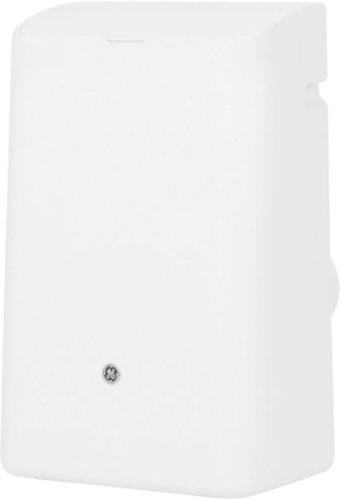
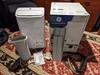
GE Appliances is dedicated to providing the right solutions for rooms of any size. Our portable air conditioners are designed to provide exceptional comfort while remaining quiet, and the 3-in-1 functionality with built-in air conditioning, three fan speeds and dehumidifying capabilities provide ultimate flexibility and convenience.This 11,000 BTU smart portable air conditioner cools medium rooms up to 450 square feet. Energy efficient cooling with 3 cooling and 3 fan speeds provide flexible and optimal home comfort. Integration with the SmartHQ app allows you to monitor and control your connected air conditioner from anywhere, or use the electronic controls with included remote to easily to adjust and manage your settings. This AC installs easily in a double hung or sliding window with included installation kit. Additional features like power interruption restart, 24-hour on/off timer, and removable filter offer ease of use and maintenance.
Customer Rating
5
QUIET / FLEXIBLE / PORTABLE AIR CONDITIONER
on April 28, 2022
Posted by: TheOffice1234
GE - 450 SQ. FT. SMART PORTABLE AIR CONDITIONER 11,000 BTU - WHITE
MODEL:APWA11YBBW
MODEL:APWA11YBBW
Best Buy Tech Insider Network
QUIET / FLEXIBLE / PORTABLE AIR CONDITIONER
OVERALL
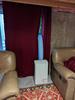
The GE - 450 SQ. FT. SMART PORTABLE AIR CONDITIONER works well and is relatively quiet for the size and rating (about 55 decibels on high fan). It is much quieter than a different brand window mounted conditioner we purchased a few years ago. It seems well made and seems like it will last. The controls work well and are easy to understand. The remote works well. Even the phone app works well, although it is pretty much just a remote as well. The exhaust hose seems sturdy and is long enough that you have some flexibility on where you place the unit. I like that the AC has louvers on it that can be made to move around to help with airflow.
Overall, it is a pretty solid unit.
SET UP and PHYSICAL STUFF:
If you’ve not used a portable AC before, you need to know that you have to mount a rather large hose (like a dryer vent) between the AC and to your window. The GE - 450 SQ. FT. SMART PORTABLE AIR CONDITIONER includes a mounting kit and the hose. However, the mounting kit is only just OK and with minimal instructions. It is nice and long and fits both vertically or horizontally to match your window opening. But it does not lock into place on its own, so you have to secure it with tape or screws. Not a big deal, but it is not a cheap unit, and it would have benefited from a better mounting for the vent.
The included app works well, but does not do much (just a basic remote). I had hoped that it could be controlled via Alexa, with the GE skills enabled, but Alexa says “no compatible devices found”. I’m certain all the parts are there to make this work, but since it is not a premium appliance they chose not to integrate it. I won’t take any points off for that, as they never said it would work with Alexa, but calling it a “Smart” device is a bit of a stretch.
CONCLUSION / RECOMMENDATION
If you want a brand name portable AC unit I think the GE - 450 SQ. FT. SMART PORTABLE AIR CONDITIONER is worth a close look. It seems well made.
I would recommend this to a friend!


Share this review:


+1point
1of 1voted this as helpful.
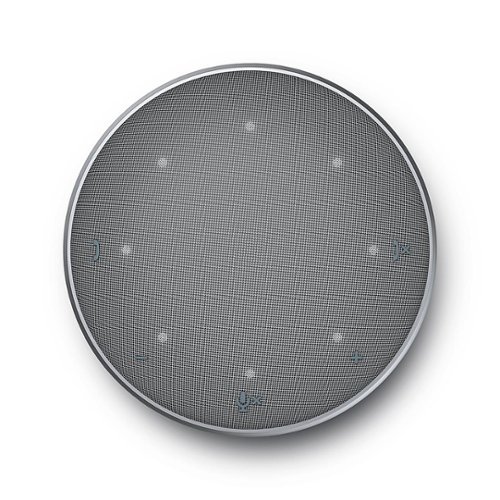
The Dell Mobile Adapter Speakerphone - MH3021P. The world~s first USB-C adapter with integrated speakerphone offers an all-in-one connectivity and conferencing solution. Stay productive in your home or at the office with this World~s first multi-port adapter with integrated speakerphone (speaker and microphone). Its numerous ports offer a variety of connectivity options, while its built-in speakerphone offers great conferencing convenience. Now you can charge your laptop while being connected to a display and your keyboard and mouse, plus get on a conference call -- all at the same time. Its compact design takes up little space, so you can easily fit it in your bag and take it anywhere. Connect to a display, transfer data and power your computer all at once while you are on a call. Plug and Play - no drivers required. Enjoy a seamless conferencing experience with the built-in speakerphone that gets you ready for daily calls and check-ins. The Dell speaker hub - MH3021P - a speakerphone with built in mic and mobile adapter all in one compact device.
Customer Rating
5
VERY GOOD SPEAKERPHONE – HUB WORK WELL
on February 12, 2022
Posted by: TheOffice1234
from MI
DELL - MOBILE ADAPTER SPEAKERPHONE MH3021P - USB 3.1-TYPE C -1X HDMI- 2X USB 3.1 -TYPE A - GRAY
MODEL:MH3021P
Best Buy Tech Insider Network
VERY GOOD SPEAKERPHONE – HUB WORK WELL
OVERALL
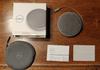
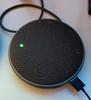
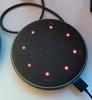
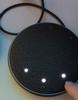
The DELL - MOBILE ADAPTER SPEAKERPHONE MH3021P worked really well in my testing the audio quality both listening and talking were very good. It is slim and portable. The buttons for volume and mute were responsive and easy to find. I liked how the lights made it clear when mute was on (all red) or the volume level (white) or when the mic was on (green). The cord tucks neatly away, when not in use. There is a good carrying case included. This is my new Speakerphone for sure.
SETUP
If you intend to use it for more than a speaker phone, you need to pay close attention to your power requirements. The manual and support websites make it very clear what you can and can’t attach based on what your power supply and draw puts out. Whatever you use for your input power, expect about 20% reduction in passthrough power to power your laptop and other devices. At first, I did not supplement the power and I could not run an attached USB 3 drive. Once I connected a power supply, I was able to run external drives without problems at 3.1 Gen 1 speeds. I would have liked more USB-C ports instead of USB-A ports. I would have liked a little longer primary cable.
RECOMMENDATION
As a personal / workgroup speakerphone, the DELL - MOBILE ADAPTER SPEAKERPHONE MH30 is great. As a hub everything works as expected. Personally, I don’t like a ton of wires cluttering my desk, but I could see if you have a device with limited ports this all in one solution could increase your usability / functionality, especially when traveling.
I would recommend this to a friend!
Durability
5
Ease of Use
5
Quality
5
Value
4

Share this review:


+2points
2of 2voted this as helpful.
TheOffice1234's Review Comments
TheOffice1234 has not submitted comments on any reviews.
TheOffice1234's Questions
TheOffice1234 has not submitted any questions.

Give your movies, TV shows and games the great sound they deserve. This ultra-slim SR-B20 sound bar fits discreetly in front of your TV or on a shelf or can be rotated for a low-profile wall mount. Setup is a breeze with a simple connection to your TV while Bluetooth lets you wirelessly stream from your mobile devices.
What is the subwoofer for? What do subwoofers do?
without getting too technical it provides the low volume rumble for audio. (deep bass). the bar has built in small subwoofers, but you can also add a separate detached subwoofer for even more bass and rumbles.
5 years, 5 months ago
by
TheOffice1234
Give your movies, TV shows and games the great sound they deserve. This ultra-slim SR-B20 sound bar fits discreetly in front of your TV or on a shelf or can be rotated for a low-profile wall mount. Setup is a breeze with a simple connection to your TV while Bluetooth lets you wirelessly stream from your mobile devices.
Is this sound bar Alexa compatible?
You can connect alexa to it via bluetooth but by itself it is not alexa enabled
5 years, 5 months ago
by
TheOffice1234
Give your movies, TV shows and games the great sound they deserve. This ultra-slim SR-B20 sound bar fits discreetly in front of your TV or on a shelf or can be rotated for a low-profile wall mount. Setup is a breeze with a simple connection to your TV while Bluetooth lets you wirelessly stream from your mobile devices.
Can this be mounted to a Samsung TV?
If you mean physically mounted, you would need some sort of generic mounting kit. Generally they are about $30 from various sources
5 years, 5 months ago
by
TheOffice1234
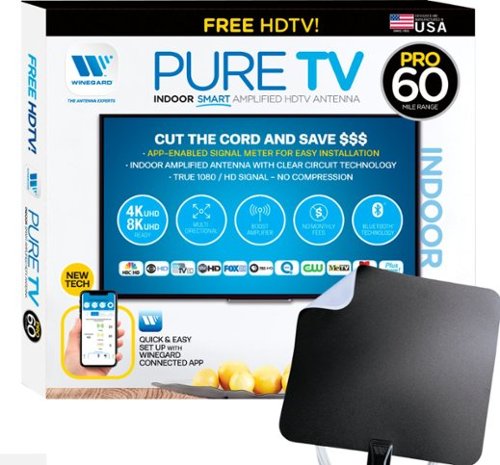
The PureTV Pro 60 is the only antenna with an actual signal meter integrated into the antenna to provide the best possible customer experience when installing. The PureTV Pro 60 has a dual-band, optimized antenna element that captures signals up to 60 miles away, while the antenna~s Clear Circuit Technology boosts the available signal, cuts dropout, and clears pixelation. The integrated, Bluetooth technology signal meter makes you the pro at installation. The PureTV Pro 60 uses a built-in tuner to get real-time signal data. Pair with the Winegard Connected app for no-fuss antenna positioning. Available for iOS and Android phones, the free, user-friendly Winegard Connected app quickly pairs with the PureTV Pro 60. Using both visual and audio indicators, you~ll get real-time feedback on the optimal antenna position for the best signal possible. The app shows a summary of available channels, and you can even fine-tune individual channels for maximum reception. Once you~re done, run a channel scan on TV, and start watching FREE TV.
my tv doesnt have a coax connector plug so what would i use?
Triple check that it does not have one. I've never heard of a TV without one. However, if that is the case then you need a real TV Tuner Box to interface with your TV. There are lots to chose from just google TV Tuner Box. TIVO OTA on the high end, AMAZON Fire TV ReCast on the medium end, and several others that just Tune, no additional functions for $30 or so.
5 years, 5 months ago
by
TheOffice1234
The PureTV Pro 60 is the only antenna with an actual signal meter integrated into the antenna to provide the best possible customer experience when installing. The PureTV Pro 60 has a dual-band, optimized antenna element that captures signals up to 60 miles away, while the antenna~s Clear Circuit Technology boosts the available signal, cuts dropout, and clears pixelation. The integrated, Bluetooth technology signal meter makes you the pro at installation. The PureTV Pro 60 uses a built-in tuner to get real-time signal data. Pair with the Winegard Connected app for no-fuss antenna positioning. Available for iOS and Android phones, the free, user-friendly Winegard Connected app quickly pairs with the PureTV Pro 60. Using both visual and audio indicators, you~ll get real-time feedback on the optimal antenna position for the best signal possible. The app shows a summary of available channels, and you can even fine-tune individual channels for maximum reception. Once you~re done, run a channel scan on TV, and start watching FREE TV.
What kind of range have this antenna?
In theory the 60 in the model number means 60 miles, I generally cut that in half for any stated antenna rage. I assume that means if you are in a desert with no obstructions you might get 60 miles.
5 years, 5 months ago
by
TheOffice1234
The PureTV Pro 60 is the only antenna with an actual signal meter integrated into the antenna to provide the best possible customer experience when installing. The PureTV Pro 60 has a dual-band, optimized antenna element that captures signals up to 60 miles away, while the antenna~s Clear Circuit Technology boosts the available signal, cuts dropout, and clears pixelation. The integrated, Bluetooth technology signal meter makes you the pro at installation. The PureTV Pro 60 uses a built-in tuner to get real-time signal data. Pair with the Winegard Connected app for no-fuss antenna positioning. Available for iOS and Android phones, the free, user-friendly Winegard Connected app quickly pairs with the PureTV Pro 60. Using both visual and audio indicators, you~ll get real-time feedback on the optimal antenna position for the best signal possible. The app shows a summary of available channels, and you can even fine-tune individual channels for maximum reception. Once you~re done, run a channel scan on TV, and start watching FREE TV.
Why does the app that is integral to the proper functioning of this antenna have a 1.6 rating in the App Store?
I assume because this one app covers many devices, reading the reviews on the app store most seem to be focused on WIFI devices that have nothing to do with the Antenna device. I used it, it is only OK, but in all reality you will use it one time to find your best location then never use it again.
5 years, 5 months ago
by
TheOffice1234
The PureTV Pro 60 is the only antenna with an actual signal meter integrated into the antenna to provide the best possible customer experience when installing. The PureTV Pro 60 has a dual-band, optimized antenna element that captures signals up to 60 miles away, while the antenna~s Clear Circuit Technology boosts the available signal, cuts dropout, and clears pixelation. The integrated, Bluetooth technology signal meter makes you the pro at installation. The PureTV Pro 60 uses a built-in tuner to get real-time signal data. Pair with the Winegard Connected app for no-fuss antenna positioning. Available for iOS and Android phones, the free, user-friendly Winegard Connected app quickly pairs with the PureTV Pro 60. Using both visual and audio indicators, you~ll get real-time feedback on the optimal antenna position for the best signal possible. The app shows a summary of available channels, and you can even fine-tune individual channels for maximum reception. Once you~re done, run a channel scan on TV, and start watching FREE TV.
What is the usb connector for?
This is a "powered" antenna, so you need the USB cable and included power supply to provide amplification to the antenna to improve signal strength.
5 years, 5 months ago
by
TheOffice1234
The PureTV Pro 60 is the only antenna with an actual signal meter integrated into the antenna to provide the best possible customer experience when installing. The PureTV Pro 60 has a dual-band, optimized antenna element that captures signals up to 60 miles away, while the antenna~s Clear Circuit Technology boosts the available signal, cuts dropout, and clears pixelation. The integrated, Bluetooth technology signal meter makes you the pro at installation. The PureTV Pro 60 uses a built-in tuner to get real-time signal data. Pair with the Winegard Connected app for no-fuss antenna positioning. Available for iOS and Android phones, the free, user-friendly Winegard Connected app quickly pairs with the PureTV Pro 60. Using both visual and audio indicators, you~ll get real-time feedback on the optimal antenna position for the best signal possible. The app shows a summary of available channels, and you can even fine-tune individual channels for maximum reception. Once you~re done, run a channel scan on TV, and start watching FREE TV.
Will having a metal roof on my house reduce the effectiveness of this antenna?
Maybe, but since this is more of a wall / window mount antenna, probably not as much impact as long as you have a window facing your stations.
5 years, 5 months ago
by
TheOffice1234
The PureTV Pro 60 is the only antenna with an actual signal meter integrated into the antenna to provide the best possible customer experience when installing. The PureTV Pro 60 has a dual-band, optimized antenna element that captures signals up to 60 miles away, while the antenna~s Clear Circuit Technology boosts the available signal, cuts dropout, and clears pixelation. The integrated, Bluetooth technology signal meter makes you the pro at installation. The PureTV Pro 60 uses a built-in tuner to get real-time signal data. Pair with the Winegard Connected app for no-fuss antenna positioning. Available for iOS and Android phones, the free, user-friendly Winegard Connected app quickly pairs with the PureTV Pro 60. Using both visual and audio indicators, you~ll get real-time feedback on the optimal antenna position for the best signal possible. The app shows a summary of available channels, and you can even fine-tune individual channels for maximum reception. Once you~re done, run a channel scan on TV, and start watching FREE TV.
does it connect with local networks, abc, cbs, nbc etc? How many channels or what stations maybe seen in the Frisco, TX area?
Google Antennaweb and enter your information for estimates of what channels you can receive. Just know that there many factors that go into good reception. The Antenna is just one of many factors such as do you have a window that faces your stations.
5 years, 5 months ago
by
TheOffice1234
The PureTV Pro 60 is the only antenna with an actual signal meter integrated into the antenna to provide the best possible customer experience when installing. The PureTV Pro 60 has a dual-band, optimized antenna element that captures signals up to 60 miles away, while the antenna~s Clear Circuit Technology boosts the available signal, cuts dropout, and clears pixelation. The integrated, Bluetooth technology signal meter makes you the pro at installation. The PureTV Pro 60 uses a built-in tuner to get real-time signal data. Pair with the Winegard Connected app for no-fuss antenna positioning. Available for iOS and Android phones, the free, user-friendly Winegard Connected app quickly pairs with the PureTV Pro 60. Using both visual and audio indicators, you~ll get real-time feedback on the optimal antenna position for the best signal possible. The app shows a summary of available channels, and you can even fine-tune individual channels for maximum reception. Once you~re done, run a channel scan on TV, and start watching FREE TV.
My TV is mounted on one wall. If the antenna gets optimal reception on another wall, is there enough cable to run from antenna to TV. How much cable is allowed? How have buyers dressed the cable to be unseen?
It comes with a good long cable, about 15-20 feet. It is very thin. I think anything you to try to hide it would make it look worse.
5 years, 5 months ago
by
TheOffice1234