


TheOffice1234's stats
- Review count180
- Helpfulness votes1,035
- First reviewDecember 11, 2009
- Last reviewJune 7, 2026
- Featured reviews0
- Average rating4.6
Reviews comments
- Review comment count0
- Helpfulness votes0
- First review commentNone
- Last review commentNone
- Featured review comments0
Questions
- Question count0
- Helpfulness votes0
- First questionNone
- Last questionNone
- Featured questions0
- Answer count27
- Helpfulness votes22
- First answerApril 24, 2020
- Last answerDecember 18, 2021
- Featured answers0
- Best answers6
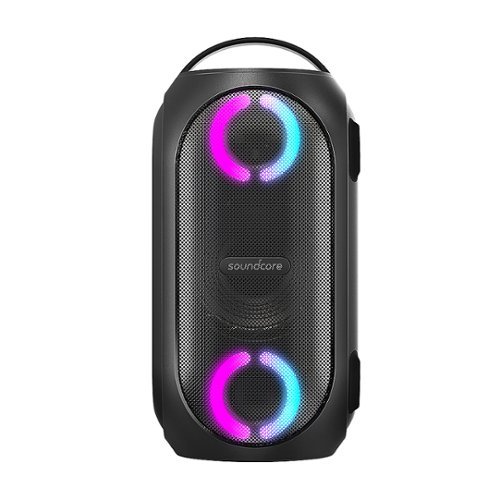
Soundcore Partycast is a portable Bluetooth Party Speaker with 80 watts of power, an 18-hour playtime, and a party-starting light show. Using our exclusive partycast technology, you can link over 100 partycast speakers together for synchronized music and lights to create the ultimate experience. IPX7 Waterproofing means you won~t need to worry about liquid getting on it, and with its USB charge-out capabilities your phone will stay charged no matter how long the party lasts.
Customer Rating

4
FUN LOUD OUTDOOR LIGHTED PARTY SPEAKER W/SOUNDCORE
on May 28, 2021
Posted by: TheOffice1234
from Lake Orion, MI
FUN LOUD OUTDOOR LIGHTED PARTY SPEAKER W/SOUNDCORE
ANKER - SOUNDCORE RAVE PARTYCAST PORTABLE BLUETOOTH SPEAKER - BLACK
MODEL:25890VRP
Best Buy Tech Insider Network
REVIEW:
The ANKER - SOUNDCORE RAVE PARTYCAST PORTABLE BLUETOOTH SPEAKER can get very loud and definitely punches above its weight at 80 Watts total output. It is very sturdy, and very well built, and the lights are a fun twist. The Soundcore App even lets you play party games with the speaker and lights. (Spin the bottle, Truth or Dare, etc).
It was easy to use and easy to pair with Bluetooth phones, alexa, etc. I also like that it has an analog wired input.
One cool feature that I was not able to test (with only one unit) is ability to pair and additional 1 or more speakers to fill the entire room or yard with sound.
With 18 hour battery life and waterproofing, I would have no issue recommending this to anyone looking for loud outdoor fun.
PRO’s
- Waterproof
- Fun Lights and App
- Long Battery
- Solid Construction
- Waterproof
- Fun Lights and App
- Long Battery
- Solid Construction
If I had a few wishes. I would like if it had a standard USB-C port for input / charging, instead of a dedicated power supply. The power cord also has the plugs (prongs) in a weird spot which means it overlaps up both outlets. The prongs are centered in the middle of the charging brick instead of on the edge.
Audiophile comments:
The Sound is OK, and can be fine tuned via the app with a fully customizable equalizer settings (instead of only few presets as are on some other units). By playing with the Equalizer I can push the speaker from OK to PRETTY GOOD. It does not compare to higher end units that cost 2X to 3X, but overall, it is PRETTY GOOD. Chances are if you are rocking out in your back yard or at the beach this is not something you will notice. I assume the speaker will relax after some break in, but out of the box the sound is a bit muffled.
The Sound is OK, and can be fine tuned via the app with a fully customizable equalizer settings (instead of only few presets as are on some other units). By playing with the Equalizer I can push the speaker from OK to PRETTY GOOD. It does not compare to higher end units that cost 2X to 3X, but overall, it is PRETTY GOOD. Chances are if you are rocking out in your back yard or at the beach this is not something you will notice. I assume the speaker will relax after some break in, but out of the box the sound is a bit muffled.
RECOMMENDATION
If you want a powerful, fun, and affordable wireless speaker, the ANKER - SOUNDCORE RAVE PARTYCAST PORTABLE BLUETOOTH SPEAKER is worth a serious hard look. Like any speakers, I really suggest you try them out for yourself in your planned listening environment to find the one that best meets your overall listening needs.
Mobile Submission: False
I would recommend this to a friend!


Share this review:


0points
0of 0voted this as helpful.
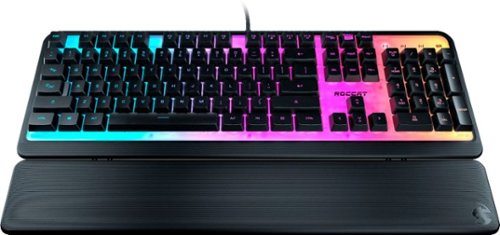
Meet the ROCCAT~ Magma Membrane RGB PC Gaming Keyboard with silent rubber dome switches. The Magma is equipped with a semi-transparent top plate which presents a mesmerizing illumination display for its RGB lighting. 10 LEDs split over 5 zones diffuse the illumination effects to make it best showcase to date for ROCCAT~s proprietary lighting engine, AIMO. Customizable through the ROCCAT Swarm driver suit, the lighting is available in 16.8 million distinct colors. Get ready for vivid RGB lighting and next-level PC gaming immersion. The Magma also boasts silent membrane typing thanks to high-quality rubber dome keys. Keystrokes feel both responsive and reliable. Advanced anti-ghosting technology lets you press all the most-used keys simultaneously ~ all of them registering without fail. The Magma is equipped with a detachable palm rest to suit both relaxed typing and aggressive gaming styles.Rounding out this exciting keyboard is ROCCAT Easy-Shift[+] button duplicator technology that expands your command power simply by holding down the designated modifier key (Caps Lock by default).
Customer Rating
4
UNIQUE LIGHTED GAMING KEYBOARD
on May 21, 2021
Posted by: TheOffice1234
from Lake Orion, MI
UNIQUE LIGHTED GAMING KEYBOARD
ROCCAT - MAGMA MEMBRANE GAMING KEYBOARD WITH FULLY ILLUMINATED RGB LIGHTING TOP PLATE - BLACK
MODEL:ROC-12-582
Best Buy Tech Insider Network
REVIEW:
I really like the unusual look of the keyboard, the keys seem to float in a pool of light. This is a crowded field at this price point and for lighted membrane keyboards you have lots of choices. It is pretty quiet, and works well for casual gaming.
I really like the unusual look of the keyboard, the keys seem to float in a pool of light. This is a crowded field at this price point and for lighted membrane keyboards you have lots of choices. It is pretty quiet, and works well for casual gaming.
If you are a W-A-S-D player, there is nothing to indicate tactically that your fingers are on the W-A-S-D keys. So, expect to check frequently that your hands are aligned. If you are using directional arrows there is nice wide spacing around the directional arrow keys that help avoid accidental keypresses.
Responsiveness is good. No complaints about that or ghosting while gaming. There is good macro and key assignment capabilities in the SWARM software.
There are no special dedicated keys for media and similar functions, or special purpose gaming keys. This means fumbling for the function key to mute or change volume for example.
The build quality is sturdy and looks like it was made to be easily cleaned. It almost looks spill proof or water proof, but I don't think it is. The frame and palm rest are sturdy, but somehow feel cheap. I'm not sure how to better explain it. Like they could easily snap apart if dropped.
As to the MAGMA Lighting, as I said, it looks cool, I really like it, and it stands out. The lighting is uneven seems to fade towards the top and is more washed out. Some of the lighting effects, don’t work in the SWARM Software in that even after you select an effect and press apply the keyboard does not match the screen. (yes I’m running the latest software / firmware)
Keyboards are highly personal. This is usually your main interface to the computer and the world. It will take some experimentation to find one that is perfect for you. I probably went through 20 keyboards (over the past 30 years) to find one I like for typing and a different one that I like for gaming. I am always on the hunt for the next better keyboard.
The ROCCAT - Magma Membrane Gaming Keyboard with Fully Illuminated RGB Lighting. It is worth a look, especially at this price point. Maybe it will be “the one” for you. The lighting is cool, I wish it had a few more special features or at least dedicated keys for media and other settings.
Mobile Submission: False
No, I would not recommend this to a friend.


Share this review:


+1point
1of 1voted this as helpful.

The ROCCAT~ Kone Pro Lightweight Optical Ergonomic Performance Gaming Mouse with RGB Lighting is the result of over 14 years of devoted craftmanship and is the most advanced gaming mouse we~ve ever created. After meticulous global research into hand sizes and grip styles, the result is one shape to fit any hand. It~s the iconic Kone shape, perfected. Providing supreme comfort without compromising on performance, the feeling of using the Kone Pro is unrivalled. It seamlessly fuses with your hand, virtually disappearing, keeping you focused and immersed. The Kone Pro utilizes our Titan Switch Optical. With a satisfying and responsive tactile click, it~s reliable, fast and durable. No double-click issues and no learning curve. Thanks to advancements in our extreme lightweight engineering, the Kone Pro weighs in at just 66g. The ROCCAT Bionic Shell keeps the weight down and provides a comfortable and consistent surface, whilst keeping dust and dirt out. It transitions into a beautiful translucent finish on the main buttons, allowing vivid AIMO 16.8 million color lighting to shine through, creating the signature look. The Kone Pro features our state-of-the-art 19K DPI Owl-Eye Sensor which delivers world-leading responsiveness and precision. It also features the ROCCAT~ PhantomFlex~ cable, creating a near-wireless experience with a cable that virtually disappears ~ no friction, no distractions. Everything rests on our best-in-class pure PTFE heat-treated skates. They offer sublime glide right out of the box, with a spare pair thrown in for good measure.
Customer Rating

5
FEATURE PACKED WIRED OPTICAL GAMING MOUSE
on May 21, 2021
Posted by: TheOffice1234
from Lake Orion, MI
FEATURE PACKED WIRED OPTICAL GAMING MOUSE
ROCCAT - Kone Pro Wired Ultralight 19k DPI Optical Gaming Mouse with RGB Lighting - Ash Black
Model:ROC-11-400-01
Best Buy Tech Insider Network
REVIEW:
I did not expect much at first due to the light weight of the Kone Pro Ultralight Gaming Mouse. I get that Ultralight is in the name. But the more I used it and the SWARM software to adjust settings, the more I realized there was a lot under the covers here. With only 2 lights under left/right buttons, the Kone Pro is not as flashy as some other gaming mice, but it has “it” where it counts. Super high DPI and nearly infinite controls to determine exactly how you want the mouse to respond in any given situations. Others have already posted pictures of the settings screens, which is really the star of the show (the flexibility).
I did not expect much at first due to the light weight of the Kone Pro Ultralight Gaming Mouse. I get that Ultralight is in the name. But the more I used it and the SWARM software to adjust settings, the more I realized there was a lot under the covers here. With only 2 lights under left/right buttons, the Kone Pro is not as flashy as some other gaming mice, but it has “it” where it counts. Super high DPI and nearly infinite controls to determine exactly how you want the mouse to respond in any given situations. Others have already posted pictures of the settings screens, which is really the star of the show (the flexibility).
It has more of a “traditional” mouse shape with not as many ergonomic curves as some others. There is nothing wrong with this, just an observation in case it matters to you. One assumes if you are gaming with a mouse and keyboard the ergonomics is not necessarily at the top of your list. For every day business use, it might be and issue.
It is highly accurate and functional for gaming use, and even has built in macros and features to help you more accurately hit your targets.
I really like that you can control both horizontal as well as vertical speed. It makes sense to me (using an ultrawide monitor) that I don’t need to go as fast up/down as I do left/right to cover the same amount of screen real-estate. As I said, everything is infinitely programmable.
A nice surprise was extra mouse pads (they call it feet) in case you wear out your existing pads.
Another nice touch is the super soft and flexible wire. I never really thought about it before, but a heavy stiff mouse cord is probably slightly negatively impacting my gaming. You really can’t even tell this cord is attached. It is more like a thin soft rope than a cord.
The Mode Selector is on the bottom. Again, this is personal preference. It just means that you can’t change the mode mid game without turning the mouse upside down. On the plus side, you also don’t bump it by accident as you would if it was on the top.
Overall, I’m impressed with the ROCCAT - Kone Pro Wired Ultralight 19k DPI Optical Gaming Mouse. If I had some minor complaints, I would appreciate slightly more ergonomics to help center the hand and fingers. The side buttons feel a little cheap, and maybe they could use some tactile differentiation. One might want more flashier lighting, though this is nothing I care about. It is just either go all out, or not at all. You are not going to satisfy someone who likes a lot of bling. Though, as a I said, it very responsive and accurate in gaming situations.
PRO’s
- Very Lightweight
- Great Software
- Invisible Feeling Cord
- Extra Pads
- Very Lightweight
- Great Software
- Invisible Feeling Cord
- Extra Pads
SUMMARY / RECOMMENDATIONS
The ROCCAT - Kone Pro Wired Ultralight 19k DPI Optical Gaming Mouse with RGB Lighting is worth a close look and consideration. If you want a mouse built like a tank that weighs like a tank, then you might consider something else, but if you really want a highly capable / flexible and lightweight mouse more than you want bling, this thing rocks.
Mobile Submission: False
I would recommend this to a friend!


Share this review:


+3points
4of 5voted this as helpful.
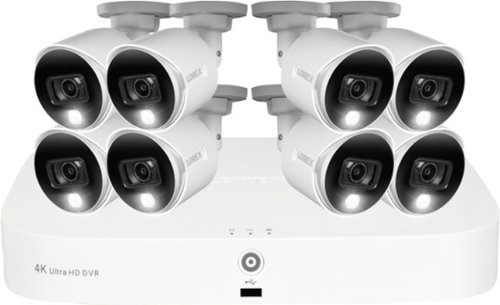
Record and view impressive 4K video with this innovative recorder, providing superior clarity when it comes to your security. Customize your experience with a smarter security solution thanks to Smart Motion Detection, which sends notifications when motion from a person or vehicle is detected or when a familiar face is recognized ~ all directly through the Lorex Home~ App. With the Virtual Fence option, extended property monitoring beyond what the cameras motion detection can provide and receive notifications when the Fence line or Area has been crossed. With convenient smart home compatibility and voice control, remote viewing, and Smart Motion Detection, this recorder gives you next-level security to fit your everyday needs.
Customer Rating
5
WOW – BEST WIRED DVR / SURVEILLANCE / CAM I USED
on May 14, 2021
Posted by: TheOffice1234
from Lake Orion, MI
WOW – BEST WIRED DVR / SURVEILLANCE / CAM I HAVE USED
REVIEW: LOREX - 8-CHANNEL, 8-CAMERA INDOOR/OUTDOOR WIRED 4K UHD 2TB DVR SURVEILLANCE SYSTEM - WHITE - WHITE
MODEL:YD862A82-8DA8-E
MODEL:YD862A82-8DA8-E
Best Buy Tech Insider Network
SUMMARY:
This is not your “Father’s” clunky old security camera system. I was very impressed with the ease of setup and high quality in everything, software, equipment, documentation, apps, EVERYTHING.
This is not your “Father’s” clunky old security camera system. I was very impressed with the ease of setup and high quality in everything, software, equipment, documentation, apps, EVERYTHING.
Am I gushing too much? I don’t think so. I did not expect this level of quality without spending 10X more. I have been deploying security cameras for about 15 years at home, our local homeowner’s association, my office and for family. I am not in the industry, but I have probably deployed about 7 different systems.
I have always been skeptical about these “all in one bundles”, but LOREX seems to have gotten it right. As recently as last year I tried a bundle from a competing brand and it was only just OK but still clunky. LOREX paid close attention to the entire user experience from unboxing to setup and day to day operations.
PRO’s
- Bright Clear 4K Video and Pictures
- Excellent Night Vision Quality
- Great “People” and “Auto” recognition and Alerts
- Everything you need is in the box (ethernet, hdmi, mouse, wires, power, etc)
- 8 Cameras should be enough for most people
- Alexa Integration if you have a “Video Alexa Device”.
- Bright Clear 4K Video and Pictures
- Excellent Night Vision Quality
- Great “People” and “Auto” recognition and Alerts
- Everything you need is in the box (ethernet, hdmi, mouse, wires, power, etc)
- 8 Cameras should be enough for most people
- Alexa Integration if you have a “Video Alexa Device”.
UNBOXING: (see picture)
INITIAL IMPRESSIONS:
Everything was well packaged and very secure. Instead of “a box of loose parts” everything has its own box. Each Camera, and the DVR and cables are all packaged separately. In effect, everything is triple boxed. (it is a big box).
Everything was well packaged and very secure. Instead of “a box of loose parts” everything has its own box. Each Camera, and the DVR and cables are all packaged separately. In effect, everything is triple boxed. (it is a big box).
SETUP:
No Instructions needed, but there is a quick start guide.
There is only one way to plug everything together, so you can’t really make a mistake. BE CAREFUL WHEN YOU RUN THE WIRES that the correct ends of the wire are at the camera end. This might be the only thing I could suggest to improve upon in user friendliness is to color code which end “faces” the camera. Of course, I got one of them backwards and had to pull the wire and start over. In the end, not a big deal.
No Instructions needed, but there is a quick start guide.
There is only one way to plug everything together, so you can’t really make a mistake. BE CAREFUL WHEN YOU RUN THE WIRES that the correct ends of the wire are at the camera end. This might be the only thing I could suggest to improve upon in user friendliness is to color code which end “faces” the camera. Of course, I got one of them backwards and had to pull the wire and start over. In the end, not a big deal.
Like a modern Computer or TV once you power on the DVR (The main unit) it takes you step by step through setting up the device, connecting it to the network, doing a firmware update, naming the cameras, setting up alerts. It is all really easy. Again, other brands, and DVR’s of old you really had to hunt around for these settings. (Motion Detection, Camera Names, Etc). LOREX even went as far as to make premade camera names that you can “apply” without a keyboard. It sounds like a little thing, but it is the little things that make this a breeze to set up and start using in minutes.
FEATURES AND USAGE:
It will be a while before I get to all the features and have the system 100% operational. You can read the feature list for yourself. What I have used so far….
It will be a while before I get to all the features and have the system 100% operational. You can read the feature list for yourself. What I have used so far….
Motion Detection – It was very easy to “paint” the areas where I wanted motion detected, and then I could tell the DVR if I wanted to be alerted for Vehicle, or People, or Both. It works and it immediately started sending accurate alerts (to the phone app) and which type of alert it was.
Remote Lights / Siren – You can trigger lights and sirens from the App or the DVR. The alarm is not overly loud, and might even be a touch quiet, but that is OK, it is just a causal deterrent.
Viewing on the phone – Works great (toggle SD vs HD), the images are great. You can also take snapshots and store the images on your phone. It even works when you are away from home (not only on local wifi).
Phone APP – Pretty much does it all. While other brands only let you do basic view, you really can control your entire DVR without a head end monitor. This enables you to set up the DVR and then tuck it away in a corner and forget about it. Some of the “very advanced” settings need to be done one time at the main DVR (Email Configuration if you need that, or advanced camera quality settings).
Remote Lights / Siren – You can trigger lights and sirens from the App or the DVR. The alarm is not overly loud, and might even be a touch quiet, but that is OK, it is just a causal deterrent.
Viewing on the phone – Works great (toggle SD vs HD), the images are great. You can also take snapshots and store the images on your phone. It even works when you are away from home (not only on local wifi).
Phone APP – Pretty much does it all. While other brands only let you do basic view, you really can control your entire DVR without a head end monitor. This enables you to set up the DVR and then tuck it away in a corner and forget about it. Some of the “very advanced” settings need to be done one time at the main DVR (Email Configuration if you need that, or advanced camera quality settings).
If I ever get an Alexa enabled video device I look forward to trying commands to show “who is at the door” on the device.
NOTES:
The LOREX 4K resolution cameras max out at 7fps. This is 100% OK for a security camera, but don’t expect to make 30-60 fps movies with these cameras. My other “Medium - High End” cameras that each cost as much as this entire bundle only do 20fps at 1080p resolution. 7fps is a perfectly fine tradeoff for 4K resolution.
The LOREX 4K resolution cameras max out at 7fps. This is 100% OK for a security camera, but don’t expect to make 30-60 fps movies with these cameras. My other “Medium - High End” cameras that each cost as much as this entire bundle only do 20fps at 1080p resolution. 7fps is a perfectly fine tradeoff for 4K resolution.
If I had one wish, I wish the DVR had built in WiFi. I get why it does not. You don’t want to kill your home WiFi with 4K video streams. But instead ,I had to dig through my box of cables to find a long enough ethernet cable to perform the initial setup. It took me longer to find a long cable, than to setup the unit. In the end, I ended up repurposing and old WiFi Router and turned it into an Ethernet Bridge so that I could put the DVR anywhere I wanted. With a wired setup, you have to figure out where the “center” of all of your cables can best fit, and that is where you have to park the DVR. Technically, you don’t need a network, but if you want the latest software, and advanced alert capabilities, then you need to connect it to a network.
With a “wired” system (like LOREX), most of the smarts are in the DVR. The BNC cables are mostly just carrying the video signal. The advantage is that each camera does not have to be its own super computer / web server. The DVR does almost all of the heavy lifting. With IP based Cameras (not proprietary to a specific DVR), the cameras need to have computers, network adapters, and web servers, in each camera, making them much more expensive. IP cameras can quickly saturate a network LAN or Wi-Fi as most of these networks are not meant to carry 8 simultaneous 4K video streams. Both type of systems have their strengths and weaknesses. With my existing (previous) IP based system I had to put in a completely dedicated (separate) network from my “home” network to keep from killing my home network with traffic, just for the security cameras.
SUMMARY / RECOMMENDATIONS
I absolutely recommend the LOREX system for anyone wanting a turn key “wired” security system at a good price. Yes, you have to run cables, but every camera system needs at least power cables, so you are going to have to run cables not matter what. Other than FPS, the LOREX outperformance my my existing system that cost about 10X as much. Anyone can set this up. If you can program a TV you can set up this system.
I absolutely recommend the LOREX system for anyone wanting a turn key “wired” security system at a good price. Yes, you have to run cables, but every camera system needs at least power cables, so you are going to have to run cables not matter what. Other than FPS, the LOREX outperformance my my existing system that cost about 10X as much. Anyone can set this up. If you can program a TV you can set up this system.
Mobile Submission: False
I would recommend this to a friend!


Share this review:


+9points
9of 9voted this as helpful.

Impress your audience and own the room with the ultra bright Pro EX7280 projector, offering 4,000 lumens of color and white brightness to deliver crisp, detailed, professional-quality presentations, spreadsheets and videos ~ even in well-lit spaces. From home offices to video conference rooms, this sleek, compact projector makes it easy to display captivating, big-screen images in nearly any location, using advanced 3-chip 3LCD technology and stunning WXGA resolution. Perfect for creating dynamic, engaging presentations, the Pro EX7280 allows for easy Zoom video conferencing, accepts 4K content and conveniently connects to streaming devices, such as Fire TV, Apple TV, Roku, and Chromecast, through the HDMI port so you can easily share a variety of rich content, including movies, TV shows and more.
Customer Rating
4
BRIGHT – LIGHT – 1280x800 RESOLUTION
on April 27, 2021
Posted by: TheOffice1234
from Lake Orion, MI
REVIEW: EPSON PRO EX7280 3LCD WXGA PROJECTOR WITH BUILT-IN SPEAKER - WHITE
BRIGHT – LIGHT – 1280x800 RESOLUTION
The EX7280 is very bright (4000 lumens) and relatively small, with a good variety of inputs (this thing even has analog COMPOSIT INPUTS). It has a zoom lens, and nice short throw which means you don’t have to mount it 30 feet away from the wall. It will work perfectly fine in the middle of a conference room table.
It is important to note that although it will downscale 4K or HD images, the native resolution is only WXGA, which in projector speak is 1280x800.
While it does connect to your network over WIFI it has too much lag to be of any practical use for wireless presenting, so you will want to have a physical cable like HDMI or VGA.
If you need something bright, more than you need super high resolution, then the EX7280 is worth a look. It is well built, high quality, small, bright, powerful.
SETUP and UNBOXING
As you would expect from EPSON, they make great stuff, it was well packaged, and well protected, and everything is clearly labeled and easy to understand / use. The user interface (from the remote) is a little dated feeling, but easy enough to use right away. One nice feature they do have is that once you connect it to your network you can control all of the settings from your PC or phone. Just type in the IP address on your web browser of the projector.
The sound is perfectly fine for a business projector.
NOTE: It does not support windows (wireless remote) screen mirroring built into Windows 10 or Chromecast on Windows. You have to download and install I-PROJECT for windows, from EPSON which would have to be loaded on all your PC’s that you want to present. Though I don’t recommend using this for remote mirroring, just use a cable.
TIP: You will get the best picture by changing your PC resolution to 1280x800, otherwise, the downscaling (especially from 4K) is not very smooth and makes any text hard to read.
SUMMARY / CONCLUSION / RECOMMENDATION
Figure out what you really need for both brightness, portability and resolution. You can get a pocket HD projector, with only 200 lumens. Or, you can get a GIANT 4K Projector that you can’t easily move around. At 4000 lumens you won’t have to dim the lights or close the blinds in your conference room.
I have one conference room with windows on 3 sides and the light washes out all our projectors and TV’s we have tried. We are not allowed back in the office yet due to COVID restrictions, but I am confident this projector will work just fine there.
It is a fine projector of high quality and if brightness and affordability are your 2 biggest drivers, then take a close look at the EX7280.
Mobile Submission: False
I would recommend this to a friend!


Share this review:


+2points
2of 2voted this as helpful.
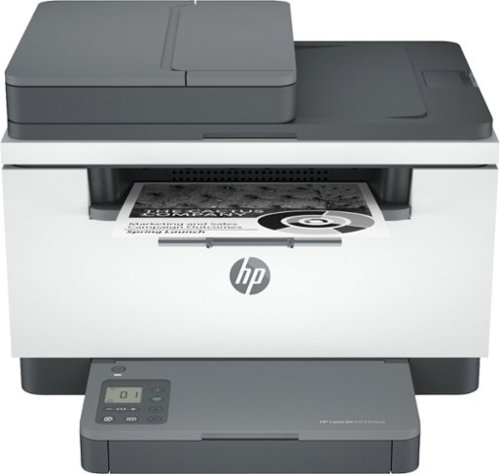
With fast print speeds, precision two-sided printing, scan/copy, plus an auto document feeder, the HP LaserJet MFP M234sdwe is perfect for small businesses printing black & white forms, reports and business documents. It includes the HP+ Smart Printing System that keeps itself up to date, secure, and ready to print from virtually anywhere at any time. As part of the connected HP+ system, this printer only works with Original HP Toner and requires an HP account and internet connection.
Customer Rating
4
VALUE FOCUSED – HOME OFFICE / PRINTER SCANNER
on April 27, 2021
Posted by: TheOffice1234
from Lake Orion, MI
REVIEW: HP - LASERJET M234SDWE WIRELESS BLACK-AND-WHITE LASER PRINTER WITH 6 MONTHS OF TONER THROUGH HP+ - WHITE & SLATE
VALUE FOCUSED – HOME / SMALL OFFICE / PRINTER + SCANNER
There is a lot to like about the M234SDWE Multi-Function- Printer (MFP). Duplex (2 sided) Printing, Low Cost of Investment. Good Print Quality and Print Speed. Scanning and Copying is passible.
This is targeted and appropriate for a small home business where you just need a little of everything (printing, scanning, copying). As a value printer, it does a good enough job at all of these things.
Default Scanning and Printing from the Automatic Document Feeder (300 DPI - ADF) results in typical crooked pages from budget MFPs. However, if you download and use the full version of the HP SCANNER software it has an auto correct feature that fixes that issue on most scans.
This is targeted and appropriate for a small home business where you just need a little of everything (printing, scanning, copying). As a value printer, it does a good enough job at all of these things.
Default Scanning and Printing from the Automatic Document Feeder (300 DPI - ADF) results in typical crooked pages from budget MFPs. However, if you download and use the full version of the HP SCANNER software it has an auto correct feature that fixes that issue on most scans.
Flat Bed Scanning - 600 Dots Per Inch (DPI) is pretty good even in color (see picture).
PRO’s
- Compact Design, takes up about 40% less space than my 10 year old HP MFP
- Good Scanning
- Good Printing
- Includes a wired LAN port (not just WIFI).
- USB port that can be used after the setup is complete.
- Compact Design, takes up about 40% less space than my 10 year old HP MFP
- Good Scanning
- Good Printing
- Includes a wired LAN port (not just WIFI).
- USB port that can be used after the setup is complete.
HP “E” PRINTERS (AKA HP+)
If you get the “E” version of HP printers you are paying about 25% less than the Non E version but the tradeoff is that you must have an online account and are prevented from using generic toner. Further, it is also required that your printer must have access to the internet in order to print. If this bothers you then don’t get the “E” printers. As long as the HP toner is somewhat affordable then I’m OK with this. I use about 1 cartridge a year. It looks like 2500 page cartridges are about $80. This is OK for me as long as I can get a year or two out of them.
If you get the “E” version of HP printers you are paying about 25% less than the Non E version but the tradeoff is that you must have an online account and are prevented from using generic toner. Further, it is also required that your printer must have access to the internet in order to print. If this bothers you then don’t get the “E” printers. As long as the HP toner is somewhat affordable then I’m OK with this. I use about 1 cartridge a year. It looks like 2500 page cartridges are about $80. This is OK for me as long as I can get a year or two out of them.
When you create your online account and register your printer your warranty is doubled to 2 years.
This is different, but complimentary to the Instant Ink Program where you agree to pay HP a fixed amount each month (starting at $1.99) and they will automatically send you a new toner cartridge when you need it. You will have to crunch the numbers for yourself if Instant ink makes sense for you. I find it useful at the low end of print volumes and the high end of print volumes. If you have a widely variable amount of printing each month, then be aware that this is a like an old-fashioned cell phone plan with penalties for going over your allotted page count (starting at 10 cents per page) and it even has “roll over pages” where some fraction of your unused pages can roll over to the next month. For me life is too short and complicated already without having to worry about keeping track of how many pages I have left to print each month. On the other hand, having toner just show up when needed is very convenient.
Is HP+ worth it? If you tend to only use HP Brand cartridges, sure, why not save a little money on your purchase. The double warranty is nice, but to be honest in 30 years using HP printers, I’ve never had one fail other than normal consumables.
SCANNING
You get 300 DPI from the ADF and 600 DPI from the flatbed scanner.
As I mentioned with most budget MFP’s the pages are slightly crooked when scanned with the ADF. Download and use the full version of the software (HP SCAN) to select autocorrect and access more advanced features.
You get 300 DPI from the ADF and 600 DPI from the flatbed scanner.
As I mentioned with most budget MFP’s the pages are slightly crooked when scanned with the ADF. Download and use the full version of the software (HP SCAN) to select autocorrect and access more advanced features.
NOTE: THERE IS NO 2 SIDED (duplex) SCANNING: Even though this prints on both sides it does not scan or copy on both sides.
Even with the full version of HP SCAN, it says “Manual 2 sided scanning” but it is misleading (or maybe broken).
Even with the full version of HP SCAN, it says “Manual 2 sided scanning” but it is misleading (or maybe broken).
Imagine your all you front pages are odd page numbers and all your back pages are even numbers. Now, when you trigger manual 2 sided scanning you would expect when the process is over to get your pages in the correct order. Instead of 1,2,3,4,5,6 you get 1,3,5,2,4,6 which is completely useless and the same as back to back 1 sided scanning. Why even have that as an option?
PRINTING
Fast but a little loud for such a small printer. The print quality is good. The stated resolution for printing is 600x600 DPI, and that looks about right.
Fast but a little loud for such a small printer. The print quality is good. The stated resolution for printing is 600x600 DPI, and that looks about right.
The paper tray is on the small side, so be prepared to keep feeding the printer if you do a lot of printing.
SETUP
I initially tried to set up the M234SDWE with a physical LAN cable (instead of wireless) but it was problematic. Instead, my suggestion is to use the Wireless setup and then plug in the LAN cable after everything else is all set.
I initially tried to set up the M234SDWE with a physical LAN cable (instead of wireless) but it was problematic. Instead, my suggestion is to use the Wireless setup and then plug in the LAN cable after everything else is all set.
TIP: For the last setup step, I could not get it to print anything and it kept giving me an error “action needed” while things piled up in the printer queue. When I went into the various HP apps it said everything was fine. In the end all it was waiting for was for me to press the “i" button on the printer, but it never told me that, or if it did, then I missed it.
I would strongly suggest you also download and install the full software suite from the HP support site, it gives you much more control over the printing and scanning process using HP SCANNER software instead of HP SMART software. It also includes OCR software for converting scanned images to text.
I do miss a more complete control panel display but at this price point I understand the trade off.
SUMMARY / CONCLUSION / RECOMMENDATION
You get a lot of printer for the price. If you are a heavy scanner user, then I might suggest moving a few models up that also have duplex scanning and support scan to email (which the M234SDWE) without being connected to a PC. If your primary use is printing, then this is a good bet as a printer, especially with the 2 sided printing.
You get a lot of printer for the price. If you are a heavy scanner user, then I might suggest moving a few models up that also have duplex scanning and support scan to email (which the M234SDWE) without being connected to a PC. If your primary use is printing, then this is a good bet as a printer, especially with the 2 sided printing.
As to HP+ (reduced price for a requirement to be online and only use HP Toner), I’m mostly on board as long as the toner stays affordable. So really you have to do the math on this yourself. Each Toner Cartridge for the M234SDWE is about $80 and is rated at 2500 pages.
Overall, I recommend this printer for the value conscious user.
Mobile Submission: False
I would recommend this to a friend!


Share this review:


+3points
4of 5voted this as helpful.
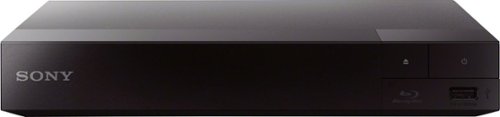
Whether you~re streaming your favorite show, watching movies, or listening to your favorite music ~ do it all from one device. Take movie night to the next level and with full HD, built-in wifi and fast, high-definition streaming. Get started in seconds with an included HDMI cable for seamless setup.
Customer Rating
5
GOOD THING (Sony Blu-Ray) in a SMALL PACKAGE
on April 7, 2021
Posted by: TheOffice1234
from Lake Orion, MI
REVIEW: SONY BLU-RAY DISC PLAYER WITH BUILT-IN WI-FI BDP-BX370
GOOD THING (Sony Blu-Ray player) in a SMALL PACKAGE (bdp-bx370)
The Sony BDP-BX370 is a solid well-built and easy to use blu-ray (and DVD) disc player, that also is a good all-around streamer. As physical media slowly goes the way of the dodo, it is important to have a reliable player for your existing (legacy) media as well as a device that supports modern streaming needs. Or another way to look at it, for less than the price of many dedicated media streamers, you also get a blu-ray player. One area where Sony has really come a long way is being able to support DLNA (Digital Living Network Alliance), and MKV (Matroska Video) format for local streaming from my NAS (Network Attached Storage) server. My Sony TV, which is not that old, actually locks up when I play most MKV’s and has to be unplugged and rebooted to start working again. This is a must have for me, as I always watch my videos from my NAS and put the physical media away for safe keeping. Now I can play MKV’s and other formats with ease through the Sony BDP-BX370.
PRO’s
- Compact Design, yet sturdy enough
- Compact but well organized remote (also can control Sony TV)
- Fast Start Option (when enabled)
- Included Cable
- WiFi enabled (ALSO HAS LAN PORT)
- USB Port for local media
- Compact Design, yet sturdy enough
- Compact but well organized remote (also can control Sony TV)
- Fast Start Option (when enabled)
- Included Cable
- WiFi enabled (ALSO HAS LAN PORT)
- USB Port for local media
SETUP and TESTING
The Sony BDP-BX370 was easy to setup, like any other device, just connect to your systems and configure your wireless network. The remote automatically recognized my Sony TV and soundbar so I am able to control both from the included remote. I was able to play almost anything from my NAS server, with the exception of UHD 4K (expected) and HD Dolby Atmos Tracks (hopeful, but expected). Music was fine, no issues but I would have liked a PLEX app.
The Sony BDP-BX370 was easy to setup, like any other device, just connect to your systems and configure your wireless network. The remote automatically recognized my Sony TV and soundbar so I am able to control both from the included remote. I was able to play almost anything from my NAS server, with the exception of UHD 4K (expected) and HD Dolby Atmos Tracks (hopeful, but expected). Music was fine, no issues but I would have liked a PLEX app.
SUMMARY / CONCLUSION / RECOMMENDATION
The Sony BDP-BX370 does everything you need / expect from a name brand Blu-Ray Player as well as streaming most popular platforms and local devices through DLNA support. Do note that it is not a 4K device. This means that you are streaming at HD (not 4K) and that it is not upscaling to 4K, when connected to a 4K TV. For most people this does not matter, as your 4K TV will handle the upscaling for you. You just might not be able to stream “native” 4K content at highest resolution. However, also note that to get to a 4K UHD player you might need to invest 3X or 4X more. (I can also highly recommend the Sony UHD 4K player, which I also own).
The Sony BDP-BX370 does everything you need / expect from a name brand Blu-Ray Player as well as streaming most popular platforms and local devices through DLNA support. Do note that it is not a 4K device. This means that you are streaming at HD (not 4K) and that it is not upscaling to 4K, when connected to a 4K TV. For most people this does not matter, as your 4K TV will handle the upscaling for you. You just might not be able to stream “native” 4K content at highest resolution. However, also note that to get to a 4K UHD player you might need to invest 3X or 4X more. (I can also highly recommend the Sony UHD 4K player, which I also own).
I could not think of anything more to ask from a blu-ray player at this price point. It does everything I can think of.
Mobile Submission: False
I would recommend this to a friend!


Share this review:


+24points
26of 28voted this as helpful.
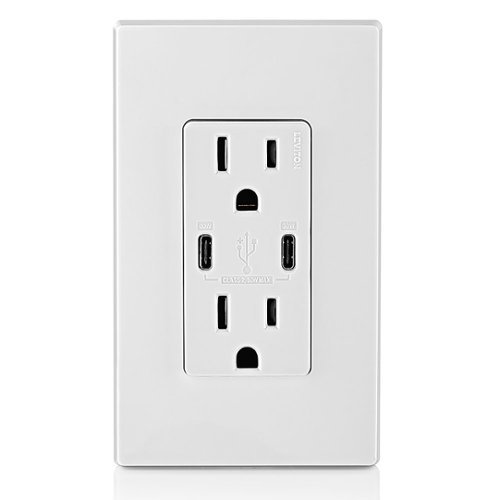
6A/30WT Duplex Tamper-Resistant Outlets with USB C Dual Wall Chargers- White
Customer Rating
5
CONTROL YOU MESS OF WIRES AND CHARGERS
on March 27, 2021
Posted by: TheOffice1234
from Lake Orion, MI
REVIEW: LEVITON - 6A/30WT USB DUAL WALL CHARGER - WHITE
Best Buy Tech Insider Network
CONTROL YOU MESS OF WIRES AND CHARGERS
The LEVITON - 6A/30WT USB DUAL WALL CHARGER was easy to install, just like any other electrical outlet. Because of it’s large and deep size the internal electrical wires are on the side only (no easy insert of wires from the back). It allowed me to get rid of 3 power adapters and has plenty of power to run / charge all my devices (2xFitbit, 1XWatch, 1XE-Reader, 1X Phone), and I still have 2 AC outlets to spare. I will need to tweak my cables a little more because not all my devices are yet USB-C. So for now, I have a USB-C to USB-A adapter plugged into a USB 3 Hub and most of my devices are hanging off the Hub. But meanwhile, they all show as charging, so it is all good. I still have a lot of cables hanging around, but at least I got rid of all my charging bricks and extension cords.
SUMMARY / CONCLUSION / RECOMMENDATION
I highly recommend the LEVITON - 6A/30WT USB DUAL WALL CHARGER for anyone who just wants to reduce the clutter on their desk / table. I also assume that this one charger will take up less “vampire power” than all the other power bricks I had running previously.
Mobile Submission: False
I would recommend this to a friend!


Share this review:


0points
0of 0voted this as helpful.
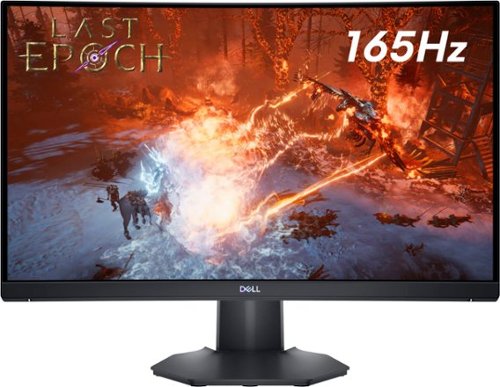
The new Dell 24" Curved Gaming Monitor is equipped with a 4ms Response Time - 165Hz - AMD FreeSync Premium Technology featuring Vertical Alignment, Anti-glare with 3H hardness, and 1500R Curvature. Adjustable height and LED screen, this 24" monitor is equipped for ultimate game play.
Customer Rating
5
CURVED DELL GOODNESS hertz so GOOD
on March 17, 2021
Posted by: TheOffice1234
from Lake Orion, MI
REVIEW: DELL - 24" VA LED FHD CURVED GAMING MONITOR (HDMI 2.0, DISPLAY PORT 1.2) - BLACK
MODEL: S2422HG
MODEL: S2422HG
Best Buy Tech Insider Network
CURVED DELL GOODNESS hertz so GOOD
The DELL - 24" VA LED FHD CURVED GAMING MONITOR really brought me into games like Doom Eternal and Star Wars Squadrons. Unlike an ultrawide curved monitor, it does not take up 70% of your desk. Also, due to being full HD (1920x1080) you can achieve very high framerates with a modest gaming setup. I was easily able to achieve 200 FPS (Frames Per Second) in Doom Eternal, on the highest setting, with my three generations ago gaming card, and 7 year old desktop. (full specs below). Once I loaded the official Dell Driver, Changed Refresh to 165hz (hertz) and enabled G-Sync the games were very smooth, clear, bright on the DELL - 24" VA LED FHD CURVED GAMING MONITOR. At first, I was worried about the size compared to an ultrawide, but really after a very short while, I came to enjoy the more focused game play and crisper graphics. As stated, being able to “drive” the games at 200 FPS vs 60-100 (fewer pixels to push), improved the overall experience.
The Dell S2422HG was very well calibrated out of the box. The only thing I changed in the settings was to “FPS” mode, and Max Refresh Rate.
PRO’s
- Bright for fully lit rooms (not HDR)
- Great wide angle viewing (see pics) no gray areas
- Very good darks
- Included DP (Display Port) cable
- Visa Mounts on monitor 100 mm x 100 mm for monitor stands or wall mounts
- Easy to access (well defined) menu buttons
- Support for Dell Desktop Manage Software (virtual grids on one screen)
- Bright for fully lit rooms (not HDR)
- Great wide angle viewing (see pics) no gray areas
- Very good darks
- Included DP (Display Port) cable
- Visa Mounts on monitor 100 mm x 100 mm for monitor stands or wall mounts
- Easy to access (well defined) menu buttons
- Support for Dell Desktop Manage Software (virtual grids on one screen)
UNBOXING AND SETUP
As you can expect from Dell Monitors, everything in the packing and setup was first class. No tools needed, and everything included. You do have hunt a little on your own for the video drivers, but seriously you have to install them or you can’t drive the monitor at proper refresh rates.
As you can expect from Dell Monitors, everything in the packing and setup was first class. No tools needed, and everything included. You do have hunt a little on your own for the video drivers, but seriously you have to install them or you can’t drive the monitor at proper refresh rates.
SUMMARY / CONCLUSION / RECOMMENDATION:
The DELL - 24" VA LED FHD CURVED GAMING MONITOR is a great step up to curved monitors at that 1920x1080 sweet spot for gaming. I could easily see picking up 2-4 of them to make a video wall, assuming your rig can drive that many monitors. It is very immersive, even though the curve does not seem that aggressive at first glance. Give it a shot.
The DELL - 24" VA LED FHD CURVED GAMING MONITOR is a great step up to curved monitors at that 1920x1080 sweet spot for gaming. I could easily see picking up 2-4 of them to make a video wall, assuming your rig can drive that many monitors. It is very immersive, even though the curve does not seem that aggressive at first glance. Give it a shot.
FYI MY PC SPECS FOR COMPARRISON:
My Test Configuration is a Lenovo P500 Thinkstation, Xeon 2690 v3 CPU (12 Core 24 Threads 2.6/3.6 GHz Clock), 64GB RAM, Win 10 Pro, Nvidia 1070TI, PCI 3. Basically, it is an older CAD workstation turned into an inexpensive casual gaming rig. My Thinkstation P500 came out around 2014 (7 years ago) and still has very respectable performance.
Mobile Submission: False
I would recommend this to a friend!


Share this review:


+6points
6of 6voted this as helpful.
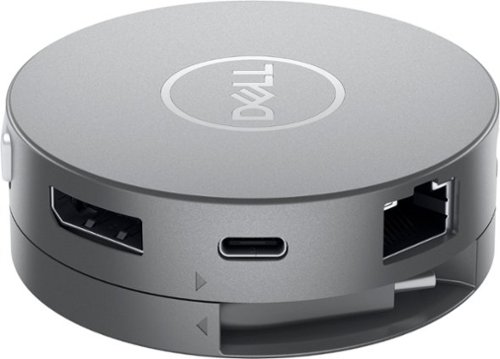
Maximum connectivity. Compact Design. The Dell DA310 7-in-1 USB C adapter. Featuring the widest variety of port options including HDMI, DP, VGA, Ethernet, USB-C and two USB-A, this Dell USB-C Mobile Adapter - DA310 offers seamless video, network and data connectivity, in a neat, compact design. Offers up to 4K resolution at 60Hz via DP or HDMI port and enjoy a crisp and clear view without compromising on performance. Its two USB-A and USB-C downstream ports also offer fast data transfer rates, at up to SuperSpeed USB 10Gbps3 when connecting to other supported peripherals. The only USB-C adapter with in-built cable management and a round, coaxial cable that offers a reliable connection with enhanced signal integrity. Conveniently sized to fit into a briefcase, purse or backpack for on-the-go adaptability and function.
Customer Rating
5
ONE PUCK (Hub / Docking Station) TO RULE THEM ALL
on March 14, 2021
Posted by: TheOffice1234
from Lake Orion, MI
REVIEW: DELL DA310 USB-C MOBILE ADAPTER
Best Buy Tech Insider Network
ONE PUCK (Hub / Docking Station) TO RULE THEM ALL
The DELL DA310 USB-C MOBILE ADAPTER will replace about 4 other gadgets in my briefcase and on my desk. This replaces, Power Supply to Laptop (with monitor that supports power pass through), USB Hub, DP (Display Port) adapter, VGA Adapter, HDMI Adapter, and Ethernet all in one clever device.
While I only tested it on my late 2019 - Dell Inspiron 2:1 7000 (Win 10), it should work on most any device with a USB-C/Thunderbolt port. In the past I would take every kind of adapter I could think of on a business trip, because you never knew what kind of projector a customer has. Additionally, my Laptop only has 2 USB-A ports, and this allows me to expand that count to 4, which allows me to connect more external devices. If we are ever allowed to travel again, then this will lighten my load considerably. For desk use is really reduces the clutter of a separate power cord and monitor cable. Again, your monitor has to be able to support USB-C connections for video and power, not many did prior to 2020.
I was easily able to connect to all the supported monitor types to the DELL DA310 USB-C MOBILE ADAPTER (one monitor at a time of course). I was able to run it with and without monitor power to supplement the device. I was able to charge my laptop from my monitor USB-C port, while simultaneously driving my monitor over the same USB-C port (with DP pass through) and still maintain full use of the USB port.
PRO’s
- Lightweight, and compact design
- Self Storage of the cord
- Easy to use (it just works)
- Lightweight, and compact design
- Self Storage of the cord
- Easy to use (it just works)
UNBOXING AND SETUP
The DELL DA310 USB-C MOBILE ADAPTER is nicely packaged, but not wasteful. To set it up, just connect everything and start using it.
SUMMARY / CONCLUSION / RECOMMENDATION
The DELL DA310 USB-C MOBILE ADAPTER is one of the more handy and convenient portable docking stations / expansion hubs I’ve ever used. You could purchase a handful of gadgets to do the same thing, but why would you? All my other “one trick” gadgets are now going into the spare box of unused computer cables.
I highly recommend the DELL DA310 USB-C MOBILE ADAPTER for travelers, or anyone who just wants to reduce the clutter on their desk a little more.
Mobile Submission: False
I would recommend this to a friend!


Share this review:


+7points
7of 7voted this as helpful.
TheOffice1234's Review Comments
TheOffice1234 has not submitted comments on any reviews.
TheOffice1234's Questions
TheOffice1234 has not submitted any questions.
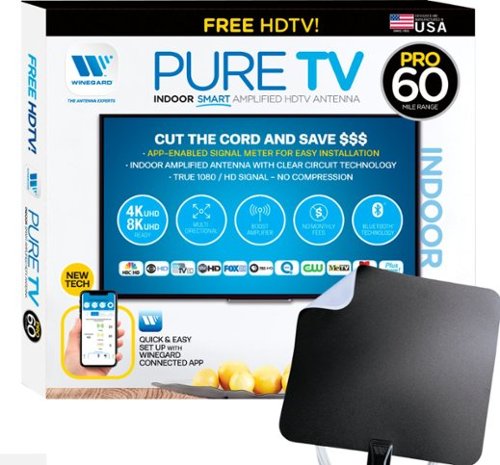
The PureTV Pro 60 is the only antenna with an actual signal meter integrated into the antenna to provide the best possible customer experience when installing. The PureTV Pro 60 has a dual-band, optimized antenna element that captures signals up to 60 miles away, while the antenna~s Clear Circuit Technology boosts the available signal, cuts dropout, and clears pixelation. The integrated, Bluetooth technology signal meter makes you the pro at installation. The PureTV Pro 60 uses a built-in tuner to get real-time signal data. Pair with the Winegard Connected app for no-fuss antenna positioning. Available for iOS and Android phones, the free, user-friendly Winegard Connected app quickly pairs with the PureTV Pro 60. Using both visual and audio indicators, you~ll get real-time feedback on the optimal antenna position for the best signal possible. The app shows a summary of available channels, and you can even fine-tune individual channels for maximum reception. Once you~re done, run a channel scan on TV, and start watching FREE TV.
Do I need a separate antenna for each TV in the house?
Generally, yes, or you need someway to amplify and split the signals to other TV's (which means running cable). So you have to do the math to see what makes the most sense for you. If you do decide to run cable, then don't cheap out on cable or amplifier. I would suggest you purchase from a reputable online retailers vs the local hardware store. Good Amplifiers / splitters will set up back $50 or more. Stay away from the $10 splitters. In theory this unit is already amplified, but I doubt it has enough power for very long runs.
5 years, 5 months ago
by
TheOffice1234
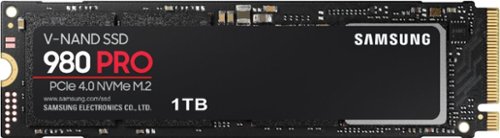
Unleash the power of the Samsung 980 PRO PCIe 4.0 NVMe Gen4 SSD for next-level computing. 980 PRO delivers 2x the data transfer rate of PCIe 3.0, while maintaining compatibility with PCIe 3.0.~ ~The NVM Express~ design mark is a registered trademark of NVM Express, Inc.* Results are based on a comparison with Samsung PCIe 3.0 NVMe SSDs and SATA SSDs.PS5 compatible with heatsink as recommended by Sony; heatsink sold separately.
Does this have a heatsink? And if not does Best Buy sell that version? I hear this thing kicks up the thermals a bit.
This version does not have a heatsink, I bought a 3rd party one for my setup.
5 years, 6 months ago
by
TheOffice1234
Unleash the power of the Samsung 980 PRO PCIe 4.0 NVMe Gen4 SSD for next-level computing. 980 PRO delivers 2x the data transfer rate of PCIe 3.0, while maintaining compatibility with PCIe 3.0.~ ~The NVM Express~ design mark is a registered trademark of NVM Express, Inc.* Results are based on a comparison with Samsung PCIe 3.0 NVMe SSDs and SATA SSDs.PS5 compatible with heatsink as recommended by Sony; heatsink sold separately.
Has anyone tried to clone this from an internal SATA 3 SSD with the Samsung software and had any boot issues????
In the past I've had nothing but issues cloning drives with the samsung tools. Fortunately one of my other drives came with ACRONIS which worked perfectly.
5 years, 6 months ago
by
TheOffice1234
Unleash the power of the Samsung 980 PRO PCIe 4.0 NVMe Gen4 SSD for next-level computing. 980 PRO delivers 2x the data transfer rate of PCIe 3.0, while maintaining compatibility with PCIe 3.0.~ ~The NVM Express~ design mark is a registered trademark of NVM Express, Inc.* Results are based on a comparison with Samsung PCIe 3.0 NVMe SSDs and SATA SSDs.PS5 compatible with heatsink as recommended by Sony; heatsink sold separately.
Do the read and write speeds depend on my current internet speed?
There is no relationship between internet speed and drive speed. The drive speed (and other factors) is how fast the drive can get information to the main CPU. The internet speed is moving data between systems externally (such as a website)
5 years, 6 months ago
by
TheOffice1234

The sound bar for those with small spaces or minimalistic tendencies. The compact Yamaha SR-C20ABL sound bar fits easily in whatever space is available and can be wall-mounted for even more possibilities. Setup is easy with a simple connection to your TV while Bluetooth lets you stream wirelessly from your mobile devices.
Can you also hook this to a cell phone to play music without the tv?
The sound bar for those with small spaces or minimalistic tendencies. The compact Yamaha SR-C20ABL sound bar fits easily in whatever space is available and can be wall-mounted for even more possibilities. Setup is easy with a simple connection to your TV while Bluetooth lets you stream wirelessly from your mobile devices.
Do you have to buy cables or does it come with the product
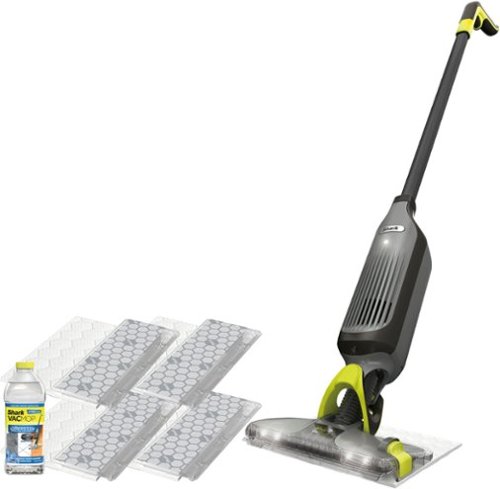
Shark VACMOP Pro cordless hard floor system uses an innovative all-in-one disposable pad to vacuum and lock away debris other pads push around, and to spray mop tough messes. Pick up dry debris, then spray mop, and toss the pad with one click~never touch a dirty pad again! Features LED headlights, charger, 2 disposable pads, and a 12-oz. bottle of Shark VACMOP Multi-Surface Cleaner.
What is a magnetic charger? How long does it hold a charge?
There is a little round disk that you plug into the wall, and the it magnetically attached to the vacuum. I think it is call induction charging (like on some cell phones). This way you don't have to fuss aligning a power adapter. I would assume it is also more child / youth friendly since there are no exposed ends with live power.

6 years, 1 month ago
by
TheOffice1234