


TheOffice1234's stats
- Review count180
- Helpfulness votes1,035
- First reviewDecember 11, 2009
- Last reviewJune 7, 2026
- Featured reviews0
- Average rating4.6
Reviews comments
- Review comment count0
- Helpfulness votes0
- First review commentNone
- Last review commentNone
- Featured review comments0
Questions
- Question count0
- Helpfulness votes0
- First questionNone
- Last questionNone
- Featured questions0
- Answer count27
- Helpfulness votes22
- First answerApril 24, 2020
- Last answerDecember 18, 2021
- Featured answers0
- Best answers6
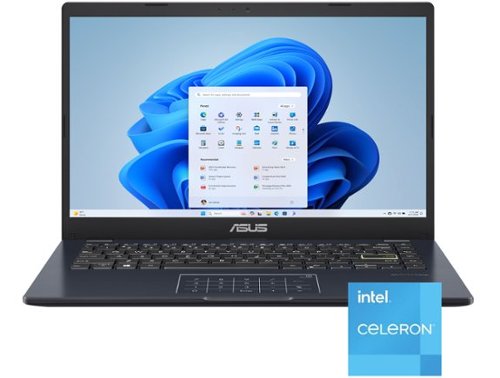
Life is all about finding the right balance, and Vivobook Go 14 delivers just that. Lightweight and compact, it sports a stylish new look that fits right in with your dynamic lifestyle. Designed for daily computing and productivity tasks, and boasting innovative features such as the ASUS NumberPad, Vivobook Go 14 gives you everything you need for work or play.
Customer Rating

5
GREAT VALUE LAPTOP - GOOD FOR BASIC NEEDS
on July 1, 2025
Posted by: TheOffice1234
PRODUCT
ASUS - VIVOBOOK GO 14 MODEL: E410KA-CL4128
ASUS - VIVOBOOK GO 14 MODEL: E410KA-CL4128
GREAT VALUE LAPTOP - GOOD FOR BASIC NEEDS
REVIEW
The VIVOBOOK has great features and value in a small light package. The screen is very bright and easy on the eyes. The widely spaced keys are comfortable for long typing session. Some simple things make a big difference. Instead of basic white keys the keys are a little fluorescent so they don’t need to be backlighted. Important keys are boarded in bright yellow. I really like the touch dual purpose touchpad / keypad, it works very well. The included USB-C and USB-A ports allow you connect devices like mice, keyboard and external drives. The full-sized HDMI port allows you to connect the laptop to an external monitor or TV Screen.
I wish it was powered by USB-C instead of a dedicated power supply this would greatly increase the flexibility in charging.
Due to the low power CPU the battery lasts a long time.
The Vivobook is a great value for overall quality.
I think it is best suited very low CPU tasks, like note taking in class, maybe working on reports.
RECOMMENDATION
I would recommend this as a great value for the price point.
I would recommend this as a great value for the price point.
I would recommend this to a friend!



Share this review:


0points
0of 0voted this as helpful.
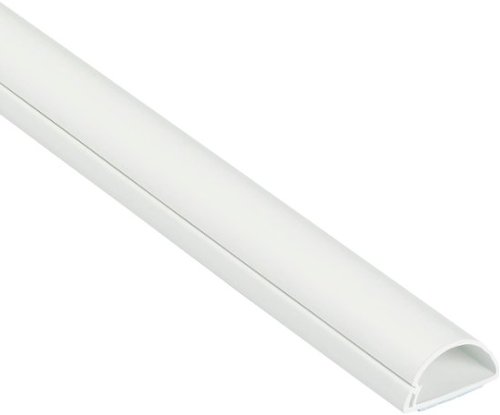
Half round profile of D-Line Raceway blends with d~cor for a neat solution to hide surface cables. One-piece design, flexible hinged lid, and self-adhesive backing result in a quick easy solution to conceal cables. Great for covering 1-3 wall mounted TV cords or to hide wires above baseboards, with the profile appearing as the natural top section.
Posted by: TheOffice1234
PRODUCT
D-Line Half Round Cord Cover (Small)
I needed to move my "personal" PC setup to the family room (instead of spare bedroom) and my cables always bothered my spouse and myself as they were highly visible from the couch. Previously, I had tied them up as best I could with zip ties and so, but they were still "hanging" in sight. The D-Line cord cover gave me the opportunity to clean up my mess. The tape is strong enough to adhere well to the desk and hold several cables. Because my desk was small I was easily able to cut the cover to the size I needed. I then used the spare (smaller) part to hide some additional power cords. I would consider going with a larger (deeper) channel to hide thick power cords or if you have many cords. Overall the quality is great and structurally sound. It looks nice too and matches my white desk.
RECOMMENDATION
I fully recommend the cable cover for anyone who wants or needs a little more organization in their setup. They are a good value and perform well.
I would recommend this to a friend!


Share this review:


0points
0of 0voted this as helpful.
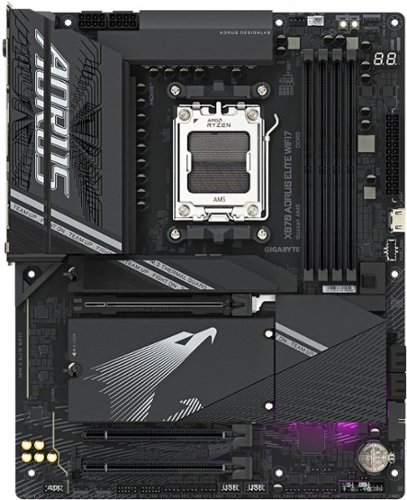
The X870 AORUS ELITE WIFI7 supports AM5 Processors and features unparalleled performance. GIGABYTE X870 motherboards come with upgraded power design, high grade storage standards, and outstanding connectivity that enables you to optimize your performance.
Customer Rating
5
My first Gigabyte Motherboard MB - I'm Impressed
on May 11, 2025
Posted by: TheOffice1234
PRODUCT
GIGABTYE – X870 AORUS ELITE WIFI7 - BLACK
GIGABTYE – X870 AORUS ELITE WIFI7 - BLACK
SUMMARY OVERVIEW
I’ve used dozens of motherboards from many different companies in the past 40 years. This is my first time with Gigabyte. Overall, I am impressed.
I’ve used dozens of motherboards from many different companies in the past 40 years. This is my first time with Gigabyte. Overall, I am impressed.
The GIGABTYE – X870 AORUS ELITE WIFI7, is very well made and seems rock solid in overall quality. This MB is in the upper middle range of the Gigabyte 870 line and is full of features and details for serious enthusiasts and casual users alike.
Driver support, especially on fresh Win 11 install was hit or miss.
Overall, a good MB with many features and good expandability
PERFORMANCE
I’m not a big over-clocker, so I can’t speak to all the upper end performance bells and whistles (I prefer stability over, for example, 3 more FPS). It is nice to know that I can configure just about everything needed in this regard. Performance wise, it seems very quick and meets my needs / expectations. (my configuration is 32GB 6400 DDR5, RTX 3080, 9600X CPU, NVME Boot Drive, SSD SATA x 4 RAID 0). I’m not maxing out the components, so I did not include any benchmarking scores. For example, the graphics frame rate, which is fantastic, is limited by my 5-year-old graphics card and has nothing to do with the MB.
SETUP / BUILDING A PC
It was a pleasure building a PC with this motherboard. The ATX form factor meant a nice roomy (not crowded) installation with plenty of room for everything. All the connectors were well placed, labeled, and easy to find. The only connectors I struggled with were the SATA connectors which were bunched very close together on the edge of the MB making them hard to access once the MB was installed in a case.
What I really struggled with were the drivers. Windows 11 did not include WiFi drivers. When I tried to manually install the WiFi drivers form the GigaByte website, the Windows installer either ignored them, or crashed, or required a reboot, but then still did nothing. Eventually, I needed to find a long ethernet cable and connect it to the router to complete the installation.
Once Windows was loaded, I installed the GigaByte driver update utility and ran auto update. WiFi still did not work, and I had to reinstall it manually. Next the Bluetooth Driver was not working properly and I had to manually reinstall that driver as well from the GigaByte website.
Overall, this not a much different experience than other PC’s I’ve built this past year.
FEATURES / EXPANDABILITY
I’m building my son’s first gaming “Desktop”, and this MB allows me to have plenty of upgrade options down the road.
What is important to me (PRO’s)
- WIFI 7 Support (Win 11) as I just upgraded my network to WIFI 7
- Full Size X16 Slot but also X8 and X4 slots for extra expansion
- (4) M.2 Slots (which support Hardware RAID)
- (4) SATA Ports (which support Hardware RAID)
- (21 if I counted correctly) USB Ports including USB 4, and USB 3.2 Gen2x2
- I like the easy latch and unlatch options throughout the MB
- S/PDIF Audio out for my Sound bar
- WIFI 7 Support (Win 11) as I just upgraded my network to WIFI 7
- Full Size X16 Slot but also X8 and X4 slots for extra expansion
- (4) M.2 Slots (which support Hardware RAID)
- (4) SATA Ports (which support Hardware RAID)
- (21 if I counted correctly) USB Ports including USB 4, and USB 3.2 Gen2x2
- I like the easy latch and unlatch options throughout the MB
- S/PDIF Audio out for my Sound bar
I do wish there were more built in SATA ports, but I reluctantly agree that SATA is more-or-less considered legacy these days. Very few boards have more than 4 SATA ports. Since there are extra card slots, I can partially overcome this limitation with an add-in SATA controller board, but then they won’t be part of the same hardware RAID configuration. (I have a ton of older large SATA drives that I like to RAID up for backup / overflow storage).
CONCLUSION
As I said, for whatever reason, I’ve not used GigaByte in the past, but I’m very impressed with everything so far.
The board is built like a brick and weighs a ton between heat sinks and everything else. There are ample parts included with the MB in the box.
The BIOS screens took a while for me to get used to (it is not very intuitive), and there are tons of options to fine tune the board exactly however you desire.
RECOMMENDATION
I do recommend the GIGABTYE – X870 AORUS ELITE WIFI7 for serious enthusiasts or anyone seeking extra quality and expandability over base models. It has a great build quality and a 5-year warranty!
I do recommend the GIGABTYE – X870 AORUS ELITE WIFI7 for serious enthusiasts or anyone seeking extra quality and expandability over base models. It has a great build quality and a 5-year warranty!
I would recommend this to a friend!



Share this review:


+3points
3of 3voted this as helpful.
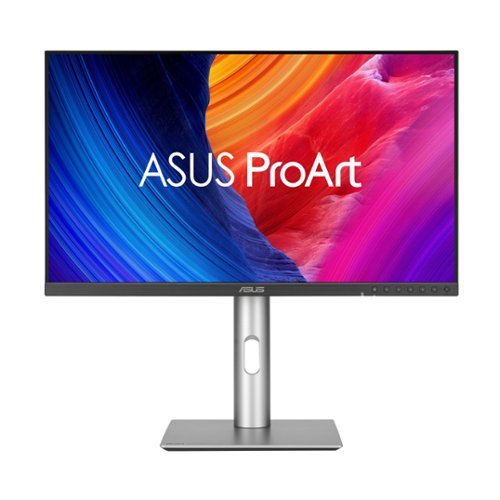
ProArt Display PA27JCV is a 27-inch 5K HDR monitor designed for professional content creators. This Calman Verified display boasts a wide gamut with 99% DCI-P3, 100% sRGB and 95% Adobe RGB coverage, and it~s factory calibrated to Delta E<2 for exceptional color accuracy. Built-in Auto KVM allows for convenient, effortless switching between two connected laptops or PCs using a single keyboard and mouse. To ensure brightness and color temperature accuracy, ambient light and backlight sensors automatically adjust visual settings. Plus, a USB-C port offers DisplayPort support and enables superfast data transfers and 96-watt power delivery via a single cable.
Customer Rating
5
Stunning 5K Graphics at an affordable price
on April 26, 2025
Posted by: TheOffice1234
PRODUCT
ASUS - ProArt 27" 5K IPS LED Professional Monitor Model: PA27JCV
ASUS - ProArt 27" 5K IPS LED Professional Monitor Model: PA27JCV
SUMMARY REVIEW
I’m transitioning from a 32 inch monitor for my everyday work from home monitor to this ASUS ProArt 27 inch 5K monitor. I was worried that the size would be a letdown, but honestly it feels more natural (the 27 inch) and the 5K real estate is amazing. I was blown away by the color and clarity and crispness of everything.
I’m transitioning from a 32 inch monitor for my everyday work from home monitor to this ASUS ProArt 27 inch 5K monitor. I was worried that the size would be a letdown, but honestly it feels more natural (the 27 inch) and the 5K real estate is amazing. I was blown away by the color and clarity and crispness of everything.
IMPRESSIONS
The build quality is great for this price point. It is not 100% metal, who cares? I don’t need my monitor to look like a hot rod on the outside if it performs like one on the inside, which it does.
Setup/assembly was easy, with no issues. The parts all felt strong and good quality.
Out of the box the monitor is “pre-calibrated” and of course you can fine tune it to your environment and usage. Disclaimer, I’m not a graphics artist, but the colors and everything seemed spot on out of the box, rich and vibrant.
Setup/assembly was easy, with no issues. The parts all felt strong and good quality.
Out of the box the monitor is “pre-calibrated” and of course you can fine tune it to your environment and usage. Disclaimer, I’m not a graphics artist, but the colors and everything seemed spot on out of the box, rich and vibrant.
The monitor looked great at any angle and was not overly glossy or reflective.
FEATURES
For me, the winning feature is included USB-C (display port) connectivity which I prefer over HDMI and traditional Display Port. I also like that ASUS still included the “legacy” ports for added flexibility and allowing for connecting more than one system.
PRO’s
- Video Ports (HDMI, Display Port, USB-C)
- USB Hub (3 Ports Type A, Plus 1 Port USB-C)
- Buttons on the front for easy access / fine tuning
- KVM capability (2 systems, 1 monitor)
- Earphone Jack and Built in Speakers
- Rotating Stand for Portrait Mode
- HDR 500 (very bright) with ambient light sensor to automatically dim
- Built in Power Supply (no bricks)
- Dedicated On / Off Power Switch
- Video Ports (HDMI, Display Port, USB-C)
- USB Hub (3 Ports Type A, Plus 1 Port USB-C)
- Buttons on the front for easy access / fine tuning
- KVM capability (2 systems, 1 monitor)
- Earphone Jack and Built in Speakers
- Rotating Stand for Portrait Mode
- HDR 500 (very bright) with ambient light sensor to automatically dim
- Built in Power Supply (no bricks)
- Dedicated On / Off Power Switch
The speakers are not going to win any awards for audio quality, but I already have my own dedicated sound bar, which I prefer anyway. It is nice they are there in a pinch.
I like the fact that the controls are on the front instead of behind the monitor. This makes it much easier when you complete the initial setup and fine tune settings.
I like the fact that the controls are on the front instead of behind the monitor. This makes it much easier when you complete the initial setup and fine tune settings.
NOTE: This is not a high-speed gaming monitor, it only supports 60p and 5ms.
MY USE
In general, this is my everyday monitor for boring work stuff and the added 5K real estate is a big help. However, every so often, I need to process and edit large 4K video files and 25MP photos. With the built in KVM I can just fire up my graphics editing computer and be off and running with the 5K monitor. It looks fantastic!
RECOMMENDATION
This is a huge step up in quality over my older but similarly priced 4K monitor. If you are thinking about 4K take a closer look at 5K. I think you will be very impressed. I recommend this monitor for all professional uses.
I would recommend this to a friend!






Share this review:


+4points
4of 4voted this as helpful.
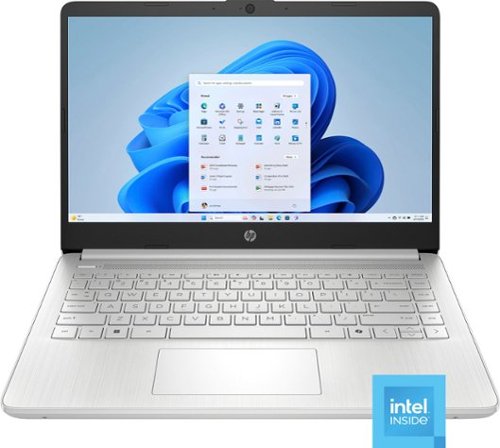
Performance to do more. All-day long. Designed to keep you productive and entertained, this HP 14-inch laptop PC features Copilot key for AI assistance, long battery life and a thin and portable design.
Customer Rating

4
Good Rugged Laptop for Light Duty / Travel
on March 21, 2025
Posted by: TheOffice1234
PRODUCT Model:14-dq6011dx
REVIEW
The laptop is very rugged while still being lightweight. It should hold up to a fair amount of abuse. It is relatively quick and performed well for everyday tasks like surfing the web or basic MS Office apps. I would have no issue tossing it in a backpack to get some work done or watching movies while traveling especially due to the small size and weight. It is affordable, so I would not panic if something happened to it.
PROs
- Small / Compact Size
- Fast enough for every day task
- Small Power Supply
- Enough internal storage for basic tasks
- (3) High Speed Ports
- Includes Windows 11
- Includes 1 Year Subscription to MS Office Personal
- Trusted Brand Name for Ongoing Support
- Small / Compact Size
- Fast enough for every day task
- Small Power Supply
- Enough internal storage for basic tasks
- (3) High Speed Ports
- Includes Windows 11
- Includes 1 Year Subscription to MS Office Personal
- Trusted Brand Name for Ongoing Support
It is not a touch screen, so you have to use the track pad for scrolling. The keys are not backlit so you will have to use it with decent light. I found the screen / colors washed out and hard on the eye for prolonged use. About 50% of the included storage it taken already by Windows and included apps. This leaves you about 50GB free for small documents. Fortunately with the included USB ports you can easily expand to more external storage.
RECOMMENDATION
I would recommend this for example an affordable travel laptop, or a young student laptop for homework and basic internet.


Share this review:


+6points
6of 6voted this as helpful.
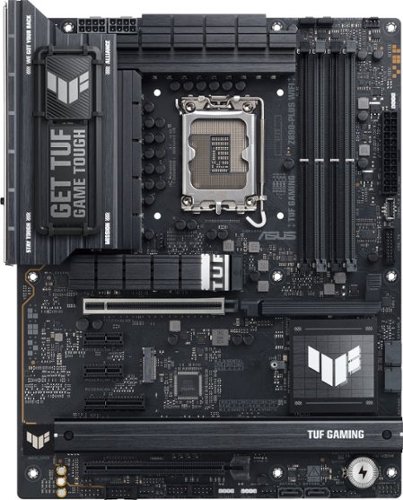
TUF GAMING Z890-PRO WIFI ATX motherboard, Advanced AI PC-ready, 16+1+2+1 80A DrMOS power stages,~DDR5 slots, PCIe 5.0, DisplayPort, HDMI, two Thunderbolt 4 USB Type-C ports, front panel USB 20Gbps Type-C port, 4 x M.2 slots, Wi-Fi 7 with Q-Antenna, Intel 2.5 Gb Ethernet, M.2 Q-Release, PCIe Q-Release Slim, Pre-mounted I/O shield, BIOS FlashBack botton, Aura Sync
Customer Rating
5
The Goldilocks Win 11 / Intel ASUS Motherboard
on November 26, 2024
Posted by: TheOffice1234
PRODUCT
TUF GAMING Z890-PLUS WIFI
TUF GAMING Z890-PLUS WIFI
The Goldilocks Win 11 / Intel ASUS Motherboard
QUICK OVERVIEW
This Motherboard is a nice “step up” from entry level, without being overkill and while keeping most of the important features of the premium offerings from ASUS. I don’t think you can go wrong with this motherboard for all but the most fanatical hard-core users. It even, in many cases, offers more flexibility than some other higher-end models. NOTE: Windows 10 is not fully supported (see below)
• Multiple Card Slots for Flexible Expansion
• Plenty of USB Ports (rear ports and MB headers)
• Plenty of M2 Slots
• Plenty of SATA ports
• Thunderbolt 4 (40 Gb) and USB (20 Gb) Ports
• Advanced Overclocking for RAM and CPU (same as the higher end boards)
• WiFi 7 built in (requires Windows 11)
• Bluetooth 5.4 built in (requires Windows 11)
• Many helpful quick release tabs for M.2 slots, graphics cards, etc make this truly easy to use motherboard, with almost no tools needed on a regular basis.
• Plenty of USB Ports (rear ports and MB headers)
• Plenty of M2 Slots
• Plenty of SATA ports
• Thunderbolt 4 (40 Gb) and USB (20 Gb) Ports
• Advanced Overclocking for RAM and CPU (same as the higher end boards)
• WiFi 7 built in (requires Windows 11)
• Bluetooth 5.4 built in (requires Windows 11)
• Many helpful quick release tabs for M.2 slots, graphics cards, etc make this truly easy to use motherboard, with almost no tools needed on a regular basis.
GOLDILOCKS BOARD
If you go back a level or two in ASUS motherboard models, then you might lose Thunderbolt 4 (depending on the board) or have a slower RAM top end speed, or fewer card slots or no 20Gb USB ports. If you go up a level or two, you gain more Thunderbolt 4 ports and M.2 slots a little more RAM top end speed, but then you start to lose expansion card slots, due to the limitation of total available PCI lanes. You must decide where to allocate your bandwidth (ports or slots) before you buy a Motherboard.
This board should perform well with good flexibility to meet most, if not all, of your current and future needs even if you are not sure what your future needs will be.
SETUP
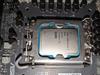
The very first thing I did was to flash the BIOS. This was due to several warnings on the ASUS website. One surprise (to me) was the lack of WiFi / Bluetooth and other drivers for Windows 10 from ASUS for this motherboard. After several days of experimentation, I gave up and decided to install Windows 11.
TIP: make sure that you download the ASUS LAN or WIFI drivers and have them unzipped on a thumb drive as the compatible drivers are not included by default in the Windows Installation Media. After you finish installing Windows 11, ASUS will detect you need more drivers and prompt you through the process. Regardless, though, you must have a network driver to even get Windows installed.
For Windows 11 and with this test/review, I let ASUS install the suggested driver update tool and let it do its thing. Everything was installed properly with no errors in device manager control panel.
BIOS
If you are familiar with ASUS BIOS screens you will be right at home. It looks similar to the several other ASUS MB’s I use around the house. I’m not a big over-clocker, but it nice to know that everything you would need seems to be there for you, including several “AI” tools to optimize performance. I tend to run my systems STOCK to keep power consumption and cooling requirements low. In my open bench builds (4 so far), I don’t use any extra cooling fans other than a CPU air cooler fan, so I try not to get too crazy with performance boosting.
MY USE
I’m building an arcade cabinet and I need a ton of USB Ports for various controllers as well as to power external LED lighting effects. Between the 8 Rear Panel Ports and 7 Front Ports (that I wired to the rear of the case with optional not included cables), I now have 15 USB ports. After adding my GPU, I still have 4 PCI Slots left over for additional expansion if I need it. I will use one M.2 slot and still have 3 left over. I will use one SATA port and still have three left over. In short, there is plenty of room for any expansion I could imagine. So far, I can’t think of anything else I need from this Motherboard. NOTE: With my arcade (Windows 10) build I will have to sacrifice 2 USB ports to make up for unsupported motherboard WiFi and Bluetooth, but I still have plenty of ports left over.
PERFORMANCE
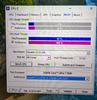
I decided not include a bunch of performance specs in this review, there are simply too many variables between CPU speed, RAM speed, Storage Speed, and overclocking variables to be meaningful unless you have my exact same build down to the component level. I am not (in this case) trying to build a rocket ship, but it is nice to know that I could if I wanted to. I have an I7 CPU, prior generation mid-range GPU (RTX3060), and a large / slow spinning disk. It feels zippy due to my M.2 NVME boot drive and meets my needs perfectly.
RECOMMENDATION
The more I researched this line from ASUS, the more the TUF GAMING Z890-PLUS WIFI seemed the perfect MB for me. It is just the right balance of ports / slots / performance / expandability and value.
The more I researched this line from ASUS, the more the TUF GAMING Z890-PLUS WIFI seemed the perfect MB for me. It is just the right balance of ports / slots / performance / expandability and value.
I have some misgivings about the lack of full Windows 10 support (at least at the time of this review). I don’t like having unsupported / improperly configured devices in my Device Manager. Nevertheless, I realize that Windows 10 days are all but over, and I need to get on board with Windows 11. This MB from ASUS will likely force the issue for me to upgrade the rest of my systems to Windows 11.
I do recommend this MB.
I would recommend this to a friend!




Share this review:


+9points
9of 9voted this as helpful.

Oura Ring 4 brings you closer to what matters most ~ your health. With an updated all-titanium design, this smart ring features Smart Sensing, a new sensing platform that doesn~t just measure your biometrics but also adapts to you. It provides insights into over 50 biometrics including sleep, readiness, activity, heart health, stress, metabolic health and women~s health.
Customer Rating
4
First time Convert from Fitness Band to Fitness Ri
on November 4, 2024
Posted by: TheOffice1234
PRODUCT
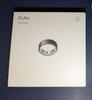
Oura Ring 4 - Smart Ring - Size 12 - Stealth
Model:JZ90-54218-12SKU:6595532
Model:JZ90-54218-12SKU:6595532
QUICK REVIEW
First time Convert from Fitness Band to Fitness Ring
In most cases it seems more accurate than my fitness band (FB), and it allows me to return to wearing a nice watch instead. Use the Sizing Kit and choose your ring carefully.
The edges are somewhat sharp, which makes choosing a finger even more critical.
The app is not as clear / easy as my FB app, but hopefully it will continue to evolve.
In short, I recommend the OURA 4, with a few reservations, but especially if you want to free up your wrist from a fitness band it is a good option.
In short, I recommend the OURA 4, with a few reservations, but especially if you want to free up your wrist from a fitness band it is a good option.
MORE DETAILS
PROs
- Solid very well build and nice looking
- Easy to use and to get started
- Long Life between charges
- Fast Charging
- Good (enough) app
- Solid very well build and nice looking
- Easy to use and to get started
- Long Life between charges
- Fast Charging
- Good (enough) app
CONs
- Very Large compared to a typical wedding ring
- Edges are too squared off, almost sharp
- App is sometimes hard to navigate to find what you want
- Very Large compared to a typical wedding ring
- Edges are too squared off, almost sharp
- App is sometimes hard to navigate to find what you want
SIZING / EDGES
I did not spend enough time with the kit. I ended up moving the ring from my left index finger to my right middle finger (the only other finger that fit). One big issue for me is that the edges are too squared off. I scrape myself all the time. I don’t mean I’m drawing blood (yet), but one main reason I moved fingers is that every time I touched my face, I scraped it on the edge of the ring. Even on my middle finger, I am scraping myself while washing my hair / face.
PERFORMACE (Coming from FB)
SLEEP TRACKING
I found the ring to be especially more accurate in sleep measurement. How do I know this? We had a smoke alarm fail on us, and it was going off every few hours. FB gave me a sleep score of 85 and 7 hours of sleep. The Ring gave me a sleep score of 60 and 4.5 hours of sleep. In other words, the ring knew I was up tossing and turning and the FB did not. The Oxygen readings on the Ring are also more detailed as FB dumbed down the stats a few years ago. I have borderline sleep apnea (as diagnosed in a clinic). The Ring is giving me all sorts of warnings, while the FB says everything is within normal range.
STEPS
At first, when I had the ring on my left Index Finger the steps were almost identical to my FB and within 10% of my digital dress watch. However, once I moved the ring to my right middle finger, it started recording about 20% fewer steps. I don’t know if this is because it is a tiny bit more loose or Right hand Vs Left hand (maybe 11.5 vs 12). Or maybe the way I hold the dog leash (makes up most of my walking).
THE APP
There is nothing particularly wrong with the App, it just not as optimized as FB. For example, if you are looking at a stat (STEPS / SLEEP) it shows you a LEFT or RIGHT arrow to go to the previous day. However, instead of just taking you to the previous day, it brings up a full calendar and you have to pick the date. Of course, this is not the end of the world just wasted time hunting for things in the app.
WHAT DO I MISS GOING FROM FB TO THE RING?
- Vibration Alarms on FB
- Seeing the Time at Night
- Vibration Alarms on FB
- Seeing the Time at Night
Both of these were easily solved by stealing the Digital Assistant Clock from my spouse’s side of the bed!
FINAL IMPRESSIONS
I am amazed at the size, accuracy and battery life of something like this. It is a marvel of miniaturization. I wish the finish was rounded and it was not scratching me. I wish it was a little smaller, but had I sized it right I probably would have moved it to another finger resulting in a smaller overall size. Finally, it would be perfect it is has some sort of vibration alert / alarm.
Yes, I will replace my FB with the ring.
I would recommend this to a friend!





Share this review:


+1point
1of 1voted this as helpful.

Oura Ring 4 sizes are slightly different from standard ring sizes, so it is important to size yourself using our tools and to follow our sizing instructions. The Oura Ring 4 Sizing Kit allows for you, and those around you, to find the ideal fit before purchasing. You can also size yourself in stores where there is an Oura Ring 4 display. A properly fitting Oura Ring will result in the highest possible data accuracy, comfort, and overall experience.
Customer Rating
5
Dont skip this important step 4 your ring purchase
on November 4, 2024
Posted by: TheOffice1234
PRODUCT
Oura Ring 4 Sizing Kit - Model:JZ98-54869 SKU:6594681
QUICK SUMMARY
You owe it to yourself to get this kit and spend some time with the different sizes and different fingers. Don’t skip this important step. I wish I had gone a few more days.
REVIEW
At first, I was skeptical on the value of the ring kit. It was very helpful in finding the right finger and size. For example, I started with a size 11 and my left index finger. Overnight, I guess my fingers swell up a little, and the #11 was uncomfortable and I could not easily remove it, so I went to a size 12 which fit a lot better. Because I was leaving on a trip shortly, I called it good enough and ordered the #12. I wish I spent more time with the ring kit. As I went through my daily routines for a week with the real ring, I came to hate it on my Left Index Finger. I only had one other finger that fit, and that was my right middle finger.
I would suggest that you take at least a full week to make sure that you give the ring a test run in all your situations. In my case I had only tested in on a weekend where I had nothing going on. As the week progressed, I found the ring getting in the way of a lot of things.
RECOMMENDATION
100% recommend you get and use this sizing kit for at least a week before investing so much on a ring and not being perfectly happy.
100% recommend you get and use this sizing kit for at least a week before investing so much on a ring and not being perfectly happy.
I would recommend this to a friend!


Share this review:


+1point
1of 1voted this as helpful.

Love real espresso but hate the hassle? Introducing the Philips Baristina Espresso Machine. It grinds, tamps, and brews coffee beans automatically - it's the barista who lives on your kitchen counter! Pour in your favorite beans, swipe the handle, and let Baristina do the rest. It grinds beans for a super fresh aroma, tamps perfectly into the portafilter, and brews with high pressure, so your coffee tastes just like a barista made it. It's that simple. Enjoy perfectly brewed espresso on its own, or craft caf~-style drinks like lattes, cappuccinos, and americanos. Philips Baristina looks after the espresso, so you can simply appreciate a superb brew. So swipe the handle and get ready for real espresso.
Customer Rating
5
Easy to use - Good starter espresso machine – Dece
on September 13, 2024
Posted by: TheOffice1234
PHILIPS BARISTINA
Easy to use - Good starter espresso machine – Decent brews
OVERALL
The Philips Baristina does a great job simplifying the process of making a good espresso. After you add water in the back, and beans on the top, then you can make espresso all day long with a simple press of button and emptying the portafilter between brews. The user has 2 primary options Espresso or Lungo (which uses more water thus not as strong flavor). It worked well in my testing, with consistent brews each time. It is advertised as “quiet” and maybe is it a tiny bit more quiet than my other 3 espresso machines (yes I have a problem, I know), but as with any grinding process it is still somewhat noisy.
In short it does a very good job, is super easy to use, and a fair value.
SETUP
Continuing the “no instruction manual trend”, you have to scan a QR code on the box to figure out how set up the machine. I was not impressed with the instructions. The default page was in Spanish, then you had to pick which exact model you had (back to the box to check the UPC code), then some vague instructions and video. It was not hard, but could have been better. Short version (rinse everything out, put in water, plug it in, hold the middle button for 5 seconds let it run a while, then rinse it all out and start using it. The final (missing?) instruction is that you need to run 3-5 cups of espresso through the unit before getting something drinkable.
TIP: USE FILTERED WATER. Based on tons of experience you should use filtered water to help keep the high temp pumps and heaters from failing due to excessive build up.
TIP: DESCALE OFTEN. If you are a heavy user (4 / day for example) then you will want to descale the machine about every 4-6 week.
TIP: DON’T USE FLAVORED / OILY / GLOSSY beans. Build in grinders are easily clogged by the oils in these beans.
If you don’t do these 3 tips, then regardless of the maker, you can expect to replace the machine sooner than needed, depending upon your water hardness level. I went form replacing a machine every year, to never having a failure the past 5 years.
So far, this is the easiest to setup espresso machine I have used. There is not real “dialing in” process as you find on more manual machines.
USE / TASTE / ETC
Using the Philips Baristina is dead simple, put in the empty portafilter, select the type of espresso, slide the portafilter to the right, and wait a few moments. You can change the strength (button press) and the volume of liquid (advanced) if you want to. But out of the box it is properly calibrates for a smooth coffee.
For my taste the coffee is a little too smooth, but I will play with strength and volume settings later to tweak the output. The crema is good, not too much, not too little. I can’t quantify it, but it is lacking some character and complexity. Though still acceptable.
It was interesting to me that the “puck” is smaller than my other machines, it is less compacted (if at all), and much more course and very wet. Regardless it is still a good tasting and acceptable brew. I suspect this uses less beans as well, which in turn could save some money on beans in the long run.
If I was served this in any restaurant I would be completely satisfied.
RECOMMENDATION
If you are new to espressos, or just don’t like the fuss, but still want a good drink, then I think the Baristina is an excellent choice. If you want more control over grind and other settings, you might want a more (or less) advanced machines to help you develop your perfect flavor. I will likely take the Baristina, to my office, where I can have a quick espresso without too much time/effort.
I would recommend this to a friend!






Share this review:


0points
0of 0voted this as helpful.

The Cobra SC 220C is a dual-view camera that captures the front and interior of your vehicle for comprehensive security. Add in Mayday notifications, remote wi-fi vehicle monitoring, and QHD resolution~and you have comprehensive security that never blinks.
Customer Rating
5
Excellent (premium) dashcam w/ extra features
on August 20, 2024
Posted by: TheOffice1234
PRODUCT REVIEWED
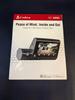
COBRA - SC 220C QHD DUAL-VIEW FRONT & CABIN DASH CAM
COBRA - SC 220C QHD DUAL-VIEW FRONT & CABIN DASH CAM
QUICK REVIEW
Excellent (premium quality) dashcam with extra (basic) features which you may not need, but nice to have anyway.
REVIEW
I was not aware that Cobra made dashcams, but after having a bad experience with a different brand premium dashcam from a UK mfg (without USA support or parts), I was glad to see a more familiar name in the dashcam business with US based products and US based support. I have had several Cobra products over the past few decades and never had an issue with any of them.
You can read the full specs and features for yourself, so I won’t repeat them here. Primarily, you get a rock solid dashcam with some basic mobile phone enabled extras like turn-by-turn navigation and “community” sourced alerts from fellow mobile app users.
While the SC 220C is not the top of the line from COBRA it checks most of the same boxes, except for 4K recording, and a rear-view camera vs interior view camera included with the SC 220C. I can live with the 4K vs QHD tradeoff for the compact all in one form factor. Otherwise, it is a very premium build.
SETUP
Finally! A company that has a simple set up that actually works the first time without any fussing (I use Android). Answer 3(?) questions on the screen, scan the QR code to download the app, and you are ready to go. The app quickly found and paired with the Dashcam. THANKYOU COBRA
OPERATION
What I want from a dashcam is to set it up, and the forget about it, just knowing that it is doing its job. The SC 220C does exactly this. When I turn on the car, it fires up, and I see the recording icon working. I setup the screensaver to turn on after 1 min and to show the time and speed instead of the video. I have a bit of a lead foot, so I set up MPH alerts for 10MPH over the speed limit.
NOTE: The SC 220C is not touch screen, which took some getting used to. Instead, there are navigation buttons below the screen (eg left right enter), like you find on many computer monitors. While I miss a touch screen, once it is setup, I’ll probably never need it again.
I can easily connect to the device from my phone to download and view recordings to make sure everything is working as needed.
INSTALLATION
There is a well thought out pass through 12v (cig lighter) adapter which powers the Dashcam and gives you an extra port for your phone. There is tape to attach the webcam to the windshield. While I would have appreciated a suction cup, honestly, suction cups always come loose eventually fall into your lap, which is a huge hazard while driving. You can also use the Dashcam as sort of a security device by hardwiring it into your auto with an optionally purchased cable. A cable tucking tool is included if you want to hide the extra-long cable.
PERFORMANCE
The SC 220C seems very responsive. I am only using the dashcam and not all the other features. I already have a top-notch Navigation System built into my car. I played a little with the other features but, in the end, I turned them off as being redundant to what I already have. For example, if you have no navigation then basic turn by turn navigation is better than nothing. However, if you have a mobile phone, then you probably already have a superior navigation system built into your phone.
WHAT I LIKE
• Everything needed is included for most users
• Pass though Power / Charging Cable
• Solid Build Quality / Looks and Feel
• US Based support
• Everything needed is included for most users
• Pass though Power / Charging Cable
• Solid Build Quality / Looks and Feel
• US Based support
WHAT I WISH FOR (at this price point)
• A Larger Memory Card (Only 16GB in 2024? Should be at least 64GB)
• Suction Cup Mounting Option Included in Box
• Built in Rear Window Camera (instead of Cabin Camera)
• 4K Main Camera
• A Larger Memory Card (Only 16GB in 2024? Should be at least 64GB)
• Suction Cup Mounting Option Included in Box
• Built in Rear Window Camera (instead of Cabin Camera)
• 4K Main Camera
WHAT I DON’T LIKE
• There is nothing that I don’t like or that does not work.
• There is nothing that I don’t like or that does not work.
RECOMMENDATION
I would recommend the SC 220C for a premium build dashcam. If you want rear window view instead of cabin view, or 4K, then you need to look at COBRA’s higher models.
I would recommend this to a friend!




Share this review:


+2points
2of 2voted this as helpful.
TheOffice1234's Review Comments
TheOffice1234 has not submitted comments on any reviews.
TheOffice1234's Questions
TheOffice1234 has not submitted any questions.
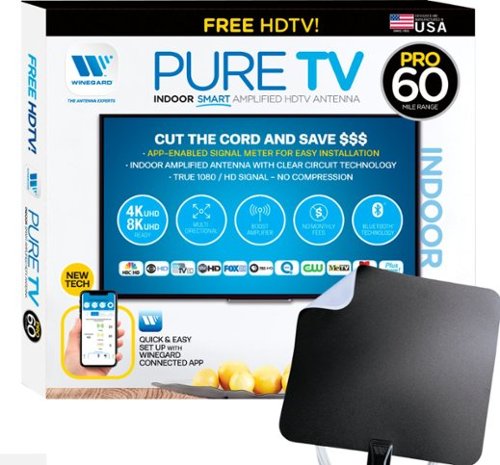
The PureTV Pro 60 is the only antenna with an actual signal meter integrated into the antenna to provide the best possible customer experience when installing. The PureTV Pro 60 has a dual-band, optimized antenna element that captures signals up to 60 miles away, while the antenna~s Clear Circuit Technology boosts the available signal, cuts dropout, and clears pixelation. The integrated, Bluetooth technology signal meter makes you the pro at installation. The PureTV Pro 60 uses a built-in tuner to get real-time signal data. Pair with the Winegard Connected app for no-fuss antenna positioning. Available for iOS and Android phones, the free, user-friendly Winegard Connected app quickly pairs with the PureTV Pro 60. Using both visual and audio indicators, you~ll get real-time feedback on the optimal antenna position for the best signal possible. The app shows a summary of available channels, and you can even fine-tune individual channels for maximum reception. Once you~re done, run a channel scan on TV, and start watching FREE TV.
Do I need a separate antenna for each TV in the house?
Generally, yes, or you need someway to amplify and split the signals to other TV's (which means running cable). So you have to do the math to see what makes the most sense for you. If you do decide to run cable, then don't cheap out on cable or amplifier. I would suggest you purchase from a reputable online retailers vs the local hardware store. Good Amplifiers / splitters will set up back $50 or more. Stay away from the $10 splitters. In theory this unit is already amplified, but I doubt it has enough power for very long runs.
5 years, 5 months ago
by
TheOffice1234
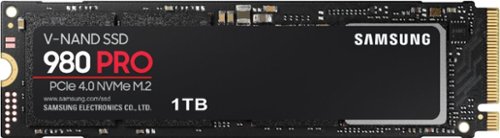
Unleash the power of the Samsung 980 PRO PCIe 4.0 NVMe Gen4 SSD for next-level computing. 980 PRO delivers 2x the data transfer rate of PCIe 3.0, while maintaining compatibility with PCIe 3.0.~ ~The NVM Express~ design mark is a registered trademark of NVM Express, Inc.* Results are based on a comparison with Samsung PCIe 3.0 NVMe SSDs and SATA SSDs.PS5 compatible with heatsink as recommended by Sony; heatsink sold separately.
Does this have a heatsink? And if not does Best Buy sell that version? I hear this thing kicks up the thermals a bit.
This version does not have a heatsink, I bought a 3rd party one for my setup.
5 years, 6 months ago
by
TheOffice1234
Unleash the power of the Samsung 980 PRO PCIe 4.0 NVMe Gen4 SSD for next-level computing. 980 PRO delivers 2x the data transfer rate of PCIe 3.0, while maintaining compatibility with PCIe 3.0.~ ~The NVM Express~ design mark is a registered trademark of NVM Express, Inc.* Results are based on a comparison with Samsung PCIe 3.0 NVMe SSDs and SATA SSDs.PS5 compatible with heatsink as recommended by Sony; heatsink sold separately.
Has anyone tried to clone this from an internal SATA 3 SSD with the Samsung software and had any boot issues????
In the past I've had nothing but issues cloning drives with the samsung tools. Fortunately one of my other drives came with ACRONIS which worked perfectly.
5 years, 6 months ago
by
TheOffice1234
Unleash the power of the Samsung 980 PRO PCIe 4.0 NVMe Gen4 SSD for next-level computing. 980 PRO delivers 2x the data transfer rate of PCIe 3.0, while maintaining compatibility with PCIe 3.0.~ ~The NVM Express~ design mark is a registered trademark of NVM Express, Inc.* Results are based on a comparison with Samsung PCIe 3.0 NVMe SSDs and SATA SSDs.PS5 compatible with heatsink as recommended by Sony; heatsink sold separately.
Do the read and write speeds depend on my current internet speed?
There is no relationship between internet speed and drive speed. The drive speed (and other factors) is how fast the drive can get information to the main CPU. The internet speed is moving data between systems externally (such as a website)
5 years, 6 months ago
by
TheOffice1234

The sound bar for those with small spaces or minimalistic tendencies. The compact Yamaha SR-C20ABL sound bar fits easily in whatever space is available and can be wall-mounted for even more possibilities. Setup is easy with a simple connection to your TV while Bluetooth lets you stream wirelessly from your mobile devices.
Can you also hook this to a cell phone to play music without the tv?
The sound bar for those with small spaces or minimalistic tendencies. The compact Yamaha SR-C20ABL sound bar fits easily in whatever space is available and can be wall-mounted for even more possibilities. Setup is easy with a simple connection to your TV while Bluetooth lets you stream wirelessly from your mobile devices.
Do you have to buy cables or does it come with the product
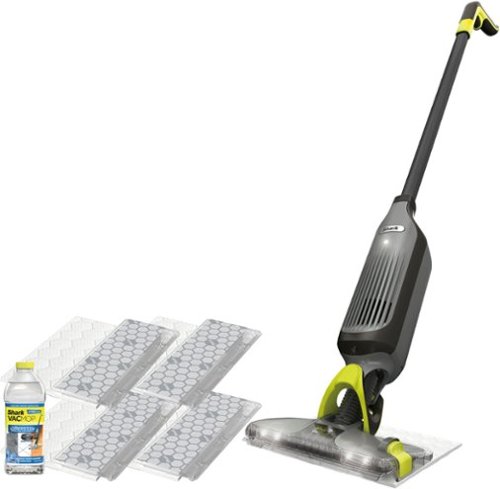
Shark VACMOP Pro cordless hard floor system uses an innovative all-in-one disposable pad to vacuum and lock away debris other pads push around, and to spray mop tough messes. Pick up dry debris, then spray mop, and toss the pad with one click~never touch a dirty pad again! Features LED headlights, charger, 2 disposable pads, and a 12-oz. bottle of Shark VACMOP Multi-Surface Cleaner.
What is a magnetic charger? How long does it hold a charge?
There is a little round disk that you plug into the wall, and the it magnetically attached to the vacuum. I think it is call induction charging (like on some cell phones). This way you don't have to fuss aligning a power adapter. I would assume it is also more child / youth friendly since there are no exposed ends with live power.

6 years, 1 month ago
by
TheOffice1234