


TheOffice1234's stats
- Review count180
- Helpfulness votes1,035
- First reviewDecember 11, 2009
- Last reviewJune 7, 2026
- Featured reviews0
- Average rating4.6
Reviews comments
- Review comment count0
- Helpfulness votes0
- First review commentNone
- Last review commentNone
- Featured review comments0
Questions
- Question count0
- Helpfulness votes0
- First questionNone
- Last questionNone
- Featured questions0
- Answer count27
- Helpfulness votes22
- First answerApril 24, 2020
- Last answerDecember 18, 2021
- Featured answers0
- Best answers6
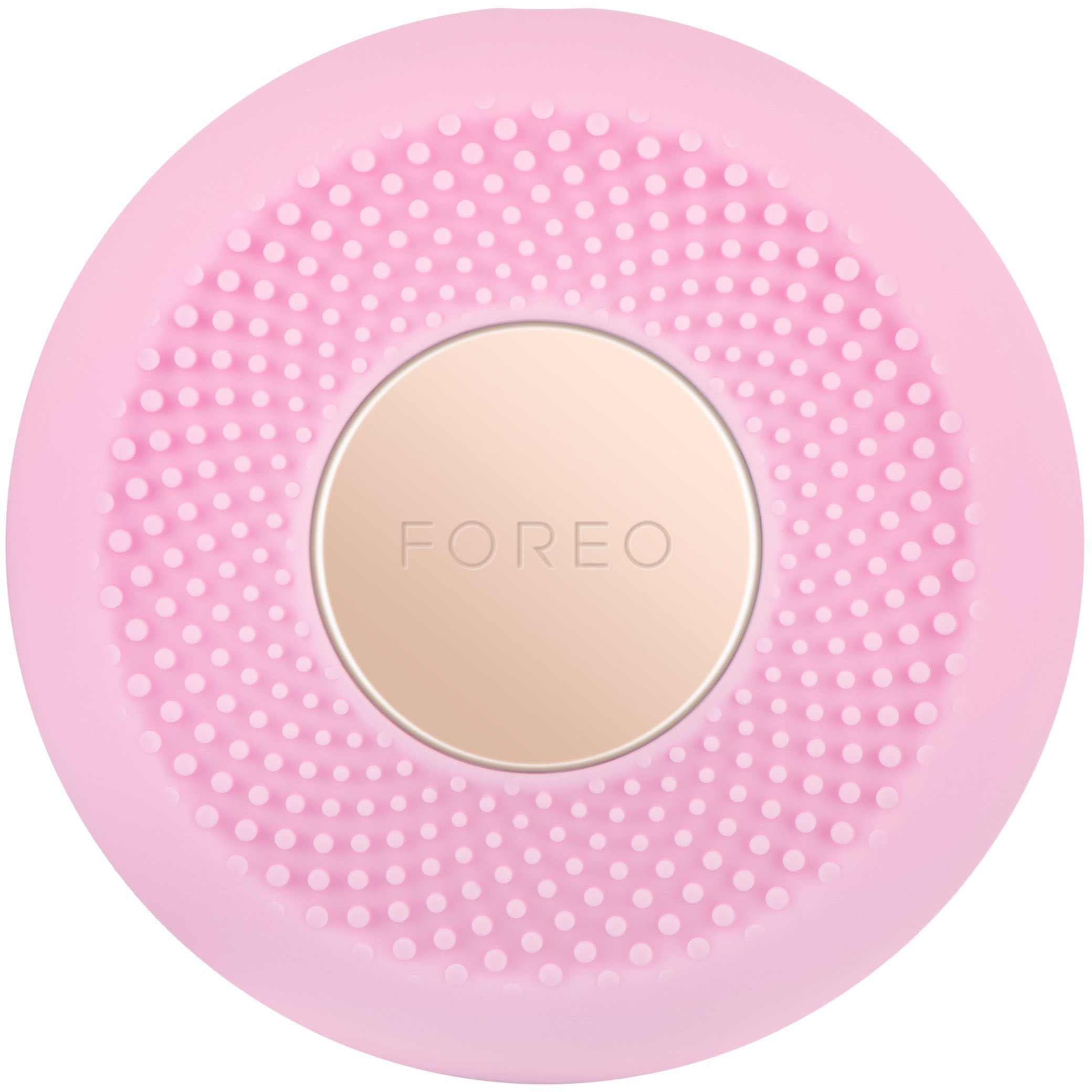
Discover complexion perfection * UFO mini is the perfect at-home beauty device that will transform your complexion in two minutes or less. Supporting the majority of UFO functions, UFO mini features LED Light Therapy, heating & T-Sonic pulsations, and helps infuse mask essence into the deeper skin layers, for flawless complexion that lasts. Enjoy morning, night, or whenever you feel your skin needs some expert TLC. It may be mini but you'll get the max out of your skincare.
Customer Rating

5
QUALITY AFFORDABLE SPA TREATMENT AT HOME
on January 30, 2022
Posted by: TheOffice1234
FOREO UFO MINI
Best Buy Tech Insider Network
QUALITY AFFORDABLE SPA TREATMENT AT HOME
OVERALL
The FOREO UFO MINI was fun and easy to use once you get through the setup. The package was really deluxe, and would make a great gift for that special someone. It was a deluxe opening experience for sure. The treatment itself is very soothing during both the pulsing and heating portions.
The FOREO UFO MINI includes a nice selection of mask options (there are 2 boxes (7 each) that came with the kit. The app/documentation says there are 12 varieties of masks available.
If my match is correct, the cost per treatment between $3 and $4 each, which is not excessive when compared to other single use brands or a spa treatment.
After 3 days of use it left skin feeling softer and looking fresher all day.
SETUP
For a less technical person the setup, pairing with a phone, loading the app, it can potentially be a little frustrating. The included instructions were not great, and tt would be helpful if written directions including more set up, and how frequently product should be used.
At first, the app is not super intuitive additionally is hard to follow the app while doing the treatment.
I’m sure this is all learning curve related, and eventually it will become easier.
I would like the length of treatment be selectable from the start instead of having to select “repeat” just let the time (for example 3 minutes) be selected at the start of the treatment.
I would like the length of treatment be selectable from the start instead of having to select “repeat” just let the time (for example 3 minutes) be selected at the start of the treatment.
RECOMMENDATION
Overall, it is a nice additional to a good skin care treatment. I assume the app will get better over time, but honestly is not horrible, just not automatically intuitive. I would recommend the FOREO UFO MINI.
Overall, it is a nice additional to a good skin care treatment. I assume the app will get better over time, but honestly is not horrible, just not automatically intuitive. I would recommend the FOREO UFO MINI.
I would recommend this to a friend!



Share this review:


0points
0of 0voted this as helpful.
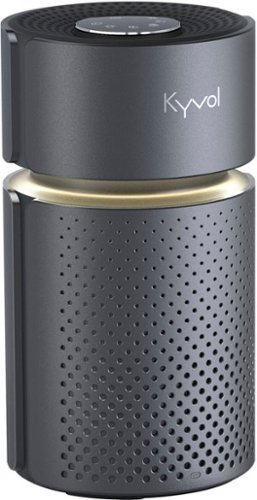
Improve indoor air quality with this Kyvol Vigoair P5 air purifier. Efficient filtration System coupled with the pre-Filter, H13 true HEPA filter, and carbon filter quickly eliminate a variety of allergens, including mold, smoke, pollen, dust and pet dander. This Vigoair P5 air purifier have an topside HD LED smart control panel,LED Night Light and filter replacement reminder feature, it's friendly to serves your home.
Customer Rating

4
SMALL QUIET AIR CLEANER – LIMITED CLEANING POWER
on January 29, 2022
Posted by: TheOffice1234
KYVOL 215 SQ. FT P5 HEPA AIR PURIFIER - GRAY
MODEL:VIGP5X-DG
MODEL:VIGP5X-DG
Best Buy Tech Insider Network
SMALL QUIET AIR CLEANER – LIMITED CLEANING POWER
OVERALL
The KYVOL VIGP5X is an attractive easy to use small and quiet air cleaner. I found it to be well built and easy to use without any complicated setup. I like that it does not need or require a remote or an app on your phone to use. Set it up, turn it on, and enjoy.
I tested the KYVOL VIGP5X in my small home office room (10x10). On its lowest fan setting, I could not even tell it was running. The lights are nice as well, with a soft glow that can act as night light.
Since I already use HEPA filters in my furnaces and pretty much have an air filter in every room, it was hard to demonstrate a measurable improvement in air quality with the KYVOL VIGP5X. One feature that the KYVOL VIGP5X does not have is a built-in air quality meter or display. This means that there not an “Auto” feature for air quality. So, it is up to the user to set the fan levels.
PERFORMANCE
Due to airflow variances, what else is going on around the house (gas cooking, etc), it is often difficult to get a precise measurement, but I have 2 different devices to measure air quality. Unfortunately, after 3 days of testing and multiple samples, I was never able to demonstrate / measure and improvement in air quality with the KYVOL VIGP5X. I have tested perhaps 5 other AIR CLEANERS and that has never been the case (they always showed some improvement, even if only a little). I am not a filter expert, but the filters on the KYVOL VIGP5X seem very porous compared to other filters. I can’t concretely prove that the air cleaner is doing anything. In a 10x10 room with the door closed and only occupied 30% of the time.
RECOMMENDATION
Although the quality is there, I would prefer a unit with a built-in sensor, and I was not able to independently measure any improvement in air quality. That being said, my air quality is already very good. So while the KYVOL VIGP5X is not an aggressive air cleaner, it does a good job overall. If you don’t want to break the bank and only have a small area to clean, I think this is a good start.
I would recommend this to a friend!



Share this review:


0points
0of 0voted this as helpful.
Never compromise the viewing experience from your computer or smartphone with IOGEAR~s Mini Wireless 4K Screen Sharing receiver. Stream video and audio up to 4K @30Hz resolution ensuring your content playback looks as sharp on your 4K UHDTV or projector as it does on your device's display. The Mini Wireless 4K Screen Sharing receiver is the perfect solution for wirelessly streaming 4K video and audio from your Windows 10+ device, Android device, macOS X, iPhone or iPad to your 4K UHDTV, projector or monitor. Use the built-in dedicated Wi-Fi to stream high quality 4K video and audio from up to 30 feet to any connected screen. Enjoy all your favorite content in 4K such as movies, videos, photos and online streaming sites including YouTube~, Hulu~ and Netflix~* in HD from a single low-profile receiver without any additional cables or dongles. Installation is fast and straightforward. Simply connect the receiver to your TV and follow the simple onscreen instruction. Mini Wireless 4K Screen Sharing receiver can create its own wireless network and is not reliant on an existing in-building Wi-Fi network to share photos, spreadsheets or presentations in your office or home. *Streaming videos from your iOS device to a TV screen may not be supported by some online video providers such as Netflix, Amazon Prime Video, Hulu, etc. However, Android users may be able to use Miracast, Smart View or similar technologies to effect screen sharing. Please check the specifications of your devices and providers before purchasing.
Customer Rating

3
4K DONGLE BEST FOR OFFICE NOT GAMING (lag)
on January 24, 2022
Posted by: TheOffice1234
from Lake Orion, MI
IOGEAR - MINI WIRELESS 4K SCREEN SHARING - BLACK
MODEL:GWAVR4K
MODEL:GWAVR4K
Best Buy Tech Insider Network
4K DONGLE BEST FOR OFFICE NOT GAMING (lag)
OVERALL
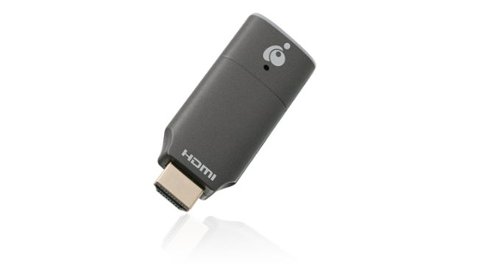
The IOGEAR - MINI WIRELESS 4K was east to setup and use. Connect it to the HDMI port on your TV or Monitor and follow the on-screen instructions.
The IOGEAR - MINI WIRELESS 4K was east to setup and use. Connect it to the HDMI port on your TV or Monitor and follow the on-screen instructions.
There is a unique power cord “Y” power cord that connects the antenna to power and the device.
There is not an included power supply as the IOGEAR - MINI WIRELESS 4K assumes you can connect to the USB port on your TV otherwise you can just grab a spare power supply from your junk drawer. (This is good, I don’t need any more power supplies)
PERFORMANCE
The IOGEAR - MINI WIRELESS 4K is not really up to the task of 4K casting. The 1080p performance was pretty good, but there was notable lag in 4K streaming about 1 second. This is pretty normal in most casting devices, but don’t expect to do even casual gaming through the IOGEAR - MINI WIRELESS 4K.
The IOGEAR - MINI WIRELESS 4K is not really up to the task of 4K casting. The 1080p performance was pretty good, but there was notable lag in 4K streaming about 1 second. This is pretty normal in most casting devices, but don’t expect to do even casual gaming through the IOGEAR - MINI WIRELESS 4K.
You can see in my picture a simple packman game with the laptop and "cast" screen in the same picture. You can see that "PAC" is well behind on the monitor vs the laptop. You can also see noticeable blurriness on the monitor.
Even on a static screen (like a windows background image) there was a lot of pixilation and movement, even though it was a static image. I tried 2 different modern laptops with built in 4K screens and with dedicated graphics cards. I know the laptops can drive 4K just fine, and if I use an HDMI cable they perform perfectly. I used a 120Hz 4K TV and a 60Hz 4K monitor, both less than 2 years old.
QUALITY
I have misgivings about the proprietary “Y” cable. The micro USB end was already a little crooked and bent out of the box. Without the proprietary cable the dongle it will not work (according to mfg website). Additionally, the power cord attached out the back of the dongle making it even longer, and more likely to get bent over time.
I have misgivings about the proprietary “Y” cable. The micro USB end was already a little crooked and bent out of the box. Without the proprietary cable the dongle it will not work (according to mfg website). Additionally, the power cord attached out the back of the dongle making it even longer, and more likely to get bent over time.
OTHER CONCERNS
Sometimes it connected to the TV / Laptop at 1080p, and sometimes at 4K. It seems to depend if the TV was fully (100%) powered on before powering on the dongle.
Sometimes it connected to the TV / Laptop at 1080p, and sometimes at 4K. It seems to depend if the TV was fully (100%) powered on before powering on the dongle.
As to size, and because the power is in the end of the dongle, you need a good 5 inches of clearance to avoid bending the already fragile cable.
RECOMMENDATION
I’m going to give this a pass, not because it is overly bad, but because the IOGEAR - MINI WIRELESS 4K is not up to the task of replacing a 4K cable for even casual use. The pixilation / Macro blocking on static screen images was very distracting. I have had better results from various streaming sticks.
I’m going to give this a pass, not because it is overly bad, but because the IOGEAR - MINI WIRELESS 4K is not up to the task of replacing a 4K cable for even casual use. The pixilation / Macro blocking on static screen images was very distracting. I have had better results from various streaming sticks.
Mobile Submission: False
No, I would not recommend this to a friend.


Share this review:


+3points
3of 3voted this as helpful.
Achieve better plaque removal than with a manual toothbrush thanks to the Philips Sonicare 1100 Series sonic toothbrush paired with the C1 Simply Clean electric toothbrush head. Enjoy a powerful yet gentle clean, even in those hard-to-reach areas. The Advanced Sonic Technology provides gentle yet effective cleaning, pulsing fluid between teeth and along the gumline. To help you get used to the Sonicare experience, the EasyStart feature adjusts the power level of the toothbrush over the first 14 uses. Improve your brushing technique with QuadPacer, which reminds you to brush each section of your mouth for 30 seconds, and reach your recommended brushing time of 2 minutes with SmarTimer. Experience up to 14 days of regular brushing after a single charge, bringing a new level of convenience to your brushing routine (based on two periods of two-minute brushings per day on standard mode). Dental professionals recommend changing brush heads every 3 months.
Customer Rating
5
ECO FRIENDLY SONIC TOOTHBRUSH
on January 17, 2022
Posted by: TheOffice1234
from Lake Orion, MI
PHILIPS SONICARE - 1100 POWER TOOTHBRUSH, RECHARGEABLE ELECTRIC TOOTHBRUSH - WHITE GREY
MODEL:HX3641/02
Best Buy Tech Insider Network
ECO FRIENDLY SONIC TOOTHBRUSH
OVERALL
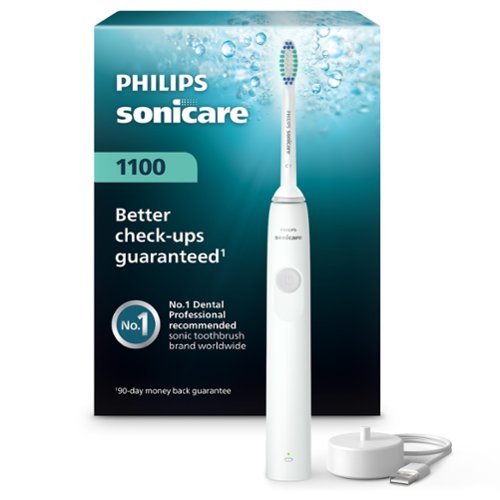
I’ve been using SONICARE brushes for a long time, and I really like how they work. I especially like how this model changed to a USB powered charger. The actual charger is not included, but you can request one, if you don’t already have 200 other chargers laying around the house. It is a good move by Phillips. I wish more companies would do this.
The toothbrush works infinitely better than a manual toothbrush, especially if you use the timer notifications built in. Ideally you brush each “quadrant” until a gentle buzz occurs.
This 1100 model seems to perform just as well as the more expensive models. I can’t tell any difference. In short it does a great job. I’ve not had any dental issues since I started using SONICARE about 15 years ago. This is a nice addition / upgrade to my existing SONICARE.
I would 100% recommend it.
Mobile Submission: False
I would recommend this to a friend!


Share this review:


0points
0of 0voted this as helpful.
With Live Streamer CAP 4K, simply hook up your video camera or camcorder to create the highest video quality contents for your 4Kp60(HDR) live stream and 4Kp30 video recording.
Customer Rating
5
EASY FLEXIBLE 4K USB3 CAPTURE CAM/RECORD/STREAM
on January 3, 2022
Posted by: TheOffice1234
from Lake Orion, MI
AVERMEDIA - LIVE STREAMER CAP 4K - USB 3.0 - BLACK
MODEL:BU113
MODEL:BU113
Best Buy Tech Insider Network
EASY FLEXIBLE 4K USB3 CAPTURE CAM/RECORD/STREAM
OVERALL
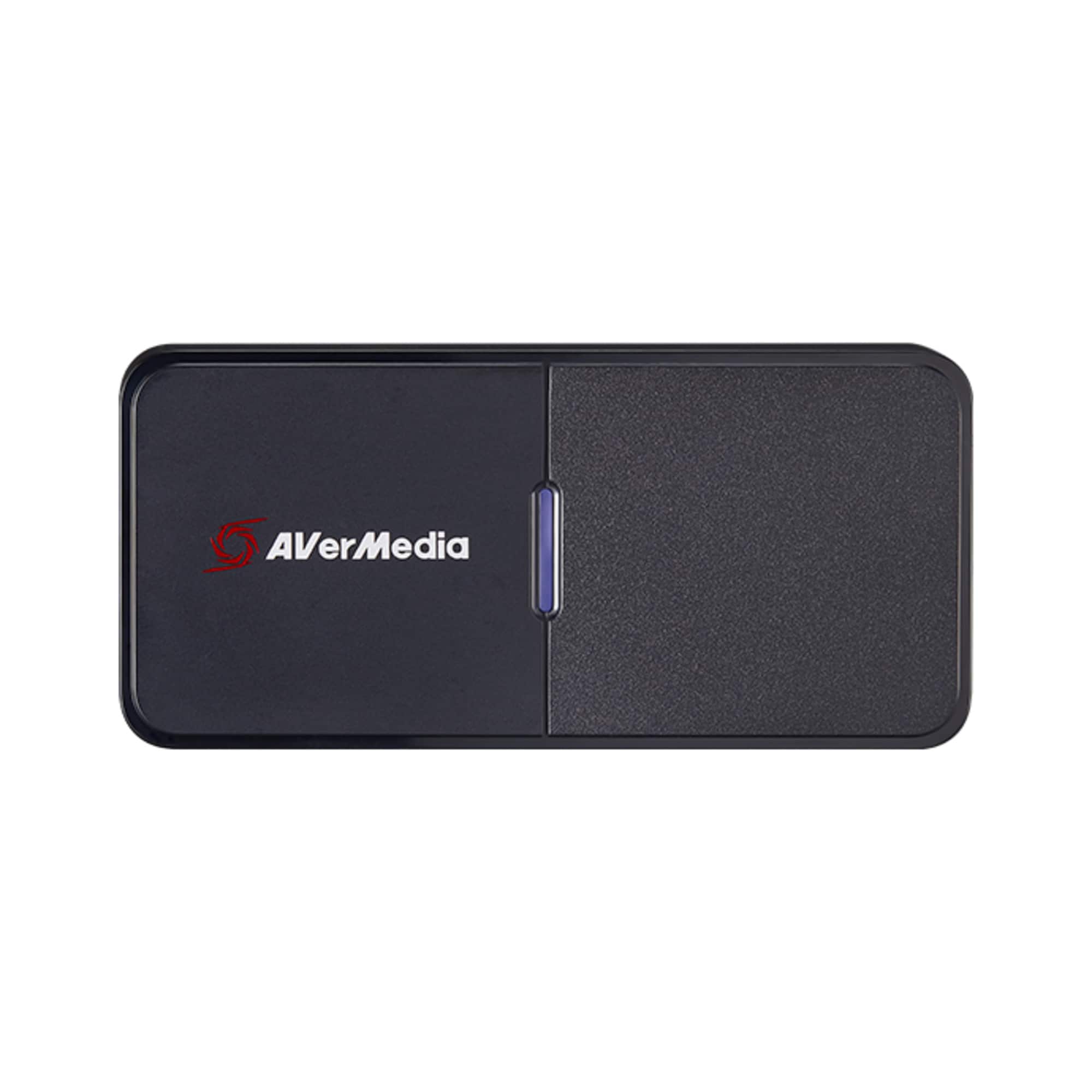
It could not be any easier for basic capture/webcam use. Just plug in the AVERMEDIA - LIVE STREAMER (win 10), connect it to an HDMI source like a camera or video recorder (or another PC), and boom you are in business, you now have a super high quality (up to 4K) webcam / capture device. At this point you can use your own software and it will see your device as a camera (like a webcam) for zoom, skype, teams, etc.
It could not be any easier for basic capture/webcam use. Just plug in the AVERMEDIA - LIVE STREAMER (win 10), connect it to an HDMI source like a camera or video recorder (or another PC), and boom you are in business, you now have a super high quality (up to 4K) webcam / capture device. At this point you can use your own software and it will see your device as a camera (like a webcam) for zoom, skype, teams, etc.
Or, if you want to use the AVERMEDIA free software you can do some recording / mixing streams on the screen, resizing, combining video from different sources, etc. You can even do webcam tricks like animal ears if that is your thing. If you create a free account on AVERMEDIA you can unlock the special effects (like bunny ears) as well “AI PTZ” which among other things, will keep your face center of the screen as you move around in meetings or streaming sessions.
SETUP
The hardest part of the setup (and there was nothing hard) was trying to find where I put the HDMI cable for my 4K video camera (nothing to do with the BU113). I could not find the original cable that came with my camera, so I used a Micro HDMI to HDMI adapter I had laying around. Now instead of a 10 year old webcam or the horrible webcam I have built into my laptop, I can use a 4K camera for work as well as streaming and recording.
The hardest part of the setup (and there was nothing hard) was trying to find where I put the HDMI cable for my 4K video camera (nothing to do with the BU113). I could not find the original cable that came with my camera, so I used a Micro HDMI to HDMI adapter I had laying around. Now instead of a 10 year old webcam or the horrible webcam I have built into my laptop, I can use a 4K camera for work as well as streaming and recording.
RECORDING / LIVE STREAMING
To get to the advanced features of the AVERMEDIA - LIVE STREAMER you should download the AVerMedia Assist Central software. It will identify your device, update the firmware, and install the webcam software AVerMedia CamEngine (special effects) and the RECentral_4 software for capturing and recording / streaming.
I won’t go too much into the software, it is a little clunky but you can get the job done. I was easily able to capture and combine video from the 4K video camera, my desktop, and a second laptop set at 4K. One tip I have is that if you only have one screen then you need to put the content you want to record in a new window and change that source to “application window” instead of desktop. I never could get “record desktop to work”, even with a second screen. It was always creating an infinite mirror effect of the RECentral screen, not the underlaying desktop or second screen. But, windowed mode worked fine in my testing with Doom Eternal. I’m sure with a little more experimentation I can get the RECentral to work in desktop mode as well. I did find the manual for RECentral online. It seems to have lots of features to explore.
VIDEO and AUDIO QUALITY
Of course, it depends upon your source equipment, but the audio and video quality exceeded my expectations. The RECentral software lets you easily switch between stored camera views/effects, as well as audio sources. One minor annoyance was that it seems the RECentral software only lets you select from AVERMEDIA attached devices. In other words, it would not recognize 3rd party webcams or the laptop’s built-in webcam, which would have been nice to swap cameras around as needed. But hey, free software so I was not expecting much anyway.
Of course, it depends upon your source equipment, but the audio and video quality exceeded my expectations. The RECentral software lets you easily switch between stored camera views/effects, as well as audio sources. One minor annoyance was that it seems the RECentral software only lets you select from AVERMEDIA attached devices. In other words, it would not recognize 3rd party webcams or the laptop’s built-in webcam, which would have been nice to swap cameras around as needed. But hey, free software so I was not expecting much anyway.
SOME GEEK STUFF
One tip is that if you are feeding HDMI from another laptop (or phone) into the AVERMEDIA - LIVE STREAMER, you will probably have to turn off HDMI security HDCP in your video driver of your source computer to make it work properly. Each computer / video card maker is a little different, so you can look it up.
One tip is that if you are feeding HDMI from another laptop (or phone) into the AVERMEDIA - LIVE STREAMER, you will probably have to turn off HDMI security HDCP in your video driver of your source computer to make it work properly. Each computer / video card maker is a little different, so you can look it up.
The AVERMEDIA - LIVE STREAMER will not remove HDCP from your source (eg a DVD / BluRay / UHD) player.
SUMMARY / CONCLUSION / RECOMMENDATION
I have another cheap USB capture device, that is only USB2 and only supports 1080P. The AVERMEDIA - LIVE STREAMER is superior in every way. It is well built and it just works out of the box.
The available free software allows for more control over the captured image as well as some basic mixing of sources for recording or streaming. I had no issues in my testing and the results were great. I plan to use the AVERMEDIA - LIVE STREAMER for my daily webcam meetings at work, and whenever I want to record higher quality content for streaming (live or recorded).
I have another cheap USB capture device, that is only USB2 and only supports 1080P. The AVERMEDIA - LIVE STREAMER is superior in every way. It is well built and it just works out of the box.
The available free software allows for more control over the captured image as well as some basic mixing of sources for recording or streaming. I had no issues in my testing and the results were great. I plan to use the AVERMEDIA - LIVE STREAMER for my daily webcam meetings at work, and whenever I want to record higher quality content for streaming (live or recorded).
I recommend the AVERMEDIA - LIVE STREAMER for the casual user up to intermediate and some advanced streamers, especially if they have their own "mixing" software.
Mobile Submission: False
I would recommend this to a friend!


Share this review:


+1point
1of 1voted this as helpful.
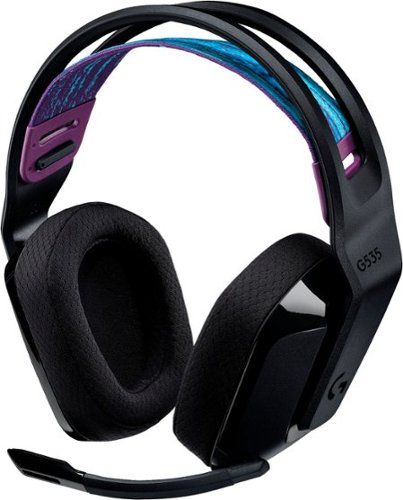
G535 gives you performance, freedom and comfort for all your gaming sessions. Enjoy advanced LIGHTSPEED wireless, up to 33-hour battery life, and 40 mm drivers for crystal-clear sound. Just 236 grams, an adjustable headband, and soft memory foam earpads ensure all-day comfort.
Customer Rating
5
POWERFUL CLEAR GAMING HEADSET G535 – ATMOS?
on December 18, 2021
Posted by: TheOffice1234
from Lake Orion, MI
LOGITECH - G535 LIGHTSPEED WIRELESS DOLBY ATMOS GAMING OVER-THE-EAR HEADSET FOR PC, PS4, PS5 WITH FLIP TO MUTE MICROPHONE - BLACK
MODEL:981-000971
MODEL:981-000971
Best Buy Tech Insider Network
POWERFUL CLEAR HEADSET G535 – ATMOS?
OVERALL
As always you need to test out lots of headphones to find what is best for you, your systems, your listening environment. The LOGITECH - G535 LIGHTSPEED WIRELESS HEADSET is one of the better sounding wireless headsets I have tried in a while, especially at this price point.
As always you need to test out lots of headphones to find what is best for you, your systems, your listening environment. The LOGITECH - G535 LIGHTSPEED WIRELESS HEADSET is one of the better sounding wireless headsets I have tried in a while, especially at this price point.
I put a “?” next to ATMOS because other than the Best Buy site, nobody else claims the G535 headset ATMOS. (at the time of this review) There is nothing on the box that says ATMOS or on any literature I’ve been able to find. My guess, purely speculation, is that LOGITECH did not complete a licensing agreement (yet?) so they had to drop the ATMOS claims and logo. That being said as long as you properly configure them with that DOLBY ACCESS APP you will get decent emulated surround sound. Keep in mind there are only 2 speakers, so unless you spend a lot more you won’t get true multi-speaker surround sound anyway.
For wireless headsets the LOGITECH - G535 LIGHTSPEED WIRELESS HEADSET sound almost as good as my “best” wired headset, but with the freedom of being wireless.
SETUP
My main test was on my PC, so the setup is only to plug in the USB Dongle and start using them. There is an included USB-A to USB-C cable included for charging them. I was able to use them for several hours without issue, and the documentation states something like 30 hours. There is no documentation, just legal stuff included with the headset.
My main test was on my PC, so the setup is only to plug in the USB Dongle and start using them. There is an included USB-A to USB-C cable included for charging them. I was able to use them for several hours without issue, and the documentation states something like 30 hours. There is no documentation, just legal stuff included with the headset.
I highly suggest you download the LOGITECH G-HUB software which allows you to enable microphone feedback (so you can better hear when you are talking) and optimize equalizer and power saving settings.
COMFORT / FIT / ETC
I 100% prefer this style of floating headset (with the band to better able distribute the weight). I have a larger head, so normally most headsets are too tight. In this case, the LOGITECH - G535 LIGHTSPEED WIRELESS HEADSET was too loose with the inside strap at its default position. Once I moved to the next step up, I had a nice snug fit. Before the adjustment they always felt like they were on the verge of falling off. Additionally, the cups can move up or down. The adjustment that worked best for me is the cups as low as possible and the band as high as possible. Short version is that the LOGITECH - G535 LIGHTSPEED WIRELESS HEADSET is very adjustable for comfort. It is also relative lightweight at about 250 grams. My best sounding wired headset comes in around 450 grams, so I definitely get some fatigue after a while. I like the flip up microphone.
I 100% prefer this style of floating headset (with the band to better able distribute the weight). I have a larger head, so normally most headsets are too tight. In this case, the LOGITECH - G535 LIGHTSPEED WIRELESS HEADSET was too loose with the inside strap at its default position. Once I moved to the next step up, I had a nice snug fit. Before the adjustment they always felt like they were on the verge of falling off. Additionally, the cups can move up or down. The adjustment that worked best for me is the cups as low as possible and the band as high as possible. Short version is that the LOGITECH - G535 LIGHTSPEED WIRELESS HEADSET is very adjustable for comfort. It is also relative lightweight at about 250 grams. My best sounding wired headset comes in around 450 grams, so I definitely get some fatigue after a while. I like the flip up microphone.
AUDIO
Here is the super subjective part, that you need to try for yourself.
MY RANKING (1 – 10 Best)
- Music Playback = 8
- Conference Calls Listening = 8
- Conference Calls Microphone = 6 (a little quiet)
- Gaming Listening Quality = 8
- Gaming Spatial Awareness = 6 (left right OK not much surround Cyberpunk 2077)
- Gaming Microphone = 7 (a little quiet but does OK minimizing background noise)
Here is the super subjective part, that you need to try for yourself.
MY RANKING (1 – 10 Best)
- Music Playback = 8
- Conference Calls Listening = 8
- Conference Calls Microphone = 6 (a little quiet)
- Gaming Listening Quality = 8
- Gaming Spatial Awareness = 6 (left right OK not much surround Cyberpunk 2077)
- Gaming Microphone = 7 (a little quiet but does OK minimizing background noise)
The quality of the sound was good throughout the entire audio range. The low end was a tiny bit muddy, but on whole everything was crisp and well balanced.
SUMMARY / CONCLUSION / RECOMMENDATION
I can overall recommend the LOGITECH - G535 LIGHTSPEED WIRELESS HEADSET. I’m not sure what is up with the ATMOS designation, but that is not a show stopper unless you have convinced yourself you must have an ATMOS certified device (I assume certification is in the works). As I said these are just below my best wired headset and above any of the other wireless headsets I have tried in this price range.
I can overall recommend the LOGITECH - G535 LIGHTSPEED WIRELESS HEADSET. I’m not sure what is up with the ATMOS designation, but that is not a show stopper unless you have convinced yourself you must have an ATMOS certified device (I assume certification is in the works). As I said these are just below my best wired headset and above any of the other wireless headsets I have tried in this price range.
Mobile Submission: False
I would recommend this to a friend!


Share this review:


+4points
4of 4voted this as helpful.
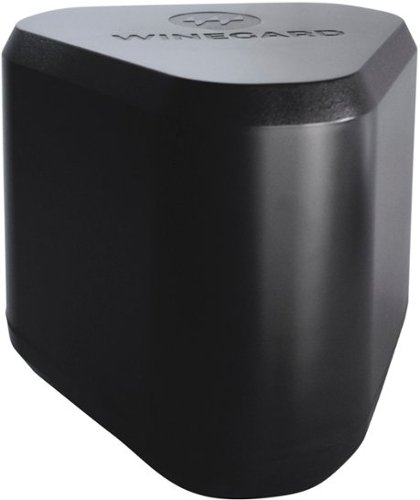
Winegard Extreme 2.0 High-Performance Wireless-AC Access Point and Outdoor Wi-Fi Range Extender. The Extreme 2.0 Extender offers 1,000 ft. of boosted range - Winegard's best, and most secure, outdoor Wi-Fi solution.
Customer Rating
4
GOOD WIFI EXTENDER AP FOR WIRED USE
on December 16, 2021
Posted by: TheOffice1234
from Lake Orion, MI
WINEGARD - EXTREME 2.0 HIGH PERFORMANCE OUTDOOR WI-FI EXTENDER
MODEL:RW-3035
MODEL:RW-3035
GOOD WIFI EXTENDER AP FOR WIRED USE
The WINEGARD - EXTREME 2.0 HIGH PERFORMANCE OUTDOOR WI-FI EXTENDER is very easy to use and to setup. There is not much to it really. The antenna is well protected, and it is nice that there is mounting gear included. It does a good job, when configured as a wired to Wi-Fi access point, but it is not so good as a WiFi-WiFi extender. I was able to get a “usable signal” at about 400 ft line of site.
As long as you can physically connect the included POE (Power Over Ethernet) adapter to your wired network or a spare port on your router, then you should be satisfied with the performance.
However, if you are hoping to boost a weak Wi-Fi signal and suddenly make it stronger this is not how things like this work. In Wi-Fi to Wi-Fi mode you are only as good as your weakest Wi-Fi link.
If you get for example 100 Mbps just outside the wall of your house, with the overhead of WiFi to WiFi you might get up to 40-60 Mbps a 100 feet into your yard / outdoor space though likely closer to something like 20Mbps. However, if you are connected to a wired network, then you can probably get close to 90-100Mbps (assuming 100Mbps is your normal max speed). A lot of it depends upon what you need the Wi-Fi for. Email, fine. Video Calls, probably not.
If you get for example 100 Mbps just outside the wall of your house, with the overhead of WiFi to WiFi you might get up to 40-60 Mbps a 100 feet into your yard / outdoor space though likely closer to something like 20Mbps. However, if you are connected to a wired network, then you can probably get close to 90-100Mbps (assuming 100Mbps is your normal max speed). A lot of it depends upon what you need the Wi-Fi for. Email, fine. Video Calls, probably not.
It is not magic. If you can barely get a signal outside your home, then unless you wire this to your home network you will not get any usable additional bandwidth.
I do highly recommend that you enable the 5Ghz band, as I had far better performance (faster) than 2Ghz even at 400 ft from the WINEGARD - EXTREME 2.0 HIGH PERFORMANCE OUTDOOR WI-FI EXTENDER.
SETUP:
The setup is really easy and straight forward. Just plug it in. Wait for the Wi-Fi Name to come up, connect to it then configure it using the information printed on the instruction sheet. Every time you change anything on a setup page, you need to press “Continue” to save the settings, and then wait a few minutes for the router to incorporate the changes. It would have been nice if WINEGARD include a cable or two for initial setup and maybe even deployment. At least with their antennas they, usually include 25-100 feet of coax.
The setup is really easy and straight forward. Just plug it in. Wait for the Wi-Fi Name to come up, connect to it then configure it using the information printed on the instruction sheet. Every time you change anything on a setup page, you need to press “Continue” to save the settings, and then wait a few minutes for the router to incorporate the changes. It would have been nice if WINEGARD include a cable or two for initial setup and maybe even deployment. At least with their antennas they, usually include 25-100 feet of coax.
SOME GEEKY STUFF – OK TO SKIP
My baseline speed from my (2021) laptop to my in house Wi-Fi network (2019) is about 500Mbps to the internet. If you are attempting Wi-Fi to Wi-Fi extender mode (the default mode), you should know that the source Wi-Fi can only be on the 2Ghz Network. (I have confirmed this with WINEGARD support).
My baseline speed from my (2021) laptop to my in house Wi-Fi network (2019) is about 500Mbps to the internet. If you are attempting Wi-Fi to Wi-Fi extender mode (the default mode), you should know that the source Wi-Fi can only be on the 2Ghz Network. (I have confirmed this with WINEGARD support).
Next you can’t have the source network be one 2Ghz channel (like 3) and the rebroadcasted channel to be something less crowded (like 2Ghz / Ch 9). So, this means 2 things. First, there seems to be only one 2Ghz radio that must be utilized to both transmit and receive on the same channel. Next this also means that the WINEGARD - EXTREME 2.0 HIGH PERFORMANCE OUTDOOR WI-FI EXTENDER is stomping on the source Wi-Fi and adding to the congestion by rebroadcasting on the same channel.
In my testing, performance dropped by about 80% (to about 20 Mbps) when using only the 2Ghz network. Once I enable the 5Ghz network, I was able to slightly increase performance (around 55 Mbps). Once I changed to “wired to Wi-Fi” (ethernet) mode. I was getting about 80Mpbs on the 2Ghz band and 160Mbps on the 5Ghz band. Not great by any means, but usable for sure. (see pics)
In my testing, performance dropped by about 80% (to about 20 Mbps) when using only the 2Ghz network. Once I enable the 5Ghz network, I was able to slightly increase performance (around 55 Mbps). Once I changed to “wired to Wi-Fi” (ethernet) mode. I was getting about 80Mpbs on the 2Ghz band and 160Mbps on the 5Ghz band. Not great by any means, but usable for sure. (see pics)
The documentation says the antenna is omni directional, which then made it no surprise then that the signal dropped off very quickly. Sure, I could still connect even at 400ft (clear line of site) from the WINEGARD - EXTREME 2.0 HIGH PERFORMANCE OUTDOOR WI-FI EXTENDER, but 2Ghz was about 20 Mbps and 5Ghz was about 80 Mbps. On one hand this is a good signal for the 5Ghz, but I was surprised by how much the 2Ghz dropped off.
By way of comparison, I have another very inexpensive outdoor Wi-Fi antenna that is extremely narrow band uni-directional, but I was able to get a similar usable signal almost 3/4 mile away though I had to have the antenna lined up perfectly. For best performance on Wi-Fi only extenders (WiFi to WiFi), you really need 2 (or more) radios each dedicated to either connecting to the source to re-transmitting independently set to different channels. For this price point I was a little disappointed that the WINEGARD - EXTREME 2.0 HIGH PERFORMANCE OUTDOOR WI-FI EXTENDER does not seem have multiple TX/RX radio/antennas for each frequency. I’ve long forgotten the math, but if I recall there is something like a 4X negative impact on throughput using the same radio/antenna combination for rebroadcasting a signal.
By way of comparison, I have another very inexpensive outdoor Wi-Fi antenna that is extremely narrow band uni-directional, but I was able to get a similar usable signal almost 3/4 mile away though I had to have the antenna lined up perfectly. For best performance on Wi-Fi only extenders (WiFi to WiFi), you really need 2 (or more) radios each dedicated to either connecting to the source to re-transmitting independently set to different channels. For this price point I was a little disappointed that the WINEGARD - EXTREME 2.0 HIGH PERFORMANCE OUTDOOR WI-FI EXTENDER does not seem have multiple TX/RX radio/antennas for each frequency. I’ve long forgotten the math, but if I recall there is something like a 4X negative impact on throughput using the same radio/antenna combination for rebroadcasting a signal.
A CAUTIONARY NOTE ABOUT GENERAL SECURITY FOR ACCESS POINTS
Make sure you configure all the passwords to strong passwords, change the default password on the WINEGARD - EXTREME 2.0 HIGH PERFORMANCE OUTDOOR WI-FI EXTENDER (or any AP/router). If for example, you set up the “guest network” with a password of “guest”, you can easily (accidentally) give everyone in your neighborhood or apartment access to everything on your home network. BE CAREFUL. This is an access point device, it is not a firewall nor does it contain any advanced security features. Because this is such a strong antenna, I was easily able to see about 10 other neighbor’s networks as well as dozens of devices like speakers and TVs. Many of these had no password protection. Remember if you can see your neighbor’s networks, then they can see your network as well. If you are an advanced user, then you should try to isolate all traffic to/from your AP to “internet only” to protect your internal devices. Most routers have some capability in this regard.
Make sure you configure all the passwords to strong passwords, change the default password on the WINEGARD - EXTREME 2.0 HIGH PERFORMANCE OUTDOOR WI-FI EXTENDER (or any AP/router). If for example, you set up the “guest network” with a password of “guest”, you can easily (accidentally) give everyone in your neighborhood or apartment access to everything on your home network. BE CAREFUL. This is an access point device, it is not a firewall nor does it contain any advanced security features. Because this is such a strong antenna, I was easily able to see about 10 other neighbor’s networks as well as dozens of devices like speakers and TVs. Many of these had no password protection. Remember if you can see your neighbor’s networks, then they can see your network as well. If you are an advanced user, then you should try to isolate all traffic to/from your AP to “internet only” to protect your internal devices. Most routers have some capability in this regard.
SUMMARY / RECOMMENDATIONS
So, boiling it all down. If you just want something super easy to deploy and are not obsessed over lightning fast performance, then the WINEGARD - EXTREME 2.0 HIGH PERFORMANCE OUTDOOR WI-FI EXTENDER will work just fine. My main advice is to wire it to your router if at all humanly possible for better performance. But if you are just chillin’ on your patio and want some signal this will work well enough. If you can’t wire it to your router at least enable the 5Ghz network and use that when possible for better performance.
So, boiling it all down. If you just want something super easy to deploy and are not obsessed over lightning fast performance, then the WINEGARD - EXTREME 2.0 HIGH PERFORMANCE OUTDOOR WI-FI EXTENDER will work just fine. My main advice is to wire it to your router if at all humanly possible for better performance. But if you are just chillin’ on your patio and want some signal this will work well enough. If you can’t wire it to your router at least enable the 5Ghz network and use that when possible for better performance.
So I will give this a recommend, but only for wired use.
Mobile Submission: False
I would recommend this to a friend!


Share this review:


+4points
4of 4voted this as helpful.
![Webroot - Security for Chromebook Antivirus (1 Device) (1-Year Subscription) - Windows [Digital]](https://pisces.bbystatic.com/prescaled/500/500/image2/BestBuy_US/images/products/76bb7cd0-4cfc-43ea-9638-94951e9607ea.jpg)
Webroot Security for Chromebook is enhanced antivirus protection that is always-on, running seamlessly in the background and proactively alerting you about malicious activity, websites, apps and extensions. Included, Webroot Web Threat lets you browse safely and be alerted of dangerous sites in Google Chrome.
Customer Rating
3
MAYBE IT WORKS for CHROME ANTI-VIRUS
on December 14, 2021
Posted by: TheOffice1234
from Lake Orion, MI
REVIEW: WEBROOT - SECURITY FOR CHROMEBOOK ANTIVIRUS (1 DEVICE) (1-YEAR SUBSCRIPTION) [DIGITAL]
MODEL:WEB803800V500
MODEL:WEB803800V500
MAYBE IT WORKS for CHROME ANTI-VIRUS
I was not sure what to expect from WEBROOT - SECURITY FOR CHROMEBOOK, but I did expect a little more. I assume it is working, but there is no console or any reporting to let me know it is working. If you click on the app, then the scan now, it says in effect, I’m already running, but if it would make you feel better go ahead and press SCAN NOW. I spent a lot of time trying to find anything that would let me know what is going on. As near as I can tell it is mostly just offering “safe surfing” either through the apps own browser window or via a chrome extension. Eventually, I noticed the “support” button which promises to let you manage your devices from a central web portal. After setting up multi factor authentication and going to the management console, there are no options for managing Chrome devices, only for managing PC. So even the WEBROOT management console has no settings for the WEBROOT - SECURITY FOR CHROMEBOOK ANTIVIRUS. I can see my licenses and that is all.
So, I have to assume it working, but there really is no way to tell.
So, I have to assume it working, but there really is no way to tell.
SETUP:
I clicked on the link provided with the license. It took me to the Google Play Store, where it downloaded the app. My first “red flag” was a giant warning message “This app is designed for mobile devices and might not display correctly”. So, it seems that not only does the management console not know about the Chromebook version, neither does the installation app on the Google Play Store.
I clicked on the link provided with the license. It took me to the Google Play Store, where it downloaded the app. My first “red flag” was a giant warning message “This app is designed for mobile devices and might not display correctly”. So, it seems that not only does the management console not know about the Chromebook version, neither does the installation app on the Google Play Store.
SUMMARY / RECOMMENDATIONS
I guess safe surfing is better than nothing. I assume it is running and if I happen across malware or a virus, then I assume it will do something. In my humble opinion, this is an incomplete product that is not yet fully integrated into the rest of webroot’s product suite. At a minimum it needs some way to give the user confidence that it is doing its job.
I guess safe surfing is better than nothing. I assume it is running and if I happen across malware or a virus, then I assume it will do something. In my humble opinion, this is an incomplete product that is not yet fully integrated into the rest of webroot’s product suite. At a minimum it needs some way to give the user confidence that it is doing its job.
Mobile Submission: False
No, I would not recommend this to a friend.


Share this review:


0points
0of 0voted this as helpful.
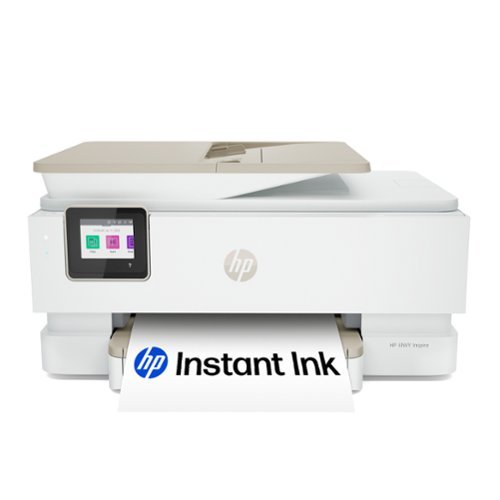
From America's most trusted printer brand, the HP Envy Inspire 7955e is a premium multi-purpose home printer with everything families need to learn, work, and create. Loaded with features to print high-quality photos, homework, office docs and everything else. It's AI-enabled to intuitively adapt to your workflow, with wireless and security features that keep your multifunction printer up to date and secure.
Customer Rating
5
HIGH QUALITY COLOR MFP FROM HP 7955e
on December 7, 2021
Posted by: TheOffice1234
from Lake Orion, MI
REVIEW: HP - ENVY INSPIRE 7955E WIRELESS ALL-IN-ONE INKJET PRINTER WITH 6 MONTHS OF INSTANT INK INCLUDED WITH HP+ - WHITE & SANDSTONE
MODEL: ENVY INSPIRE 7955E
HIGH QUALITY COLOR MFP FROM HP - 7955e
The HP - ENVY INSPIRE 7955E has great print quality and is plenty fast, but man is this thing loud when printing at full speed. There is a quiet mode that can be enabled to slow things down a bit and it works well. Anyway, the prints and copies are very good.
For best scanning results download the stand-alone HP drivers specifically for the HP - ENVY INSPIRE 7955E instead of HP SMART APP. [HP is now calling this OFFLINE Installation] This give you much more control of the scanning quality and the results are vastly improved. Run the HP SCAN app instead of the HP SMART APP.
The full color touch screen is great and it even has a copy preview mode where you can see a thumbnail of what you are about to copy. Very cool.
This newer designed printer does a great job of keeping a small footprint with all the various input and out trays tucked away when not in use.
Sure everyone wants more paper tray capacity, but for home / small office use it is fine and does not overwhelm a small desk or side table. Because it is wireless you really can put it just about anywhere in your home / office out of sight if you wanted.
SETUP:
I don’t know if was related to recent outages on the net, but I found the automatic setup would hang and I had to setup much of the printer manually. I never received step by step instruction from the HP SMART APP. In my case a few reboots of both the printer and the computer eventually got everything installed through the HP SMART APP. Once that was completed (and I activated HP+ and Instant INK) everything worked perfectly.
I don’t know if was related to recent outages on the net, but I found the automatic setup would hang and I had to setup much of the printer manually. I never received step by step instruction from the HP SMART APP. In my case a few reboots of both the printer and the computer eventually got everything installed through the HP SMART APP. Once that was completed (and I activated HP+ and Instant INK) everything worked perfectly.
SCANNING
NOTE: THERE IS NO AUTOMATIC 2 SIDED (duplex) SCANNING: Even though this prints on both sides it does not automatically scan or copy on both sides.
NOTE: THERE IS NO AUTOMATIC 2 SIDED (duplex) SCANNING: Even though this prints on both sides it does not automatically scan or copy on both sides.
PRO’s
- Really Attractive Printer, I love the new color scheme
- GREAT Print Quality DUPLEX Printing
- GREAT Color and B&W Copy Quality
- GREAT SCANS – But only with the dedicated scanning software not SMART APP
- USB port that can be used after the setup is complete.
- Really Attractive Printer, I love the new color scheme
- GREAT Print Quality DUPLEX Printing
- GREAT Color and B&W Copy Quality
- GREAT SCANS – But only with the dedicated scanning software not SMART APP
- USB port that can be used after the setup is complete.
FOR HP+ / E-INK
You need to crunch the numbers for yourself to see if this makes sense for you. If you primarily use HP brand ink or toner, then you might as well save some money with the HP+ line of printers.
You need to crunch the numbers for yourself to see if this makes sense for you. If you primarily use HP brand ink or toner, then you might as well save some money with the HP+ line of printers.
SUMMARY / RECOMMENDATIONS
It is not the cheapest option from HP, but if you want fast quality color and high resolution scans, I can make a strong case for the ENVY INSPIRE 7955E. If you do a lot of scanning, especially if you want automatic 2 sided scanning, then maybe look at some higher end models. For every day printing and great printing as well as scanning when occasionally needed, then ENVY INSPIRE 7955E is perfect.
It is not the cheapest option from HP, but if you want fast quality color and high resolution scans, I can make a strong case for the ENVY INSPIRE 7955E. If you do a lot of scanning, especially if you want automatic 2 sided scanning, then maybe look at some higher end models. For every day printing and great printing as well as scanning when occasionally needed, then ENVY INSPIRE 7955E is perfect.
Mobile Submission: False
I would recommend this to a friend!


Share this review:


+9points
10of 11voted this as helpful.
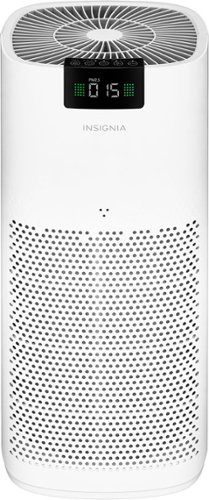
The Insignia 375 Sq. Ft. HEPA Air Purifier removes allergens, large irritants, mold, dust, pet dander, smoke and pollen with the included HEPA filter. The active carbon filter also removes odors, keeping your house smelling clean and fresh. An LED display makes it easy to check the air quality of your home and change the settings of the air purifier, such as the speed, timer or child lock. It~s ideal for a medium-sized room up to 375 sq. ft.
Customer Rating
5
POWERFUL – AFFORDABLE AIR CLEANER
on December 5, 2021
Posted by: TheOffice1234
from Lake Orion, MI
POWERFUL – AFFORDABLE AIR CLEANER
INSIGNIA - 380 SQ. FT. HEPA AIR PURIFIER - WHITE
MODEL:NS-APMWH2
MODEL:NS-APMWH2
Best Buy Tech Insider Network
REVIEW:
My expectations were far exceeded by the affordable and powerful INSIGNIA - 380 SQ. FT. HEPA AIR PURIFIER. If this is representative of the current state of INSIGNIA products, then I will continue to take a closer look at the brand (Best Buy house brand). The only downside I could find was that it is a little loud on the highest setting. Since it is deigned for a larger room, it should not be too noticeable even on high, but certainly on low or automatic you probably won’t hear it over other everyday sounds. For cleaning the air, it does a great job. It was super easy to unbox and set up. Just pull off all the plastic (don’t forget the filter) and turn it on. The menus are easy to read, understand, and use. I like that there is an easy to see / read status on the device itself. I like and prefer that you don’t need a phone app to use the INSIGNIA - 380 SQ. FT. HEPA AIR PURIFIER. Maybe I’m a luddite, but not everything in the world needs to be online and remote controlled by your phone.
My expectations were far exceeded by the affordable and powerful INSIGNIA - 380 SQ. FT. HEPA AIR PURIFIER. If this is representative of the current state of INSIGNIA products, then I will continue to take a closer look at the brand (Best Buy house brand). The only downside I could find was that it is a little loud on the highest setting. Since it is deigned for a larger room, it should not be too noticeable even on high, but certainly on low or automatic you probably won’t hear it over other everyday sounds. For cleaning the air, it does a great job. It was super easy to unbox and set up. Just pull off all the plastic (don’t forget the filter) and turn it on. The menus are easy to read, understand, and use. I like that there is an easy to see / read status on the device itself. I like and prefer that you don’t need a phone app to use the INSIGNIA - 380 SQ. FT. HEPA AIR PURIFIER. Maybe I’m a luddite, but not everything in the world needs to be online and remote controlled by your phone.
GEEKY STUFF
NOISE: I recorded audio at the highest setting and it was about 75 db (about the same as a vacuum). AIR CLEANING: After 24 hours in a 12x13 room the ppm 2.5 (fine particle parts per million) reading changed from 10 to 7. That is a 30% reduction as measured by a different meter than what is built into the unit. My TVOC (Total Volatile Organic Compounds) went from 136 to 5 ppm.
NOISE: I recorded audio at the highest setting and it was about 75 db (about the same as a vacuum). AIR CLEANING: After 24 hours in a 12x13 room the ppm 2.5 (fine particle parts per million) reading changed from 10 to 7. That is a 30% reduction as measured by a different meter than what is built into the unit. My TVOC (Total Volatile Organic Compounds) went from 136 to 5 ppm.
PRO’s
- Built in display meter
- Large unit for higher airflow
- Affordable and high quality
- Built in display meter
- Large unit for higher airflow
- Affordable and high quality
RECOMMENDATION
If you are looking for a powerful high quality affordable air cleaner, take a close look at INSIGNIA - 380 SQ. FT. HEPA AIR PURIFIER.
If you are looking for a powerful high quality affordable air cleaner, take a close look at INSIGNIA - 380 SQ. FT. HEPA AIR PURIFIER.
Mobile Submission: False
I would recommend this to a friend!


Share this review:


+2points
4of 6voted this as helpful.
TheOffice1234's Review Comments
TheOffice1234 has not submitted comments on any reviews.
TheOffice1234's Questions
TheOffice1234 has not submitted any questions.
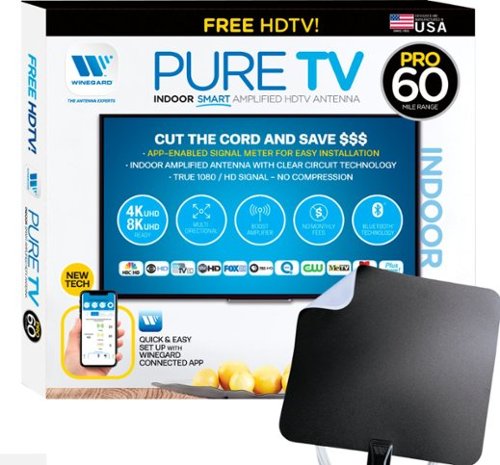
The PureTV Pro 60 is the only antenna with an actual signal meter integrated into the antenna to provide the best possible customer experience when installing. The PureTV Pro 60 has a dual-band, optimized antenna element that captures signals up to 60 miles away, while the antenna~s Clear Circuit Technology boosts the available signal, cuts dropout, and clears pixelation. The integrated, Bluetooth technology signal meter makes you the pro at installation. The PureTV Pro 60 uses a built-in tuner to get real-time signal data. Pair with the Winegard Connected app for no-fuss antenna positioning. Available for iOS and Android phones, the free, user-friendly Winegard Connected app quickly pairs with the PureTV Pro 60. Using both visual and audio indicators, you~ll get real-time feedback on the optimal antenna position for the best signal possible. The app shows a summary of available channels, and you can even fine-tune individual channels for maximum reception. Once you~re done, run a channel scan on TV, and start watching FREE TV.
Do I need a separate antenna for each TV in the house?
Generally, yes, or you need someway to amplify and split the signals to other TV's (which means running cable). So you have to do the math to see what makes the most sense for you. If you do decide to run cable, then don't cheap out on cable or amplifier. I would suggest you purchase from a reputable online retailers vs the local hardware store. Good Amplifiers / splitters will set up back $50 or more. Stay away from the $10 splitters. In theory this unit is already amplified, but I doubt it has enough power for very long runs.
5 years, 5 months ago
by
TheOffice1234
Unleash the power of the Samsung 980 PRO PCIe 4.0 NVMe Gen4 SSD for next-level computing. 980 PRO delivers 2x the data transfer rate of PCIe 3.0, while maintaining compatibility with PCIe 3.0.~ ~The NVM Express~ design mark is a registered trademark of NVM Express, Inc.* Results are based on a comparison with Samsung PCIe 3.0 NVMe SSDs and SATA SSDs.PS5 compatible with heatsink as recommended by Sony; heatsink sold separately.
Does this have a heatsink? And if not does Best Buy sell that version? I hear this thing kicks up the thermals a bit.
This version does not have a heatsink, I bought a 3rd party one for my setup.
5 years, 6 months ago
by
TheOffice1234
Unleash the power of the Samsung 980 PRO PCIe 4.0 NVMe Gen4 SSD for next-level computing. 980 PRO delivers 2x the data transfer rate of PCIe 3.0, while maintaining compatibility with PCIe 3.0.~ ~The NVM Express~ design mark is a registered trademark of NVM Express, Inc.* Results are based on a comparison with Samsung PCIe 3.0 NVMe SSDs and SATA SSDs.PS5 compatible with heatsink as recommended by Sony; heatsink sold separately.
Has anyone tried to clone this from an internal SATA 3 SSD with the Samsung software and had any boot issues????
In the past I've had nothing but issues cloning drives with the samsung tools. Fortunately one of my other drives came with ACRONIS which worked perfectly.
5 years, 6 months ago
by
TheOffice1234
Unleash the power of the Samsung 980 PRO PCIe 4.0 NVMe Gen4 SSD for next-level computing. 980 PRO delivers 2x the data transfer rate of PCIe 3.0, while maintaining compatibility with PCIe 3.0.~ ~The NVM Express~ design mark is a registered trademark of NVM Express, Inc.* Results are based on a comparison with Samsung PCIe 3.0 NVMe SSDs and SATA SSDs.PS5 compatible with heatsink as recommended by Sony; heatsink sold separately.
Do the read and write speeds depend on my current internet speed?
There is no relationship between internet speed and drive speed. The drive speed (and other factors) is how fast the drive can get information to the main CPU. The internet speed is moving data between systems externally (such as a website)
5 years, 6 months ago
by
TheOffice1234

The sound bar for those with small spaces or minimalistic tendencies. The compact Yamaha SR-C20ABL sound bar fits easily in whatever space is available and can be wall-mounted for even more possibilities. Setup is easy with a simple connection to your TV while Bluetooth lets you stream wirelessly from your mobile devices.
Can you also hook this to a cell phone to play music without the tv?
The sound bar for those with small spaces or minimalistic tendencies. The compact Yamaha SR-C20ABL sound bar fits easily in whatever space is available and can be wall-mounted for even more possibilities. Setup is easy with a simple connection to your TV while Bluetooth lets you stream wirelessly from your mobile devices.
Do you have to buy cables or does it come with the product
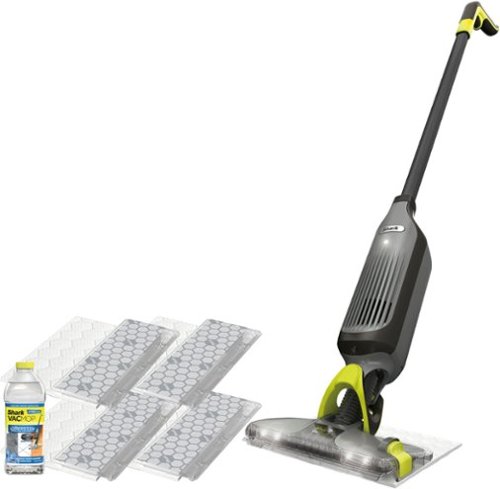
Shark VACMOP Pro cordless hard floor system uses an innovative all-in-one disposable pad to vacuum and lock away debris other pads push around, and to spray mop tough messes. Pick up dry debris, then spray mop, and toss the pad with one click~never touch a dirty pad again! Features LED headlights, charger, 2 disposable pads, and a 12-oz. bottle of Shark VACMOP Multi-Surface Cleaner.
What is a magnetic charger? How long does it hold a charge?
There is a little round disk that you plug into the wall, and the it magnetically attached to the vacuum. I think it is call induction charging (like on some cell phones). This way you don't have to fuss aligning a power adapter. I would assume it is also more child / youth friendly since there are no exposed ends with live power.

6 years, 1 month ago
by
TheOffice1234