
Share Rockstat's profile


Rockstat
Rockstat's stats
- Review count3
- Helpfulness votes4
- First reviewApril 29, 2008
- Last reviewJanuary 25, 2009
- Featured reviews0
- Average rating5
Reviews comments
- Review comment count0
- Helpfulness votes0
- First review commentNone
- Last review commentNone
- Featured review comments0
Questions
- Question count0
- Helpfulness votes0
- First questionNone
- Last questionNone
- Featured questions0
- Answer count4
- Helpfulness votes2
- First answerFebruary 5, 2010
- Last answerNovember 9, 2010
- Featured answers0
- Best answers1
Rockstat's Reviews
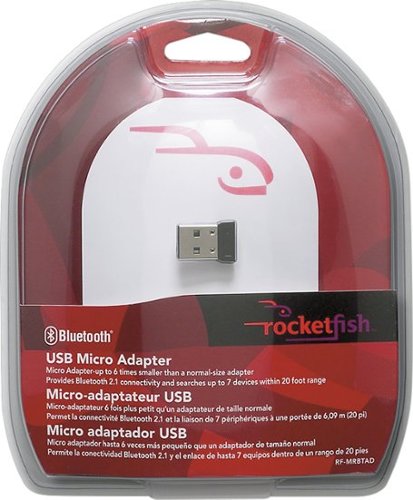
Add Bluetooth compatibility to your laptop with this convenient and compact micro USB adapter.

Posted by: Rockstat
from Silicon Valley, CA
I had bought this to convert my custom built pc into a bluetooth conversing machine. It installed easily with no problems and works with A2DP.
However everyone should take note of this. """Always, I repeat always go to the company's website to download the latest drivers""". I am saying this becuase the CD's that the companies provide for product installation are 92% of the time outdated.
So before complaining, go and check out their website.
What's great about it: Its short and powerful
What's not so great: None
I would recommend this to a friend!
Durability

5
Performance
5
Share this review:


+4points
4of 4voted this as helpful.
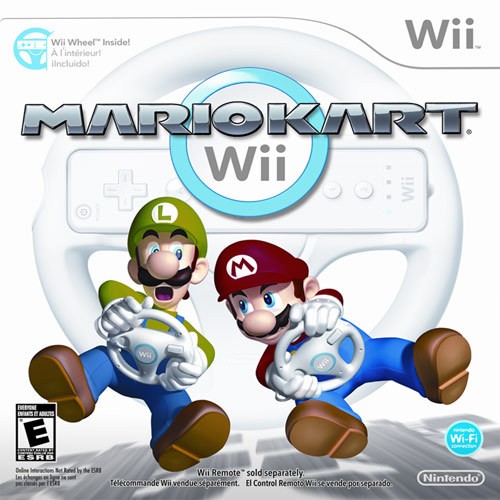
Brace yourself for a new set of tricks, tracks and ways to race. The included Wii Wheel transforms your Wii Remote into a steering wheel that feels great in your hands, while the Wii Remote and Nunchuk controller supply a classic control style for veterans of this racing series. Either way, you'll be able to perform impressive speed-boosting tricks, such as jumps, flips and wheelies.You can zip through brand-new tracks and arenas, and also tour classic courses from Super Mario Kart, Mario Kart 64, Mario Kart: Super Circuit, Mario Kart: Double Dash and Mario Kart DS. There are even options for trying all-new motorbikes that have their own special tricks and techniques. The action gets fast, furious and funny when you race in Mario Kart Wii.
Posted by: Rockstat
from New York, NY
I love this game. I like how Nintendo was so thoughtful about including a free Wii Wheel with the game.
First of all, I love the way the game works. I mean, who does not want to drive in real life and make mistakes that can be reversed. This game takes advantage of Nintendo's great motion technology and converts the Wii remote into a real racing wheel.
I love all of the levels of the game. Nintendo has never failed to amuse me with the different kinds of Mario games available.
First of all, I love the way the game works. I mean, who does not want to drive in real life and make mistakes that can be reversed. This game takes advantage of Nintendo's great motion technology and converts the Wii remote into a real racing wheel.
I love all of the levels of the game. Nintendo has never failed to amuse me with the different kinds of Mario games available.
This game is must have for all Wii owners. If you don't get this game, you don't know what you are missing.
What's great about it: Everything from driving motion to the stages on the screen
What's not so great: None
I would recommend this to a friend!
Share this review:


0points
0of 0voted this as helpful.
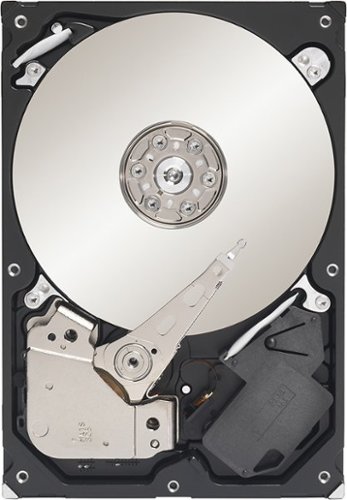
Simply add this SATA hard drive to your computer and enjoy a whopping 500GB of storage space for all your movies, music, photos, documents and more.
Posted by: Rockstat
from New York, NY
This hard drive is one of the most toughest and reliable hard drives I have ever had. It just does't want to go down. That's why I love products by seagate. I have been using this hard drive as part of my RAID system on my desktop and its been running without any problems for over a year. With features like Native Command Queing (NCQ) and cache prefetch capabilities, this thing is fast enough for an average user running at 7200 RPM.
What's great about it: Quiet, calm and fast
What's not so great: None what so ever
I would recommend this to a friend!
Share this review:


0points
0of 0voted this as helpful.
Rockstat's Review Comments
Rockstat has not submitted comments on any reviews.
Rockstat's Questions
Rockstat has not submitted any questions.
Rockstat's Answers
Add Bluetooth compatibility to your laptop with this convenient and compact micro USB adapter.
It does not see my bluetooth mouse/keyboard...
The micro adapter found my iPhone but it is not finding my logitech keyboard or MX Laser mouse (both of which work fine using my desktop computer).
The logitech keyboard and mouse should have come with their own adapters. I don't think the keyboard or the mouse is bluetooth, they run on an 2.4 Ghz frequency the same as your cordless phone at home.
OTH, an iPhone has bluetooth so that will work fine and can be found by the adapter.
OTH, an iPhone has bluetooth so that will work fine and can be found by the adapter.
15 years, 7 months ago
by
Rockstat
New York, NY
Add Bluetooth compatibility to your laptop with this convenient and compact micro USB adapter.
How come I can't skip entering a passkey when pairing a device?
I have a Bluetooth enabled device that does not require a passkey to enable a connection. The software/drivers that come with the RF-MRBTAD don't allow me to skip the step that asks for a passkey. As a result, I cannot connect this Bluetooth adapter to my device. I purchased this adapter specifically to work with my device, and it is otherwise useless to me. I like the small form of this adapter, and I'd rather not have to return it for another product.
If you are simply looking for a passkey, try 000000 (6 zeroes)
That should pair up and the settings should be remembered so that you don't have to enter them in the future.
That should pair up and the settings should be remembered so that you don't have to enter them in the future.
15 years, 7 months ago
by
Rockstat
New York, NY
Xbox 360
Xbox 360
how do i get rid of 3/4 of red flashing lights
You have the 3 rings of death. Contact Microsoft if you are still under 3 years for them to repair your unit.
16 years, 4 months ago
by
Rockstat
Silicon Valley, CA
Xbox 360
Xbox 360
how do i get sound with my hdtv i can get a picture but no sound
First you can try a different HDMI cable. Not all HDMI cables are capable of carrying both sound and video.
The other thing would be to check the settings on your TV, that sound is enabled for HDMI.
The other thing would be to check the settings on your TV, that sound is enabled for HDMI.
16 years, 4 months ago
by
Rockstat
Silicon Valley, CA