
Share EngineerHere's profile


EngineerHere
EngineerHere's stats
- Review count1
- Helpfulness votes3
- First reviewJanuary 9, 2008
- Last reviewJanuary 9, 2008
- Featured reviews0
- Average rating4
Reviews comments
- Review comment count0
- Helpfulness votes0
- First review commentNone
- Last review commentNone
- Featured review comments0
Questions
- Question count0
- Helpfulness votes0
- First questionNone
- Last questionNone
- Featured questions0
Answers
- Answer count0
- Helpfulness votes0
- First answerNone
- Last answerNone
- Featured answers0
- Best answers0
EngineerHere's Reviews
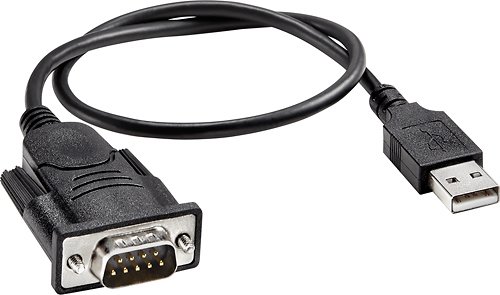
This adapter cable is designed for easy plug-and-play connection of a device with a serial port to a device with a USB port.

Posted by: EngineerHere
from Pensacola, FL
When I purchased this, it came with a driver disk. I installed it onto my XP Pro computer. It worked great on the first thing that I tried, which was my CarChip (www.carchip.com). It would not work on my Visual Basic 2005 Express Edition DF1 program from SourceForge.Net. After exploring around, I noticed that in Device Manager, the description was "Prolific USB-to-Serial" and this was in the Manual.PDF also. I searched on the web and found a more recent driver. The site was http://www.prolific.com.tw/eng/download.asp and then select "USB to I/O Port Controllers". Now find the "PL-2303 USB to Serial Bridge Controller" (second section from the top) and then select the "PL-2302 Software and Drivers". At the top of the page click on the "wd_pl2303_v20019v2028.zip" and save it to your computer. Unzip or explore into this file to find the "PL-2303 Driver Installer.exe" and run this program. After it installs, you will have to re-boot and now all should work great. Mine sure did.
What's great about it: Works Great after New Driver in XP
What's not so great: Slightly overpriced
I would recommend this to a friend!
Share this review:


+3points
3of 3voted this as helpful.
EngineerHere's Review Comments
EngineerHere has not submitted comments on any reviews.
EngineerHere's Questions
EngineerHere has not submitted any questions.
EngineerHere's Answers
EngineerHere has not submitted any answers.