
Share pilotchip's profile


pilotchip
pilotchip's stats
- Review count3
- Helpfulness votes12
- First reviewAugust 17, 2010
- Last reviewMay 23, 2015
- Featured reviews0
- Average rating3
- Review comment count1
- Helpfulness votes2
- First review commentMay 23, 2015
- Last review commentMay 23, 2015
- Featured review comments0
Questions
- Question count0
- Helpfulness votes0
- First questionNone
- Last questionNone
- Featured questions0
- Answer count1
- Helpfulness votes0
- First answerAugust 17, 2010
- Last answerAugust 17, 2010
- Featured answers0
- Best answers0
pilotchip's Reviews
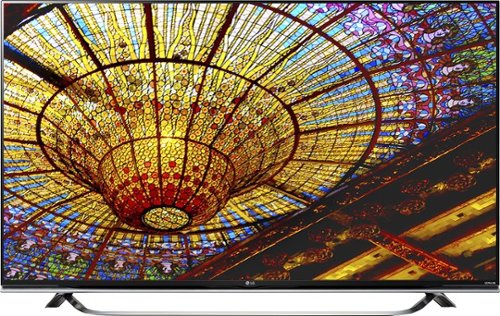
LG 65" Class 65UF8500 Smart 4K Ultra HD TV: Experience the superior quality of TV viewing at home, whether you're watching the big game, streaming videos with the built-in Wi-Fi, or enjoying ULTRA surround sound during your favorite movies. The Magic Remote helps you navigate your screen with simple voice commands or by using the full keyboard and mouse.
Customer Rating

3
Grainy picture, limited display & picture settings
on May 23, 2015
Posted by: pilotchip
from CA
I bought this TV after my brand new Sony died 2 weeks ago. This LG TV looks nice and the menus are easy and fun to navigate with the magic mouse (point at the TV and a mouse pointer moves around on the screen).
If you're not particular about perfect picture quality, this may be the TV for you, and it looks like the majority of reviews on here and Amazon reflect this theory. However, in my opinion, the picture is fairly grainy and not "smooth" as one would expect with a very new TV model.
I have no idea if anything (HD or SD) is being upscaled because everything looks the same - though of course HD is obviously better than SD, the HD looks similar to HD on my older Samsung TV.
Maybe I have a bad model? I would have expected a clearer, smoother picture, but even at 5+ feet the blurry/pixelation is very noticeable, so at 10 feet, the picture is acceptable, in my book.
I'm going to consider repurchasing my previous Sony or looking for a newer Samsung, although I haven't seen better reviews for Samsung over these other leading TV brands.
My Best Buy number: 0405539716
No, I would not recommend this to a friend.
Share this review:


-1point
8of 17voted this as helpful.
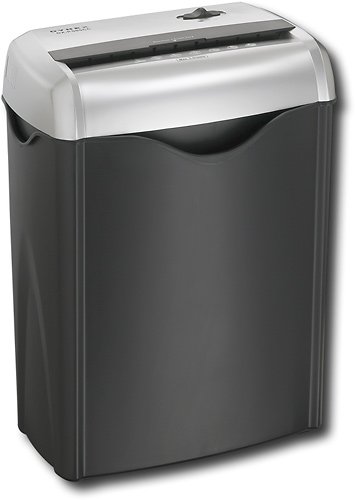
Shred unnecessary papers or old credit cards with this cross-cut shredder that can shred up to 5 sheets of paper at a time.
Customer Rating
3
Okay for simple things. Stopped working after 8 mo
on October 17, 2012
Posted by: pilotchip
from Long Beach, CA
Purchased this and used it for about 8 months. It works fine for light shredding, although the waste basket is on the smaller size, so if you shred a considerable amount, be prepared to empty that thing frequently.
It will jam if you try to shred standard size credit cards. And even thick mailing flyers or poster cards. Sometimes it slows down to a crawl and stops forcing me to play the "reverse/off" toggle game.
After about 8 months it all of the sudden does NOTHING when I put in a piece of paper. Then, about 20 seconds later it starts shredding. It was the weirdest thing! Now, it has totally shut down and doesn't work. Seems like the 1 year warranty is timed perfectly for its life expectancy.
What's great about it: Compact, cheap, useful for light shredding.
What's not so great: Credits cards WILL jam it. Small waste basket. Stopped working.
No, I would not recommend this to a friend.
Ease of Use

3
Share this review:


+3points
3of 3voted this as helpful.

Easily navigate through files and programs on your laptop with this wireless mouse that features high-definition 1000 dpi optical tracking for smooth cursor control.Take a product tour.Silver model shown.
Posted by: pilotchip
from Long Beach, CA
Plastic is nice and smooth, this mouse is a bit smaller than most standard sized desktop mice. The rubber on the sides is comfy.
BUT the scroll bar is very "clicky" when trying to click it down (unstable). It clicks to the side for some reason if you are not pressing straight down. It's also a bit harder to click down than normal and sometimes I click down but it's not aligned perfectly so I have to click again, harder. Very annoying, will probably return.
Cool design. Very light pressure needed for left and right click buttons.
I use the scroll click function very often, especially with firefox tabs, and it's becoming a nuisance.
What's great about it: Comfort, size, smooth scrolling
What's not so great: Unstable scroll click mechanics, hard scroll click pressure required
No, I would not recommend this to a friend.
Design

2
Ease of Use
3
Share this review:


+1point
1of 1voted this as helpful.
pilotchip's Review Comments
LG 65" Class 65UF8500 Smart 4K Ultra HD TV: Experience the superior quality of TV viewing at home, whether you're watching the big game, streaming videos with the built-in Wi-Fi, or enjoying ULTRA surround sound during your favorite movies. The Magic Remote helps you navigate your screen with simple voice commands or by using the full keyboard and mouse.
Overall 1 out of 5
1 out of 5Wanted to like it, but......
By hypoluxa
I purchased one of these TV's around a month ago. At first it was great. Amazing color, great viewing angles. These are things to be expected for an IPS panel from LG because they are the IPS panel experts. In any case, the screen had serious backlight bleed. More than I would have expected. This I would have lived with because of the nature of IPS panels, but the thing that caused my insanity was the "dirty screen effect" that most large LCD panels have. This TV had immense amount of artifacts. The real kicker is that I got a replacement TV during my 30 day return policy. The second TV had the identical problems. Now, I'm a bit of picky person with great eyesight. Most folks probably wouldn't have picked out the issues, but I noticed many non uniformities on scenes with fast moving solid color backgrounds. Hockey games were the worst. It was just too much to bear in my honest opinion. In any case, I exchanged this second LG 65UF8500 for the Samsung 65JU7100 and I am thoroughly satisfied with the uniformity of the Samsung. It uses direct backlighting array technology vs edge lit like the LG. The backlight diffuses much more evenly on the Samsung. I would have liked to have an IPS LG, but picture quality trumped the viewing angles here. I do miss the WebOS that's for sure.

pilotchip
CA
I noticed the artifacts too.
May 23, 2015
First I thought it was blurry, but then I noticed it was grainy or pixelated and no other reviews even mentioned it. I'm picky too, and it just doesn't seem "clear." I had a new model Sony right before this one, the Sony completely died on its own after a week, but I'm inclined to grab the same Sony model again. I so far have not come across better reviews for Samsung TVs compared to Sony/LG in the current 4K market.
+2points
2of 2voted this comment as helpful.
pilotchip's Questions
pilotchip has not submitted any questions.
pilotchip's Answers
Best Electronic for Document Storage
What is the best electronic to store documents (e.g. medical and financial) and photos. I do not want any connection to the internet or e-mail.
I recommend a good quality external hard drive. It looks like Western Digital products have good reviews and you can get a lot of storage, on the cheap right now, about $145. I suggest backing up everything, on some other device as well, for redundancy purposes; DVD-R/RW, CD-R/RW, at least your documents. I also suggest using a fast cable to promote maximum efficiency of transfer speeds. For example, use a 1394 firewire or eSATA instead of a standard USB cable. Your external hard drive may come supplied with both, but use the newest technology if your computer has the port to accommodate it.
I have attached a Tekzilla video explaining physical storage vs online storage, as you mentioned. They also recommend Western Digital.
I have attached a Tekzilla video explaining physical storage vs online storage, as you mentioned. They also recommend Western Digital.
Video Answer:
(click to see the video)


Products from my answer
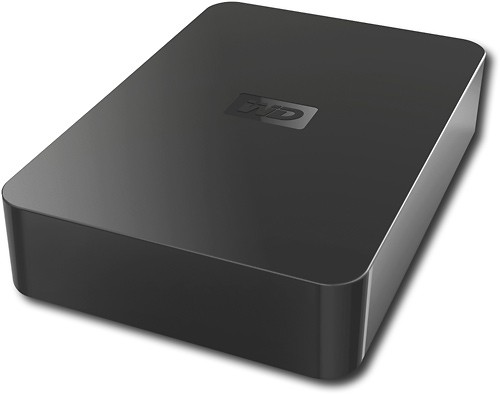
Western Digital - WD Elements 2TB External USB 2.0 Hard Drive
Western Digital - WD Elements 1.5TB External USB 2.0 Hard Drive
15 years, 9 months ago
by
pilotchip
Long Beach, CA