
Share bunkin's profile


bunkin
bunkin's stats
- Review count2
- Helpfulness votes5
- First reviewSeptember 20, 2013
- Last reviewJuly 23, 2014
- Featured reviews0
- Average rating5
- Review comment count1
- Helpfulness votes2
- First review commentFebruary 8, 2013
- Last review commentFebruary 8, 2013
- Featured review comments0
Questions
- Question count0
- Helpfulness votes0
- First questionNone
- Last questionNone
- Featured questions0
Answers
- Answer count0
- Helpfulness votes0
- First answerNone
- Last answerNone
- Featured answers0
- Best answers0
bunkin's Reviews
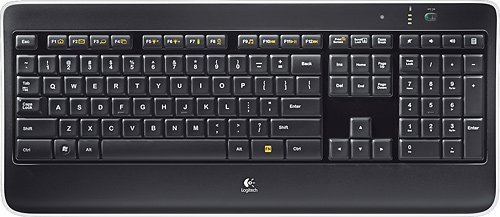
Customize your computer with this Logitech wireless keyboard. Laser-etched backlit keys let you work in virtually any lighting conditions, while the proximity sensors detect your hands to power on the backlights. The PerfectStroke system allows for whisper-quiet, responsive typing. Featuring a unifying receiver, this Logitech wireless keyboard lets you connect one or many mice with just one USB port.
Customer Rating

5
Great keyboard with two minor design flaws
on July 23, 2014
Posted by: bunkin
from Columbia, SC
I've had this keyboard for a little over a week and save for two simple complaints, I absolutely love it. I love the tactile feel of the keys and the shortcuts (especially that I can adjust volume and have a shortcut to my calculator now!).
My only complaints are that there's no light letting you know the Num Lock is active, and the light letting you know the Caps Lock is active sits at such an angle that you can't easily see it's lit while sitting in a normal typing position. You practically have to look straight down at the key in a normal, well-lit office environment in order to see if the indicator light is illuminated. Granted, when you click the Num Lock or Caps Lock it brings up a notification on the computer screen, but I'd like an easily readable light for those functions.
In all, I'd give this keyboard 4 1/2 stars, but that's not an option. My gripes are minor. I'd still highly recommend this keyboard to those looking for an upgrade.
My Best Buy number: 0025643237
What's great about it: plug and play, lighted keys, tactile feel
What's not so great: Num Lock and Caps Lock indicators
I would recommend this to a friend!
Design

4
Ease of Use

5
Share this review:


+1point
1of 1voted this as helpful.
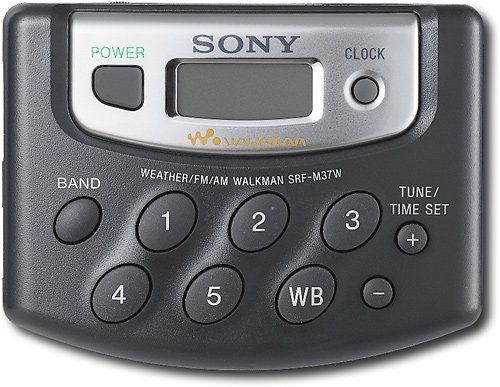
Jam to your favorite AM/FM radio stations and get current weather updates with this portable digital AM/FM radio that features 20 AM/FM station presets and weather band reception.
Posted by: bunkin
bought this radio to use at the drive in movies. worked great. plan on buying three more for the family to use the next time we go.
I would recommend this to a friend!
Share this review:


+3points
4of 5voted this as helpful.
bunkin's Review Comments
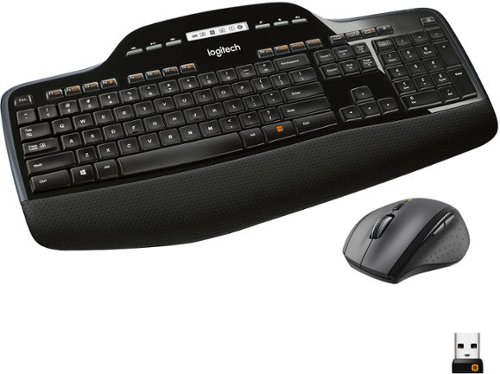
The Logitech Wireless Desktop MK710. Where comfort and productivity go hand-in-hand. This low-profile keyboard features Logitech Incurve keys, which are so comfortable you~d think they were custom-made to fit your fingers, and a cushioned palm rest. Up to three-year battery life for both keyboard and mouse practically eliminates the need to replace batteries.
Overall 2 out of 5
2 out of 5Love Logitech, hate this combo
By SRTSpeedRacer
from Dunedin Florida
I'm a fan of Logitech products. The keyboard is great. Love the feel of the keys and being able to assign functions to the F keys.
The mouse is a whole different story. Stays scrolling. I cant touch the mouse with out it scrolling the page. A real irritation when your typing.
Bought on 12/13/12, returning on 12/14/12. Just can't take the mouse scrolling all over.

bunkin
Columbia, SC
Apparently you don't know how to work the mouse.
February 8, 2013
You know, the mouse has a free scroll option that you can turn on and off. To keep it from free scrolling all you have to do is click the button on the top of the mouse. I don't have the combo, but I use the M705 mouse on a daily basis and absolutely love it. The free scroll option is essential for working in large spreadsheets.
+2points
2of 2voted this comment as helpful.
bunkin's Questions
bunkin has not submitted any questions.
bunkin's Answers
bunkin has not submitted any answers.